

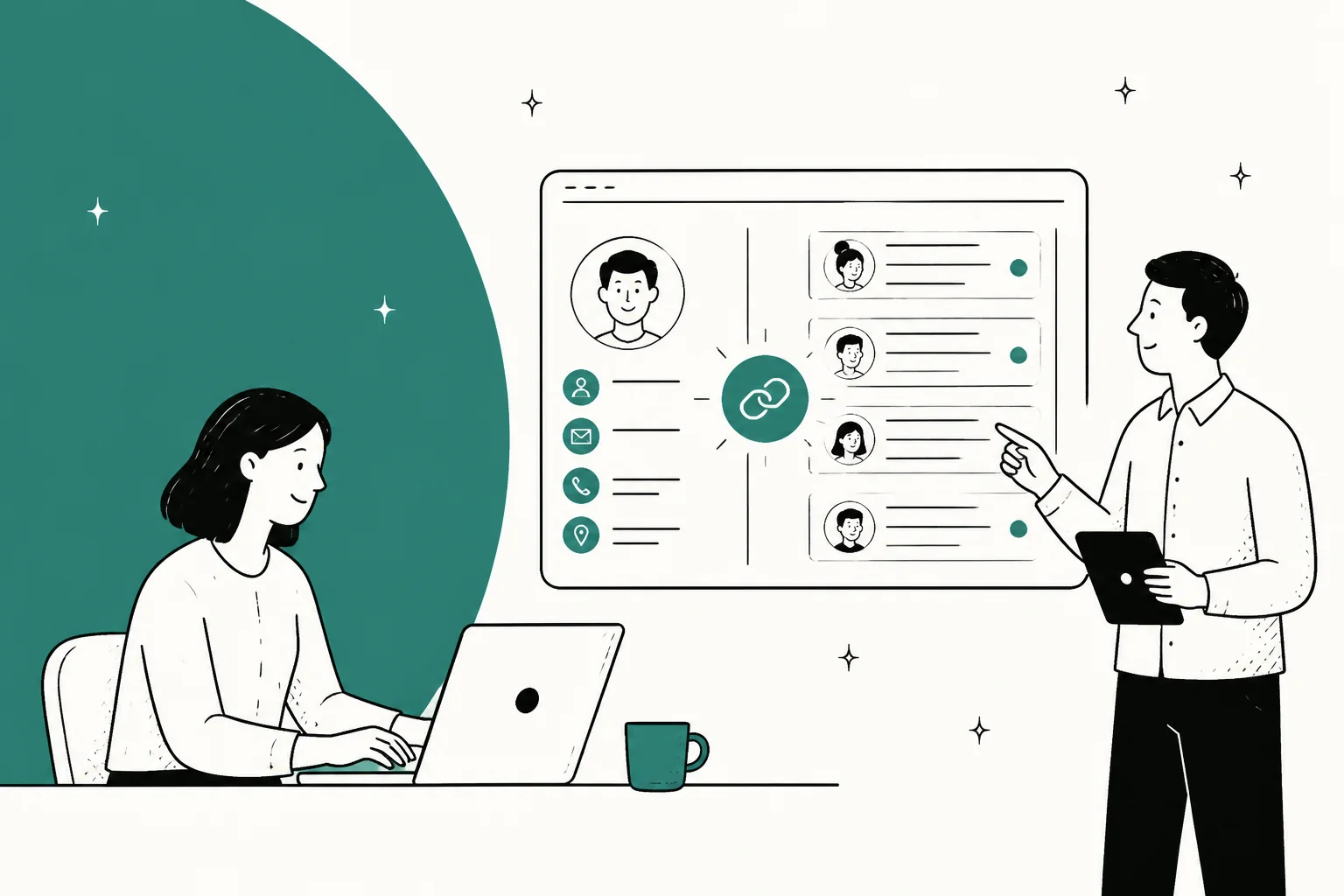
"Customer service CRM software" is really two different product shapes wearing the same label, and picking the wrong one is what makes migrations painful two years later. CRM-first platforms (Salesforce Service Cloud, HubSpot Service Hub, Zoho Desk, Kustomer) treat the customer as the main object and hang tickets off them. Helpdesk-first tools (Zendesk, Freshdesk, Gorgias, Front, Help Scout) treat the ticket as the main object and hang a customer profile off that.
On price: seats start at $7/user/month on Zoho Desk Express and run to $550/user/month for Salesforce's Agentforce 1 Service. But the seat is no longer the number that decides your bill. Every platform here now meters AI on a different unit, and the same 2,000 automated conversations cost $735 on Freshdesk, $1,200 on Kustomer, $1,500 on Help Scout, $1,800 on Gorgias, and $4,000 on Salesforce. Zendesk publishes no per-resolution rate at all.
If your helpdesk is fine and it's the AI that's disappointing, you don't have to migrate. eesel plugs into Zendesk, Freshdesk, Front, Help Scout, HubSpot, Gorgias, Salesforce and about a hundred other systems, learns from your past tickets and your help center, and runs on one fixed monthly price from $299 for 500 credits (1 credit per ticket or chat) with no seat fee. You can simulate it against your ticket history before a single customer sees a reply.
What "customer service CRM software" actually means
I've spent two years watching which support-software keywords people actually search before they buy, and this one gets muddied more than most. Half the tools ranking for it are CRMs that grew a support ticketing module. The other half are helpdesks that grew a customer sidebar. They converge on the same demo, and they behave completely differently once you have 40,000 contacts in them.
The difference is the data model, and it decides more than it looks like it should.
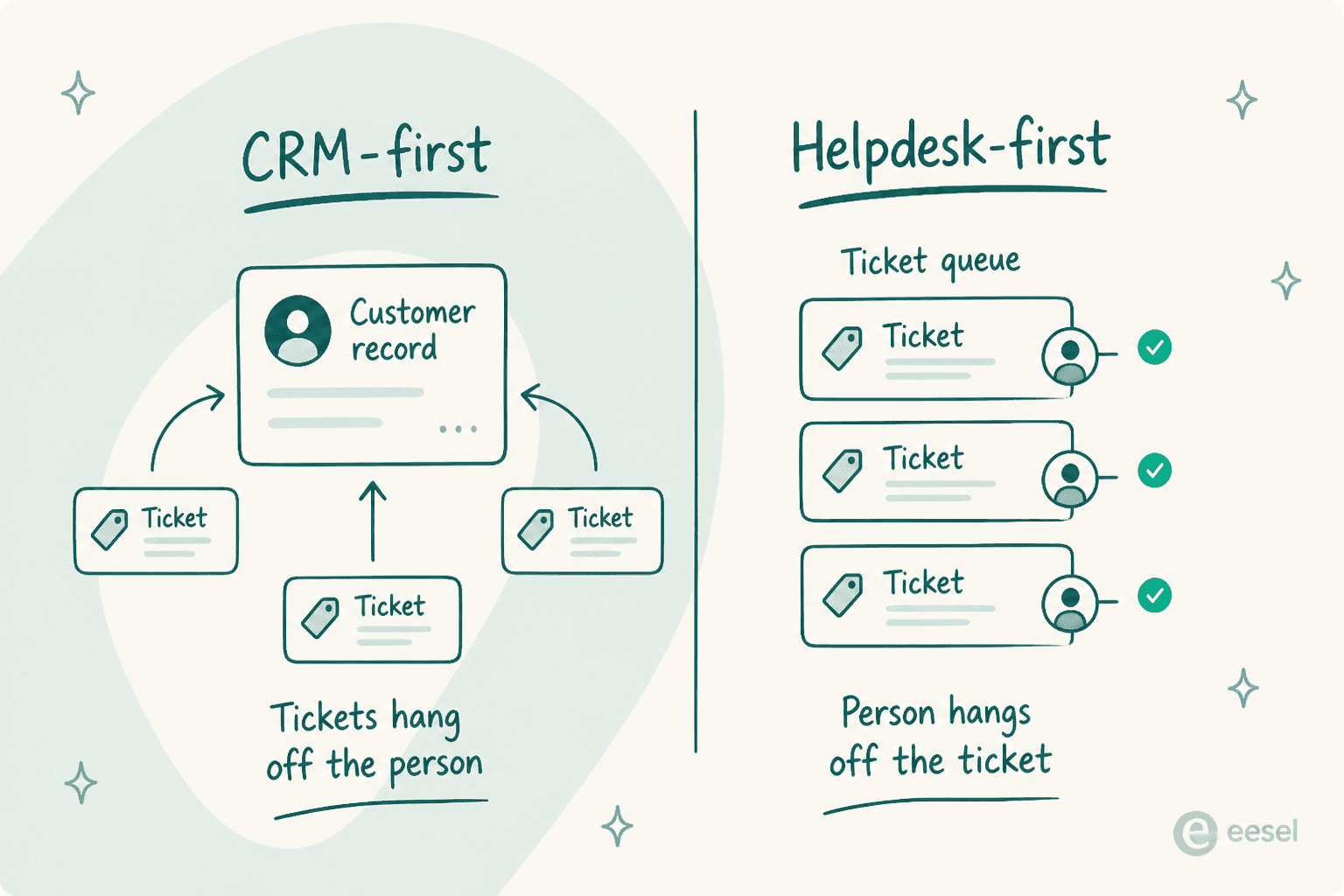
In a CRM-first tool, the customer record is the centre of gravity. Every ticket, order, renewal and note attaches to that person or company. Reporting is naturally about accounts. Routing can key off contract value. This is the right shape when support decisions depend on who is asking: enterprise B2B, subscriptions, anything with a CSM attached.
In a helpdesk-first tool, the ticket is the centre of gravity. The queue is what you manage, SLAs are what you optimise, and the customer profile is context rendered in a sidebar. This is the right shape when the volume is the problem and most tickets are one-off.
Neither shape is better. Picking the one that fights how your business actually works is what hurts, because the workaround is always custom fields and a Zapier chain that nobody maintains after the person who built it leaves.
How I picked these 10
Every price in this post was pulled from the vendor's own pricing page between 27 and 29 July 2026, not from a competitor's teardown. Where a rate isn't published, I say so instead of quoting a number that's floating around in old blog posts. That matters more than usual right now: Kustomer's pricing page has gone fully quote-gated, and Zendesk has quietly stopped publishing a dollar figure for an automated resolution.
I weighted four things:
- Does the customer record actually reach the agent, or is it a name and an email address?
- What is the billing unit for AI, and is it a unit you control?
- What's gated behind Enterprise that a mid-market buyer assumes is included?
- What do real users say after 12 months, pulled from Reddit, G2, Capterra, Trustpilot and Hacker News rather than review-roundup sites?
Each tool gets the same five sections: best for, what it does well, where it falls short, pricing, and my take.
The 10 tools at a glance
| Tool | Shape | Entry seat price | Top public tier | AI billing unit | AI rate | Free tier | Ecommerce data in ticket | Public uptime SLA |
|---|---|---|---|---|---|---|---|---|
| eesel | AI layer on your existing stack | No seats | Teammate $1,899/mo (5,000 credits) | Per credit (1 per ticket or chat) | From $299/mo for 500 credits | 100 free credits | Via Shopify + custom actions | Not published |
| Zendesk | Helpdesk-first | $19 | Quote (Suite Enterprise + Copilot) | Automated resolution | Not published | No | Via apps | 99.9% on Premier only |
| Freshdesk | Helpdesk-first | $19 | $89 | Freddy session | $0.49 | No | Native Shopify panel | Enterprise |
| HubSpot Service Hub | CRM-first | $7 (commit monthly) | $150 + $3,500 onboarding | Resolution (50 credits) | $0.50 | 2 users | Via CRM objects | Enterprise |
| Salesforce Service Cloud | CRM-first | $25 | $550 | Conversation | $2.00 | No | Via CRM objects | Contract |
| Zoho Desk | CRM-first (Zoho One) | $7 | $40 | Bundled, no per-use rate | n/a | 3 users | Via Zoho CRM | None published |
| Gorgias | Helpdesk-first, ecommerce | No seats, $40/mo | $1,430/mo | Automated interaction | $0.85-$1.00 | No | Deep Shopify actions | Enterprise |
| Front | Helpdesk-first, inbox | $25 | $105 | Conversation (Autopilot) | From $0.05 | No | Via CRM sync | Enterprise |
| Help Scout | Helpdesk-first, light CRM | $25 | $75 | Resolution | $0.75 | 5 users | Shopify sidebar | Enterprise |
| Kustomer | CRM-first | Not published | Not published | Engaged conversation | $0.60 | No | Native timeline | Contract |
All seat prices are annual billing, per user per month, as printed on the vendor's page. AI rates are list per-unit rates as printed on each vendor's page.
1. eesel
Best for: teams whose helpdesk is fine and whose native AI isn't.

I'll be upfront about the category error before anyone else points it out: eesel is not a CRM and it isn't a helpdesk. It's the AI layer that sits on top of whichever one you already run. I'm including it because the single most common thing I hear from teams searching this keyword is not "I need a new CRM." It's "the AI inside the CRM I already pay for is disappointing and I don't want to migrate to fix that."
What it does well. It connects to Zendesk, Freshdesk, Front, Help Scout, HubSpot, Gorgias, Salesforce, Slack, Shopify, Confluence, Notion and Google Docs, then learns from three sources at once: your help center, your past tickets, and whatever internal docs you point it at. One customer, a logistics platform, runs support on 717 knowledge items through a Salesforce and Slack setup. The part I'd flag hardest is the simulation mode: before anything goes live, you replay the agent against your real historical tickets and see what it would have said. We built that because we've watched confident-sounding bots quietly give wrong answers in production, and nobody wants to find that out from a customer.
Where it falls short. If you don't have a helpdesk yet, this isn't your first purchase, it's your second. It also isn't the tool for teams who want one vendor for everything, and there's no seat-based enterprise licence to hand to procurement without a conversation.
Pricing. One fixed monthly price on the Teammate plan, where one credit covers one ticket or chat no matter how many replies it takes. No seat fees, no platform fee. The free plan is 100 credits with every feature unlocked and no card required. Pay a year upfront and you get two months free. SSO and MFA are add-ons from $199/month.
| Monthly credits | Price |
|---|---|
| 500 | $299/mo |
| 1,000 | $499/mo |
| 2,500 | $999/mo |
| 5,000 | $1,899/mo |
My take: if your problem is the AI and not the ticketing, migrating your whole helpdesk to fix it is the expensive way round. Try the layer first.
2. Zendesk
Best for: large support orgs that need every channel and can absorb the pricing model.
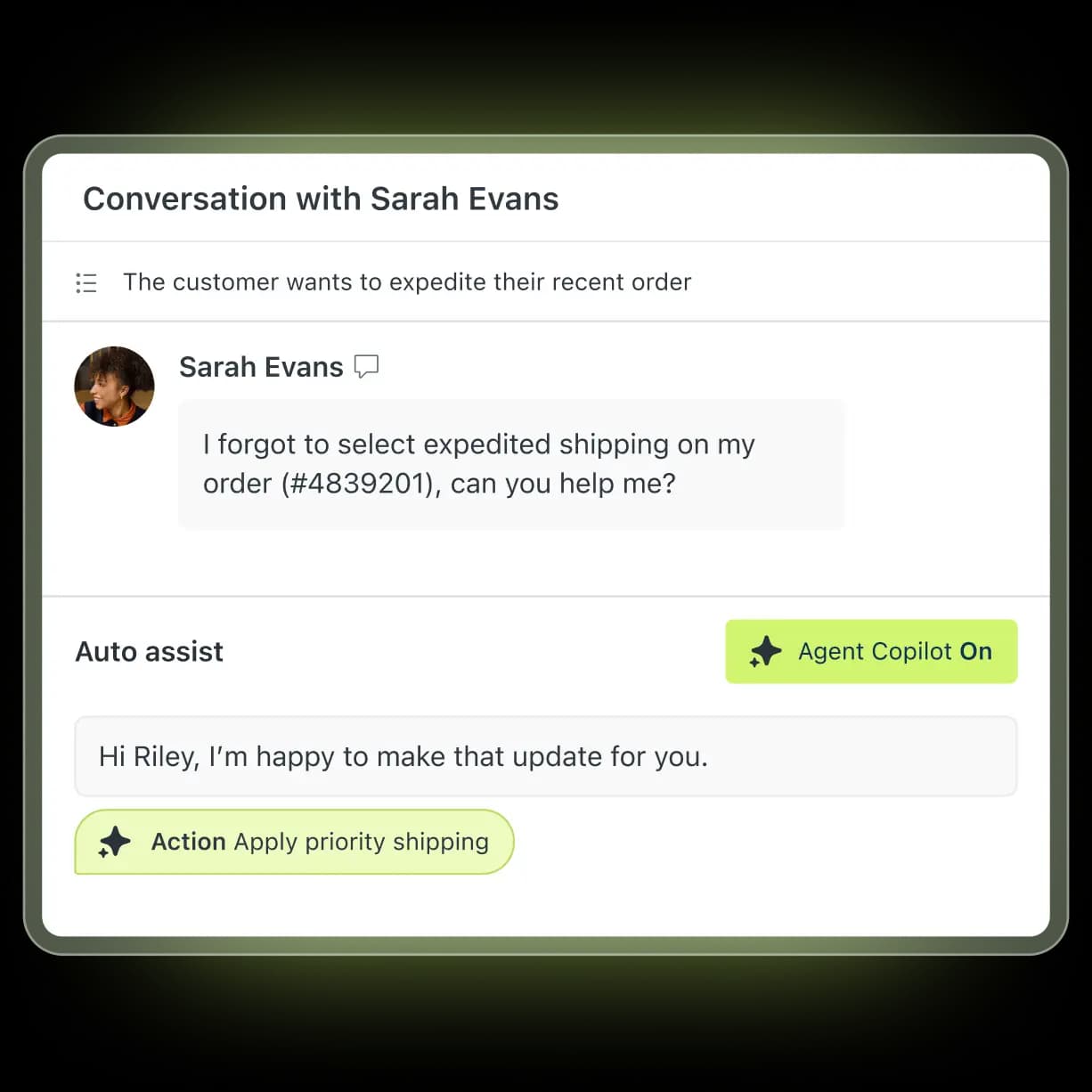
Zendesk is the default for a reason. The agent workspace is mature, the marketplace carries over 1,800 apps, and Explore reporting is strong once someone learns it. It's helpdesk-first, so the customer record arrives through apps and its own Sunshine data layer rather than being the native object.
What it does well. Channel coverage nobody else matches at this price, skills-based routing from Professional up, and Copilot actions that can do things like apply priority shipping directly from a drafted reply rather than just suggesting text.
Where it falls short. Cost, and specifically the shape of it. This is the most consistent complaint I found anywhere in the research for this post.
"Their pricing isn't transparent at all. Even if you spend a million dollars a year, they will still nickel and dime the shit out of you because it's their model... Want automation? That costs more. Want their latest AI feature? Cost more... I would never suggest any company get stuck in the zendesk pricing trap."

The other thing worth knowing before you sign: what counts as an automated resolution is contested by the people paying for them. One operator put the incentive problem plainly.
"What is defined as a resolution isn't really fair. If it's an abandoned deflection, it shouldn't count. Mechanisms to understand that aren't well-tuned. This creates an incentive misalignment where, theoretically, creating abandonment would make sense as it would maximize 'resolutions' as currently defined."
Pricing. Support Team $19, Suite Team $55, Suite Professional $115, all per agent per month billed yearly. The top tier is now branded "Suite Enterprise + Copilot" and is quote-only. Copilot is a $50/agent/month add-on, so a Professional seat with Copilot is $165. The standalone $50 Advanced AI add-on is gone, and the pricing page no longer publishes any dollar rate for an automated resolution. Older figures you'll find elsewhere are stale.
My take: still the safest pick for a 100-agent org with complex routing. If you're 15 agents and the AI bill is what's scaring you, look at Zendesk AI alternatives before you commit to a year.
3. Freshdesk
Best for: mid-market teams who want ecommerce context in the ticket without Zendesk's bill.

Freshdesk sits in a nice spot: helpdesk-first, but the workspace pulls a real Shopify order panel next to the conversation, so an agent sees order #1234 is paid and unfulfilled while they're reading the complaint about it. Freddy adds a summary and a sentiment read on top.
What it does well. Automation rules are approachable, the omniroute setup is straightforward, and Freddy AI Agent is included on every plan rather than gated to the top tier. Coming from Zendesk, the price per seat feels like relief.
Where it falls short. Freddy Copilot, the agent-side assistant, is Pro and Enterprise only at $29/agent/month, so Growth teams get the customer-facing bot but not the drafting help. And the free plan is gone, which catches out anyone working from a 2025 comparison.
Pricing. Growth $19, Pro $55, Enterprise $89 per agent per month billed annually. Freddy AI Agent includes the first 500 sessions on all three plans, then $49 per 100 sessions, which works out to $0.49 a session. A session is an interaction, not a guaranteed resolution, so you pay for the attempt either way. Full breakdown in our Freshdesk pricing guide.
My take: the best value on this list if you want a conventional helpdesk with real order context. Budget the $29 Copilot add-on from day one, because Growth without it feels thinner than the demo suggests.
4. HubSpot Service Hub
Best for: teams already running sales and marketing on HubSpot.
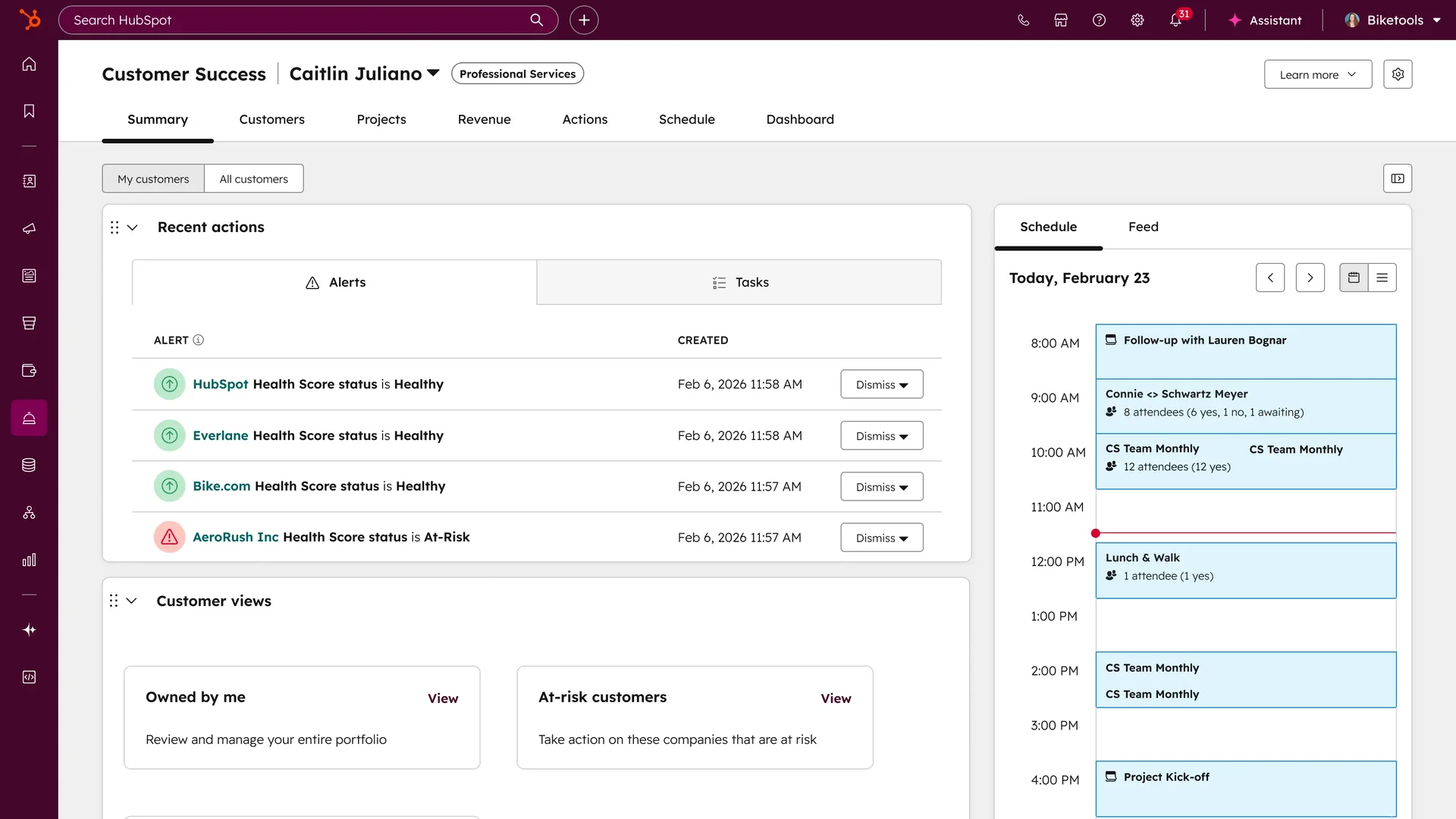
This is the most CRM-first tool on the list, in the literal sense: Service Hub is a set of support objects sitting inside HubSpot's CRM, so a ticket has native access to the deal, the lifecycle stage and the whole contact timeline without an integration. If your revenue team already lives there, the pull is obvious.
What it does well. The customer success workspace with health scores is very good, Breeze Customer Agent is a competent deflection bot, and the knowledge base is fine for most teams.
Where it falls short. The credit arithmetic, and it's worth doing before you buy. Professional includes 3,000 credits a month. Breeze Customer Agent costs 50 credits per resolution. That's 60 AI resolutions a month, roughly two a day, from a pool that also funds Data Agent runs and every other Breeze action. Past that it's $0.50 a resolution, and if the pool empties the agent silently stops taking new conversations across every channel until it resets.
Two more cliffs: skill-based routing and conditional SLAs are Enterprise-only, and Professional SLAs key off exactly four properties and never re-evaluate. Users flag the tier gating consistently.
"What I like least about HubSpot Service Hub is that some advanced features are limited to higher-tier plans, which can increase costs for growing teams."

Pricing. Free for 2 users with no help desk workspace and no AI agent. Starter $7/seat on a monthly commit or $20 pay-monthly. Professional $90/seat annual, plus a required one-time $1,500 onboarding fee. Enterprise $150/seat, sales-quoted, plus a required $3,500 onboarding fee. Credits are $9.00 per 1,000 and don't roll over.
My take: buy it for the CRM unity, not for the AI economics. If you love HubSpot but the 60-resolutions ceiling is the blocker, an AI layer on HubSpot is worth pricing against the credits.
5. Salesforce Service Cloud
Best for: enterprises already standardised on Salesforce.
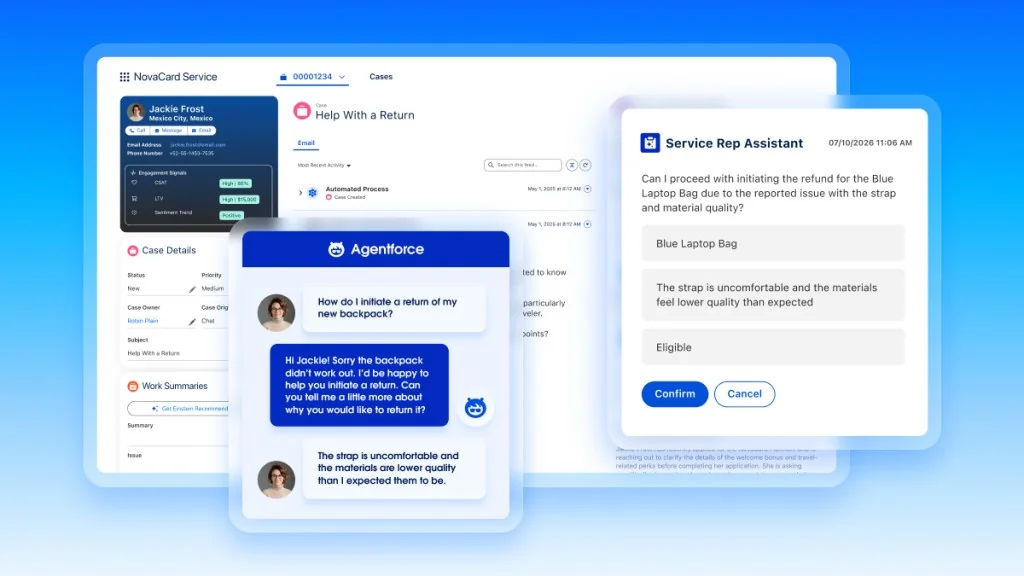
Nothing here matches Service Cloud for depth of customer record, and nothing here matches it for cost either. The console puts case details, CSAT, lifetime value and sentiment trend next to the conversation, and Agentforce can propose a refund with the eligibility check already done.
What it does well. Every object you could want, Einstein case summaries, escalation logic that respects account tiering, and a partner ecosystem for anything missing.
Where it falls short. Price and implementation weight. Also worth reading the Agentforce meter carefully: it's $2.00 per conversation, or Flex Credits at $500 per 100,000 credits ($0.005 each), and the two models can't coexist in the same org. Unused Flex Credits do not roll over into the next term. Salesforce's own rate table even has an arithmetic slip on its Voice row, printing 120 credits as $0.15 where every other row works out to $0.005 a credit.
Pricing. Starter Suite $25, Pro Suite $100, Enterprise $175, Unlimited $350, Agentforce 1 Service $550, all per user per month, all billed annually above Starter. The Agentforce user licence is $5/user/month and requires credits; the flat-fee add-on is $125/user/month. There's a full ladder in our Agentforce pricing breakdown.
My take: if Salesforce is already the system of record, this is the least-friction answer and the budget conversation is happening anyway. If it isn't, the alternatives for smaller teams will save you a year.
6. Zoho Desk
Best for: small teams who want CRM plus helpdesk without an enterprise budget.
Zoho Desk is the cheapest credible way to get a customer record and a ticket queue in the same place, largely because Zoho CRM sits right next to it in the same suite. The integration between them is the actual product here.
What it does well. Real value per dollar, contextual ticket summaries, and a free tier you can actually run a team on. The nice change this year is that Zia moved down to Professional after being Enterprise-only, and the answer bot now starts at Standard.
Where it falls short. Zia is capable but not in the same class as Freddy or Copilot, accuracy is uneven once questions leave the knowledge base, and the UI carries a lot of Zoho-specific convention that takes a week to absorb. No public uptime SLA either.
Pricing. Free Forever for 3 users, Express $7, Standard $14, Professional $23, Enterprise $40 per user per month billed annually. Light users are $6 each on Professional and Enterprise, with 50 included on Enterprise. There's no separately priced Zia SKU and no per-prediction rate anywhere on the page. More in our Zoho Desk pricing guide.
My take: unbeatable at the bottom of the market. Just know that "AI included" here means included and modest, not included and strong.
7. Gorgias
Best for: Shopify brands where most tickets are about an order.
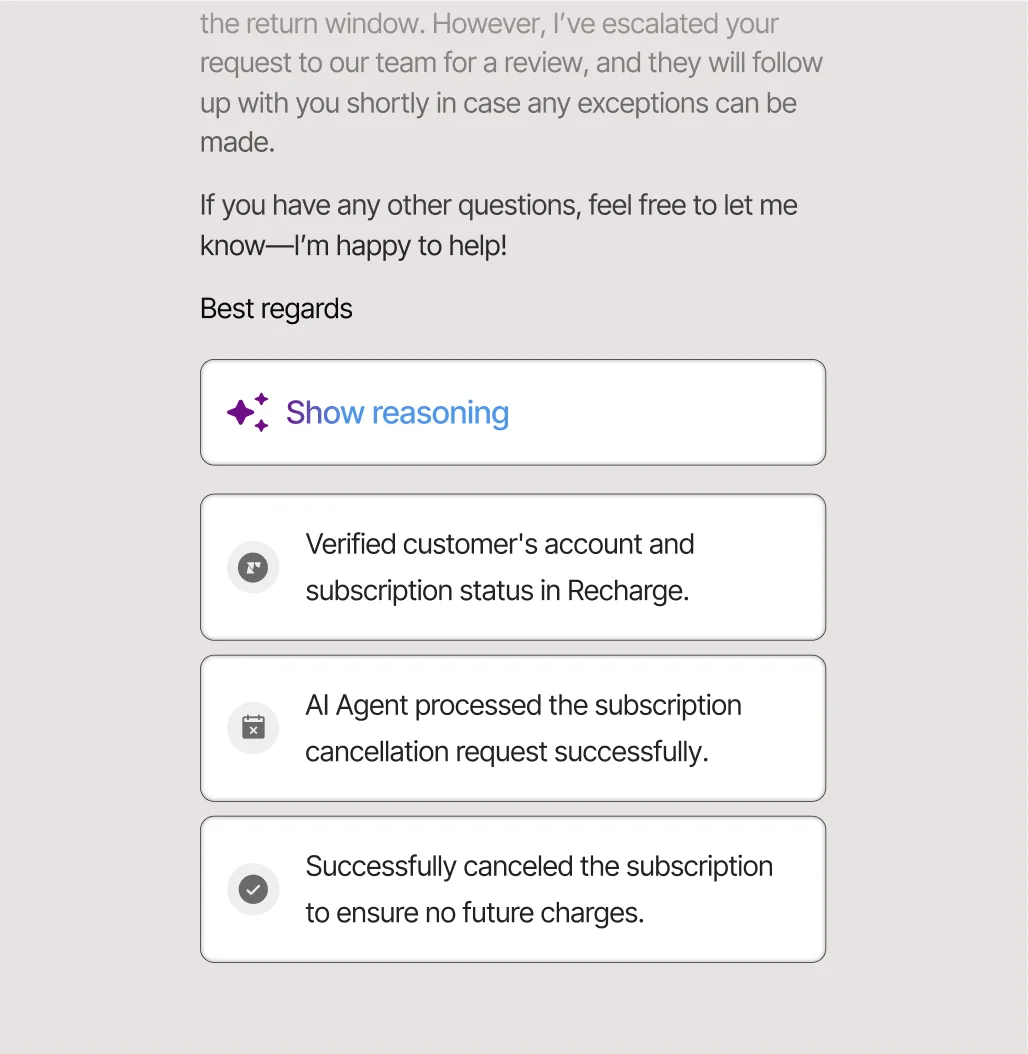
Gorgias is the most opinionated tool on this list and it's better for it. It assumes you sell things online, and it wires the store into the ticket so deeply that the AI agent can verify a subscription in Recharge and cancel it, then show you the steps it took.
What it does well. Order actions inside the conversation, Shopify integration that doesn't feel bolted on, and no per-seat pricing at all, which is a real advantage for teams with lots of part-time agents.
Where it falls short. The AI meter. Every plan bundles a fixed number of automated interactions (30 on Starter and Basic, 190 on Pro, 530 on Advanced), and each automated interaction is billed at $0.85 to $1.00 depending on the plan. The headline says "pay only when it resolves"; the printed unit is the interaction. That gap is what produces reactions like this one from a trial user whose agent had performed well across 12 test chats, then visited the billing page and immediately opened a cancellation request.
Pricing. Starter $40/mo (monthly billing only), Basic $90 or $77 annual, Pro $550 or $471 annual, Advanced $1,430 or $1,227 annual, then Enterprise by quote above 5,000 conversations a month. Ticket overage is $0.40 on the small plans and $0.36 on the big ones. Our Gorgias AI pricing calculator works through real volumes.
My take: the best ecommerce helpdesk here, with the meter you most need to model before signing. If the AI line is what's hurting, Gorgias alternatives or a per-ticket AI layer on top of it both beat switching platforms.
8. Front
Best for: teams where support, sales and account management share an inbox.
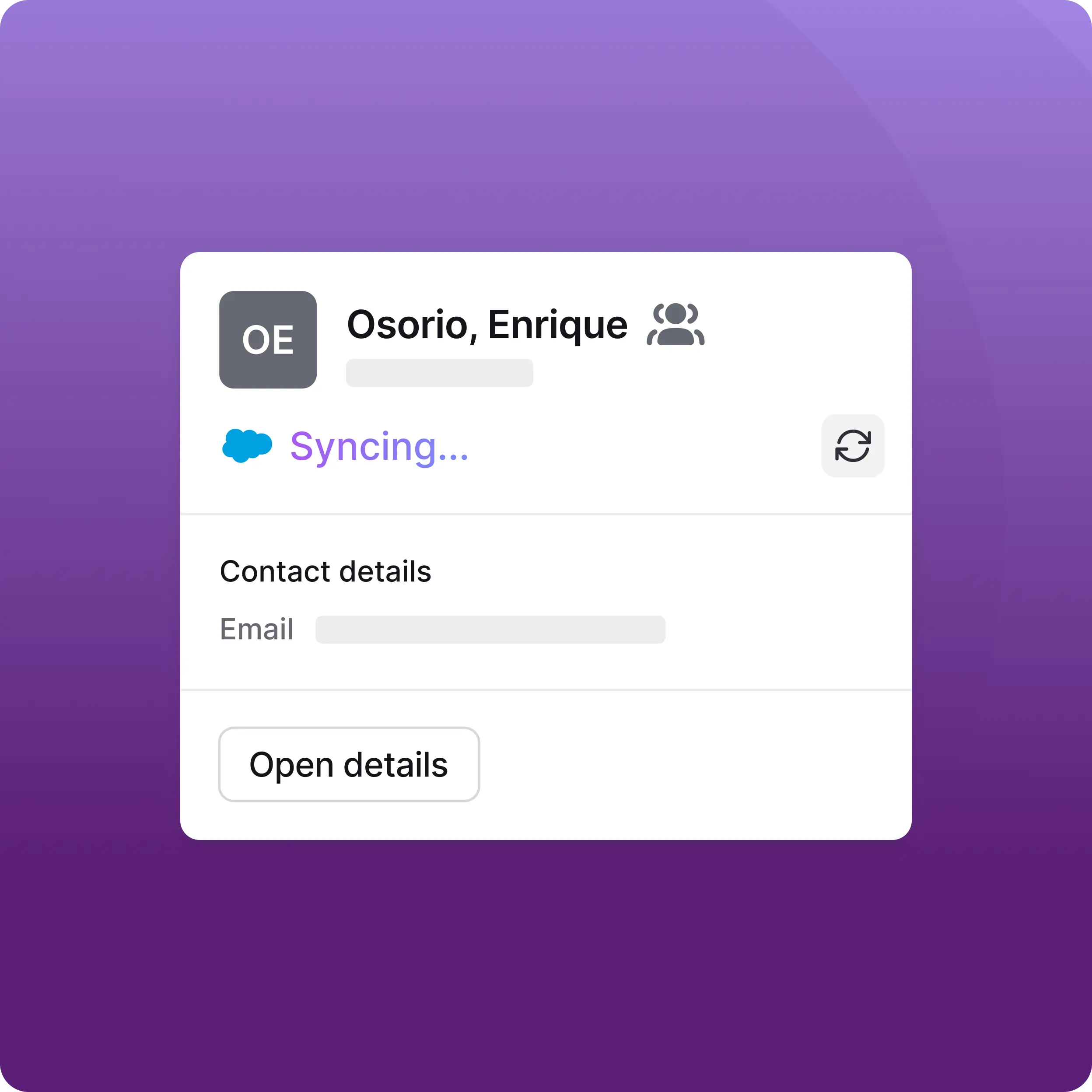
Front is a shared inbox that grew into a helpdesk, and the CRM story here is sync rather than ownership: contacts autosync with Salesforce or HubSpot and render as a card next to the thread. For teams that do relationship-heavy support, that's often the right amount of CRM.
What it does well. The collaboration model (internal comments, drafts, assignments) is still the best of any tool on this list, integrations are deep, and Enterprise bundles Copilot, Smart QA and Smart CSAT rather than nickel-and-diming them.
Where it falls short. AI is unbundled below Enterprise and the units differ per product: Copilot $20/seat/month, Smart QA $20/seat/month, Smart CSAT $10/seat/month, and Autopilot metered per conversation. Channel caps also scale with licences, not with the plan, which surprises people: Professional is 30 channels per licence.
Pricing. Starter $25 annual ($35 monthly) up to 10 seats, Professional $65 ($85 monthly) up to 50 seats, Enterprise $105 with no seat cap and annual billing only. Autopilot starts at $0.05 per conversation but has no published rate card above that, so it's a sales conversation. Full ladder in our Front pricing guide.
My take: pick Front for how the team works together, not for the AI. If you want strong automation on top, adding AI to Front is cheaper than jumping to Enterprise for Copilot alone.
9. Help Scout
Best for: small teams who want the simplest thing that still shows customer context.
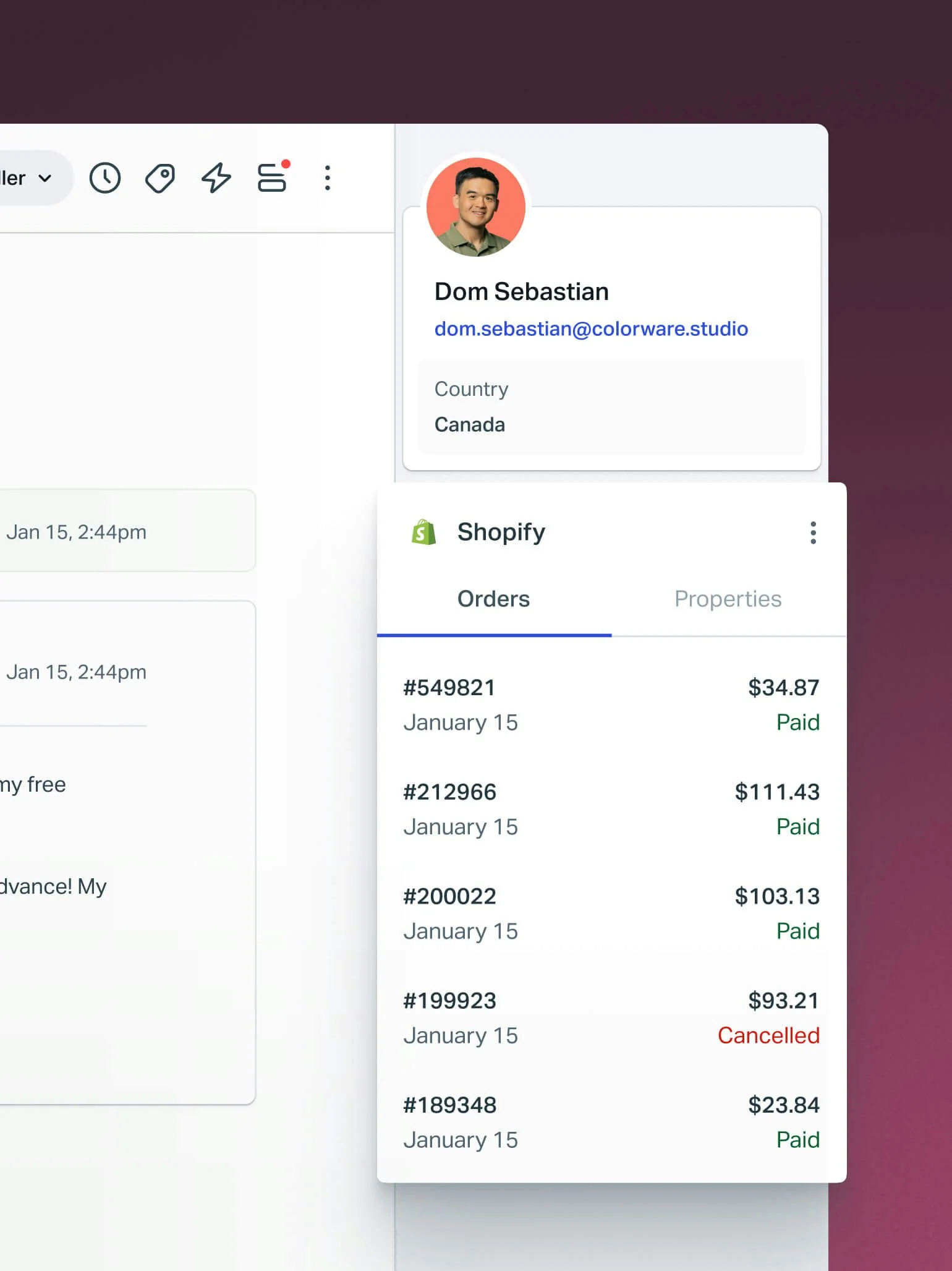
Help Scout has been the "just works" answer for a decade, and it still is. The customer sidebar carries profile, country and a live Shopify order list, which is most of what a small team needs from CRM without administering one.
What it does well. Onboarding measured in hours, a clean knowledge base, and the fairest AI unit on this list. It also earns credit for course-correcting: Help Scout tried per-customer-interaction pricing in April 2025 and reverted to seats in November 2025 after the backlash.
Where it falls short. It's deliberately light. No skills-based routing, no deep custom objects, and Pro is demo-only with a 10-seat minimum. If you're heading past 50 agents you'll outgrow it.
Pricing. Free up to 5 users and 100 contacts a month, Standard $25, Plus $45, Pro $75 per user per month annual. AI Answers is $0.75 per resolution, the same rate on every paid plan, while AI Assist, AI Drafts and AI Summarize are unlimited and included. Extra inboxes are $10/mo. Our Help Scout pricing breakdown has the resolution definition in full.
My take: the most honest pricing page in the category. If a team of eight asks me what to buy on a Friday afternoon, this is usually the answer.
10. Kustomer
Best for: high-volume B2C brands who want a true timeline-based customer view.
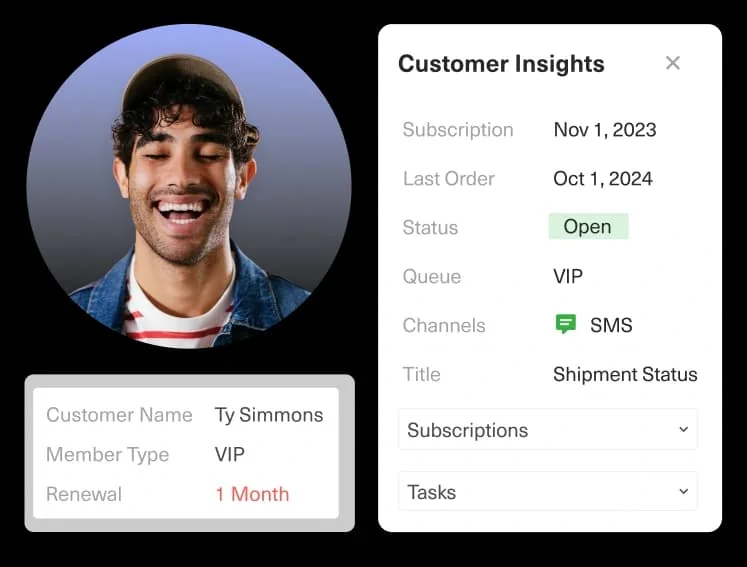
Kustomer's whole pitch is the data model: one customer timeline instead of a pile of disconnected tickets, with orders, subscriptions and conversations threaded chronologically. When it works, agents stop asking "what happened last time" because it's on screen.
What it does well. Custom objects at real scale (100M on the top package), VIP queues driven by attributes rather than tags, and the Shopify integration is solid.
Where it falls short. Two things. First, you can't find out what it costs: kustomer.com now publishes zero dollar figures and zero plan names, replacing the pricing page with a two-step ROI-estimator lead form. The $89 and $139 seat figures you'll see quoted elsewhere trace back to a competitor's teardown, not to Kustomer, so treat them as unverified. Second, day-to-day UX gaps show up in evaluations.
"We're trying to onboard with them, but for some unknown and very odd reason, they display emails in RAW format vs. HTML by default - you have to proactively click on a menu for each email to display in the correct format. No other CRM I've ever encountered does this by default."
Pricing. Seat pricing is not published. The AI rates are: AI Agents for Customers at $0.60 per engaged conversation, and AI Agents for Reps at $40 per user per month, identical on both Enterprise and Ultimate. Note the unit is the engaged conversation, not the resolution, so it bills whether or not the issue got solved. See our Kustomer pricing analysis.
My take: the best customer-centric data model in the category, wrapped in the least transparent commercial process. Come with volumes and a walk-away number.
What you're actually paying for
Here's the part I'd push hardest on, because it's where I see budgets break. Everyone compares seat prices, and then the AI line arrives on a completely different meter.
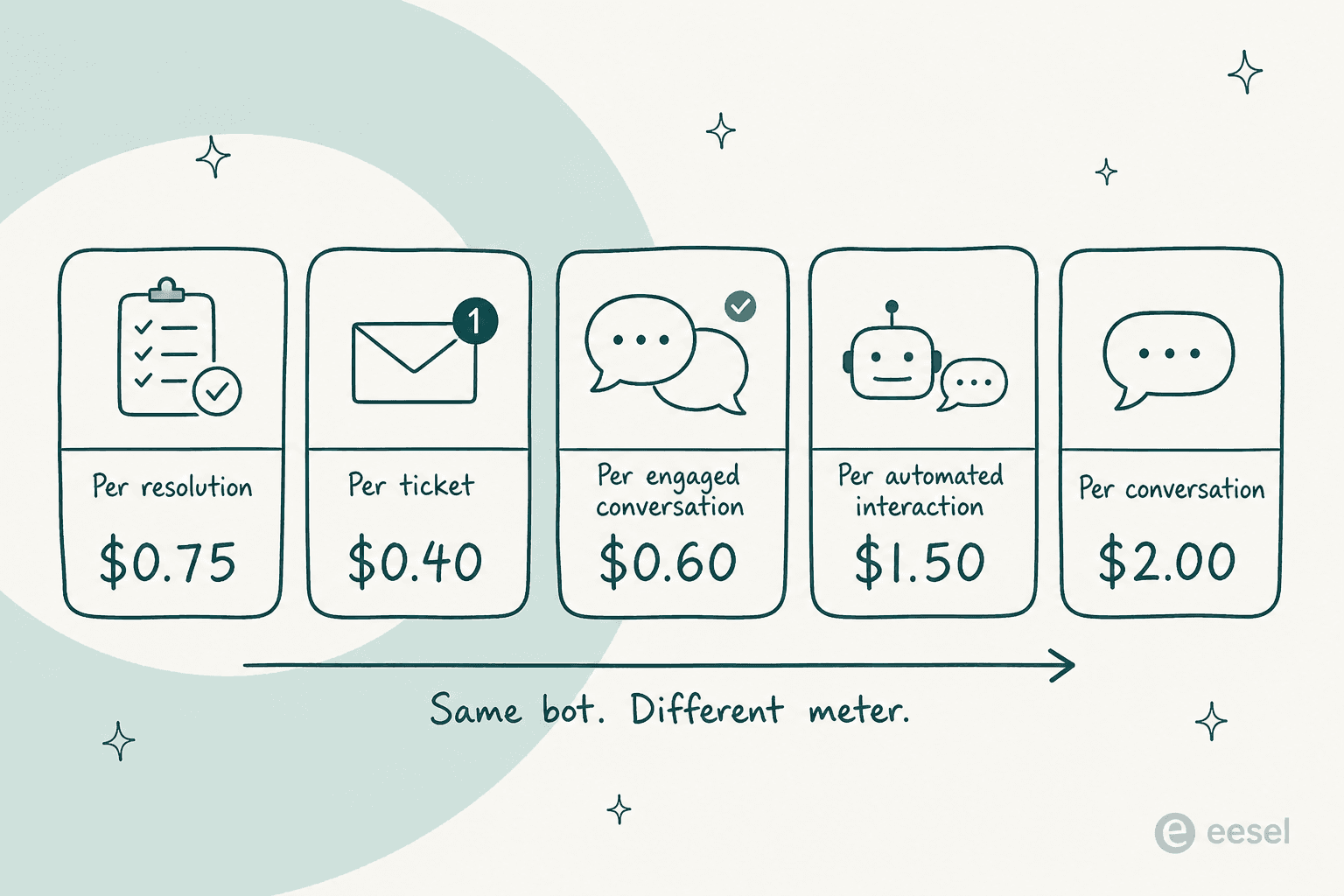
A "resolution", a "session", an "engaged conversation", an "automated interaction" and a "conversation" are five different things, and only one of them is tied to the outcome you care about. Help Scout bills a resolution. Freshdesk bills a session, so an attempt that fails still costs $0.49. Kustomer bills engagement. Gorgias bills the interaction. HubSpot bills a resolution but freezes the determination at 72 hours, so an unhappy conversation can still bill, and a reopened email thread can bill again.
Plug your own volume in:
The spread at 2,000 conversations a month is $735 to $4,000 for what is, functionally, the same job. That's not a rounding difference, it's a hiring decision.
The part most buyers underestimate: can the AI see the customer?
Here's the trap in this category. You buy customer service CRM software specifically so the customer record is available, then you turn on the AI and discover it only reads help center articles. It can tell someone your return policy is 30 days. It cannot tell them where their return is.
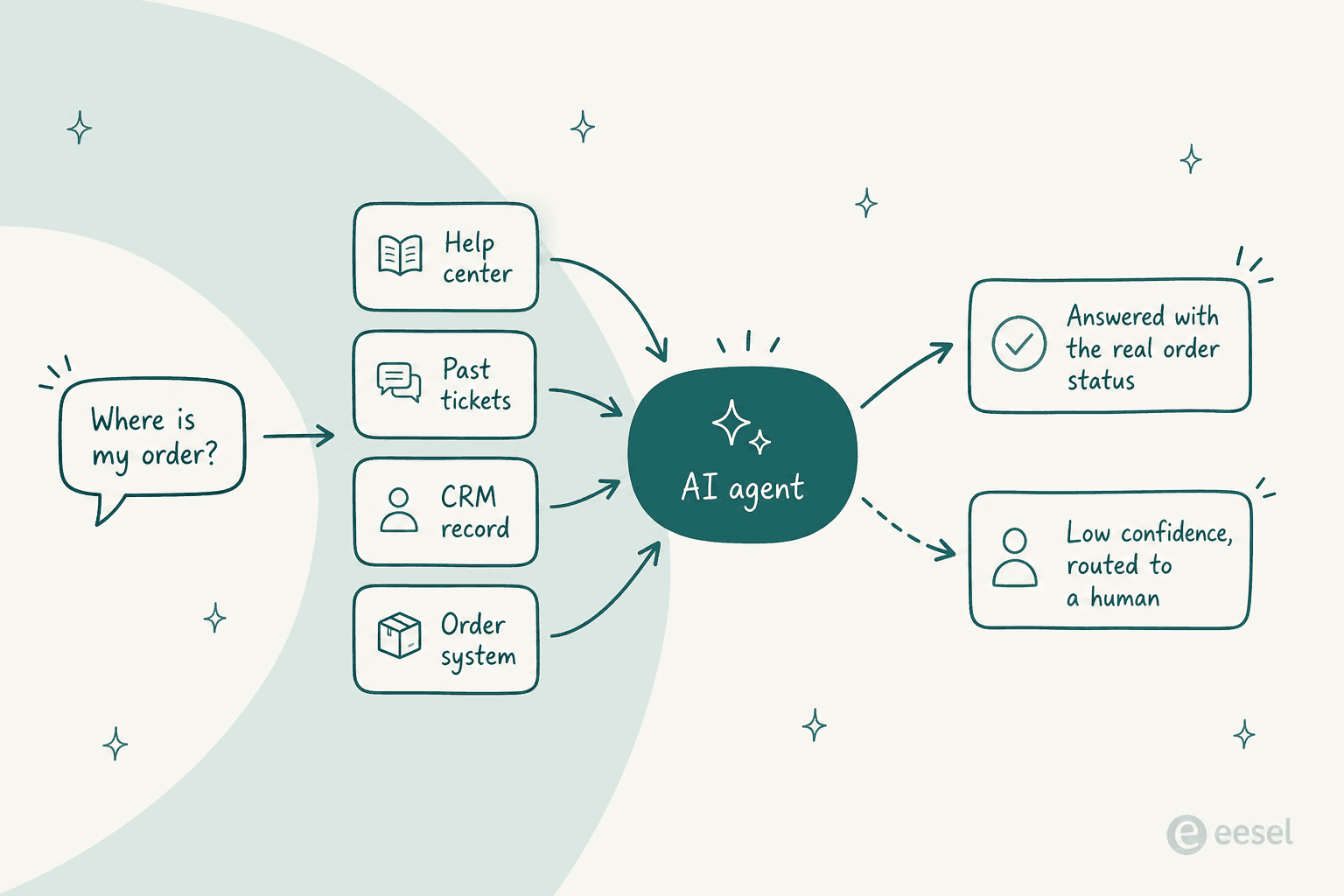
The gap between those two answers is most of the value. An agent that can only read documentation deflects the easy 20%. An agent wired to the CRM record and the order system handles the questions that actually generate volume, which is why the order status and "where's my refund" categories are where teams see real movement.
Three questions I'd ask any vendor in the demo, in this order:
- Can it read a live record, or only indexed documents? Ask them to look up a real order in front of you.
- Can it take an action, or only answer? Cancelling a subscription and applying priority shipping are different products from writing a paragraph.
- What happens at low confidence? Silent guessing is the failure mode that costs you customers. There's a good breakdown in our guide to AI agent handoff and preventing hallucinations.
I ask about the third one first because I've watched it go wrong. Buyers who've been burned once don't come back asking about deflection rates, they come back asking about confidence thresholds and which ticket types they can exclude outright. That's the objection cluster we hear most, and it's the reason simulating against historical tickets before go-live became non-negotiable for us rather than a nice-to-have.
So which one should you buy?
Short version, by situation:
- You're on Shopify and most tickets are orders → Gorgias, and model the per-interaction rate first.
- You're eight people and want it working by Wednesday → Help Scout.
- Sales and marketing already run on HubSpot → Service Hub, with the credit ceiling budgeted honestly.
- Salesforce is the system of record → Service Cloud, because fighting it costs more than paying for it.
- You need every channel at 100+ agents → Zendesk.
- You want the most value per dollar → Zoho Desk or Freshdesk, depending on whether AI quality or price wins.
- Support, sales and CS share one inbox → Front.
- Your helpdesk is fine and the AI isn't → don't migrate. Layer.
Try eesel on the CRM you already have
If you read the pricing tables above and thought "I don't want to move platforms just to get a better AI agent," that's the exact situation eesel is built for.

It connects to Zendesk, Freshdesk, Front, Help Scout, HubSpot, Gorgias, Salesforce and Shopify, learns from your past tickets rather than only your help center, and replays against your ticket history so you see what it would have said before anyone external does. Pricing is one fixed monthly price from $299 for 500 credits with no seat fee, sized to your volume and adjustable up or down any time. You get 100 free credits to test it, no card needed.
The honest limit: it's a layer, not a helpdesk. If you don't have one yet, buy one of the ten above first, then come back.