
Let's be real: customer expectations have gone through the roof, and most support teams are stretched to their limits. The old playbook of just hiring more people to handle the load is not just expensive, it's unsustainable. It doesn't fix the underlying issue of agents getting bogged down by the same questions over and over again.
This is where enterprise chatbots are starting to make a real difference. They are changing how companies manage support, sales, and even internal questions by offering instant, intelligent help around the clock. This guide will walk you through the top 13 chatbot for enterprises platforms for 2026 to help you choose the right tool to automate support and let your team focus on more important work.
What is a chatbot for enterprises?
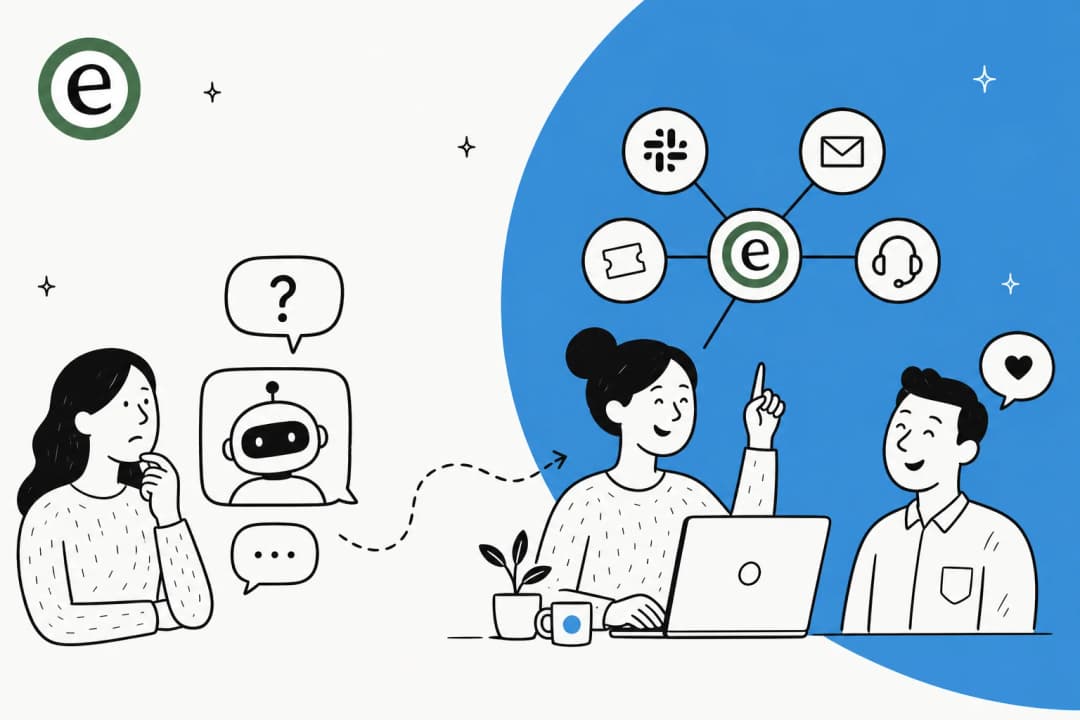
An enterprise chatbot isn't the clunky, rule-based bot you've probably argued with before, the one that gets stuck in a loop asking, "Did that answer your question?" It's more like an advanced AI sidekick built for the messy reality of a large business. Think of it as a new team member who, on day one, is already an expert on your company.
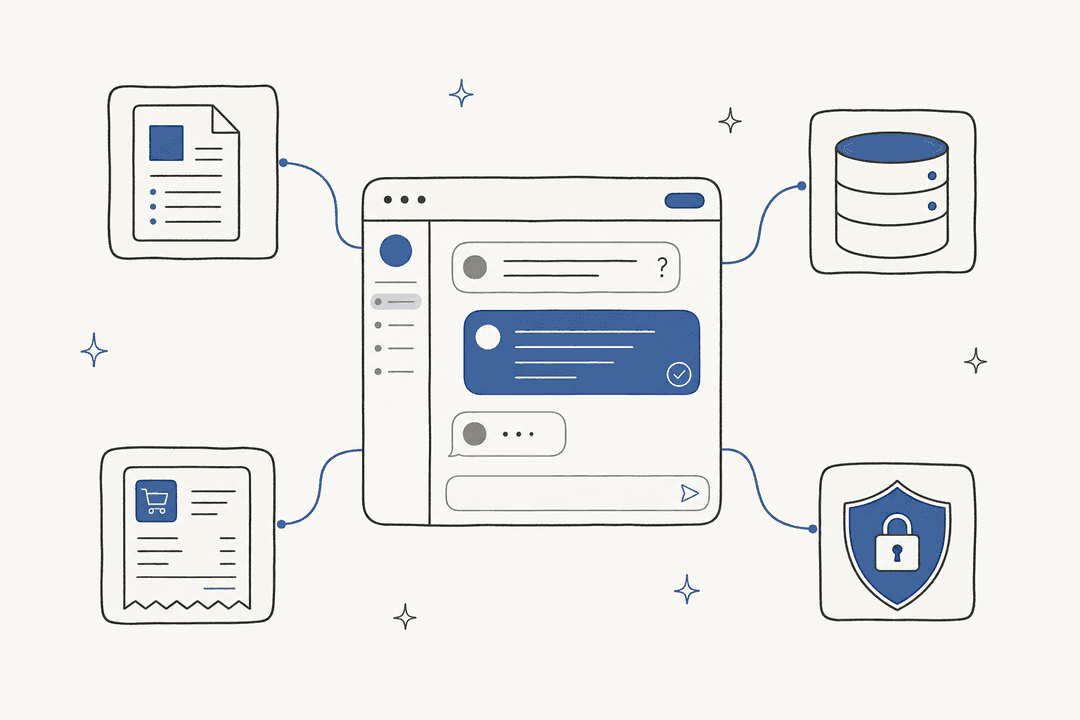
These bots use smart tech like Natural Language Processing (NLP) to actually get what people are asking, they understand the context and intent, not just keywords. More importantly, they connect to your company’s brain. By plugging into your helpdesk, CRM, and internal knowledge bases, they can do a lot more than just spit out FAQ answers. They can automate entire tasks, like checking on an order status or routing a support ticket to the right person, making conversations feel personal and genuinely helpful.
How we chose the best chatbot for enterprises
Shopping for a chatbot can feel like a full-time job. To help you cut through the marketing fluff, we focused on four criteria that actually matter when you're trying to solve real business problems.
Here’s what we looked for:
- Speed to value: How quickly can you get it running and see results? We prioritized platforms that don’t require a six-month implementation project and a dedicated developer team just to get off the ground.
- AI smarts and control: How intelligent is the bot, really? Can it handle tricky, multi-part questions, or does it give up easily? We looked for tools that give you real control over the bot's personality, knowledge, and what it’s allowed to do.
- Plays well with others: A chatbot shouldn't be a silo. It needs to connect with the tools your team uses every day and the channels your customers use, like chat, email, voice, SMS, and WhatsApp. We favored platforms that can pull information from your helpdesk, company wiki, and other sources without forcing a massive data migration.
- Clear pricing: Is the pricing model simple, or do you need a spreadsheet to figure out your bill? We leaned toward platforms with transparent, predictable costs. No one wants to get penalized with surprise "per-resolution" fees after a busy month.
Comparison of the top chatbot for enterprises platforms
| Platform | Best For | Ease of Setup | Key Integration | Pricing Model |
|---|---|---|---|---|
| eesel AI | Rapid, self-serve AI support automation | Minutes (Self-serve) | Zendesk, Slack, Confluence | Flat-rate subscription |
| Zendesk AI | Enterprise-grade support automation | Seamless (within Zendesk) | Zendesk Suite | Tiered plans for scalable growth |
| Drift | B2B sales and lead qualification | Weeks | Salesforce, Marketo | Custom (High-end) |
| Sprinklr | Large-scale omnichannel CX | Months | Enterprise CRMs, Social | Custom (Enterprise contracts) |
| Kore.ai | No-code bot building for internal teams | Weeks to Months | SAP, Oracle | Custom (Platform license) |
| IBM Watson Assistant | Regulated industries (Security and Compliance) | Months | IBM Cloud, Custom | Usage-based |
| Google Dialogflow CX | Complex, developer-led conversations | Months | Google Cloud | Usage-based |
| Microsoft Azure AI Bot | Deep Microsoft ecosystem integration | Months | Microsoft 365, Dynamics | Usage-based |
| Salesforce Agentforce | Salesforce-heavy orgs | Within Salesforce | Salesforce CRM | Per conversation or Flex Credits |
| Sierra | Large consumer brands with complex use cases | Weeks | Order management, CRM | Outcome-based (Custom) |
| Ada | Omnichannel AI agents at enterprise scale | Sales-led (custom demo) | APIs, MCP, SDKs | Custom (Contact sales) |
| Decagon | Complex workflows written in natural language | Sales-led (demo) | Salesforce, Zendesk, Confluence | Custom (Contact sales) |
| Forethought | Helpdesk-connected AI agents | Proof of Value first | Zendesk, Salesforce, 70+ connectors | Platform fee + outcome-based |
The 13 best chatbot for enterprises platforms in 2026
Here’s a closer look at the platforms that made our list. We'll get into who they're built for, what makes them stand out, and the potential drawbacks to consider.
1. eesel AI
Best for: Teams that want powerful AI automation without having to replace their current helpdesk.
Why it's on the list: eesel AI stands out because of its simplicity and speed. You can connect your helpdesk and knowledge sources and have a functional AI agent ready to go in minutes, not months. It learns directly from your past tickets, macros, and existing documents (like your Google Docs or Confluence pages), so its answers are specific to your business right away. No more spoon-feeding it generic FAQs and crossing your fingers.
What makes it different?
- You can actually go live in minutes. The setup is fully self-serve. One-click integrations for helpdesks like Zendesk and Freshdesk mean you can get started on your own, without having to schedule a sales demo.
- It has a really useful simulation feature. You can test the AI on thousands of your past tickets to see exactly how it would have performed. This gives you real data on resolution rates and potential savings before the bot ever interacts with a customer.
- You're in complete control. A simple prompt editor lets you define exactly which tickets the AI should handle, what it can do (like looking up an order status with an API call), and when it needs to hand things over to a human.
- The pricing is straightforward. The subscription plans are predictable and flat-rate. You won’t get hit with weird "per-resolution" fees just because you had a successful month.
Pricing: Plans start at $239/month with annual billing, and there’s a free trial to let you test it out.
2. Zendesk AI
Best for: Companies looking for a mature, industry-leading support ecosystem.
Why it's on the list: For the many businesses that run on Zendesk, their built-in AI is a powerful, seamless solution. It's designed to efficiently manage common questions by suggesting relevant articles from your help center, understanding customer intent to route tickets accurately, and empowering agents with helpful macros. It slides right into the industry-leading workflow that Zendesk is known for.
Strengths: Zendesk AI is a highly reliable and mature solution that brings sophisticated automation to a trusted helpdesk environment. Because it's built directly into the platform, it offers unmatched stability and ease of use for support teams. It's particularly strong at leveraging your existing help center and agent workflows to provide a consistent, high-quality experience for customers. For teams with extensive documentation spread across multiple external platforms, Zendesk's flexible API and extensive marketplace make it easy to bridge those gaps and enhance the bot's intelligence.
Pricing: It's available as an add-on to Zendesk Suite plans, which offer tiered options to match different team sizes and growth needs.
3. Drift
Best for: B2B companies focused on conversational marketing and sales.
Why it's on the list: Drift pretty much created the conversational marketing category. Their chatbots are wizards at engaging website visitors, qualifying them as leads, and booking meetings directly on your sales reps' calendars. It’s a tool built specifically to help generate revenue.
Limitations: Just don't mistake Drift for a customer support tool. It’s designed for pre-sale conversations, not for handling tricky post-sale customer issues. Most companies find they need a separate solution, like eesel AI, to handle their support automation.
Pricing: It's a premium product with a price tag to match, often starting in the thousands of dollars per month.
4. Sprinklr
Best for: Large enterprises that need one platform to manage social media, marketing, and customer service across many channels.
Why it's on the list: Sprinklr offers one of the most comprehensive "Unified-CXM" (Customer Experience Management) platforms available. Its AI is designed to handle customer interactions across dozens of channels at a massive scale, which is a big draw for global companies.
Limitations: Sprinklr is the definition of heavy enterprise software. The setup is known for being long and complicated, often taking 6 to 12 months and requiring a significant investment in professional services. It's the polar opposite of a self-serve tool you can get up and running in an afternoon.
Pricing: Custom enterprise contracts that typically run into the six figures or more each year.
5. Kore.ai
Best for: Teams wanting to build custom bots for internal and external use with a no-code platform.
Why it's on the list: Kore.ai provides a decent no-code platform that lets business users design and build their own conversational bots. It’s flexible and can be used for everything from internal HR and IT support to customer-facing service bots.
Limitations: While the visual builder is a nice feature, connecting it to your own systems to perform real actions often still requires a developer. A downside is the lack of a built-in simulation feature to test the bot on your actual historical data before launch. This means you may need more manual testing to accurately predict how it will perform.
Pricing: Based on a platform license, so you'll need to contact their sales team for a custom quote.
6. IBM Watson Assistant
Best for: Highly regulated industries where data security and compliance are the top priorities.
Why it's on the list: Watson has been a well-known name in enterprise AI for years. It's respected for its tight security features, data privacy controls, and options for on-premise deployment. For industries like finance, healthcare, and government, these features are often non-negotiable.
Limitations: All that power comes at a cost, both in complexity and dollars. Setting up and training a Watson Assistant requires a team with specialized skills. The usage-based pricing can also be difficult to budget for. It's a heavy-duty solution for when security is your number one concern.
Pricing: There’s a free tier, but paid plans are based on usage (monthly active users), which can add up.
7. Google Dialogflow CX
Best for: Developer teams building very complex, multi-step conversational bots.
Why it's on the list: Dialogflow CX is Google's tool for the pros. It's incredibly powerful for creating sophisticated conversations where the bot needs to remember what was said earlier. Its visual workflow builder is great for mapping out complicated processes like insurance claims or technical troubleshooting.
Limitations: This is a tool built by developers, for developers. Your support and operations teams will likely find it complex to use. The learning curve is steep, and managing the conversation flows requires a technical mindset. It’s just not practical for the business users who typically need to build and maintain the bots.
Pricing: Pay-as-you-go, based on the number of requests your bot receives.
8. Microsoft Azure AI Bot Service
Best for: Organizations already deep in the Microsoft ecosystem.
Why it's on the list: If your company lives and breathes on Azure, Microsoft 365, and Dynamics, this bot service is a natural choice. It’s a framework for building bots that can hook directly into Microsoft Teams, Outlook, and other Microsoft products.
Limitations: Similar to Dialogflow, this is a developer's framework. Building a bot means writing code and having a good understanding of the Azure platform. If your company isn't a "Microsoft-first" shop, you'll find that other platforms can get you to a working solution much faster.
Pricing: Mostly usage-based and connected to your company's overall Azure spending.
9. Salesforce Agentforce
Best for: Organizations that already run their service and sales teams on Salesforce.
Why it's on the list: Agentforce is Salesforce's platform for building AI agents on top of its CRM. Salesforce Foundations lets you start with Agentforce Builder and Prompt Builder for free, and paid usage covers customer-facing agents, employee-facing agents, and Agentforce Voice. There are also Agentforce add-ons for Sales, Service, and Field Service.
Limitations: Agentforce is built around Salesforce data and licenses, so it fits best when Salesforce is already your system of record. The pricing has several models (per conversation, Flex Credits, and per-user add-ons), so it takes some modeling to estimate a monthly bill.
Pricing: According to the Agentforce pricing page, customer-facing agents cost $2 per conversation, or you can buy Flex Credits at $500 per 100,000 credits. Agentforce add-ons for Sales, Service, and Field Service are listed at $125 per user per month, and Salesforce notes that pricing is subject to change.
10. Sierra
Best for: Large consumer brands with complex, multi-step service use cases.
Why it's on the list: Sierra builds AI agents that deploy once across voice, chat, email, and WhatsApp in 59 languages, and its homepage adds SMS and ChatGPT as channels. Agents connect to systems of record like order management and CRM, so they can handle tasks such as processing a claim or returning an order from start to finish. Sierra also offers Ghostwriter, which lets you build or change an agent by describing how it should behave.
Limitations: Sierra works as a long-term partnership with its own agent development team, so it's a sales-led project rather than a self-serve tool. Sierra says you can deploy in weeks, which is longer than an afternoon setup.
Pricing: Sierra uses outcome-based pricing, where you pay when the agent achieves specific outcomes. Rates aren't published, so you'll need a custom quote.
11. Ada
Best for: Enterprises that want one AI agent across many channels and languages.
Why it's on the list: Ada's Conversation Hub deploys AI agents across voice, email, chat, Messenger, WhatsApp, SMS, Instagram, and in-app channels. Its newer Ada Computer feature gives the agent API, code, and MCP tools so it can complete tasks in your business systems instead of only answering questions. Ada reports an 84% automated resolution rate across its deployments, which is a vendor figure.
Limitations: There's no self-serve signup or public price list. Getting started means booking a custom demo, after which Ada builds a business case and implementation plan with your team.
Pricing: Ada's pricing page is a demo request form, so pricing is quote-only.
12. Decagon
Best for: Teams that want to write complex support workflows in plain language.
Why it's on the list: Decagon's Agent Operating Procedures (AOPs) let you define agent behavior in natural language, the same way you'd write SOPs for human agents, while engineers keep Git-based version control. It covers voice, chat, and email, and its integrations include Salesforce, Zendesk, Confluence, and MCP connectivity. It also has a simulation-based testing suite to validate agent behavior before it goes live.
Limitations: Decagon is sold through demos, and there's no self-serve plan to try on your own first.
Pricing: Decagon doesn't publish pricing on its website, so you'll need to request a demo for a quote.
13. Forethought
Best for: Support teams that want an AI agent working on top of their existing helpdesk.
Why it's on the list: Forethought's Solve agent handles customer support across chat, email, voice, and more. It integrates with 70+ helpdesks, knowledge sources, and connectors, including Zendesk, Salesforce, and Freshchat. Its add-ons include AI QA, multilingual support, and triage models for sentiment, intent, and spam.
Limitations: There's no traditional free trial. Forethought runs a Proof of Value on your data instead, and overage charges can apply if usage goes past your plan.
Pricing: According to its pricing page, pricing combines a platform access fee with an outcome-based cost. You'll need to talk to sales for exact numbers.
4 tips for choosing the right chatbot for enterprises
Feeling a bit overwhelmed by the options? Here are four simple things to keep in mind to help you make the right choice.
- Work with the tools you already have. Don't let a vendor push you into a platform that forces you to abandon the helpdesk and knowledge bases your team already uses. Look for a solution that enhances your current setup, such as an integration within the Zendesk marketplace.
- Look for a quick win. The best AI tools deliver value fast. Avoid platforms that lock you into long, expensive implementation projects. A modern chatbot should let you start small, prove its worth, and then expand.
- Try before you buy (for real). You wouldn't launch a new feature without testing it, and your chatbot should be no different. Look for a platform with a simulation mode that can show you how the AI will handle your actual customer questions before it goes live.
- Avoid surprise fees. Be wary of "per-resolution" pricing models. They effectively make your costs unpredictable. A flat, transparent subscription fee or a tiered plan allows you to budget properly and scale without worrying about a surprise bill.
Ready to automate your support?
The world of enterprise chatbots is broad, but picking the right one boils down to finding a good balance: you need smart AI that's also practical to implement. You need a tool that's powerful enough to solve real problems but simple enough for your team to manage.
eesel AI was designed for exactly this. It brings enterprise-level AI automation to your existing support channels in a way that’s self-serve, controllable, and completely risk-free to test. It works beautifully alongside industry leaders like Zendesk to enhance your overall customer experience.
Instead of spending the next few months sitting through sales calls and implementation meetings, you could find out how much of your support volume is ready to be automated. Try eesel AI for free or book a 30-minute demo today.
Frequently asked questions
My team is already swamped. How much technical work is really involved in setting up a chatbot for enterprises?
This varies widely by platform. Some self-serve tools like eesel AI can be set up in minutes without any coding, while heavy-duty platforms like IBM Watson or Google Dialogflow often require months of development work. Always clarify the implementation time before you commit.
We use a bunch of different tools. How does a chatbot for enterprises actually connect to our knowledge in places like Slack or Confluence?
Modern bots connect to your existing tools through integrations. Instead of being limited to one helpdesk, they can securely access and learn from your documents in Confluence, Google Docs, and even internal Slack conversations to provide comprehensive answers.
How can we be sure a chatbot for enterprises will actually give good answers and not just frustrate our customers before we go live?
Look for a platform with a simulation feature. This allows you to test the AI on thousands of your real, historical customer tickets to see exactly how it would have performed. This gives you data-driven proof of its accuracy and resolution rate before it ever interacts with a live customer.
Is it better to get a specialized tool for support, or should we be looking for an all-in-one chatbot for enterprises that also handles sales?
It depends on your goal. Specialized support bots are designed to integrate with your existing helpdesk to solve customer problems efficiently. All-in-one platforms can be powerful but often require you to migrate your entire support and sales operations into their ecosystem.
What's the real difference in cost between a self-serve tool and a big platform when choosing a chatbot for enterprises?
Self-serve tools typically offer transparent, flat-rate subscription plans that are predictable and affordable. Large enterprise platforms often have custom six-figure contracts and usage-based fees that can be difficult to budget for, in addition to significant implementation costs.
Can a single chatbot for enterprises handle both our internal IT questions and our external customer support tickets?
Yes, many platforms are flexible enough to serve both internal and external audiences. However, it's crucial to define your primary goal first, as some bots are highly optimized for customer-facing support while others are built for internal workflows like HR or IT helpdesks.