Let's be real: customer expectations are higher than ever, and support teams are feeling the heat. Answering the same questions on repeat while juggling complex problems is a fast track to burnout. AI has gone from a buzzword to a genuine necessity for any team that wants to stay afloat and deliver great service.
But picking the right AI tool can feel like a total shot in the dark. Every platform's website promises the moon, but which ones actually deliver? To cut through the marketing fluff, I rolled up my sleeves and spent weeks testing the most popular AI customer service software on the market. I focused on what actually matters: how fast you can get it working, how nicely it plays with the tools you already have, and whether you’re actually in control of what it does.
This is my no-nonsense list of the top 14 platforms for 2026, from traditional helpdesks with AI layered in to AI-native support agents, built to help you make a choice you feel good about.
Quick answer: which AI customer service software fits your team?
The right pick depends on how your support team already works, not on one universal winner.
- You already use a helpdesk and want AI on top of it: eesel AI
- You run everything on Zendesk: Zendesk AI
- You want an affordable help desk with pay-as-you-go AI: Freshdesk (Freddy AI)
- You're an enterprise on the Salesforce CRM: Salesforce Service Cloud with Agentforce
- Your sales and marketing already live in HubSpot: HubSpot Service Hub with Customer Agent
- You sell on Shopify or another ecommerce platform: Gorgias
- You handle huge volumes across chat, email, and voice: Ada
- You run high-volume online retail support with a CRM-style help desk: Kustomer
- You want enterprise multi-agent AI on top of another helpdesk: Forethought
- You want the simplest shared inbox with AI built in: Help Scout
- Your company already runs on Zoho apps: Zoho Desk (Zia)
- You're a small business that needs live chat and a simple chatbot: Tidio
- You want an AI-native agent built from plain-language workflows: Decagon
- You want enterprise AI agents with outcome-based pricing: Sierra
Comparison of the top AI customer service software in 2026
Here's a side-by-side look at who each tool fits, how strong its AI is, and how it charges.
| Tool | Best fit | AI strength | Pricing model | Starting price | Works with your current helpdesk? |
|---|---|---|---|---|---|
| eesel AI | Teams that want AI without replacing their helpdesk | AI agent, copilot, and triage trained on past tickets and docs; test on past tickets before launch | Fixed monthly, credits | From $299/mo (500 credits), no seat fees | ✅ Yes (Zendesk, Freshdesk, Gorgias, and 1,000+ integrations) |
| Zendesk AI | Teams committed to Zendesk | Native AI agents, intelligent triage, Copilot for agents | Per agent seat, plus add-ons | $55/agent/mo (Suite Team, annual) | Built in (Zendesk only) |
| Freshdesk (Freddy AI) | Small and mid-sized teams that mostly support by email | Freddy AI Agent resolves emails and chats; Copilot drafts and summarizes | Per agent seat, plus AI sessions | $19/agent/mo (Growth, annual) + $49 per 100 AI sessions after 500 | Built in (Freshdesk only) |
| Salesforce Service Cloud | Enterprises on the Salesforce CRM | Agentforce agents that use full CRM data | Per user seat | $175/user/mo (Enterprise, annual) | Built in (Salesforce only) |
| HubSpot Service Hub | Teams whose sales and marketing run on HubSpot | Customer Agent across chat, email, forms, and calling, with CRM context | Per seat, plus credits per resolved conversation | $90/seat/mo (Professional, annual) + $0.50 per resolved conversation | Built in (HubSpot only) |
| Gorgias | Ecommerce brands on Shopify, BigCommerce, etc. | AI Agent that reads and edits live orders | Ticket tiers plus automated interactions | $40/mo (50 tickets) | Built in (Gorgias only) |
| Ada | Large enterprises with very high conversation volume | AI agent across chat, email, SMS, and voice, with playbooks and coaching | Quote-based | Custom | ✅ Yes (hands off to major helpdesks) |
| Kustomer | High-volume online retail teams | AI agent that takes actions using customer data across many channels | Custom plans, plus per engaged conversation | Custom + $0.60 per engaged AI conversation | Built in (Kustomer only) |
| Forethought | Enterprises that want multi-agent AI | Agents that resolve, triage, and take multi-step actions | Platform fee plus outcome-based fee | Custom | ✅ Yes |
| Help Scout | Small teams that want a simple shared inbox | AI Answers chat plus built-in drafting and summaries | Per user seat, plus per AI resolution | $25/user/mo (Standard, annual) + $0.75 per AI resolution | Built in (Help Scout only) |
| Zoho Desk (Zia) | Cost-conscious teams already using Zoho apps | Zia triage, reply suggestions, and custom AI agents | Per agent seat; more AI on higher plans | $14/agent/mo (Standard, annual) | Built in (Zoho only) |
| Tidio | Small businesses needing live chat and a simple bot | Lyro AI Agent for common questions | Conversation-based tiers | $24.17/mo (Starter) | ✅ Yes |
| Decagon | Large consumer brands that want an AI-native agent | AI agent across chat, email, and voice, built with natural-language AOPs | Quote-based | Custom | ✅ Yes (Zendesk, Salesforce, and other helpdesks and CRMs) |
| Sierra | Large enterprises that want outcome-based pricing | AI agent across chat, SMS, WhatsApp, email, and voice | Outcome-based, quote only | Custom | ✅ Yes (40+ pre-built integrations, including contact centers) |
What is AI customer service software?
Basically, AI customer service software is a set of tools that uses artificial intelligence (like machine learning) to help automate and improve how you support customers.
Instead of your team having to manually answer every single ticket that comes in, this software can handle the repetitive work. We’re talking about AI agents (or chatbots) that give instant answers to common questions, tools that automatically sort and send tickets to the right person, and assistants that help your human agents write replies more quickly.
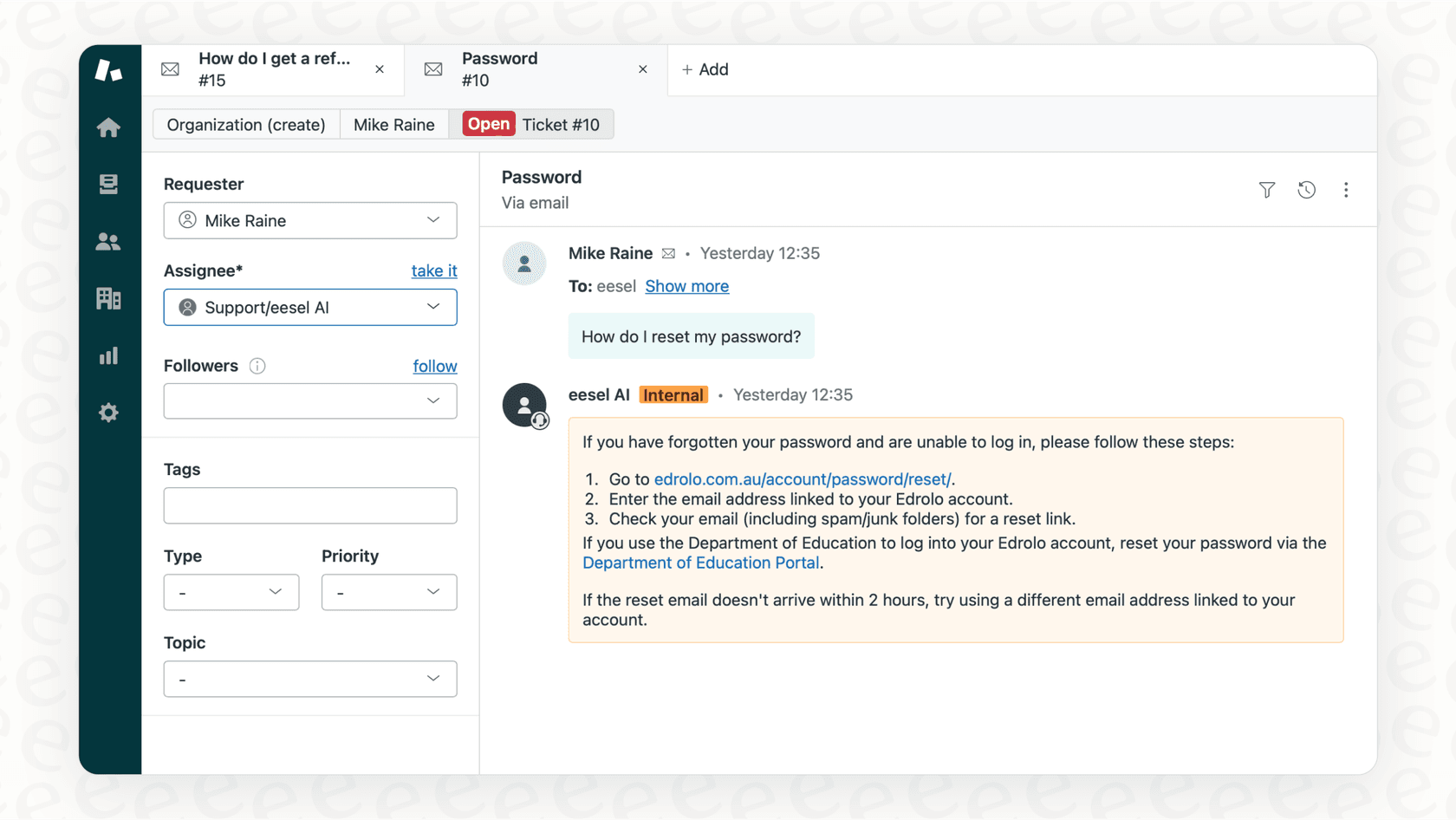
The point isn't to replace your team. It's to make their jobs easier and your support operations faster and more efficient. It frees up your agents to focus on the tricky conversations where a human touch really makes a difference.
How we chose the best AI customer service software for this list
To put this list together, I did more than just read feature lists. I judged each platform based on the actual problems support teams deal with every day. My criteria were pretty straightforward:
-
Speed to value: How fast can you get it up and running and actually see a difference? I gave extra points to platforms that are truly self-serve, letting you start in minutes without having to sit through a sales demo or a long implementation project.
-
Integration and flexibility: Does it connect to your current help desk and knowledge sources, or does it try to lock you into its own world? The best tools should feel like an add-on to your current setup, not a total teardown.
-
Control and customization: Can you tell the AI exactly how to act, what questions it should handle, and when it needs to pass a ticket to a human? I looked for tools that give you real control, not just a "black box" you can't adjust.
-
Transparent pricing: Is the pricing easy to understand? I leaned toward solutions with clear, flat-rate plans instead of confusing "per-resolution" models that can hit you with a surprise bill after a busy month.
The 14 best AI customer service software in 2026
Alright, let's get into the details. Here’s a full breakdown of each platform, what it’s good at, and where it might not be the best fit.
1. eesel AI
eesel AI is built for teams who want solid AI features without the pain of ripping out their existing tools. The whole platform is designed to be self-serve, so you can connect it to your current help desk, like Zendesk or Freshdesk, and have an AI agent working in just a few minutes.
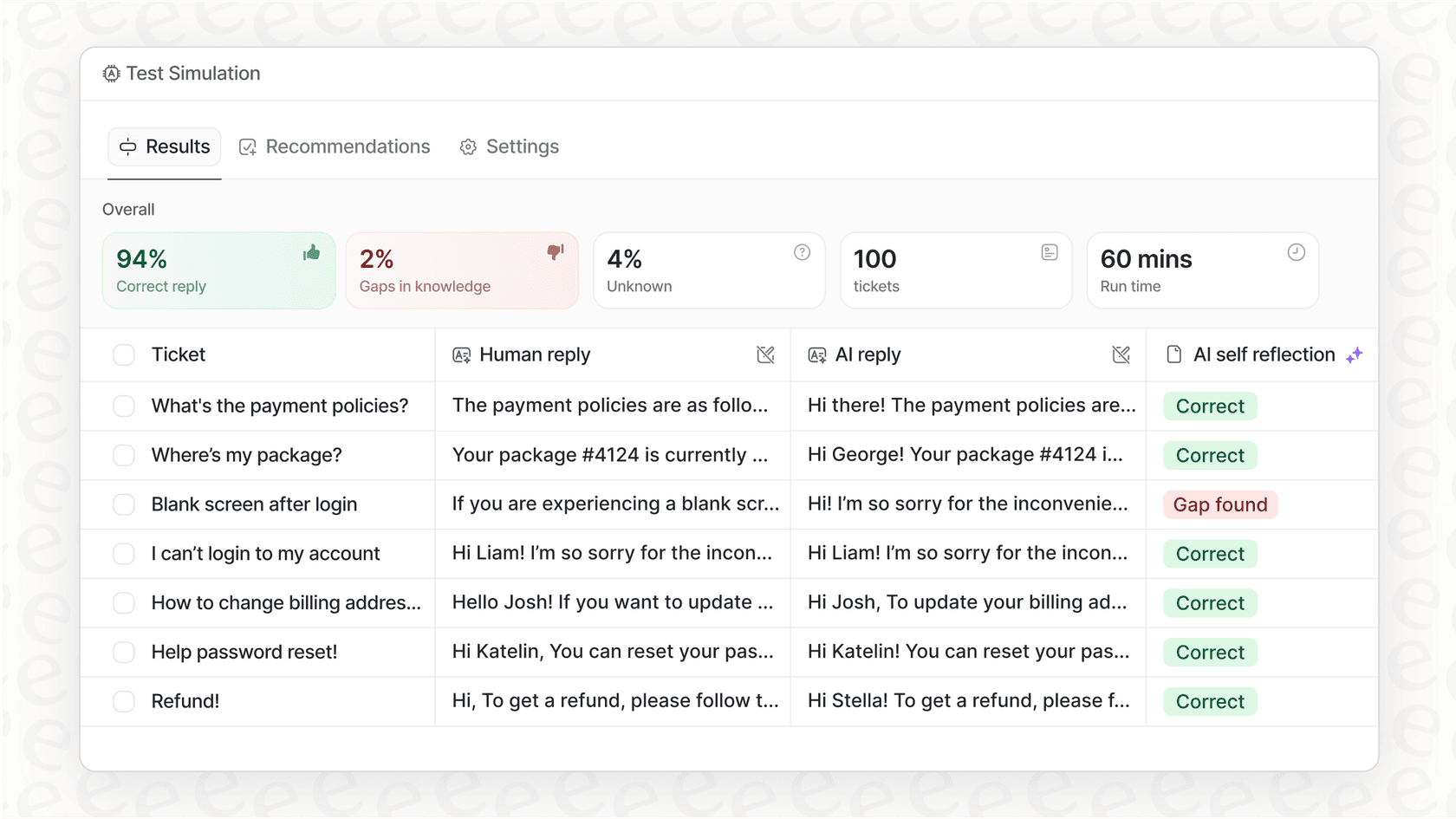
Why we chose it: The best thing about eesel AI is how it balances being easy to use with giving you a ton of control. The setup is genuinely quick; you can sign up and launch an AI agent without ever needing to talk to a salesperson. Its simulation mode is a standout feature, letting you test the AI on thousands of your past tickets. This shows you exactly how it will perform and what your ROI will look like before you ever let it talk to a real customer. It also pulls knowledge from everywhere: past tickets, Google Docs, and Confluence, so its answers are smart and on-brand right away.
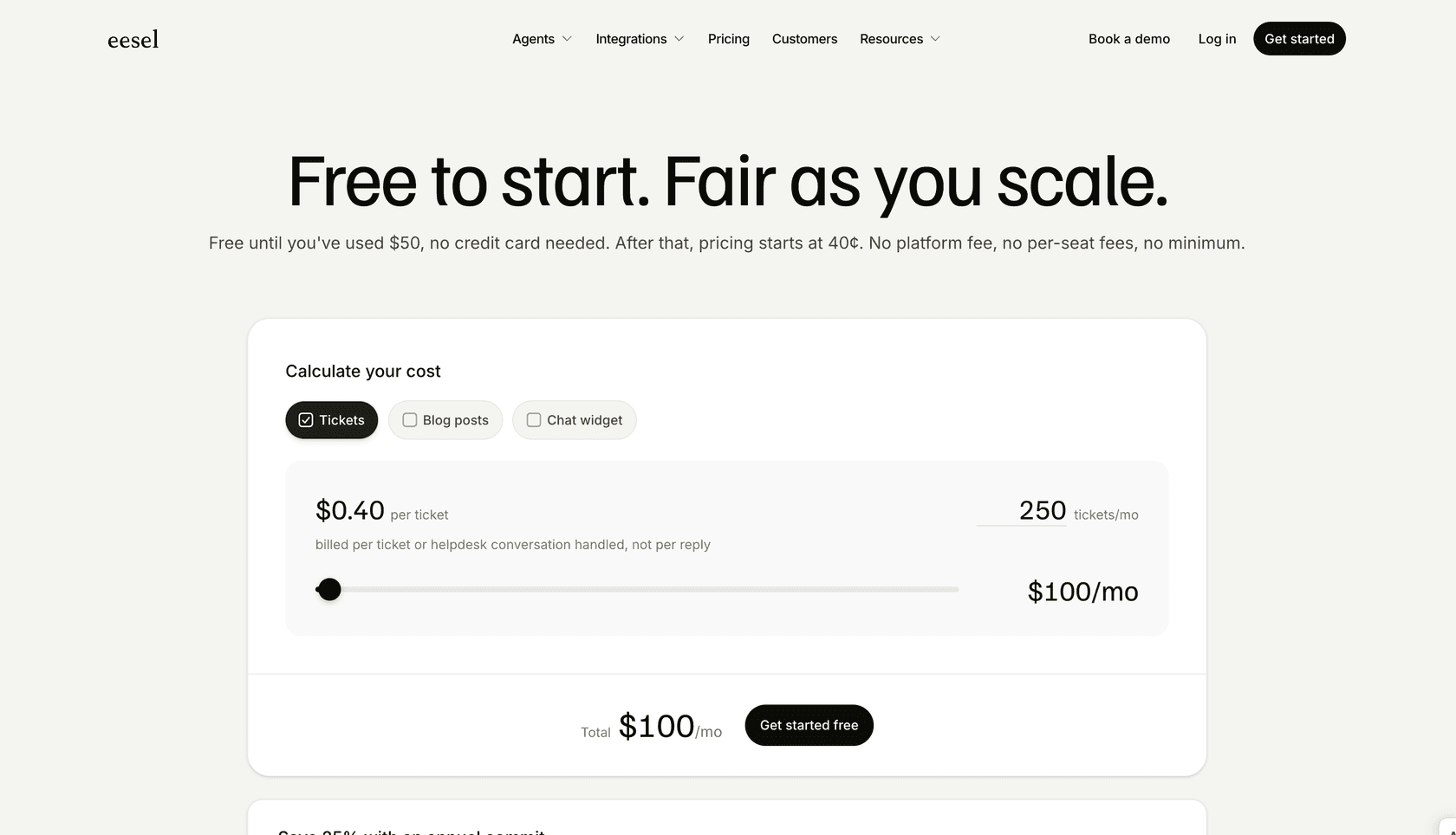
Pricing: eesel AI’s pricing is one fixed monthly price sized by credits, so you don't get punished with per-resolution fees during a busy month.
-
Free to start: 100 free credits with every feature unlocked, no credit card. That covers the AI Copilot, the Slack integration, MS Teams, AI Actions, and bulk simulation.
-
Teammate plan: from $299/month for 500 credits, where 1 credit is one ticket or chat however many replies it takes. 1,000 credits is $499/month and 5,000 is $1,899/month. No platform fee, no per-seat fee.
-
Annual: pay a year upfront and get two months free. Run out mid-month and you can turn on overage with a cap you set.
-
Add-ons: SSO and MFA from $199/month, priority support from $299/month, data residency $500/month, and HIPAA on request.
Pros:
-
Genuinely self-serve: You can go from signing up to having a live AI agent without a single sales call.
-
You control the workflow: You get to decide exactly which tickets the AI handles. Start small with "where is my order?" tickets and have it escalate everything else, or build out more complex rules.
-
Connects all your knowledge: It learns from how your business actually runs, pulling from knowledge wherever it is, for more accurate answers.
-
Risk-free simulation: Test the AI on your real ticket history to see how it will perform and what you'll save before you turn it on.
Cons:
- As a newer platform, it might not have every single feature that a massive suite like Salesforce has tacked on over the years. It's really built for teams that care more about speed and flexibility than having a thousand configuration options.
Now let's look at some of the other top contenders. While many are powerful, they often come with different trade-offs in complexity, cost, and flexibility.
2. Zendesk AI
Zendesk is a mature and reliable leader in customer service, and its AI tools are built directly into its powerful platform. If your team is already running everything on Zendesk, it’s an incredibly impressive native solution.
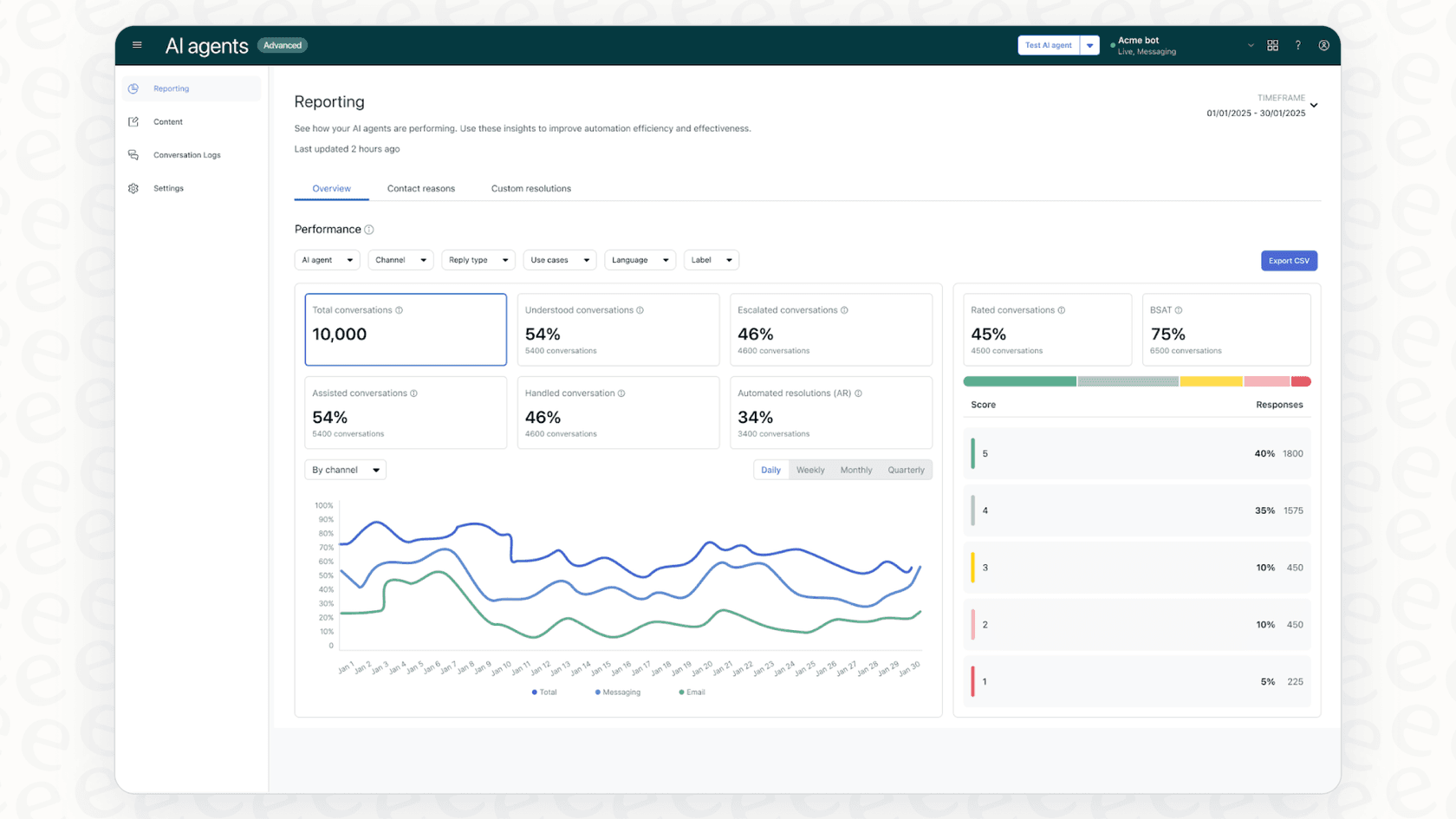
Why we chose it: For anyone in the Zendesk ecosystem, their AI is a natural fit. It offers AI agents, smart ticket routing, and helpful tools for agents that are all seamlessly built into the workspace you already use. No need to plug in another tool: It’s all there. Zendesk has built a world-class marketplace and ecosystem that supports thousands of growing companies.
Pricing: Zendesk's AI features are part of its Suite plans. Zendesk packages its AI capabilities within its robust Suite plans, providing a cohesive environment for your entire support team.
-
Suite Team: $55/agent/month (billed annually). Includes basic AI agents, channels like email and chat, and a help center.
-
Suite Professional: $115/agent/month (billed annually). Adds more advanced features like skills-based routing and SLA management.
-
Suite Enterprise + Copilot: the top tier is quote-only now, so the price comes from a sales conversation. It adds custom agent roles, sandbox environments, approval workflows, and Intelligent Triage.
-
Add-ons: Copilot is $50/agent/month paid yearly, the Workforce Engagement Bundle is another $50, and Contact Center is $83.
Pros:
-
It's deeply integrated into the industry's most trusted and popular helpdesk.
-
It offers a comprehensive suite of tools that cover the entire support process with proven reliability.
-
It has world-class reporting and analytics.
Cons:
-
Zendesk's native AI is built around its own ecosystem, which is ideal for teams looking for a single, unified platform rather than piecing together separate tools. The Forethought agents it now sells are the exception, since those run on other stacks too.
-
Because it is such an enterprise-grade platform, it offers extensive settings and configurations that allow for deep customization, which may require a bit more attention to optimize for your specific workflows.
3. Freshdesk (Freddy AI)
Freshdesk is Freshworks' help desk, and Freddy AI is the AI built into it. It's one of the most popular choices for small and mid-sized teams that want an affordable help desk with AI they can grow into.

Why we chose it: Freshdesk keeps the seat price low and charges for AI only as you use it. The Freddy AI Agent answers and resolves customer emails and chats on its own, while Freddy AI Copilot drafts replies, summarizes tickets, and suggests related articles for your human agents. For teams that mostly support customers by email, it's a gentle on-ramp to AI.
Pricing: Freshdesk's pricing is per agent, with AI charged separately.
-
Growth: $19/agent/month billed annually ($23 monthly).
-
Pro: $55/agent/month billed annually ($66 monthly).
-
Enterprise: $89/agent/month billed annually ($107 monthly).
-
Freddy AI Agent: the first 500 sessions are included on every plan, then $49 per 100 sessions. For email, one session covers a 72-hour window from the customer's first message.
-
Freddy AI Copilot: $29/agent/month billed annually ($35 monthly), available on Pro and Enterprise.
Pros:
-
Low seat prices make it one of the most affordable full help desks.
-
AI usage is pay as you go, so you can start small.
-
You can add Copilot only for the agents who need it.
Cons:
-
Freddy AI only works inside Freshworks products, so you'd need to be on Freshdesk to use it.
-
Costs come from three places (seats, sessions, and Copilot), which takes some work to forecast.
4. Salesforce Service Cloud
Salesforce Service Cloud is the heavyweight for large companies, especially if they're already using Salesforce for sales and marketing. Its AI, "Agentforce," is designed to handle complicated operations at a huge scale.
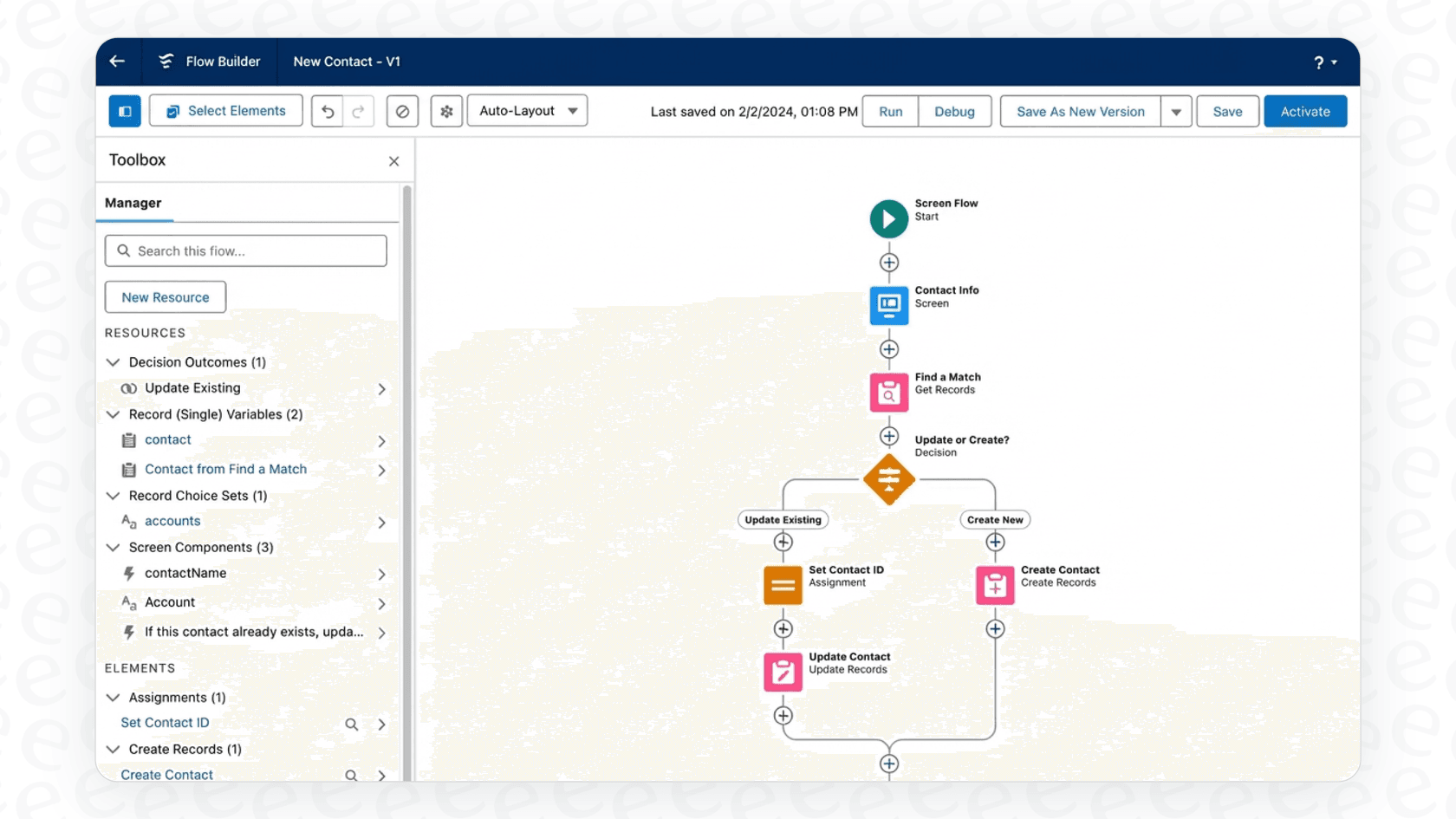
Why we chose it: Salesforce's biggest advantage is how it connects to its CRM. It gives you a complete picture of the customer, pulling in data from sales, marketing, and service to power its AI. This can lead to some incredibly personalized and context-aware support.
Pricing: Salesforce pricing is aimed at large enterprises and is definitely on the high end.
-
Enterprise: $175/user/month (billed annually). This plan includes core Service Cloud features and some built-in AI.
-
Unlimited: $350/user/month (billed annually). Adds more features like chat and bots.
-
Agentforce 1 Service: $550/user/month (billed annually). This is the all-in package with the full AI suite and analytics.
Pros:
-
It’s incredibly powerful and can scale for massive global companies.
-
It smoothly connects service data with a customer's entire history with your company.
-
It has extensive options for workflow automation and customization.
Cons:
-
It requires a serious investment in both money and time to get it set up. This isn't a plug-and-play tool; it's a major business decision.
-
It’s complete overkill for small or mid-sized teams that don't need a full CRM overhaul.
5. HubSpot Service Hub
HubSpot Service Hub is the help desk side of HubSpot's customer platform. Its AI, Customer Agent, answers customers across chat, email, forms, and calling, and hands the conversation to your team when it needs a human.
Why we chose it: If your sales and marketing already run on HubSpot, the AI starts with context most tools don't have. Contact records, deal history, and past conversations all sit in the same CRM, so the Breeze Customer Agent can personalize answers without extra setup. HubSpot says it resolves 65%+ of conversations automatically, and you can try it free for 14 days once you have a Service Professional or Enterprise seat.
Pricing: HubSpot's Service Hub pricing mixes per-seat plans with HubSpot Credits, which pay for AI usage. Customer Agent is only on Professional and Enterprise.
-
Free: $0 for up to 2 users, with basic ticketing and live chat.
-
Professional: $90/seat/month billed annually ($100 monthly), plus a required one-time $1,500 onboarding fee. Includes Customer Agent and 3,000 HubSpot Credits a month.
-
Enterprise: $150/seat/month, plus a required one-time $3,500 onboarding fee. Includes 5,000 HubSpot Credits a month, skill-based routing, and conditional SLAs.
-
Customer Agent usage: 50 credits ($0.50) per resolved conversation. Extra credits cost $10 per 1,000, or you can switch on pay as you go.
Pros:
-
The AI uses your full CRM data, so answers can reflect a customer's history with sales and marketing.
-
Help desk, knowledge base, customer portal, and AI agent all live in one platform.
-
Usage is only charged when the agent actually resolves a conversation.
Cons:
-
Customer Agent needs Professional or Enterprise seats plus an onboarding fee, so the entry cost is steep for small teams.
-
It works inside HubSpot's own help desk. Teams on Zendesk or Freshdesk would need to move their support over.
-
Because you pay per resolution, a busier month (or a better-performing agent) means a bigger credit bill.
6. Gorgias
For ecommerce brands, Gorgias is in a class of its own. It was built from the ground up to integrate deeply with platforms like Shopify, Magento, and BigCommerce, making it the default helpdesk for many online stores.
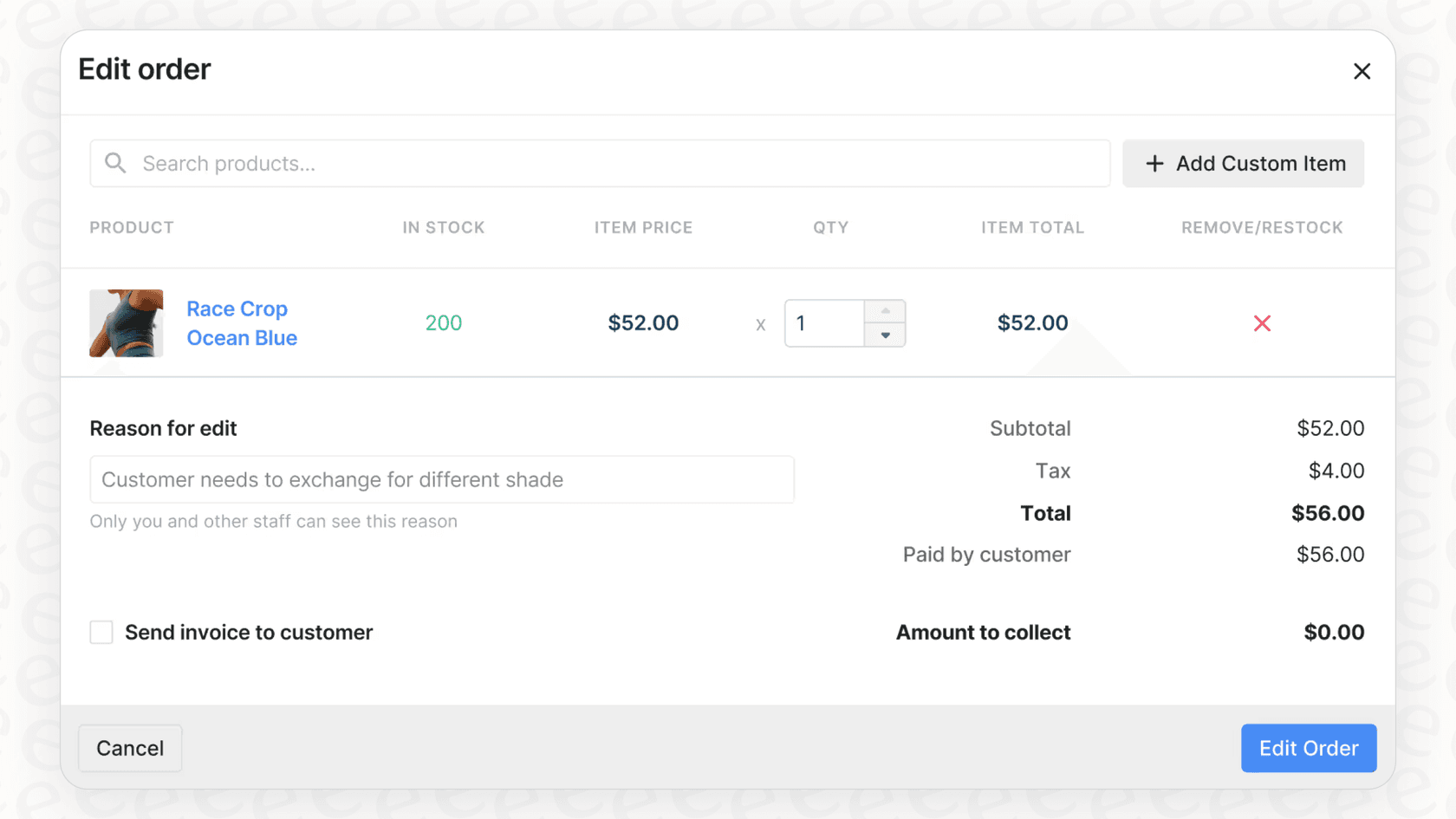
Why we chose it: Gorgias provides a powerful, specialized AI experience specifically for ecommerce. It can instantly answer questions like "Where is my order?" by pulling live data from your store. It also lets agents modify orders, issue refunds, and see a customer's entire purchase history without leaving the helpdesk.
Pricing: Gorgias uses a ticket-based model, which is simpler than per-resolution but can still add up for high-volume stores. Gorgias offers tiered plans to match different team sizes, and AI features are available on all plans.
-
Starter: $40/month for 50 tickets and 30 automated interactions (helpdesk $10 + AI Agent $30, monthly billing only).
-
Basic: $90/month, or $77/month billed annually, for 300 tickets and 30 automated interactions.
-
Pro: $550/month, or $471/month billed annually, for 2,000 tickets and 190 automated interactions.
-
Advanced: $1,430/month, or $1,227/month billed annually, for 5,000 tickets and 530 automated interactions.
Every plan bundles a set number of automated interactions, and past that the rate is $1.50 per automated interaction. Tickets over your allowance are $0.40 each on Starter and Basic, $0.36 on Pro and Advanced.
Pros:
-
The deep integration with ecommerce platforms is a world-class advantage for online stores.
-
It masterfully combines support and sales by letting agents see and act on order data in real-time.
-
It is a mature, reliable platform that can automate a significant portion of common ecommerce inquiries.
Cons:
-
Gorgias is a premier, specialized tool for ecommerce, so its workflows are highly optimized for retail brands.
-
While it focuses on its own robust internal data, Gorgias offers an extensive marketplace that allows users to connect with external knowledge sources as needed.
7. Ada
Ada is an AI-first customer service platform built for large companies, the kind of airlines, telcos, and marketplaces that handle enormous conversation volumes. Instead of being a help desk with AI added on, Ada is the AI agent itself, and it sits in front of the help desk you already use.
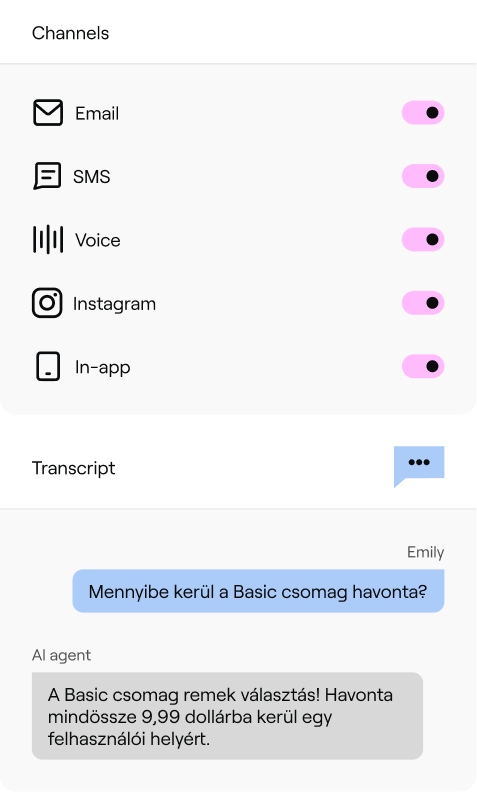
Why we chose it: Ada covers more channels than most tools on this list: chat, email, SMS, social, and voice, all from one agent. Its Playbooks let the AI follow multi-step processes like changing a flight booking, and its Coaching feature lets managers correct the agent in plain language. You can read more in our Ada review.
Pricing: Ada doesn't publish its prices. Its pricing page is a demo form, and every plan is a custom quote negotiated with sales. There's no free trial either. We break down what is known in our Ada pricing guide.
Pros:
-
One AI agent across chat, email, SMS, social, and voice.
-
Built to handle very high volumes for large global brands.
-
Playbooks and Coaching give you real control over how the agent behaves.
Cons:
-
No public pricing or free trial, so you can't judge the fit until you're deep in a sales process.
-
Setup is an implementation project with an annual contract, not something you switch on in an afternoon.
-
It's more than most small and mid-sized teams need.
8. Kustomer
Kustomer is a CRM-style help desk built around the customer rather than the ticket. Every conversation, order, and past interaction sits on one timeline, which its AI agents use to answer and take action.
Why we chose it: Kustomer is a strong pick for high-volume online retail teams. Its customer-facing AI agent (now called Kustomer Concierge) works across email, chat, SMS, WhatsApp, and Messenger, and can take actions using your customer data. A separate AI copilot helps reps reply faster.
Pricing: Kustomer doesn't publish its plan prices. The pricing page sends you to a calculator and the sales team, but its pricing details page does list the AI rates:
-
Platform plans (Enterprise and Ultimate): custom quote from sales.
-
AI Agents for Customers: $0.60 per engaged conversation, charged whether or not the issue gets resolved.
-
AI Agents for Reps: $40/user/month.
-
Add-ons: HIPAA is $25/user/month and voice starts at $0.02 per minute.
Pros:
-
One timeline per customer gives the AI rich context.
-
Works across many messaging channels.
-
AI pricing is published, even though plan pricing isn't.
Cons:
-
No public plan prices, so you need a sales conversation to get the full cost.
-
The AI runs on the Kustomer platform, so you'd be moving your help desk to use it.
-
Built for larger teams; it's more than a small team needs.
9. Forethought
Forethought is a strong, AI-focused platform that offers a "multi-agent" system to automate the entire support process. It’s a powerful option for teams looking for an end-to-end AI solution. One thing to know before you shortlist it: Zendesk closed its acquisition of Forethought in March 2026, and it's now sold as Forethought AI agents by Zendesk, still deployable on top of other helpdesks rather than Zendesk only.
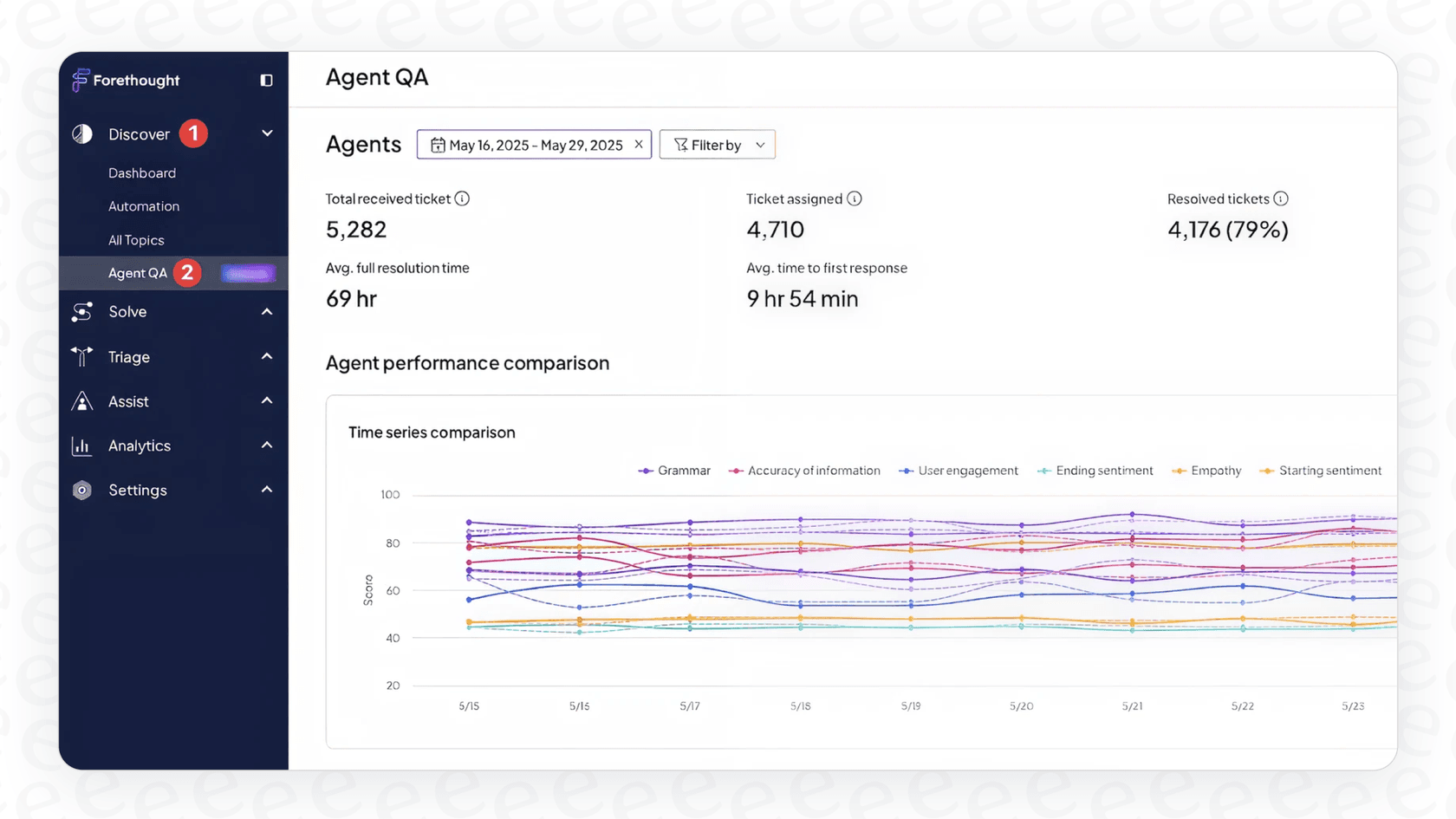
Why we chose it: Forethought's platform is pretty comprehensive. It has AI agents that can resolve issues, classify and route tickets, and assist human agents. It’s well-regarded for delivering a strong ROI and can handle some fairly complex, multi-step problems.
Pricing: Forethought doesn't list its prices online. You have to book a demo and get a custom quote from their sales team, which describes the model as a blend of platform access fees and an outcome-based cost.
Pros:
-
Its AI is powerful and can handle complex actions.
-
It integrates with major helpdesks, so you don't have to switch your core platform.
-
They put a strong focus on showing a measurable return on your investment.
Cons:
-
The lack of public pricing is a factor to consider for some teams. It usually involves a sales process to find out if it fits your specific budget.
-
Getting it set up is more of a hands-on project, not a quick, self-serve process. There's no free trial either; Forethought runs a Proof of Value against your own data instead.
10. Help Scout
Help Scout is a simple shared inbox and help desk that feels more like email than a ticketing system. Its AI tools are built in and easy to switch on.
Why we chose it: Help Scout is one of the easiest help desks to learn. AI Answers responds to customers in chat using your Help Scout Docs and other sources you add, while AI Assist, AI Drafts, and AI Summarize help your team write and catch up on conversations faster.
Pricing: Help Scout's pricing is per user, with customer-facing AI charged per resolution.
-
Free: $0 for up to 5 users.
-
Standard: $25/user/month billed annually ($30 monthly).
-
Plus: $45/user/month billed annually ($54 monthly).
-
Pro: $75/user/month billed annually ($90 monthly), minimum 10 users.
-
AI Answers: $0.75 per resolution on Standard and up, with a 3-month free trial. The agent-side AI tools are included at no extra cost.
Pros:
-
Very easy to set up and use, even for non-technical teams.
-
Free plan for up to 5 users.
-
Agent-side AI is included in paid plans.
Cons:
-
The AI only works inside Help Scout, so you'd need to use it as your help desk.
-
Per-resolution pricing means your AI bill goes up as the AI handles more.
11. Zoho Desk (Zia)
Zoho Desk is Zoho's help desk, and Zia is its built-in AI. It's one of the cheapest full help desks around, especially if your company already uses other Zoho apps.

Why we chose it: Zoho Desk packs a lot of AI into low seat prices. Zia handles triage (sentiment analysis, auto-tagging, and predicting ticket fields), suggests replies from your help articles, and lets you build your own AI agents in Zia Agent Studio.
Pricing: Zoho Desk's pricing is per agent, with more AI unlocked on higher plans.
-
Express: $7/agent/month billed annually ($9 monthly).
-
Standard: $14/agent/month billed annually ($20 monthly). Adds sentiment analysis, auto-tagging, and the agent-facing Answer Bot.
-
Professional: $23/agent/month billed annually ($35 monthly). Adds Zia with Zoho's own AI models built in.
-
Enterprise: $40/agent/month billed annually ($50 monthly). Adds the customer-facing Answer Bot and ready-made AI agents.
-
Zia Agents usage: free up to a monthly token allowance, then $1 or $3 per million tokens depending on the model.
Pros:
-
Some of the lowest seat prices on this list.
-
Connects naturally with Zoho CRM and other Zoho apps.
-
You can build custom AI agents without extra license fees.
Cons:
-
The most useful AI, like the customer-facing bot, is locked to the top plan.
-
Zia only works inside Zoho products.
12. Tidio
Tidio is a popular and friendly choice for small and medium-sized businesses that want to add live chat and a simple AI chatbot to their website without spending a fortune.
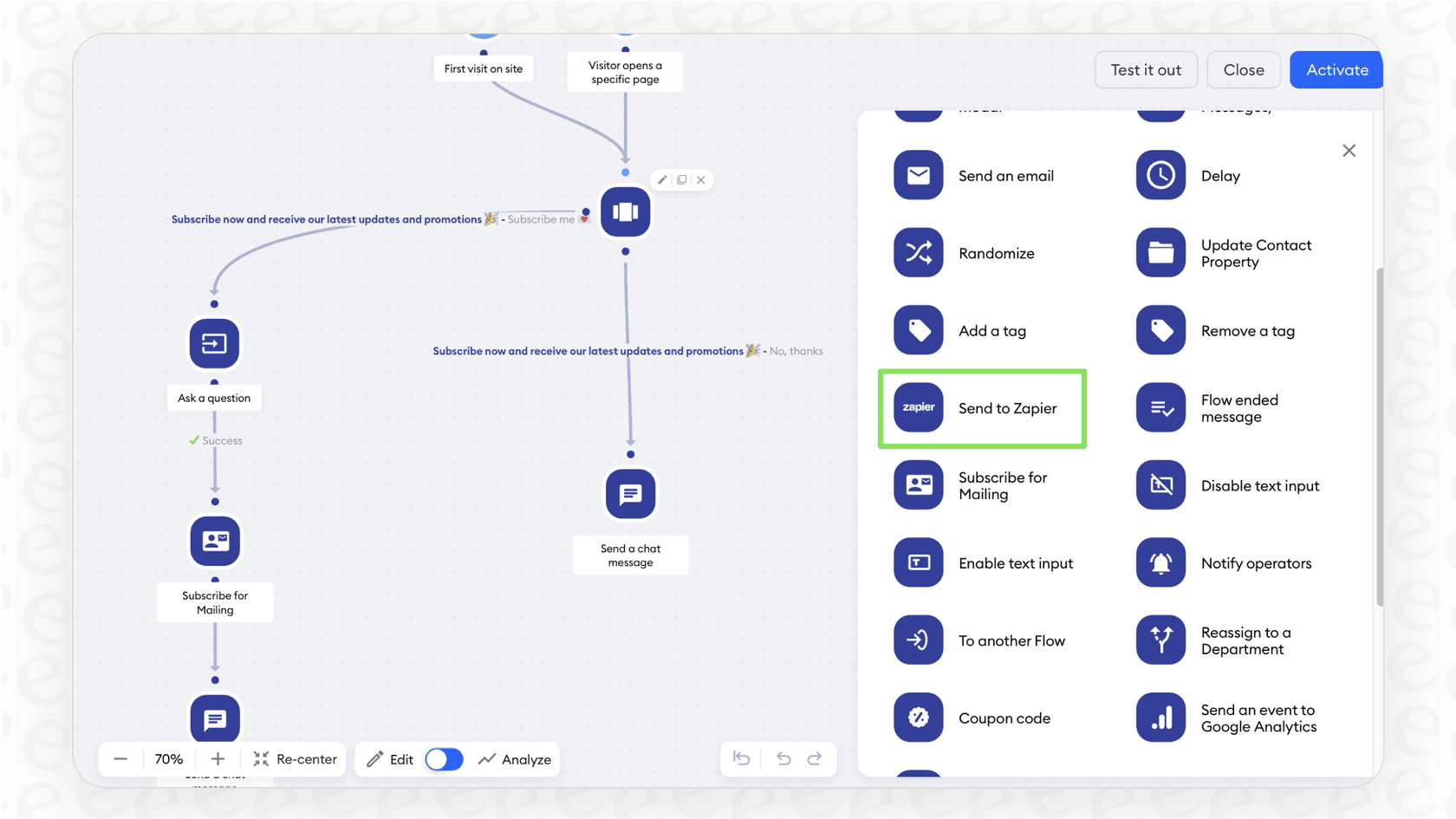
Why we chose it: Tidio’s visual chatbot builder is incredibly easy to figure out. Even if you're not technical, you can drag and drop elements to create conversation flows for basic FAQs, lead generation, or booking appointments. It’s a great first step into support automation.
Pricing: Tidio has a range of affordable plans, including a free one.
-
Free: Includes 50 live chat conversations.
-
Starter: $24.17/month for 100 billable conversations and 10 seats.
-
Growth: Starts at $49.17/month for 250 billable conversations.
-
Lyro AI Agent (standalone): Starts at $32.50/month for 50 AI conversations.
-
Flows (standalone): Starts at $24.17/month for 2,000 visitors reached.
Pros:
-
Very user-friendly and one of the most affordable options out there.
-
It combines live chat, chatbots, and email marketing in one place.
-
Perfect for automating simple, high-volume questions.
Cons:
-
Tidio's own number for Lyro is that it solves up to 67% of customer questions automatically, so the rest still lands with your team.
-
Pricing runs on three separate meters (billable conversations, Lyro AI conversations, and Flows visitors reached), so a busy month can push you up more than one ladder at once.
13. Decagon
Decagon is an AI-native customer service platform built for large consumer brands. Like Ada, it is the AI agent itself rather than a help desk, and it answers customers across voice, chat, and email on top of the support stack you already run.
Why we chose it: Decagon's Agent Operating Procedures (AOPs) let you write agent workflows in natural language, the same way you'd train a human agent with an SOP, while engineers keep Git-based version control. Its integrations connect to help desks and CRMs like Zendesk and Salesforce, plus MCP and APIs for custom systems, with handoffs to human agents when a conversation needs one. A built-in testing suite runs simulations before each update goes live.
Pricing: Decagon doesn't publish its prices on its site. The way in is to get a demo and a custom quote from its sales team.
Pros:
-
One AI agent across voice, chat, and email.
-
AOPs are written in plain language, and you can trace the agent's reasoning at any point in a conversation.
-
Simulations let you test agent behavior before and after every change.
Cons:
-
No public pricing, so you need a sales conversation to find out the cost.
-
Its customer list (Delta, American Airlines, Deutsche Telekom) points to large enterprise deployments, which is more than most small teams need.
14. Sierra
Sierra is an AI-native platform for building customer-facing AI agents, used by brands like SiriusXM, Rocket Mortgage, and Wayfair. One agent can run across chat, SMS, WhatsApp, email, voice, and ChatGPT.
Why we chose it: Sierra's Agent Studio lets CX teams build agents without writing code, connect knowledge sources, and use 40+ pre-built integrations to take action or route a conversation to your care team with full context. Ghostwriter builds or edits an agent from a plain-language prompt or your existing SOPs and transcripts, and auto-generates simulations to test each change.
Pricing: Sierra doesn't publish its prices. Its homepage says it uses outcome-based pricing, so you pay for the results the agent delivers, and the numbers come from its sales team.
Pros:
-
One agent across a wide range of channels, including voice and WhatsApp.
-
Outcome-based pricing ties the cost to results.
-
No-code building tools, plus simulations and reporting on CSAT and resolution.
Cons:
-
No public pricing, so you need a sales conversation to get the cost.
-
Sierra describes its model as partnering with your team to deliver the agent, so expect a guided rollout rather than a self-serve setup.
Key things to consider when choosing your AI customer service software
Feeling a bit overwhelmed by the options? Let’s boil it down. When you’re making your final call, keep these four things in mind:
-
Setup Time vs. Long-Term Value: Do you have months to spend on a complicated setup, or do you need to show results this quarter? Look for self-serve tools that let you test on your own historical tickets, start small, prove the value quickly, and grow from there.
-
All-in-One Platform vs. Smart Integration: Ripping out your entire helpdesk is a massive, risky project. Established platforms like Zendesk or Gorgias provide a strong, capable, and trustworthy foundation that powers customer service for thousands of companies worldwide. Alternatively, ask yourself if a flexible AI layer that plugs into and improves your existing tools might be a faster way to get what you need.
-
Predictable Costs: Be careful with per-resolution pricing. Gorgias offers tiered plans to match different team sizes, ensuring you have the options that best fit your growth. A flat, transparent pricing model is also worth considering for predictable budgeting as you scale.
-
The Reality of Your Knowledge: Let's be honest, your company's real knowledge isn't just in your perfectly polished help center articles. It's buried in thousands of past ticket replies, scattered Google Docs, and messy Confluence pages. The best AI tools can tap into all of it to give truly useful answers.
The right AI customer service software is a launchpad, not a cage
The market for AI customer service software is crowded with everything from enterprise giants like Salesforce and HubSpot to expertly specialized platforms like Gorgias and Ada. The trick isn't finding the "best" one on paper, but the one that actually fits your team's workflow, budget, and goals.
The modern way to think about AI isn't about replacing everything you have. It's about making what you have better. Industry leaders like Gorgias have built impressive ecosystems and marketplaces that allow support teams to thrive. The best software doesn't lock you into a corner: It plugs into the tools you already use, goes live in minutes, and gives you the control to automate things on your own terms.
Ready to see what a truly flexible and self-serve AI platform can do for your team? Start building your eesel AI agent in minutes. No sales call required.
Frequently asked questions
What exactly is AI customer service software and what kind of tasks can it automate for my team?
AI customer service software uses artificial intelligence to automate and enhance customer support. It can handle repetitive questions, route tickets, assist human agents with replies, and provide instant answers through chatbots. This frees up your team to focus on more complex interactions.
How fast can I typically integrate new AI customer service software with my existing helpdesk system?
Integration speed varies; some AI customer service software platforms, like eesel AI, are designed to be self-serve and can go live with your existing helpdesk in minutes. Others, especially larger enterprise solutions, may require longer implementation projects. Look for tools that prioritize speed to value and flexibility.
What should I be aware of regarding the pricing models for AI customer service software?
You'll encounter various pricing models for AI customer service software, including per-agent, per-ticket, or per-resolution. Be cautious with per-resolution models, as they can lead to unpredictable and high costs as your support volume grows. Flat-rate or usage-based pricing often provides more transparent and predictable budgeting.
Can AI customer service software effectively learn from all our existing knowledge sources, even scattered documents?
The most effective AI customer service software can indeed tap into a wide range of knowledge sources beyond just polished help center articles. This includes past ticket replies, Google Docs, Confluence pages, and more. This broad learning capability ensures more accurate and on-brand answers.
How much control will I have over the decision-making and escalation processes of the AI customer service software?
Good AI customer service software offers significant control, allowing you to define exactly how the AI acts, which questions it handles, and when it should escalate to a human agent. This ensures the AI operates according to your specific workflows and business rules, not as a "black box."
Is it necessary to replace my entire helpdesk if I want to implement AI customer service software?
No, it's generally not necessary to replace your entire helpdesk. Many AI customer service software solutions are designed to integrate seamlessly as an additional layer with your existing systems like Zendesk or Freshdesk. This approach allows you to enhance your current setup without a costly and disruptive migration.


Article by
Kurnia Kharisma
Kurnia is a software engineer and writer at eesel AI with two years of SEO experience, writing about AI tools, helpdesk software, and customer support. He pairs a developer's understanding of how these products are built with search-driven research into what actually ranks and resonates with the people searching for them.