
What Help Scout's "100+ integrations" actually means
Help Scout is a customer support platform built around a clean, email-like shared inbox, with Docs for self-service and the Beacon widget for live chat. It is pitched squarely at relationship-driven small businesses, and 12,000+ companies run on it. The thing about a support inbox, though, is that it is only as useful as the other tools it can see into, which is where integrations come in.
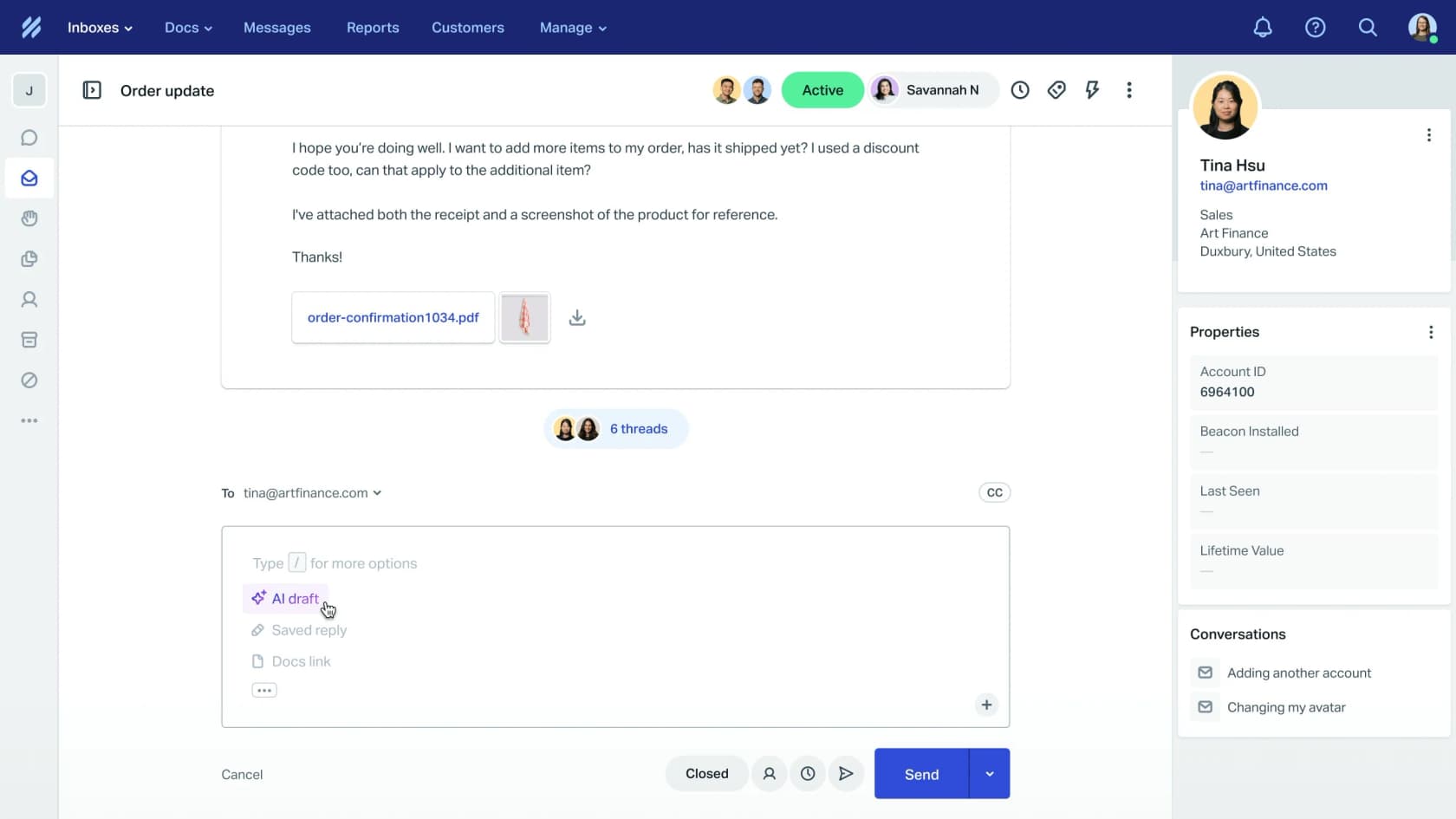
Help Scout markets "100+ powerful integrations", and that number is technically accurate, but it is worth unpacking before you make a buying decision on it. The live App Directory (which lives at /help-desk-integration/, not the /integrations/ URL you would guess) lists roughly 80 named native apps, filterable by category: Analytics, Communication, CRM, Ecommerce, Marketing, Support, and Utilities. The gap up to "100+" is closed by Zapier, which Help Scout says connects "50+ more apps". A handful of tiles in the directory (ActiveCampaign, Asana, Gmail, SurveyMonkey) actually route through Zapier rather than a native connector.

That distinction matters more than it sounds. A native integration usually puts live data right inside the conversation sidebar; a Zapier connection mostly moves records between systems on a trigger. Both are useful, but they are not the same depth, and knowing which one you are getting saves a lot of "wait, why can't I see the order here?" frustration after you have switched.
The three ways to connect a tool to Help Scout
Whatever you are trying to plug in, you are choosing between three routes. This is the mental model worth keeping:
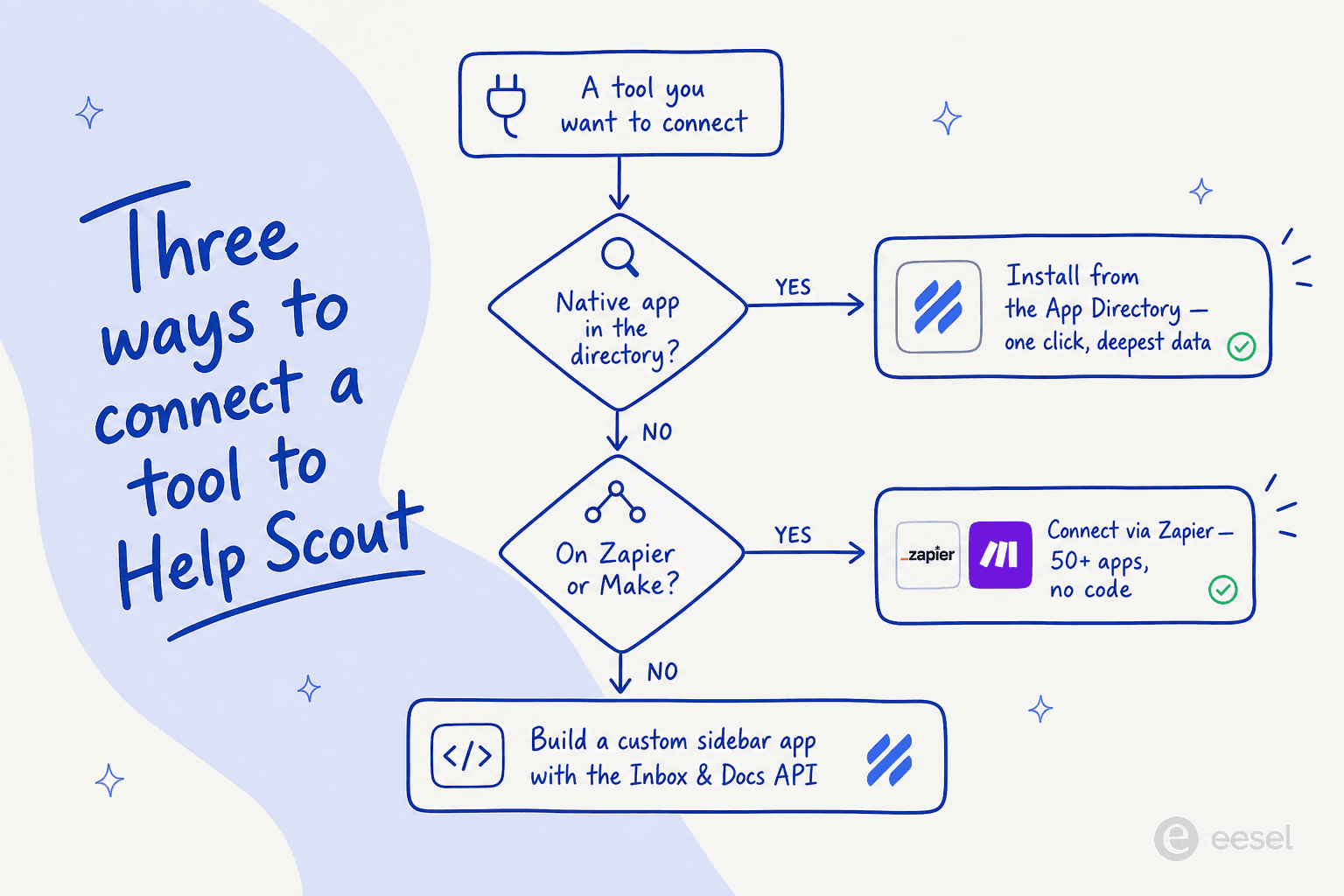
1. A native app from the directory. If the tool is in the App Directory, this is almost always the right call. Most install in a click or two from the in-product apps area, and the good ones render live data in the sidebar. This is the deepest, lowest-maintenance option.
2. Zapier or Make. When there is no native app, Help Scout leans on Zapier, Make, and viaSocket as no-code bridges. As Help Scout puts it, you can "integrate with hundreds of apps in minutes, even apps that are not natively integrated." The trade-off is that these are automations, not embedded views, and (a point worth weighing) third-party reliance means a connection can break when an upstream API changes. If you want the full picture, our Zapier guide walks through what it does and does not do well.
3. A custom app on the API. When you need your own data or logic in the inbox, Help Scout's developer platform gives you the Inbox (Mailbox) API, the Docs API, webhooks, and the ability to build a custom sidebar app with their React UI kit. It is the most work, but it is also the only route that gives you exactly what you want.

Help Scout sums up its own extensibility with the line "Don't see what you need? Create it." For most teams, the answer will be a native app for the big stuff and a couple of Zapier zaps for the long tail.
The Help Scout integrations worth setting up first
You do not need 80 apps. You need the five or six that touch your daily workflow. Here is where the ecosystem is genuinely strong, broken down by what most support teams actually reach for.
E-commerce: the Shopify integration is the standout
If you sell on Shopify, this is the integration to turn on first. It pulls order status, product lists, fulfilment info, tracking links, and refunds directly into the conversation, so an agent never has to leave the inbox to answer "where's my order?". It is the best-reviewed native app in the ecosystem, sitting at 4.6/5 on the Shopify App Store, and the praise is specific:
"The new Shopify integration has been a game-changer for us! We now have in-app views of customer orders, which includes a list of products, fulfillment info, and tracking links. It eliminates the need to head to Shopify, & saves us a lot of time!"
Kitty Poo Club, Shopify App Store reviews

It is not perfect. Reviewers want to write notes back to the order from the sidebar, which you currently cannot do. But as a starting point it is excellent, and it pairs naturally with the broader category of Shopify support tools if you outgrow it.
CRM: Salesforce and HubSpot are the weak link
Here is where the honesty pays off. CRM is the category buyers assume "just works," and it is the one most likely to disappoint on Help Scout.
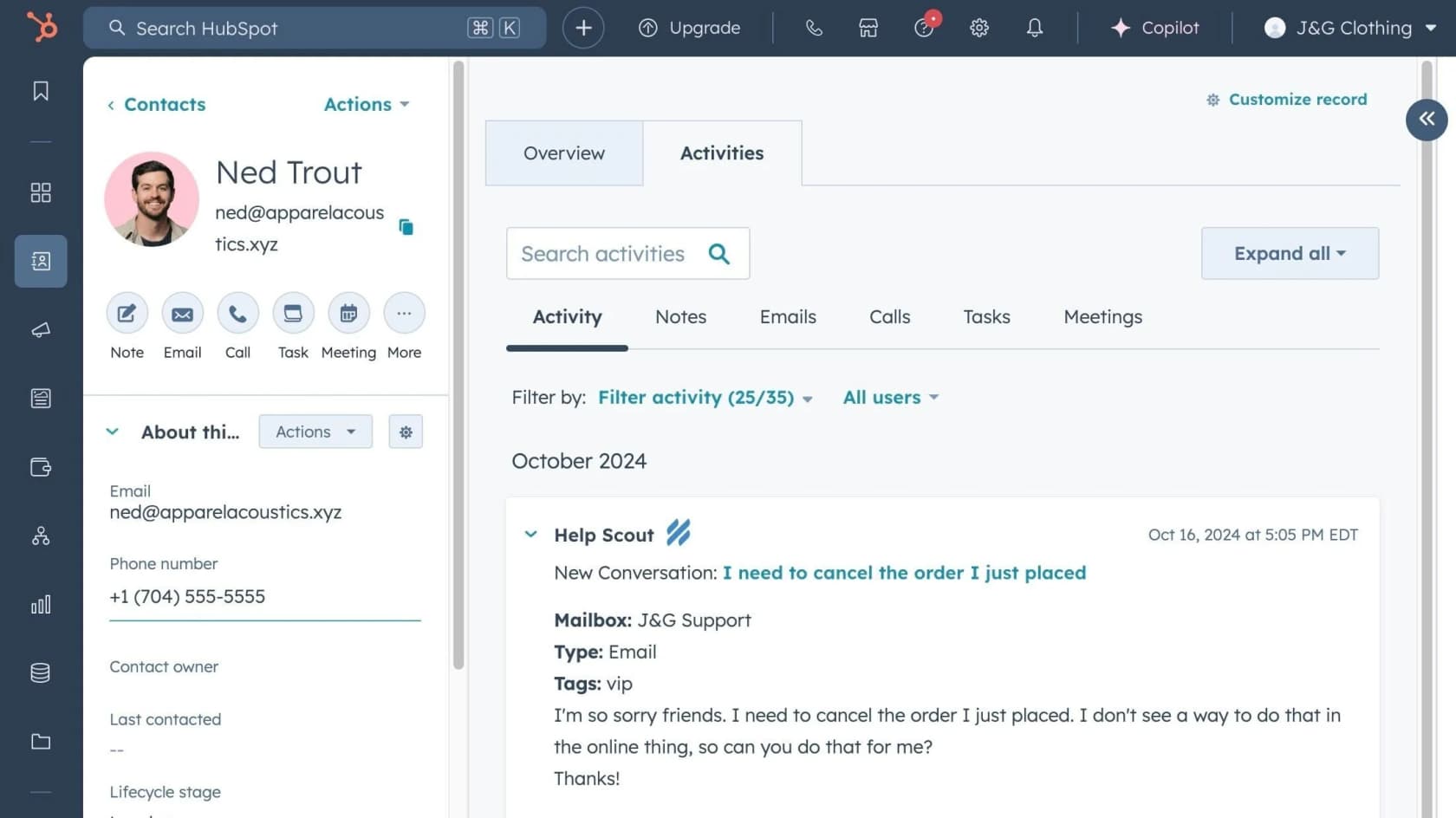
The Salesforce integration is a one-way sync (customer data flows from Salesforce into Help Scout, not back), it is gated to the Plus and Pro plans, and it requires a paid Salesforce API add-on on top. The Salesforce-side view is read-only, too. The HubSpot connector is rougher: built by Help Scout itself, it carries a 1.5/5 rating, and the reviews are blunt:
"This integration is very basic. There is some syncing of contacts and messages, but you can't manually associate things with deals, companies, etc... Overall, it's really disappointing."
D. Morin, HubSpot marketplace listing
To Help Scout's credit, the team has publicly replied to those reviews saying the feedback will inform improvements. But if a deep two-way CRM sync is core to your workflow, test it hard before you commit, and look at how a dedicated HubSpot Service Hub setup compares for your case.
Communication: Slack, WhatsApp, and the messaging channels
This category is solid. The native Slack integration pushes conversation notifications into channels, and WhatsApp lets you handle WhatsApp messages from the same inbox (it is a featured "Plus" app). Facebook Messenger and Instagram round out social, alongside live-chat add-ons like Olark and Chatra.

If Slack is where your team actually lives, it is worth knowing what the AI layer on top of it can do too; our Slack review covers the limits of the native tooling.
Dev and project management: Linear, Jira, and GitHub
For product-led teams, this is a quietly strong corner. Linear is a featured app that links issues to conversations without leaving the inbox, and there are native connectors for Jira and GitHub (both Plus-gated). It means a support agent can turn a bug report into a tracked issue in one place, which is the whole point. If you are weighing the AI angle here, the Jira copilot guide is a useful companion read.
Voice, analytics, and data
The long tail is real but more functional than flashy: phone and SMS via Aircall, JustCall, and CloudTalk; reporting via Databox, Plecto, and Mixpanel; and proper data pipelines via Fivetran, Census, and Merge for teams that want Help Scout data in a warehouse. CSAT lives here too, through Nicereply and Hively, which is worth a look if you care about measuring support quality.
Where the Help Scout integration ecosystem falls short
A fair guide names the gaps. After going through the directory, three patterns stand out, and they map cleanly onto how deep each category actually goes:
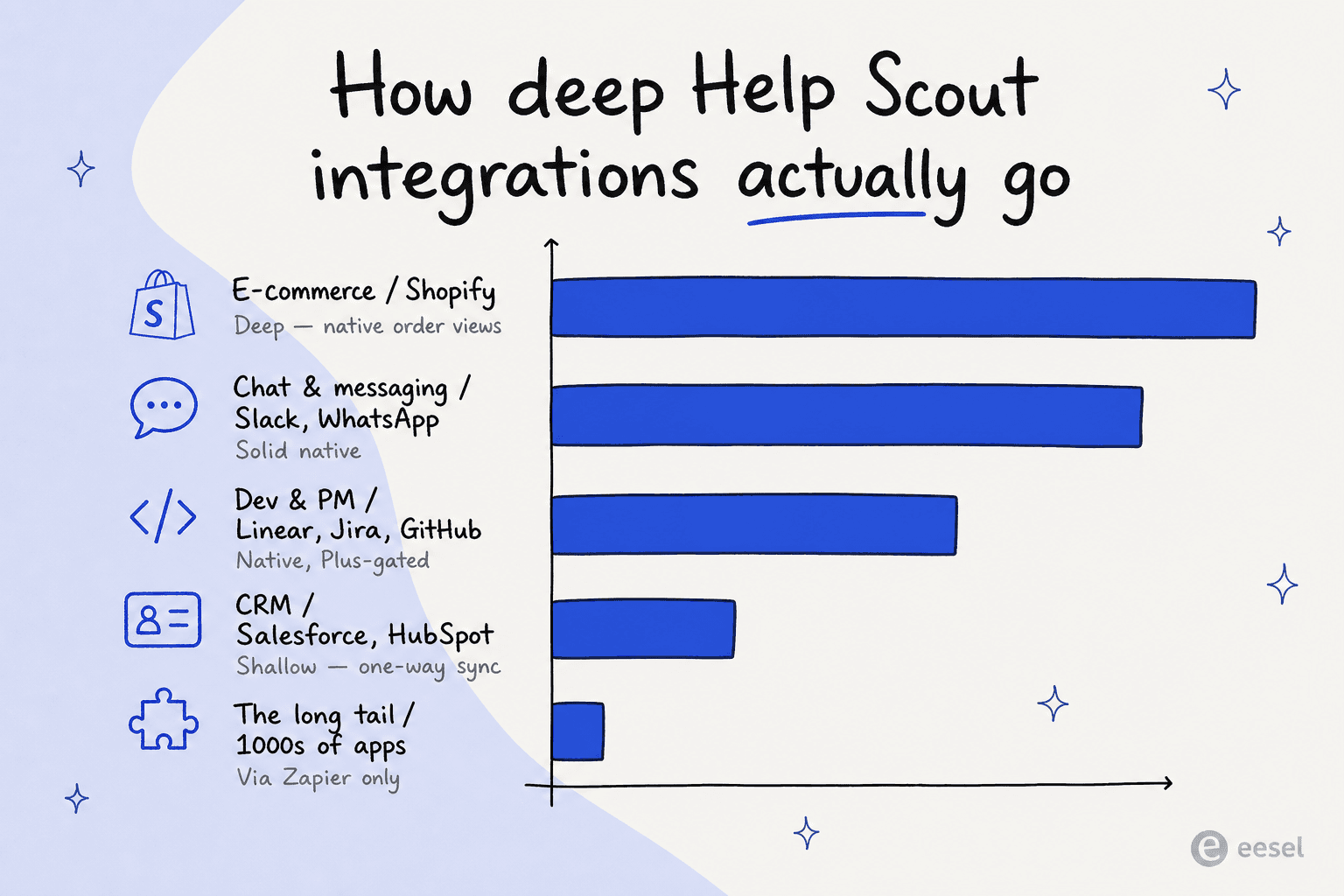
Plan-gating. Several of the most-wanted apps (Salesforce, WhatsApp, Jira, GitHub) carry a "Plus" badge, meaning they are locked behind the $45/user/month Plus plan or higher. That is worth factoring into the real cost if a flagship integration is the reason you are buying.
Zapier as a crutch. Reaching thousands of apps through Zapier is genuinely handy, but it means a chunk of your stack depends on a paid third-party layer that you maintain, and that can break when APIs change. For one or two automations that is fine; for a core workflow it is a fragility you should design around.
Thin CRM depth. As covered above, the native CRM connectors are the most likely to underwhelm. If your support and revenue teams need to work the same customer record, budget time to test it (or to build something custom on the API).
None of this makes Help Scout a bad choice. It remains one of the easiest helpdesks to adopt. But knowing exactly where the ecosystem is deep versus shallow is the difference between a smooth rollout and a surprise three weeks in.
Help Scout's AI integrations: Workflows, AI Answers, and Inbox Assistant
The most valuable "integration" in Help Scout might not be with another vendor at all; it is the AI that connects your Docs knowledge base to your inbox. There are three pieces worth knowing.
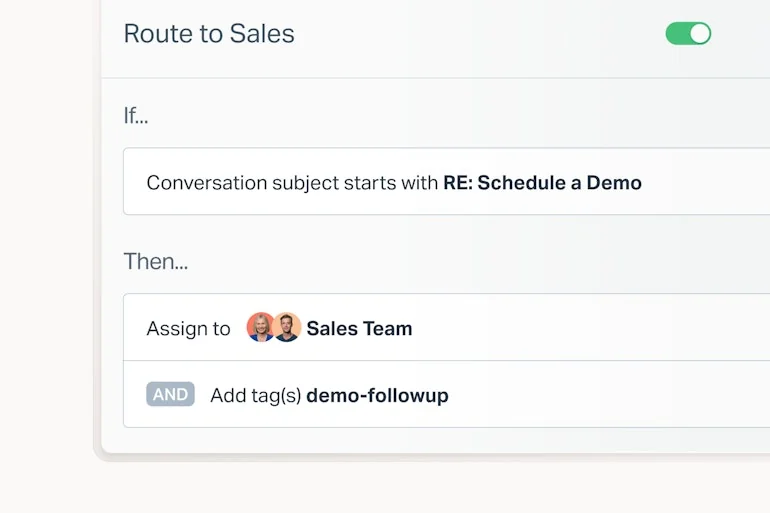
First, Workflows, Help Scout's native automation engine. These are simple if-then rules (if a conversation subject matches X, then assign it and add a tag) that handle routing and tagging without any third-party tool.
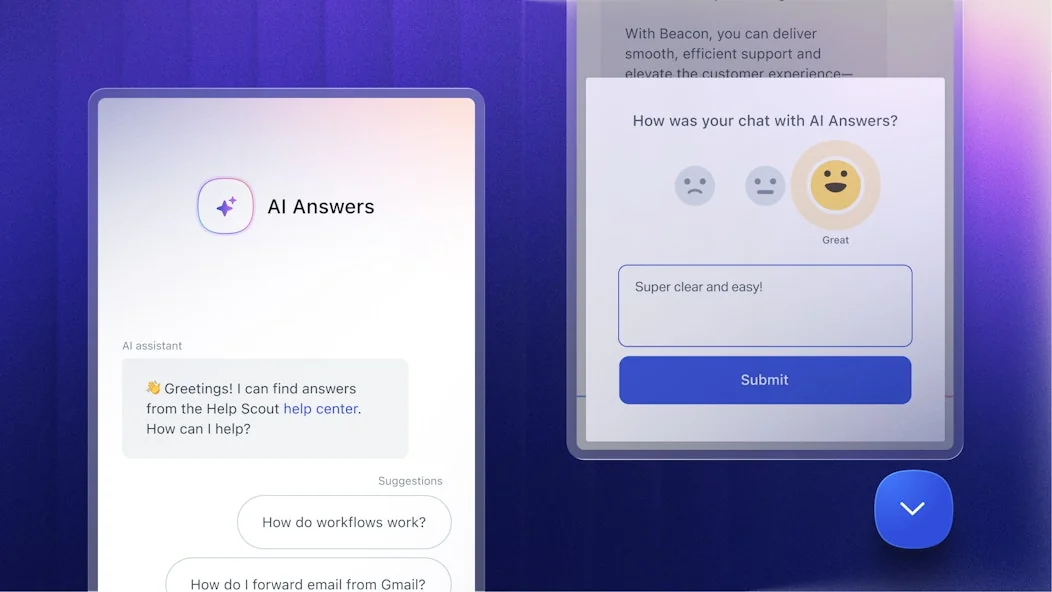
Second, AI Answers, a customer-facing agent that resolves requests from your knowledge base inside the Beacon widget. Help Scout reports it handles around 73% of interactions, and it is sold as a usage-based add-on at $0.75 per resolution on top of your seat price (with a three-month free trial).
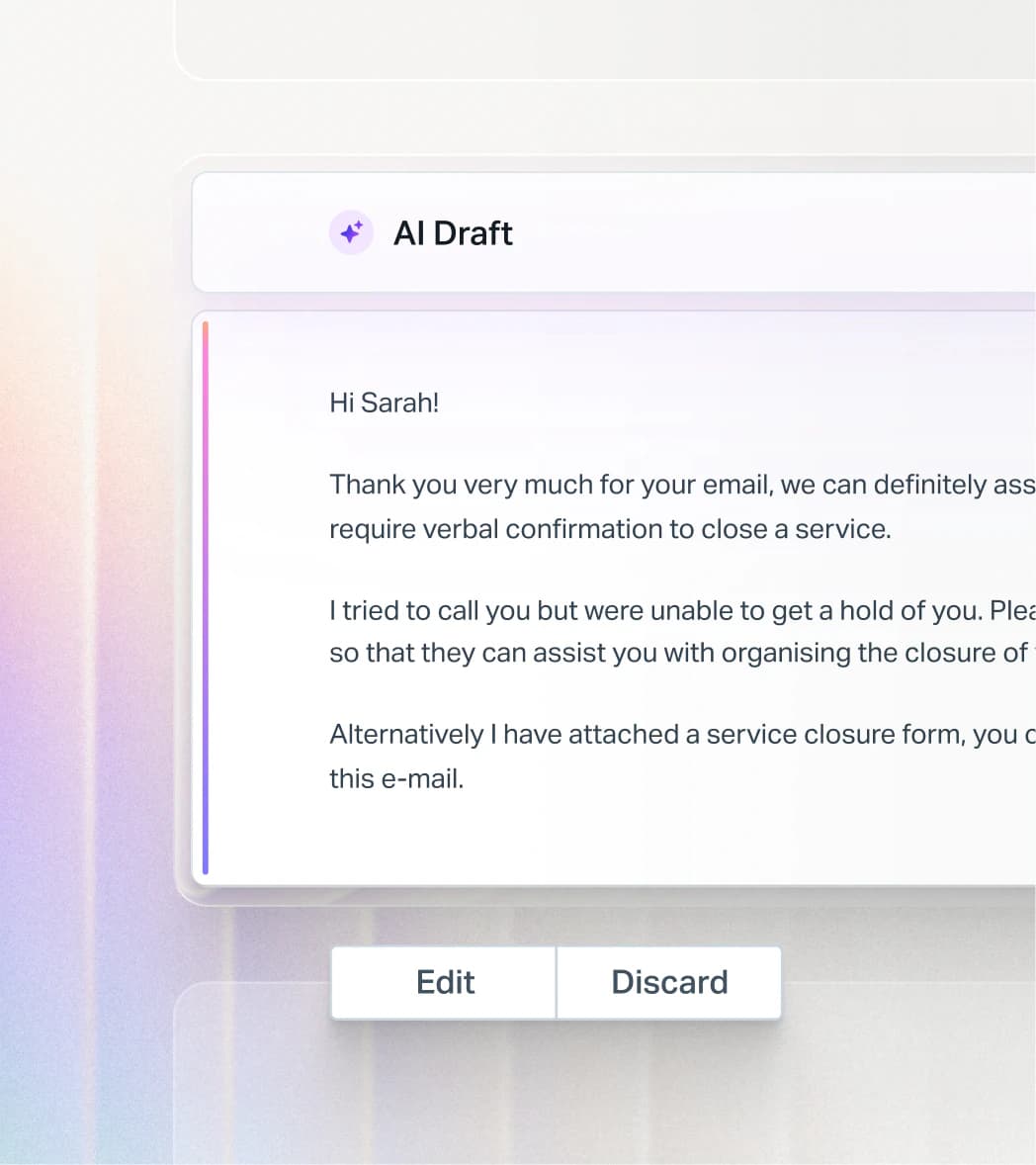
Third, the Inbox Assistant (agent-facing AI): AI Drafts to auto-write replies, AI Summarize to recap long threads, and tone or grammar edits. This is the copilot layer for your human agents.
The one thing to watch is cost. That $0.75-per-resolution model is the most common complaint we see from teams at scale, because at 1,000 resolutions a month it adds roughly $750 on top of seats. Worth modelling against your volume before you switch it on, the same way you would weigh AI agent cost against headcount.
Going further: add a dedicated AI agent on top of Help Scout
Help Scout's native AI is good for deflection and drafting. But if your goal is to actually automate a large slice of tier-1 support, a dedicated AI helpdesk agent gives you more control over how it behaves, what it is allowed to do, and how you test it before going live. The pattern looks like this:
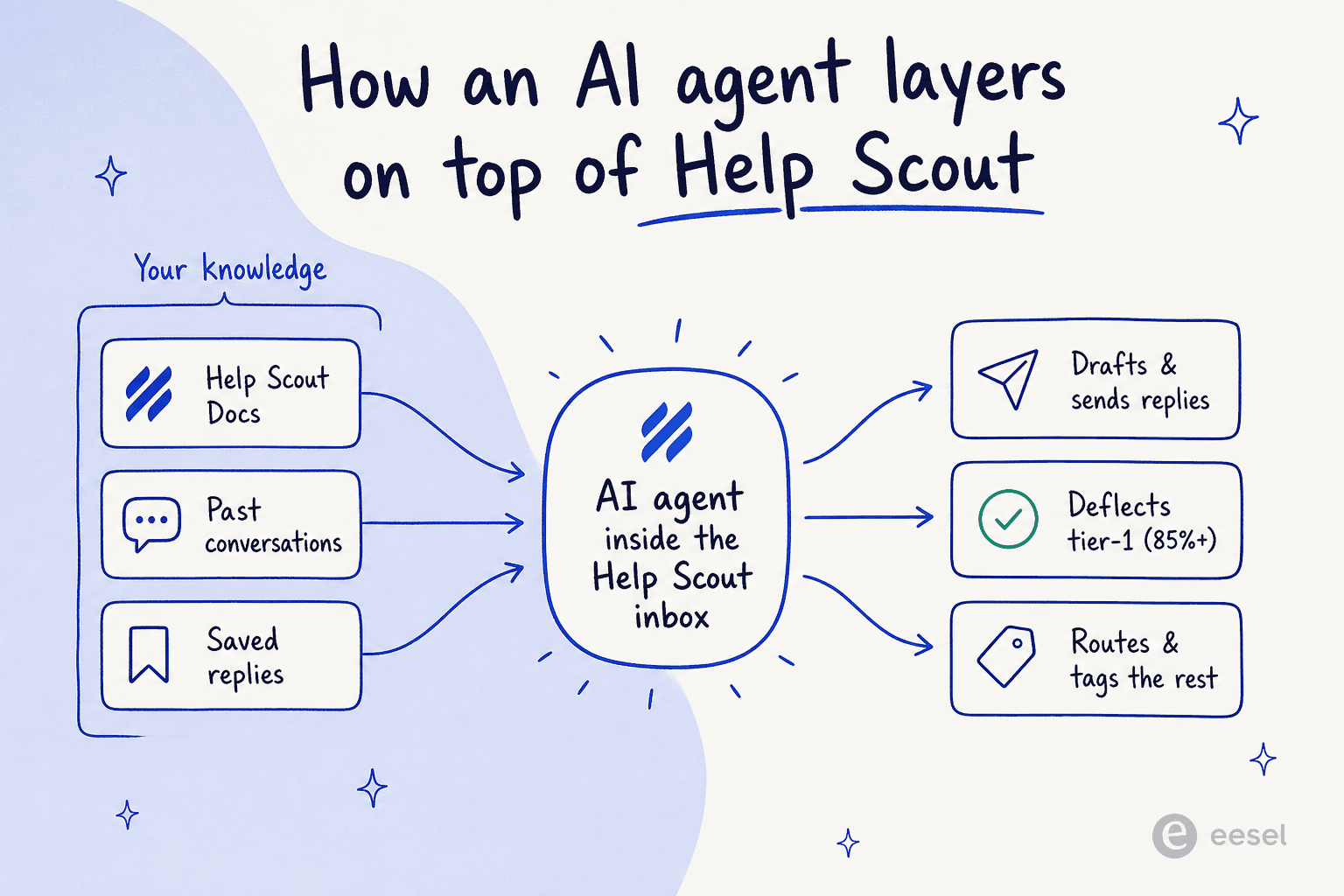
The agent connects to your existing knowledge base (Help Scout Docs, past conversations, saved replies), sits inside the inbox like a teammate, and handles repetitive conversations end-to-end: drafting and sending replies, deflecting the ones it is confident about, and routing the rest to a human. The good ones respect your existing Workflows and let you start in a draft-only mode, so you build trust before flipping to autopilot.
Try eesel
If that pattern sounds like what you are after, eesel is built exactly for it. It joins Help Scout as a real AI Agent (no separate inbox, no widget), connecting through the Help Scout API in under 30 minutes and auto-importing your Docs articles, past conversations, and saved replies, so there is no manual training step.

What sets it apart from the native add-on is the simulation step: you can run the agent against thousands of your past Help Scout conversations before it ever touches a live customer, so you see your real resolution rate up front instead of guessing. eesel reports 85%+ tier-1 resolution out of the box, and pricing is a fixed monthly plan, from $299/month for 500 credits (1 credit per ticket or chat), with no per-seat fees and no platform fee. You can start free with 100 credits or browse the full integration details to see how it fits your stack.
Frequently Asked Questions
How many integrations does Help Scout have?
Does Help Scout integrate with Salesforce and HubSpot?
Does Help Scout have a Shopify integration?
How do I connect Help Scout to an app that has no native integration?
Can I add an AI agent to Help Scout?


Article by
Kira
Kira is a writer at eesel AI with a Computer Science background and over a year of hands-on experience evaluating AI-powered customer service tools. She focuses on breaking down how helpdesk platforms and AI agents actually work so that support teams can make better buying decisions.