
We’ve all been customers at some point. And let’s be honest, when we’re the ones asking for help, we don’t like to wait. Whether it’s tracking an order, resetting a password, or troubleshooting an issue, we expect quick answers.
But the reality? 3 in 10 support agents can’t reliably access customer information, leading to delays, frustration, and ultimately, unhappy customers. And when support falls short, people don’t stick around more than half of consumers will switch to a competitor after just one bad experience.
This is where AI-powered support can make all the difference. AI solutions with built-in knowledge bases give agents instant access to customer history, reducing escalations and improving resolution times. Plus, AI can handle routine inquiries 24/7, ensuring customers always get the answers they need, when they need them.
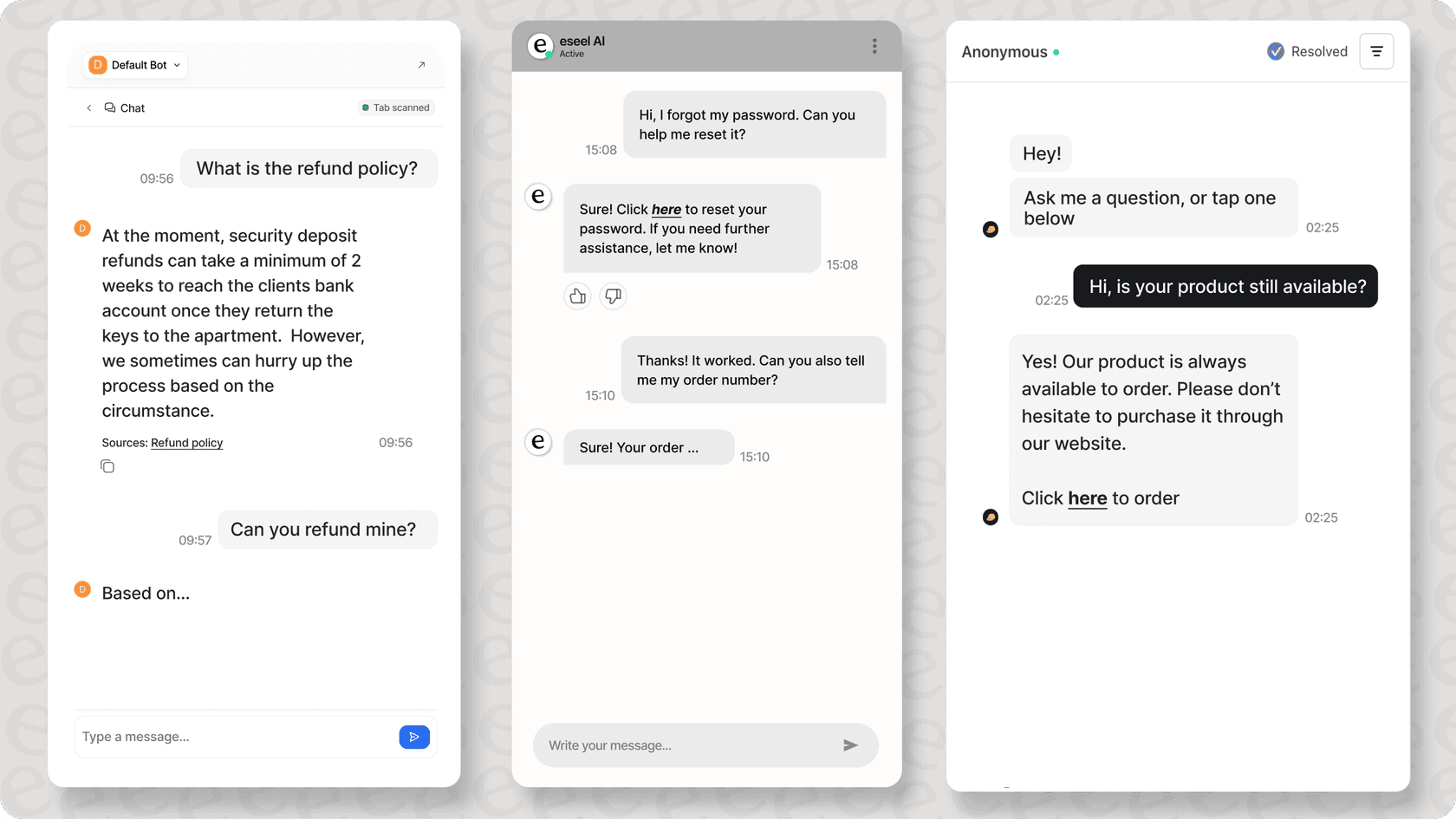
In this guide, we’ll break down how AI-powered support helps businesses keep up with customer expectations, reduce churn, and deliver seamless service without the high costs of a full-time support team.
What is AI-powered 24/7 customer support?
AI-powered 24/7 support represents a novel approach to customer service, combining intelligent automation with existing support infrastructure to handle inquiries around the clock. According to Zendesk's CX Trends Report 2024, 90% of CX leaders believe AI will resolve 8 in 10 customer issues without human intervention in the coming years.
How AI automates customer service
Modern AI support systems integrate with your existing tools and workflows to provide comprehensive automation. For example, eesel AI connects with your helpdesk, knowledge base, and business systems through API integrations, enabling real-time response capabilities across multiple channels simultaneously.
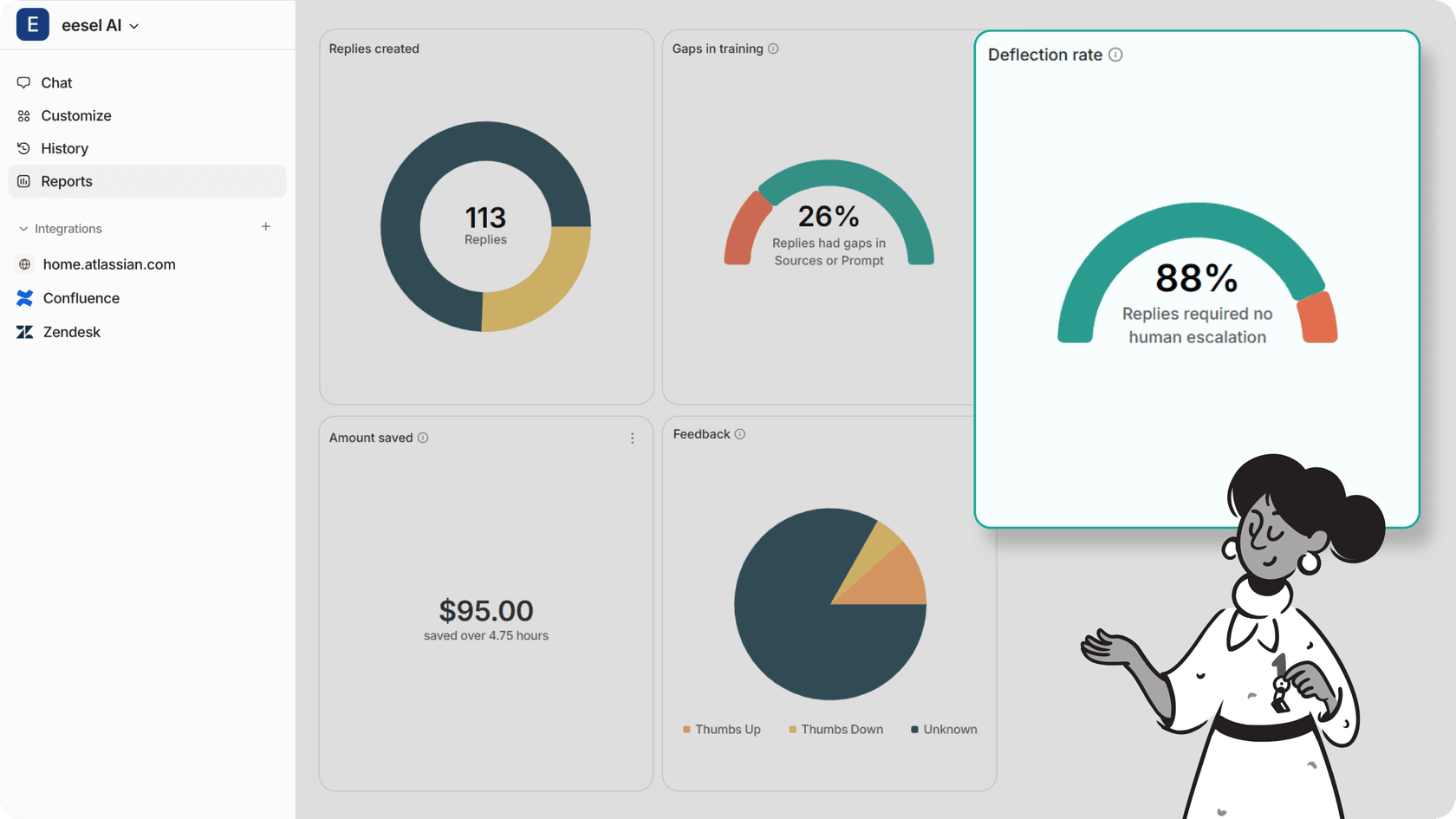
The AI’s success is shown as a deflection rate, the higher this is, the more tickets it’s handling without human assistance. This essentially means that your live agents can focus on more complex or important tickets as your AI will be able to resolve most tier 1 tickets.
What AI can and cannot do
AI isn't a one size-fit-all solution, but it excels in handling many customer services tasks:
| Order tracking & updates | ✓ Automatic status checks | × Complex shipping issues |
|---|---|---|
| Password resets | ✓ Secure verification & reset | × Account compromise cases |
| Product information | ✓ Specs & availability checks | × Custom solution design |
| Basic troubleshooting | ✓ Common issue resolution | × Advanced technical support |
| Account management | ✓ Standard updates & changes | × Special arrangements |
While eesel AI can handle up to 80% of routine inquiries through intelligent automation, maintaining quality requires strategic balance. The system automatically escalates complex cases requiring empathy or specialized knowledge to human agents, ensuring optimal customer experience across all interaction types.
How to implement AI customer support
1. Prepare your knowledge base
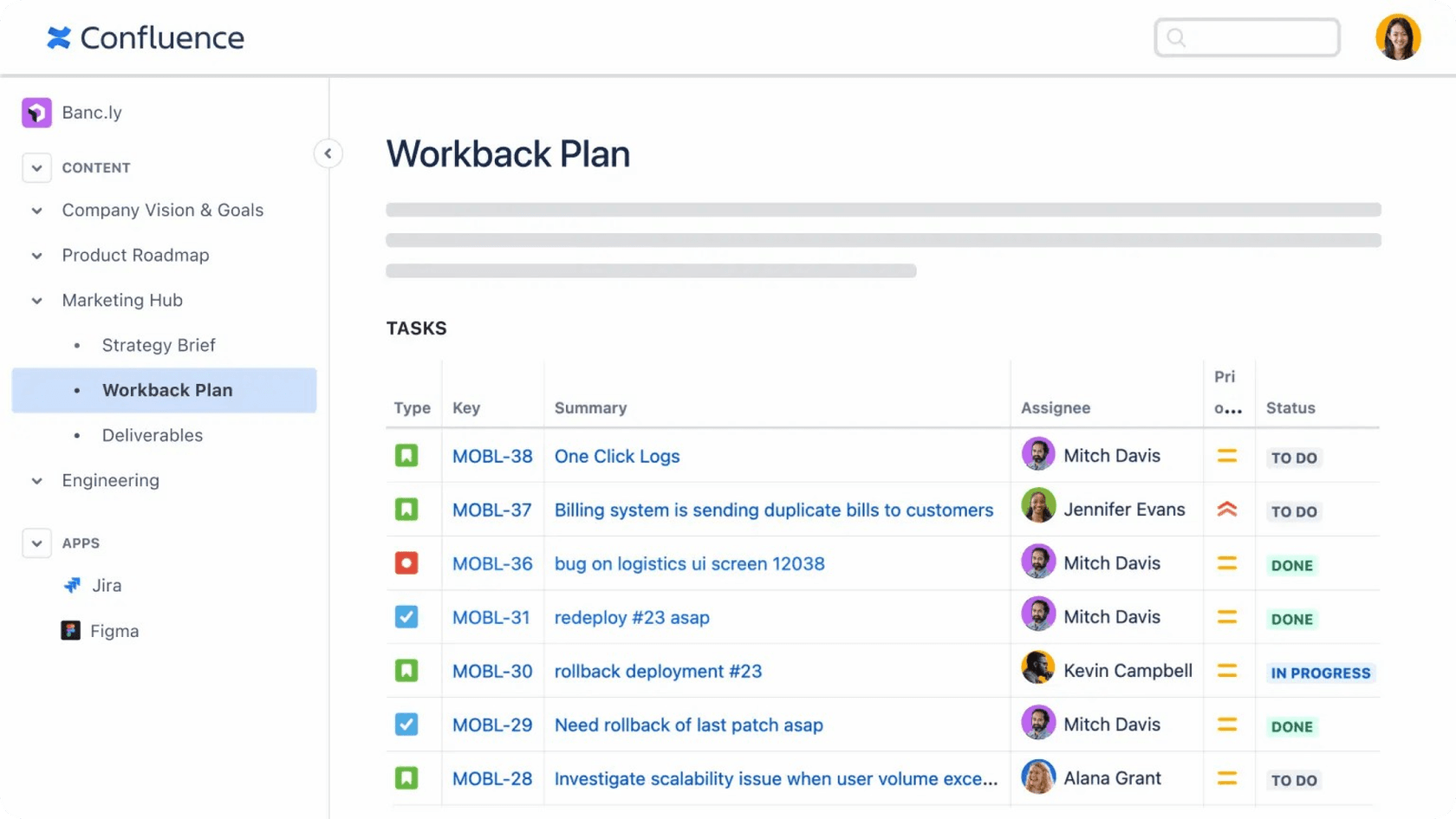
AI is only as good as the information it’s trained on. Start by gathering all of your help articles, FAQs, and internal documents. From there you’ll want to do a content audit in order to make sure that only the best and updated information sources make it into your AI’s knowledge base, as this will ensure that your AI only provides your customers with good information. Make sure that all the documents are written in a clear, well-structured, and on-brand manner.
2. Integrate AI with existing platforms
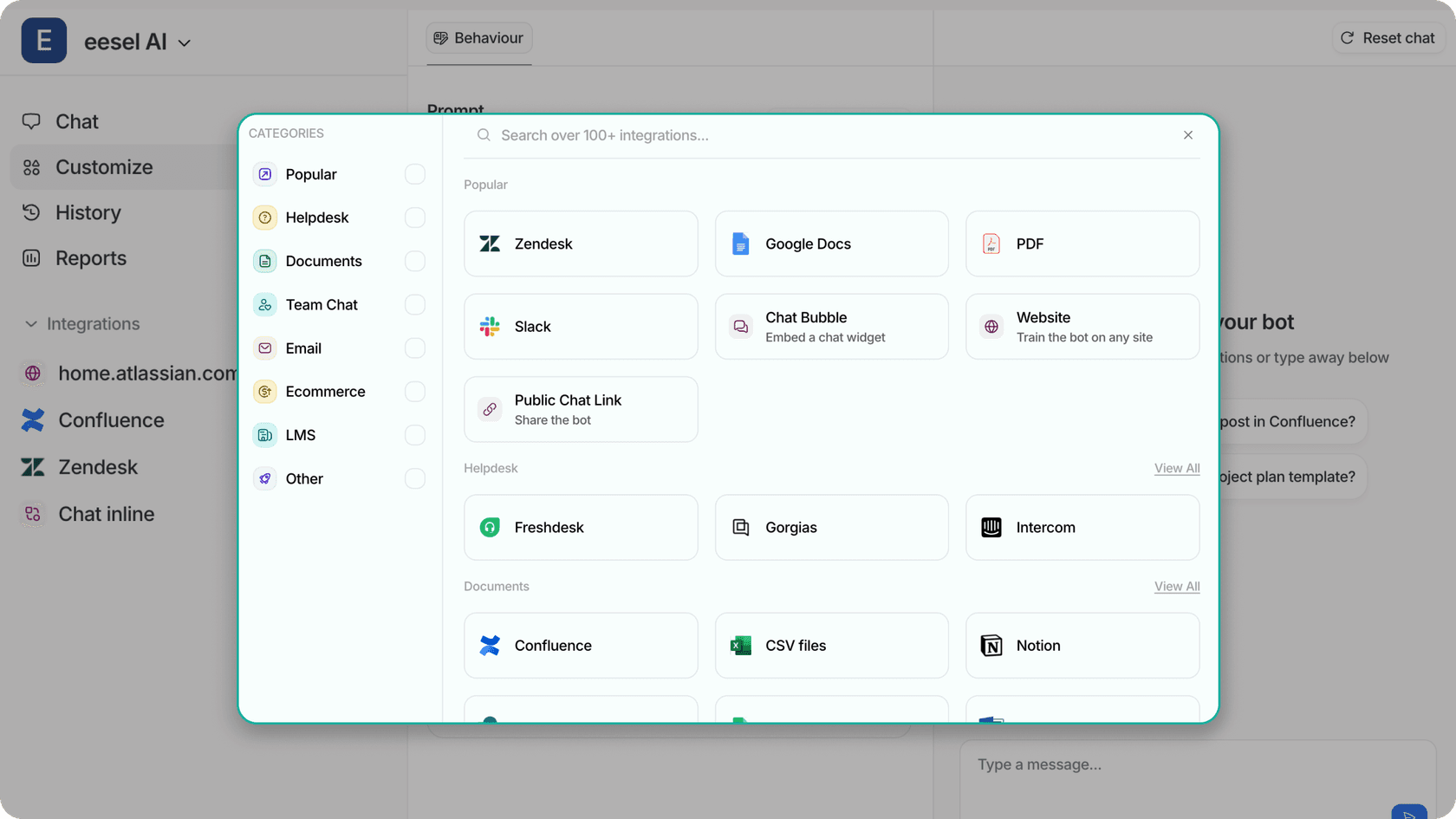
For AI to work efficiently, it needs to integrate with tools like help desks, CRMs, and e-commerce platforms. eesel AI simplifies this by connecting with over 100 knowledge sources and a complete set up in 1-2 weeks. By connecting your AI to what you already have, it makes the training process even easier. Make sure you select the right platforms for the right bots.
3. Fine-tune AI behavior
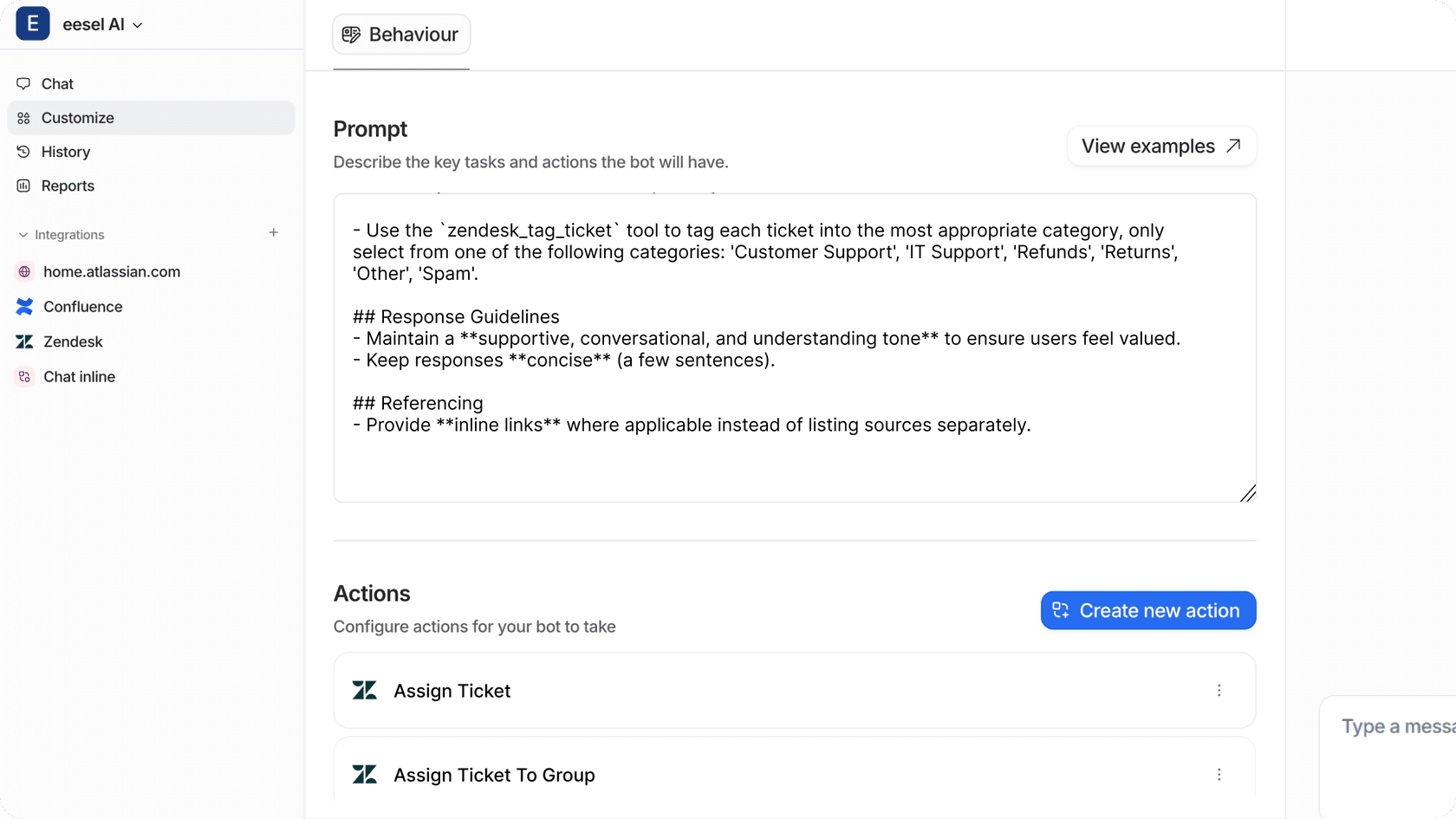
Configure your response templates (if you choose to use them), so that they match your brand tone. Escalation protocols or actions should also be configured in order to let your AI know when it’s appropriate to escalate a ticket to a live agent or perform other actions. With certain AI platforms such as eesel AI, you’re able to finely tune your AI through a prompt, making sure this matches your brand voice/tone and updating it will keep your answers accurate.
4. Test before going live
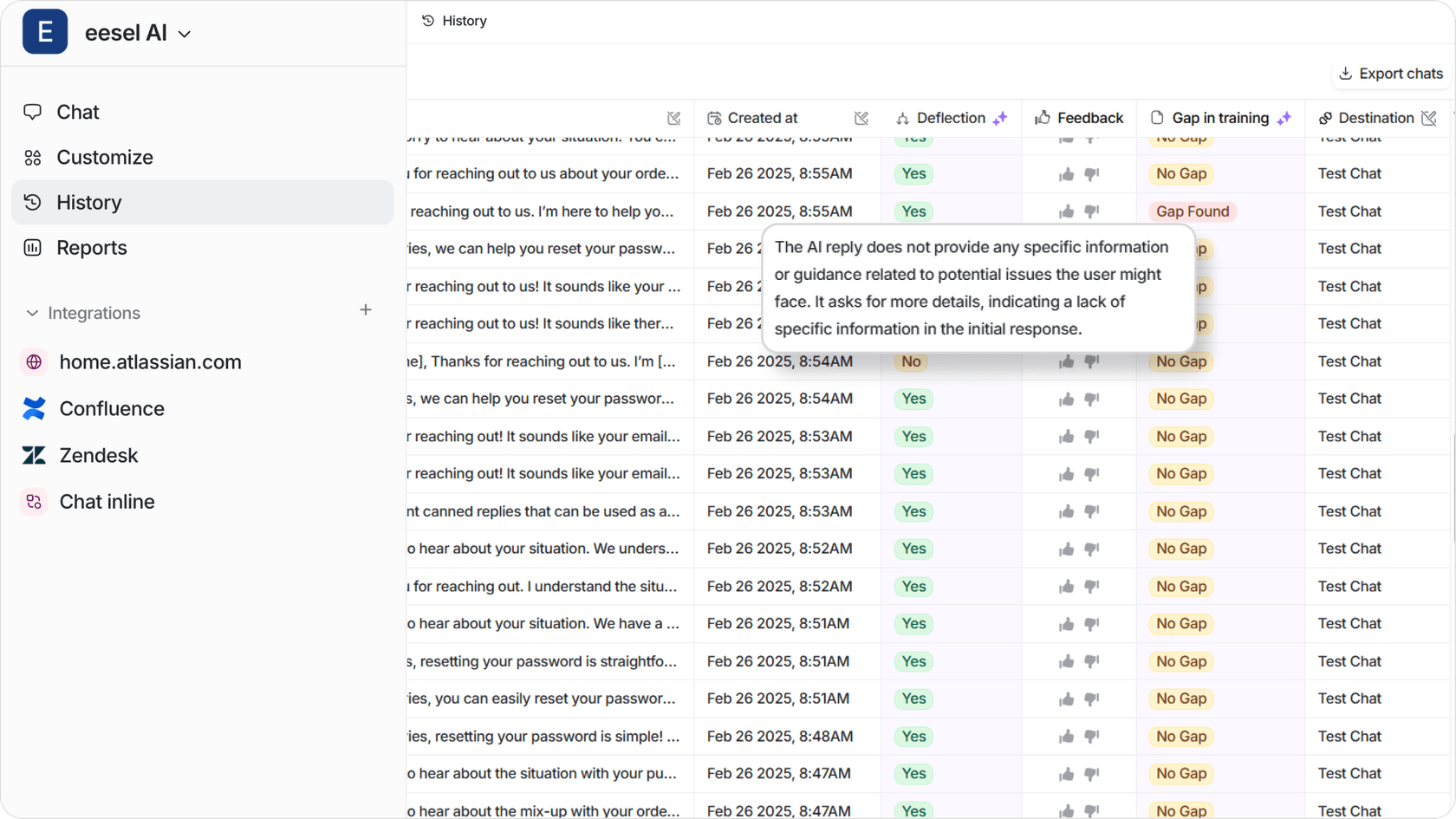
Simulate customer interactions using past tickets to measure the accuracy of your AI’s responses. Always make sure that the replies align with your brand tone otherwise it’ll just sound like a run of the mill chatbot. Make sure to test if the AI chatbot is actually escalating to live agents at the right times by simulating those types of scenarios/tickets.
5. Start small, then scale
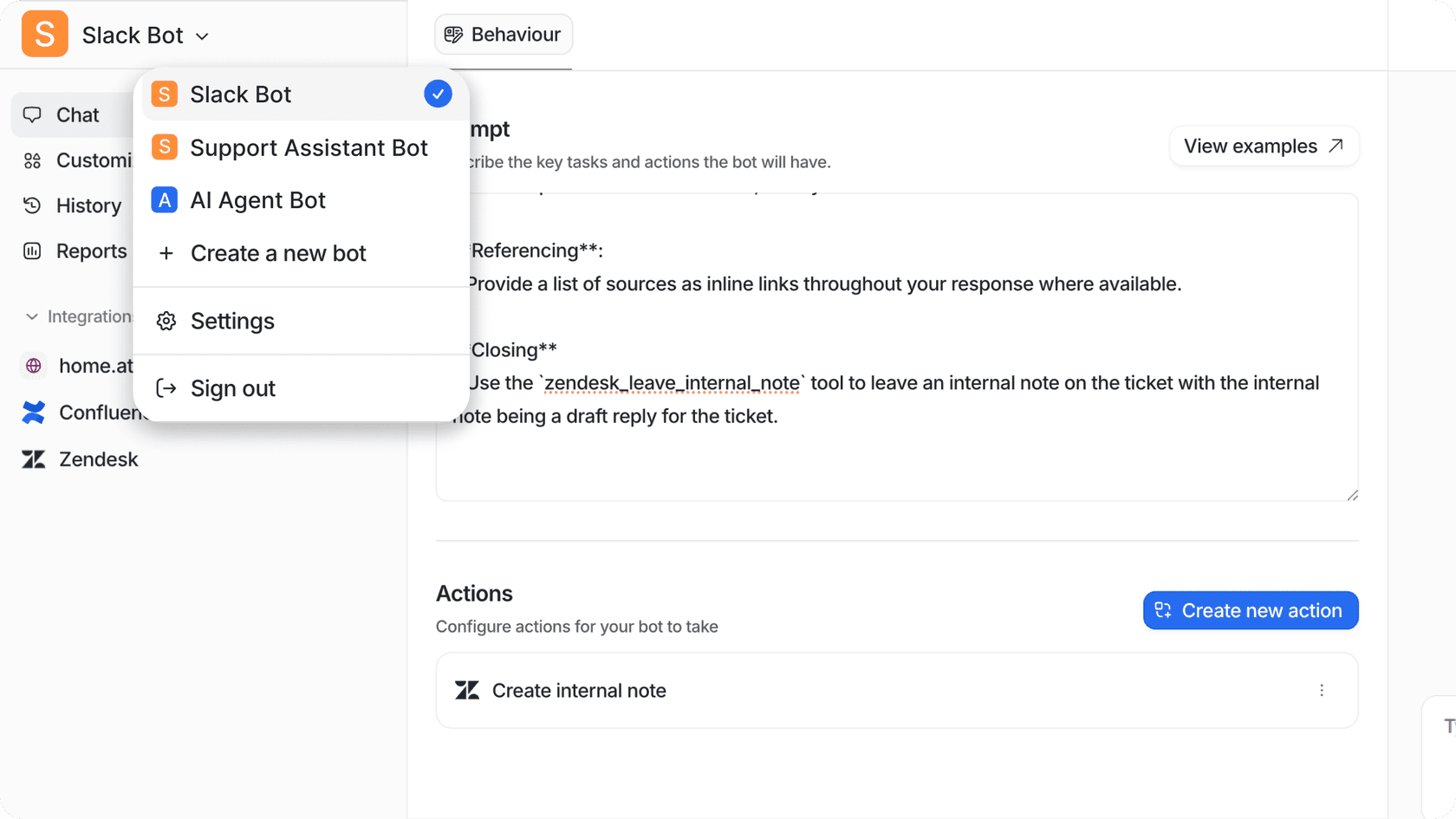
Launch AI for a single support queue handling simple queries, then expand to more complex scenarios. Many teams prefer to simulate the AI to respond to a set of tickets and assess how it performs. This way, they can make adjustments to the way the bot talks and acts. Some AI solutions such as, eesel AI allow for selective rollouts, enabling for a controlled implementation stage.
6. Train your support team
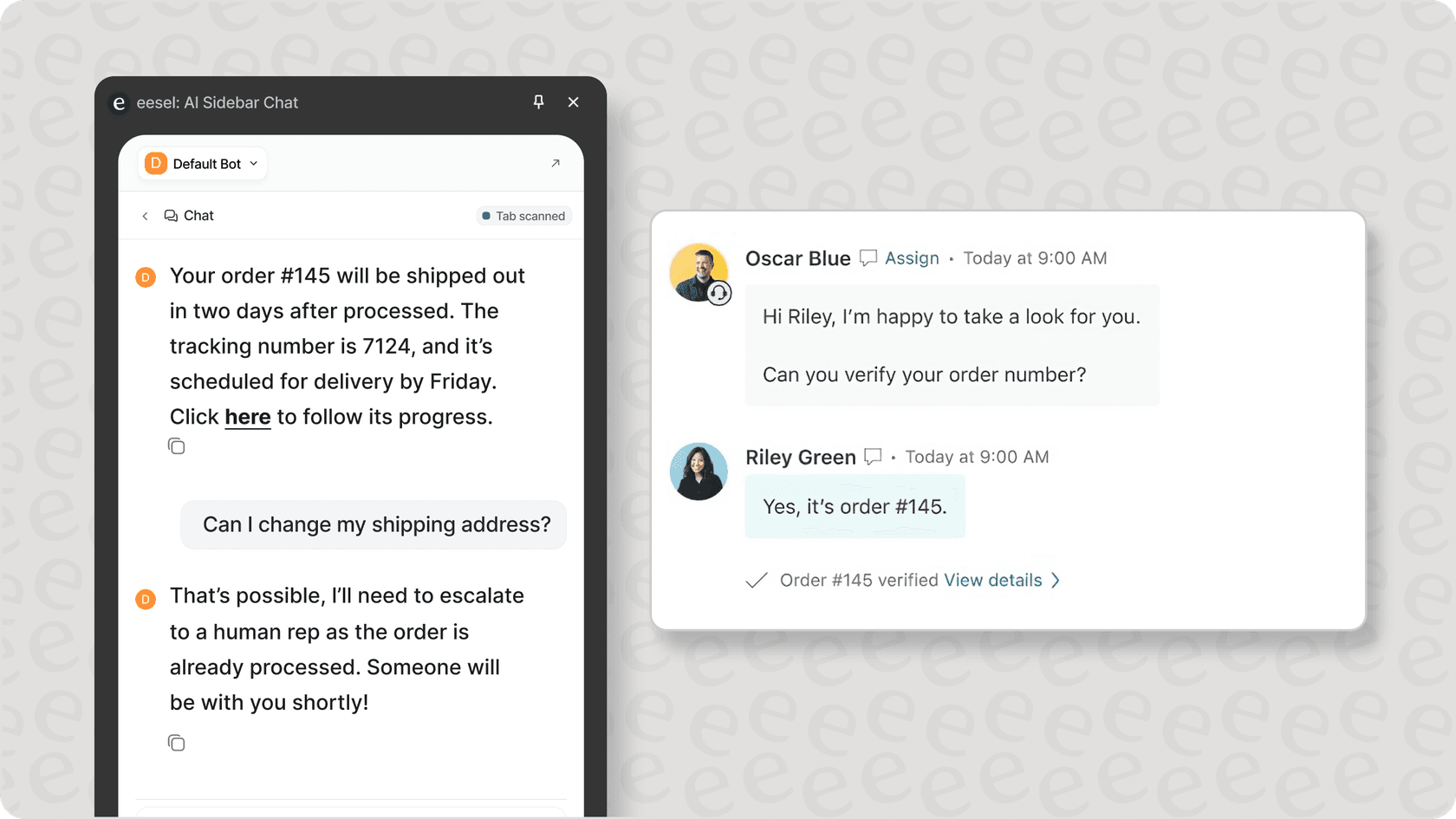
Teach your agents how to assess, use, and provide feedback about the AI replies. Your agents need to know how it functions and what kind of tickets or conversations will be escalated to them and why. Another important item to teach your agents is how to provide feedback in order to help refine the AI’s accuracy. Whether you have a dedicated manager or a different setup for that, make sure that only the best and actionable feedback makes it into the AI’s prompt.
Measuring AI support success
To ensure your 24/7 AI support delivers measurable value, focus on these key performance indicators:
| Resolution Rate | >75% | Demonstrates AI effectiveness in resolving issues independently |
|---|---|---|
| First Response Time | <5 minutes | Shows immediate availability and quick engagement |
| CSAT Score | >85% | Validates quality of automated responses |
| Escalation Rate | <25% | Confirms appropriate automation levels |
AI support vs traditional support
The transition to AI-powered 24/7 support isn't just about improved availability, it's about transforming your support economics. Let's examine how AI support compares to traditional staffing models and the real-world impact on your bottom line.
AI vs traditional support costs
According to Zendesk's research, nearly half of customers consider 24/7 support crucial for good customer service. Traditional models require multiple shifts of agents across time zones, leading to significant operational overhead. In contrast, AI solutions like eesel AI offer predictable, interaction-based pricing without the staffing complexity.
| Base Costs | High monthly staff costs | Fixed monthly fee and pay per resolution for more predictable budgeting. |
|---|---|---|
| Scaling | Linear with volume | Minimal increase for better cost efficiency |
| Training | Ongoing per agent | One-time setup for a reduced overhead |
| Management | Extensive | Minimal management required, with lower supervision needs. |
Pro tip: Use eesel AI's ROI calculator to project your potential savings:
-
Input your current monthly ticket volume
-
Add your average cost per ticket
-
Specify your after-hours support costs
-
Review the projected annual savings and break-even timeline
Getting started with AI-powered support
Implementing automated 24/7 customer support is no longer optional in today's always-on business environment. According to Zendesk's CX Trends Report, nearly half of customers consider round-the-clock support crucial for good service.
To successfully implement AI support automation, start by analyzing your ticket volume patterns, particularly focusing on after-hours requests. This helps determine your automation scope and potential cost savings. Next, ensure your knowledge base is comprehensive and current, as this forms the foundation for accurate AI responses. When evaluating platforms, assess their integration capabilities, training requirements, and pricing structure to find the right fit. Finally, launch a controlled pilot program covering a specific support area to validate your automated workflows before scaling.
Transform your customer support operations with intelligent automation that works around the clock. eesel AI provides a practical path to implementing automated customer support through straightforward setup and transparent pricing that scales with your needs. Book a demo to see how our AI support solution can help your team deliver consistent service without the traditional overhead.