

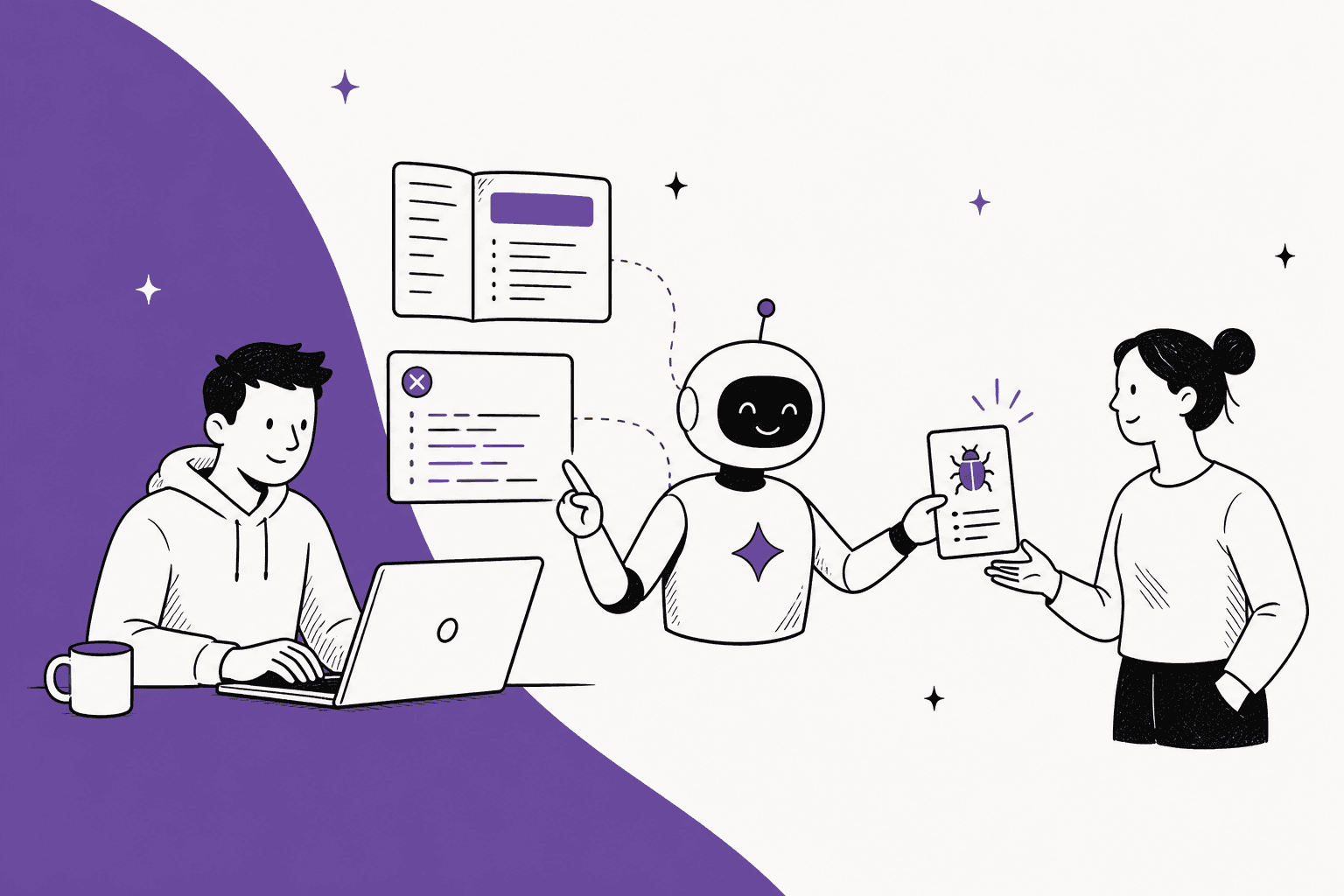
AI for developer support works when you split the queue into four kinds of tickets: docs questions the AI answers with a link, setup problems it diagnoses from the developer's code, account questions it answers by looking up their request ID, and possible bugs it writes up for an engineer. The docs bot part is the easy bit. The two that save engineers real time are the read-only lookup and the bug report.
The shift most teams miss: a growing share of developer tickets now come from developers' own AI coding tools inventing parts of your API. Every wrong answer, theirs or yours, points at a gap in your docs, so fix the page, not only the reply.
If your queue lives in Freshdesk, Zendesk or Jira Service Management, eesel does this inside it. Timengo uses it to draft Danish replies to IT admins about certificates, Outlook add-ins and mail flow, from about 5,300 past tickets and articles, with an engineer sending every one.
What does developer support look like in 2026?
I build eesel's integrations, which means I spend a good part of my week on the other side of your queue: reading someone else's API reference, hitting a 401 I don't understand, and wondering if it's me or them. Developer tickets read differently from consumer support. They come with stack traces, half a curl command and an SDK version, and the person writing in usually knows more about their own code than your support team does.
They tend to fall into a few buckets:
- How-to and reference questions. What's the rate limit on this endpoint, which scope do I need, is there a Go SDK.
- Setup and auth problems. Test key in production, expired OAuth token, the wrong base URL, a webhook signature that won't verify.
- "What happened to my request?" A failed webhook delivery, a payment that never posted, a 500 on a specific request ID.
- Possible bugs. Behavior that doesn't match the docs, a regression after an SDK release, an error only one region throws.
The fourth bucket is where engineers get pulled in, and it's also where support is weakest, because a vague "your webhook is broken" ticket forces an engineer to start the investigation from zero. That's the same problem I wrote about in AI for tier 2 support: the job at that level isn't answering, it's investigating.
Is the developer's own AI writing your tickets now?
There's a new kind of ticket that didn't exist a few years ago. A developer asks their coding assistant to write a client for your API, the assistant guesses at fields it has never seen, and your support team gets the result. One developer on Hacker News described exactly this queue for a customer of theirs:
"What I'm seeing is a little eternal September of support tickets about programs that fail to interface the JSON API of a customer of mine. The API is always allucinated. In the best case there are out of place attributes. Often they don't exist at all."

Their fix was to reply with line-by-line comments on the invented JSON. That's a perfect job for AI on your side, as long as it compares the payload against your real spec rather than its own guess. It also tells you something about where to spend effort: if other people's AI keeps getting your API wrong, the docs those tools read are part of your support surface now. Docs platforms have noticed. Mintlify ships an MCP server on its free Starter plan, and kapa.ai offers a hosted MCP server so coding agents can query your docs directly.
Which developer questions can AI answer on its own?
ChatGPT, asked this question by a team selling an API and SDKs, split the queue by question type and put possible bugs under "human oversight". I agree with that split, and I'd add one more line between the lanes: what the AI needs connected to do each one.
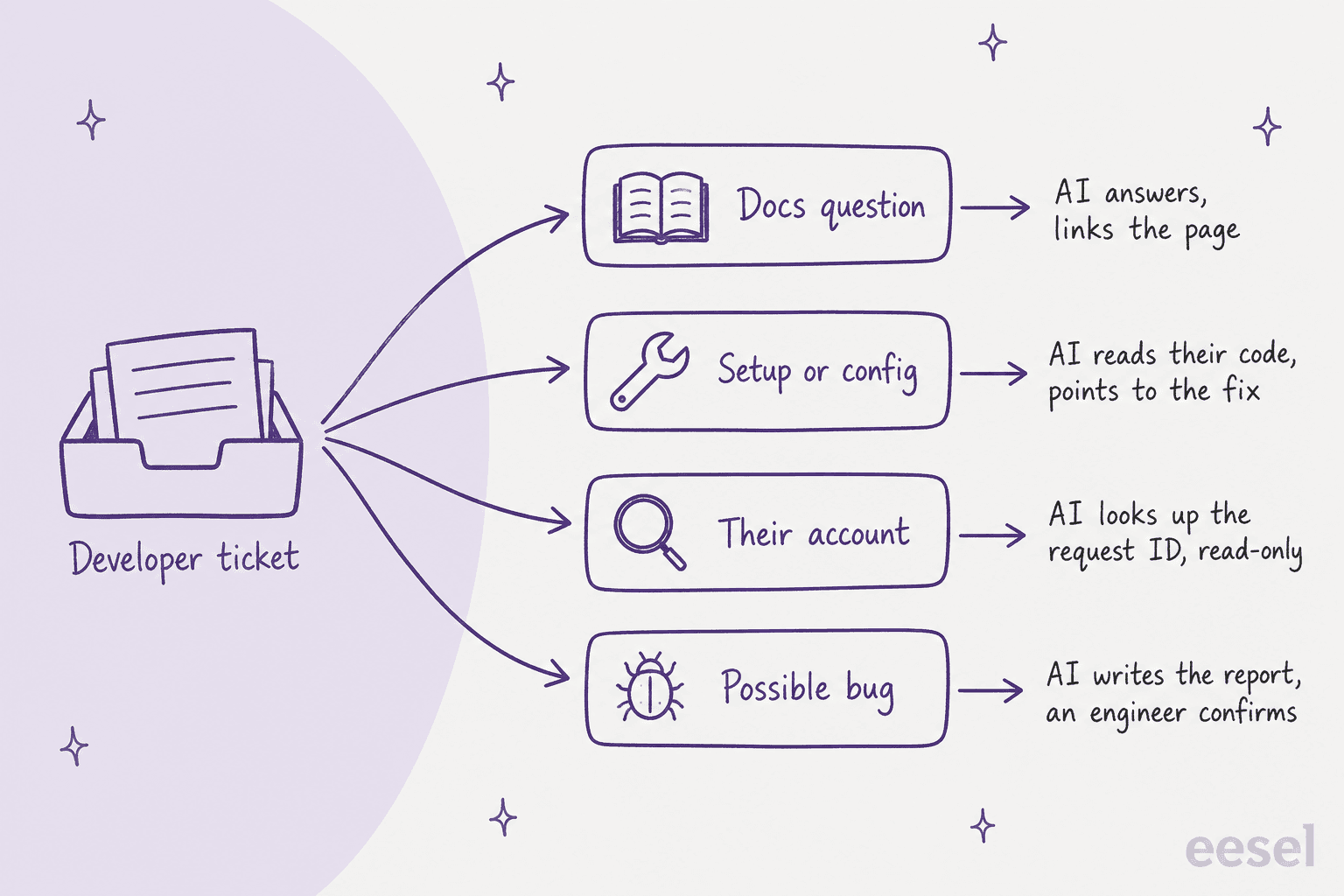
| Ticket type | Example | What AI should do | What it needs connected |
|---|---|---|---|
| Docs question | "What's the rate limit on /search?" | Answer and link the page | API reference, SDK docs, changelog |
| Setup or config | "401 after rotating keys on Node SDK 2.4" | Ask for SDK version and request ID, never the key, then point at the likely fix | Docs, changelog, past tickets |
| Their account | "invoice.paid webhook never arrived" | Look up the delivery log, read-only, and explain what happened | A lookup into your own API or admin tools |
| Possible bug | "/search returns 500 only in the EU region since 9am" | Check known issues and status, write the report, hand to an engineer | Known issues, status page, issue tracker |
| Account change | "Can you raise our rate limit?" | Collect the details, wait for a person to approve | An approval step |
The first two lanes are where docs bots already do well. The third is where most setups stop, because it needs a live connection into your own systems. The fourth is where the hours are.
Try sorting a few real-looking tickets yourself:
Where does this developer ticket go?
Pick a ticket to see which lane it belongs in and what the AI needs to handle it.
Nothing picked yet. Start with any ticket above.
The answer is in your API reference. The AI replies with the scope name and links the page it used, so the developer can check it.
Needs: API reference and SDK docs, crawled on a schedule.
It asks for the SDK version and a request ID, never the key itself, then checks the changelog for that version and past tickets with the same error. Test key in production is the usual culprit.
Needs: docs, changelog, past tickets.
A coding assistant probably invented those fields. The AI compares the payload with your real schema field by field and links the right one. Log it as a docs signal too: if their tool guessed wrong, your docs may be hard for tools to read.
Needs: OpenAPI spec or API reference.
It calls your internal delivery log for that request, read-only and scoped to this customer, and explains what it found: retries, the response code their endpoint returned, when it gave up.
Needs: a lookup into your own API, with credentials the AI never sees.
It checks known issues and the status page, collects region, endpoint, request IDs and timestamps, and files a report for engineering. It tells the developer it's being looked at, and never calls it a confirmed bug.
Needs: known issues, status page, your issue tracker.
The AI collects the plan, current usage and the reason, then holds the change for a person. Anything that changes an account or money waits for approval.
Needs: an approval step on every write action.
Why does a docs bot only get you part of the way?
A docs bot is the obvious first move, and it's a good one. kapa.ai, for example, connects docs, GitHub repos, an OpenAPI spec, Slack threads and Zendesk tickets, and its customers include OpenAI, Grafana and Netlify. One developer whose team bought it put the value plainly:
"It's not right all the time, but it is most of the time and, crucially, it shares not just an answer but a link to the docs that led it to that answer. That makes it easier to fact check the LLM."
That link is the point. A developer will trust an answer they can check, and won't trust one they can't. But three things keep a docs bot from covering the whole queue.
Retrieval is harder than it looks. kapa.ai's own founder, Emil Sorensen, wrote that docs bots are "deceptively hard to get right in production", that retrieval depends heavily on how your docs are chunked and structured, and that the only way to tune it is evals, "lots of them", per his Hacker News comment. If a vendor whose whole product is this says so, believe them before you build your own over a weekend.
Versions drift. A developer on SDK 2.4 needs the 2.4 answer, not the one for 3.0. Your AI needs the changelog as a source, and your docs need version labels it can read. Without both, it gives the newest answer to everyone.
The docs don't know about their account. "Why did my webhook fail?" has no answer in any docs page. It has an answer in your delivery logs, which a docs bot can't reach. That's lanes three and four, and it's why support tools for developer teams (Plain, Pylon, eesel) put the AI inside the ticket queue with access to your systems, not only on the docs site.
What should the AI read before it answers?
The sources matter more than the model. This is what I'd connect, roughly in order of how much it helps:
- API reference and OpenAPI spec. The ground truth for endpoints, parameters and error codes. The spec is what lets the AI catch an invented field.
- SDK docs per language. Install steps, config, and the quirks of each client library.
- Changelog and release notes. How the AI knows a parameter was renamed in 2.4 or a default changed in 3.0.
- Solved tickets. The edge cases nobody wrote up. This is the source that makes answers sound like your senior engineer. Orosoft points its agent at about 6,100 resolved Freshdesk tickets and tells it to prefer resolved ones, weight recent ones, and say which ticket or article each draft is based on.
- Known issues and status. So the AI says "we're aware of this" instead of walking a developer through a fix for an outage.
- Internal runbooks. For support staff, not for public replies.
Two rules I'd set from day one. First, past tickets are full of customer details, so redact them before they're indexed. eesel's PII redaction runs every synced ticket through a detector for fifteen categories, card numbers and names among them, before anything is stored, so the agent never sees the originals. Second, keep the sources fresh on a schedule. Timengo re-crawls its docs site every Monday, re-syncs its help center every Sunday evening, and pulls the full ticket history monthly, which matters in a product where certificates expire on a three-year cycle and a renewal wave comes all at once.
If you're starting from a thin help center, my AI knowledge base audit is the place to begin, and AI knowledge base for SaaS covers the structure.
How does AI look up a request ID without seeing your API keys?
This is the lane that turns an AI from a docs search into something that saves engineers time. The developer gives a request ID, the AI looks it up in your system, and it explains what happened. Done right, it also never asks for or sees a secret.
The rules I'd hold to:
- Never ask the developer for their API key. Ask for the request ID, the SDK version and the endpoint. Those are enough to look things up.
- Read-only first. The AI can look at delivery logs and request records. It can't change anything until you decide it can.
- Scope to their account. A lookup for one customer should only return that customer's records.
- Credentials stay out of the AI's hands. The key that authorizes the lookup sits in settings, not in the prompt.
In eesel this is Network Access. You allow a domain, add the auth header it expects, and tell the agent in plain words what the connection is for, like "when a developer gives a request ID, look it up and explain the status". Per the docs, the credentials "stay in your settings and are attached to each request by eesel, so the AI never sees them". It supports GET, POST, PATCH and DELETE, so the same mechanism can reach an internal admin API or a public one like your issue tracker's, if you allow it.
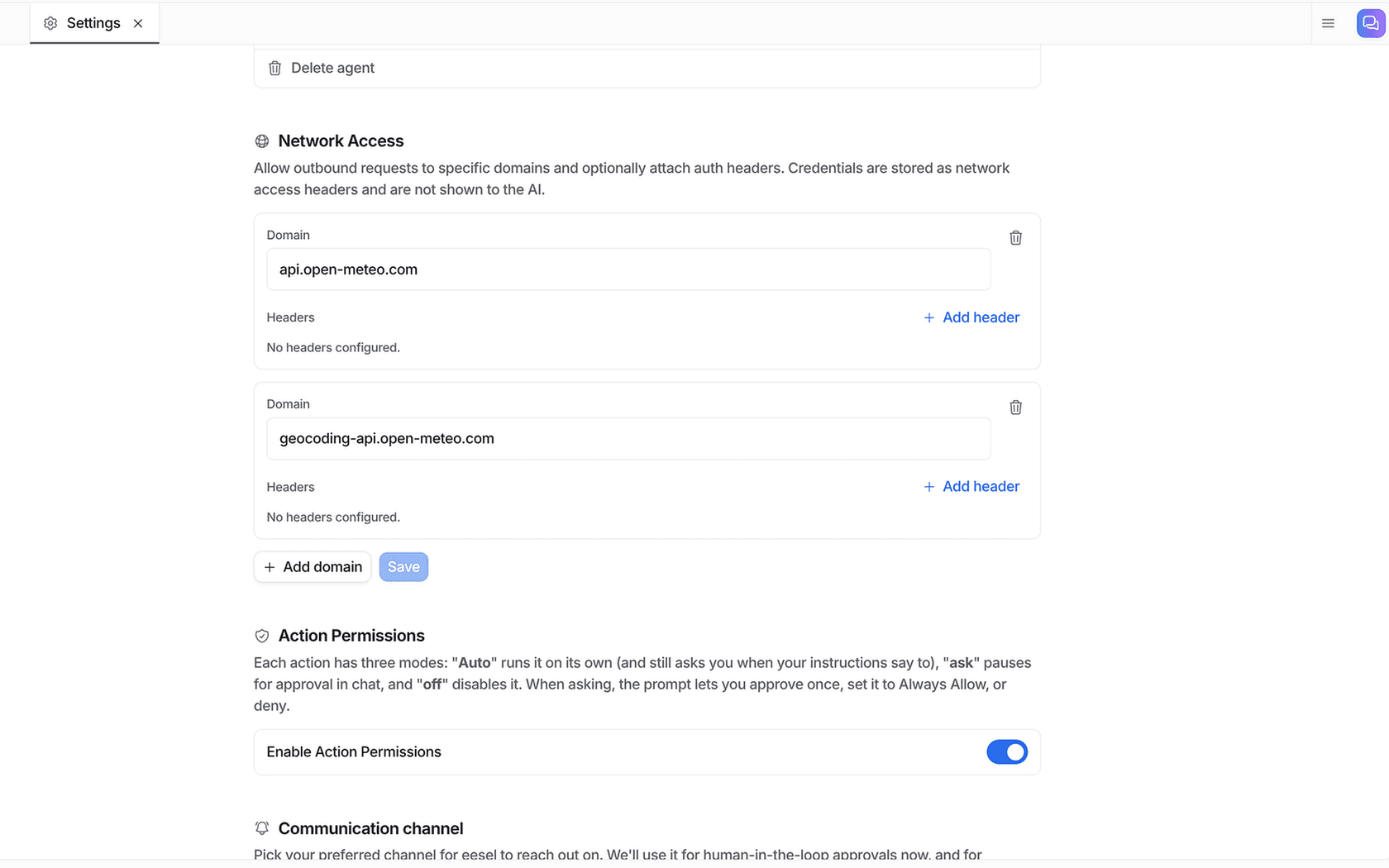
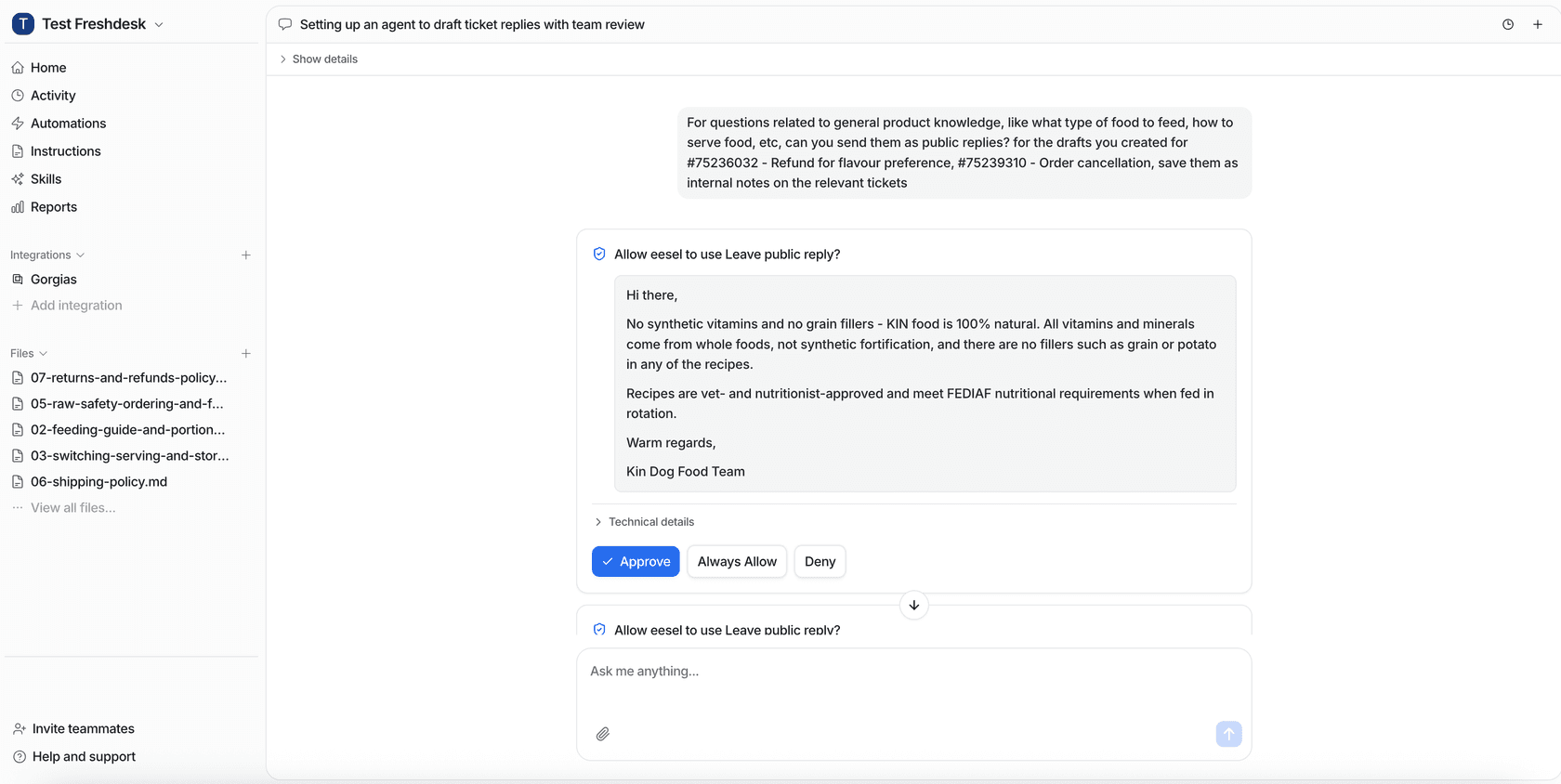
Anything that changes state goes behind an approval. eesel's actions and approvals let you set each action to Auto, Needs approval or Disabled. The docs' own advice is to start new agents supervised and keep anything that costs money behind an approval, which for an API company means rate limit changes, credits and plan upgrades. Approvals show up in the dashboard, in Slack, or in the terminal.
How should a possible bug reach engineering?
The worst developer ticket an engineer can receive is a forwarded one with "customer says webhooks are broken" on top. The best is a report they can act on in five minutes. AI is good at writing the second one, because it can collect everything while the developer is still in the conversation.
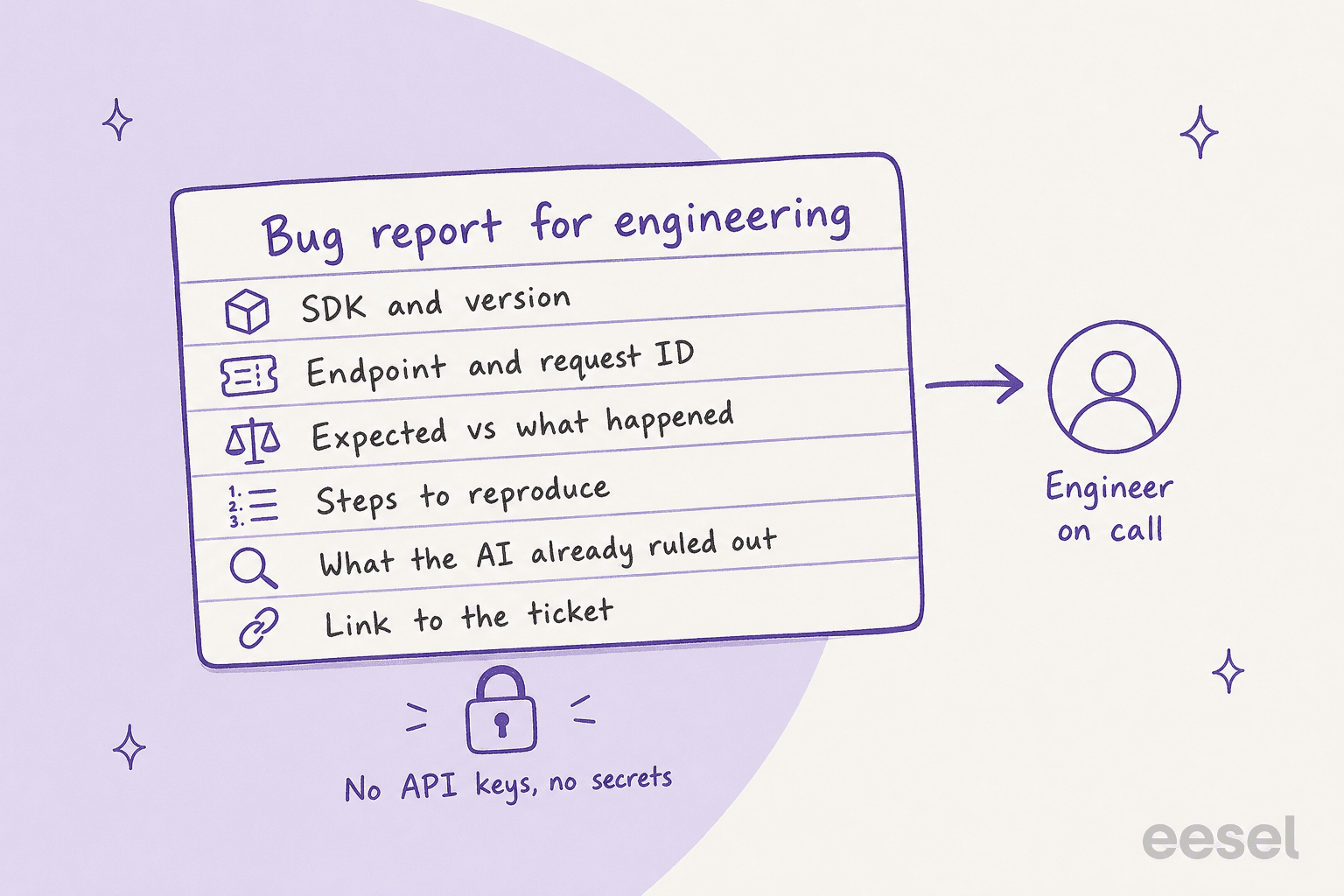
A good report carries:
- SDK, language and version, plus API version if you version it.
- Endpoint, request IDs and timestamps.
- What the developer expected and what they got, with the error body.
- Steps to reproduce, as far as the developer can give them.
- What the AI already ruled out: known issues checked, status page checked, config looked right.
- A link back to the ticket.
And one rule above the rest: the AI can say "this looks like it could be a bug, I've passed it to engineering", but it should never tell a developer something is a confirmed bug. That's a call for the person who can read the code.
Where the report lands depends on your stack. eesel's Jira Service Management integration can reply, leave internal notes, and move, assign, label and file issues, and you can tell it how to lay out its notes. eesel doesn't have a built-in GitHub or Linear integration. Plain lists Linear, Jira and GitHub integrations on its pricing page, and Pylon lists coding agent connectors and custom API actions.
If engineering lives in Jira already, my post on Zendesk to Jira escalation goes deeper. Ticket deduplication helps when one outage arrives as forty tickets.
Why are wrong answers the most useful signal?
Every team setting this up worries about the AI giving a wrong answer, and it will, sometimes. What surprised me in the research was how often a wrong answer turned out to be a docs problem. A developer on Hacker News described their own docs chatbot occasionally inventing a command-line flag that didn't exist:
"So it was considered as product feedback. Maybe that exact flag wasn't needed, but something was missing and so the LLM hallucinated what it saw as an intuitive option."
That's the right reflex. An invented parameter is the AI telling you where your docs leave a gap a developer would also fall into.
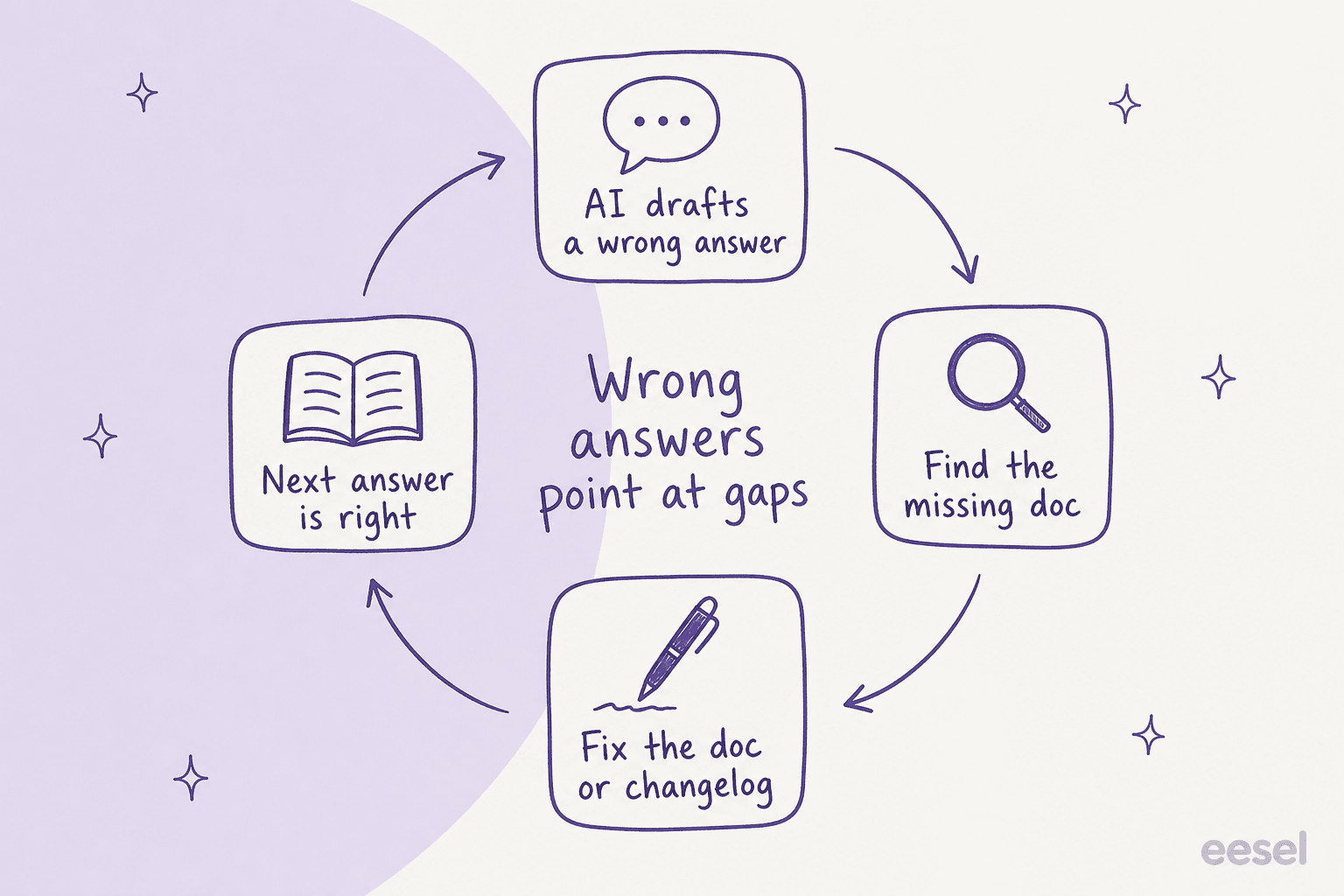
Qontro, which sells cloud ERP software, built its rollout around exactly this. Every Freshdesk ticket gets a draft as an internal note, grounded in the help center and about 9,800 past tickets and articles. The team compares each draft with the reply a person actually sent, and where the draft was wrong, it usually points to a missing help article or a rule that needs tightening. Their story says about one in ten drafts now goes out with little or no editing, and the share is rising. System errors, data loss and custom integrations go straight to a person.
For the mechanics of keeping answers grounded, see my post on preventing AI hallucinations in support, the glossary entry on AI grounding, and support knowledge gap analysis for turning wrong answers into a backlog.
Should you build it or buy a tool?
ChatGPT's answer to this question pointed straight at OpenAI's own agent docs and a build-it-yourself setup: a retrieval layer, tool calls for request lookups, guardrails and an escalation step. That's a real option if you have engineers to own it. What it leaves out is the part kapa.ai's founder flagged: retrieval quality and evals are ongoing work, not a launch task. And you still have to wire it into your helpdesk.
Here's how the options I looked at compare. Prices are from each vendor's own pricing page, checked on 30 October 2026.
| Option | What it is | Where the AI answers | Pricing model | Public price |
|---|---|---|---|---|
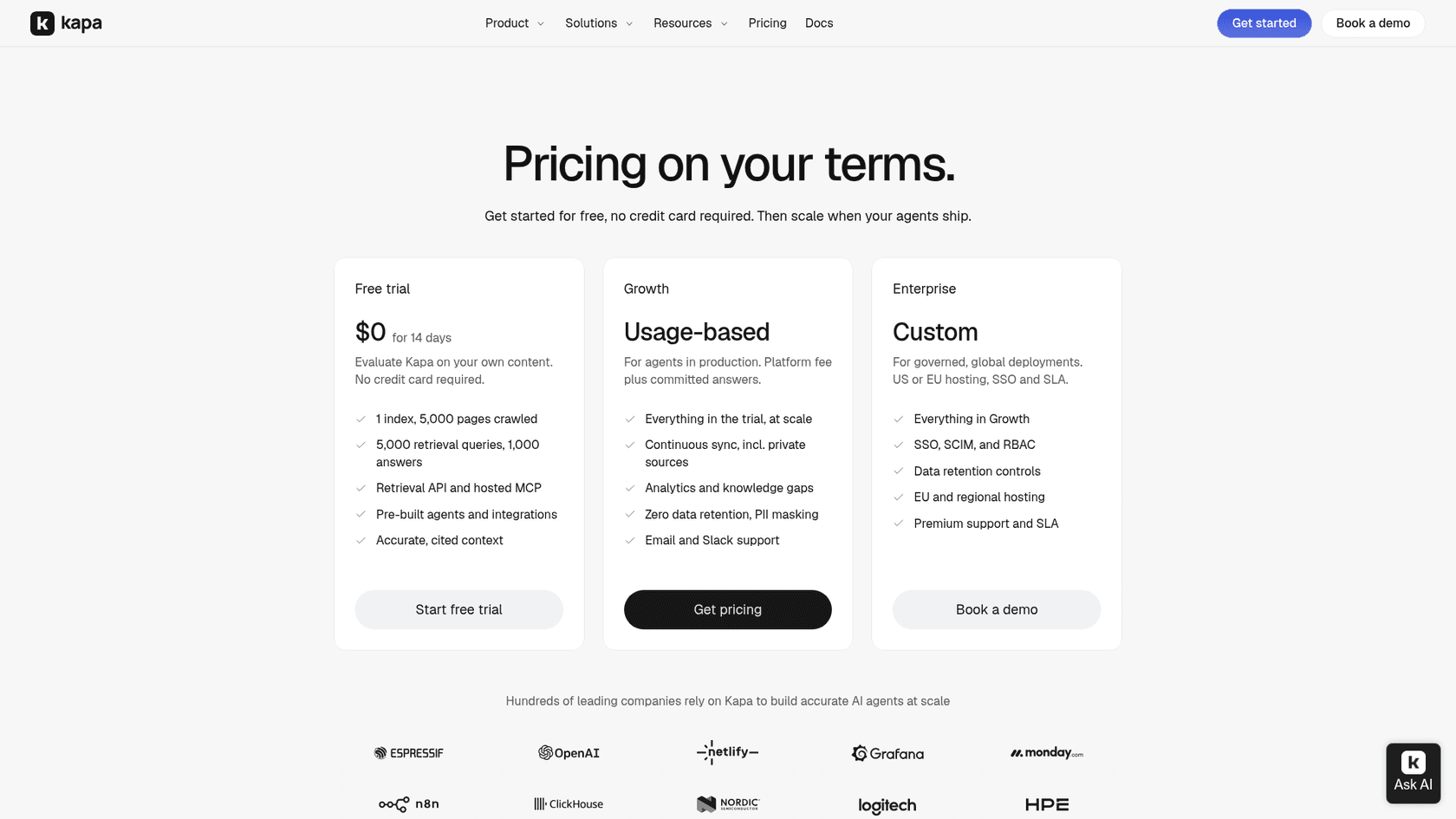
| kapa.ai | Docs AI and retrieval API | Docs site, in-product, support form, Slack, Discord, Zendesk | Platform fee plus committed answers | 14-day free trial, then Growth is quote-only |
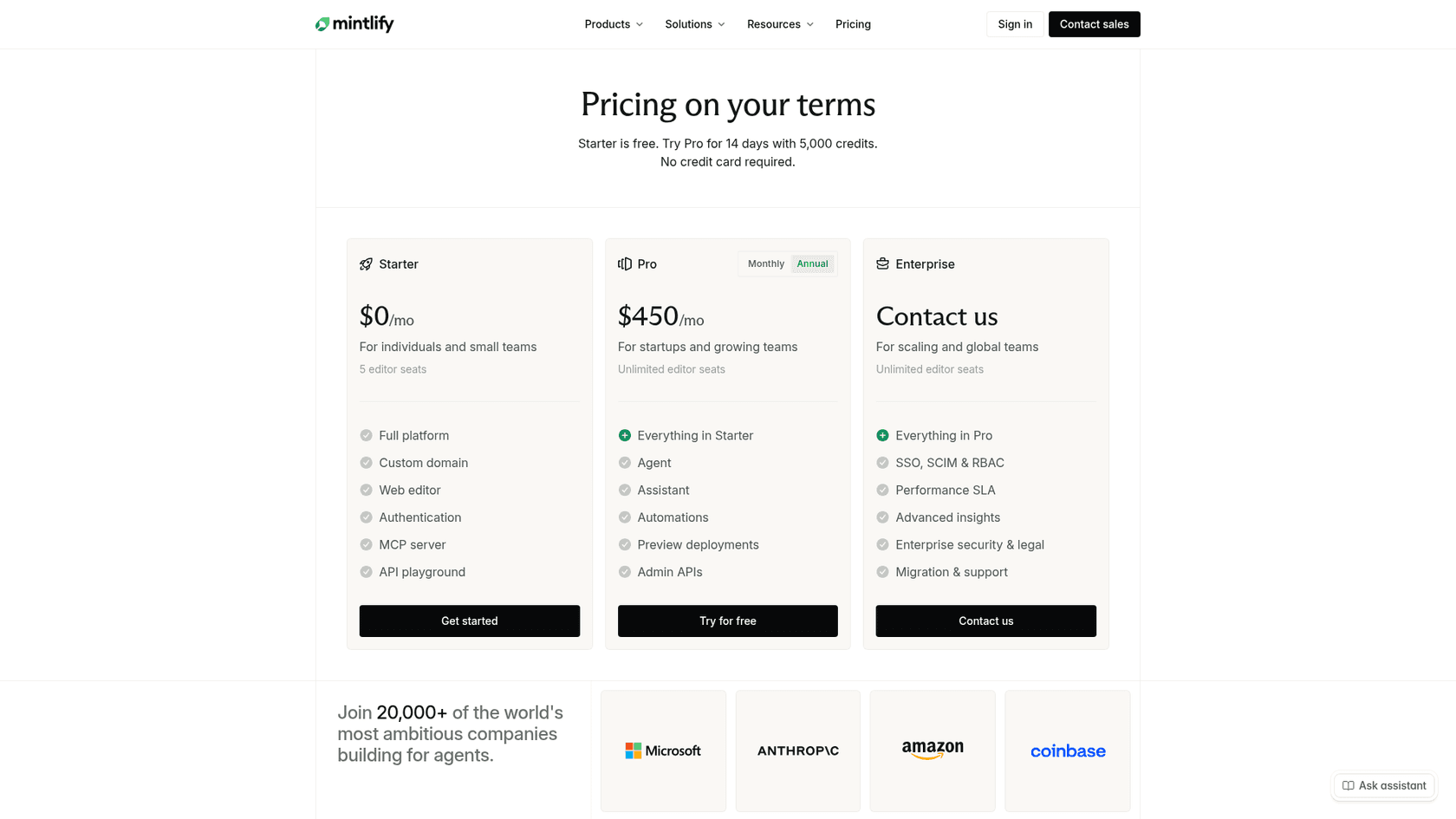
| Mintlify | Docs platform with an AI Assistant | Your docs site | Plan plus credits | Pro $450/month billed annually ($540 monthly), 10,000 credits, 25 credits per answer |
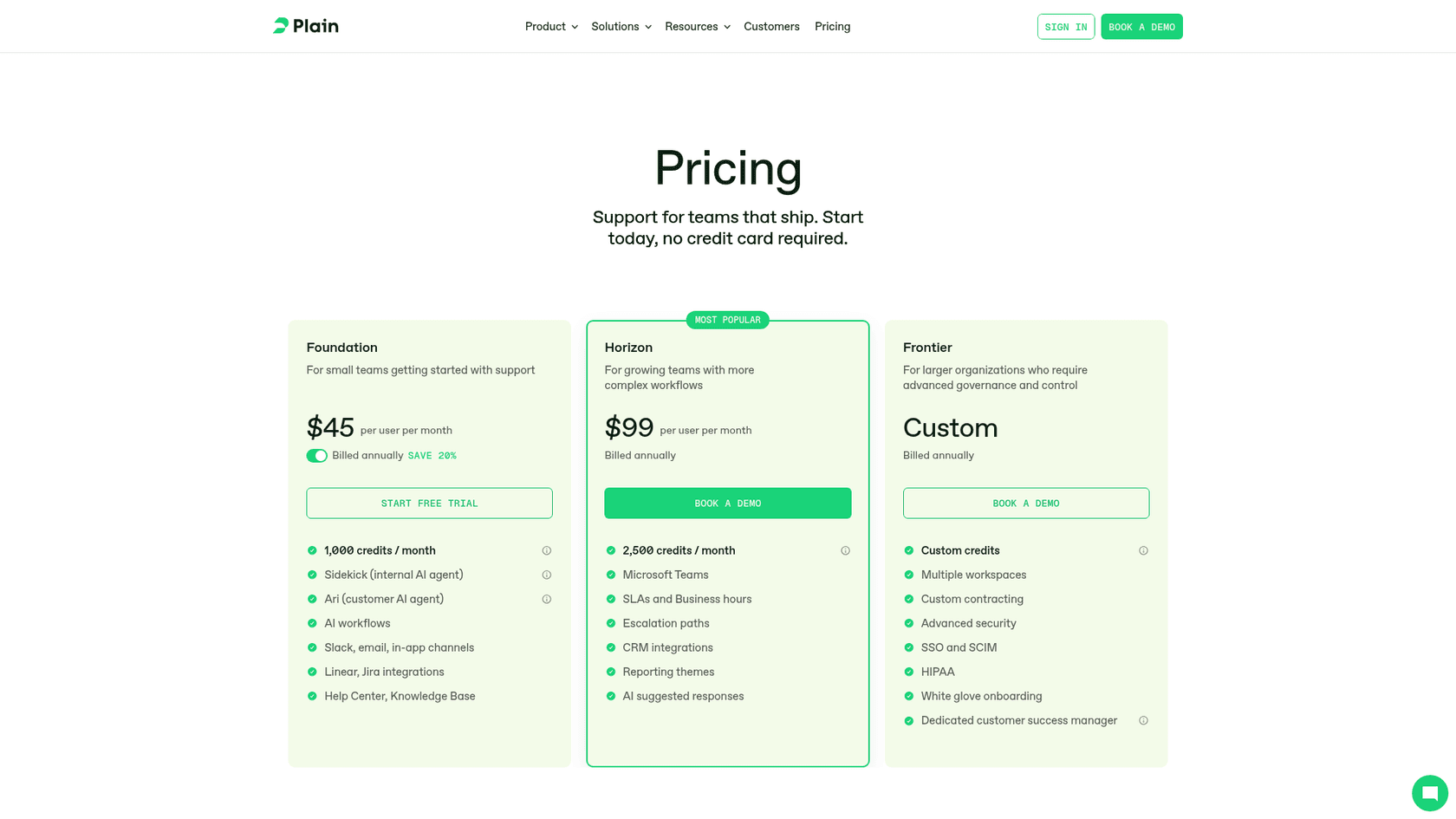
| Plain | Support platform for technical B2B teams | Slack, email, in-app, chat | Per seat plus credits | Foundation $45/user/month annually ($55 monthly), 100 credits per AI resolution, +1,000 credits for $10 |
| Pylon | B2B support platform | Slack, Teams, email, WhatsApp | Per seat plus credits | Professional $89/seat/month annually, credits $0.30 each pay-as-you-go |
| eesel | AI teammate inside your existing helpdesk | Freshdesk, Zendesk, Jira Service Management, chat, Slack, email | Fixed monthly credits | $299/month for 500 credits, 1 credit per ticket or chat, unlimited seats |
| Build on a model API | Your own agent | Wherever you wire it | Tokens plus engineering time | Depends on your build |
What does it cost for one team?
Per-seat, per-answer and per-resolution prices can't be compared until they're priced for one buyer. So take an API company with 2,000 developer tickets a month, three support people, and AI fully resolving 30% of tickets (600), the same 30% share Pylon uses in its own example.
| Option | The maths | Monthly cost |
|---|---|---|
| eesel | 2,000-credit plan, seats unlimited, every ticket it works counts | $849 |
| Plain (Foundation, annual) | 3 seats x $45 = $135, plus 600 resolutions x 100 credits = 60,000 credits, minus 1,000 included = 59,000 x $0.01 = $590 | About $725, before Sidekick drafting credits on the other 1,400 |
| Pylon (Professional, annual) | 3 seats x $89 = $267, plus Pylon's own mid estimate for 2,000 tickets of $26,395 a year in committed credits | About $2,467 |
| Mintlify (Pro, annual) | $450 plus 2,000 docs answers x 25 credits = 50,000 credits, minus 10,000 included = 40,000 x $0.01 = $400 | About $850, for docs answers only, not tickets |
| kapa.ai | Not public | Quote |
Two caveats on that table. The units aren't the same thing: eesel counts every ticket it works on, drafted or answered, while Plain's 100 credits are only for full AI resolutions. And Mintlify's Assistant lives on your docs site, so it cuts tickets before they're created rather than working the ones that arrive. You may well want both.
My take: if you're early and most tickets are docs questions, start with the docs assistant your docs platform already offers. If you already run Freshdesk, Zendesk or Jira Service Management and the pain is the ticket queue, put the AI there instead of moving helpdesks. Plain and Pylon make most sense if you're choosing a new helpdesk anyway, especially if your developers live in Slack. Roundups of the wider field are in best AI for SaaS support and best chatbot for developers.
How do you roll it out without burning developer trust?
Developers forgive "I don't know, passing this to an engineer". They don't forgive a confident wrong answer about their production integration. So roll out in this order:
- Drafts only, on every ticket. The AI writes a draft or an internal note, a person sends. This is how Timengo runs: in one month eesel prepared about 300 Freshdesk tickets, wrote about 180 draft replies and about 260 internal notes, and never sent a reply on its own.
- Grounded or nothing. Tell it to name the doc or ticket it used, and to leave a note asking for a person when nothing supports an answer. Orosoft's agent does exactly that.
- Compare drafts with what was sent. Fix the docs where the draft was wrong, like Qontro does.
- Add the lookups. Connect read-only access to request and webhook logs once the docs answers are reliable.
- Let narrow topics go automatic. Rate limits, scopes, SDK install steps. Keep bugs, account changes and anything involving money with a person.
For the timing, my AI support implementation timeline has realistic numbers, AI support simulation testing covers testing on past tickets before go-live.
A security review is worth doing before you give any AI access to production systems. When to hand to a person is in human handoff best practices.
Can engineers set it up from the terminal?
For an API company, this one matters. The eesel CLI runs the same agent you see in the dashboard from a terminal, and every command prints JSON, so a coding agent like Claude Code, Cursor or Codex can drive it too. npx @eesel/cli init chat-bubble --site https://your-site.com sets up a chat bubble without an account, eesel files upload adds a doc, eesel chat "how do I verify a webhook signature?" tests an answer, and eesel approvals approve <id> clears a held action. For CI or a server, it reads EESEL_API_URL and EESEL_API_TOKEN instead of a browser login. eesel also works as an MCP server for Claude Code and other MCP clients, which is handy when your engineers would rather update the agent's knowledge from the same tool they write the docs in. Background on the idea is in my post on AI agent MCP servers.
Try eesel for developer support
If your developer tickets land in Freshdesk, Zendesk or Jira Service Management, eesel joins that queue like a new support engineer who already read your docs, your changelog and every ticket you've solved. It drafts the docs and setup answers with the source linked, looks up request and webhook records through your own API without ever holding the key, and leaves engineering a bug report instead of a forwarded complaint.
Timengo runs its technical support this way in Danish, with an engineer sending every reply.
Plans start at $299 a month for 500 tickets or chats, with unlimited seats, and there's a free trial with 100 credits. Try eesel on last month's tickets and see which drafts your team would have sent.