

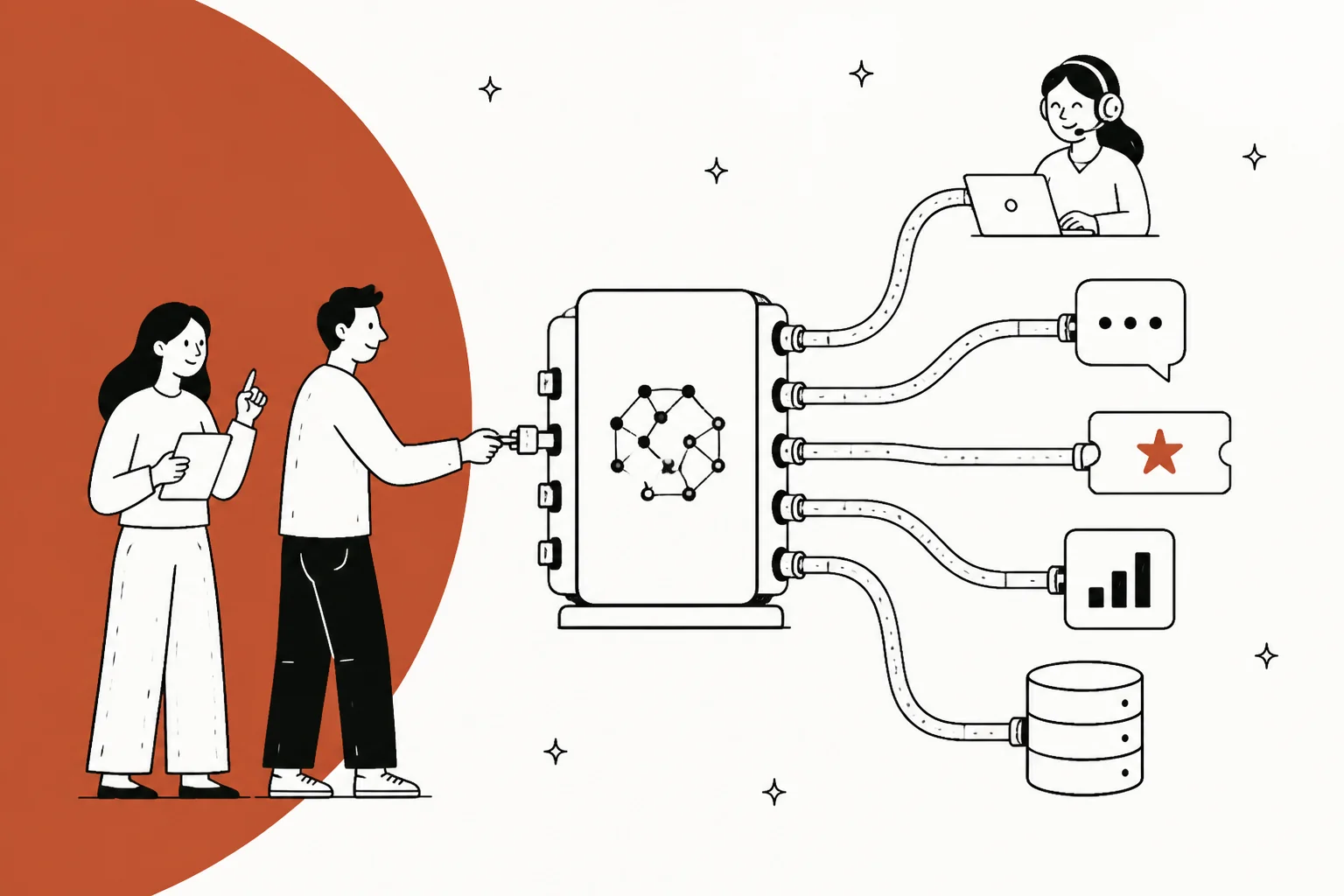
An AI agent MCP server is a program that exposes a set of tools and data to an AI agent over the Model Context Protocol, the open standard Anthropic released in November 2024. The official docs describe MCP as a USB-C port for AI applications: one standard connector instead of a custom integration per tool.
For a support team, an MCP server is what lets an agent like Claude read your tickets, search your help center, or look up an order in your helpdesk without bespoke glue code. Gorgias, Front, and Atlassian all ship one now.
Here is the catch, and it is the whole point of this post: an MCP server makes your support data reachable, not smart. It standardizes the connection, not the intelligence. The retrieval quality, the guardrails, and whether the answer is actually right still have to come from somewhere. If you want the reachable-and-smart version without wiring four layers yourself, a ready-made teammate like eesel ships the whole stack and is itself an MCP server.
What an MCP server actually is
Let me start with the word "server", because it trips almost everyone up. An MCP server is not a big machine in a data center, and it is not the AI. It is a program that exposes specific capabilities to AI applications through a standard interface. It can run locally on your laptop or remotely on a platform. That is it.
The clearest description I have read came from a developer on Hacker News, untangling exactly this confusion:
"One confusing thing to me was the word 'server'. An 'MCP server' is a server to the LLM 'client'. But the MCP server itself is a client to the thing it's connecting the LLM to. So it's more like an adapter or proxy."

That is the mental model to hold. The server sits between your AI agent and your real system (your helpdesk, your database, your order lookup) and translates between them.
MCP itself is the standard that makes this translation universal. Anthropic open-sourced it in late 2024 to solve a specific problem: every new data source you wanted an AI to reach needed its own custom implementation. MCP replaces that pile of one-off connectors with a single protocol, so you build once and integrate everywhere.
The architecture has three parts, and they are worth getting straight because "AI agent MCP server" mixes two of them:
- The MCP host is the AI application. Claude Desktop, Claude Code, Cursor, or a support product that embeds an agent. This is where the model lives.
- The MCP client is a connector inside the host. The host spins up one client per server it talks to.
- The MCP server is the program exposing the tools and data.
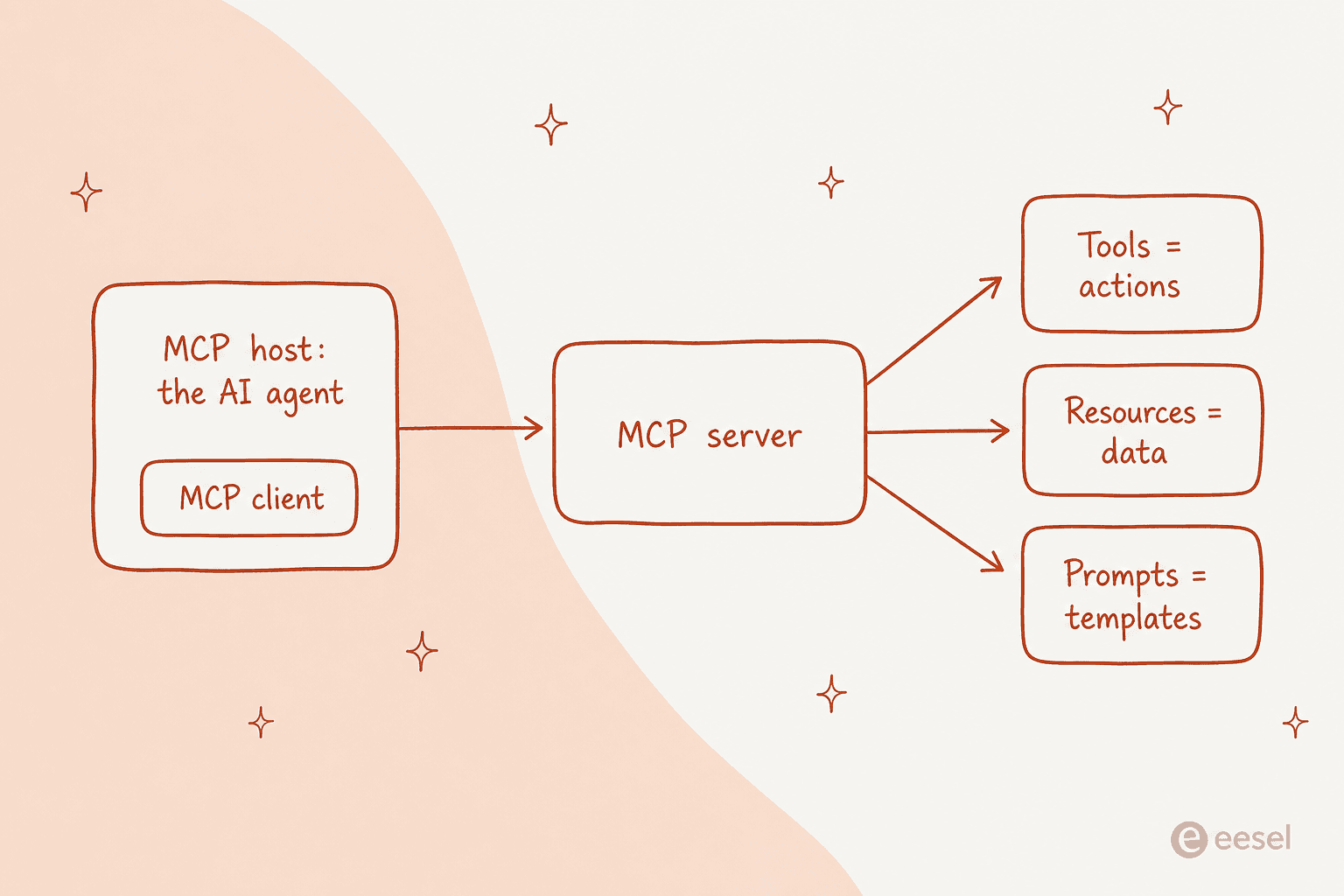
So when someone says "AI agent MCP server", they usually mean the server that an agent connects to. The agent is the host plus the model; the server is the thing on the other end of the wire.
The three things a server exposes
An MCP server can offer three kinds of capability, and the official server concepts docs draw the line by who controls each one. This distinction matters more than it looks:
| Primitive | What it is | Who controls it |
|---|---|---|
| Tools | Actions the model can invoke: look up an order, tag a ticket, send a reply | The model |
| Resources | Read-only data the app pulls in as context: help center articles, ticket history | The application |
| Prompts | Reusable templates a user triggers: "summarize this thread" | The user |
For a support agent, tools are the interesting part, because tools are how the agent does something rather than just reading. And the docs are careful here: tools may require user consent before execution. An agent that can send a customer reply is exactly the kind of action you want a human approval step on, at least at first.
Local vs remote MCP servers
One more distinction, then I will get to support. MCP servers come in two flavors depending on how they connect:
- Local (stdio) servers run on the same machine as the host and talk over standard input/output, with no network in between. When Claude Desktop launches a filesystem server, that is local.
- Remote (streamable HTTP) servers run somewhere else and connect over HTTP, with standard authentication like bearer tokens or OAuth.
A "remote MCP server" is the one that matters for support. Your helpdesk lives in the cloud, so when Gorgias or Front exposes an MCP server, it is a remote one that many agents can connect to at once. Keep that word "authentication" in mind, because it comes back to bite later.
What this looks like in customer support
Here is where it gets concrete. Over the last year the major helpdesks have started shipping their own MCP servers, and the pattern is consistent: they are excellent for reading your account and cautious about acting on it.
Gorgias has a first-party MCP server at mcp.gorgias.com, free on every Helpdesk plan, and their own setup docs walk you through connecting Claude to it. You bring the model. But reads are live while macro edits and AI Agent config writes are gated during the open beta. So Claude can see your Gorgias account through the server; it cannot fully run it yet.
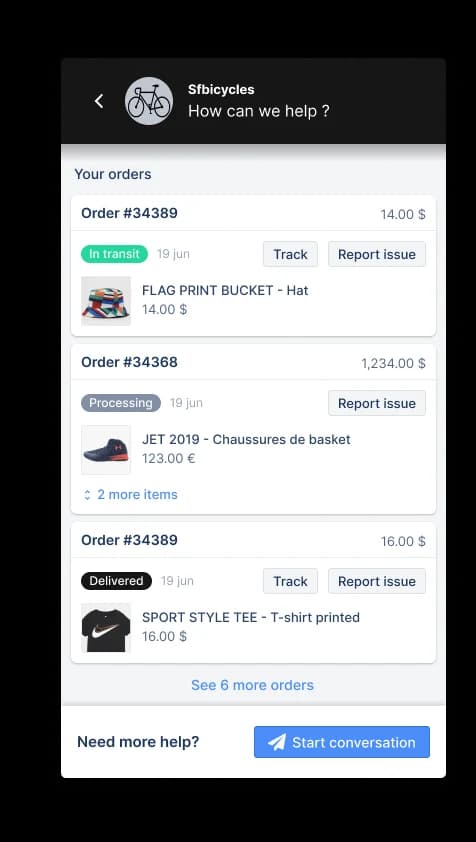
Front ships one too, at mcp.frontapp.com, documented on their developer site, open beta, no Enterprise gate, no per-action charge. The design is the interesting bit: every token is bound to a single Front teammate and checked live against that person's role, and send_message is deliberately separate from create_draft and flagged so the client confirms every send. It is a genuinely good assistant. It is also, by design, structurally incapable of running the queue on its own.
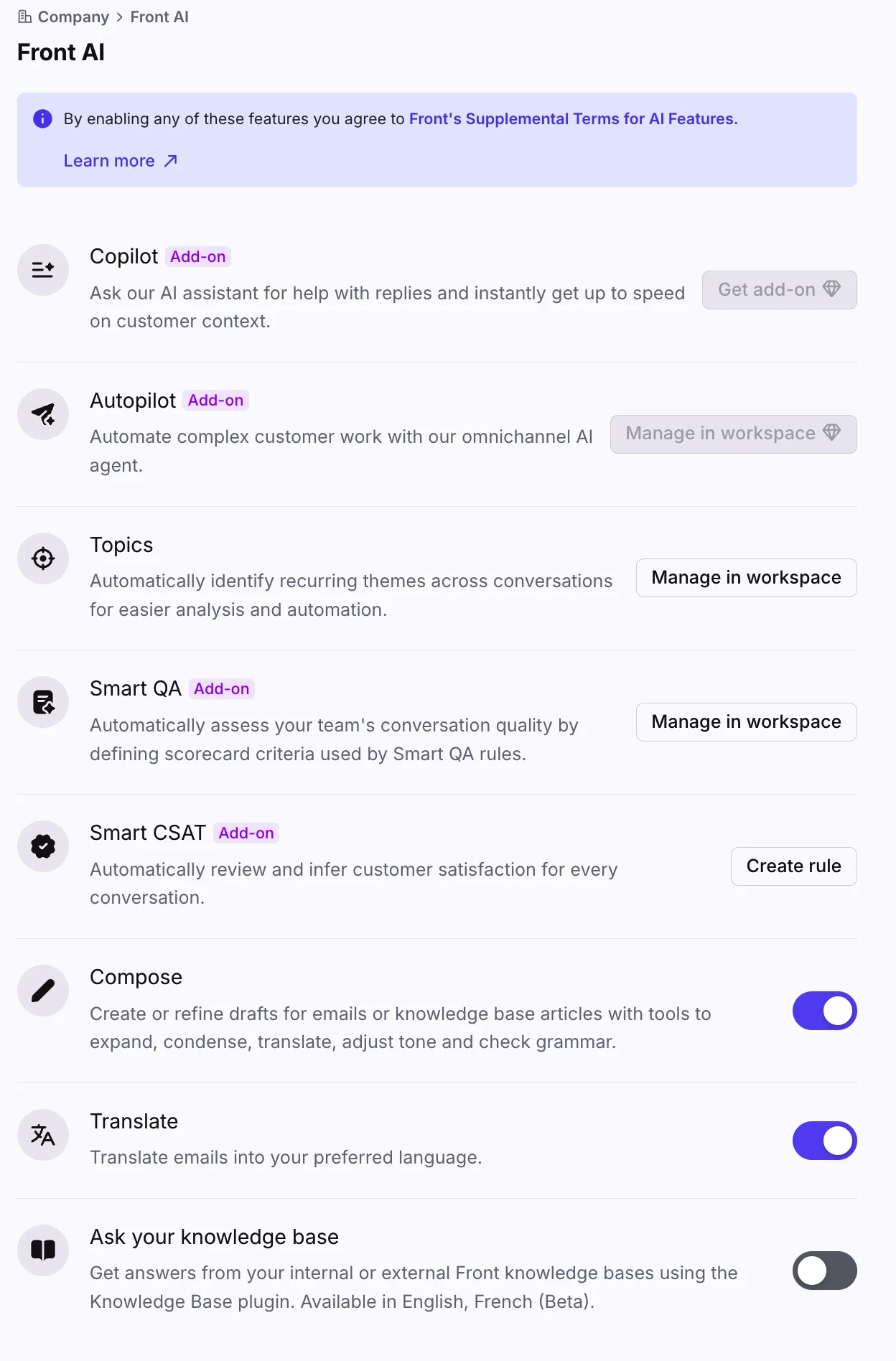
Atlassian's Rovo MCP server covers Jira Service Management, and it is the sharpest example of the reachable-not-resolved gap. Its JSM tool group is four tools, all of them on-call ops (alerts and schedules), with no tool for requests, request types, queues, SLAs, or portal customers. A service-desk ticket is only reachable through the generic Jira tools, so the agent sees a work item, not a customer request, and cannot tell whether a comment it writes is even visible to the person who opened the ticket.
Put those three side by side and a pattern falls out. Today's helpdesk MCP servers cluster hard at the "reachable" end of the spectrum:
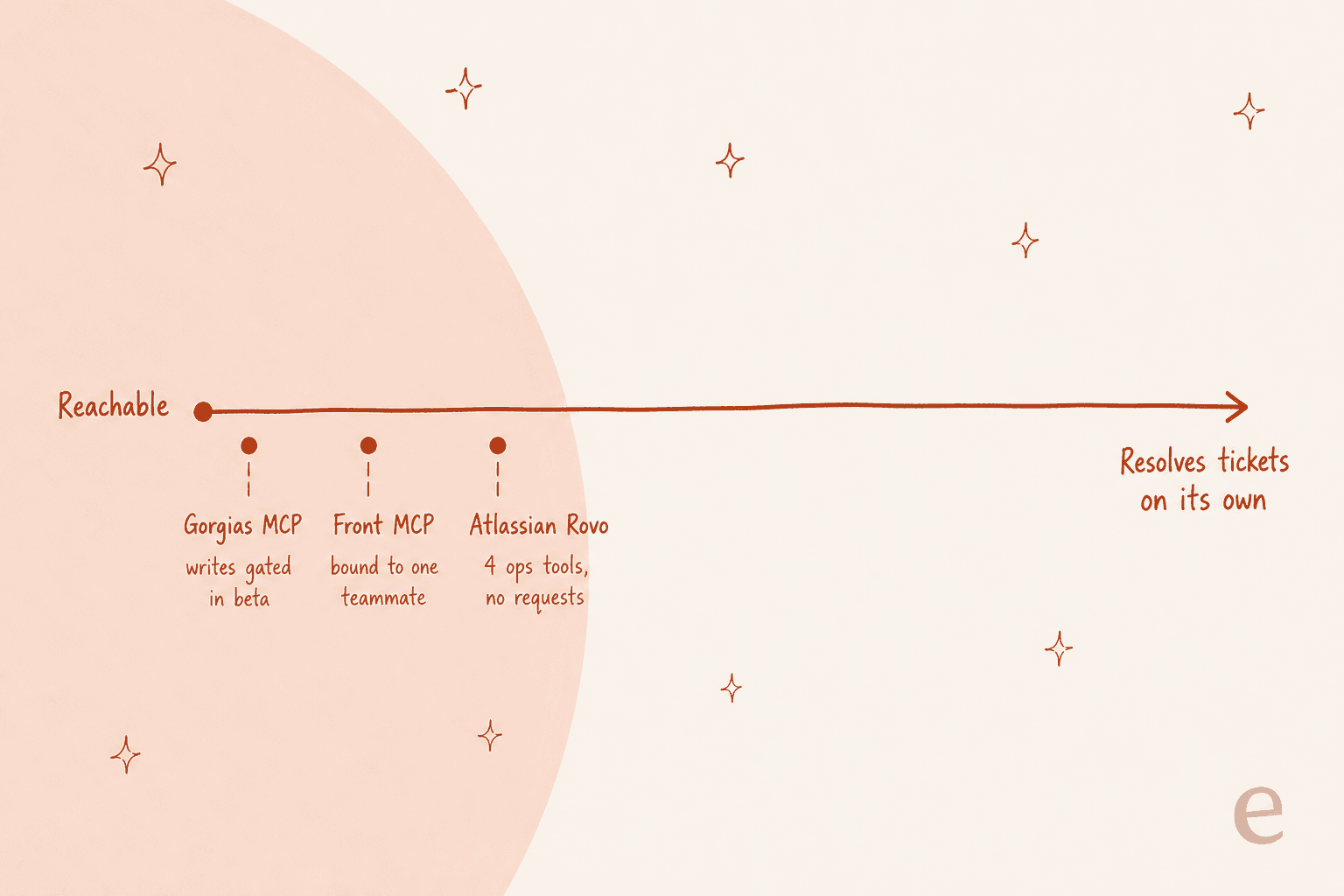
That is not a knock on any of them. A read-first, write-cautious server is the responsible way to ship this. But it means the MCP server gets you a well-informed assistant, not an agent that closes tickets while you sleep. The distance between those two is the rest of this post.
The catch: reachable is not the same as smart
This is the part I most want support leaders to internalize before they greenlight an "MCP integration" project, because it is easy to mistake the connection for the capability.
An MCP server is, structurally, a thin translation layer. The most-repeated point across every technical thread I read was some version of this:
"Regardless of whether the MCP 'server' is local or remote, it is JUST a wrapper around APIs. It's basically a translation layer to make your APIs adhere to the MCP spec, that's it."
If the server is a wrapper, where does the actual support work happen? Underneath it. Standing up the server is the small, visible tip. The part that decides whether your agent is any good is the stack below the waterline:
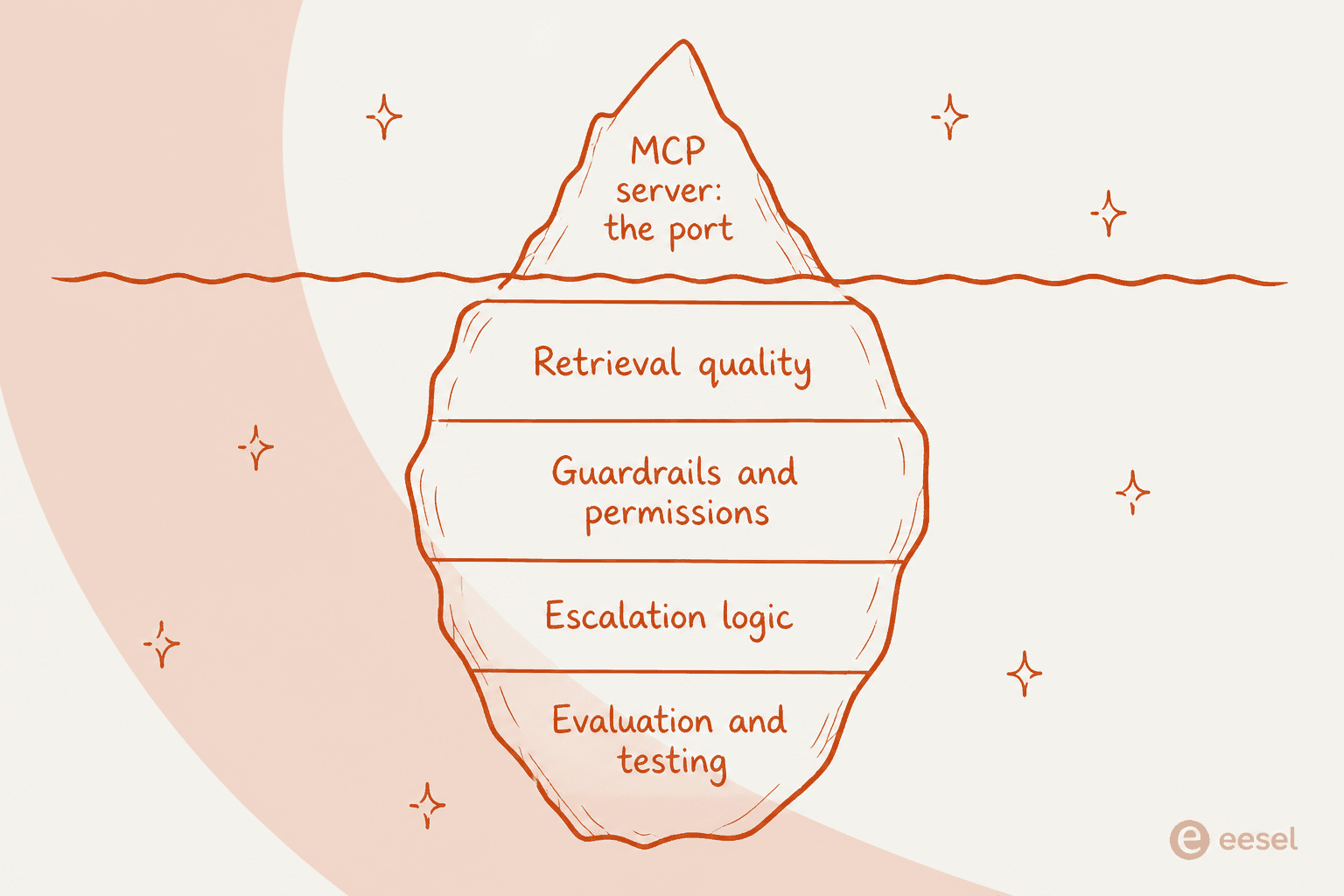
Three of those layers are worth spelling out, because each one is a place where a raw MCP server leaves you on your own.
Retrieval quality. Exposing your knowledge base as a resource is easy; making an agent use it well is not. One developer put the failure mode precisely:
"There's very little actual engineering going in to designing MCP interfaces to actually efficiently work with the way LLM workflows actually operate. Many MCPs offer tools that allow an LLM to retrieve a list of 'things that exist' with the expectation the LLM will then pick something out of that list... massive lists of 'things that exist' eat tokens and context."
A support agent that dumps 400 help articles into its context and hopes the model picks the right one is a demo, not a product. The retrieval design (how you chunk, rank, and scope what the agent sees) is where the resolution rate is won or lost, and MCP does nothing for you there.
Security and permissions. Remember that "authentication" flag from earlier. The protocol shipped with a famously thin auth story, and the sharpest warnings are about exactly the data support runs on:
"Most providers don't support auth in their client implementations yet. Means it's only good for calling into public data. Private enterprise data is where there's huge value."
Customer tickets, order histories, account records: that is all private enterprise data. There is also a real prompt-injection surface, where a tool's own parameters become the exfiltration path. None of that is solved by the server existing; it is solved by the guardrails you build around it.
The agent's judgment. MCP standardizes the connection and pointedly does not dictate how the application uses the model or manages context. Which is the honest read of what the protocol is:
"MCP 'universal plugin system' claims are oversold. It is really just a standardized tool calling for AI agents... The 'system integration' benefits only matter when you have an LLM in the loop making decisions about which tools to use."
The LLM in the loop, making decisions, is the product. The MCP server is the cable that connects it. Both are necessary. Only one of them is the hard part.
Build your own, or hire a teammate that already is one
So you have two honest paths, and which one fits depends on how much of that underwater stack you want to own.
Build it yourself. Wire an agent to your helpdesk's MCP server (or write your own wrapper), then build the retrieval, the guardrails, the escalation logic, and the evaluation harness around it, and carry the per-token model bill on every message, solved or not. This is the right call if support automation is a product you are building, not a job you need done. You get total control and you pay for it in engineering time. The customer support agent API and AI helpdesk API posts go deeper on this route if you are weighing it.
Hire a teammate that ships the whole stack. This is where I would point most support teams, and it is what eesel is built for. Instead of an MCP server you have to wrap in four more layers, eesel is a ready-to-work AI helpdesk teammate that arrives with the retrieval, the guardrails, the escalation logic, and the company context already in place. It plugs into the helpdesk you already run (Zendesk, Freshdesk, Gorgias, Front, Help Scout) and trains on your past tickets and help center, so it is closer to a new hire than a protocol.
And to close the loop on this whole post: every eesel workspace is itself an MCP server. Running npx @eesel/cli mcp token prints a URL and a token so Claude, Cursor, or any MCP client can drive your eesel agent, and the same programmable surface includes a real CLI, webhooks, and outbound API access with per-domain auth. So you get the reachable part and the smart part in one place.
The differentiator I would flag hardest is the one the raw-MCP path cannot give you: a simulation you run against thousands of your own historical tickets before the agent touches a live customer. We built that because we have watched confident-sounding bots quietly give wrong answers, and a 200 OK from an MCP server tells you the connection worked, never that the answer was right. Simulation is how you find out before your customers do.
Try eesel
If you got this far, you already know the honest version: an MCP server is the connector, not the agent. Wiring one to your helpdesk is a good afternoon's work; building the retrieval, guardrails, and evaluation around it is a quarter's.
eesel skips that. It is an AI helpdesk teammate that installs on top of your existing helpdesk in minutes, trains on your past tickets and docs, and ships with the whole stack, MCP server included. You can simulate it on your own historical tickets to see the resolution rate before go-live, keep a human approval step on replies, and it is self-serve from $299/month for 500 credits with no per-seat fee. Free to try with 100 credits.
