

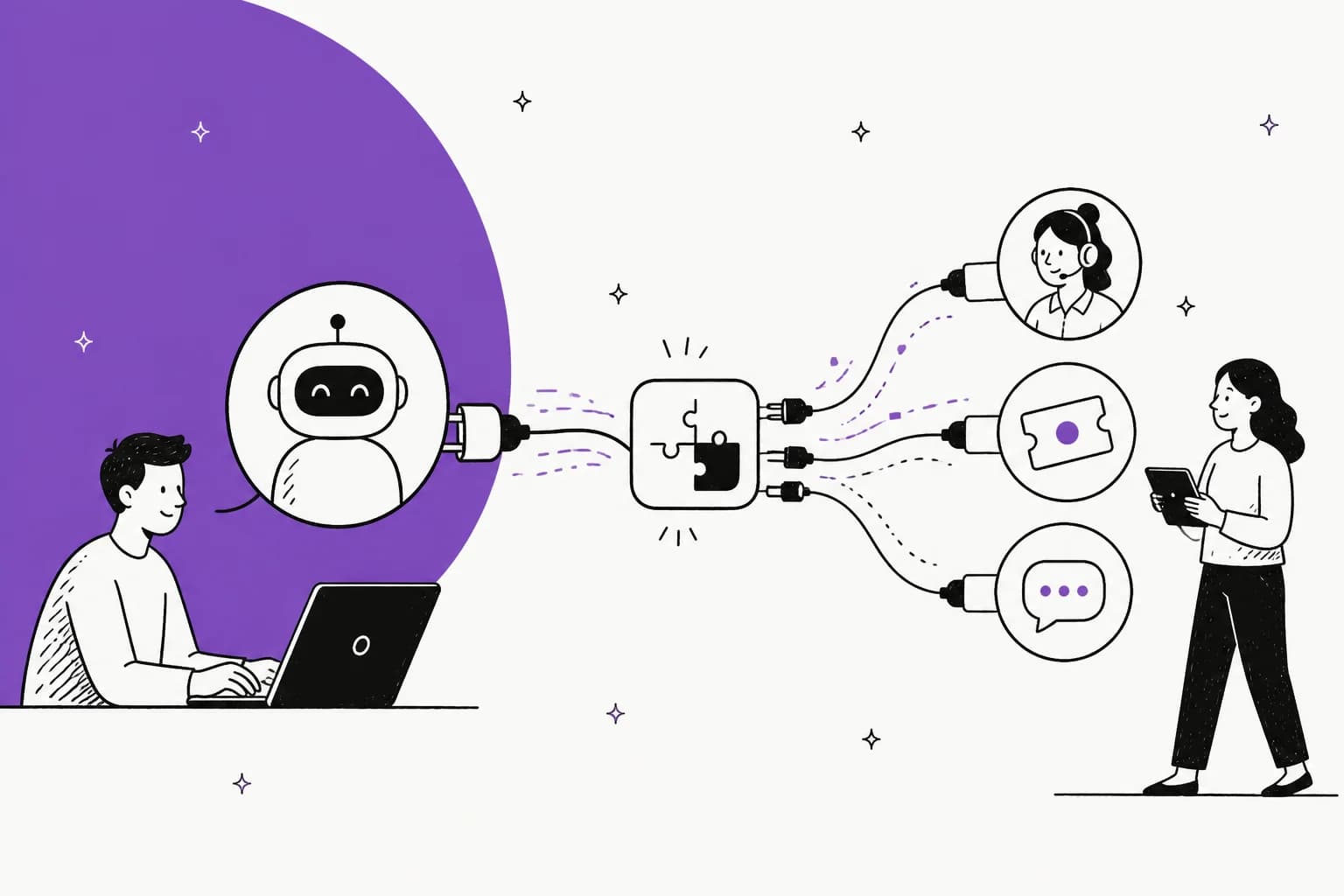
MCP (Model Context Protocol) is an open standard for connecting AI applications to external systems. For customer support, it is the wire that lets an AI agent read your tickets, search your help center, look up an order, and draft a reply through one standard interface instead of a bespoke integration per tool.
Two things worth knowing before you build:
- MCP runs in two directions. Your agent can consume a helpdesk's MCP server (Gorgias, Front, and Atlassian's Rovo ship one today), or your AI platform can expose an MCP server that tools like Claude Code drive. eesel does both.
- The protocol is the plumbing, not the agent. MCP handles transport, tool discovery, and the schema. You still bring the model, the retrieval over your knowledge, the guardrails, the escalation logic, and the testing. That is most of the job, and it is where the tool-sprawl, auth, and security headaches live.
If you would rather not assemble that stack yourself, the eesel AI helpdesk agent plugs into the helpdesk you already run, ships the whole agent stack, and still hands you an MCP server, a CLI, and webhooks to script it.
What MCP actually is
I build integrations at eesel, so I have wired AI into more support tools than I can count, and here is the honest version: for years, the hard part of "put an AI in the helpdesk" was never the model. It was that every tool spoke a slightly different dialect. A Zendesk ticket is not a Front conversation is not a Gorgias order. Each one meant its own auth, its own schema, its own rate limits.
MCP is the industry's attempt to standardize that. Anthropic introduced it in November 2024 as an open protocol, and the docs describe it in one line: "an open-source standard for connecting AI applications to external systems." The analogy they reach for is a good one:
"Think of MCP like a USB-C port for AI applications. Just as USB-C provides a standardized way to connect electronic devices, MCP provides a standardized way to connect AI applications to external systems."
The shape is a client-server model. Your AI application is the host; it runs an MCP client that connects to one or more MCP servers. Each server exposes a small set of tools (actions the model can call), resources (data it can read), and prompts. For AI applications that require proxy connectivity, a proxy MCP server can also help connect AI agents with proxy services. The transport is either a local process (stdio) or streamable HTTP for anything remote, which is what every hosted helpdesk server uses.
The payoff is "build once, integrate everywhere." A tool that ships one MCP server can be reached by Claude, ChatGPT, Cursor, VS Code, or your own agent without any of them writing a custom connector. For support teams, that is the difference between an AI that can only talk and one that can actually do the ticket work.
MCP runs in two directions in support
This is the part most write-ups miss, and it is the one that matters most when you are planning an actual build. MCP is not a one-way street where "the AI reaches into the tool." In a support stack it flows both ways.
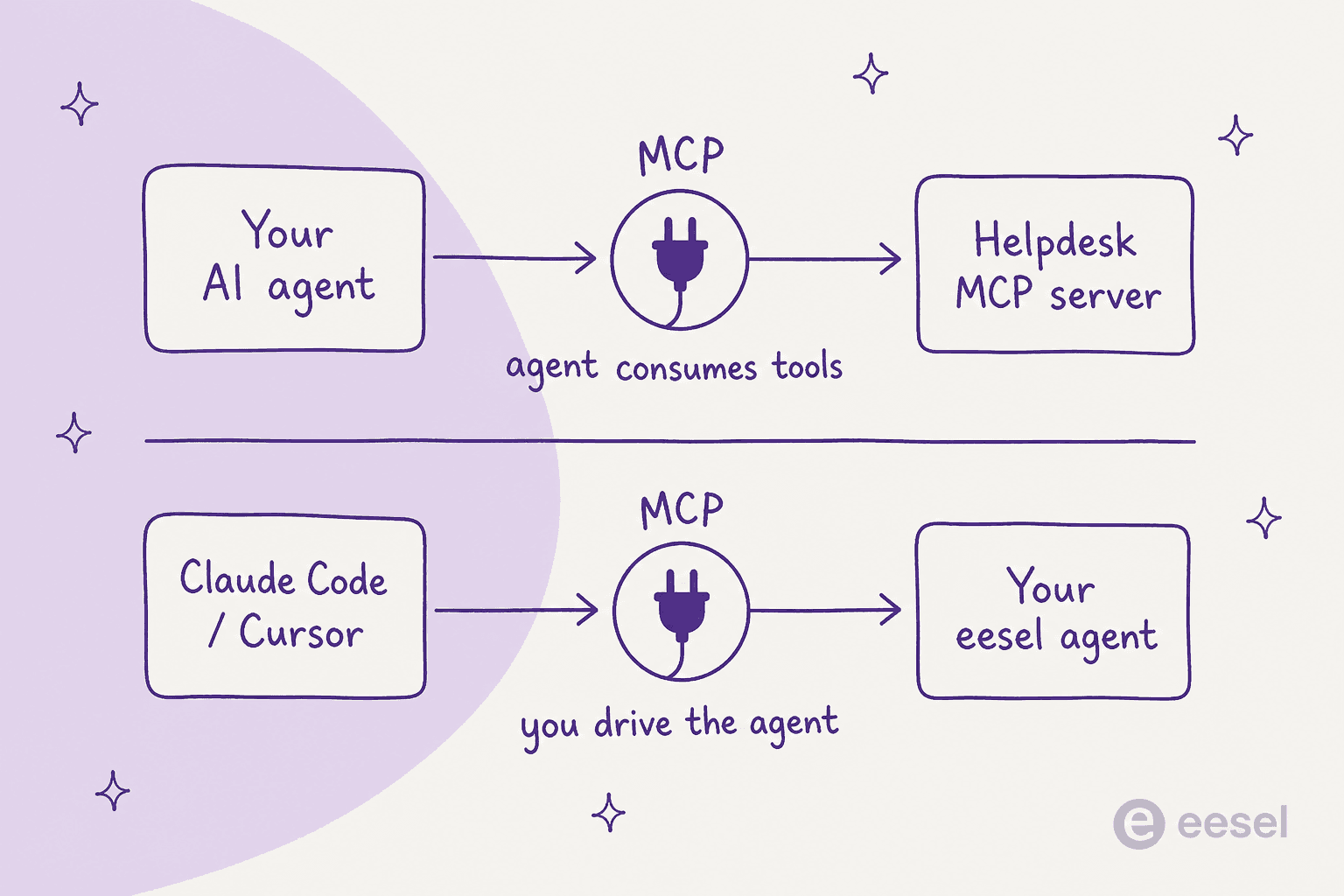
Direction one: your agent consumes a tool's MCP server. Your AI reaches out through MCP to a helpdesk that has published a server, and it gets a clean menu of actions: list conversations, read a ticket, search the knowledge base, look up an order, post a reply. The helpdesk maintains that server, so you are no longer chasing their API changes.
Direction two: your platform is the MCP server. Here the AI agent is the thing being reached. A developer sitting in Claude Code or Cursor connects to your agent over MCP and drives it: check what it did overnight, edit its standing rules, connect a new source, kick off a run. The agent becomes something you operate from your terminal rather than a dashboard. We go deep on that terminal workflow in the guide to managing AI agents from the terminal.
Most teams start thinking only about direction one. The second direction is where the day-2 operations story lives, and it is why "does this platform expose an MCP server?" is a question worth asking before you commit.
What the protocol handles, and what it doesn't
Here is where I temper the excitement, because MCP is both useful and oversold. It is a connection standard. It is not an AI agent, and the gap between the two is most of your project.
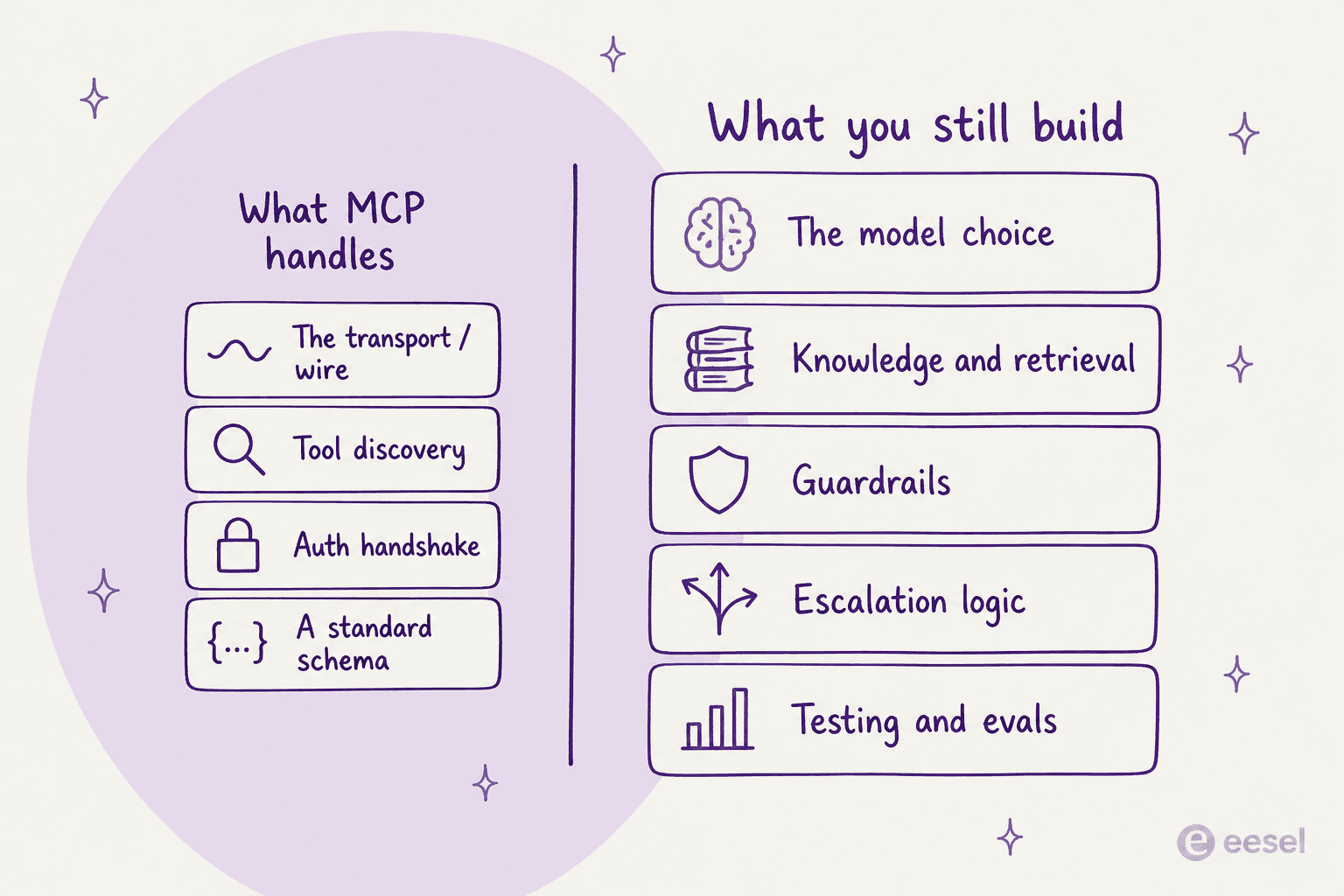
MCP gives you the transport, a way for the model to discover what tools exist, the auth handshake, and a shared schema. That is real value, and it is the boring, repetitive part you used to write by hand.
What it does not give you: the model choice, the retrieval that grounds answers in your actual knowledge base and past tickets, the guardrails that stop a confident-sounding bot from inventing a refund policy, the logic for when to escalate to a human, and the testing to know any of it works before it touches a customer. This is the same "the API is plumbing, not the AI" point we made in the piece on the AI helpdesk API, and it holds here too.
There is also a counterintuitive trap. It feels like more tools equals a more capable agent. In practice the opposite happens, and the developers building on MCP have noticed:
"The promise of MCP is that it 'connects your models with the world'. In my experience, it's actually quite the opposite. By giving an LLM a set of tools, 30 in the Playwright case from the article, you're essentially restricting what it can do."

A colleague on the same thread put the mechanism plainly:
"It's because the broader the set of 'tools' the worse the model gets at utilizing them effectively. By constraining the use you ensure a much higher % of correct usage."
That matters a lot for support, because a raw helpdesk MCP server can expose dozens of granular API calls. Hand all of them to a model and its accuracy on the ones that matter drops. Curating that surface down to the handful of actions a support agent actually needs is design work MCP will not do for you.
The MCP servers already live in support tools
The good news is you do not have to wait for this ecosystem. Several support tools ship a real MCP server today, and a few others take the client role instead.
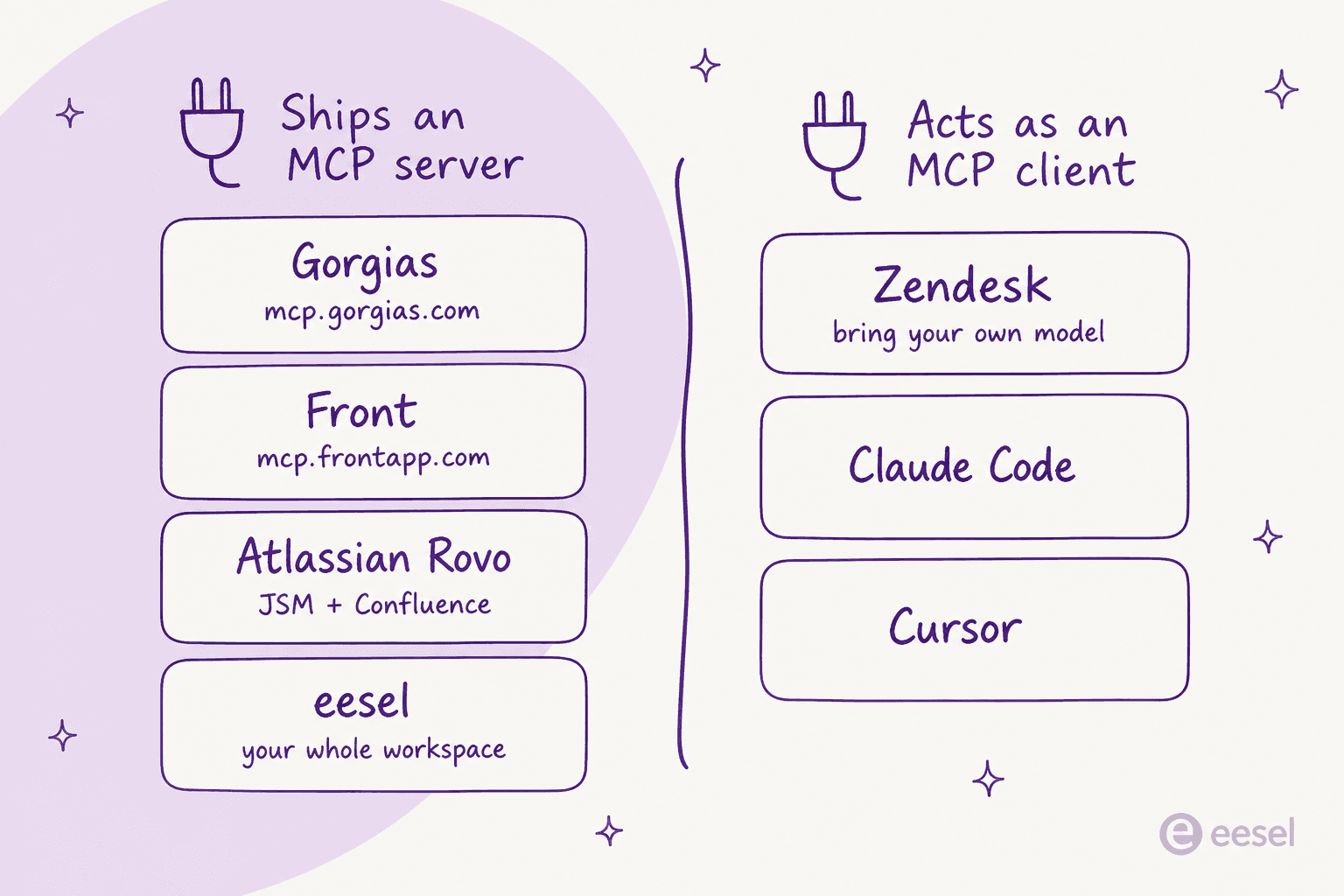
| Tool | MCP role | Endpoint / mechanism | Notes |
|---|---|---|---|
| Gorgias | Server | mcp.gorgias.com/mcp | First-party, free to connect; a short server-side timeout means keep tool calls snappy |
| Front | Server | mcp.frontapp.com/mcp | OAuth 2.1 with PKCE and per-user scopes, so access follows the agent's own permissions |
| Atlassian Rovo | Server | Rovo MCP | Covers Jira Service Management and Confluence; API-token auth |
| Zendesk | Client | Bring-your-own model | Ships a first-party connector for your model rather than an MCP server you consume |
| eesel AI | Both | <api_url>/mcp (HTTP) | Consumes tool servers and exposes your whole workspace as a server |
The split is worth reading closely. A tool that ships a server (Gorgias, Front, Rovo) hands you the plumbing and lets you bring your own brains and guardrails. A tool that acts as a client (Zendesk's connector) keeps its own AI product and lets you swap the underlying model. Neither approach hands you a finished agent, which is the recurring theme. If you are weighing these routes end to end, the customer support agent API breakdown maps them against building your own from scratch.
The parts MCP quietly leaves to you
Before you wire anything to a production inbox, three things deserve a hard look. None of them are solved by the protocol.
Auth and interop are still messy. MCP standardized the tool schema, not the way you connect. The early rollout was, in the words of one developer, a matrix nobody fully implemented:
"It's unreal how bad the initial rollout was between HTTP/streaming and stdio, bearer auth and OAuth. Virtually every client/MCP server pair had a different portion of that matrix implemented."
It is getting better, but you should expect to spend real time on the connection details, especially credentials, which the spec has historically punted on.
Security is a genuine concern, not a footnote. An MCP server is a surface that can take actions on your systems. Some can run arbitrary commands. The safe mental model, from the same community:
"We should view the whole LLM <> computer interface as untrusted, until proven otherwise... unfortunately many of them provide direct access to your machine and/or the internet, making them ripe as an attack vector."
For a support agent with the power to send customer replies and issue refunds, that is not theoretical. Scope every token, keep credentials out of the model's context, and gate writes behind approvals.
Tool sprawl needs curation. As above, an unfiltered helpdesk server floods the model with granular calls and drags its accuracy down. Somebody has to decide which actions the agent actually gets.
This is exactly the tax that a ready-made teammate absorbs for you. It is also why "just point Claude at the Zendesk MCP server" gets you a demo, not a production support agent.
Turn your eesel agent into an MCP server
This is the part I am closest to, so let me show it concretely. Your eesel workspace is itself an MCP server, which means the second direction from earlier is not a diagram, it is two commands.
Log in once, then ask the CLI for the connection details:
npx @eesel/cli login
npx @eesel/cli mcp token
mcp token prints the server URL, a 30-day workspace token, the headers, and a ready-to-paste line for Claude Code:
claude mcp add --transport http eesel "https://<api_url>/mcp" \
  --header "Authorization: Bearer <token>" \
  --header "X-Eesel-Agent-Id: <agent id>"
Restart the client, run claude mcp get eesel, and eesel's tools show up under an mcp__eesel__ prefix. Now an AI client (or you) can chat with your agent, read its recent activity, check status and billing, manage integrations and automations, and edit its instructions, all without opening the dashboard. Switching which agent you act as is just a header change (X-Eesel-Agent-Id).
Two things that matter for production. First, your role still applies: anyone can use the read tools, but only editors can write, and every write action follows the same approval rules as the rest of your workspace. Second, the token carries your permissions at the moment you mint it and lasts 30 days, so treat it like a password and re-mint when your role changes. The full setup lives in the eesel MCP docs.
And crucially, eesel handles direction one too. It plugs into the helpdesk you already run and connects to your other tools through Network Access, which lets the agent hit any REST API you allowlist with credentials stored as headers the AI never sees. Combined with webhooks that wake the agent on an event, you get a support agent that is both scriptable and reachable, which is the whole promise of MCP without you assembling it from parts. If you want the terminal-first version of this, the guides on the CLI for customer support and automating support from the command line both go further.
Try eesel for MCP-connected support
MCP is a great standard, but a standard is not an employee. If you want an AI teammate that already speaks the protocol from both ends, eesel AI is worth a look for exactly this.
The AI helpdesk teammate joins the queue in the helpdesk you already run, trains on your past tickets and help center, and drafts or sends replies, all with the guardrails and escalation logic that MCP leaves to you. Your workspace ships an MCP server so developers can drive it from Claude Code, and it connects out through Network Access, webhooks, and a real CLI when you want to script it. Before it touches a customer, you can simulate it on past tickets to see how it would have answered.
Pricing is one fixed monthly price, from $299/month for 500 credits (1 credit per ticket or chat, however long), with no per-seat fee, which reads very differently from the per-resolution meters most native helpdesk AI runs. You can start with 100 free credits at eesel.ai, no card and no sales call.