The part nobody tells you: which direction the arrow points
I build the AI agents at eesel, which means I have spent a lot of time on the far side of these connections, writing the code that receives the call. The thing that surprises people first is that "connecting Claude" is not one thing. It is two, and they need different admin rights, land in different places, and are capable of different work.
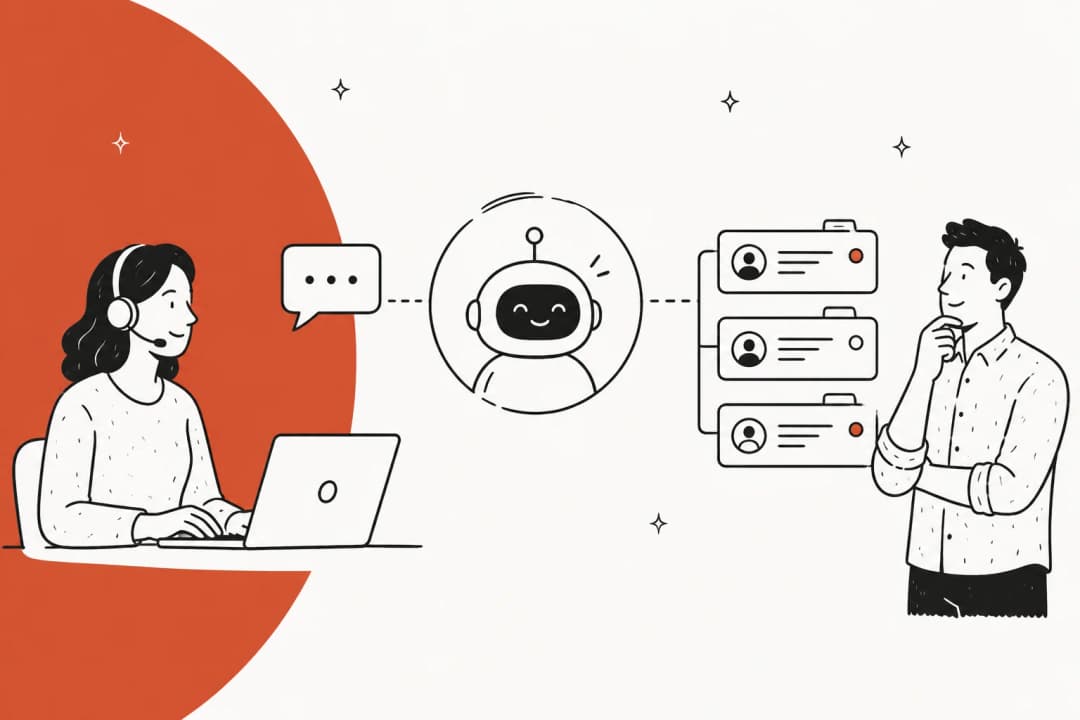
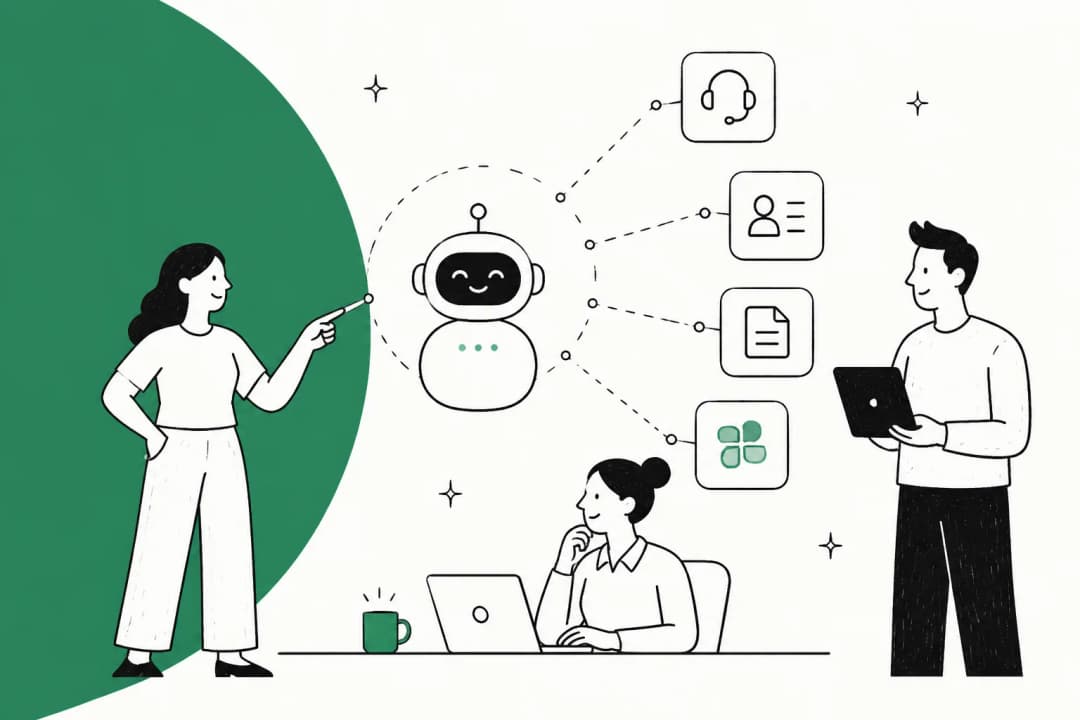
Claude reaches in. You give Claude an address for your helpdesk. Claude, sitting in the Desktop app or on claude.ai, calls out to that address and gets back a list of tools it can use. This is what an MCP server is. You are the client here, so whatever you can do in the helpdesk, Claude can attempt on your behalf.
The helpdesk reaches out. You give your helpdesk an Anthropic API key. The helpdesk's own automation engine calls Claude when a rule fires. Zendesk built exactly this, and Salesforce lets you point Agentforce's reasoning engine at Claude with a dropdown. You are not the client here, the helpdesk is, which means it runs without you sitting at a keyboard, but you only get the actions the vendor decided to ship.
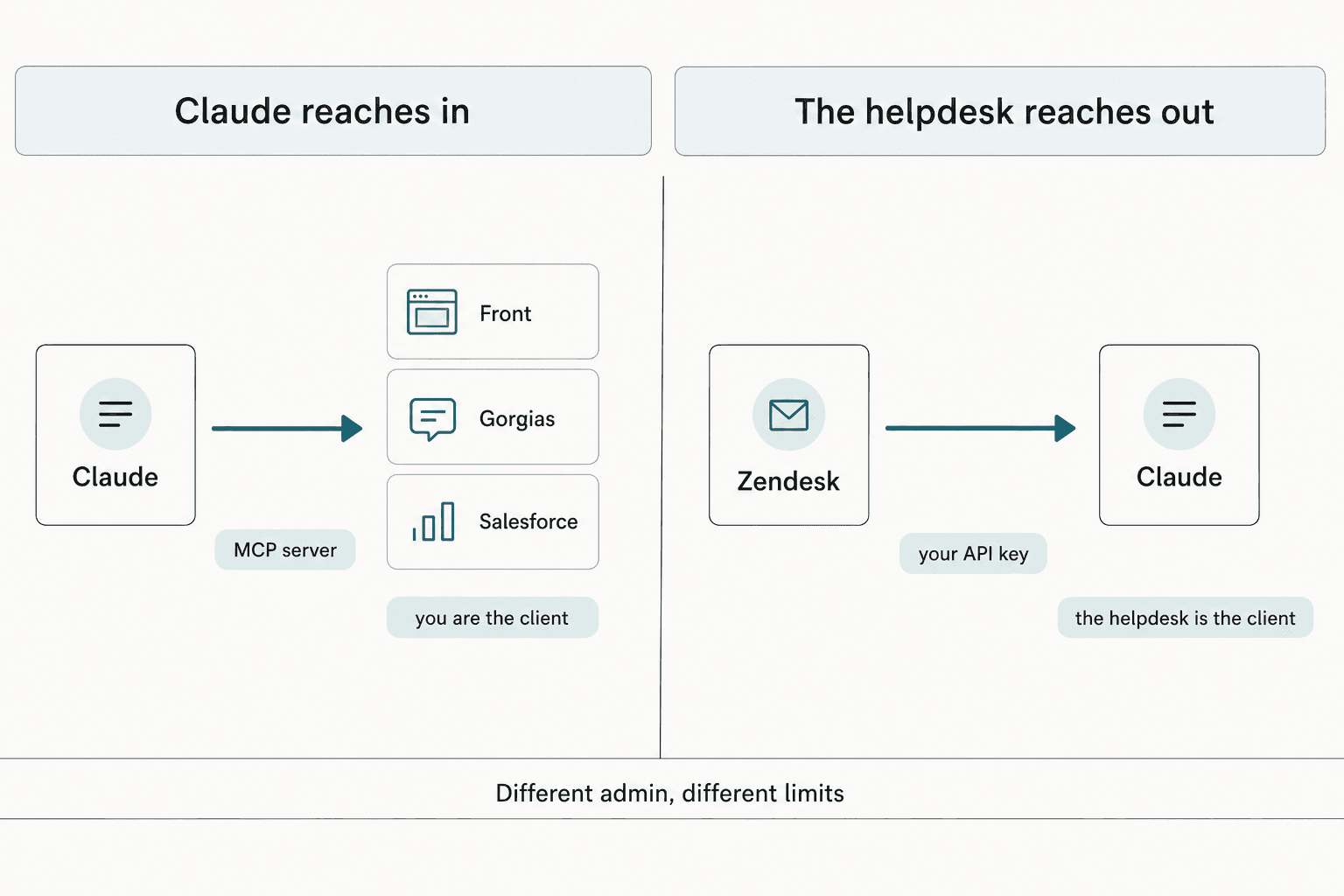
That distinction is worth holding onto, because it predicts what you can build. A reach-in connection is an assistant for the person at the keyboard. A reach-out connection is real helpdesk automation. Most of the write-ups I read collapse the two, then wonder why the setup they followed cannot do unattended work.
If you want the same material organised by route rather than by tool, our Claude for customer support guide takes that cut instead.
The four routes, in plain terms
| Route | What it is | Who runs it | Typical cost |
|---|---|---|---|
| Remote MCP server | The helpdesk publishes an endpoint; you paste it into Claude | You, at the keyboard | Free on Front, Gorgias, Atlassian |
| Helpdesk-side connector | The helpdesk calls Claude from its own automation engine | The helpdesk, unattended | Your Anthropic tokens |
| Direct API or BYOK | You write the call yourself, or hand the vendor a key | Your code | Tokens plus build time |
| Middleware | Zapier or n8n sits between the two | The middleware vendor | Per-task fees on top |
Middleware gets one honest mention and then I will leave it alone. It works, it is the fastest thing to stand up, and it is the worst fit for support ticket automation specifically, because a ticket reply needs retrieval over your history and a decision about whether to answer at all, and a per-task automation tool gives you neither.
Find your helpdesk
Nine tools, nine different answers. Pick yours and the panel below gives you the route, the address, the auth method, the plan gate, and the honest answer on whether it can talk to a customer.
Pick your helpdesk
Choose a tool above to see its route, address and plan gate.
Zendesk: the helpdesk calls Claude
Can it reply? No action sends a public reply. You chain a separate Zendesk action to do that.
Freshdesk: an MCP server behind an Enterprise gate
Can it reply? No. Freddy AI runs on Azure OpenAI and takes no model of your choosing.
Jira Service Management: free, but read the auth line twice
https://mcp.atlassian.com/v1/mcp/authv2Can it reply? Requests reach Claude only as generic Jira work items, and the comment tool carries no customer-visibility flag.
Zoho Desk: the only mainstream desk in Anthropic's directory
Can it reply? Not as Zoho's own AI. The bring-your-own-key field accepts OpenAI or DeepSeek, never Anthropic.
Front: the best-built connection of the nine
mcp.frontapp.com/mcpCan it reply? Technically yes, deliberately not unattended. Sending needs a draft ID and is marked destructive, so your client confirms each one.
HubSpot: the first CRM connector, with one big asymmetry
https://mcp.hubspot.comCan it reply? Not through MCP, where conversations are read-only. The Conversations API can send, if you build it.
Gorgias: free, and the docs use Claude as the example
https://mcp.gorgias.com/mcpCan it reply? Gorgias draws the line itself: AI Agent replies to customers, MCP lets you operate the account.
Salesforce: two routes, and Salesforce wrote the Claude guide
Can it reply? There is no send-email or post-case-comment tool in the catalogue. That one needs Apex or a Flow.
ServiceNow: officially supported, and metered per call
https://<instance>.service-now.com/sncapps/mcp-server/mcp/<server>Can it reply? Not from the Quickstart set. Anything that writes is a tool you build.
Two patterns fall out of that grid. The first is that being absent from Anthropic's own directory tells you almost nothing. That list runs to roughly 293 entries and it does have Zoho Desk and HubSpot on it, along with Pylon, Unthread, Lorikeet, DevRev, PagerDuty and Linear. Zendesk, Freshdesk, Front, Gorgias, Salesforce and ServiceNow are all missing from it, and all six have a perfectly real route documented on their own sites. Directory absence means "not one-click", not "not possible".
The second is that the good connections are free. Front, Gorgias and Atlassian charge nothing at all for their servers.
The ones that cost money are ServiceNow, which meters every call, and Freshdesk, which is about to.
Not on the list? The pattern still holds for the smaller desks. Claude for Help Scout and Claude for Shopify both land in the same place: a good assistant, no send path.
Connecting Claude, step by step
The mechanics are the same everywhere once you have the address. Here is the whole thing, using Front as the worked example because it is the cleanest of the nine.
1. Find your endpoint. Front publishes its at dev.frontapp.com, one of seven first-party integration surfaces it lists. Gorgias, Atlassian, HubSpot and ServiceNow all publish theirs in their developer docs too. If your helpdesk is Zendesk, skip this: you are going the other direction and want an Anthropic key instead.
2. Check the auth method before you touch Claude. This is the step that saves you an afternoon, and the next section is entirely about it.
3. Add it as a custom connector. In Claude, open Settings, then Connectors, then Add custom connector, and paste the URL. Custom remote connectors work on Free, Pro, Max, Team and Enterprise, with Free capped at a single one. If your helpdesk has a listing in the directory, as HubSpot does, you click Connect there instead and skip the URL entirely.
4. Authorise, and read what it asks for. You will get an OAuth consent screen listing scopes. Front binds the resulting token to one teammate and re-checks that person's role on every call, which is the model I would want everywhere. HubSpot needs a Super Admin for the very first connection, and it recommends setting write tools to Needs Approval.
5. Test with a read, not a write. Ask for something dull and verifiable: "how many tickets were opened yesterday". If you get an answer, the pipe works. If you get an empty tool list, go to the next section.
One thing that trips people up and is easy to miss: Claude reaches your helpdesk from Anthropic's cloud, not from your laptop, even when you are using the desktop app. A helpdesk behind an IP allowlist will not answer until you allow those addresses through, and the failure looks like a hang rather than a rejection.
Why your new connector shows zero tools
This is the single most common failure I see, and it never looks like what it is. The connector says connected. The consent screen appeared. Claude just has nothing to work with.
The cause is usually that the tools you want are gated behind a different auth method than the one you used.
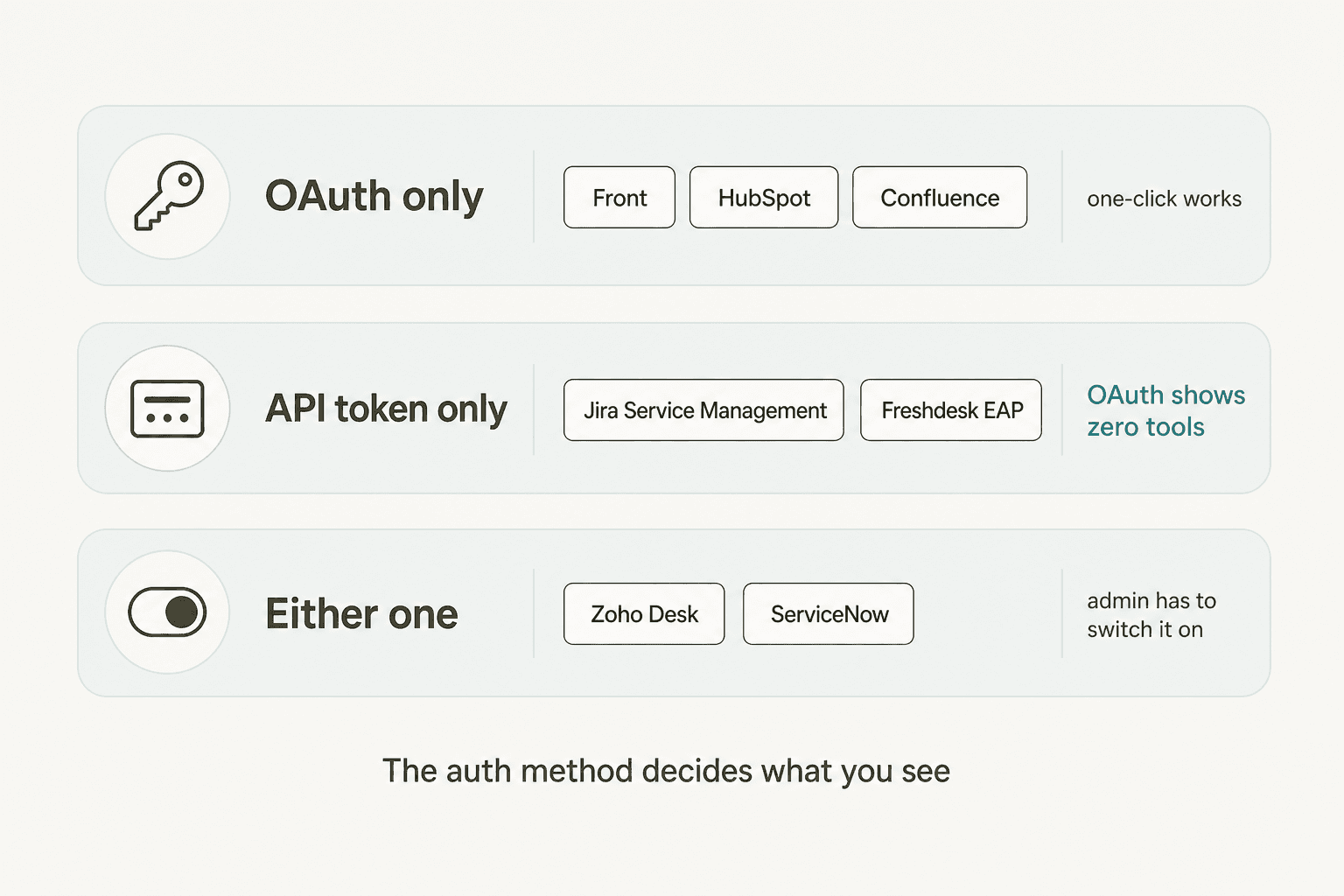
Jira Service Management is the sharpest example. Atlassian's Rovo server exposes around 46 tools across 13 permission groups, and the JSM group holds four of them. All four are API-token-only, and an org admin has to switch API-token auth on first. Connect through the default OAuth flow that claude.ai and ChatGPT use and you get a healthy connector with exactly zero JSM tools inside it. Confluence is the inverse, where OAuth is fine, which is why Claude for Confluence sets up in a couple of minutes and JSM does not.
The other three worth knowing:
- Salesforce refuses legacy Connected Apps. You need an External Client App, and the consumer key from it. There is a dedicated
mcp_apiscope that grants MCP access without opening the REST APIs, which is the sane thing to use. - HubSpot has no personal-token path at all. The npm-plus-token beta from 2025 is dead, so OAuth 2.1 with PKCE is the only way in.
- Freshdesk's article documents API-key auth only. Its Freshservice sibling adds OAuth, but do not assume the two behave the same.
There is also a first call you cannot skip on Atlassian: getAccessibleAtlassianResources supplies the cloud ID everything else needs, so a session that never runs it fails in ways that look unrelated.
What each route can actually do to a ticket
Now the part I would want to know before spending a day on any of this. Connected, authorised, tools listed. What happens when you ask Claude to answer a customer?
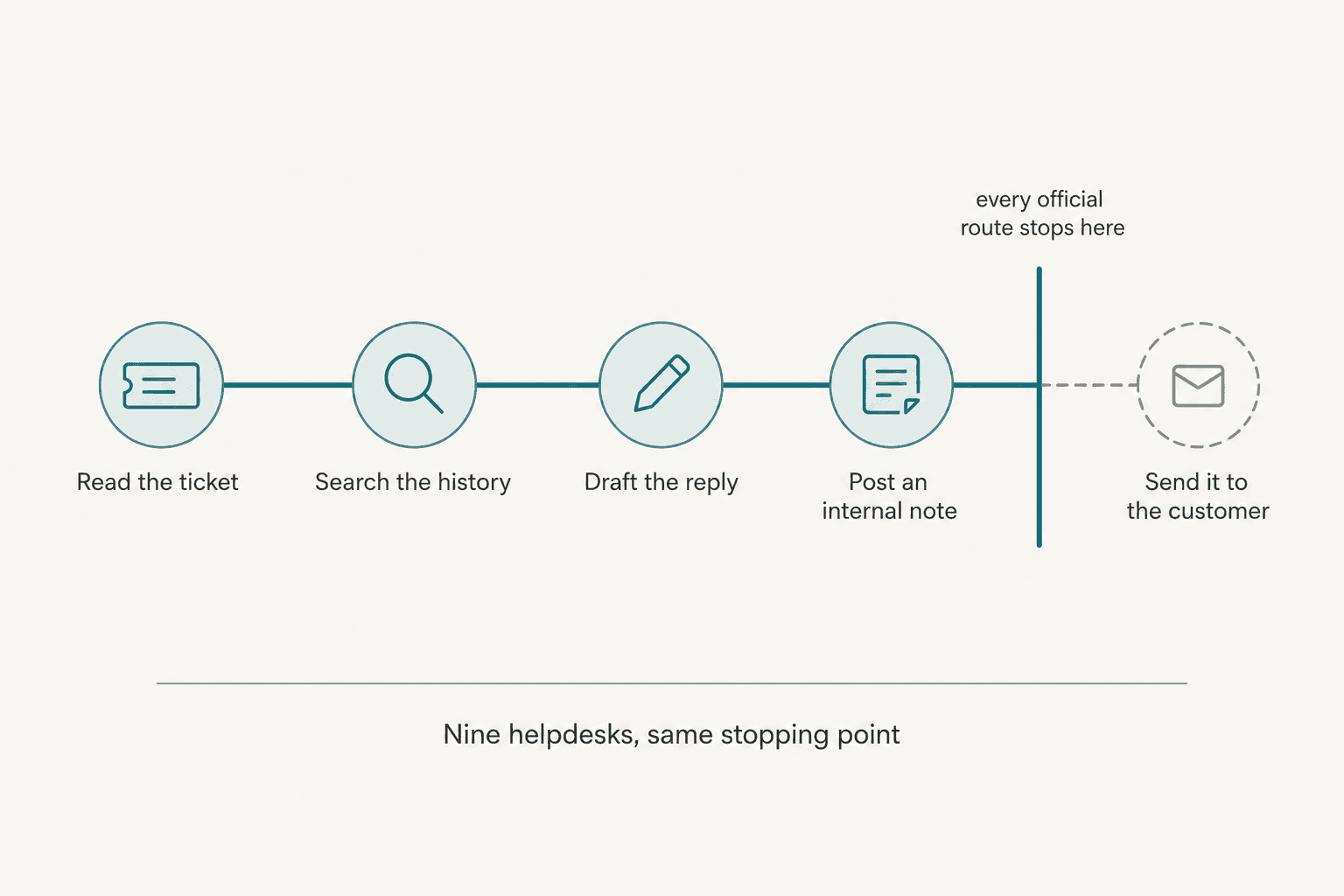
Nine tools, nine independent product decisions, and the same stopping point:
| Helpdesk | Furthest the route reaches | The gap |
|---|---|---|
| Zendesk | Summarise, classify, generate text | No action sends a public reply |
| Freshdesk | Read and act through the EAP server | Freddy owns the customer channel, on Azure OpenAI |
| JSM | Comment on a work item | The comment tool has no customer-visibility flag |
| Zoho Desk | Whatever tools you added | Zia takes an OpenAI or DeepSeek key, not Anthropic |
| Front | Create a draft, then send with confirmation | Sending is marked destructive by design |
| HubSpot | Create and update tickets | Conversations are read-only through MCP |
| Gorgias | Operate the account | AI Agent, not MCP, is what replies to customers |
| Salesforce | Full CRUD on the Case object | No send tool in the hosted catalogue |
| ServiceNow | Look up and summarise records | The Quickstart server has no write tool at all |
That column on the right is not a list of bugs. In most cases the helpdesk already sells a customer-facing AI product of its own, and the connector is deliberately not it. Zendesk AI and Zoho's Zia own that channel on their platforms.
The same split holds on the CRMs, where HubSpot's Breeze and Agentforce are the products with a licence to talk to your customer.
I want to be fair about this, because it is not an oversight. Front's design is the clearest statement of intent: send_message is a separate tool from create_draft, it requires a draft ID, and it carries a destructive hint so the client asks before every send. That is a deliberate, well-reasoned choice, and if you are handing an assistant to twenty agents it is the right one. Gorgias says the same thing in plain words in its own FAQ, splitting AI Agent, which replies to customers, from MCP, which operates the account.
Expectations do collide with this, and you can watch it happen. One r/Zoho poster who wired up Zoho MCP through Claude Desktop reported being "underwhelmed with the results", which reads to me less like a broken connection and more like someone who expected the connection to be the product.
The one crack in the wall is HubSpot, and it is worth naming precisely. MCP conversations are read-only, but the raw Conversations API will post a customer-facing message when you set the type field to MESSAGE rather than COMMENT. There is no send-only scope, so that single field is the entire safety boundary between an internal note and an email your customer receives. Build on it if you like, but build carefully.
What it costs to run
The connection is rarely the expensive part. Here is where the money actually goes.
| What you pay for | Rate | Notes |
|---|---|---|
| Claude Sonnet 5 tokens | $2 in / $10 per million out | The sensible default for support work |
| Claude Opus 5 tokens | $5 in / $25 per million out | Worth it for genuinely hard reasoning |
| Zendesk's connector models | Sonnet 4.6 at $3 in / $15 out | Legacy rates on a model you cannot swap |
| Front, Gorgias, Atlassian MCP | $0 | No per-action charge at all |
| Freshdesk actions, from 1 Sept | $15 per 1,000 past allowance | 100 / 500 / 1,000 included by plan |
| ServiceNow MCP calls | Usual assists, plus one | 100% overhead on a one-assist summarisation |
The Zendesk row is the one that catches people. Its connector offers Opus 4.6, Sonnet 4.6 and Haiku 4.5, all a generation behind, and Sonnet 4.6 sits in the legacy block on Anthropic's price card at $3 per million input against Sonnet 5's $2. You pay 50% more per input token for the older model, and the connector gives you no way to pick the newer one. Our Claude Opus 5 pricing and Sonnet 5 pricing breakdowns have the full current card.
Worth reading the helpdesk's own bill next to that, because it dwarfs the tokens on every one of the nine. Front's seats run to $105, and the ladders in our Zendesk pricing and Front pricing posts make the point faster than I can here.
For scale, a grounded support reply on Sonnet 5 lands around a cent and a half in tokens. That number is small, which is exactly why the token cost is the wrong thing to optimise. The build around it is where the time and money go.
Where this approach runs out
If you are connecting Claude so that a human on your team can work faster, stop here. You are done, it works, and on Front or Gorgias it cost you nothing.
If you are connecting Claude so that tickets get answered without a human, the connection is maybe five percent of the job. The rest, in the order it usually bites:
- Retrieval over your own history. None of these servers give Claude your past tickets or your internal knowledge base as a searchable corpus. HubSpot's tools sit on the CRM search API with no vector search at all.
- A decision about when not to answer. Confidence thresholds, escalation rules, business hours, and the tickets that should never be handed to customer service automation.
- The send path. As above, on eight of nine you are writing it.
- A way to test before it touches a customer. This is the one I care most about, because I have watched a confident-sounding bot give wrong answers with total fluency. It is why every rollout we do at eesel gets simulated against historical tickets first, before a single live reply goes out.
- Reporting that survives a QBR. What it handled, what it escalated, and what it got wrong.
That list is not an argument against connecting Claude. It is an argument for being clear about which of the two jobs you are doing, because they are not the same project.
Try eesel for the step the connector cannot take
eesel is what I work on, and it exists for exactly the gap above. It connects to the same helpdesks these connectors do, then trains on your past tickets, help centre and macros so its answers sound like your team rather than your marketing site. The AI agent handles the whole loop, including the reply that actually reaches the customer.

The part I would push you toward first is the simulation. Before anything goes live, you run the agent over your own historical tickets and see what it would have said, ticket by ticket, with the resolution rate it would have hit. That is the answer to the "confident and wrong" problem, and it is the one thing no MCP connection can give you.

Pricing is $0.40 per ticket or chat handled, billed on the conversation rather than per reply, with $50 of free usage to start and no per-seat fee. Set a monthly spend cap if you want a hard ceiling. If you would rather see it against your own queue than read another comparison, book a demo and bring a month of tickets.
Frequently Asked Questions
How do I connect Claude to my helpdesk without writing code?
Which helpdesks are in Anthropic's connector directory?
Can Claude reply to customers directly once it is connected to my helpdesk?
Why does my helpdesk connector show zero tools after I connect it?
How much does it cost to connect Claude to a helpdesk?


Article by
Alicia Kirana Utomo
Kira is a writer at eesel AI with a Computer Science background and over a year of hands-on experience evaluating AI-powered customer service tools. She focuses on breaking down how helpdesk platforms and AI agents actually work so that support teams can make better buying decisions.