

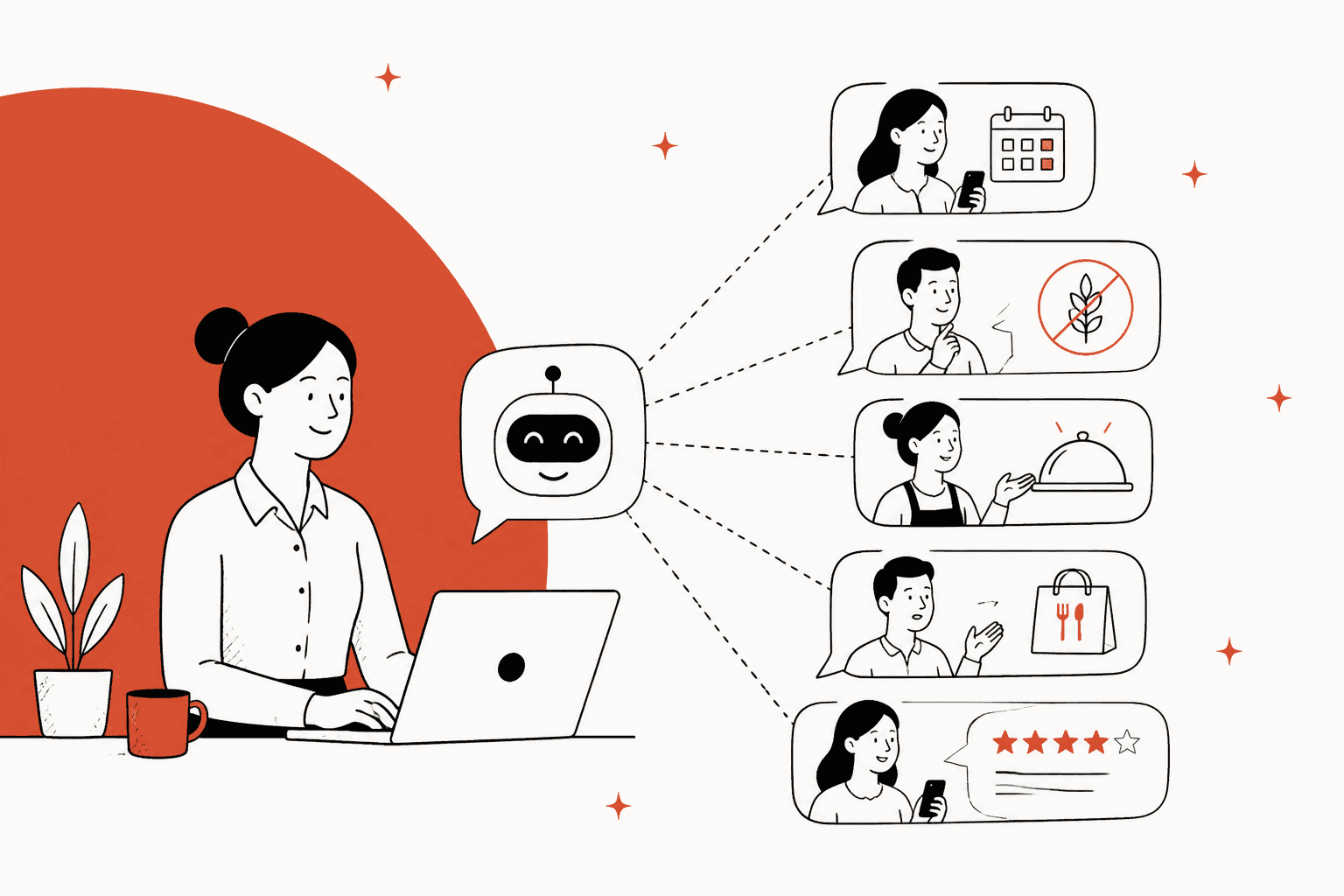
AI can take most of a restaurant group's guest inbox: hours, parking, dress code, gift cards, and the first draft of every reservation change, catering inquiry, delivery complaint and review reply. Two things stay with people: confirming anything about allergies, and giving money back. The AI's job there is to collect the details and hand over a ready-to-act ticket, not to make the call.
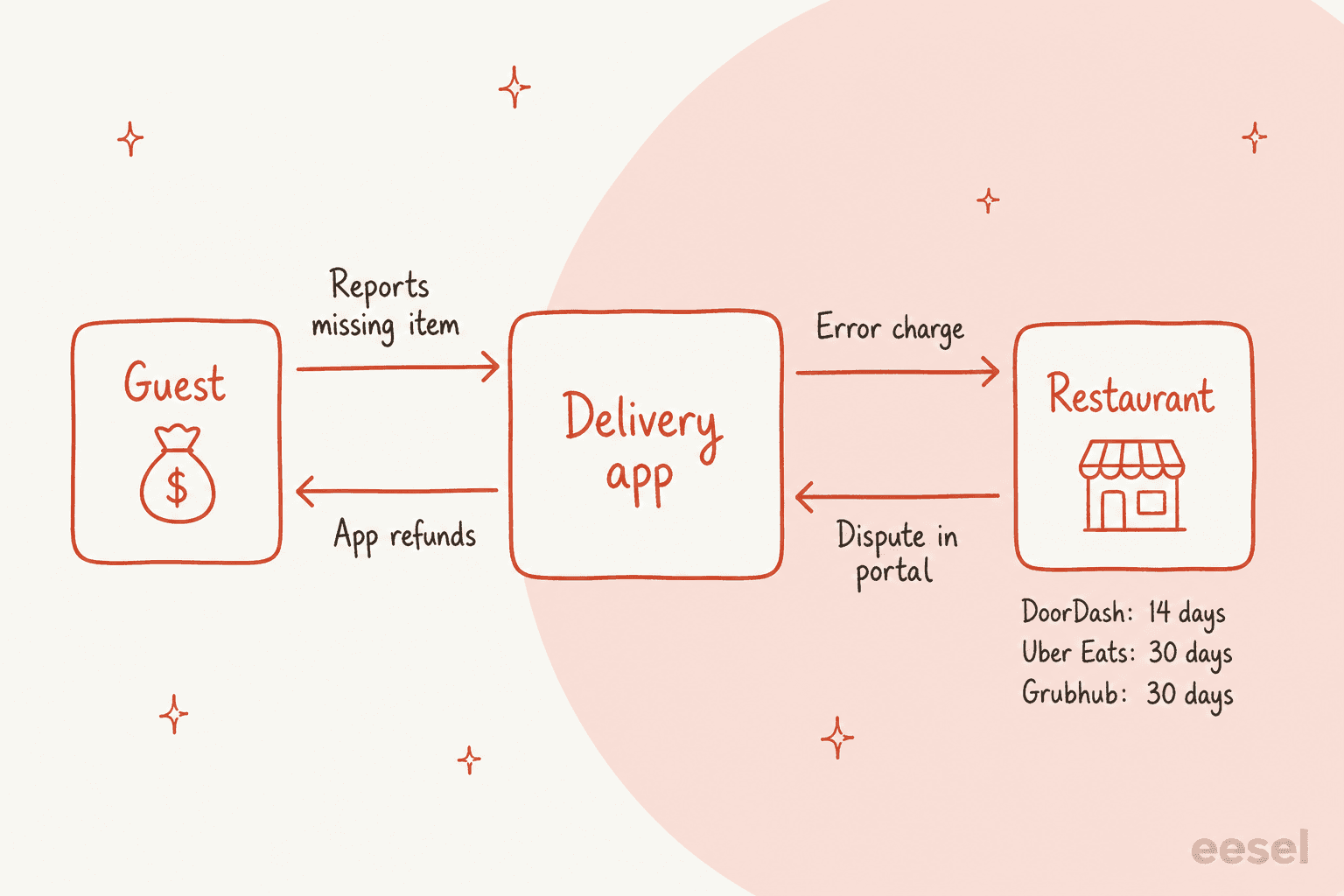
The rule that saves you the most grief is about delivery apps. On DoorDash, Uber Eats and Grubhub, the app refunds the guest, not you, and then may charge your payout. DoorDash says outright that merchants can't refund Marketplace orders. So the right AI reply to "my fries were missing" points the guest to the app and flags the order so a manager can dispute the charge in time: 14 days on DoorDash, 30 days on Uber Eats and Grubhub.
If your guest messages land in Zendesk or Gorgias, eesel works as an AI helpdesk teammate that answers from each location's own policies and drafts the rest for your team to approve. Cactus Club Cafe, the Vancouver restaurant group, runs it on its Zendesk tech desk: 750 tickets in a month, 790 drafts for the team against 51 sent directly.
Can AI handle restaurant customer service?
Yes, and a restaurant group's inbox is a better fit than most. The questions repeat ("are you open on Boxing Day?", "can I bring a cake?", "do you have high chairs?"), the answers are written down somewhere, and the volume spikes at exactly the moments your managers are busiest: Friday at 6pm, the week before Valentine's, the morning after a 200-cover Saturday.
I'm on eesel's support team and I work the support queue every day, so I've seen what goes wrong when an AI answers too confidently. The restaurant version of that is easy to picture: a bot that tells a guest the pesto is nut-free because the menu description didn't mention nuts. That's why this guide is organised around permission, not features. Some messages the AI can close on its own. Some it should only draft. A few it should never answer alone.
eesel's restaurant customers tend to want the same thing. Cactus Club Cafe's tech support manager wanted an agent that follows the team's written runbooks exactly, with no improvised troubleshooting, and its Zendesk agent reads the emergency policy before it does anything else. That's an IT desk rather than a guest inbox, but the shape carries over: gates first, documents second, drafts by default. And when a large food-delivery marketplace came to eesel, the first thing it asked for was two separate knowledge bases inside one Zendesk help center, one for customers and one for restaurants. Restaurant support always has more than one audience, and the AI has to know which one it's talking to.
Which guest messages can AI answer, and which should it only draft?
Sort every message type into one of three lanes before you switch anything on. The lane decides what the AI is allowed to do, not how smart it is.
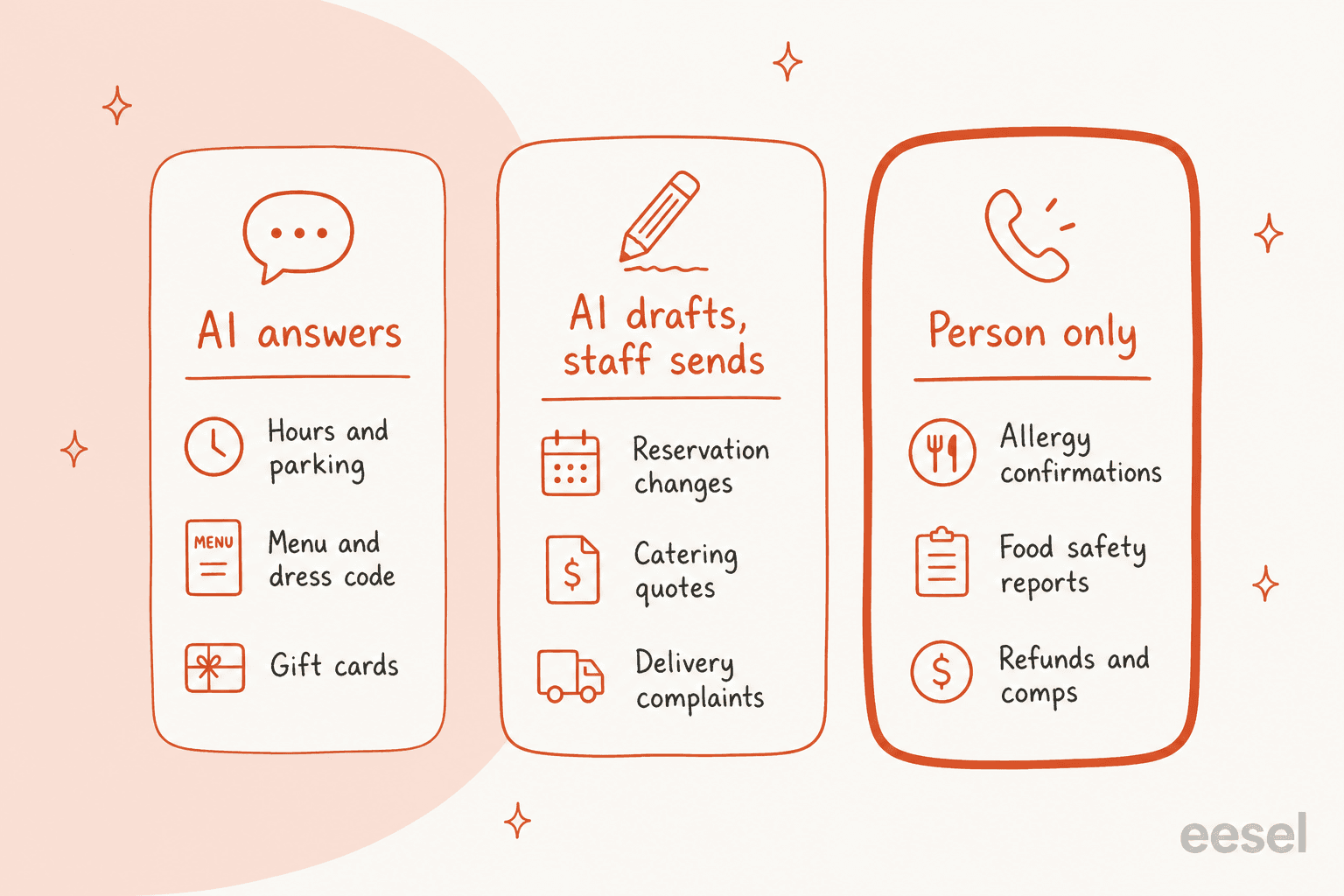
- AI answers. Questions with one right answer per location: hours, holiday closures, parking, dress code, corkage, high chairs, gift card balances, how to book. This is classic FAQ deflection, and it's often the biggest lane by volume.
- AI drafts, staff sends. Anything that touches a booking, a quote, a delivery order or a public review. The AI does the reading and writing, a person clicks send. Most helpdesks call this a copilot or draft mode.
- Person only. Allergy confirmations, anything that sounds like food poisoning, refunds, comps, and complaints about a named staff member. The AI acknowledges, collects details and escalates. It doesn't answer.
Pick a message below to see where it lands and what the AI should and shouldn't do with it.
Tap a message to see its lane, what the AI does, what it must never do, and who owns the final step.
If you only take one thing from the sorter: the AI's job in the yellow and red lanes is to make the human's next step take thirty seconds instead of ten minutes. That's still most of the work.
How should AI handle reservation changes?
The reservation system is the truth, not the guest's memory and not the AI's reply. So the rule is simple: AI never tells a guest a change is done until Resy, OpenTable or SevenRooms says it is.
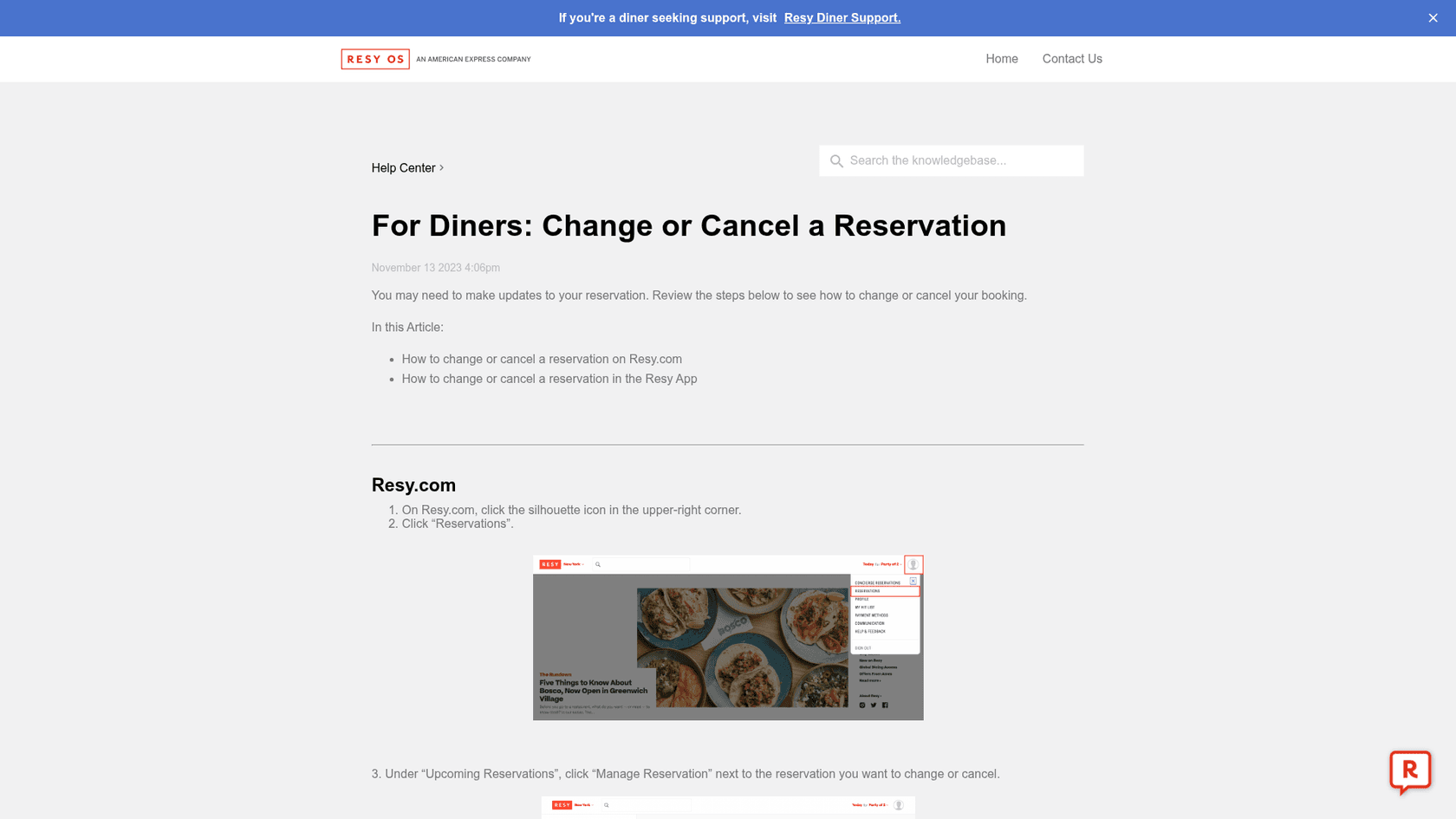
All three platforms already give guests a self-serve path. On Resy, guests go to their profile, open "Upcoming Reservations" and click "Manage Reservation", where they can change or cancel the date, time or party size. SevenRooms recommends confirmation emails with "clear modify/cancel links" for the same reason. Sending that link is the fastest correct answer the AI can give.
Three details from the platforms' own terms shape what the AI should say:
- Fees are a human decision. On Resy, charging a cancellation or no-show fee "is not an automated process", and only staff with the "Charge cancel fee" permission can do it, per Resy's fee charges article. The AI can quote the policy. It shouldn't promise a waiver or threaten a charge.
- The venue decides no-shows. SevenRooms' terms say the "final determination of a no-show will be made by the Venue at its sole discretion", and default to 30 minutes' notice when a venue has no policy of its own.
- Don't let the AI drive OpenTable. OpenTable's terms of use prohibit using "automated assistants" to access its services unless OpenTable authorizes it. Send the guest OpenTable's own manage link, or hand the ticket to the host stand.
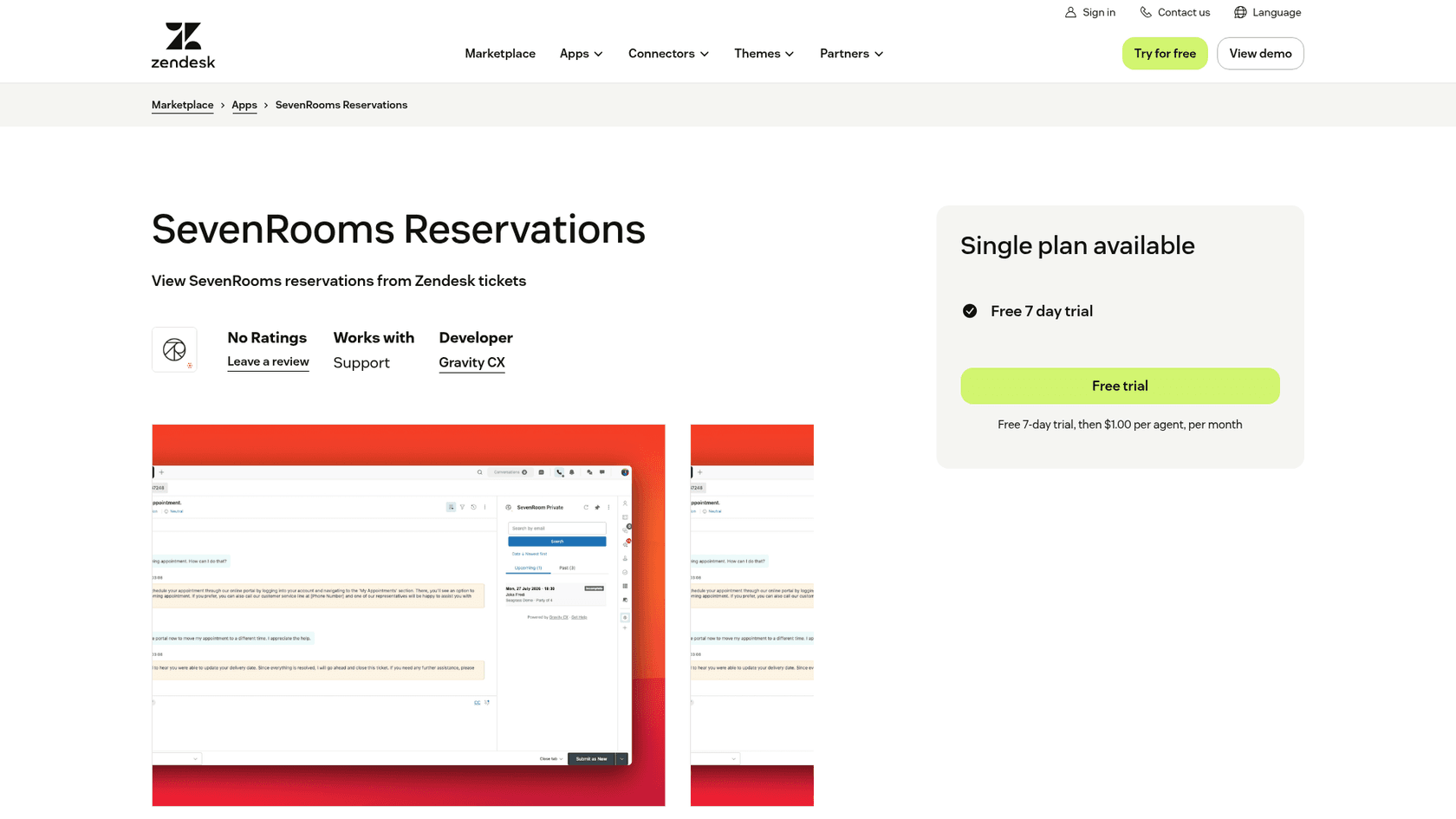
If you run Zendesk with SevenRooms, there's one useful bridge. The SevenRooms Reservations app shows a guest's upcoming and past bookings in the ticket sidebar, looked up by email. It's built by Gravity CX rather than SevenRooms, it's read-only (it "does not create, edit, or cancel any data in SevenRooms"), and it costs $1.00 per agent per month after a 7-day trial. Read-only is exactly what you want here: whoever answers sees the booking, and the change still happens in SevenRooms.
I didn't find a comparable OpenTable or Toast app in the Zendesk or Gorgias marketplaces, so for those, the AI works from the confirmation email in the thread and the manage link. If you want a deeper look at booking-heavy support, AI customer service for hospitality covers hotels and venues with the same problem.
Can AI answer allergy questions safely?
It can handle the message. It can't give the answer. An AI that says "yes, that's nut-free" is guessing about your kitchen, and no menu description or recipe file tells it whether the fryer oil is shared tonight.
The rules on both sides of the Atlantic point the same way. In the US, the FDA lists nine major allergens (milk, eggs, fish, crustacean shellfish, tree nuts, peanuts, wheat, soybeans and sesame) and warns that "any allergic reaction has potential to lead to anaphylaxis." The 2022 FDA Food Code added a duty to tell guests about major allergens in unpackaged food "by written notification", such as menu notes, table tents or placards (summary of changes). The Food Code is a model, though, not federal law: as of December 31, 2025, 18 state agencies in 14 states had adopted the 2022 edition, covering 25.60% of the US population, per FDA's adoption tracker.
In the UK, restaurants must give allergen information for all 14 regulated allergens, and the FSA's best practice guidance says accuracy "is a legal requirement." The line that matters most for an inbox is about pre-orders: allergen information "should also be discussed with individuals on the day, before the food is served. It may not be sufficient to rely only on information supplied in advance." An email thread from three weeks ago is information supplied in advance.
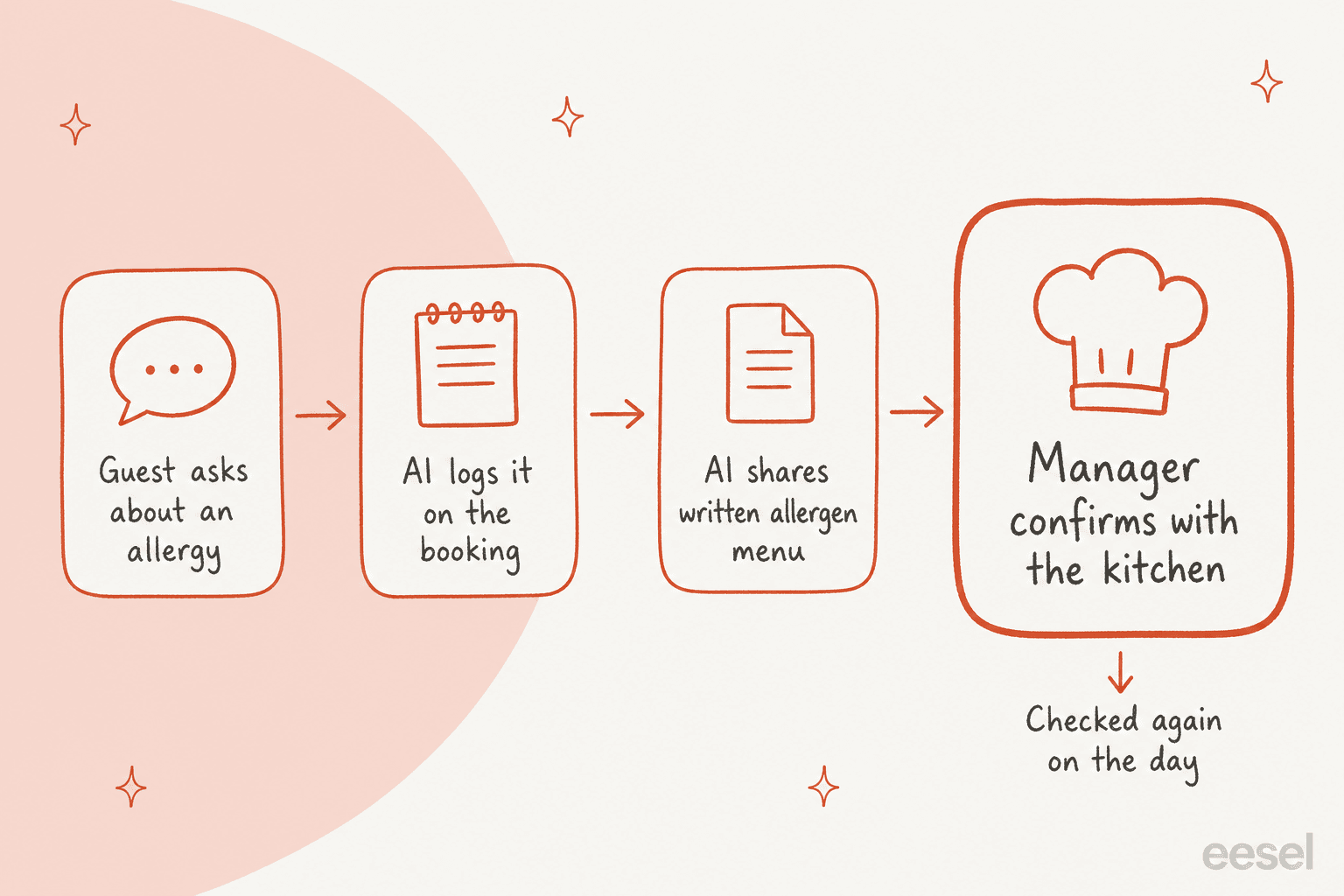
So here's the pattern I'd set up:
- Acknowledge fast. A guest with a serious allergy is deciding whether to book. A same-minute "thanks, we take this seriously" keeps them.
- Write it onto the booking. The allergy note belongs in the reservation system where the floor team will see it, not only in the email thread.
- Share the written allergen menu for that location. Quote it, link it, don't paraphrase it. This is the "written notification" both regimes lean on.
- Hand off to a named person. "Our general manager, Sam, will confirm with the kitchen before your visit." Then the AI stops.
Guests can tell when nobody read their message, and allergy questions are where they mind most. Kai Xiang Teo shared the reply his partner got after emailing a hotel restaurant about his "deadly food allergy":
"People are constantly talking about how AI and ChatGPT are going to change the world for the better, but the lived reality seems to be that AI is becoming the go-to tool for demonstrating that you just don't care..."

The fix isn't to keep AI away from allergy emails. It's to make the AI's part obviously human-backed: a fast acknowledgement, the right document, and a real person's name. The AI hallucination prevention guide has more on blocking an AI from improvising when it should hand off.
How should AI handle catering and private event inquiries?
Treat them as leads, not tickets. A catering email is often the most valuable message in the inbox that day, and the guest is usually emailing three other venues at the same time. Whoever comes back first with a real answer tends to win.
AI is good at the slow part, which is getting from "we're thinking about a party in spring" to a quote someone can approve. A solid setup:
- Collect what the events team always asks for. Location, date and time, headcount, budget, occasion, dietary needs, whether they want a private room or a buyout. If any are missing, the AI's first reply asks for them in one go instead of over four emails.
- Answer from the events pack. Menus, minimum spends, deposit terms and room capacities are written down. The AI can quote them per location.
- Draft the quote, don't send it. The events manager checks the calendar and the kitchen's capacity, then sends. The AI never says a date is held.
- Route by location and size. A 12-person birthday and a 150-person corporate buyout shouldn't land in the same queue.
This is the same work as AI lead qualification on a sales inbox. The difference is that dietary needs collected here feed straight into the allergy lane above, so the events manager should see them flagged, not buried in paragraph three.
Who refunds a DoorDash or Uber Eats order, the restaurant or the app?
The app does. On all three big US marketplaces, the platform refunds the guest and then decides whether to charge you. That one fact changes how your AI should answer every "my order was wrong" message that arrives by email or DM.
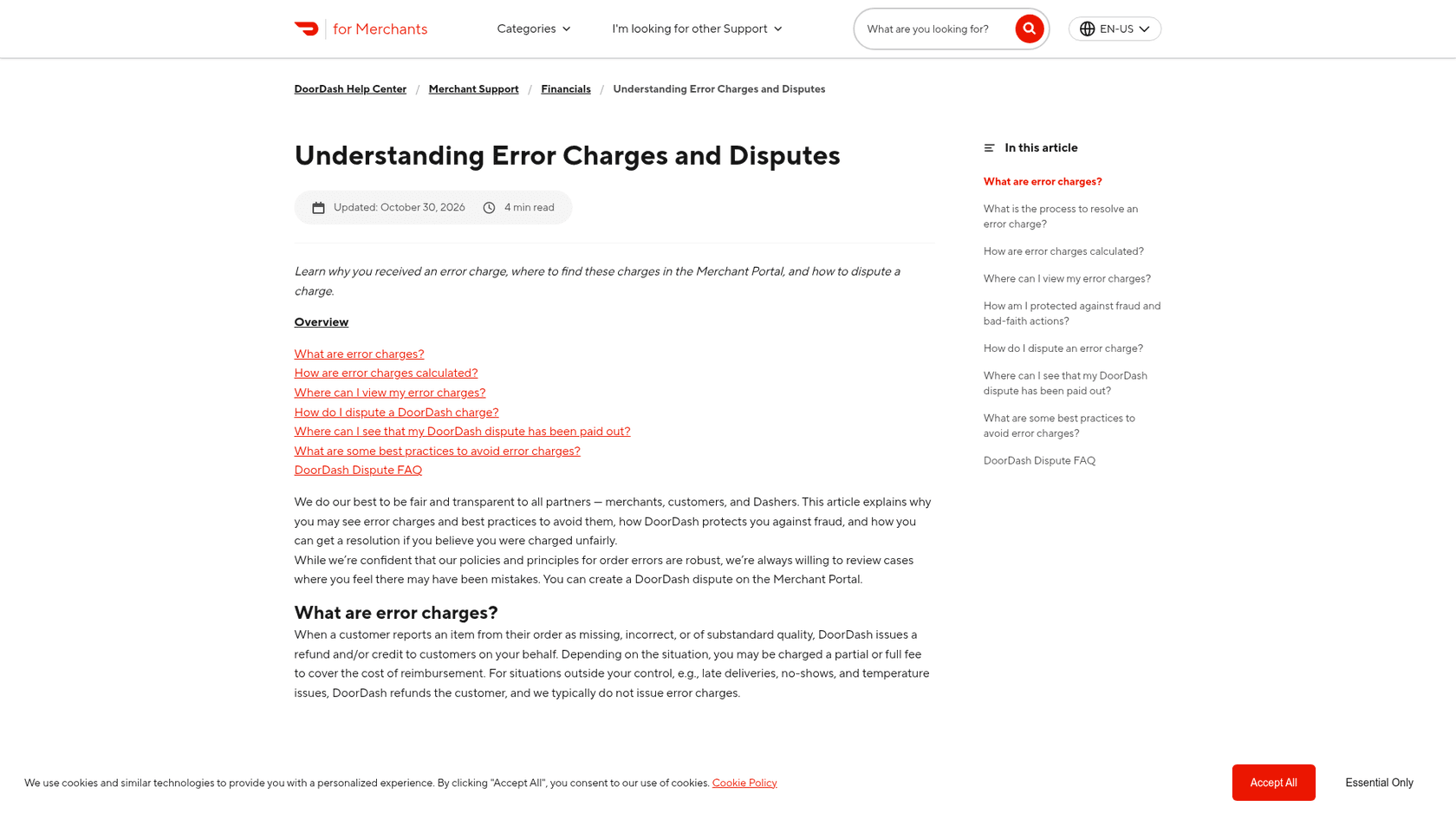
DoorDash puts it plainly: when a customer reports a missing, incorrect or substandard item, "DoorDash issues a refund and/or credit to customers on your behalf", and the restaurant "may be charged a partial or full fee", typically 25% to 100% of the item price plus tax (error charges and disputes). Its merchant refund page adds that merchants can't refund "any Marketplace orders", only orders from the restaurant's own DoorDash Online Ordering storefront.
Here's how the three compare, from each platform's own merchant help pages:
| DoorDash | Uber Eats | Grubhub | |
|---|---|---|---|
| Who refunds the guest | DoorDash | Uber | Grubhub |
| What the restaurant can be charged | 25% to 100% of item price + tax | Part or all of the item cost + tax | An adjustment, only when "within your control" |
| Late reports the platform absorbs | 72 hours or more after delivery | More than 96 hours after the order | Not stated |
| Dispute window | 14 days from delivery | 30 days from order date | 30 days |
| Turnaround, in the platform's words | "within a few hours" | "about an hour" | "about 24 hours" |
| Automated or third-party disputes | Against Portal terms | Not allowed | Not stated |
Sources: DoorDash, Uber Eats, Grubhub.
Guests don't know any of this, and they're understandably annoyed when a restaurant bounces them. One DoorDash customer described the reply they got after using a restaurant's own customer service form about a wrong order:
"got an email back WEEKS later that "oh sorry, you picked the "I use doordash" option? Your complaint is null, take it up with them, they're wrong" basically."

The policy in that reply was right. The delivery was the problem: weeks late and cold. A Dasher in the same thread explained the logic better than most restaurants do:
"Because doordash is acting as the point of sale. ... Since doordash is the ones that took your money, they are the ones to talk to about refunds/replacement."
That's the reply your AI should draft, in your voice and within minutes (and once you trust it, send): sorry, here's exactly where to tap in the app to get your refund (on DoorDash, Orders, then Help, then "Missing or incorrect items"), and we've passed this to the kitchen. Then it tags the ticket with the platform, order ID and location so a manager can check the error charge and dispute it before the window closes.
Two lines the AI must not cross. It shouldn't promise a refund from the restaurant on a Marketplace order, because you can't issue one. And it shouldn't file the dispute itself: Uber says third-party services "aren't authorized to request refunds or resolve order issues for you", and DoorDash says using third parties to submit error charge disputes goes against its Portal terms. Disputes need a manager with admin access. For orders through your own website, where you do own the refund, the usual refund approval matrix applies, and AI for refund requests covers drafting those for approval.
Should AI reply to Google reviews and Instagram DMs?
It should draft them. A person should post the public ones. Reviews and DMs feel like the same job, but they work under different rules.
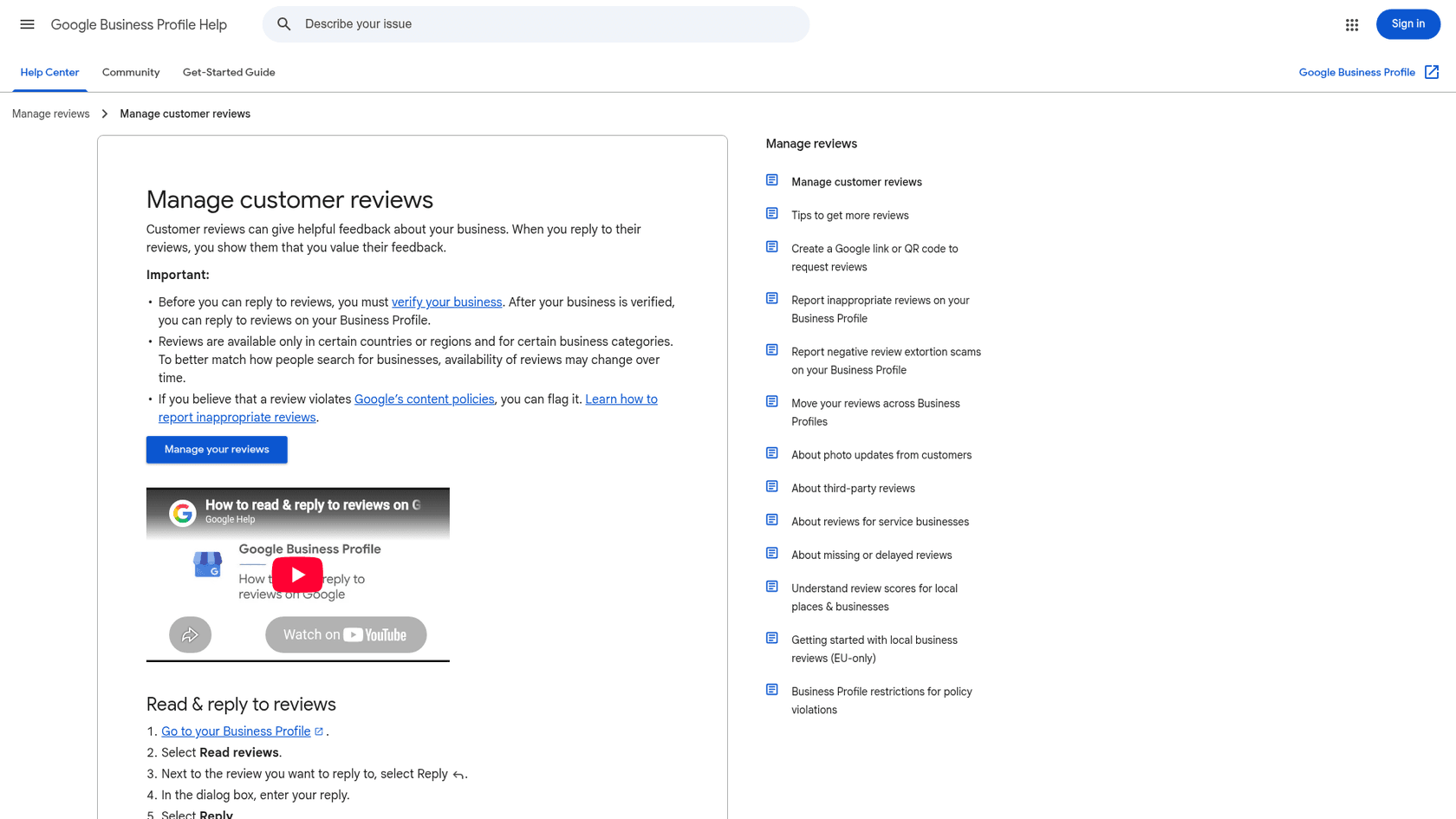
Google reviews are public, screened, and permanent-ish. An approved reply "will be publicly posted under the customer's review" as the business, the reviewer gets notified, and Google screens replies before they appear, sometimes for up to 30 days (manage customer reviews). Google's own reply tips argue against template replies: "Instead of sending the same 'thank you' to everyone, focus on reviews where you can share a helpful update or answer a question" (review reply tips). And Google's content policy bans offering "discounts, free goods and/or services" in exchange for a review or for removing a negative one (Maps content policy). An AI that writes "we'd love to make it right with a free dessert if you update your review" is breaking that rule in public.
What AI does well here is triage and first drafts: flag the 1-star reviews that mention illness or a staff member for a manager, draft a short personal reply for the 4-star "great food, slow service" ones, and keep the tone consistent across locations. AI sentiment analysis is the piece that does the sorting.
Instagram and Facebook DMs run on a clock. Meta's standard messaging window is 24 hours after the guest's last message, with a separate 7-day window when a human agent replies under the Human Agent tag (Messenger platform policy). Helpdesks enforce this differently:
- In Gorgias, one app brings in Facebook and Instagram DMs, comments and mentions. Its AI Agent can only reply within 24 hours of the guest's last message, while a human agent has 7 days. You can connect as many pages as you like and assign each page to its store.
- In Zendesk, Instagram DMs and story replies become tickets, but comments on posts and reels don't. Teams without Zendesk Suite need the Social Messaging add-on.
If your guests do most of their talking in comments under your posts, that difference matters more than any AI feature. The channel guides for Instagram DMs and Facebook Messenger go deeper on both, and Zendesk's Instagram integration covers the setup.
How do you keep answers right across several locations?
Make the AI work out which location a message is about before it answers anything. The most common wrong answer in a multi-location inbox isn't a made-up fact, it's a true fact about the wrong restaurant. Downtown closes at 11, the airport site at 9. Uptown does corkage, the waterfront patio doesn't.
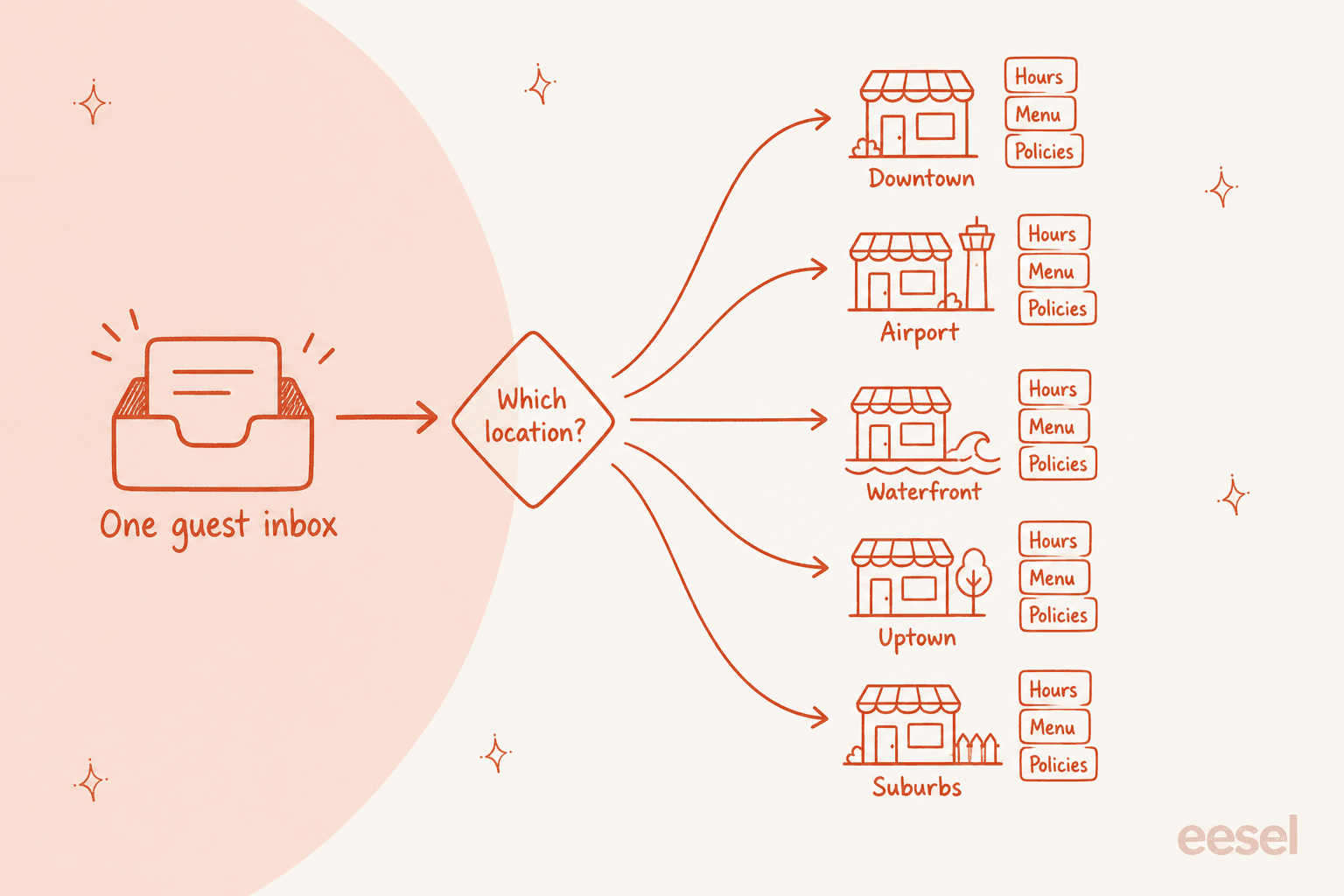
A few ways to make that reliable:
- Tag location on the way in. Separate email addresses per location, a location field on the contact form, the Instagram page the DM came through, or the restaurant named on a delivery order. In Zendesk that can be a brand per location. In Gorgias it's a store per location with its own Facebook page.
- Keep one knowledge set per location. Hours, holiday closures, menus, allergen matrix, event minimums and corkage rules, each tagged to its site. Shared policies (gift cards, loyalty) sit in a group-wide set.
- When the location is unclear, ask. "Which of our restaurants are you booking at?" costs one message. Guessing costs a guest who drives to the wrong address.
Nordbutiker, a Nordic e-bike retailer, solved the same problem for brands and countries: it runs a separate eesel bot per brand and per country on Zendesk, and each bot learns from the solved tickets for its own Zendesk brand, so answers reflect what that store's own agents said. Swap "brand" for "location" and it's the restaurant group setup. The multi-brand support guide walks through the general pattern.
Which tools does a restaurant group need for AI guest services?
Two layers: a helpdesk where every guest message becomes a ticket with an owner, and an AI that works those tickets. Your reservation platform and delivery tablets stay where they are; they're data sources, not inboxes. Here's what the main options cost, from each vendor's own pages on November 1, 2026:
| Tool | What it is | Price (vendor's page) | Restaurant-relevant detail |
|---|---|---|---|
| Zendesk | Helpdesk with AI agents | Suite Team $55, Professional $115 per agent/mo (annual); AI agents $1.50 per automated resolution committed, $2.00 pay-as-you-go | Brands per location; Instagram DMs as tickets; SevenRooms sidebar app |
| Gorgias | Ecommerce-first helpdesk with AI Agent | Helpdesk from $10/mo (50 tickets) to $900/mo (5,000 tickets), monthly; AI Agent $1.50 per automated interaction past the included amount | Priced by tickets, not seats; Facebook and Instagram DMs and comments in one app |
| Freshdesk | Helpdesk with Freddy AI | Growth $19, Pro $55, Enterprise $89 per agent/mo (annual); 500 AI sessions included, then $49 per 100 | Lowest per-seat price; no restaurant-specific app found |
| SevenRooms Reservations app | Zendesk sidebar app by Gravity CX | $1.00 per agent/mo after a 7-day trial | Read-only booking lookup by guest email |
| eesel | AI helpdesk teammate on top of your helpdesk | From $299/mo for 500 credits (a ticket or chat is 1 credit); unlimited seats | Answers per location, drafts the rest for approval |
A rough rule from those numbers: Gorgias suits a group with a few managers sharing the inbox, because it never charges per agent. Zendesk suits groups that want brands per location and the SevenRooms sidebar. Prices move often, so check the current numbers in Zendesk pricing, Gorgias AI pricing and Freshdesk pricing before you commit.
Where eesel fits. eesel isn't a reservation system or a helpdesk, and it doesn't replace either. It's an AI teammate that joins the helpdesk you already run (Zendesk, Gorgias, Freshdesk and others) and works the guest queue: answering the green-lane questions from each location's documents, drafting the yellow-lane replies for a manager to approve, and handing the red lane over with the details already collected. You can run it against your past tickets before it replies to a single guest, which is how I'd test the allergy and delivery rules above. The AI for Zendesk and AI for Gorgias guides show the setup on each.
The closest proof I can point to is Cactus Club Cafe's tech desk. Its Zendesk agent reads the full ticket, opens the emergency policy and routing matrix first, and only then drafts a fix from the matching runbook, word for word. Between 8 August and 8 September 2026 it handled about 750 tickets, wrote 790 drafts for the team and sent 51 directly. That ratio is the point: most of the value came from drafts a person approved, which is exactly how a guest inbox should start.
How do you roll out AI in a restaurant guest inbox?
Plan on about a month, and most of it isn't the AI.
- Pull three months of guest messages. Sort them into the three lanes and the five message types above. Most groups find a few question types (hours, bookings, delivery) make up most of the volume.
- Write down what the AI will read. Per-location hours and holiday closures, menus, the allergen matrix, event packs, corkage and cake policies, and a short "how to handle delivery app complaints" note. If it isn't written, the AI shouldn't say it. A good AI knowledge base is the slow, valuable part.
- Tag every message to a location on the way in. Email addresses, form fields, social pages. Test it with a message that names no location and check the AI asks.
- Set the red lane as hard rules. Allergy confirmations, illness, refunds and comps always go to a person. Write these as escalation rules, not suggestions, and follow handoff best practices so the manager gets the full history.
- Start in draft mode everywhere. Even the green lane, for the first week or two. Read every draft. It's the fastest way to find gaps in your documents. The guide to drafting replies in Zendesk shows what that looks like.
- Test on past tickets. Run the AI against messages your team already answered and compare. AI support simulation testing covers how many tickets per topic you need before trusting the result.
- Pilot one location, then expand. Pick the busiest site, turn on direct answers for the green lane, and keep everything else as drafts. Add locations once a week. The implementation timeline guide has more realistic numbers.
Plan for your peaks too. Valentine's, Mother's Day and December party season can double the booking and catering questions in a fortnight. Norden-Frisia, a German ferry line, scales its eesel plan up for summer and back down for winter, with 10,000 interactions a month planned for high season. Restaurants with a busy patio season can run it the same way, and AI for seasonal support spikes and weekend coverage cover the staffing side.
Try eesel on your restaurant guest inbox
Want an AI that knows your downtown site closes at 11 and your airport site at 9? eesel joins your Zendesk or Gorgias queue as an AI helpdesk teammate, answers hours, booking and policy questions from each location's own documents, drafts catering quotes and delivery replies for your managers to approve, and hands every allergy question to a person with the booking details already attached. You can test it on last month's guest messages before it replies to anyone.

Plans start at $299 a month for 500 tickets or chats, with unlimited seats and 100 free credits to try it first.