I'd rather the AI say nothing than say something wrong
I work on eesel's support team, so I read AI replies for a living, ours and the ones customers forward us from tools they're escaping. The pattern that keeps me up isn't the agent that fumbles and asks a clarifying question. It's the agent that invents a clean, confident, completely wrong answer and sends it before anyone looks.
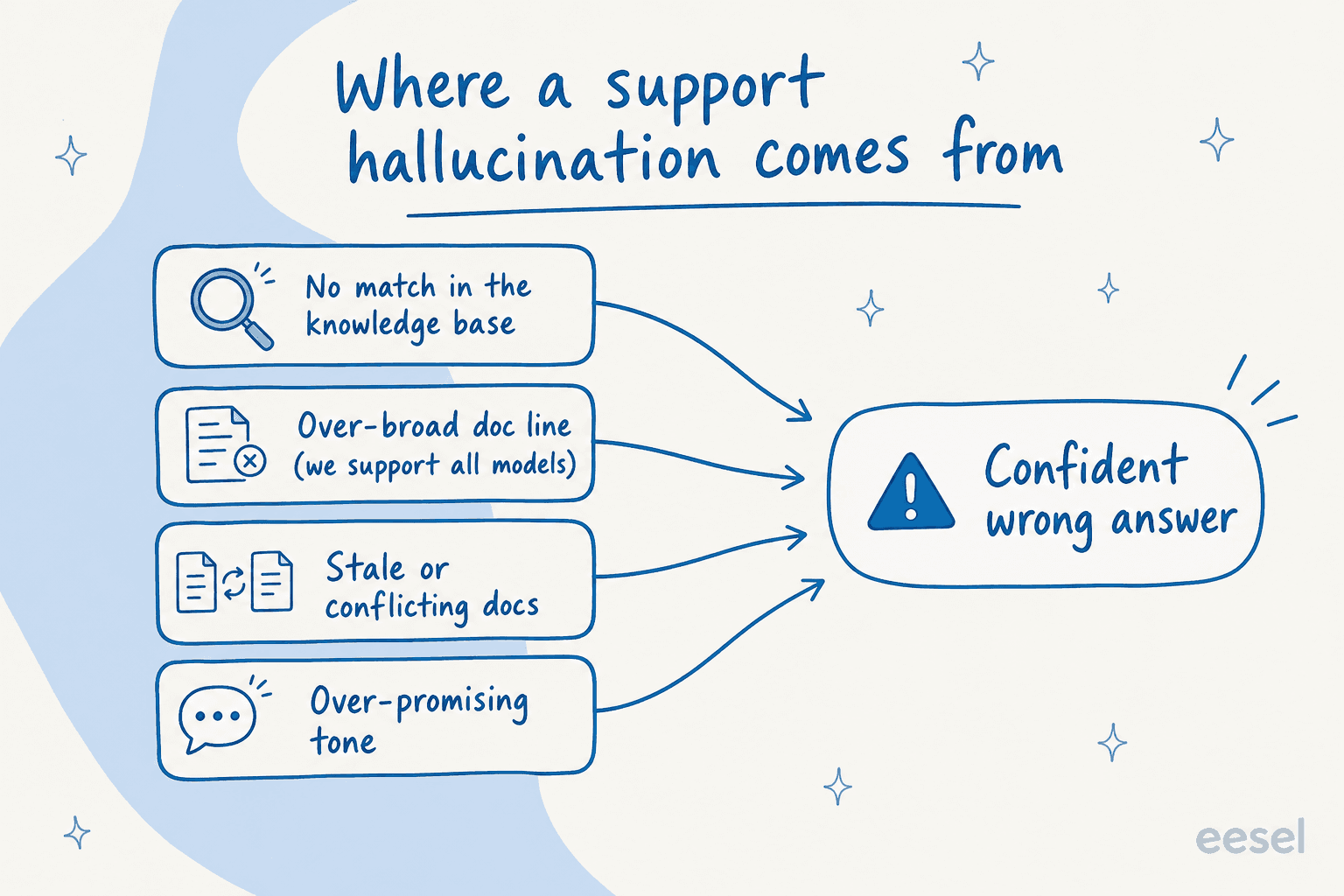
One example has stuck with me. A B2B vehicle-telematics team in Denmark, running Zendesk and scaling from a couple hundred tickets a month toward a couple thousand, told us their bot kept telling customers "yes, we support your car model" for brands that weren't in their database at all. Why? Their knowledge base had a cheerful line saying they "support all models." The AI believed it. It wasn't lying, it was repeating a doc that was written for marketing, not for an autonomous agent answering real questions. Their own summary of the early days: "trial and error."
That's the thing about hallucinations in support: they're rarely the model going rogue. They're the model faithfully repeating a gap in your setup. We've been putting AI agents on live support queues for years now, across thousands of real tickets, and almost every wrong answer I've traced back has a boring, fixable root cause. So let's start there.
Why a support hallucination costs more than a chatbot hallucination
When a general chatbot makes something up, you shrug and re-prompt. When a support agent does it, the customer acts on it. They wait for a delivery date you didn't promise. They follow setup steps for a feature you don't have. In regulated work the stakes get sharper fast, a co-founder of a legal-tech company told us they couldn't afford to get anything wrong, because there's a fine line between being helpful and quietly straying into giving legal advice.
You can see the same fear in public reviews. A Salesforce Business Analyst reviewing an AI support agent on G2 put the data-quality version of it bluntly:
"If your Content Version files (Knowledge Articles) haven't been updated since 2021, the AI agent will confidently give customers outdated information."
Muhammad O., Salesforce Business Analyst, reviewing Agentforce Service on G2

And the ungrounded version, from another reviewer of the same family of tools:
"On top of that, the hallucination is really bad, since we don't train, and it works on a general model, sometimes it just gives information that isn't ours."
Arjun G., Associate Salesforce Consultant, reviewing Salesforce Agentforce on G2
Both reviews land on the same point from opposite ends: an agent is only as truthful as what it's allowed to read and whether it's forced to read it. That's the whole game. Here's how I'd lock it down.
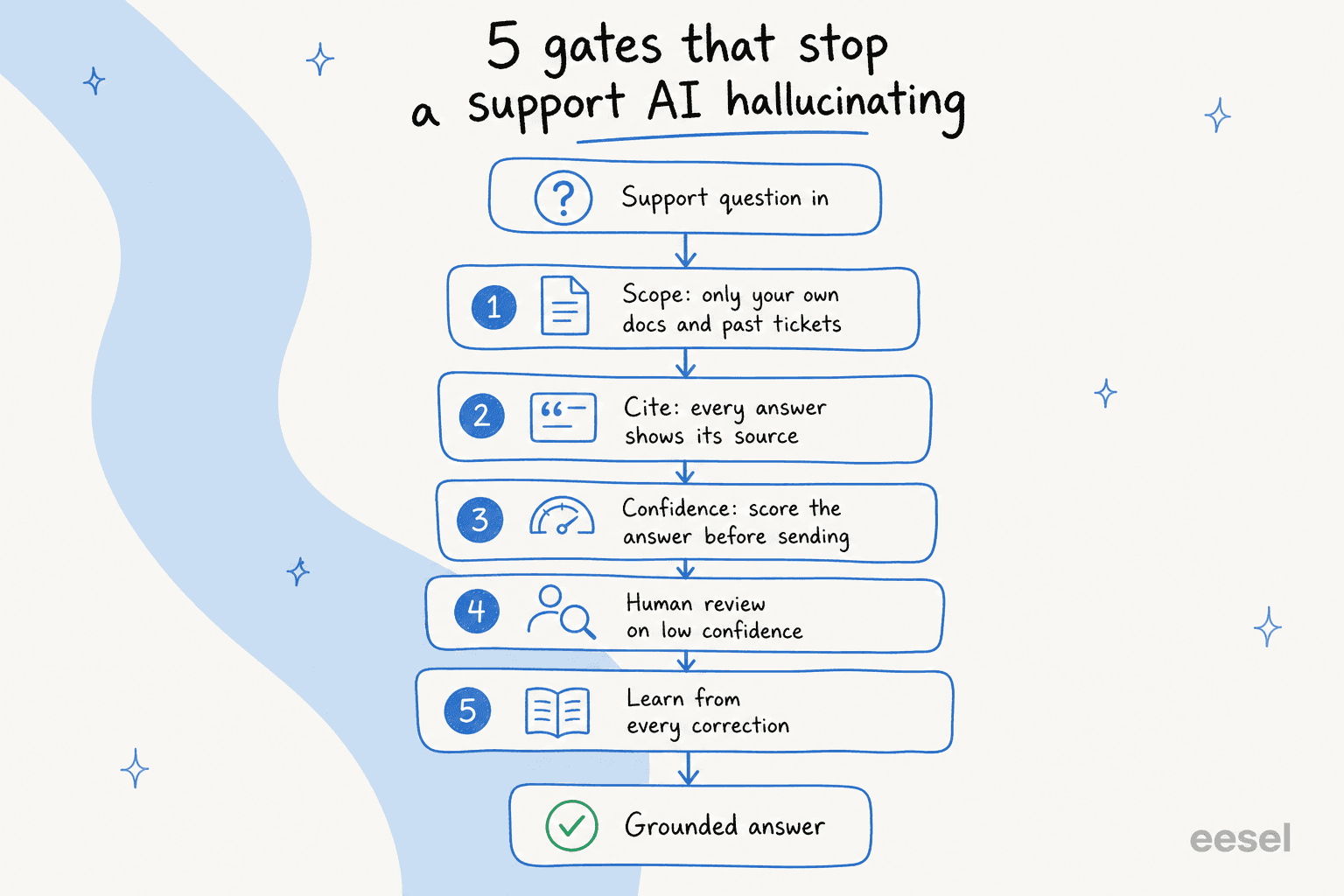
The five gates that stop a support AI hallucinating
Think of it less as one setting and more as a series of gates a question passes through before it ever reaches a customer. Each gate catches a different failure mode, and the ones that survive all five are the answers you can actually trust to send on their own.
Gate 1: scope the knowledge, then scope it again
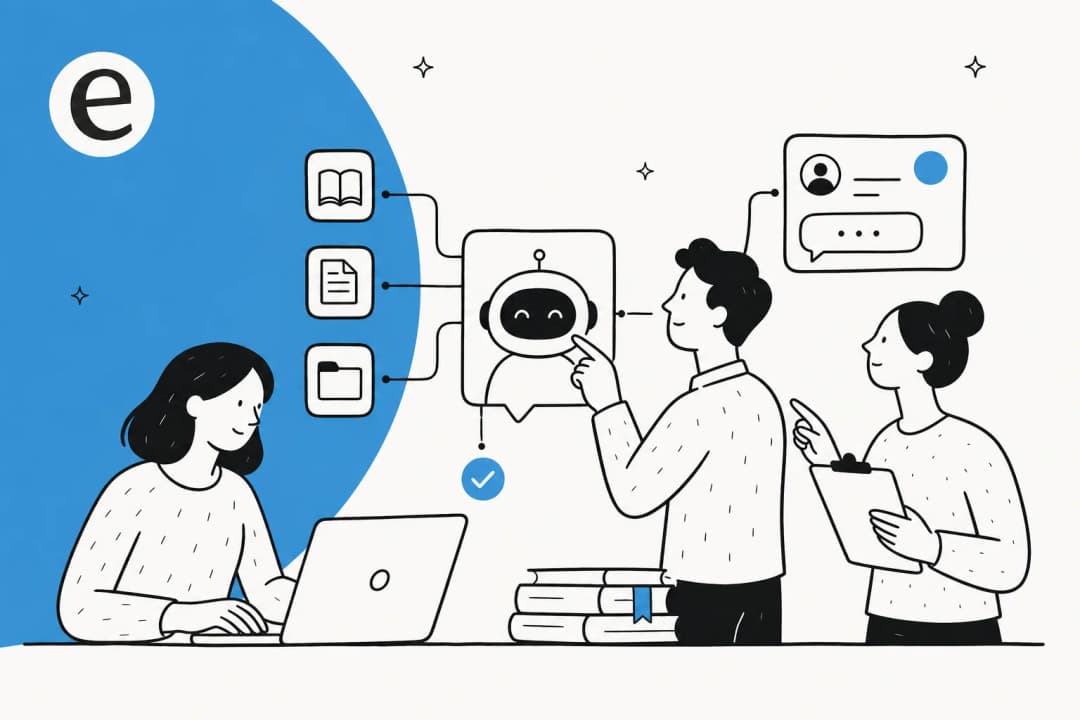
The first and biggest lever is what the agent is allowed to read. A support AI should answer from your own ground truth, your help center, your past resolved tickets, your internal knowledge base, and nothing else. The moment it's allowed to fall back on "general knowledge" to fill a gap, you've handed it permission to guess.
This is also where the boring doc hygiene matters. That "we support all models" line is a hallucination waiting to happen, not because the AI is dumb, but because it's a confident, unqualified statement sitting in a source the agent treats as truth. When you train an AI on your knowledge base, you're not just pointing it at docs, you're auditing whether those docs are safe to repeat verbatim to a stranger.
eesel learns from your past tickets, help docs, and team workflows on day one, so years of resolved conversations become knowledge the agent can lean on instead of inventing. It connects to your existing knowledge sources and helpdesks directly, so the agent is reading the same articles your team already trusts.

If a topic genuinely isn't covered, the right behaviour is to say so or hand off, not to improvise. A good agent should also flag the gaps it keeps hitting so you can write the missing article, rather than papering over them with a guess. This is half the value of an AI knowledge base chatbot: it tells you what your docs don't cover yet.
Gate 2: force a citation on every answer
Citations are a hallucination tripwire. If the agent has to point at the specific doc its answer came from, two good things happen: a human reviewer can verify it in one click, and the agent can't answer at all when there's no source to cite. No source, no confident reply.
The legal-tech co-founder I mentioned earlier got comfortable precisely because they could set exact guardrails on sourcing and the agent always showed transparent citations. That's not a nice-to-have for them, it's the thing that let them turn the AI on at all. Under the hood this is what a retrieval-augmented setup is for: the answer is assembled from retrieved passages, and the passages travel with it.
A quick gut check for any tool you're evaluating: ask to see an answer with its sources attached. If the vendor can't show you where a given reply came from, neither can your team, and neither can your customer.
Gate 3: route by confidence (this is the one that matters most)
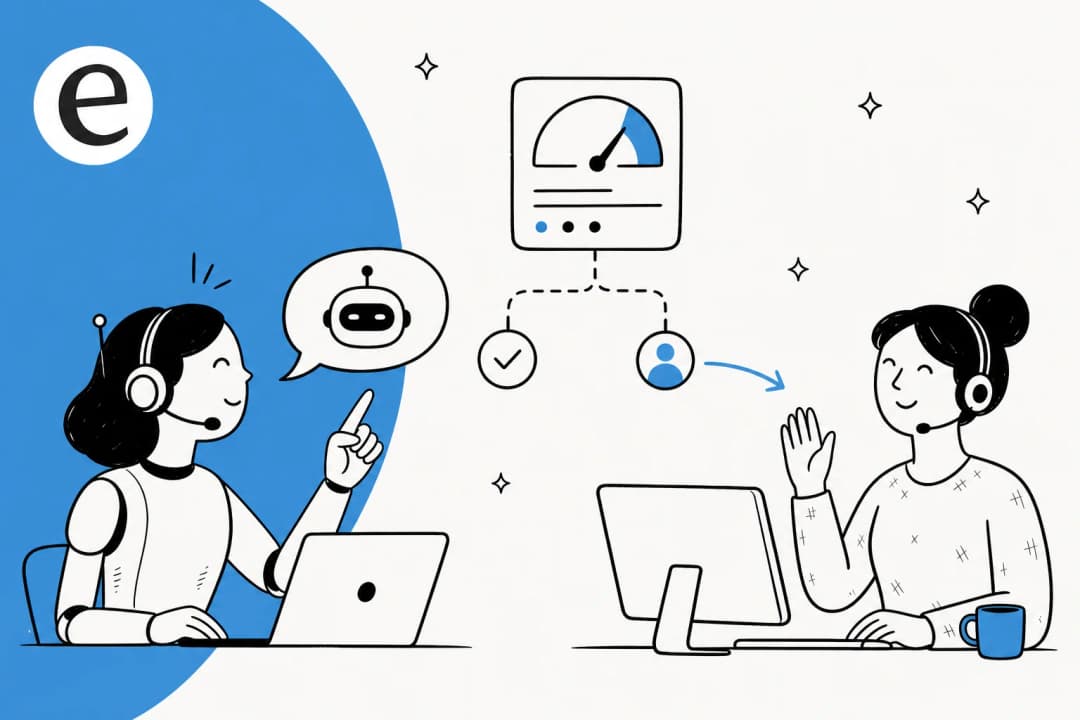
If you do only one thing from this post, do this. A confidence threshold lets the agent answer the questions it's sure about and leave everything else alone. High confidence, it replies and sends. Medium, it drafts a reply for a human to approve. Low, it doesn't touch the ticket and routes it to a person.
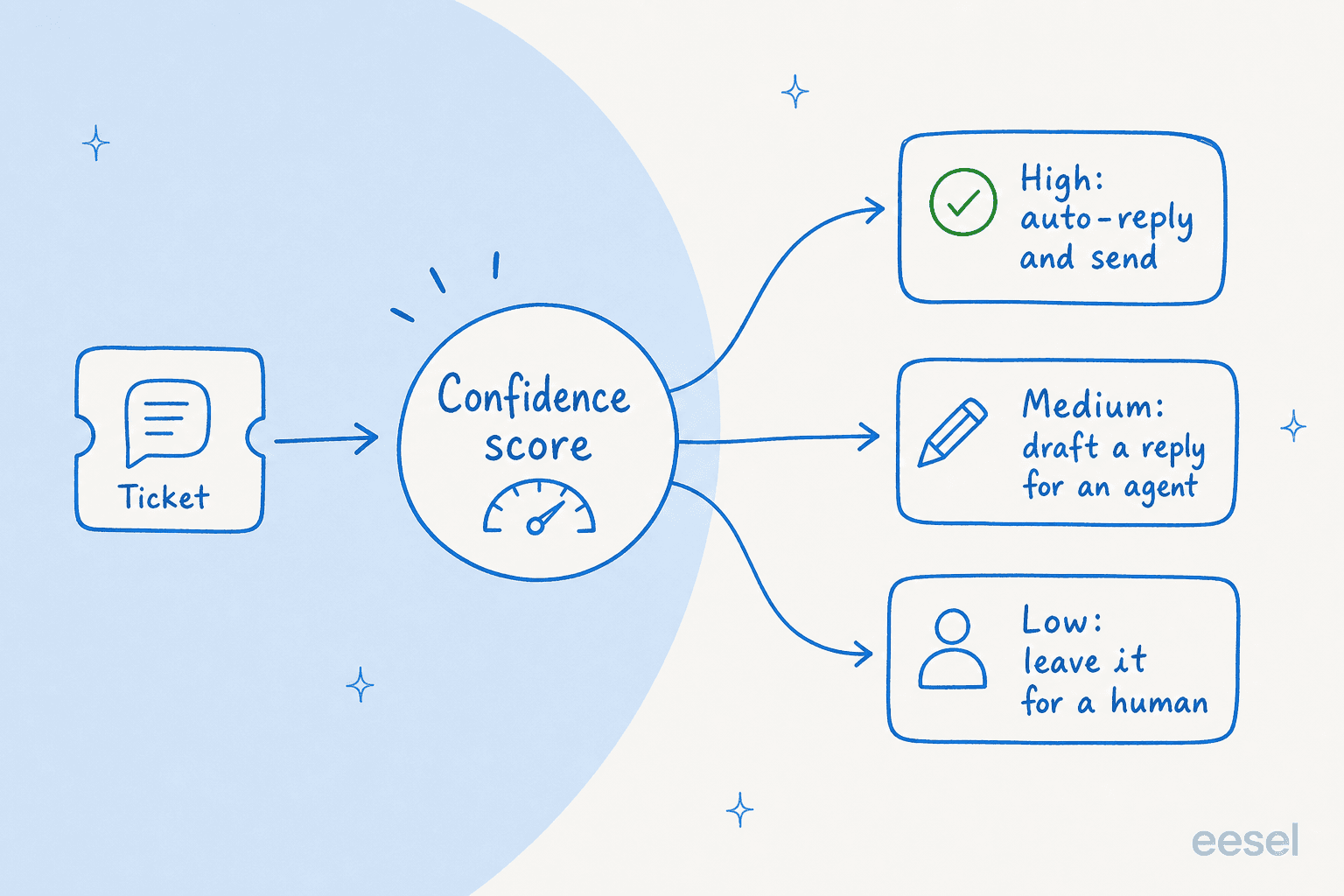
This came up in the most memorable sales call I've read back. A CX lead at a DTC supplements brand on Gorgias and Shopify, doing around 7,000 tickets a month, told us the deal hinged on exactly this. His words, roughly: the AI will never answer 100% of questions, but if it tries and just replies "sorry I don't know," he can't go and check all 7,000 tickets to see whether the answer was any good, so the point is gone. He needed an AI that only handles the tickets it's confident about and leaves the rest alone. That's the whole thesis of hallucination prevention in one frustrated sentence.
Confidence routing is also what makes the difference between an AI agent and a rule-based chatbot: the agent knows when it doesn't know. eesel ships this out of the box, and you start fully supervised, then grant autonomy on the easy ticket types as you build trust, ticket category by ticket category. Most helpdesks expose some version of this; if you're on Zendesk, it's worth understanding the intent confidence threshold and the fallback message the agent falls back to.
Gate 4: keep a human on the hard tickets, with a clean handoff
Confidence routing only helps if the handoff that follows is clean. When the agent steps back, the ticket should land with a human with full context, the conversation, the customer, what the agent was unsure about, not a cold restart that makes the customer repeat themselves.
This is also where you give your team explicit control over what the AI touches. Plenty of teams want certain ticket types kept away from automation entirely, billing disputes, cancellations, anything legal. That's a feature, not a limitation. A good setup lets you exclude ticket types, set the agent to only act when explicitly invoked, and define when it should escalate. If you're mapping this out, our guide to AI agent escalations covers the patterns that work. The mechanics of a clean transfer to a human matter just as much as the trigger that fires it.
There's a related trap worth naming: over-promising. One eCommerce support manager we worked with had to keep telling their ecommerce AI chatbot to stop reassuring customers it would "get them sorted" and stop promising delivery by Friday, because nobody could guarantee that. Hallucination isn't only inventing facts, it's also inventing commitments. Guardrails on tone and promises belong in the same bucket as guardrails on facts.
Gate 5: learn from every correction
The last gate is the one that compounds. Every time a human edits or rejects a draft, that signal should make the next answer better, not vanish into the void. An agent that learns from corrections gets more accurate and more confident over time, which means more tickets clear gate 3 honestly rather than by lowering the bar.

With eesel you tune this in plain language, you tell the agent when to jump in, what tone to use, and what never to promise, and corrections feed back into its behaviour. No retraining project, no data science team. You can review what it's doing in the conversation logs and adjust from there, the same loop a Zendesk training center is built around.
Don't trust the gates blind: simulate first
Here's the step most teams skip, and the one I'd never launch without. Before a single live reply goes out, run the agent against your real historical tickets and see how it would have answered them.
Simulation turns "I think this is safe" into a number. You point the agent at thousands of past conversations and it shows you how it would have responded, where it's confident, where it would have guessed, and what share of volume it could have handled on its own. You find the gaps, fill them, and re-run, all before any customer is involved. It's the difference between hoping your guardrails hold and watching them hold against your actual ticket history.

This is also the honest way to forecast your resolution rate instead of trusting a vendor's headline number. A CX lead I quoted earlier made the same point a different way: he didn't want to wait for a monthly report to find out the AI was wrong, he wanted to know up front. Simulation is how you know up front. eesel's simulation mode runs against your past tickets and reports coverage by theme, so you go live on the ticket types it proved it could handle, and only those.
I'll be straight about the trade-off, since uniform optimism is its own kind of tell. Doing this properly means you don't flip a switch and automate everything on day one. You start narrow, on the ticket types the simulation vouched for, and widen as the agent earns it. If you want an agent that resolves 100% of tickets from hour one with zero oversight, no honest tool can give you that, and the ones that claim to are the ones that hallucinate. The upside is that the slower, grounded path is also the one customers actually come to trust.
Where the model itself does help
I've leaned hard on "it's your setup, not the model," because that's where the fixes are. But the underlying model isn't irrelevant. Newer models are better at saying "I'm not sure" instead of bluffing, better at sticking to retrieved sources, and better at following instructions like "never promise a delivery date." A strong grounding setup on a strong model beats a strong setup on a weak one. It's also what separates a real AI agent assist tool from a glorified macro picker.
The practical takeaway: you don't have to pick the model yourself or babysit upgrades. The job of a good support platform is to run a capable model and wrap it in the five gates above, so you get the model's improvements without having to re-architect anything. That's the layer eesel sits at, and it's why the same agent behaves consistently across 100+ integrations. Whether your stack is built on a Gorgias AI agent or a HubSpot one, the grounding and confidence layers travel with it.
Try eesel
I'm biased, I work here, and we integrate with the helpdesks I've mentioned, so weigh my take with that in mind. But hallucination prevention is the exact problem eesel's AI helpdesk agent was built around. It learns from your past tickets and docs on day one, cites its sources, routes by confidence so shaky answers go to a human instead of your customer, and lets you simulate against your real ticket history before going live, the five gates, built in rather than bolted on. Teams run it at real scale on this: one customer resolves 73% of tier-1 requests in month one, and another runs a fully automated agent across more than 100,000 German-language tickets a month.
Pricing is usage-based with no per-seat fees, so you're not paying for an agent to sit there guessing. You can see the plans or start a free trial and run a simulation on your own tickets first. That simulation is the fastest way to see, in your own data, exactly where an AI agent would help and where it would have hallucinated, before it ever talks to a customer.
Frequently Asked Questions
What causes AI hallucinations in customer support?
How do I stop my AI support agent from making up answers?
Is confidence-based routing enough to prevent hallucinations?
How do I test an AI support agent before it goes live?
Will an AI support agent that avoids hallucinations still resolve enough tickets?


Article by
Riellvriany Indriawan
Riell is a designer and writer at eesel AI with about two years of experience researching CX platforms, AI chatbots, and helpdesk software. She combines her design background with a sharp eye for how these tools actually look and feel in practice — making her comparisons unusually visual and user-focused.