
A Zendesk AI agent fallback message should never feel like “computer says no.” Its job is to tell the customer what will happen next: a question they can answer, a route they can use, or a human follow-up they can reasonably expect.
Treat fallback frequency as evidence. Some cases reveal a knowledge gap; others are deliberately out of scope and deserve a clean escalation path. Do not tune the wording until you know which one you have.
Know which reply failed before you rewrite it
Zendesk calls out system replies, including the replies used around failed or unavailable paths. In the AI agents workspace, open the agent’s system replies and confirm the exact reply and channel you are changing. Do not rely on older screenshots or product labels: current options vary by AI-agent type and configuration.
Use the actual system-reply name to locate the setting:
| Situation | Relevant reply |
|---|---|
| No relevant use case and no generative answer | Default reply |
| Human transfer cannot complete | Failed escalation reply; unavailable for email agents |
| Agent or integration error | Technical error reply |
| Empty or uninformative message | No message |
| Agentic knowledge search has no answer | Knowledge reply procedure |
In Content > Use cases, filter Categories to System replies. For zero-training agents, open the reply's language under Replies and edit its dialogue. For agentic agents, follow the displayed Reply method into Dialogue or Procedure. The system-reply guide documents those different editors; changing an unrelated default will not fix a failed integration.
Three customer situations often get collapsed into one bad fallback:
- The customer’s request is unclear and one detail would unlock a useful path.
- The request is clear but out of scope and needs a handoff or follow-up.
- The AI tried a transfer but the destination was unavailable or failed.
They should not receive identical wording. The first can ask one focused question. The second should route honestly. The third should acknowledge the failed transfer and say what recovery path is now in motion.
Write the next step before the apology
Start from the action your operations team can actually complete. For an order exception during business hours: “I can connect you with the orders team. Please share your order reference if you have it.” For after hours: “The orders team is offline. I can send this to them by email; include your order reference so they can investigate.”
The wording is short because the work is specific. Avoid a friendly paragraph that gives no route, a generic “try again,” or a promise of a person when no queue is available. Zendesk’s escalation documentation supports availability checks and separate email or live-agent paths, which is the operational basis for honest fallback copy.
Connect the fallback to a real path
The dialogue builder lets you put conditions, customer messages, availability checks, and escalation blocks in the same designed conversation. Use it to answer these questions before publishing:
- What missing detail is useful enough to ask for?
- When should the customer be transferred, and to which team?
- What happens outside business hours?
- What does the customer see if that transfer fails?
- Which ticket field or tag lets the next person understand the reason?
For messaging, a successful handoff makes a live agent the first responder; the AI cannot continue in that conversation. Zendesk’s handoff and handback guide explains why the ticket must become Closed before a new conversation returns to the AI agent. That state is worth testing when your fallback offers a future return.

Review the questions behind the fallback
Once a week, read a small sample of conversations that reached the fallback. Put each in one of three buckets: missing or stale knowledge, a dialogue that needs another branch, or a case that must always go to a person. That classification tells you what to fix. Counting the fallback alone does not.
Test the revised path with harmless representative inputs. Check the customer wording, the unavailable-agent branch, the ticket fields, and the receiving queue. Zendesk distinguishes Save from Publish in the dialogue builder: a saved draft does not get the same publishing logic check. A green publish result is still not proof that the right team received usable context, so inspect the resulting ticket.
Use eesel CLI to inspect a separate support teammate
If eesel runs beside Zendesk, its CLI puts the same eesel teammate and workspace from the dashboard in a terminal. A support lead can use it directly, while scripts and coding agents such as Claude Code, Codex, and Cursor can read the JSON output. It is not a separate chat sandbox and it does not edit Zendesk system replies.
For a concrete knowledge-gap check, ask Claude Code to inspect whether the eesel teammate has an approved article about a newly introduced product. If not, ask it to propose how the teammate should respond to unsupported setup questions without inventing instructions. Begin with the downloaded-source list and standing rules:
npx @eesel/cli --agent "Support" integrations download list
npx @eesel/cli --agent "Support" instructions
If a product owner approves adding the missing guide, the coding agent can help upload that file with files upload and use chat for a fresh setup question. Keep a second, deliberately unsupported question in the test: the answer should still explain the next step rather than inventing a procedure. Review connected action permissions before sending tests; a request to draft is not a security boundary. Use --dry-run to preview writes, then check activity, the reply, and any ticket handoff. The owner decides whether the new source or instruction fixed the actual gap. Node.js 18.17+ is required.
Improve an uncertain answer with eesel
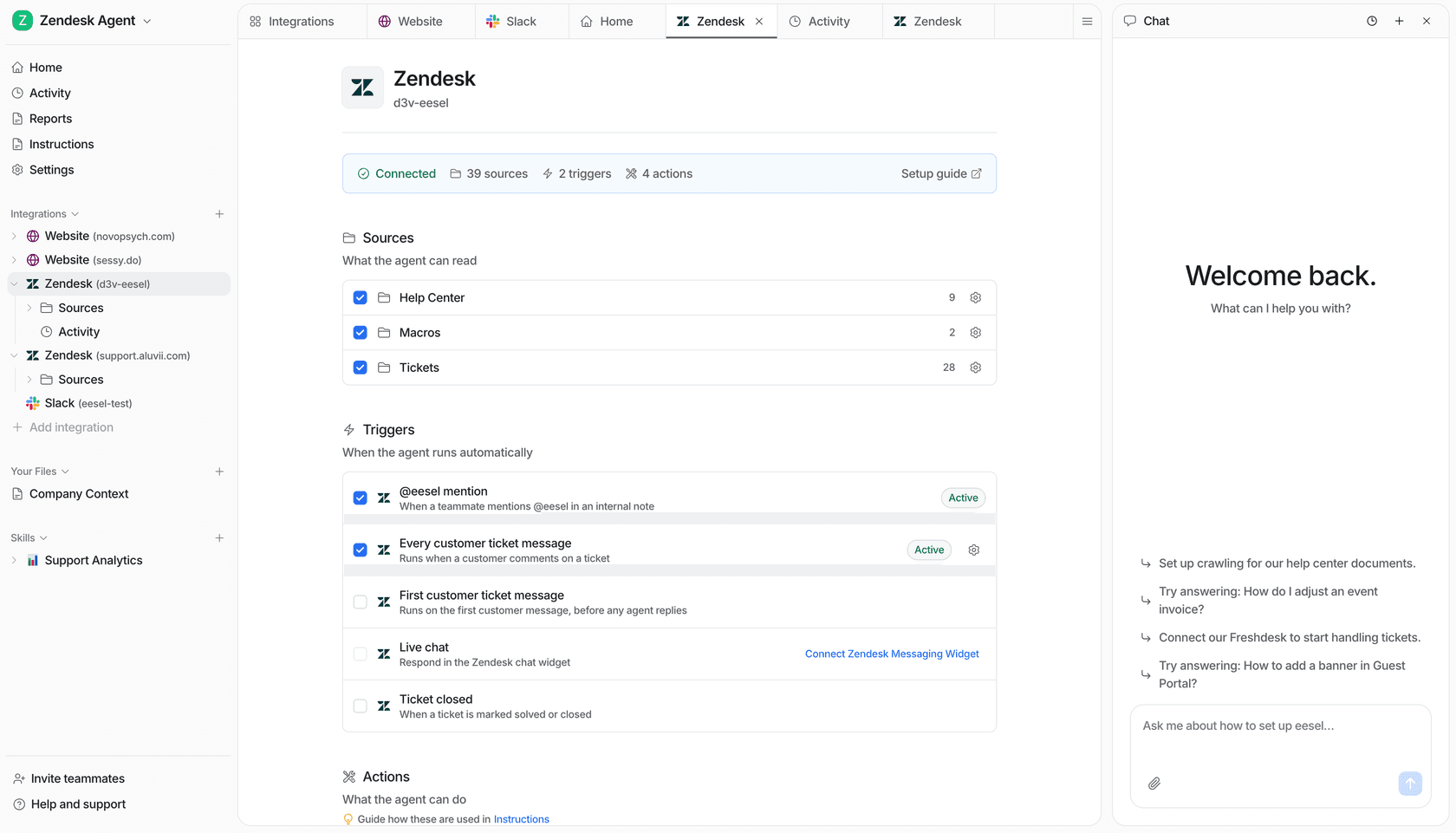
Try eesel alongside Zendesk when you want a support teammate whose inputs, activity, and proposed actions are visible before it takes action. Try eesel.
Frequently asked questions
What is a Zendesk AI agent fallback message?
It is a system reply used when an AI agent cannot continue with a useful answer or transfer. It should state the next step without pretending that the issue is resolved.
Where do I edit Zendesk AI agent fallback messages?
In the AI agents workspace, open the relevant agent and its system replies. Exact menus and available replies vary by agent type and channel, so use Zendesk’s current documentation for your account.
What should a fallback message include?
Say what the customer can do next, such as rephrasing, providing one missing detail, using a relevant help path, or waiting for a human follow-up. Do not promise an unavailable transfer.
Should every fallback offer a live agent?
No. Offer a live transfer only when the right team is available and should handle the case. An after-hours path may need an email follow-up or a clear response-time expectation instead.
How do I improve frequent fallback messages?
Read a sample of the underlying questions, group them by missing knowledge, ambiguous intent, or unsupported work, then change the source, dialogue, or routing rule that addresses the group.
How can eesel CLI help review this support workflow?
A person, script, or coding agent can inspect the same eesel teammate and workspace as the dashboard, propose a scoped change, and test it after owner approval. Review action permissions and the resulting activity or ticket. Native Zendesk controls remain configured in Zendesk.