Zendesk AI agent training center: Your complete guide for 2026

Stevia Putri
Written by

Stevia Putri

Reviewed by

Stanley Nicholas

Last edited February 26, 2026

Expert Verified

Banner image for Zendesk AI agent training center: Your complete guide for 2026

Training AI agents effectively can make the difference between automated support that delights customers and chatbots that frustrate them. If you are using Zendesk, you have access to a comprehensive training ecosystem designed to take you from basic setup to advanced automation.

But here is the thing: the "Zendesk AI agent training center" is not one single location. It is a collection of resources spanning the Zendesk Training Portal, help documentation, and hands-on practice environments. Whether you are just getting started with AI agents or looking to master advanced features, understanding how these pieces fit together will save you time and help you build more effective automation.

For teams evaluating their options, our overview of Zendesk AI covers the broader platform capabilities. This guide focuses specifically on the training resources and how to use them.

A screenshot of Zendesk's landing page.

What is the Zendesk AI agent training center?

When people search for the Zendesk AI agent training center, they are usually looking for one of three things: structured courses to learn the platform, documentation to solve specific problems, or certification to validate their skills. Zendesk provides all three, but they live in different places.

The Zendesk Training Portal is your starting point for structured learning. It offers free courses ranging from quick 30-minute intros to comprehensive multi-hour learning paths. The Zendesk Help Center contains detailed documentation for when you need to troubleshoot or understand specific features. And the certification program lets you earn badges like the Zendesk AI Practitioner to demonstrate your expertise.

Zendesk organizes its AI agent capabilities into two tiers:

LevelIncluded WithBest For
AI agents - EssentialAll Suite and Support plansQuick automation with generative replies
AI agents - AdvancedAdd-on for any planComplex workflows, API integrations, advanced analytics

The Essential level covers the basics: generative AI replies across messaging and email channels, support for 30 languages with automatic translation, and the ability to train your AI on help center content. It is designed for teams that want to get started quickly without complex setup.

Advanced adds the heavy-duty features: zero-training AI agents that can reason and adapt, conversation flows with the Dialogue Builder, API integrations through the Integration Builder, and support for 79+ languages. This tier is built for high-volume operations or businesses with complex automation needs.

Both tiers use what Zendesk calls "automated resolutions" to measure usage. Essential plans include a set number per agent each month (5-15 depending on your plan), with additional resolutions costing $1.50-$2 each. Advanced requires purchasing the add-on, which includes a dedicated resolution pool.

Getting started with AI agents - Essential

The entry point for most teams is the "Getting Started with AI agents - Essential" course. It is free, takes about 52 minutes, and assumes no prior AI experience. You will need admin access to your Zendesk instance to follow along.

The course covers the fundamentals: how AI agents work, what you can automate, and how to set up your first agent. You will learn to connect your help center as a knowledge source, configure basic persona settings like tone of voice, and publish an AI agent that can handle common customer questions.

What makes this training practical is that you are building something real. By the end of the 52 minutes, you will have a functional AI agent that can answer questions from your help center content. The course also covers common pitfalls, like how to handle questions your AI cannot answer and when to escalate to human agents.

The Essential training focuses on what Zendesk calls "generative replies." Instead of scripting every possible conversation path, you point the AI at your knowledge base and let it generate responses based on your existing content. This approach works well for FAQs, policy questions, and troubleshooting steps where the answer already exists in your documentation.

After completing the course, you will be able to:

  • Create AI agents for messaging and email channels
  • Connect multiple content sources (help center, external URLs)
  • Customize the AI's tone and personality
  • Set up basic escalation rules
  • Monitor automated resolution metrics

Zendesk AI Agent Advanced training path

For teams ready to go deeper, the Zendesk AI learning path is the most comprehensive training resource available. It is free, takes approximately 3 hours and 45 minutes, and culminates in the Zendesk AI Practitioner certification.

The learning path consists of five courses:

  1. Introduction to Zendesk AI Agents (37 minutes) - Covers the strategic value of AI automation and how to plan for 80%+ automation rates
  2. Getting Started with AI agents - Essential (52 minutes) - The foundational course mentioned above
  3. Up and Running with Copilot (47 minutes) - Focuses on the agent-facing AI assistant that suggests replies and automates tasks
  4. App Builder Essentials: From Idea to Launch (45 minutes) - Teaches you to create custom apps without coding
  5. Zendesk AI Assessment (23 minutes) - A practical test where you configure AI agents in a realistic scenario to earn your badge

The certification matters if you are building expertise for career growth or if your organization wants validated proof of AI competency. The Zendesk AI Practitioner badge is recognized in the customer service industry and signals that you can deploy and manage AI agents effectively.

Here is the catch: while the training is free, practicing Advanced features requires the AI agents - Advanced add-on. Zendesk does not publish the pricing publicly (you need to contact sales), but the Copilot add-on costs $50 per agent per month, which gives you a ballpark for what Advanced might cost.

You will also need at least a Suite Professional plan ($115/agent/month annually) to access the full range of features covered in the training. The learning path assumes you have admin access and a Professional or Enterprise plan to work with.

Training methods and best practices

Zendesk offers two fundamentally different approaches to training your AI agents, and understanding when to use each matters.

Zero-training AI agents (Advanced only) use generative AI to understand customer messages and either answer directly from your help center or route to appropriate conversation flows. You do not need to script every possible interaction. The AI reasons through the conversation based on your knowledge base content. This works well when you have good documentation and want to get started quickly.

Expression-based training involves creating specific intents and training phrases. You tell the AI exactly what phrases to recognize and how to respond. This approach gives you more control but requires more upfront work. It is useful for compliance-sensitive scenarios or when you need the AI to follow exact procedures.

Most teams end up using a hybrid approach. They let the generative AI handle common questions while building scripted flows for specific processes like returns, refunds, or account verification.

Knowledge base integration is where training actually happens. The AI learns from:

  • Help center articles (public and internal)
  • External documentation URLs
  • Historical ticket data
  • Connected systems via API (Advanced only)

The quality of your AI responses depends entirely on the quality of your knowledge base. Before training your AI, audit your help center for outdated information, gaps in coverage, and inconsistent terminology. The AI will repeat whatever it finds.

For teams exploring different approaches to AI training, our review of Zendesk AI Agent Advanced compares Zendesk's methodology with alternatives.

Ultimate's AI agent instructions configuration panel, showing a list of customizable responses and a real-time testing interface.

Instructions are one of the most powerful training tools available in both Essential and Advanced. These are plain English directives that shape how the AI behaves. For example:

  • "Always ask for order number before checking status"
  • "If a customer mentions billing issues, escalate to the finance team"
  • "Use a friendly, casual tone for general questions but be formal for complaints"

The key is testing and iteration. Start with a limited scope (maybe just password resets or order tracking), measure the results, and expand gradually. Zendesk provides dashboards showing answer accuracy, deflection rates, and customer satisfaction scores specifically for AI interactions.

Key features you'll learn to use

The training courses walk you through specific features that enable different types of automation.

Intelligent triage automatically categorizes, prioritizes, and routes incoming requests. Instead of manually sorting tickets, the AI reads each one and assigns it to the right team with the right priority. This happens before a human ever sees the ticket.

Generative AI replies create responses on the fly based on your knowledge base. Unlike scripted chatbots that can only say what you have pre-written, these AI agents synthesize answers from your documentation. They can handle variations of questions you never explicitly programmed.

Conversation flows (Advanced only) let you design structured interactions for complex processes. The Dialogue Builder provides a visual interface for creating multi-step workflows. You can collect information, validate data, call external APIs, and branch based on customer responses.

Integration Builder (Advanced only) connects your AI agents to external systems. Want your AI to check order status in Shopify, create tickets in Jira, or update CRM records? This is how you do it. The builder supports REST APIs and includes pre-built connectors for common platforms.

Enhanced reporting (Advanced only) goes beyond basic metrics. You get use case performance breakdowns, containment rates (conversations resolved without human handoff), and detailed analytics on where conversations succeed or fail.

Multi-language support ranges from 30 languages with automatic translation in Essential to 79+ languages in Advanced. The Advanced tier requires you to provide translations, but gives you more control over localized responses.

Complementing Zendesk with eesel AI

Zendesk's training resources are excellent for learning their platform. But some teams find they need capabilities that extend beyond what Zendesk's native AI provides. That is where complementary tools come in.

A screenshot of the eesel AI simulation results for a Zendesk ChatGPT integration, displaying predicted automation rates and example AI responses to real customer tickets.

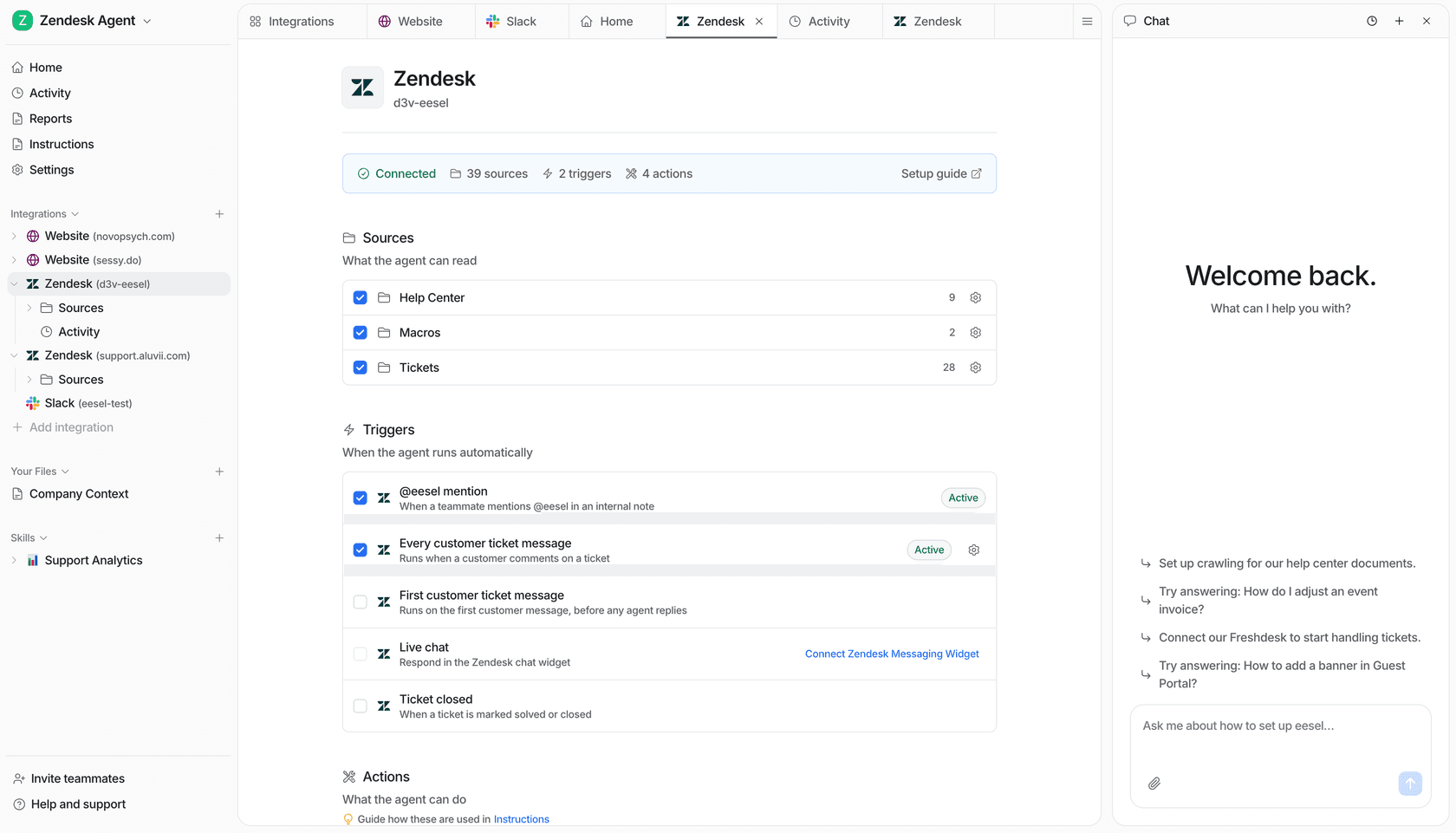
We built eesel AI to work alongside help desks like Zendesk, not replace them. While Zendesk focuses on AI agents within their ecosystem, we focus on connecting AI to all your knowledge sources and systems. Our Zendesk integration lets you deploy AI that pulls from Zendesk tickets, help center articles, Confluence docs, Google Drive, Notion, and 100+ other sources simultaneously.

The difference shows up in a few key areas:

Simulation and testing - Before going live, you can run your AI against thousands of past tickets to see exactly how it would perform. This lets you validate quality and measure resolution rates before customers ever interact with it.

Unified knowledge access - Instead of training separate AI agents for each system, you get one AI that understands everything: your help center, internal wikis, past tickets, PDFs, and connected apps.

Pricing model - Zendesk charges per agent per month for AI features. We charge per interaction. For some teams, especially those with seasonal volume or part-time agents, this works out better.

Our pricing starts at $299/month for 1,000 interactions, with no per-agent fees. All features are included: AI Agent, Copilot, Triage, Internal Chat, and the chatbot.

Comparing per-agent and per-interaction pricing models helps teams choose the most cost-effective automation strategy for their specific volume.

If you are already invested in Zendesk and happy with it, you do not need to switch. Many teams use Zendesk for ticketing and eesel AI for the AI layer, getting the best of both platforms.

Measuring training success

Training is not a one-time event. The teams that get the most from AI agents treat it as an ongoing optimization process.

Automated resolution tracking shows you how many conversations your AI handles completely. Zendesk counts these as "automated resolutions" and they are the primary metric for measuring AI success. The goal is typically 30-50% for basic implementations, with mature deployments reaching 80%+.

Deflection rates measure how many potential tickets never get created because the AI resolved the issue first. This is slightly different from automated resolutions because it includes self-service scenarios where no ticket was ever opened.

Containment metrics track how often conversations stay with the AI versus escalating to humans. High containment means your AI is handling issues effectively. Low containment suggests either the AI is not trained well enough or the issues are genuinely complex.

CSAT and sentiment analysis tell you if customers are happy with AI interactions. Zendesk provides AI-specific satisfaction scores so you can compare AI performance to human agents.

Knowledge gap identification is one of the most valuable outputs. The AI will surface questions it could not answer, highlighting where your documentation is missing or unclear. This creates a feedback loop: train the AI, identify gaps, improve documentation, retrain.

The best practice is weekly review sessions. Look at what the AI handled well, where it struggled, and what new content or instructions would help. Small, frequent improvements beat occasional major overhauls.

Start training your Zendesk AI agent today

You have options for getting started, depending on your current plan and goals.

If you are on any Zendesk Suite or Support plan, start with the free "Getting Started with AI agents - Essential" course. It takes less than an hour and you will have a working AI agent by the end. This is the lowest-risk way to experiment with AI automation.

If you are serious about building expertise and have a Professional or Enterprise plan, commit to the full Zendesk AI learning path. The 3 hours and 45 minutes will pay off in faster implementations and fewer missteps. Plus, the certification gives you credibility.

For teams hitting limitations with Zendesk's native AI, or wanting to unify knowledge across multiple systems, our AI Agent integrates directly with Zendesk while adding capabilities like simulation testing and multi-source knowledge access.

A screenshot of an eesel AI simulation report that allows users to test the performance of their configured subagent tools risk-free.

The key is starting small. Pick one use case (password resets, order status, or returns), train your AI specifically for that scenario, measure the results, and expand from there. AI agents are not magic. They are tools that get better with focused training and iteration. The teams that succeed are the ones that treat training as an ongoing process, not a one-time setup task.


Frequently Asked Questions

Yes, the structured courses in the Zendesk Training Portal are completely free. This includes the 'Getting Started with AI agents - Essential' course and the full Zendesk AI learning path that leads to certification. However, practicing Advanced features requires the AI agents - Advanced add-on, which is a paid upgrade.
The foundational 'Getting Started with AI agents - Essential' course takes 52 minutes. The complete Zendesk AI learning path, which includes five courses and leads to the Zendesk AI Practitioner certification, takes approximately 3 hours and 45 minutes. You can complete courses at your own pace.
You can access the training courses with any Zendesk plan, but practicing what you learn requires appropriate plan levels. AI agents - Essential features are included with all Suite and Support plans. Advanced features require the Advanced add-on, which is available for any Suite or Support plan but requires contacting sales for pricing.
Completing the Zendesk AI learning path and passing the assessment earns you the Zendesk AI Practitioner badge. This certification demonstrates your ability to configure AI agents, deploy Copilot, and automate support workflows using Zendesk AI.
Yes, the courses are designed for administrators without prior AI experience. The 'Getting Started with AI agents - Essential' course assumes no technical background and teaches you to create functional AI agents through Zendesk's interface without coding. You will need admin access to your Zendesk account to follow along.
The official Zendesk training focuses specifically on Zendesk's native AI capabilities and integrates directly with their platform. Third-party resources like eesel AI may cover broader AI concepts or alternative approaches to automation. Many teams use both: Zendesk's training for platform-specific skills and third-party tools for capabilities beyond Zendesk's native features.

Share this post

Stevia undefined

Article by

Stevia Putri

Stevia Putri is a marketing generalist at eesel AI, where she helps turn powerful AI tools into stories that resonate. She’s driven by curiosity, clarity, and the human side of technology.