Zendesk AI agent advanced vs essential: a 2026 comparison

Stevia Putri
Written by

Stevia Putri

Reviewed by

Stanley Nicholas

Last edited February 26, 2026

Expert Verified

Banner image for Zendesk AI agent advanced vs essential: a 2026 comparison

If you're evaluating Zendesk for AI-powered customer support, you've probably noticed they offer two tiers of AI agents: Essential and Advanced. The difference isn't just about price. It's about what you can automate, how complex your workflows can get, and ultimately, whether the AI can handle the problems your customers actually bring you.

Let's break down exactly what separates these two tiers so you can make the right choice for your team.

Zendesk customer service platform homepage with AI solutions

What are Zendesk AI agents?

Zendesk AI agents are conversational AI bots designed to resolve customer requests across messaging, email, and web channels. They can answer questions, guide customers through processes, and escalate to human agents when needed.

The platform splits this functionality into two tiers. Each serves a different stage of AI automation maturity.

AI agents - Essential

The Essential tier comes included with all Zendesk Suite and Support plans. It's built for teams that want to start automating quickly without complex setup. The AI generates replies based on your Help Center content, making it ideal if you've already got solid documentation.

You can deploy across messaging, email, API, and web form channels. There's no training required. The AI reads your Help Center articles and starts responding immediately.

AI agents - Advanced

The Advanced tier is a paid add-on available for any Suite or Support plan. It includes everything in Essential plus capabilities for complex automation: conversation flows that combine generative and scripted responses, comprehensive API access, and advanced analytics.

This tier is designed for organizations with high support volumes or sophisticated automation requirements. Think order lookups, returns processing, appointment scheduling. The kind of tasks that require back-and-forth conversation and data from external systems.

Feature comparison: Zendesk AI agent advanced vs essential

The gap between these tiers comes down to flexibility. Essential gives you intelligent responses. Advanced gives you intelligent processes.

Advanced tier capabilities extending beyond Q&A into business process automation

Knowledge sources

Essential pulls from a single source: your Zendesk Help Center. If the answer exists in your articles, the AI can find it and respond. If it doesn't, the AI escalates.

Advanced expands this to multiple content sources. You can connect websites, upload CSV files, and integrate external documentation. This matters when your knowledge lives in more than one place (which it usually does). Tools like eesel AI take this further by also connecting to internal knowledge bases like Confluence, Google Docs, and Notion.

Conversation capabilities

Essential handles straightforward Q&A. A customer asks a question, the AI finds the answer, conversation ends. It's effective for common questions like "What's your return policy?" or "How do I reset my password?"

Advanced adds conversation flows and hybrid flows. You can design multi-step interactions where the AI asks clarifying questions, validates information, and guides customers through processes. For example: "I want to return an item" → "What's your order number?" → "Let me check that" → "Here's your return label." If you're looking for AI that can handle complex workflows without extensive flow building, eesel AI's agent offers an alternative approach.

Integrations and actions

Essential has no API access. The AI can only respond with information it has already learned.

Advanced includes the Integration Builder, which lets you connect to CRMs, order management systems, booking platforms, and virtually any API. The AI can look up order status, process refunds, update records, and take real actions rather than just providing instructions. For teams comparing automation options, our guide to AI agents for customer support breaks down different approaches.

Language support

Essential supports 30 languages with automatic translation. You turn it on, and the AI handles translation behind the scenes.

Advanced expands this to 79+ languages. The trade-off: you need to provide the translations yourself. This gives you more control over quality but requires more work to maintain.

Analytics and reporting

Essential tracks basic metrics: automated resolutions, active users, agent transfers.

Advanced adds sophisticated analytics including the Conversation Journey Explorer (visualizing how customers move through your flows), Knowledge Gap Analysis (identifying topics the AI can't answer), and Intent Performance Breakdown (showing which use cases work and which need improvement).

Here's the complete comparison:

FeatureEssentialAdvanced
Knowledge sourcesHelp Center onlyMultiple (Help Center, websites, CSVs)
Generative repliesYesYes
Conversation flowsNoYes
Hybrid flowsNoYes
API integrationsNoYes
Languages30 (auto-translated)79+ (manual translation)
Zero-training AINoYes
Advanced analyticsBasicConversation Journey, Knowledge Gap, Intent Performance
InstructionsBasicAdvanced customization

Pricing breakdown

Understanding the cost difference helps frame the value proposition.

Total cost of ownership for Zendesk AI automation tiers

Essential pricing

AI agents - Essential is included at no extra cost in all Zendesk Suite plans. You pay for your base plan (starting at $55/agent/month for Suite Team) and that's it. Usage is measured in automated resolutions, with each plan including a monthly allotment.

Advanced pricing

AI agents - Advanced requires purchasing an add-on. Zendesk doesn't publish exact pricing publicly. Third-party sources and implementation partners suggest the Advanced add-on runs approximately $50 per agent per month, though you'll need to contact Zendesk Sales for specific quotes.

Additionally, Advanced requires a Professional or Enterprise plan as your base (Suite Professional starts at $115/agent/month).

Automated resolutions explained

Both tiers use "automated resolutions" for billing. This counts only conversations the AI successfully resolves without human intervention. Not every interaction. Not escalations. Just the wins.

PlanIncluded ARs/monthCommitted ratePay-as-you-go
Suite Team5 per agent$1.50$2
Suite Professional10 per agent$1.50$2
Suite Enterprise15 per agent$1.50$2

This pricing model aligns your costs with actual value received. The more the AI successfully deflects, the more you pay. But you're only paying for success. For a detailed cost comparison of AI support solutions, check out our ROI calculator.

Which tier should you choose?

The right choice depends on where you are in your AI automation journey.

Decision framework for choosing between Essential and Advanced tiers

Choose Essential if:

  • You're a small to mid-size team (under 50 support agents)
  • You're just starting with AI automation
  • Your Help Center is well-maintained and comprehensive
  • Budget is a primary constraint
  • You need quick deployment without engineering resources
  • Your use cases are primarily informational (FAQs, policies, how-tos)

Essential can realistically achieve 10-20% automation rates for teams with good documentation. That's meaningful deflection without meaningful complexity. If you're exploring Zendesk AI options, read our full Zendesk AI overview for more context.

Choose Advanced if:

  • You handle high support volumes (thousands of tickets monthly)
  • You need API integrations (Shopify, Salesforce, custom order systems)
  • Your use cases require multi-step conversations
  • You operate globally and need 79+ language support
  • You want advanced analytics to continuously optimize performance
  • You have technical resources to build and maintain flows

Advanced can push automation rates to 40-80% depending on your use cases and implementation quality. But that comes with setup complexity. Implementation partners typically quote 6+ weeks for meaningful Advanced deployments. Learn more about managing AI handoffs in our guide to Zendesk AI agent escalations.

The upgrade path

Most teams follow a predictable progression. They start with Essential to get quick wins and prove value. Once they've optimized their Help Center and hit the ceiling of what's possible with generative replies alone, they upgrade to Advanced to tackle more complex automation.

This staged approach makes sense. It lets you validate that AI works for your customers before investing in the complexity of Advanced. For more on implementation strategies, see our customer support automation solutions.

Limitations to consider

Both tiers have constraints worth understanding upfront.

Essential limitations

The single knowledge source is the biggest constraint. If your product information lives in multiple systems, Essential can't access it all. You're also limited to relatively simple Q&A scenarios. No order lookups, no booking modifications, no account updates.

Additionally, you've got limited control over how the AI responds. You can set a persona and tone, but you can't script specific conversation paths or enforce business rules.

Advanced limitations

Advanced isn't a magic bullet. The setup is genuinely complex. Building conversation flows, integrating APIs, and training the system requires time and expertise. Most teams need dedicated resources or external consultants.

The extended language support requires manual translation work. If you need 50 languages, that's 50 sets of translations you'll need to maintain.

And complex flows need continuous optimization. The analytics help, but someone needs to act on what they show. This isn't "set it and forget it" automation. For teams looking for simpler alternatives, check out our Zendesk AI agent advanced review.

Exploring eesel AI as an alternative approach

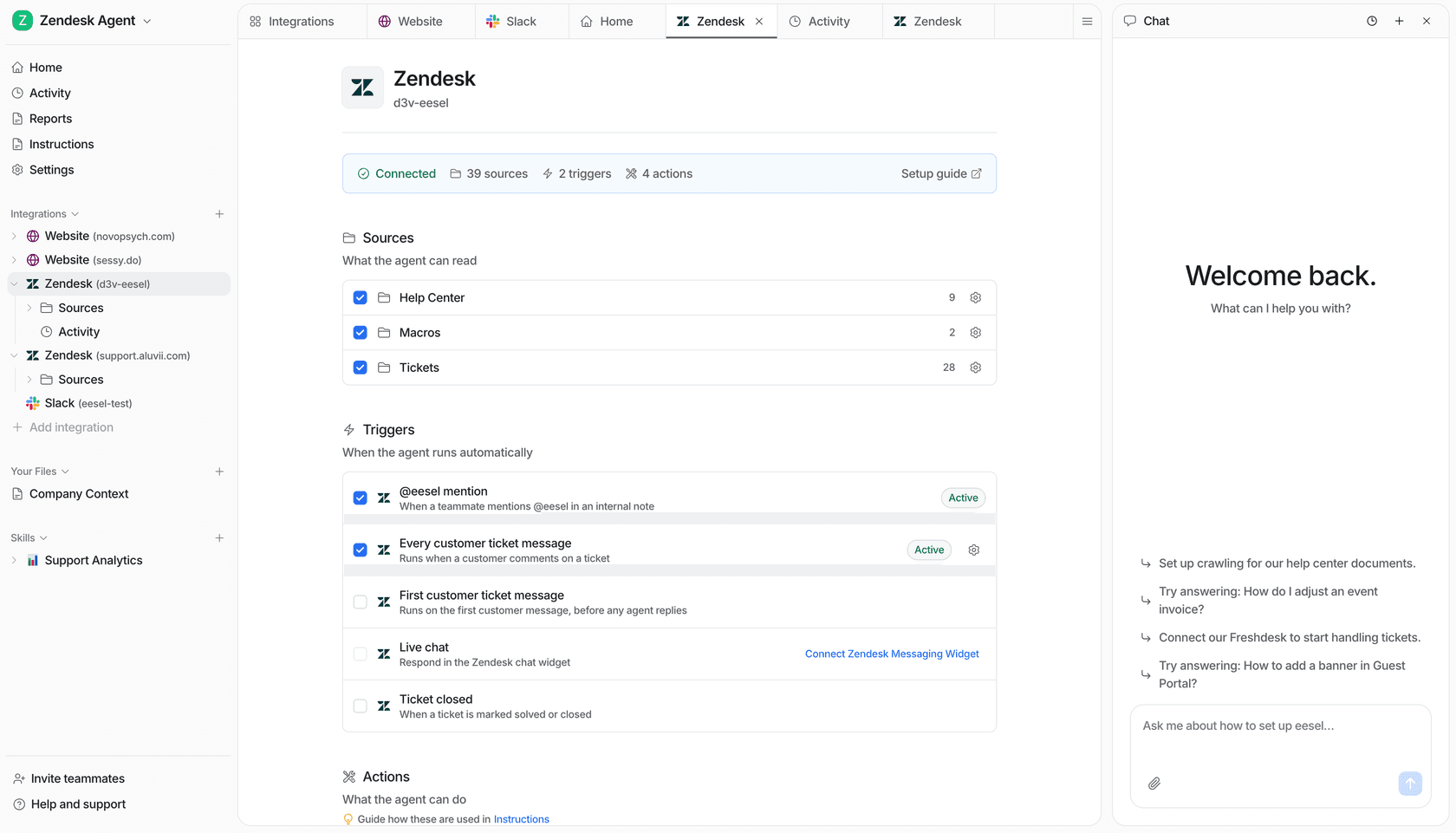
While Zendesk's native AI agents work well for many teams, they're not the only option. At eesel AI, we've taken a different approach to AI-powered support that complements or substitutes for Zendesk's built-in options.

eesel AI dashboard for configuring the supervisor agent with no-code interface

Our AI agent works alongside your existing Zendesk setup but pulls from a broader knowledge base. Instead of just your Help Center, we integrate with Confluence, Google Docs, Notion, and other internal knowledge sources. This matters when your best answers live in internal documentation, not public articles. Read more about the differences between Zendesk AI and advanced AI alternatives.

We also offer a simulation mode that lets you test the AI against your historical tickets before going live. You can see exactly how it would've handled past conversations, measure potential deflection rates, and tune responses without risking customer experience.

Our pricing is usage-based rather than per-agent, which can work out better for teams with fluctuating volumes or seasonal patterns. And setup typically takes days, not weeks, because we don't require complex flow building to get started.

If you're already using Zendesk, our integration lets you augment or replace the native AI agents while keeping your existing ticketing workflows intact. See eesel AI in action to learn more.

Making your decision in 2026

The choice between Zendesk AI agent Essential and Advanced comes down to your current maturity and future ambitions.

Start with Essential if you're new to AI automation and want to prove value quickly. It's included in your plan, deploys in minutes, and can deliver meaningful deflection with minimal effort.

Upgrade to Advanced when you've outgrown simple Q&A and need to automate complex processes that require data lookups, multi-step conversations, and API integrations.

And consider whether Zendesk's native AI is the right fit at all. Tools like eesel AI offer different trade-offs: broader knowledge access, faster setup, and usage-based pricing that might better fit your needs.

The best AI investment is the one you'll actually implement and maintain. Be honest about your resources, your timeline, and what your customers actually need. Ready to explore an alternative? Try eesel AI free or book a demo to see how we compare.

Frequently Asked Questions

No. Essential handles FAQ automation well. If your use cases are primarily answering questions from existing documentation, Essential is sufficient. Upgrade to Advanced when you need to take actions (lookups, updates, bookings) or guide customers through multi-step processes.
Essential is included in all Zendesk Suite plans at no extra cost. Advanced requires purchasing an add-on (approximately $50/agent/month based on third-party sources) plus requires a Professional or Enterprise base plan ($115+/agent/month). Both use automated resolution billing for usage beyond included allotments.
Yes. Most teams start with Essential and upgrade to Advanced as their automation needs mature. Your Help Center content and basic AI configuration transfer over. You'll need to build conversation flows and integrations from scratch, but the foundational knowledge base remains.
Essential requires minimal technical resources. You can deploy it with a well-maintained Help Center and no engineering support. Advanced typically requires technical resources for API integrations, flow building, and ongoing optimization. Implementation partners often quote 6+ weeks for Advanced deployments.
Advanced includes significantly more sophisticated analytics: Conversation Journey Explorer (visualizing customer paths), Knowledge Gap Analysis (identifying unanswered topics), and Intent Performance Breakdown (showing which use cases succeed). Essential offers basic automated resolution tracking only.
Probably not. The Advanced add-on plus required Professional plan creates a significant cost jump. Small teams usually get better ROI by maximizing Essential first, then upgrading when volume and complexity justify the investment. Consider alternatives like eesel AI if you need Advanced-like capabilities at a lower commitment.

Share this post

Stevia undefined

Article by

Stevia Putri

Stevia Putri is a marketing generalist at eesel AI, where she helps turn powerful AI tools into stories that resonate. She’s driven by curiosity, clarity, and the human side of technology.