What FAQ deflection actually means (and the trap in it)
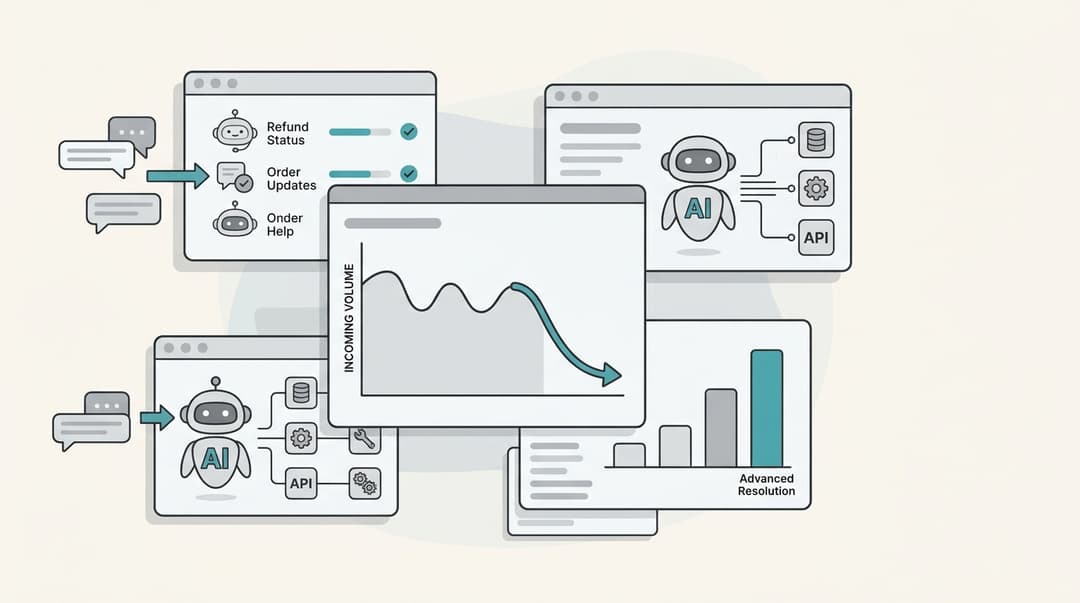
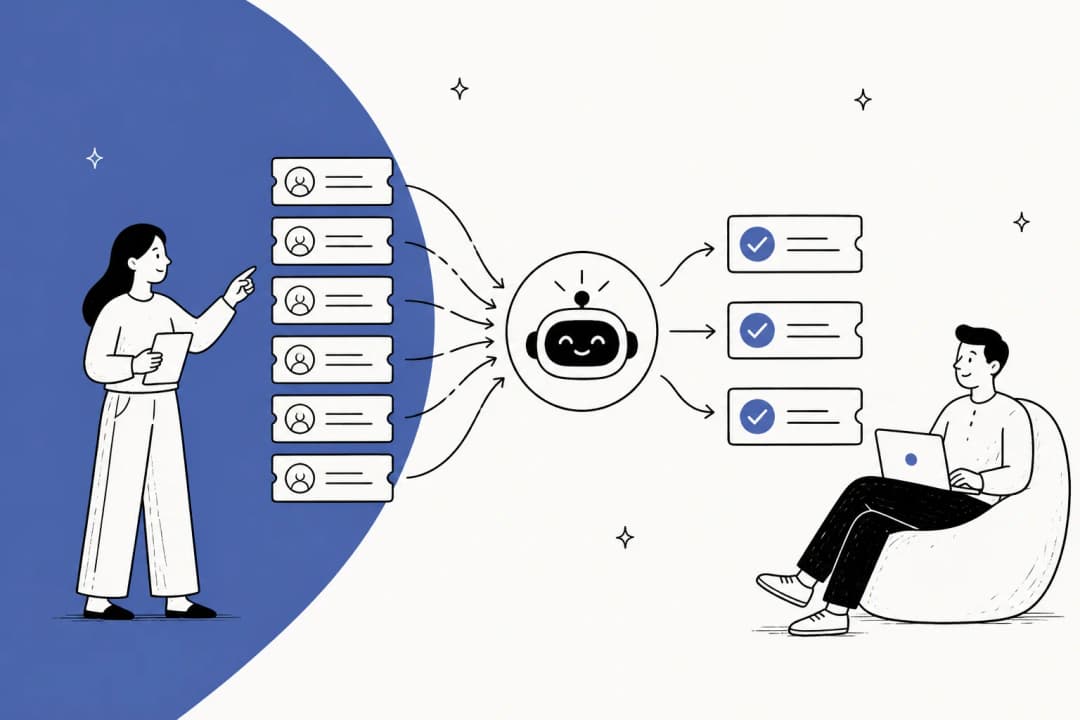
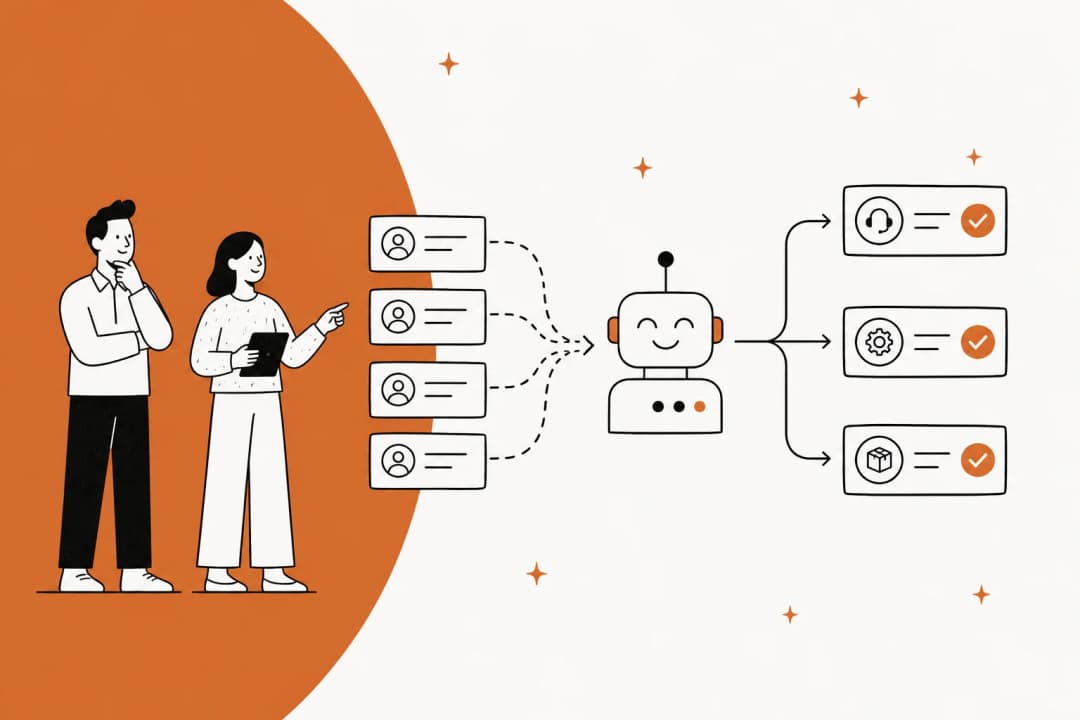
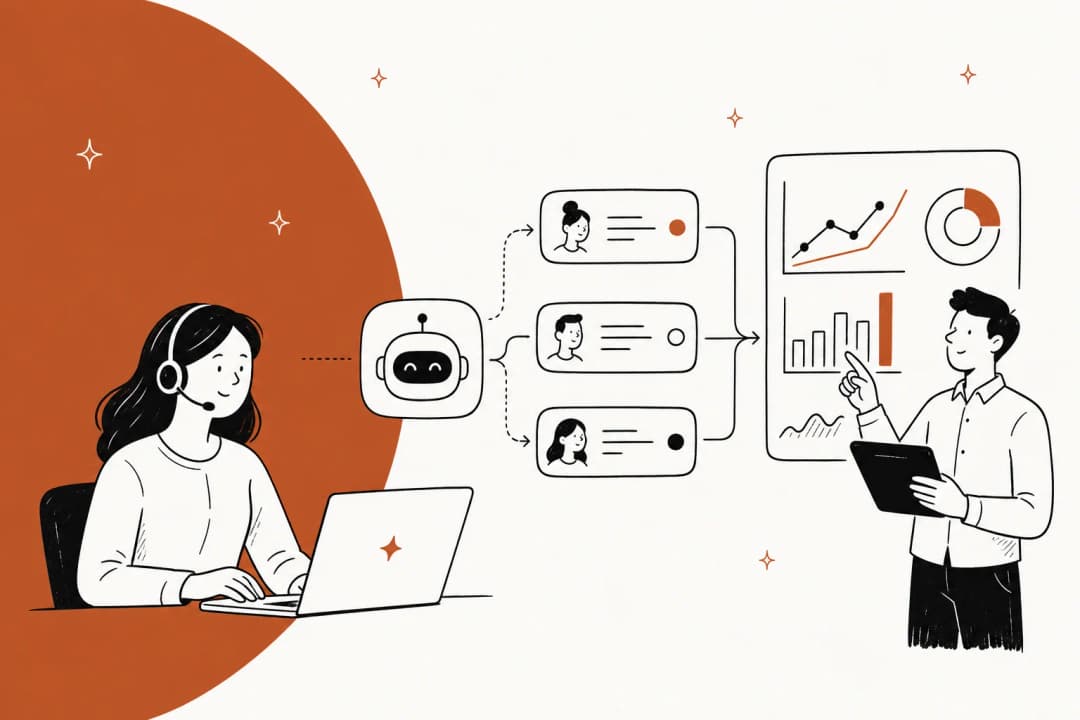
FAQ deflection is the part of tier-1 support deflection aimed squarely at repetitive, well-documented questions: where is my order, how do I reset my password, what's your return policy, how do I cancel. These are the questions that already have an answer written down somewhere, so an AI knowledge base chatbot that can read your docs and past tickets should be able to handle them without a human ever touching the ticket. It's the difference between a rule-based chatbot and a real agent.
I've spent the last three-plus years at eesel putting AI agents on live support queues, and the pattern is the same almost everywhere. When I look at a new team's inbox, a huge chunk of it is a tiny set of intents repeated thousands of times. One multi-brand ecommerce operator I spoke with was fielding 500+ tickets a day where refund requests, unsubscribe asks, and order-tracking questions dominated nearly everything. That's not a hard AI problem. That's the layup.
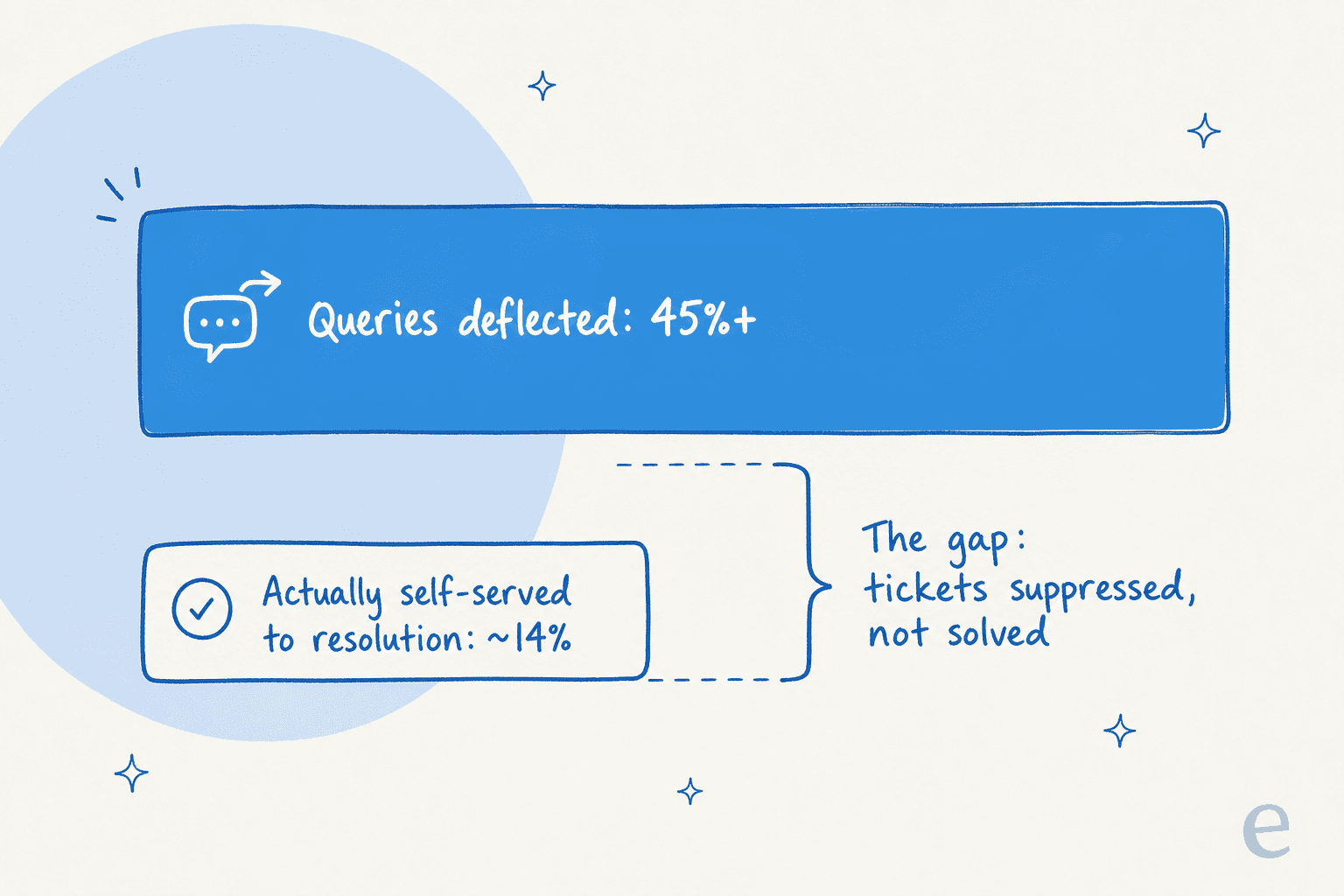
Here's where it gets interesting, and where most roundups stop short. A deflected ticket is not the same as a solved one. Gartner found that AI deflects over 45% of customer queries but only about 14% reach full self-service resolution, a roughly 31-point gap between "the ticket went away" and "the customer got their answer." Worse, one study of 100,050 support interactions found that bots optimized for deflection rate are 37% more likely to push an issue away from resolution than a human would, per Corebee's analysis. The customer rage-quits the chat, the ticket closes, and your dashboard calls it a win.
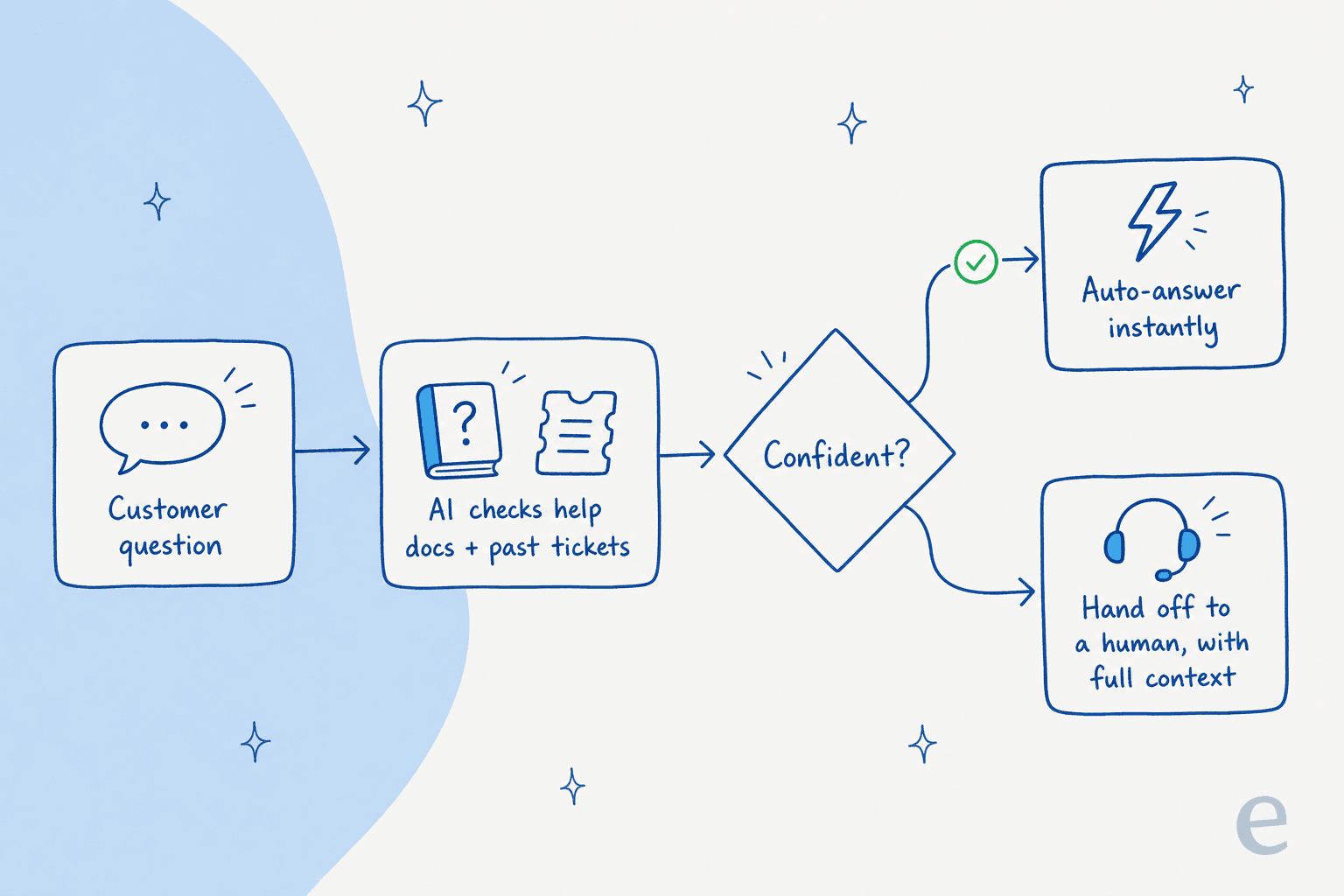
So the real question isn't "which tool deflects the most?" It's "which tool resolves the most while quietly escalating everything it can't handle?" A CX lead at a 7,000-ticket-per-month DTC brand put the requirement to me better than I could: "I need an AI who is only handling the tickets that it's confident to handle, and all the other ones, leave them alone." That instinct is the whole game.
How I evaluated each tool
I scored every tool on five things, in roughly this order of importance:
- What it learns from. A bot trained only on a help center can answer what's documented. One that also trains on your solved tickets learns how your team actually phrases answers, which is where the real deflection lives.
- Resolution vs deflection. Does it measure tickets genuinely closed, or just suppressed? Can you see the difference in your support metrics?
- Confidence and escalation. Can it stay quiet and hand off to a human when it's unsure, instead of guessing? This is the single biggest hallucination safeguard.
- Pricing model and total cost. Per-resolution, per-seat, per-session, or flat per-ticket? The unit matters more than the sticker.
- Setup and time to value. Can you forecast the deflection rate before you commit, or is it a months-long services project?
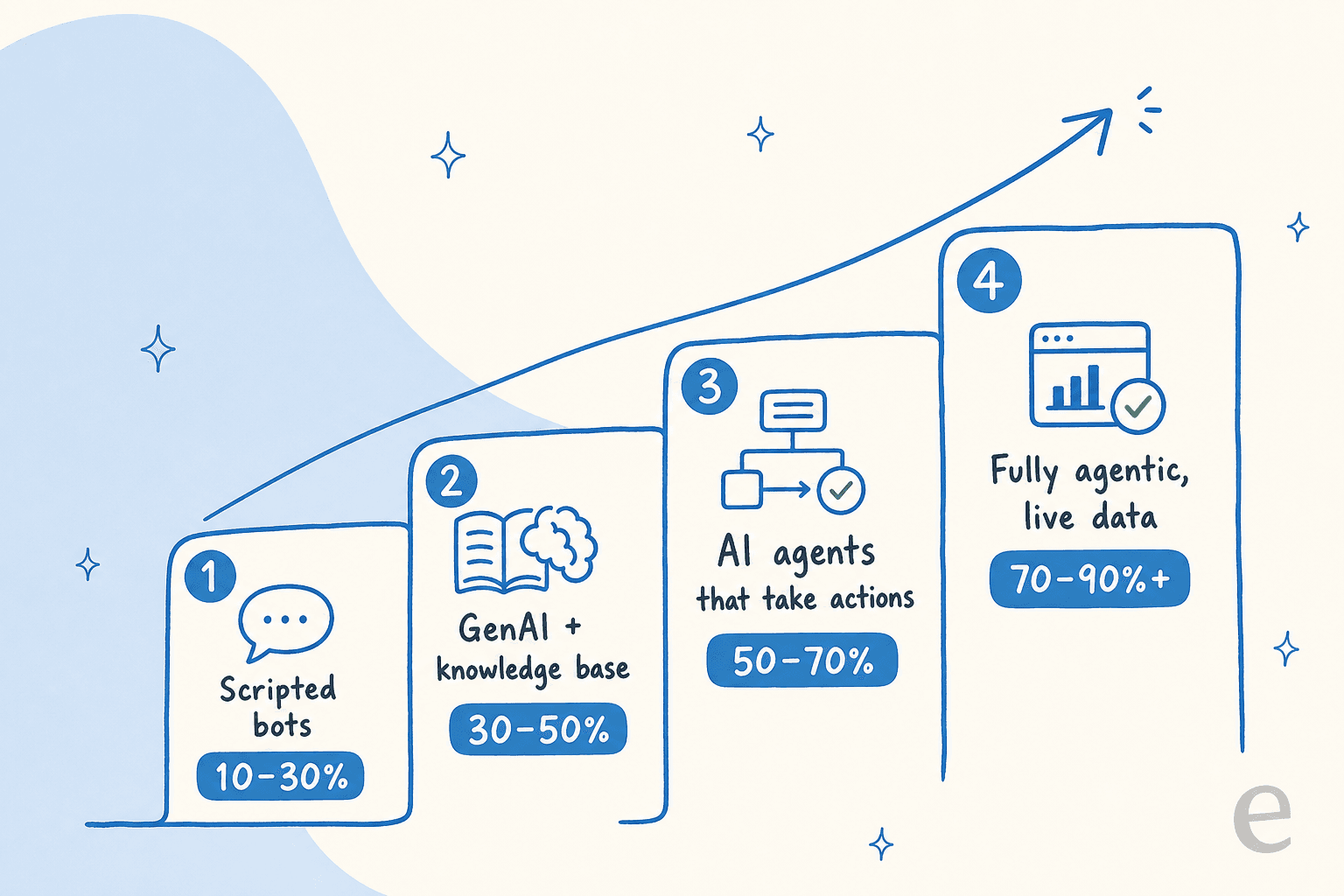
One framing that helps: deflection rate climbs predictably with automation maturity. Scripted FAQ bots top out around 10 to 30%. Add generative AI plus a knowledge base and you reach 30 to 50%. Give the AI the ability to take actions and you hit 50 to 70%. Fully agentic systems with live data access can reach 70 to 90%+ on high-structure intents like order status and refunds.
The best AI for FAQ deflection at a glance
| Tool | Best for | Learns from past tickets | Billing unit | Starting price | Public pricing | Vendor deflection claim |
|---|---|---|---|---|---|---|
| eesel AI | Teams that want flat, predictable cost | Yes | Per ticket (flat) | $0.40 / ticket | Yes | 73% tier-1, month one |
| Ada | Enterprise contact centers (300k+ convos) | Coaching loop | Per resolution | ~$30k+/yr (quote) | No | Up to 84% |
| Forethought | Mature mid-market/enterprise orgs | Yes (Discover) | Platform + outcomes | Quote | No | Up to 98% |
| Aisera | Cross-functional IT + CX enterprises | RAG + reasoning | Per ticket/employee | Quote | No | Up to 90% |
| Zendesk AI | Teams already in Zendesk | Resolution loop | Per automated resolution + seat | $55/agent/mo + usage | Partial | Up to 80% |
| Freshdesk Freddy | SMB/mid-market on Freshdesk | KB-led | Per session + seat | $0 free, then $49/100 sessions | Yes | Up to 80% |
| Gorgias | Shopify ecommerce brands | Ecommerce-trained | Per resolution + ticket | $0.90/resolution | Yes | ~60% |
| Help Scout | Small relationship-driven teams | No (KB-only) | Per resolution + seat | $0.75/resolution | Yes | ~73% |
| Tidio (Lyro) | SMB ecommerce, fast setup | Scraping + FAQ | Three usage meters | $32.50/mo standalone | Partial | 67% avg |
1. eesel AI
Best for: teams that want strong deflection on their real tickets with a flat, predictable bill, set up in minutes rather than months.
I work on eesel, so take the placement with the appropriate grain of salt, but I'll argue the case on the same five criteria I used for everyone else. eesel AI is an AI helpdesk agent that plugs into your existing stack (Zendesk, Freshdesk, Gorgias, Front, HubSpot, Slack) and trains on your past tickets, help docs, and macros on day one, so years of history becomes usable knowledge immediately rather than a blank-slate bot you spend a quarter teaching.

On the deflection-vs-suppression problem above, the part I'd point to is simulation mode. Before the agent ever touches a live customer, you run it against thousands of your historical tickets and it shows you the exact deflection rate by theme, where the gaps are, and what it would have replied. You're not betting on a vendor's headline number; you're forecasting your own. Then confidence-based routing handles the rest: the agent answers what it's sure about and silently leaves the rest for a human, which is exactly the behavior that DTC lead was begging for.
Here's the eesel chat agent resolving a customer question end to end:

Pros:
- Trains on solved tickets, not just help-center articles, so it deflects the way your team actually answers.
- Simulation on past tickets forecasts your real deflection rate before launch.
- Flat 40 cents per ticket, no per-seat fee, no charge for tickets humans handle.
- Goes live in minutes via a self-serve setup, with 80+ languages out of the box.
Cons:
- SOC 2 is in progress rather than certified, which can stall procurement at security-strict enterprises.
- Newer brand than the incumbents, so fewer third-party review-site ratings to lean on.
- Deep multi-step actions on niche internal systems can need configuration.
Pricing: pay-as-you-go from $0.40 per ticket, no platform or seat fee. A team running 1,000 tickets a month through the AI pays $400; route only 200 of them and you pay $80. Enterprise adds a $1,000/month platform fee for SSO, HIPAA, and a dedicated engineer. Full detail on the pricing page.
Verdict: if your inbox is mostly repetitive FAQs and you want a number you can trust before you commit, this is where I'd start. Gridwise resolved 73% of tier-1 requests in its first month, and Smava runs a fully automated agent on 100,000+ German tickets a month. The flat per-ticket price is also the cleanest defense against the per-resolution trap I'll keep flagging below.
2. Ada
Best for: large consumer brands with enormous conversation volume and the budget for an enterprise platform.
Ada is a standalone "agentic customer experience" platform whose Reasoning Engine orchestrates multiple LLMs to resolve inquiries, grounded in your knowledge sources and run through multi-step Playbooks. It sits on top of your helpdesk rather than replacing it, and a coaching loop lets you review past conversations and have the agent apply the notes going forward.
The resolution numbers in Ada's case studies are real and strong: Tilt hit an 84% automated resolution rate on chat, and Cebu Pacific reported a 34%+ lift versus its prior bot. The catch is scale and price. Ada's pricing page is a sales-qualification form gated to teams doing 300,000+ conversations a year, and real-world contracts reportedly start around $30,000/year and climb into six figures.
"Used to work for a company paying ~300k+ for Ada.cx, it's expensive [...] I would stick with Zendesk messaging and answer bot."
That's a support practitioner on r/Zendesk, and it captures the recurring knock: powerful, but priced and scoped for the enterprise top end.
Pros: very high resolution ceiling; strong reasoning on complex multi-step flows; helpdesk-agnostic.
Cons: quote-gated, enterprise-only pricing; setup is a project, not a plug-in; quality depends heavily on knowledge-base hygiene.
Verdict: a genuinely strong pick if you're a large brand with the volume to justify it. For everyone below the enterprise line, it's overkill. Compare notes on Ada alternatives before committing.
3. Forethought
Best for: mature mid-market and enterprise support orgs that want agentic AI layered on their existing helpdesk.
Forethought runs a multi-agent system whose customer-facing agent, Solve, resolves inquiries across chat, email, voice, and SMS using agentic workflows it calls Autoflows, plus Custom Actions to hit your helpdesk and third-party APIs. Its Discover component analyzes historical tickets and your knowledge base to surface gaps and auto-generate articles. Notably, Forethought now powers Zendesk's own AI agents after that acquisition.
The proof is real: Grammarly reached 87% deflection within 10 days with CSAT at 4.2/5, and YAZIO deflects 80%. A verified reviewer on AWS Marketplace credited the chat widget with proactively solving over 70% of inbound cases. The recurring complaints are UI latency and a steeper-than-expected learning curve.
Pros: high deflection ceiling; strong knowledge-gap analysis; multi-channel.
Cons: quote-only pricing with no free trial; reported slowness and configuration friction.
Verdict: a serious option for larger orgs, especially ones that want Discover's gap analysis. Smaller teams will find the setup heavy. See how it stacks up against the best Forethought competitor and check Forethought pricing before you book a demo.
4. Aisera
Best for: large enterprises consolidating IT, HR, and customer support onto one cross-functional AI platform.
Aisera is built around a Universal Agent that orchestrates domain-specific agents across customer service, IT, HR, and finance, using RAG-based retrieval and a reasoning engine for multi-step planning. It's employee-support-first, CX second, which tells you who it's really for. Automation Anywhere acquired it in late 2025.
A Gartner Peer Insights reviewer reported Aisera "deflects 90% of tickets," and LifeScan auto-resolves 65% of incoming support requests. But the same Gartner page carries a sharper note: "For months it has not been able to understand certain requests." Pricing is fully quote-gated, with both the pricing and demo pages returning 404s during my research.
Pros: broad cross-functional coverage; strong for internal/employee support; flexible model gateway.
Cons: opaque pricing; services-heavy implementation; built for IT first, so CX-only buyers see less of the value.
Verdict: the right tool if you're standardizing AI across the whole company, not just support. For a focused FAQ-deflection use case, it's more platform than you need. Background reading: Aisera reviews and Aisera pricing.
5. Zendesk AI
Best for: teams already standardized on Zendesk who want native AI without a separate platform contract.
Zendesk's AI Agents (now Forethought-powered) autonomously resolve requests across messaging, email, and voice, grounded in a unified knowledge graph and improved by a "resolution learning loop" where every outcome tunes the next. If you're already in the suite, it's the path of least resistance, and the setup guide is well-trodden.
Vendor case studies are strong, with TeamSystem and Action Property Management both citing 80% automation. The friction is the bill. AI Agents are charged per Automated Resolution on top of your per-seat plan (which starts at $55/agent/month for the first AI-capable tier), plus $50/agent add-ons. Community math is unforgiving:
"From what I can see in regards to this new 'Automated Resolution' pricing model, we'll be paying about $1.50-$1.20 per resolution."
That's r/Zendesk doing the arithmetic. And as another user noted, effectiveness "really depends on having a perfectly curated Zendesk knowledge base, which... ours isn't, lol." The other thing I keep hearing in our own sales calls is buyers who tried native Zendesk AI and found it "inadequate and overpriced."
Pros: native, no extra integration; mature knowledge graph; strong on documented intents.
Cons: layered seat + per-resolution + add-on pricing; quality gated on KB hygiene.
Verdict: the sensible default if you're committed to Zendesk and your knowledge base is clean. If you want past-ticket training and a flatter bill, look at the best AI for Zendesk options that sit on top of it, or read up on Zendesk's AI capabilities first.
6. Freshdesk (Freddy AI)
Best for: SMB and mid-market teams already on Freshdesk who want affordable AI deflection.
Freddy AI Agent ships with 50+ prebuilt agentic workflows that resolve queries and update records 24/7, built in a no-code studio, with a separate Copilot that assists human agents. Self-service deflection runs off your knowledge base. Freshworks reports up to 80% resolutions with Freddy, and retail teams resolving 53% of incoming queries with AI.
A Reddit user summed up the realistic SMB take well:
"Freshdesk Freddy: for early stage teams that want something simple, it covers the basics auto assignment, suggested replies, FAQ deflection. It's reliable and affordable, nothing crazy."
That's from a thread on r/AgentsOfAI. The watch-out is the consumption model: Freddy is a usage add-on where the Email AI Agent includes the first 500 sessions, then $49 per 100 sessions, and a "session" is a 72-hour window that expires each cycle, which makes forecasting awkward. One operator I read noted it "worked for very simple tickets but anything slightly complex got misclassified."
Pros: genuinely affordable entry (free tier exists); easy if you're already on Freshdesk; no-code workflow studio.
Cons: session-based billing is hard to forecast; quality drops on complex tickets; some features gated to Enterprise.
Verdict: a solid, low-risk choice for Freshdesk teams handling mostly simple FAQs. For anything more nuanced, compare the best AI for Freshdesk and weigh Freddy's pricing carefully.
7. Gorgias
Best for: Shopify and ecommerce brands that want FAQ deflection plus revenue actions in one helpdesk.
Gorgias is the ecommerce-native pick. Its AI Agent is pre-trained on a billion-plus ecommerce conversations and resolves pre- and post-sale FAQs, handles returns and refunds, edits orders, and recommends products, all natively connected to Shopify with no syncing. It routinely deflects around 60% of support even for smaller brands.
On when it's worth it, I'll defer to someone who's lived it:
"I've been around ecommerce for 10+ years and this is honestly how I'd choose: 40%+ tickets need Shopify actions, I'd lean Gorgias. Mostly conversational support, Zendesk is fine."
That's a 10-year ecommerce operator on r/CRM, and it's the right test. Gorgias bills per resolved conversation ($0.90 annual, $1.00 monthly) on top of ticket-based plans, which can creep to roughly 3x a comparable Zendesk bill at volume.
Pros: unmatched Shopify depth; takes real ecommerce actions, not just answers; quick install.
Cons: ticket-based billing punishes high-volume small teams; little advantage outside ecommerce.
Verdict: if 40%+ of your tickets need Shopify actions, this is the obvious pick. If you're mostly answering conversational FAQs, a flatter-priced agent will cost less. See AI agent options for Gorgias and Gorgias alternatives.
8. Help Scout
Best for: small, relationship-driven teams that want a simple shared inbox with bolt-on AI deflection.
Help Scout's AI Answers is an autonomous agent that resolves requests from your Docs knowledge base and website, surfaced through the Beacon widget, with a clean "no dead ends" escalation to a human. Help Scout reports its AI agents resolve 73% of interactions on average, which is a strong, honestly-stated number.
Two honest limits. First, AI Answers is knowledge-base-only: it can't take actions or learn from your past tickets, so it tops out at documented FAQs. Second, the per-resolution cost stacks on top of seats at $0.75 per resolution, which adds about $750/month at 1,000 resolutions. Help Scout's pricing history has also rattled some customers:
"HelpScout changed back to user-based pricing. Guess too many people cancelled including me... Helpscout lost all trust with this flip-flopping on pricing."
That's a user on r/SaaS. The product itself is well-liked; the pricing whiplash is the sore spot.
Pros: clean, simple UX; honest resolution numbers; clear human handoff.
Cons: KB-only (no past-ticket learning, no actions); per-resolution cost stacks on seats; pricing-model changes hurt trust.
Verdict: a lovely fit for small teams whose FAQs are fully documented and who value simplicity over depth. If you need the AI to learn from tickets or take actions, you'll outgrow it.
9. Tidio (Lyro AI)
Best for: SMB ecommerce brands that want fast, low-friction FAQ deflection they can install in minutes.
Tidio's Lyro is an AI agent powered by Anthropic's Claude that learns from FAQ uploads, website scraping, and article imports, then answers grounded only in the content you give it, which is why reviewers praise it for staying on-script. Tidio claims a 67% average resolution rate and offers Smart Actions for backend tasks. It can bolt onto an existing helpdesk standalone.
The product is well-rated (4.8/5 on the Shopify App Store across 1,300+ reviews), but the pricing draws consistent fire:
"their pricing is so off and hidden, 'free tier' is just a trap includes most services that are billed separatedly once you want to scale... tidio is a NO-GO for me they need to be more transparent."
That's a user on r/AIAssisted. Tidio runs three separate usage meters (billable conversations, Lyro AI conversations, and Flows visitors), and the jump from the $49/month Growth tier to the $749/month Plus tier is steep.
Pros: fast setup; Claude-grounded answers that resist hallucination; strong SMB ratings.
Cons: three-axis usage pricing is confusing; advanced routing gated to higher tiers; UI navigation gripes.
Verdict: a good fast-start option for small ecommerce stores, as long as you model the usage meters carefully before scaling. Compare Tidio Lyro alternatives if the pricing structure worries you.
The thing that decides your real deflection rate
After all nine, here's the pattern that actually separates them. Headline deflection numbers are easy to hit and easy to fake. What's hard, and what protects you from the false-deflection gap, is the combination of three things: the AI learns from your solved tickets (not just docs), it only auto-answers when confident, and you can measure resolution rather than suppression before you go live.
That's why I keep coming back to per-resolution pricing as a quiet tax. When you pay per resolution, the vendor's incentive and yours diverge: a confidently-wrong "resolution" still bills you, and a seasonal spike (Black Friday) multiplies your invoice for volume you didn't choose. A flat per-ticket rate keeps November's bill identical to March's, which is one reason I'd push any buyer to model their worst month, not their average one, before signing a per-resolution contract. If you're building the business case, our breakdown of AI customer support cost savings and the AI vs human agent cost math is a good place to start.
Try eesel for FAQ deflection
If your inbox is mostly the same repetitive questions, eesel is built for exactly this job. It connects to your helpdesk in a few minutes, trains on your past tickets and help docs so it answers the way your team already does, and lets you simulate the deflection rate on your real ticket history before a single customer sees it. Confidence-based routing means it answers what it's sure about and hands everything else to a human with full context, so you get deflection without the confidently-wrong answers.
It's a flat 40 cents per ticket, no per-seat fee, and free to try with $50 of usage and no credit card. You can start for free and run the simulation on your own tickets to see your real number before you commit.
Frequently Asked Questions
What is the best AI for FAQ deflection in 2026?
How much does AI for FAQ deflection cost?
Is FAQ deflection the same as ticket deflection?
Can AI deflect FAQs without giving wrong answers?
What deflection rate should I expect from an AI FAQ tool?


Article by
Kurnia Kharisma
Kurnia is a software engineer and writer at eesel AI with two years of SEO experience, writing about AI tools, helpdesk software, and customer support. He pairs a developer's understanding of how these products are built with search-driven research into what actually ranks and resonates with the people searching for them.