What multi-brand customer support is (and what it isn't)
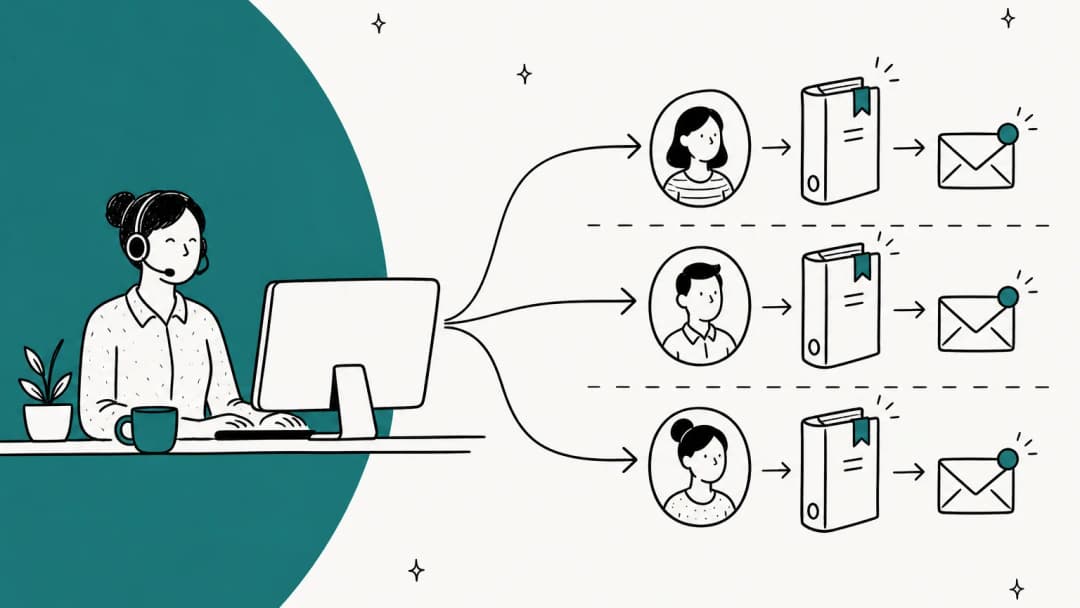
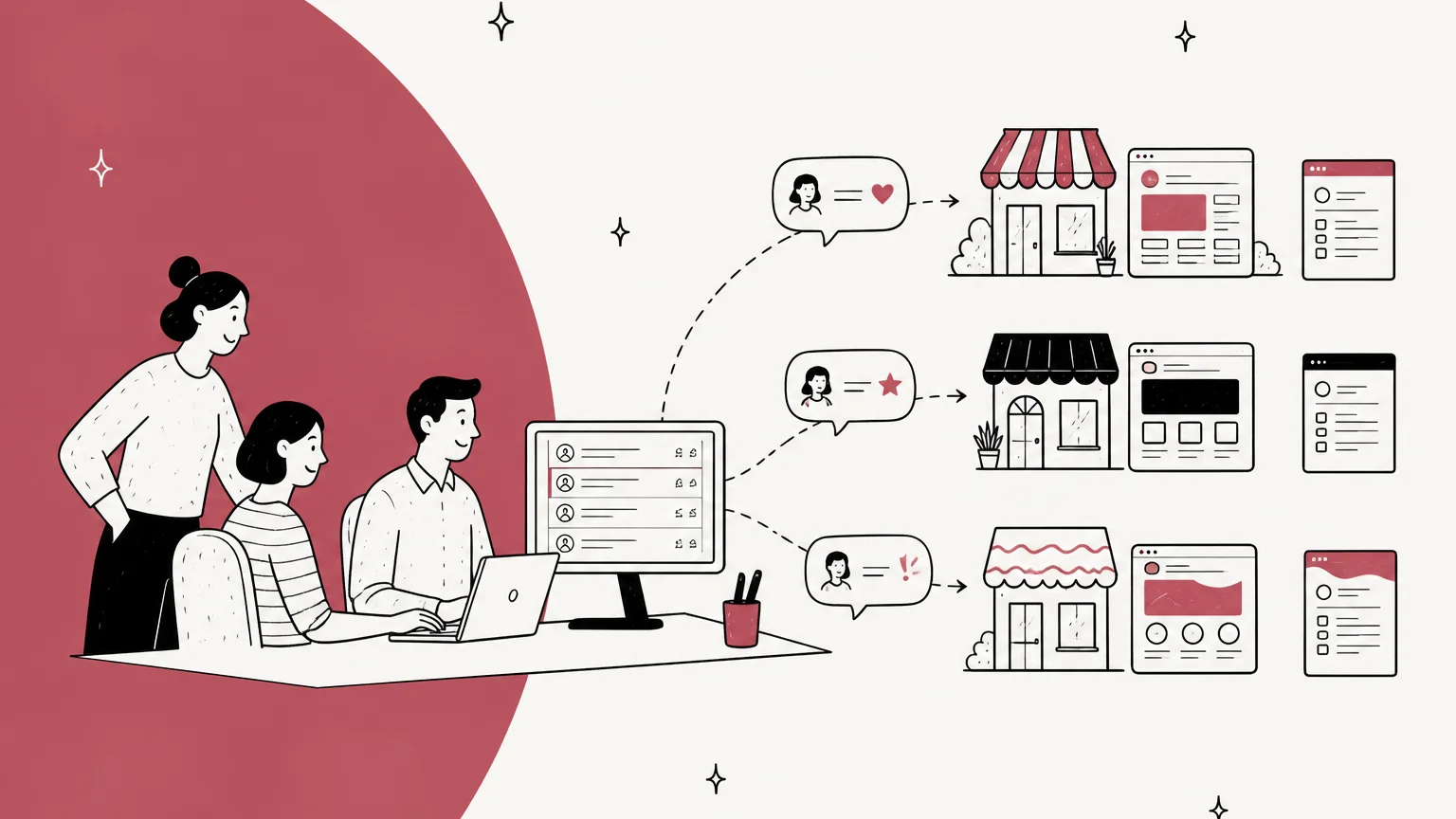
I work the eesel support queue every day, and a surprising share of the teams I talk to aren't one brand. They're a company that owns three Shopify stores, or a wellness group with five product lines, or a German events company running two Zendesk brands with one team behind both. That's multi-brand customer support: one company, several brands, one support operation.
It's easy to confuse with the agency or outsourcer setup, where one team supports brands owned by different companies. That case is about walls: keeping client A's data, staff and reports away from client B. I covered it in my guide to the multi-client helpdesk. Multi-brand is the opposite problem. The brands share an owner, often share customers, and almost always share a support team. You want them to feel separate to the shopper and stay joined up for the people answering.
Here's how one reviewer on G2 described the goal for two brands on Zendesk:
"We run two separate consumer brands under the same company, and customers of one have genuinely no idea the other even exists, which is exactly how we want it."

That's the bar. Separate on the outside, one operation on the inside.
What to share and what to split per brand
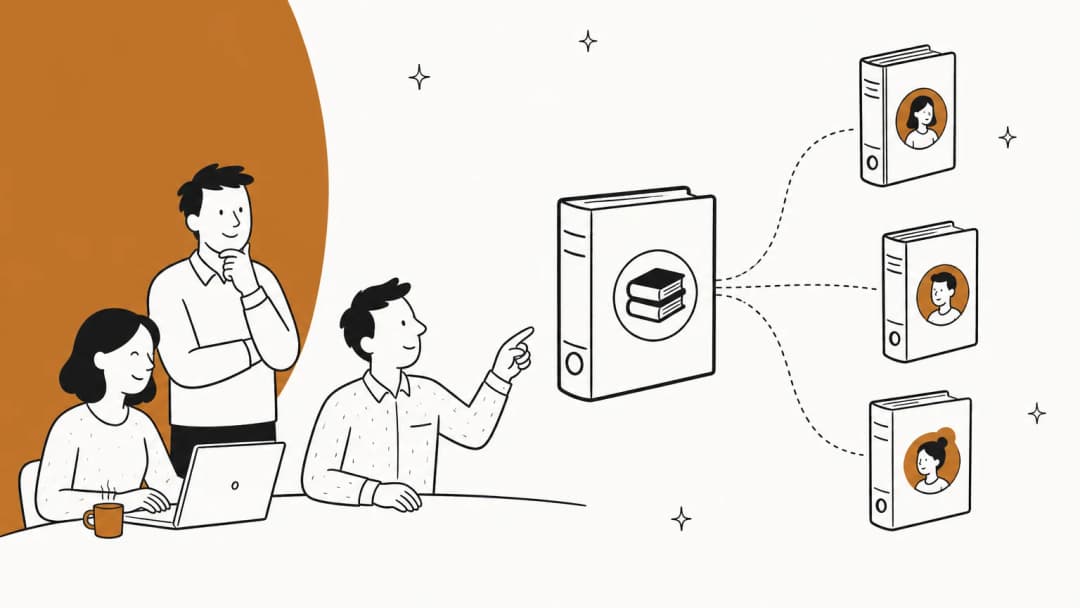
Most multi-brand mistakes come from splitting the wrong thing. Teams wall off customer records (which hurts) and leave the AI's knowledge pooled (which hurts more).
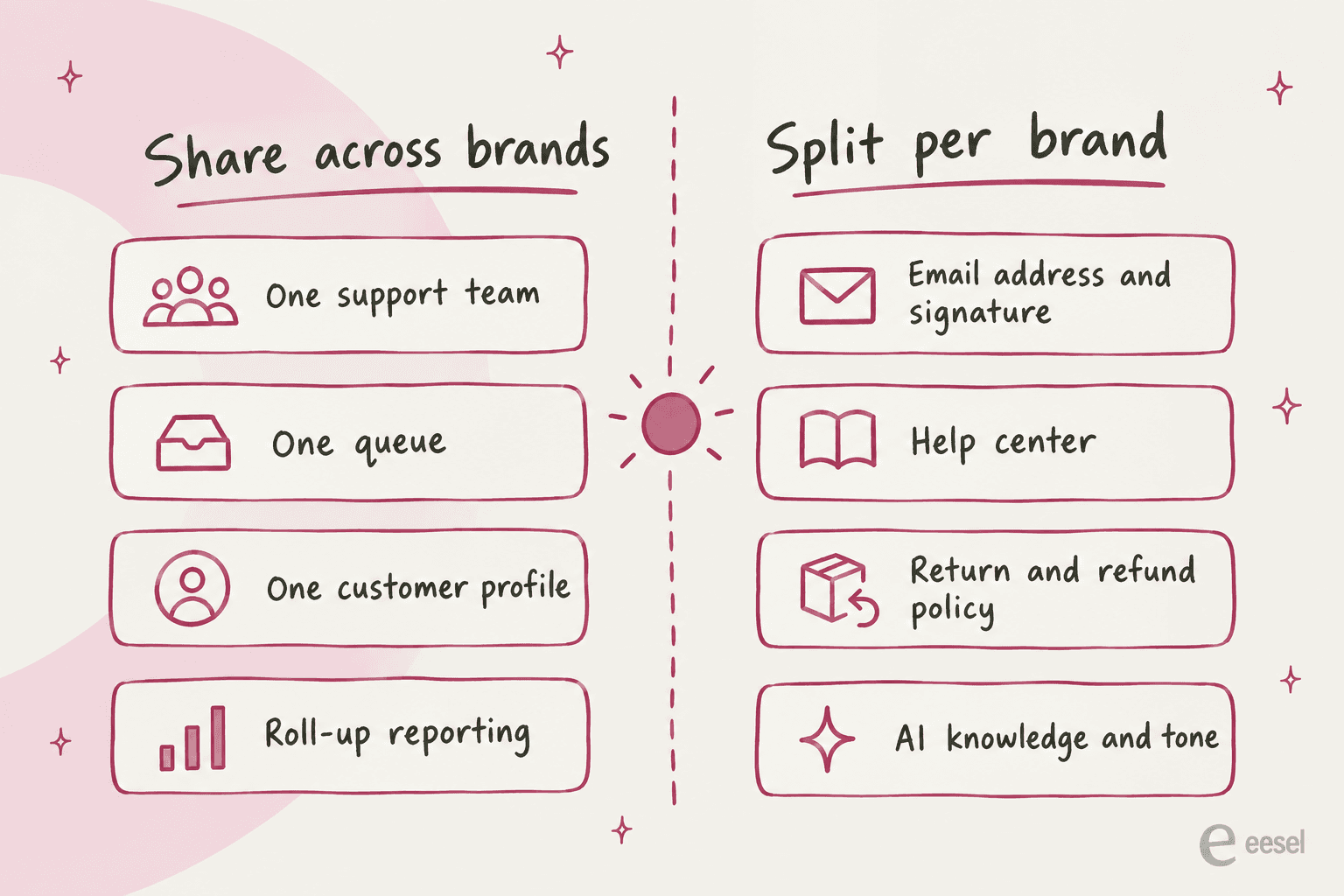
Share these:
- The team and the queue. One queue lets you staff by volume, not by brand. A slow week at brand A frees hands for brand B. See my post on shared queue management for the routing rules.
- The customer profile. If the same shopper buys from two of your brands, the agent should see both conversations. That's context, not a leak.
- Reporting, as a roll-up with a brand filter. You want total volume for staffing and per-brand numbers for each brand owner.
Split these:
- The email address and signature. A reply from the wrong brand's address is the most visible mistake in multi-brand support.
- The help center. Each brand needs its own articles, look and domain.
- Policies. Return windows, refund rules and shipping promises are often different per brand, and they're what customers quote back at you.
- The AI's knowledge and tone. An AI answering from a pooled knowledge base will happily quote brand A's 60-day return window to a brand B customer.
One pooled team or a team per brand?
This is the staffing question every multi-brand lead asks, and the answer depends on two things: how different the brands' products are, and how many tickets each brand gets.
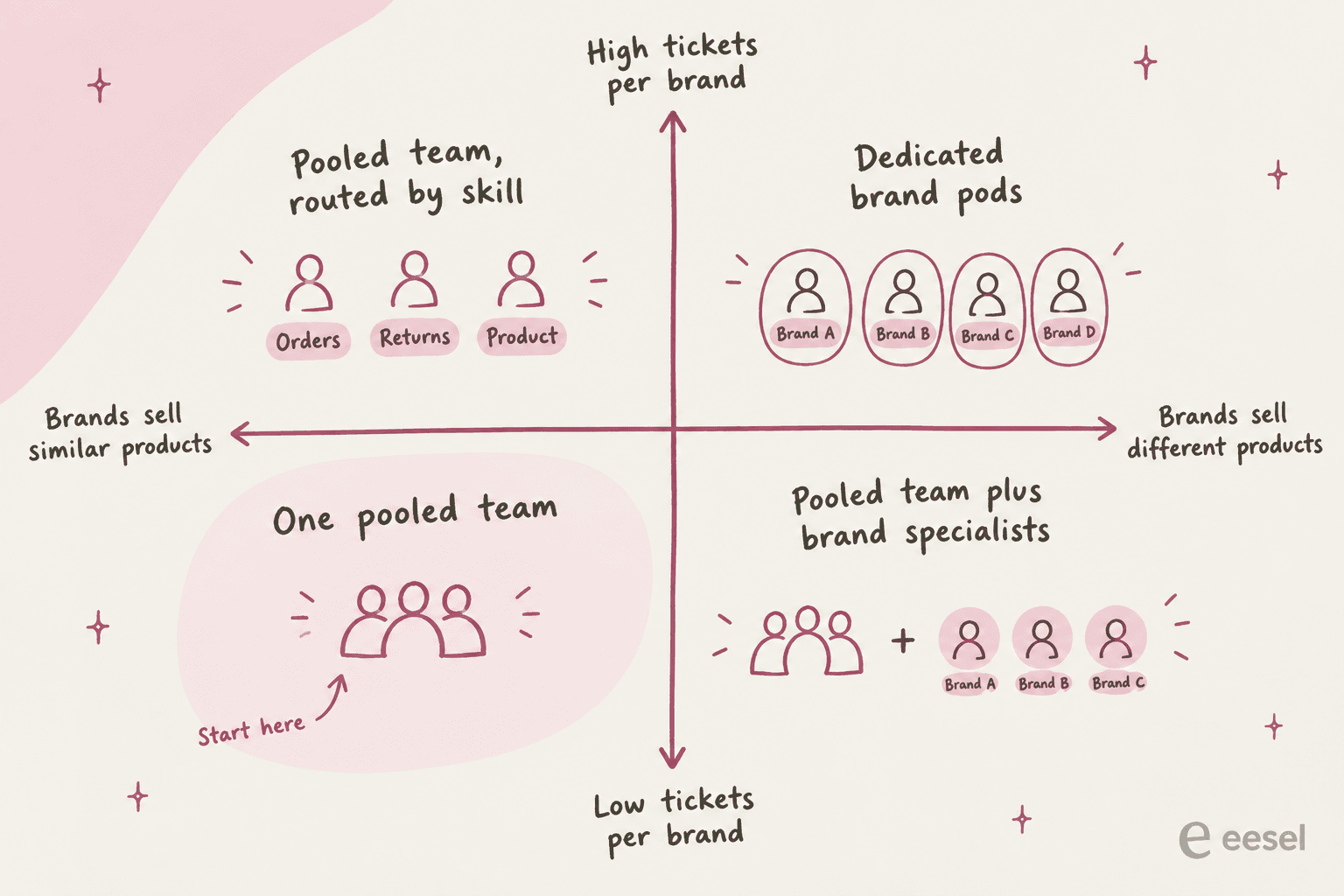
Start pooled. Most multi-brand teams are small, and small teams can't afford idle brand specialists. One Reddit poster on r/ecommerce described running "2 fulltime, 1 part time" agents across 4 brands on Gorgias. A Shopify merchant in another thread runs a dozen stores from one place:
"We use Gorgias on 12 stores from one interface. It's not perfect but we are pretty happy with it. The live chat is the one feature that doesn't work as well as it ought to."

Pooling scales further than most people expect. An application analyst at an enterprise guest-services operation wrote on G2 that they support "15+ brands from a single platform" on Freshdesk and handle "170,000+ tickets annually with a lean team," with brand-specific workflows split by Groups:
"We manage 15+ brands and can maintain consistent, brand-specific responses while dramatically reducing response time. This helped us reduce our average first response time by 37%."
Move to brand specialists when one brand sells something that needs real product knowledge (supplements with dosage questions, electronics with setup guides). Move to dedicated pods only when a brand's volume could keep a team busy on its own. Before you split, read my guide to support coverage planning so the pods don't leave gaps at night or on weekends.
The real leak is voice, not data
When people worry about multi-brand support, they picture an agent seeing the wrong customer's data. In a multi-brand setup that's usually fine: it's your company and your customer. What actually goes wrong is a reply that sounds like the wrong brand.
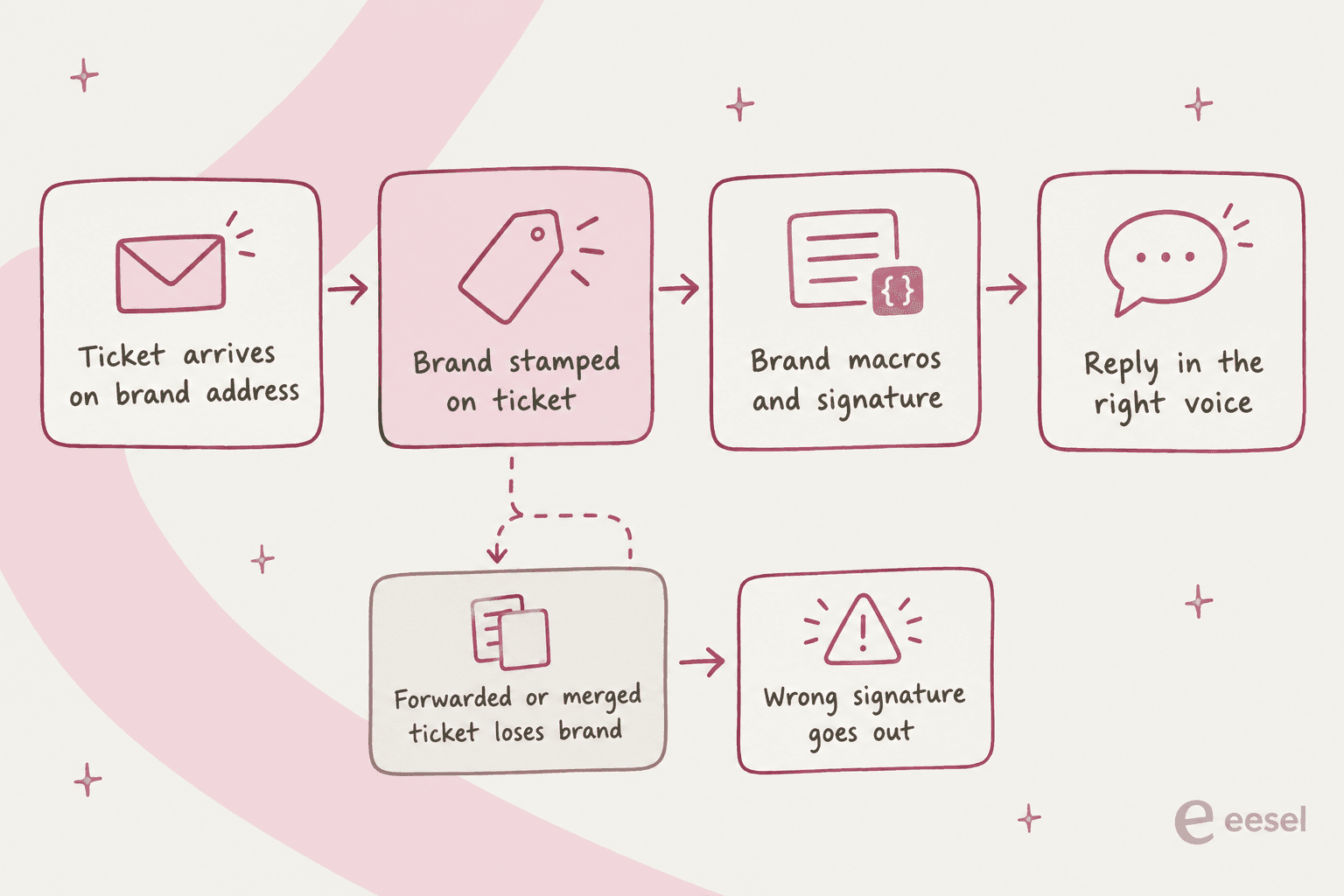
The brand gets stamped on a ticket when it arrives on a brand's email address or widget. Everything downstream keys off that stamp: signature, macros, SLA, AI agent. A ticket that arrives through a forwarded email, a shared social account or a merge can lose the stamp, and then the defaults take over. Here's where the defaults bite in each helpdesk:
- Zendesk has one email template for the whole account. Zendesk's own guide says to strip brand colors and footers out of the template "because that email template is applied to all messages, regardless of brand" (Zendesk email template doc). Per-brand notification emails mean cloning each notify trigger with a "Brand is X" condition.
- Zendesk branded signatures skip automatic emails. You can set a signature per brand on Suite Growth and up, but it only appears when an agent replies from the agent screen. It's "not included in email notifications sent automatically through triggers or automations" (Zendesk signature doc).
- Zendesk macros can't be limited to one brand. You can use brand in macro conditions, but there's no "available for this brand" setting. A June 2025 request for it on Zendesk's community board is still open, so most teams prefix macro names with the brand.
- Freshdesk's default notifications aren't product-specific. Freshdesk's fix is to turn them off and rebuild them as automations with a "Product is" condition, on Pro and Enterprise (Freshdesk product notifications). Per-product signatures need a Marketplace app.
- Help Scout gets this right by design. The signature belongs to the inbox, not the person, so "all emails from that inbox will have the same signature no matter which User is replying" (Help Scout signature doc). One inbox per brand, one signature per brand.
The G2 reviewer above hit the trigger version of this problem: they "built a rule for one brand once and completely forgot to mirror it over to the other," which mis-tagged tickets "for a few weeks" before they caught it. Every rule you write for one brand needs a twin or an explicit "all brands" condition. I keep a checklist for this in my customer support SOP guide.
Sharing one customer across brands
This is where multi-brand and multi-client support pull in opposite directions. For an agency, a customer record shared between two clients is a problem. For a multi-brand company, a shopper who buys from two of your brands is one person, and the agent should see the whole story.
Most helpdesks lean your way here:
- Zendesk: "End users and organizations do not have a brand value. They belong to the account, not a brand" (Zendesk multibrand doc). The agent sees tickets from every brand on the shopper's profile. On the customer side, a setting decides whether shoppers see their requests from one brand or all brands in each help center, on Suite Growth and up (Zendesk request visibility).
- Gorgias: the Customer Timeline shows a customer's tickets and Shopify orders in one view, on all plans. Tickets are "linked by the contact email address," so a shopper who used another email or an Instagram DM needs a profile merge (Gorgias customer history).
- Help Scout: the customer list covers every inbox you can see, but "a User can only see the conversation history in inboxes to which they have permissions" (Help Scout customers list). If agents are limited to one brand's inbox, they'll miss the other brand's history.
- Front: says plainly that "workspaces do not provide contact data silos" (Front workspaces doc). Custom fields are shared when two workspaces talk to the same contact.
The rough edge is the shopper's side. One G2 reviewer who supports "tens of brands" on Zendesk put it this way:
"My biggest concern is how difficult it is to support the same customers across multiple brands. Zendesk does not allow the same email address to be registered under separate brands (since a brand is not treated as a type of authentication)."
A Reddit admin made the same point about help center logins, recommending a group over a brand when products share customers:
"It's made it more complicated for shared customers amongst our products for the portal. They have to sign in to a whole different one. And the KB and any chatbot feature too."
So here's a call most guides skip: if your brands share most of their customers, they may not need separate brands in the helpdesk at all. A shared help center with brand-specific categories and a "brand" ticket field can serve a house of sub-brands better than full multibrand. Separate brands earn their keep when the brands look different to the shopper, sell different things, or have different policies.
How each helpdesk handles multi-brand support
Here's the field, with each vendor's brand unit and where the brand voice lives. Prices are from the vendors' own pricing pages, billed annually.
| Gorgias | Zendesk | Freshdesk | Help Scout | Front | |
|---|---|---|---|---|---|
| Brand unit | Store | Brand | Product (portal) | Inbox | Workspace or inbox |
| How many brands | "One store or 30," unlimited on all plans | 5 on Suite Professional, 300 on Enterprise | 5 on Pro, unlimited on Enterprise | Plus 5, Pro 10 included, extra $10/mo | Professional up to 5 workspaces, Enterprise unlimited |
| Cheapest plan with brands | Basic $50/mo (300 tickets) | Suite Professional $115/agent/mo | Pro $55/agent/mo | Standard $25/user/mo (2 inboxes) | Professional $65/seat/mo |
| Per-brand signature | Yes, per store | Yes, agent replies only (Growth+) | Via Marketplace app | Yes, per inbox | Yes, per channel |
| Per-brand macros | Yes, brand-specific | Brand in conditions, no per-brand visibility | Via app | Saved replies per inbox | Templates per workspace |
| Per-brand AI tone | Yes, per Shopify store | Yes, per AI agent | Yes, per AI agent | Yes, per AI Agent | No dedicated setting found |
| One customer across brands | Yes, by email | Yes, account-wide | Yes, account-wide | Yes, limited by inbox access | Yes, contacts not siloed |
| Per-brand reporting | Store filter | Ticket brand filter | Product filter | Inbox filter | Workspace or inbox filter |
If you'd rather click than read the grid, pick your helpdesk to see where each brand setting lives:
Gorgias
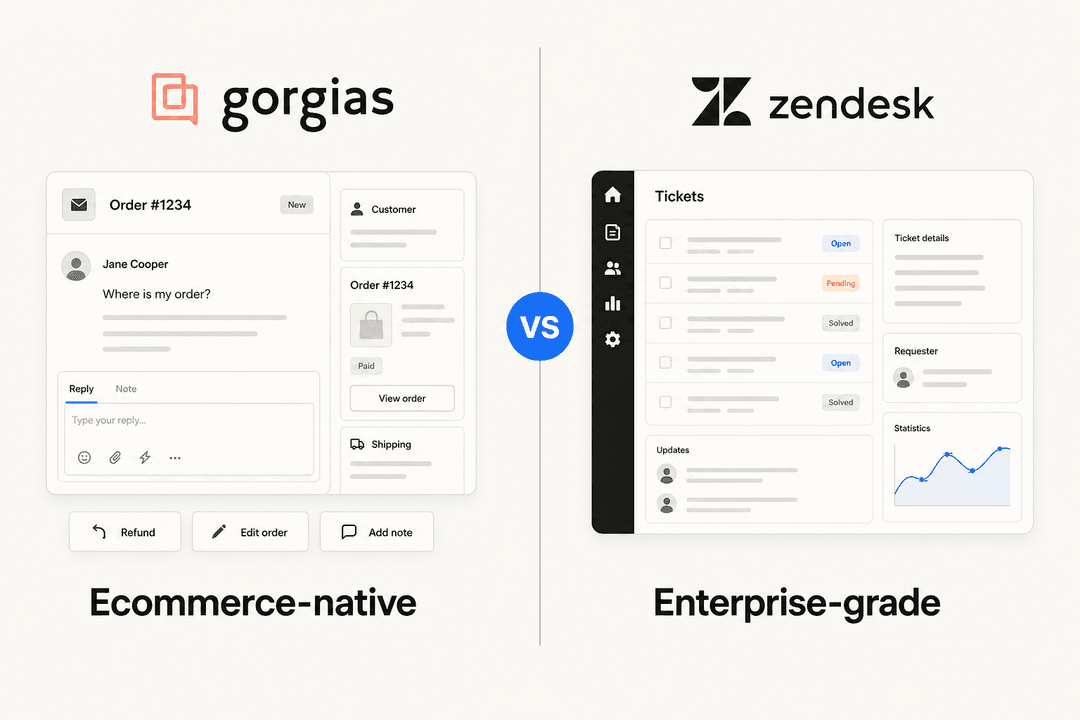
Gorgias is built for this. Its multi-store page pitches a single helpdesk "whether you have one store or 30," and the hero copy says all plans include unlimited brands (Gorgias multi-store page).
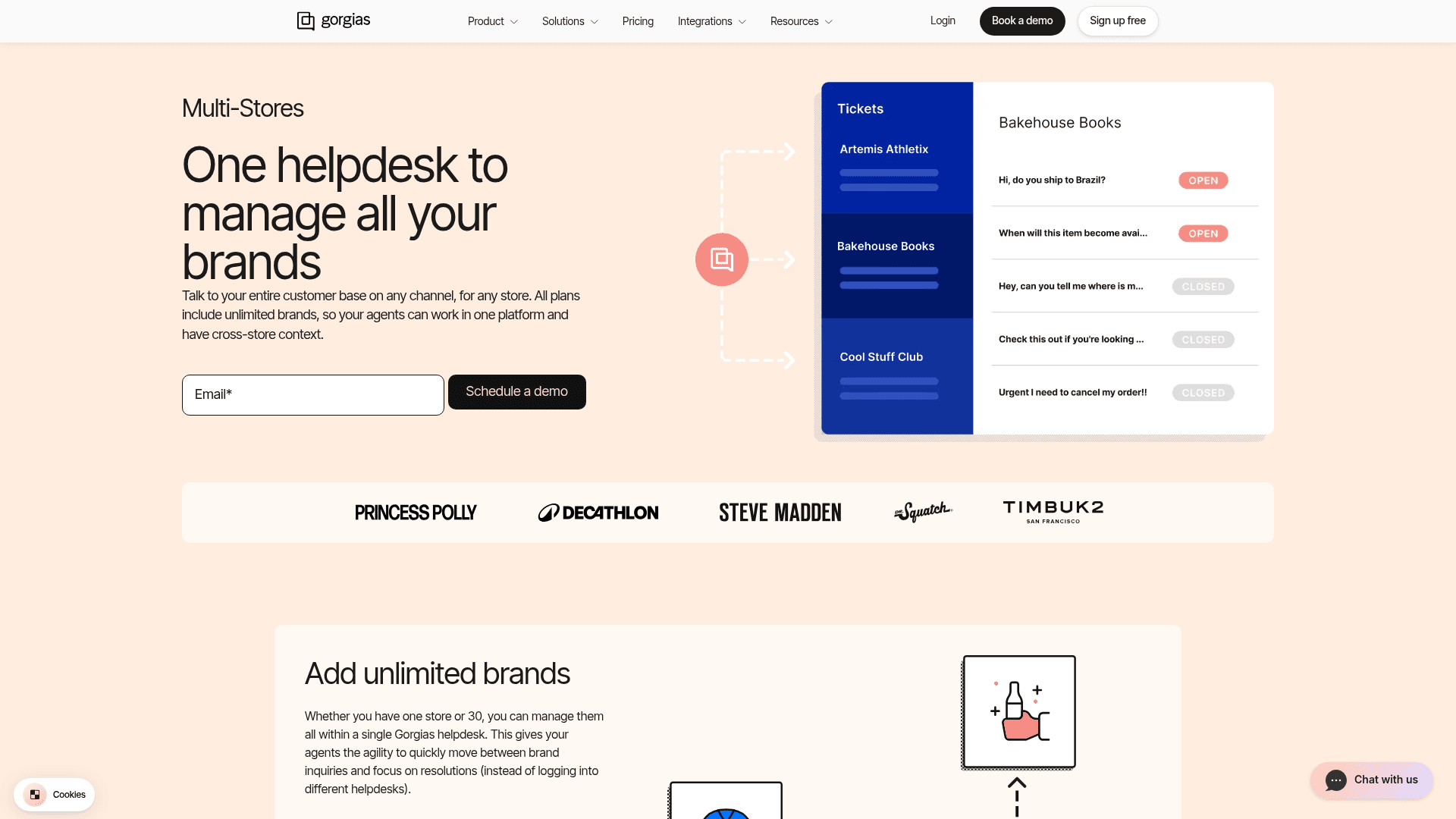
Each store gets its own support email and signature, "so your agents never have to worry about replying as the right brand." Macros and rules can be brand-specific. The AI Agent is set per Shopify store through a dropdown, with four personalities, a custom tone of up to 3,000 characters, and a greeting, sign-off and brand terminology list of up to 600 characters each (Gorgias tone of voice doc). Billing is per ticket rather than per agent: Basic is $50 a month for 300 tickets, Pro $300 for 2,000 (Gorgias pricing). I go deeper in managing multiple brands in Gorgias.
The limit to know: the per-store AI Agent is worded for Shopify stores, and Gorgias only has a "store" unit for ecommerce platforms. A brand that isn't a store has no natural home. My Gorgias review covers the rest.
Zendesk
Zendesk multibrand gives each brand its own help center and support address. Suite Professional ($115 per agent a month) covers up to 5 brands, and Suite Enterprise up to 300 (Zendesk multibrand doc).
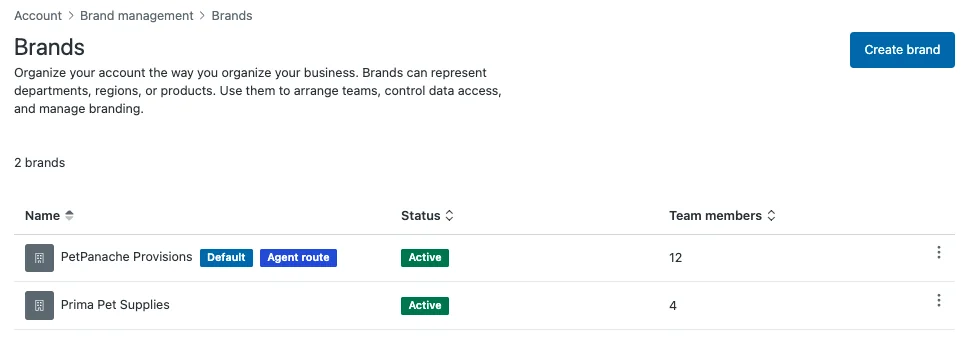
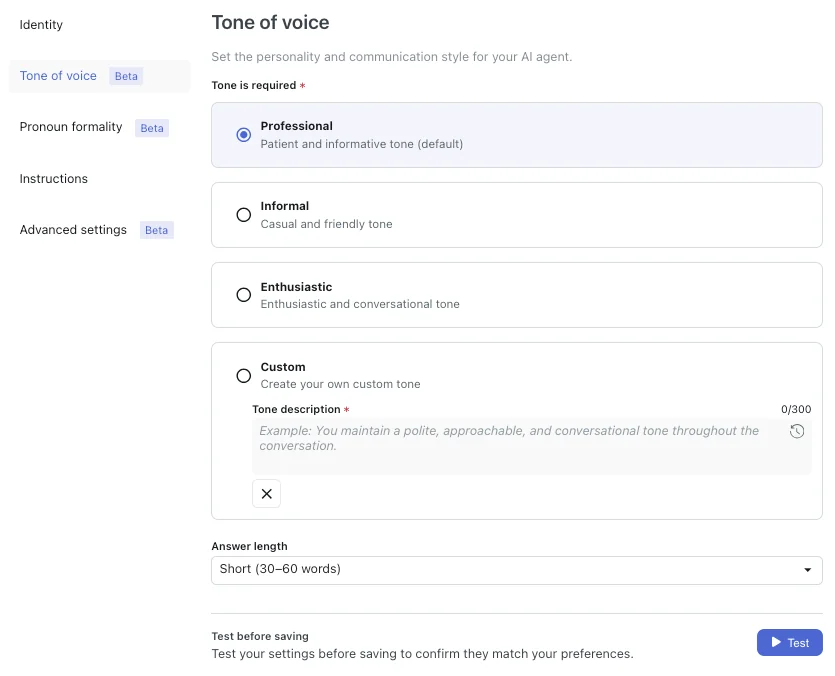
The voice controls are strongest on the AI side. Each AI agent has its own identity (name, company, business profile) and a tone of voice: Professional, Informal, Enthusiastic or Custom, plus answer length and pronoun formality. That's available on all Suite plans from Team up (Zendesk AI agent tone doc).
The human-reply side takes more wiring, per the voice section above: one account-wide email template, branded signatures that skip automatic emails, and macros that can't be scoped to one brand. My guides to managing multiple brands in Zendesk and Zendesk multi-brand setup walk through the triggers, and Zendesk Guide multi-brand help centers covers the help center side.
Freshdesk
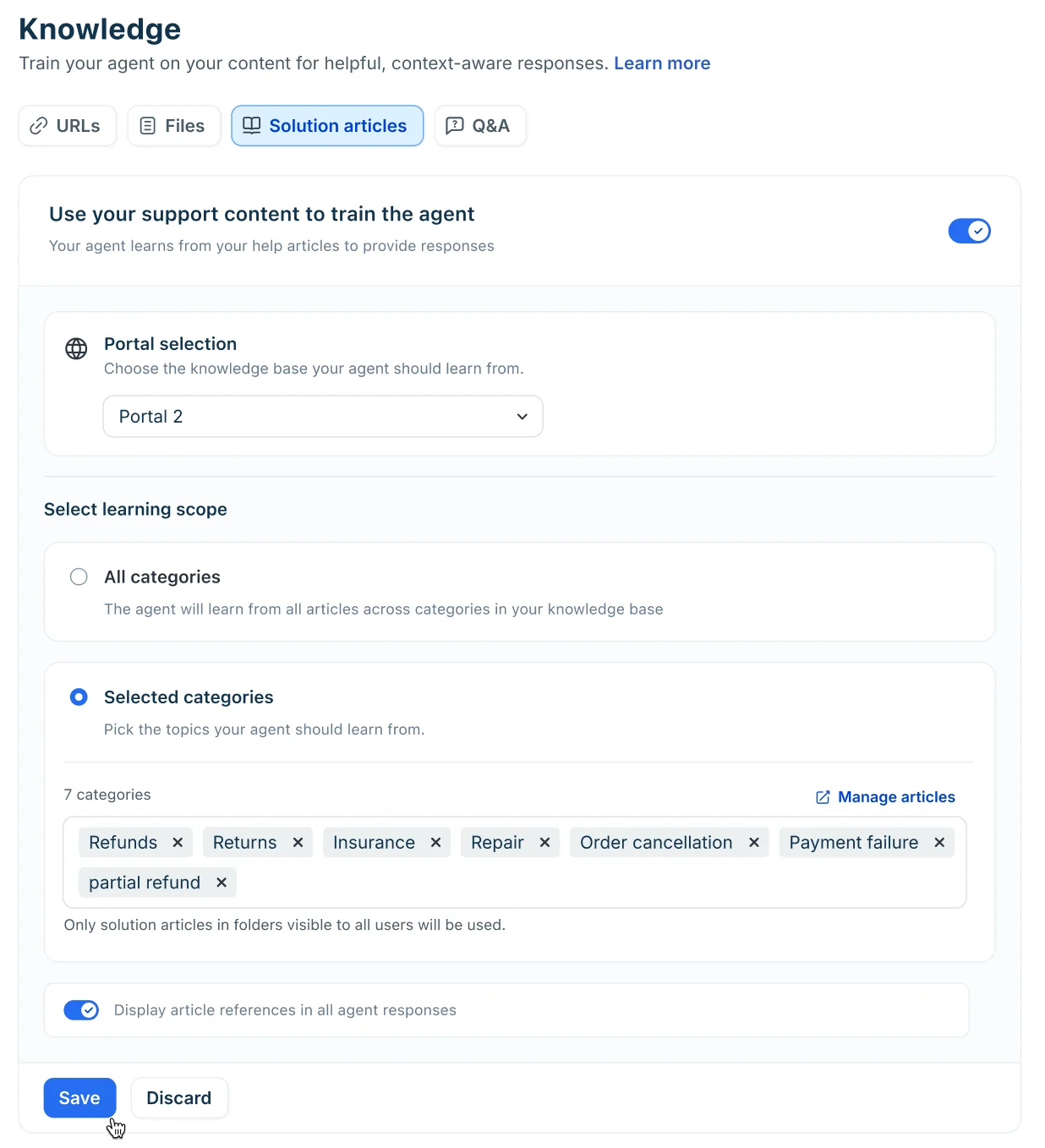
Freshdesk calls it Multiple Products: each product gets its own mailbox, branded portal and knowledge base, up to 5 on Pro ($55 per agent a month) and unlimited on Enterprise (Freshdesk multiple products doc). Bigger setups can ask for Workspaces on Enterprise, which split agents, SLAs and automations per brand. For AI, Freddy AI Agent Studio lets you pick which portal each AI agent learns from and set tone and formality in its instructions, with up to 50 AI agents per account (Freshdesk AI knowledge doc).
Per-product signatures and email templates aren't native; Freshdesk's own help center points to Marketplace apps for that. More in my Freshdesk AI and Freshdesk pricing posts.
Help Scout
Help Scout's inbox model maps neatly onto brands: one inbox per brand carries its own email address, signature, saved replies and SLA policy. Plus includes 5 inboxes and Pro 10, with extras at $10 a month (Help Scout pricing). AI Agents carry their own sources and voice and link to a brand's Beacon, so each brand can have its own AI (Help Scout AI Agents doc).
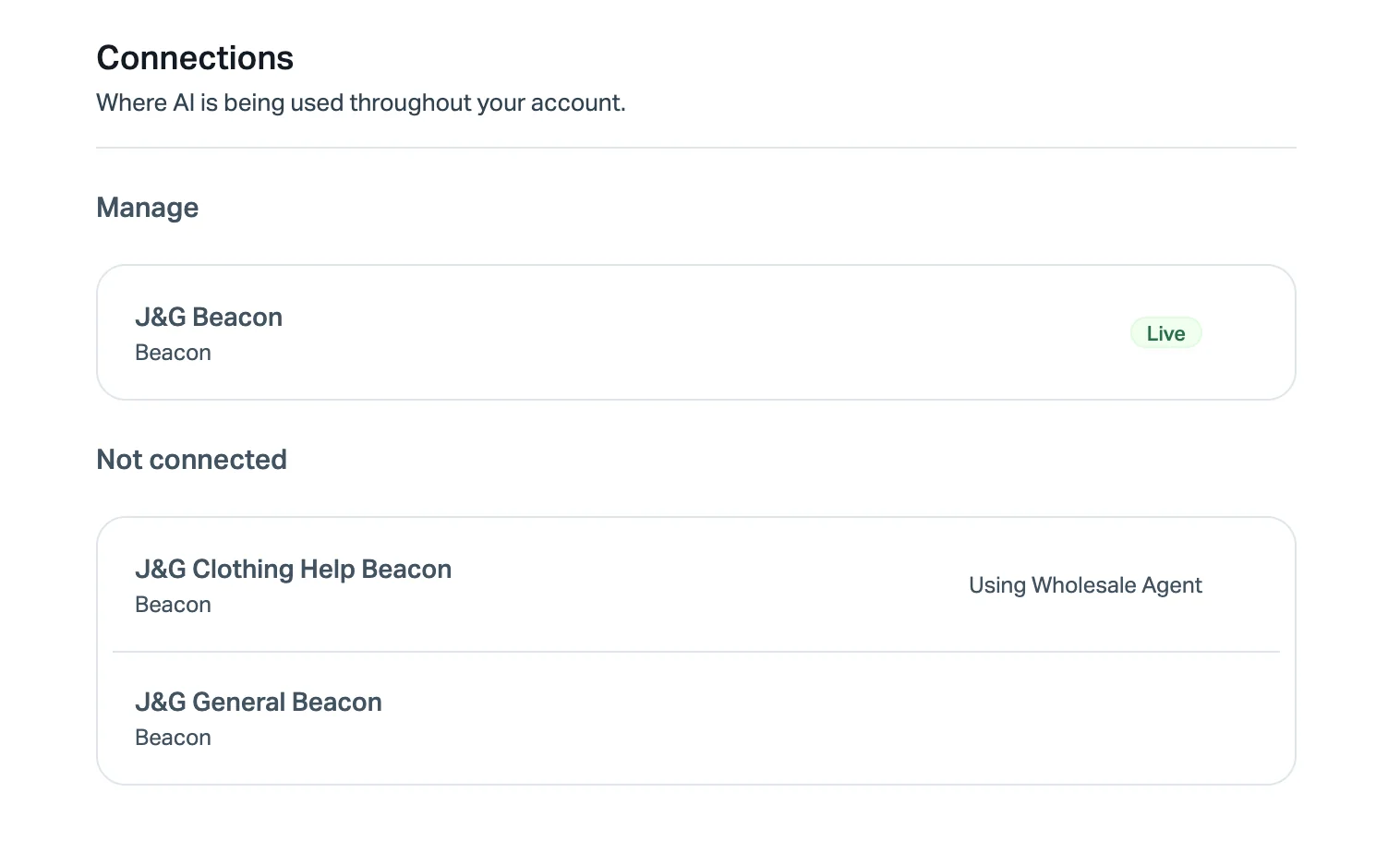
One Shopify merchant summed it up in a Reddit thread on multi-store helpdesks: "We like Helpscout for 5 different Shopify stores and it works well" (u/maydaygames, Reddit). The trade-off is the flip side of clean inboxes: an agent limited to one inbox can't see a shopper's history in another brand's inbox. See my Help Scout review for the rest.
Front
Front splits brands with workspaces (up to 5 on Professional at $65 a seat, unlimited on Enterprise) or with shared inboxes inside one workspace (Front workspaces doc). Default signatures are set per channel, which also sets the From name, so each brand address can sign off as its own brand (Front signature doc). I didn't find a dedicated per-brand AI tone setting; knowledge sources sit in workspace settings. More in my Front AI post.
How to set up multi-brand customer support in 6 steps
Here's the order I'd do it in, whichever helpdesk you're on.
- Write a one-page tone and policy card per brand. Voice, greeting, sign-off, words to avoid, return window, refund rules, shipping promises. Every later step pastes from this card. My customer service tone guide has a template, and AI support agent brand voice covers the AI side.
- Stamp the brand at entry. One email address, widget and help center per brand, and a required brand field or tag on every ticket. A ticket that arrives without a brand should land in a triage view, not get a default. See ticket triage for that view.
- Twin your rules. For each trigger, automation and SLA, decide: one per brand, or one with an explicit "all brands" condition. Never leave a rule that only exists for one brand by accident. My guide to SLA best practices covers per-brand targets.
- Prefix your macros. Name every brand-specific macro with the brand ("BrandA: return label") so agents can't grab the wrong one, and keep shared macros brand-neutral. Macros 101 has naming tips.
- Give each brand its own AI agent. One agent per brand, each pointed at that brand's help center and past tickets, each with that brand's tone card pasted in. Test each one on past tickets before it answers anyone.
- Report with a brand filter, review monthly. Volume, first response time and CSAT per brand, plus one roll-up for staffing. A brand whose volume climbs past what the pooled team can absorb is your signal to add a specialist.
Where AI fits when every brand sounds different
AI is where multi-brand support goes wrong fastest, because a pooled AI has no idea which brand it's speaking for. A Zendesk admin on Reddit described the knowledge version of this for regions, and it applies equally to brands: the AI "pulls knowledge from the Help Centers linked to the same brand, regardless of language or region" (u/velvetvortext, Reddit r/Zendesk). If brand A and brand B share a knowledge pool, brand B customers get brand A answers.
The fix is one AI agent per brand, not one clever prompt. I've seen this play out with eesel customers. A multi-brand health and wellness company on Zendesk runs five dedicated AI agents, one per brand, each trained on its own brand's tickets so it knows the products it supports. A multi-brand gardening ecommerce business on Shopify and Zendesk started with eesel as a copilot for its agents before moving to AI live chat. And earlier this year I watched multi-brand teams on Gorgias and Zendesk give up because per-brand setup was too fiddly to do themselves. That's why each brand now connects to eesel on its own.
Here's how that looks in eesel today:
- Each brand connects separately. For Zendesk, you give eesel the brand's subdomain and it "imports tickets and help center articles from that brand only," and each brand "can go to a different agent with its own triggers and actions" (eesel Zendesk docs). Freshdesk and Gorgias accounts connect the same way, several per workspace.
- Each agent keeps its own knowledge. You can remove an integration from one agent and keep it for the others. Telling an agent in its instructions to ignore another brand's tickets doesn't stop it learning from them; switching that ticket source off does.
- Actions are per agent. Allowing refunds on brand A's agent doesn't turn them on for brand B (eesel skills docs). Handy when refund rules differ by brand.
- Every agent is tested first. The simulation skill replays each brand's past tickets and compares the agent's answers to what your team actually sent.

There's also the eesel CLI if you'd rather script it. It drives the same workspace from a terminal: eesel agents create makes a new agent, and --agent <name> points any command at one brand's agent, so setting up a sixth brand can be a script instead of an afternoon of clicking. Claude Code, Cursor and Codex can run it too.
Try eesel for multi-brand support
If you're running several brands on Gorgias, Zendesk or Freshdesk, eesel gives each brand its own AI teammate: trained on that brand's past tickets and help center, written in that brand's voice, with its own refund and action rules. It joins your existing queue in minutes, you can test it on past tickets before it answers anyone, and unlimited agents and seats are included on every plan. Pricing is one fixed monthly price where a ticket is 1 credit, with a free plan of 100 credits and paid plans from $299 a month for 500 (eesel pricing).

Try eesel free with your first brand, then add the next one when you're happy with how it sounds.
Frequently Asked Questions
What is multi-brand customer support?
Which helpdesk is best for multi-brand customer support?
How do I keep a consistent brand voice across multiple brands?
Should each brand have its own support team?
How much does multi-brand customer support software cost?
Can one AI agent answer for several brands?
How do I see one customer's history across all our brands?
How do I report on each brand separately?



Article by
Riellvriany Indriawan
Riell is a designer and writer at eesel AI with about two years of experience researching CX platforms, AI chatbots, and helpdesk software. She combines her design background with a sharp eye for how these tools actually look and feel in practice — making her comparisons unusually visual and user-focused.