What is a customer support SOP?
A customer support SOP (standard operating procedure) is a written set of steps for handling one recurring situation the same way every time. "How we handle a refund request" is an SOP. "Refunds are available within 30 days" is a policy. "Hi Sam, I've processed your refund" is a macro.
I build AI agents at eesel, and the instructions those agents follow are, honestly, just SOPs with stricter formatting. So I spend a lot of time looking at support teams' procedures, and the most common confusion I see is all three layers mashed into one document. The policy changes once a year, the steps change every quarter, and the wording changes every week. Put them in one doc and every edit risks breaking the other two.
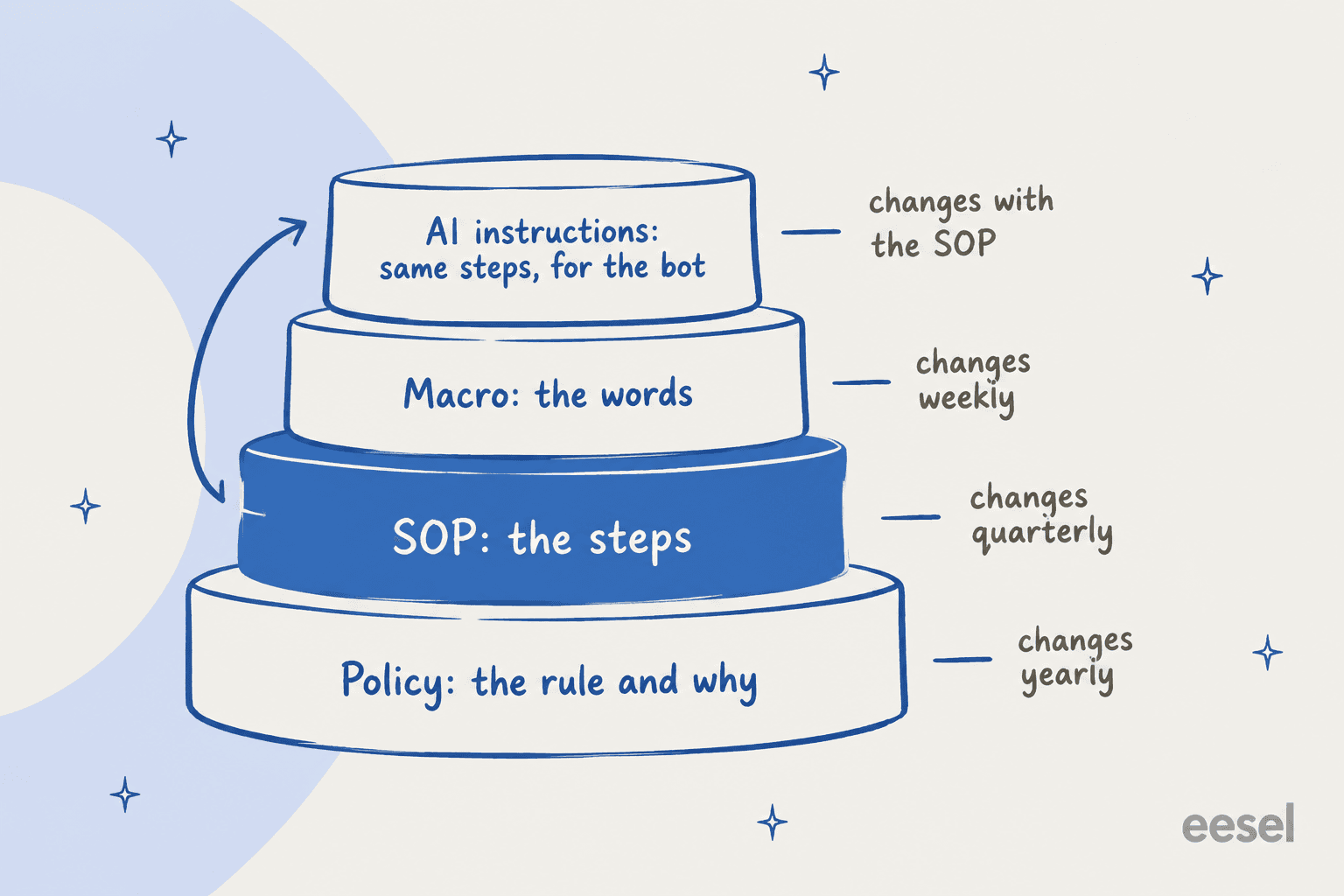
Here's how the layers split in practice:
| Layer | What it answers | Example | Where it usually lives |
|---|---|---|---|
| Policy | What's the rule, and why? | "Refunds within 30 days of delivery" | Help center, terms page |
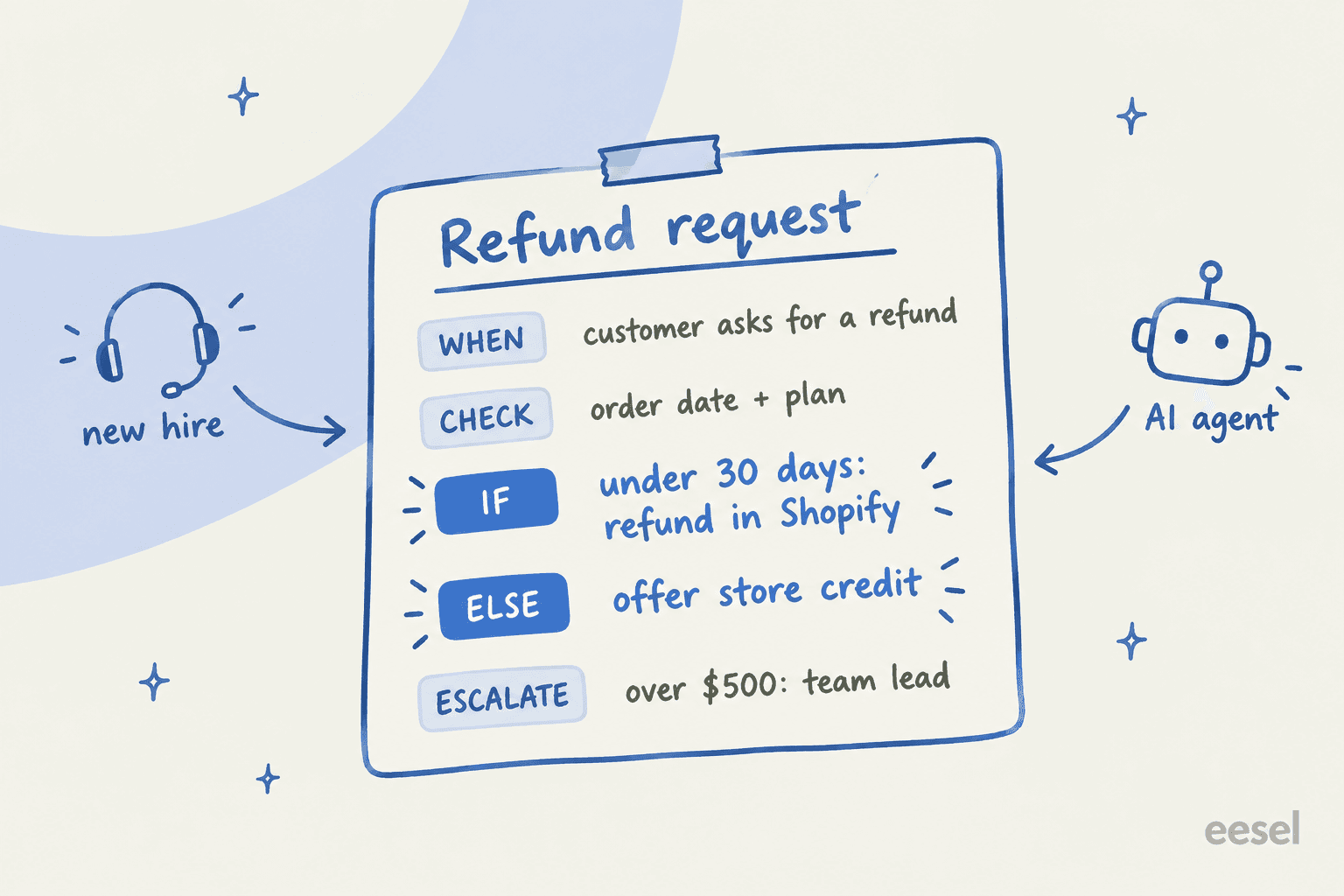
| SOP | What do I do, step by step? | Check order date, check plan, refund or offer credit, escalate over $500 | Internal knowledge base |
| Macro | What do I say? | The refund confirmation reply | Helpdesk canned responses |
| AI instructions | What should the AI do? | The same steps, in the AI agent's procedure editor | Your AI agent's settings |
The fourth row is new. A couple of years ago, the SOP was for humans only. Now the same steps feed the AI agent, which is why the format matters more than it used to.
Why most support SOPs end up unread
Writing SOPs is the easy part. The hard part is that nobody reads them, and they rot. One Hacker News commenter put the economics better than any ops book I've read:
"The TCO of knowledge is dominated by the maintenance cost, not the creation cost... The org must make it someone's job to grow, weed, and maintain these gardens."

I see the same three failure modes on almost every eesel rollout:
- The SOP exists but nobody knows. An engineer pulled into a GDPR ticket described finding that "we already have a canned response to these requests - the person on the support team is a new hire and was unaware" (Hacker News). The procedure was fine. Nobody surfaced it at the moment it mattered.
- The knowledge is scattered. One DTC supplements brand I spoke with, running about 7,000 Gorgias tickets a month, wanted AI to handle half of its email volume. Their procedures lived in ClickUp SOPs, untranscribed Loom videos and a long tail of outdated macros. Before any AI could follow the process, someone had to find it.
- The knowledge leaves with people. A public-sector IT services firm on Freshdesk, handling around 3,000 complex ERP tickets a month, told eesel's sales team they were losing two senior agents that year and wanted their know-how captured before they left. That's tribal knowledge in its purest form: real procedures that were never written down because two people just knew.
And when procedures are written badly, they can make things worse. A former eBay support agent remembered juggling "4 concurrent chats, offering pre-programmed macros often pointing to terribly written documentation the person had already read and was confused about" (Hacker News). A bad SOP doesn't just fail to help. It sends the customer back to the same page that confused them.
The fix for all three isn't more documentation. It's shorter procedures, surfaced inside the ticket, with one person responsible for keeping each one true.
Which support processes need an SOP first?
Not every ticket type needs a written procedure. Password resets on a self-serve flow don't. I prioritize a process for an SOP when it scores high on at least two of these:
- Volume. It shows up every day, so small inconsistencies add up.
- Cost of a mistake. Money moves, data is exposed, or a legal deadline applies.
- Judgment calls. Agents have to decide something, and two agents would decide differently.
- Cross-team handoffs. It needs engineering, billing or legal, so the escalation path has to be explicit.
In most teams that gives you the same first five: refunds and returns, account access and identity checks, outages and incidents, data deletion or export requests, and complaints that need a manager. Start there. A team with five solid SOPs beats a team with fifty stale ones.
Not every process needs the same format, either. Here's the guide I use to decide:
What kind of SOP does this process need?
Pick a process. You get the format, the owner, the review cadence, and whether an AI agent should run it.
- Write the approval threshold as a number ("over $500: team lead"), never "large refunds".
- AI agent? Yes for eligibility checks and replies. Put the refund itself behind an action with a hard limit, not a sentence.
- List the states (label created, in transit, delivered, lost) and the reply for each.
- AI agent? Yes. This is the highest-volume, lowest-risk SOP most ecommerce teams have.
- Step one is always the identity check. Nothing about the account is shared before it passes.
- AI agent? Only the verification questions and the hand-off. Keep the reset or email change with a human or a locked-down action.
- Include the exact tag so you can bulk-reply when it's fixed.
- AI agent? Yes, once the incident macro is published. The AI's job is to recognise the pattern and send the holding reply.
- Name the deadline and who confirms completion. Log every step on the ticket.
- AI agent? Acknowledge and route only. A person completes and confirms the request.
- Give agents the authority limits (credit up to $X without asking) and the words that trigger a manager.
- AI agent? Detect and escalate. Set a guardrail so these go to your team fast.
How to write a customer support SOP
This is the process I follow, whether the reader is a new agent or an AI agent. Budget about an hour per SOP for the first five.
1. Start from 20 real tickets, not from memory
Pull 20 recent tickets of one type and read how your best agents actually solved them. You'll find steps nobody would have remembered to write down ("check if they paid with a gift card first") and exceptions that happen weekly. Writing from memory gives you the process you think you run. The tickets give you the one you actually run. If you have a ticket analysis habit already, this is a 20-minute job.
2. Write the trigger in the customer's words
The first line answers "when does this SOP apply?" Write it the way customers phrase it, not your internal label: "customer asks for their money back, says they were charged twice, or wants to cancel and get a refund." This matters double for AI. Zendesk's own docs note that a procedure matched reliably in English can miss in French, and the fix is to expand the use case with the phrasing customers use.
3. One action per step, and spell out every if/then
This is the single biggest quality jump. Zendesk publishes writing rules for procedures that I'd give to any human writer too: one action per step, explicit "if... then..." conditions, specific language ("Ask the customer to provide their 10-digit account number," not "Request account info"), and the same term every time ("Premium Plan," never sometimes "Gold Plan"). Ada's guidance adds that every branch needs an else and every flow needs an explicit exit (Ada docs).
If a step contains the word "and", it's probably two steps.
4. Write the exceptions and who can approve them
Most SOPs describe the happy path and stop. The tickets that hurt are the exceptions. One Hacker News commenter described an agent who agreed they'd been wrongly charged but "could not refund me on the spot because of protocol" (Hacker News). The fix isn't to drop the protocol. It's to write the exception path into the SOP: who can approve it, up to what amount, and how fast. Use numbers. "Over $500 goes to the team lead" is followable. "Large refunds need approval" isn't.
5. Link the macro, don't paste the wording
Put the reply in a macro and link to it from the step that uses it. When marketing changes the tone or legal changes a sentence, you edit one macro, and every SOP that points at it stays correct. Zendesk caps accounts at 5,000 shared macros and Gorgias at 5,000 macros, so you won't run out, but you will drown if every SOP spawns its own copies. My guide to personal vs shared macros covers the Zendesk side.
6. Name one owner and a review date
Every SOP gets one person's name and a "review by" date at the top. Not a team. A person. Without that, the SOP becomes what one commenter called "backwaters of slowly rotting stuff" (Hacker News).
7. Test it on someone with no context
Hand the SOP to the newest person on the team, or someone from another department, and watch them handle a real ticket with it. Ada recommends the same thing for AI procedures: have someone "with limited context" peer review it (Ada docs). Every question they ask is a missing line. This is also the cheapest ramp time win I know.
Customer support SOP template
Here's the template I use. Copy it into your knowledge base and fill one in per process.
SOP: [Process name]
Owner: [One person]          Review by: [Date, 90 days out]
Applies to: [Channels, regions, plans]

WHEN (trigger, in the customer's words)
- [How customers phrase it, 2 to 4 examples]

DON'T USE WHEN
- [Look-alike requests that need a different SOP]

CHECK FIRST
- [Field or system to look at, e.g. order date, plan, payment method]

STEPS
1. [One action]
2. IF [condition] THEN [action + macro link]
3. ELSE [action + macro link]

EXCEPTIONS AND APPROVALS
- [Situation] -> [Who approves] up to [$ / limit], within [time]

ESCALATE TO
- [Team or person], via [tag / group / channel], when [trigger]

TAGS / FIELDS TO SET
- [Tag names, custom fields, status]

LINKED MACROS
- [Macro name], [Macro name]

CHANGE LOG
- [Date] [What changed] [Who]
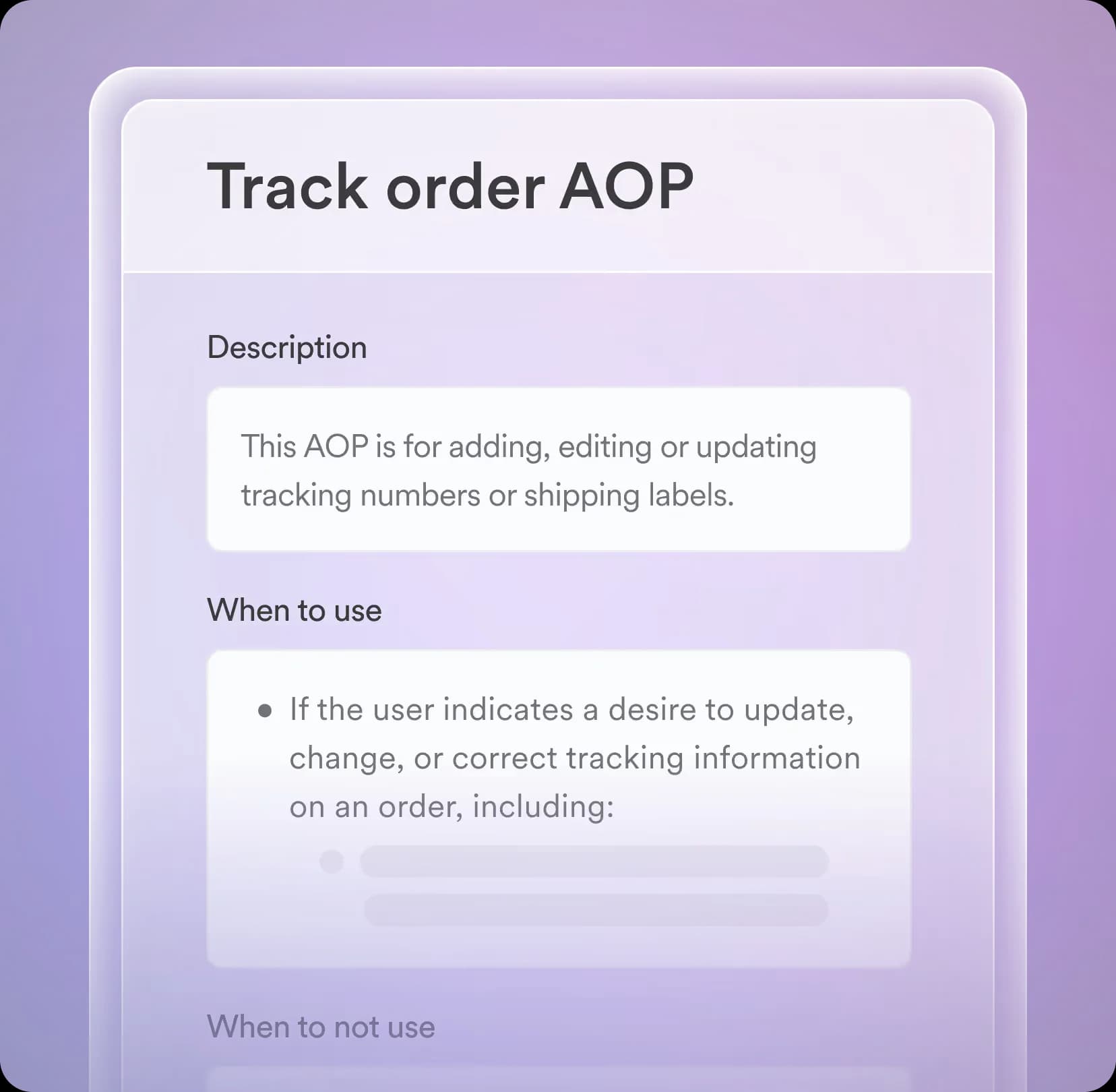
The "Don't use when" block is borrowed from how Decagon structures its agent procedures, which split each one into a description, "When to use" and "When to not use."
A filled-in example: refund request
Here's what the template looks like filled in for a typical ecommerce store. Swap in your own numbers.
| Section | Refund request SOP |
|---|---|
| Owner / review | Support lead, review every 90 days |
| When | "I want my money back", "charged twice", "cancel and refund" |
| Don't use when | Item never arrived (use the lost-order SOP); chargeback already filed (use the dispute SOP) |
| Check first | Delivery date, order total, payment method, past refunds on this customer |
| Steps | 1. Confirm the order number. 2. If delivered under 30 days ago, refund to the original payment method and send the refund macro. 3. Else, offer store credit and send the credit macro. |
| Exceptions | Over $500: team lead approves within 4 business hours. Third refund in 90 days: team lead reviews first. |
| Escalate to | Billing, via the "billing-review" tag, if the payment provider shows an error |
| Tags | refund, refund-approved or refund-credit |
| Macros | Refund confirmation, Store credit offer |
That one table answers every question a new agent would otherwise ask in Slack. And it's almost exactly what an AI agent needs too, which brings me to the part most SOP guides haven't caught up with. For the AI side of refunds, my post on AI for refund requests goes deeper.
Your SOP is now also an AI agent's instructions
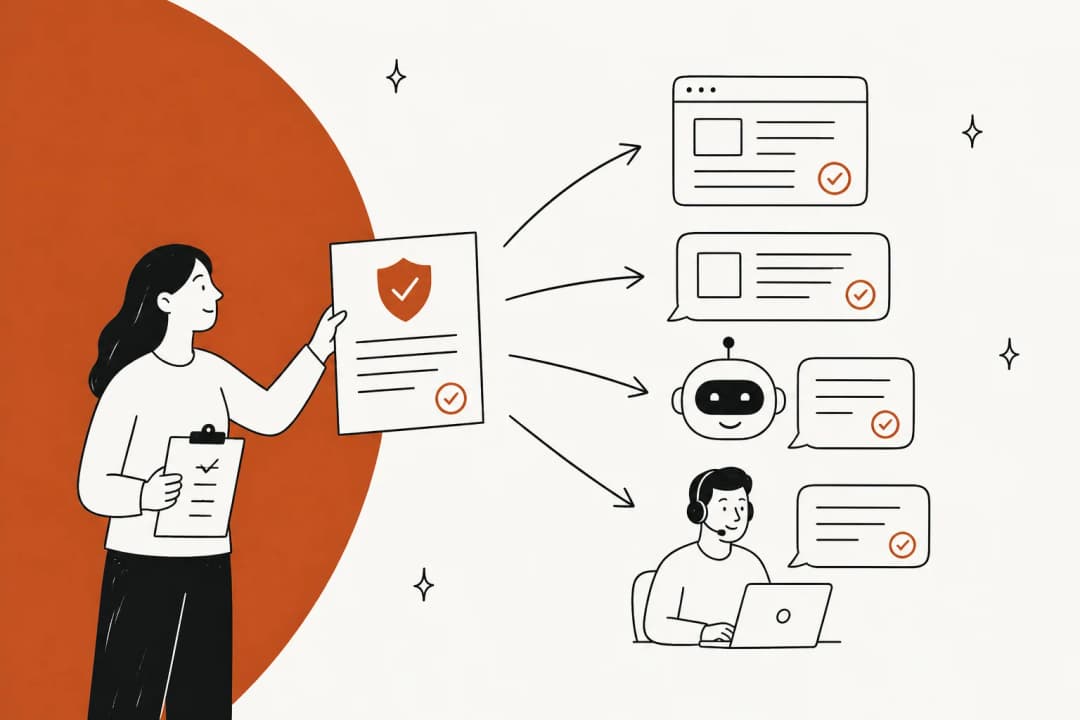
Every major AI support platform I looked at now asks for procedures written the way you'd write an SOP for a person. That's the shift: a well-written SOP is the training data for your AI agent, and a vague one is how bots end up confidently wrong.
| Platform | What it calls the SOP | How you write it | Notable limit |
|---|---|---|---|
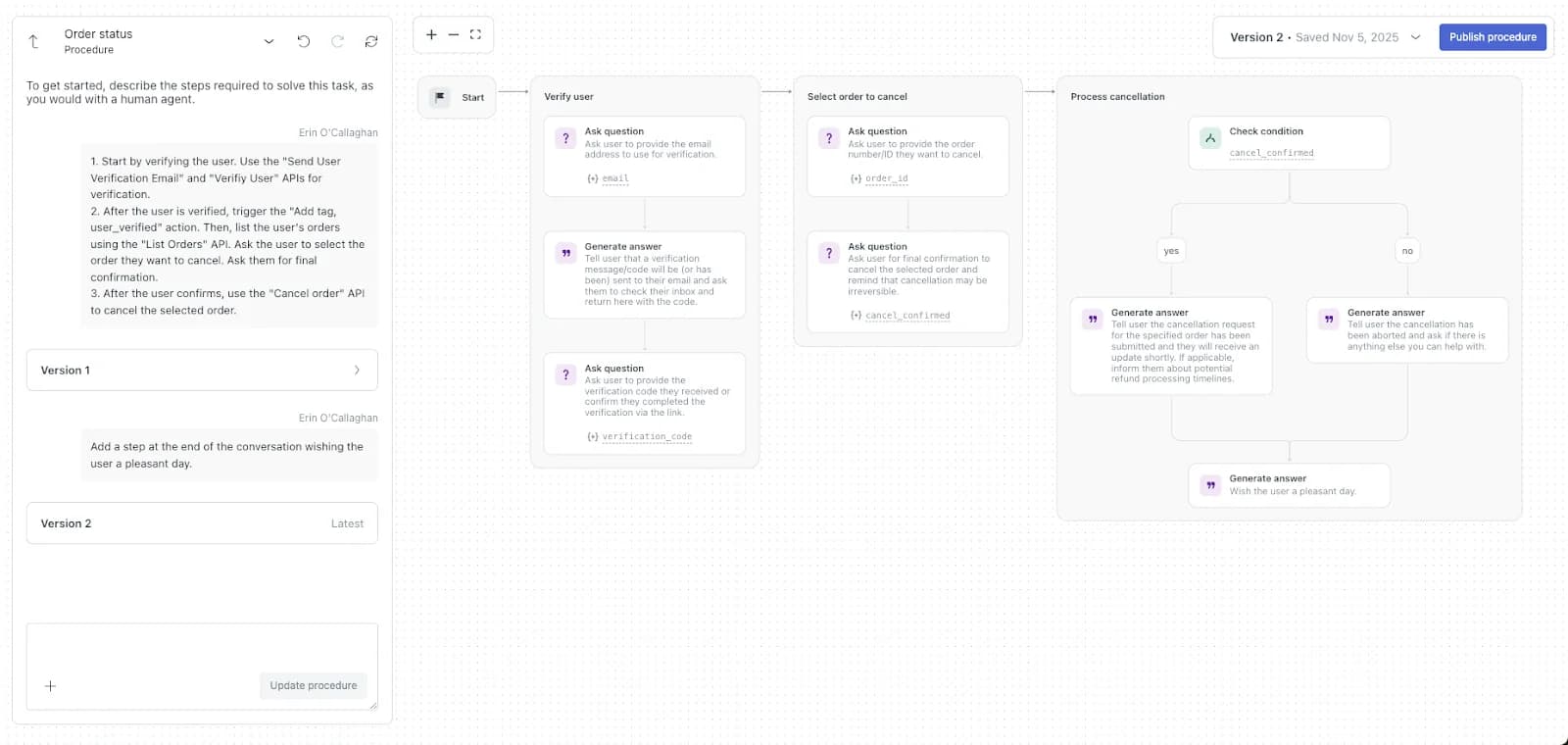
| Zendesk | Generative procedures | Free-text steps "as you would with a human agent," compiled into a flow map | Legacy "instructions" retire Dec 10, 2026 |
| Gorgias | Guidance and Skills | Guidance is "an internal article AI Agent looks up"; Skills hold step-by-step instructions | 100 Guidance per store, 30,000 characters each |
| Freshdesk | Workflows in AI Agent Studio | Build it (visual) or Write it (plain language, early access) | Visual builder recommended for strict sequences |
| Ada | Playbooks | Six step types: SEND, SET, ASK, RUN, IF/ELSE, GO TO | English-only authoring |
| Decagon | Agent Operating Procedures | Natural language, versioned in Git | No public limits |
Zendesk is the clearest example. You describe your business policies and it generates a procedure map the AI agent follows, and as of May 2026 multi-step procedures are included across Suite and Support plans. The editor literally prompts you to describe the steps "as you would with a human agent." If you've already written your SOP in step 3's format, you can paste it in. I covered the wider setup in my Zendesk AI agents breakdown.
Gorgias splits it in two. Guidance holds your policies, up to 100 entries per store at 30,000 characters each, and Gorgias says "among knowledge types, guidance carries the most weight" (Gorgias docs). Skills hold the step-by-step part, and actions like cancelling an order only run from inside a skill or guidance (Gorgias Skills docs). Gorgias also warns that a 30-day return article and a 14-day guidance will produce inconsistent answers, which is the layer problem from earlier showing up in AI form.
Freshdesk says it outright: for its Natural Language Workflows, "existing SOPs, playbooks, or support guides can often serve as a starting point." It also recommends the visual builder for "deterministic, strictly sequenced, or compliance-driven processes," which is good advice. More on the AI side in my Freddy AI agents post.
Two pieces of guidance from outside the helpdesks are worth stealing. OpenAI's agent-building guide says to "use existing operating procedures, support scripts, or policy documents" and notes that in customer service, routines "can roughly map to individual articles in your knowledge base" (OpenAI). And Salesforce makes the point I'd most want teams to hear: instructions are nondeterministic and "don't replace the need for coded business rules." Their example is a 30-day refund rule, which they'd put in an action that checks the criteria, not in a sentence.
That's the honest limit of SOP-as-instructions. A written procedure guides the AI. It doesn't guarantee it. The Air Canada case is the cautionary tale people keep coming back to:
"Air Canada's chatbot returned sources along with its answer. ... Air Canada's argument was that because the chatbot response included a link to a page on the site outlining the policy correctly, Moffat should've known better."
The correct policy existed and the bot still said something else. So for anything where money moves or data is exposed, I write the SOP for the AI's judgment and put the hard limit in the action itself. That's the same logic as giving a new hire a refund limit in the billing tool rather than trusting them to remember it. It's also why AI guardrails and a clean human handoff belong in the SOP, not bolted on later.
Where to keep support SOPs
The best place for a customer support SOP is wherever your agents already are when the ticket is open. In practice that means your helpdesk first, a separate tool second. Here's what each helpdesk gives you, from their own docs:
| Helpdesk | Agent-only articles | Saved replies | Review reminders | AI procedure layer |
|---|---|---|---|---|
| Zendesk | "Agents and admins" segment, Suite Growth and up | Personal + shared macros, 5,000 shared cap | Article verification, Enterprise only | Generative procedures |
| Freshdesk | Folder visible to "All agents", Growth and up | Canned responses for you, all agents or one group | Approval workflow, Enterprise ($89) only | AI Agent Studio workflows |
| Help Scout | Private collections, visible to all Help Scout users | Saved replies, unlimited from Standard | None found | Improvements + Guardrails |
| Gorgias | None: articles are Unlisted or Public | Macros, 5,000 cap | Version history only | Guidance + Skills |
| Front | "Front users only" help center or private categories | Individual + shared templates, no hard limit | None found | Autopilot Playbooks |
A few things in that table bit teams I've worked with:
- Zendesk agent-only articles need Suite Growth or higher; on Suite Team you can't restrict an article to agents. And Zendesk's agent-facing auto assist procedures can only insert public, published articles, so internal-only SOPs can't be linked into them. My post on Zendesk user segments walks through the setup.
- Gorgias has no agent-only article setting at all. Unlisted articles exist publicly and are reachable by URL, and Gorgias's own suggestion for an internal procedures site is a separate help center hidden from search engines (Gorgias docs). Fine for most stores, but don't put anything sensitive there.
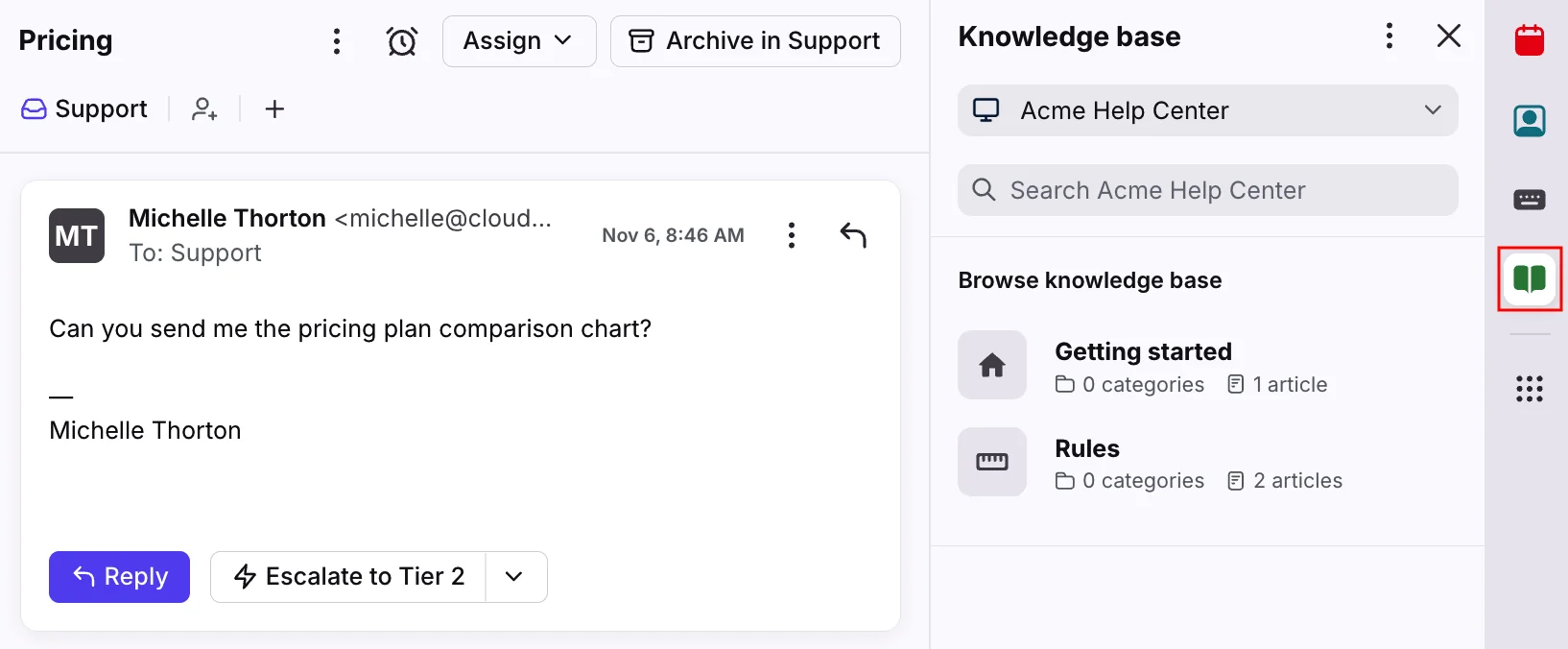
- Front shows internal knowledge bases in the sidebar plugin, but the insert-into-reply tool needs a public one. Internal SOPs sit beside the conversation, not in the composer.
- Freshdesk can feed agent-only folders into its Solution Article Suggester, which needs Freddy AI Copilot and at least 25 published articles (Freshdesk docs). Copilot is $29 per agent per month on Pro and Enterprise (Freshdesk pricing).
When a separate SOP tool makes sense
A dedicated tool earns its place in three cases: the procedure is mostly clicks in other systems (screenshots help), you need sign-off that each agent read it, or several departments share the same procedures. Here's what the common options cost, from their pricing pages:
| Tool | Published pricing | What it's good at for support SOPs | Version history |
|---|---|---|---|
| Scribe | Free; Pro Personal $35 or $25/seat/mo; Pro Team $17 or $13/seat/mo (5-seat minimum); Enterprise custom | Auto-captured click-by-click guides | 1 week on Pro, unlimited on Enterprise |
| Tango | Free (5 workflows); Pro $15 to $22/user/mo annual; Enterprise custom | Step guides with completion insights | 14 days Pro, 365 days Enterprise |
| Trainual | Demo only; $1,000 one-time implementation fee | Assignments, tests and e-signatures | 30 days to unlimited by plan |
| Guru | Quote only | Card verification that can't be turned off | Not stated |
| Notion | Free, Plus $10, Business $20 per member/mo | "Verify any page" with expiry (Business and up) | 7 days to unlimited by plan |
| Confluence | Free to 10 users; Standard $5.42, Premium $10.44 per user/mo | Page versioning on every plan | Every plan |
| Document360 | Quote only | Review reminders that flag articles as "Stale" | Not stated |
Scribe is the interesting one right now. Its capture tool turns a procedure you click through into a guide, and it's started pitching those guides as input for AI agents, saying you can pass them "directly to your AI agents" over MCP or API (Scribe).
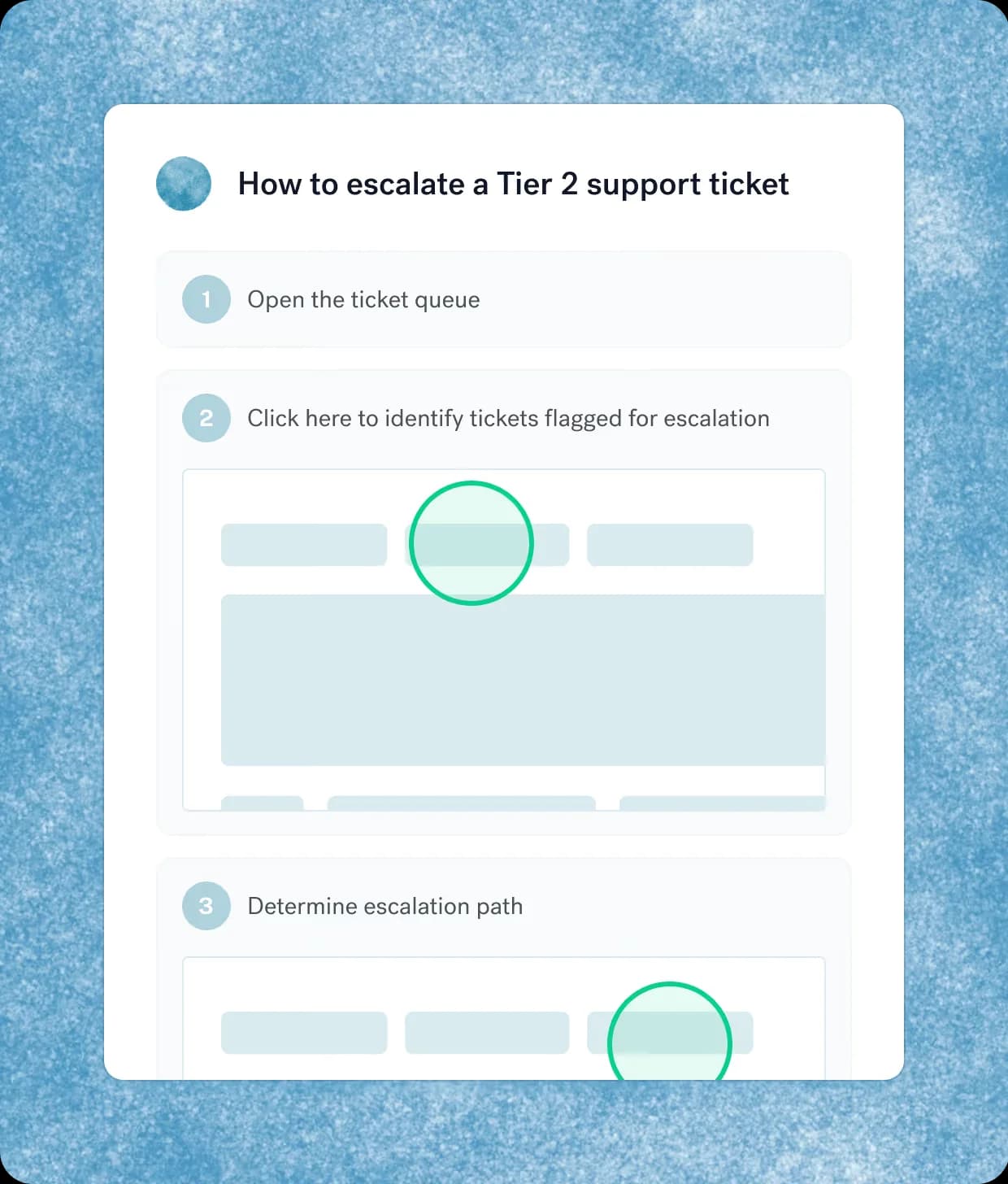
One caution that applies to every standalone tool: an SOP that lives outside the helpdesk only works if agents can reach it from the ticket. If they have to open a second app and search, they won't, especially on four concurrent chats. Check for a sidebar app or browser extension before you commit. And keep an export path. One Trainual reviewer on G2 pointed out that "the moment you stop paying you lose all your hard work making the SOP" (G2). Your procedures are your company's, whichever tool holds them. For a wider comparison, see my roundup of customer support knowledge base software.
How to keep SOPs from going stale
A stale SOP is worse than no SOP, because an agent who trusts it sends a wrong answer with confidence. The system that works for me is a small loop rather than a big annual audit.
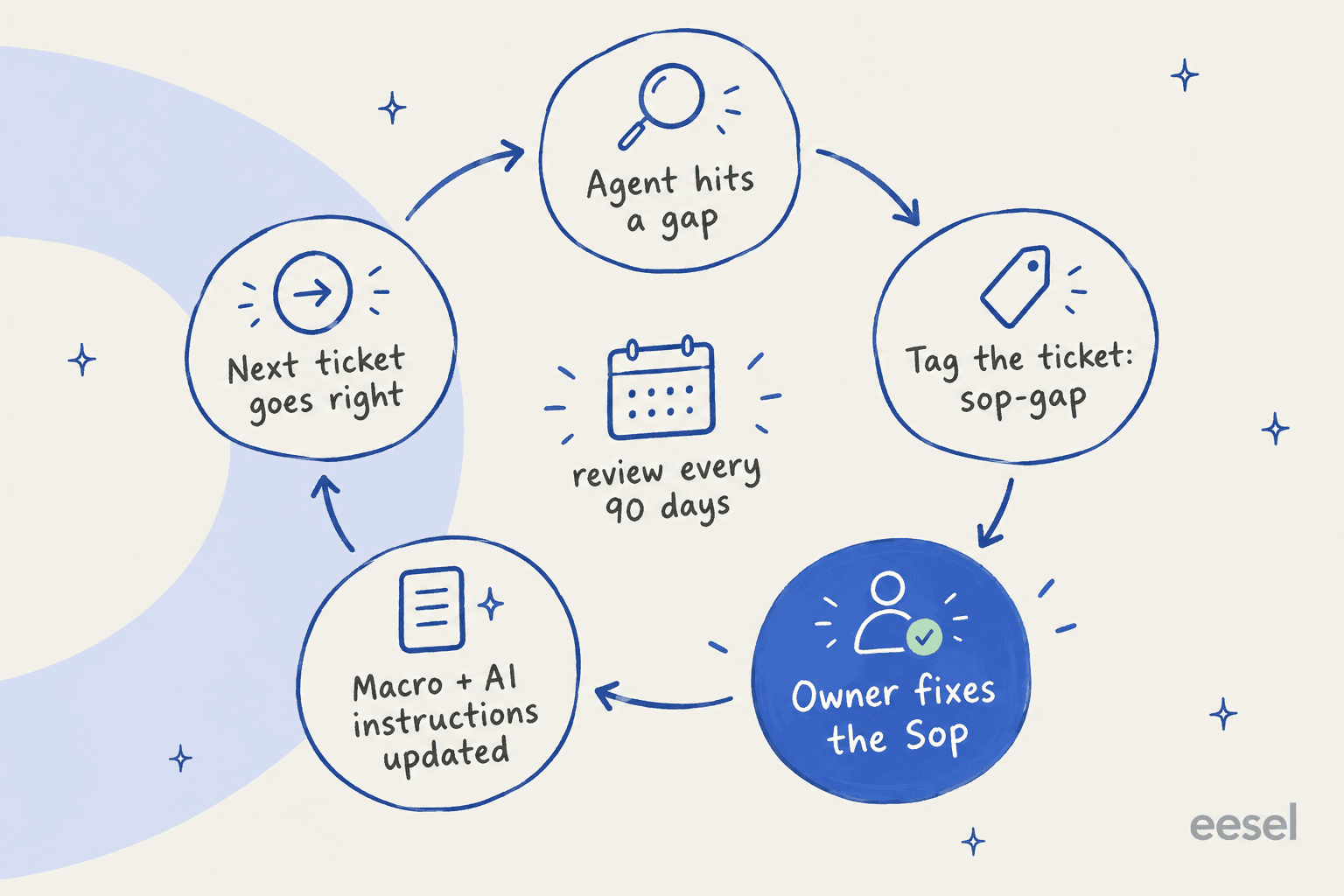
- Give agents a one-click way to flag a gap. A tag like "sop-gap" on the ticket is enough. Zendesk's knowledge panel lets agents flag an article, which creates a ticket for the owner (Zendesk docs).
- Route the flag to the owner, not the team. That's what the name at the top of the SOP is for.
- Fix the SOP, then the macro, then the AI instructions. Same day if you can. If you skip the last one, your AI keeps quoting last month's rule.
- Review on a schedule anyway. I use 90 days for refunds, access and security, and six months for the rest.
- Look at the gap tags monthly. Three flags on the same SOP means it needs a rewrite, not a patch. A knowledge gap analysis does this at scale.
Some tools automate the reminder. Zendesk article verification lets admins set up to 20 verification rules and emails article owners until they verify, but it's Enterprise only.
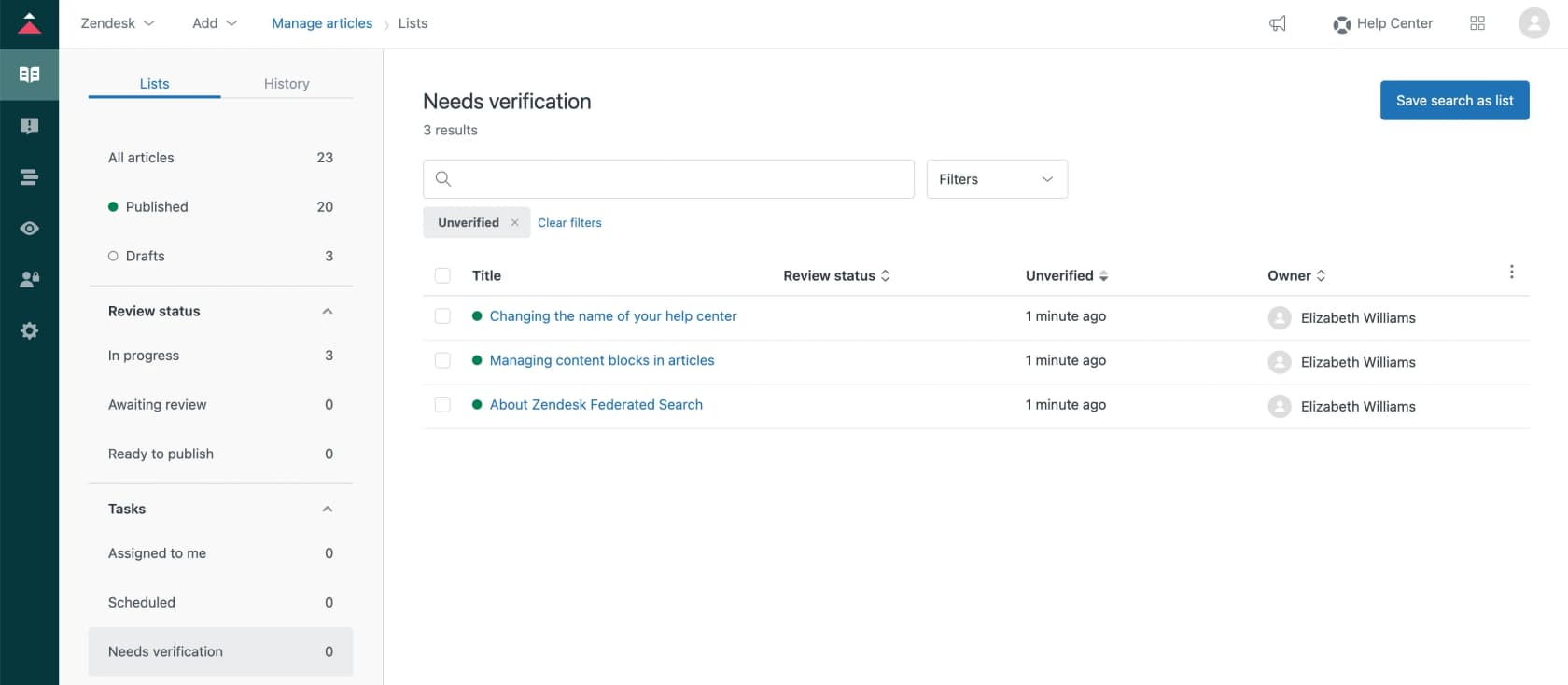
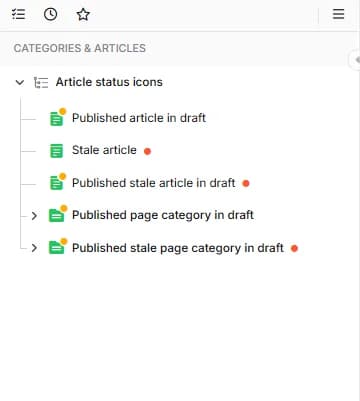
Document360 flips an article to "Stale" when it passes its review date, and Guru marks lapsed cards as unverified in the verifier's task queue (Guru). A knowledge specialist reviewing Guru on G2 described why it matters for support:
"Instead of the content becoming obsolete, the platform enforces ownership by prompting subject matter experts to re-verify knowledge on a set schedule. This maintains a highly trustworthy repository for our support specialists directly inside our communications tools."

The tooling helps, but it doesn't replace the habit. Another Guru reviewer noted that editing a card for formatting automatically verifies it, even when the editor isn't the expert (G2). A green check only means someone clicked. It doesn't mean the steps are right.
Mistakes that make customer support SOPs fail
These are the patterns I see most often when a team says "we have SOPs, nobody uses them":
- Writing an essay. If it scrolls past one screen, agents skim it mid-ticket and miss the step that mattered. Long background belongs in the policy doc.
- Mixing the policy, the steps and the wording. Every edit becomes risky, so nobody edits. Keep the three layers separate.
- No numbers in the exceptions. "Escalate large refunds" means something different to every agent and to every AI.
- One SOP copied per channel or region. A Reddit thread on SOP structure put it well: "Once you start duplicate SOPs, keeping them all current becomes its own job" (Reddit). Branch inside one SOP instead.
- Treating the SOP as a script. Tier 1 scripts help agents not miss a step, but the best SOPs give an authority limit and a reason, so agents can handle the case the SOP didn't predict. My support agent feedback post covers the coaching side of that.
- Letting AI write and rewrite SOPs unchecked. One commenter described an agent "doing massive updates on Confluence constantly" and found it "full of hallucinations and nonsense" (Hacker News). AI can draft from tickets. A human with the context still signs off.
If you're onboarding a batch of new agents, the SOPs are half the training. If you're running across time zones, they're also how a shift handoff stays consistent at 3 a.m.
eesel for customer support SOPs
If your procedures are spread across a helpdesk, a wiki, some Loom videos and a pile of macros, eesel's AI helpdesk teammate is built for that mess. It connects to Zendesk, Freshdesk, Gorgias, Front, Help Scout and the docs where your SOPs live, like Confluence, Notion and Google Docs, and it learns from your past tickets too, so it picks up the steps your best agents actually follow, including the ones nobody wrote down. It drafts replies or answers directly, and before you switch anything on, you can simulate it against hundreds of your past tickets to see where it would follow the SOP and where it would miss.
The part that matters most for SOPs is the instructions page. It's a plain document with your response guidelines and workflow steps, written in the same format as the template above. When a lead corrects an answer in chat, eesel writes the correction into those instructions, so the fix applies to every future reply instead of living in one person's head.

You don't need a huge library to start, either. One UK support team I looked at had eesel resolve 56 tasks from just nine synced Zendesk macros. Five clear SOPs and a handful of macros go further than you'd think.
To be straight about the lane: eesel isn't a training or sign-off tool, so if you need e-signatures that every agent read the refund SOP, keep Trainual or similar for that. What it does is make sure the SOP gets followed on every ticket, by the AI and by the agent reviewing its draft. You can try eesel free with 100 credits, no card needed, and see how it handles your own tickets.
Frequently Asked Questions
What should a customer support SOP include?
How do you write an SOP for a customer service team?
Where should a support team store its SOPs?
How often should customer support SOPs be reviewed?
Can an AI agent follow a customer support SOP?
What is the difference between an SOP and a macro in customer support?
Do I need separate SOP software for my support team?


Article by
Kira
Kira is a writer at eesel AI with a Computer Science background and over a year of hands-on experience evaluating AI-powered customer service tools. She focuses on breaking down how helpdesk platforms and AI agents actually work so that support teams can make better buying decisions.