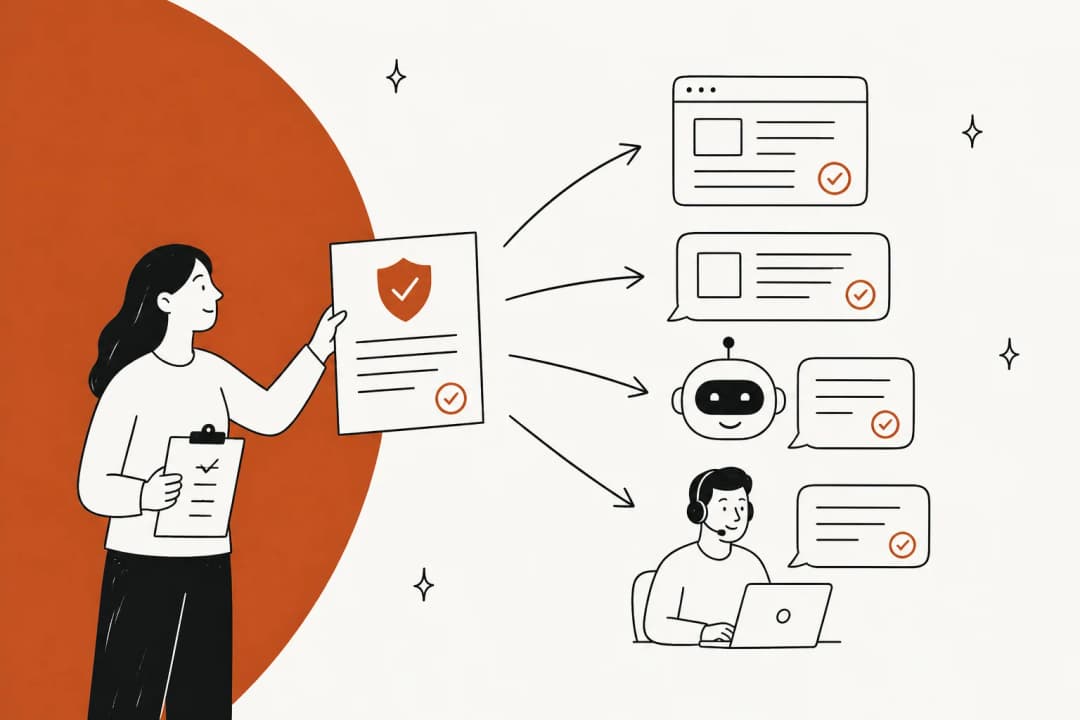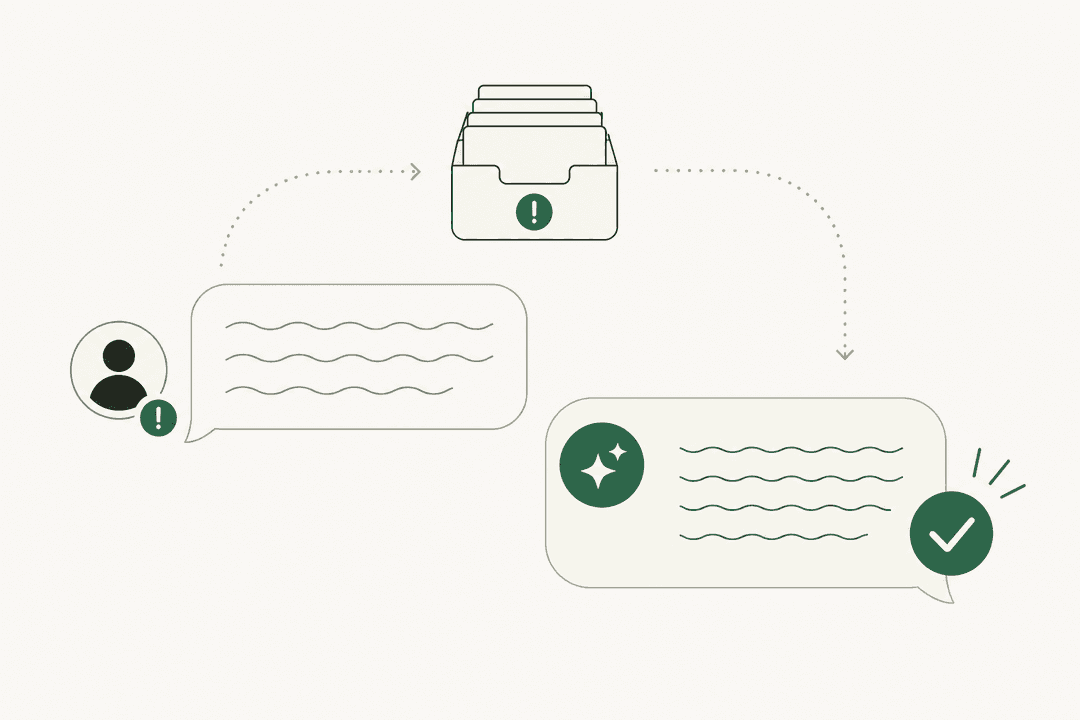
Why does onboarding new support agents stall in week two?
I work eesel's support queue every day, and the onboarding pattern is easy to spot from inside a queue. Week one is usually fine. The new hire gets logins, a stack of articles, a few shadow sessions. Week two is where it falls apart, because that's when someone decides they're ready.
"Training was supposed to be 6 weeks but they pushed me live after just 2. I had no idea what I was doing."

The new agent isn't missing the policy. They read it. What they're missing is the layer underneath: how your team actually words a refund denial, which customers get the exception, when a "bug" is really a known limitation with a macro for it. None of that is in the help center. It lives in senior agents' heads and in a few thousand old tickets.
So the questions go to whoever sits closest. A Head of Support Operations reviewing their onboarding on G2 said their goal was "minimising their reliance on key team members for repetitive questions" (Brenden C., G2). A Knowmax reviewer described the same thing from the other side, a "heavier dependency on experienced agents to fill in the gaps" when knowledge is scattered (G2).
It helps to split what a new agent has to learn into three layers, because each one has a different source.
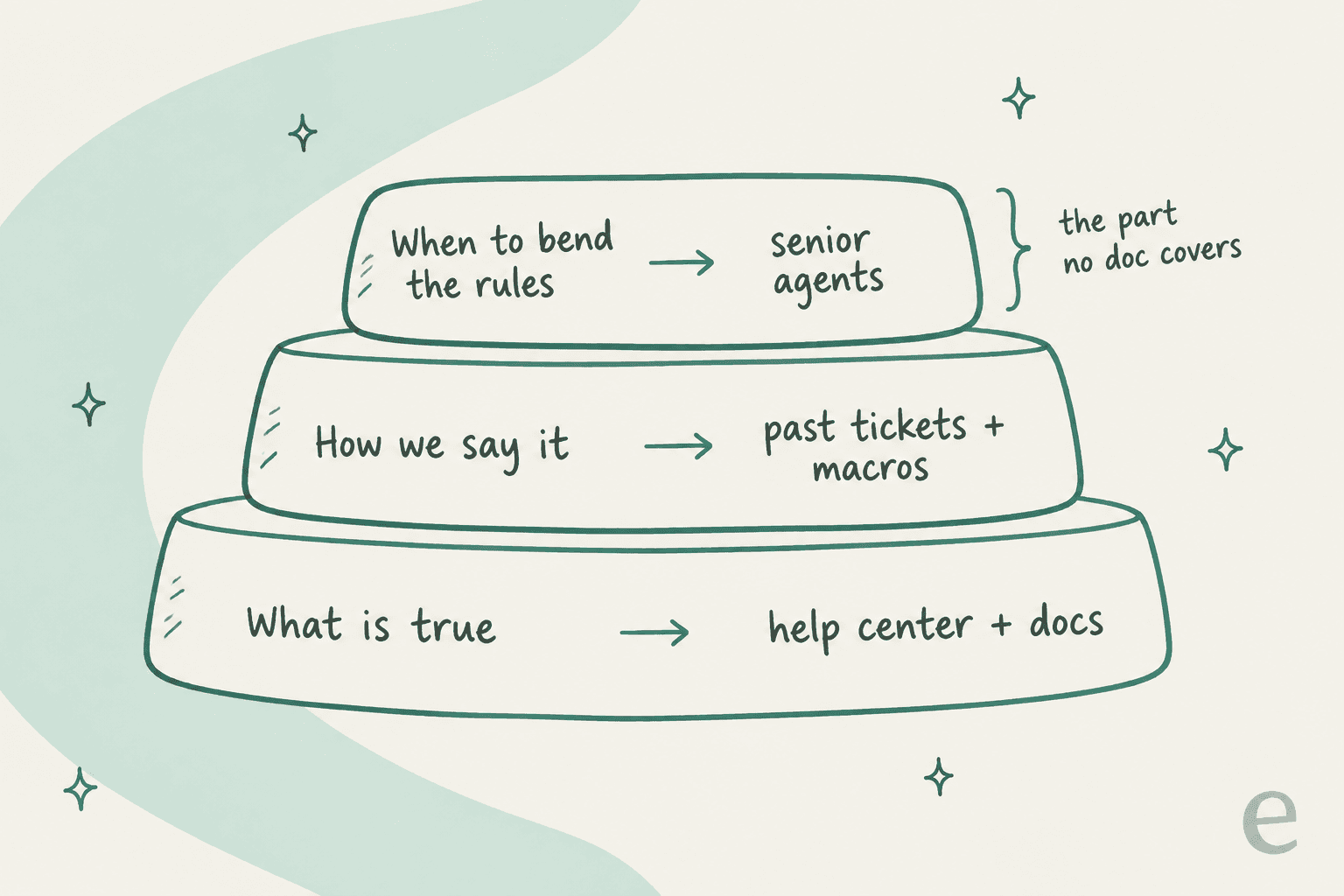
- What is true. Product facts and policies. Your knowledge base covers this, and most onboarding programs over-invest here.
- How we say it. Tone, length, which macro to start from, what a good reply looks like. This lives in solved tickets.
- When to bend the rules. Judgment. Only senior agents carry it, and it's the only layer that should cost their time.
Most onboarding plans teach layer one and leave layers two and three to chance. The plan below fixes that.
What does a 30-day support agent onboarding plan look like?
The core idea is that permissions grow with proof. A new agent earns each step by showing their drafts are good, not by reaching a date on the calendar. The dates below are a default for a typical email and chat team; stretch them for technical products.
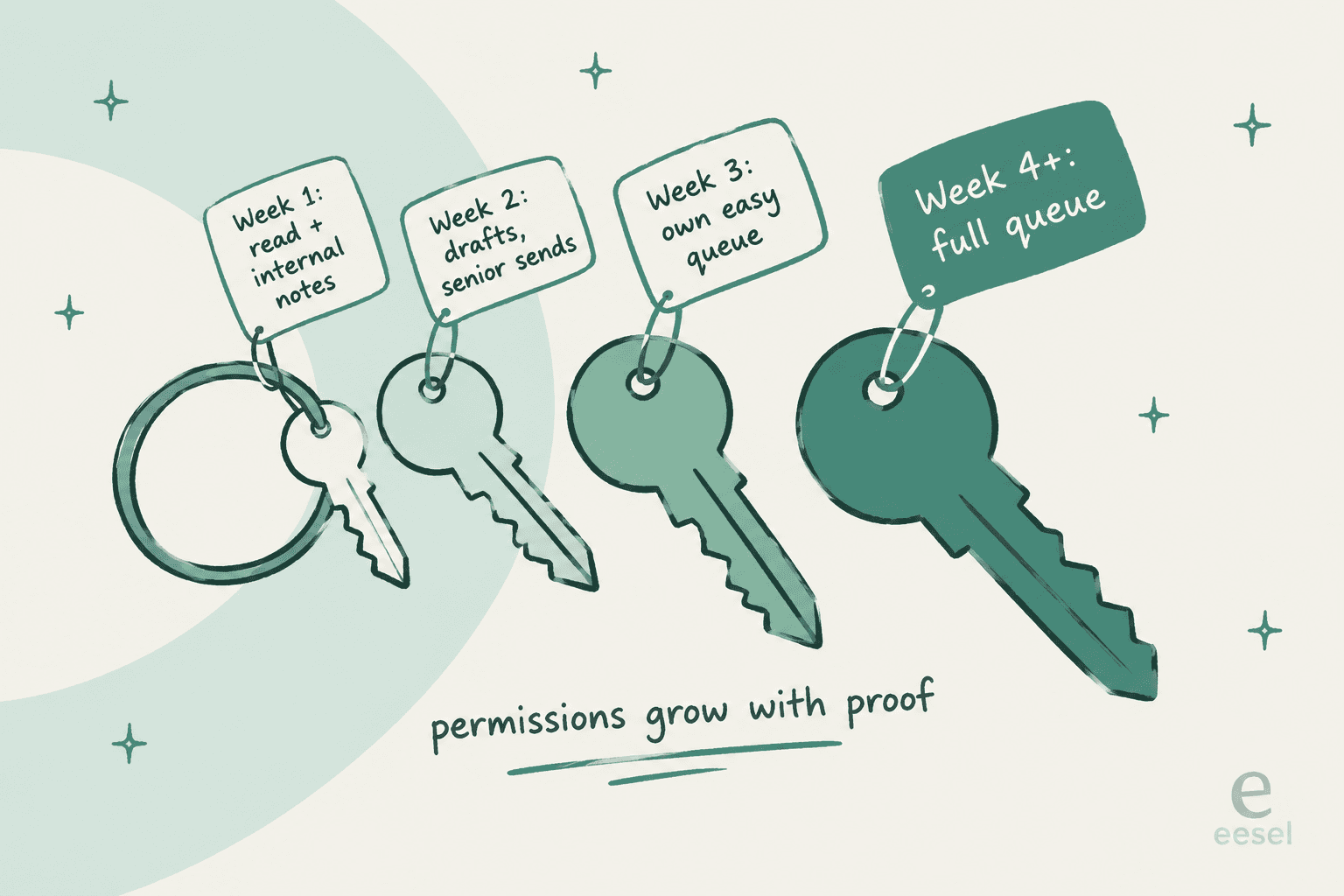
Week 1: read, shadow, don't reply
Set the new hire up with a notes-only seat (more on which helpdesk setting does this below). Then point them at real material, not a slide deck. If you're still choosing tools for this stage, I compared them in support agent training software.
- Read the help center articles behind your five most common ticket types. If you don't know your top five, your ticket tagging will tell you.
- Read 50 solved tickets from the last month, including 10 that were escalated. A Zendesk QA reviewer on Capterra noted that onboarding time dropped once new agents could review "successful" tickets "instead of only seeing open = unsolved cases in the queue" (Valentina T., Capterra).
- Shadow a senior for two shifts, ideally on different channels. Freshdesk's collision detection, on Growth and up, stops the shadow and the senior from replying to the same ticket.
- Keep a running list of every question they have. You'll use it in week 4.
Week 2: draft everything, send nothing
This is the week most teams skip, and it's the one that matters most. The new agent writes a reply to every ticket they pick up, as an internal note. A senior reads it, then sends it as-is, edits it, or rewrites it.
"Once their team leader deems them ready they start answering tickets, which are reviewed by a senior before sending."
Aim for 10 drafts a day. The review is the coaching: a senior who rewrites a draft and adds one line of "why" teaches more than an hour of training. Track how often drafts go out unchanged. That number is your best readiness signal, and it's free. It's the same human-in-the-loop pattern teams use when rolling out AI.
Week 3: own one easy queue
Give the agent full reply rights on one narrow, tag-scoped view: password resets, order status, plan changes, whatever your simple high-volume tickets are. Everything else stays notes-only. Pick a view with a clear canned response for most tickets. Run a 15-minute daily review of three of their sent tickets, and have them handle one escalation end to end using your escalation process.
Week 4: full queue, with a safety net
Move them to a full agent role, start weekly quality assurance scoring like the rest of the team, and spend an hour turning their week-1 question list into help center updates and new macros. A new agent's questions are the cheapest knowledge gap analysis you'll ever get, because they don't know what they're supposed to already know.
Here's the whole plan as a checklist you can tick through with your next hire. Each week shows a "ready" note once its items are done.
30-day support agent onboarding checklist
Tick items as your new hire finishes them.
Week 1: read and shadow
Ready for week 2 when they can name the top 5 ticket types and where each answer lives.
Week 2: draft, senior sends
Ready for week 3 when most easy-ticket drafts go out with light edits only.
Week 3: own an easy queue
Ready for week 4 when their easy-queue reopen rate matches the team's.
Week 4: full queue
Onboarding done. Keep weekly QA going for the next 60 days.
How do you set up your helpdesk for a new agent's first month?
The plan only works if your helpdesk can enforce it. The good news: every helpdesk I checked has a notes-only seat on at least one plan, and none of them has a true "approve this reply before it sends" button for human agents. So the pattern is the same everywhere. New agents draft in internal notes, and a senior sends.
Here's what each one offers, from the vendors' own docs and pricing pages.
| Helpdesk | Notes-only seat for week 1-2 | Restricting a new agent | Reply review before send | Practice environment | Collision detection | Price per agent/mo |
|---|---|---|---|---|---|---|
| Zendesk | Light agents: all comments private, can apply but not create macros. 50 seats on Suite Growth, 100 on Professional, 1,000 on Enterprise; add-on on Team | Custom roles with "Private comments only" and "Apply only" macros, Enterprise only | Not native | Sandbox on Enterprise (copies up to 10,000 tickets); add-on on lower plans | Not on Team plans | Suite Team $55, Professional $115 (annual) |
| Freshdesk | Collaborators (private notes, can't reply) on Pro and up, 5,000 included | Custom roles on Pro and up; ticket scope (group or assigned only) from Growth | Not native | Sandbox on Enterprise, config only, no tickets or KB | Growth and up | Growth $19, Pro $55, Enterprise $89 (annual) |
| Help Scout | Light Users: read and write notes, can't reply. 5 included on Plus, 15 on Pro | Role-wide toggles; per-person permissions on Plus and Pro | Not native | None found | All plans, pauses a duplicate reply | Standard $25, Plus $45, Pro $75 |
| Gorgias | Observer role: internal notes only | Fixed ladder: Observer, Lite, Basic, Lead, Admin | Not native | None found | "Also viewing" banner | Not per agent; Basic $50/mo annual, 500 seats |
| Front | Free guest accounts can comment and edit shared drafts, can't send | Custom permission groups, Enterprise only | Shared drafts with "Take over", all plans | None found; 14-day trial | Real-time indicators | Starter $25, Professional $65, Enterprise $105 (annual) |
A few things in that table are worth slowing down on.
Zendesk: light agents are the shadow seat
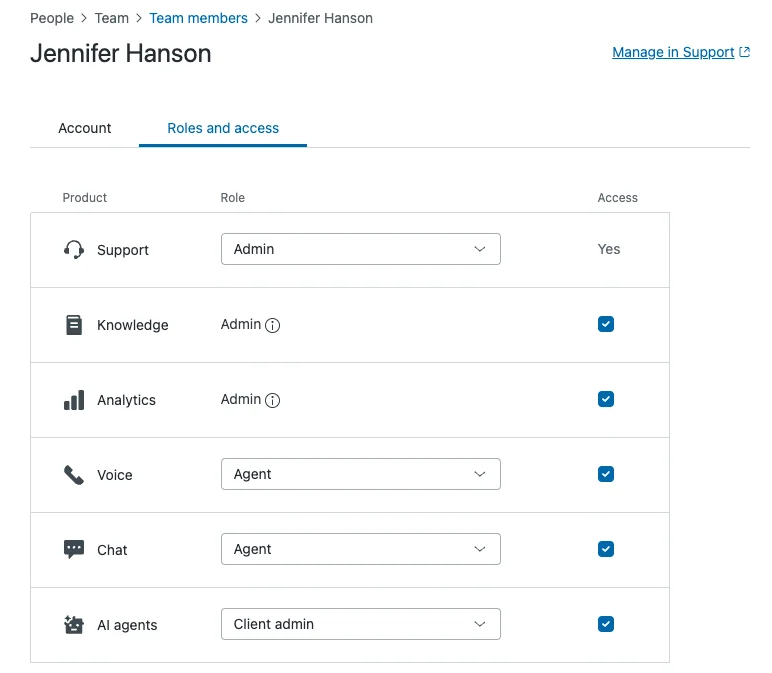
A Zendesk light agent can view tickets, apply macros and leave comments, and every comment they make is private. That's the week-1 and week-2 seat, and Suite Growth already includes 50 of them. When the agent moves to week 3, they need a full agent seat. The finer controls, like limiting someone to tickets in their own group or blocking ticket deletion, come with custom roles on Enterprise. I've covered the full setup in Zendesk roles and permissions.
Zendesk's sandbox is the strongest practice space on this list, because it can copy up to 10,000 real tickets, and Zendesk names training agents as a use for it. It's included on Enterprise plans only, so for most teams a light agent seat on the live queue does the same job for free. More on that trade-off in sandbox vs production.
Freshdesk: scope first, roles second
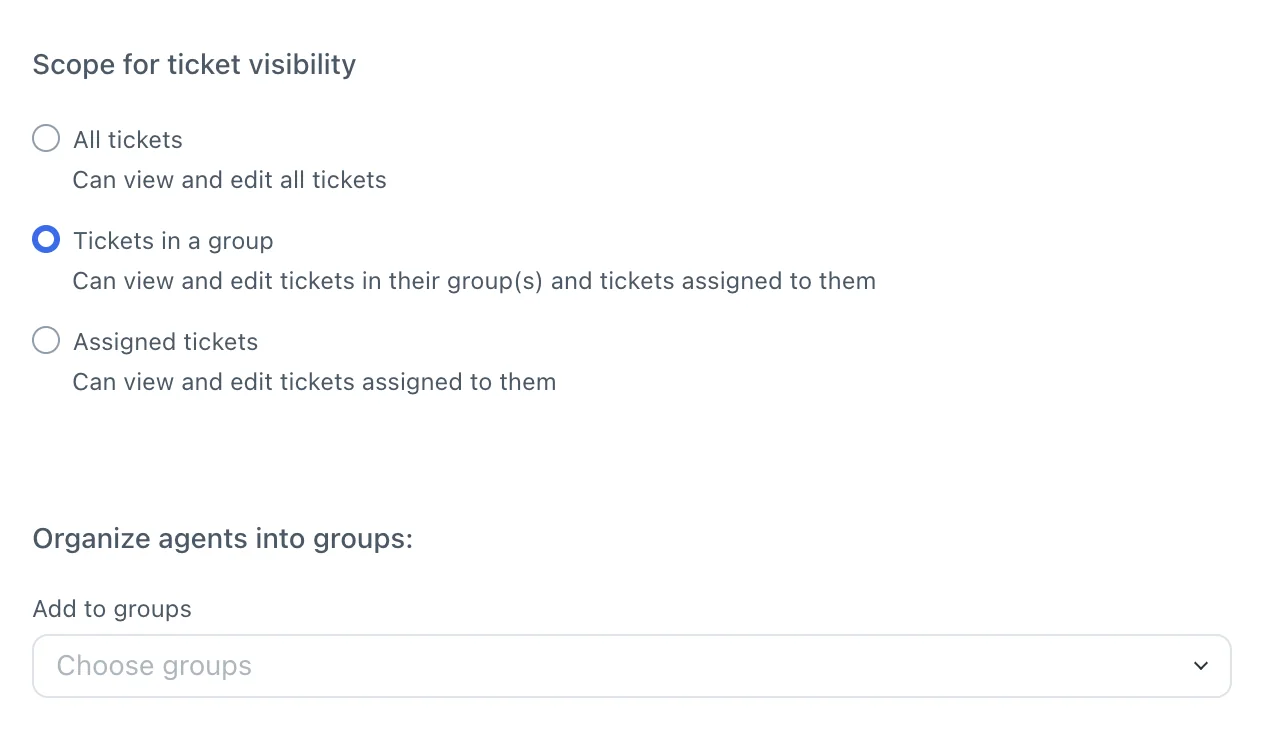
Freshdesk splits access into two settings. Ticket scope controls which tickets someone sees (all, their group, or only assigned), and it's on Growth. Custom roles control what they can do, and those start on Pro at $55. On Growth you can't build a notes-only role, so the week-2 trick is a collaborator seat on Pro, or simply a house rule that new agents use private notes until cleared. Freshdesk positions collaborators for people outside support, so using one for a trainee is my workaround, not their recommendation. Setup details are in Freshdesk roles and permissions.
The Freshdesk sandbox is Enterprise-only and copies configuration, roles and canned responses, but no tickets or knowledge base. It's great for testing a new role setup, less useful for practicing replies.
Help Scout: one honest limit
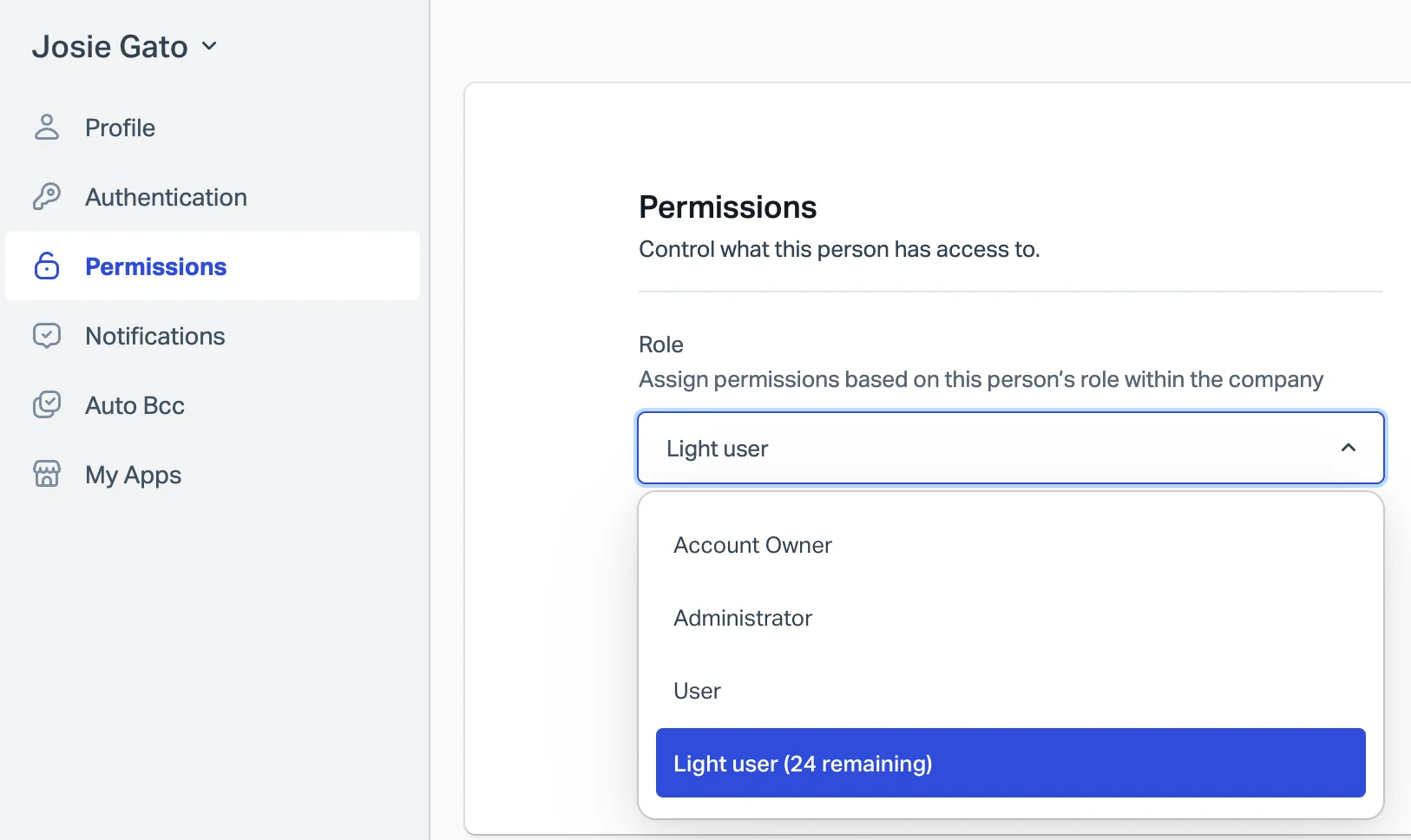
Help Scout's own docs are refreshingly direct: you can't stop a regular User from replying in an inbox they can access. The fix is a Light User, who can read conversations and write notes but can't reply. Plus includes 5 and Pro includes 15. On Standard there's no notes-only seat, so the drafting week runs on trust, which is fine for a small team with a senior close by.
Gorgias: change the default before you invite
Gorgias uses a fixed role ladder, and the trap is that new users default to Basic, which can already process Shopify refunds. For a new hire, pick Observer on the invite. Observers can write internal notes and apply any macro that doesn't send a reply, so they can build a full draft from your Gorgias macros for a senior to send. Lite is a good week-3 role: they can reply but can't run refunds or cancellations, per the permissions table.
Front: the closest thing to reply review
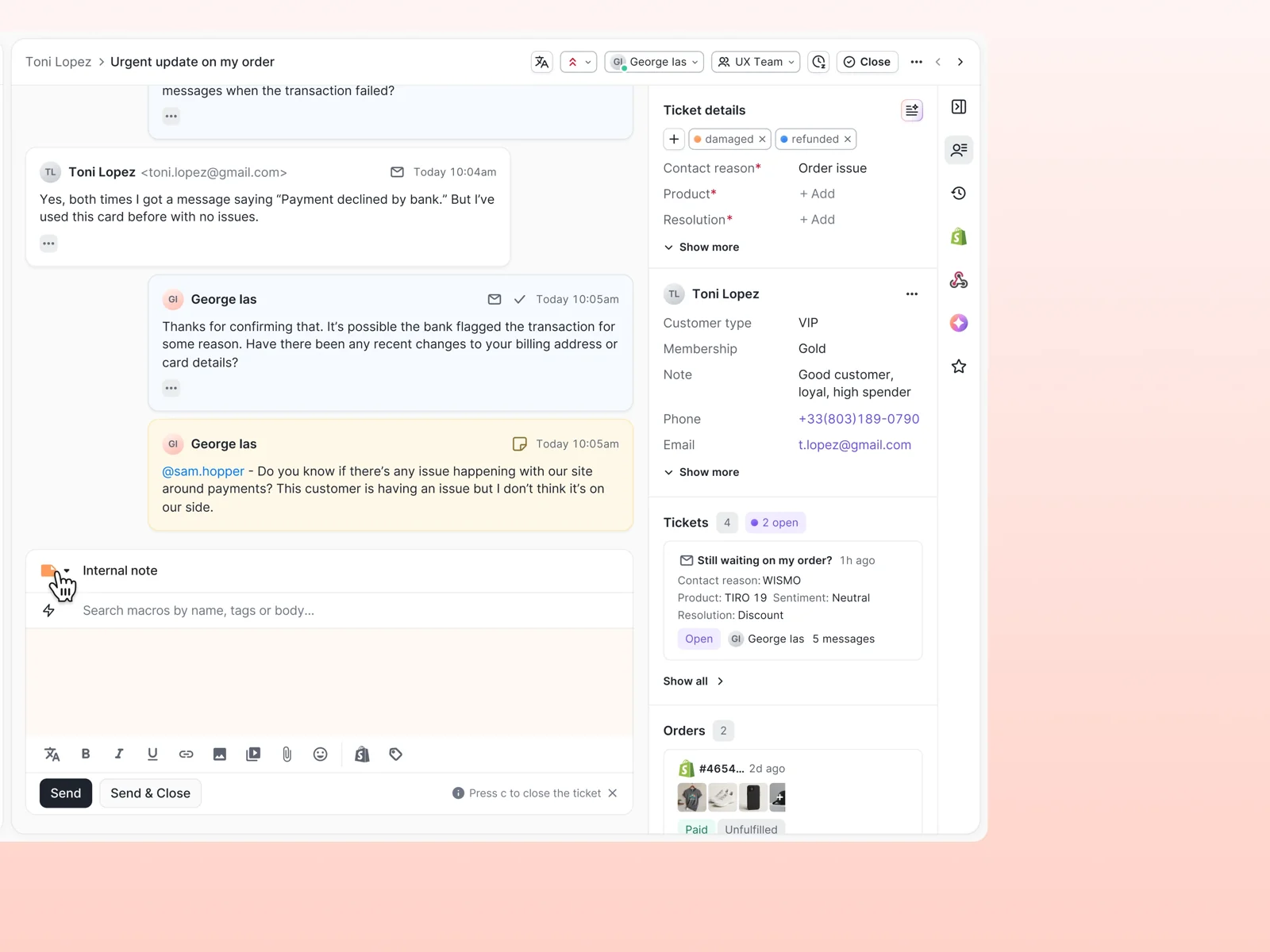
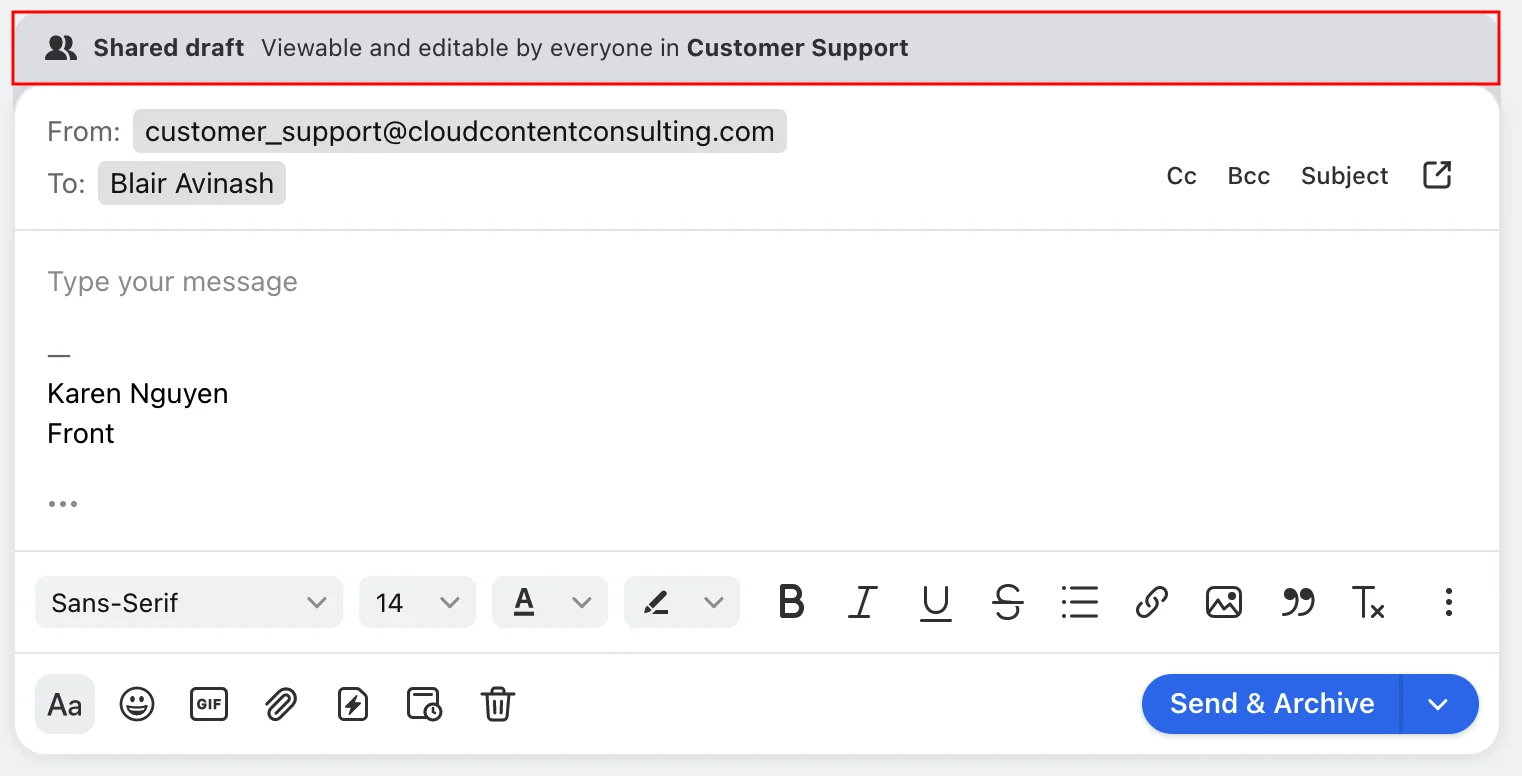
Front is the only one with a documented onboarding pattern. Its permissions docs describe an "Onboarding" teammate group with send turned off "until they are fully trained." That's an Enterprise feature at $105 a seat, and plans apply to the whole organization. On every plan, though, shared drafts give you real review: the trainee writes a draft in a shared inbox, @mentions a senior, and the senior clicks "Take over" and sends.
Where should new agents go with their questions?
This is the part of onboarding that decides whether it costs your team two weeks or two months. A new agent in their first month asks dozens of questions a day. If the only place to ask is a senior agent, you've quietly taken that senior off the queue.
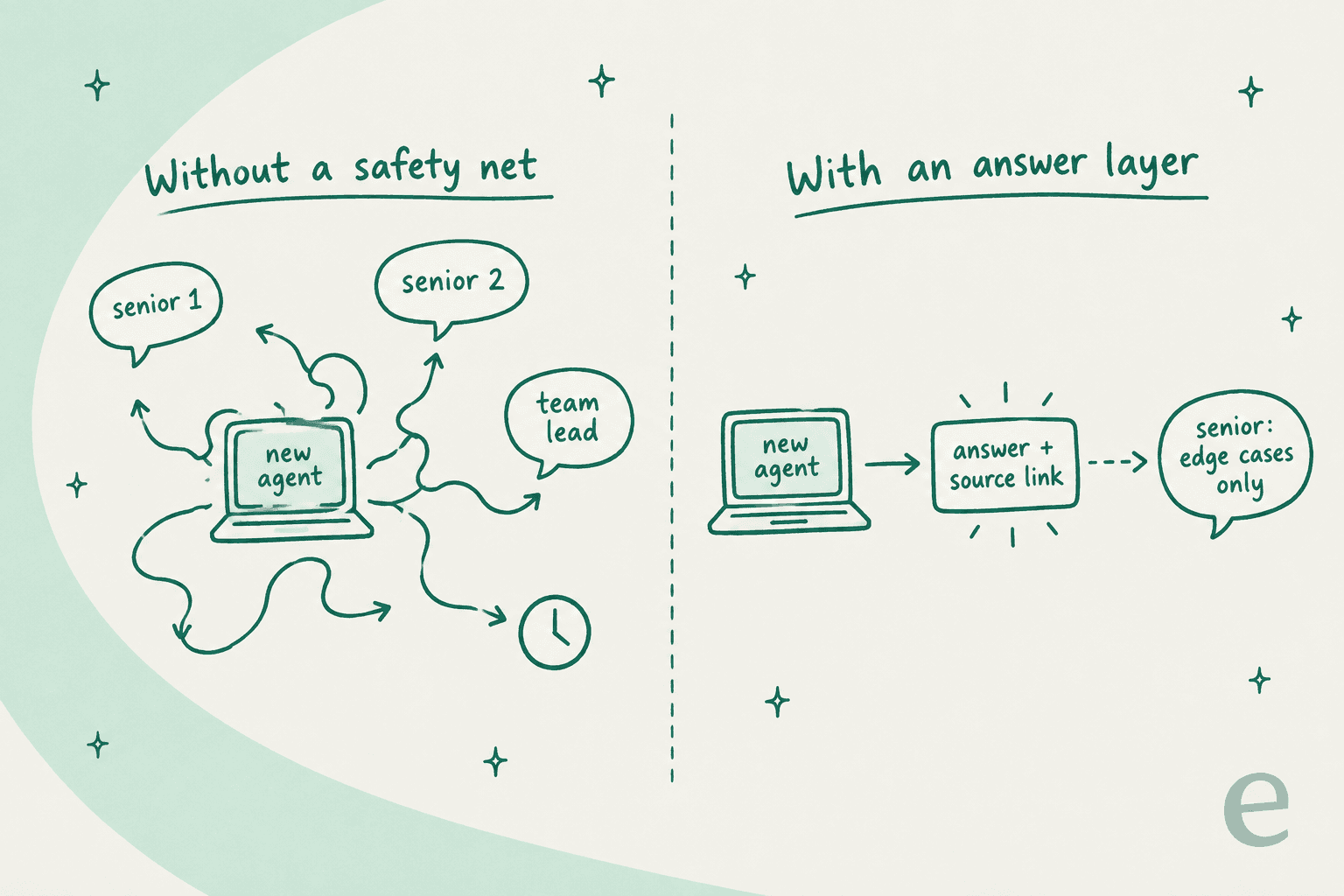
You also lose the questions that never get asked. People in their first month are often afraid to look slow. One HN commenter put the trade-off well: "if those questions just never get asked it's bad for new hires' growth" (kaashif, Hacker News). An agent who doesn't ask guesses, and guesses show up as reopened tickets.
The fix is an answer layer that sits between the new agent and the senior. Three options, from cheapest to most useful:
- An agents-only section of your help center. Zendesk can limit articles to agents with user segments on Suite Professional, and Freshdesk can set any folder to "All agents" on every plan. It's cheap but only covers layer one, and it goes stale. An internal knowledge base guide helps you structure it.
- Searchable solved tickets and macros. Layer two lives here. The catch is that searching tickets well is a skill new agents don't have yet. Turning your best replies into macros from past tickets makes them findable.
- An AI assistant that has read all of it. The new agent asks in plain words and gets an answer with the source linked, or a full draft reply to check. This is agent assist, and it's the only option that covers layers one and two at once. I've ranked the options in best agent assist tools.
"Overall it's made onboarding new agents less nerve wracking since their replies don't sound obviously junior anymore."

The caution with AI here is the same as with a new human: don't trust drafts you haven't checked. eesel has spent years putting AI on live support queues, and one lesson keeps repeating. In one trial I looked at, agents sent AI drafts unchanged only about 12% of the time. Most edits were about length and tone, not facts, which is exactly the gap that training on the team's own sent replies is meant to close. That's the same curve a new hire follows, which is why the week-2 drafting habit works for both.
How do you know a new agent is ready for the full queue?
Use your own team as the benchmark, not an industry number. A "good" first response time for a chat-heavy ecommerce team means nothing to a B2B team answering API questions. Pull your team's median for each of these, and compare the new agent against it at day 14, 21 and 30.
| Signal | What it tells you | Ready when |
|---|---|---|
| Drafts sent unchanged | Whether they've learned "how we say it" | Most easy-ticket drafts need only light edits |
| QA score | Accuracy, tone and process on sent tickets | Within reach of the team median |
| Reopen rate | Whether their answers actually solve the problem | Matches the team on their easy queue |
| Escalation rate | Whether they know their limits, in both directions | Not far above or below the team |
| Questions per day | How dependent they still are | Falling, and shifting from facts to judgment calls |
That last one is my favourite and nobody tracks it. When a new agent stops asking "what's our refund window" and starts asking "this customer is furious and outside the window, can I make an exception", they've finished layers one and two. Layer three takes months, and that's fine. It's the only layer that should. For the wider metric set, see customer service KPIs.
What are the most common onboarding mistakes?
- Going live on a date, not on proof. The HN quote above is the pattern: six weeks planned, live after two. Tie each step to the draft-quality signal instead.
- Skipping the drafting week. It feels slow for the senior, but it's the cheapest coaching you'll ever do. Reviewing ten drafts takes less time than fixing ten bad sent replies.
- Starting new users on the default role. Gorgias defaults to Basic, Help Scout Users can reply anywhere they can see. Set the restricted role on the invite, not after the first mistake.
- Teaching layer one only. A longer course won't help an agent who already knows the policy. Show them solved tickets.
- Letting the question log die. Every repeated new-hire question is a missing article or macro. If you don't write it down, your next hire asks it again. The onboarding an AI agent guide makes the same point about AI: what the trainee asks shows you what your docs are missing.
If you're hiring because the queue outgrew the team, support coverage planning helps you size the next hire, and shared queue management covers how they pick up work.
If you're hiring across time zones, the drafting week is harder because the reviewer may be asleep. Support shift handoff and follow-the-sun support cover how to keep review moving, and offshore knowledge transfer covers onboarding a whole outsourced team at once.
eesel for onboarding new support agents
If your seniors are spending their week answering "how do we usually reply to this?", eesel takes that job. It's an AI helpdesk teammate that connects to Zendesk, Freshdesk and other helpdesks and reads your help center, macros and up to 1,000 recent past tickets, so it already knows how your team answers. The Zendesk setup docs walk through the connection.

For a new hire, that shows up in three places:
- Drafts on the ticket. eesel drafts a reply as an internal note or in a side panel, and the new agent checks and sends it. That's your week-2 drafting habit, with a first draft already written in your team's voice.
- Answers in Slack. New agents ask in a thread and get an answer with the source linked, the same setup as an AI Slack knowledge bot. If it can't find something, it says so instead of guessing (internal Q&A docs).
- Corrections that stick. When a senior corrects it, eesel writes the correction into its own instructions, so the next new hire gets the fixed answer too.
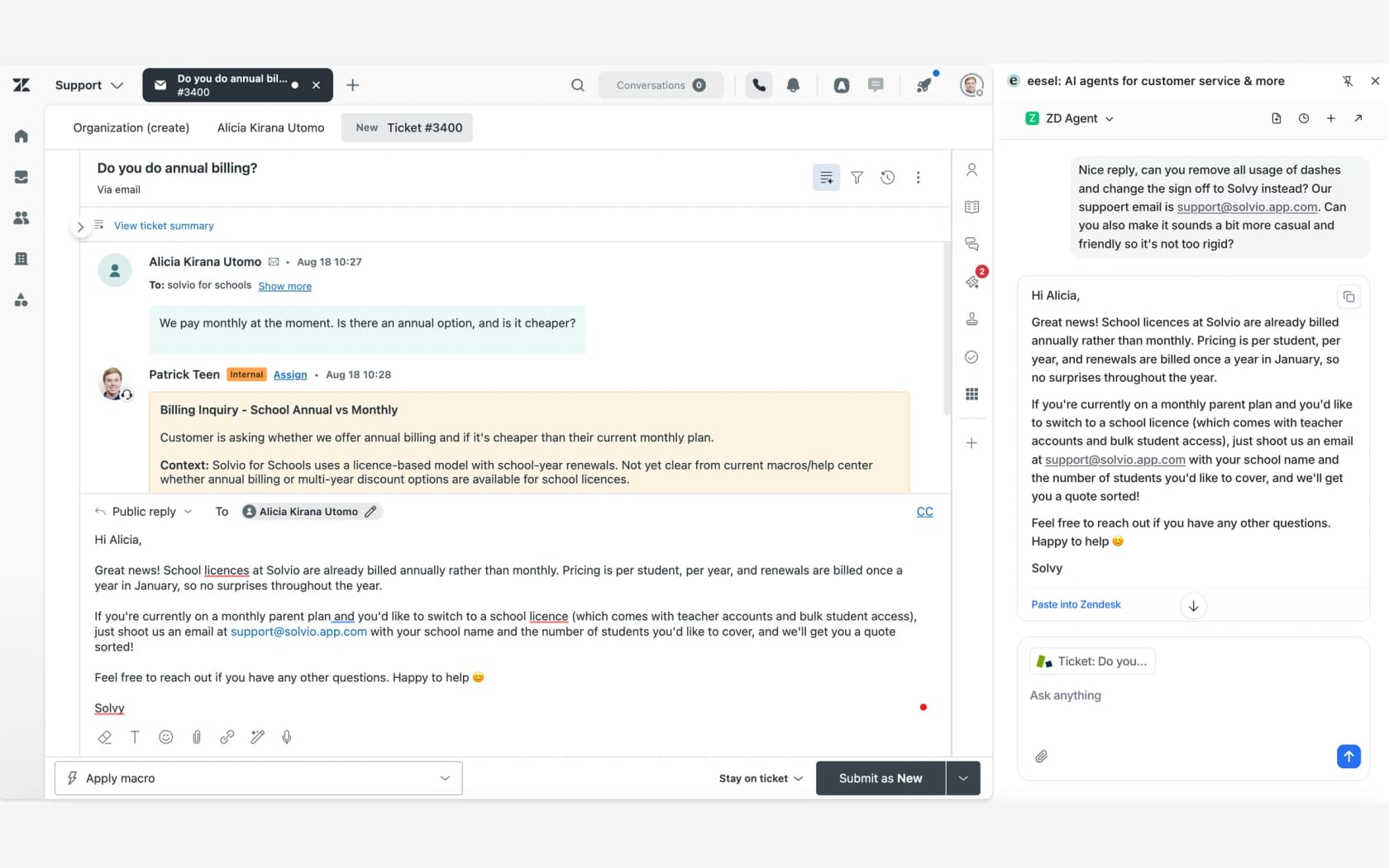
"We can onboard new employees much faster with eesel AI's Copilot, and help train them or answer questions with accurate responses straight from the source. Managers are now asked the important questions, and sourcing documents or learning processes has become much easier."
Before you let it near a real customer, eesel can run a simulation skill against your past tickets and show where its answers would have matched your team. The honest limit: eesel isn't a course builder or a quiz tool for human agents, so if you need certification tracking, pair it with your QA tool. Pricing starts free with 100 credits, then $299 a month for 500 credits on the Teammate plan, and seats are unlimited on both, so every trainee gets access. Try eesel on your next new hire's first week.
Frequently Asked Questions
How long should customer support agent onboarding take?
What should a new support agent do in their first week?
How do I stop a new agent from sending wrong answers while they learn?
What should be on a customer support agent onboarding checklist?
Which metrics show a new support agent is ready for the full queue?
Can AI help with onboarding new support agents?
Do I need a sandbox for customer support agent onboarding?
What is the biggest mistake in support agent onboarding?


Article by
Riellvriany Indriawan
Riell is a designer and writer at eesel AI with about two years of experience researching CX platforms, AI chatbots, and helpdesk software. She combines her design background with a sharp eye for how these tools actually look and feel in practice — making her comparisons unusually visual and user-focused.