Knowledge base
A knowledge base is an organized, searchable collection of articles and documentation that lets people find answers to recurring questions on their own.
What a knowledge base means
A knowledge base is an organized, searchable collection of articles, guides, and documentation that lets people find answers to recurring questions on their own. It stores information as discrete, titled entries that can be browsed by topic or pulled up by search, so the same answer can be reused by many people instead of being explained one at a time. A knowledge base can be public (open to anyone) or internal (restricted to staff), and often a team runs both.
In customer support, the knowledge base is the backbone of self-service and the source of truth that agents and AI rely on. It is the single place where the correct, current answer to a common question lives, which is what makes the same content useful to a customer searching the help center, an agent drafting a reply, and an AI answering automatically.
Why a knowledge base matters
A good knowledge base does more than store articles. It changes how much work reaches the support team in the first place:
- It deflects repetitive questions by letting customers find answers themselves, before they ever open a ticket. This is the foundation of self-service.
- It speeds up agents who can link or paste an existing article instead of writing the same explanation from scratch, often alongside reusable replies like a canned response.
- It feeds AI answers, because retrieval-based systems can only be as accurate as the documentation they read. A thin knowledge base produces thin AI answers.
- It creates consistency, so two customers asking the same thing get the same correct answer rather than two agents improvising.
- It surfaces content gaps, because tickets that have no matching article reveal exactly what the knowledge base is missing.
One distinction trips up a lot of teams: the same library often wears two faces depending on who is reading it.
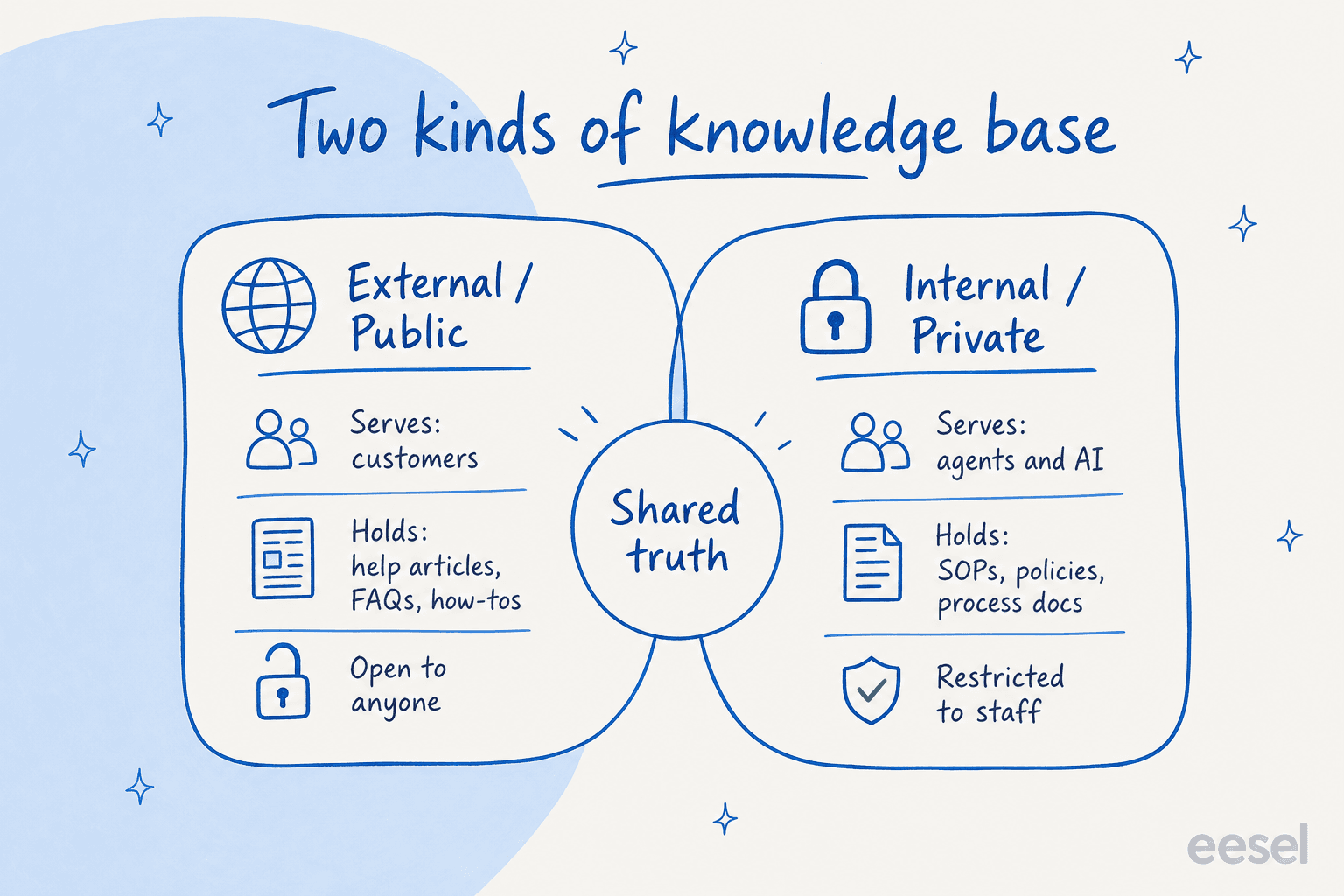
An external knowledge base serves customers with help articles and FAQs and is open to anyone, while an internal one serves agents and AI with SOPs and process docs behind a login. Both draw from the same underlying source of truth, which is why many teams run the two together.
How a knowledge base works
A knowledge base sits at the centre of a few connected workflows:
- Capture. Subject-matter experts and support agents write articles for the questions that come up most, structured into categories and tagged so they are findable.
- Search and serve. Customers and agents query the knowledge base by keyword or topic, and the system returns the most relevant articles.
- Ground AI answers. Modern support AI does not just link articles, it reads them. A support agent like eesel AI connects to your knowledge base, help center, and past tickets, then uses RAG to retrieve the right passage and write a direct answer grounded in your own content.
- Measure and refine. Teams track which articles deflect tickets and which fail, then rewrite, merge, or retire entries based on what the data shows.
A knowledge base in practice
The value of a knowledge base lives in its upkeep, not its size. A library of hundreds of stale articles is worse than a tight set of current ones, because every outdated answer erodes trust and, when AI reads it, becomes a source of hallucination. The teams that get the most out of a knowledge base treat it as a living asset: they let real tickets tell them what to write next, prune aggressively, and assign clear ownership so articles do not quietly drift out of date. That discipline is what turns a pile of documents into something a customer, an agent, and an AI can all trust.
Want the full playbook? See our guide to the internal knowledge base.
Turn your knowledge base into resolved tickets
eesel AI reads your knowledge base, grounds every reply in it, and answers customers directly instead of just pointing them at articles.