Human-in-the-loop
A design pattern where a person reviews, approves, or corrects an automated system's output at key points, keeping human judgment in the decision.
What human-in-the-loop means
Human-in-the-loop is a design pattern in which a person reviews, approves, or corrects an automated system's output at defined points, so human judgment stays in control of the decisions that matter. The phrase describes where a human sits relative to the automation: not removed from it, and not buried under every routine task, but placed at the checkpoints where their judgment changes the outcome. It contrasts with "human-out-of-the-loop" systems that run end to end with no review.
In customer support, human-in-the-loop is how teams adopt AI without handing it the keys to everything at once. The AI handles what it can do safely, and a person steps in for the cases that need a human call: an unusual refund, an angry escalation, a question the documentation does not cover.
Why human-in-the-loop matters
- It contains the cost of a wrong answer. A confident but incorrect reply reaching a customer is the failure mode teams fear most, and a review step is the cheapest insurance against it.
- It builds trust gradually. Teams can start with the AI suggesting replies for human approval, then widen autonomy as it proves reliable, rather than betting everything on day one.
- It draws a clear line for risk. High-stakes actions, billing changes, account deletions, legal-adjacent answers, can require sign-off while routine answers flow automatically.
- It creates a feedback signal. Every human correction is training data, showing the system where it was wrong and tightening future behavior.
- It satisfies oversight requirements. Many compliance and quality regimes expect a named person accountable for decisions, which full automation cannot provide on its own.
It helps to picture human involvement as a dial rather than an on/off switch. The same AI can sit anywhere along a spectrum, from reviewing every reply to handling all but the exceptions.
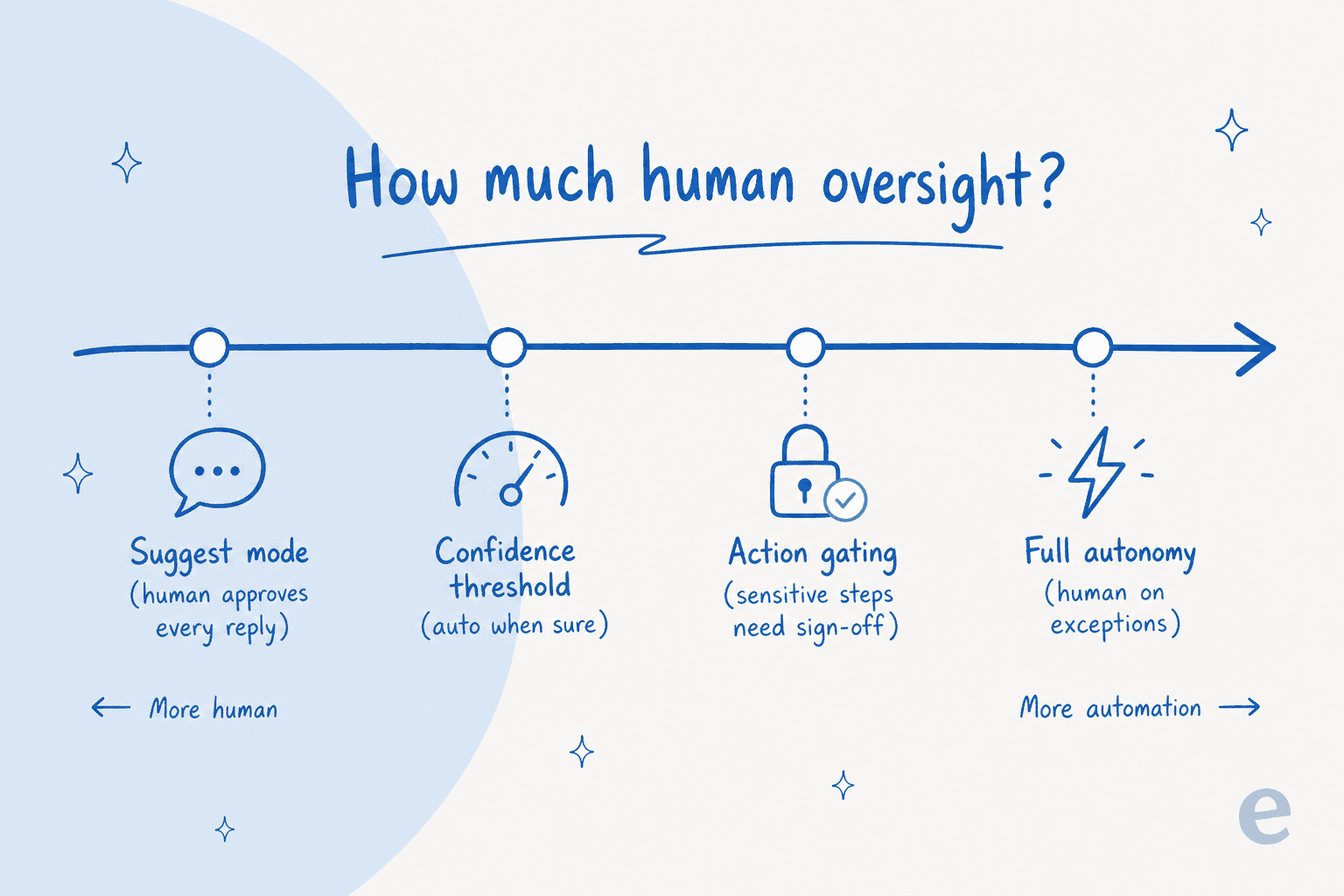
Teams usually start near the left, with the AI suggesting and a person approving, then slide toward the right as it earns trust on each category. The loop never has to be all-or-nothing.
How human-in-the-loop works
A support agent like eesel AI runs this pattern in a few configurable ways:
- Suggest mode. The AI drafts a reply and a human agent approves, edits, or rejects it before it sends. The person stays in the loop on every message.
- Autonomy with thresholds. The AI answers automatically when its confidence score is high and the request is in scope, and routes the rest to a person.
- Action gating. Reading information can run freely while sensitive actions, like issuing a large refund, are held for human approval through guardrails.
- Escalation on uncertainty. When the AI has no safe answer, it performs an escalation with full context attached, so the human picks up where the AI left off rather than starting cold.
Human-in-the-loop in practice
The hard part is not adding a human, it is choosing which moments deserve one. Review every message and you have automated nothing; review nothing and you have removed the safety net. The teams that get this right tune the threshold against real ticket history: they let the AI handle the clear, repeatable cases and reserve human attention for the genuinely ambiguous ones. Over time, as the AI proves itself on a category, the loop loosens there and tightens wherever new risk shows up.
For a practical walkthrough, read our human-in-the-loop guide.
Keep a human in the loop on support AI
eesel AI escalates to a person when confidence is low and lets you gate which actions need human approval.