What is follow-the-sun support?
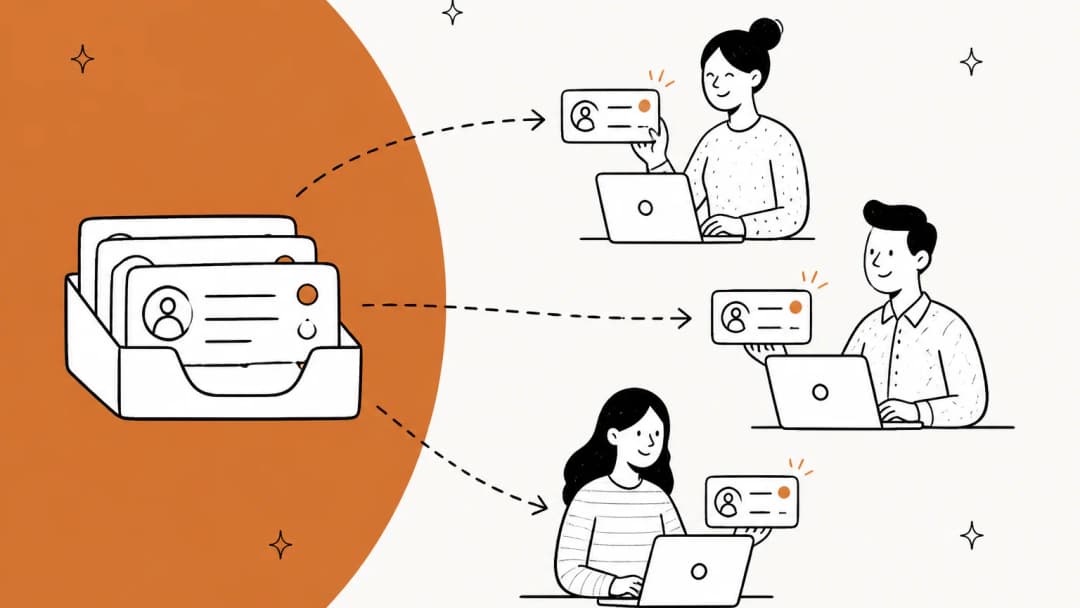
Follow-the-sun support is a coverage model where support work moves around the globe with the daylight. A team in the Americas works its day, then hands the queue to a team in Europe, which hands it to a team in Asia-Pacific, which hands it back to the Americas. Each hub works normal local hours, and the queue never sleeps.
I work the support queue at eesel every day, and I've spent a lot of time with teams trying to get to 24/7 support without burning out a night crew. Follow-the-sun is the version that looks best on a whiteboard. One engineer on Hacker News described it about as cleanly as it can be described:
"Three regular shifts (8 hours of work plus some lunch break that gives you time for a short overlap at the beginning/end of the shift) during that region's local daytime hours, in three different regions with time zones roughly 8 hours apart. That way nobody has to work nights and you still get 24/7 coverage."

Notice the part in parentheses. The short overlap at each end of a shift is where the handoff happens, and with three hubs you get three of them every day.
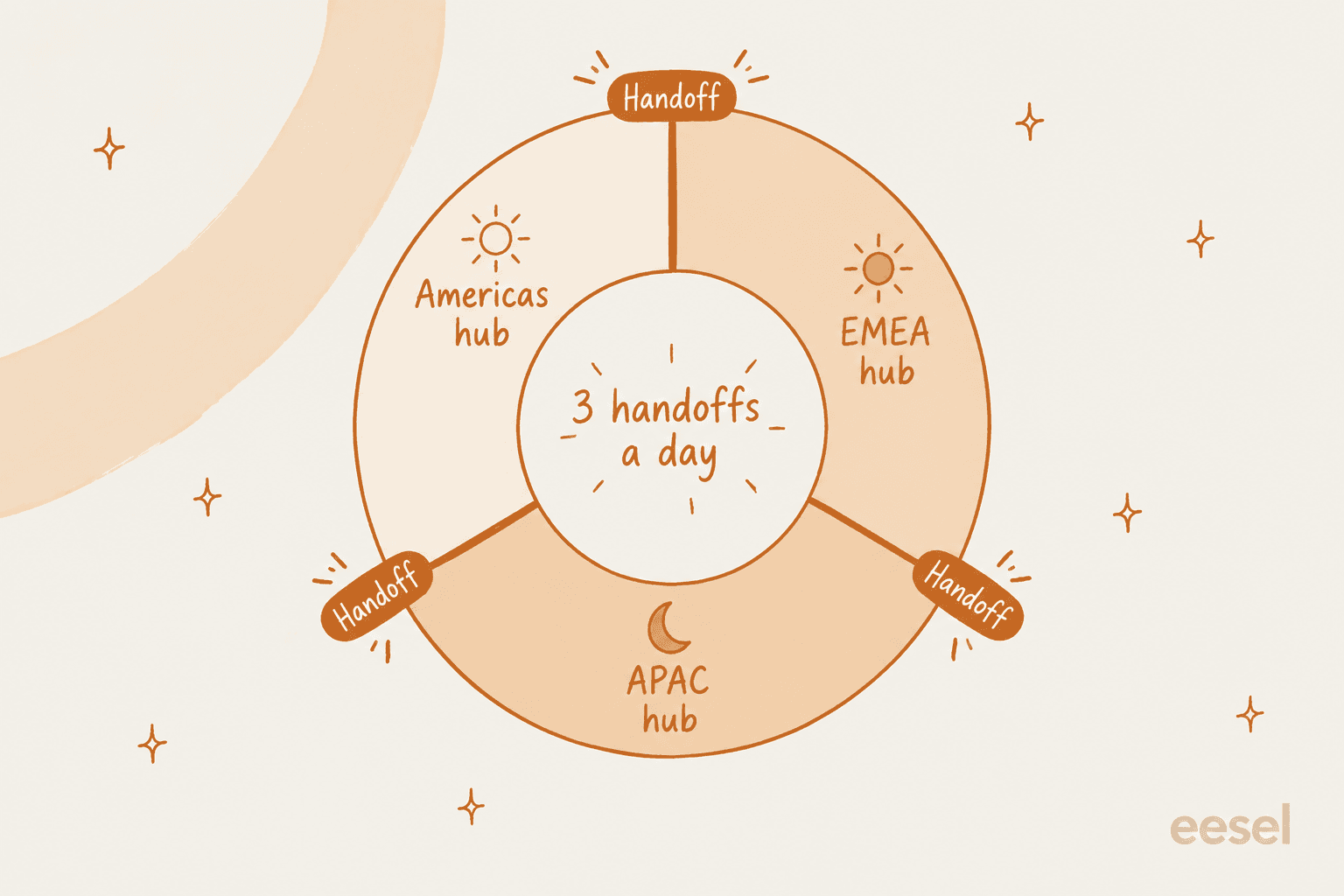
That's the trade at the heart of the model. You swap night shifts for handoffs. Whether that's a good trade depends almost entirely on how you handle those three boundaries, which is what the rest of this guide is about.
It's a close cousin of offshore support, and the two often get mixed up. Offshore is about where the team sits (usually for cost). Follow-the-sun is about when each team works. You can run follow-the-sun with three in-house offices, or with an onshore team plus an outsourced hub on the other side of the world.
Two hubs or three?
Most teams pick between three shapes. Here's how they compare on the things that actually bite.
| Model | Hubs | Shift length | Handoffs per day | Main cost |
|---|---|---|---|---|
| Night shift at one site | 1 | 8h, rotating | 0 | Night work, retention |
| Two-hub follow-the-sun | 2, about 12h apart | ~12h, or 8h with uncovered edges | 2 | Late nights and early mornings |
| Three-hub follow-the-sun | 3, about 8h apart | 8h | 3 | Headcount in every hub |
| One or two hubs plus AI | 1 to 2 | 8h | 0 to 2 human handoffs | AI setup and review |
Two hubs is where most teams start, because it only needs two offices. The pain moves to the edges of the shift rather than the middle of the night:
"My team in Sydney partners with San Francisco for example, so worst case for me is a page at midnight just before I hand over, worst case for them is about 5am. So not usually anything happening in the middle of the night, at worst a late night or early morning, but never both."
The two hubs need to be far enough apart for that to work. One r/devops commenter weighing a US and Ireland split noted "there isn't really enough difference in TZs to make that work cleanly," and that the Irish team would have to grow so the load wasn't lopsided (source).
Three hubs gives you clean 8-hour shifts, but it's the most expensive option in people. The same r/devops thread has a poster whose company went from one site on 24/7 (with "a high burnout rate"), to a 12/12 split with a US team, to an 8/8/8 split by adding a UK team of three. Their verdict on that three-person hub:
"I can't see how we can create a sensible sustainable even rota in these three regions, I also feel like each team needs at least 6-8 people in it for it to be sustainable long term."

That's the number I'd keep in your head. A hub of two or three people isn't a hub, it's a single point of failure with a vacation calendar. If you can't put real headcount in each region, a smaller footprint plus something to cover the gaps usually beats a thin three-hub rota.
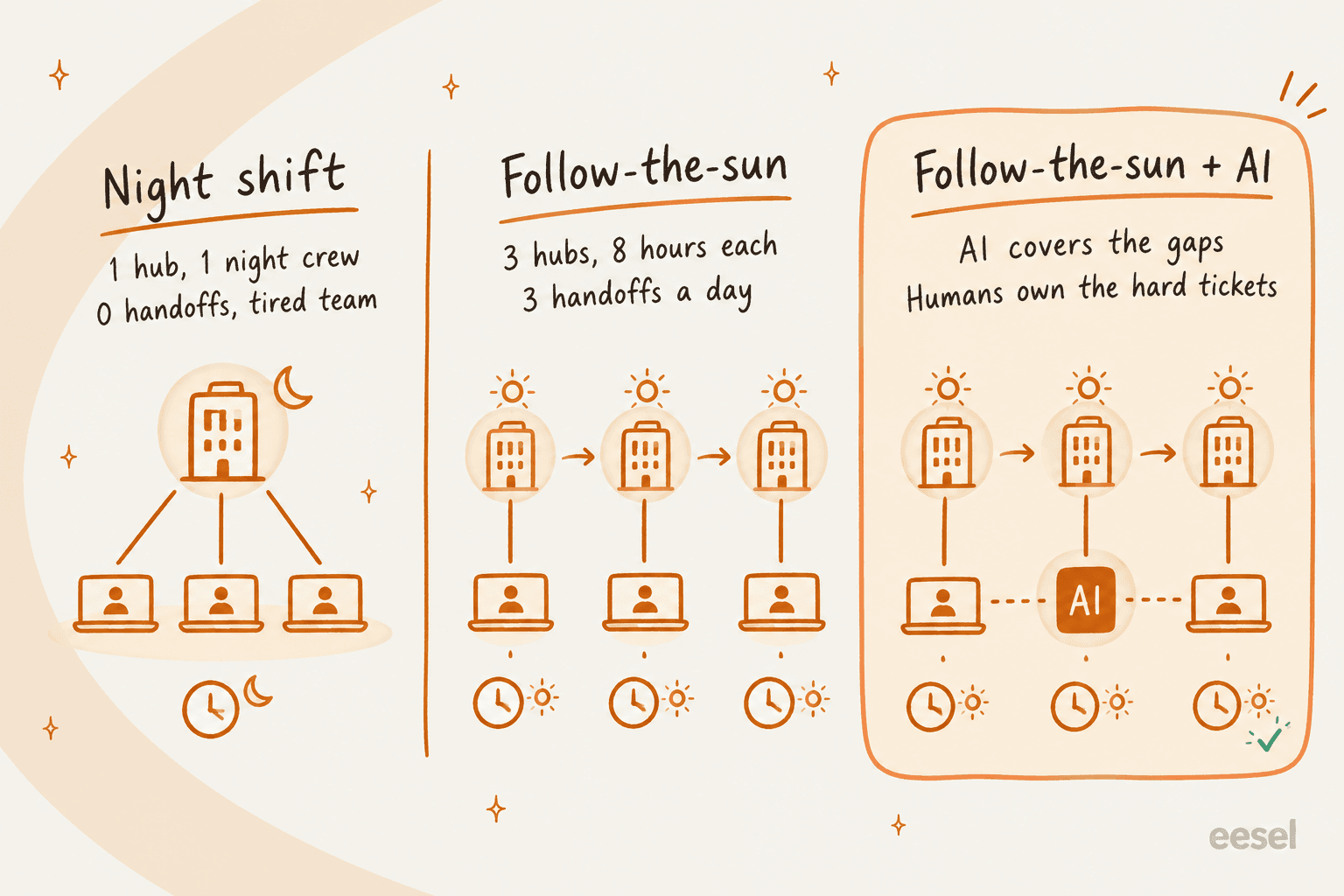
The single-site night shift looks cheapest, especially with an outsourced team. It tends to lose on people instead of price. An MSP owner on r/msp put it bluntly after a previous offshore night crew: "keeping people when they are being asked to work through their nights is something I feel never works well" (source).
Where follow-the-sun breaks: the handoff
Coverage is the easy part. Every practitioner I've read who has actually run follow-the-sun says the same thing: the shift change is the weak point, not the hours.
The first leak is context. Each region sees a different slice of the day:
"The communication costs from time zones are real, and it makes everyone's context on what is going on different because they see updates from different regions."
In a support queue, that shows up as two customers asking the same question on the same day and getting two different answers, because the EMEA team learned about a shipping delay in their morning stand-up and APAC never heard. It's the reason consistent answers across shifts matter more in this model than almost anywhere else.
The second leak is ownership. The next hub inherits a ticket, but not the expertise behind it:
"I've been at places that follow the sun, and you frequently have no idea what to do during an incident, because the person who owns the system is offline."
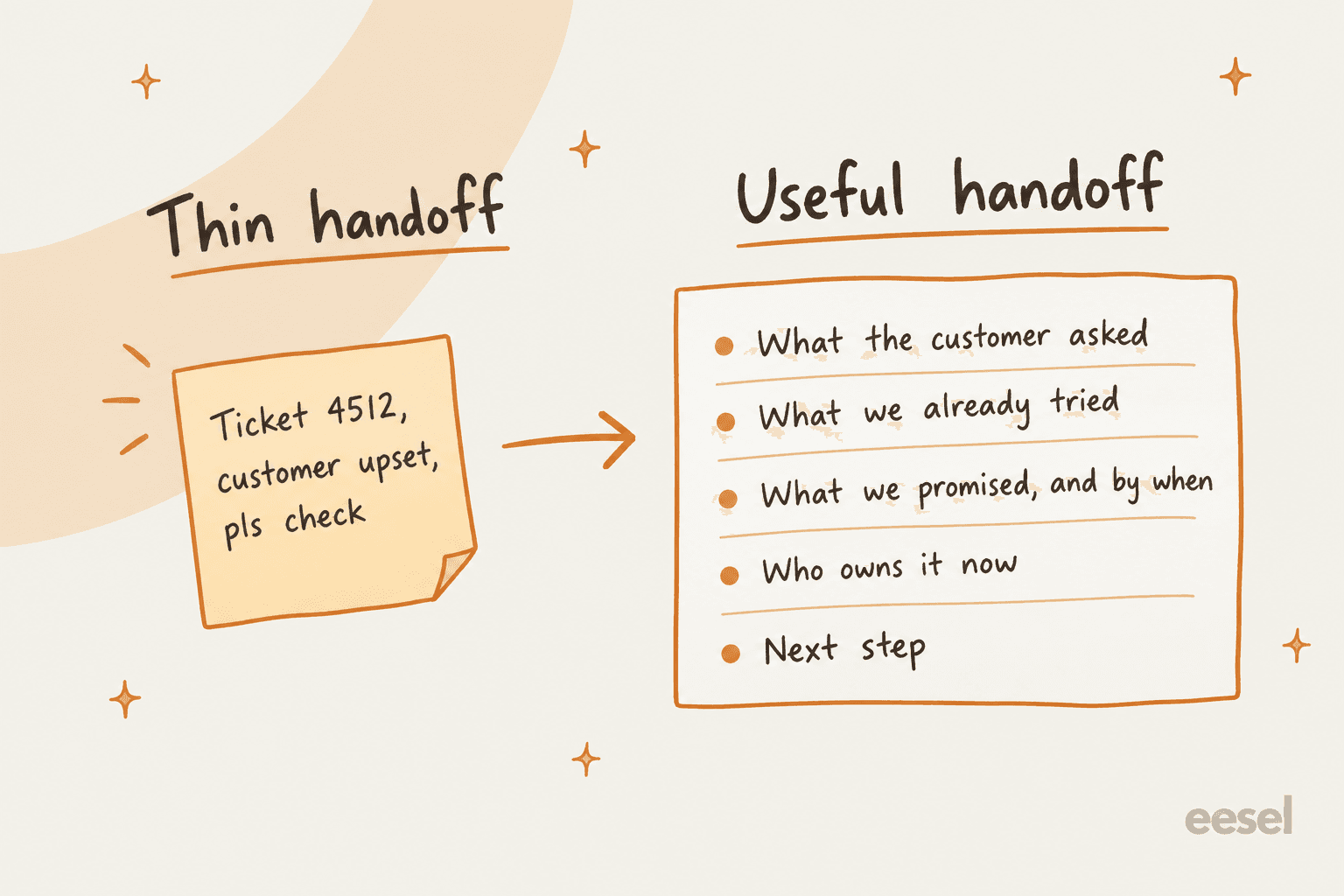
The third leak is the handoff itself, as overhead. A note has to be written, read, and trusted. Writing one for a single tricky ticket is fine. Writing thirty at 4:55 p.m. is how notes turn into "ticket 4512, customer upset, pls check."
The most useful thing I found in the research came from Zendesk's own guide to configuring a follow-the-sun model. Describing how its own support team works, it says "there are no daily handoffs" and that tickets generally stay with the agent who picked them up. That's the reframe: follow-the-sun is mostly a routing problem, not a handoff problem. New tickets go to whoever is awake. Owners keep their tickets and pick them up again tomorrow. Only the urgent ones cross the boundary, and those get a proper note.
Two more things make hubs uneven in ways a whiteboard won't show you. Labor law decides who really covers weekends: one Hacker News commenter joined a company with "follow the sun rotation" and found the US team was doing off-hours support for everyone else because the other countries had stricter rules (source). And some contracts rule out a hub entirely. Another commenter has worked with enterprise customers who wouldn't allow "a subcontractor in London provide support" because their data couldn't leave the US (source). Check both before you pick your third office.
How to set up follow-the-sun support in your helpdesk
Here's the setup I'd walk any team through, in order. The steps are the same in every helpdesk; the plan you need to unlock each one isn't, so there's a matrix after the steps.
1. Make one group (or inbox) per region
Create a group per hub ("Support-Americas", "Support-EMEA", "Support-APAC") and put each agent in their home region. Everything else hangs off these groups: schedules, routing, views, and reporting. In Help Scout and Front, the equivalent is one inbox per region.
2. Give each region its own business hours
Each group gets a schedule in its own time zone. This is the step that's most often gated by plan. In Zendesk, only Enterprise plans can set multiple schedules; Suite Professional gets one. Freshdesk lets each group carry its own hours (it literally uses "EU, North America, or Asia" as the example), with additional hours on Pro and above.
A small gotcha in Zendesk: a business interval can't cross midnight, so a shift from 22:00 to 06:00 has to be split into two intervals.
3. Point your SLAs at business hours
Set each SLA policy to count business hours, not calendar hours, so a ticket that arrives at the end of the APAC day doesn't breach before the EMEA team logs on. Every helpdesk here supports it, and Freshdesk SLA policies stop the clock outside the group's hours. The catch is that the timer follows whichever schedule is attached to the ticket, so step 2 has to be right first. In Front, SLA rules are now called time goal rules, and the timer keeps running while a conversation is snoozed, which surprises people.
4. Route by who is actually available
This is the step that turns follow-the-sun from "three teams sharing a queue" into a working model. Assignment should only send tickets to agents who are online right now, which is what intelligent routing means in practice. Zendesk omnichannel routing routes by status and capacity on every plan, and on Professional and Enterprise it can reassign a reopened ticket when its owner is unavailable. That last feature is the native handoff: the customer replies at 2 a.m. their time, the owner is asleep, and the ticket moves to someone who isn't.

There's a catch worth knowing up front. Zendesk's docs on unified agent statuses say plainly: "Operating hours won't set an agent's status." Agents flip themselves to Online and Offline. If someone forgets to go Offline at the end of their day, routing keeps feeding them tickets overnight.
Only two of the five helpdesks I checked fix this natively. Freshdesk's Agent Shifts (Enterprise) changes availability automatically on shift hours, each shift in its own time zone, though shifts that cross midnight aren't accepted (more in my notes on Freshdesk agent shifts). Front's Shifts (Enterprise) sets teammates Available at shift start and Out of office at shift end, and a new customer reply unassigns the conversation from anyone off shift "so someone else can follow up."
5. Standardize the handoff note, then let AI draft it
For the tickets that do cross a boundary, agree on what a handoff note contains: what the customer asked, what's been tried, what was promised and by when, who owns it now, and the next step. Put it in a macro so the template is one click away.
Then stop writing them by hand. Most helpdesks now have AI summaries built for exactly this. Help Scout's AI Summarize names "handing off a conversation to another teammate" as a use case. Freshdesk's Freddy summary is structured as Issue, Steps Taken and Outcome, and includes private notes. Front's summaries update with every new message.

Watch the caps. Zendesk made Copilot ticket summaries available on Professional and above in May 2026, but as a pooled 5 uses per agent per month (summaries and writing tools combined), capped at 500 per account. A three-hub team doing real handoffs will burn through that in the first week, after which you need the Copilot add-on. My Zendesk AI summaries guide covers the setup.
6. Keep one knowledge base, owned by everyone
The quickest way to stop regions drifting apart is a single knowledge base that every hub reads from and updates. When EMEA learns about the shipping delay, it goes in the help center before the end of their day, not into a Slack thread APAC will never scroll back to. If you serve several languages, set up a multi-language help center rather than letting each region keep its own translated copy.
Which plan unlocks what
Here's the cheapest plan that unlocks each piece, from each vendor's own pricing page and help center as of October 2026. Prices are per agent per month, billed annually, and each vendor name in the header links to its pricing page.
| Capability | Zendesk | Freshdesk | Help Scout | Gorgias | Front |
|---|---|---|---|---|---|
| More than one schedule | Enterprise (sales) | Pro $55 | Plus $45 (per-inbox hours) | Basic (custom hours per channel) | Professional $65 (per-inbox hours) |
| SLAs on business hours | Suite Professional $115 | Growth $19 (1 policy), Pro for more | Standard $25 (1 policy) | All plans | Professional $65 |
| Availability-aware assignment | Suite Team $55 | Pro $55 | Plus $45 | All plans | Professional $65 |
| Shifts that flip status automatically | Not native | Enterprise $89 | Not available | Not available | Enterprise $105 |
| AI handoff summary | Professional, 5 uses/agent/mo; unlimited with Copilot $50 | Freddy AI Copilot $29 add-on | Plus $45 and up | Not confirmed | Copilot $20 add-on, included in Enterprise |
Gorgias is the odd one out because it's priced by ticket volume, not by agent, and it has a "Pause SLA timer outside of business hours" toggle on every plan. For a growing team adding agents in a new region, that pricing shape is friendlier than any per-seat plan, and its rules can send after-hours autoresponders per region.
What follow-the-sun support costs in seats
Say you follow the 6-per-hub rule of thumb from earlier: three hubs, 18 agents. Here's the monthly helpdesk bill at the plan that gives you per-region hours, and at the plan that adds automatic shifts.
| Helpdesk | Plan with regional hours | 18 agents / month | Plan with auto shifts | 18 agents / month |
|---|---|---|---|---|
| Zendesk | Enterprise | Talk to sales | Not native | n/a |
| Freshdesk | Pro $55 | $990 | Enterprise $89 | $1,602 |
| Help Scout | Plus $45 | $810 | Not available | n/a |
| Front | Professional $65 | $1,170 | Enterprise $105 | $1,890 |
| Gorgias | Basic and up | Priced by tickets, not seats | Not available | n/a |
That's before payroll, and payroll is the real cost. 18 agents spread across three offices is a very different budget from the 8 or 10 a single-region team might need for the same ticket volume, because the volume isn't spread evenly around the clock. Most queues have a busy region and two quiet ones, and in a three-hub model the quiet hubs still need enough people to cover holidays.
This is where it's worth running the numbers honestly against the alternatives, including the AI vs offshore math. For smaller teams, my startup scaling guide walks through the same choice. If two of your three hubs exist mostly to answer "where's my order?" at 3 a.m., that's an expensive way to answer it.
Where AI fits in a follow-the-sun model
AI doesn't replace the model. It changes how many humans the model needs, and it takes the worst job off the table: being the person who covers the quiet hours alone.
I've watched this play out across a lot of rollouts at eesel. The pattern that works is narrow and boring, and that's why it works:
-
AI covers the hours between hubs. During the gap, an AI helpdesk agent answers the routine tickets (order status, password resets, how-to questions) from your help center and past tickets. Anytime Fitness runs 5,000+ gyms across 40+ countries, and before eesel, a member who asked a question at 10 p.m. waited until the morning. Now the common questions get an answer at any hour.
-
AI only answers what it's sure of. Everything else waits for the next human shift, untouched. A CX lead handling around 7,000 tickets a month put this better than I can on a sales call:
"I need an AI who is only handling the tickets that it's confident to handle and all the other ones, leave them alone."
-
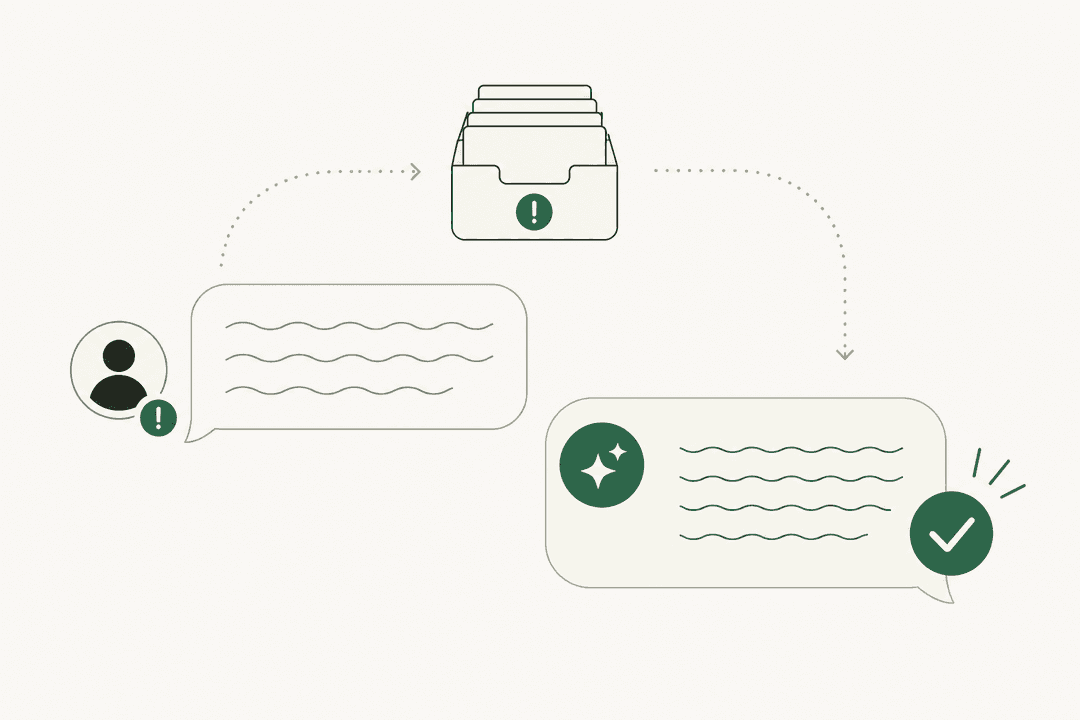
AI writes the handoff. For tickets it leaves alone, it tags, routes, and leaves an internal note so the morning shift starts with context instead of a cold queue. This is the human handoff problem from the other direction.
-
AI gives every region the same answer. It reads from one knowledge base and one set of instructions, so APAC and EMEA can't drift apart on the shipping-delay answer. A service desk lead at CartonCloud described the effect as "consistent, on-brand tone, still keeping our own style and still keeping that human touch" in their case study.
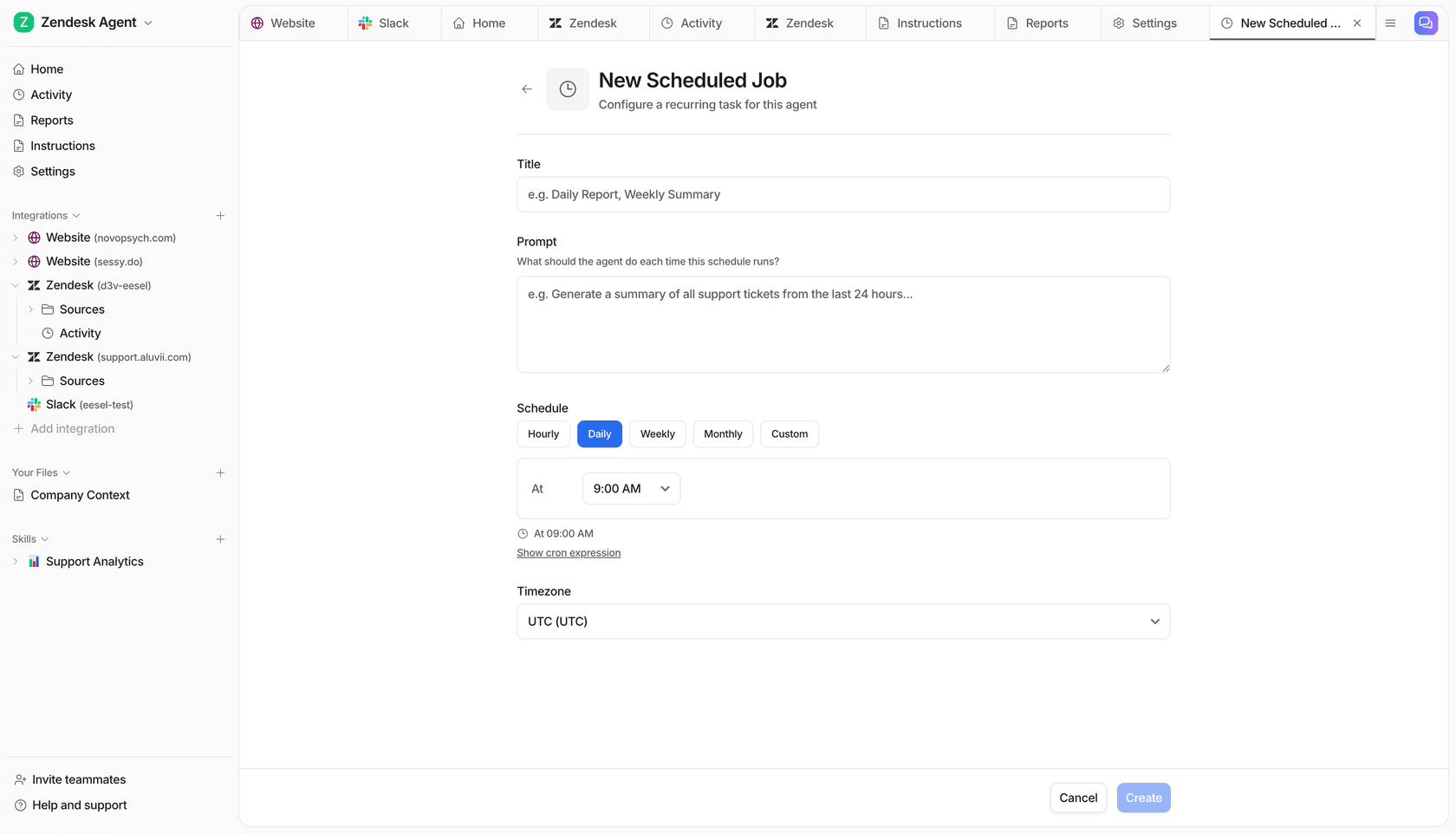
One team I work with goes a step further and runs a scheduled "daily support handoff summary": every morning, the agent writes up everything that happened in the last 24 hours across all regions, so each hub starts the day with the same picture.
One honest warning from the same experience. A long-time eesel customer once had their AI behave inconsistently around business hours, because the hours lived only in the prompt text. Put business hours and handoff rules in the helpdesk's own settings (the schedules, SLAs and routing from the setup steps above), and let the AI read them, rather than describing them in a paragraph of instructions and hoping.
Common follow-the-sun mistakes
Most of these I've seen in real queues, a few I've made myself.
- Handing off everything at end of shift. If every open ticket gets reassigned at 5 p.m., you've built a machine for losing context three times a day. Hand off urgent tickets only.
- Hubs too small to survive a holiday. A two-person hub is down to one the moment someone's on leave, and that person is now the 24/7 plan. Size for 6 to 8, or shrink the footprint.
- Trusting agents to flip their own status. In Zendesk especially, a forgotten Online status means tickets routed to someone who's asleep. Use automatic shifts where your plan has them, or a quick end-of-shift check in your ticket triage routine.
- SLAs on calendar hours. A ticket created at the end of one region's day will breach overnight and wreck your SLA tracking for no real reason.
- Measuring the hubs separately. Look at first response time by hour of day across the whole queue, not per office, alongside the other customer service KPIs. The gaps show up at the boundaries, and per-hub reports hide them.
- Forgetting the edge of the day. As one sysadmin put it, if your desk closes at 17:00, "what happens if they have a critical incident at 16:50? Because that happens quite often" (source). Follow-the-sun multiplies those 16:50 moments by the number of hubs.
eesel for follow-the-sun support
If you're running follow-the-sun with fewer people than the model wants, or you're thinking about adding a third hub mainly to cover the quiet hours, try putting eesel's AI helpdesk teammate in that slot first. It plugs into Zendesk, Freshdesk, Gorgias, Front and Help Scout, learns from your past tickets and help center, and works the queue at any hour. It answers what it's confident about and leaves the rest with a handoff note for your next shift.
Before it touches a live ticket, you can simulate it against hundreds of your past tickets and compare its answers with what your team actually sent. And because pricing is per ticket handled rather than per seat, covering the overnight gap doesn't mean buying another office's worth of licenses.

Try eesel free, and see what your queue looks like when the hours between hubs aren't empty.
Frequently Asked Questions
What is follow-the-sun support?
How many people do you need for follow-the-sun support?
What is the difference between follow-the-sun and 24/7 support?
Which helpdesk is best for follow-the-sun support?
How do you hand off tickets between time zones?
Do SLA timers pause outside business hours in follow-the-sun support?
Can AI replace follow-the-sun support?


Article by
Riellvriany Indriawan
Riell is a designer and writer at eesel AI with about two years of experience researching CX platforms, AI chatbots, and helpdesk software. She combines her design background with a sharp eye for how these tools actually look and feel in practice — making her comparisons unusually visual and user-focused.