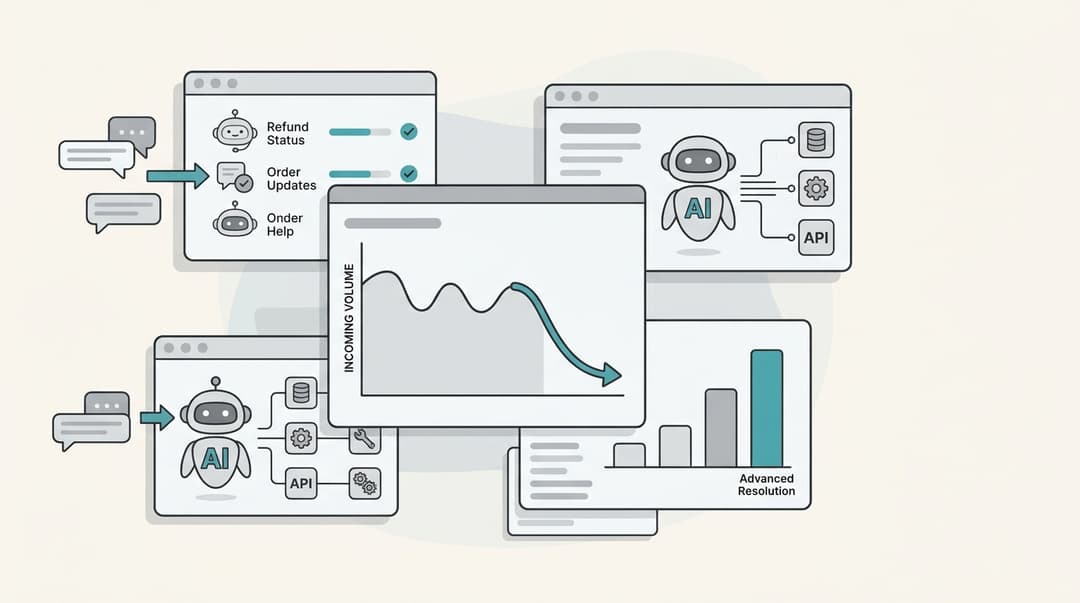
What are distributed support operations?
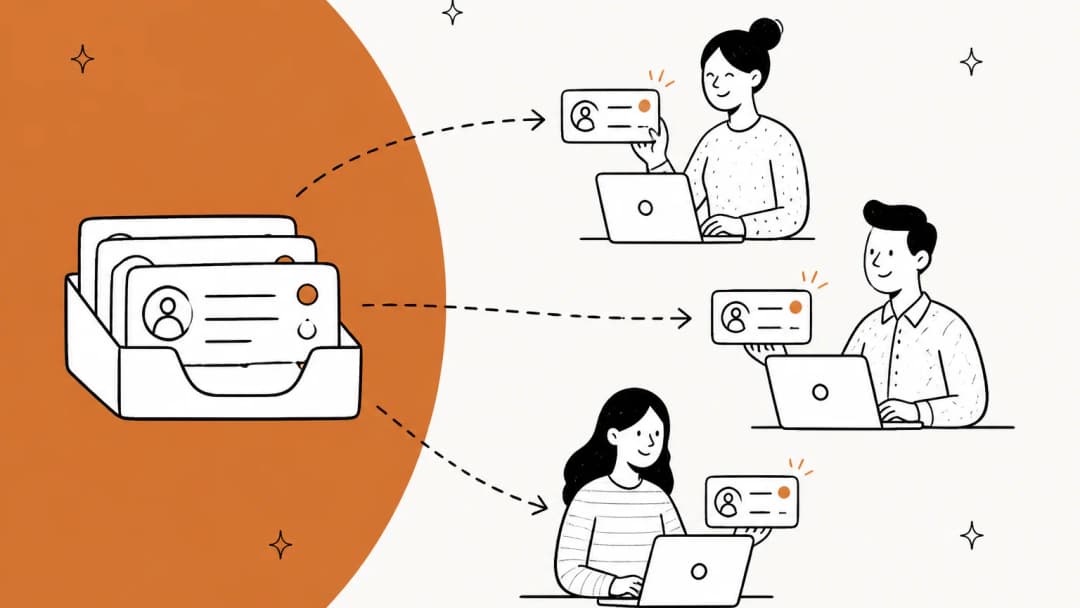
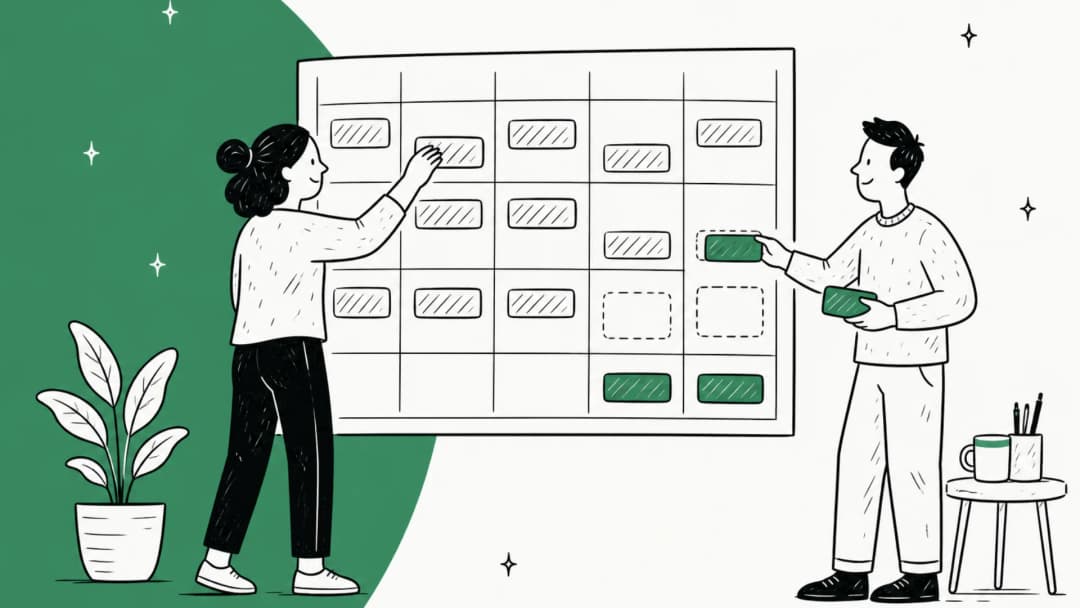
Distributed support operations means running one customer support team whose people sit in more than one place. That covers a lot of setups: two offices in the same country, three hubs passing the queue around the clock, remote agents spread across a continent, or an in-house team with an offshore partner covering nights and weekends.
I look at a lot of search data for this space, and the questions people ask under this topic are rarely "how do I hire in another country". They're operational: how do I route tickets between sites, why do my sites give different answers, why don't my reports match. That's what this guide covers.
Most distributed teams fall into one of four shapes. Each has its own weak spot, and most of them already have a deeper guide:
| Setup | What it looks like | Where it usually breaks | Read next |
|---|---|---|---|
| Multi-site, same hours | Two or more offices covering the same business day | Duplicate work, different habits per office | This guide |
| Follow-the-sun | Two or three hubs passing the queue across time zones | The handoff between hubs | Follow-the-sun support |
| In-house plus outsourced | Your team plus a BPO or offshore partner | Knowledge and quality gaps | Offshore knowledge transfer |
| Fully remote | Agents in many places, often working async | Ownership and response promises | Asynchronous support |
Real teams mix these. A common one I see: a remote core team, a partner covering nights, and a handful of regional specialists for languages. The operating rules below apply to all of them.
Why distributed support teams drift apart
Every site starts with the same playbook. Six months later, they don't have the same playbook anymore. Nobody decided that; it happened one small workaround at a time. A site finds a faster macro and doesn't share it. Another one learns about a policy change on a call the other site wasn't on. A third starts tagging differently because their manager wanted a new report.
One engineer on a small multi-region team put the root cause well:
"The communication costs from time zones are real, and it makes everyone's context on what is going on different because they see updates from different regions."

The customer feels the drift before you do. They ask the same question twice and get two answers, depending on which site picked it up. And when sites are measured differently, they behave differently. An HN commenter explaining why outsourced tier 1 teams rarely escalate pinned it on how they were scored:
"The problem, of course, is that Tier 1 support are outsourced and a huge part of their evaluations are how many tickets they close. Escalating hurts their numbers, so it's hard to get cases escalated"
That's not a people problem. It's a system that rewards one site for closing and another for solving, and then acts surprised when the results differ. Most of what follows is about removing the places where sites are allowed to differ when they shouldn't.
Decide what's the same everywhere and what's local
The single most useful hour you can spend on a distributed team is writing down two lists. The first is what must be identical at every site. The second is what each site gets to set for itself. Everything else is a debate you'll have repeatedly until you settle it.
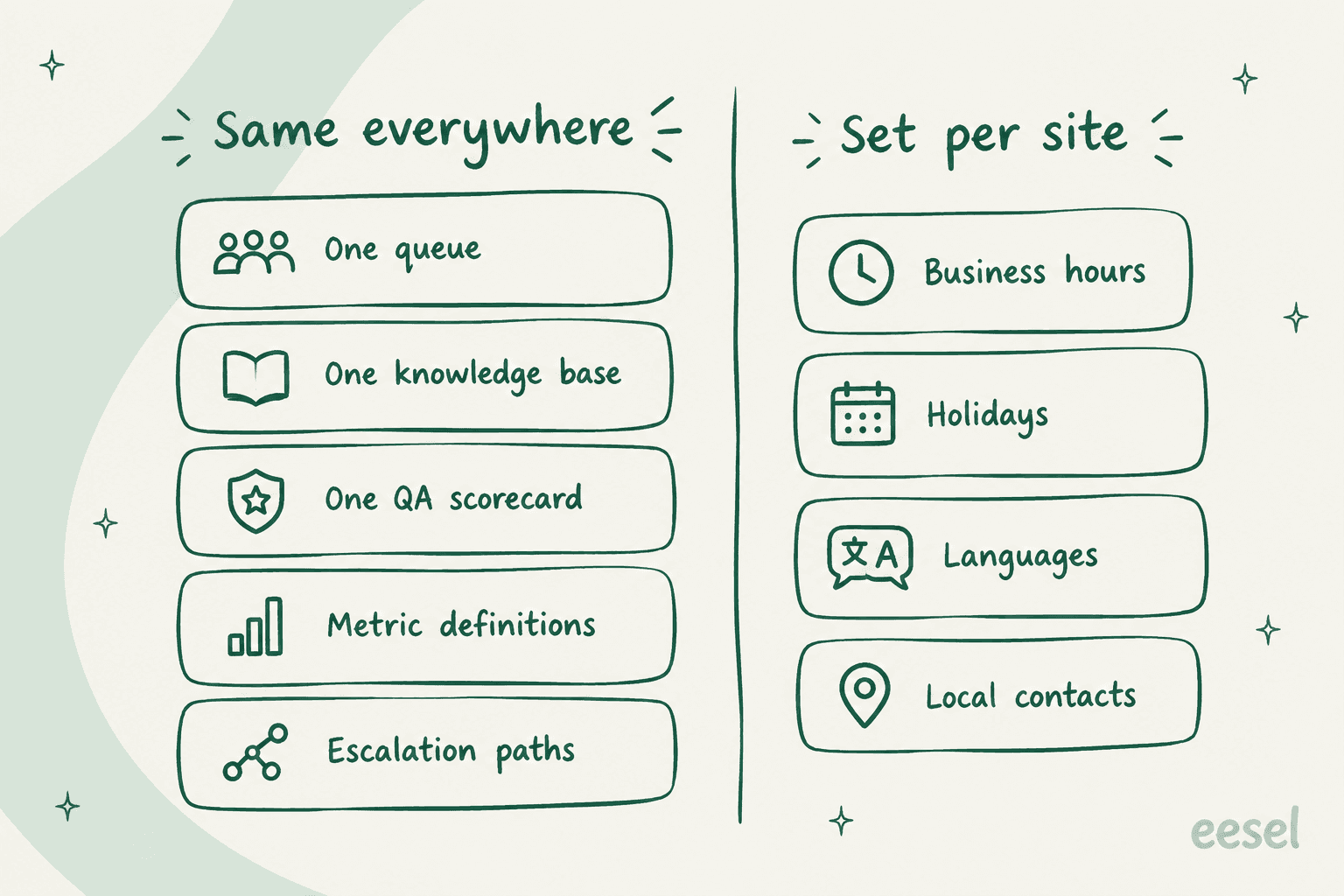
Here's the split I'd start from:
Same everywhere:
- One queue. Every site works out of the same helpdesk instance, with the full customer history visible.
- One knowledge base. Internal and external articles live in one place with named owners, not in per-site docs. My internal knowledge base guide covers the structure.
- One QA scorecard. The same criteria, scored the same way, at every site.
- Metric definitions. What "first response" means, which hours count, which time zone reports use.
- Escalation paths. Who owns billing disputes or bugs, regardless of which site found them. See cross-team escalation.
Set per site:
- Business hours and holidays. Each site has its own calendar, and SLAs should respect it.
- Languages. Route language queues to the sites that speak them.
- Local contacts. The on-call lead, the local finance contact, the person who can approve a refund in that market.
Data location is the one that sometimes breaks the pattern. If you sell into regulated markets, check where the helpdesk stores data. Zendesk's Data Center Location add-on is "free of charge for Zendesk Suite Professional or higher plans, but it is not automatically activated", and covers the US, EEA, UK, Japan and Australia. Freshdesk lets you choose your data location at signup. My Freshdesk data residency guide goes deeper. Note that Zendesk hosts your service data in a single location, so one instance can't sit in two regions at once.
Run one queue, not one inbox per site
The most common early mistake is giving each site its own inbox or email address. It feels tidy. Each office sees its own work and nobody steps on anyone. In practice, it hides workload from the rest of the team and creates tickets that nobody owns. A small-business owner described exactly this on Reddit:
"We are looking for a way to manage out digital customer interactions in three offices, for one business. Each office has its own email address with multiple employees using the same email address. We are constantly failing to respond to 100% of customer messages because one employee will open the email of another's and then it will never been seen by its intended target."

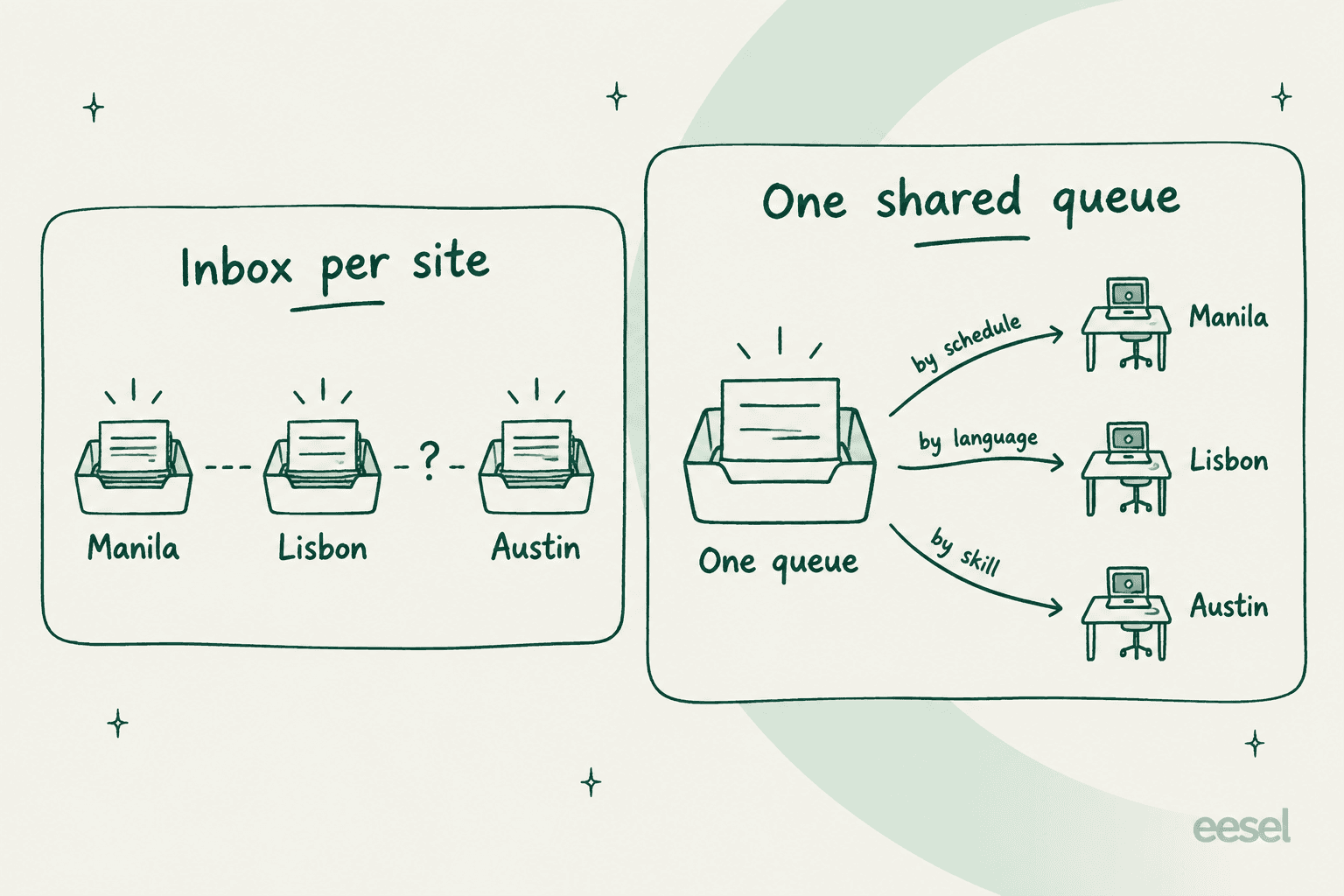
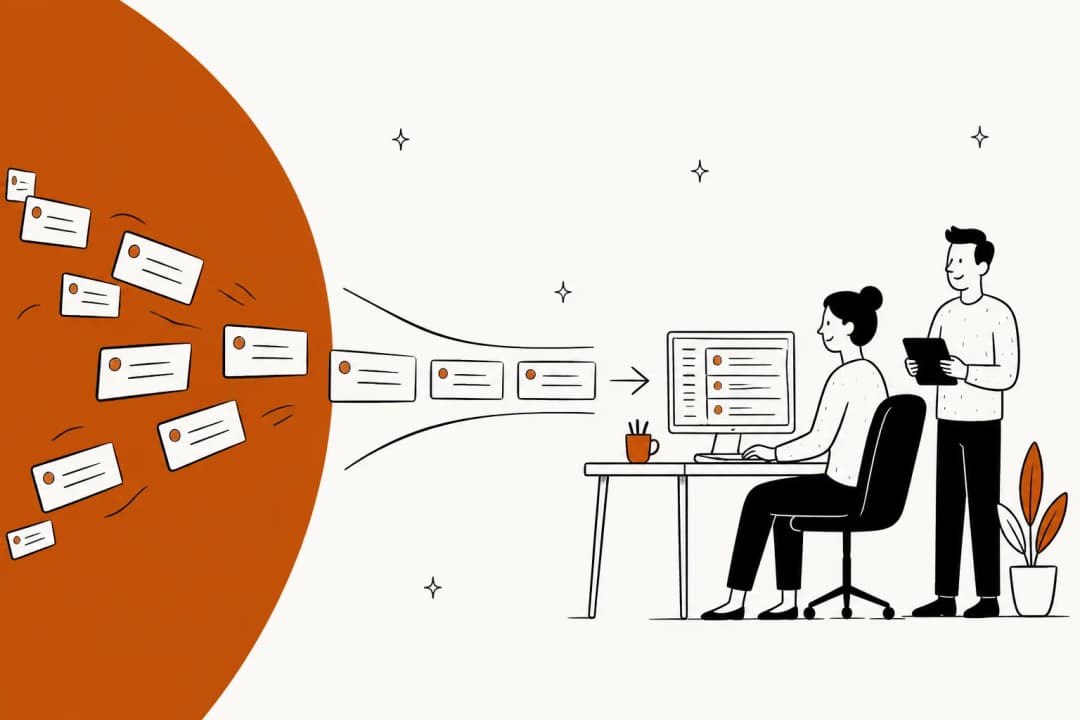
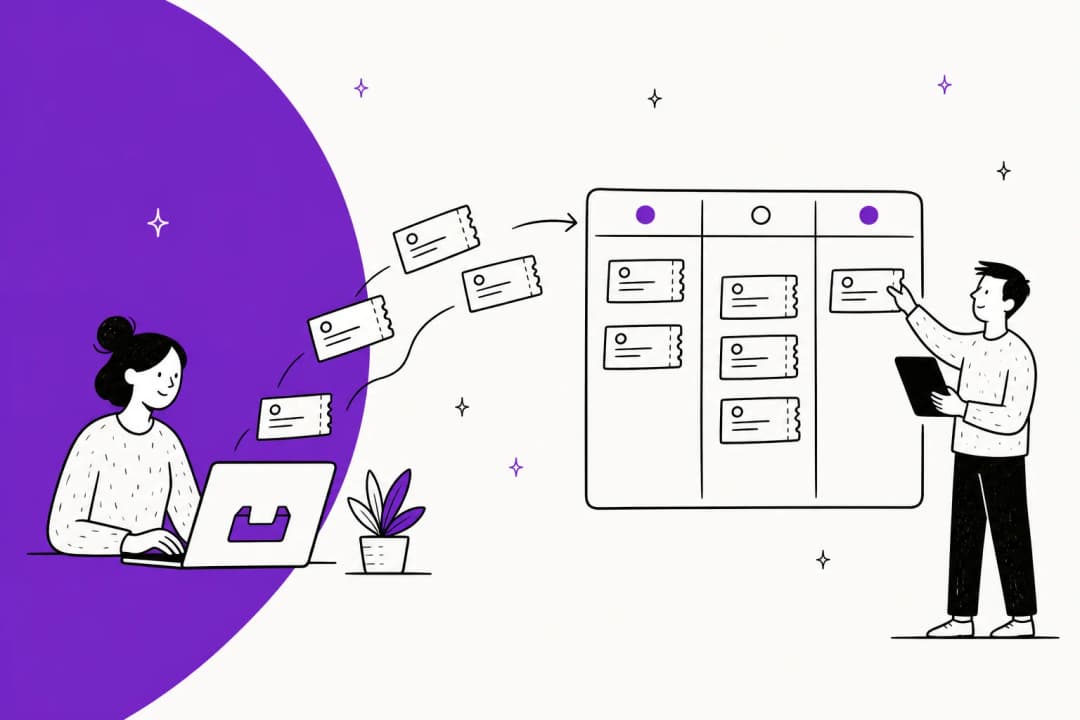
The better pattern is one queue, split by routing. Every ticket lands in the same place, then rules send it to the right site based on three things:
- Schedule. Who is actually working right now. Pair this with each site's business hours so SLAs don't count the hours a site is closed.
- Language. Spanish to the Madrid team, German to the Berlin hours, and so on.
- Skill. Billing, technical, VIP, or a specific product line, regardless of site.
Each site still gets its own view of its own work (a view or folder filtered to its group), so the "tidy" feeling stays. What changes is that a manager can see the whole queue at once, and a ticket that a site can't handle can move to another site without leaving the customer's history behind. The ticket triage guide covers how to tag tickets so routing rules have something to act on.
How each helpdesk handles multi-site schedules and routing
This is where plans matter. The features you need for a distributed team (several business-hour calendars, skills or language routing) are often a tier or two above where small teams start. Here's what each helpdesk documents as of October 2026:
| Zendesk | Freshdesk | Help Scout | Gorgias | Front | |
|---|---|---|---|---|---|
| Multiple business hours | Enterprise only | Pro ($55) and up | Plus ($45) and up | Basic ($60/mo) and up | Professional ($65) and up |
| How a ticket picks a schedule | One trigger per schedule (group, brand or status) | Mapped to a group | By inbox | By integration (store or channel) | By inbox |
| Skills or language routing | Skills on Suite Professional ($115) and up | Skills on Enterprise ($89) | No skills feature; Teams and workflows on Plus | Language detection in rules, all plans | Rules and load balancing; no skills feature |
| Reporting time zone | Each viewer's profile time zone | One helpdesk time zone | One company time zone | Not confirmed | Not confirmed |
| Built-in QA scoring | QA add-on or WEM bundle ($50) | None for human agents | None | Auto QA, with an AI Agent subscription | Smart QA, $20/seat or in Enterprise |
Prices are per agent per month billed annually, except Gorgias, which prices by ticket volume. The detail behind each column is below.
Zendesk
Zendesk's limit surprises people. Its schedule docs are blunt: "On Suite Growth and Professional or Support Professional, you can set only one schedule. On Enterprise plans you can set multiple schedules." So a three-site team on Suite Professional gets one set of business hours for everyone.
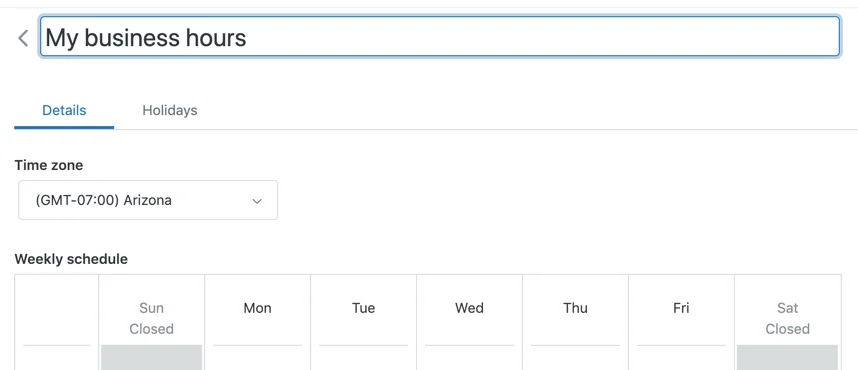
On Enterprise, the first schedule is the default and "you need to create a trigger for each schedule", usually on ticket group, brand or status. Routing is stronger lower down: skills-based routing lets you "define up to 10 skill types. Each skill type can contain up to 30 skills", from Suite Professional ($115) up. Language makes a natural skill type. My Zendesk routing guide walks through the omnichannel setup, and Zendesk's own follow-the-sun article recommends groups per region.
Freshdesk
Freshdesk gives you multiple business hours earlier, from Pro ($55). The catch is how they're applied. Freshdesk's docs say business hours "cannot be applied to tickets unless they are first mapped to a group. Each group can be assigned its own business hours (for example, EU, North America, or Asia)."
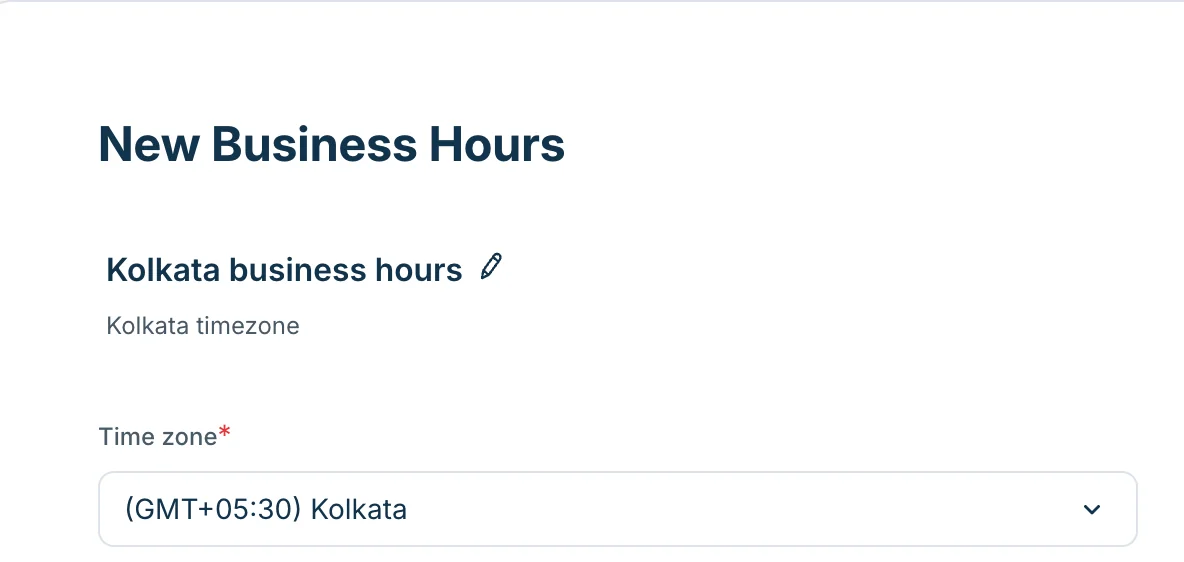
So in Freshdesk, the group is your site. Plan groups around locations (or location plus tier) and the SLA policies follow. Skill-based routing is Enterprise only ($89), with up to 180 skills, and the docs use language as the example: send "every ticket from a French-speaking customer" to a "French" skill.
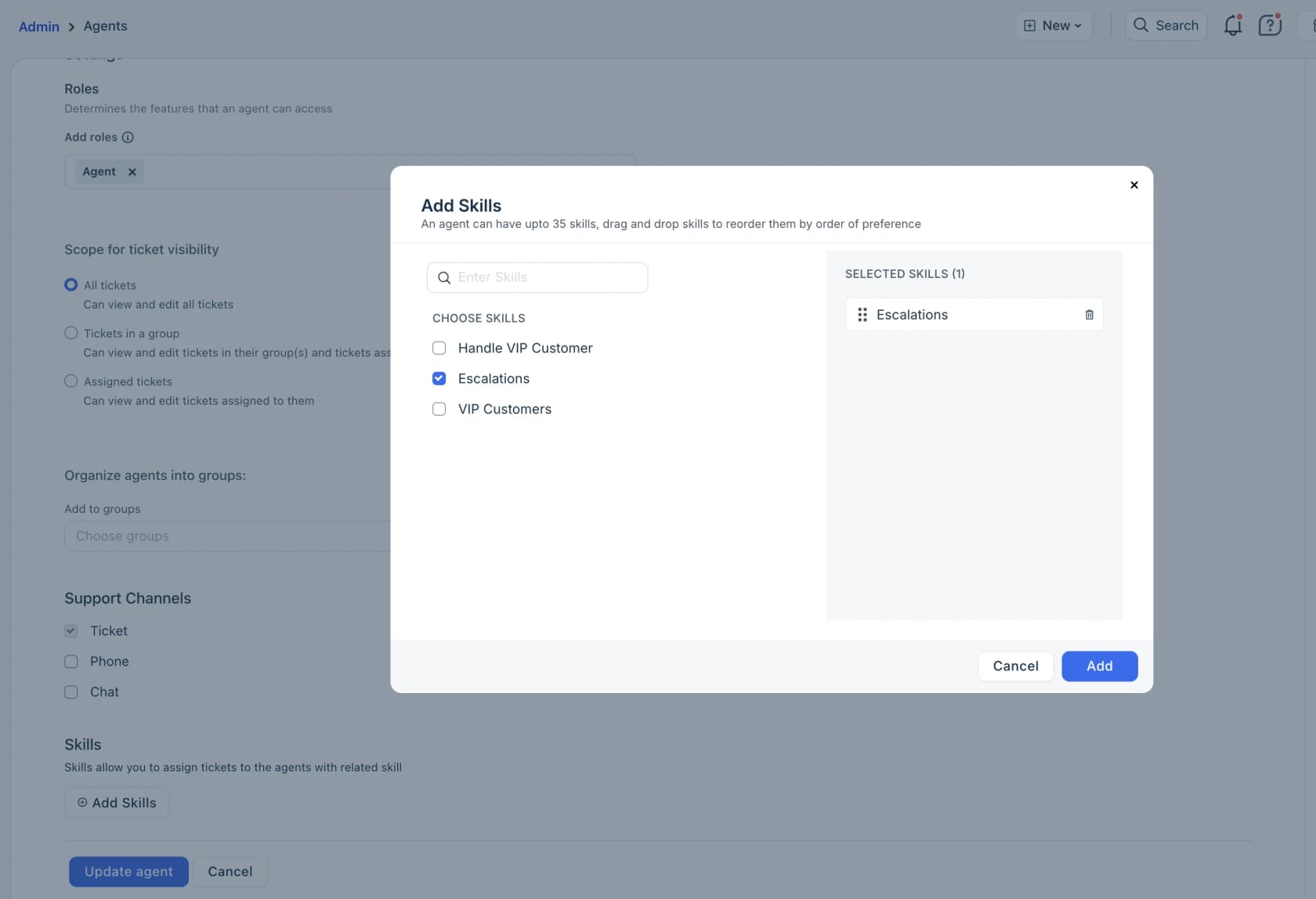
One gotcha: tickets that match no skill "remain unassigned until it is manually assigned", so Freshdesk suggests a fallback skill per group. On a distributed team, that fallback is your safety net for the hours between sites. My Freshdesk skill-based routing guide has the full setup, and Freshdesk agent shifts covers per-shift time zones on Enterprise.
Help Scout, Gorgias and Front
These three tie schedules to inboxes or channels rather than to groups.
- Help Scout: custom Inbox Hours "are available on Plus and Pro plans". So the pattern is one inbox per site or region. There's no skills feature in its docs. Routing is Round Robin on Plus, plus Balanced on Pro, and Teams (Plus and up) get their own folders and a section in the Company report.
- Gorgias: custom business hours per integration from Basic up, so each store or channel can carry its own time zone. Its rules can use detected language ("up to 54 languages") to "assign Spanish tickets to a team" on every plan. See my Gorgias auto assign guide.
- Front: business hours work at workspace and inbox level, which Front calls "useful for global organizations with distinct business hours per office or time zone", from Professional (
$65). If a conversation sits in several inboxes, the alphabetically first inbox's hours apply, which is worth knowing before you name your inboxes.
The reporting time zone trap
Here's the problem I'd fix before the first cross-site review meeting. Your sites will compare numbers, and they may not be looking at the same numbers.
Zendesk's Analytics time zone doc says "Analytics uses the Timezone in the user profile", and that covers dashboards, exports and the report builder. A manager in Manila and a manager in Austin can open the same dashboard and see different busiest hours, different daily volumes, and different "today" totals. Neither is wrong. They're just slicing the day at different points.
Other tools go the opposite way. Freshdesk's ticket timers are based on "the Helpdesk time zone". Help Scout's company time zone "is shown on reports", while its XLSX exports are in UTC and CSV exports use the company zone. So a Help Scout team pasting an XLSX export next to a dashboard screenshot can be comparing two different days without noticing.
Three rules I'd put in writing:
- Pick one reporting time zone (UTC is the least political) and use it for every cross-site number. Ask managers on Zendesk to set their profile to it when building shared reports, or use dashboard deliveries, which Zendesk says use "the recipient's time zone".
- Measure SLAs in business hours, with each site's own calendar, so a site isn't penalized for hours it was closed. My Zendesk Explore business hours metrics guide shows how.
- Compare sites to themselves first. A night shift sees different volume and ticket types. One Reddit reply on public support metrics put it simply:
"Someone who's working part-time or working the graveyard shift will likely have fewer messages sent than someone full time, CSAT can be skewed by one (or more) unfair review, etc."
Use the customer service KPIs you already track, but cut them by group and shift before you compare people.
Keep quality consistent across sites
If the knowledge base is where answers come from, QA is how you find out whether every site is actually giving them. The trap in distributed teams is that each site runs its own QA, with its own reviewers and its own idea of a "4 out of 5". Then the scores look comparable when they aren't.
The fix is two habits: one shared scorecard and regular cross-site calibration. Zendesk describes calibration as "having all your reviewers rate the same batch of conversations and compare their scores". Do that weekly with at least one reviewer from each site, and the score gaps tell you where the sites have drifted apart.
Built-in QA tools vary a lot:
- Zendesk QA needs the QA add-on (no public price) or the
$50Workforce Engagement bundle. My Zendesk QA guide and scorecard criteria post cover it. - Front Smart QA costs
$20per seat as an add-on or comes with Enterprise. It scores conversations with AI against criteria you pick. - Gorgias Auto QA is "available on all Helpdesk plans with an AI Agent subscription". It scores tickets 12 hours after they close on resolution completeness, communication and language proficiency.
- Freshdesk and Help Scout have no QA scorecard for human agents in their docs, so you'd use a spreadsheet or a separate QA tool.
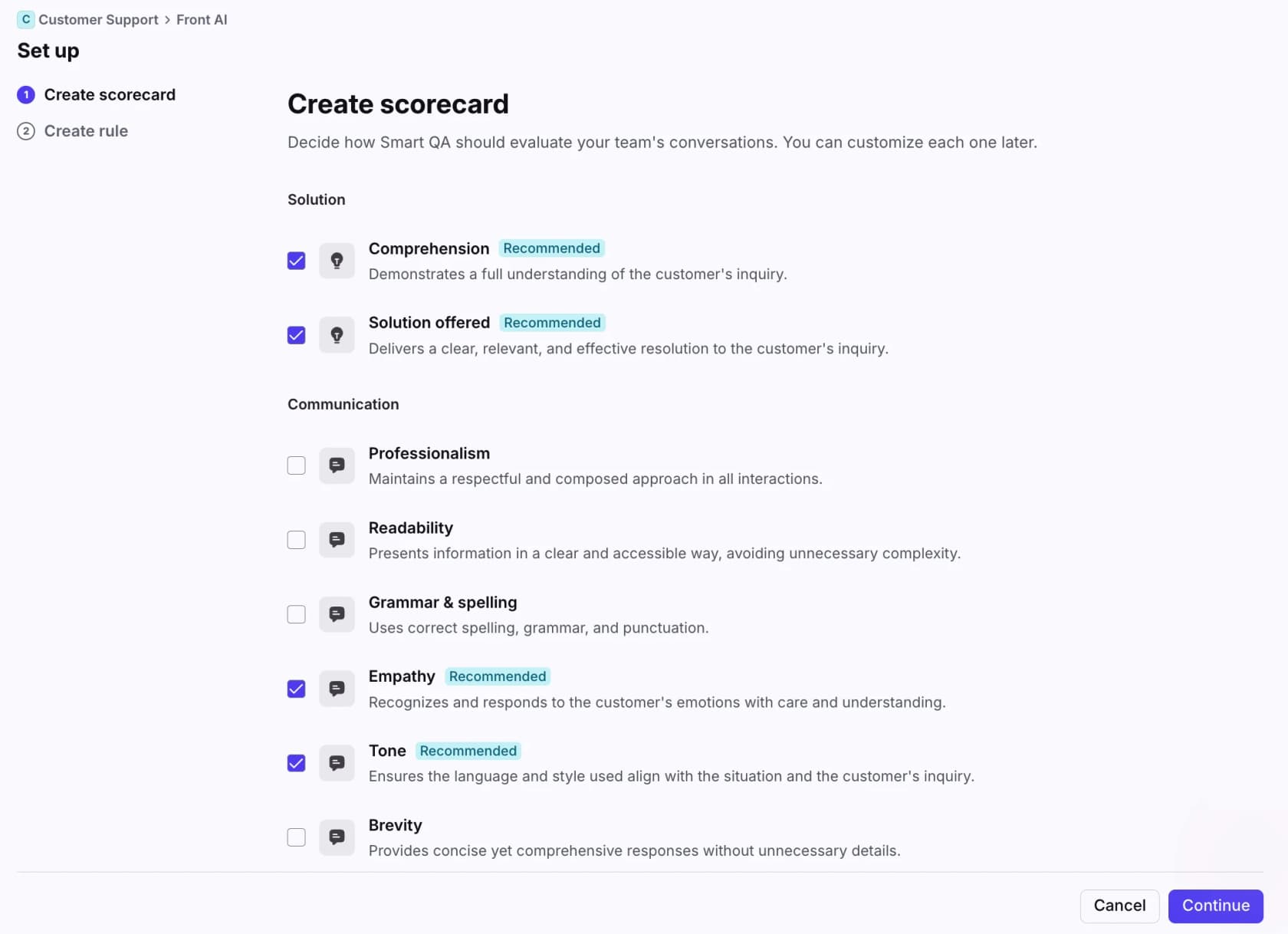
One warning from the agent side. QA only works if agents trust that the scorecard and the knowledge base agree. A support agent at an in-house team run "like a BPO" described what happens when they don't, in a post about QA disputes:
"...even if it's clearly a system fault or not even in the knowledge base, agents still get blamed. Even when we point out that it's not in the knowledge base, they still make excuses."
So when a QA review flags a wrong answer, first ask whether the right answer was written down anywhere. If not, that's a knowledge gap, not an agent problem. Track those separately. The Zendesk QA agent feedback guide covers how to close the loop with agents.
One knowledge base, owned by everyone
Most of the drift in a distributed team traces back to knowledge that lives in one site's heads, chats or private docs. The site that sat in on the policy meeting knows; the others find out from an angry customer.
The rule is simple to say and hard to keep: if an answer isn't in the shared knowledge base, it doesn't exist. Each article has a named owner. Every site can propose edits. A policy change isn't "done" until the article is updated. My AI knowledge management guide covers ownership and review cycles, and the knowledge base management post covers the audits.
Watch for the opposite failure too: one person quietly keeping the whole thing alive. A Reddit reply to a call-centre trainer, whose personal guides turned out to be carrying an outsourced account, summed it up:
"Love how everyone took your knowledge base and its regular updates for granted and no one at any level questioned who was maintaining that or where."
If you're onboarding a new partner or site, the offshore support knowledge transfer plan gives you a 30-day structure. For language markets, a multi-language help center keeps one source with translations instead of one copy per site.
The operating rhythm that keeps sites aligned
Shared tools stop drift from starting. A regular rhythm catches the drift that slips through anyway. This is the cadence I'd start with:
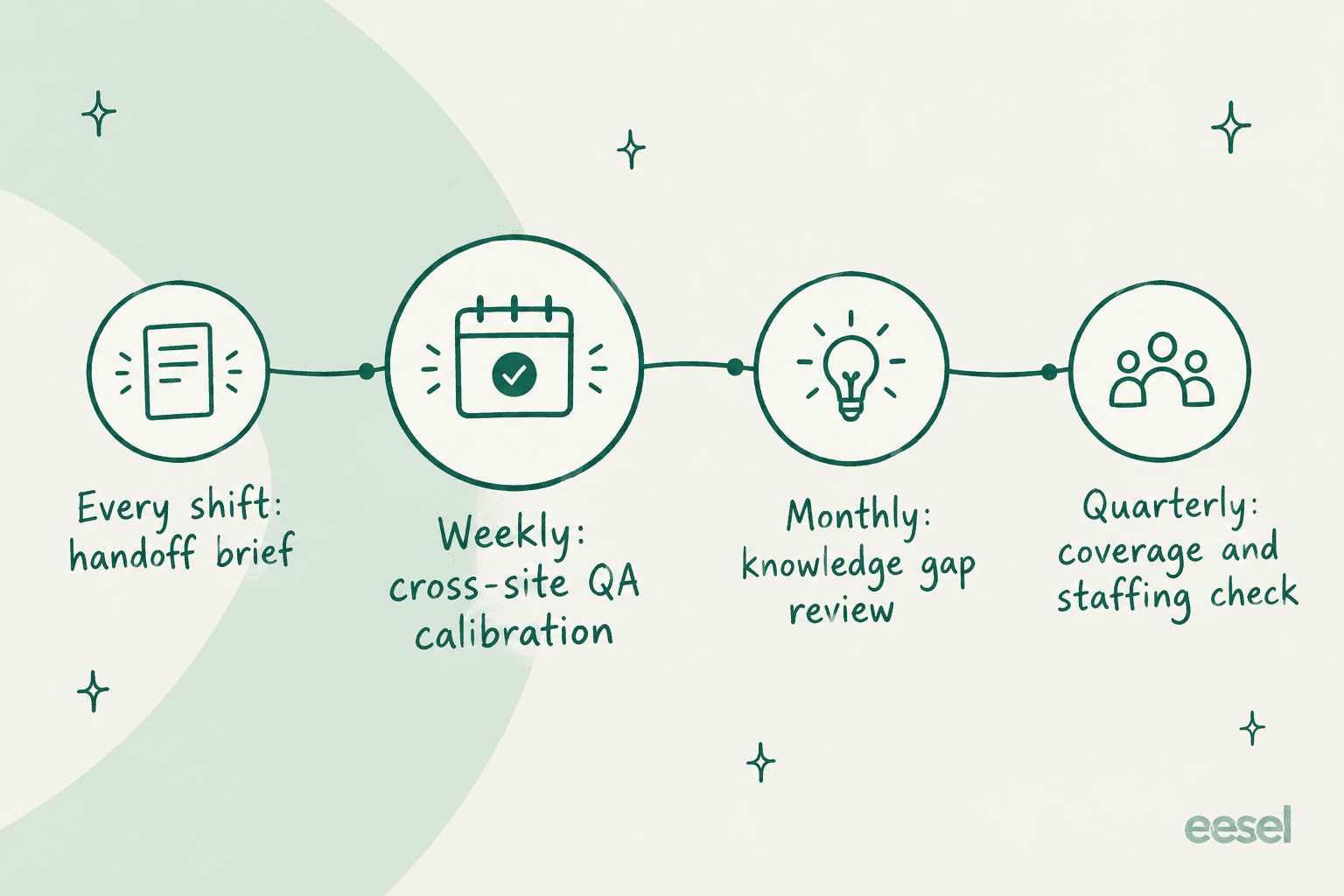
- Every shift: a handoff brief. One message for the next site covering open escalations, promises due, and anything unusual in the queue. The support shift handoff guide has a template and a 45-minute routine.
- Weekly: cross-site QA calibration. Reviewers from every site score the same five to ten tickets and talk through the gaps.
- Monthly: knowledge gap review. Go through tickets tagged "no article" or "wrong article" and fix the knowledge base. Count how many came from each site.
- Quarterly: coverage and staffing check. Look at volume by hour in your one reporting time zone and check it against when each site is working. This is where you decide whether to add a hub, extend overlap, or let AI cover a quiet stretch.
Overlap time is worth protecting in that schedule. A network operations team member on Reddit described why their one-hour overlap works:
"It works well, there is approximately an hour overlap on each shift so if there is a fire or ongoing WebEx the new shift can be briefed on what's been done to troubleshoot the issue already and have a decent understanding."
Overlap isn't cheap, though. An engineer on a two-time-zone team noted that their split setup "works well, but it is expensive". That cost is why the quarterly check matters: it's where you see which hours actually need a person.
Where AI fits in distributed support operations
AI earns its place in a distributed team in two ways: it closes the hours between sites, and it removes one of the biggest sources of drift, which is different people answering the same question differently.
At eesel, I've watched eesel's AI helpdesk teammate run on queues where this matters. Anytime Fitness supports members across 5,000+ gyms in 40+ countries; before eesel, a member asking a question at 10 p.m. waited until morning. Gcore runs global 24/7 support with two bots, one for customers and one for its own agents. And a B2B hardware manufacturer on Zendesk handles tickets in four languages with the same agent.
Here's where an AI teammate fits in the setup above:
- Same answer at every site. It learns from your past tickets, help center, macros and docs, so it gives one answer regardless of which hours the customer writes in. That's the consistency problem handled at the source.
- Covering the gap between sites. It answers routine tickets at any hour and leaves the rest, tagged, for the next site's shift.
- Language coverage. It replies in the customer's language, which can stand in for a language queue you can't staff around the clock.
- Handoff summaries. eesel's scheduled jobs can run a prompt like a daily summary of the last 24 hours of tickets, at a set time in a set time zone, for the next site's brief.
- Internal answers for agents. A second bot that answers your agents' questions from the same knowledge base, the way Gcore does, helps newer sites get up to speed without waiting on another region to wake up.
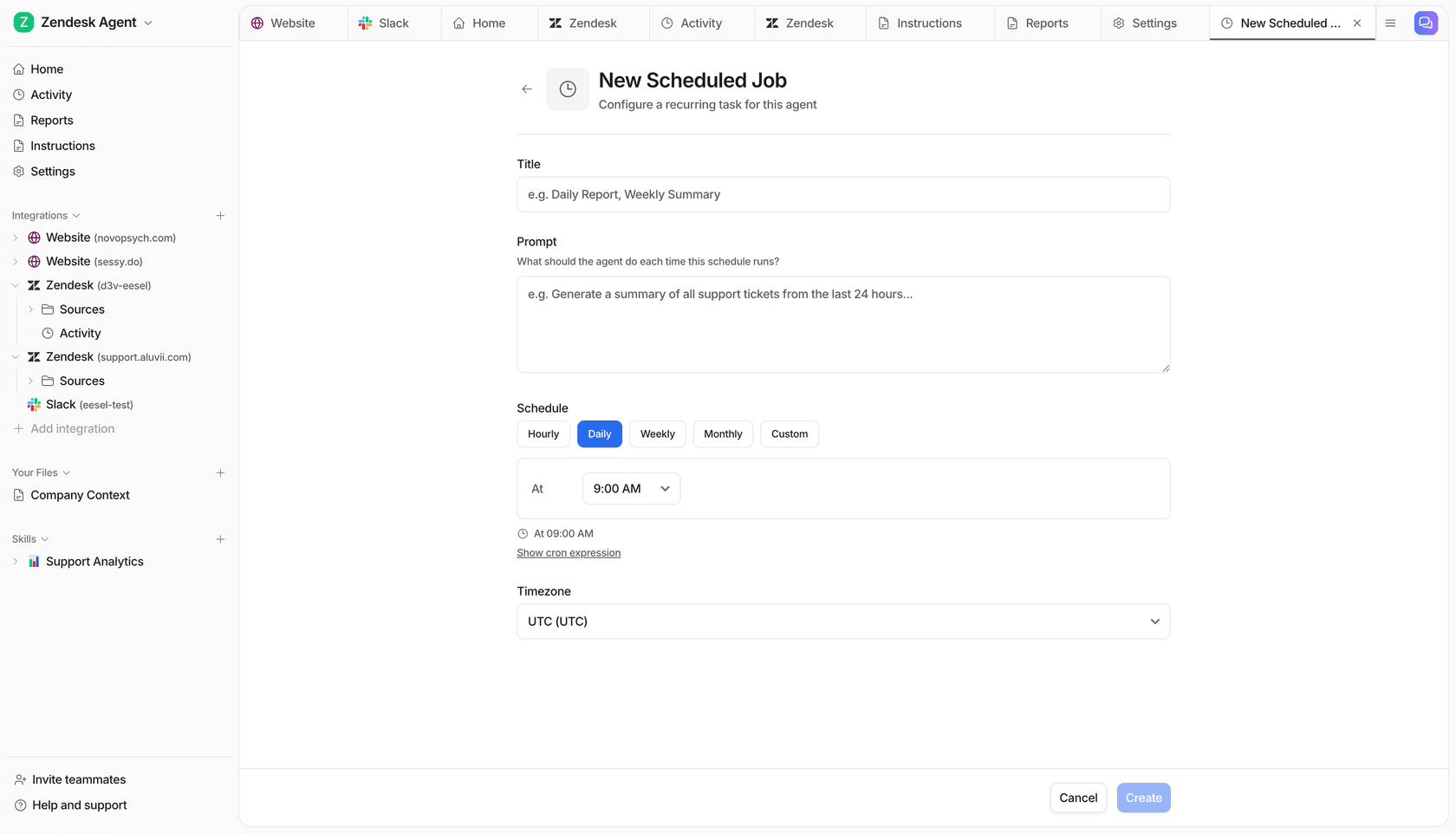
One lesson I'd pass on from real rollouts: keep business hours and routing logic in the helpdesk's own settings. A long-time eesel customer ran into inconsistent business-hours and time-zone behaviour when those rules lived only in the AI's instructions. Schedules, SLAs and routing belong in Zendesk, Freshdesk or whichever helpdesk you run. Let the AI handle answers and summaries, and let the helpdesk handle the clock.
Start in draft mode, where the AI writes replies as internal notes for agents to check, and simulate it against your past tickets before it answers customers. My AI helpdesk agent review and the guide to 24/7 support with AI go deeper on rollout.
Common distributed support mistakes
- One inbox per site. It hides workload and strands tickets. Use one queue and route.
- Assuming your plan supports multiple schedules. Zendesk Professional doesn't. Check before you design the setup around it.
- Comparing sites in different time zones. Agree on one reporting zone first.
- Separate QA per site. Same scorecard, shared calibration, or the scores mean nothing side by side.
- Per-site knowledge. A site-specific doc is the start of a site-specific answer.
- Rewarding closure at one site and resolution at another. Sites optimize for what they're measured on. Measure them the same way.
- Putting the clock in AI instructions. Business hours belong in the helpdesk config.
If you're weighing whether to add a site at all, my AI vs offshore cost comparison runs the numbers, and helpdesk software for remote teams compares the tools.
eesel for distributed support teams
If your sites give slightly different answers to the same questions, or there's a stretch of hours none of them covers well, eesel's AI helpdesk teammate is built for that gap. It joins your existing queue in Zendesk, Freshdesk, Gorgias, Front or Help Scout, learns from the tickets all your sites have already answered, and replies the same way at any hour and in the customer's language.
You can test it against hundreds of your past tickets before it touches a live one. And because pricing is per ticket handled with unlimited seats, adding every agent at every site costs nothing extra.

Try eesel free and see what your queue looks like when every site starts from the same answer.
Frequently Asked Questions
What are distributed support operations?
Should a distributed support team use one queue or separate inboxes per site?
Which helpdesk plan do I need for multiple business hours?
How do I keep answers consistent across support sites?
What time zone should a distributed support team report in?
How do you measure agents fairly across sites and shifts?
Can AI help run distributed support operations?


Article by
Kurnia Kharisma
Kurnia is a software engineer and writer at eesel AI with two years of SEO experience, writing about AI tools, helpdesk software, and customer support. He pairs a developer's understanding of how these products are built with search-driven research into what actually ranks and resonates with the people searching for them.