What to actually look for in a remote helpdesk
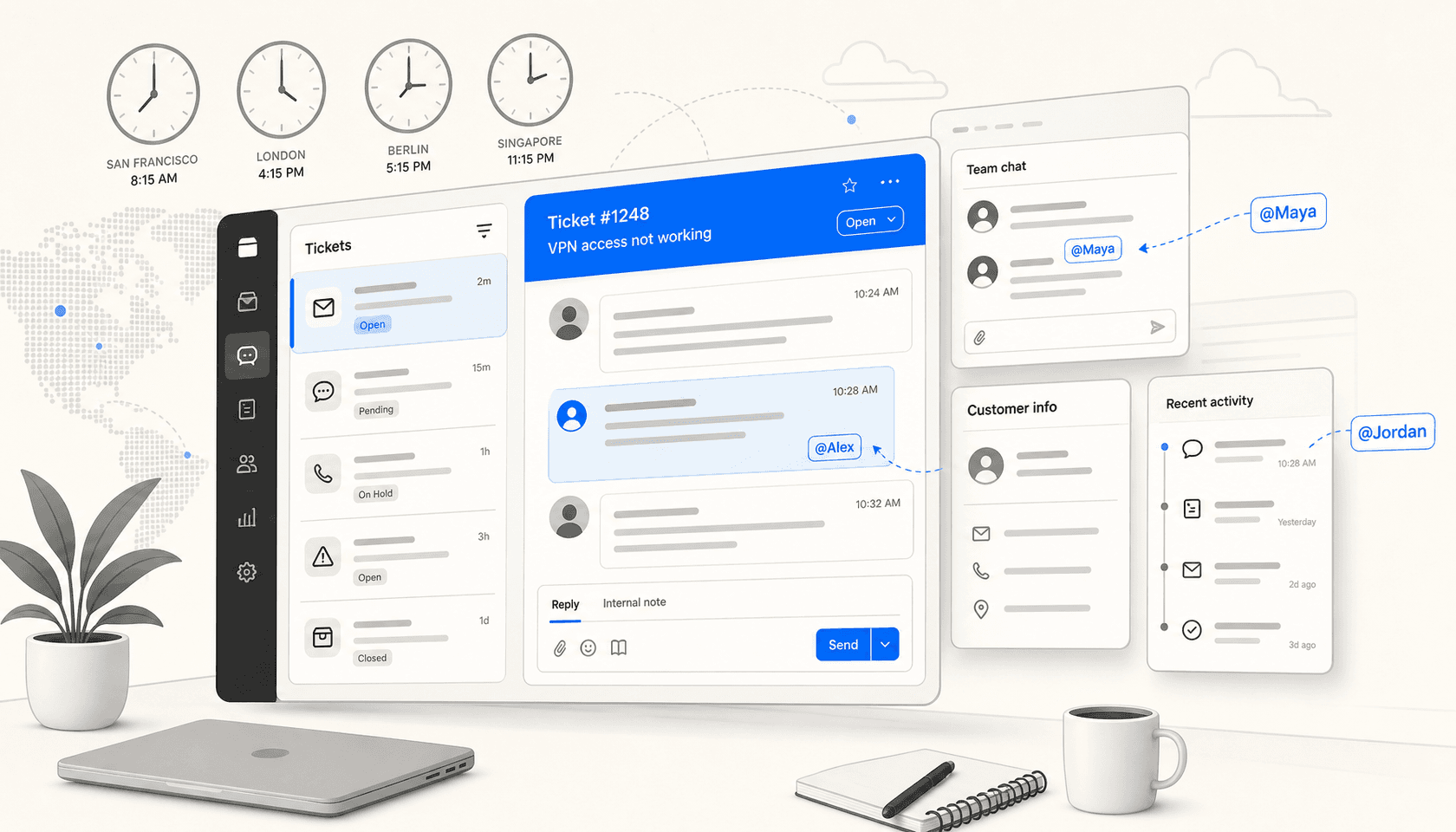
Running support across time zones is a different problem from running a co-located team. When your Berlin agent finishes their shift and hands off to someone in Sao Paulo, the ticket needs to carry enough context that the next person can pick it up cold. When a customer in Singapore messages at 3am your time, something has to respond.
The tools that work well here share a few traits: they do not require agents to be online at the same time, they give everyone full context on every conversation, they route and deflect intelligently when no human is available, and they plug into Slack or Teams so you are not forcing agents to live in another tab. Pricing that scales with ticket volume rather than headcount also helps, since remote teams tend to have leaner agent counts relative to their support volume.
Here is what I used to evaluate the six tools below:
- Async inbox handling - can an agent pick up any conversation cold, with full context?
- Time zone coverage - does AI deflection or routing keep things moving 24/7?
- Slack and Teams integration - can agents get notified and respond without switching apps?
- Knowledge base and self-service portal - does the tool make it easy for customers to help themselves?
- Internal notes and @mentions - can agents hand off smoothly between shifts?
- Pricing - is the model transparent and does it make sense for a distributed team?
- Mobile app quality - does the mobile app work well enough for agents who are not at a desk?
Quick comparison table
| Tool | Starting price | Best for | Slack integration | Self-service portal | AI deflection | Free trial |
|---|---|---|---|---|---|---|
| eesel AI | $0.40/ticket | Adding AI to any helpdesk | Native @mention bot | Via connected helpdesk | Yes (core product) | $50 credits |
| Zendesk | $55/agent/mo | Large remote teams needing everything in one | Yes - notifications + ticket creation | Yes - up to 300 help centers | Yes (Essential included) | 14 days |
| Help Scout | $25/user/mo | Small async-first email-heavy teams | Via Workflows + integrations | Yes - Docs sites | Yes - AI Answers ($0.75/resolution) | Free plan |
| Front | $25/seat/mo | Collaborative inbox for distributed teams | Native two-way integration | Yes - knowledge base | Yes - Autopilot (contact sales) | 7 days |
| Freshdesk | $29/agent/mo | SMB teams wanting bundled omnichannel AI | Yes - notifications | Yes - customer portal | Yes - Freddy AI Agent | 14 days |
| HappyFox | $24/agent/mo | Remote IT teams using Slack or Teams for internal support | Yes - Assist AI native Slack bot | Yes - knowledge base | Yes - Autopilot | Demo only |
1. eesel AI - best for adding AI deflection to your existing helpdesk
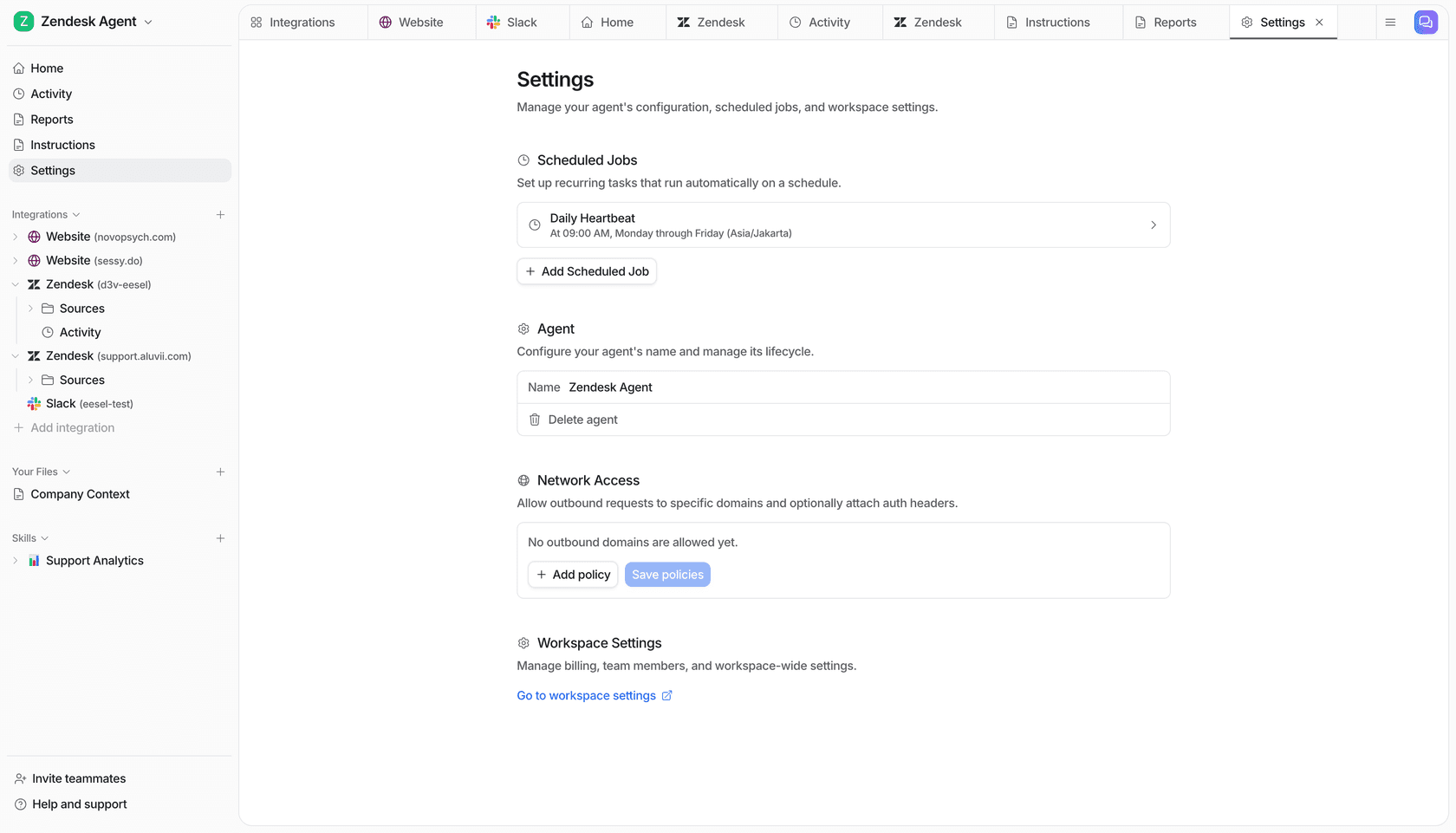
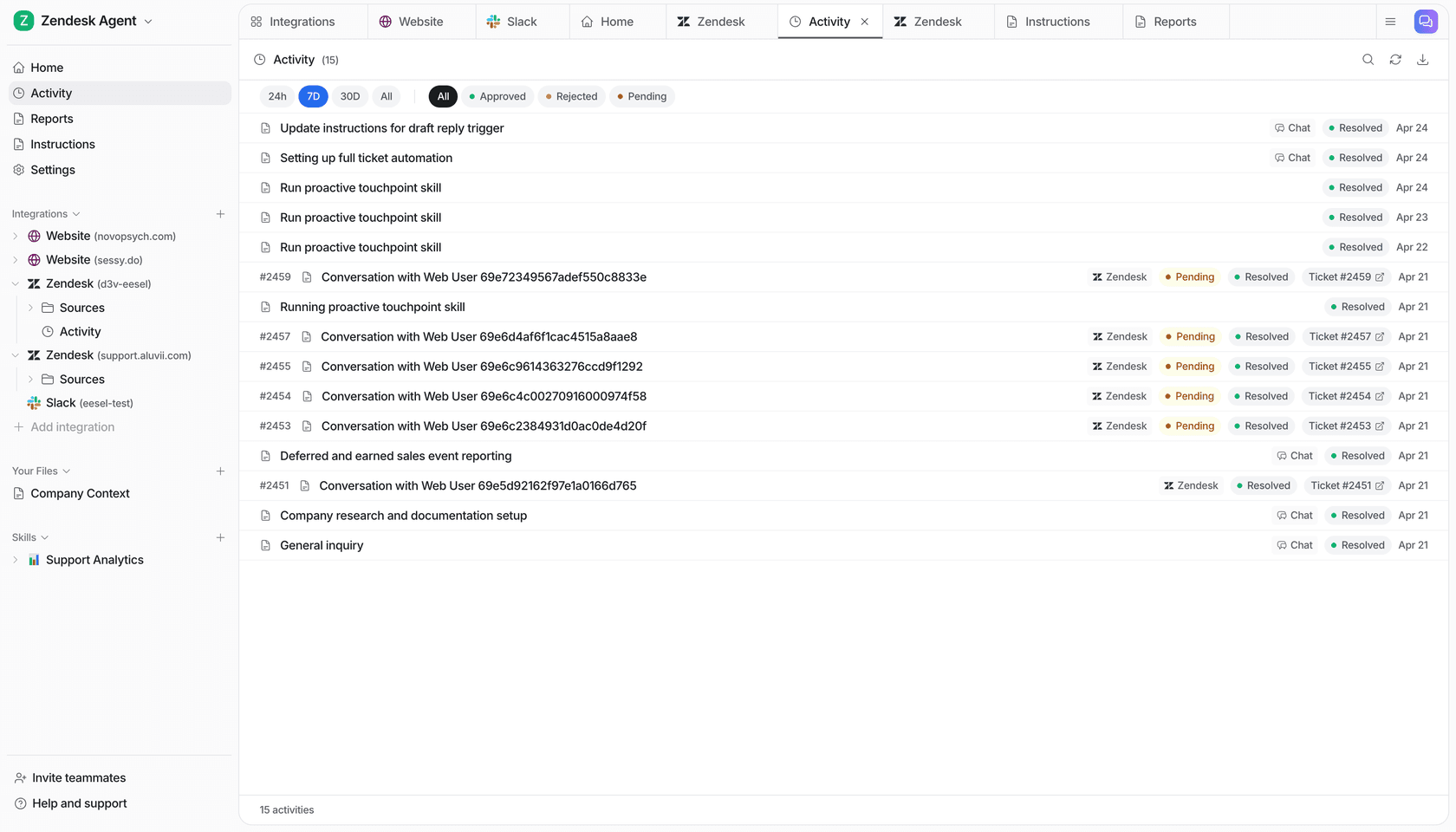
eesel AI sits above your existing helpdesk rather than replacing it. You connect it to Zendesk, Freshdesk, Help Scout, or Gorgias, point it at your knowledge sources (help articles, Google Drive docs, Notion, Confluence, past tickets), and it starts handling tickets autonomously. The angle for remote teams is strong: eesel covers your off-hours automatically, answers in 80+ languages, and routes low-confidence responses to human agents as drafts rather than sending them out blindly.
What makes eesel different from native AI add-ons is flexibility. If you are already on Freshdesk but want AI that can also pull from your Notion wiki and your Slack history, eesel does that. It is not locked to one helpdesk's knowledge structure.
Key remote features
The Slack integration lets agents @mention the eesel bot directly in any channel to ask questions or check ticket status. It can also push notifications to Slack when new tickets arrive or when an AI response goes out as a draft for review. For IT teams running support through Slack - tickets created in Slack, answered in Slack - eesel can handle the entire loop without the ticket ever touching a separate helpdesk interface.
Confidence-based routing is the core async feature. When eesel is not sure enough about an answer, it queues the response as a draft. When it is confident, it sends automatically. You set the threshold. This means your night-shift tickets get handled - either by AI for the easy ones, or by a draft waiting in the queue when your team wakes up - without anyone needing to be on call.
Simulation mode lets you test the AI against thousands of historical tickets before going live. For remote teams with diverse ticket types across multiple time zones, this is worth doing before letting the AI respond autonomously.
Pros
- Works on top of any major helpdesk - no migration required
- No per-seat fees - pricing scales with ticket volume, not headcount
- 80+ language support with auto-detection
- Connects to 10+ knowledge sources including Google Drive, Notion, and Confluence
- Simulation mode lets you validate performance before going live
- Setup in under 15 minutes per the company's documentation
Cons
- You are paying for two tools - eesel plus your existing helpdesk
- AI quality depends on how well your source documents are written
- No built-in inbox - you need an underlying helpdesk for ticket management
- The $50 free trial is enough to test but not to fully evaluate at scale
Pricing
| Task type | Price | Examples |
|---|---|---|
| Light tasks | Free | Dashboard questions, simple lookups |
| Regular tasks | $0.40 each | Support tickets, chat sessions |
| Heavy tasks | $4.00 each | Blog post drafts, content generation |
No platform fee, no per-seat fee, no monthly minimum. Set a monthly spending cap (default $250, adjustable). Committing to $300+/month annually saves 25%. Enterprise add-on at $1,000/month adds a dedicated solutions engineer, SSO, HIPAA, and BAA.
Full pricing at eesel.ai/pricing
Who it's for
Remote support or IT teams who already have a helpdesk they like and want to add AI deflection without switching platforms. Especially good for teams where ticket volume is high enough that per-seat pricing on a native AI tool gets expensive - eesel's per-task model gets more favorable as agent count grows.
"We chose eesel AI for its multi-channel data input. By linking our Zendesk and Google Docs, customers get instant responses and tough questions are automatically triaged."
Wesley Wang, CTO, Ecosa (eesel.ai)
2. Zendesk - best for large remote teams that need everything in one platform
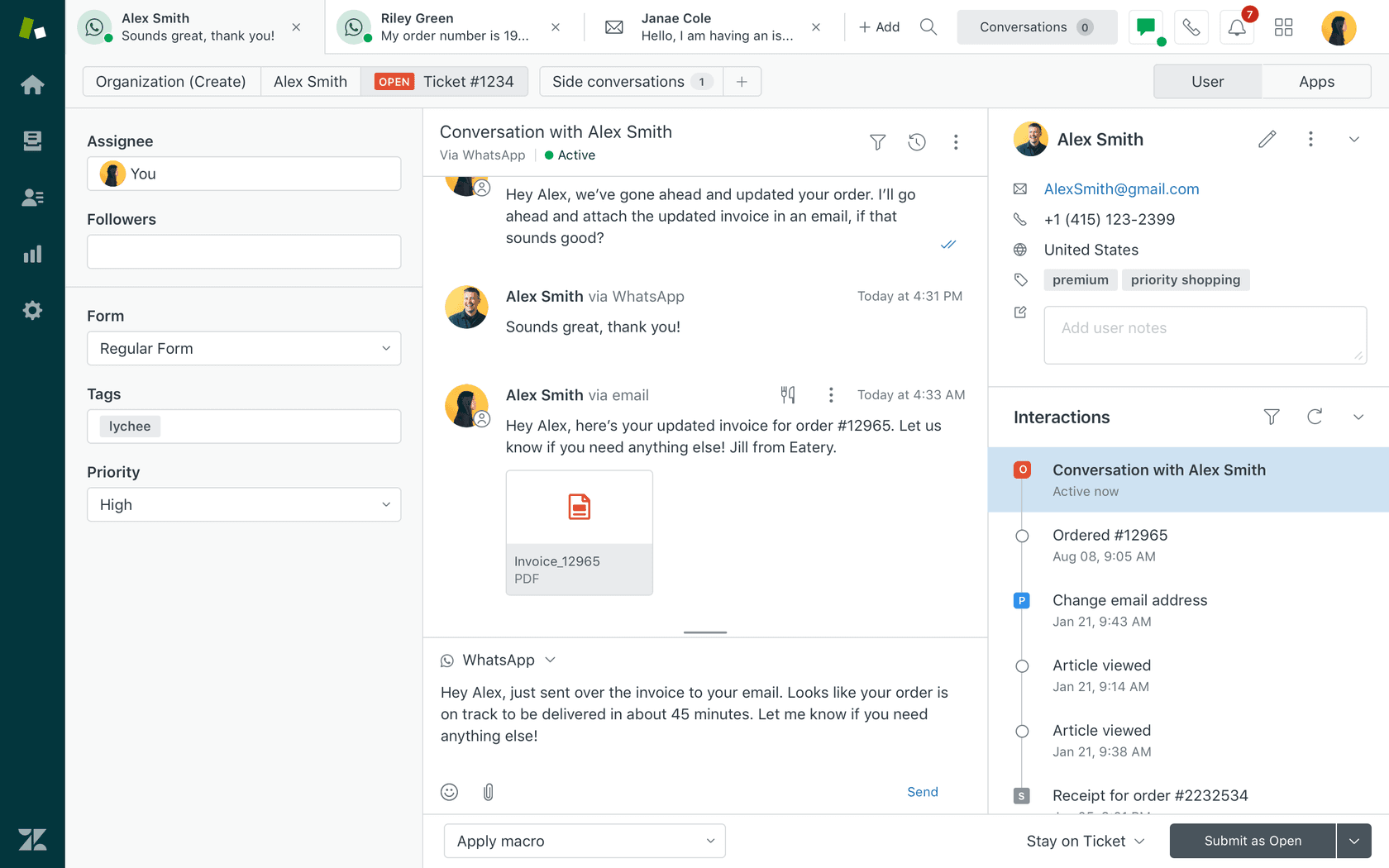
Zendesk is the market leader, and the breadth of what it includes explains why. It handles email, chat, voice, social, and WhatsApp in one agent workspace. For remote teams, the strong points are its knowledge management (up to 300 help centers on Enterprise, 40+ languages on Professional and above), its AI agents that handle tickets without human involvement, and its integrations - 1,800+ apps in the Marketplace including a native Slack integration.
The March 2026 acquisition of Forethought deepened Zendesk's AI considerably. Forethought's real-time learning agents are now part of the Zendesk Resolution Platform, meaning the AI improves automatically with every resolved ticket rather than needing manual retraining.
Key remote features
Zendesk's Copilot is proactive - it suggests next steps and pre-drafts replies before the agent even opens the ticket. For agents picking up a conversation cold at the start of their shift, this is useful: the AI has already done the context-building. Side conversations let agents loop in internal stakeholders on a ticket without the customer seeing the thread - useful for escalations that need cross-team input across time zones.
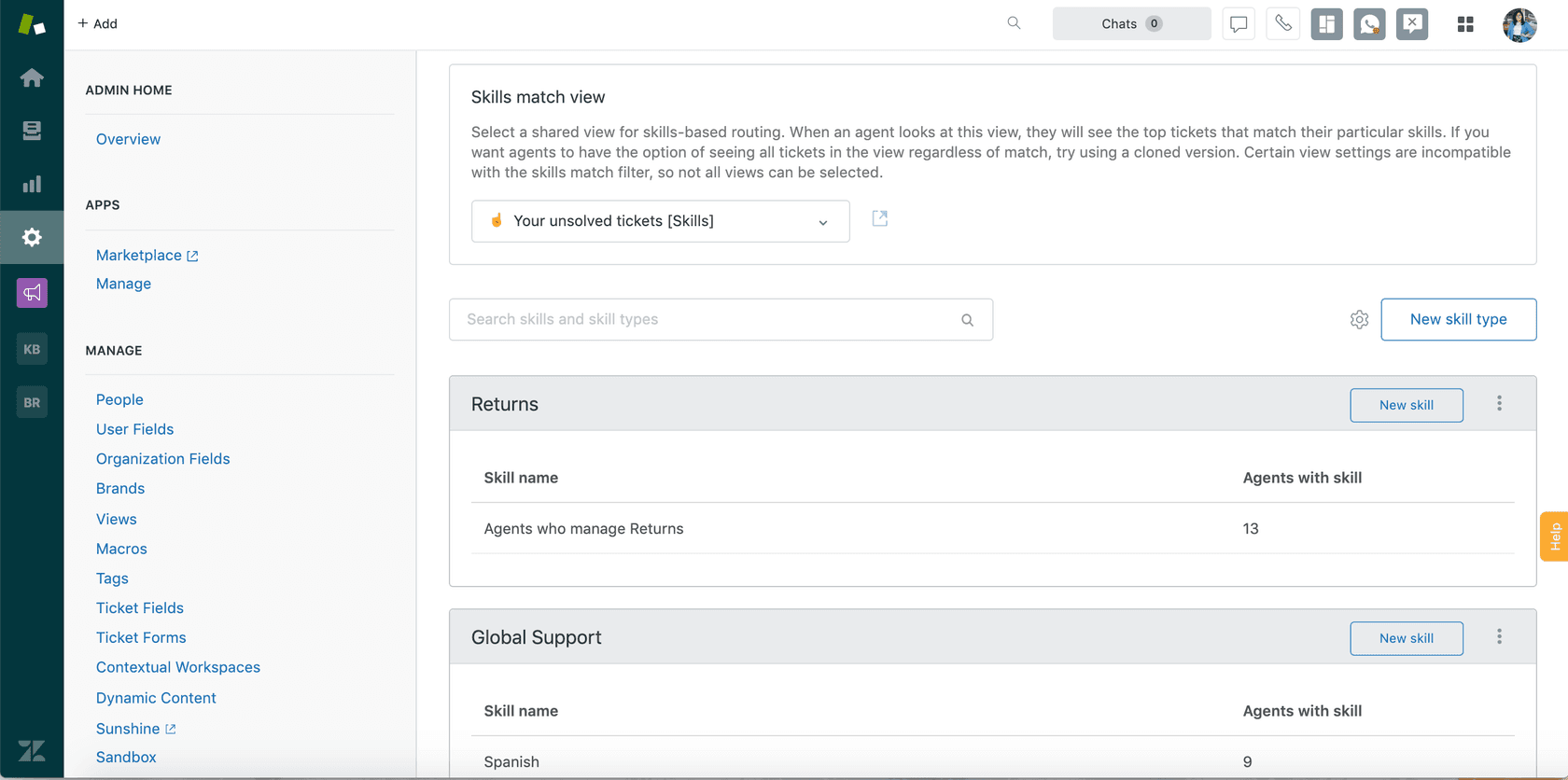
Skills-based routing sends tickets to agents based on language, expertise, or shift schedule. For distributed teams running follow-the-sun support, this is how you route a German-language ticket from a Munich agent at end of day to a Vienna agent starting their morning.
Pros
- All-in-one: ticketing, omnichannel, knowledge base, analytics, voice
- AI Agents (Essential) included in all Suite plans at no extra fee
- 1,800+ marketplace apps
- Multilingual help center with 40+ languages on Professional+
- Copilot gives agents context before they start composing a reply
- Strong analytics with Explore
Cons
- Expensive - $115/agent/month for Suite Professional
- Advanced AI features (agent builder, integrations, reasoning controls) require the "Advanced AI" add-on at an undisclosed sales price
- Analytics (Explore) has a steep learning curve per multiple reviewers
- UI feels dated compared to newer tools
- Customer support quality has reportedly declined per long-term users
Pricing
| Plan | Annual (per agent/month) | AI agents | Included automated resolutions |
|---|---|---|---|
| Support Team | $19 | Add-on only | 5/agent/month |
| Suite Team | $55 | Essential included | 5/agent/month |
| Suite Professional | $115 | Essential included | 10/agent/month |
| Suite Enterprise | $169 | Essential included | 15/agent/month |
| Suite + Copilot Professional | $155 | Essential + Copilot | 10/agent/month |
| Suite + Copilot Enterprise | $209 | Essential + Copilot | 15/agent/month |
Automated resolution overage: $1.50 per AR (committed) or $2.00 pay-as-you-go. Copilot add-on: $50/agent/month. 14-day free trial with Suite Professional features.
Full pricing at zendesk.com/pricing
Who it's for
Mid-size to large remote customer support teams who want a single platform handling every channel with AI already included. Also the right choice for follow-the-sun operations that need skills-based routing and multilingual knowledge bases at scale.
"Zendesk is a ticketing solution, and it does it rather well. It consolidates all the messages of the customers, whether they are emails, chats or social media to a single inbox and so my team does not need to keep moving between the tabs to get the right conversation."
Sabina K., IT Operations Manager, Mid-Market (G2)

3. Help Scout - best for small remote teams that want a clean async inbox
Help Scout was built for email-first support and it shows. The shared inbox is clean - no learning curve, no cluttered sidebar, no intimidating configuration. New agents can be productive in an afternoon. The Docs knowledge base integrates directly into the Beacon chat widget, so when a customer messages for help they see relevant articles first. If they still need a person, it becomes a conversation that lands in your shared inbox.
For remote teams specifically, Help Scout's async strength shows up in collision detection (two agents cannot accidentally reply to the same conversation), the internal note thread visible on every ticket, and the Workflows that route and assign conversations without anyone watching a queue.
Key remote features
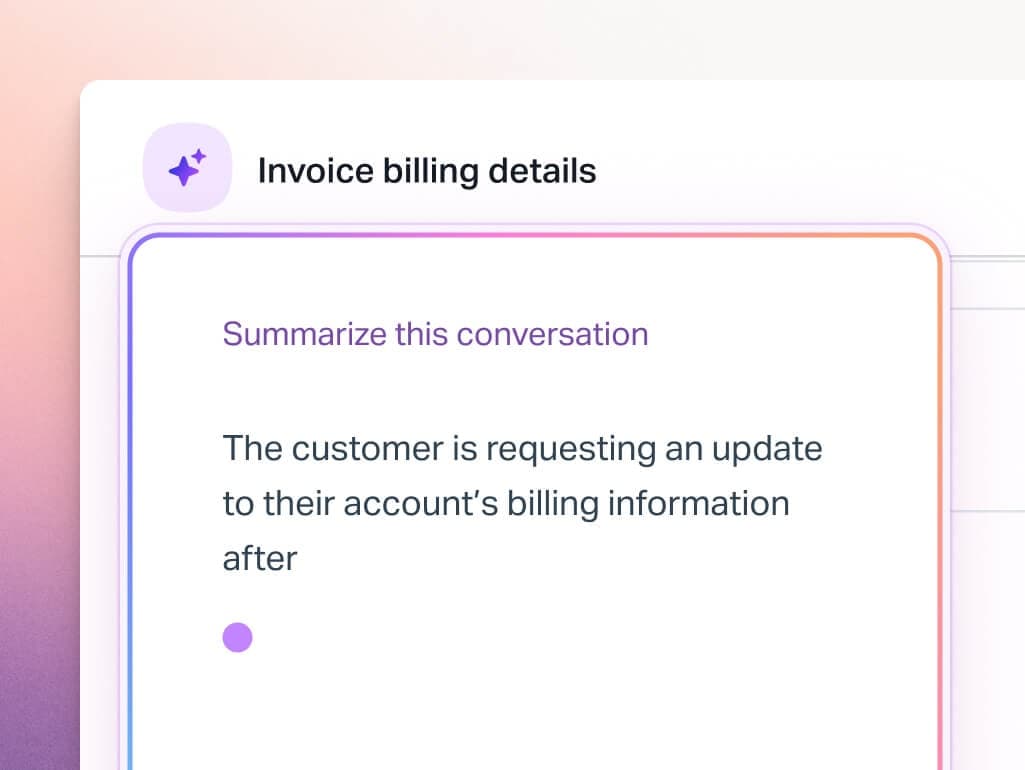
AI Drafts generate reply suggestions for agents based on conversation history and knowledge base content. For an agent starting a shift who needs to respond to 20 messages, AI Drafts cut the time-per-reply substantially. AI Summarize gives agents a one-paragraph context summary so they do not have to read a 30-message thread to understand what is going on - a genuine quality-of-life improvement for agents picking up mid-conversation.
AI Answers is the autonomous resolution layer. It answers customer questions from your knowledge base before they reach an agent. Help Scout reports 73% of interactions resolved by AI Answers on average. The pricing model is outcome-based - $0.75 per resolution - so you pay only when the AI actually helps someone. A 3-month free trial gives you time to see the impact before committing.
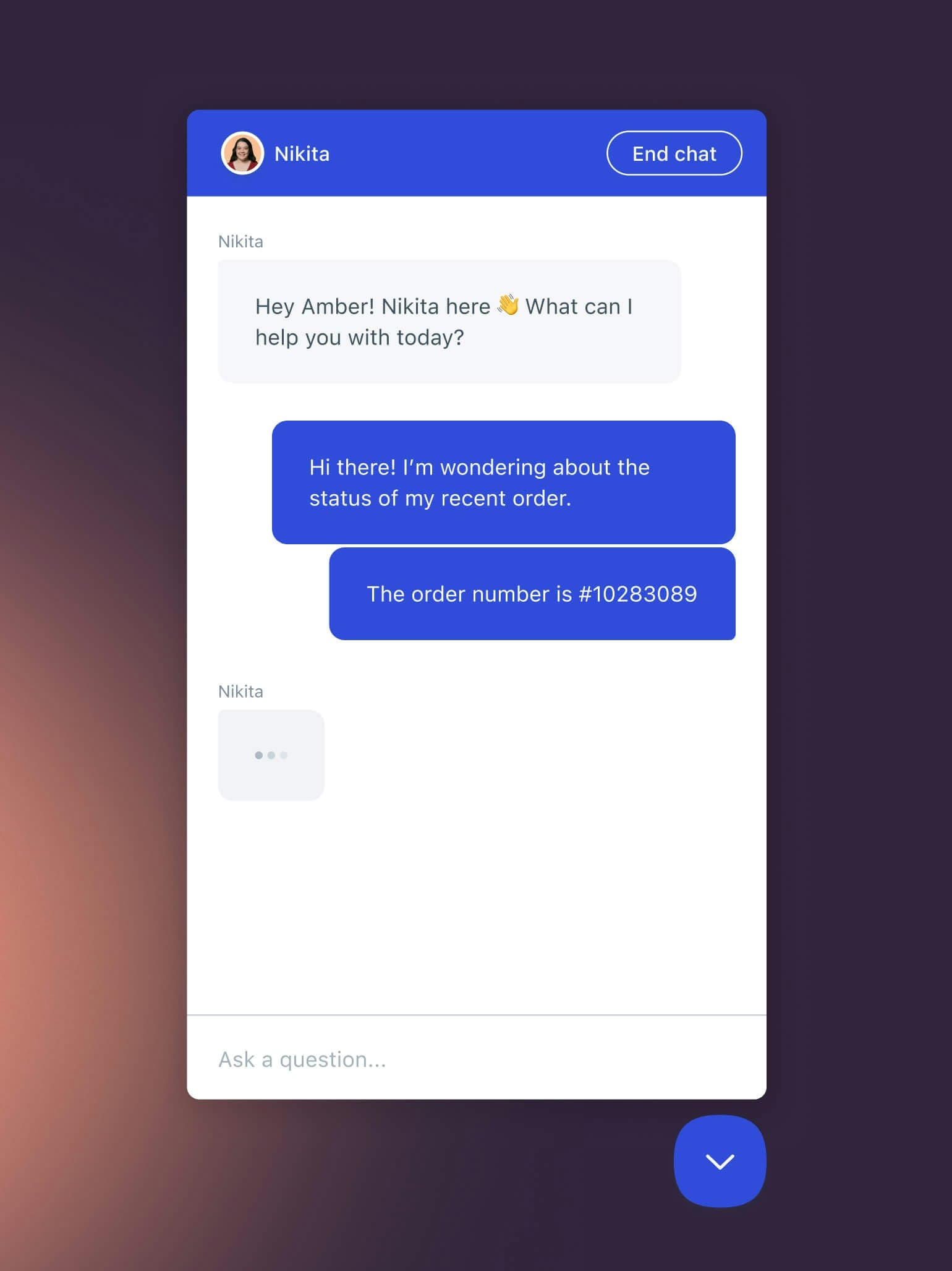
The Beacon widget is the chat-plus-docs surface customers see on your website. Customers get instant access to your help articles with search, and if they cannot find an answer they start a conversation that lands in your shared inbox. For self-service, the Beacon-Docs combination is one of the cleaner implementations at this price point.
Pros
- Easiest onboarding of any tool on this list - agents productive within hours
- Collision detection prevents duplicate replies without manual ticket assignment
- AI Drafts and AI Summarize improve async handoff quality
- Outcome-based AI Answers pricing - pay only for real resolutions
- Free plan available (5 users, 1 inbox, 1 Docs site)
- Trusted by 12,000+ companies including Buffer and Vimeo
Cons
- Slack integration requires Workflows or a third-party connector - not a native two-way integration
- No phone or voice channel
- WhatsApp only on Plus plan ($45/user/month) and above
- Some long-term users report recent UI updates made the platform harder to navigate
- The 100 contacts/month cap on the Free plan is very tight for real use
Pricing
| Plan | Annual (per user/month) | Inboxes included | Docs sites | AI |
|---|---|---|---|---|
| Free | $0 | 1 | 1 | No |
| Standard | $25 | 2 | 2 | AI inbox assistant |
| Plus | $45 | 5 | 3 | Unlimited AI Drafts |
| Pro | $75 (min 10 users) | 10 | 5 | Unlimited AI Drafts + HIPAA |
AI Answers: $0.75 per successful resolution. 3-month free trial for new accounts. Additional inboxes: $10/month. Additional Docs sites: $20/month.
Full pricing at helpscout.com/pricing
Who it's for
Small to mid-size remote teams where email is the primary support channel. Especially good for SaaS companies with a strong knowledge base where self-service is the primary deflection strategy. The free plan is a real option for teams under 5 people who want to start before committing to a per-seat cost.
"Help Scout has a clean, intuitive interface that doesn't overwhelm users with unnecessary complexity - new team members can get comfortable with it quickly without much hand-holding."
Krystal M., People Operations (Capterra)

4. Front - best for distributed teams that want collaborative inbox features
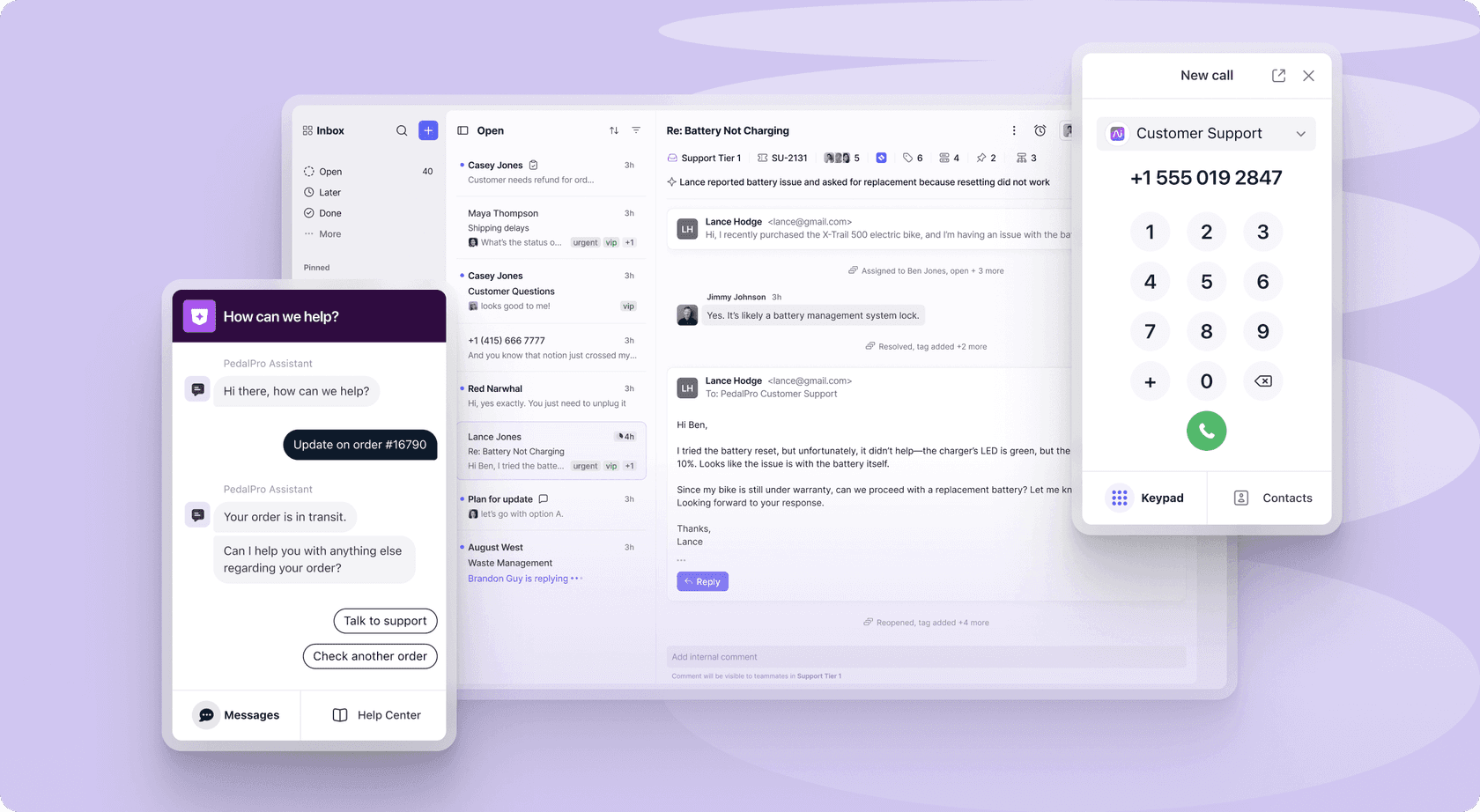
Front started as a shared inbox tool and the DNA shows in useful ways. Every conversation has an internal thread where agents can @mention colleagues, leave notes, and discuss without the customer seeing anything. For distributed teams, this is how you handle complex tickets that need input from multiple people across time zones - the internal thread becomes the async coordination layer.
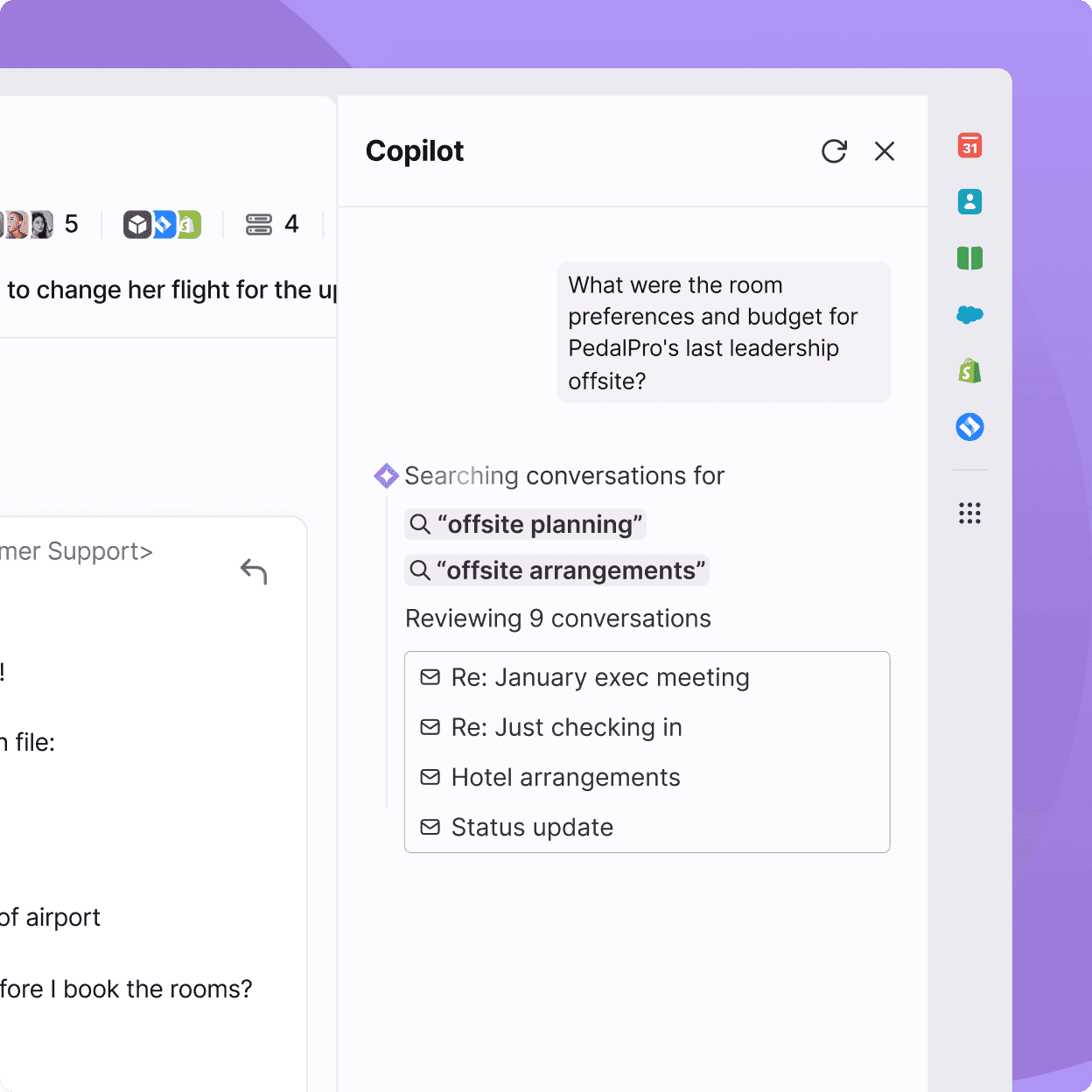
Front has expanded into AI with its Autopilot and Copilot products. Autopilot executes multi-step workflows across third-party systems using "Playbooks" - not just responding to questions but taking actions in other tools. Copilot is the agent-assist layer that drafts replies and does background research during a conversation.
Key remote features
The Slack integration in Front is two-way: get notified about new conversations in Slack and reply from within Front. Front's native Slack channel sync means messages from a Slack channel can appear as conversations in Front's inbox - useful for teams where customers or internal stakeholders reach out via Slack.
Internal @mentions and collaborative drafting let multiple agents work on a reply before it goes out. One agent drafts, another reviews, a third sends. For escalations or sensitive communications, this workflow prevents the coordination overhead that usually requires a separate Slack thread or email chain. Snooze and Send Later features let agents manage async timing - schedule a reply for when the customer's time zone is active.
Smart Topics automatically categorize conversations so you can understand your support pattern across regions without manual tagging. The analytics show which topics are spiking, where volume is coming from, and which agents are handling what - useful for a team lead managing people across multiple time zones.
Pros
- Internal @mentions and collaborative drafting built into every conversation
- Native two-way Slack integration
- Smart Topics automatically categorize incoming conversations
- Autopilot Playbooks execute multi-step workflows across third-party tools
- AI Copilot, Smart QA, and Smart CSAT included in Enterprise ($105/seat/month) at no extra cost
- Trusted by 9,000+ companies
Cons
- Recent UI changes described as "horrible" or "unworkable" by some long-term users on Capterra
- Outlook sync moved to one-way in early 2026 - significant disruption for mixed Front/Outlook teams
- AI Autopilot is contact-sales-only with no public price
- Some users report performance issues with large message volumes
Pricing
| Plan | Annual (per seat/month) | Seat cap | Channels | AI included |
|---|---|---|---|---|
| Starter | $25 | Up to 10 | Single channel | AI Topics only |
| Professional | $65 | Up to 50 | Omnichannel | AI Topics + Compose/Translate |
| Enterprise | $105 | Unlimited | Omnichannel | Copilot, Smart QA, Smart CSAT |
AI add-ons (Starter and Professional only): AI Copilot $20/seat/month, Smart QA $20/seat/month, Smart CSAT $10/seat/month. AI Autopilot: contact sales.
Full pricing at front.com/pricing
Who it's for
Distributed support teams where collaboration on individual tickets matters - multiple reviewers, handoffs between regions, or sensitive escalations that need team input. Also good for teams where Slack is the communication hub and they want their helpdesk tightly integrated with it.
"It works with Gmail and Outlook, which is super helpful and it really creates a main hub for our various channels and apps... Loving the automated workflow that has been super simple for our team to set up and implement."
Mai M., Managing Director, Hospitality (Capterra)
5. Freshdesk - best for budget-conscious remote teams that want bundled AI
Freshdesk Omni bundles ticketing, chat, messaging, and Freddy AI into a single product at prices that undercut both Zendesk and Front at comparable tiers. The Omni Growth plan at $29/agent/month includes email, chat, WhatsApp, SMS, social media, and 500 free AI agent sessions to start - a substantial amount of channel coverage per dollar.
Freddy AI has three components relevant to remote teams: Freddy AI Agent (autonomous customer-facing bot), Freddy AI Copilot (agent-assist add-on), and Freddy AI Insights (analytics, currently in beta). The AI Agent runs 24/7, which covers the off-hours problem directly. It supports 60+ languages and can take actions via backend connectors rather than just answering questions.
Key remote features
Freshdesk's Slack integration sends ticket notifications into Slack channels and lets agents update ticket status from within Slack. For high-priority ticket routing, you can set automation rules that push specific tickets to a dedicated Slack channel - useful for distributed teams where one time zone needs to know immediately when something critical arrives.
Freddy AI Copilot's Article Suggester surfaces relevant knowledge base articles while an agent is composing a reply - reducing search time mid-ticket. The Tone Enhancer and Rephrase tools clean up replies before they go out, which is useful when agents are working in their second language.
Freddy AI Agent can auto-resolve email tickets at creation time via the Email AI Agent feature (Pro/Enterprise only on Omni). Tickets that arrive while your team is asleep get an AI response before anyone wakes up. Important caveat: Email AI Agent only fires on initial ticket creation, not on follow-up messages in ongoing threads.
Pros
- Best value per-channel at entry level ($29/agent/month for full omnichannel on Omni)
- 74,000+ businesses use Freshdesk globally - stable, mature platform
- Freddy AI Agent includes 500 free sessions before metered billing
- 60+ language support in Freddy AI Agent
- Freddy AI Copilot available per-agent, not per-whole-team
- 14-day free trial with full Enterprise features
Cons
- Email AI Agent restricted to Pro/Enterprise on Omni - Growth plan teams cannot access automated email resolution
- Freddy AI Copilot also restricted to Pro/Enterprise on Omni
- Knowledge source limits are a real constraint: 200 files per agent, 35MB max, 10 URLs per agent - no native Confluence, Google Docs, or Notion connector
- Performance can be sluggish with many tickets open simultaneously per G2 reviewers
- Reporting and analytics consistently flagged as weakest area
Pricing
| Plan | Annual (per agent/month) | AI Agent sessions | AI Copilot |
|---|---|---|---|
| Omni Growth | $29 | First 500 free, then $49/100 | Not available |
| Omni Pro | $79 | First 500 free, then $49/100 | Add-on: $29/agent/month |
| Omni Enterprise | $119 | First 500 free, then $49/100 | Add-on: $29/agent/month |
Freshdesk ticketing-only (no Freshchat): Growth $19, Pro $55, Enterprise $89 per agent/month. Free plan available for 1-2 agents for 6 months.
Full pricing at freshworks.com/freshdesk/omni/pricing
Who it's for
SMB remote teams that want omnichannel support with AI already bundled and do not want to pay Zendesk prices. Good for teams that primarily use their helpdesk's own knowledge base. If your knowledge lives in Confluence, Google Drive, or Notion and you need the AI to access it, you will hit Freshdesk's connector limits - at which point adding eesel AI on top of Freshdesk is worth evaluating.
"Freshdesk has helped us add structure and visibility to our customer communication. Before we started using it, support requests often got buried in email threads, and we didn't have a clear way to track them. With Freshdesk, each ticket has an owner, a priority, and a status, so nothing slips through the cracks anymore."
Eric, Customer Onboarding and Support Executive, Mid-Market (G2)
6. HappyFox - best for remote IT and internal support teams using Slack or Teams
HappyFox is positioned differently from the other tools on this list. While most helpdesks focus on customer-facing support, HappyFox has a strong internal support angle - particularly for IT teams and HR operations. Its Assist AI product is a conversational AI agent built specifically for Slack and Microsoft Teams, which means employees can submit and resolve IT tickets without leaving their communication tool.
This is the key differentiator for distributed IT teams: instead of asking employees in another country to open a separate helpdesk portal to log a ticket, they message the bot in Slack. Assist AI resolves common IT requests (password resets, access requests, device questions) automatically. More complex issues escalate to the HappyFox ticket queue where an agent can pick them up.
Key remote features
Assist AI integrates directly with Slack and Microsoft Teams as a conversational support bot. Employees @mention it or DM it, describe their problem, and either get an automated resolution or have a ticket created automatically. For a fully remote IT team supporting employees across multiple time zones, this is the closest thing to an always-on IT helpdesk without needing anyone on shift overnight.
The Workflows product handles end-to-end process automation for employee onboarding and offboarding - common pain points for remote-first companies where the new hire in another country cannot just walk up to IT. Smart Rules let you configure complex routing logic without code: route tickets based on category, priority, or the submitter's team, with different SLAs per department.
The unlimited agent plans ($1,999/month for up to 20,000 tickets/year) are notable for teams where headcount is large but ticket volume is bounded. If you have 50 internal employees but only 1,000 IT tickets per month, per-seat pricing at $49-99/agent might cost more than the flat annual rate.
Pros
- Assist AI for Slack and Microsoft Teams is the best internal-support bot on this list
- Unlimited agent plans remove per-seat friction for large internal teams
- High customizability - categories, statuses, fields, and routing all configurable
- 4.6/5 on Capterra, noted for strong support from the vendor
- Forrester TEI study reports 401% ROI for power users
- Asset management included on Pro plan - useful for IT teams
Cons
- No self-serve free trial - demo required to get started
- Knowledge base editor is weaker than Zendesk's per Capterra reviewers
- Reporting is consistently flagged as a weakness
- Less suited to high-volume customer-facing support than Zendesk or Freshdesk
- External customer portal less polished than Help Scout's Beacon
Pricing
Agent-based plans (annual billing):
| Plan | Annual (per agent/month) | Agent limit | Key additions |
|---|---|---|---|
| Basic | $24 | Max 5 | Unlimited tickets, SLA, knowledge base, SSO |
| Team | $49 | 5-agent min | Multi-brand, custom email and domain |
| Pro | $99 | 5-agent min | Asset management, task management, 24/7 email support |
| Enterprise PRO | Contact sales | 5-agent min | Agent scripting, 24/7 phone support, Customer Success Manager |
Unlimited agent plans (annual commitment only):
| Plan | Monthly equivalent | Annual ticket limit |
|---|---|---|
| Growth | $1,999 | 20,000 |
| Scale | $3,999 | 150,000 |
| Scale Plus | $5,999 | 300,000 |
| Ultimate | Contact sales | 1,000,000 |
Full pricing at happyfox.com/help-desk-price
Who it's for
Remote IT and operations teams where Slack or Teams is the employee communication hub. Also good for HR teams running onboarding and offboarding workflows. Less suited to high-volume external customer support where Zendesk or Freshdesk have more depth.
"What I like most about HappyFox is how easy it is to customize. You can tailor the help desk home page exactly to your liking."
Clay K., Network Administrator, Education Management (Capterra)
How to pick the right one
The right tool depends mostly on two questions: what is your existing setup, and what is your biggest current pain point?
If you already have a helpdesk and just need AI coverage: eesel AI is the lowest-friction answer. You do not migrate anything - connect it to what you already have. The $0.40/ticket pricing is the most honest model for teams that want to pay for actual deflection rather than agent seats. There is a detailed breakdown of the ticket deflection economics if you want to run the numbers before committing.
If you are starting fresh and your team is small (under 15 people): Help Scout at $25/user/month is hard to beat. The inbox is clean, the Docs integration is excellent for self-service, and AI Answers gives you pay-per-resolution AI without a large upfront commitment.
If you need a full enterprise platform and budget is secondary: Zendesk Suite Professional at $115/agent/month is the answer. The breadth of features, the 1,800+ app marketplace, the multilingual knowledge base, and the AI included in the plan justify the price for teams with complex support operations. The Zendesk Slack integration is also worth understanding before you set it up.
If your team runs on collaborative editing and you need Slack tightly integrated: Front at $65/seat/month (Professional) gets you omnichannel support with built-in @mentions, collaborative drafts, and a Slack integration that runs both ways. The AI Copilot add-on at $20/seat/month is worth it for agents handling complex tickets.
If budget matters and you want AI without extra licensing: Freshdesk Omni at $29/agent/month packs more channel coverage per dollar than anything else here. You get email, chat, WhatsApp, SMS, social media, and 500 free AI sessions to start. If your knowledge is mostly in your Freshdesk help center (rather than Notion or Confluence), it stays simple.
If you support internal employees through Slack: HappyFox with Assist AI is built for this. No other tool on this list has a comparable Slack-native IT support bot. The unlimited agent plans also make sense for IT teams that support a large employee base but do not have enormous ticket volume.
For teams evaluating the cost of AI ticket deflection specifically, the math usually favors a pay-per-resolution model (eesel's $0.40 or Help Scout's $0.75) if your automation rates are high. If your AI resolves 70% of 3,000 monthly tickets, you are paying for 2,100 resolutions - run that through both models against your agent headcount to see which is cheaper. Our guide to AI tools for customer support teams has more on how to structure that evaluation.
One additional option worth knowing: for teams that run heavy Slack-based workflows, layering eesel AI on top of Zendesk or Freshdesk is a viable strategy. You keep the inbox management of your existing helpdesk and add eesel's Slack-native AI and knowledge-source flexibility on top, without replacing either platform. The automated ticketing guide covers how these hybrid setups typically work.