What is a customer service tone guide?
A customer service tone guide is the support team's slice of a brand style guide. It answers one question for every reply: given who this customer is and what just happened, how should this sound?
The useful distinction comes from Mailchimp's content style guide, which most writing teams borrow from. Voice is your personality, and it barely changes. Tone is how that personality adapts to the person in front of you. Mailchimp's analogy is that you talk differently at dinner with friends than in a meeting with your boss, and you'd never use the same tone with someone scared or upset as with someone laughing.
Support needs its own version because support writes in the worst moments. Marketing gets to be cheerful about launches. Support has to say no to refunds, explain outages, and answer a customer who's on their third message about the same broken order. I work the eesel support queue every day, and the replies that go wrong are rarely the wrong facts. They're the right facts in the wrong tone: a breezy "No worries!" on a billing error, or a stiff three-paragraph apology for a typo in an invoice.
A good tone guide is short, usually two to four pages, and has five parts:
| Part | What it covers | Example line |
|---|---|---|
| Voice traits | 3 to 4 fixed personality traits, each with a "not" | "Plainspoken, not blunt" |
| Tone by situation | Dial settings for each common ticket type | "Refund denied: serious, respectful, matter-of-fact" |
| Mechanics | Contractions, exclamation marks, emoji, greetings, sign-offs | "Max one exclamation mark, never in bad news" |
| Phrases to cut | Scripted lines that read as fake | "Cut 'I understand your frustration'" |
| Language rules | Formal or informal "you" per language | "German: always Sie" |
If you already have a support translation glossary, the language rules row can point to it instead of repeating it.
Why does support tone go wrong?
Most tone problems come from two places: scripts and scale. Scripts make empathy sound mandatory instead of meant. Scale means 20 agents, 200 macros and now an AI agent are all writing in your name, each drifting a little.
Customers notice the script first, which is why empathy in customer service is about specifics, not stock lines. On Hacker News, one commenter described reps reading empathy lines off a card:
"It reminds me of the new customer support script where they make them use empathetic words. " Awesome, let me help" and " Thats frustrating" sound worse coming from humans that don't care."

Agents feel it from the other side. When a call-center agent complained that team leads score them on "flowery words", another agent explained what empathy actually is:
"It really isnt flowery words, theres no apology or saying sorry. Unless you personally caused it. It's just an acknowledgement followed by a resolution."

That second quote is close to a full tone guide in one line. It also matches the research. In NN/g's study of 100 adults, a playful car insurer was rated friendlier than a serious one but less trustworthy by 0.3 points, with no lift in willingness to recommend. A casual but serious bank beat a formal bank on friendliness (+0.7), trust (+0.3) and recommendation (+0.4). Casual is fine. Flippant isn't.
The third failure is newer: friendly tone with nothing behind it. A customer who gets a warm, chatty reply that doesn't fix anything ends up more annoyed, not less. One HN commenter put it plainly:
"I don't immediately hate talking to an chatbot, my dislike comes from chatbots that sound like humans but can't actually do anything useful."
So the job of a tone guide isn't to make replies sound nicer. It's to make them sound like someone competent is on it.
The four tone dials every support guide needs
"Be friendly but professional" is the most common line in tone guides, and it's useless, because nobody knows where the line is. NN/g's four dimensions of tone fix that by turning tone into four separate dials:
- Formal to casual. "We apologize for the inconvenience" vs "Sorry about that."
- Serious to funny. Whether you attempt humor at all.
- Respectful to irreverent. Irreverence is usually aimed at the topic, never the customer.
- Matter-of-fact to enthusiastic. "Your refund has been issued" vs "Great news, your refund is on its way!"
NN/g's own example shows one error message moved along the dials: "We apologize, but we are experiencing a problem" becomes more casual with "we're" and "sorry", then more enthusiastic with an "Oops!" in front. Same facts, four different companies.
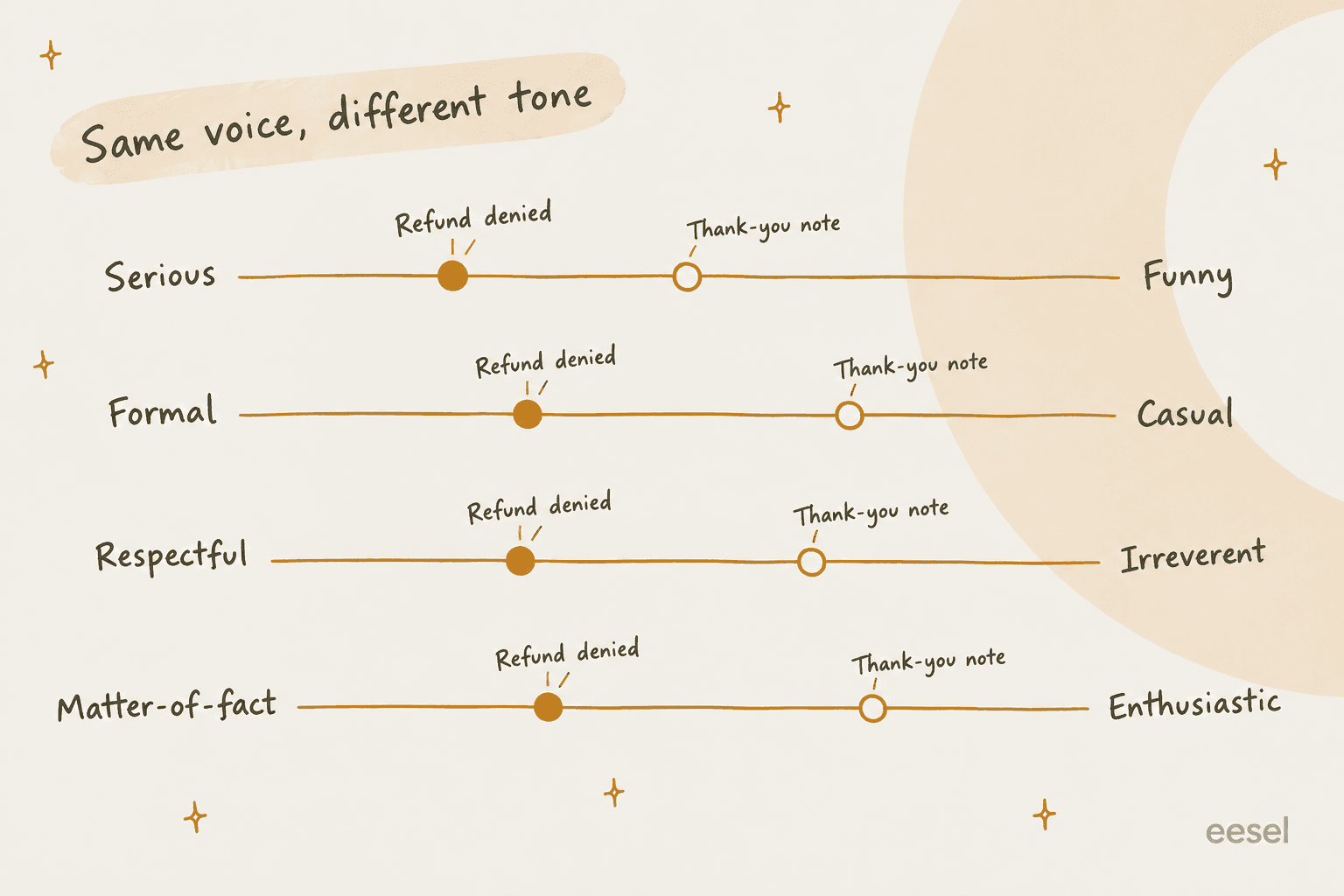
The trick is to set the dials per situation, not once for the whole brand. Your voice decides how far each dial can move. A playful consumer app might let "thank-you notes" go all the way to funny; a payroll company might cap it at "warm." Either way, a refund denial should sit near serious and matter-of-fact, because that's the moment the customer is deciding whether to trust you.
NN/g also recommends pairing your tone words with "anti-tone" words, like "authoritative, not pedantic." That one habit removes most arguments in QA reviews, because it names the failure on both sides.
Tone by situation: pick a ticket type
This is the section of the guide agents actually open mid-ticket. Pick a situation to see where I'd set each dial, and what that looks like in a real reply.
Rule: say no in the first sentence, give the reason in plain words, then offer the next best thing. No exclamation marks.
Rule: what's broken, whose fault, what happens next, and when they'll hear from you. Never "don't worry".
Rule: acknowledge the specific thing that went wrong in one sentence, then show the fix. Name it; don't narrate their feelings.
Rule: answer first, steps second, one likely snag third. Skip the preamble.
Rule: this is when a plain "sorry" earns its place. Own it once, then give the exact fix.
Rule: the one place your voice gets the most room. A bit of humor is fine if your brand allows it.
Notice that the "Cut" column in almost every case is more formal, longer and vaguer. That's the most common tone failure in support: hiding behind formal language when the news is bad. Shopify's own voice guidelines say the same thing for product copy: be upfront and honest even when you've made a mistake, and apologize when you're at fault, "within reason."
For the angry repeat contact, my guide to handling angry customers goes deeper, and these empathy statements are a good bank of lines that don't sound scripted.
Phrases to keep, phrases to cut
Your tone guide needs a mechanics section, because that's where agents disagree most. The big style guides don't agree either, which is worth knowing before you pick a side:
| Rule | What the style guides say | What I'd put in a support guide |
|---|---|---|
| Contractions | Mailchimp and Shopify encourage them. GOV.UK bans "can't" and "don't" because readers misread them | Use them. Write "cannot" only in policy refusals where a misread would hurt |
| Exclamation marks | Mailchimp: never in failure messages. Shopify: at most one per page | One per reply, max. Zero in bad news |
| "Sorry" | Atlassian says skip it unless the problem is severe. Shopify says apologize when at fault | Say it once, when it's your fault. Never as a reflex. See these apology examples |
| "Please" | Atlassian says it can make a required step sound optional. GOV.UK says it's usually unnecessary | Fine in requests, cut "please note" and "please be advised" |
| Blame | Atlassian uses "we" instead of "you" so people don't feel blamed | "We couldn't process the payment", not "Your payment failed" |
| Emoji | Mailchimp allows them infrequently | Mirror the customer. Never in bad news |
And the scripted lines to cut, with what to say instead:
- "I understand your frustration." Name the actual problem instead: "You've been charged twice."
- "We apologize for any inconvenience." It apologizes for nothing specific. Say what went wrong.
- "Don't worry." Shopify's guidelines warn against asking for trust without data. Give the data.
- "As per our policy." Explain the reason the policy exists in one sentence.
- "Thank you for your patience" at the top of a slow reply. Acknowledge the wait plainly: "Sorry this took two days."
Freshdesk's own example AI instructions make the same call: acknowledge frustration in one sentence and skip filler like "I apologize for any inconvenience" (Freshdesk AI agent guide). When a helpdesk vendor writes that into its own docs, you know the script era is over.
How to write a customer service tone guide in 7 steps
You can get a working first version in an afternoon. Here's the order I'd do it in.
- Pull 30 real replies. Take 15 that got great CSAT and 15 that went badly (a reopen, an escalation, a 1-star). Tone problems are much easier to see in your own tickets than in theory.
- Write 3 to 4 voice traits, each with a "not." "Plainspoken, not blunt. Warm, not gushing. Confident, not cocky." Use NN/g's anti-tone trick so reviewers can point at the line that was crossed.
- Set the four dials for your top 6 to 8 ticket types. Use the widget above as a starting point. Most teams need refund or cancellation, outage, bug, angry repeat contact, how-to, billing and praise.
- Write the mechanics. Contractions, exclamation marks, emoji, greeting and sign-off, and the formal or informal "you" for every language you support (more on that in my multilingual support guide). Zendesk, for example, has a per-language pronoun setting for exactly this, set to formal by default.
- Rewrite your top 10 macros. Your macros are where the old tone lives longest. If a macro fails the guide, everyone who uses it fails the guide. My email templates and live chat scripts posts have rewritten examples to start from.
- Load it into every tool. Help center, macros, agent onboarding, the AI agent's settings and your QA scorecard. More on this below.
- Score it, then revise it every quarter. Add one tone criterion to QA, and update the guide when the same correction shows up three times.
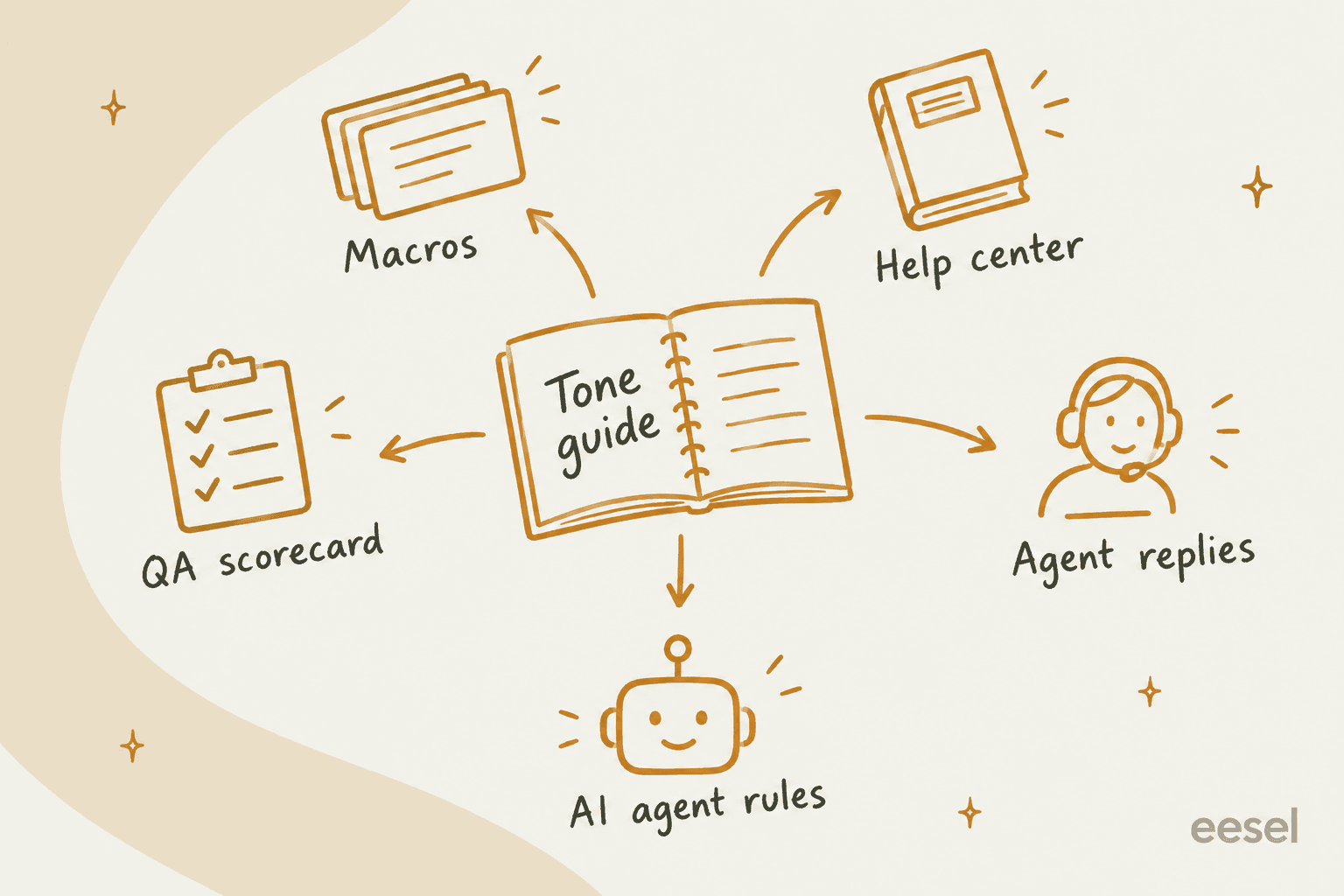
Step 6 is the one that decides whether the guide gets used. A PDF in a shared drive changes nothing. Put it into your support SOPs and your agent onboarding, then make it the first thing in your training scenarios.
Where does your tone guide have to live in your helpdesk?
Every major helpdesk now has some way to change tone, but they split it into two different things: a button that rewrites one agent's reply, and a setting that controls how the AI agent writes. They take your guide in very different formats.
| Helpdesk | Agent "change tone" button | AI agent tone setting | Limits worth knowing | Gate | Source |
|---|---|---|---|---|---|
| Zendesk | Enhance writing: Make more friendly, Make more formal, Rewrite in your tone | Professional, Informal, Enthusiastic or Custom, plus pronoun formality per language | Free tier: 5 uses per agent per month, capped at 500 per account | Copilot add-on $50/agent/month for unlimited use | Zendesk docs |
| Freshdesk | Writing Assistant: More formal, Less formal, Rephrase | Free-text custom instructions, no preset picker | Tone follows the agent's profile language | Freddy AI Copilot $29/agent/month on Pro and Enterprise | Freshdesk docs |
| Gorgias | No native button found | Friendly, Professional, Sophisticated or Custom | Custom up to 3,000 characters; greeting, sign-off and terms up to 600 each | Brand voice listed on Basic and up | Gorgias docs |
| Help Scout | AI Assist: Make it friendlier, Make it more professional | Free-text Identity field | AI Drafts learns tone from past replies | AI Assist on Plus and Pro | Help Scout docs |
| HubSpot | Change tone: Friendly, Heartfelt, Professional | Friendly, Professional, Casual, Empathetic, Witty, or brand voice | Inbox AI: 30 uses a minute, 1,000 a day | Customer agent on Pro and Enterprise | HubSpot docs |
| Front | Compose: adjust tone (email only) | No tone setting found for Autopilot | 200 Compose actions per teammate per day | Copilot $20/seat/month | Front docs |
All gates and limits checked on each vendor's own docs and pricing pages in October 2026.
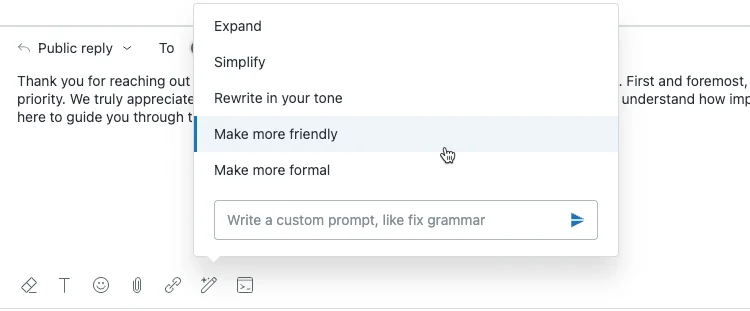
The composer buttons are the easy part. Zendesk's Enhance writing menu sits right in the reply box:
Freshdesk's version lives behind a Write with AI button, and Help Scout's AI Assist shows the rewrite before you replace your text:
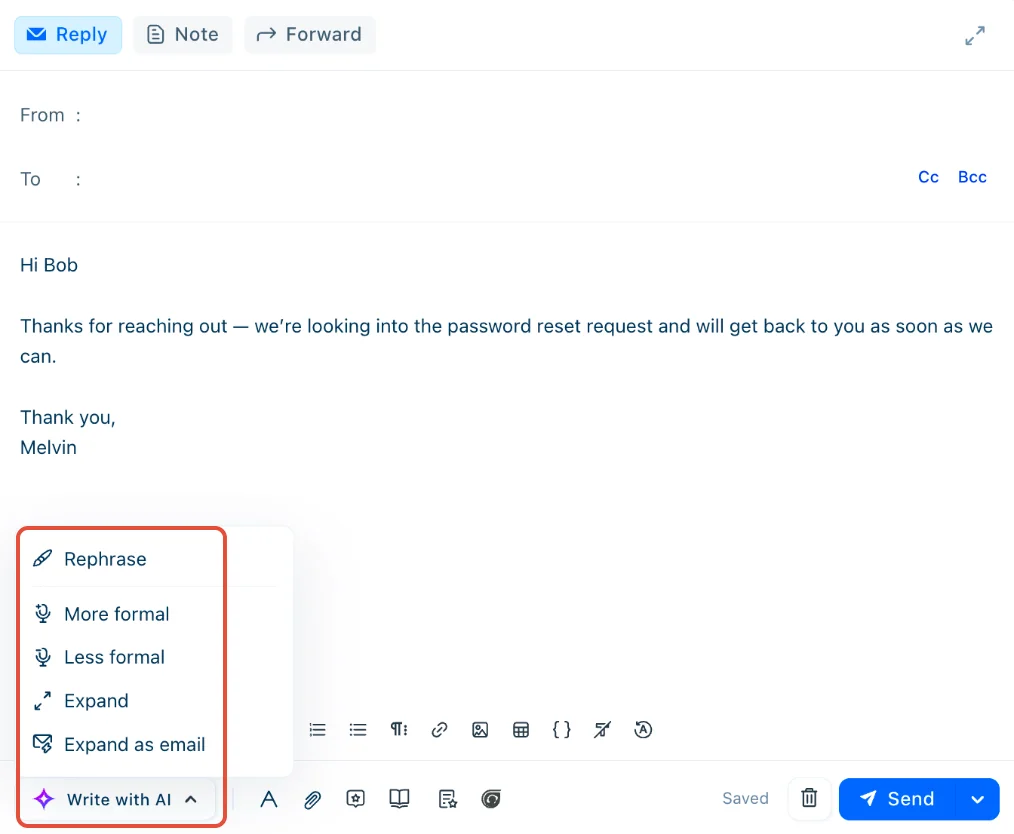
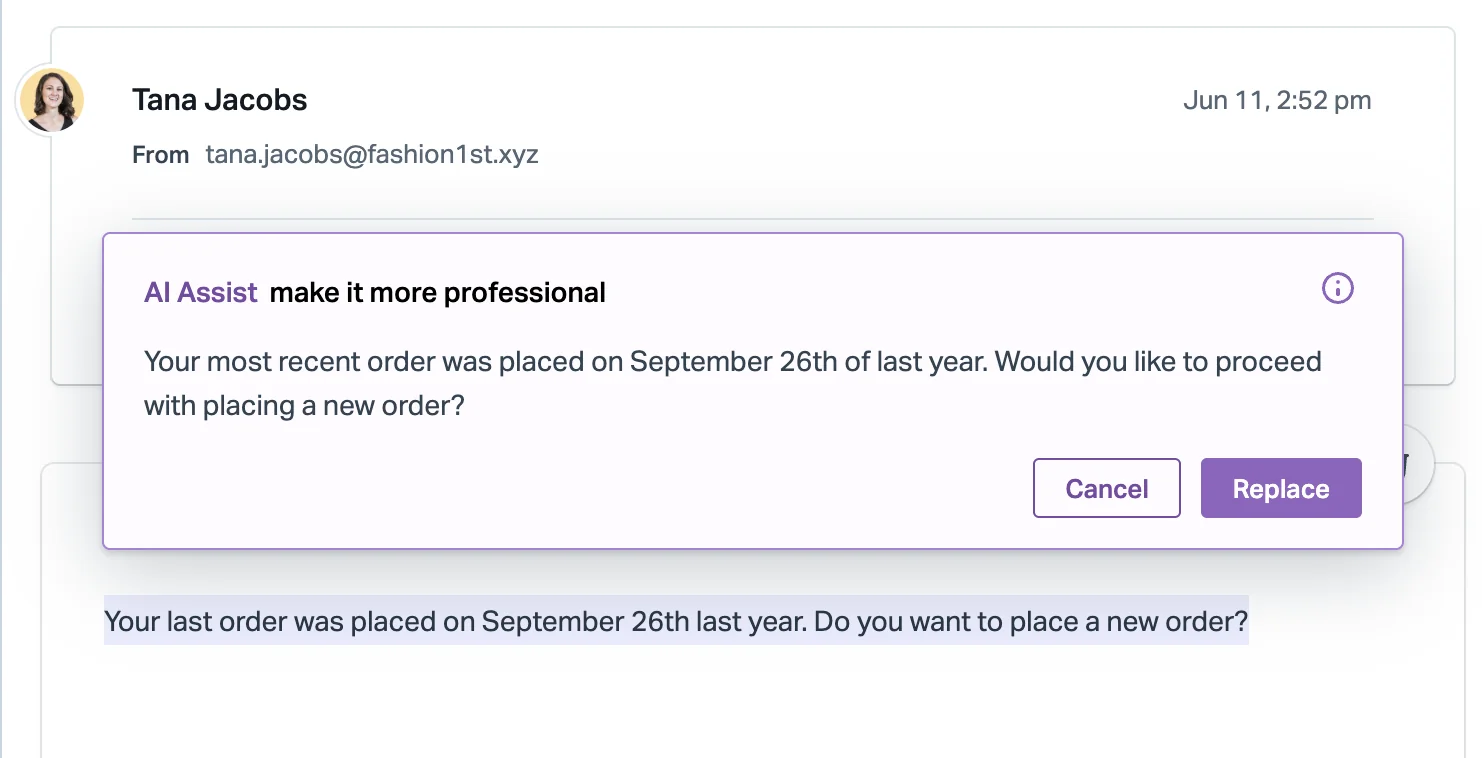
Here's the catch with all of these, and with most AI copilots. "More friendly" and "more formal" are generic dials, not your dials. Zendesk's own example shows "Make more formal" turning "We will do our best to assist you" into "We shall make every effort to provide you with the assistance you require" (Zendesk help center). That's more formal, sure. It's probably not your brand. The button knows formal; only your guide knows what formal sounds like at your company. Zendesk's answer is communication guidelines on the Copilot add-on, where your written rules win when they clash with the style the AI infers from the ticket.
How do you teach a tone guide to an AI agent?
This is where most tone guides now break, because the AI agent often writes more replies than any human on the team. Each vendor gives you a box, and the boxes are small. Zendesk's custom tone description field shows a 300-character counter:
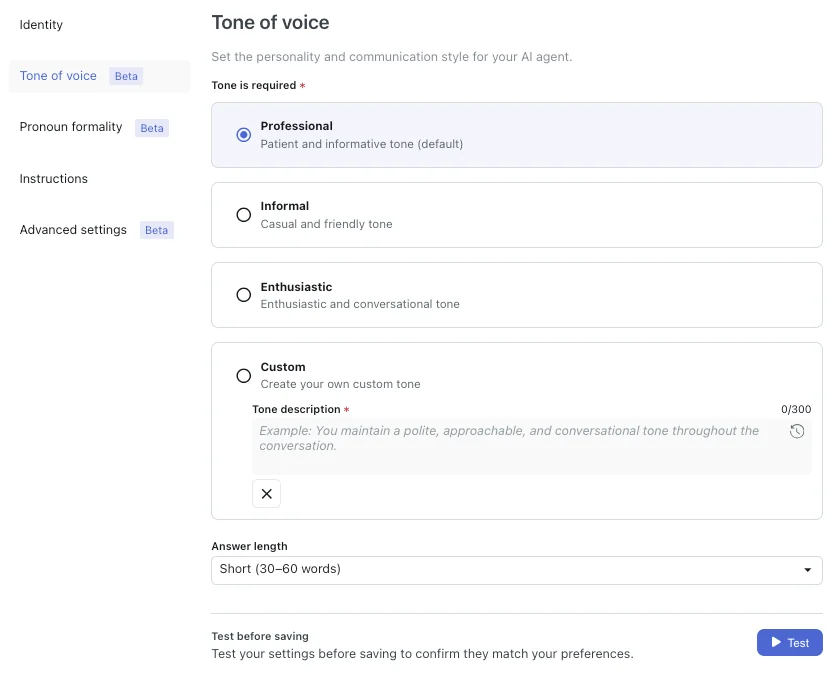
Three hundred characters fits your voice traits. It doesn't fit six situations, a phrase list and a formality rule per language. The vendors are honest about the limits, too. Freshdesk calls its AI instructions "behavioral guidance" where "edge cases can still occur," and HubSpot warns that responses "may not always exactly match the specified formatting or wording" (HubSpot knowledge base).
From running AI on live support queues at eesel, I've learned three things about getting an AI to hold a tone:
- Give it situations, not adjectives. "Friendly" means nothing to a model. "When denying a refund, say no in the first sentence and offer store credit" works.
- Let it learn from your best past replies. Your team's real tickets carry your tone better than any description. Help Scout's AI Drafts and eesel both learn from past conversations for this reason.
- Correct it where the mistake happens. The fastest feedback loop is the one in the ticket.
That third point comes straight from eesel customers. One Zendesk admin asked exactly this during setup:
"When I hit 'Reject - too formal, make it friendlier' as a comment in an internal tool, do you have an example for this? I want to know if I can iteratively train it ... within ZenDesk."
A Zendesk admin setting up an AI agent
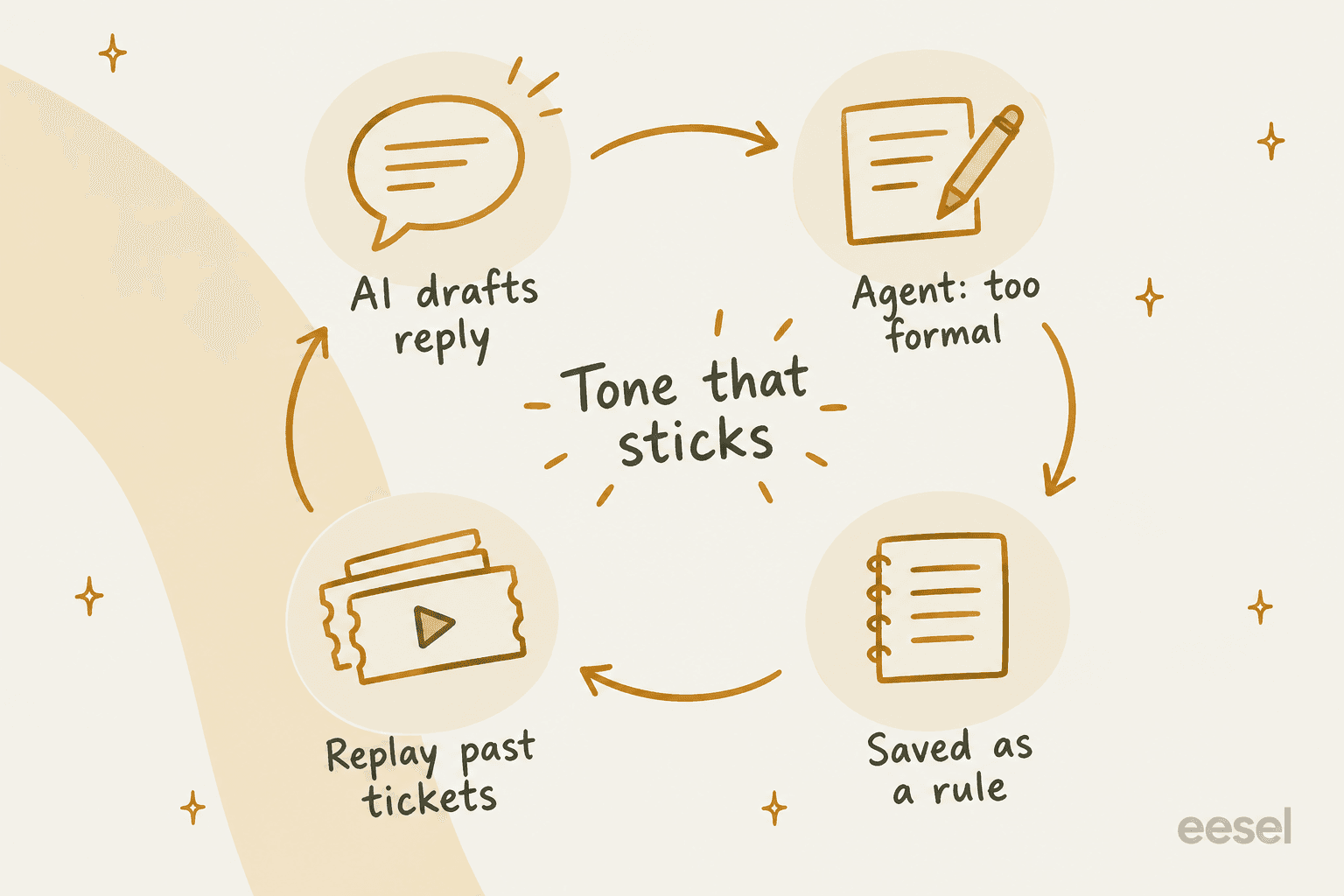
That's how eesel's AI helpdesk teammate works. Tone lives in plain-language instructions, which it reads on every reply in every app. When you correct a draft ("too formal, make it friendlier") and say yes, it writes the correction into its own instructions, or edits the existing rule if one already covers it. So the fix holds next week, not just on this ticket.

Then you check it before customers see it. eesel's simulation skill replays real past tickets, scores each answer against what your team actually sent, and suggests instruction changes. In the docs' example run, 17 of 20 sampled tickets matched the team's reply. That's the step I'd never skip: reading 20 simulated replies tells you more about your AI's tone than any setting page.
It works on the human side too. Eddie Stephens, Service Desk Lead at CartonCloud, described what it does for his agents' drafts:
"It is getting us to the right articles really quickly and easily, as well as curating well-formed responses with consistent, on-brand tone, still keeping our own style and still keeping that human touch."
Eddie Stephens, Service Desk Lead at CartonCloud
If you're setting this up, my guides on training an AI support agent and keeping AI brand voice consistent go step by step.
How do you keep a tone guide from going stale?
Score it. A tone guide that isn't in QA is a suggestion, whichever QA tool you use. Front's Smart QA is a useful reference point for what a tone criterion looks like: its default "Tone" criterion asks whether the agent's tone "suited the situation", with variants for adaptive, neutral and positive tone, alongside separate Empathy and Professionalism criteria (Front help center).
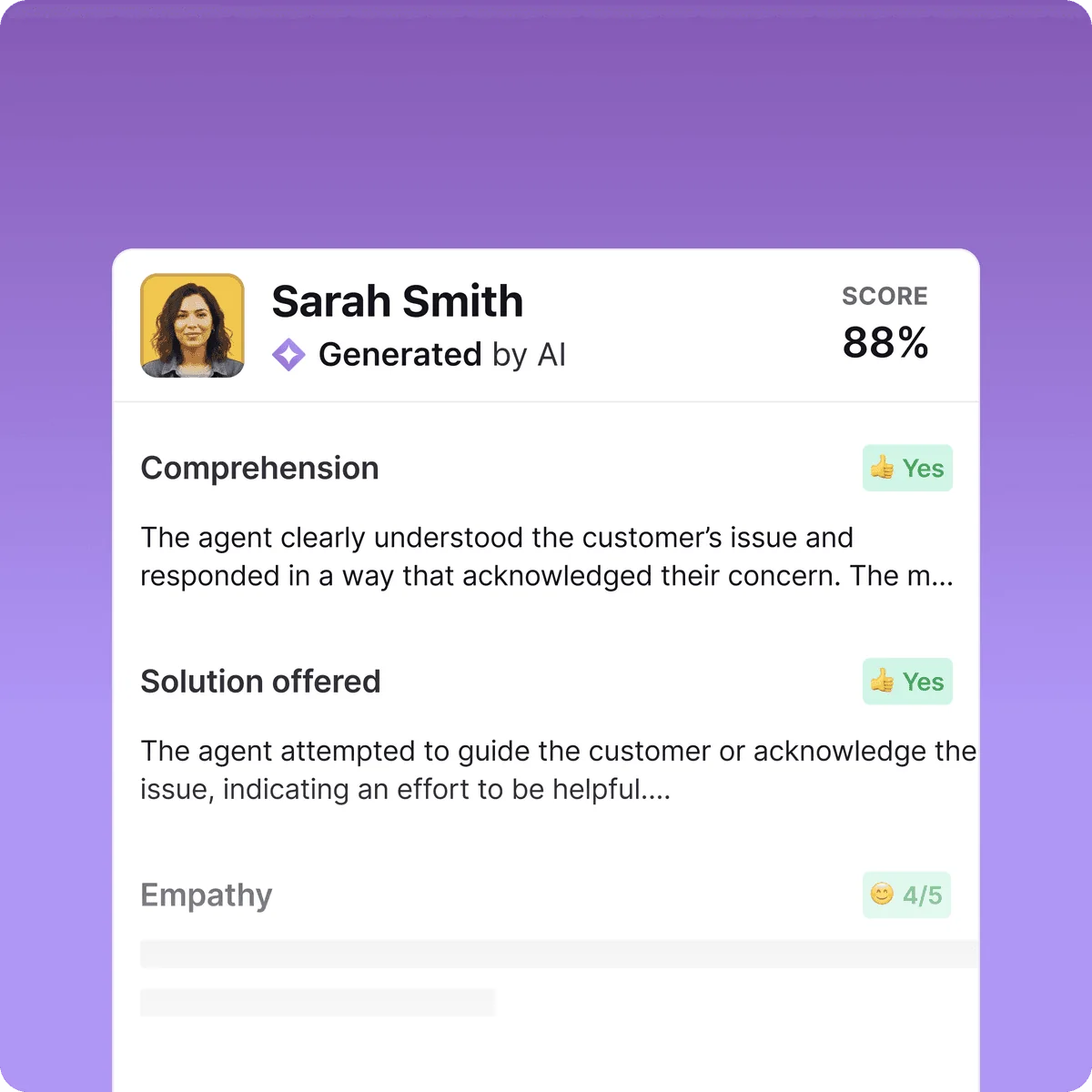
"Suited the situation" is the right framing, and it's also the trap. If your scorecard checks for specific empathy phrases, you'll get agents reading phrases. One call-center agent shared what that looks like:
"My best call was pulled and I was coached for not showing empathy by congratulating the member on their new car immediately. I instead congratulated them at the end of the call and that was against script."
Score whether the tone fit the situation in your guide, not whether a line appeared. My posts on support QA with AI and QA feedback examples cover how to write criteria that reward judgment.
Then run a 30-minute review every quarter: pull the tone corrections from QA and from your AI's edit history, and if the same fix appears three times, it belongs in the guide. Use agent feedback sessions to walk through the changes, and route repeat fixes into your coaching software.
Put your tone guide to work with eesel
A tone guide only matters in the replies it actually shapes. eesel's AI helpdesk teammate joins your existing Zendesk, Freshdesk, Gorgias or Help Scout queue, learns how your team already writes from past tickets and macros, and follows your tone rules as plain-language instructions you can correct in the ticket. Start it on drafts as internal notes, replay a batch of past tickets to check the tone, then let it answer routine tickets once it sounds like you. It's free to try with 100 credits, and paid plans start at $299 a month on the eesel pricing page.
Frequently Asked Questions
What is a customer service tone guide?
What should a customer service tone guide include?
What is the difference between voice and tone in customer service?
Should customer service replies be formal or casual?
How do I make my AI support agent follow our tone guide?
Does Zendesk have tone of voice settings?
How do you check tone in support QA?


Article by
Riellvriany Indriawan
Riell is a designer and writer at eesel AI with about two years of experience researching CX platforms, AI chatbots, and helpdesk software. She combines her design background with a sharp eye for how these tools actually look and feel in practice — making her comparisons unusually visual and user-focused.