What is a support translation glossary?
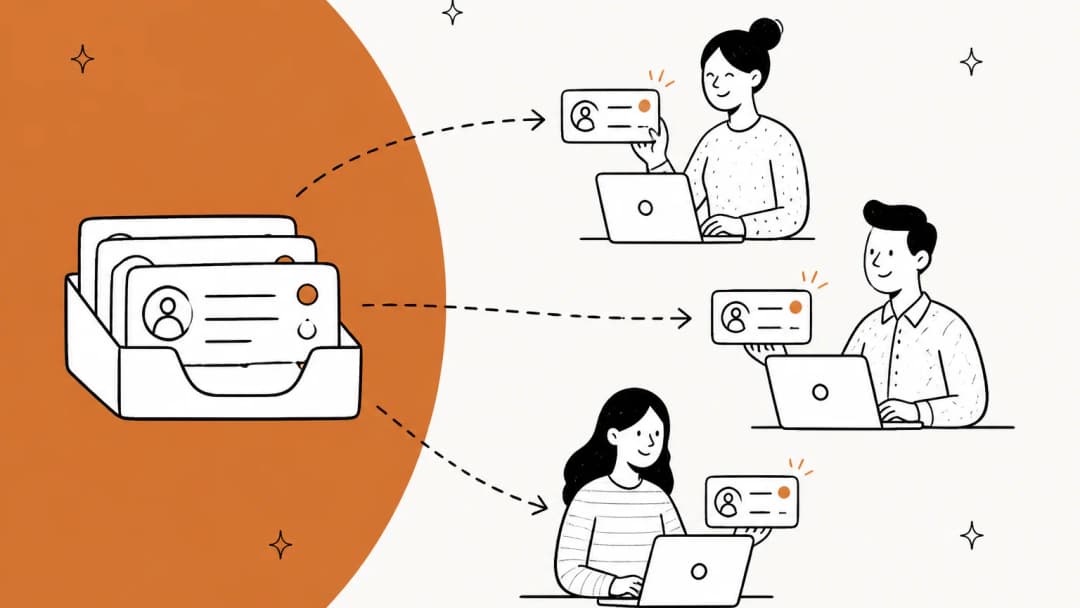
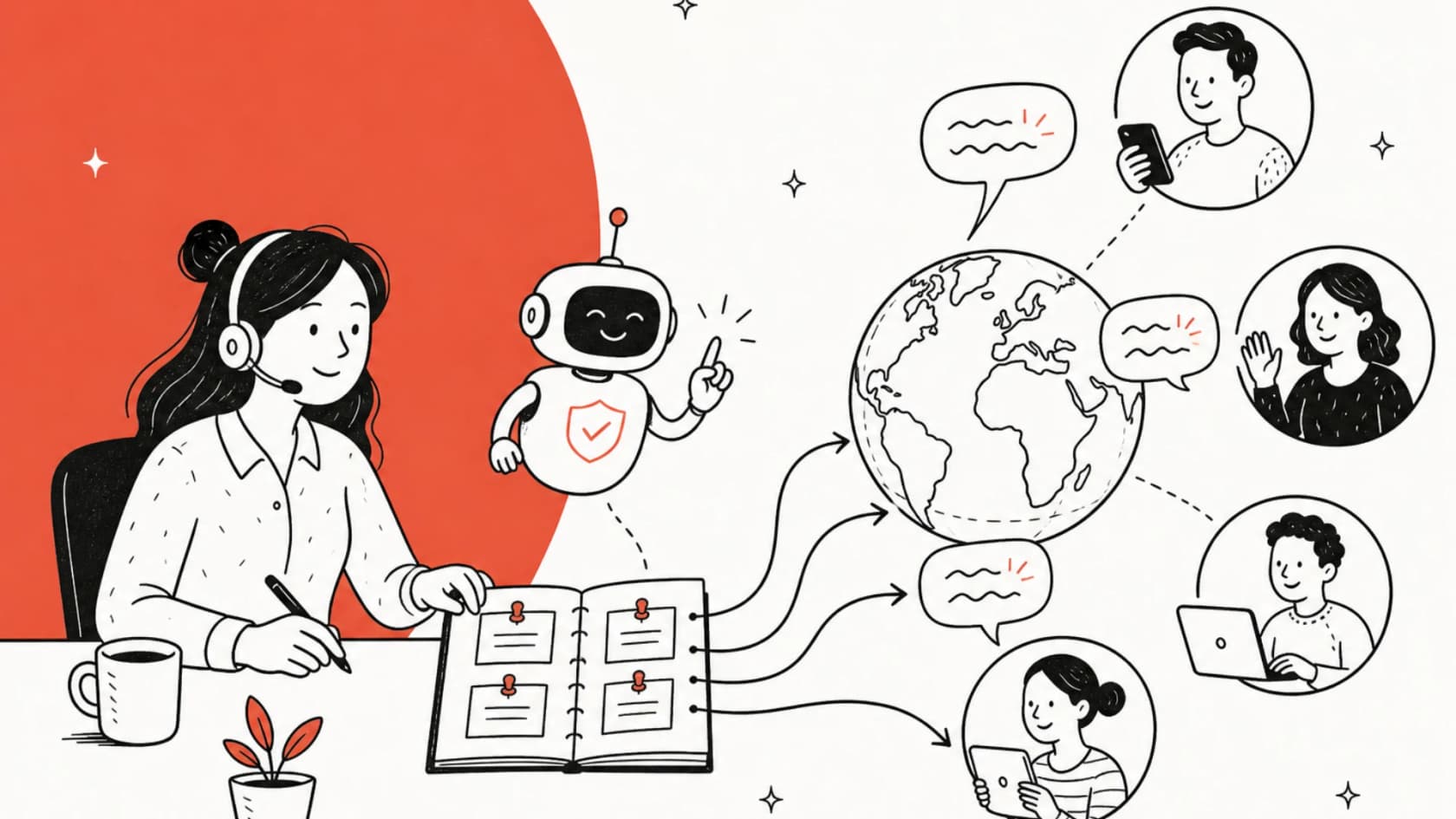
A support translation glossary (translators call it a term base) is a table of words and short phrases, each with a rule: keep it as is, translate it to exactly this, or never use it. It's not a dictionary of everything. It only holds the terms where "close enough" is wrong.
One Hacker News commenter summed up both the idea and how rarely teams know it exists:
"To address the problem of inconsistent terminology, Localization Management Systems (LMS) leverage a term base (glossary), which clearly explains each term and provides a preferred translation. ... Sadly, the know-how across engineering teams around localization is rather low, meaning that the existence of term bases, translation memories is not well known."

It helps to separate the glossary from its two neighbours, because tools mix the names up:
| Thing | What it controls | Example rule |
|---|---|---|
| Glossary | Single terms | "eesel" stays "eesel" in every language |
| Style guide | Tone, formality, formatting | Use "Sie" in German, never "du" |
| Translation memory | Whole sentences you've translated before | Reuse the approved French refund paragraph |
In support, the first two blur together, so I'd keep formality in the glossary file too. It's one line per language and it's the thing customers notice first. If you already keep a brand voice guide or a support SOP, the glossary is the missing page that says how those words survive translation.
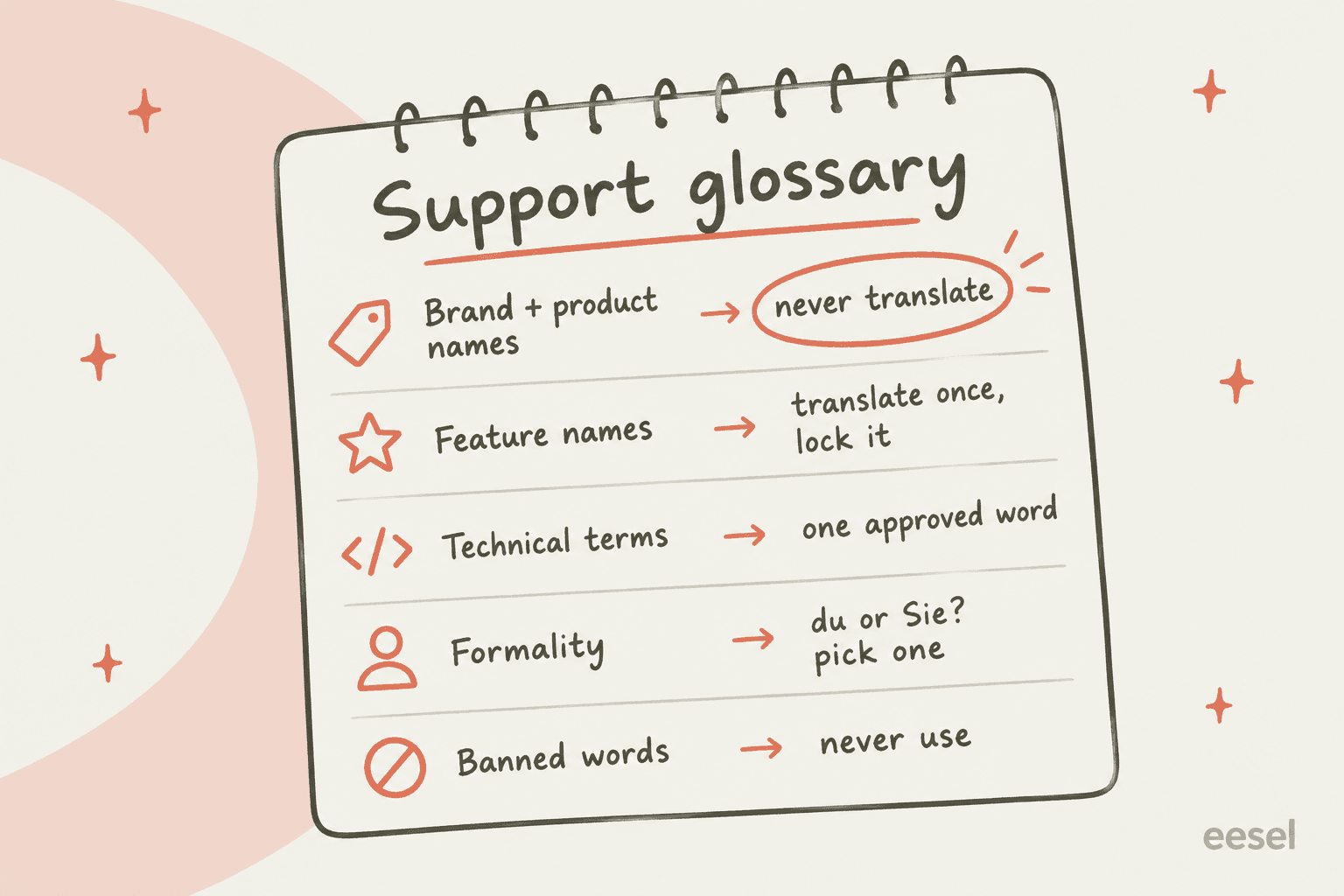
Why support needs a glossary more than marketing does
Marketing translates a page once, a reviewer reads it, and it ships. Support translates thousands of short messages a month, live, with nobody proofreading. Every ticket is a fresh chance for the engine to pick a different word for the same thing. That's why I think the glossary matters more in the queue than on the website.
Four things go wrong without one.
Brand and product names get translated as ordinary words. This is the classic:
"Back in Windows 2000 days, I found instances where "Windows" the product name was translated to "vinduer", the danish word for an actual window."
Amazon documents the same trap in its own product. Without a terminology entry, Amazon Translate turns "Amazon Photos" into "Photos d'Amazon" in French. Their fix is to map the name to itself.
Technical terms come out too literal. I build the AI agents at eesel, and the worry I hear most from technical teams going multilingual is about one specific word. A B2B vehicle telematics team on Zendesk, expanding into German, Spanish and Italian markets, told eesel on a sales call they were concerned that automotive terms like "wiring harness" don't have a direct equivalent in every language. They were right to worry. A wrong part name in a support reply sends a technician looking for the wrong thing.
Formality flips mid-conversation. Many languages split "you" into formal and informal, and engines don't hold the choice steady:
"It had difficulties getting choosing a consistent translation of "you" (informal "du" or formal "Sie") and translated the "it's" variant incorrectly."
A German customer addressed as "Sie" in one reply and "du" in the next reads it as two different companies. Pick one per language and write it down.
Machine-translated support reads as low effort. Customers notice, and they draw conclusions about the whole company:
"if poking around reveals machine translation into dozens of languages, it's a signal that they're probably not prepared to provide reliable services/support."
I'll own a scar from eesel's own queue here. I've seen German and Dutch AI drafts in customer helpdesks show an unfilled first-name placeholder and a bracketed "[Employee Name]". Not a glossary problem exactly, but the same lesson: in a language your reviewers don't read, small errors slip through. Since then, every multilingual rollout I work on gets tested against real past tickets in each language before anything goes out. For more on the bigger picture, see my guide to AI multilingual support and whether AI can handle multilingual support at all.
Does your helpdesk support a translation glossary?
This is where I expected to find a tidy settings page in every tool. I didn't. I went through each vendor's own help center for ticket translation, help center translation, and any term control. Here's what's documented as of October 2026:
| Helpdesk | Built-in translation | Plan or add-on | Glossary or term control |
|---|---|---|---|
| Zendesk | Tickets on all channels except voice; AI help center article translation | Tickets on Team and up; excluded terms under the Copilot add-on ($50/agent/month, annual) | Partial. Up to 300 do-not-translate terms, help center articles only. Tickets: not yet |
| Freshdesk | Live Translate on tickets, one click per ticket | Pro and Enterprise; capped at Copilot licenses x 100 tickets/month | Not documented |
| Gorgias | Inbound and outbound ticket translation | All helpdesk plans | Not documented (skip whole languages only) |
| Front | Translate for email and chat-like channels | Starter, Professional, Enterprise | Not documented ("Never translate" is a language, not a term) |
| Help Scout | AI Assist select-and-translate | Plus and Pro (user-based plans) | Not documented |
| HubSpot | AI knowledge base translation | Service Hub Pro and Enterprise | Not documented |
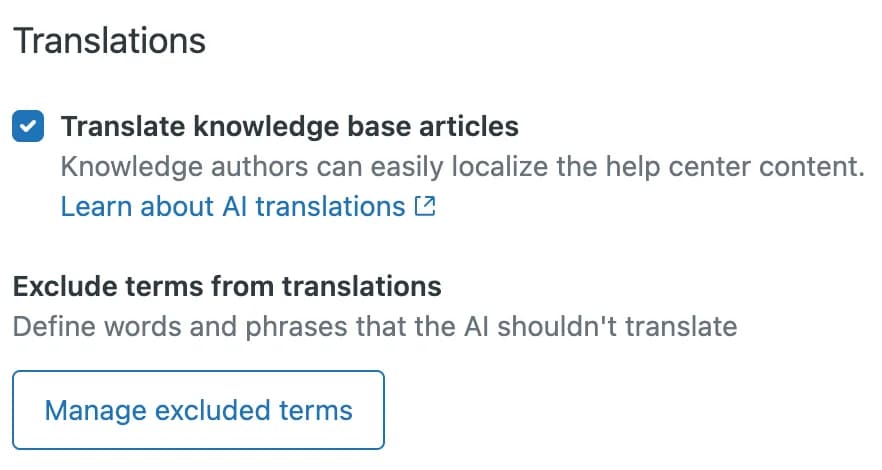
Zendesk is the most interesting row. Its excluded terms setting lets you list up to 300 case-sensitive words the AI shouldn't translate, such as brand names. But that list applies to AI help center article translation. For ticket conversations, Zendesk's own announcement says "Translation glossaries and excluded terms for translations are scheduled for a future release." Nothing in the September 2026 release notes ships it yet. Zendesk's auto-translate for incoming messages is solid for reading tickets; it just can't protect your terms. If you're weighing the native route against add-ons, I compared them in Zendesk translation options.
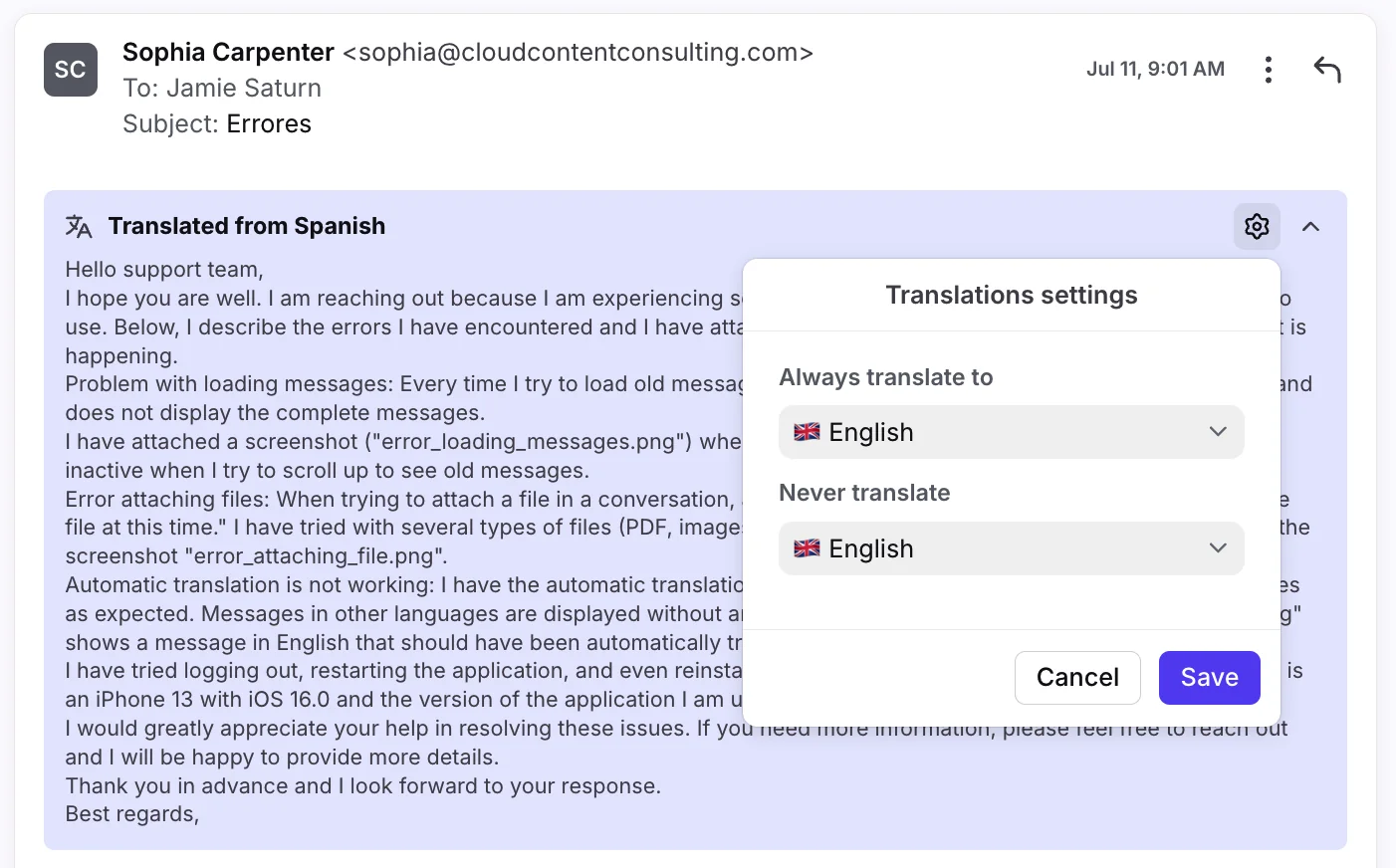
Front's settings show the gap clearly. You choose a language to "Always translate to" and a language to "Never translate", which is handy for skipping English emails, but there's no field for terms. Front's AI translate is fast and well placed in the inbox; it just treats every word as fair game. Gorgias is similar: per-user settings decide which languages to skip, while its AI Agent has a separate forbidden-words field for what it writes.
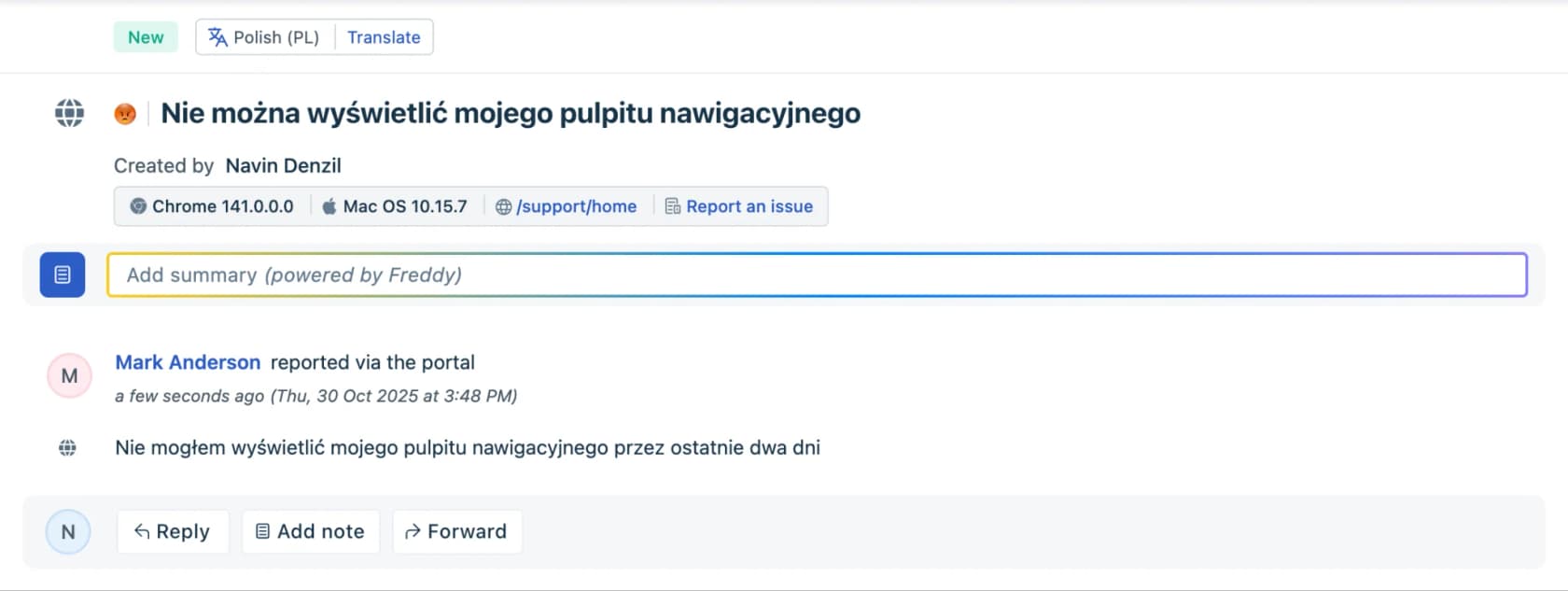
Freshdesk works the same way at the ticket level: a language chip and a Translate button, powered by Freddy AI. It does the job for reading a Polish ticket quickly. Your product names are on their own.
The two specialist add-ons are where glossaries are a first-class feature. Unbabel takes a customer-supplied glossary as an Excel list or a .tbx term database, and notes the glossary "is not automatically created and updated during the translation process." Language I/O applies a custom glossary before translating (their example stops "apple pencil" becoming "pomme crayon") and adds a self-improving glossary that suggests new terms from your conversations. Neither publishes a price.
Where glossaries actually live: the translation engines
If your helpdesk doesn't hold the glossary, the engine underneath often can. All four big machine translation engines support one, with very different limits:
| Engine | Glossary feature | Key limits | Do-not-translate and formality |
|---|---|---|---|
| DeepL | Glossaries, plus style rules and custom instructions | Web Free and Individual: 1 glossary, 5 entries per language pair. Team: 5 glossaries, 1,000 entries. API Free: 1 glossary, 1,000 entries | ignore_tags for untranslated text; formality on supported languages |
| Google Cloud Translation | Unidirectional glossaries and equivalent term sets | 10,485,760 bytes per glossary file, 10,000 glossaries per project; glossary creation is free | Case-sensitive by default; contextual glossary only on the Translation LLM model |
| Amazon Translate | Custom terminology | 20 MB per file, 100 files per region, 1 file per request | translate="no" in HTML; formality for 11 target languages |
| Azure Translator | Dynamic dictionary and Custom Translator dictionaries | Dynamic dictionary needs English on one side and a set source language | notranslate in HTML; formal, informal or neutral tone on the 2026-06-06 API |
Two details matter more than the headline limits.
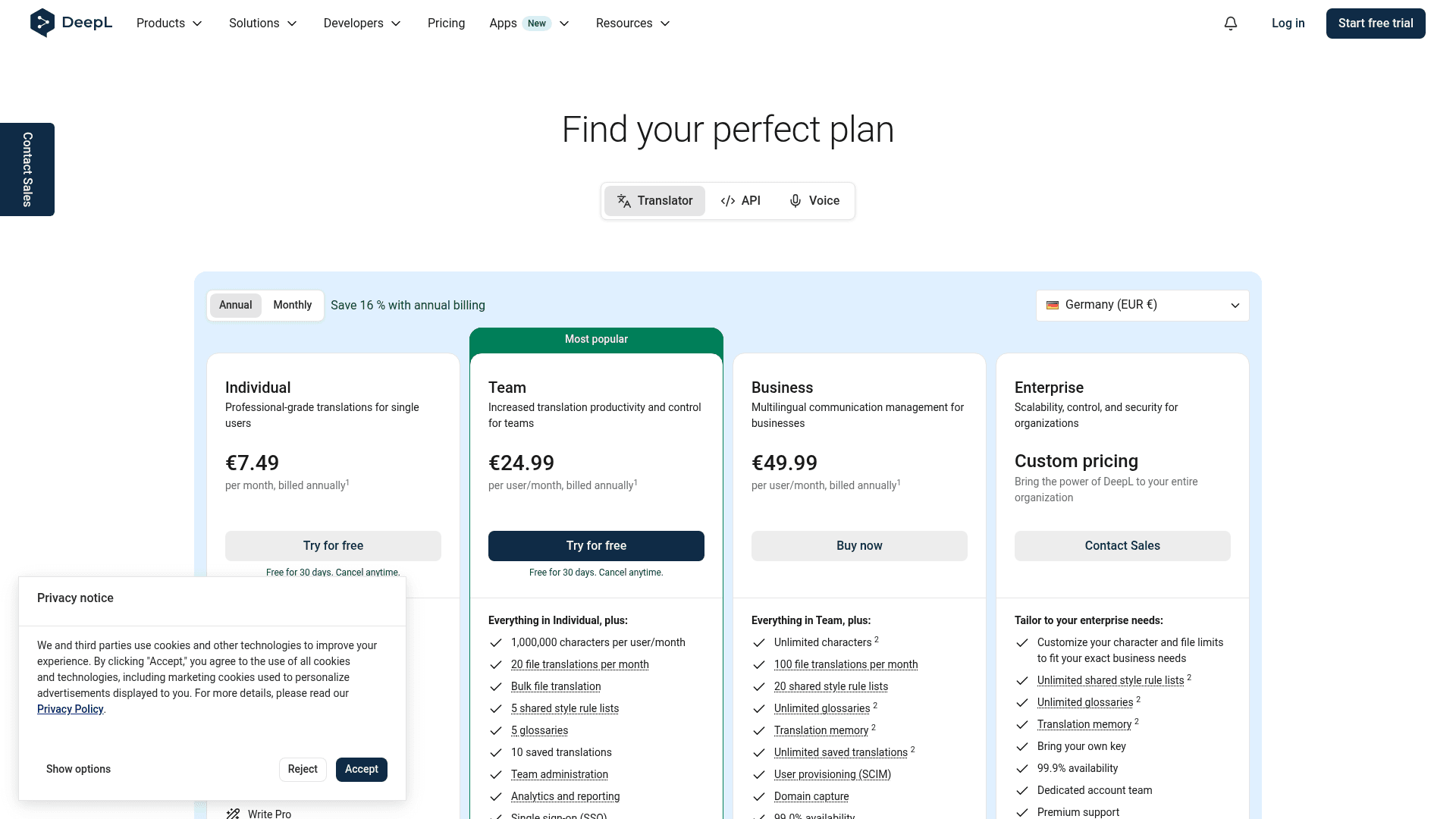
First, DeepL's cheap web plans now hold 5 glossary entries per language pair. That's on DeepL's own plan page, and paying users noticed:
"Among these changes, reducing the glossary limit to a mere 5 entries is absolutely ridiculous for paying customers who rely on this tool for professional work."

Five entries covers your company name and four products. A real support glossary is usually 50 to 200 rows, so you need Team or the API. My DeepL pricing breakdown has the full plan math.
Second, a glossary is a strong hint, not a guarantee. Amazon says plainly that it "doesn't guarantee that it will use the target term for every translation", because it weighs the term against context. Microsoft says its neural dictionary misses the requested term "less than 0.1%" of the time. Both are honest, and both mean you still need to spot-check. If you're shopping engines, my list of DeepL alternatives covers the support-focused options, and my DeepL review covers accuracy.
How to build a support translation glossary in 7 steps
This is the process I'd run with a support lead and one bilingual reviewer per language. Budget about a week for the first version and 30 minutes a month after that.
1. Pull candidate terms from where customers actually see them
Don't brainstorm from a blank page. Mine four places:
- Your app's own UI labels (button and menu names customers will type back at you)
- Your top 30 macros and saved replies, including multilingual templates
- Your help center article titles
- Past tickets where an agent corrected a translation, or a customer asked "what do you mean by X?" (a knowledge gap analysis surfaces these fast)
Aim for 50 to 150 terms. Anything past 200 usually means you've added ordinary words that the engine already handles fine.
2. Give each term a rule
Every row needs exactly one rule. If you're unsure which, walk the term through this:
Which glossary rule does this term need?
Open the first question that's true for your term.
Is it your company, product or plan name?
eesel,eesel. This is how Amazon keeps "Amazon Photos" from becoming "Photos d'Amazon".Is it a button, menu or feature name in your app?
Is it a technical term with several possible translations?
Does the right word change by country?
fr-FR and fr-CA, or es-ES and es-MX. Your engine has to support regional variants for this to stick.Is it a word you never want in a reply?
None of the above?
3. Decide formality for every language, once
Write one line per language: German uses "Sie", French uses "vous", Spanish uses "usted" or "tú", Japanese uses polite form. One HN commenter who writes guides for people moving to Germany put the rule simply:
"You must choose formal or informal pronouns (tu/vous, du/Sie) and use them consistently."
Then set it in the engine where you can (DeepL and Amazon both have a formality setting) and in your AI agent's instructions. Zendesk users have asked for exactly this on help center translation, after finding it "always translates to formal German", and there's no setting documented yet. A good tone and brand voice setup covers the rest.
4. Write it as one CSV with one row per term
Every engine accepts CSV, so start there. Keep it boring:
term,rule,de,fr,es,notes
eesel,keep,eesel,eesel,eesel,always lowercase
wiring harness,approved,Kabelbaum,faisceau de câbles,mazo de cables,used by field techs
refund,approved,Rückerstattung,remboursement,reembolso,never "credit"
formality,setting,Sie,vous,usted,applies to every reply
The notes column is for humans. It's where you explain why, so the next person doesn't "fix" a deliberate choice.
5. Load it into every tool that writes to customers
This is the step most teams skip. They load the glossary into one engine and assume they're done, then a macro written in French last year, a help center article, and an AI agent all keep using the old words.
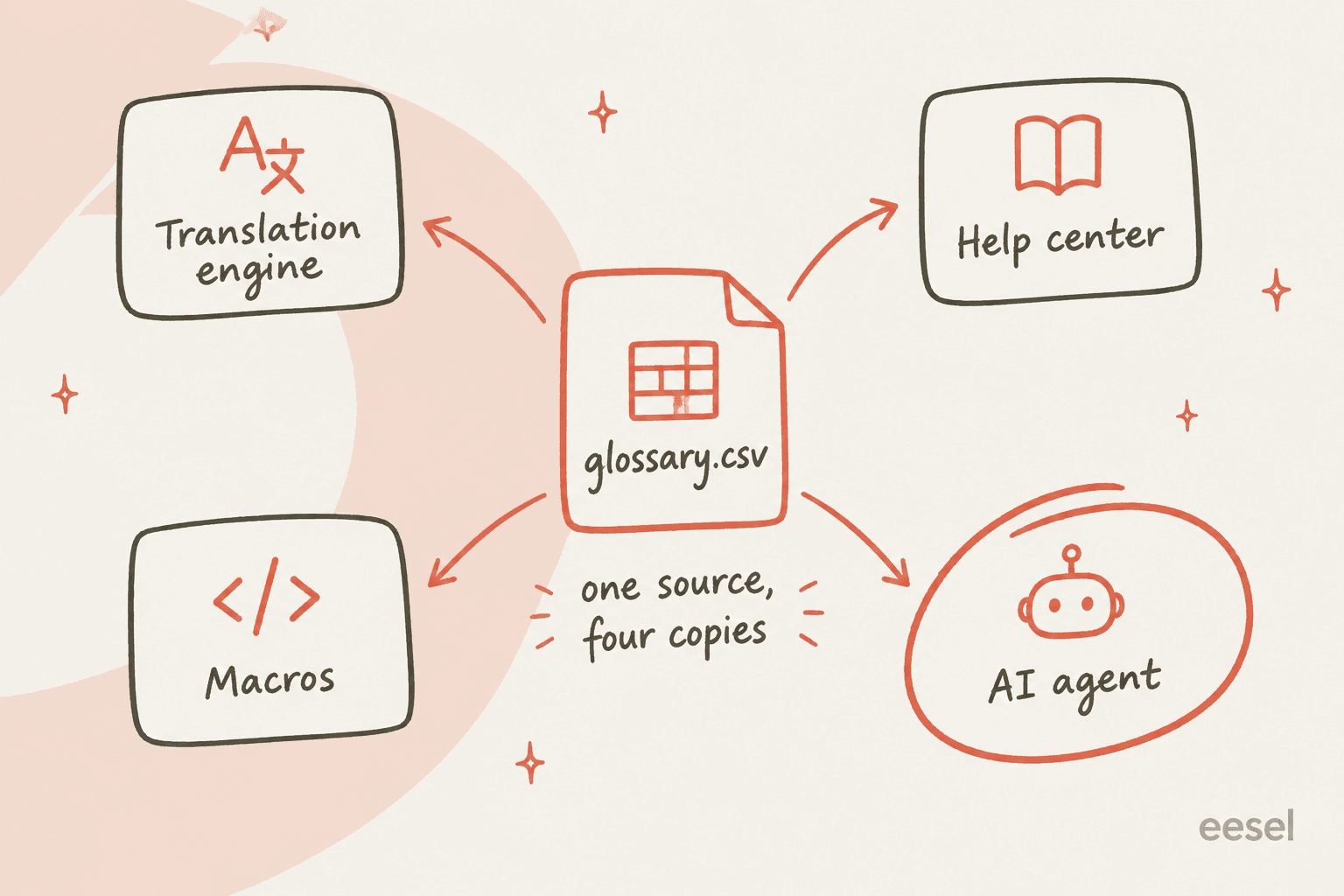
The CSV is the source. Everything else is a copy:
- Translation engine: upload as a DeepL glossary, Google glossary or Amazon terminology file. The same goes for any real-time translation tool you bolt on.
- Help center: add brand names to Zendesk's excluded terms (or your Gorgias help center equivalent), and fix existing multilingual articles by search and replace.
- Macros: check your canned responses in each language against the CSV.
- AI agent: give it the file and the formality rules (more on that below).
6. Test it on real past tickets, not a demo sentence
A glossary that works on "Please reset your password" can still fail on a messy real ticket. Pull 20 resolved tickets per language, run them through your setup, and have your bilingual reviewer check only the glossary terms and the formality. That's a 30-minute job per language. It's the same idea as a knowledge base audit, just narrower.
7. Give it an owner and a fix loop
A glossary rots the same way a help center does. New features ship with new names, and nobody adds them. Name one owner, and make the loop small:
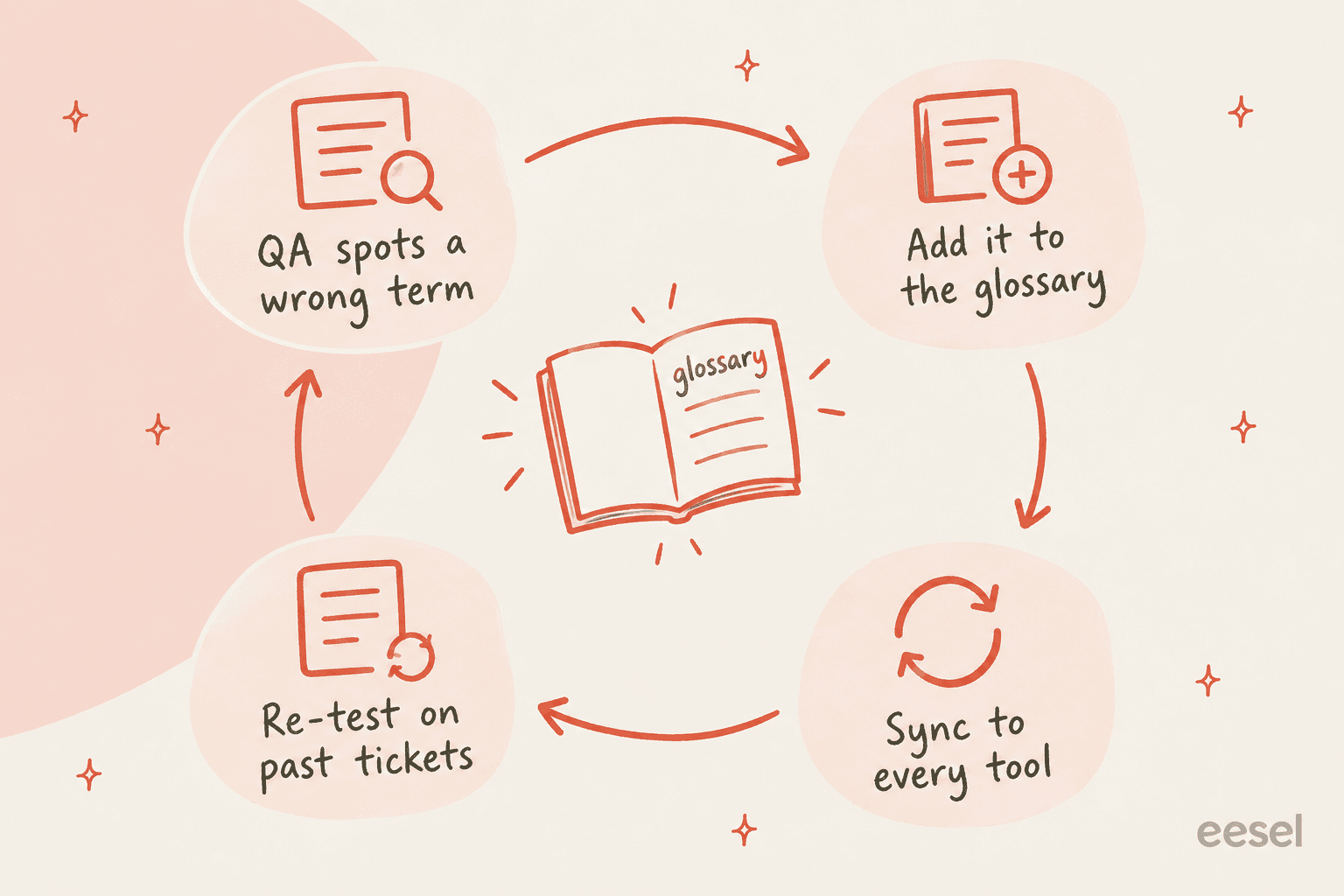
Add "new terms?" to your release checklist, and treat each glossary change like any other policy change: update the source, sync the copies, tell the team.
Common mistakes I see
- Treating the glossary as a translation dictionary. If it holds 2,000 ordinary words, nobody maintains it and the engine gets worse. Keep it to the terms that hurt when wrong.
- One French column for two French markets. A Canadian DeepL customer on Trustpilot said they paid for the glossary because reports "kept being translated with weird Parisian french terms." Split locales when your customers do.
- Forgetting the outbound direction. Most helpdesk translation runs both ways, including multilingual live chat. Your glossary needs the customer's language to English too, or agents will misread incoming product names.
- Assuming the AI agent reads the engine's glossary. It doesn't. An AI agent that writes replies directly in German never touches your DeepL glossary. It needs its own copy, as knowledge or instructions.
- No owner. The glossary is correct on launch day and wrong by the next product release. The habits in my knowledge retention guide apply here too.
Using a glossary with an AI support agent
Here's the reframe I'd leave you with. Once an AI agent drafts replies in the customer's language, the agent is your translation layer, and the glossary has to live inside it. Translating your help center first matters less than you'd think. My roundup of the best AI for multilingual support covers the field. In one eesel trial, a German jewelry brand on Zendesk and Shopify with about 1,000 tickets a month saw the agent answer in eight languages without being set up for any of them. What it can't know on its own is that your "Pro plan" is never called "Profi-Tarif".
With eesel, the docs say the agent answers in the customer's language without you translating your help center. There's no separate glossary screen, and I'd rather be upfront about that. Terminology control runs through three things the docs do support:
- Instructions. Plain-language rules the agent reads on every reply, in every app, such as "use Sie in German" or "never translate our product names" (Instructions and Memory).
- The glossary as a file. Long reference lists belong in a file the agent looks up, not in instructions. Upload the CSV directly (CSV, Word, PDF or Markdown up to 25MB) or connect it from Google Drive or Confluence (uploading files).
- Corrections that stick. Fix a term in a draft, say yes, and the agent writes the fix into its own instructions so it holds next week and in every language.
Before it sends anything, the built-in simulation replays real past tickets and scores the answers, which is step 6 above done for you. Most teams start with drafts as internal notes so agents can review the wording before customers see it.
If you manage this from a terminal, the eesel CLI drives the same teammate. eesel files upload ./glossary.csv adds the term list, eesel instructions insert adds a formality rule, and eesel chat corrects the agent the same way the dashboard does. Every command prints JSON, so a coding agent like Claude Code or Cursor can re-sync the glossary as part of your release script. That turns step 7 from a monthly chore into one line in CI.
Try eesel for multilingual support
If your team answers in more than one language on Zendesk, Freshdesk, Gorgias or Front, eesel joins your helpdesk as an AI teammate that drafts replies in each customer's language, learns from your past tickets and macros, and follows the glossary and formality rules you give it in plain words. Correct a term once and it stays corrected across every language.

The free plan includes 100 credits to test it on your own tickets, and paid plans start at $299 a month for 500 credits (pricing). Try eesel and run your glossary against a week of real tickets before anything reaches a customer.
Frequently Asked Questions
What is a support translation glossary?
How do I create a translation glossary for customer support?
Does Zendesk have a translation glossary?
How many glossary entries does DeepL allow?
What's the difference between a glossary and a translation memory?
Should support replies use formal or informal language in German or French?
Can an AI support agent follow a translation glossary?


Article by
Kira
Kira is a writer at eesel AI with a Computer Science background and over a year of hands-on experience evaluating AI-powered customer service tools. She focuses on breaking down how helpdesk platforms and AI agents actually work so that support teams can make better buying decisions.