AI for Freshdesk: how to add AI agents to your helpdesk in 2026

Kurnia Kharisma

Katelin Teen
Last edited September 5, 2026

The two ways to put AI on your Freshdesk queue
Before you compare features, it helps to know that "AI for Freshdesk" splits into two categories that get talked about as if they were one.
The first is native Freshdesk AI: the Freddy AI suite that Freshworks builds and sells inside Freshdesk itself. The second is a third-party AI layer that connects to Freshdesk through the App Marketplace and API, reads the same tickets, and acts inside the same queue, but comes from a different vendor with a different pricing model.
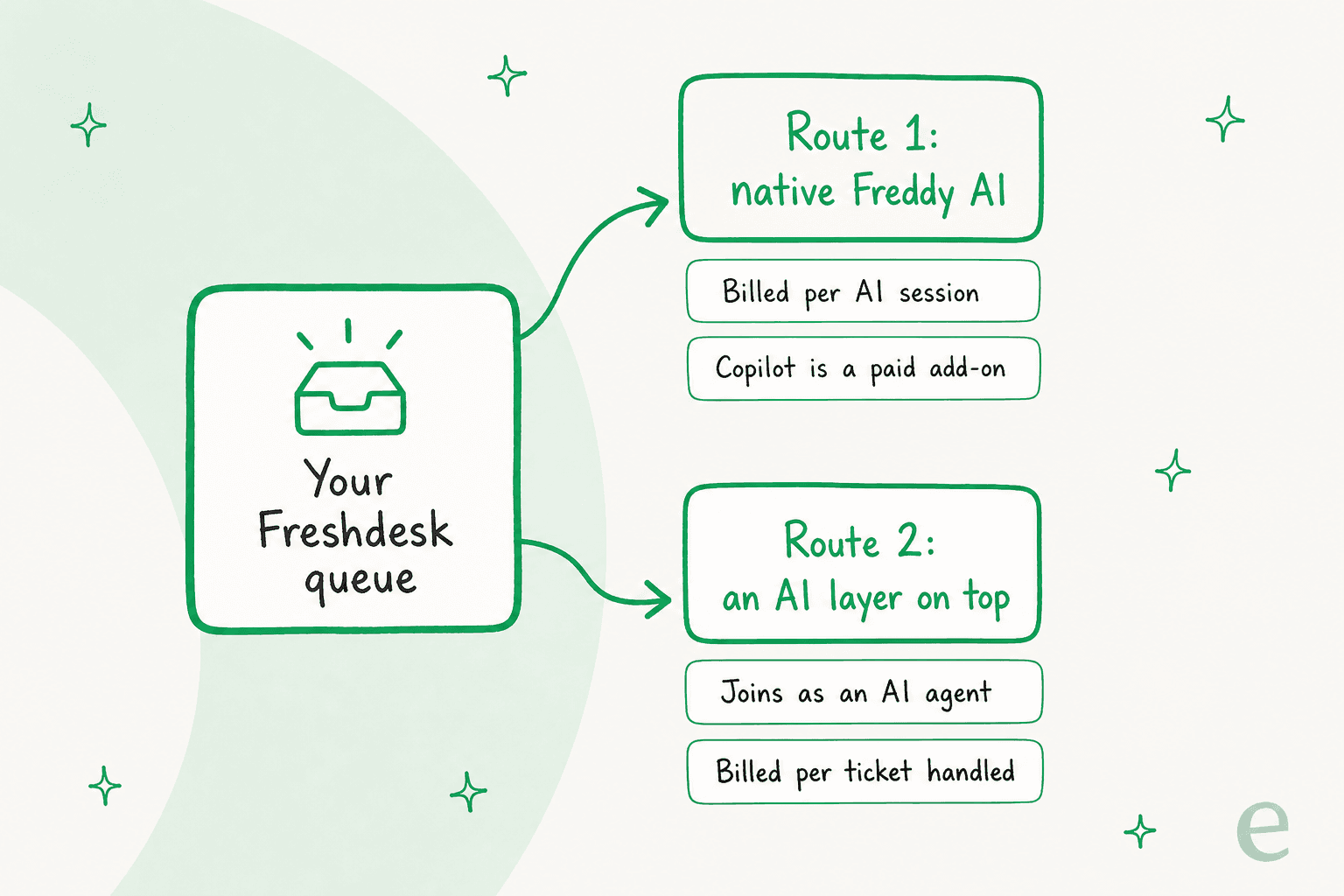
Neither is automatically right. The native route wins on "it's already there." The layer route wins on control and cost predictability. The rest of this guide walks both so you can pick with your eyes open.
One quick note on where I'm coming from. I've spent years watching AI go live on real Freshdesk queues, and it teaches you to be honest about the hard parts. I've watched a confident-sounding bot quietly fabricate an answer and send it to a real customer, which is exactly why the "test before you trust it" section below matters more than any feature list.
Option 1: Freshdesk's own Freddy AI
If you're already paying for a Freshdesk plan, you have AI sitting in the box. Freddy AI comes in three pieces, and it's worth knowing which is which before you look at the bill.
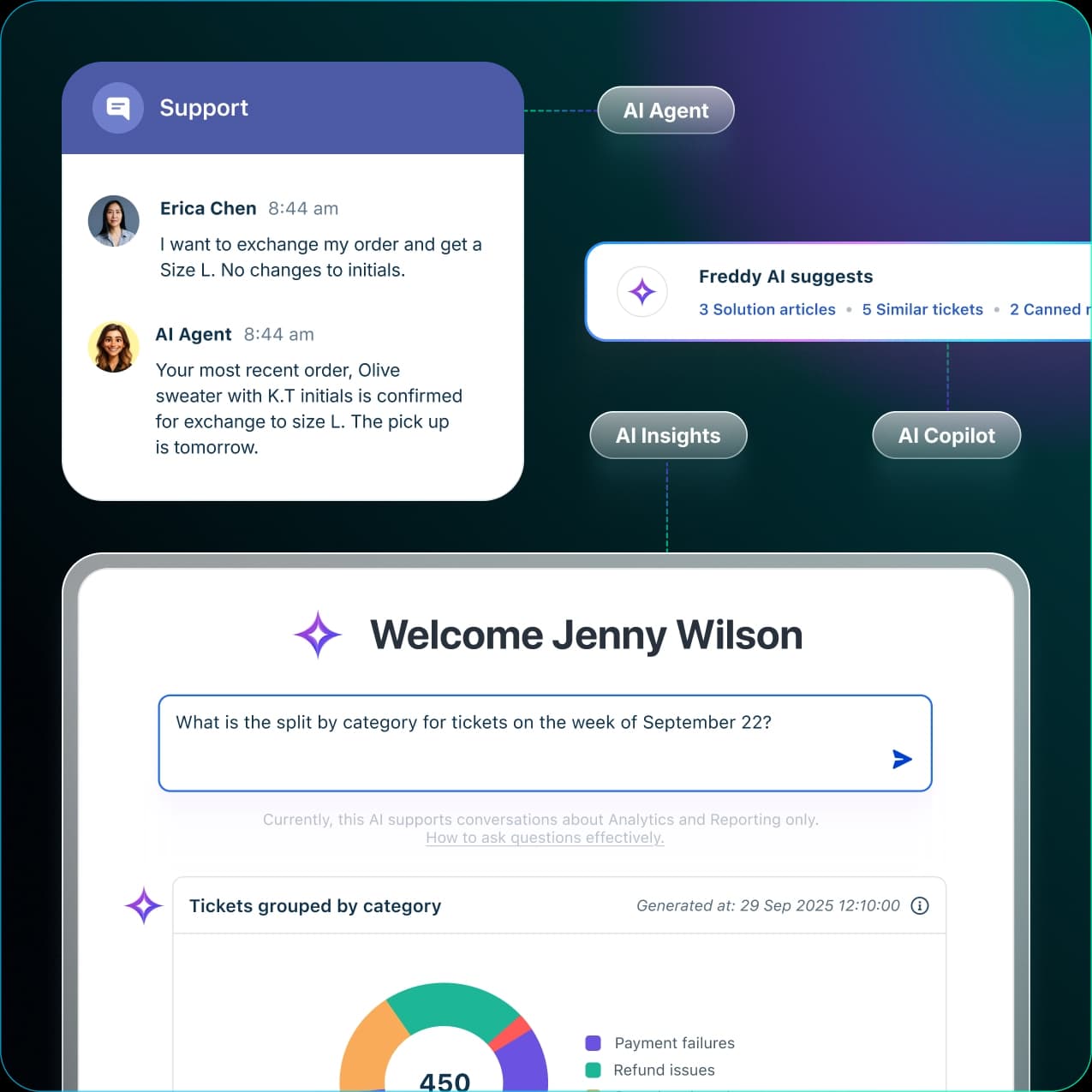
Freddy AI Agent (the autonomous bit)
The AI Agent is the customer-facing bot that resolves a request end to end. Freshworks positions it against old-school chatbots: it runs pre-built agentic workflows, can update records, process refunds, and change subscriptions through connectors like Shopify, Stripe, and PayPal, and Freshworks puts the ceiling at up to 80% of queries resolved. One thing to keep straight: on standalone Freshdesk the AI Agent is email-only, and the conversational chat agent lives on the pricier Freshdesk Omni SKU.
Freddy AI Copilot (the assist-the-agent bit)
Copilot is the other half: an assistant for your human agents inside the workspace. It suggests replies, summarizes long tickets to onboard agents faster, and does live translation across 60+ languages. Worth flagging up front: Copilot is a paid add-on, not bundled into every plan, and it's only available on Pro and Enterprise. That matters for the budget.
Freddy AI Insights (the analytics bit)
Insights is aimed at team leads: it turns conversations into proactive alerts with root cause analysis, surfacing CSAT dips and SLA breach spikes before they escalate. It's included on Enterprise only, and its conversational queries are capped under Freshworks' service limits policy.
To be fair to Freddy, for a small team that wants the basics it does the job. Here's a support-ops lead who tested it hands-on:
"Freshdesk Freddy: for early stage teams that want something simple, it covers the basics auto assignment, suggested replies, FAQ deflection. It's reliable and affordable, nothing crazy."

What native Freddy AI actually costs
Here's the single most important thing to understand about native AI for Freshdesk: the AI Agent isn't priced by seat, it's priced by session. A session is one interaction between a customer and the AI Agent, metered on a 72-hour window for email and a 24-hour window for chat. You're billed for the AI's attempt, whether or not it actually resolves the ticket.
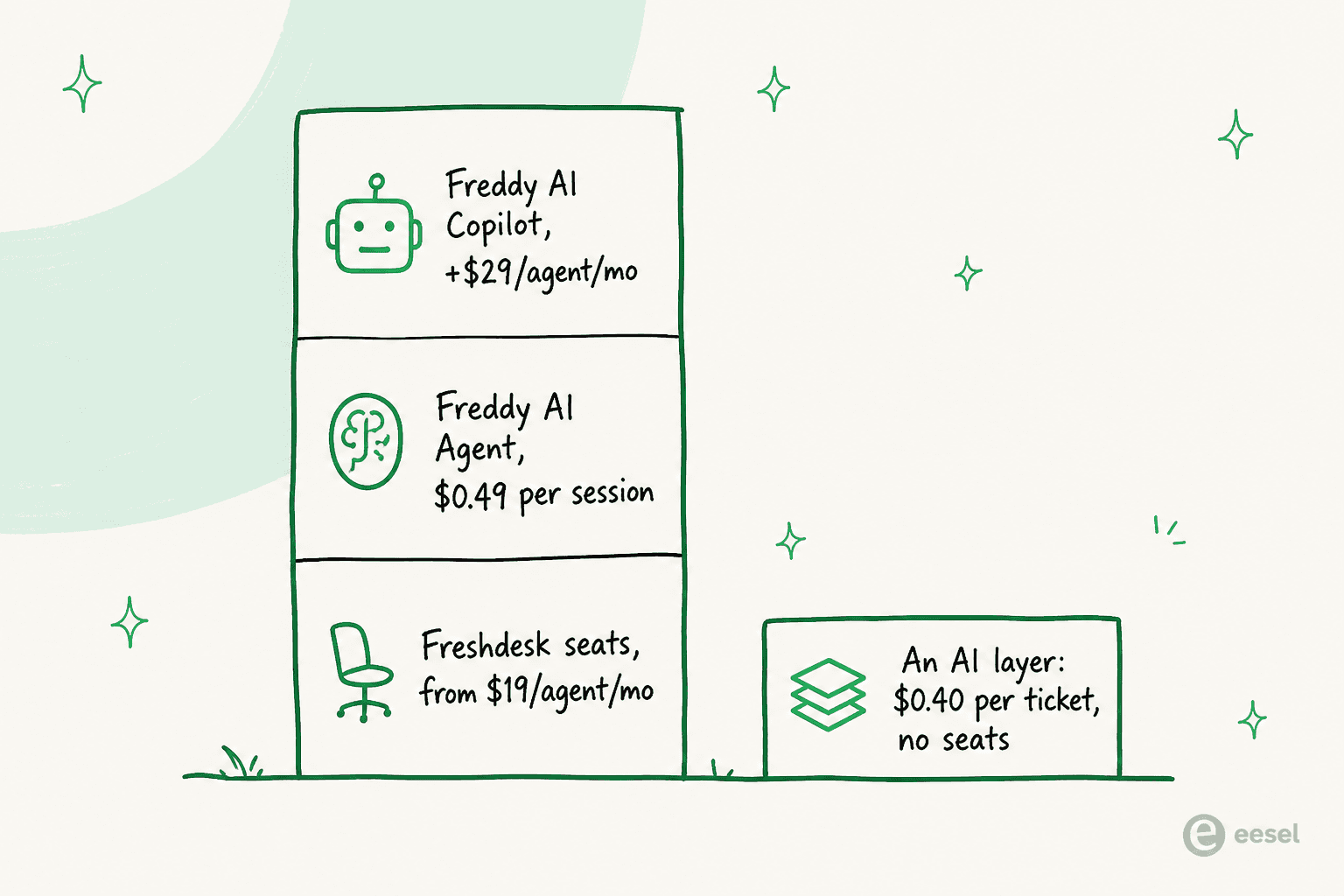
Your Freddy bill stacks up from a few layers:
| Layer | What it costs |
|---|---|
| Seat licenses (standalone) | Growth $19, Pro $55, Enterprise $89 per agent/month (annual) |
| Freddy AI Agent sessions | 500 free once per account, then $49 per 100 ($0.49/session) |
| Freddy AI Copilot | $29 per agent/month add-on (Pro and Enterprise only) |
| Freddy AI Insights | Included on Enterprise only |
So once you burn through the one-time 500-session credit, every interaction the AI Agent handles costs about $0.49. That credit is a trial allowance, not a monthly refill, so plan for the pack price as your steady-state rate. If you want to model your own numbers, I've broken down Freddy AI pricing and the wider Freshdesk pricing ladder separately.
The model is fair in theory (you pay per interaction, not per seat), but the session meter is the thing Freshdesk admins bring up most:
"I do like the UI of Freshservice seems easy to use. The freddy AI is an add on so expensive for what it can do and only available at enterprise."
At volume, per-session pricing scales linearly with your ticket count, and the Copilot add-on scales with headcount. A 10-agent team on standalone Pro that wants agent-assist and handles 1,000 AI sessions a month is looking at roughly $550 in seats, $290 in Copilot, and $490 in session packs, about $1,330 a month on annual billing. That's not a reason to avoid it, but it's the reason a lot of teams start pricing the second route.
Option 2: a third-party AI layer on top of Freshdesk
The alternative is to leave Freshdesk exactly as it is and bolt an AI agent onto it from outside. This is what tools like eesel do, and the mental model is different: instead of a feature you switch on inside Freshdesk, it's a teammate that joins your queue.
The important part is that a good layer doesn't add a separate chatbot widget or a second inbox. eesel joins as a real AI agent inside Freshdesk: it reads tickets, drafts and sends replies, adds private notes, updates ticket fields, manages SLA timelines, and routes to groups, the same way a human agent would.
How a layer joins the queue
Under the hood, the flow is a pipeline that fires on the triggers, dispatch rules, and business hours you already use in Freshdesk rather than bypassing them.
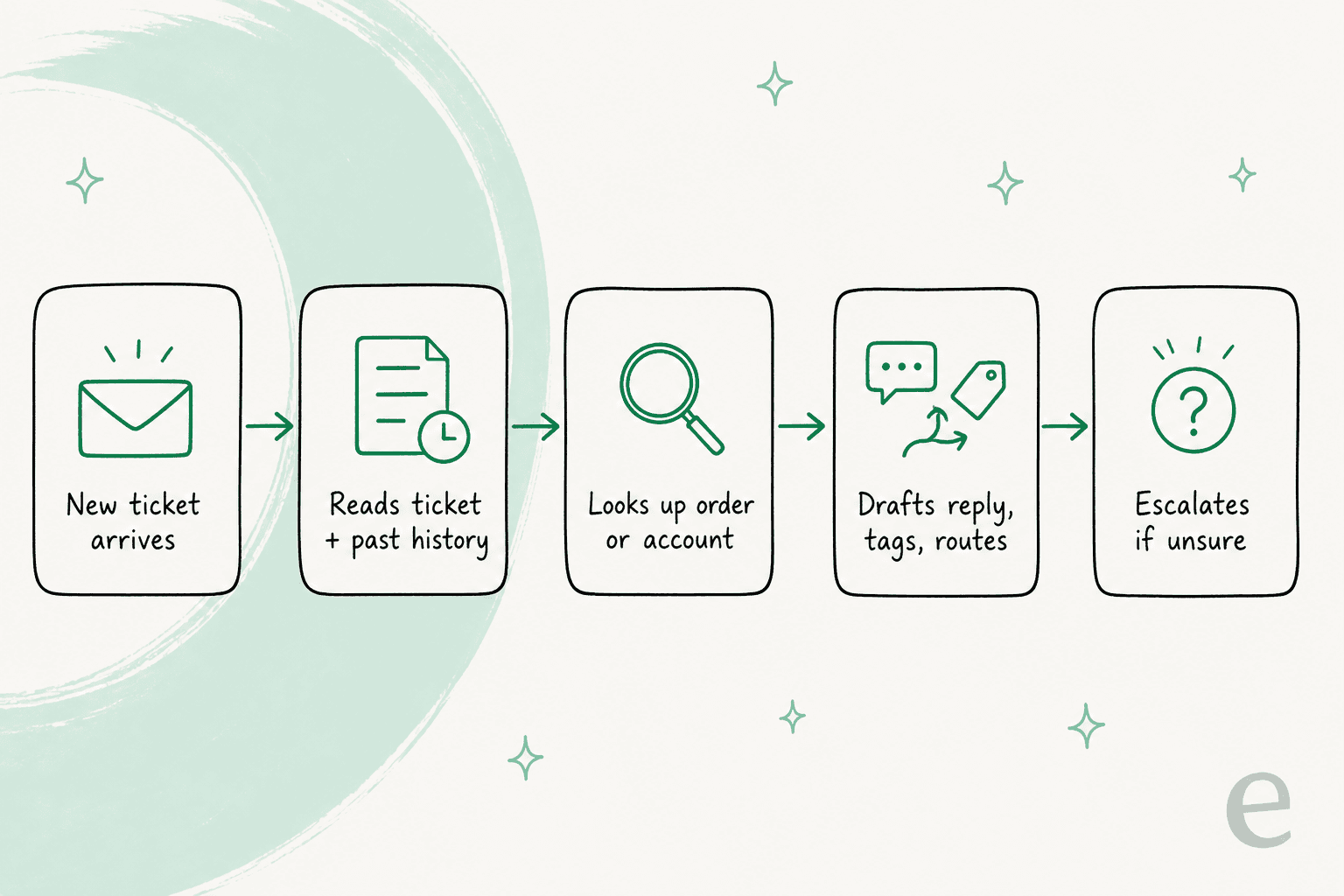
You scope the agent by ticket group, tag, channel, or condition, and it reads the ticket plus past history, looks up an order or account through a custom action, then drafts a reply, tags the ticket, and routes it to the right group. Anything it isn't confident about gets escalated to a human. The sharpest contrast with Freddy is configuration style: instead of a rules engine and dispatch settings, you change how eesel writes, which tickets it handles, and when it escalates by describing it in plain language.
What it trains on
This is where a layer earns its keep. During setup, eesel automatically imports three Freshdesk-native sources: your solution articles, your canned responses, and your past tickets, with no manual training or data labeling. Training on solved tickets is what makes the agent sound like your team instead of a generic bot. You can point it at Confluence, Notion, or Google Docs on top of that, with data privacy controls on what gets indexed.
What it costs
eesel uses 1 credit per ticket handled, however many back-and-forth messages it takes, on one fixed monthly price with no platform fee and no per-seat pricing. Here's the native session meter against the matching eesel plan, at the same volumes:
| AI interactions / month | Native Freddy AI Agent ($0.49/session) | eesel (plan price) |
|---|---|---|
| 500 | $245 | $299 (500 credits) |
| 1,000 | $490 | $499 (1,000 credits) |
| 3,000 | $1,470 | $1,349 (3,500 credits) |
At low volume the native meter is about even or cheaper per interaction, and the gap only opens as volume climbs. The bigger difference is what's bundled: the eesel price covers drafting and autonomous resolution in one number, where native Freddy splits agent-assist into the separate $29-per-seat Copilot add-on and gates chat behind the Omni SKU. To be fair to Freshworks: native Freddy needs zero new vendor, zero new contract, and zero integration work, which has real value if your team is small and your volume lives inside the free session credit. Teams comparing Freddy alternatives usually end up weighing exactly that trade.
Test it before you trust it
Whichever route you pick, the rule is the same: don't point AI at live customers on day one. This is the part that separates a good rollout from a support-quality incident, and it's a lesson from real Freshdesk queues, not a hypothetical:
"We tested an ai integration in freshdesk and had almost the exact same experience. it worked for very simple tickets but anything slightly complex got misclassified. agents ended up spending more time fixing errors than before, so we had to rethink our approach."
The failure mode is a bot that sounds confident and is quietly wrong. The fix is simulation: run the AI against your past Freshdesk tickets, see where it's strong and where it has gaps, fill the gaps, and only then let it touch a real ticket. eesel's simulation surfaces per-topic coverage and points at the exact tickets that expose a gap, for example flagging that 23 tickets last week asked about pro-rated refunds while your docs only cover full cancellations, so you close it before go-live. On Freshdesk's side, a sandbox on higher tiers lets you stage changes for a similar purpose.
The safe rollout order, in both worlds, looks like this:
- Connect your knowledge and past tickets.
- Simulate against history and check coverage per topic.
- Go live in draft-only mode so a human approves every reply.
- Flip the easy, high-volume ticket types to autonomous once you trust them.
- Widen scope gradually, keeping escalation rules tight.
I've seen this work at real scale on Freshdesk. Design.com handles 50,000+ tickets a month on Freshdesk with a multi-agent setup, and eesel reports an average 85%+ tier-1 resolution rate out of the box within a week. Those numbers only happen because teams simulate first and widen scope on purpose, not because someone flipped a switch on a Friday.
Setting up AI for Freshdesk
The practical steps differ by route, but both are doable in an afternoon.
Native Freddy AI lives in your Freshdesk admin settings. You configure the AI Agent in Freddy AI Agent Studio, point it at your solution articles, set which channels it covers (remember chat needs Omni), and add Copilot seats for the agents who want reply suggestions. There's a deeper walkthrough in my Freshdesk AI setup guide.
A layer like eesel is a Marketplace install:
- Install the eesel app from the Freshdesk App Marketplace and authorize it in two clicks (you need Freshdesk admin rights). The whole setup is no-code and takes under 30 minutes.
- Let it auto-import your solution articles, past tickets, and canned responses. No manual training or data labeling.
- Describe, in plain language, which tickets it should handle, how it should write, and when to escalate. There's no rules engine to wire up.
- Simulate, start in draft mode, then go live. You can connect multiple Freshdesk portals, each with its own agent, knowledge, and tone.
If you're mostly after agent-side speed rather than full automation, the narrower agent-assist setup is the lightest possible starting point.
So which should you actually pick?
Here's the honest decision, stripped of vendor spin.
- Stay native if your volume is low, you want the fewest vendors, and you can live inside the free session credit and a couple of Copilot seats. It's already in your plan, and for a small team that keeps it close to painless.
- Add a layer if you want to test on your own tickets before go-live, keep a predictable fixed monthly cost at scale, or train the agent explicitly on your ticket history and canned responses. This is where the session meter plus the Copilot add-on starts to hurt and a fixed monthly plan wins.
For most teams past a few hundred automated tickets a month, the deciding factor isn't features (both resolve tickets well), it's the meter and the safety net. If the per-session math plus per-seat Copilot scares you, or you want a proper dry run before any customer sees an AI reply, that's your signal to look at a layer. If neither is a worry, native is the least-effort path. For a wider field, my roundup of the best AI for Freshdesk and the broader AI helpdesk software category both go deeper.
Try eesel on your Freshdesk queue
If the layer route sounds right, eesel's Freshdesk integration is built for exactly this: it joins your existing queue as an AI agent, trains on your past tickets, solution articles, and canned responses, and lets you simulate it on real history before it ever replies to a customer. Setup is a Marketplace install that takes under 30 minutes, pricing is a fixed monthly plan from $299/month for 500 credits with no per-seat fee, and you can start in draft mode and widen scope at your own pace.
You can try eesel free with 100 credits and no credit card, which is more than enough to run a full simulation on your own Freshdesk tickets and see the coverage numbers for yourself before you commit to anything.