
Most AI helpdesk software passes the demo and fails the inbox because it only handles basic FAQs. We compared 12 tools on how far their AI gets past tier-1 tickets, what they really cost, and how fast a support team can get them live. One specific criterion separated the "bots" from the "teammates".
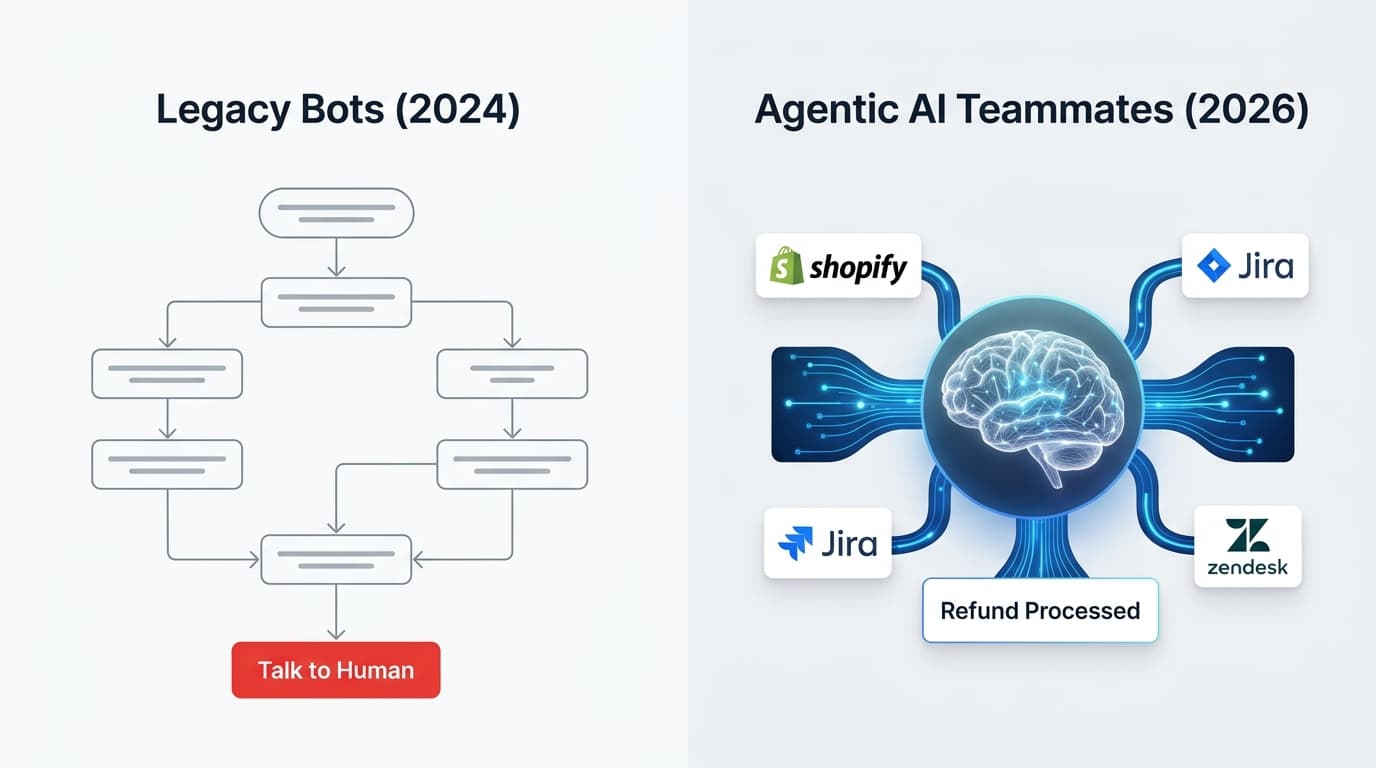
The standard for support automation has shifted. In 2026, it is no longer enough for a bot to point a customer to a help center article. Modern teams need agents that can actually do the work, from processing refunds to updating subscription plans, without a human looking over their shoulder at every step. This move from basic retrieval to agentic AI is what defines support software this year.
Short answer
The best helpdesk software depends on what you already run. Zendesk, Freshdesk and Help Scout are the strongest all-round helpdesks with AI built in, Gorgias leads for Shopify stores, and Salesforce Service Cloud or HubSpot Service Hub make sense if your CRM already lives there. If you want to keep your current helpdesk and add an AI agent that works inside it, eesel AI plugs into Zendesk, Freshdesk, Gorgias and 1,000+ other tools, from $299/mo for 500 tickets.
Which AI helpdesk fits your team?
- You already use a helpdesk and want AI on top of it: eesel AI
- You want a full-featured helpdesk for a large or global team: Zendesk AI
- You want an affordable helpdesk with AI sessions included: Freshdesk (Freddy AI)
- You want the simplest shared inbox with AI built in: Help Scout
- You sell on Shopify or another ecommerce platform: Gorgias
- You're an enterprise on the Salesforce CRM: Salesforce Service Cloud (Agentforce)
- Your sales and marketing already live in HubSpot: HubSpot Service Hub (Breeze)
- Your company already runs on Zoho apps: Zoho Desk (Zia)
- You run high-volume online retail support: Kustomer
- You're a product-led SaaS team that wants support tied to your roadmap: Featurebase
- You support B2B customers in shared Slack channels: Pylon
- You need governed automation for internal IT, HR or finance teams: Elementum
Comparison table: Best AI helpdesk software at a glance
Here's a side-by-side look at who each tool fits, how strong its AI is, and how it charges.
| Tool | Best fit | AI strength | Pricing |
|---|---|---|---|
| eesel AI | Teams that want AI without replacing their helpdesk | AI agent, copilot and triage trained on past tickets and docs; test on past tickets before launch | Free plan with 100 credits; from $299/mo for 500 tickets (1 credit per ticket or chat), no seat fees |
| Zendesk AI | Large and global teams committed to Zendesk | AI agents, intelligent triage, Copilot for agents | From $19/agent/mo (Support Team, annual); AI agents $1.50 to $2.00 per automated resolution past the included allowance; Copilot $50/agent/mo |
| Freshdesk (Freddy AI) | Small and mid-sized teams that want AI included | Freddy AI Agent for email and chat; Copilot drafts and summarizes | From $19/agent/mo (Growth, annual); first 500 AI Agent sessions included, then $49 per 100; Copilot $29/agent/mo |
| Help Scout | Small teams that want a simple shared inbox | AI Answers in chat, plus drafting and summaries for agents | Free for up to 5 users; $25/user/mo (Standard, annual); AI Answers $0.75 per resolution |
| Gorgias | Ecommerce brands on Shopify and similar platforms | AI Agent that answers order questions with live store data | From $10/mo (Starter, 50 tickets); AI Agent $0.85 to $1.00 per automated interaction |
| Salesforce Service Cloud (Agentforce) | Enterprises on the Salesforce CRM | Agentforce agents that use full CRM data | From $25/user/mo (Starter Suite); full Agentforce for Service suite in Max at $550/user/mo (annual) |
| HubSpot Service Hub (Breeze) | Teams whose sales and marketing run on HubSpot | Breeze Customer Agent with CRM context | Free for up to 2 users; Customer Agent from Professional at $90/seat/mo (annual) + $0.50 per resolved conversation |
| Zoho Desk (Zia) | Cost-conscious teams already on Zoho apps | Zia triage, reply suggestions and custom AI agents | Free for 3 users; from $7/agent/mo (Express, annual); Zia included from Professional ($23/agent/mo, annual) |
| Kustomer | High-volume online retail teams | AI agents for customers and reps, using one customer timeline | Custom pricing (contact sales); AI agent $0.60 per engaged conversation |
| Featurebase | Product-led SaaS teams and startups | Fibi AI agent linked to feedback and the roadmap | From $29/seat/mo (Growth, billed yearly) + $0.49 per AI resolution |
| Pylon | B2B teams supporting customers in Slack | AI that sorts channel conversations and drafts replies | Contact sales (prices no longer published) |
| Elementum | Enterprise IT and internal operations | Governed automation that queries data where it lives | Custom pricing (contact sales) |
What is AI helpdesk software in 2026?
AI helpdesk software has evolved from rigid, rule-based chatbots into autonomous support agents that reason and act like human teammates. The "if-this-then-that" trees of the past have been replaced by large language models that understand intent and context.
The most significant change is the move toward grounding AI in your specific company data. Using Retrieval-Augmented Generation (RAG), these tools ingest your past tickets, help center articles, and internal documentation to ensure every response is accurate and on-brand. This prevents the hallucinations that plagued earlier versions of AI support.
In 2026, the industry standard is measured by autonomous resolution rather than simple triage. Leading platforms can now handle up to 80% of frontline queries end-to-end, including multi-step workflows that require interacting with other software like Shopify or Jira.
Our testing criteria: How we picked the winners
To find the best AI helpdesk software, we evaluated dozens of platforms against a strict set of standards. We ignored the marketing fluff and focused on how these tools perform in a live environment. Our AI triage and evaluation process looked at four key dimensions:
- Time to Value: We looked for tools that could be customer-facing in minutes or hours, not weeks. Platforms that required heavy engineering or manual training were penalized.
- Automation Depth: We tested whether the AI could handle complex, multi-step actions (like checking an order status and issuing a partial refund) or if it was limited to answering frequently asked questions.
- Accuracy and Governance: Safety is non-negotiable. We prioritized tools with built-in simulation modes that allow you to test responses against historical data before they ever reach a customer.
- Setup Complexity: We preferred self-serve platforms that any support manager can train with written instructions in everyday language.
The 12 best AI helpdesk software tools in 2026
Here's a full breakdown of each tool: what it is, why it made the list, what it costs, and where it falls short.
1. eesel AI: best for adding an AI teammate to the helpdesk you already use
We built eesel AI around a simple mental model: you don't configure our software; you hire our AI Helpdesk Agent. Like any new teammate, our AI joins your workspace, learns your business in minutes, and starts with guidance before leveling up to full autonomy. It works inside the helpdesk you already have, like Zendesk, Freshdesk or Gorgias, and connects to 1,000+ tools.
Why we chose it: The standout feature of our platform is the Simulation mode. Before you ever let our AI talk to a real customer, you can run it against thousands of your past tickets. You'll see exactly how it would have responded, allowing you to catch gaps and tune instructions in a safe environment. This testing phase is why our users often achieve an autonomous resolution rate of up to 81%.
Training our AI is as easy as talking to a person. You don't need to build complex decision trees. Instead, you give it instructions in everyday language, such as "always escalate billing disputes to a human" or "politely decline refund requests older than 30 days." Our AI Copilot also works alongside your human agents, drafting replies that they can review and send with a single click.
Pricing: eesel AI's pricing is one fixed monthly price sized by credits. 1 credit is 1 ticket or 1 chat, however long, and it counts whether or not the AI resolves it.
- Free: 100 credits to try every feature and integration, no card needed.
- Teammate: $299/mo for 500 credits, $499 for 1,000, $699 for 1,500, $999 for 2,500, $1,349 for 3,500, and $1,899 for 5,000. Above that, talk to us.
- No seat or platform fees: unlimited agents and seats on every plan.
- Overage: optional, at $0.80 per extra credit, with a cap you set.
- Annual: pay a year upfront and get two months free.
Pros:
- Fixed monthly price with no seat fees, so cost doesn't grow with headcount.
- Setup takes minutes and requires zero engineering resources.
- Simulation mode gives you confidence before going live.
Cons:
- Best suited for teams already using a supported helpdesk (Zendesk, Freshdesk, Gorgias, and more).
- The high resolution rate requires well-documented internal processes.
2. Zendesk AI: best for large support teams already on Zendesk
Zendesk remains a titan in the support space, and their AI agents are built for massive scale. AI is part of every Suite plan, and the Copilot add-on gives agents suggested replies, macros and ticket summaries.
Why we chose it: The Zendesk AI helpdesk is particularly strong at intelligent triage. It automatically categorizes incoming requests by intent and language, ensuring they reach the right agent or bot immediately. For large enterprises with complex routing needs across multiple channels, this orchestration is a significant advantage.
However, the cost can grow quickly. AI agents are billed per automated resolution on top of seat prices, and agent-facing AI is a separate add-on. See our Zendesk pricing guide for the full breakdown.
Pricing: Zendesk's pricing is per agent, plus AI usage.
- Support Team: $19/agent/month billed annually ($25 monthly).
- Suite Team: $55/agent/month billed annually ($69 monthly).
- Suite Professional: $115/agent/month billed annually ($149 monthly).
- Suite Enterprise + Copilot: talk to sales, no public price.
- Copilot add-on: $50/agent/month, paid yearly.
- AI agents: every plan includes 5 automated resolutions per agent per month. Extra resolutions cost $1.50 each on a commitment or $2.00 pay as you go.
- Trial: 14 days on Suite Professional, Copilot included.
Pros:
- Deeply integrated into the world's most popular helpdesk.
- Excellent at multi-channel orchestration for global teams.
- High-scale reliability for Fortune 500 companies.
Cons:
- Pricing is complex and expensive for smaller teams.
- The AI only works inside Zendesk, and per-resolution fees rise as the AI does more.
3. Freshdesk (Freddy AI): best for small and mid-sized teams that want AI included
Freshdesk, part of the Freshworks suite, offers Freddy AI to bring "people-first" automation to mid-market teams. They focus on balancing useful AI capabilities with a lower administrative burden, making it a favorite for companies that don't want a dedicated "AI admin" role.
Why we chose it: The Freddy AI automation suite includes the Freddy AI Agent for customers and Freddy Copilot for agents. A unique feature is Freddy Insights, which provides support leaders with proactive alerts and root cause analysis for sudden spikes in ticket volume or dips in CSAT.
Pricing: Freshdesk's pricing is per agent, with AI Agent sessions included on every paid plan.
- Growth: $19/agent/month billed annually ($23 monthly).
- Pro: $55/agent/month billed annually ($66 monthly).
- Enterprise: $89/agent/month billed annually ($107 monthly).
- Freddy AI Agent: first 500 sessions included on all paid plans, then $49 per 100 sessions.
- Freddy AI Copilot: $29/agent/month billed annually ($35 monthly), on Pro and Enterprise only.
- Trial: 14 days on the Enterprise plan.
Pros:
- Very intuitive interface that requires little training.
- Balanced pricing for growing teams.
- Freddy Insights provides genuine intelligence, not just data.
Cons:
- AI resolution performance can lag behind more specialized tools.
- Copilot is a paid add-on and isn't available on the Growth plan.
4. Help Scout: best for small teams that want a simple shared inbox
Help Scout is a shared inbox and help desk that feels more like email than a ticketing system. Its AI tools are built in and easy to switch on.
Why we chose it: Help Scout is one of the easiest help desks to learn. AI Answers responds to customers in chat using your Help Scout Docs and other sources you add, while AI Assist, AI Drafts and AI Summarize help your team write and catch up on conversations faster.
Pricing: Help Scout's pricing is per user, with customer-facing AI charged per resolution. More detail in our Help Scout pricing guide.
- Free: $0 for up to 5 users, 1 inbox and 1 Docs site.
- Standard: $25/user/month billed annually ($30 monthly).
- Plus: $45/user/month billed annually ($54 monthly).
- Pro: $75/user/month billed annually ($90 monthly), minimum 10 users.
- AI Answers: $0.75 per resolution, billed monthly, with a 3-month free trial.
Pros:
- Very easy to set up and use, even for non-technical teams.
- Free plan for up to 5 users.
- Agent-side AI tools are part of the product, not a separate seat add-on.
Cons:
- The AI only works inside Help Scout, so you'd need to use it as your help desk.
- Per-resolution pricing means your AI bill goes up as the AI handles more.
5. Gorgias: best for Shopify and ecommerce stores
Gorgias is a helpdesk built for online stores. It connects closely with Shopify, BigCommerce and Magento, so agents and the AI can see and act on order data without leaving the inbox.
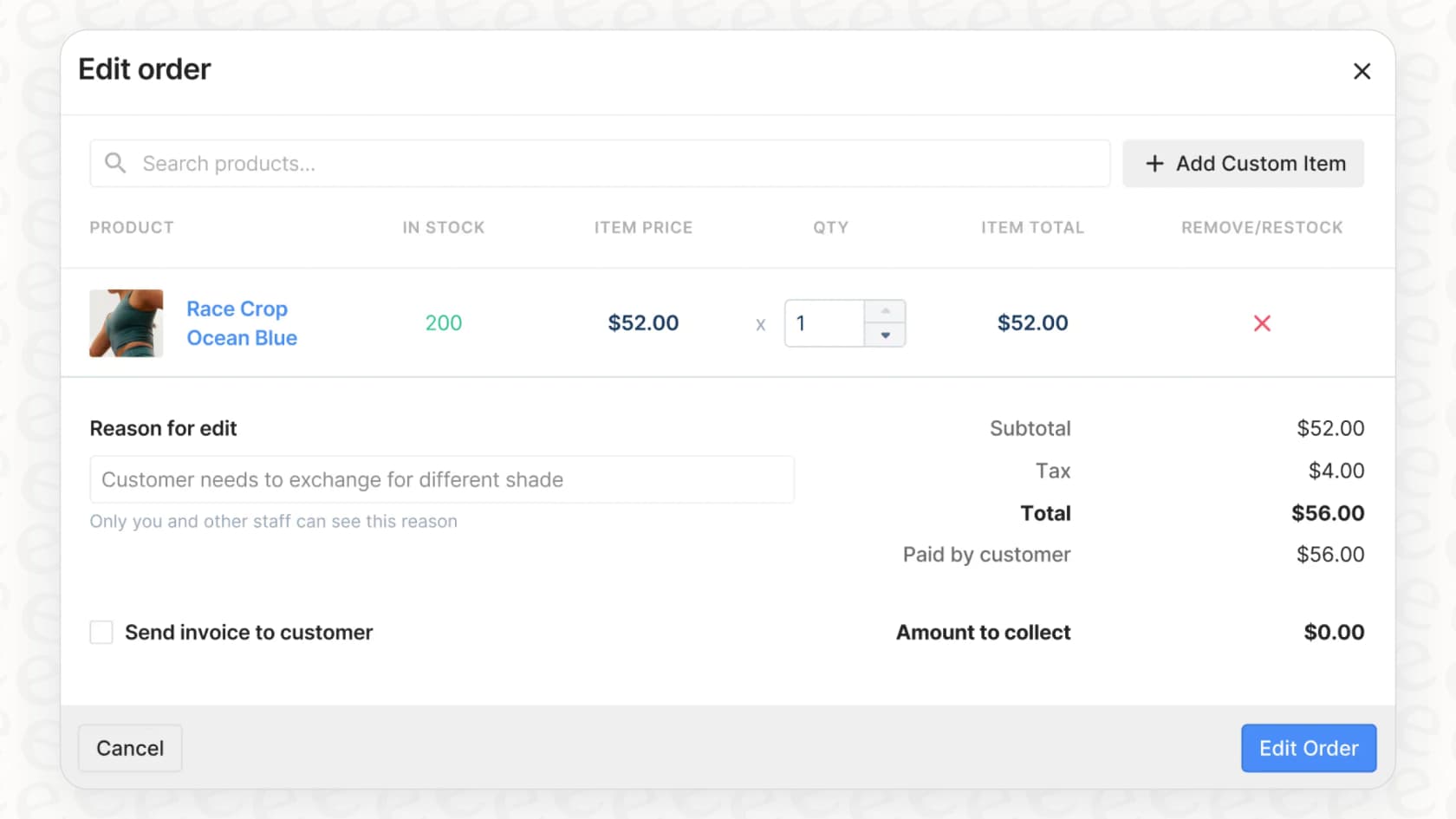
Why we chose it: The Gorgias AI Agent can answer questions like "Where is my order?" by pulling live data from your store. Agents can also edit orders, issue refunds and see a customer's full purchase history from inside a ticket.
Pricing: Gorgias's pricing is based on monthly tickets, with AI Agent charged per automated interaction. See also our Gorgias pricing guide for Shopify stores.
- Starter: $10/month for 50 tickets (monthly billing only). AI Agent $1.00 per automated interaction.
- Basic: $60/month, or $50/month billed annually, for 300 tickets. AI Agent $0.90 per automated interaction.
- Pro: $360/month, or $300/month billed annually, for 2,000 tickets. AI Agent $0.90 per automated interaction.
- Advanced: $900/month, or $750/month billed annually, for 5,000 tickets. AI Agent $0.85 per automated interaction.
- Enterprise: custom pricing for more than 5,000 tickets.
- Trial: 7 days, no payment details needed.
Pros:
- Deep ecommerce integrations make it a natural fit for online stores.
- Agents and AI can act on live order data.
- Low entry price for small stores.
Cons:
- Built for retail, so it's a weaker fit for SaaS or B2B support.
- Ticket allowances plus per-interaction AI fees can add up in busy seasons.
6. Salesforce Service Cloud (Agentforce): best for enterprises already on the Salesforce CRM
Salesforce Service Cloud is the heavyweight for large companies, especially those already using Salesforce for sales and marketing. Its AI, Agentforce, runs AI agents across service channels using the same customer data as the rest of the CRM.
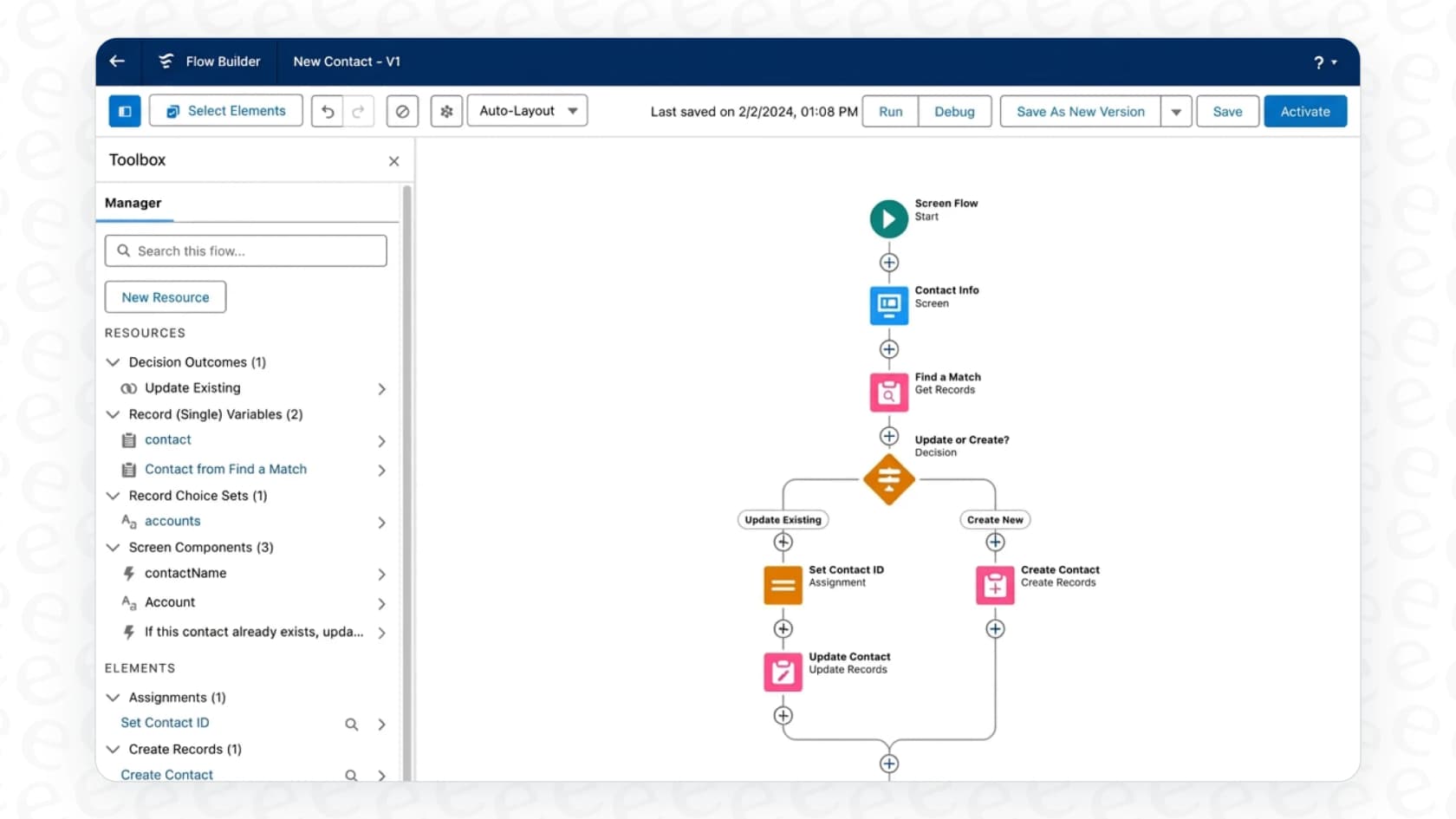
Why we chose it: Salesforce's biggest advantage is its CRM. Agentforce can pull in data from sales, marketing and service to answer and act with full context about the customer. For large companies with complex processes, that depth is hard to match.
Pricing: Service Cloud pricing is per user, and Agentforce pricing adds pay-per-use options on top. Our Agentforce pricing guide goes deeper.
- Starter Suite: $25/user/month, billed monthly or annually.
- Pro Suite: $100/user/month, billed annually.
- Core: $195/user/month, billed annually.
- Advanced: $395/user/month, billed annually.
- Max: $550/user/month, billed annually. Includes the full Agentforce for Service suite.
- Agentforce usage: Flex Credits cost $500 per 100,000 credits (an action uses 20 credits, about $0.10), or $2 per conversation.
Pros:
- Scales for massive global companies.
- Connects service data with a customer's entire history with your company.
- Extensive options for workflow automation and customization.
Cons:
- Needs a serious investment in money and setup time. This is a major project, not a plug-and-play tool.
- Overkill for small or mid-sized teams that don't need a full CRM.
7. HubSpot Service Hub (Breeze): best for teams whose sales and marketing run on HubSpot
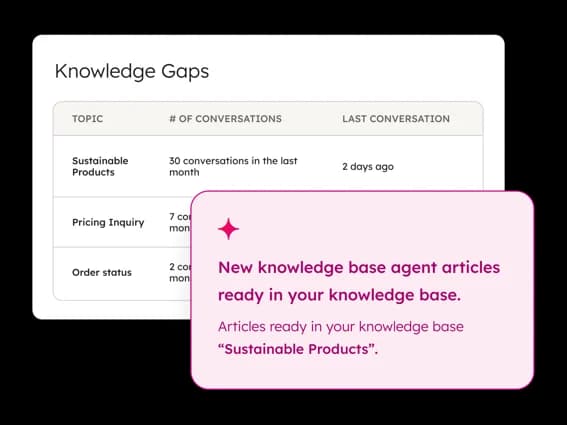
HubSpot Service Hub is the help desk side of HubSpot's customer platform. Its AI, the Breeze Customer Agent, answers customers and hands the conversation to your team when it needs a human.
Why we chose it: If your sales and marketing already run on HubSpot, the AI starts with context most tools don't have. Contact records, deal history and past conversations all sit in the same CRM, so answers can reflect the customer's full history.
Pricing: HubSpot's Service Hub pricing mixes per-seat plans with HubSpot Credits, which pay for AI usage.
- Free: $0 for up to 2 users.
- Starter: shown at $7/seat/month billed annually (marked down from $20), with 500 credits.
- Professional: $90/seat/month billed annually ($100 monthly), plus a one-time $1,500 onboarding fee. Includes 3,000 credits a month.
- Enterprise: $150/seat/month, billed annually, plus a one-time $3,500 onboarding fee. Includes 5,000 credits a month.
- Customer Agent usage: 50 credits ($0.50) per resolved conversation. Credits cost $0.01 each.
- Trial: 14 days of unlimited Customer Agent use once you buy a Professional or Enterprise seat.
Pros:
- The AI uses your full CRM data.
- Help desk, knowledge base and AI agent live in one platform.
- AI usage is charged only when a conversation is resolved.
Cons:
- Professional and Enterprise come with onboarding fees, so the entry cost is steep for small teams.
- It works inside HubSpot's own help desk, so teams on another helpdesk would need to move over.
8. Zoho Desk (Zia): best for cost-conscious teams already using Zoho apps
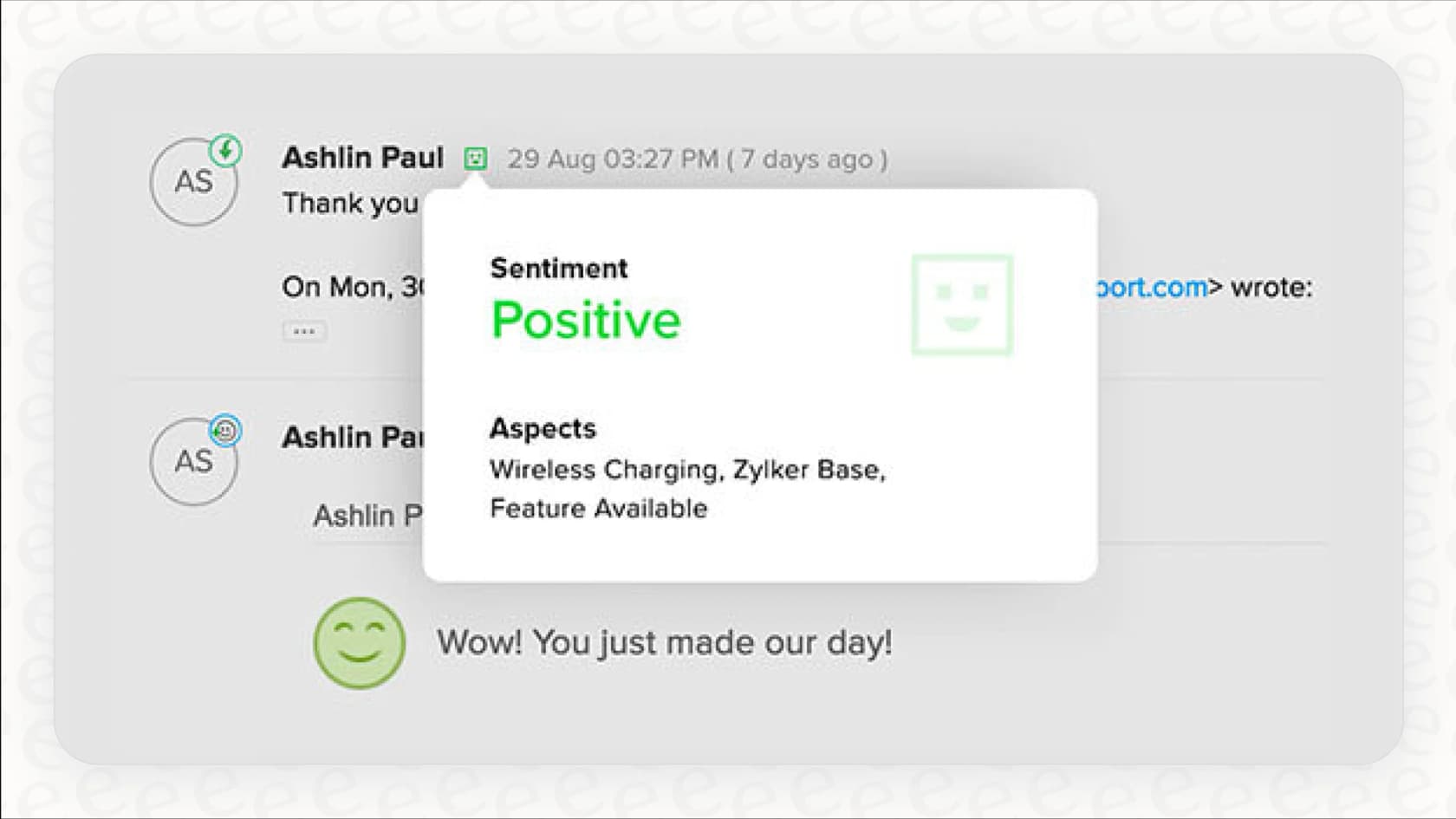
Zoho Desk is Zoho's help desk, and Zia is its built-in AI. It's one of the lowest-priced full help desks around, especially if your company already uses other Zoho apps.
Why we chose it: Zoho Desk packs a lot of AI into low seat prices. Zia handles triage (sentiment analysis, auto-tagging and predicting ticket fields), suggests replies from your help articles, and lets you build your own AI agents.
Pricing: Zoho Desk's pricing is per agent, with Zia included from Professional up. More in our Zoho Desk pricing guide.
- Free: $0 for up to 3 users.
- Express: $7/agent/month billed annually ($9 monthly).
- Standard: $14/agent/month billed annually ($20 monthly).
- Professional: $23/agent/month billed annually ($35 monthly). Zia included.
- Enterprise: $40/agent/month billed annually ($50 monthly).
- Zia Agents usage: free up to a monthly token allowance, then $1 or $3 per million tokens depending on the model.
- Trial: 15 days, no credit card.
Pros:
- Some of the lowest seat prices on this list.
- Connects naturally with Zoho CRM and other Zoho apps.
- No separate Zia seat add-on.
Cons:
- Zia isn't on the cheaper Express and Standard plans.
- Zia only works inside Zoho products.
9. Kustomer: best for high-volume online retail support
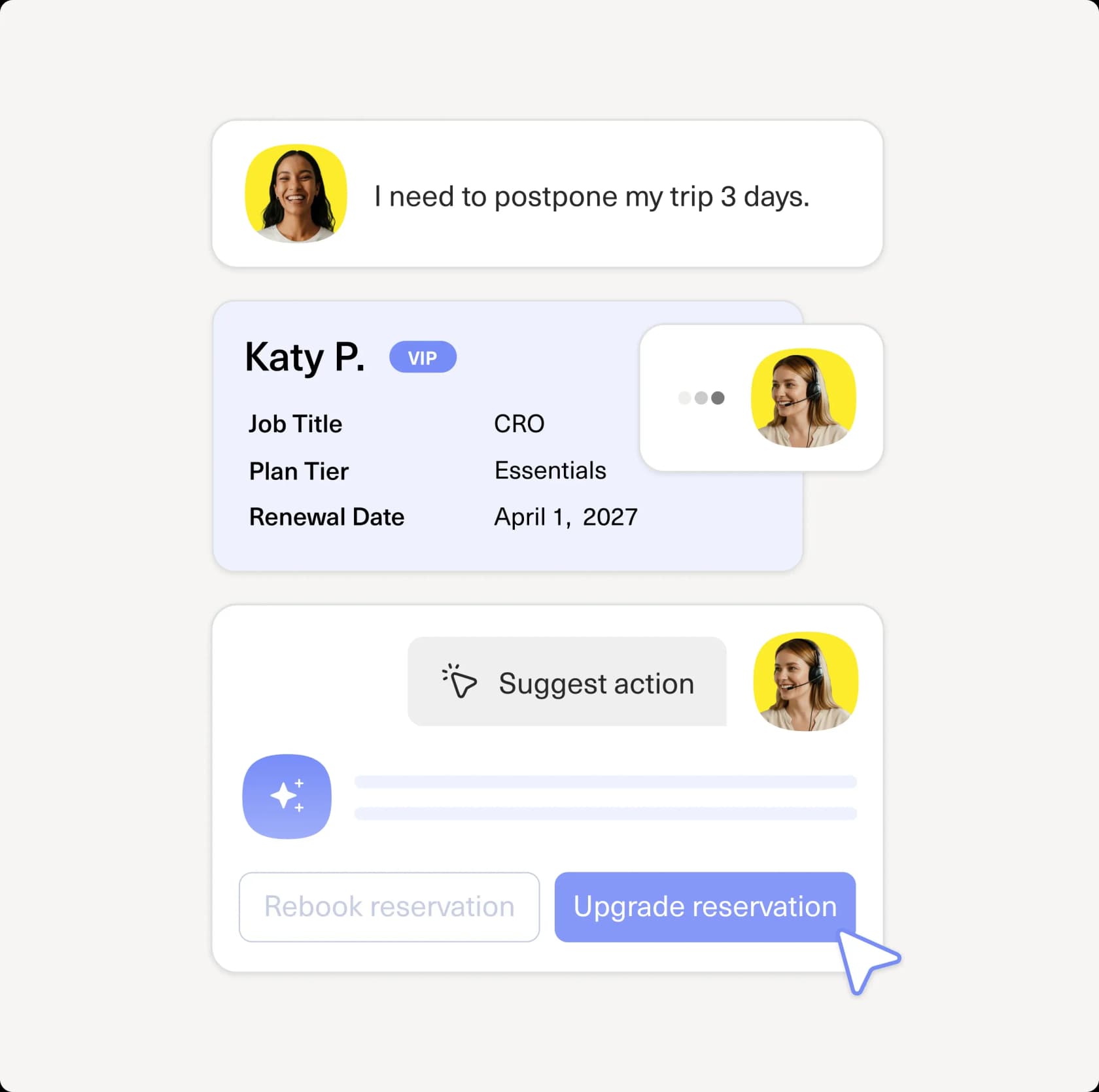
Kustomer is a CRM-style help desk built around the customer rather than the ticket. Every conversation, order and past interaction sits on one timeline, which its AI agents use to answer and take action.
Why we chose it: Kustomer's customer-facing AI agent works across email, chat, SMS and social messaging, and can take actions using your customer data. A separate AI agent for reps helps your team reply faster.
Pricing: Kustomer doesn't publish plan prices. Its pricing page sends you to sales, but its pricing details page lists the AI rates. See our Kustomer pricing guide.
- Platform plans (Enterprise and Ultimate): custom pricing (contact sales).
- AI Agents for Customers: $0.60 per engaged conversation.
- AI Agents for Reps: $40/user/month.
- Add-ons: HIPAA is $25/user/month and voice starts at $0.02 per minute.
Pros:
- One timeline per customer gives the AI rich context.
- Works across many messaging channels.
- AI rates are published, even though plan prices aren't.
Cons:
- No public plan prices, so you need a sales conversation to get the full cost.
- The AI runs on the Kustomer platform, so you'd be moving your help desk to use it.
10. Featurebase: best for product-led SaaS teams
Featurebase is a strong choice for product-led SaaS teams. While most tools focus solely on tickets, Featurebase connects your AI-powered support directly to your product roadmap. Its Fibi AI agent is charged per AI resolution on every paid plan.
Why we chose it: Their AI helpdesk software includes a unified inbox, a help center and feedback boards. This lets teams see exactly which features are driving support volume and turn common issues into roadmap items.
Pricing: Featurebase's pricing is per seat, with Fibi AI charged per resolution. Our Featurebase pricing guide has more.
- Free: forever, 1 seat, live chat and inbox. AI not included.
- Growth: $29/seat/month billed yearly ($37 billed monthly).
- Professional: $59/seat/month billed yearly ($75 billed monthly). Includes 20 free Lite seats.
- Enterprise: $99/seat/month billed yearly ($129 billed monthly). Includes 50 free Lite seats.
- Fibi AI Agent: $0.49 per AI resolution on every paid plan.
- Trial: 10 days on paid plans, no credit card.
Pros:
- Low seat price to get started on the Growth plan.
- Unified view of support tickets and product feedback.
- Professional and Enterprise include free "Lite" seats for product managers or developers.
Cons:
- Focused specifically on SaaS; less effective for ecommerce or retail.
- The interface is modern but might feel too "startup" for traditional enterprises.
11. Pylon: best for B2B support in Slack
Pylon is built for the B2B world where support happens in Slack, Discord and Microsoft Teams. Their AI ticketing systems are designed to bridge the gap between these informal channels and a structured support desk.
Why we chose it: With Pylon, you can use Slack as a ticketing system while their AI categorizes conversations, detects sentiment and helps agents draft replies. It's a good fit for high-touch B2B teams that talk with customers in shared Slack channels.
Pricing: Contact sales. Pylon no longer publishes prices, and its pricing page now sends you to a demo booking form. Its last public pricing (mid-2026) started at $59 per seat per month, billed annually, with a 3-seat minimum. Our Pylon pricing guide covers what's known.
Pros:
- Best-in-class support for B2B channels like Slack Connect.
- AI helps manage high-volume Slack communities.
- Intuitive routing based on customer context.
Cons:
- AI agents are less autonomous than dedicated support bots.
- No public pricing, so you need a demo to learn the cost.
12. Elementum: best for governed enterprise IT and internal operations
Elementum takes a completely different approach with what they call "Open Orchestration." Built primarily for large enterprise ITSM (IT Service Management), their platform focuses on governed automation that uses deterministic guardrails to ensure accuracy.
Why we chose it: The standout technical feature is their "Zero Persistence" architecture. Unlike other tools that copy your data into their own database, Elementum's workflow engine queries your data where it lives (like Snowflake or Databricks) in real time. This is a big security advantage for Fortune 500 companies with strict data sovereignty requirements.
Pricing: Custom pricing (contact sales). Elementum has no public pricing page; you book a strategy session on its website and get a quote based on your scope and deployment.
Pros:
- Data never leaves your secure environment.
- Deterministic guardrails prevent AI from making unapproved decisions.
- High ROI for complex internal departments like HR and Finance.
Cons:
- Not suitable for small or mid-market customer support teams.
- Requires a significant implementation effort compared to self-serve tools.
How much does AI helpdesk software cost?
The tools on this list charge in four main ways, and the model matters as much as the headline price:
- Per seat plus per resolution: Zendesk, Help Scout, HubSpot and Featurebase charge for each agent seat, then add a fee each time the AI resolves a conversation ($0.49 to $2.00 depending on the tool). Your bill grows with both headcount and AI success.
- Per seat plus AI sessions or conversations: Freshdesk includes 500 AI Agent sessions and then charges $49 per 100. Kustomer charges $0.60 per engaged AI conversation, resolved or not.
- Per ticket volume: Gorgias prices plans by monthly tickets and adds a fee per automated interaction. eesel AI charges a fixed monthly price for a set number of tickets or chats, with no seat fees.
- Custom quotes: Salesforce's higher tiers, Kustomer's platform plans, Pylon and Elementum need a sales conversation.
To compare fairly, estimate your monthly ticket volume, your number of agents, and how many tickets you expect the AI to handle, then price each model against those three numbers.
Tips for choosing the right AI helpdesk teammate for your business
Picking an AI teammate is a bigger decision than choosing a traditional SaaS tool. Because these agents actually interact with your customers, the stakes are higher. Here is what we recommend when evaluating tools:
- Identify your biggest pain point: If your team is buried in routing and tagging, look for a tool with strong triage features (like Zendesk). If you need to actually reduce the number of tickets your team handles, look for high-autonomy resolution agents (like ours).
- Decide whether you want to switch helpdesks: Most tools here only run their AI inside their own helpdesk. If you're happy with your current one, an AI layer that works inside it saves a migration.
- Prioritize self-serve training: Avoid tools that require you to write code or build complex flows. The best AI helpdesk software in 2026 should be trainable by your support lead using natural language instructions.
- Demand a simulation period: Don't trust a static demo. Use real ticket backlogs to see how the AI handles your specific edge cases before you turn it on for real customers.
Hire your next AI helpdesk software teammate today
The agentic era of support is here. The most successful teams in 2026 are no longer "managing tickets," they are managing a blended team of human experts and autonomous AI agents. By offloading the repetitive busywork to a teammate that never sleeps, you free your best people to focus on the complex, high-value customer interactions that truly drive growth.
At eesel AI, we believe trust is earned, not configured. You can set up our AI Helpdesk Agent in minutes and start with full human oversight. Start free with 100 credits and no credit card to see exactly how our AI handles your actual tickets. Invite your first AI teammate today and experience the difference that true autonomy makes.