What "multilingual AI support" actually means
I've spent the last few years helping teams put AI agents on live support queues, and multilingual is where the demos and the reality drift apart fastest. A vendor says "we support 95 languages" and you picture every part of the experience working in Japanese. What you usually get is an AI chat reply that works in Japanese, sitting on top of a help center, a routing system, and a set of reports that are all still in English.
So before the list, here's the mental model I use. A genuinely multilingual AI agent does four things in order, and you want to check each one, not just the headline number.
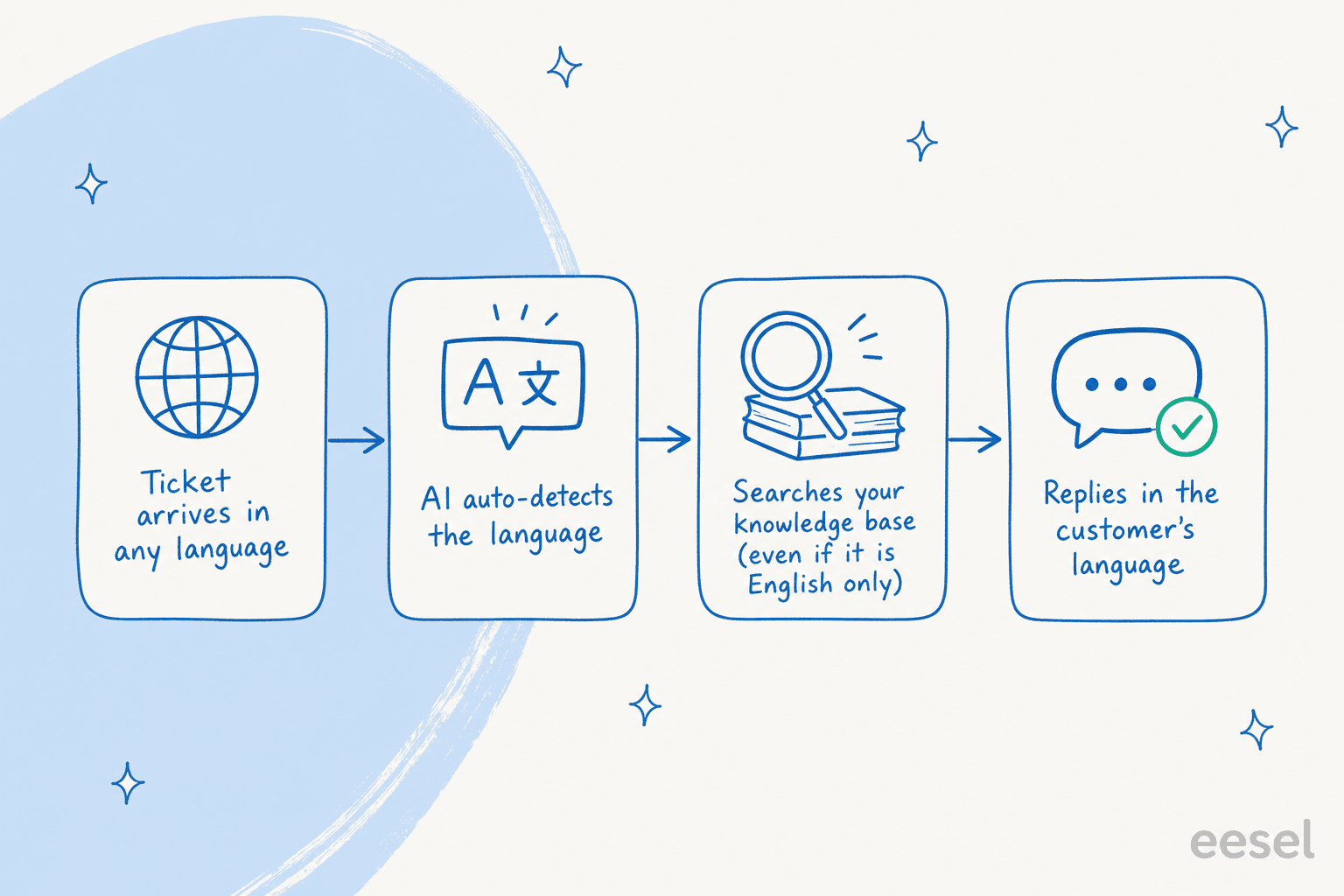
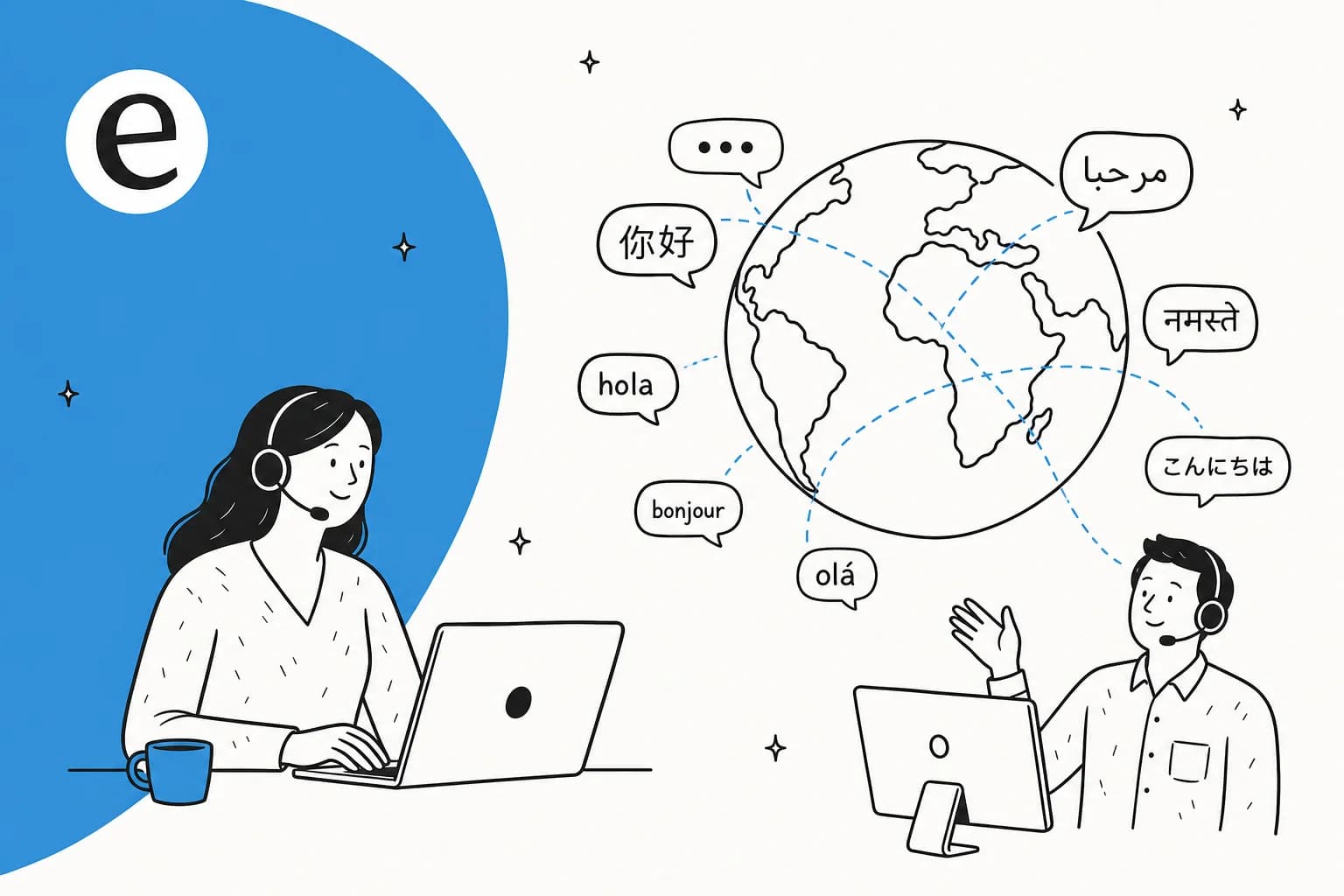
It auto-detects the language of the incoming message, searches your knowledge base, reasons out an answer, and replies in the customer's language. The good ones do this without you pre-translating every article, because they translate the answer on the way out. The Gorgias docs put it plainly: their agent reads 80+ languages and "replies even when your knowledge base isn't translated into that language." That single capability saves you weeks of localization work before launch.
The "80+ languages" trap
Here's the part that costs teams money. Language coverage shrinks as you move down the stack. The customer-facing reply is almost always multilingual. The knowledge base behind it often isn't. And the things your own team relies on, like routing rules and analytics, are frequently English-only no matter what the marketing says.
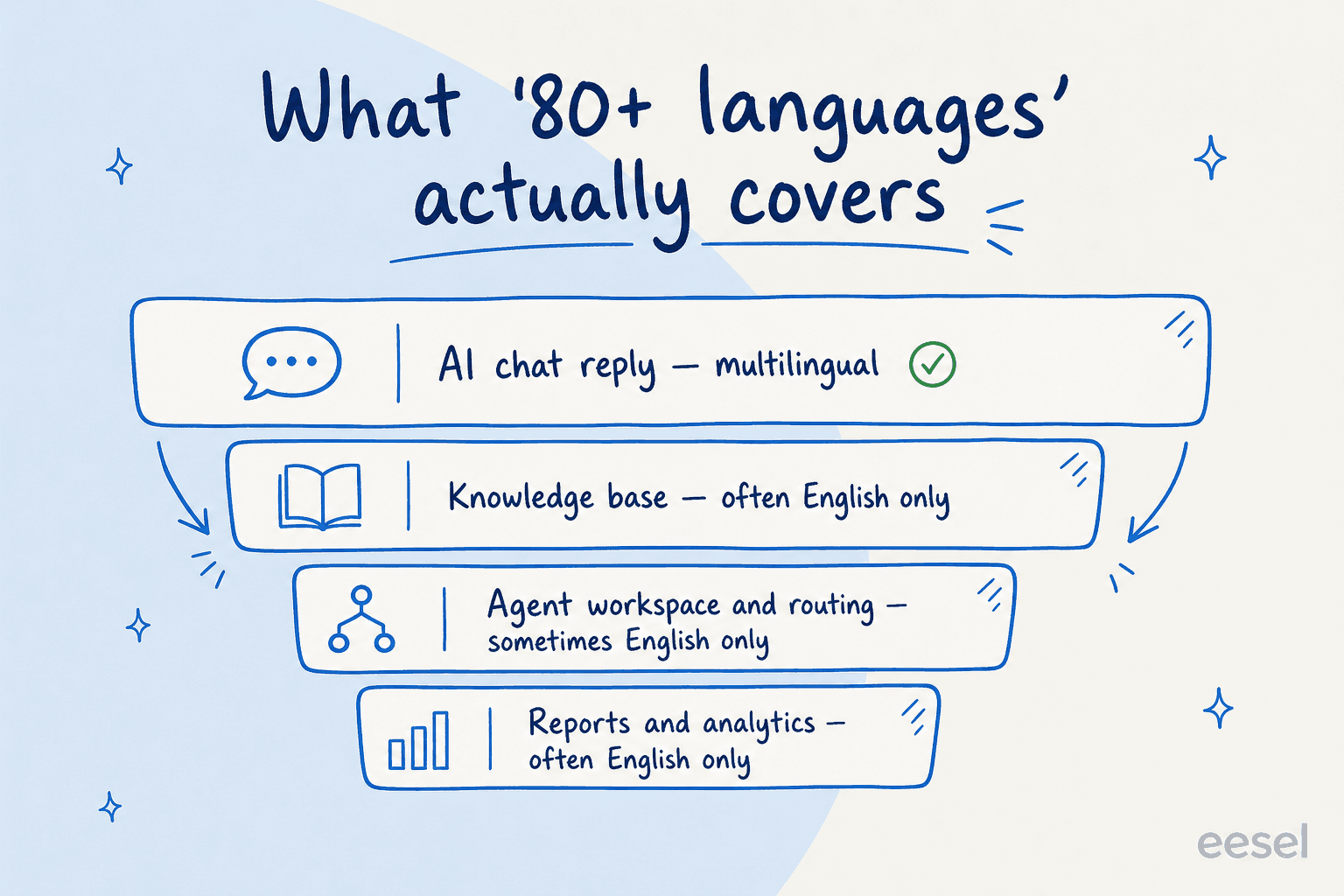
Zendesk is the clearest example of why this matters. Its intelligent triage classifies the ticket language across about 150 languages, which sounds incredible, but Zendesk's own docs note that those triage values come back in English only downstream. So you can route a Spanish ticket, but the reports your manager reads still come back in English. None of that is a dealbreaker, you just need to know which layer the language number is describing.
Two ways AI handles a second language
The last thing worth understanding is how the AI gets to a non-English answer, because it changes the quality. There are two approaches, and the difference shows up in tone and product-specific terms.
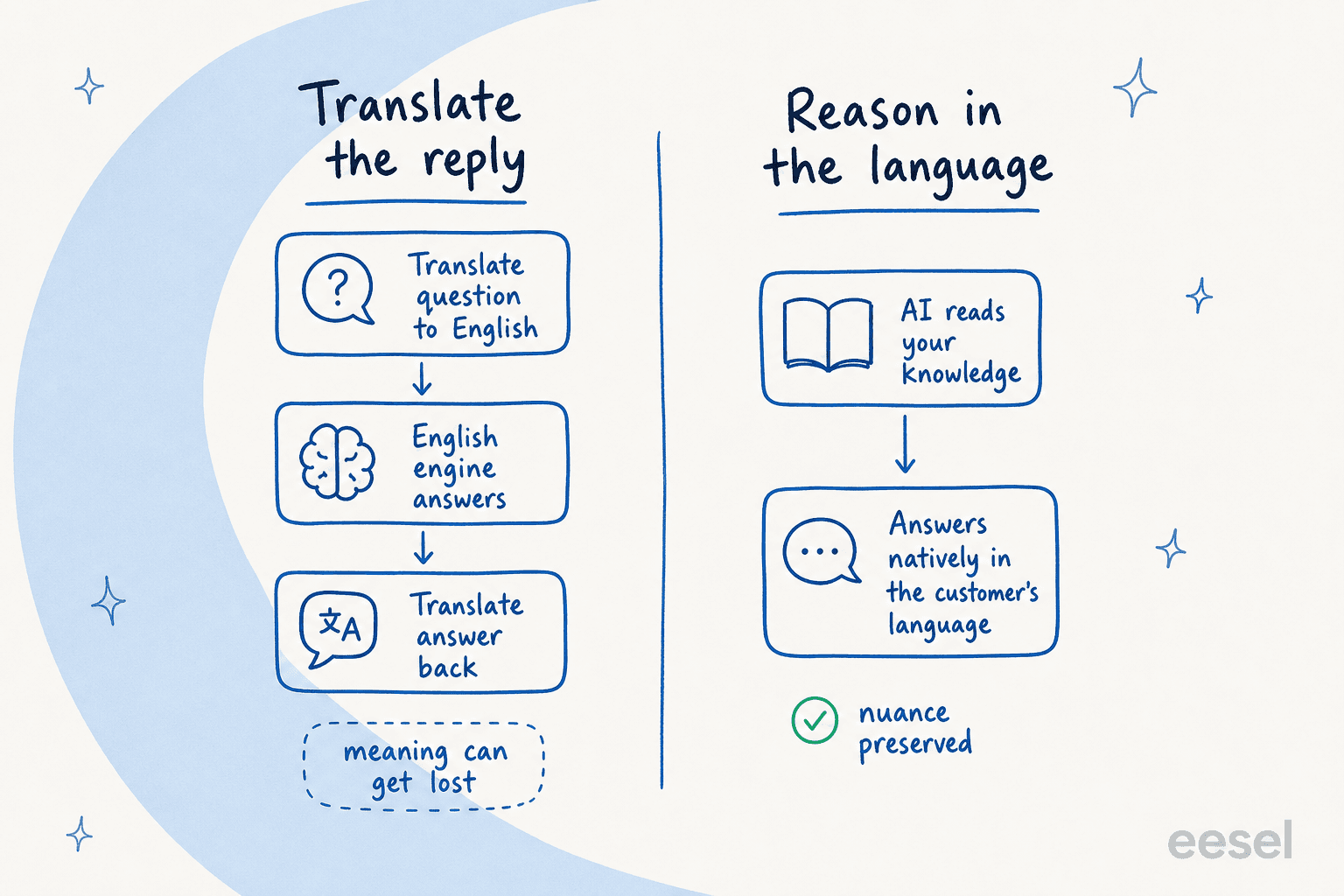
The older approach translates the question into English, runs an English engine, then translates the answer back. It works, but meaning leaks at both translation steps, and brand or product terms get mangled. The newer approach reasons directly in the customer's language off your knowledge base, which preserves nuance. Most of the modern LLM-based agents on this list lean toward the second approach, which is a big reason they read better than the old translation-bolt-on chatbots.
The 8 best AI tools for multilingual support at a glance
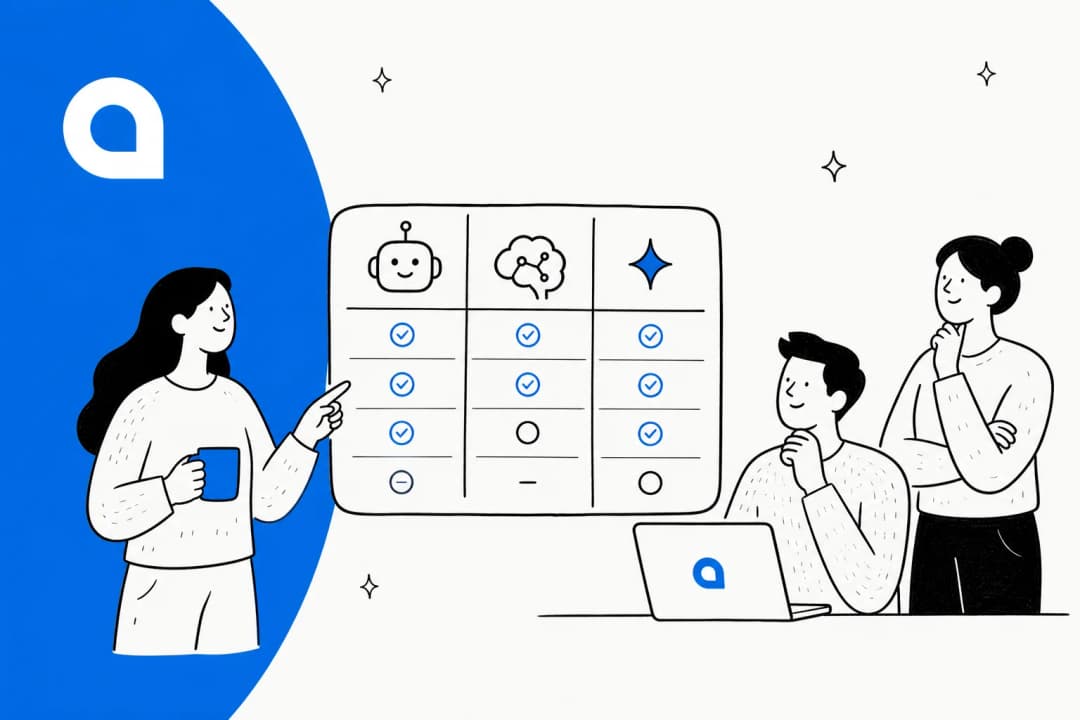
I weighed each tool on real language coverage (not just the badge), how it actually translates, what the billable unit is, and who it genuinely fits. Here's the summary table to screenshot, then the detail on each.
| Tool | Best for | AI language coverage | How multilingual works | AI billable unit | Starts at | Free trial |
|---|---|---|---|---|---|---|
| eesel AI | Teams on an existing helpdesk | 80+, auto-detected | Reasons natively, learns from your multilingual tickets | Per ticket resolved | $0.40/ticket | $50 free credit |
| Zendesk | Large enterprises already on Zendesk | 80 native, 100+ generative | Native + auto-translation (~29 languages) | Per automated resolution | $55/agent/mo | 14 days |
| Ada | Enterprise automation at scale | "All languages" (no count) | Single reasoning engine across languages | Per resolution | ~$30k/yr | Sales only |
| Gorgias | Shopify and ecommerce brands | 80+ | Replies even if KB is English-only | Per resolution | $0.90/resolution | 7 days |
| Freshworks (Freddy) | All-in-one Freshworks suites | 60+ | Native agent + real-time agent translation | Per session | $0/Free tier | Free plan |
| Tidio (Lyro) | Small stores on a budget | Not published | Claude-based, inherits broad language ability | Per Lyro conversation | $0.50/convo | 7 days |
| Kustomer | High-volume B2C with rich data | "All" + 2-way translation | Platform translation layer | Per engaged conversation | Sales only | Sales only |
| Help Scout | Small teams wanting simple AI | 50+ (AI Answers) | Translate-on-demand, KB localization via add-ons | Per resolution | $0.75/resolution | 3 months AI |
A note on what's not here: I left a couple of well-known names off because their multilingual story didn't hold up under the four-layer test above, or because the AI itself felt thin once you got past the homepage. The eight below are the ones I'd actually shortlist.
1. eesel AI
Best for: support teams that already have a helpdesk and a pile of multilingual ticket history they want the AI to learn from.

I'll declare the bias up front: I help build eesel AI. But it earns the top spot here on the merits, because multilingual is exactly the kind of problem it was designed for. eesel is an AI agent that plugs into the helpdesk you already run, from Zendesk to Gorgias and more, and answers tickets in the language they arrive in.
It handles 80+ languages out of the box, auto-detected from the incoming message, and it replies in the same channel and the same language the customer used. The detail I care about most: it trains on your past resolved tickets, not just your translated help articles. That means it picks up how your team actually answered a German billing question or a Spanish returns request, which is far closer to real than a machine-translated FAQ.
The other reason it fits multilingual teams is rollout safety. You can simulate the agent against thousands of past tickets before it goes live, see exactly what it would have said, and find the gaps. In a language your team doesn't all speak fluently, a wrong answer is genuinely hard to catch in production, so being able to test it first is the difference between confidence and crossed fingers. Low-confidence answers become drafts instead of live replies.
Pros:
- 80+ languages, auto-detected, with replies in the customer's language
- Learns from real multilingual ticket history, not just translated docs
- Simulation mode lets you test coverage before going live
- Sits inside your existing helpdesk, live in minutes, with 100+ integrations
- Transparent per-ticket pricing with no per-seat fee
Cons:
- It augments your helpdesk rather than replacing it, so you keep paying for that too
- Newer brand than the incumbents, so less name recognition with execs
Pricing: Pay-as-you-go from $0.40 per ticket handled (not per message), with no platform or per-seat fee. There's a free trial with $50 of usage, and an Enterprise tier at $1,000/month plus usage for SSO, HIPAA, and higher limits.
Verdict: If you already have a helpdesk and real ticket history, this is the fastest way to get trustworthy multilingual coverage without a migration. Smava runs over 100,000 German-language tickets a month through it, fully automated. Skip it only if you have no helpdesk at all and want an all-in-one platform instead.
2. Zendesk
Best for: large enterprises already standardized on Zendesk who want AI inside the same suite.
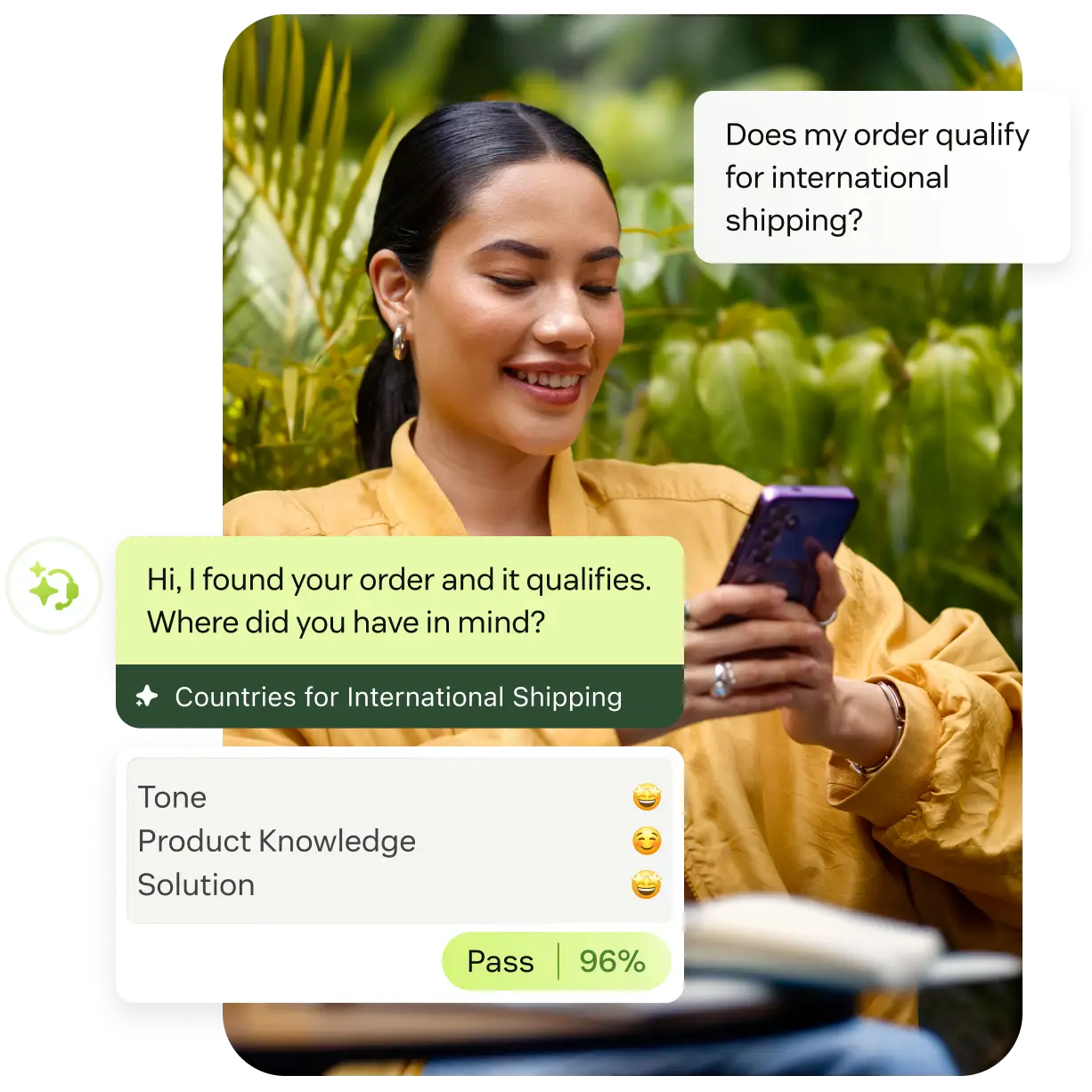
Zendesk is the incumbent, and its multilingual story is genuinely deep. Its AI agents support 80 languages at native fluency with the language auto-detected, and its generative replies stretch to 100+. If you're running a global support org and already live in Zendesk, the AI is right there in the workspace your agents use.
The nuance, which I flagged earlier, is that the layers don't all match the headline. Automatic translation of system messages covers a narrower set of about 29 languages, and the intelligent-triage values your reports are built on come back in English only. None of that breaks multilingual support, but it means the "100+ languages" line describes the customer-facing reply, not the whole system.

The bigger friction is cost, and Zendesk users are vocal about it:
"Their pricing isn't transparent at all. Even if you spend a million dollars a year, they will still nickel and dime the shit out of you because it's their model... Want automation? That costs more. Want their latest AI feature? Cost more."

Pros:
- 80 languages native, 100+ for generative replies
- Mature platform with intelligent triage and QA built in
- Huge ecosystem and a marketplace of 1,800+ apps
Cons:
- AI billed per automated resolution on top of per-seat plans, and the per-resolution rate is sales-gated
- Triage and reporting values are English-only
- Frequent "nickel and dime" complaints from real users
Pricing: Suite Team starts at $55/agent/month, Suite Professional at $115, both billed annually. AI agents are billed per automated resolution, with the exact rate behind sales (community reports land around $1.20-$2 per resolution).
Verdict: A safe, capable pick if you're already on Zendesk and have the budget. If you're choosing AI primarily for multilingual reach and want predictable cost, the per-resolution-plus-seat math is worth modeling before you commit. eesel's Zendesk integration is also a way to add the AI layer without moving to Zendesk's AI pricing.
3. Ada
Best for: enterprises automating support at very high volume across many markets.

Ada markets multilingual as a core differentiator, and architecturally it's the cleanest story on this list. Instead of building a separate bot per language, Ada runs one Reasoning Engine across every channel and language, so you build the logic once and it replicates. Ada's own pages describe deploying "AI agents across all languages and channels" and claim it resolves up to 83% of inquiries autonomously.
The honest caveat: Ada doesn't publish a specific language count anywhere I could find, so the multilingual claim is architectural rather than a hard number you can hold them to. And Ada is firmly enterprise. There's no public pricing, the contact-sales form is gated to companies with at least 300,000 annual conversations, and the cost reflects that:
"Used to work for a company paying ~300k+ for Ada.cx, it's expensive... I would stick with Zendesk messaging and answer bot."
Pros:
- Strong architectural multilingual model via one reasoning engine
- High automation ceiling at enterprise scale, with 6.4 billion interactions behind it
- Native MCP support and a deep developer toolkit
Cons:
- No published language count or pricing
- Enterprise-only, with a high floor (Salesforce AppExchange lists ~$30k/year)
- Overkill for small and mid-sized teams
Pricing: Quote-based and consumption-driven. Third-party data points put the floor around $30,000/year with per-resolution rates of roughly $1-$3.50, scaling well into six figures for large deployments.
Verdict: A serious option if you're a large enterprise with the volume to justify it. For everyone else, the lack of public pricing and the enterprise floor make it the wrong starting point.
4. Gorgias
Best for: Shopify and ecommerce brands that want multilingual support tied to orders.
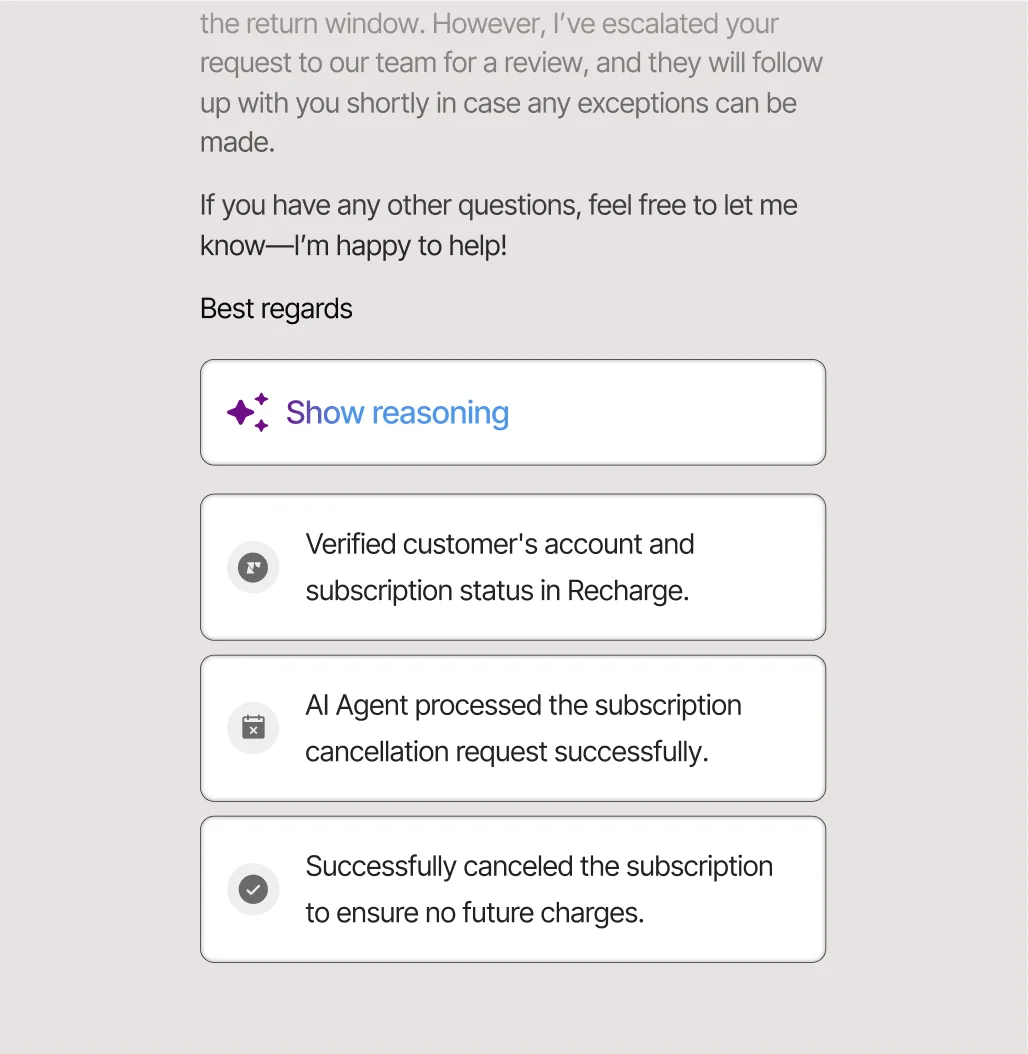
If your support is ecommerce, Gorgias is built for you, and its multilingual handling is one of the most practical here. The AI Agent reads 80+ languages and, crucially, replies even when your knowledge base isn't translated into that language. Gorgias actually recommends you author your guidance in English and let the agent handle the rest, which removes the localization bottleneck most teams hit before launch.
What makes it strong for stores is that the AI doesn't just answer, it acts: pre-trained on over a billion ecommerce conversations, it can cancel orders, process returns, and track shipments inside the ticket with Shopify context attached. A real user summed up the value well:
"If a meaningful chunk is WISMO, address changes, cancels, refunds, exchanges, Gorgias usually feels worth it because the agent can do the work inside the ticket with Shopify context right there."
Pros:
- 80+ languages, answers even from an English-only knowledge base
- AI actions for refunds, cancellations, and order edits
- Deep Shopify integration and a strong 4.6/5 on G2
Cons:
- AI resolution runs on email, chat, and SMS only, not voice or social DMs
- Costs add up fast as volume grows, since AI resolutions also count as billable tickets
- Built for ecommerce, so a weaker fit outside retail
Pricing: Plans scale by billable tickets, with Pro at $300/month for 2,000 tickets. The AI Agent is an add-on at $0.90 per resolved conversation (annual), and each AI resolution also counts as a billable ticket.
Verdict: The best multilingual pick for Shopify brands, full stop. Just model the stacked fees at your real volume. If you're on Gorgias but want flatter pricing, eesel's Gorgias integration is worth a look.
5. Freshworks Freddy AI
Best for: teams that want an all-in-one suite with multilingual AI built in.
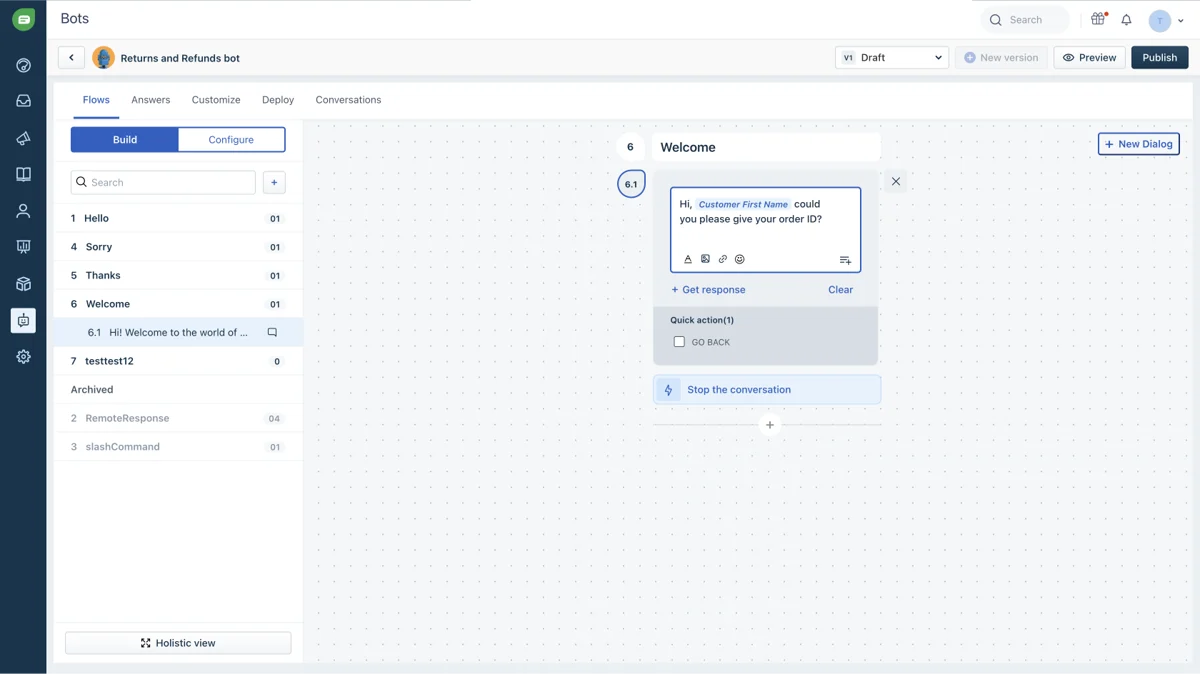
Freshworks bundles its AI under the Freddy brand, and the Freddy AI Agent speaks 60+ languages while resolving conversations end to end. On the agent side, Freddy Copilot translates messages in real time inside the workspace, which is handy when a human needs to step in on a language they don't speak.
It's a capable, well-rounded option, especially if you want chat, email, and social in one tool. The 60+ language count is lower than eesel, Zendesk, or Gorgias, and some users find the AI less sharp than the marketing suggests, but the all-in-one convenience is real and the free tier makes it easy to try.
Pros:
- 60+ languages with real-time agent-side translation
- Generous free plan and per-session AI billing
- All-in-one across chat, email, WhatsApp, and social
Cons:
- Lower language count than the top tools here
- AI quality can feel uneven compared to LLM-native agents
- You're buying into the whole Freshworks suite
Pricing: Freshchat plans run from a Free tier up to Enterprise at $79/agent/month. The Freddy AI Agent is billed per session, with the first 500 sessions free, then $49 per 100 sessions.
Verdict: A solid middle-of-the-road choice if you want one suite to do everything and 60+ languages is enough coverage. If multilingual depth is the priority, the tools above go further.
6. Tidio (Lyro)
Best for: small stores and SMBs that want an easy, affordable start.
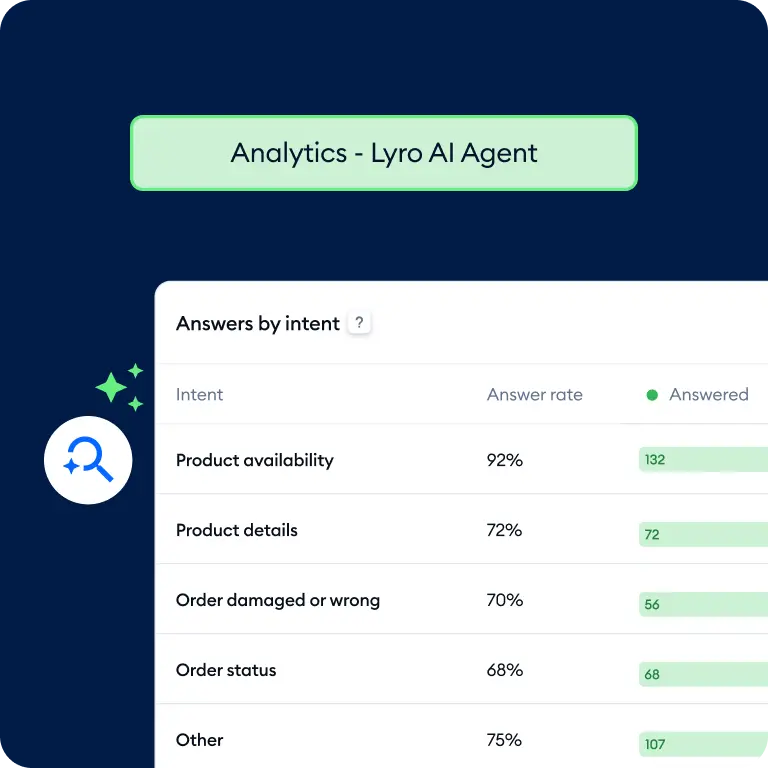
Tidio's Lyro is the friendliest on-ramp here. It's powered by Anthropic's Claude, claims a 67% average resolution rate, and even offers a resolution-rate guarantee on its top plan. For a small store, it's genuinely quick to set up and cheap to start.
I have to be straight about the multilingual angle, though: Tidio doesn't publish a supported-language count for Lyro on its product pages. Because it's built on Claude, it inherits broad language ability in practice, but multilingual isn't a marketed, documented strength the way it is for the tools above. If non-English support is your core requirement, test it carefully on your own languages before relying on it. Pricing transparency also draws complaints:
"their pricing is so off and hidden, 'free tier' is just a trap... tidio is a NO-GO for me they need to be more transparent."
Pros:
- Powered by Claude, with a claimed 67% resolution rate
- Cheap and fast to set up for small teams
- Resolution-rate guarantee on the Premium plan
Cons:
- No published language count for Lyro
- Multiple billable axes make pricing confusing
- Best fit is small volume, not enterprise
Pricing: Plans run from a Free tier and Starter at $24.17/month up to Premium, billed annually. Lyro AI is roughly $0.50 per conversation, and a standalone Lyro add-on starts at $32.50/month.
Verdict: A great budget starting point for a small store, with the caveat that you should verify multilingual quality on your own languages first. Outgrow it and you'll likely move to one of the helpdesk-native options.
7. Kustomer
Best for: high-volume B2C brands that want AI working off rich customer data.
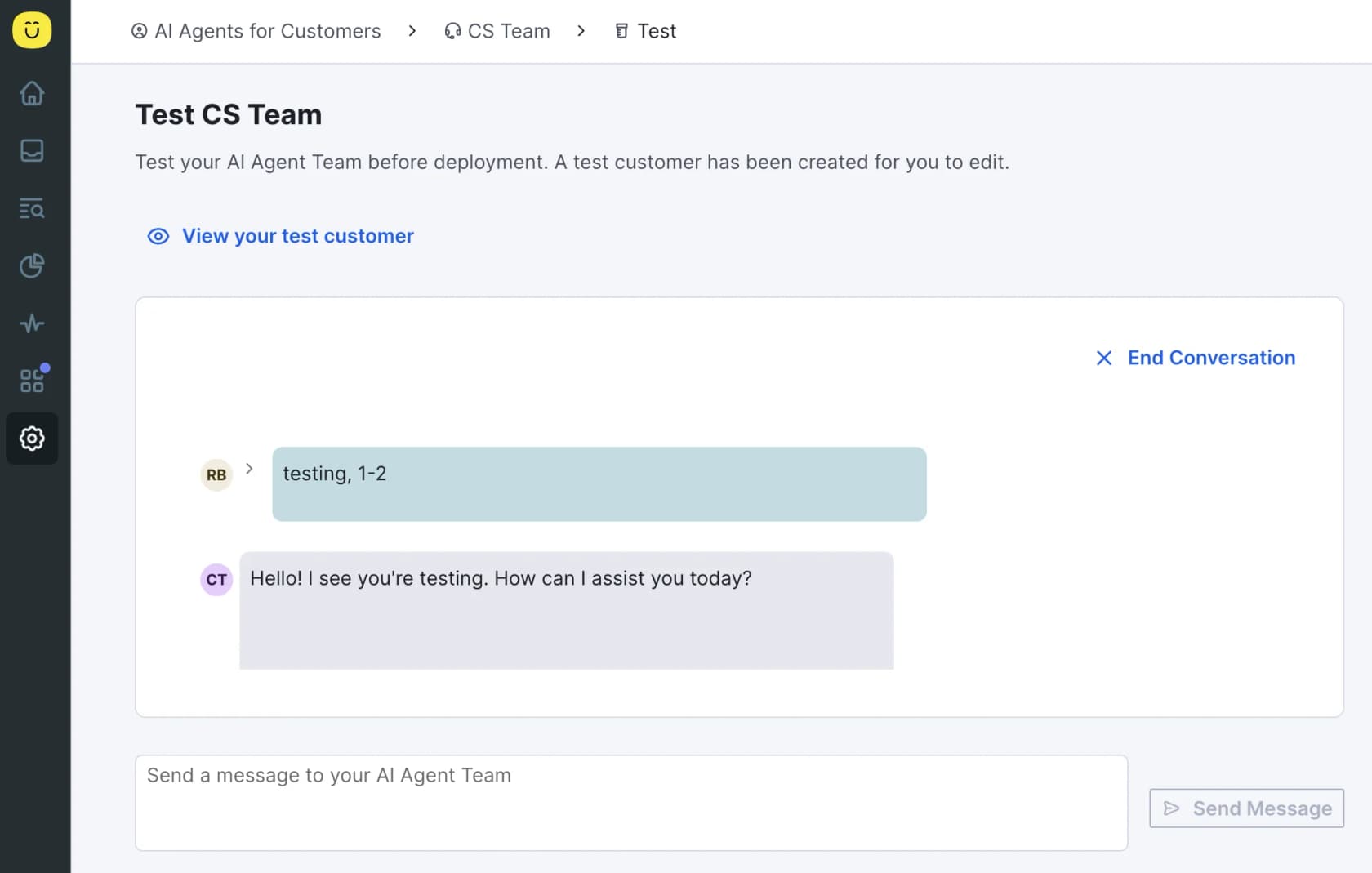
Kustomer is built around a customer-centric data model rather than tickets, which suits high-volume B2C and retail. On multilingual, its pricing page lists languages as "All" and includes 2-way message translation as a standard AI feature, so inbound and outbound messages get translated in real time. Its customer-facing AI, Concierge, works across chat, email, SMS, and WhatsApp off the full customer timeline.
The trade-offs are pricing opacity and some rough edges. Kustomer publishes no per-seat or per-resolution numbers, and onboarding friction shows up in reviews:
"We're trying to onboard with them, but for some unknown and very odd reason, they display emails in RAW format vs. HTML by default... it's so downright odd that it defies logic and makes it untenable for us to use."
Pros:
- "All" languages plus 2-way real-time message translation
- Rich customer-data model for context-heavy support
- Strong automation results, like 70% of chat fully automated at Vuori
Cons:
- No public pricing at all
- Onboarding quirks reported by real users
- Heavier setup than the simpler tools here
Pricing: Quote-only. Kustomer sells a unified "AI + Platform" package with no published rates; third-party teardowns put it around $89/seat/month plus roughly $0.60 per engaged AI conversation, but treat those as directional.
Verdict: Worth a look for high-volume B2C brands that value the data model, as long as you're comfortable going through sales for pricing. For most teams, the more transparent options resolve faster.
8. Help Scout
Best for: small teams that want simple, tidy AI without complexity.
Help Scout is the clean, email-like option that small teams love, and it has added solid AI. Its customer-facing AI Answers handles 50+ languages and resolves around 73% of interactions, while AI Assist can translate a drafted reply on demand alongside tone and grammar edits.
The honest read on multilingual: it's concentrated in the AI Answers agent and translate-on-demand. The help center itself isn't natively multilingual, so localizing your Docs relies on third-party connectors like Crowdin or Weglot. That's fine for many small teams, but it's a bolt-on rather than built in. Help Scout also recently flip-flopped on pricing, which annoyed long-time users:
"HelpScout changed back to user-based pricing. Guess too many people cancelled including me... Helpscout lost all trust with this flip-flopping on pricing."
Pros:
- AI Answers in 50+ languages plus translate-on-demand for agents
- Clean, fast, genuinely easy for small teams
- SOC 2 Type 2 and HIPAA compliant, never trains on your data
Cons:
- Help center localization needs third-party add-ons
- Lower language count than the leaders here
- Recent pricing changes hurt user trust
Pricing: Billed per user/seat: Standard at $25/user/month, Plus at $45, Pro at $75 (annual). AI Answers is a usage add-on at $0.75 per resolution, with a three-month free unlimited trial.
Verdict: A great fit for a small team that wants simple AI and lives in a shared inbox. If multilingual depth or a natively multilingual help center matters, look higher up the list. eesel's Help Scout integration can add a stronger AI layer on top.
What it actually costs to run multilingual AI support
Notice what almost nobody charges for: languages. Across every tool here, you pay per resolution or per conversation, not per language. That's good news, because it means turning on a tenth language doesn't multiply your bill, it just means more conversations get resolved.
So the real cost question is your resolution volume. Take a store handling 3,000 AI-resolved conversations a month across five languages. On eesel's pay-as-you-go pricing at $0.40 per ticket, that's about $1,200/month with no per-seat fee on top. On Gorgias at $0.90 per resolution, the same volume is around $2,700/month before the stacked ticket fees. On an enterprise platform like Ada, you're starting at a $30k/year commitment regardless. The languages are free; the resolutions and the platform fees are where the money goes, so model those at your real numbers.
Try eesel for multilingual support

If you want multilingual support that works without a migration, eesel AI is the most direct path. It plugs into the helpdesk you already run, handles 80+ languages auto-detected from each message, and learns from your own past multilingual tickets so the answers sound like your team in every language. The bit I'd point to as the real differentiator: you can simulate it against your historical tickets first and see precisely how it would handle your Spanish, German, or Japanese queue before a single customer touches it. It's free to try, no credit card, and you can be live in minutes.
Frequently Asked Questions
What is the best AI for multilingual customer support in 2026?
How does AI handle customer support in different languages?
Can AI support customers in languages my help center isn't translated into?
How much does multilingual AI customer support cost?
Is AI accurate enough to answer support questions in other languages?


Article by
Kurnia Kharisma Agung Samiadjie
Kurnia is a software engineer and writer at eesel AI with two years of SEO experience, writing about AI tools, helpdesk software, and customer support. He pairs a developer's understanding of how these products are built with search-driven research into what actually ranks and resonates with the people searching for them.