Help Scout is a popular customer service platform, especially for small to medium-sized businesses that like to keep things simple. To stay current, they've built their own AI features right into the platform. For teams already using Help Scout, it's a handy addition.
But that convenience has a catch. When your AI is built into a single platform, you're also stuck with its limitations. This guide will walk you through everything Help Scout’s AI offers in 2025. We'll cover its features, what it's good at, and, more importantly, talk about the real-world limits for teams that need more power, control, and flexibility from their automation.
What is Help Scout AI?
First off, "Help Scout AI" isn't a standalone product. It's a bundle of AI-powered tools built directly into the Help Scout customer service platform. The idea is simple: help support teams automate answers to common questions and get more done inside their help desk.
The AI suite has a few main parts:
- AI Answers: This is their customer-facing chatbot that appears in the Beacon help widget. It’s built to give customers instant answers and deflect tickets before they land in an agent's queue.
- AI Assist & Drafts: These are tools for agents working in the shared inbox. They help with things like summarizing long email chains, tweaking the tone of a reply, translating text, and drafting entire responses from scratch.
Just know that you can only get these features if you're a Help Scout customer. You can't tap into their AI without using Help Scout for your help desk. It's a classic walled-garden setup, which works for some teams but is a dealbreaker for many others.
Core features and capabilities of Help Scout AI
Before we jump into the downsides, let's look at what Help Scout AI actually does. The features are practical and clearly designed to ease common support headaches for teams already on the platform.
Automating resolutions with Help Scout AI
The main feature is AI Answers, the chatbot meant to handle self-service support. Help Scout says it can resolve up to 70% of common customer questions, which sounds great to any team feeling swamped.
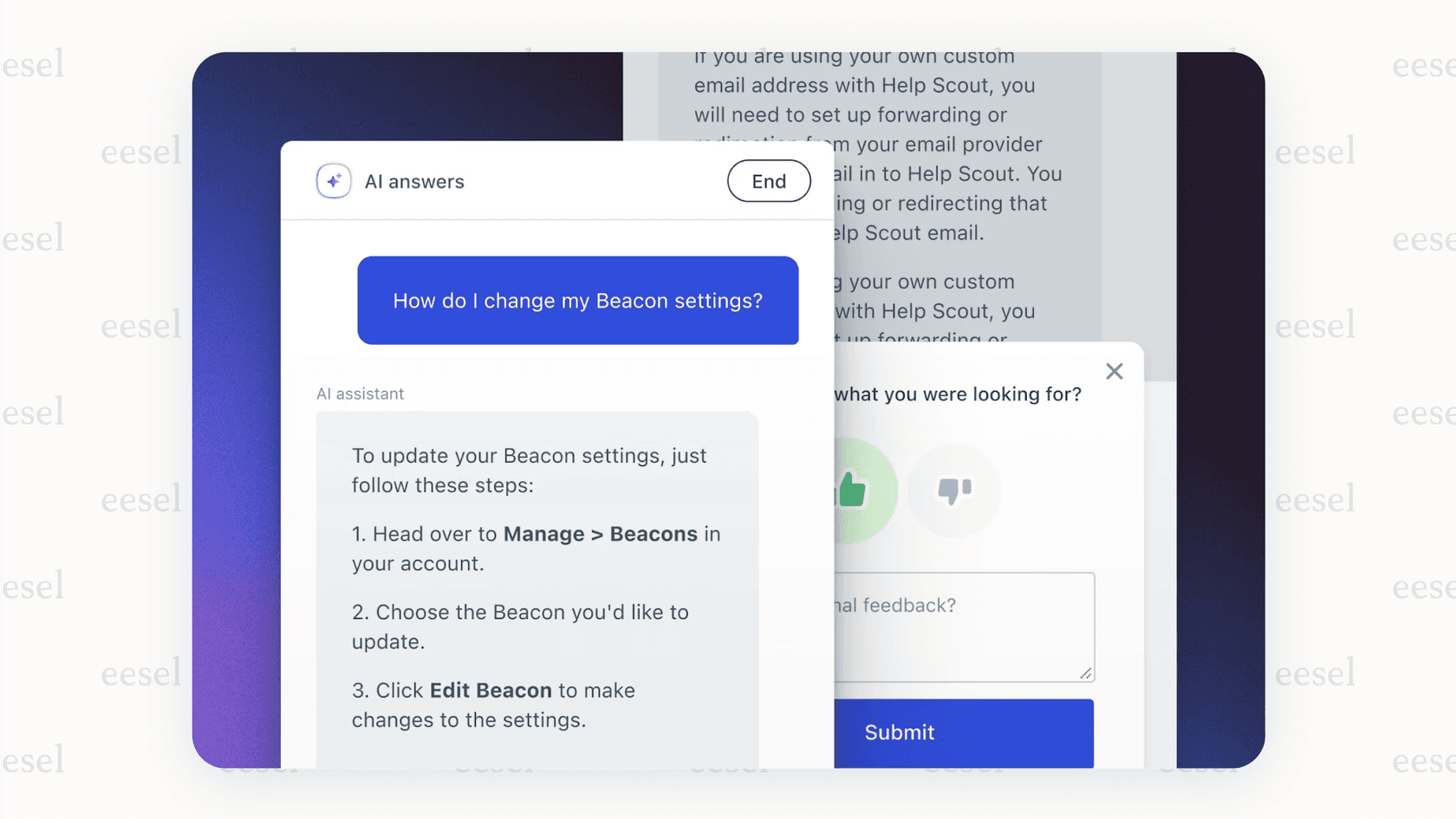
It mostly [learns from the articles you've written in your Help Scout Docs knowledge base. You can also point it to other content, like your company blog or other website pages, to give it more to work with. It also includes some nice extras, like support for over 50 languages and the ability to adjust its conversational tone so it sounds like your brand.
How Help Scout AI helps agents with AI assist and drafts
Inside the shared inbox, Help Scout gives agents a few tools to work faster and more consistently. They aren't revolutionary, but they are solid, everyday tools that help.
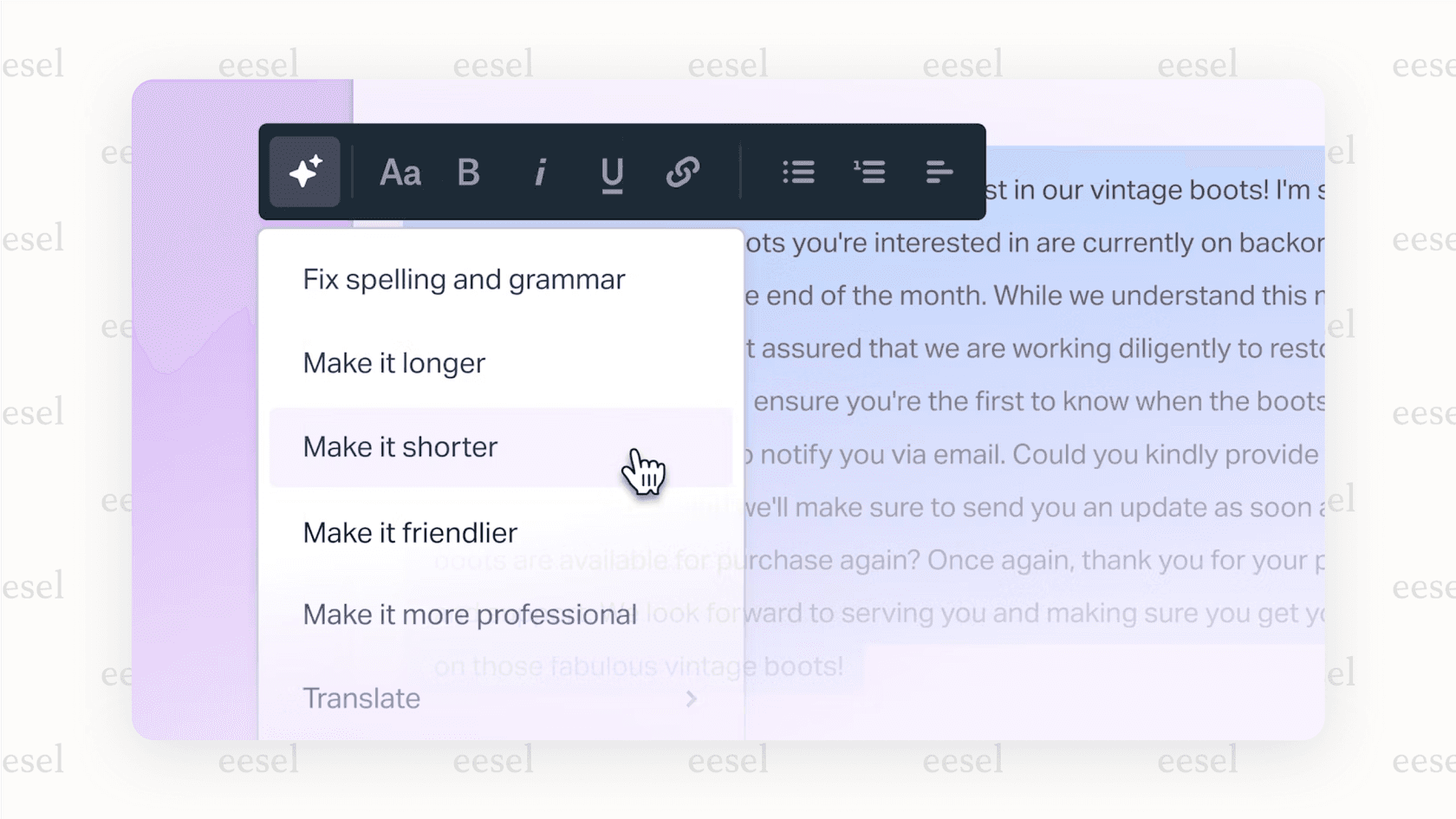
This includes AI Summarize, which can take a long, rambling email thread and shrink it down to a few bullet points. There's also AI Assist, which works like a writing buddy to fix grammar, change the tone from formal to friendly, or translate text. Finally, AI Drafts can write a full reply based on your help content, giving agents a starting point so they aren't staring at a blank screen.
Help Scout AI analytics and performance tracking
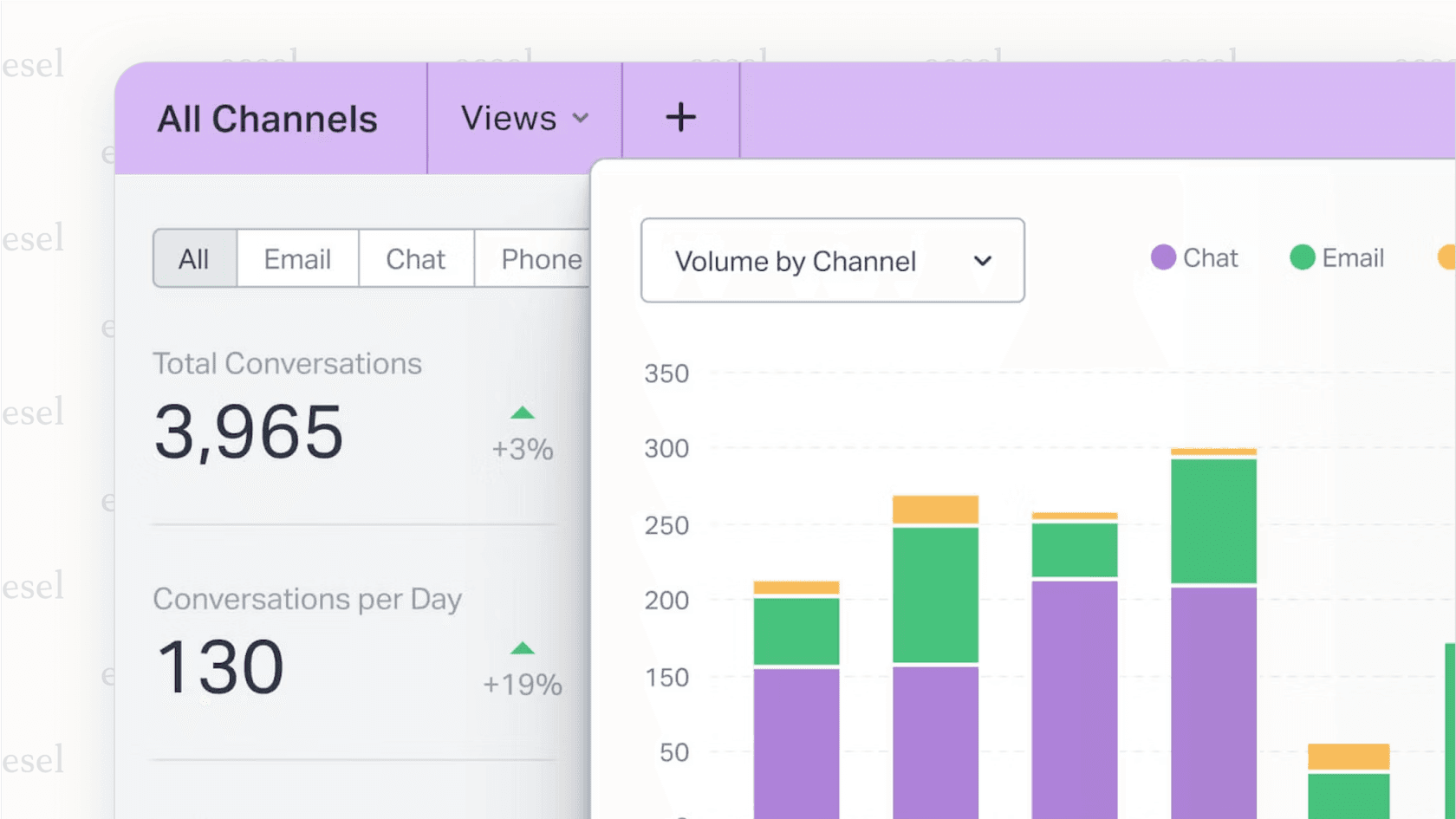
You need to know if your AI is actually helping, and Help Scout provides reports to show you how it's performing.
Managers can look over any conversation handled by AI Answers to check for quality and feel good about the replies it's sending. You can also track metrics like how many questions it resolves versus how many it passes on to a human. The system even lets you leave internal notes on specific AI responses, which helps train the model to get better over time.
Key limitations of the platform-locked Help Scout AI
While having AI built-in is definitely convenient for Help Scout customers, this tight integration is also its biggest weakness. The "walled garden" creates some serious roadblocks for teams who need more power, want to stick with their current tools, or just can't stomach a full platform switch.
The Help Scout AI migration problem: A closed ecosystem
Here's the bottom line: you can't use Help Scout AI without using the Help Scout help desk. That's it. If your team is already set up and working well in Zendesk, Freshdesk, or Intercom, you're stuck unless you're ready for a huge, expensive, and disruptive migration. Ripping out your main support platform just to get one vendor's AI features is a tough pill to swallow.
In contrast, modern AI solutions like eesel AI are designed to be a flexible layer that works with the tools you already have. This lets you add powerful automation to your current help desk without making your team learn a whole new system or upend its workflows.
Limited knowledge sources for Help Scout AI mean weaker answers
An AI is only as smart as the information it learns from. Help Scout AI is trained on a fairly small set of sources, mainly its own Docs knowledge base and any external sites you give it. This works for basic FAQs, but it can fall short when customers ask complex questions that aren't covered in a standard help article.
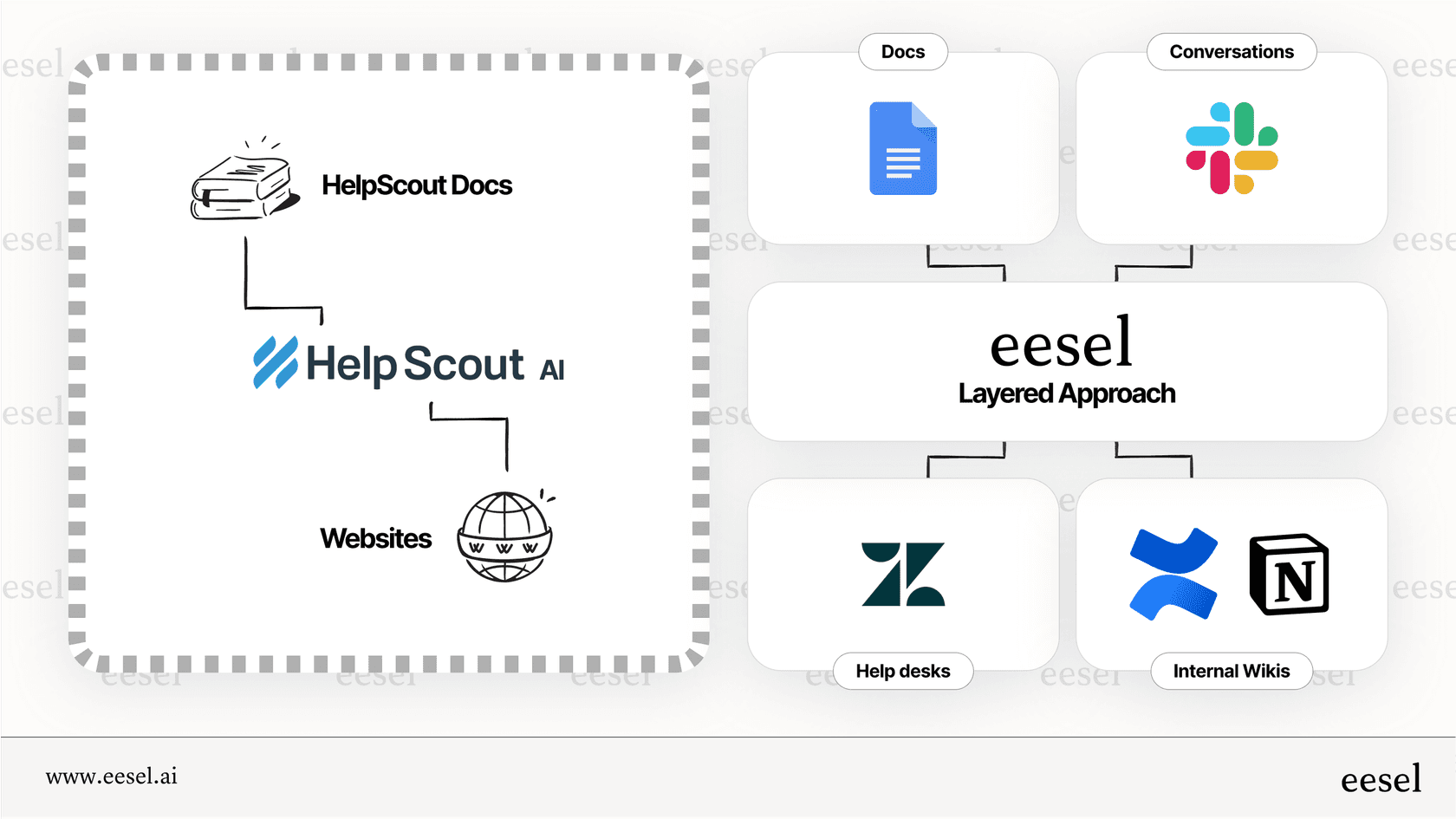
For an AI to tackle those trickier questions, it needs access to your team's entire collective knowledge. This means learning from thousands of past support tickets, detailed guides in Confluence or Google Docs, and even live product data from a source like Shopify. This is the approach eesel AI uses, connecting to all your knowledge sources to give more accurate and helpful answers.
A closer look at the Help Scout AI pricing model
Help Scout markets their AI with "no AI usage fees." While that's technically true, access to the AI is still baked into their monthly plans, which are priced per "contact" (a customer who gets a reply from a human or the AI). This model can get unpredictable and pricey as your support volume goes up. On top of that, their better features and higher limits are reserved for the more expensive Plus and Pro plans, which start at $75/month and require talking to sales.
This bundling makes it hard to know what you're really paying for the AI. A more straightforward model is one based on usage, so you only pay for what you actually use.
| Pricing Factor | Help Scout AI | eesel AI |
|---|---|---|
| How you’re charged | Per “Contact” (customer reply) | Per AI Interaction (only what’s used) |
| Starting price for AI | $75/month on Plus plan | Starts free, scales with usage |
| Additional platform cost | Must use Help Scout | No, works with Zendesk and other help desks. |
| Predictability | Low, cost grows with support volume | High, usage-based and transparent |
What a flexible AI layer can do for you
For teams who aren't using Help Scout, or for current users who feel a bit boxed in, a platform-agnostic AI layer is a more powerful and scalable way to go. This approach is about adding intelligence to your existing setup, not replacing it. Here’s how that works in practice.
Unify knowledge without migrating tools
The real magic happens when a "layered" AI connects to all your different systems. Instead of being stuck with one platform's brain, a tool like eesel AI acts as a single source of truth. It pulls information from your help desk tickets, your Confluence spaces, your shared Google Drives, and your Shopify product data. It then uses all that combined knowledge to power automation where you need it, whether that’s an AI Agent in Zendesk, an internal Q&A bot in Slack, or a customer-facing AI Chatbot on your site.
Simulate ROI before you go live
One of the biggest worries with AI is not knowing if it will actually deliver. Will it save us money? Will the answers be any good? A key difference with a tool like eesel AI is the ability to run a simulation on your past tickets before you turn it on for customers. It looks at your previous conversations and shows you the potential deflection rate, accuracy, and cost savings you could see. This takes the guesswork out of the process and gives you real data, which is a big improvement on Help Scout's "turn it on and hope for the best" model.
Doing more than just answering questions
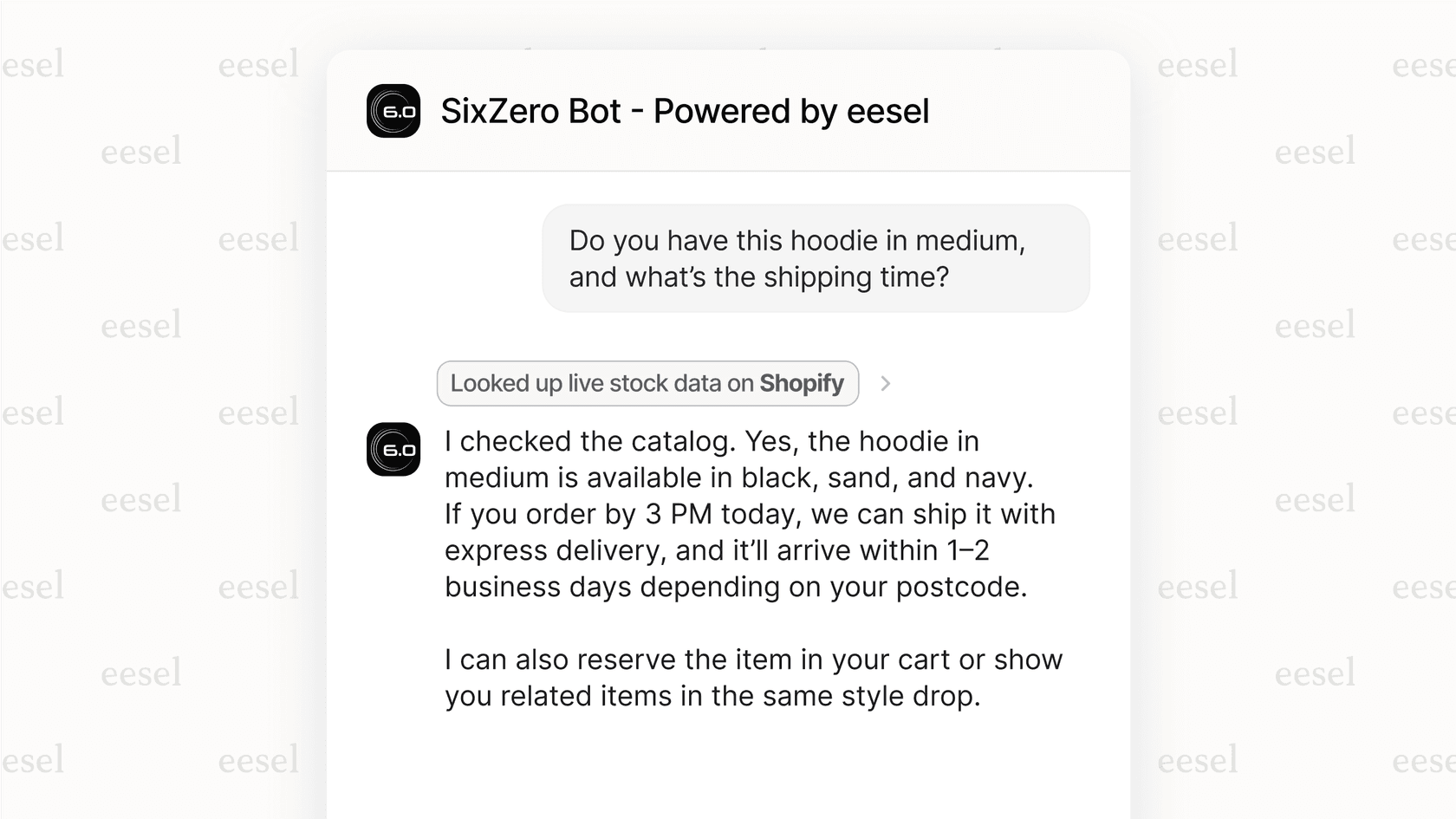
A modern AI assistant shouldn't just talk; it should do things. Answering a question is just one part of solving a problem. A truly useful AI can take the next step and finish the job.
For example, eesel AI's AI Triage can read a new ticket, figure out what it's about, and automatically tag it, send it to the right department, or close it without an agent ever seeing it. The AI Agent can go a step further by checking an order status in your backend system or pulling up a customer's subscription details on the fly. This is automation that actually solves the user's problem, not just points them to a help article.
Should you use Help Scout AI in 2025?
So, what's the verdict? For teams already committed to the Help Scout platform, their native AI is a solid choice. The features are practical, easy to implement, and will certainly help with basic support tasks. If you're all-in on Help Scout, it makes perfect sense.
However, its "walled garden" approach is a major drawback for many. For most teams, those on other platforms, or those with complex needs who want better automation, deeper knowledge integration, and the freedom to use the best tools for the job, a layered, platform-agnostic AI is often the smarter move. It gives you more power without the pain of a migration.
If adding powerful, accurate automation to your current help desk sounds like a good plan, see how eesel AI works.
Book a demo to see how you can build an AI agent trained on your company’s knowledge, or start your free trial and get your first bot up and running in minutes.
Frequently asked questions
Can I use Help Scout AI if my team uses a different help desk like Zendesk?
No, you cannot. The features of Help Scout AI are built directly into the Help Scout platform and are only available to its customers. You must use Help Scout as your primary help desk to access their AI tools.
How much does Help Scout AI cost to use?
There is no separate fee for Help Scout AI, as its cost is bundled into the platform's subscription plans. Access is based on your plan level (Standard, Plus, or Pro), which is priced per "contact," making it hard to determine the true cost of just the AI features.
Where does Help Scout AI get its information to answer questions?
Help Scout AI primarily learns from the content within your Help Scout Docs knowledge base and any public web pages you point it to. This can limit its ability to answer complex questions that require information from past tickets, internal documents, or other business apps.
What are the main limitations I should be aware of with Help Scout AI?
The biggest limitation is that Help Scout AI is locked into its own platform, so you can't use it if your team is happy with another help desk. Its knowledge sources are also limited compared to tools that can connect to your entire company's knowledge base across multiple applications.