What "AI auto-reply" actually means in Help Scout
Most people who search for Help Scout AI auto-reply are picturing one thing: an email comes in, the right answer goes out, nobody touches it. That exists, but it sits at the end of a spectrum, and Help Scout actually gives you two distinct tools that both get called "auto-reply."
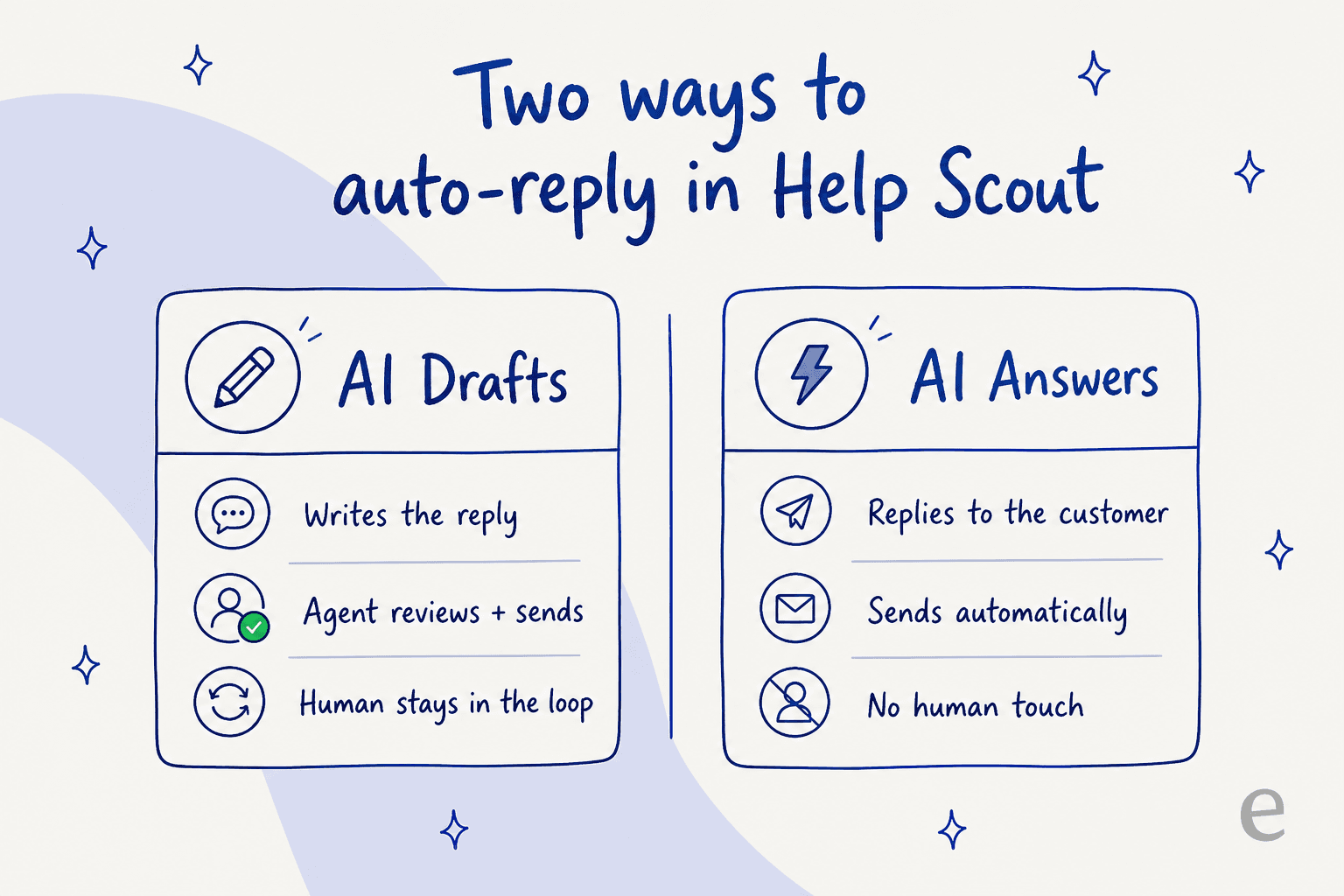
The first is AI Drafts, part of Help Scout's Inbox Assistant. It reads the conversation, pulls from your sources, and writes a reply for your agent to review and send. The human stays in the loop. The second is AI Answers, the autonomous AI agent that replies to the customer directly with no human touch. Help Scout says AI Answers resolves 73.19% of interactions on average.
Knowing which one you're turning on is the whole ballgame. One is a productivity boost with a safety net; the other is hands-off automation that needs guardrails.
Help Scout's native AI: AI Drafts and AI Answers
Help Scout's AI is split across those two surfaces, and they're worth understanding separately before you decide how far to automate.
AI Drafts gives agents unlimited drafting backed by your knowledge sources, and Help Scout notes it "can even draft responses automatically." Alongside it sit two more Inbox Assistant tools: AI Summarize, which recaps a long back-and-forth thread "in seconds," and AI Assist, which adjusts tone, fixes grammar, tightens a reply, or translates it. These are the agent-facing tools, and they're included on paid plans rather than metered.
AI Answers is the customer-facing agent. It draws on your Docs knowledge base, web sources, and custom instructions, handles conversations in over 50 languages, and is clearly labeled as AI to customers. If it can't answer, the customer escalates to a human in a couple of clicks. You can also test it in private against real scenarios before going live, which is the right instinct.
One thing I like: Help Scout is upfront that every AI conversation is auditable inside the tool regardless of outcome, and they never train AI models on customer data. For a relationship-first product aimed at small teams, that's the right posture.
How to turn on AI auto-reply in Help Scout
The mechanics are straightforward. Here's the order I'd actually do it in.
- Get your Docs in shape first. AI Answers is only as good as the knowledge it reads. Before switching anything on, make sure your Docs knowledge base covers your common questions, because that's where the auto-reply pulls its answers. Thin docs mean thin answers.
- Turn on AI Drafts to start. In the inbox, enable AI Drafts so agents get a written reply to review on incoming conversations. This is your low-risk entry point: the AI does the writing, your team does the judging. Watch which ticket types it nails and which it fumbles.
- Enable AI Answers where you want autonomy. When you're ready for true auto-reply, switch on AI Answers and point it at the channels you choose (your site, in-app, or Beacon). You control how, when, and where it helps customers, and you can route common questions into email-to-chat deflection so the AI catches them before they hit the inbox.
- Test in private before going live. Run AI Answers through real support scenarios first. Help Scout lets you do this without exposing it to customers, so use it. Don't let your first live test be a real angry customer.
- Set spend caps. AI Answers is usage-priced, so set the monthly resolution cap to keep costs predictable, or prepay resolutions to save up to 33%.
That's the happy path. The part most guides skip is what happens after you flip the switch, which is where the real decisions live.
The catch: where Help Scout's auto-reply stops short
Help Scout's AI is clean and easy to switch on, which is on brand for a tool people praise because new agents "learn it in under an hour." But two things bite once you scale, and you should know them before you commit.
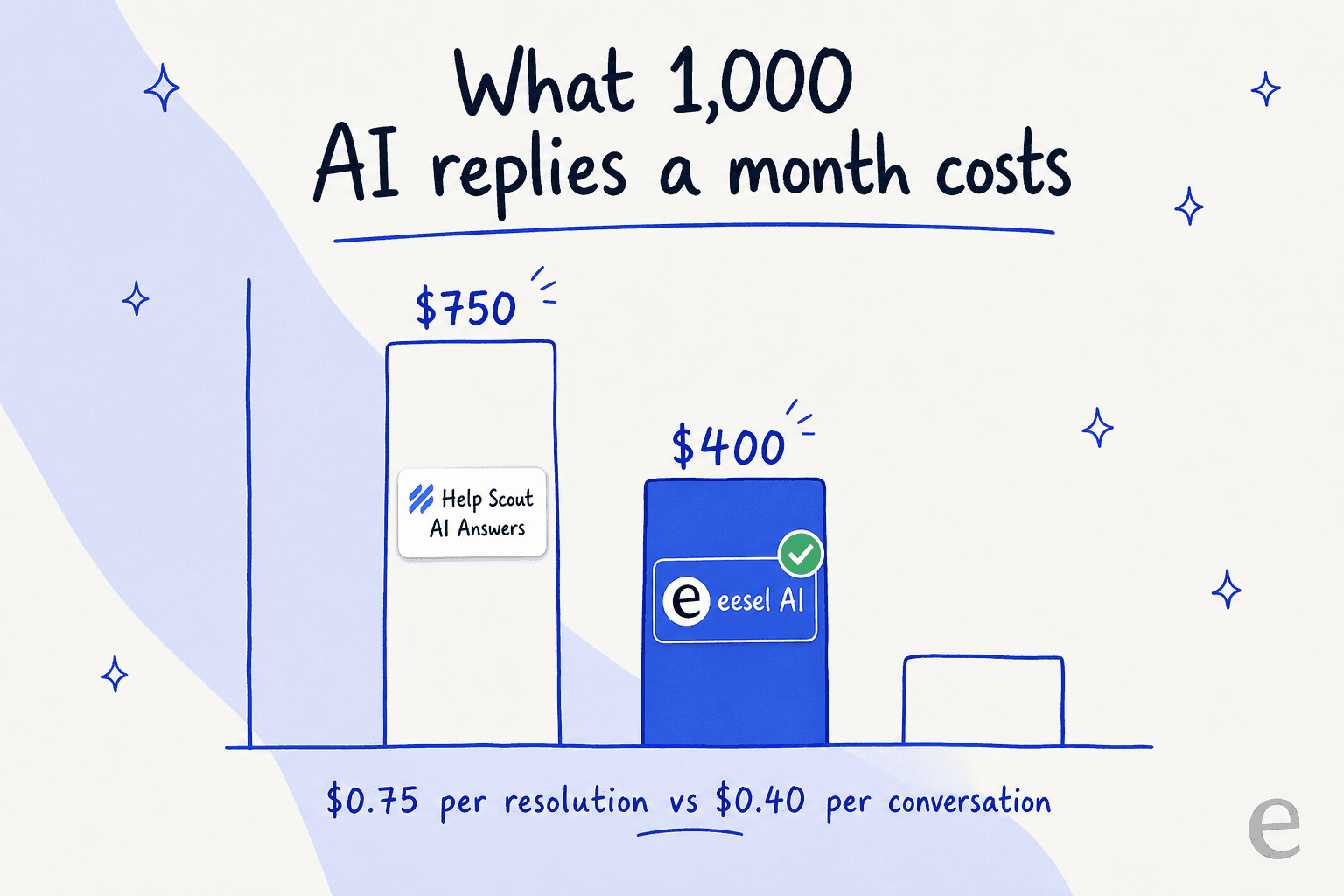
The cost is metered, and it stacks. AI Answers runs $0.75 per resolution on top of your per-seat plan. At low volume that's nothing. At 1,000 resolved conversations a month, it's an extra ~$750 on top of seats, and reviewers consistently flag it as a hidden scaling cost (our Help Scout pricing guide walks through the full math). Help Scout's community is already touchy about pricing after the company flip-flopped its pricing model in 2025:
"HelpScout changed back to user-based pricing. Guess too many people cancelled including me... Helpscout lost all trust with this flip-flopping on pricing."
u/manu_8487, r/SaaS

The auto-reply learns from docs, not from your solved tickets. AI Answers leans on your knowledge base and web sources. It doesn't really learn from the thousands of replies your team has already written, and G2's aggregated reviews note that Help Scout AI "can't take actions or learn from past tickets." That matters because your best answers usually live in your ticket history, not your help center. A help-center article tells a customer the policy; a great past reply shows the exact wording your team uses to deliver it.
Neither of these is a dealbreaker for a small team with tidy docs and modest volume. But if you're automating to scale, they're the two things that decide whether auto-reply stays cheap and on-brand.
Auto-reply you can actually trust: the confidence gate
Here's the part I care about most, because it's where I've watched teams get burned. The fear isn't that AI replies. It's that AI replies to everything, including the questions it should have left alone. One of our customers put the objection better than I can:
"The AI will never be able to answer 100% of the questions, but if it tries and just answers 'sorry I don't know this,' I cannot go and check all my 7,000 tickets to see if the AI actually made a good answer... I need an AI who is only handling the tickets that it's confident to handle and all the other ones, leave them alone."
a CX lead at a DTC supplements brand on Gorgias + Shopify (~7K tickets/month), from eesel's customer research
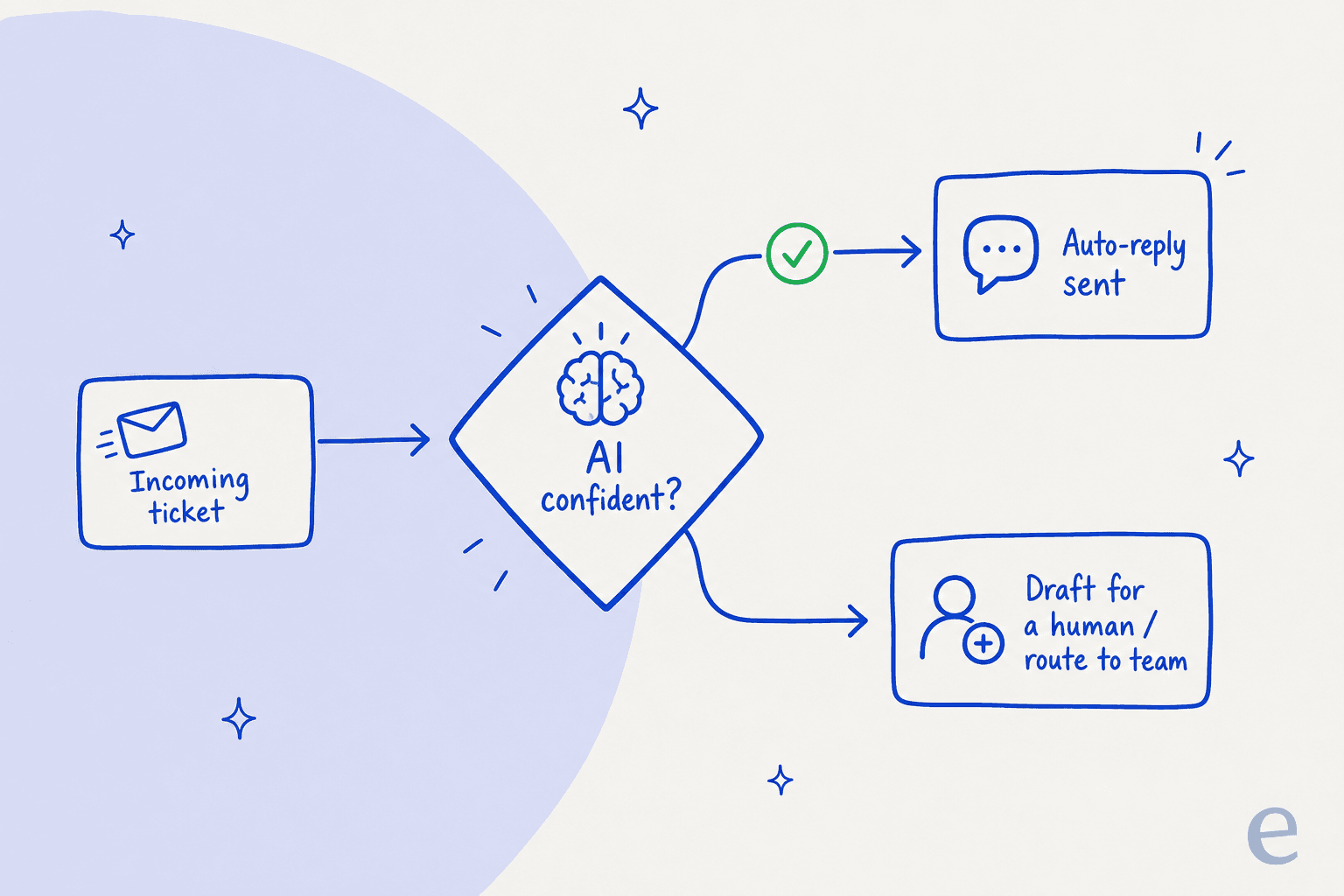
That's the whole game. Good auto-reply isn't "reply to every ticket." It's "reply only when confident, and route the rest to a human." We build eesel around exactly that, after watching too many confident-sounding bots quietly confirm things that weren't true. The pattern below is the one I'd set up in any helpdesk, Help Scout included.
The two habits that make auto-reply safe:
- Start in draft-only, graduate by ticket type. Let the AI draft everything, but only auto-send on the question types where it's been right over and over (order status, password resets, shipping windows). Keep refunds, account changes, and anything legal in human hands. There are always certain tickets you don't want going through AI, and the ability to exclude them is non-negotiable.
- Simulate before you launch. Before any auto-reply goes live, run it against your real past conversations and read what it would have sent. This is the single best way to catch a bot that over-promises ("we'll get you sorted by Friday" when you can't guarantee that) before a customer ever sees it. It also tells you your real resolution rate instead of a vendor's average.
This is the design philosophy gap. Help Scout gives you a private test mode, which is good. A dedicated AI agent layer goes further: it gates every reply on a confidence threshold, and low-confidence questions become a draft or a clean handoff instead of a guess.
Setting up eesel auto-reply in Help Scout
Full disclosure: we make eesel AI, and it integrates directly with Help Scout, so take this section with that in mind. The reason it's worth covering in an auto-reply guide is that it fills the two gaps above. It joins as a real AI Agent inside your Help Scout mailbox (no separate widget, no bot address), and it trains on your past Help Scout conversations and saved replies, not just Docs.
Setup is a 30-minute job:
- Connect Help Scout. Authorize eesel through the Help Scout API from the dashboard. Two clicks, no developer.
- Let it import your knowledge. eesel automatically pulls in your Docs articles, past Help Scout conversations, and saved replies, so the auto-reply sounds like your team from day one.
- Simulate, then launch. Run the agent against your historical conversations to see coverage by topic and fix gaps, then choose draft-only mode (a human reviews) or autopilot (it sends directly). You can scope it to specific mailboxes, folders, or tags.
The reason I trust this approach over a flat "reply to everything" toggle is that we've run it at real scale. With Gridwise, eesel resolved 73% of tier-1 requests in the first month, with results showing up during a 7-day trial. EntryLevel runs multiple eesel agents triaging and answering Help Scout tickets. Those numbers come from confidence-gated auto-reply, not a firehose.
Try eesel
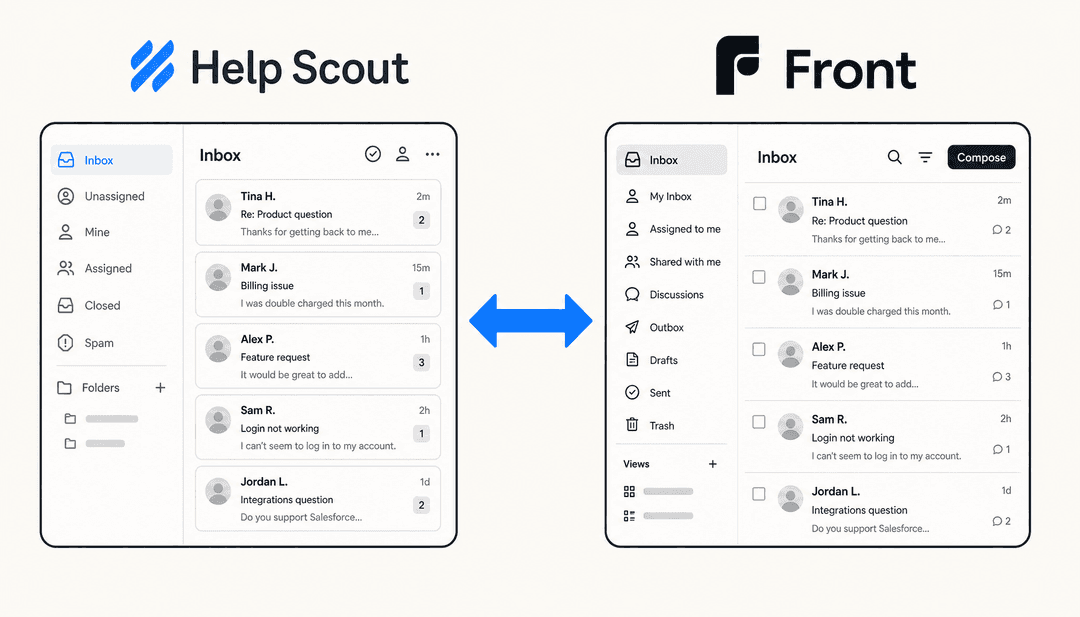
If you want AI auto-reply in Help Scout that learns from your real tickets and only replies when it's confident, eesel AI is built for exactly that. It joins your Help Scout inbox as a native AI Agent, trains on your Docs, past conversations, and saved replies, and lets you simulate against historical tickets before a single reply goes live. Pricing is a flat $0.40 per conversation with no per-seat fee and no platform minimum, so the cost stays predictable as you scale. You can connect it and run a simulation in under 30 minutes. If you're still comparing options, our Help Scout alternatives and Help Scout vs Front guides are a good next read.
Frequently Asked Questions
Does Help Scout have AI auto-reply built in?
Yes. Help Scout AI auto-reply comes in two forms: AI Answers, an autonomous agent that replies to customers directly, and AI Drafts, which writes a reply for a human agent to review and send. AI Answers is the closest thing to true hands-off auto-reply, and it's priced separately at $0.75 per resolution. If you want auto-reply that learns from your past Help Scout conversations, a layer like eesel AI sits on top of the same inbox.
How much does Help Scout AI auto-reply cost?
AI Answers is a usage-based add-on at $0.75 per resolution on top of your per-seat plan, with a three-month free trial on new accounts. AI Drafts and the other Inbox Assistant tools are included on paid plans. At 1,000 resolved conversations a month, that's about $750 in AI on top of seats. eesel AI bills a flat $0.40 per conversation with no per-seat fee, which usually works out cheaper at volume. See our guide to Help Scout pricing for the full breakdown.
How do I stop Help Scout AI from sending wrong answers automatically?
Start in draft-only mode so a human reviews every reply, then only let the AI send on its own for ticket types where it's consistently right. The safest setup gates auto-replies on a confidence threshold, so low-confidence questions get routed to a person instead of guessed at. eesel AI lets you simulate against past tickets before anything goes live.
Can Help Scout AI learn from my past support tickets?
Help Scout's AI Answers draws mainly on your Docs knowledge base, web sources, and custom instructions rather than your historical ticket replies. Reviewers note this as a limit. If learning from solved conversations matters to you, eesel AI trains on your past Help Scout conversations and saved replies so the auto-reply sounds like your team. Compare the two in our Help Scout review.
What's the difference between AI Drafts and AI Answers in Help Scout?
AI Drafts is agent-facing: it writes a reply inside the inbox and a human reviews and sends it (a copilot). AI Answers is customer-facing: it resolves everyday requests automatically with no human touch. Most teams roll out AI auto-reply by starting with drafts, then graduating confident ticket types to AI Answers. For more on assisted replies, see our roundup of the best AI agent assist tools.


Article by
Riellvriany Indriawan
Riell is a designer and writer at eesel AI with about two years of experience researching CX platforms, AI chatbots, and helpdesk software. She combines her design background with a sharp eye for how these tools actually look and feel in practice — making her comparisons unusually visual and user-focused.