What "ticket triage" really means
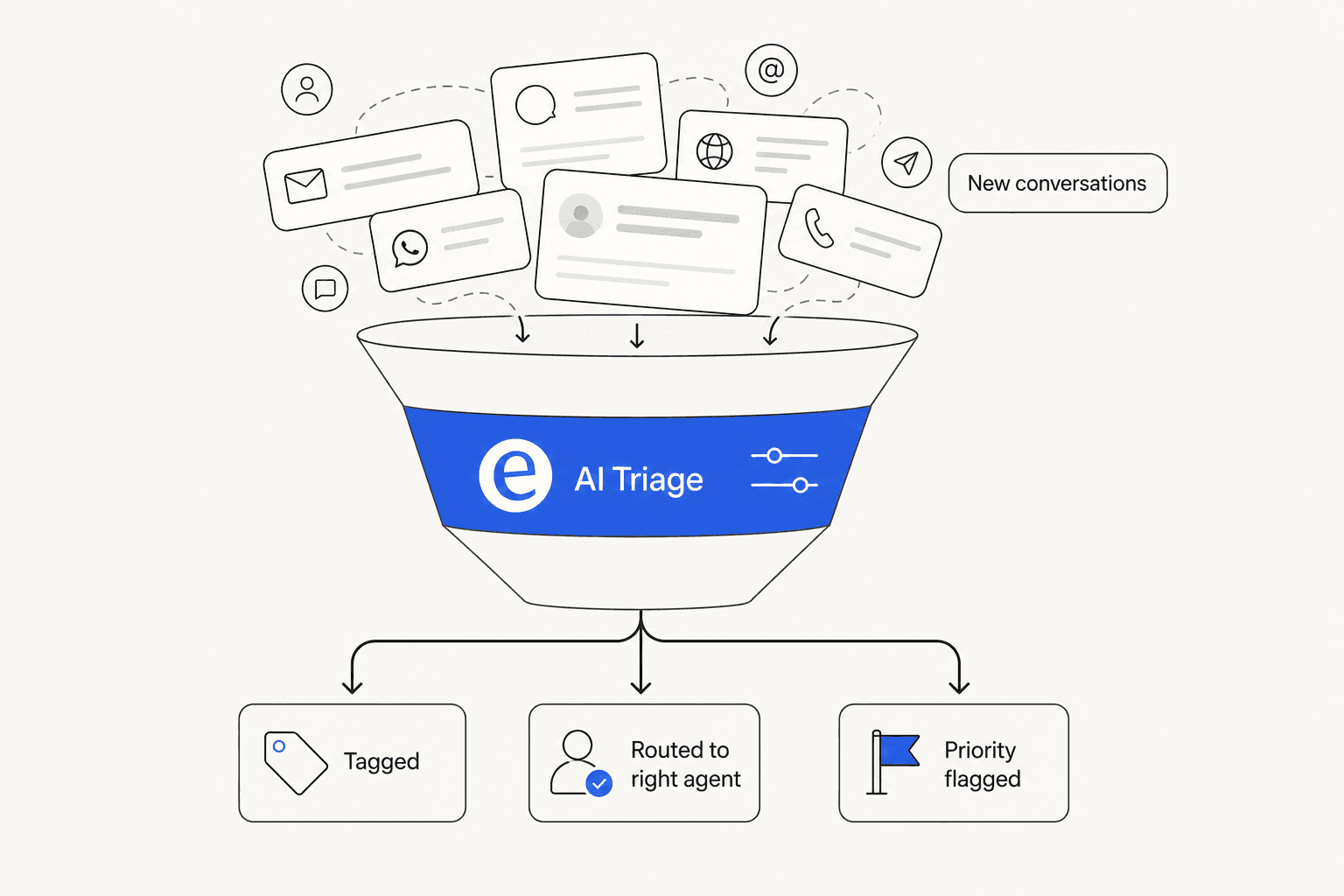
Triage is everything that happens to a ticket before anyone answers it: figuring out what it's about, tagging it, routing it to the right person, and flagging the urgent ones. On a small team it feels invisible because one person eyeballs the inbox and sorts it. At any scale, it's a tax, every conversation gets read once just to decide who reads it next.
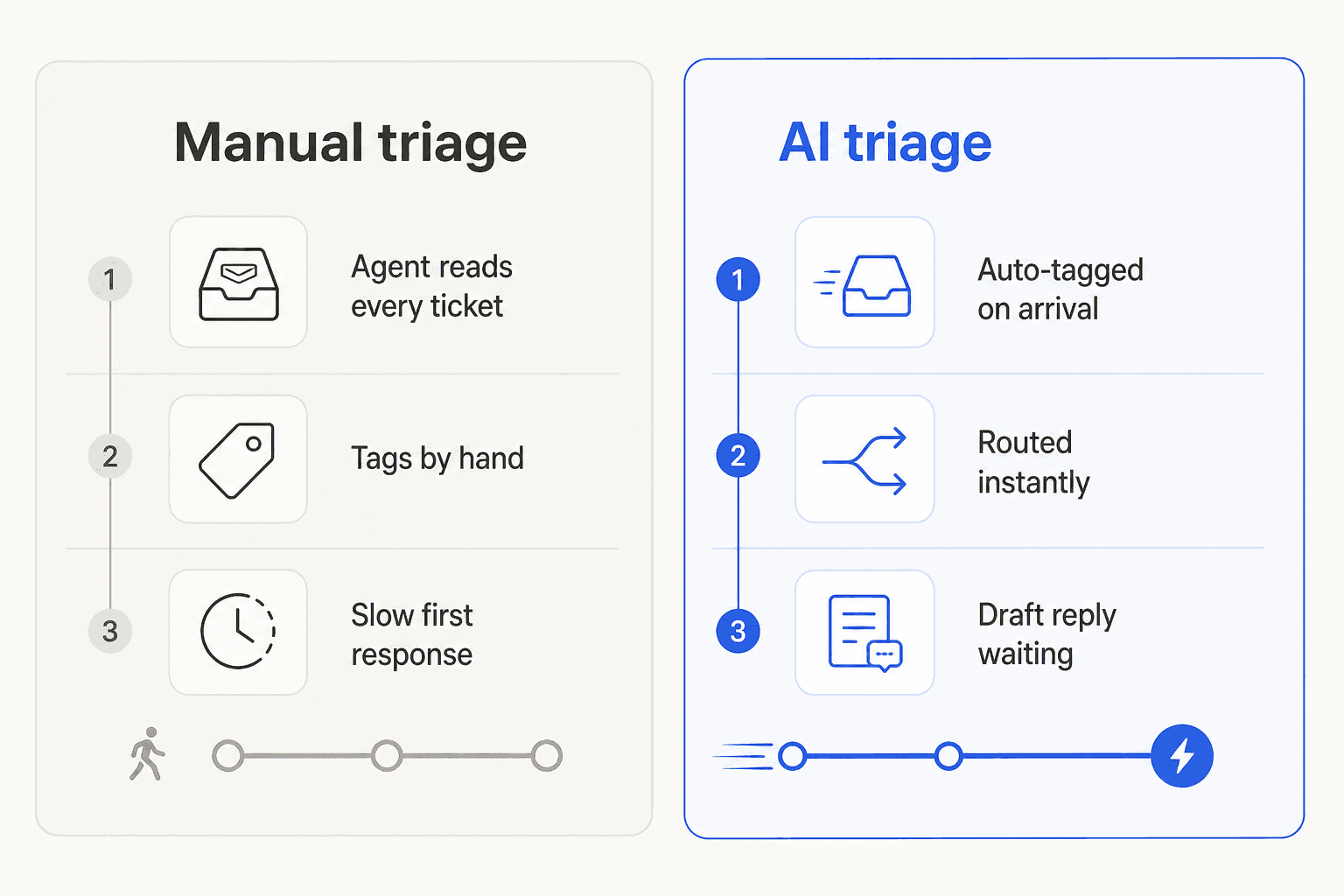
That double-handling is what AI triage removes. Instead of an agent reading a ticket to decide it belongs to billing, the AI reads it on arrival, tags it billing, routes it to the billing inbox, and optionally drafts the reply. The agent opens an already-sorted conversation. Done well, your support workflow stops starting from a cold, unsorted pile every morning, which is the whole promise of AI support ticket triage.
What Help Scout's own AI does (and doesn't) do
Credit where it's due: Help Scout has a clean, likeable AI feature set, and I don't want to undersell it. There are two halves.
AI Answers is the customer-facing agent. It resolves requests from your knowledge base and reportedly handles around 73% of interactions on average, in 50+ languages. The Inbox Assistant is the agent-facing half: AI Drafts writes a first-pass reply, AI Summarize recaps a long thread, and AI Assist cleans up tone, grammar, and length or translates a reply.
Notice what's missing from that list, though: triage. None of those features classify an incoming ticket, route it, or tag it by intent. That work still falls to Help Scout's rule-based workflows, which fire on conditions like "subject contains the word refund." Those are useful, but they're keyword matching, not understanding. A ticket that says "I never got charged but my account says premium" won't trip a "refund" rule even though a human would route it instantly.
There's also a cost wrinkle worth naming honestly. Help Scout's Standard plan is $25 per user per month, and AI Answers is billed separately at $0.75 per resolution. At a thousand resolutions a month, that's an extra $750 on top of your seats, and reviewers on G2 consistently flag it as a scaling cost that sneaks up on you. None of that buys you triage either.
How to add real AI ticket triage to Help Scout
You've got three honest options, in rough order of how much triage intelligence they give you.
Option 1: Native workflows
Free, built in, and fine for simple, predictable rules. If you only need "tickets from this address go to that inbox," start here. The ceiling is low, though: workflows can't read intent, so anything ambiguous slips through, and you'll be hand-maintaining condition lists forever.
Option 2: Help Scout's AI plus manual sorting
Use AI Drafts and AI Summarize to speed up the answering, and keep doing triage by hand or with workflows. If you're weighing whether Help Scout's AI is enough for you overall, our Help Scout review and best AI for Help Scout roundup go deeper. This is a reasonable middle ground if your volume is low and your categories are simple. It just doesn't remove the read-to-sort tax, it only makes the reply faster once a ticket's been sorted.
Option 3: A layered AI triage agent
This is where you get actual triage. An AI helpdesk agent connects to Help Scout, reads each incoming conversation, classifies it, tags it, routes it, and leaves a suggested reply as an internal note for the agent to approve.
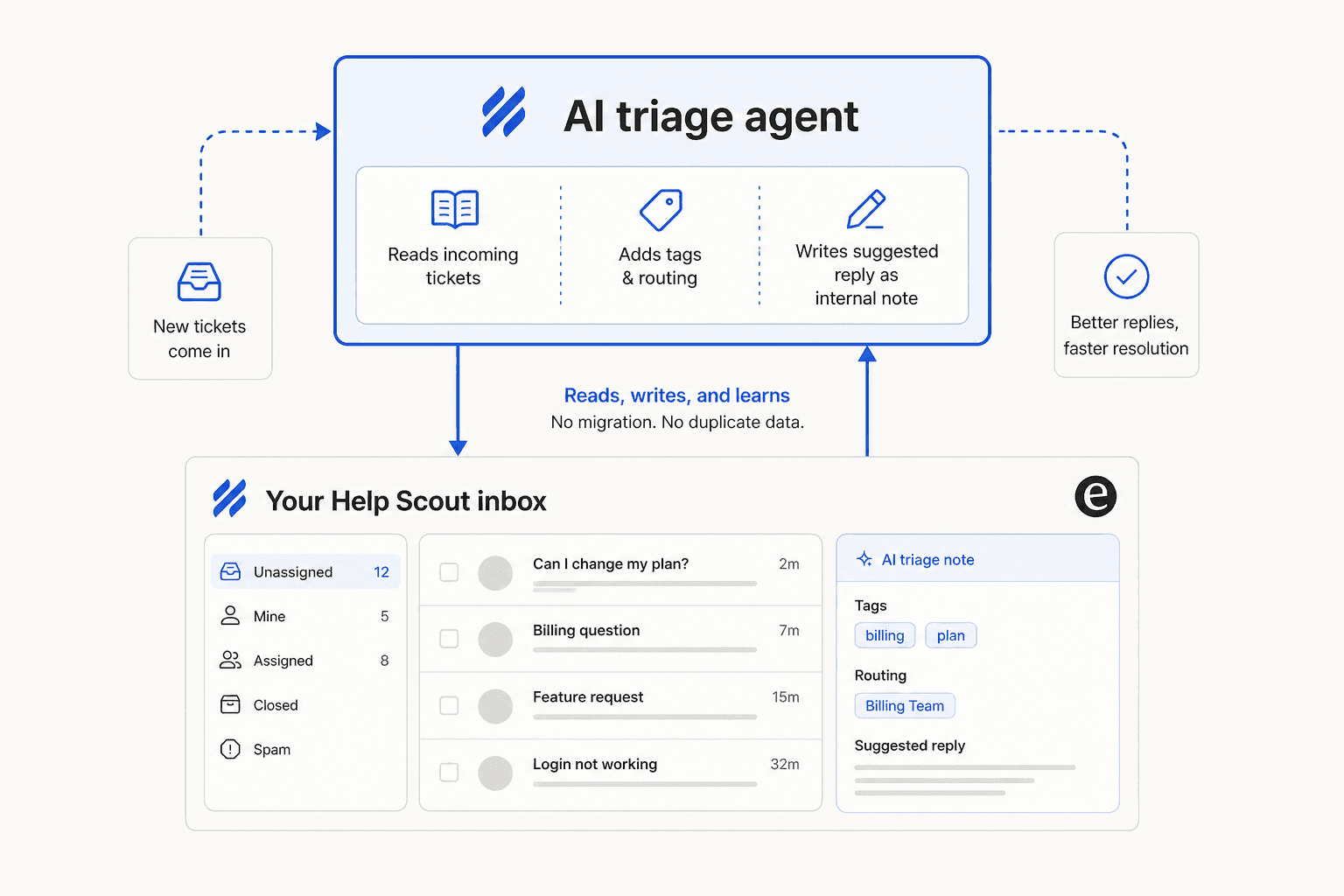
The reason I'd reach for this is that it's the only option that learns. Trained on your own resolved Help Scout tickets, the agent learns your actual categories and routing logic instead of you spelling out every rule. That past-ticket training is, by a distance, the single most-requested capability we hear about from support teams, and it's what makes triage accurate rather than guessy.
What good AI triage looks like in practice
The pattern I'd recommend for most Help Scout teams isn't "let the AI auto-reply to everything on day one." It's the internal-note approach: the AI triages and drafts, a human approves. That keeps you in control while still killing the sorting tax, and it's the escalation-friendly setup that builds trust before you hand the AI more rope.
The biggest objection we hear is exactly that fear of losing control, teams who won't let AI touch every ticket blind. The answer is to simulate first. Before anything goes live, you run the agent against your historical tickets and see precisely how it would have tagged and routed them, so you're calibrating against real data, not hoping. Then you turn it on for the ticket types it's confident on and leave the rest alone.
Try eesel
If you want AI ticket triage for Help Scout without switching tools, eesel AI is built for exactly this. It connects to your Help Scout inbox, trains on your past tickets, and auto-tags, routes, and drafts replies on incoming conversations, with a simulation mode so you can prove the accuracy before going live.

Because it layers on top of Help Scout, there's no migration and no ticket history to move, you keep the inbox your team already knows. Try eesel and run a simulation on your own Help Scout tickets to see the triage accuracy for yourself.
Frequently Asked Questions
Does Help Scout have built-in AI ticket triage?
How does AI ticket triage for Help Scout work?
How much does Help Scout's AI cost?
Can I add AI triage to Help Scout without switching helpdesks?
Will AI triage tag tickets accurately?


Article by
Alicia Kirana Utomo
Kira is a writer at eesel AI with a Computer Science background and over a year of hands-on experience evaluating AI-powered customer service tools. She focuses on breaking down how helpdesk platforms and AI agents actually work so that support teams can make better buying decisions.