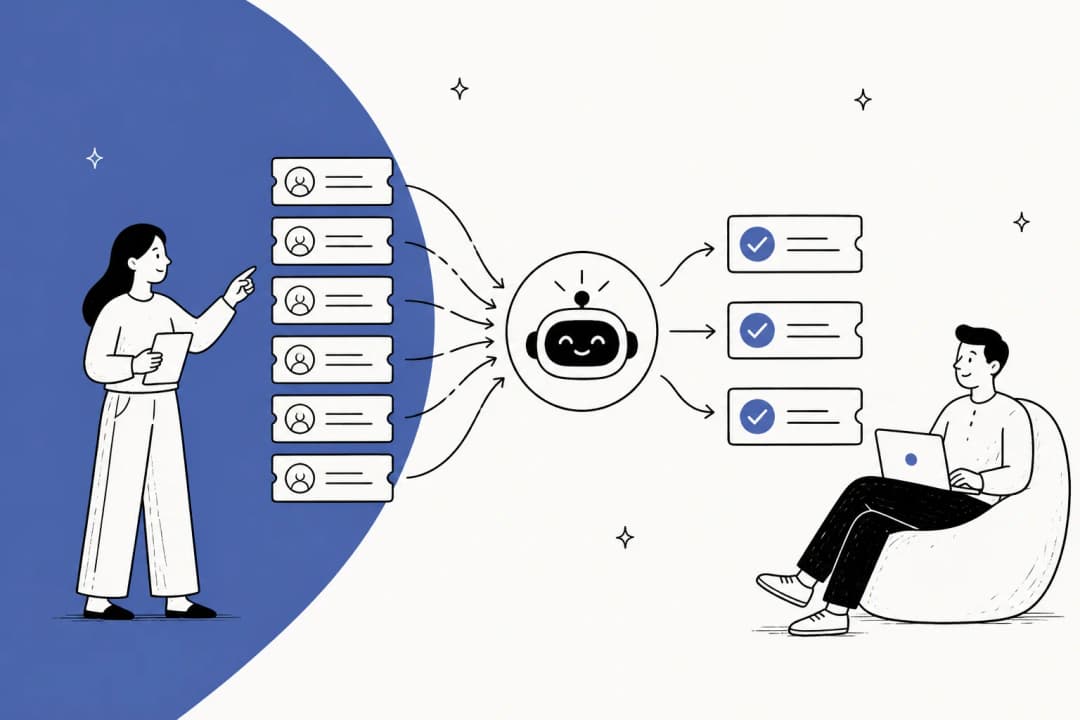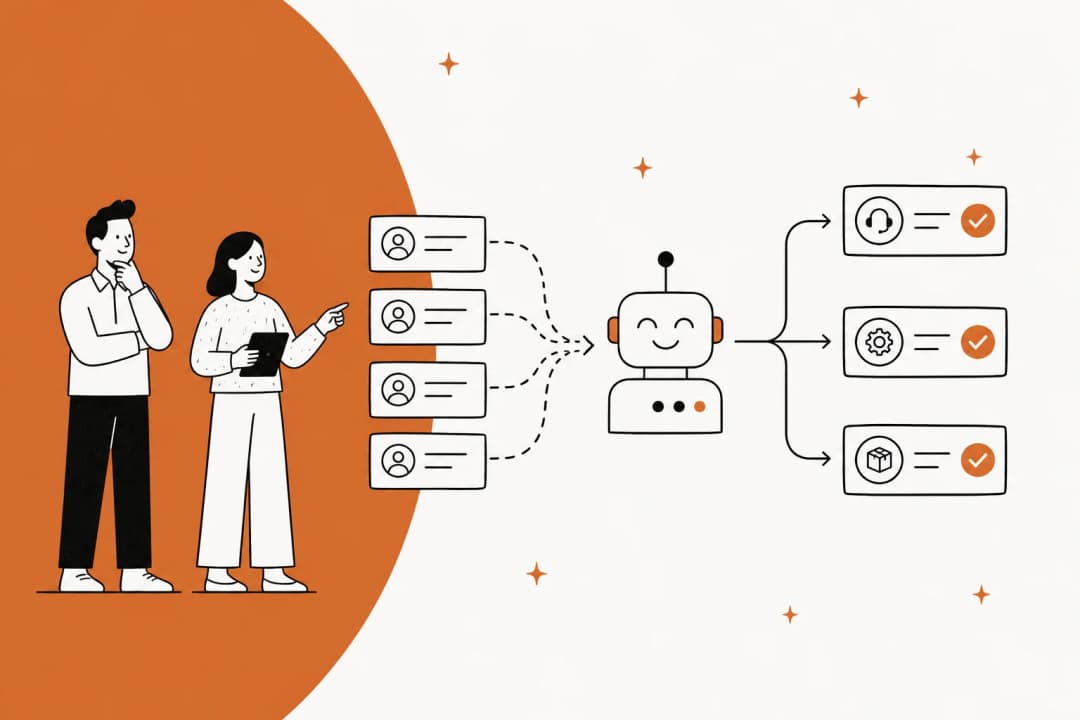
What "ticket triage" actually means (and why it's not deflection)
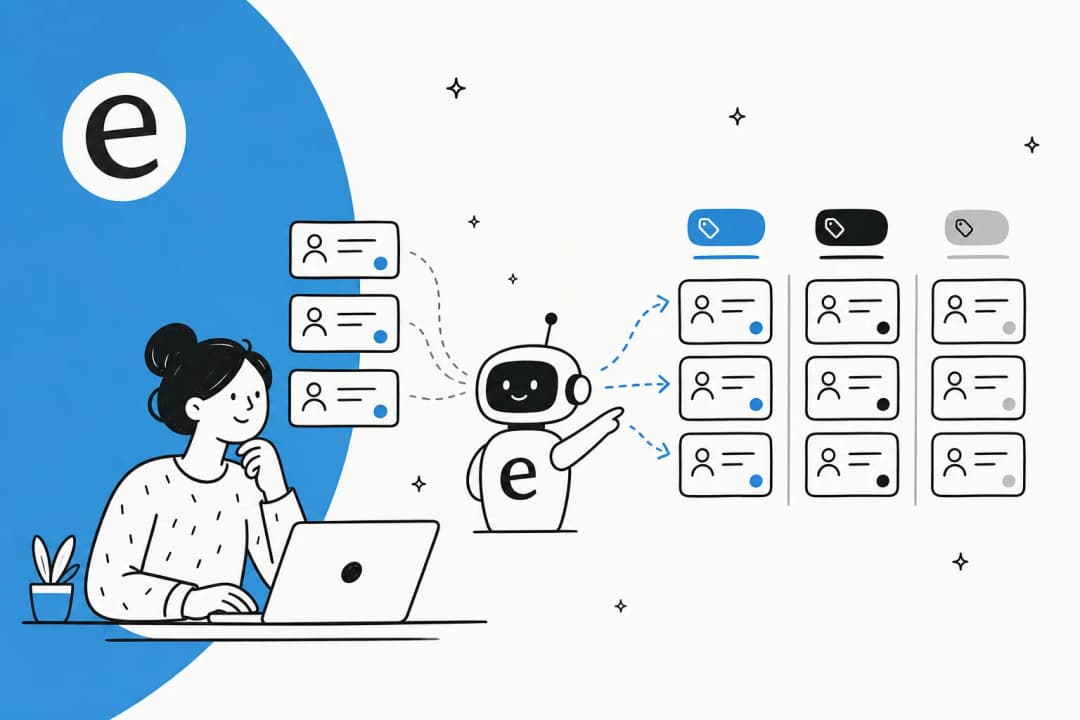
When support teams say they want AI triage, they usually mean one of four jobs, and the good tools do all of them:
- Categorize the ticket by intent and topic ("refund request," "login bug," "shipping delay").
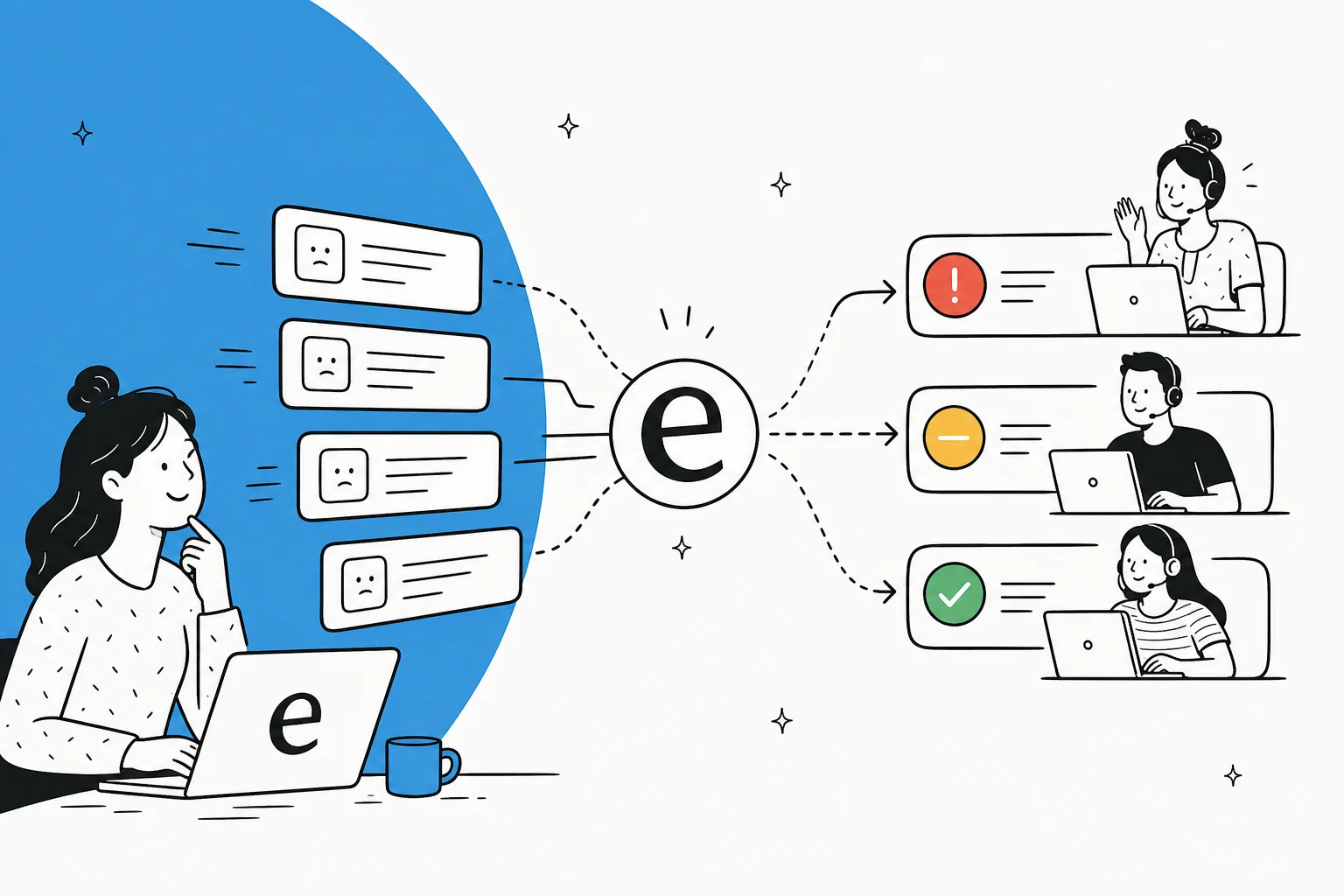
- Read sentiment so an angry customer doesn't sit in the same queue as a happy one.
- Set priority based on urgency, customer tier, or SLA risk.
- Route and assign to the right team or agent, with the right tags and fields already filled in.
Notice what's not on that list: actually answering the ticket. That's deflection, and it's a separate job with a separate metric. Triage is the upstream sorting step. You can have brilliant deflection and still bury your team if triage routes a payments outage into the "general questions" queue. Most of the tools below do both, but the triage half is what we're grading here.
Here's the reframe we'd push, because it's the thing the data keeps surfacing: triage isn't about automating everything. In one eesel customer call, a CX lead at a DTC supplements brand running about 7,000 tickets a month on Gorgias and Shopify put it bluntly. The AI will never answer 100% of questions, they said, so what they actually needed was "an AI who is only handling the tickets that it's confident to handle, and all the other ones, leave them alone." A triage tool that confidently routes 60% correctly and flags the other 40% for a human beats one that touches everything and gets a chunk of it wrong. Keep that in mind as you read the verdicts.
The best AI for support ticket triage at a glance
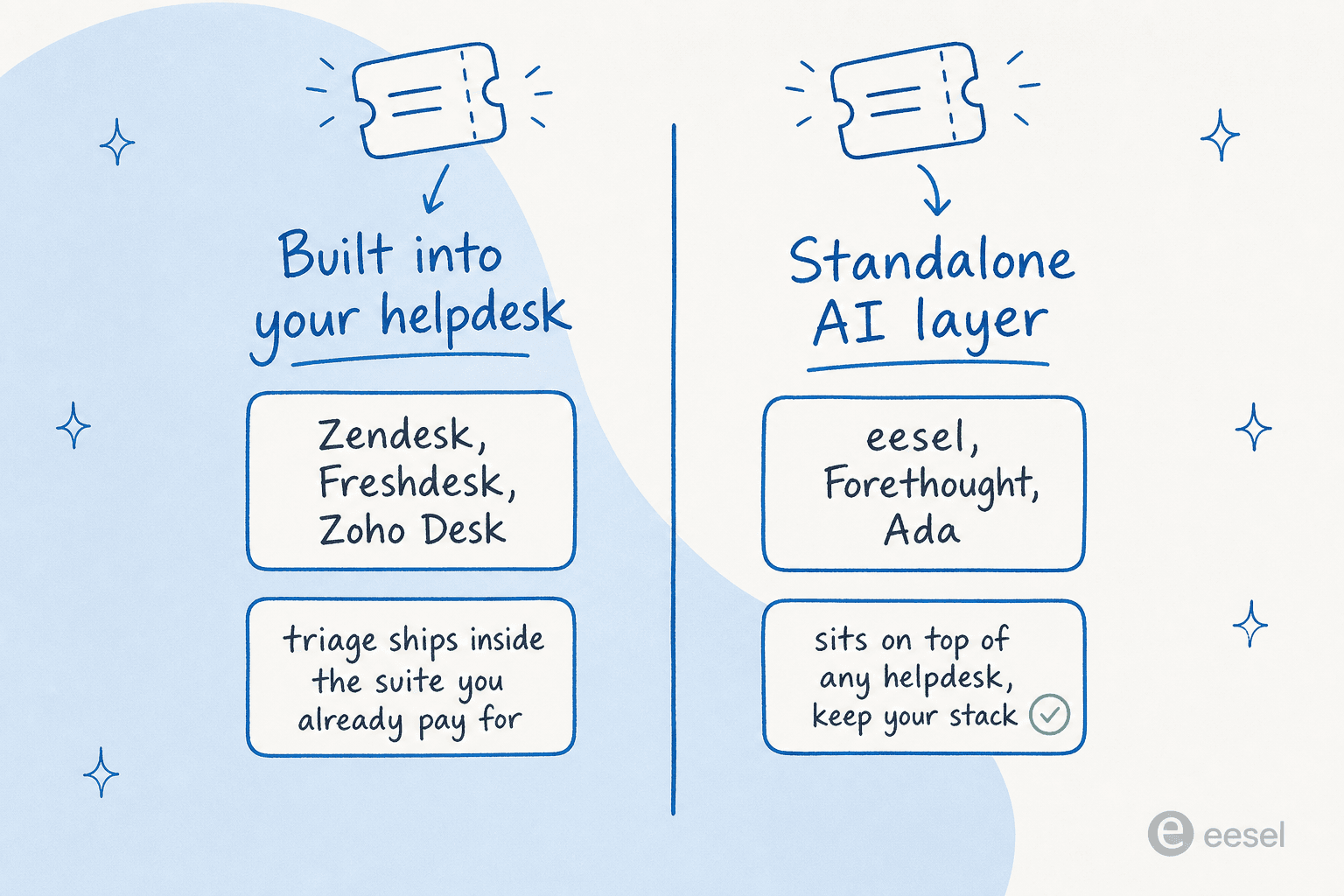
The single biggest fork is architecture, shown above: triage that ships inside the helpdesk you already pay for, versus a standalone AI layer that sits on top of whatever stack you've got. That choice drives everything else, including how you're billed.
| Tool | Best for | Architecture | Key triage features | Billing unit | Starting price | Rating |
|---|---|---|---|---|---|---|
| eesel AI | Triage across one or many existing helpdesks | Standalone, helpdesk-agnostic | Auto-tag, field-fill, confidence-based routing, drafted internal notes | Per task | $0.40/task, no per-seat | 4.6/5 G2 |
| Zendesk | Teams standardized on Zendesk | Native add-on | Intelligent Triage: intent, entity, sentiment, language | Per agent + per resolution | $19/agent/mo + $50 Copilot | 4.3/5 G2 |
| Freshdesk | Freshworks shops wanting triage + omnichannel | Native add-on | Routing by sentiment, skill, workload; skills-based routing | Per agent + per session | $19/agent/mo | 4.4/5 G2 |
| Forethought | Purpose-built triage on top of any helpdesk | Standalone | Triage product: tags, sentiment, urgency, custom handoff models | Quote-only (outcome-based) | Contact sales | n/a |
| Zoho Desk | Budget teams in the Zoho ecosystem | Native | Zia auto-tagging, sentiment, field predictions, routing | Per agent | Free, then $7/agent/mo | 4.5/5 Gartner |
| Kustomer | High-volume B2C/retail | Native (CX platform) | Smart routing/queues on a unified customer timeline | Per seat + per conversation | Quote-only (~$89/seat) | 4.4/5 G2 |
| Gorgias | Shopify and ecommerce | Native | Auto-tagging and ticket rules with native order data | Per ticket volume | $10/mo | 4.6/5 G2 |
| Ada | Enterprise, 300k+ conversations | Standalone | Multi-LLM Reasoning Engine, Playbooks for routing SOPs | Quote-only | Contact sales | n/a |
Now the detail, including where each one falls down.
1. eesel AI
Best for: teams that want to add AI triage to the helpdesk(s) they already have, without a migration.
eesel AI is a standalone AI layer that connects to your existing tools, Zendesk, Freshdesk, Gorgias, Zoho Desk, Slack, and 100+ others, reads incoming tickets, and goes to work on them. For triage specifically, that means it can tag a ticket from your defined tag list, auto-fill ticket fields, route it, and drop a fully drafted reply in as an internal note for a human to approve. It's the helpdesk-agnostic approach: you keep your stack, you add a brain on top.

What we'd actually flag as the differentiator is confidence-based routing. Instead of firing on every ticket and hoping, eesel drafts low-confidence answers for review rather than sending them, and escalates when it doesn't know rather than hallucinating. That maps directly onto the "leave the ones you're not sure about alone" bar we mentioned up top. You can also start in a draft-for-review mode and graduate to autonomous as trust builds, and run a simulation on past tickets before going live.
The triage-as-first-responder pattern shows up across real deployments. As one head of IT described running eesel on an internal Jira Service Management desk:
"We use it to be the first responder to our Helpdesk tickets in Jira. It essentially acts just like an agent would."
Jason Loyola, Head of IT, InDebted (eesel case study)
The same engine handles the messy stuff: in eesel's own ticket samples, the agent has matched a cold sales pitch against past tickets, classified it as spam, and drafted a polite decline as an internal note rather than trying to "answer" it. That's triage doing the unglamorous work it's supposed to do.
Pros:
- Works across multiple helpdesks at once, so one triage logic spans your whole stack.
- Confidence-based routing and human-in-the-loop control are first-class, not an afterthought.
- Transparent pay-as-you-go pricing: $0.40 per task, no per-seat fee, no per-resolution surprise bill.
- Trains on your past tickets, docs, and macros; setup is measured in minutes, not weeks.
Cons:
- It's an AI layer, not a helpdesk, so you still need an underlying ticketing system.
- At very high volume, usage-based pricing needs forecasting like any consumption model (though there's no per-seat multiplier stacked on top).
Pricing: Free to start with $50 of usage, then $0.40 per regular task (a triaged or resolved ticket). No per-agent fee. Enterprise adds SSO, HIPAA, and a flat $1,000/month platform fee.
Our take: If you're running more than one helpdesk, or you simply don't want to rip out the one you have, eesel is the most flexible triage option here, and the confidence controls are genuinely the best-designed in this list. Pick it when "keep our stack, add the AI" describes you. Skip it if you want a single all-in-one suite that owns ticketing too.
2. Zendesk
Best for: teams already standardized on Zendesk who want triage native to the platform.
Zendesk now calls itself "the Resolution Platform," and its triage muscle lives in a feature called Intelligent Triage, part of the Copilot add-on. It auto-classifies every incoming ticket by intent, entity, sentiment, and language, and those classifications then drive routing, automation, and reporting. If your team lives in Zendesk all day, this is the most natural place to start, and our guide to Zendesk AI capabilities goes deeper on the setup.
The classification quality is genuinely good, and because it's native, the routing and macros downstream are tightly wired in. The catch is cost and complexity. Intelligent Triage rides inside the Copilot add-on, which is roughly $50/agent/month on top of your Suite seat (it's bundled at the Enterprise tier). Stack that on the per-resolution "automated resolution" billing for the customer-facing AI, and Zendesk reviewers consistently report AI costs running 2 to 3 times the base subscription. On the admin side, configuring Copilot and Intelligent Triage is repeatedly described on G2 as "burdensome" and needing technical knowledge.
Pros:
- Deep, native classification (intent, entity, sentiment, language) wired straight into routing.
- Huge marketplace (1,800+ apps) if you want to extend the triage logic.
- Best-in-class if your whole team already works inside Zendesk.
Cons:
- Triage is gated behind the ~$50/agent/month Copilot add-on or the Enterprise tier.
- Per-resolution AI billing has no soft cap; the only overage control is pausing AI entirely.
- Admin setup of the AI layer is widely called heavy and technical.
Pricing: Suite plans run from Support Team at $19/agent/month up through Suite Professional at $115/agent/month, with Copilot (which includes Intelligent Triage) as a ~$50/agent/month add-on below Enterprise. Customer-facing resolutions bill separately.
Our take: If you're a committed Zendesk shop with budget, Intelligent Triage is a strong, native choice. If the per-agent-plus-per-resolution math makes you wince, that's exactly the moment to look at a Zendesk AI alternative that triages the same tickets without the add-on stack.
3. Freshdesk
Best for: Freshworks shops that want triage folded into a full omnichannel suite.
Freshdesk, from Freshworks, bundles ticketing, omnichannel support, and its Freddy AI suite under one roof, trusted by 74,000+ businesses. For triage, the workhorses are Freshdesk's workflow engine, which routes and prioritizes tickets based on sentiment, agent skills, and workload, and skills-based routing on the Enterprise plan. Freddy AI Copilot then assists the human agent once the ticket lands. Our Freshdesk auto-triage guide and automatic ticket assignment walkthrough cover the mechanics.
Freshworks leans on strong headline numbers, up to 80% of queries resolved autonomously and a 60% lift in agent productivity with Copilot, and the omnichannel unification is a real strength. The friction is the same per-session pricing model: Freddy AI Agent sessions run $49 per 100 sessions after the free allowance, and Copilot is a separate per-agent add-on, so the AI bill grows with volume in a way the base seat price doesn't telegraph.
Pros:
- Routing by sentiment, skill, and workload is built into the workflow engine.
- Skills-based routing and advanced security arrive at the Enterprise tier.
- Genuinely strong omnichannel story (email, chat, messaging, phone).
Cons:
- The best routing (skills-based) is Enterprise-only at $89/agent/month.
- Freddy AI is consumption-priced per session on top of seats.
- The richest AI features sit behind Pro/Enterprise plus add-ons.
Pricing: Growth $19, Pro $55, Enterprise $89 per agent/month (annual). Freddy AI Agent is $49 per 100 sessions after a one-time free allowance; Copilot is a per-agent add-on.
Our take: A solid, well-rounded pick if you're already on Freshworks or want a true all-in-one suite. If you mostly want the triage and routing and resent paying for the rest, compare it against the leaner Freshdesk alternatives first.
4. Forethought
Best for: mid-market and enterprise teams that want purpose-built triage on top of an existing helpdesk.
Here's a fun bit of history: Forethought basically invented the AI-ticket-routing category. It added Triage to its product line back in 2019, years before the generative-AI wave. Today Triage is one agent in a multi-agent system (alongside Solve, Discover, Assist, and Agent QA), and it tags and prioritizes tickets by sentiment, language, and urgency, plus custom handoff models you train for product line or region.
The strongest pitch is that, like eesel, Forethought is helpdesk-agnostic: it sits on top of Zendesk, Salesforce Service Cloud, or whatever you run, so you don't have to switch. It's clearly aimed up-market, with customers like Upwork, Carta, and Grammarly, and headline claims of up to 98% resolution rates and 15x average ROI. The trade-off is opacity: Forethought publishes no public pricing, only a "Get a Quote" flow and a proof-of-value engagement, and secondary sources peg it as a mid-five-figure to low-six-figure annual contract. There's no self-serve trial.
Pros:
- A dedicated, mature Triage product with custom handoff models, not a bolt-on.
- Helpdesk-agnostic, so you keep your existing stack.
- Strong enterprise track record and ROI numbers.
Cons:
- Quote-only pricing with no public figures and no free trial.
- Built for mature, higher-volume support orgs; overkill for small teams.
Pricing: No public pricing. Three tiers (Team, Professional, Enterprise) plus add-ons, all quote-only with outcome-based components. See our Forethought pricing and Forethought review for what we could verify.
Our take: If you're an enterprise that wants serious, dedicated triage on top of a helpdesk you're keeping, Forethought is a credible pick with the longest pedigree in the category. Smaller teams will find the quote-only, enterprise-shaped model a poor fit, and should weigh the best Forethought competitors before committing.
5. Zoho Desk
Best for: budget-conscious teams already in (or drawn to) the Zoho ecosystem.
Zoho Desk is the value play: it does "almost everything that Zendesk does at like half the cost," as Reddit reviewers like to put it, and it's trusted by 125,000+ businesses. Its AI assistant, Zia, handles the triage jobs, auto-tagging incoming tickets, scoring sentiment and tone, and running field predictions that auto-update category, owner, and issue type to kick off routing automations. On top of that sit direct assignment rules, round-robin load balancing, and skills-based assignment. Our roundup of AI integrations for Zoho Desk goes deeper.
The price is the headline: a Free Forever plan, then editions from $7/agent/month up to $40 at Enterprise, billed annually. The catch, and it's a real one, is that almost all of Zia's triage smarts (auto-tagging, sentiment analysis, field predictions, the Answer Bot) are gated to the Enterprise tier, which one G2 analysis notes effectively "prices out the SMB segment that represents Zoho's core market." Zia's quality also draws skepticism: Reddit users have called it underwhelming, and its standalone G2 listing sits at just 4.0/5 from 27 reviews.
Pros:
- Outstanding value; the cheapest serious option here, with a real free tier.
- Strong, conventional routing (round-robin, skills-based, assignment rules).
- Tight integration with the wider Zoho suite and CRM.
Cons:
- The AI triage features (auto-tagging, sentiment, field predictions) are Enterprise-only.
- Zia's answer quality is widely seen as weaker than rivals'.
- Cluttered UI and a steep learning curve are recurring complaints.
Pricing: Free (3 users), Express $7, Standard $14, Professional $23, Enterprise $40 per agent/month (annual). The triage-relevant Zia features require Enterprise.
Our take: For a smaller team that wants solid rule-based routing on a tight budget, Zoho Desk is hard to beat on price. Just go in clear-eyed that the AI triage lives on the Enterprise plan, and that Zia is the weakest AI brain in this lineup. If you want stronger AI without the Enterprise jump, an external layer like eesel pairs well on top.
6. Kustomer
Best for: high-volume B2C and retail teams that want triage on a customer-centric data model.
Kustomer takes a different stance: it's a CX platform built around the customer record, not the ticket. Every interaction ties to a full timeline (order history, loyalty tier, churn risk), so when its AI triages and routes, it's working from context rather than a single isolated message. Underneath the AI suite (Concierge, Envoy, Architect, Data Explorer) sit smart routing, queues, and SLA management. It skews heavily toward consumer brands, Turo, Skims, Vuori, Rappi, and reports results like 70% of chat fully automated at Vuori.
The customer-centric model is a genuine strength for high-volume B2C, where knowing the customer's history changes how you'd route a ticket. The cost story is the worry. Kustomer is quote-only, and competitor teardowns put it at roughly $89/seat/month (Enterprise) with an 8-seat minimum and annual billing, plus AI metered separately at around $0.60 per conversation. Reviewers also flag a complex UI and a "buggy" voice channel. Worth noting: the homepage advertises a "5.0 from 500+ G2 reviews," but the actual G2 aggregate is 4.4/5 from 555 reviews, so treat the marketing figure with a pinch of salt.
Pros:
- Routing decisions use the full customer timeline, not a lone ticket.
- Strong fit for high-volume retail, DTC, and marketplaces.
- Unified omnichannel (chat, email, SMS, WhatsApp, voice).
Cons:
- Quote-only with a high seat floor (8-seat minimum) and AI billed on top.
- Complex UI and a reportedly buggy voice channel.
- The "5.0 G2" marketing claim doesn't match the real 4.4/5 aggregate.
Pricing: Quote-only. Competitor research puts it at ~$89/seat/month (Enterprise) or ~$139 (Ultimate), annual, 8-seat minimum, with AI at ~$0.60 per engaged conversation.
Our take: A strong choice for established B2C operations where customer context genuinely changes routing. For smaller teams or anyone who wants transparent pricing, the seat floor and quote-only model are a hard sell; weigh the best Kustomer alternatives before signing.
7. Gorgias
Best for: Shopify and ecommerce brands that need triage with native order context.
If you run a Shopify store, Gorgias is the obvious name. It's Shopify's only Premier Partner for CX, powers 40% of the top Shopify brands, and its whole pitch is that order history, product data, and customer context appear inside every ticket without tab-switching. For triage, that context is the magic: its AI Agent and automation rules can auto-tag and route ecommerce tickets (order tracking, returns, refunds) using data a generic helpdesk doesn't have.
It earns a strong 4.6/5 on G2 from 560+ reviews, and the Shopify integration is genuinely best-in-class. The recurring objection is price relative to volume: Gorgias bills by ticket volume ($10 to $900/month across tiers), and the AI Agent adds $0.90 to $1.00 per resolved conversation on top. The community rule of thumb is that it's worth it if 40%+ of your tickets need direct Shopify actions; below that, you're paying a premium for context you don't use.
Pros:
- Unmatched Shopify and ecommerce context inside every ticket.
- Auto-tagging and ticket rules tuned for order/return/refund flows.
- Unlimited users on every plan; you pay for tickets, not seats.
Cons:
- Pricing climbs fast with ticket volume, plus per-resolution AI fees.
- Ecommerce-specific; little reason to choose it outside Shopify-style retail.
Pricing: Five plans by ticket volume: Starter $10, Basic $60, Pro $360, Advanced $900/month, Enterprise custom. AI Agent is $0.90 to $1.00 per resolved conversation.
Our take: For a Shopify brand, Gorgias's native order context makes its triage smarter than a generic tool's, full stop. For anyone not in ecommerce, it's the wrong shape; look at Gorgias alternatives or a platform-agnostic layer instead.
8. Ada
Best for: large enterprises with very high conversation volume.
Ada is the enterprise heavyweight. It's a standalone AI platform (it brands the category "Agentic Customer Experience") built around a multi-LLM Reasoning Engine, and it sits on top of helpdesks like Zendesk, Salesforce, and ServiceNow. For triage and routing, its Playbooks feature lets the AI reason through multi-step SOPs ("first check this, then route there"), and it's one of the few vendors leading with AI-specific compliance (AIUC-1) and zero data retention.
The thing to understand about Ada is that it's enterprise-only by design. Its own pricing page states it's "a great fit for companies with at least 300,000 annual customer service conversations." There's no public pricing, no free trial, no self-serve signup, and the qualification form's volume bands run up to "more than 100 million." Ada has raised ~$190M (a $130M Series C in 2021 at a $1.2B valuation), and its logos (Monday.com, Pinterest, Cebu Pacific, Grab) confirm the segment.
Pros:
- Multi-LLM Reasoning Engine and Playbooks handle complex, multi-step routing.
- Strongest compliance story here (AIUC-1, SOC 2, HIPAA, zero data retention).
- Helpdesk-agnostic, owns the AI layer end-to-end.
Cons:
- Hard enterprise gate: 300,000+ annual conversations to even qualify.
- No public pricing, no trial, no SMB or low-volume option.
Pricing: Quote-only, sales-qualified, gated by the 300k-annual-conversations floor. See our Ada CX review and Ada alternatives for the full picture.
Our take: If you're a large consumer brand clearing hundreds of thousands of conversations a year and compliance is a board-level concern, Ada is purpose-built for you. Everyone else is below its floor and should look elsewhere; the enterprise-only gate is a feature, not a bug, for the buyers it targets.
How to actually choose
Strip away the feature lists and the decision comes down to a few honest questions. We mapped them out:
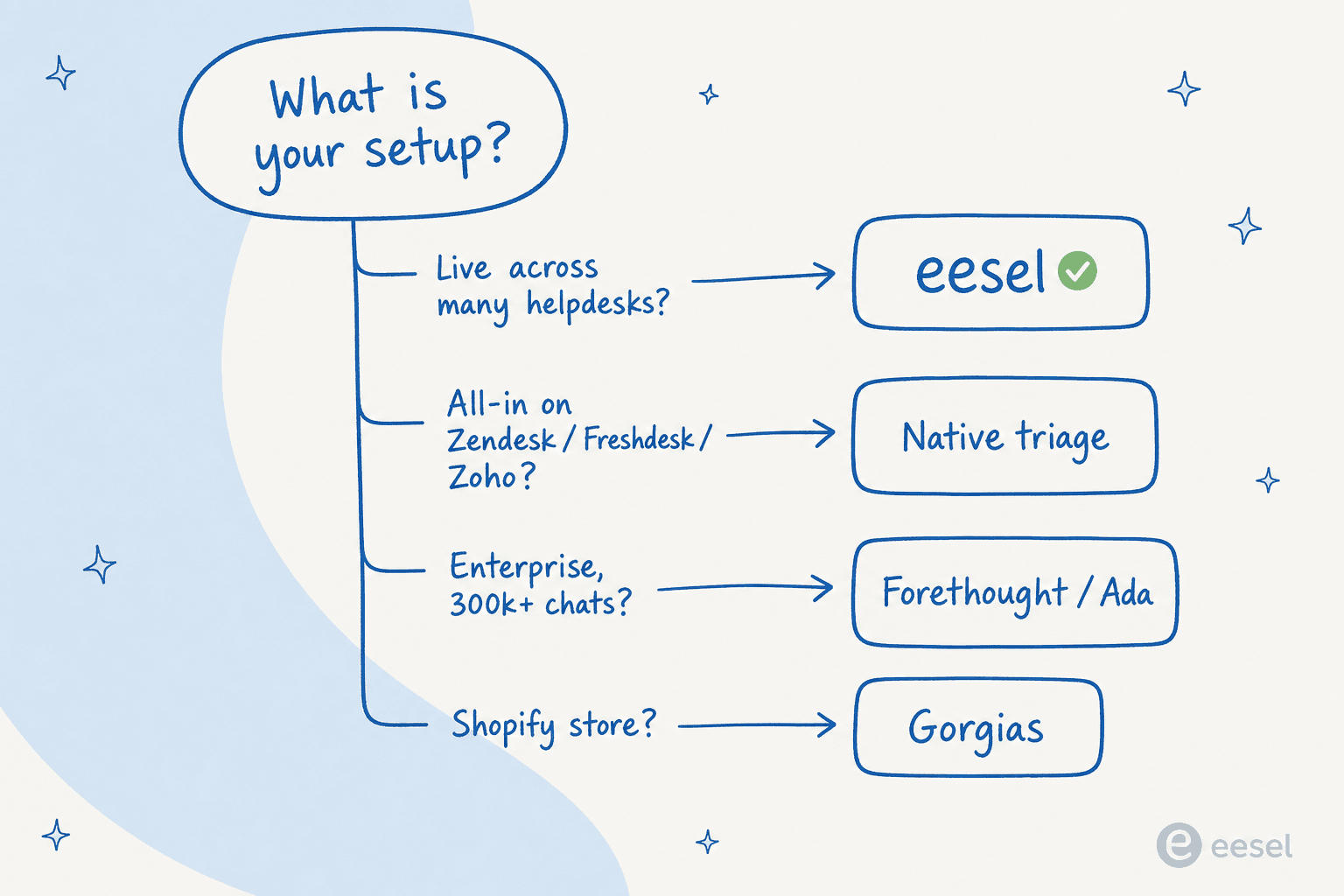
- Running one helpdesk and happy with it? Turn on the native triage (Zendesk, Freshdesk, Zoho) and accept the per-seat cost.
- Running more than one, or unwilling to migrate? A standalone layer like eesel triages across all of them with one logic.
- Enterprise with huge volume and a procurement team? Forethought or Ada.
- Shopify? Gorgias.
The other thing worth weighing more than people do: control. The number-one objection we hear from buyers isn't "will the AI be smart enough," it's "will it touch tickets it shouldn't." One support lead told us flatly, "there are certain tickets I don't want to go through AI." Whatever you pick, make sure you can exclude ticket types, set confidence thresholds, and route the uncertain cases cleanly to a human. A triage tool without that control creates more cleanup than it saves, which is the whole AI agent vs rule-based chatbot distinction in a nutshell.
Try eesel for support ticket triage
If "we don't want to switch helpdesks, we just want smarter triage" sounds like you, that's exactly the gap eesel AI fills. It connects to Zendesk, Freshdesk, Gorgias, Zoho Desk, and 100+ other tools, reads every incoming ticket, tags and routes it, and drafts a reply as an internal note, all with confidence-based control so it only acts on what it's sure about and leaves the rest for a human.

You can train it on your past tickets, simulate it before going live, and you pay $0.40 per task with no per-seat fee and no per-resolution surprise. One team resolved 73% of their tier-1 tickets in the first month. Try eesel free with $50 of usage, no credit card needed.
Frequently Asked Questions
What is AI support ticket triage?
How much does AI for support ticket triage cost in 2026?
Can I add AI ticket triage without switching helpdesks?
What's the difference between ticket triage and ticket deflection?
Does AI ticket triage work with Zendesk and Freshdesk?
What should I look for in the best AI for support ticket triage?


Article by
Alicia Kirana Utomo
Kira is a writer at eesel AI with a Computer Science background and over a year of hands-on experience evaluating AI-powered customer service tools. She focuses on breaking down how helpdesk platforms and AI agents actually work so that support teams can make better buying decisions.