What "tagging tickets with AI" actually means
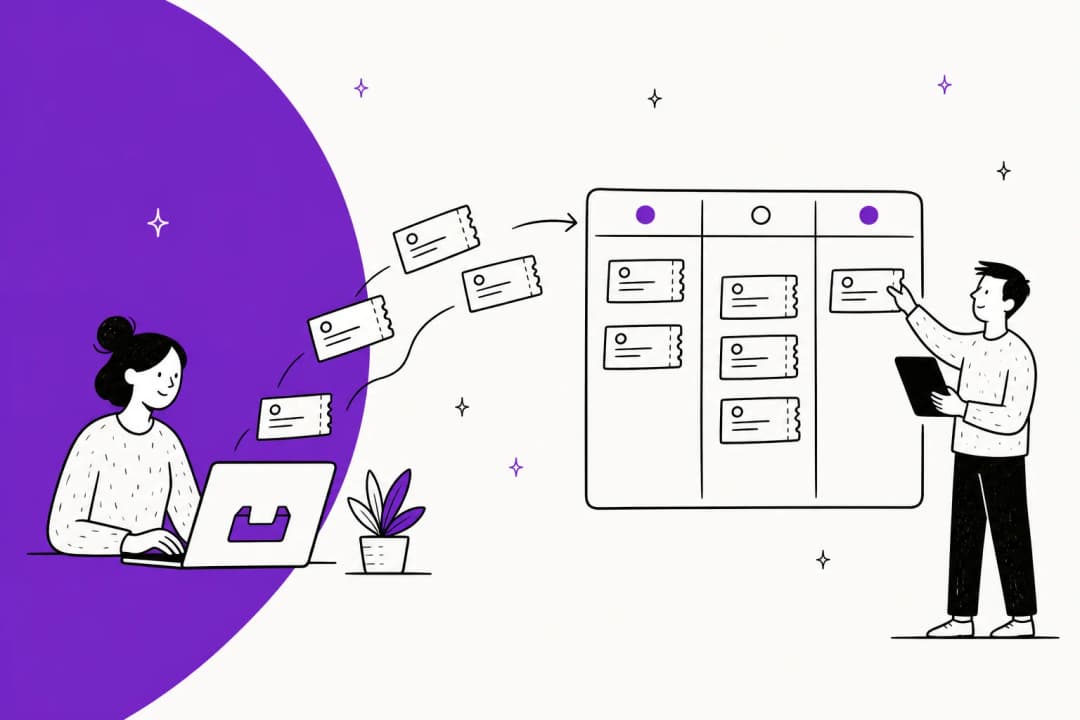
I work eesel's support queue, so I'll be honest about where the value is. Tags are boring. Nobody got into customer support because they love picking "Billing" from a dropdown forty times a day. But tags are also the spine of an organised helpdesk: they decide which team a ticket lands on, which ticket routing rule fires, what your weekly report says is trending, and whether your SLA clock starts on the right priority.
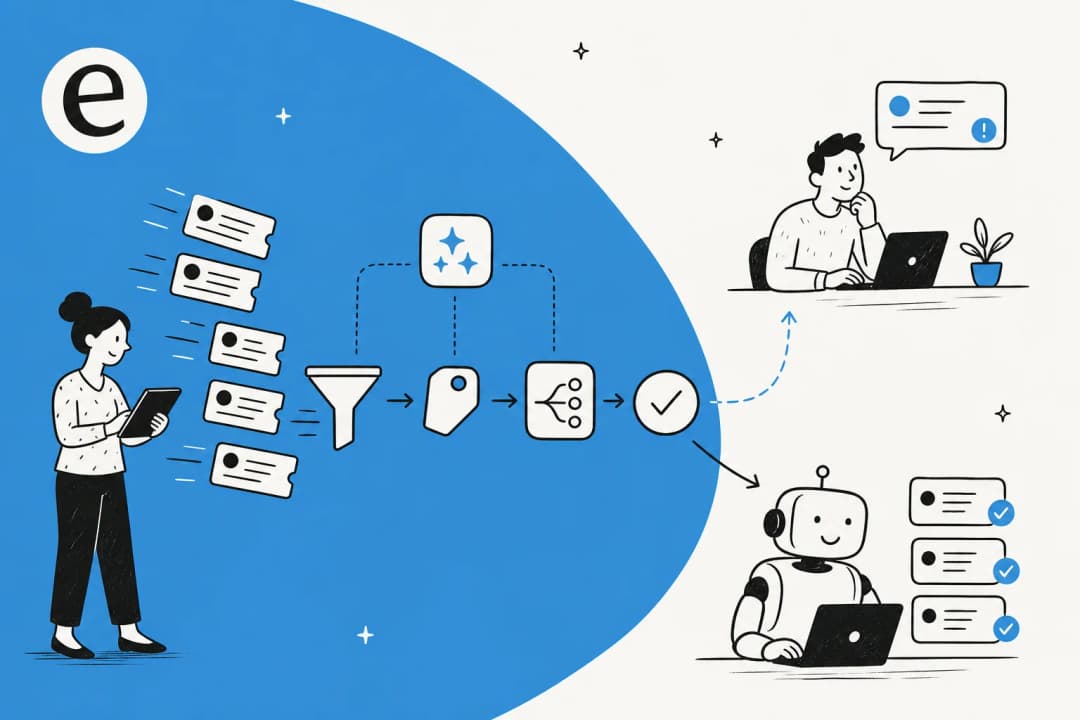
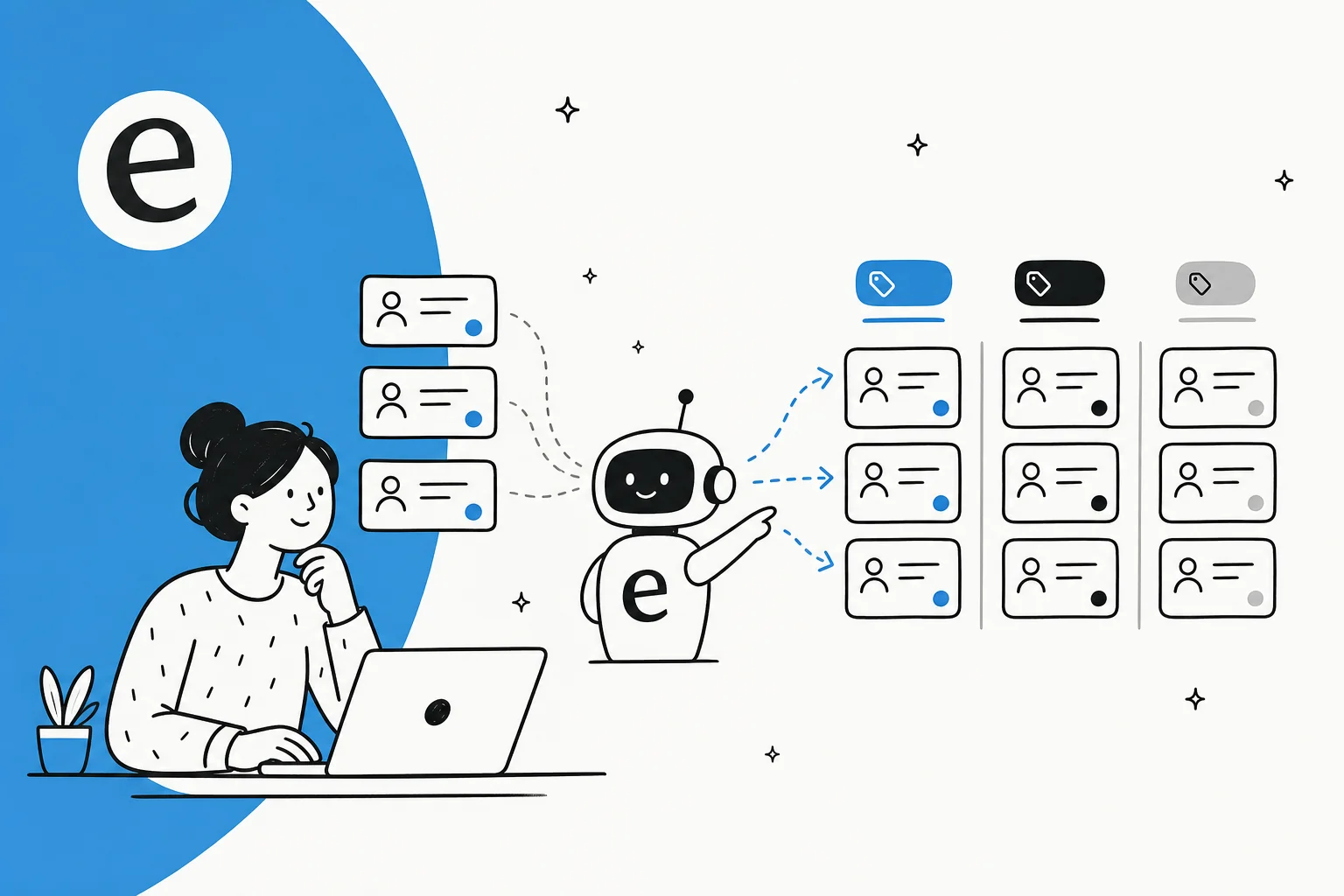
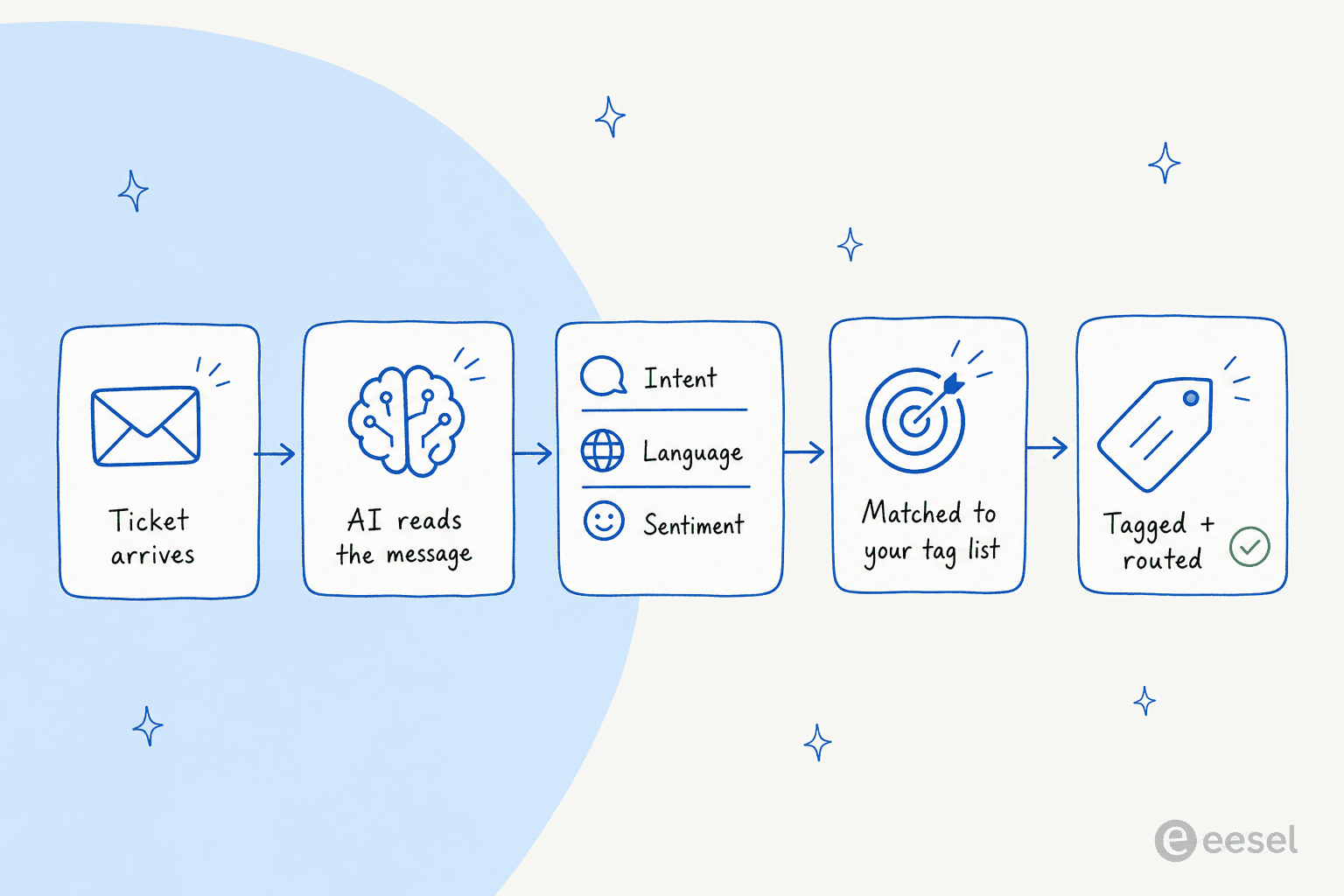
Automating that means handing the read-and-label step to an AI. Under the hood, almost every tool does the same four things: it reads the message, classifies it (intent, language, sentiment, sometimes named entities like an order number), matches that classification to a tag in your list, and applies it. The good ones also fill ticket fields and route the ticket in the same pass.
The part that surprised me most when I watched it run on real tickets is how much context it picks up. We had a cold sales pitch come in as a ticket (someone trying to sell us a contact list), and instead of flailing, the AI matched it against past tickets, recognised it as spam, tagged it, and left a polite decline as an internal note. That's the difference between AI ticket classification that's pattern-matching keywords and one that actually understands what the ticket is.
Why manual tagging quietly breaks down
If your tagging is still manual, here's what's actually happening, and you've probably felt all three.
Agents skip it. When a queue is busy, tagging is the first thing to go, so half your tickets end up untagged or dumped into a catch-all "general" tag. Then your reporting lies to you, because the data was never clean in the first place.
Everyone tags differently. One agent uses "refund", another uses "refunds", a third uses "return-refund". Now you have three tags for one concept and no reliable way to count how many refund tickets you actually got. This is the single biggest reason support ticket analysis projects stall.
And it doesn't scale. A team handling a few hundred tickets a week can muddle through. A team handling high-volume tickets cannot, and that's exactly where consistent tags matter most, because that's where routing and SLAs do the heavy lifting.
Bad tags are worse than no tags, because they look like signal. A dashboard built on inconsistent tagging gives you confident, wrong numbers, and you make staffing decisions off them.
How to automate ticket tagging with AI, step by step
Here's the rollout I'd actually run, in order. It's deliberately cautious in the middle, because the failure mode isn't "the AI can't tag", it's "the AI tagged 10,000 tickets wrong before anyone checked".
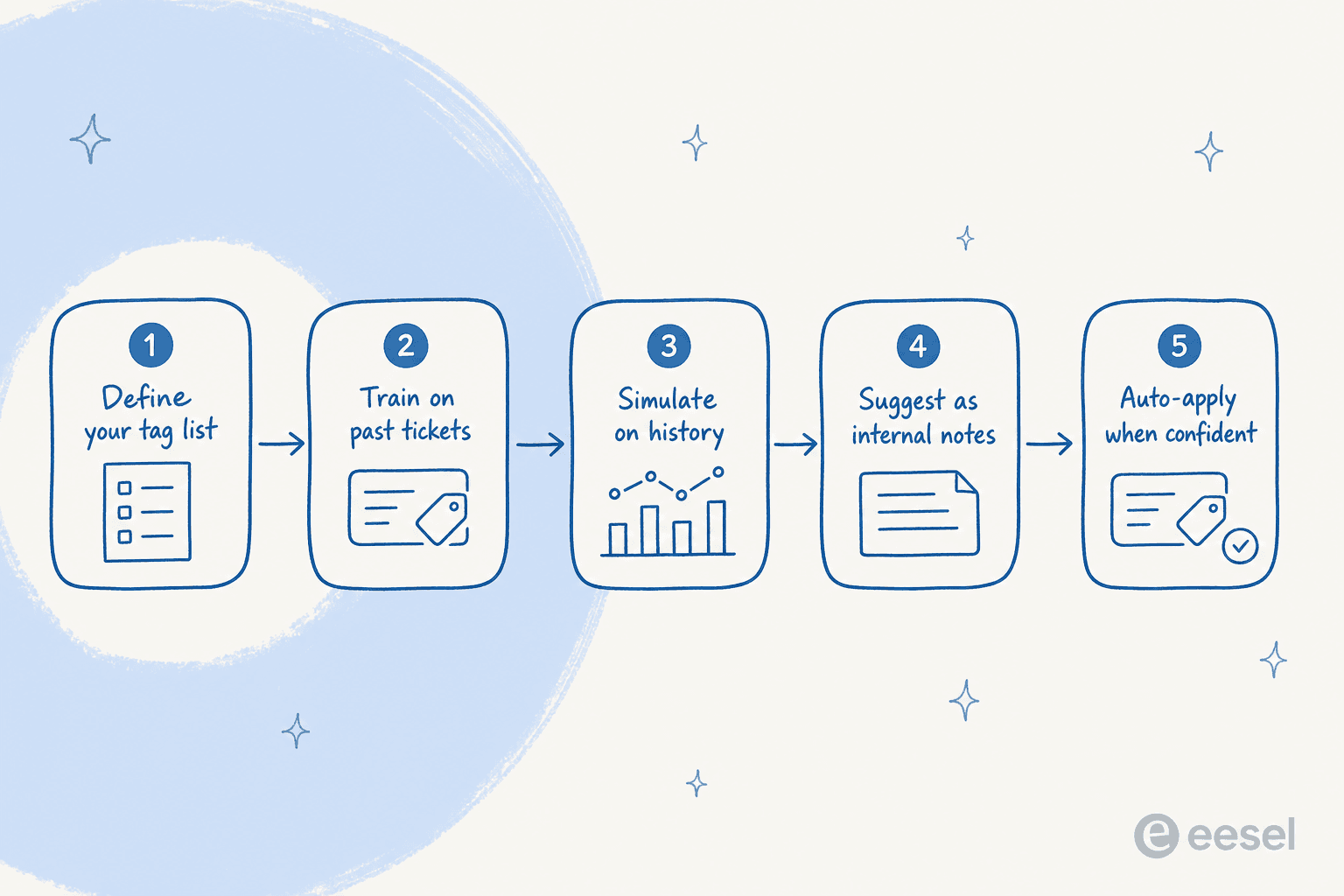
1. Audit and trim your tag list first
This is the step everyone wants to skip, and it's the one that decides whether the whole thing works. Pull your current tag list and be ruthless: merge duplicates ("refund" and "refunds"), kill tags nobody routes or reports on, and aim for a small set of distinct, non-overlapping categories. The AI can only be as consistent as the list you give it.
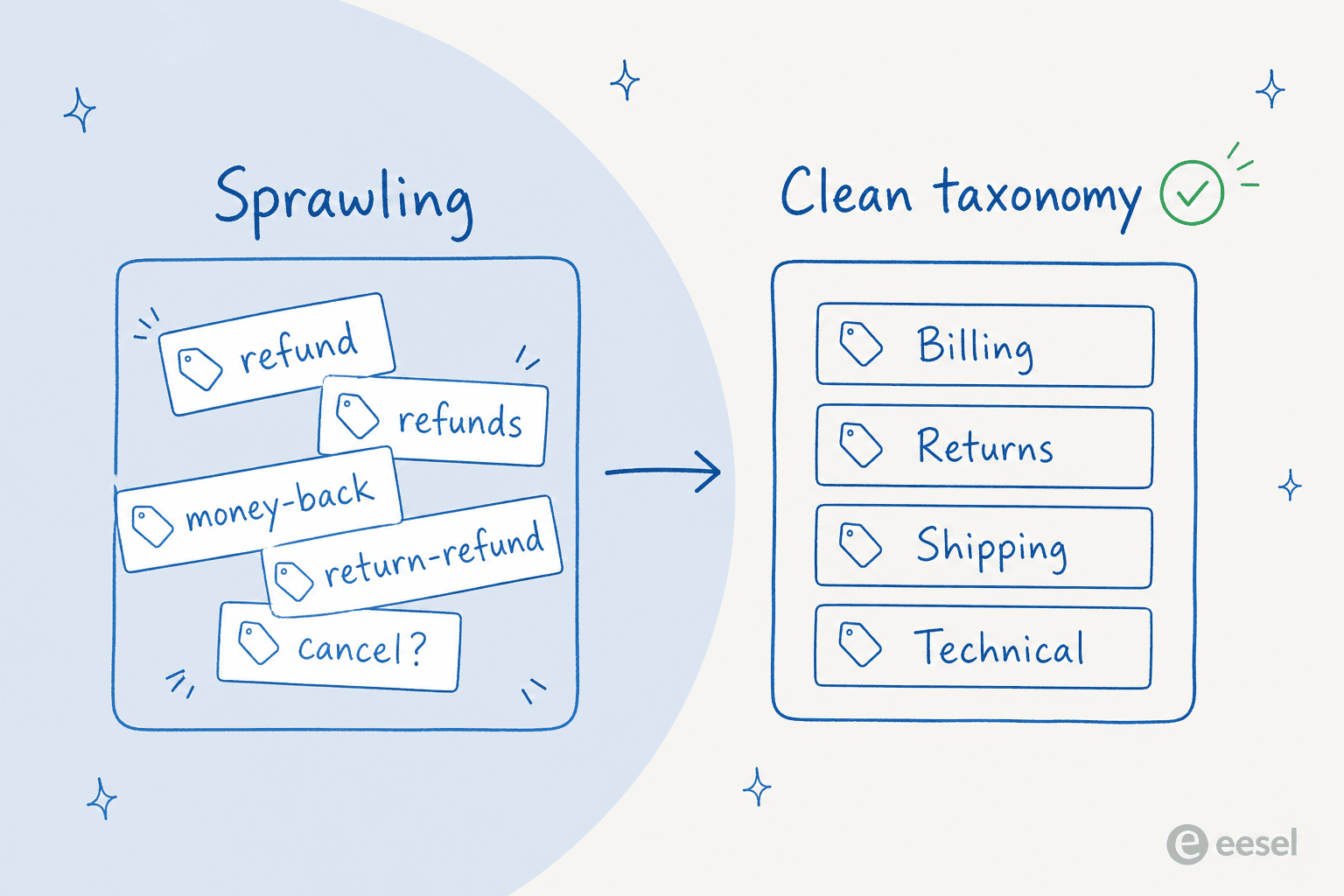
A good test: if two humans on your team would disagree about which tag a ticket gets, the AI will too. Fix the ambiguity at the taxonomy level, not with a cleverer prompt. Our guide on working with ticket tags has a fuller checklist if you want one.
2. Train the AI on your past tickets
Generic models tag generically. The difference between a model that tags like your best agent and one that guesses is whether it learned from your actual resolved tickets. Your historical tickets are the training data, they already contain the right tag, the real phrasing your customers use, and the edge cases.
This is also where some native tools set a floor: Freshdesk's auto triage, for instance, wants around 2,000 historical tickets before it predicts fields reliably. If you run a leaner queue, lean toward a tool that can also learn from your help docs and macros, not just ticket volume.
3. Simulate before you touch a live ticket
This is the step I'd never skip. Before anything goes live, run the model across a batch of your historical tickets and compare its tags to the ones your team applied. You're looking for two numbers: how often it agrees with your team, and where it confidently disagrees (those are your taxonomy problems showing up).
A simulation against past tickets turns "we think it's accurate" into "it agreed with us on 91% of last quarter's billing tickets". That's the number you take to your manager before flipping the switch.
4. Start in suggest mode, not auto-apply
Run the AI as a copilot first: it suggests a tag, leaves an internal note, or pre-fills the field, and a human confirms. This builds trust and catches the weird cases while a person is still in the loop. As one CX lead I spoke with put it, the goal is an AI that only handles what it's confident about and leaves the rest alone. That instinct is correct, and it's the whole reason confidence thresholds exist.
5. Turn on auto-apply for the confident cases, and watch the reports
Once suggest mode is agreeing with your team consistently, let the AI auto-apply tags above a confidence threshold and keep the low-confidence ones as suggestions. Then watch your tag distribution in reporting for the first few weeks. If one tag suddenly spikes, that's either a real trend or a tagging bug, and either way you want to know. Clean tags are what make your customer service metrics trustworthy again.
Your options, by helpdesk
Most helpdesks now ship some form of native AI tagging. Here's the honest lay of the land, with the catch on each, so you can decide whether native is enough or whether you want a dedicated layer on top.
| Tool | What it tags | Plan needed | Starting price | The catch |
|---|---|---|---|---|
| Zendesk intelligent triage | Topic, sentiment (5-point), language (~150), entities into custom fields | Suite/Support Professional + Copilot add-on | $50/agent/mo (annual) | Triage values only available in English when building triggers, views, and reports |
| Freshdesk auto triage | Priority, Group, Type, custom fields, intent, sentiment (0-100) | Pro/Enterprise + Freddy AI Copilot | ~$84/agent/mo all-in | Needs ~2,000 tickets to train; Email and Portal only; existing rules override the AI |
| Gorgias intents + rules | Intent taxonomy, sentiment, then a rule applies the tag | All Helpdesk plans (granular intents need AI Agent) | From $10/mo | 70-rule cap; sentiments can't be manually edited |
| eesel (layer on top) | Intent, language, sentiment, custom tags from your list, field fill, routing | Works on your existing helpdesk | $0.40 per ticket, no per-seat | Sits alongside, rather than replacing, your helpdesk's native AI |
Zendesk
Zendesk's intelligent triage auto-classifies every incoming ticket by topic, sentiment on a 5-point scale, and language across roughly 150 detected languages, plus admin-defined entities that auto-fill custom fields via extraction rules. As of mid-2026 the "Intent" field was renamed "Topic", with the legacy intent fields still generating their associated tags.
The two things to know: it requires the Copilot add-on (formerly "Advanced AI"), which is $50/agent/month billed yearly on Suite or Support Professional and above, and the triage values are only surfaced in English when you build triggers, views, or reports, even though it classifies ~150 languages. If you want to also draft replies with AI in Zendesk, that's a separate capability layered on the same tickets.
Freshdesk
Freshdesk's auto triage is a Freddy AI Copilot feature that predicts Priority, Group, Type, custom dropdowns, and nested fields by reading the ticket subject and description alongside intent and sentiment. You can run it in manual mode (it suggests) or automatic mode (it applies on creation), and a separate sentiment feature scores tickets 0 to 100.
The catches stack up here. It's gated behind a Pro or Enterprise plan plus the paid Freddy AI Copilot add-on, which pushes the realistic Freddy pricing floor to roughly $84/agent/month. It needs around 2,000 historical tickets to train, only fires on Email and Portal channels, can take up to two days to enable per field, and your existing automation rules always override the AI's suggestions. None of that is a dealbreaker, but it's a lot to plan around. If you're optimising the broader setup, our guide on how to automate Freshdesk covers the rest.
Gorgias
Gorgias does it in two halves. Its AI classifies each inbound message against a fixed intent taxonomy plus a sentiment (Positive, Negative, Neutral, and a newer "promoter"), and then a deterministic WHEN/IF/THEN rule reads those message intents and sentiments and applies the actual tag. The basic intent and sentiment detection plus the rule builder are available on all Helpdesk plans, starting at $10/month, with a ready-made "Identify intents and sentiments" template to get you going.
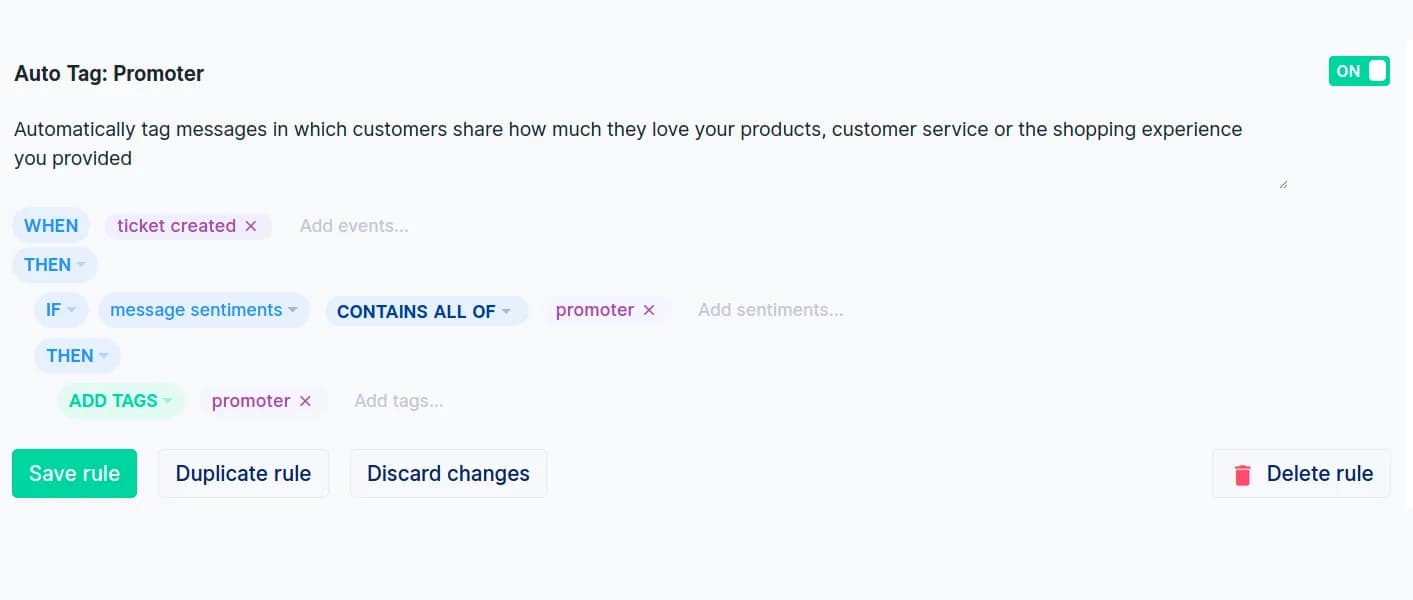
The richer, granular intent taxonomy and the Intents analytics page sit behind a separate AI Agent subscription. Watch the limits: there's a 70-rule cap, a fixed trigger-priority execution order, and sentiments can't be manually edited, so if the AI calls a ticket "Neutral" you can't override it by hand. Gorgias's autoresponder rules follow the same builder if you want to act on those tags.
The case for a dedicated AI layer
So when is native not enough? In my experience it comes down to three things: you're on a helpdesk whose native AI is thin, you don't want to pay per agent for an add-on, or you want to tag the same way across more than one tool. That's the gap a dedicated layer fills, and it's worth being clear about the trade.
The strongest argument for a layer is that it trains on your solved tickets and lets you simulate before going live. A Danish B2B vehicle-telematics team I worked with, expanding into German, Spanish, and Italian markets, wanted exactly this: auto-tagging from their own defined tag list, automatic field fill, escalation workflows, and tickets translated to English for agents with replies sent back in the customer's language, all on top of Zendesk. Native triage handles the first part; the rest is where a layer earns its place.
The honest counterpoint: a layer is one more tool in the stack, and if your helpdesk's native tagging already covers your needs and you're paying for it anyway, adding another system is overkill. Use the table above. If you only need topic and sentiment tags and you're already on the right Zendesk plan, native is probably fine.
Common mistakes I'd avoid
A few traps I see teams fall into, in rough order of how much pain they cause:
- Automating a messy taxonomy. Covered above, but worth repeating: clean the tag list before you automate, not after. Automation amplifies whatever consistency (or chaos) you start with.
- Going straight to auto-apply. Skipping suggest mode means your first sign of a tagging problem is a wrong dashboard three weeks later. Earn the auto-apply.
- No confidence threshold. An AI forced to tag every ticket, even the ambiguous ones, will guess. Let it leave the genuinely unclear tickets for a human, and you'll reduce false positives sharply.
- Set and forget. Your products, promos, and customer language drift. Re-check your tag distribution monthly, and feed corrections back so the model keeps learning. The tools that learn from your edits get better; the ones that don't, don't.
Get those right and tagging stops being a chore your team resents and becomes the quiet layer that makes ticket triage and ticket automation actually work.
Try eesel for ticket tagging
If you want AI tagging that trains on your own solved tickets and you can test before it touches a live ticket, that's what eesel is built for. It plugs into the helpdesk you already run (Zendesk, Freshdesk, Gorgias, and 100+ integrations), learns your past tickets and help docs on day one, and tags, fills fields, and routes from there, while you keep full control over what it auto-applies versus suggests.
The differentiator is the simulation mode: you run it across your historical tickets and see exactly how it would have tagged them before anything goes live, so you're never guessing at accuracy. Pricing is per ticket, not per agent, which tends to matter once you compare it against a per-seat add-on.

One team running AI as a first responder on an internal Jira Service Management desk put the appeal plainly:
"We use it to be the first responder to our Helpdesk tickets in Jira. It essentially acts just like an agent would."
Jason Loyola, Head of IT, InDebted (case study)
You can connect your Zendesk (or whichever helpdesk you're on) and run a simulation in a few minutes. Free to try, no credit card.
Frequently asked questions
How do I automate ticket tagging with AI?
You connect an AI to your helpdesk, give it a clean tag list, and let it read each incoming ticket to detect intent, language, and sentiment, then apply the matching tag. The safest path is to start in suggest mode, check the tags against your own history with a ticket triage tool, and only switch on auto-apply once the accuracy holds up. This walkthrough covers the Zendesk-specific version.
Can AI tag tickets in Zendesk automatically?
Yes. Zendesk's intelligent triage tags by topic, sentiment, and language on the Copilot add-on, and you can also layer a dedicated tool on top that trains on your past tickets. See our notes on Zendesk AI capabilities and how to automate Zendesk tickets more broadly.
How much does AI ticket tagging cost?
Native add-ons are usually billed per agent: Zendesk's Copilot add-on runs $50/agent/month, and Freshdesk's Freddy Copilot pushes the realistic floor to roughly $84/agent/month. A usage-based Freddy pricing alternative like eesel charges per ticket instead, with transparent pricing and no per-seat fee.
Will AI tag tickets incorrectly?
Sometimes, especially early on or when your tag list overlaps. The fix is to trim the taxonomy, run the model against historical tickets first, and keep low-confidence tickets in suggest mode. Our guide on reducing false positives goes deeper.
Do I need thousands of past tickets to start tagging with AI?
Some native tools do: Freshdesk's auto triage wants around 2,000 historical tickets before it predicts fields well. Tools that train on your solved tickets and help docs can start sooner, which matters if you run a smaller queue. Compare approaches in our AI ticket classification guide.


Article by
Riellvriany Indriawan
Riell is a designer and writer at eesel AI with about two years of experience researching CX platforms, AI chatbots, and helpdesk software. She combines her design background with a sharp eye for how these tools actually look and feel in practice — making her comparisons unusually visual and user-focused.