The three ways Zendesk drafts replies (and why the difference matters)
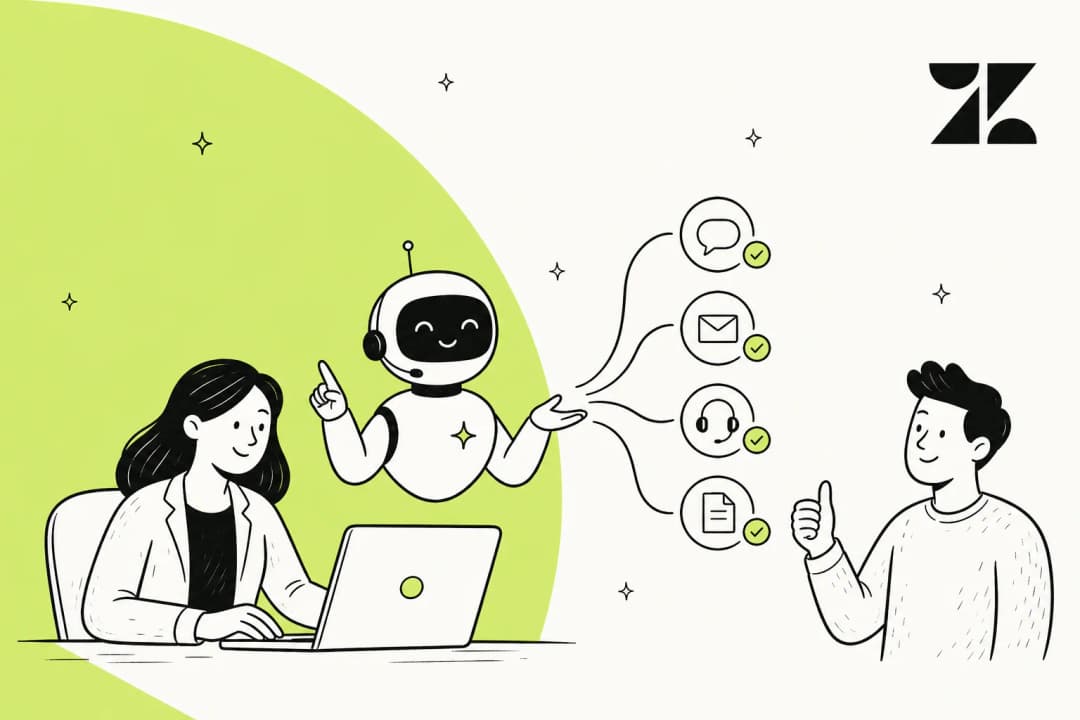
Before you turn anything on, it helps to know that "AI in Zendesk" isn't one feature. When people say they want to draft replies with AI in Zendesk, they usually mean one of three quite different things:
- AI writing tools - you write a rough reply, then ask the AI to rephrase it, expand it, or shift the tone. It's editing assistance, not drafting from scratch. Included on Suite Professional and above.
- Copilot Auto Assist - the AI reads the ticket and your knowledge, then writes a complete suggested reply. The agent reviews it, edits if needed, and approves. This is the real "draft a reply for me" feature, and it's a paid add-on.
- AI Agents - the customer-facing autopilot. It drafts and sends replies without a human touching them, and only escalates when it's stuck.
Zendesk draws the line between the agent-facing and customer-facing tools clearly. As Zendesk describes Copilot, "AI agents are designed to be the first point of contact, handling customer conversations end-to-end. When a ticket requires a human touch, copilot steps in to assist the agent." So Copilot is the one most support teams actually mean when they talk about AI-drafted replies, because a person is still in the seat.
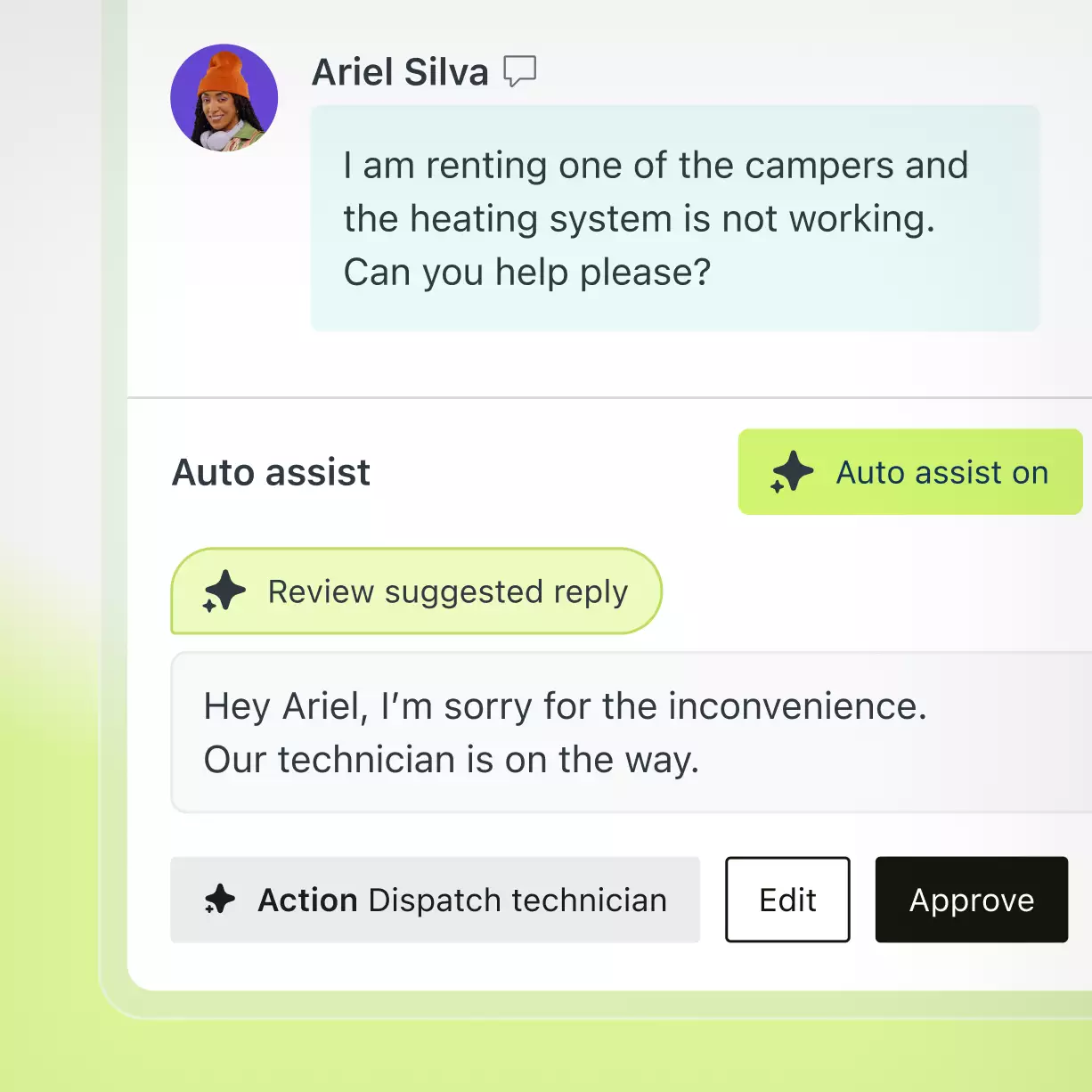
Here's what Auto Assist looks like in the agent workspace: the customer's message, a suggested reply written by the AI, and Edit and Approve buttons so the agent stays in control.
A quick map of where each one lives and what it costs:
| What you want | Zendesk feature | Who sends the reply | Where it's available |
|---|---|---|---|
| Polish a reply you wrote | AI writing tools | The agent | Included, Suite Professional ($115/agent/mo) and up |
| Get a full draft to approve | Copilot Auto Assist | The agent, after review | Copilot add-on (~$50/agent/mo) or Enterprise |
| Auto-draft and auto-send | AI Agents | The AI | All Suite/Support plans, billed per automated resolution |
What you need before you start
A couple of prerequisites save a lot of frustration later, whichever route you take:
- A knowledge base the AI can read. Every drafting feature pulls answers from your Zendesk help center, macros, and ticket context. If your help center is thin, your drafts will be too. Zendesk's own setup guidance leads with a content-readiness pass for exactly this reason.
- The right plan and role. AI writing tools need Professional or above; full Copilot needs the add-on or Enterprise. To create or activate an AI Agent you need a client admin role in the AI agents workspace.
- Clean macros. Auto Assist leans on your macros and saved replies as a tone and content reference, so it's worth tidying them first.
That last point is the one teams skip. A draft is built from whatever you feed it, and a messy knowledge base produces confidently wrong replies, which is worse than no draft at all.
Option 1: the AI writing tools (the quickest win)
If you're on Suite Professional or higher, the writing tools are already there and free to use. They don't draft from scratch; they rework text you've typed. Highlight a reply in the composer and you can ask the AI to make it more formal, more friendly, expand a terse note into full sentences, or fix the tone.
This is genuinely useful for agents who know the answer but want it to read better, especially when you're balancing internal notes and public comments and want the customer-facing version to land politely. It's the lowest-effort way to put AI on a Zendesk reply, and there's nothing to set up.
The catch: it can't help with the hard part, which is figuring out what the reply should say. For that you need a tool that reads the ticket and your knowledge, which is Auto Assist.
Option 2: turning on Copilot Auto Assist
Auto Assist is the feature that actually drafts a reply for you. When it's on, every incoming ticket gets a "Review suggested reply" card in the agent workspace, grounded in your knowledge base, ticket history, procedures, and macros.
To enable it:
- Confirm you have access. Full Auto Assist requires the Copilot add-on (around $50 per agent per month) or an Enterprise plan. Professional plans get the lighter writing tools but not full Auto Assist.
- In Admin Center, open the Copilot settings and turn on Auto Assist for the relevant groups or agents.
- Make sure your knowledge sources, procedures, and macros are connected, since these are what the drafts are built from.
- Have an agent open a live ticket. The "Auto assist on" toggle appears in the workspace, and the suggested reply shows up with Edit and Approve controls.
Zendesk reports strong numbers for Copilot: 82% increased agent productivity and 5.5 hours saved by admins weekly. One cited customer, Rotho, says agents went from handling 40 tickets per shift to up to 120 with Copilot. Those are vendor figures, so treat them as a ceiling rather than a promise, but the direction is real: a good draft removes the blank-page problem, and agents spend their time editing instead of writing.
Option 3: setting up an AI Agent that drafts and sends on its own
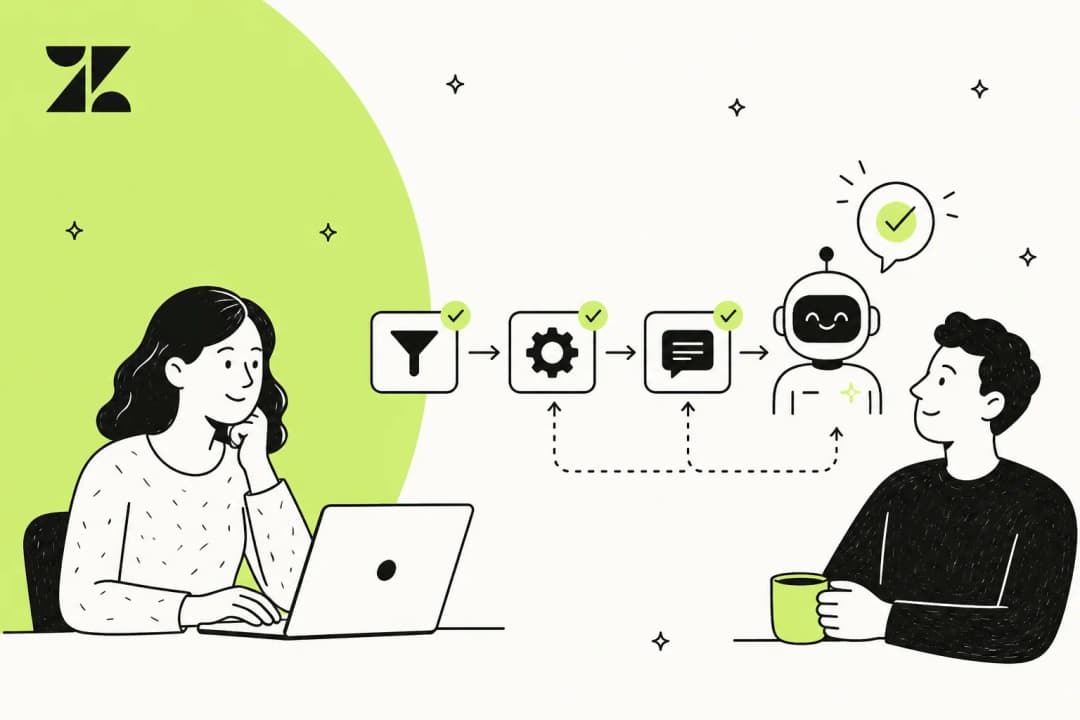
If you want AI to handle whole conversations rather than just suggest drafts, you set up a customer-facing AI Agent. Since Zendesk's May 2026 consolidation, this runs through one unified flow (the older "Essential" tier is now legacy and sunsets on December 31, 2026, so don't build on it). The creation wizard is three pages: Knowledge, Personalize, and Set up on channel.
Step 1: power the agent with knowledge
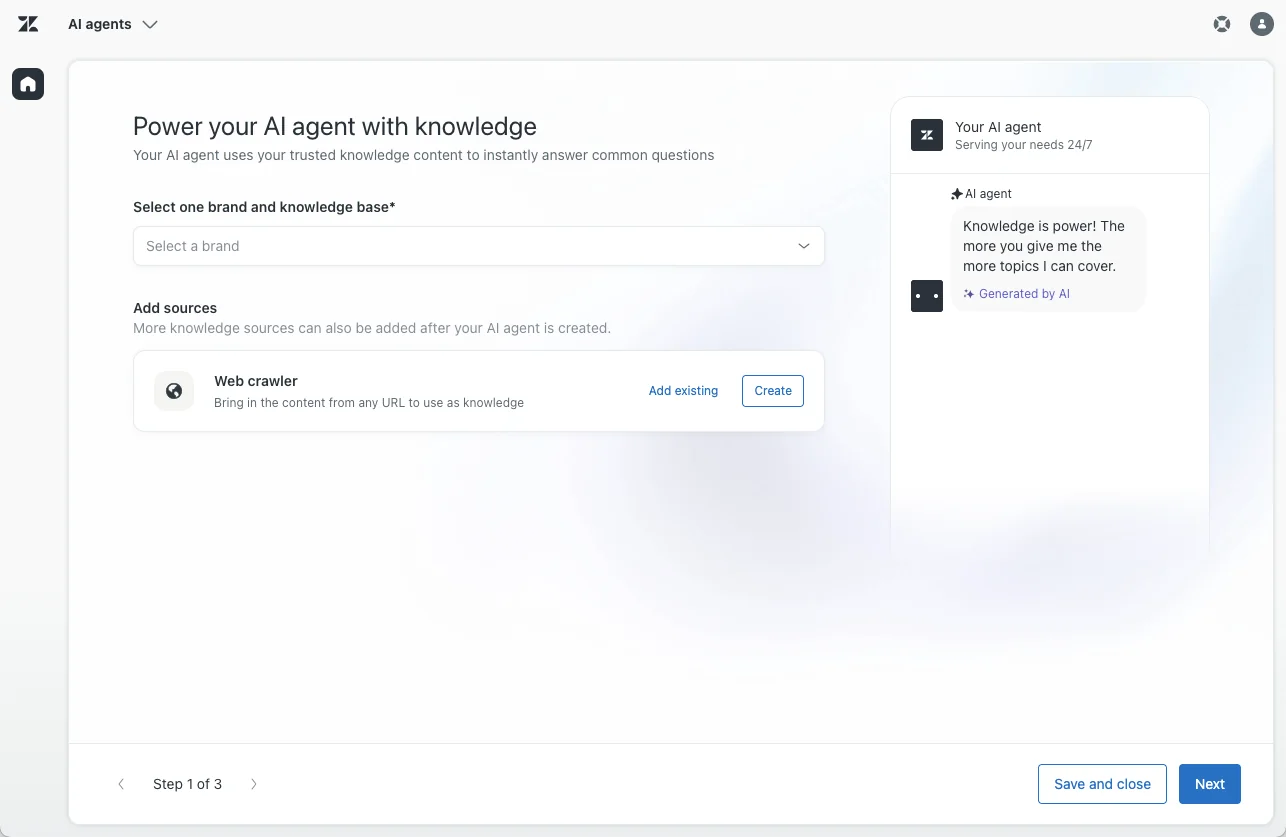
In the AI agents workspace, click Create AI agent and pick a channel (you create one agent per channel; an agent can't span messaging and email at once). On the first page, select the brand and knowledge base the agent should answer from. You can also add a web crawler to pull in external content. You need at least one knowledge source connected before you can continue.
Step 2: personalize the tone
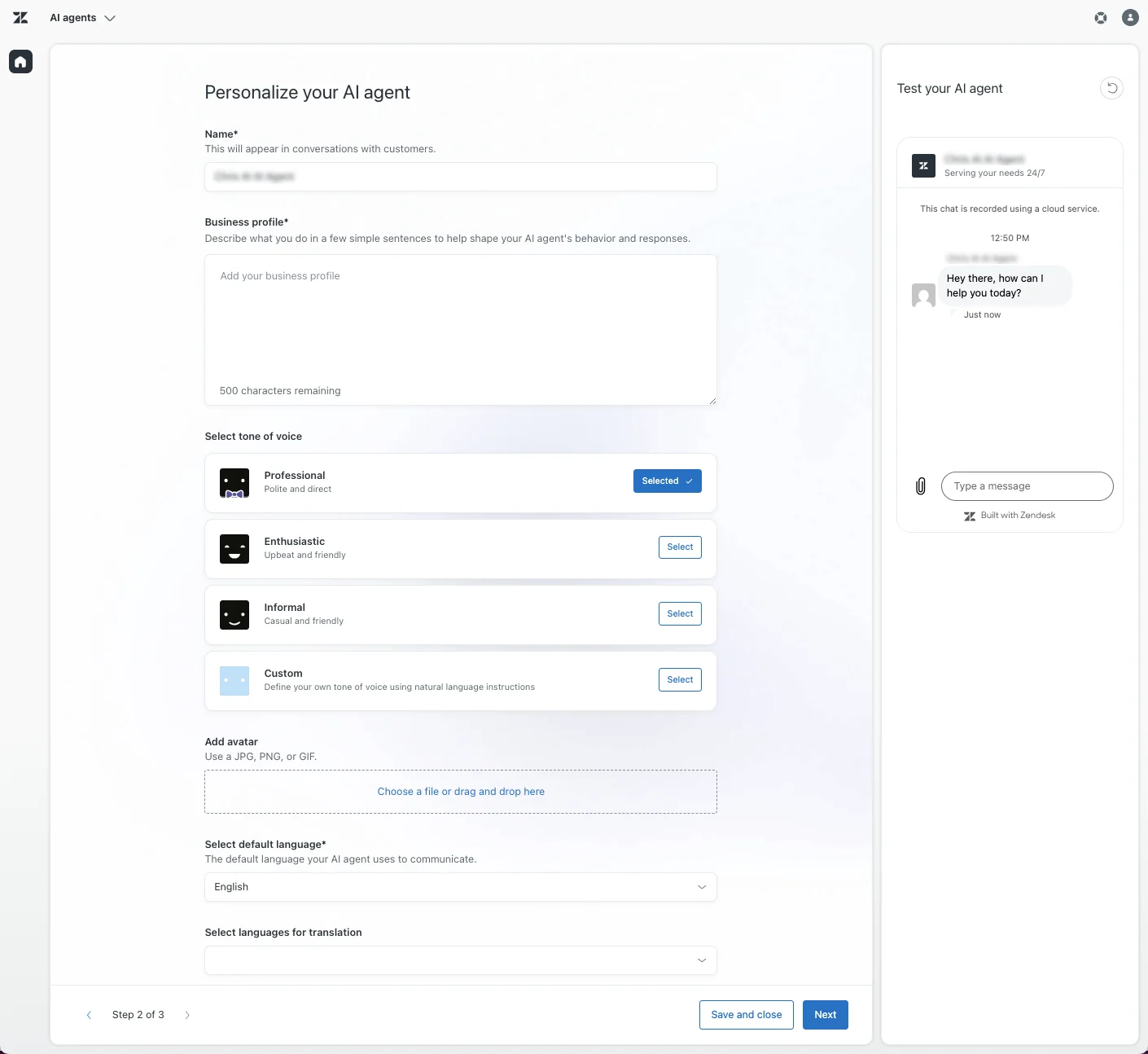
The second page is where you shape how replies read. Set a name, write a short factual business profile (Zendesk warns against pasting instructions or marketing copy here, as it destabilizes behavior), and pick a tone of voice: Professional, Enthusiastic, Informal, or Custom. You also set the default language and any translation languages. There's an inline tester so you can chat with the draft agent before going further.
Step 3: set up replies and escalation on the channel
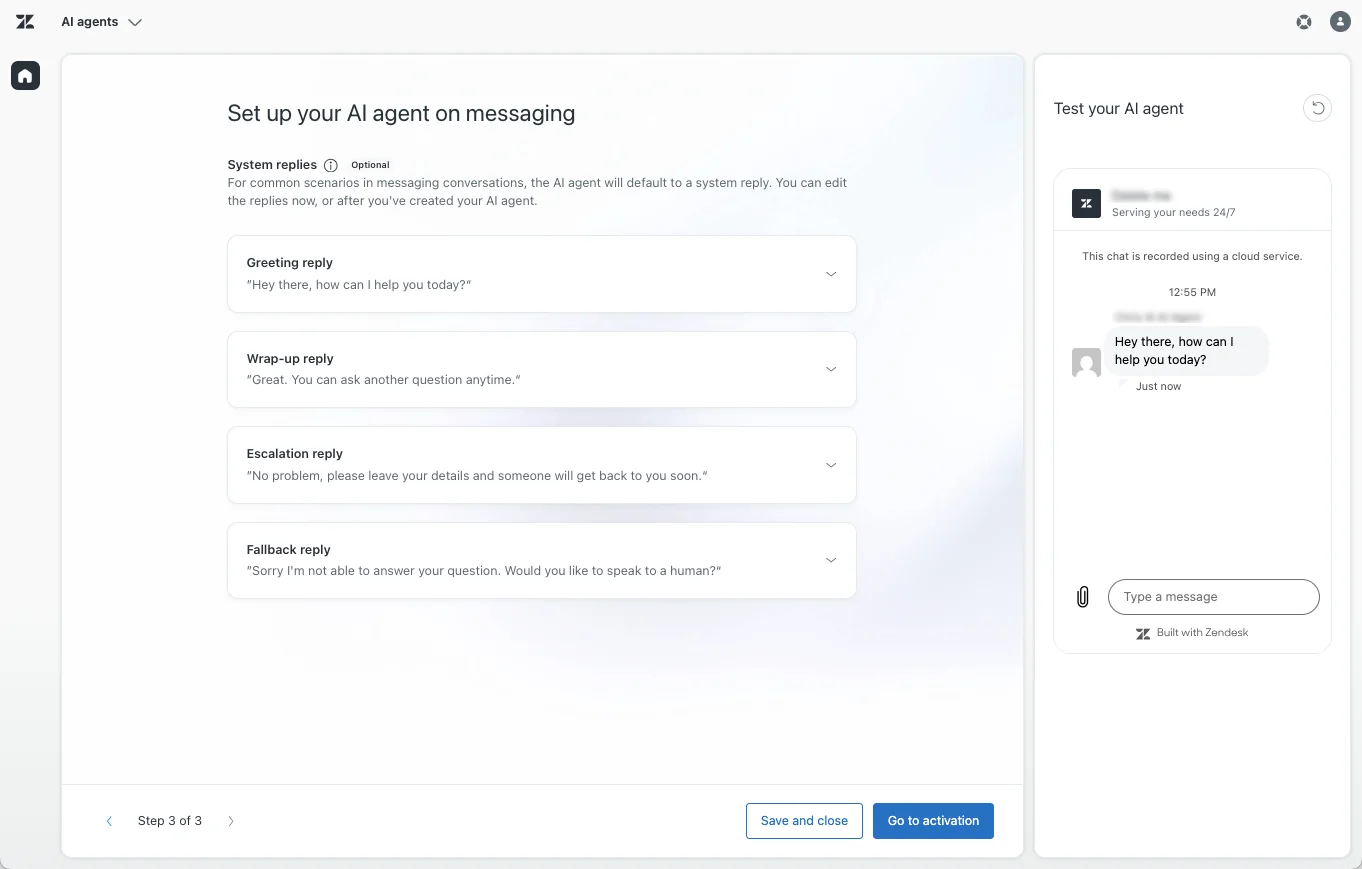
The final page handles the system replies (greeting, wrap-up, escalation, and fallback) and the escalation rules that decide when the agent hands off to a human. This is also where you decide what the agent says when it can't answer. From here you can Save and close or Go to activation to take it live on selected channels.
To go beyond freeform answers, you can layer in use cases, generative procedures or scripted dialogues, and actions and API integrations so the agent can do things like process a return. That's a real project, not an afternoon, which is the honest trade-off of the autonomous route.
The limitations worth knowing before you commit
Zendesk's AI is capable, but there are a few things the marketing pages skip over.
The pricing stacks up fast. Drafting properly means paying on more than one line. You're looking at the base plan (Professional is $115/agent/month), plus the Copilot add-on at ~$50/agent/month for full Auto Assist, plus per-resolution charges if you run customer-facing AI Agents. For a 10-agent team, the Copilot add-on alone is $500/month on top of the subscription. Our breakdown of the cheapest AI helpdesk apps and the AI agent vs human agent cost comparison put those numbers in context.
Per-resolution billing is hard to forecast. Zendesk now uses three automated resolution tiers, and only a "verified resolution" (where an LLM confirms the issue was actually solved) draws from your allowance. That's fairer than the old model, where 72 hours of customer silence counted as a resolution, but a seasonal volume spike can still produce an overage bill you didn't plan for.
You can't simulate before you launch. Zendesk's native flow has an inline tester for single conversations, but no way to run a draft agent against your whole back-catalog of tickets to see how it would have done. You find out accuracy in production.
Trust takes time. The most common objection we hear from support leaders isn't about features, it's about control. As one DTC supplements CX lead put it, the goal is an AI that only handles the tickets it's confident about and leaves the rest alone. Any tool you pick should let you scope AI tightly at first, by confidence threshold or ticket type, rather than flipping it on for everything.
The smarter rollout: start in draft mode, then automate
Here's the pattern that works, regardless of which tool you use. Don't go straight to autopilot. Start with AI drafting replies for agents to approve, measure how often those drafts get accepted as-is, then switch only the topics the AI handles well over to full automation. Keep humans on everything else.
This "copilot first, full automation later" path is what nearly every team we talk to ends up following, because it builds trust on real tickets instead of a sales demo. It's also the safest way to protect CSAT while you learn where the AI is reliable.
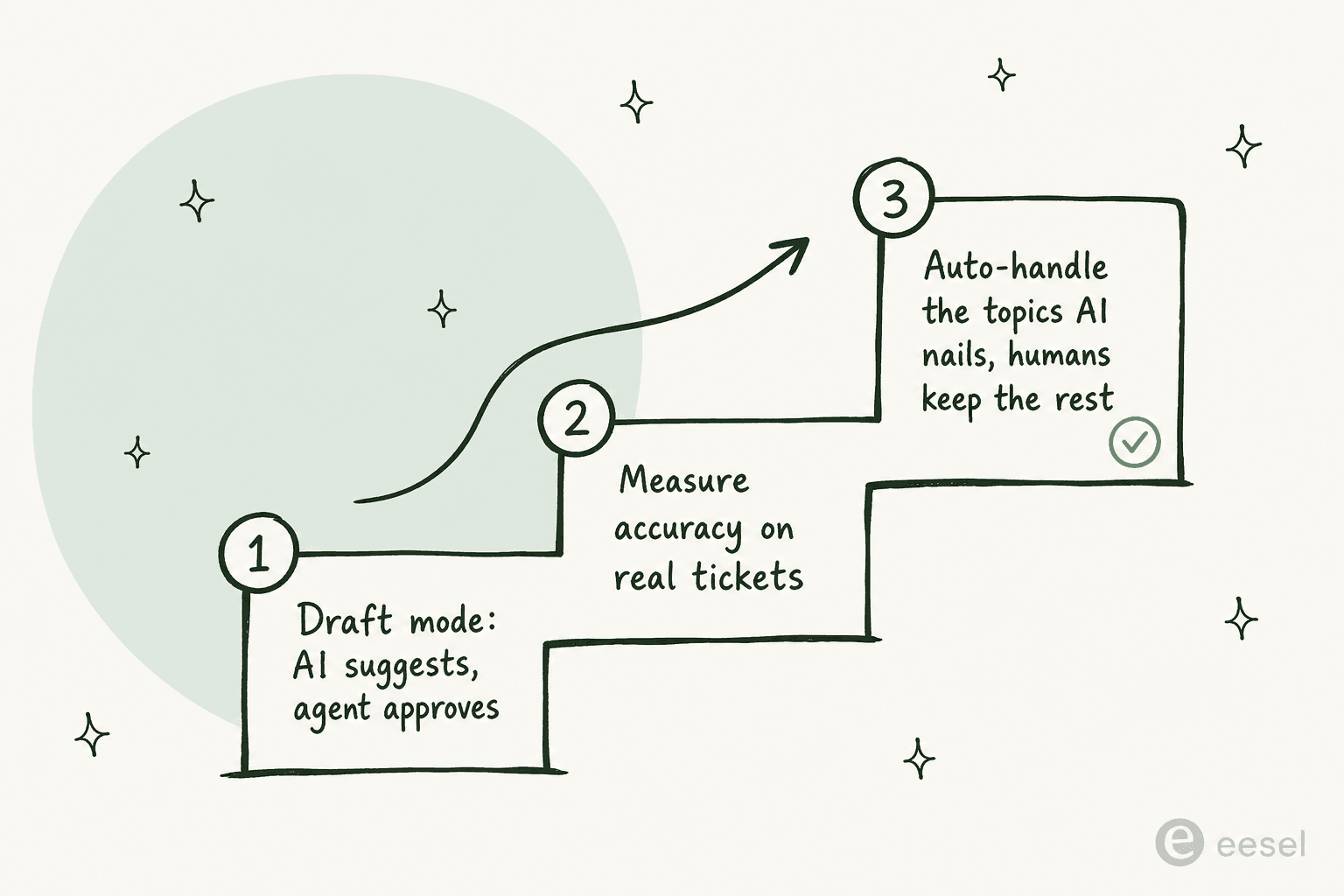
The friction with doing this purely in Zendesk is that the drafting layer and the autonomous layer are separate products with separate price tags, and the gradual handoff isn't a single dial you turn. That's the gap a dedicated drafting tool fills.
A faster way to draft replies in Zendesk: eesel
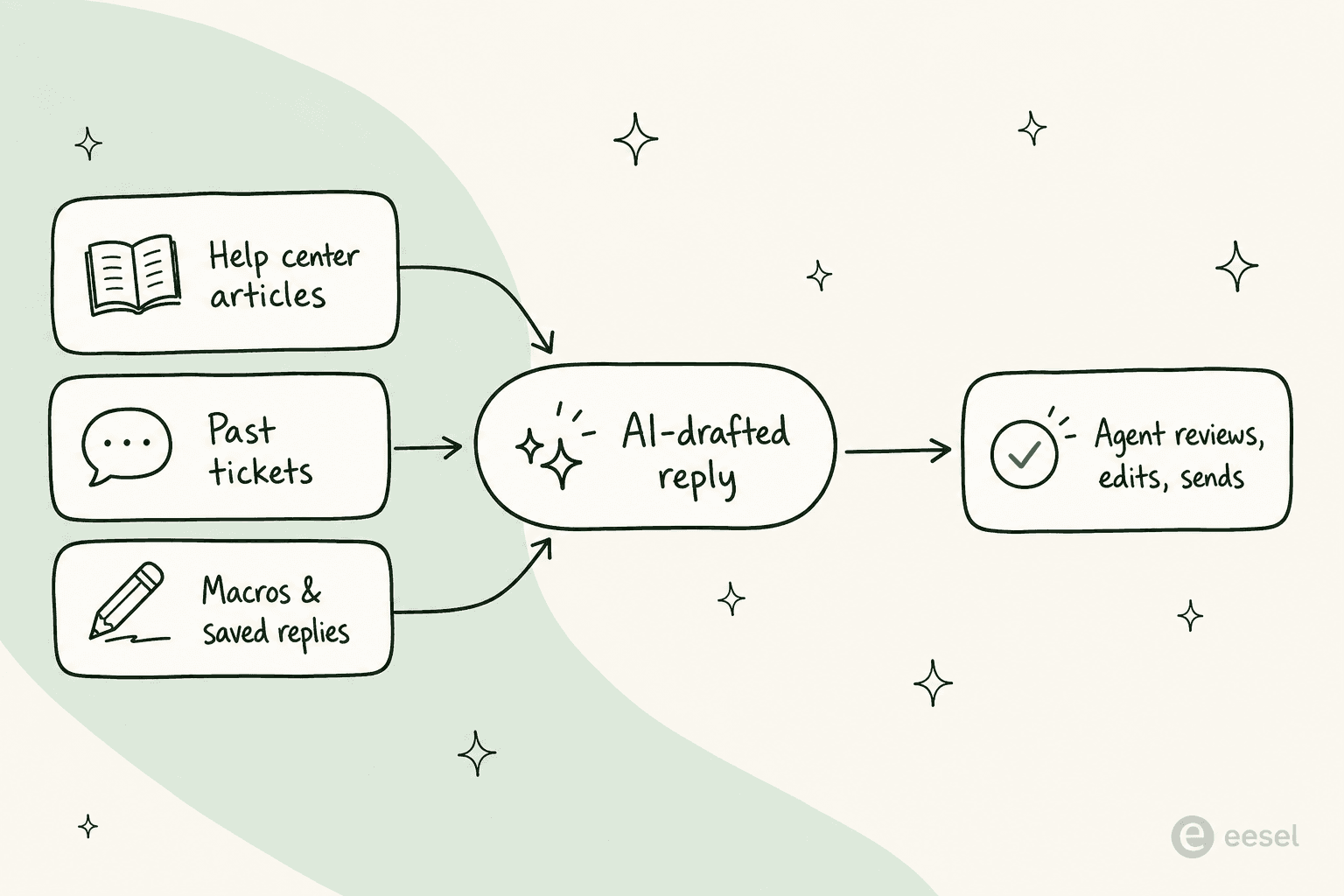
If the whole point is to get AI-drafted replies into Zendesk without a multi-month rollout or a stack of add-ons, eesel for Zendesk is built for exactly this. It installs from the Zendesk Marketplace, learns from your past tickets, help center, and macros automatically, and starts drafting on-brand replies inside the same agent workspace your team already uses. No data labeling, no separate inbox.
Three things make it fit the "draft replies with AI" job specifically:
- It runs as a copilot or an autopilot, your choice. Start in draft mode where eesel writes a reply for an agent to approve, then flip individual ticket types to fully autonomous when you're confident. That gradual handoff is one toggle, not two products.
- You can simulate on past tickets first. Before a single live customer sees an AI reply, eesel runs against your historical Zendesk tickets so you can see real accuracy and fill knowledge gaps. It even drafts new help center articles for topics your KB doesn't cover.
- The pricing is flat. eesel is one fixed monthly price (from $299/month for 500 credits, 1 credit per ticket) with no per-seat fee and no per-resolution games, which is easier to forecast than a base plan plus a Copilot add-on plus overage.
"Eesel has greatly improved our speed and interactions with Zendesk and customers by providing accurate draft responses on all cases via past ticket data, saving time searching and manually sorting."
Filip Miskovski, Recordpoint (eesel for Zendesk)
Teams use it both ways. One restaurant chain's agents invoke it on demand by leaving a @eesel draft a response internal note on a Zendesk ticket and getting a full draft back for review, while a high-volume customer like Ecosa runs it across Zendesk, Slack, and the website handling a large share of tier-1 volume.
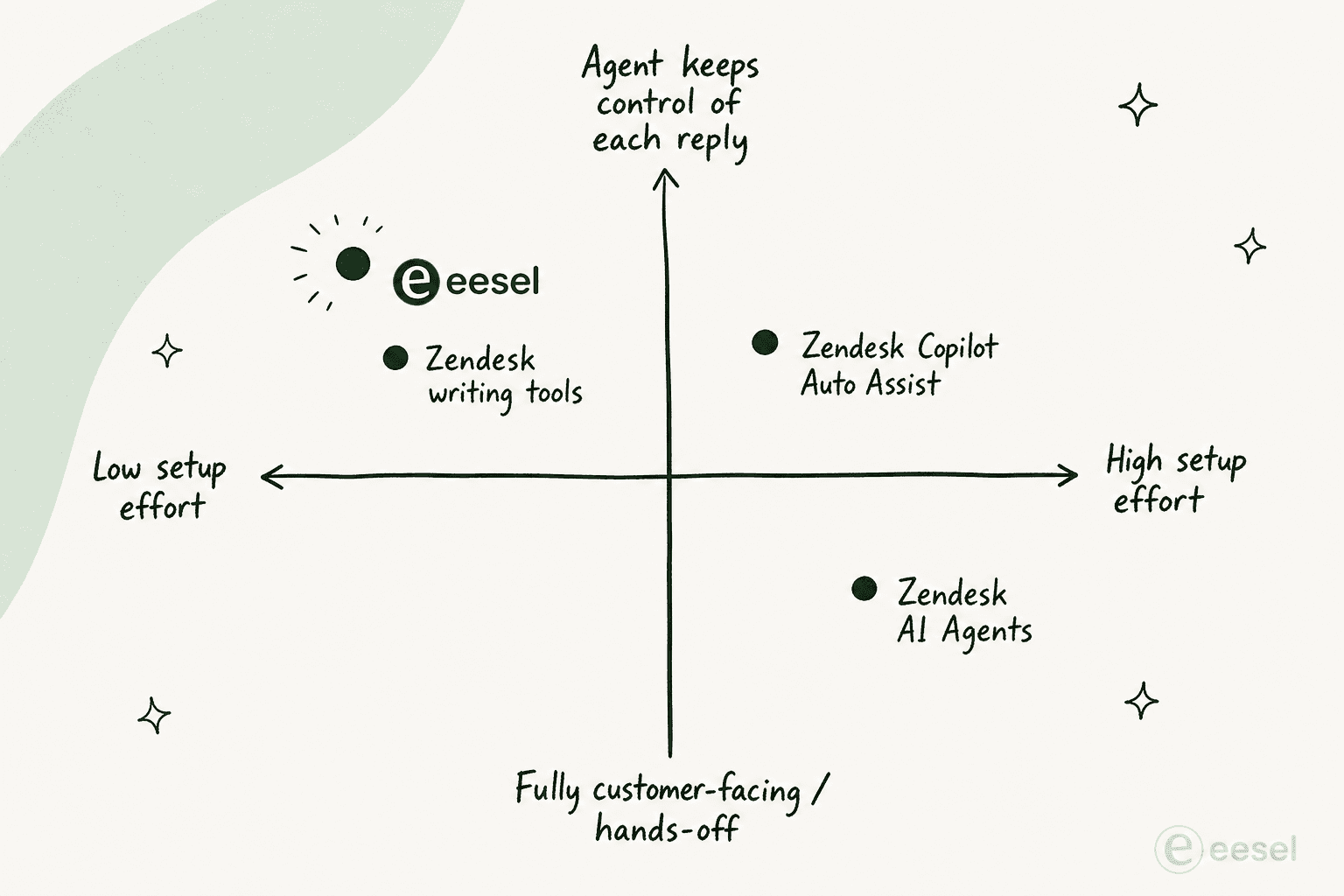
Try eesel
If you want AI-drafted replies live in Zendesk this week rather than this quarter, eesel connects in under 30 minutes, trains on your own ticket history, and lets you start in safe draft mode before handing any topic over to full automation. You can simulate the results on your past tickets first, so you know the accuracy before customers ever see a reply.
Try eesel free, no credit card required, or book a demo to see it on your own tickets.
Frequently Asked Questions
How do I draft replies with AI in Zendesk?
Is AI reply drafting free in Zendesk?
What plan do I need for Zendesk Copilot?
How accurate are Zendesk's AI-drafted replies?
Can I keep a human in the loop when AI drafts Zendesk replies?
What's the difference between Zendesk Copilot and Zendesk AI Agents?
How do I move from AI-drafted replies to full automation in Zendesk?


Article by
Kira
Kira is a writer at eesel AI with a Computer Science background and over a year of hands-on experience evaluating AI-powered customer service tools. She focuses on breaking down how helpdesk platforms and AI agents actually work so that support teams can make better buying decisions.