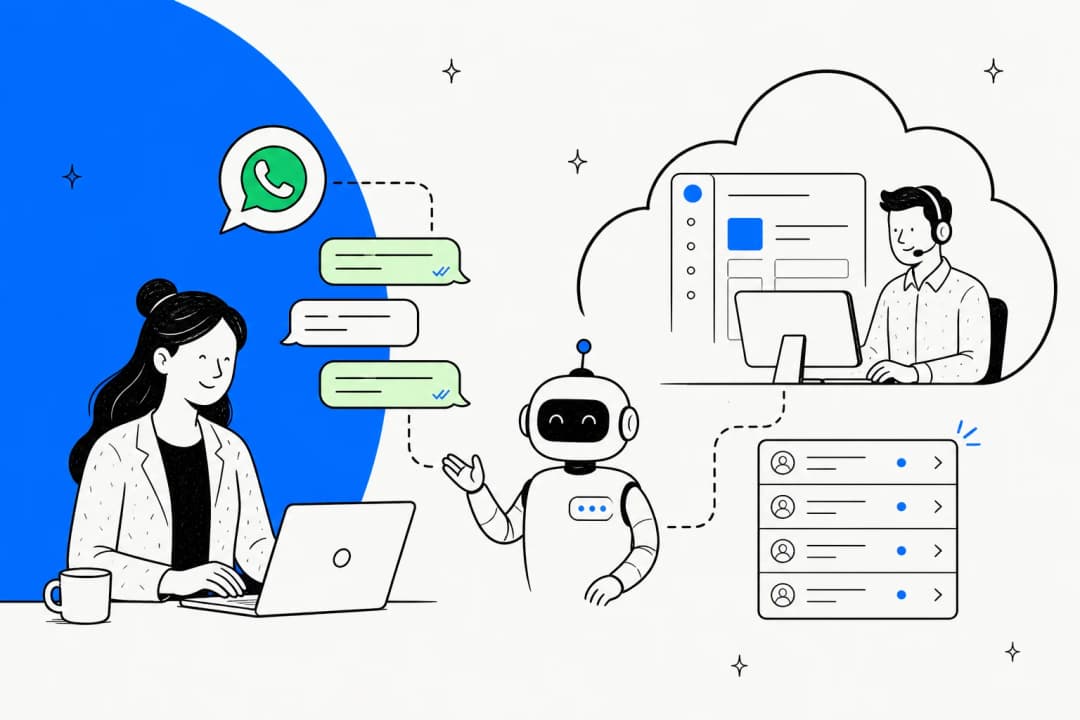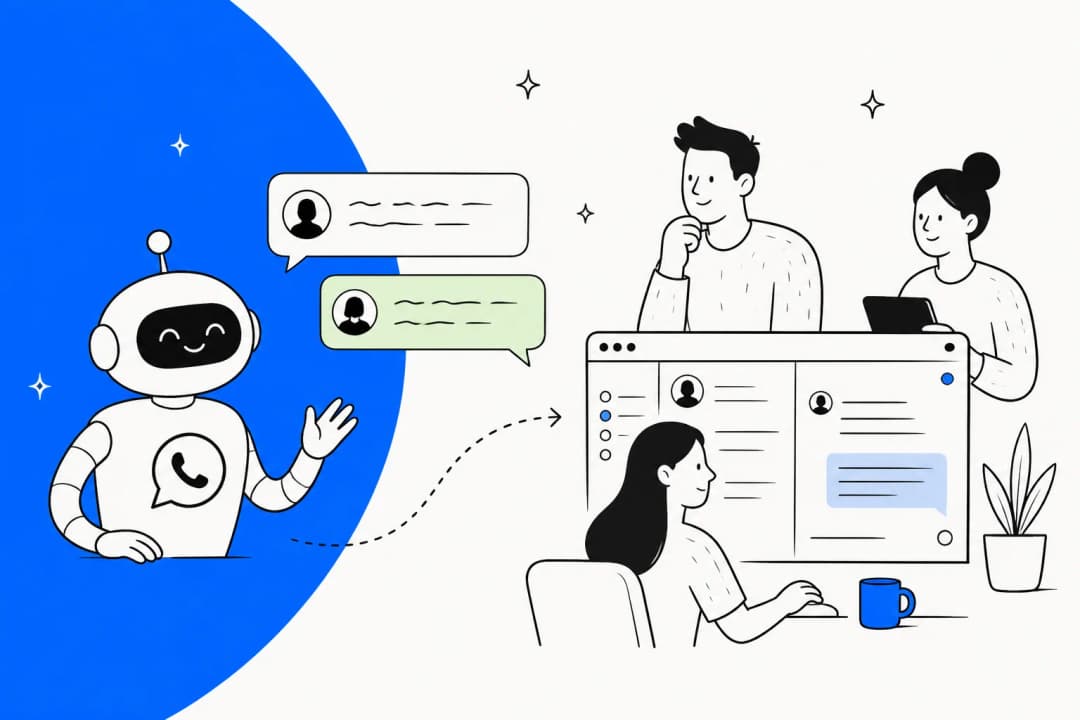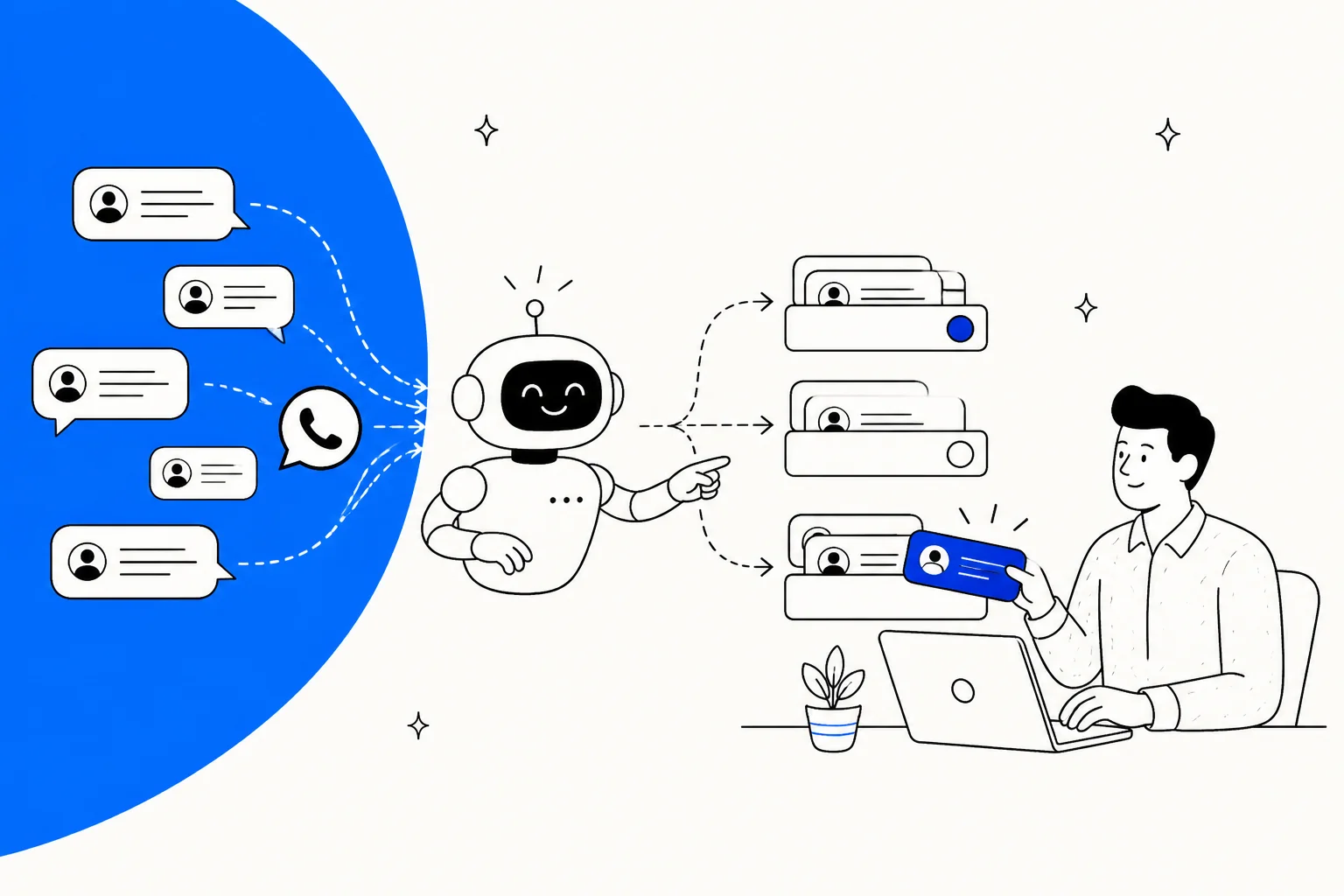
What "Meta Muse for support ticket triage" actually means
I build integrations at eesel, and most days that means reading someone else's API closely until I find where the marketing stops. With triage the gap is usually at its widest. Everyone says "AI routes your tickets", then you open the docs and go looking for the field that stores the priority. That's the way I read Meta's docs for this post.
Start with the naming. "Meta Muse" can point at three different products, and only two touch ticket triage:
| Product | What it is | Role in triage |
|---|---|---|
| Muse | Meta's consumer personal agent, launched September 8, 2026 | None. It works for individuals, not your support team |
| Meta Business Agent | Meta's customer-facing business AI, launched June 3, 2026 | Answers customers, hands off, and can raise a ticket through your tool |
| Muse Spark API | Meta's model, which you call from your own code (Muse Spark 1.3) | A classifier you build a triage pipeline around |
Meta says "more than one million businesses are already using a Meta Business Agent on WhatsApp and Messenger" (Meta Newsroom). There's a self-serve tier inside Meta Business Suite and the WhatsApp Business app, and there's the Meta Business Agent Platform for businesses on the WhatsApp Business Platform API. Meta hasn't named the model behind it.
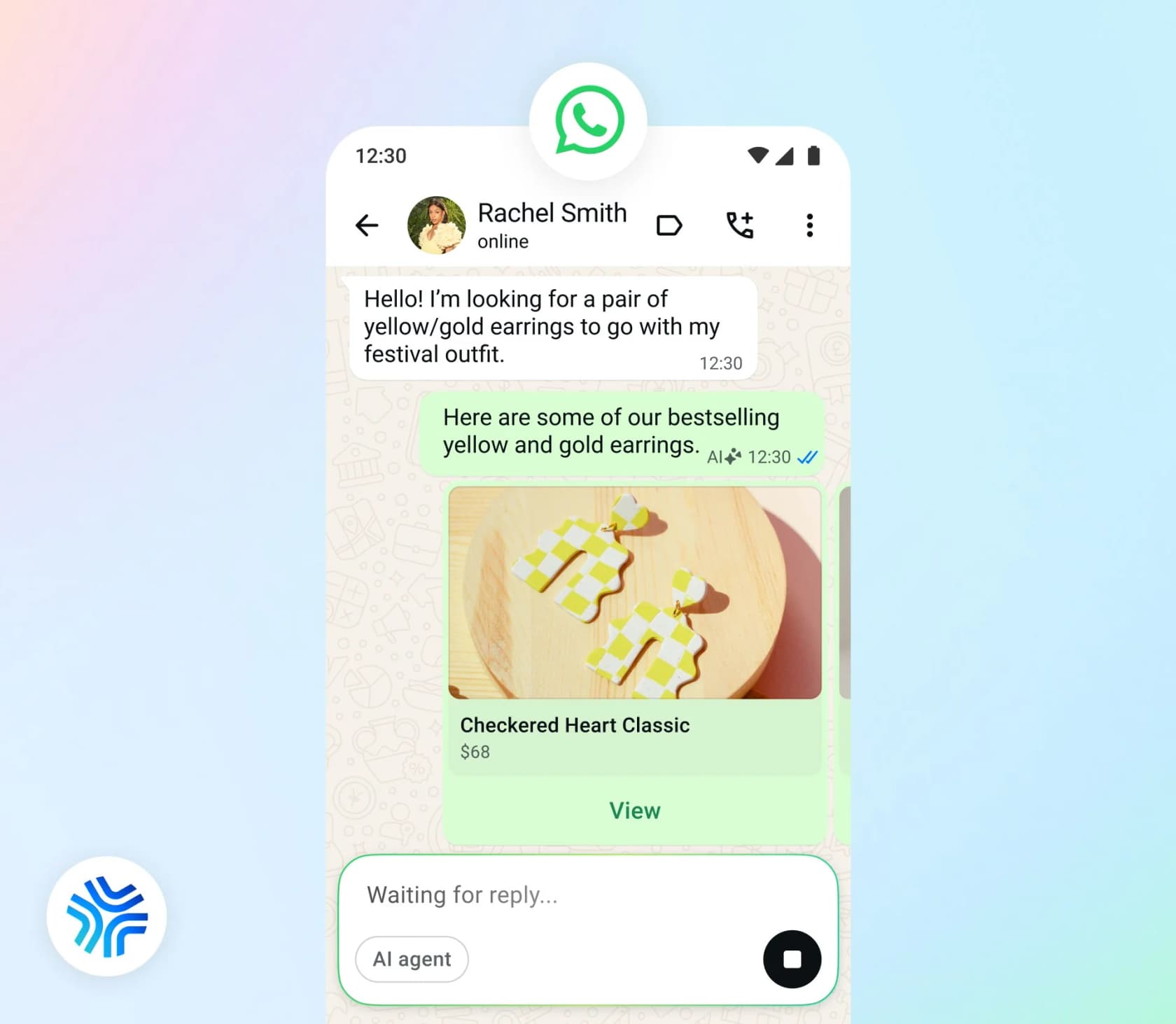
For the wider product breakdown, see my Meta Muse for customer support guide.
The five triage jobs, and who does each one
Strip support ticket triage down and it's five jobs: figure out the language, pick a category, set a priority, send it to the right team, and create a ticket someone will work. This is how Meta's stack handles each of them.
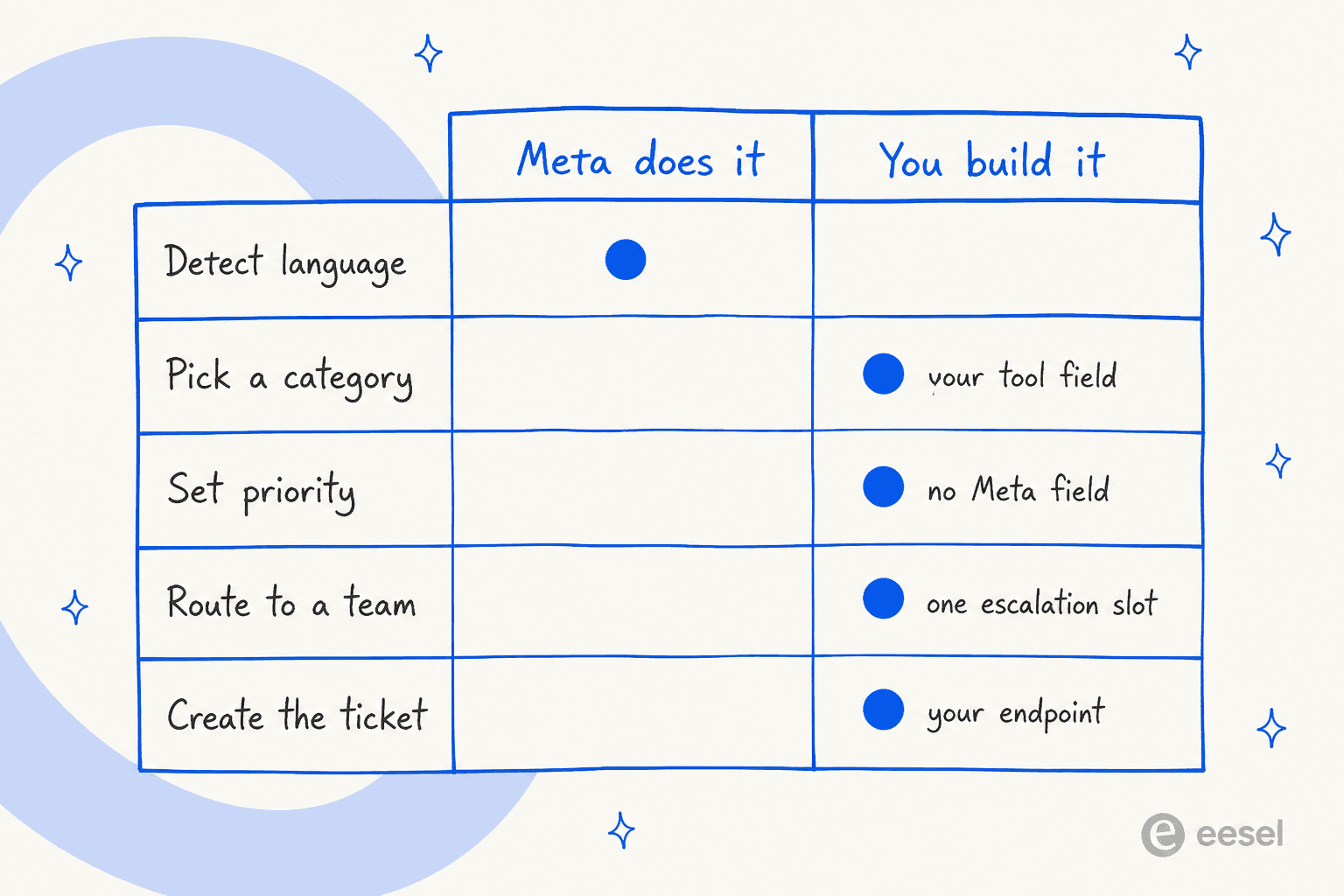
| Triage job | What Meta gives you | What you build |
|---|---|---|
| Detect language | Automatic. Replies in the customer's language, no setting | A language code, if you route on it |
| Pick a category | A category field, if your connector tool defines one | The category list, and validation of the value |
| Set priority | Nothing | The whole thing |
| Route to a team | One primary per entry point, one escalation partner | Team queues in your helpdesk |
| Create the ticket | Nothing built in | A connector endpoint that writes to your helpdesk |
Language is the easy one, so I'll start with it.
Language: automatic, but not reported
Meta is clear that "Meta Business Agent handles language automatically. There is no language setting to configure" (Capabilities). It "Detects the language of each customer WhatsApp message and responds in the same language", falls back to your business's primary language when unsure, and reads your knowledge sources in their original language. Meta's own caveat: "English has the strongest response quality."
The catch for triage is that the detected language never leaves the agent. None of the webhook or connector pages I read expose a language code, so if Spanish tickets should go to a Spanish-speaking team, you have to detect the language again in your own system. My guide on whether AI handles multilingual support covers the options.
Category: only through your own tool
Meta Business Agent can take actions through connectors, which are HTTP tools you define against your own API. Meta's customer support agent guide walks through one called create_support_ticket, and in all of Meta's docs it's the closest thing to triage. Its description tells the agent to "Call this for damage, missing items, payment disputes, refund decisions, and anything the documented policies do not cover." The body has four fields:
category: "One of: damage, missing_item, payment, refund_request, product_fault, other."summary: "A short summary of what the shopper reported, in their own words where possible."order_id: "The related order, when the shopper is asking about one."customer_phone: filled automatically from the WhatsApp number.
That's a decent ticket classification setup, but it comes with two caveats. First, it isn't a Meta feature, it's an example you copy and point at your own endpoint. Second, nothing enforces the allowed values. Connector fields can only be "string", "integer", "number" or "boolean" (Connector tools), and "enum" doesn't appear on the page. The list of categories lives in the field description as plain text, so your endpoint has to reject a category that isn't on the list.
Priority: not there at all
For this post I searched every Meta page for "priority" and "urgent". Nothing in the routing docs, agent settings, connector reference or support guides defines a priority or urgency field, and the example ticket tool has none. You can add a priority string to your own tool and describe the rules in its description, or compute it in your endpoint from the category and order value. Whichever you pick, you write the rules. If you're writing them from scratch, my post on AI ticket prioritization has a starting set.
How WhatsApp Conversation Routing actually routes
Most people get this part wrong, and I did too on my first read. Meta shipped Conversation Routing for WhatsApp, and "routing" sounds like triage. It isn't.
Meta assigns "each inbound message to a single responder based on the message's entry point", which it defines as "the context in which the WhatsApp user's message arrives" (Overview). There are five entry points: a normal message (Service, the default), a reply to a click-to-WhatsApp ad, a reply to a utility template, a reply to a marketing template, and an incoming call. "Each entry point maps to exactly one responder" (Entry points and routing). And once a thread has an owner, "the message is delivered to the current owner regardless of its entry point."
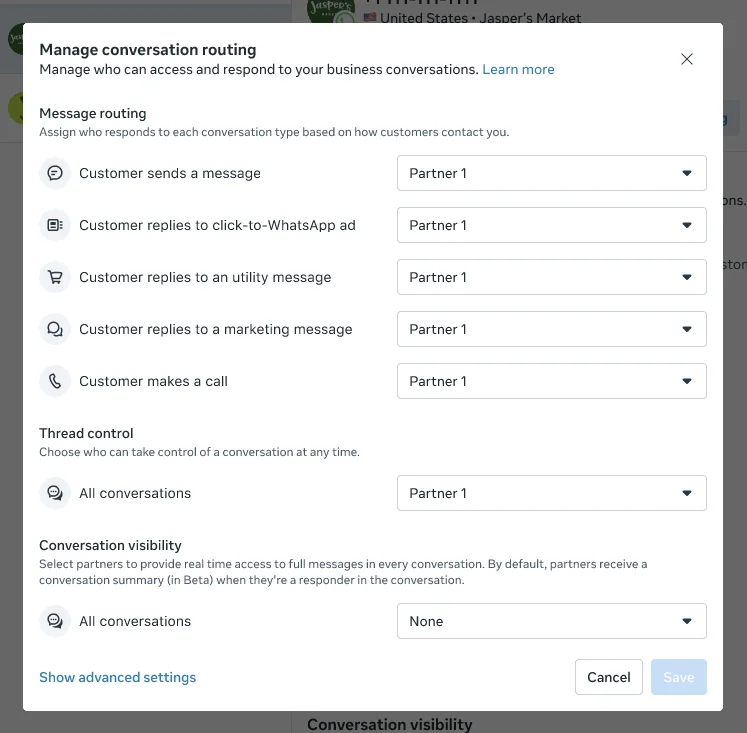
That dialog is all the configuration there is. There's no row for "refund questions" or "VIP customers". A customer complaining about a broken product and a customer asking your opening hours both arrive as "Customer sends a message", so both go to the same responder.
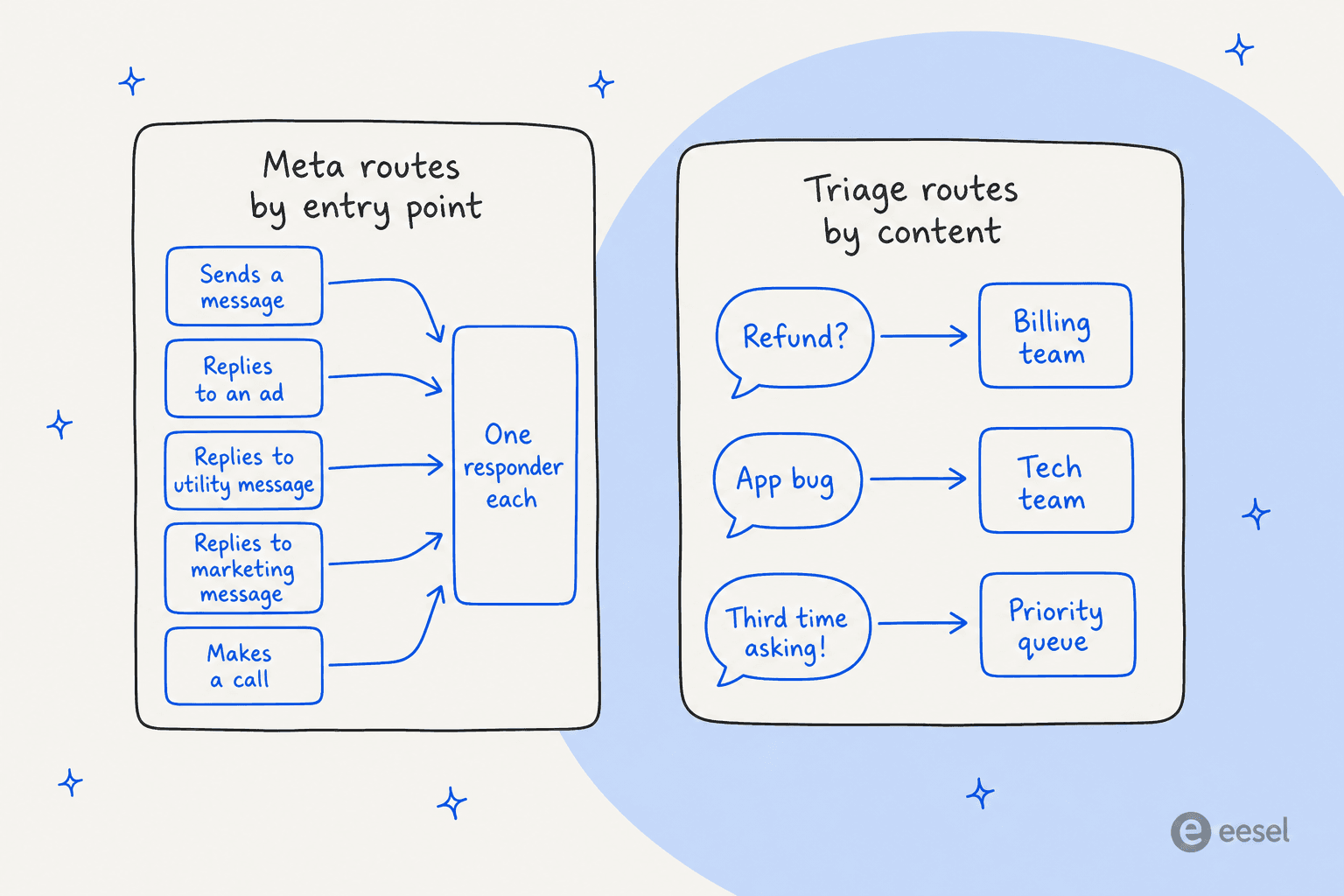
Three more rules shape what you can build:
- One escalation partner per account. The escalation partner "can take control of any thread, regardless of who currently owns it. Each account has at most one escalation partner" (Overview). Your billing team and your tech team can't sit in separate apps and both be escalation targets.
- Handoffs target roles, not teams. A targeted pass sets
target_roleto one ofai_agent,ctwa,customer_service,escalation,marketingorutility(Thread control). Those map to entry points, not departments. - Configuration is UI-only. "There is no public API for configuring Conversation Routing" (Get started). Turning on Business Agent makes it "the sole primary for messaging entry points" and moves your previous primary, often your helpdesk, to standby. I covered what that does to a Zendesk setup in my Meta Muse for Zendesk post.
In practice, you make your helpdesk the escalation partner and do the team routing there. That's what intelligent routing inside a helpdesk is for, whether it's Freshdesk routing WhatsApp tickets to a group or Zendesk triggers.
Developers were asking for exactly this before the routing docs came out:
"Is there anything in the WhatsApp Business Platform that supports this natively ; a queue, an agent assignment concept, a way to mark a conversation as "human handling now" so my webhook knows not to auto-reply, or any equivalent of the Messenger handover protocol (primary and secondary receiver apps) for WhatsApp?"

Conversation Routing now answers the handover half of that question. For the queue and assignment half, there's still nothing.
Escalation: what triggers a handoff
Escalation is the one triage decision Meta makes for you. It's also the one you have the least control over.
The built-in triggers are fixed: "the agent starts a handoff automatically when it detects a signal such as low confidence, an integrity violation, or a customer asking for a human. You do not configure the triggers" (Capabilities). The Agent Settings API gives you handoff.enabled, the handoff message, and a follow-up timer, but no threshold or rule field.
Your own triggers go in the instructions. Meta's support guide recommends this explicitly: "Enumerate the escalation triggers rather than describing them. 'Escalate when appropriate' is not an instruction an agent can follow consistently." Its example hands off "when the shopper reports damage or a missing item, disputes a payment, asks for a refund decision, mentions a legal or safety issue, or asks twice for a person." That's good advice for any AI escalation setup. One line from Meta's post-purchase guide is worth pinning to the wall, though: "Telling the agent to escalate does nothing on its own. Configure the handoff policy in agent settings and implement thread control."
What arrives with the handoff
When a thread passes to your helpdesk, two things can come with it:
- A
metadatastring, "Free-form string, maximum 2,000 characters, forwarded verbatim to the receiving app" (Thread control). Meta's guide suggests using it "to carry the ticket or order reference", with the example"Ticket MF-T-40917, damaged glass shade". - An AI summary in
conversation_context. Meta says "Identifiers and amounts are preserved verbatim" and "Open items are framed as unresolved", which is useful for the agent who picks it up. But it also says to "Treatsummary.textas human-readable prose, not structured data", and to "not parse it for fields" (Conversation context).
What you get is a readable ticket summary for humans, not a reason code to route on. If your helpdesk needs a category and priority on the escalated ticket, they have to come from your create_support_ticket call, not from the handoff event. There's also "no endpoint that reports which responder currently owns a thread", which means your system has to track ownership from the handover events on its own.
The self-serve tier is simpler, and more manual
On the self-serve side in Business Suite, triage is even lighter. You can "assign conversations in Inbox to different people" (Assign conversations) and apply labels "by category, topic or importance" (Labels), both by hand. The agent adds its own "Meta Business Agent Responding" and "Meta Business Agent Transferred" labels (Manage responses).
Inbox automations match "up to 5 specific keywords or phrases", and "keywords are case-sensitive, and an automated message will not be sent unless the keywords match exactly" (Inbox automations). Meta also notes that turning on Business Agent pauses existing automations, and that replying manually pauses the agent in that chat until "after 7 days of inactivity". You won't find auto-labeling, round-robin or a team queue. A shop with two people answering WhatsApp can live with that, but for a team of ten it's a spreadsheet waiting to happen.
The build-it-yourself triage pipeline
Put the pieces together and this is what triage on top of Meta Business Agent looks like:
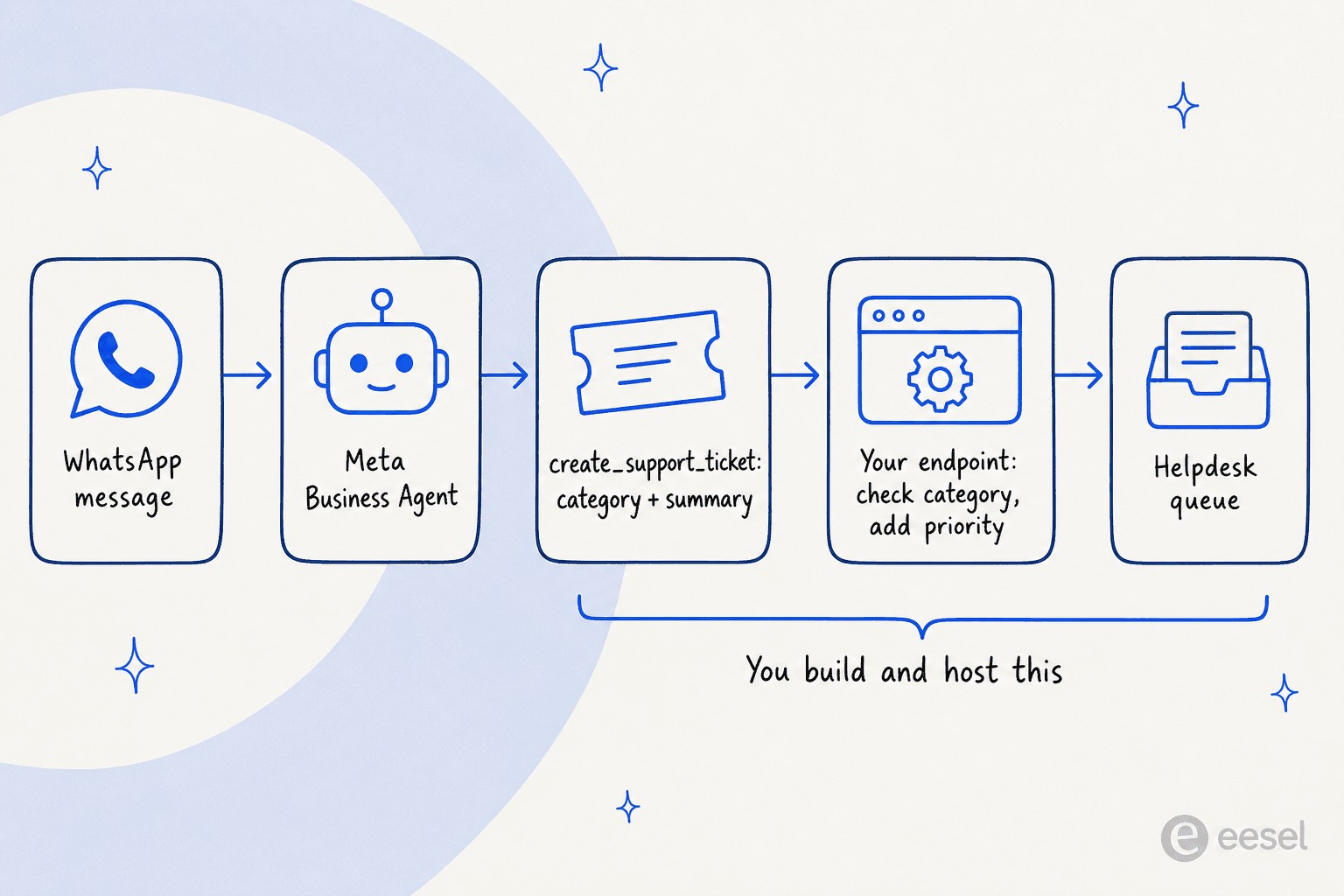
- Define
create_support_ticketwith your real categories. Keep the list short and mutually exclusive. Six to ten categories that match your helpdesk's ticket fields beat twenty that overlap. My triage prompt templates are a starting point for the descriptions. - Enumerate the escalation triggers in the instructions, the way Meta's guide does, so the tool gets called for the same situations every time.
- Validate in your endpoint. Reject unknown categories, add priority from your own rules, and write the ticket into the right helpdesk group with the WhatsApp conversation ID attached.
- Make the helpdesk the escalation partner in Business Suite, so the human side of the thread lands where the ticket is.
- Watch connector failures. Meta's own guide warns that "A failed ticket is invisible: the agent has already said a colleague will be in touch, the shopper waits, and nobody finds out until they message again angrier." The connector logs cover only "the last seven days", so set up a daily alert on errors.
Using Muse Spark as the classifier
If you'd rather classify outside the agent, for example on every WhatsApp message you capture through standby webhooks, the Muse Spark API can do it. Structured output via response_format means "the response is always constrained to your JSON Schema" (Structured output), so every ticket comes back as the same {category, priority, language} shape. Unlike connector fields, a JSON Schema can hold a real enum. Meta's caveat still applies: it "guarantees the shape, not that the model read" the input correctly (Chart analysis cookbook).
Two pricing rules are worth knowing. The cheap contributor tier is off-limits for support data, because "You must not submit sensitive, confidential, or personal information to the Discounted Services" (Terms of Service). So you pay standard rates: $1.25 input and $4.25 output per 1M tokens, with cached input at $0.15 (Prompt caching). Put the category list and the rules in a fixed prefix so that part gets cached.
The trade-off is that you get a clean classifier, but standby webhooks and the handoff summary are mutually exclusive per conversation, and you now host two AI systems reading the same chat. For most teams the classifier belongs where the ticket lives, which is the helpdesk.
What ticket triage on WhatsApp costs
Each layer comes with its own meter. From Meta's pricing docs and the Model API pages:
| Piece | What it does | Cost |
|---|---|---|
| Meta Business Agent reply | Answers and hands off | $2.00 per 1M tokens, about 4 to 5 cents a message |
| Human reply after handoff | Your team works the escalated ticket | First 1,000 service messages per number a month free, then per message from Oct 1, 2026 |
| Muse Spark API classification | Optional DIY classifier | $1.25 input / $4.25 output per 1M tokens, $0.15 cached input |
| Your connector endpoint | Validates, prioritizes, writes the ticket | Your own hosting |
| Your helpdesk | Queues, routing rules, SLAs | Your existing seat plan |
Meta says a typical agent message uses 20,000 to 25,000 tokens, and puts a four-message inquiry at about 16 to 20 cents and a ten-message chat at 40 to 50 cents. Most teams miss the second row. Escalated tickets are exactly the ones where your team sends several replies, and from October 1 each of those is a billable message once you're past the free 1,000. Agencies have noticed:
"If Meta is gonna charge for every single service message after the first 1000, our clients' bills are gonna be insane."
My WhatsApp Business API pricing breakdown has the full rate history.
Where Meta's stack falls short for triage
In fairness to Meta, Business Agent is a reasonable front door for a WhatsApp-first business, and I've written it up next to Freshdesk, with a separate write-up for Gorgias users. For triage specifically, here are the limits I'd weigh:
- No priority, anywhere. Not in routing, settings or the example tool.
- Routing ignores content. Entry points decide the responder, and there's one escalation partner.
- Categories aren't enforced. Connector fields are plain strings, so bad values reach your endpoint.
- One AI per number. "An active authorized-agent integration blocks Meta Business Agent" (overview), so you can't run Meta's agent and a triage AI as responders side by side. Meta's wider stance is in Meta's third-party AI policy.
- It only sees Meta's apps. A customer who emails about the same order ends up as a second, unlinked ticket.
A BSP consultant who tested the agent early, before connectors shipped, counted four controls: knowledge, personality, audience and handoff. Their verdict:
"Fine for a simple FAQ or catalog bot. But if you want real step-by-step logic, you hit the wall fast."
Connectors have filled in the "actions" gap since then. You still write the triage logic yourself.
Triage has to happen on the first message
The lesson I take from all this came from eesel's sales calls more than from Meta's docs. A CX lead at a DTC brand running about 7,000 tickets a month told the team their real requirement was confidence-based routing: the AI answers when it's sure, and a human gets it right away when it isn't. When a monthly analytics report was offered as the answer, they pushed back that customers don't want to wait for a monthly report.
That's the gap in a Meta-first setup. The agent answers, hands off with a prose summary, and the ticket lands in your helpdesk with whatever category your tool filled in. The priority, the team, the "this is the third time they've asked" flag all get decided later, by a person reading the summary. Triage that actually works happens when the ticket opens, before anyone replies. That's the idea behind AI support tagging inside the queue, same for spam filtering, and it's the reason I'd run triage where the ticket lives.
Try eesel for support ticket triage
Most of the build above exists because Meta's agent answers customers but doesn't sort tickets. eesel starts from the other end. It's an AI helpdesk teammate that connects to WhatsApp and works inside Zendesk, plus Freshdesk and Gorgias.
On Zendesk, its triage trigger runs "Only on the customer's first message ... when a ticket is opened, before anyone replies" (eesel Zendesk docs). It tags the ticket, updates fields "like status or priority", and reads your field options "so tags get set correctly". Routing uses the helpdesk's own assign actions, "driven by your own instructions, for example low confidence or an angry customer" (helpdesk use case). You write the rules in plain English, the same way Meta's guide tells you to enumerate triggers, except they set real ticket fields.

The number I'd point at comes from a real-traffic trial on an e-commerce inbox of about 1,000 tickets a month: 93% triage accuracy, and 100% of spam caught with zero false positives, on an inbox where 22% of tickets were spam. Every action shows up in the activity log with the reasoning behind it, and you can set any action to auto or needs-approval while you build trust. Before it touches a live ticket, you can also run eesel against your past tickets and see how it would have tagged and routed last month.

If you script your support stack, the eesel CLI runs the same teammate and workspace from a terminal. Every command prints JSON, so you or a coding agent like Claude Code can check eesel activity for misrouted tickets, review eesel approvals, or adjust the triage automation without opening the dashboard. There's also a customer support agent API.
One note: because of Meta's one-AI-per-number rule, you'd run eesel or Meta Business Agent on a given WhatsApp number, not both. If WhatsApp is your only channel and one person reads every escalation, Meta's agent plus manual labels is a reasonable, cheap setup. If tickets arrive from WhatsApp and email and need to reach different teams in the right order, triage on the first message is less to build. Pricing is a fixed monthly credit plan, where a ticket or chat is one credit however many replies it takes.
Try eesel free, and run it on last month's WhatsApp and email tickets first.
Frequently Asked Questions
Can I use Meta Muse for support ticket triage?
Does Meta Business Agent categorize support tickets?
create_support_ticket tool whose category field lists damage, missing_item, payment, refund_request, product_fault and other. The agent fills it from the conversation, but connector fields are plain strings, so your endpoint should reject values outside your list. See AI ticket classification for how to design the list.Can Meta Business Agent set ticket priority?
How does WhatsApp Conversation Routing decide who answers?
Can I route WhatsApp chats to different support teams with Meta?
How much does Meta Muse for support ticket triage cost?
Does Meta Business Agent detect the customer's language for triage?
What's a good alternative to Meta Business Agent for ticket triage?


Article by
Rama Adi
Rama is a software engineer at eesel AI with two years of experience writing about B2B SaaS, AI tools, and customer support technology. Based in Bali, Indonesia, he brings a developer's perspective to product comparisons — cutting through marketing copy to what the integrations and APIs actually do.