Meta Muse for Freshdesk: how Meta's AI fits your WhatsApp queue in 2026

Rama Adi Nugraha

Katelin Teen
Last edited September 29, 2026
What "Meta Muse for Freshdesk" actually means
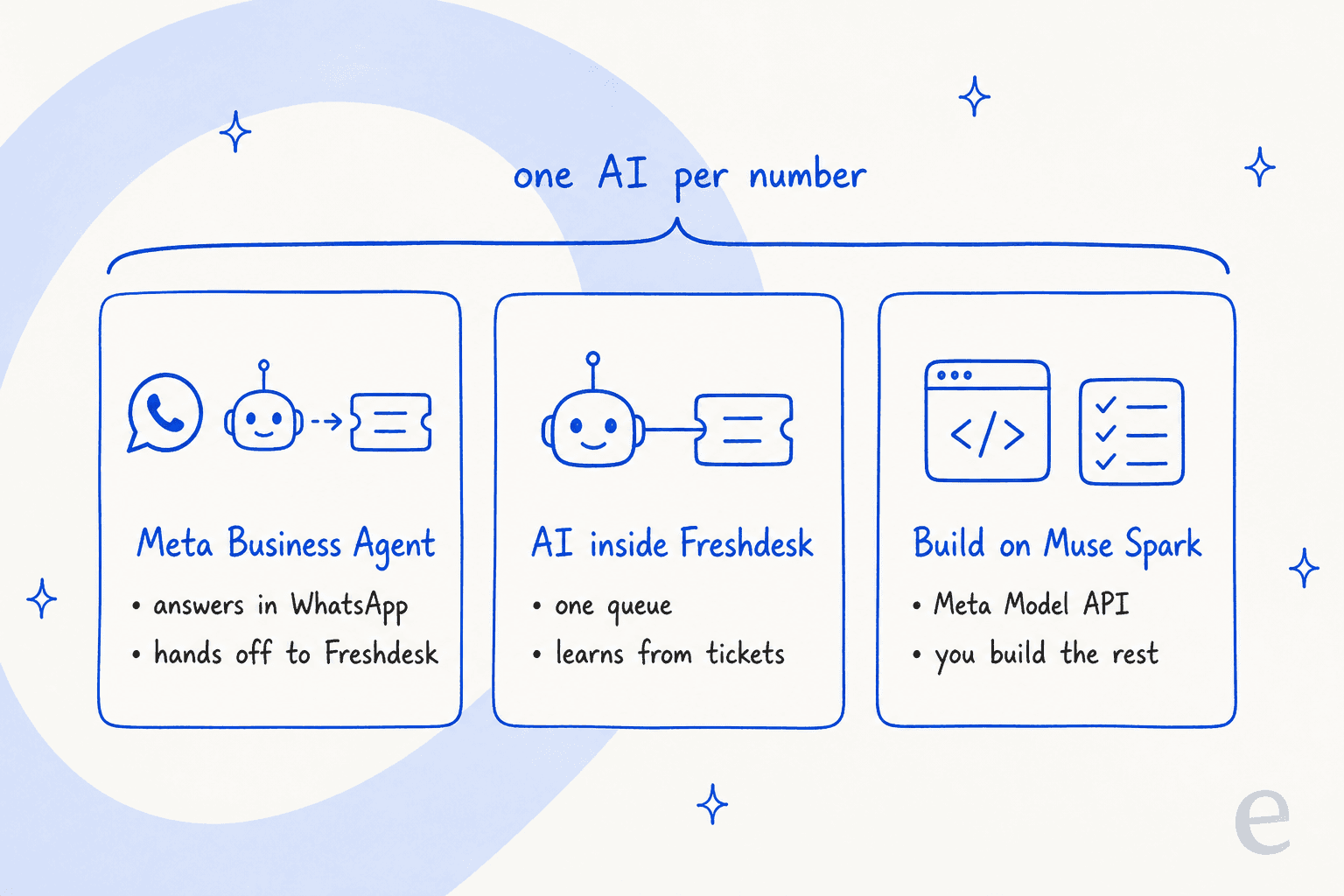
A good part of my week goes into reading other companies' developer docs, and out of all of them Meta's 2026 naming is the one that needs the most untangling. There are three Meta products in play here, and only one of them actually talks to your customers:
- Muse, the personal AI agent Meta launched in September for consumer errands. It is not built to answer a business's customers.
- Muse Spark 1.3, the model, sold through the Meta Model API. You can build a Freshdesk bot on top of it, and I cover that route further below. The Muse Spark 1.3 overview has the model detail.
- Meta Business Agent, which Meta launched in June as the AI that answers your customers on WhatsApp and Messenger, and on Instagram as well. This is the one a Freshdesk team is really weighing up.
For the full three-way breakdown, my Meta Muse for customer support guide has it. In this post I zoom in on the Freshdesk side, meaning what happens to your WhatsApp channel and your tickets, and also to your bill, once Meta's agent joins.
How WhatsApp works in Freshdesk today
Before Meta's agent comes into the picture, it is useful to know what your Freshdesk WhatsApp channel already is today. Freshworks is an official WhatsApp Business Solution Provider, and the integration runs on the WhatsApp Business Platform, per Freshworks' WhatsApp overview. You connect a number through Meta's embedded signup (under Admin, Channels, WhatsApp), and from then on every WhatsApp conversation turns into a Freshdesk ticket.
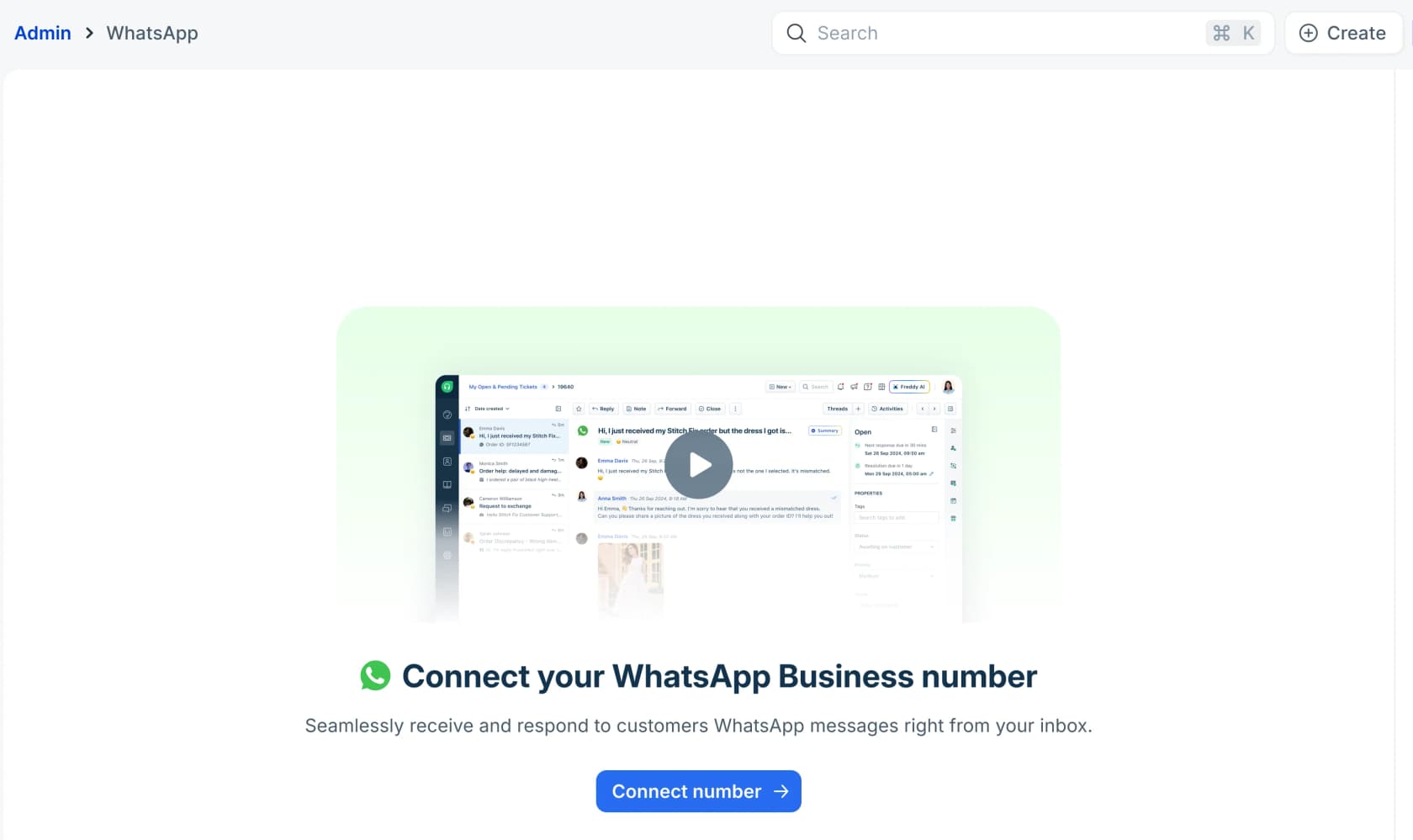
There are a few details in Freshworks' own docs that matter for everything that comes after:
- WhatsApp now needs Freshdesk Omni for new accounts. The WhatsApp setup article lists only Freshdesk Omni Growth, Pro and Enterprise for accounts that signed up after December 2025. Older email-first Freshdesk accounts kept it. If you are not sure which one you have, my Freshdesk vs Freshdesk Omni comparison explains the split.
- Freshworks marks up Meta's fees. Meta's WhatsApp charges are passed through to you, and "Freshworks applies a 20% markup to the total WhatsApp cost billed from Meta", per the WhatsApp pricing model article.
- Freddy can already sit on the number. Each WhatsApp number has a "Start with an AI Agent" setting, which puts a Freddy Chat AI Agent in front of your team before any human takes over.
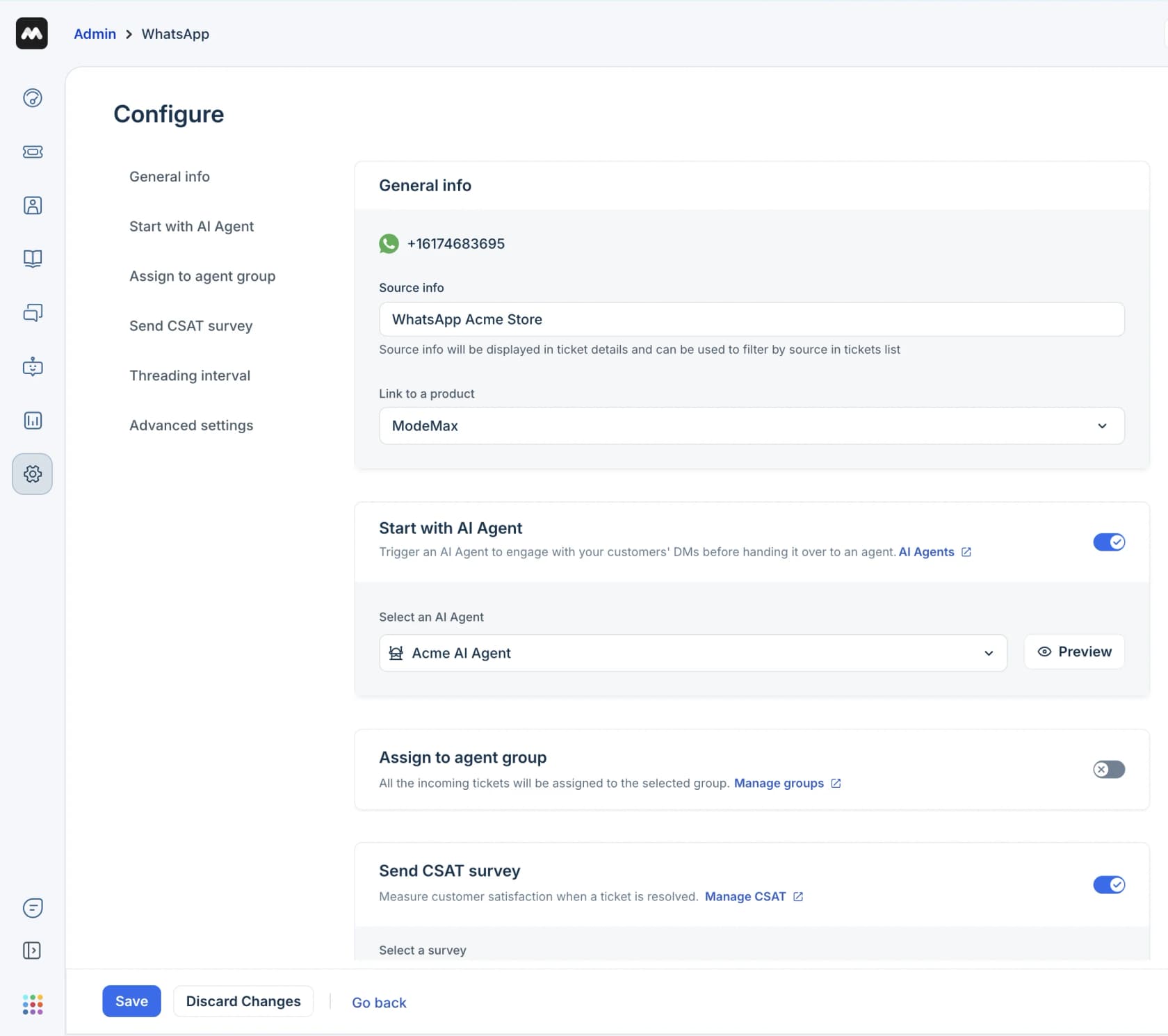
That last screen is the crux of the whole thing. Your WhatsApp number already has one place for an AI to sit, so the question is only whether Meta's agent gets that seat or a Freshdesk-side agent does. For the setup basics my WhatsApp for Freshdesk guide walks through it, and there is also a separate walkthrough on routing WhatsApp tickets to the right group.
It's also worth knowing that the number itself is sticky. Moving a Platform number between providers involves Meta, the old provider and the new one, and one Freshworks customer trying to leave described it like this:
"I'm currently lost in the Meta jungle. I'm trying to disconnect a WhatsApp Business API number from Freshchat (Freshworks) and connect it to Missive. I'm going completely crazy."

So whichever AI gets the seat, pick it on purpose.
What happens when Meta Business Agent joins your Freshdesk number
This is the part where Meta's docs got more detailed in September, and for helpdesk teams it changes the picture quite a lot.
It becomes the first responder, and Freshdesk moves to standby
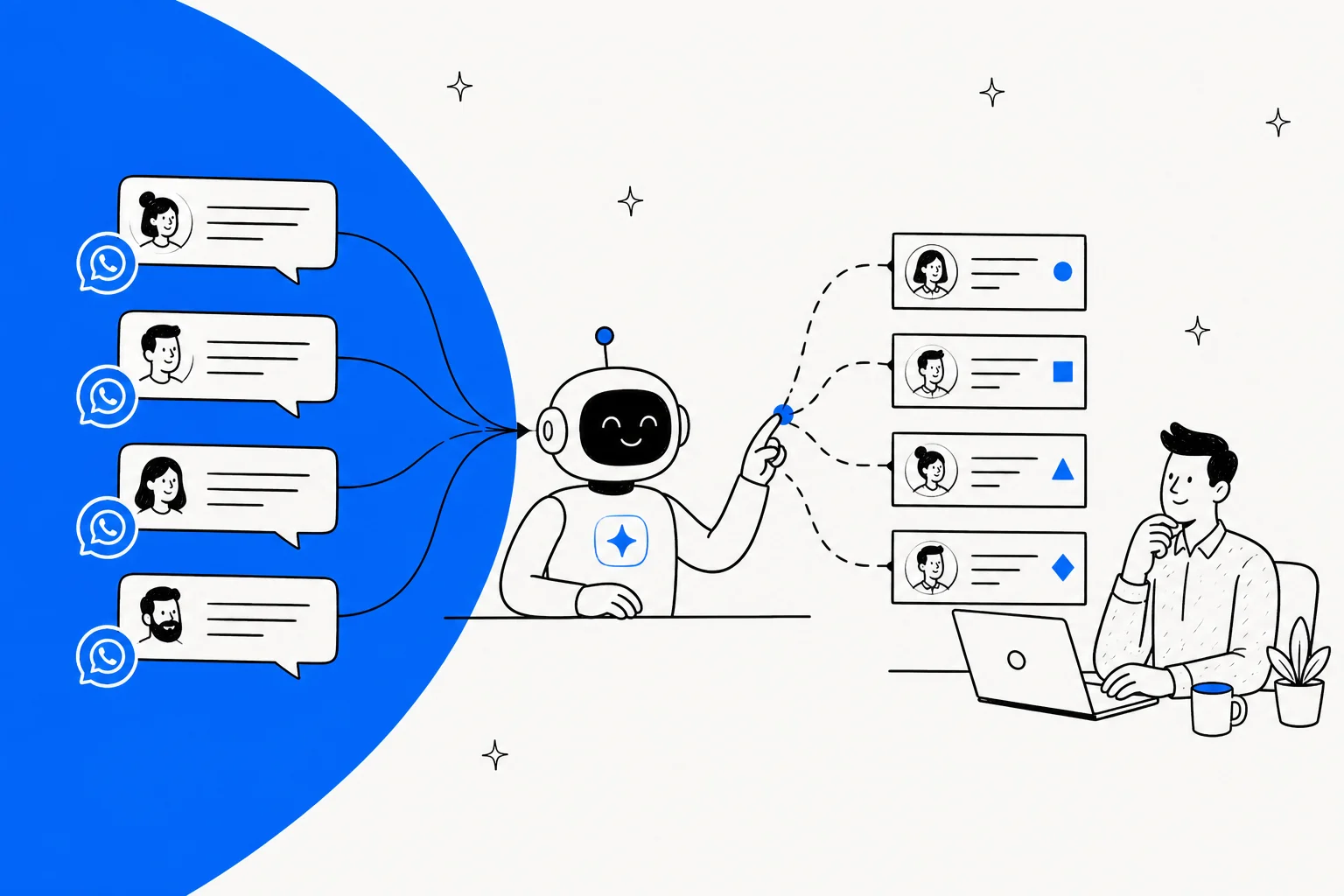
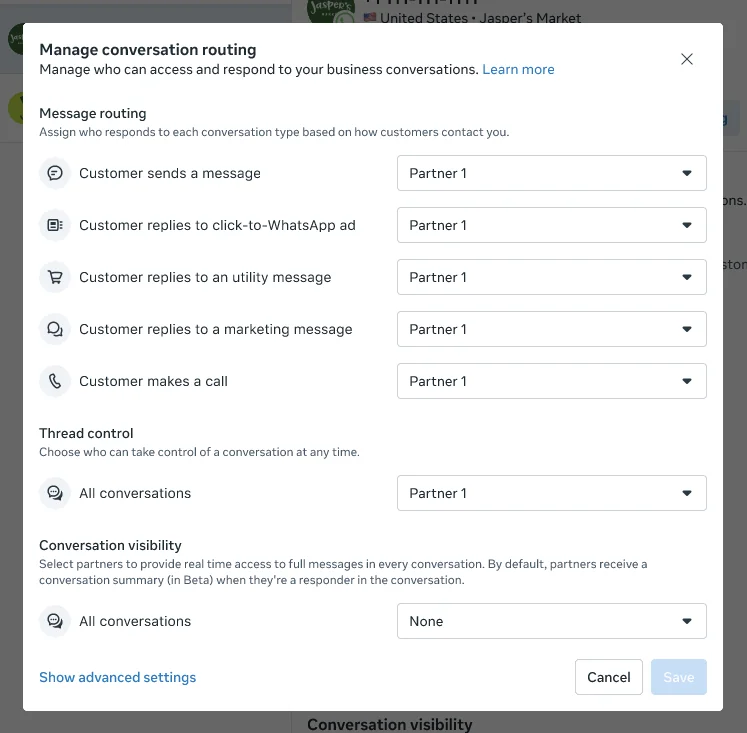
Meta runs a system called Conversation Routing that decides which app answers each message when more than one app is connected to a number, and your Freshdesk channel counts as one of those apps. When you turn on Business Agent, "The agent becomes the sole primary for messaging entry points" and "Previous primary destinations move to standby so they retain context", per Meta's routing setup guide.
Put simply, new WhatsApp messages go to Meta's agent first and not to Freshdesk. It is possible to split this by entry point, for example keeping Freshdesk as primary for customers who message you directly and putting the AI on click-to-WhatsApp ads, but that setup only lives inside Meta Business Suite. Meta is direct about it: "There is no public API for configuring Conversation Routing."
One AI per number, so Freddy and Business Agent can't share
Meta's Platform overview spells the eligibility rule out plainly: the number must be "Not already running another AI agent on that number", because "an active authorized-agent integration blocks Meta Business Agent." Freshworks, on its side, has a mirror-image rule: each messaging channel "can have only one active chat AI agent at a time", per its Chat AI Agent docs.
Meta doesn't define what exactly counts as an "authorized-agent integration". The plain reading, which is also the one I would plan around, is that a live Freddy AI Agent on the number counts. So it is a choice between the two, not a stack of them. If you run Freddy on WhatsApp today, then adding Meta's agent means you switch Freddy off on that number first.
Handoff goes back through the thread, and Freshworks isn't a named partner
When Business Agent hands off, the chat is not moved into some Meta inbox. The conversation stays in the same WhatsApp thread and only the ownership passes to another app on the number. Meta's customer support guide lists "A staffed destination for handed-off conversations" as a prerequisite, while a plain handoff goes to whichever app you set as the "escalation partner", per the thread control docs.
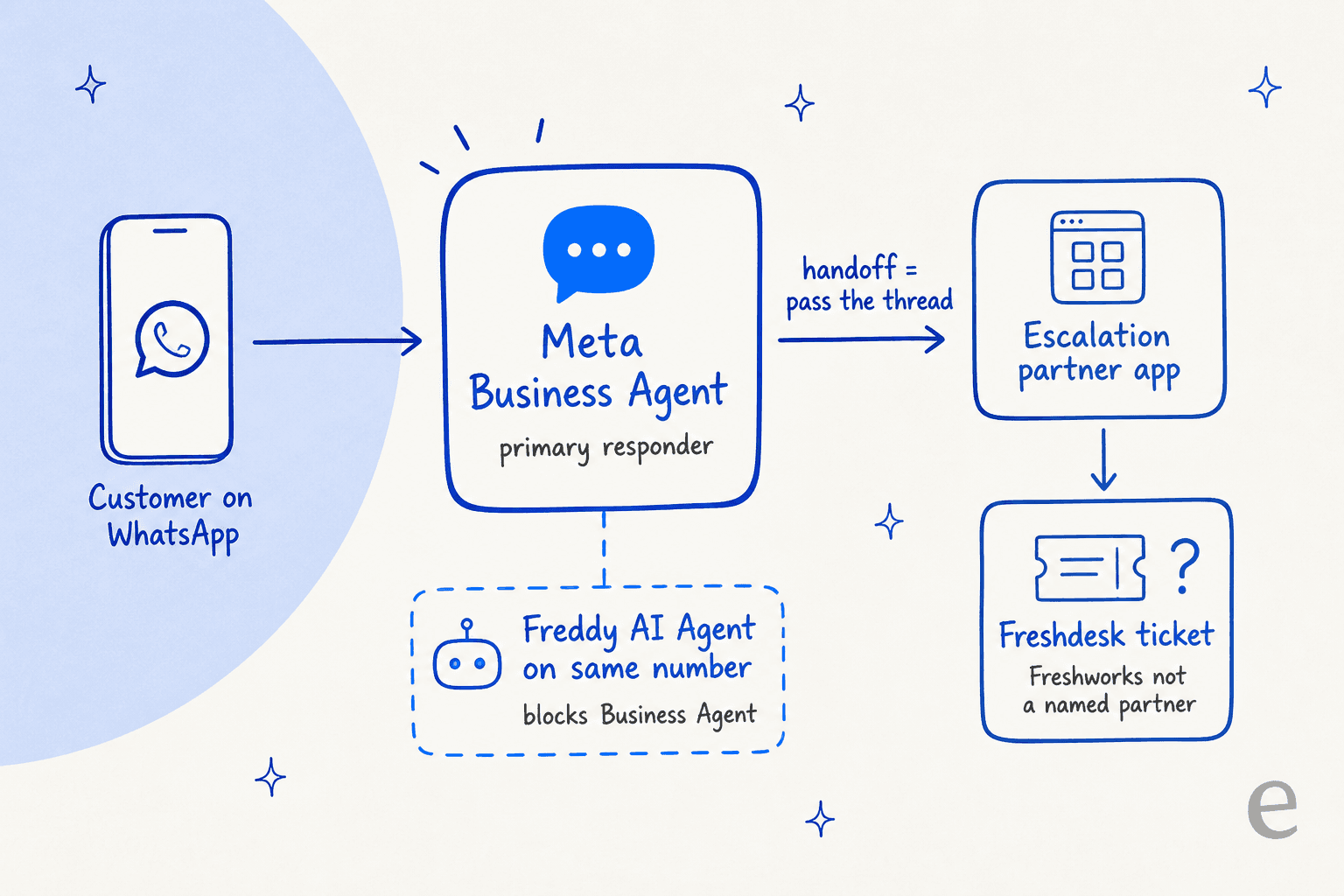
For a Freshdesk team that escalation partner would be Freshworks' WhatsApp app, and this is where the catch is. When Meta introduced Business AI (the earlier name for Business Agent), it named its handoff partners: "Salesforce, Microsoft Dynamics 365 Contact Center, ServiceNow, Zendesk, Gorgias and Klaviyo Service." Freshworks isn't on that list, and I couldn't find any Freshworks page that mentions Business Agent at all. Going by Meta's routing docs, the handoff should still land in Freshdesk as a normal thread if you make Freshworks the escalation partner. Nobody on either side has documented it though, so test it on a spare number before you rely on it.
There are a few more handoff details worth knowing about:
- Context travels in a 2,000-character note. The handoff event carries a free-text
metadatafield that Meta suggests using "to carry the ticket or order reference". Your team can also get either an AI summary of the chat or a live copy of it, not both. - You don't control the triggers. On the Platform, handoff fires on low confidence or on integrity issues, and also when the customer asks for a human, and "You do not configure the triggers," per Meta's capabilities page. The same pattern shows up from the Zendesk side in my Zendesk WhatsApp handoff post.
- Meta warns about the 2am handoff. Its own guide puts it like this: "An agent that hands off at 02:00 into an unstaffed queue produces a worse outcome than one that says when the team is next available and raises a ticket."
One BSP consultant who had early Platform access summed the controls up like this:
"The harness is very basic. You only get 4 controls - knowledge, personality, audience, handoff. Fine for a simple FAQ or catalog bot. But if you want real step-by-step logic, you hit the wall fast."
Creating Freshdesk tickets from Meta's agent
Business Agent is able to take actions through connectors, meaning HTTP APIs or remote MCP servers that you define yourself. Meta's support guide even shows a worked create_support_ticket tool calling POST /tickets, which looks a lot like the Freshdesk API. Where it snags is the authentication. The Freshdesk API uses your API key as a Basic auth username. Meta's connectors reference does list BASIC, but then it says "Currently, only OAUTH2_CLIENT_CREDENTIALS, API_KEY, and NONE are supported."
A pre-built header could maybe work around that, but it's untested, and Meta itself is the one flagging the failure mode: "A failed ticket is invisible: the agent has already said a colleague will be in touch, the shopper waits, and nobody finds out until they message again angrier." If you do go this route, my Freshdesk API v2 guide and the API rate limits post cover what you are building against. Keep in mind that rate limits are account-wide, so a connector shares its budget with every other integration you run.
What it costs: Meta Business Agent vs Freddy on WhatsApp
The two AIs bill in different ways, and both of them sit on top of the WhatsApp fees you already pay through Freshworks.
| Cost line | Meta Business Agent | Freddy AI Agent on WhatsApp |
|---|---|---|
| Unit | Tokens, $2.00 per 1M (Meta pricing) | Sessions, $49 per 100 (Omni pricing) |
| Per message or session | About 4 to 5 cents a message | 49 cents covers 24 hours of chat |
| Simple question (Meta's example, 4 messages) | About 16 to 20 cents | 49 cents |
| Complex question (Meta's example, 10 messages) | About 40 to 50 cents | 49 cents |
| Included free | None; payment method required since Aug 1 | 500 sessions once per account, not monthly |
| WhatsApp message fee on AI replies | None extra; each message is billed once | Service message fee from Oct 1, after 1,000 free per number |
| Freshworks 20% markup | Billed by Meta directly | Applies to Meta's WhatsApp costs billed through Freshworks |
| Plan needed | Enterprise WhatsApp Business Platform number | Freshdesk Omni Growth $29, Pro $79 or Enterprise $119 per agent/month |
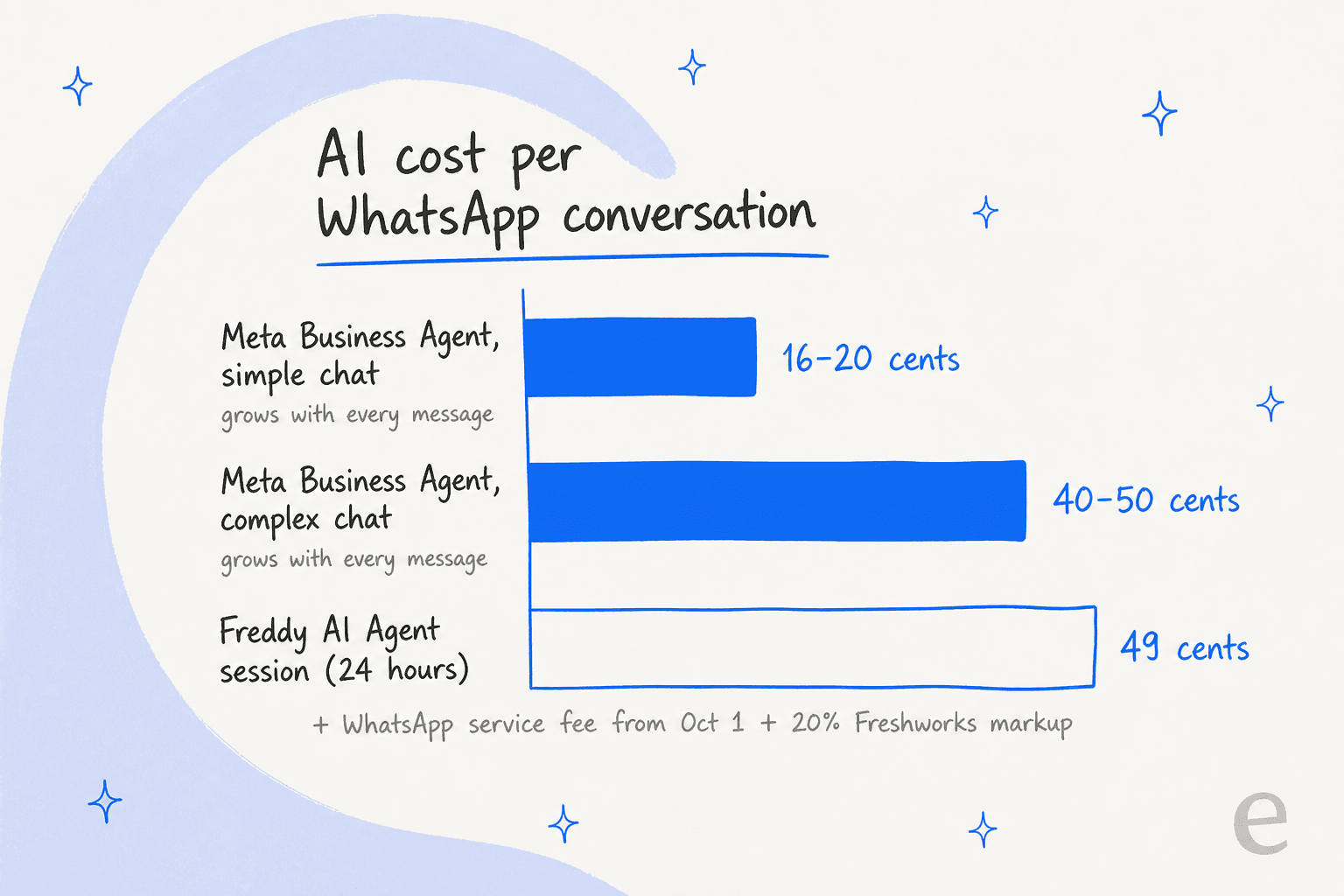
So on short chats Meta's agent is cheaper, on long ones it comes out roughly the same, and it only gets pricier when a customer keeps asking follow-ups. Early users were quick to notice that part:
"My concern is that the per-message cost is insanely high at approximately 5 cents per message."
On the Freddy side, two details from the Chat AI Agent docs also move the number. A welcome message that fires before the customer types uses a session "regardless of whether the customer replies", and when sessions run out, "all deployed chat AI agents stop accepting new queries immediately." My Freddy session consumption guide goes deeper into this, while the Freshdesk Freddy AI pricing post has the plan-by-plan view.
October 1 hits the handoff side
The change that most Freshdesk teams will actually feel is not the AI price. From October 1, 2026, Meta charges service messages per message after 1,000 free per phone number per month, and Freshworks' own pricing article already reflects it. Service messages, in this case, are the replies from a person or from a third-party AI. Meta's pricing page says each message is billed "either as a Meta Business Agent message or as a service message, never both."
In practice every WhatsApp reply your agents send from Freshdesk after a handoff is a service message, with Freshworks' 20% on top of it. Picking Meta's agent doesn't get you around that line, it only changes who writes the first few replies. For the full rate history, have a look at my WhatsApp API pricing explainer and the earlier Meta policy changes on third-party bots.
Building your own Freshdesk bot on Muse Spark
The third route skips Business Agent completely and builds straight on the model. It is the closest one to my day job, so here is what it involves in reality.
On the model side, Muse Spark 1.3 costs $1.25 input and $4.25 output per 1M tokens on the standard tier (Meta Model API docs), with tool calling and structured output. The much cheaper contributor tier is off the table for support use, because Meta's terms say "You must not submit sensitive, confidential, or personal information to the Discounted Services", and a Freshdesk ticket is full of names and emails, and order numbers too. My Muse Spark 1.3 review covers the areas where the model is strong.
On the Freshdesk side, everything else is yours to own:
- Knowledge. Solution articles and canned responses, plus past tickets, all kept in sync. The Freshdesk API lists only the last 30 days of tickets by default and caps search at about 300 results, so pulling years of history is real work.
- The ticket loop. Reading the ticket, then replying through the reply endpoint or leaving a private note, and setting tags and groups. A sent reply can't be edited afterwards, so for version one I'd ship it writing private notes only.
- Escalation. Your own confidence threshold and routing rules. My AI agent handoff guide covers what a good one looks like.
- Testing. Replaying real tickets before anything reaches a customer.
- The WhatsApp side. Templates and the 24-hour window, plus the October 1 service-message charges.
I've watched plenty of teams weigh up this path, and the one piece of advice I give every time is to count the maintenance, not only the build. My build vs buy guide lays the full list out. For the same build with other models, see Claude for Freshdesk. The ChatGPT for Freshdesk guide covers OpenAI's side.
Where Meta's agent stops for a Freshdesk team
None of this is hidden, it's all in Meta's own docs, but it lands harder when your support runs through a helpdesk:
- It only answers in Meta's apps. Your Freshdesk queue carries email and web chat too, and your portal as well. Business Agent covers none of them, so you'd end up running two AIs with two sets of rules.
- Your ticket history isn't a knowledge source. Meta's support guide tells you to "export the top drivers from your helpdesk for the last quarter" and write FAQ entries by hand. Your best answers, the ones sitting in years of solved Freshdesk tickets, stay out of its reach. My Freddy AI Agent knowledge sources post shows what Freshworks' own agent can read instead.
- Regulated industries are excluded. Businesses in finance, health, government, alcohol or gambling can't use the Platform.
- Enterprise numbers only. The Platform needs a WhatsApp Business Platform number, not the consumer WhatsApp Business app, and Freshworks warns that moving a number to the Platform means you "lose all your data associated with WhatsApp", per its onboarding article.
- Accuracy still needs grounding. Meta's help center warns "Some AI messages may be inaccurate or inappropriate", and an early tester saw "the same product come back at two different prices in two replies" (Reddit).
The ask I hear the most from support leads is the same one that a CX lead at a direct-to-consumer brand, doing about 7,000 tickets a month, put to the eesel team:
"I need an AI who is only handling the tickets that it's confident to handle and all the other ones, leave them alone."
With Business Agent it is Meta who draws that confidence line, not you, and for a lot of Freshdesk teams that one detail is what decides it.
Which setup fits your Freshdesk team
This is how I'd pick, going by where your customers write in and the way your team works.
| Your situation | Best fit | Why |
|---|---|---|
| Tiny shop, customers only on WhatsApp, simple product and hours questions | Meta Business Agent | Cheap on short chats, lives where customers are |
| Freshdesk Omni team, WhatsApp plus email and chat, one queue | An AI agent inside Freshdesk | One set of rules, learns from your tickets, no handoff plumbing |
| Already running Freddy on WhatsApp, happy with it | Stay put | Switching to Meta means turning Freddy off on that number |
| Engineering team that wants full control | Muse Spark API plus Freshdesk API | Cheap per token, but you build and maintain everything |
| Finance, health or other regulated vertical | Not Business Agent | Excluded from the Platform |
For most of the teams I talk to, the second row is the real one. A customer writes on WhatsApp and follows up by email, then later replies to a CSAT survey, and your team needs all of that in Freshdesk instead of split between Freshdesk and Meta. It's also the reason the AI choice inside Freshdesk matters more than the Meta question does.
One commenter in r/SaaS made the same point about where the value sits once Meta gives the basic automation away:
"When Meta ships the basic automation for free, SaaS value has to move up the workflow. The durable layer is cross-channel context, approval and exception handling, reporting tied to campaigns, and knowing when automation should stop and a human should take over."
If you're comparing those, my best AI for Freshdesk roundup and the Freddy AI alternatives list are good next reads. The head-to-head eesel vs Freddy post goes deeper on those two.
For WhatsApp across different tools, have a look at the best AI for WhatsApp support.
Try eesel for WhatsApp in Freshdesk
eesel is an AI helpdesk teammate that joins Freshdesk like a new hire would, with no separate widget or inbox. It works your tickets inside Freshdesk and replies in whichever channel the customer used, and it also connects to WhatsApp directly. What it learns from is your past tickets and solution articles, plus your canned responses. Before it answers even a single customer, it runs a simulation against hundreds of your past tickets so you can see which ones it would get right, and then you pick the ticket types it's allowed to touch. It sticks to the dispatch rules and SLAs you already have, and to your business hours too.
One small-business founder on Freshdesk described how that feels:
"It is so easy to direct it to integrate Freshdesk tickets, Notion.so pages, website pages, effectively letting it read and memorize our company's procedures, products, and policies... when we re-test, it correctly incorporates the coaching."

Pricing works as a fixed monthly credit plan, where a ticket or a chat counts as one credit no matter how many replies it takes, so a customer asking five follow-ups doesn't multiply the bill. If you'd rather script the setup, the eesel CLI lets you, or a coding agent such as Claude Code, connect Freshdesk and add knowledge, and also approve actions, all from a terminal with JSON output for every command.
Try eesel free with 100 credits and no card needed, then see how it handles your Freshdesk WhatsApp tickets before the October 1 pricing change kicks in.
Frequently Asked Questions
Can I use Meta Muse with Freshdesk?
Does Meta Business Agent integrate with Freshdesk?
Can Meta Business Agent and Freddy AI Agent run on the same WhatsApp number?
How much does Meta Business Agent cost compared with Freddy AI?
Do I need Freshdesk Omni to use WhatsApp?
What changes for Freshdesk WhatsApp costs on October 1, 2026?
Can I build a Freshdesk bot on Muse Spark instead?
What is the best AI for Freshdesk WhatsApp support?



Article by
Rama Adi Nugraha
Rama is a software engineer at eesel AI with two years of experience writing about B2B SaaS, AI tools, and customer support technology. Based in Bali, Indonesia, he brings a developer's perspective to product comparisons — cutting through marketing copy to what the integrations and APIs actually do.