Meta Muse for Shopify customer support: what Meta's AI covers in 2026

Rama Adi Nugraha

Katelin Teen
Last edited September 29, 2026

What "Meta Muse for Shopify customer support" actually means
A big part of my week goes into reading other companies' developer docs, and Meta's 2026 product names need more untangling than most of them. There are three Meta products carrying the Muse or Meta name, and out of those only one actually answers your shoppers:
- Muse, the personal AI agent Meta launched in September for consumer errands. It was not built for answering a store's customers.
- Muse Spark 1.3, the model, sold through the Meta Model API. In theory you could build a Shopify support bot on top of it, and I go through that route further below. My Muse Spark 1.3 overview has the model detail.
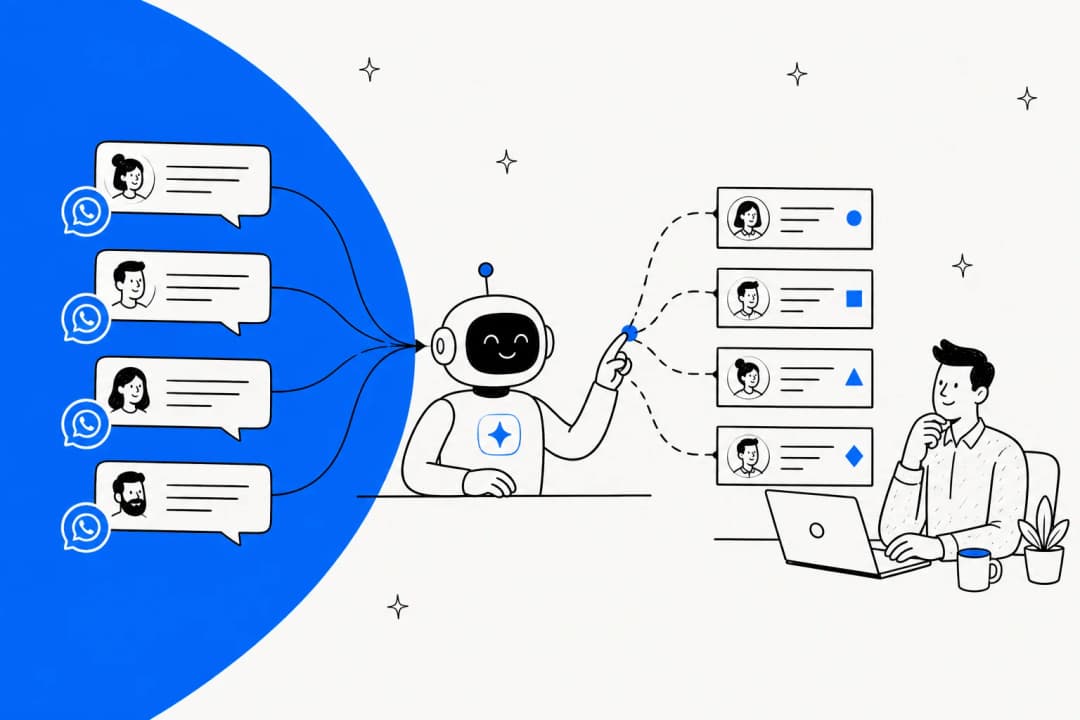
- Meta Business Agent, which Meta launched in June as the AI that does the talking to customers on behalf of a business. Meta says "more than one million businesses are already using a Meta Business Agent on WhatsApp and Messenger."
My Meta Muse for customer support guide has the full three-way breakdown. In this one I zoom in on what a Shopify merchant really gets, since Shopify is the one commerce platform Meta chose to build for first.
Where Meta's agent meets your Shopify shoppers
Business Agent shows up in three places, and it is not the same product with the same limits in each of them, which is the part most coverage tends to skip.
| Where it runs | Who can set it up | What it learns from | Where handoffs go | Cost today |
|---|---|---|---|---|
| Your Shopify website | Admins in Meta Business Suite, Shopify stores only | Your website and product catalog, plus FAQs and files | Meta Business Suite Inbox | Free, paid plans "in the coming months" |
| WhatsApp, Messenger, Instagram (self-serve) | Any eligible business, WhatsApp Business app number | Facebook Page, past chats, website, catalog | You take over in the same chat | Free limit, then Meta One plans |
| WhatsApp Business Platform | Verified businesses on an API number | Business info, FAQs, files, websites, plus your own connectors | An "escalation partner" app on the number | $2.00 per 1M tokens |
The website agent is Shopify-only, and it is a sales agent
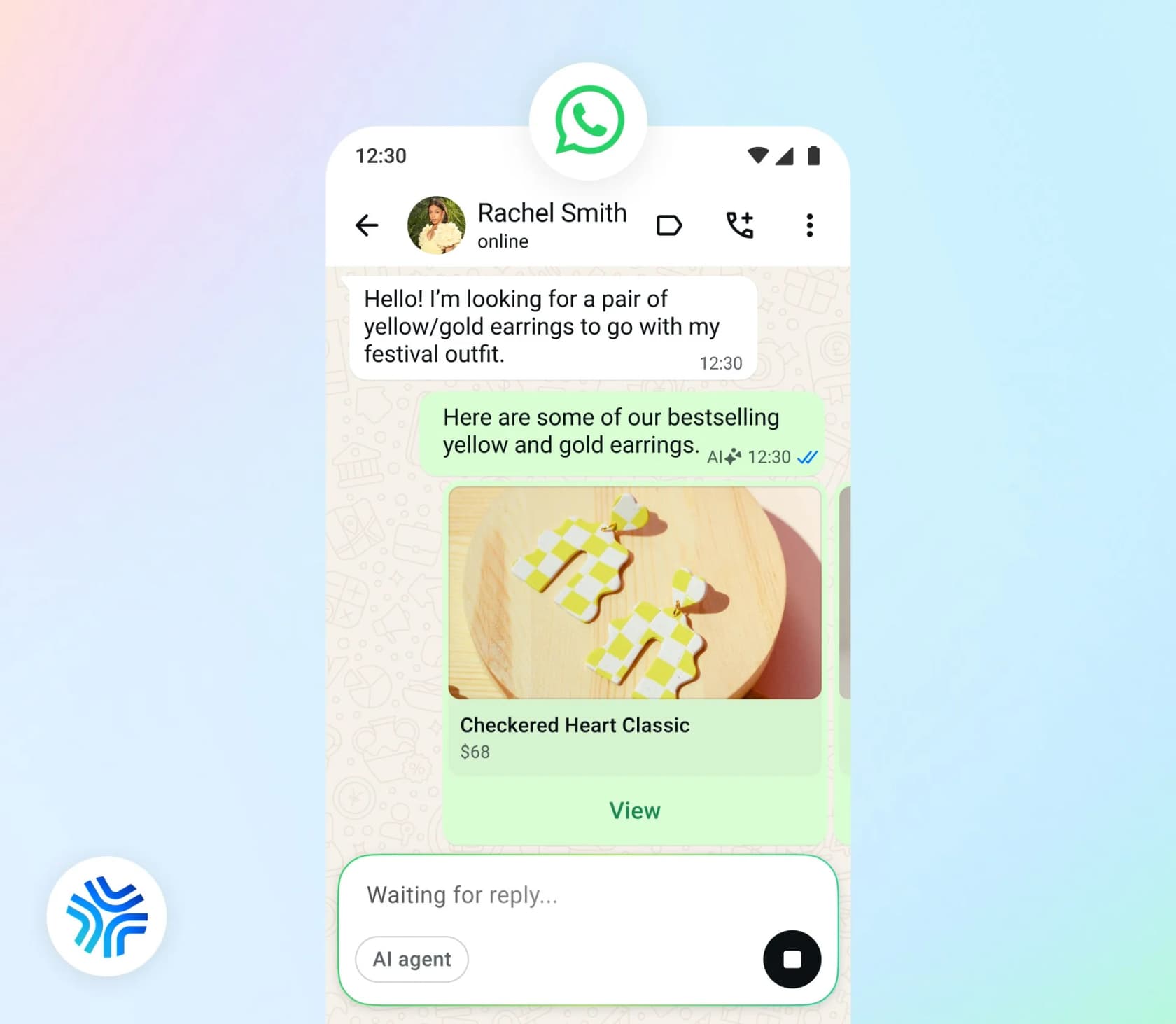
The newest piece is also the one that matters the most for a Shopify store. Meta calls it "a free customizable sales AI agent that you can add directly to your business website", and says it "will be trained on your website and product catalog, guiding customers from discovery to purchase," per its website agent overview.
On the requirement, the setup guide is quite blunt: "Your business should be set up on Shopify to connect with Meta Business Agent." Meta adds, "We're actively working to support additional commerce platforms soon," per the setup page. To turn it on you go into Meta Business Suite under All Tools, then Engage Audience, then Meta Business Agent, and going live is just a switch in that same place. There is no Shopify app for it at all. Meta has exactly two apps on the Shopify App Store, and neither mentions Business Agent.
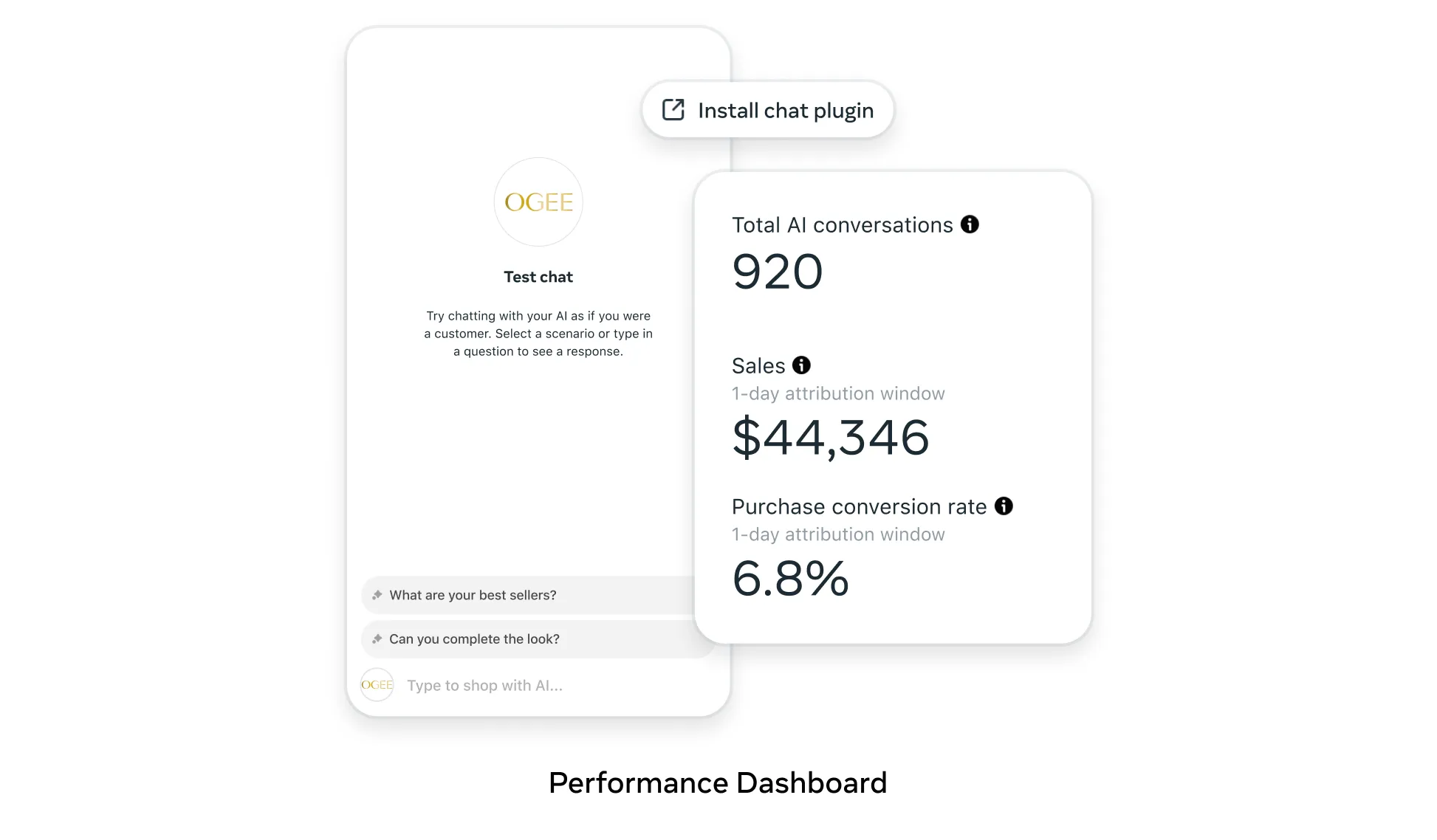
Everything in the four website agent help pages is pointing at selling. The tabs are Skills, Knowledge, Personality and Conversations, and the example skill is "how to share product recommendations or discounts with customers", per Meta's manage and test page. As for store data, the only thing any of the pages name is the product catalog. Order status, returns, cart and checkout aren't mentioned once.
There are two small things worth knowing before you switch it on, and my Shopify in-chat checkout post covers the buying side of that same idea. First, shoppers need to accept Meta's terms before any conversation gets logged. Second, handoffs land in the Meta Business Suite Inbox, not in Shopify Inbox or your helpdesk, so now someone on your team has one more inbox to watch.
What it does well for a Shopify store
I want to be fair on this point, because Meta did put real work into the sales side. The catalog and inventory guide (updated September 4) shows an agent that finds products in your Meta catalog, asks for a postcode, checks live stock through your connector and offers a substitute. The single-item purchase guide (updated September 18) even goes as far as creating an order right in the chat.
If your chats are mostly "is this in stock in XL?" or "what goes with this dress?", that is a good fit. It sits where your shoppers already are and it knows your catalog, and on short chats it's also cheap. For a small store that sells through Instagram, this alone can be worth an afternoon of setup, and it does better than a rules-based Instagram chatbot on open-ended product questions.
Meta is also honest about the point where the catalog stops. "Catalog values are read as a snapshot; connector values are read live," the inventory guide says, and it warns that a product still in review "behaves exactly like a product that does not exist." This is the reason Meta tells you to "never state availability from an earlier turn or from the catalog alone." So even the sales side needs a live connector before you can trust it.
The support half: order status, returns and refunds are yours to build
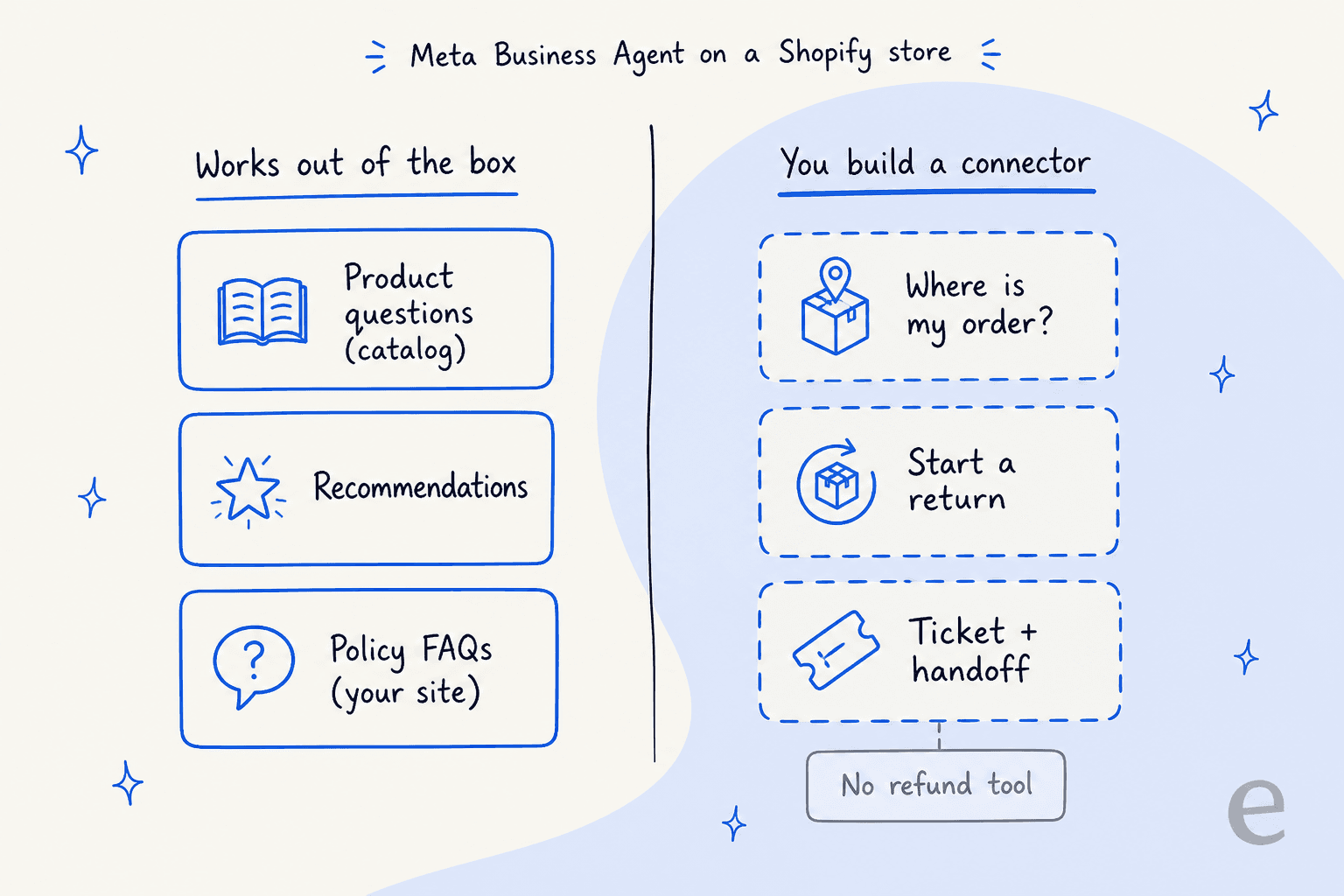
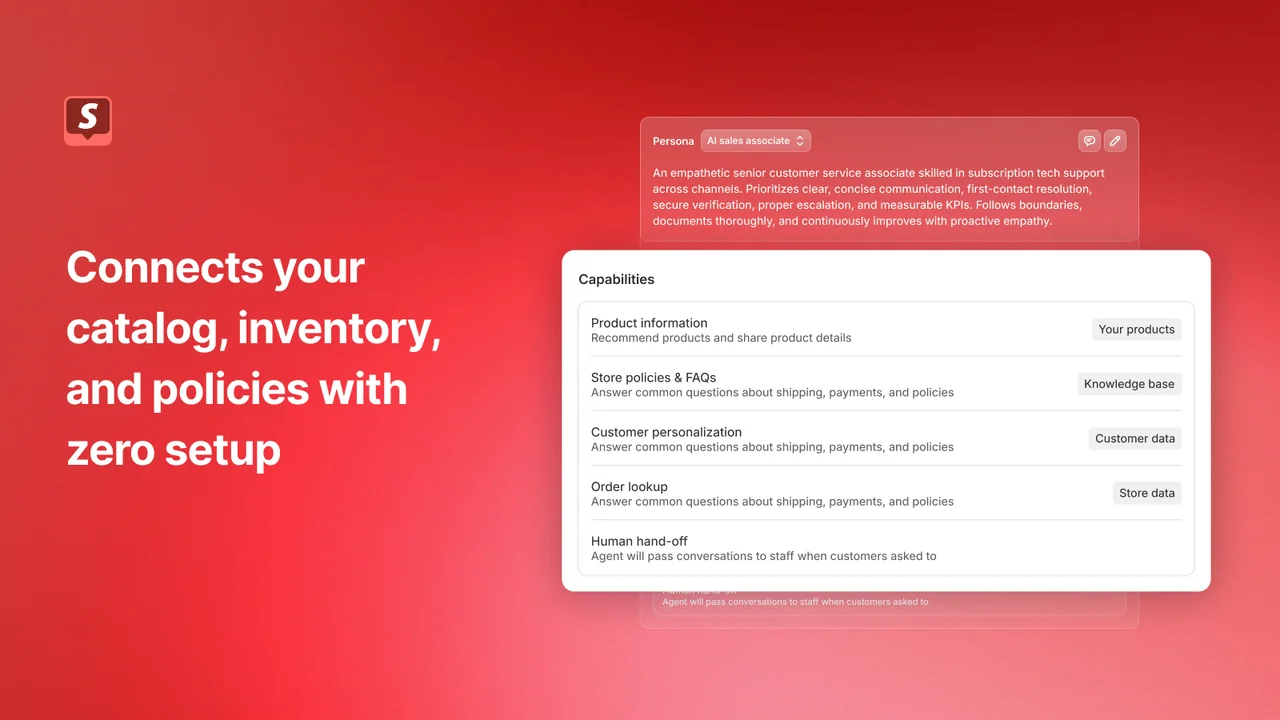
Here is the shift in thinking I'd like every Shopify merchant to walk away with. Meta's agent is a sales associate that can be taught support, not a support agent that happens to sell. The support skills do exist, but only on the WhatsApp Business Platform and only through connectors that you write yourself.
This matters, because support makes up most of the volume. A CX lead at a DTC supplements brand on Gorgias and Shopify, doing around 7,000 tickets and 30,000 orders a month, told the eesel team they needed AI to auto-resolve at least half their email. The half they had in mind came down to the usual three: where-is-my-order and subscription changes, plus basic product questions. A multi-brand operator handling 500-plus tickets a day described pretty much the same mix: refunds and unsubscribes, then order tracking. Not one of those is a catalog question.
Meta's customer support guide lists what a Platform agent is able to do once you wire it up: "Order lookups for the shopper who is messaging, without asking for an order number", "Return initiation, including the reason and the return label", ticket creation, and "Handoff to a person for complaints, damage, and anything involving a refund decision." About the gap, the single-item purchase guide is more direct: the agent "has no tools for a refund, a replacement, or a lost parcel." My AI refund automation guide covers what a refund flow needs instead.
Wiring Meta's agent to the Shopify Admin API
This is the part of the job I know the best, so here is what it involves in practice. Meta connectors support three auth types: API_KEY in a header, OAUTH2_CLIENT_CREDENTIALS and NONE, per the connectors reference. Meta even uses Shopify as its sample connector, so on paper it's a clean match, but Shopify's own rules add some friction:
- The paste-a-token option is closing. Shopify's custom apps page says "You can no longer create new admin-created custom apps." Those apps were where the long-lived tokens came from, the ones you could drop into an
API_KEYheader. Existing ones keep working. - Client credentials works, with two catches. Shopify's access token docs say the token "is valid for 24 hours" and the way to refresh it is sending the same request again. It also "only works when the app and the store belong to the same Shopify organization," which means an agency-owned app can't use it on a client's store.
- There is no phone filter on orders. Meta's order lookup binds the shopper's WhatsApp number, but Shopify's
ordersquery filters by email, name and customer ID, not phone. The phone filter sits on the customers query instead, so every lookup turns into two calls: first find the customer, then pull their orders. - Orders older than 60 days are hidden by default. The
read_ordersscope covers "orders created within the last 60 days," and older orders needread_all_orders, which Shopify must approve, per the access scopes page. On top of that, phone numbers count as protected customer data, so a public app needs a review before the field comes back filled. - Returns need their own tool. Shopify's GraphQL API has a returnRequest mutation that creates a return you approve or decline, which is the safer one to give an AI. Writing that tool is on you, along with its description and its error handling.
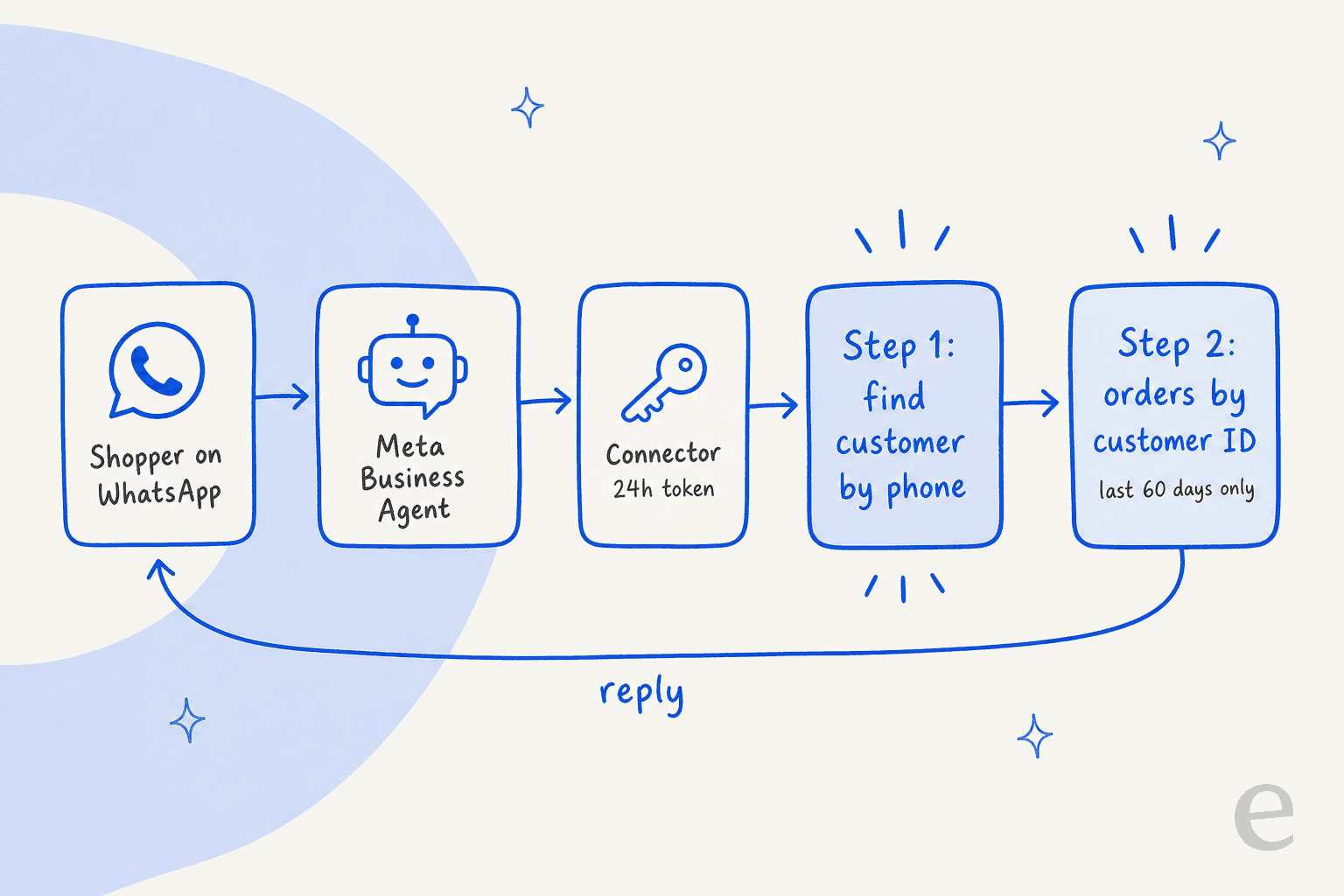
None of this is hard for a developer, but all of it stays yours to maintain. Meta's own guide names the failure mode I would lose sleep over: "A failed ticket is invisible: the agent has already said a colleague will be in touch, the shopper waits, and nobody finds out until they message again angrier." And connector logs only go back seven days. If you do go this route, my guides on Shopify order data and fetching order details cover the Shopify side.
One BSP consultant who had early Platform access summed up the controls this way:
"The harness is very basic. You only get 4 controls - knowledge, personality, audience, handoff. Fine for a simple FAQ or catalog bot. But if you want real step-by-step logic, you hit the wall fast."

Where the chat goes when Meta's agent hands off
A Shopify store usually already has somewhere for support to live, whether that's Shopify Inbox, Gorgias or Zendesk. Business Agent doesn't join that place, it hands the conversation off to it, and each surface does the handoff in a different way.
- Website agent: handoff conditions are set on the Personality tab, and the chat lands in the Meta Business Suite Inbox. There is no helpdesk connection documented.
- Self-serve WhatsApp or Instagram: you take over inside the same chat, and Meta says "the AI will stop generating responses on your behalf" once you reply, per its help center.
- WhatsApp Platform: the thread is passed to one "escalation partner" app on the number. On the Platform, handoff fires on low confidence, integrity issues or a request for a human, and "You do not configure the triggers," per Meta's capabilities page.
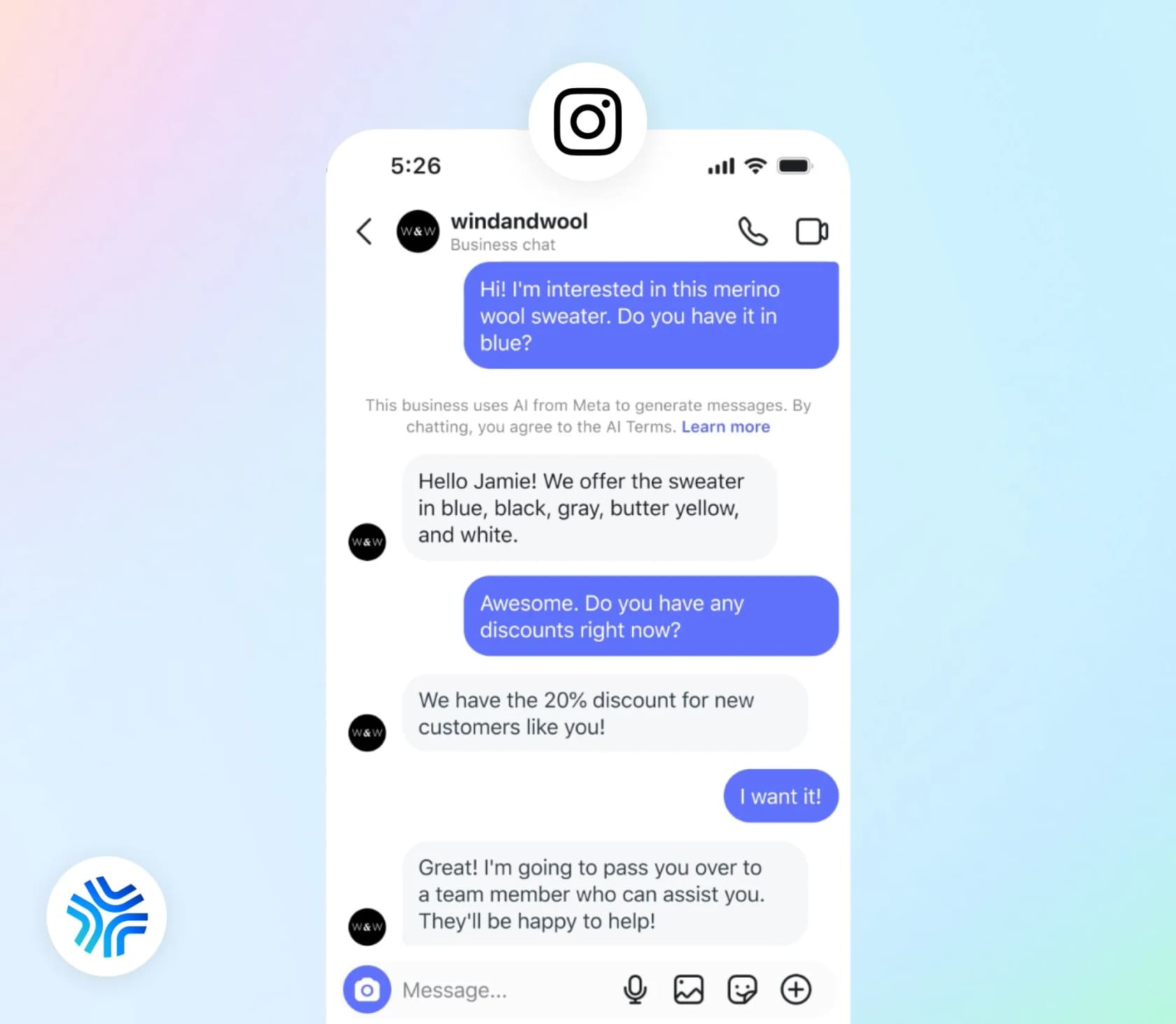
The quiet catch is in what happens to your existing WhatsApp setup. Under Meta's Conversation Routing, turning on Business Agent makes it "the sole primary for messaging entry points" and it moves previous destinations to standby. The Platform also requires the number to be "Not already running another AI agent on that number", per Meta's Platform overview.
What this means in practice is that if a WhatsApp app or bot already answers on that number, Meta's agent takes the first turn, then the old setup waits in the wings. I walk through these same routing rules from the helpdesk side in my Meta Muse for Zendesk and Meta Muse for Freshdesk posts.
Gorgias is a named partner, on paper
For Shopify stores, this one is the most interesting detail. When Meta introduced Business AI in October 2025, it named its handoff partners: "Salesforce, Microsoft Dynamics 365 Contact Center, ServiceNow, Zendesk, Gorgias and Klaviyo Service." Gorgias is the helpdesk that most of the Shopify brands I talk to run on.
On the Gorgias side though, I couldn't find even one help article that mentions Business Agent. Its WhatsApp FAQs also say "you can't have one number on the native WhatsApp app/another tool and in Gorgias simultaneously." What Gorgias documents instead is its own AI Agent on WhatsApp, still "in open beta", which needs a Shopify store connected and can't yet run one-time-code checks, so cancellations and address changes still go to a person.
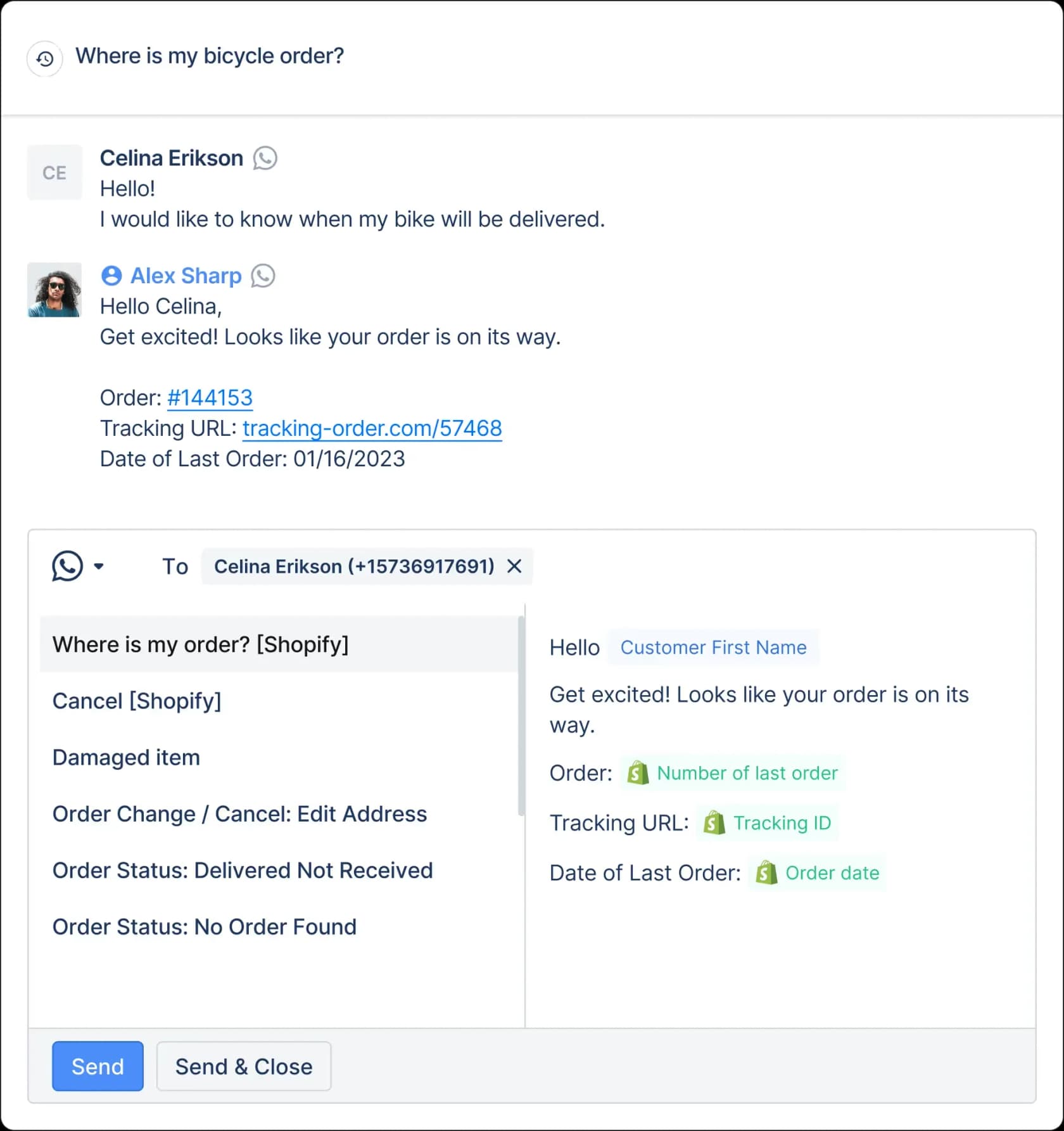
So if you run Gorgias, the choice you're making is whose AI sits on the WhatsApp number: Meta's, with a handoff nobody has documented, or Gorgias's, inside the helpdesk. My AI agent handoff guide covers what a good handoff should carry, and for the Gorgias setup in detail there is my Gorgias WhatsApp guide.
What Shopify's own tools cover
Before you add Meta's agent, it helps to know what Shopify already gives you, since the gaps line up in quite a telling way.
Shopify Inbox has a free Inbox agent that "learns from your catalog, policies, and store content," per its App Store listing, rated 4.5 across more than 5,700 reviews. But Shopify's Help Center says it "only operates within your online store's chat widget" (Inbox agent settings). So no WhatsApp, Instagram or Messenger. Order lookups need the shopper to be signed in, and when no staff are available, the shopper just gets your email address. One merchant turned the agent off on September 19 for exactly that reason, citing the lack of "a way to handover the conversation to a human agent" in a Shopify App Store review.
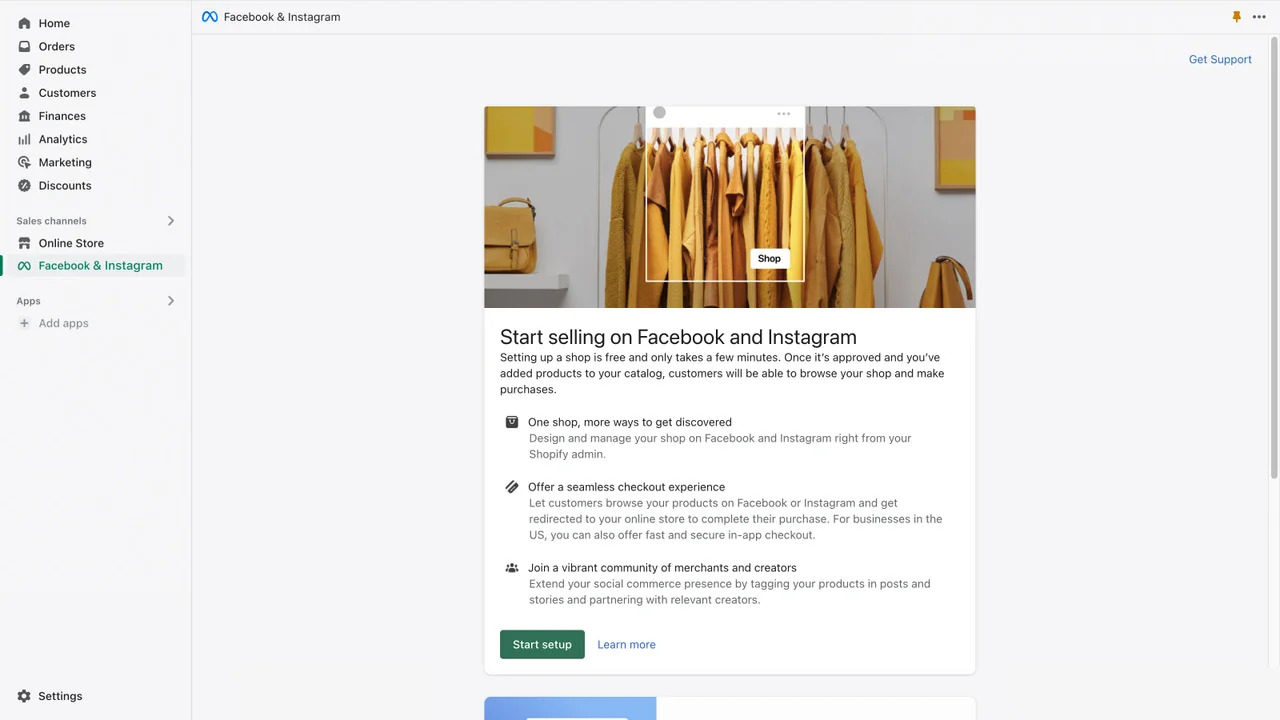
The Facebook and Instagram channel is Meta's catalog sync, not a support tool. Shopify says it's "maintained by Meta," and the words WhatsApp, Business AI and Business Agent don't appear on the listing or its Help Center pages. There is one line on its requirements page worth pinning up, though: if your business gets poor feedback scores on "customer service", Meta "might display your ads less frequently." In other words, slow support now costs you ad reach on Meta.
WhatsApp in Shopify means Shopify Messaging, which is meant for marketing. Its automated replies work as keyword-to-response rules, and the docs don't show any AI agent. The admin assistant, Shopify Sidekick, helps you run the store but doesn't talk to shoppers. So the honest summary goes like this: Shopify covers your storefront and Meta covers its own apps, while nothing on either side covers order support across both.
What it costs: Meta Business Agent vs the alternatives
The three options bill in completely different units, which makes a straight comparison a bit tricky, so this table puts them side by side for a Shopify store.
| Cost line | Meta Business Agent (WhatsApp Platform) | Gorgias AI Agent | Shopify Inbox agent |
|---|---|---|---|
| Unit | Tokens, $2.00 per 1M (Meta pricing) | Automated interaction, $0.85 to $1.00 (Gorgias pricing) | None |
| Simple chat (Meta's 4-message example) | About 16 to 20 cents | $0.85 to $1.00, plus the ticket fee | Free |
| Longer chat (Meta's 10-message example) | About 40 to 50 cents | Same flat fee | Free |
| Website version | Free today, paid plans coming | Chat widget included | Free |
| Channels | WhatsApp, Messenger, Instagram, Shopify website | Email, chat, social, WhatsApp in beta | Storefront chat only |
| Meta WhatsApp fees | Each message billed once, as a Business Agent message | Gorgias pays them "right now" | Not applicable |
| Order actions | Connectors you build | Built in, Shopify required | Signed-in shoppers only |
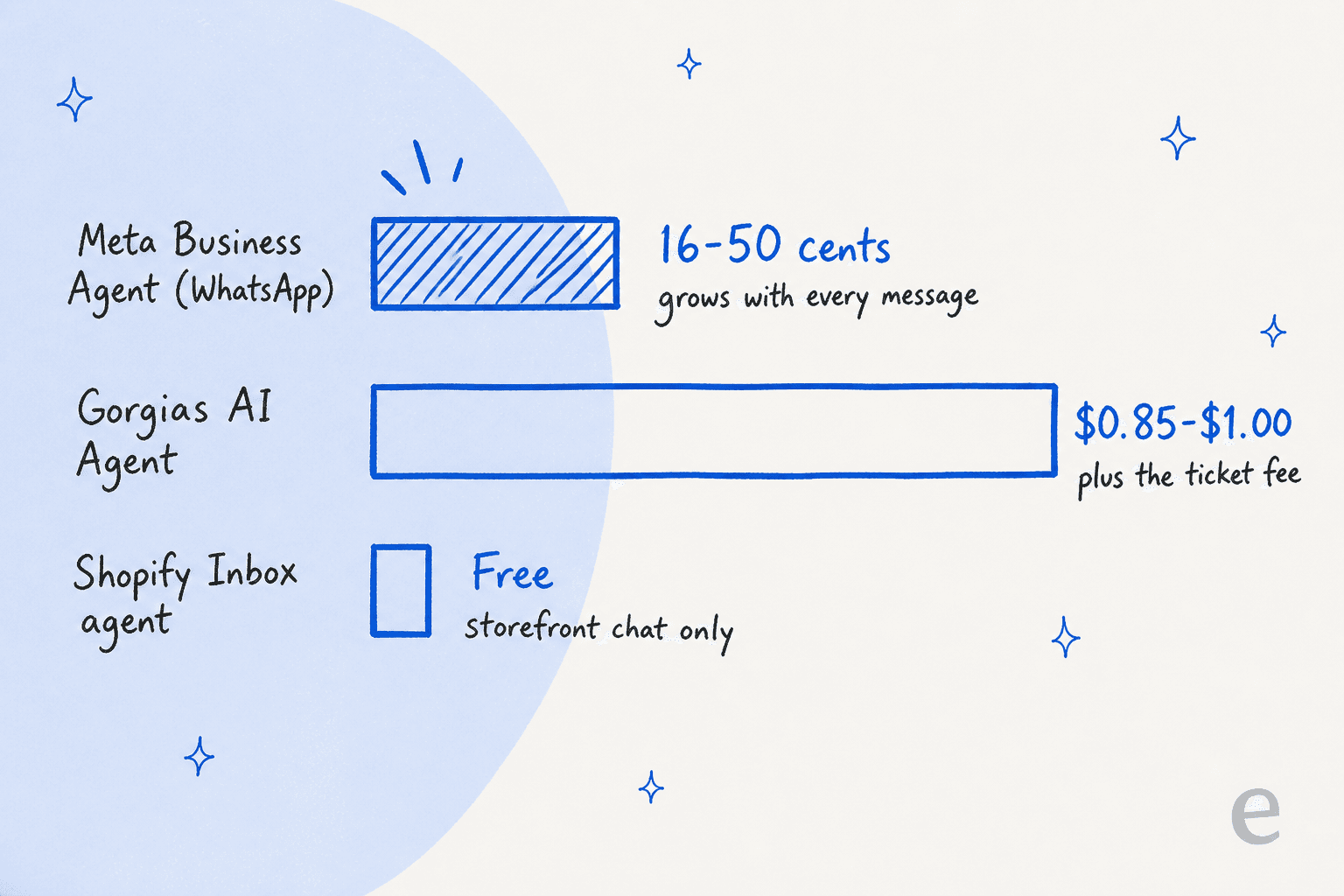
On price per chat, Meta's agent looks like the cheap option, and on short chats it really is. It gets pricier once a shopper keeps asking follow-ups, which early users noticed:
"My concern is that the per-message cost is insanely high at approximately 5 cents per message."
With Gorgias, the detail worth reading twice is in its billing article: "An automation fee and a ticket fee may apply to the same ticket only when the ticket is entirely resolved by AI Agent." My Gorgias AI Agent pricing breakdown works through the plan math.
October 1 changes the human side too
From October 1, 2026, Meta charges WhatsApp service messages, meaning replies from a person or a third-party AI, per message after 1,000 free per phone number per month. Meta's pricing page says each message is billed "either as a Meta Business Agent message or as a service message, never both." That means every reply your team sends after a handoff now carries a price, no matter which AI took the first turn. My WhatsApp API pricing explainer has the rate history, and the earlier Meta policy changes post covers what Meta allows third-party bots to do.
Building your own Shopify bot on Muse Spark
The last route skips Business Agent completely and builds straight on the model. Muse Spark 1.3 costs $1.25 input and $4.25 output per 1M tokens on the standard tier (Meta Model API docs). The cheaper contributor tier is off the table when it comes to support, because Meta's terms say "You must not submit sensitive, confidential, or personal information to the Discounted Services," and an order question is full of names, addresses and phone numbers. My Muse Spark 1.3 pricing post has the token math.
Everything else would be on you: the same Shopify auth and 60-day scope rules above, retrieval over your help center and past tickets, escalation, testing, and the WhatsApp template and 24-hour window rules. My build vs buy guide lists the things teams tend to forget to count. For the same build on other models, see ChatGPT for Shopify or Claude for Shopify.
Which setup fits your Shopify store
Here's how I would pick, based on what your shoppers actually ask and where they ask it.
| Your situation | Best fit | Why |
|---|---|---|
| Small store, sells mostly through Instagram or WhatsApp, product questions | Meta Business Agent | Free or cheap, lives where shoppers are, knows your catalog |
| Storefront chat only, low volume | Shopify Inbox agent | Free, native, no setup |
| Order status and returns are most of your volume | An AI with Shopify order actions in your helpdesk | No connector to build or maintain, one set of rules |
| On Gorgias and happy with its AI | Stay put, watch the WhatsApp beta | Adding Meta means picking one AI per number |
| In-house engineers, want full control | Muse Spark API plus Shopify Admin API | Cheap tokens, but you build and maintain everything |
For most of the Shopify brands I talk to, the third row is the one that applies. A shopper asks about stock on Instagram, orders on your site, then emails a week later asking where the parcel is. That last question is the expensive one, and it is also the one Meta's agent can't answer without your code.
The smaller end of that spectrum looks like this, from a merchant weighing up their options on r/shopify:
"We are averaging about 500 orders a month. Right now I have Whatsapp Business set up on my phone and one other person using linked devices. We are the only 2 that answer questions. [...] I do find myself missing messages and only replying like a few days later after I've gone back through the inbox."
The ask I hear most often is the same one that DTC supplements CX lead put to the eesel team:
"The AI will never be able to answer 100% of the questions, but if it tries and just answers 'sorry I don't know this,' I cannot go and check all my 7,000 tickets to see if the AI actually made a good answer... I need an AI who is only handling the tickets that it's confident to handle and all the other ones, leave them alone."
With Business Agent, it's Meta who draws that confidence line, not you. If you're comparing options, my best AI for Shopify support roundup and the best AI for WhatsApp support list are good next reads, along with the Gorgias AI Agent alternatives if you're on Gorgias.
Try eesel for Shopify customer support
eesel is an AI helpdesk teammate that connects to Shopify and joins the helpdesk you already run, whether that's Gorgias, Zendesk or Freshdesk, and it connects to WhatsApp too. The Shopify part that Meta leaves you to build comes ready here: it can fetch order details and order history, and check product variants and stock, so "where is my order?" gets a real answer instead of a guess. It learns from your past tickets and macros, plus your help center, and before it answers a single shopper it runs a simulation against hundreds of your past tickets so you can see what it would get right. After that, you choose which ticket types it's allowed to touch.
That's how Tulipy, a UK retailer running four gardening brands, handled its three repeat questions ("Where is my order?", "Is this in stock?" and "How do I make a return?") across Shopify and Zendesk, with the bot escalating damaged-item cases to a person with the full chat history attached.
Pricing is a fixed monthly credit plan, and a ticket or a chat counts as one credit however many replies it takes, so a shopper who asks five follow-ups doesn't multiply the bill. If you would rather script the setup, the eesel CLI lets you (or a coding agent like Claude Code) connect Shopify, add knowledge and approve actions, all from a terminal.
Try eesel free with 100 credits and no card needed, and point it at your Shopify order questions before the October 1 WhatsApp pricing change lands.
Frequently Asked Questions
Can I use Meta Muse for Shopify customer support?
Does Meta Business Agent connect to Shopify?
Can Meta's AI answer where is my order questions for a Shopify store?
How much does Meta Business Agent cost for a Shopify store?
Does Shopify Inbox work on WhatsApp or Instagram?
Can Meta Business Agent hand off to Gorgias?
Can Meta Business Agent process refunds on Shopify?
What is the best AI for Shopify customer support on WhatsApp?



Article by
Rama Adi Nugraha
Rama is a software engineer at eesel AI with two years of experience writing about B2B SaaS, AI tools, and customer support technology. Based in Bali, Indonesia, he brings a developer's perspective to product comparisons — cutting through marketing copy to what the integrations and APIs actually do.