What "Meta Muse for customer onboarding" actually means
I spend my days in eesel's support queue, and of everything that comes in, first-week questions are the ones I can predict best. How do I connect this, where is that setting, why is my data not showing yet. When your customers already live in WhatsApp, wanting a Meta AI to take those over makes sense to me, and it's the same reason people go shopping for a WhatsApp chatbot to begin with.
The naming doesn't help here. "Meta Muse" can mean three different products, and your customers only ever talk to one of them:
| Product | What it is | Useful for onboarding? |
|---|---|---|
| Muse | Meta's consumer personal agent, launched September 8, 2026, in the Muse app and WhatsApp | No. It works for individuals, not for your business |
| Muse Spark API | Meta's model, which you can build your own bot on (Muse Spark 1.3) | Only if you want to build and host the whole thing yourself |
| Meta Business Agent | Meta's customer-facing business AI, launched June 3, 2026 | Yes. This is the one |
Meta says "more than one million businesses are already using a Meta Business Agent on WhatsApp and Messenger" (Meta Newsroom). It comes in two tiers: a self-serve version in Meta Business Suite and the WhatsApp Business app, and the Meta Business Agent Platform for businesses on the WhatsApp Business Platform API. Which model powers it, Meta hasn't said. For the full product breakdown see my Meta Muse for customer support guide, and the consumer side is in the Meta Muse Agent post.
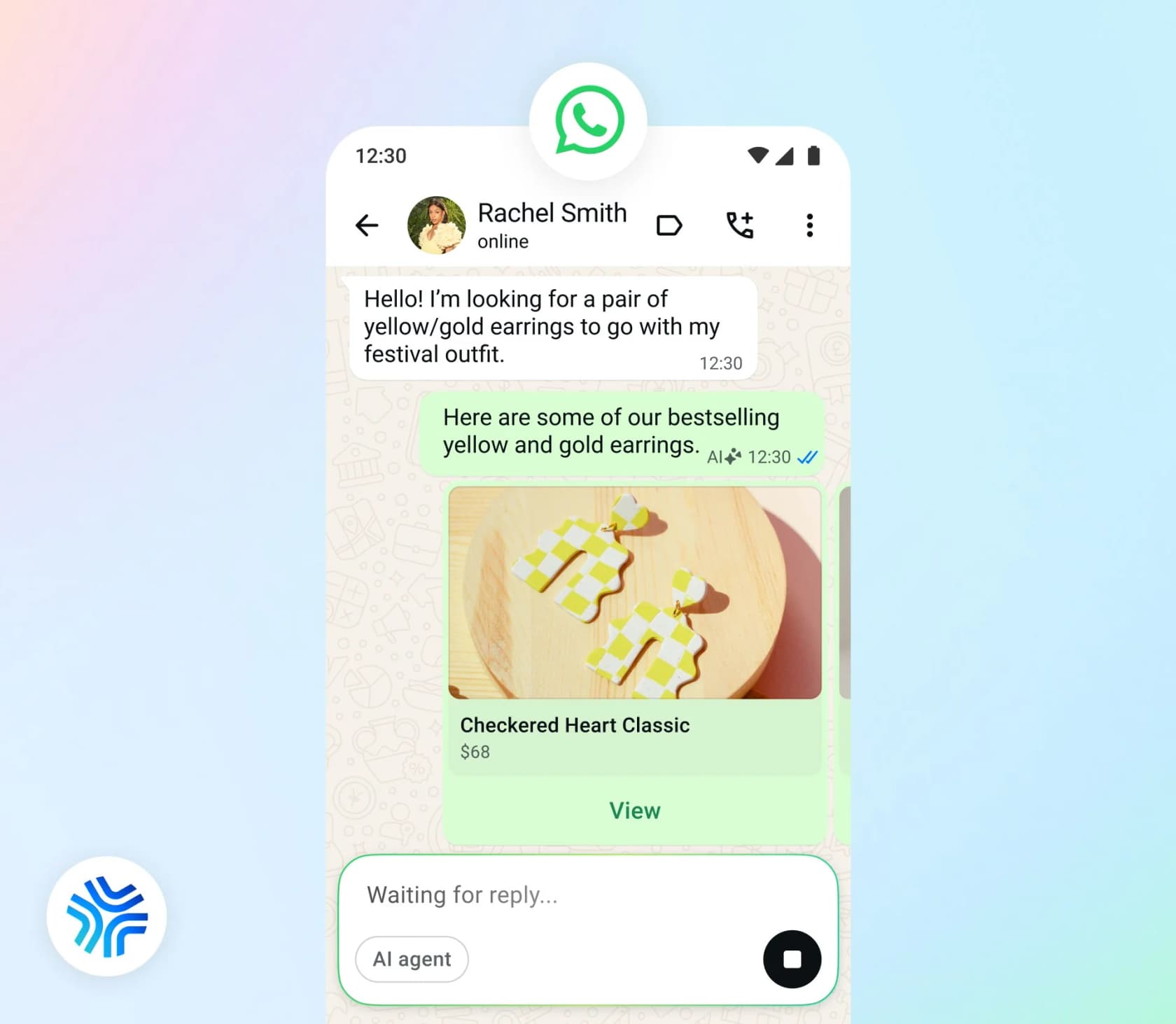
Before going further, one terminology trap. In Meta's developer docs, "onboard" means onboarding the agent. The reference/onboard/ section holds agent eligibility, settings and allowlists (Capabilities). Of the six usage guides Meta has published, not one is aimed at customer onboarding. The lead generation and booking guides come closest, so I'll borrow from both of them.
The catch: Meta's agent answers, it doesn't reach out
Most onboarding is proactive by nature. A customer signs up and you send a welcome; they stall on step two and get a nudge from you, and when the kickoff call is tomorrow, a reminder goes out. Every onboarding email sequence you've ever built has roughly that shape.
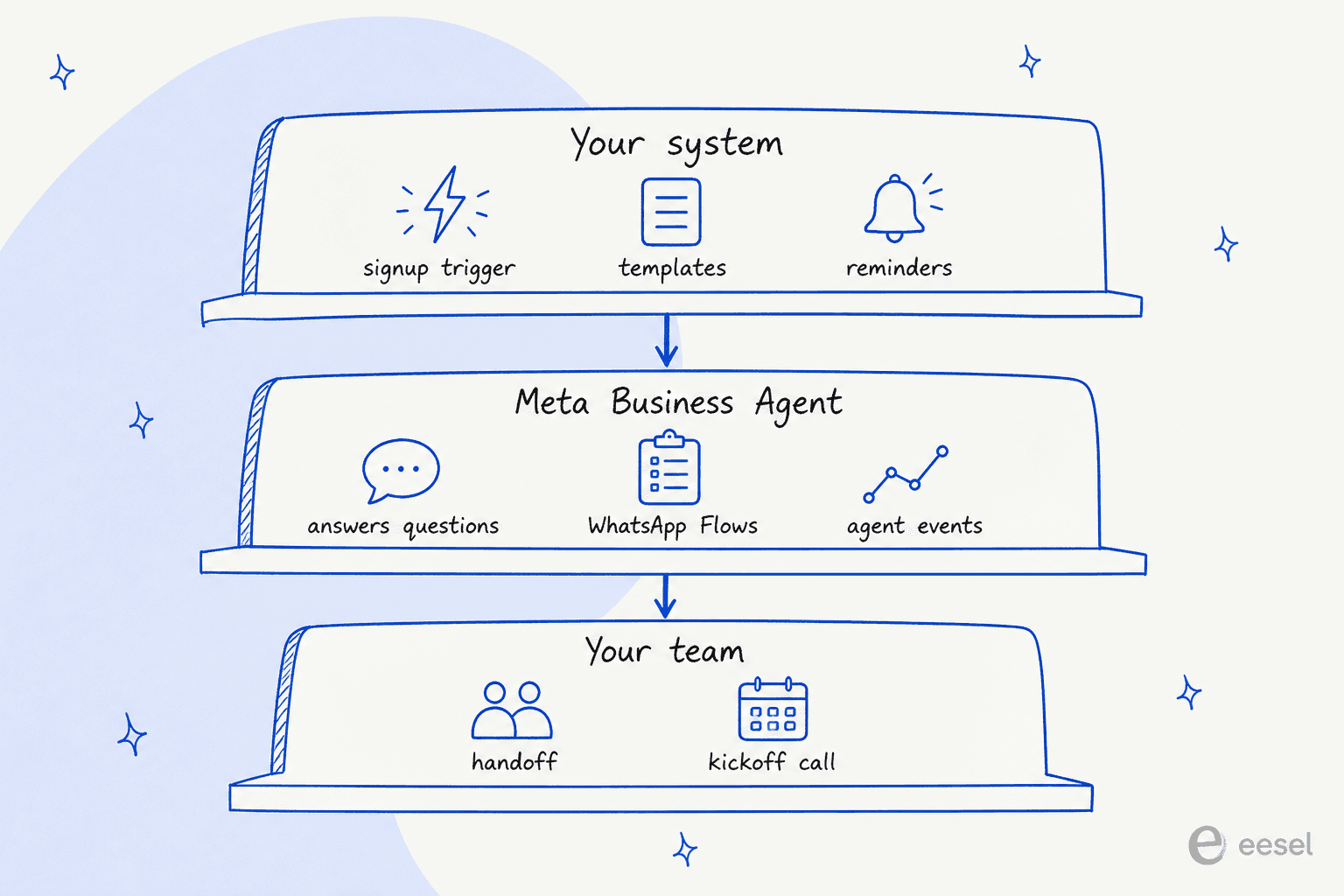
None of those can be started by Meta Business Agent. WhatsApp's pricing docs say non-template messages, which include agent messages, "can only be sent in an open 24-hour customer service window, which opens and resets with each user message. Thus non-template messages can only be used to respond - not reach out - to users" (Meta for Developers). In practice the window opens the moment a customer messages you, and every new message from them resets it. When it closes, "you can only send pre-approved template messages" (Send messages).
The booking guide from Meta is even more blunt about it: "Do not have the agent promise proactive nudges it cannot trigger". Reminders "travel as marketing or utility messages outside the agent thread" (Booking and reservation agent).
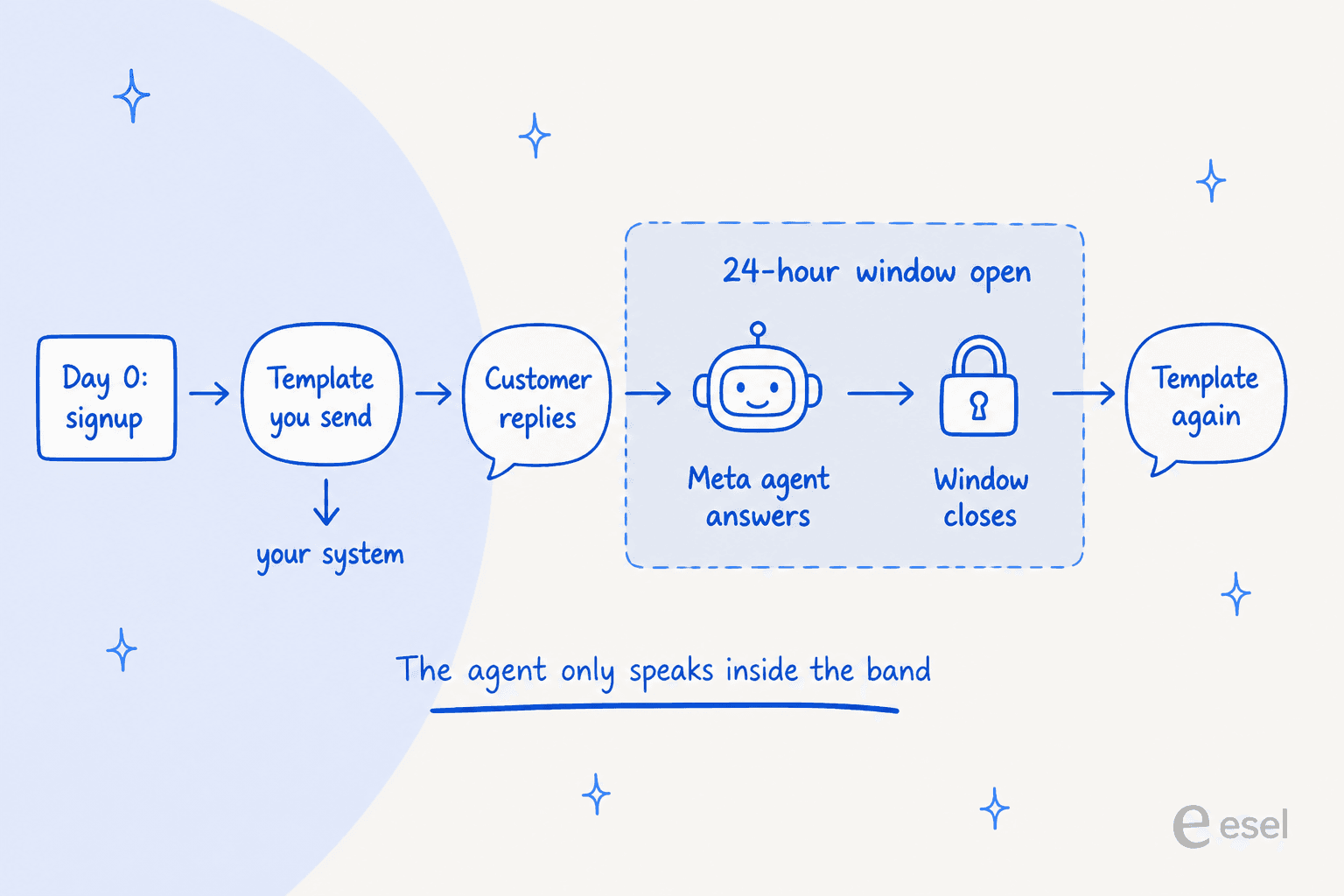
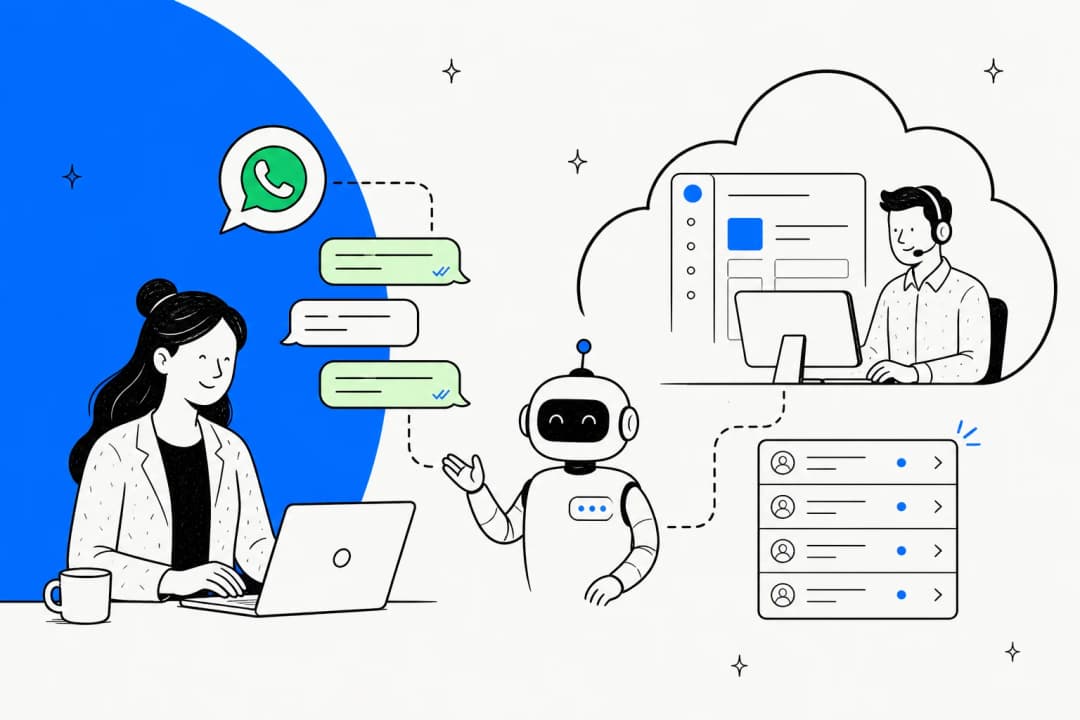
What you actually design, then, is a relay. Your system sends a template, the customer replies and that opens the window, and from there the agent answers whatever they ask. After 24 quiet hours the window shuts and the turn goes back to your system. Seen like this, the question stops being "can Meta's AI onboard my customers?" and becomes "which parts of onboarding happen inside the window?"
There is one lever that's a little bit proactive. Agent Settings includes a follow-up for inactive users, with intervals of 5 minutes, 15 minutes, 30 minutes, 1, 2, 8 or 24 hours. Meta's sample follow-up is "Is there anything else I can help with?" That's a nudge within a conversation that's still live. It won't do a day-3 check-in.
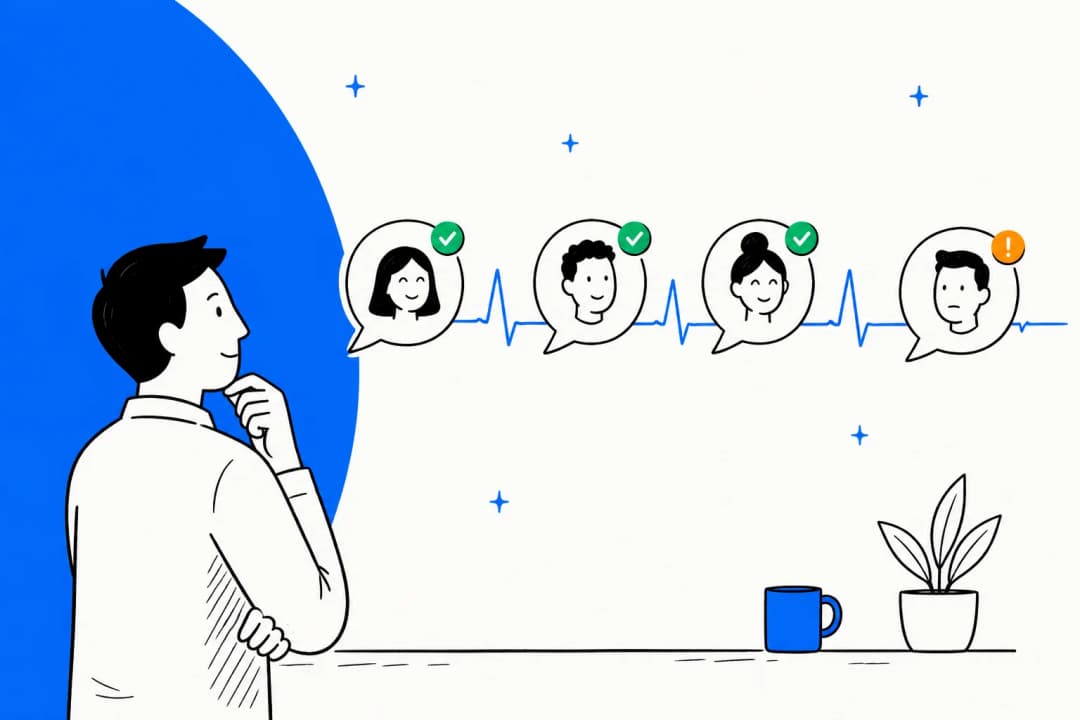
It sounds like a small thing. It isn't. One of the clearest churn patterns in eesel's own customer data is a quiet one: an account connected its helpdesk, onboarding got marked complete, and after that nothing happened for five months. No documents added, no chats. Because nobody asked a question, nobody got an answer either. A reply-only agent has no way to catch that customer, since they never write in.
How new customers land in the thread
Since the customer has to speak first, onboarding begins with an entry point, and Meta supports four of them:
- Click-to-WhatsApp ads. Of the four, only this one opens a free entry point (FEP) window. It only triggers when someone taps the ad in the Android or iOS app, and it "may remain open for up to 7 days" (WhatsApp pricing). Self-serve Business Agent can be set to answer only "customers coming from ads" (Meta for Business).
- QR codes and short links. Customers "scan QR codes with their mobile device camera or type in a short link to begin a chat thread, without needing to input a phone number". You get up to 2,000 per number and a pre-filled message of up to 140 characters, but "Analytics are not available for QR Codes and Short Links" (QR codes and short links). Printing one on the welcome email or the packing slip makes a good front door for onboarding.
- Buttons in your app or website. Meta suggests "a WhatsApp button on your app or website" that redirects to the chat (Conversational components). The obvious place for it is an "Ask us on WhatsApp" link on your setup checklist.
- Your own template. If you already have the customer's number and their opt-in, a template starts the conversation and their reply hands it to the agent.
Whichever entry point you use, set up ice breakers too. They show "the first time you chat with a user", up to four prompts of 80 characters each (Conversational components). For onboarding, think "Connect my account", "Book my setup call", "What do I do first?".
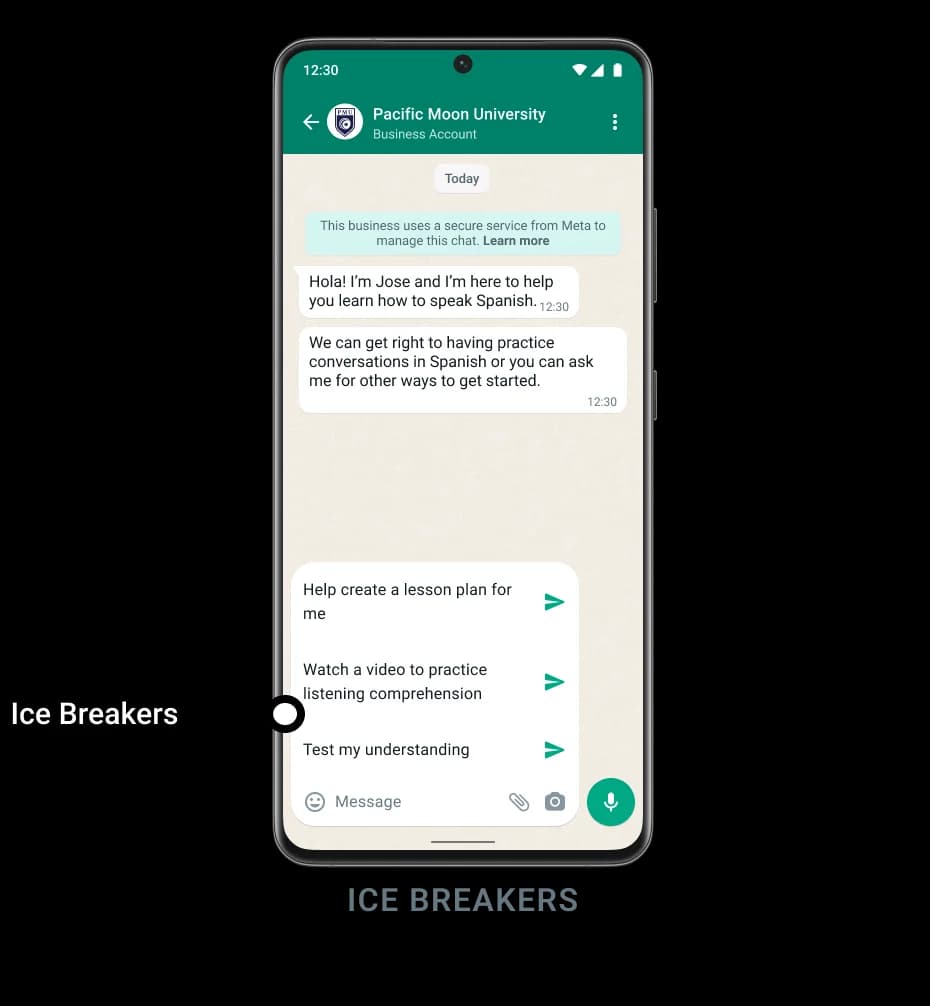
One gotcha: if the customer arrives through a wa.me link with pre-filled text, "WhatsApp automatically dismisses the user interfaces for ice breakers" (Meta for Developers). So for each entry point you pick one or the other. Any WhatsApp chatbot for business setup runs into the same trade-offs.
Every new customer also sees Meta's disclosure in their first chat: "This business uses AI from Meta to generate messages. By chatting, you agree to the AI Terms" (Meta Business Help). For most brands that line is fine. Still, it's the very first thing a brand-new customer reads from you, so it's good to know it's there. (For how this agent differs from Meta's other AI tools for businesses, see my Meta AI for business overview.)
What the agent can do once they're talking
Once the window is open, Business Agent has proper tools for onboarding, and I'd group them into four jobs.
Answer setup questions
This part is the core of it. On the Platform, the agent learns from four knowledge APIs: Business Info, FAQs, Files and Websites (Capabilities). The self-serve version "learns automatically from your Facebook Page, past chats, and website" (Meta for Business). Load in your getting-started docs and setup FAQ, plus your knowledge base, and the agent will field "how do I connect X" all day long.
Two limits from Meta's support agent guide hit onboarding content especially hard, since setup docs tend to change with every release. Files have no update call, and if you don't delete the old version, "the agent draws on both versions and can quote a term you have already withdrawn." Website knowledge "is a snapshot taken at crawl time". Plan for a re-upload each time your setup steps change.
Collect onboarding details
For this job, Meta's lead generation guide is the best model to copy. Its examples include "A business account application" and "A trial signup", and the pattern "fits any business where the conversation ends in a qualified handoff rather than a completed sale" (Lead generation agent).
The way it works is you build a connector tool, say submit_onboarding_details, then list the fields you need in its required array. Meta is blunt about why: "A lead without a date or a headcount is a message, not a lead." The customer's number is bound with the WHATSAPP_PHONE_NUMBER macro, so the agent never asks for it.
For structured input, the agent can send a WhatsApp Flow, a multi-screen form inside the chat. Meta's Flows page says its insurance template "can be adapted for use cases such as insurance renewal, profile completion, and customer onboarding" (WhatsApp Flows). Two small rules apply: the Flow must be published before the agent can use it, and its button label is capped at 20 characters (UI skills).
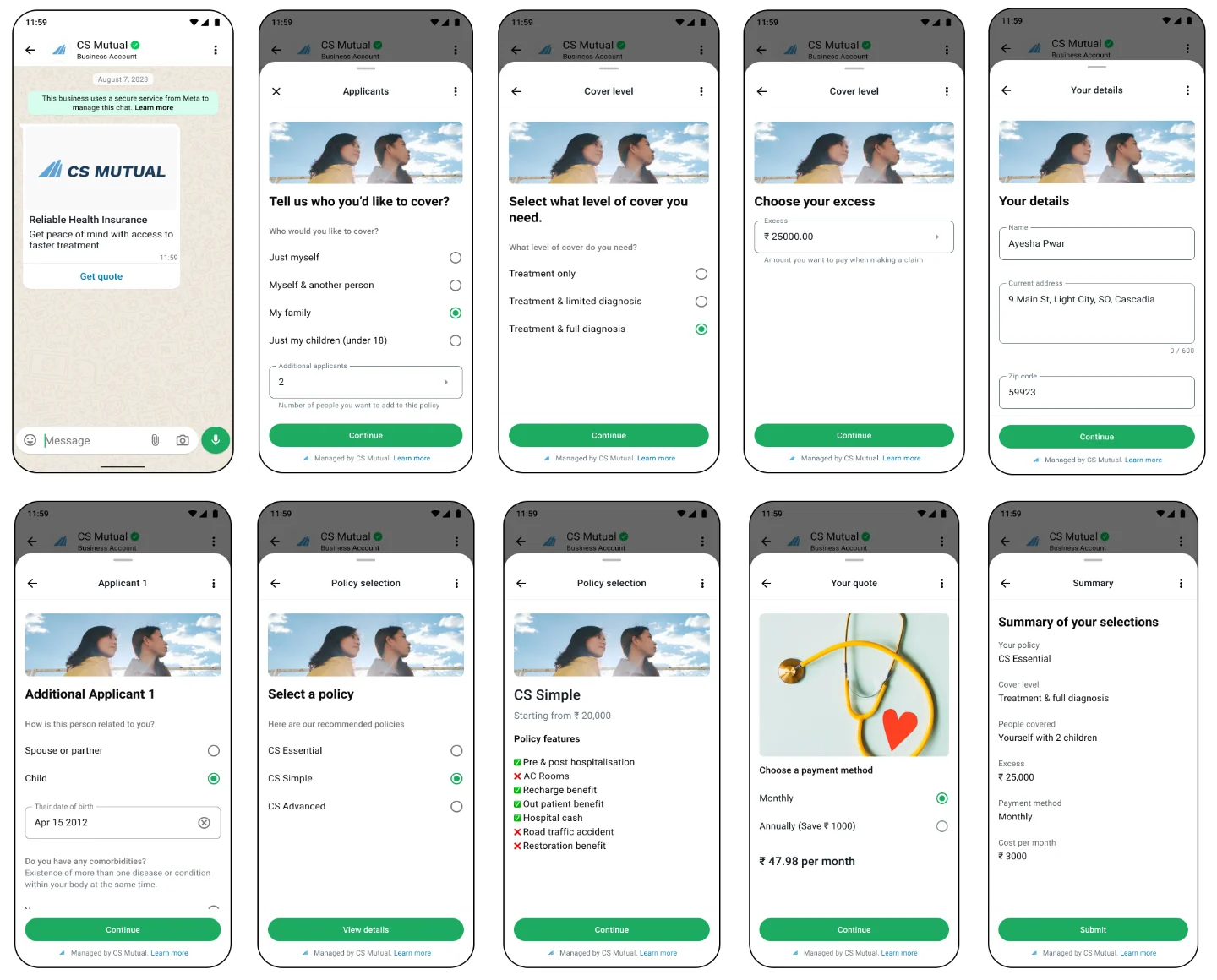
Scheduling a kickoff call goes through a Flow as well. The booking guide notes "There is no standalone date-picker component type", so dates come through a Flow with a date-picker screen (Booking and reservation agent).
Tell customers when something changes
The closest thing to an update triggered from your backend is agent events. Your system posts an event, and "the agent tells the customer" (Capabilities). Meta's own sample event is onboarding-shaped: document_verified, "User's identity document has been verified" (Agent event reference).
This is not a template. You send a type (up to 256 characters), a description (up to 1,024) and a JSON payload (up to 4,096), and the agent writes the message. But "the consumer must have an existing conversation with the business", and it's a billable agent message. What happens when the event fires after the 24-hour window has closed is not documented by Meta. My read is it's meant for "you're verified, here's step three" while the customer is still mid-conversation, and not for waking someone up two days later.
Hand off to a person
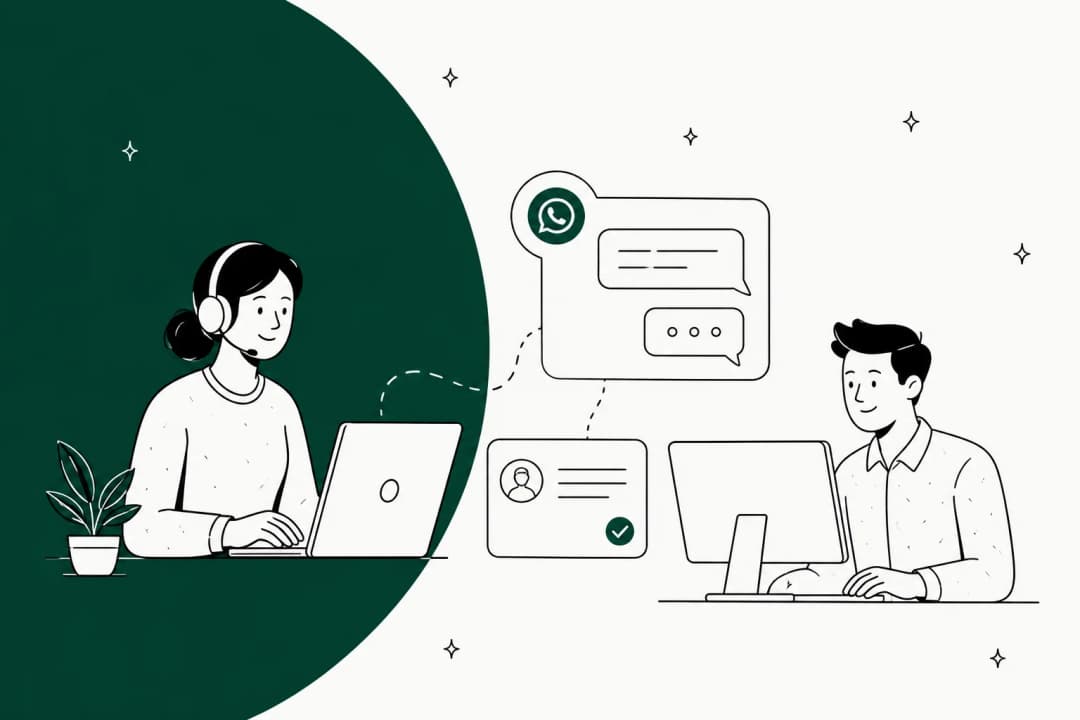
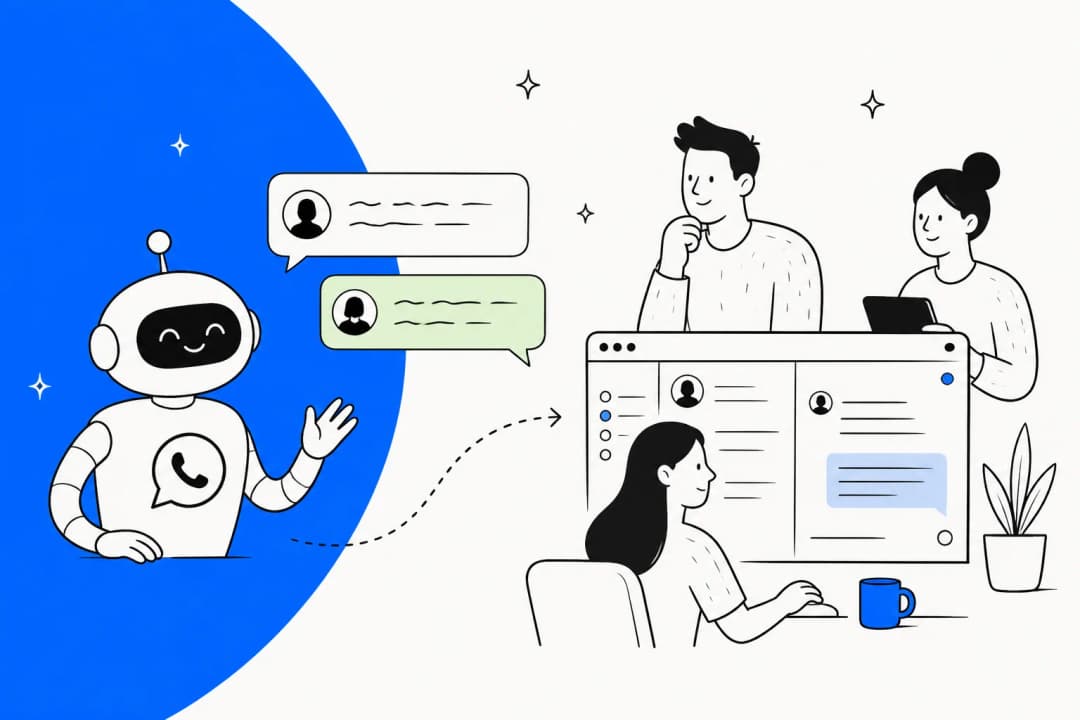
The kickoff call, and anything sensitive, needs a handoff. On the Platform, handoff starts automatically on "low confidence, an integrity violation, or a customer asking for a human. You do not configure the triggers" (Capabilities). The lead-gen guide warns that "An agent that hands off at 02:00 into an unstaffed queue produces a worse outcome than one that says when the team is next available." For onboarding this goes double, because a new customer's first bad experience tends to set the tone for everything after.
There's also an identity limit you have to plan around. The phone number macro "proves possession of the WhatsApp channel" but "does not prove ownership of a loyalty account, a corporate profile, or a saved payment method." And "There is no account-linking (OAuth/OIDC) for WhatsApp partner agents today" (Booking and reservation agent). When an onboarding step touches account data, what Meta suggests is two connector tools, one to send a one-time code and one to verify it.
Utility or marketing: what your onboarding nudge becomes
Anything your system sends outside the window is a template, and each template gets a category. The category decides both whether it's approved and what it costs, so it pays to get it right.
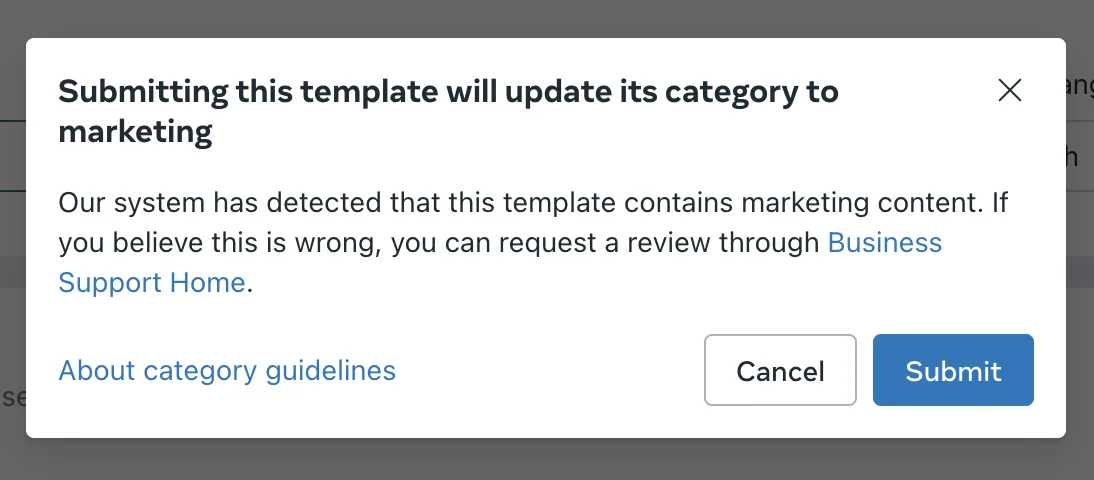
Meta's rule: a utility template "Must be non-promotional" and must be "specific to or requested by the user" or "essential or critical" (Template categorization). The same page has examples, and the onboarding ones split more sharply than I'd expected:
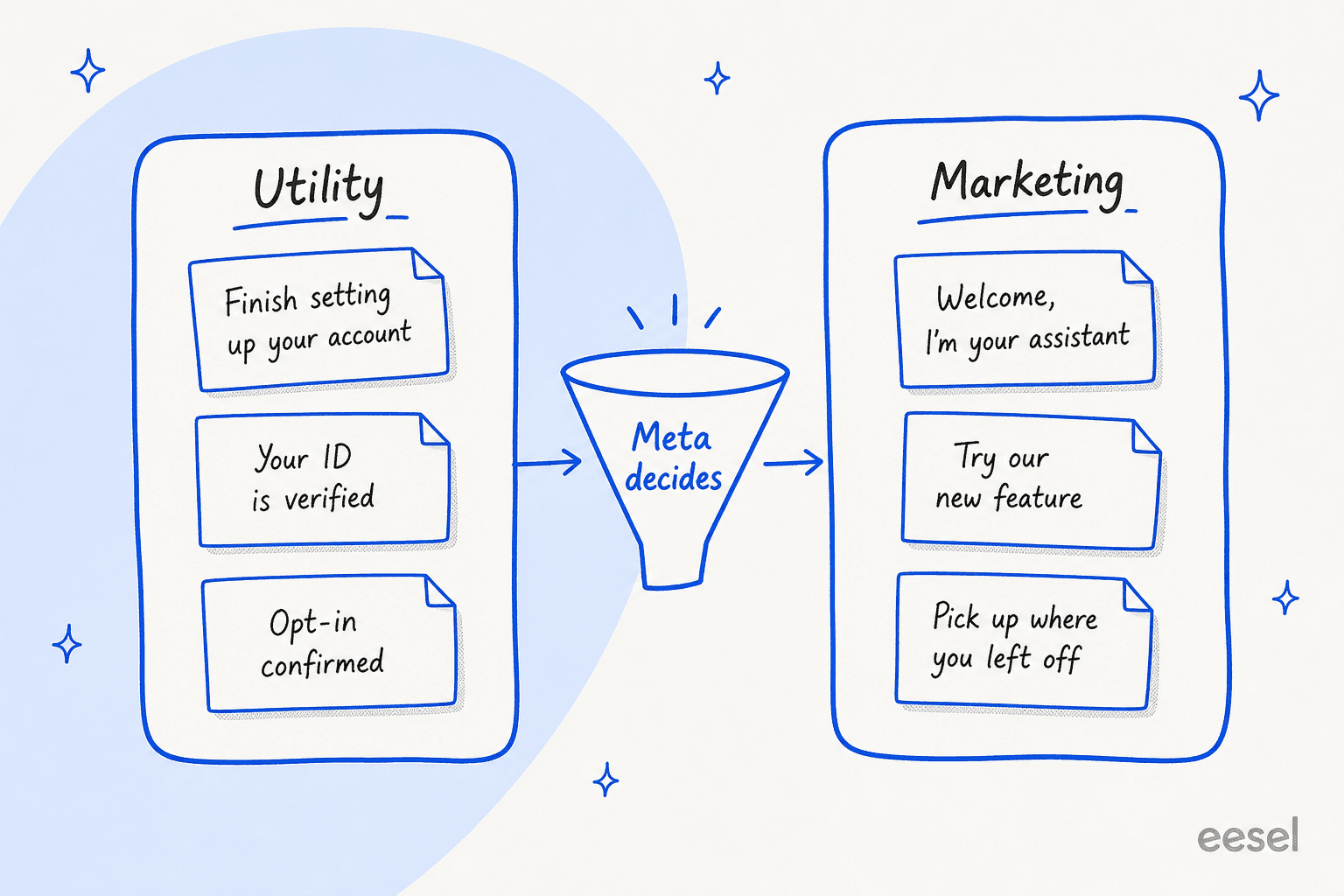
- Utility: "To finish setting up your {{new_profile}}, you need to upload a {{photo}}." Also opt-in confirmations, and feedback tied to one specific interaction.
- Marketing: "Hello, I am the new {{virtual_assistant}}. I can help you discover products or provide support." Also "We noticed you have not used our {{latest_feature}}", and "Please log in to pick up where you left off", which Meta calls retargeting and treats as marketing "even if requested by users".
So the generic welcome message is marketing, and the classic activation nudge is too. A message about one specific step on one specific account, on the other hand, can be utility. Anything mixed, say a setup reminder carrying a promo code, ends up as marketing.
And Meta does enforce this. Since April 9, 2025, if you pick utility and WhatsApp decides it's marketing, "the template is approved as MARKETING". For businesses flagged for misuse, the category changes happen instantly (Template categorization).
People who run these follow-ups on WhatsApp are saying the same:
"The template approval part seems to be the tricky bit, especially when the follow-up needs to feel contextual rather than promotional."

What I'd do is build each onboarding template around one concrete step the customer hasn't finished and name that thing directly. Keep offers out of it. The friendly part can wait for the agent once they reply. There's more on the policy side in my WhatsApp Business Platform 2026 updates post.
What onboarding on WhatsApp costs from October 1, 2026
Because onboarding is heavy on messages, the pricing changes land harder on it than on most support. Below is what each message in a WhatsApp onboarding flow costs once October 1 arrives, all from Meta's pricing docs:
| Message | Who sends it | Can reach out first? | Charged? |
|---|---|---|---|
| Marketing template (welcome, feature nudge) | Your system | Yes | Per message, by market. Free inside an FEP window |
| Utility template (setup step, verification) | Your system | Yes | Per message, including inside the 24-hour window from Oct 1, 2026. Free inside an FEP window |
| Authentication template (one-time code) | Your system | Yes | Per message, by market |
| Meta Business Agent message | The agent | No | $2.00 per 1M tokens, about 4 to 5 cents a message. Not free in the FEP window |
| Service message (your team or a third-party AI) | Your team | No | Free for the first 1,000 per number a month, then per message from Oct 1, 2026 |
Meta says a typical agent message uses 20,000 to 25,000 tokens. Its own examples put a simple four-message inquiry at about 16 to 20 cents and a ten-message assembly-help chat at about 40 to 50 cents. Onboarding chats tend to look a lot more like the second one.
Put together, one new customer's first week adds up to these billable events:
| Day | What happens | Billable events |
|---|---|---|
| 0 | Your system sends a welcome template | 1 marketing template |
| 0 | Customer asks three setup questions, agent answers over about 8 messages | About 8 agent messages, roughly 32 to 40 cents |
| 1 | Your backend fires document_verified, agent tells the customer | 1 agent message, about 4 to 5 cents |
| 3 | Customer stalls, you send "finish connecting your account" | 1 utility template |
| 4 | Customer asks for a person, your team books the kickoff call | Several service messages, counted against the 1,000 free |
That's roughly 40 to 50 cents of agent messages plus two template charges and some service messages, per customer, in week one. Meta's own worked example shows the same one-hour flow going from 1 charge on July 1, 2026 to 5 charges from October 1. Businesses with no payment method on file by September 30, 2026 will have service messages stop once the free tier is used up. My WhatsApp Business API pricing breakdown has the full history.
Agencies are bracing for it already:
"If Meta is gonna charge for every single service message after the first 1000, our clients' bills are gonna be insane. People are already mad that they have to pay for regular chat replies, and now we gotta explain why every split bubble costs money."
On the self-serve tier it works another way. Getting started costs nothing, and then "If you reach your free limit on Messenger, you can subscribe to a Meta One plan" (Meta Business Help). On the help pages I checked, Meta hadn't published either the free limit or the Meta One prices.
Where Meta's agent falls short for onboarding
For a lot of businesses Meta Business Agent is a sensible choice, small ones already living in WhatsApp most of all. It also stacks with helpdesks: I've covered it with Zendesk, Freshdesk and Shopify. For onboarding specifically, here are the limits I'd weigh up before committing:
- It can't catch the silent customer. With a reply-only agent, a customer who never writes in never gets help, so your activation nudges have to live in another tool.
- One AI per number. Meta's eligibility rules say "an active authorized-agent integration blocks Meta Business Agent" (Meta for Developers). Running it next to another AI on the same line isn't possible.
- Some onboarding-heavy industries are excluded. The Platform isn't available for "Finance, Government, Health, Alcohol, Gambling, over-the-counter drugs, and matrimony services" (overview). Fintech and healthtech onboarding, two of the most support-heavy kinds, are out.
- Your ticket history isn't a knowledge source. Past Messenger and WhatsApp chats are, but Meta's support guide tells you to "export the top drivers from your helpdesk for the last quarter" and write FAQ entries by hand. The best onboarding answers usually sit in old tickets, and that's why adding AI to your helpdesk often beats starting fresh.
- Testing runs on scenarios you write. Agent Test and Agent Eval check responses "across a set of test scenarios" (Capabilities), not a replay of past onboarding tickets.
- It only lives inside Meta's apps. Onboarding questions that come in by email or through your helpdesk, or in Slack, need a different tool. A customer who asks on WhatsApp and then emails gets two separate brains. Compare the options in my best AI for WhatsApp support roundup.
There are two smaller ones as well: English "has the strongest response quality" (Capabilities), and the self-serve "only new customers" audience setting isn't defined anywhere I could find. The API only has "everyone" or an allowlist.
A setup that works
Say WhatsApp is where your new customers are. This is how I'd put Meta's agent to work on onboarding, without expecting it to cover the proactive half:
- Map your onboarding into inside and outside the window. Questions, form-filling and "you're verified" updates go to the agent, which is where most ticket deflection happens. Welcomes, nudges and reminders go to templates.
- Write templates around a specific step. "Finish connecting your {{store}}" can pass as utility. "Welcome aboard!" won't. Promotions stay out entirely.
- Put a QR code or short link in your welcome email and in-app checklist, with ice breakers for the top three first-week questions.
- Build one connector tool for onboarding details, with required fields, and a published Flow for anything with a date.
- Pilot on an allowlist first. Enabling the agent needs a payment method "unless
ai_audienceisALLOWLISTED_ONLY" (Agent Settings), so you can test on your own team's numbers for free.
Own the state tracking yourself, too. As one builder in the same Reddit thread put it, the key is "making the workflow state-aware so customers don't receive a 'just following up' message after they already responded" (Reddit). Meta's agent doesn't hold that state for you.
If you want to compare other ways to automate the first week, my roundup of AI customer onboarding tools and the SaaS onboarding software tests are good next reads, along with AI tools for customer success and my sibling post on Grok Bot for customer onboarding.
Try eesel for customer onboarding
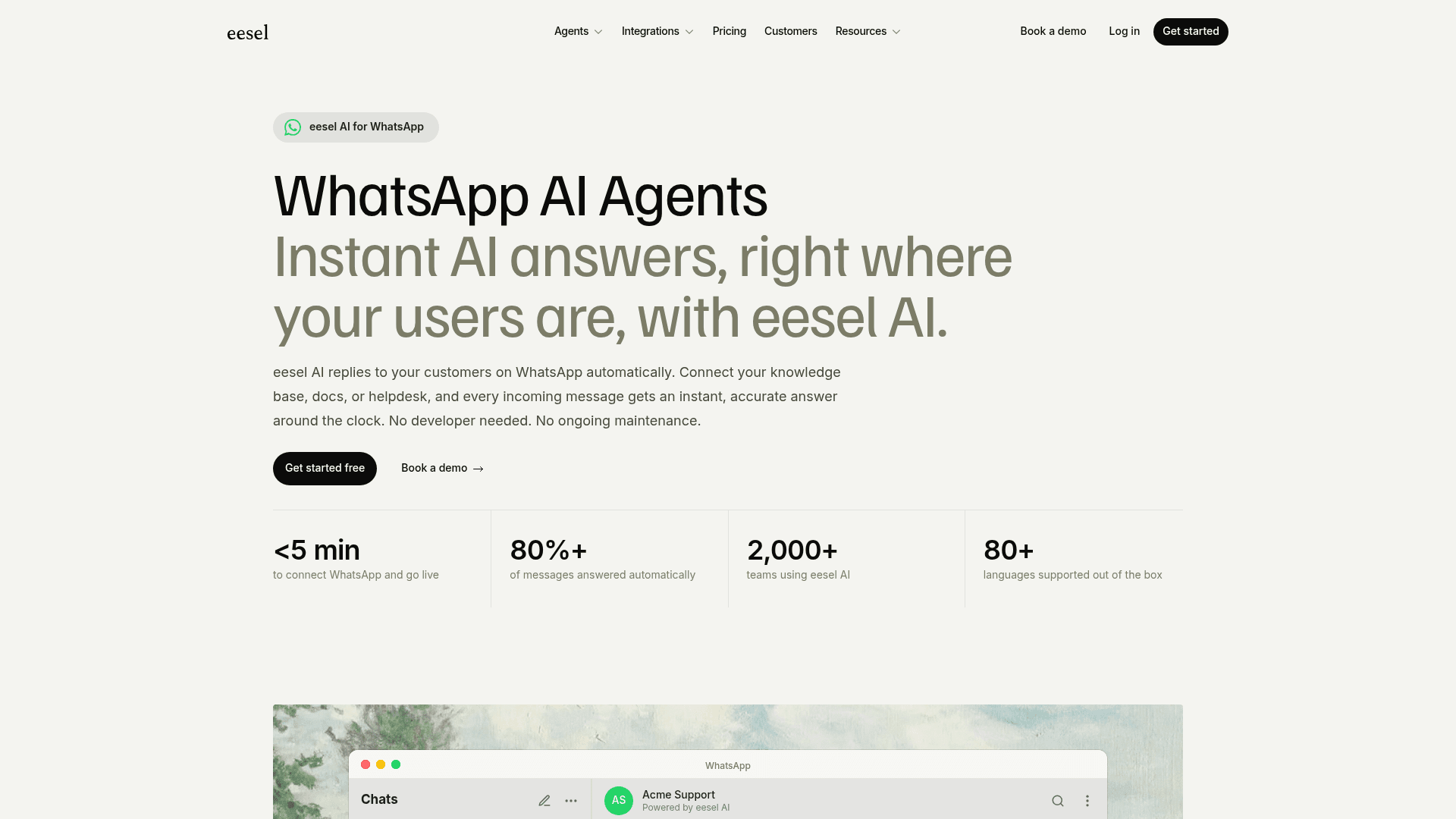
WhatsApp is rarely the only place onboarding questions arrive. They land in your helpdesk and inbox, and in your chat widget too, and it's the same ten questions every time. eesel is an AI helpdesk teammate that answers them wherever they show up. It connects to WhatsApp in under five minutes, and it works inside Zendesk, Freshdesk, Gorgias and Slack with the same knowledge.
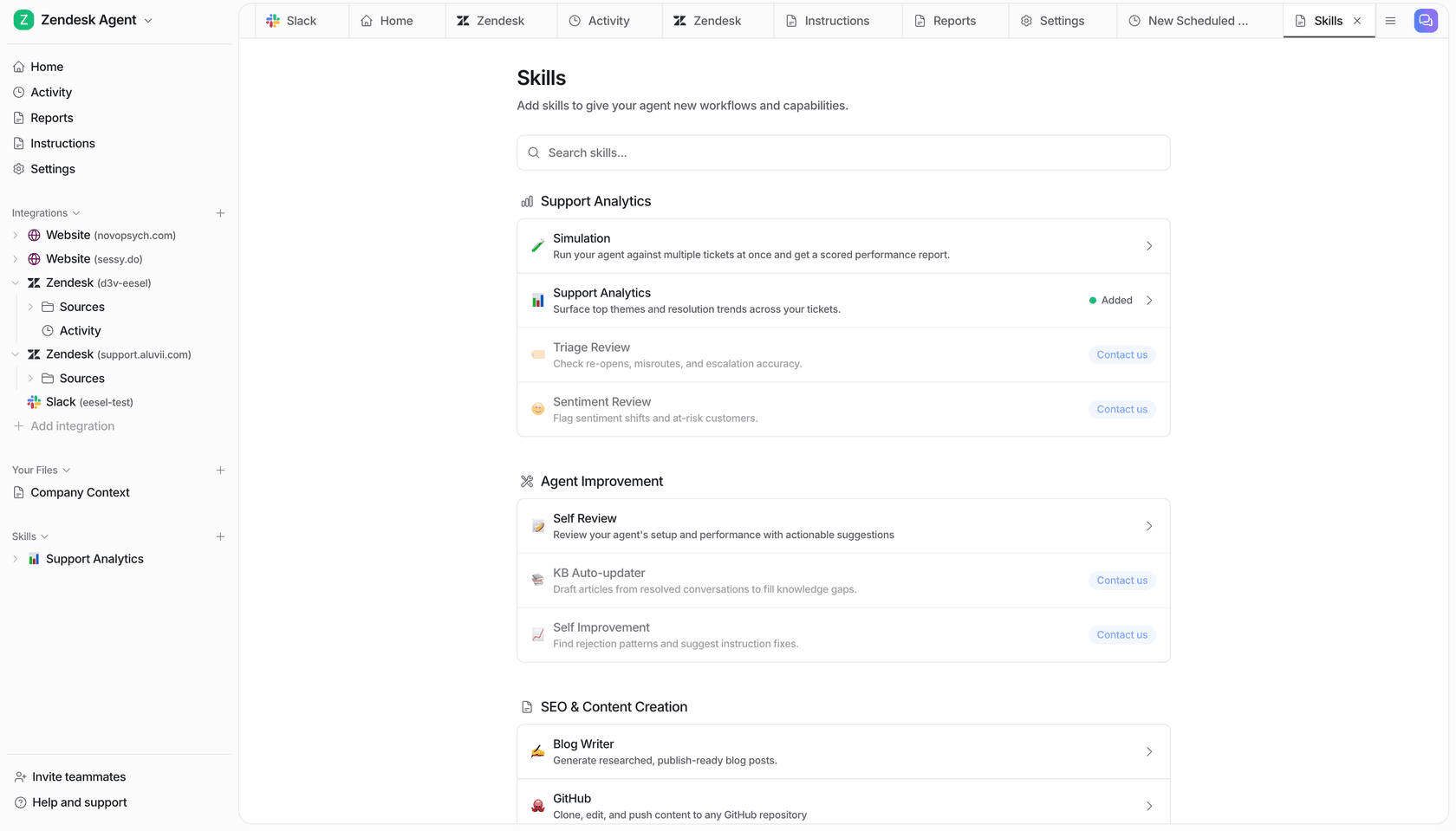
For onboarding, the difference comes down to what it learns from. eesel reads your help center, your docs and your past tickets, which is where the real answer to "why isn't my data syncing yet" usually lives. Before it talks to a customer, you run a simulation over hundreds of those past tickets and see which ones it would get right.
You can see it in the numbers. Gridwise wrote in a G2 review that "In the first month, eesel is resolving 73% of our tier 1 requests", with results "during our 7-day trial". And at Yellowdig, a new customer success hire "joked that our eesel AI bot was their best friend during onboarding", which is the nicest thing anyone's said about a knowledge base.
One honest note: because of Meta's one-AI-per-number rule, you'd run eesel or Meta Business Agent on a given WhatsApp number, not both. If WhatsApp is your only channel and your setup docs rarely change, Meta's agent is a fair pick. If onboarding questions come from everywhere, one teammate across all of them is less work. Pricing is a fixed monthly credit plan, where a ticket or a chat is one credit however many replies it takes. If you'd rather script it, the eesel CLI lets you or a coding agent like Claude Code set up the same teammate from a terminal.
Try eesel free with 100 credits and no card, and point it at last month's onboarding tickets first.
Frequently Asked Questions
Can I use Meta Muse for customer onboarding?
Can Meta Business Agent send a welcome message to new customers?
Is a "finish setting up your account" message utility or marketing on WhatsApp?
How much does Meta Muse for customer onboarding cost?
Can Meta's WhatsApp agent collect onboarding details from a new customer?
Can I run Meta Business Agent and another AI on the same WhatsApp number?
What happens when a new customer goes quiet during onboarding?


Article by
Riellvriany Indriawan
Riell is a designer and writer at eesel AI with about two years of experience researching CX platforms, AI chatbots, and helpdesk software. She combines her design background with a sharp eye for how these tools actually look and feel in practice — making her comparisons unusually visual and user-focused.