What a WhatsApp chatbot for business actually is
Most "WhatsApp chatbots" people picture are the frustrating kind. You message a company, get a menu of numbered options, pick one, get another menu, and eventually type "agent". That's a rule-based chatbot, a fixed decision tree. It works right up until a customer phrases something the tree didn't anticipate, which on a real support queue is most of the time.
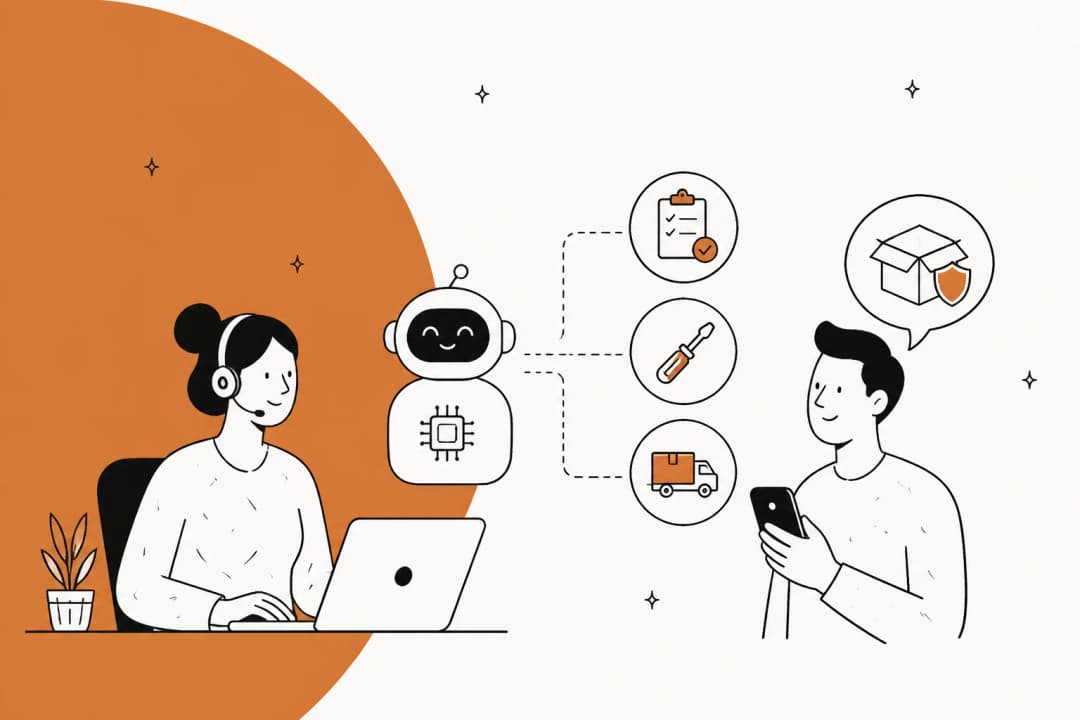
An AI WhatsApp chatbot works differently. Instead of matching keywords to branches, it reads your knowledge, your help center, past tickets, order data, a Google Doc of policies, and generates an answer in plain language. Ask it "did my order ship yet" or "waar is mijn pakket" and it understands both, finds the answer, and replies. Working the queue day to day, that gap is the whole ballgame: the rule-based bot deflects the five questions you programmed, while the AI chatbot handles the long tail that makes up your real volume.
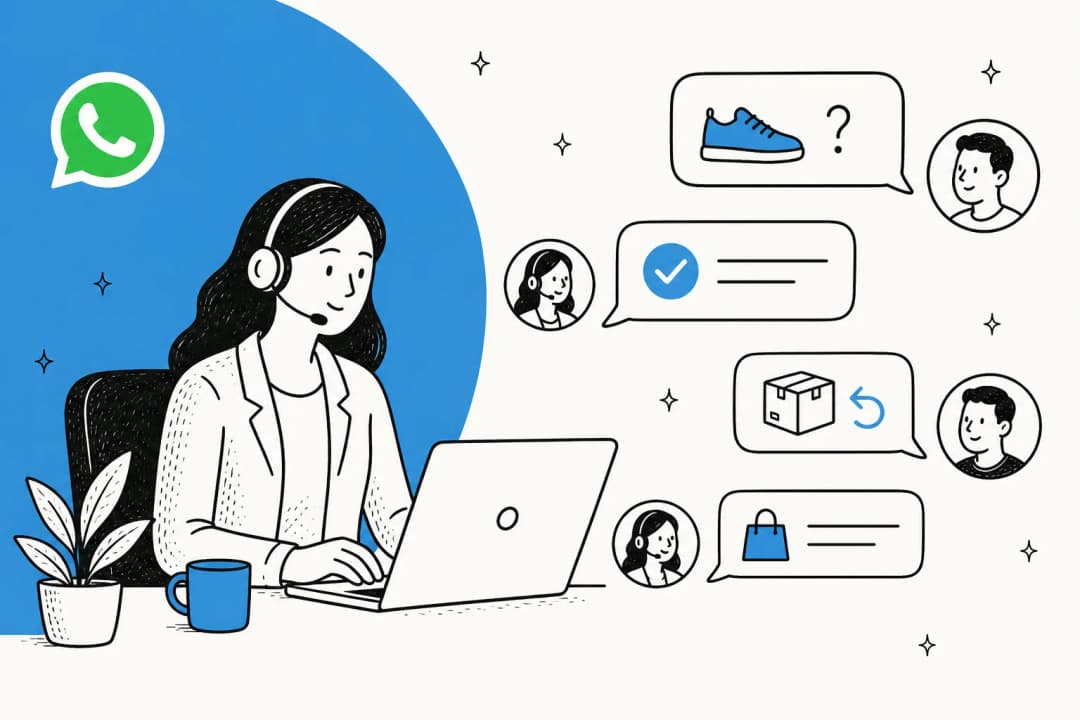
Why WhatsApp specifically? Scale. More than 3 billion people across 180+ countries use WhatsApp, per Meta's own newsroom, and it's the default messaging app in most of the world outside the US and China. For an ecommerce brand selling into Brazil, India, Indonesia or Mexico, WhatsApp isn't a nice-to-have channel, it's the channel customers already live in. Meta says over one million businesses already run some form of AI agent on WhatsApp and Messenger.
Business App vs Business Platform: the fork that matters
Before anything else, know which WhatsApp product you're building on, because they're not the same thing:
| WhatsApp Business App | WhatsApp Business Platform (Cloud API) | |
|---|---|---|
| Built for | Solo owners / tiny teams | Multi-agent teams, automation, AI |
| Runs from | A phone | Servers, via the Messages API |
| Programmatic API | No | Yes |
| Can power an AI chatbot? | No | Yes |
| Cost | Free | Per-message fees (see below) |
The free Business App is good for a one-person shop: business profile, catalog, greeting and away messages, quick replies. It has no API, so it can't drive an AI agent or route across a team. Every tool in this guide, eesel included, plugs into the WhatsApp Business Platform.
It's also how helpdesks pull WhatsApp into their inbox. You can route it through Zendesk or Gorgias, and there's a documented path for Freshdesk too. If a vendor promises an AI chatbot on the plain Business App, that's a flag.
The three ways to build one in 2026
As of this July, there are three different architectures, and they bill in three different ways. This is the fork that decides your costs, so it's worth being deliberate.
Meta Business Agent. Meta's own AI agent, launched July 1, 2026, running on the Meta Business Agent Platform. Meta charges a single per-token fee that covers both the AI processing and the message delivery. Least plumbing, least control over grounding.
A WhatsApp BSP with a bot bolted on. Wati, Interakt, respond.io, Twilio and similar providers give you the Cloud API connection plus a shared inbox, campaigns, and usually an AI add-on priced separately. Good if WhatsApp is your primary channel and you want the inbox too.
An AI layer on top of your existing helpdesk. Your tickets already live in Zendesk, Freshdesk, Gorgias or Front, and the AI agent answers WhatsApp using the same knowledge it uses everywhere else. Nothing gets rebuilt per channel, and your WhatsApp deflection numbers show up in the same reporting as email and chat.
There's no universally right answer. The question worth asking is where your knowledge lives. If your policies and past tickets are already in a helpdesk, option three is the shortest path; if you're starting from a phone number and a spreadsheet, a BSP with a built-in inbox saves you a step.
What WhatsApp actually costs (and what changes October 1)
Since July 1, 2025, Meta charges per delivered message rather than per conversation. The mental model has been simple: you pay when a template message is delivered, and replies inside an open window are free. That second half stops being true on October 1, 2026.
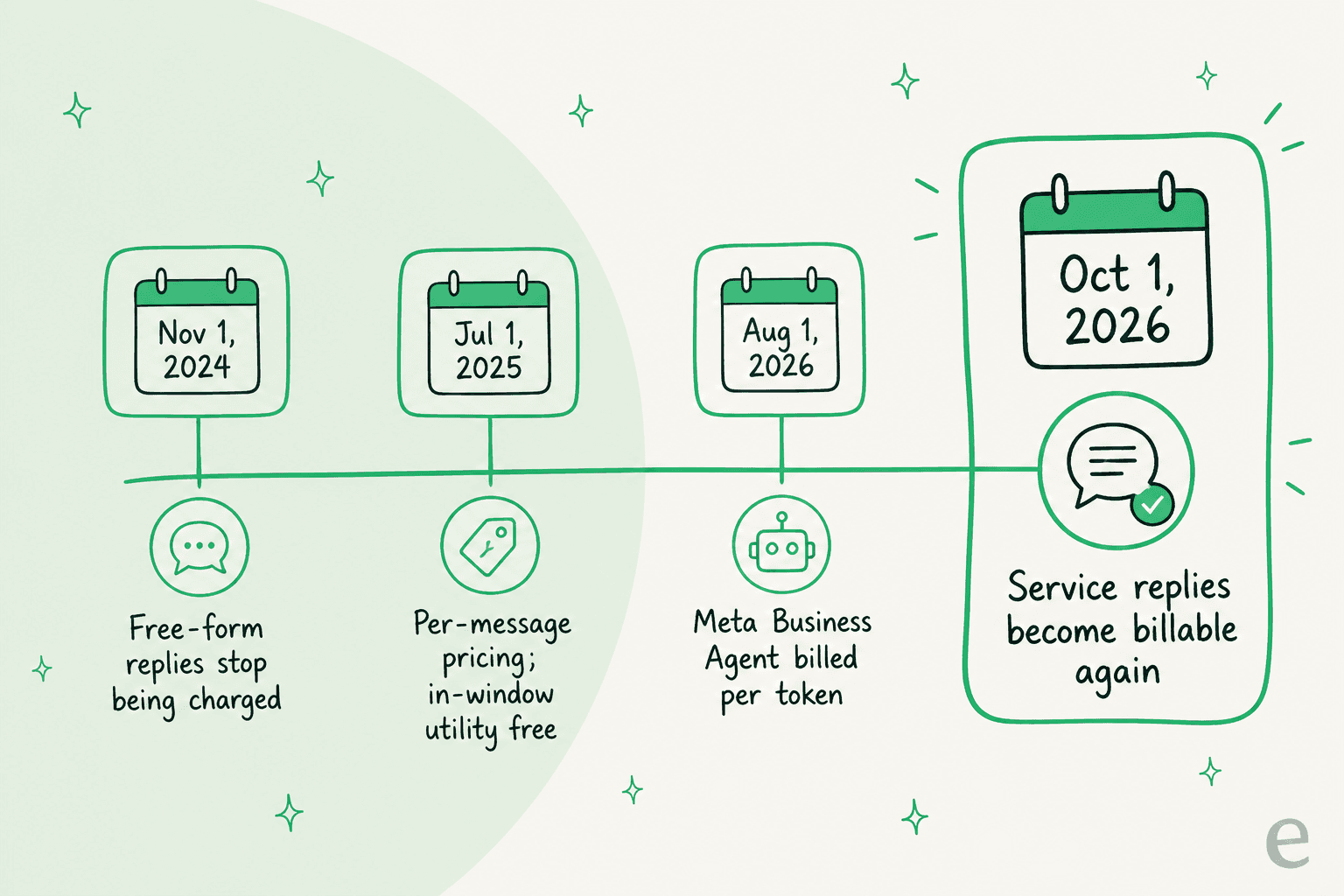
Three dates from Meta's pricing update page do the work here:
- August 1, 2026: Meta Business Agent messages are billed per token, at $2.00 per million tokens. Meta's own figures put a typical message at 20,000 to 25,000 tokens, so roughly 4 to 5 cents each. Their worked example: a simple "what time do you open" exchange runs about 16 to 20 cents, a complex assembly walkthrough about 40 to 50 cents.
- October 1, 2026: service messages become billable, at the same market rates as utility and authentication templates. These haven't been charged since November 1, 2024.
- October 1, 2026: utility templates sent in response to users, inside an open window, become billable too. Those have been free since July 2025.
Service messages are the category your bot lives in when a third-party AI powers the reply. Meta's own table is explicit about this: a non-template message is either a Meta Business Agent message or a service message, and "service" covers anything powered by a person or a third-party AI.
So what does the change actually cost you? Less than the headline suggests, because the underlying rates are small. From Meta's USD rate card, effective July 1, 2026,, a utility or authentication message costs $0.0034 in North America, $0.0068 in Brazil, $0.0014 in India, $0.0085 in Mexico, $0.0220 in the UK, and $0.0550 in Germany. Service rates will match those. A five-message resolution to a US customer therefore adds about 1.7 cents in Meta fees, where the same resolution via Meta Business Agent would run 20 to 25 cents in tokens.
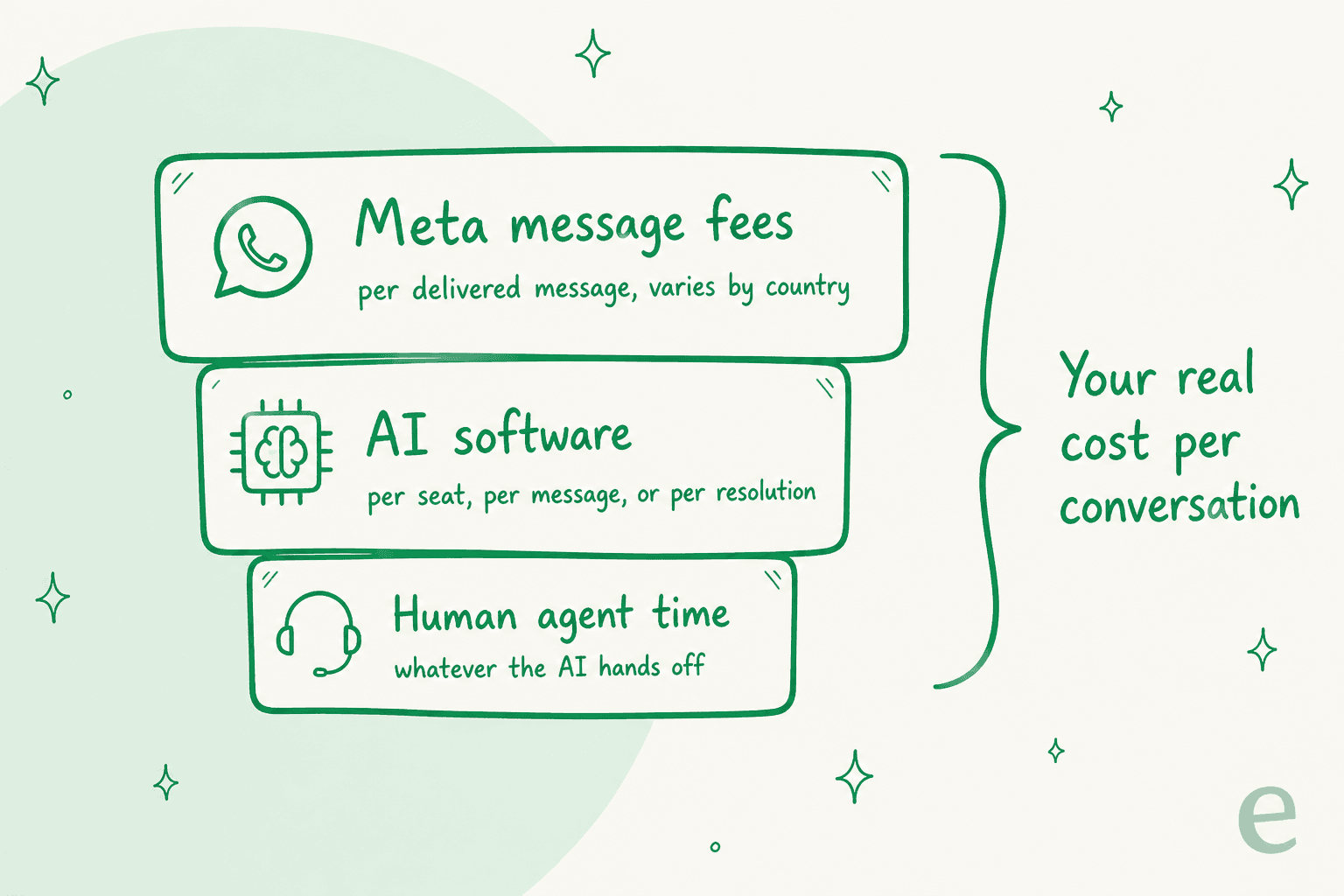
Then there's the second layer, and it's the one that actually moves your bill: the chatbot software. The billing unit is where the real money hides. Some tools charge per seat, some per message, some per AI credit, some per resolution. A store doing 30,000 WhatsApp messages a month across 3,000 conversations pays wildly different amounts depending on which unit the vendor picked. Plug your own numbers in:
For what it's worth, eesel AI charges $0.40 per resolved conversation, with no per-seat fee, no platform fee, and no monthly minimum. One conversation is one task no matter how many messages it takes, which is the unit that matches how a support queue actually behaves.
The limits nobody mentions until you hit them
WhatsApp has more guardrails than most channels, and every one of them is documented. Reading them before launch is cheaper than discovering them during a campaign.
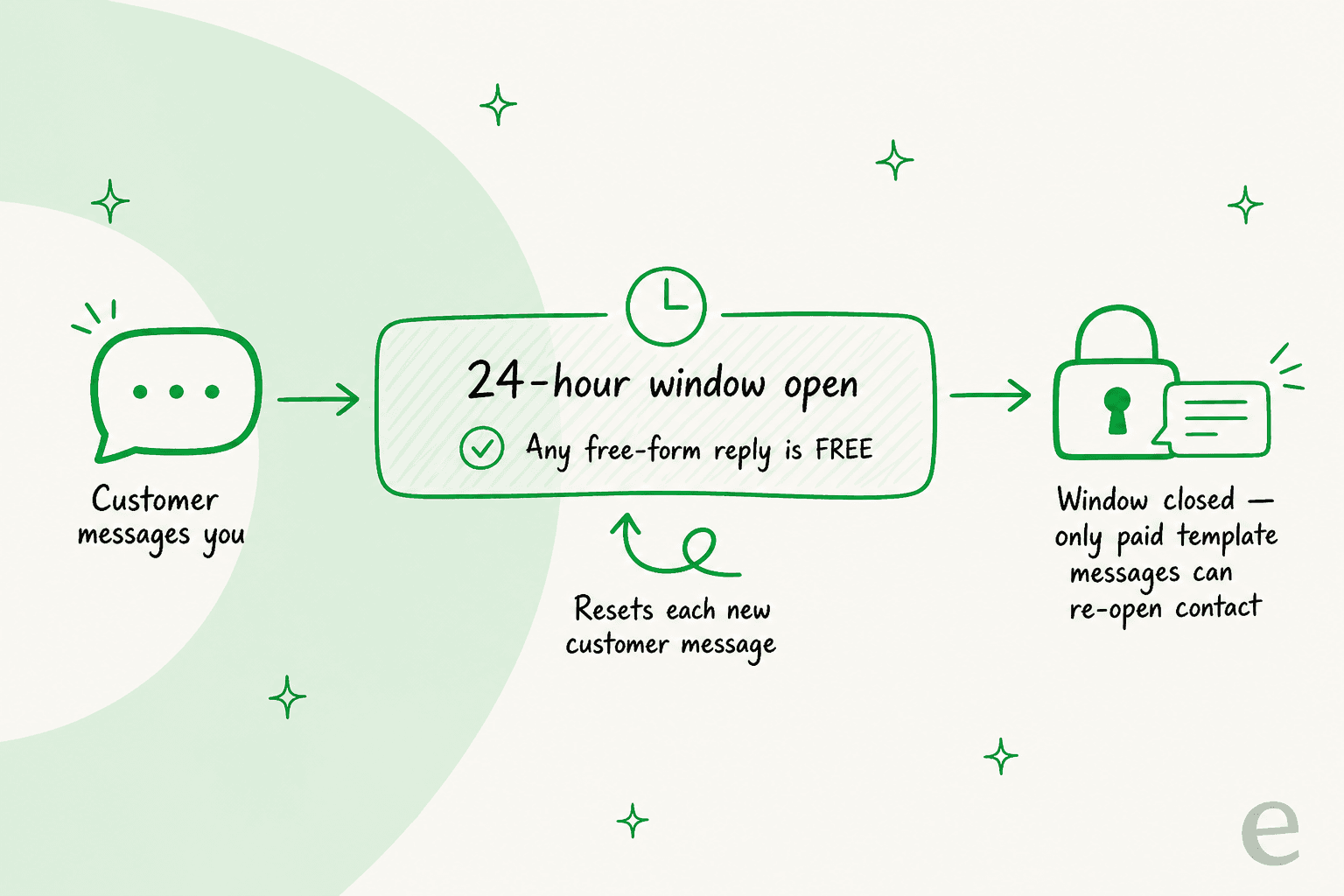
The 24-hour customer service window. When a customer messages you, a window opens. While it's open you can send free-form replies, and every new customer message resets the timer. When it closes, the only way to reach that person again is a pre-approved template. This is why support automation is the easy case: the customer messages first, so your agent is always working inside an open window.
The 72-hour free entry point window. If a conversation starts from a click-to-WhatsApp ad or a Facebook Page CTA, everything is free for 72 hours, templates included. One catch: Meta Business Agent messages are not free in that window, while service messages are.
Messaging limits. A newly created business portfolio can message 250 unique recipients per rolling 24 hours, outside customer service windows. Verify your business, or deliver 2,000 high-quality template messages over 30 days, and it goes to 2,000. Automatic scaling then lifts you to 10,000, 100,000, and eventually unlimited. Note the scope: it counts recipients you reach outside an open window, so inbound support replies don't burn it.
Throughput. Business phone numbers send up to 80 messages per second by default, with capacity upgrades available. Rarely a support constraint, occasionally a campaign one.
Quality rating. Meta assigns a quality rating per phone number and per template, and it drives your automatic tier upgrades. Templates people mute or block drag it down.
Opt-in and template approval. You can only message people who opted in, and any message outside the window has to use a template Meta pre-approved and categorized. Free-form service replies need no approval. Meta has also tightened rules around third-party AI chatbots, so use a tool that tracks the policy.
What to automate, and where the human line goes
Not everything belongs on autopilot. After enough rollouts you get a feel for the clean line between "let the AI own this" and "a human needs to be here".
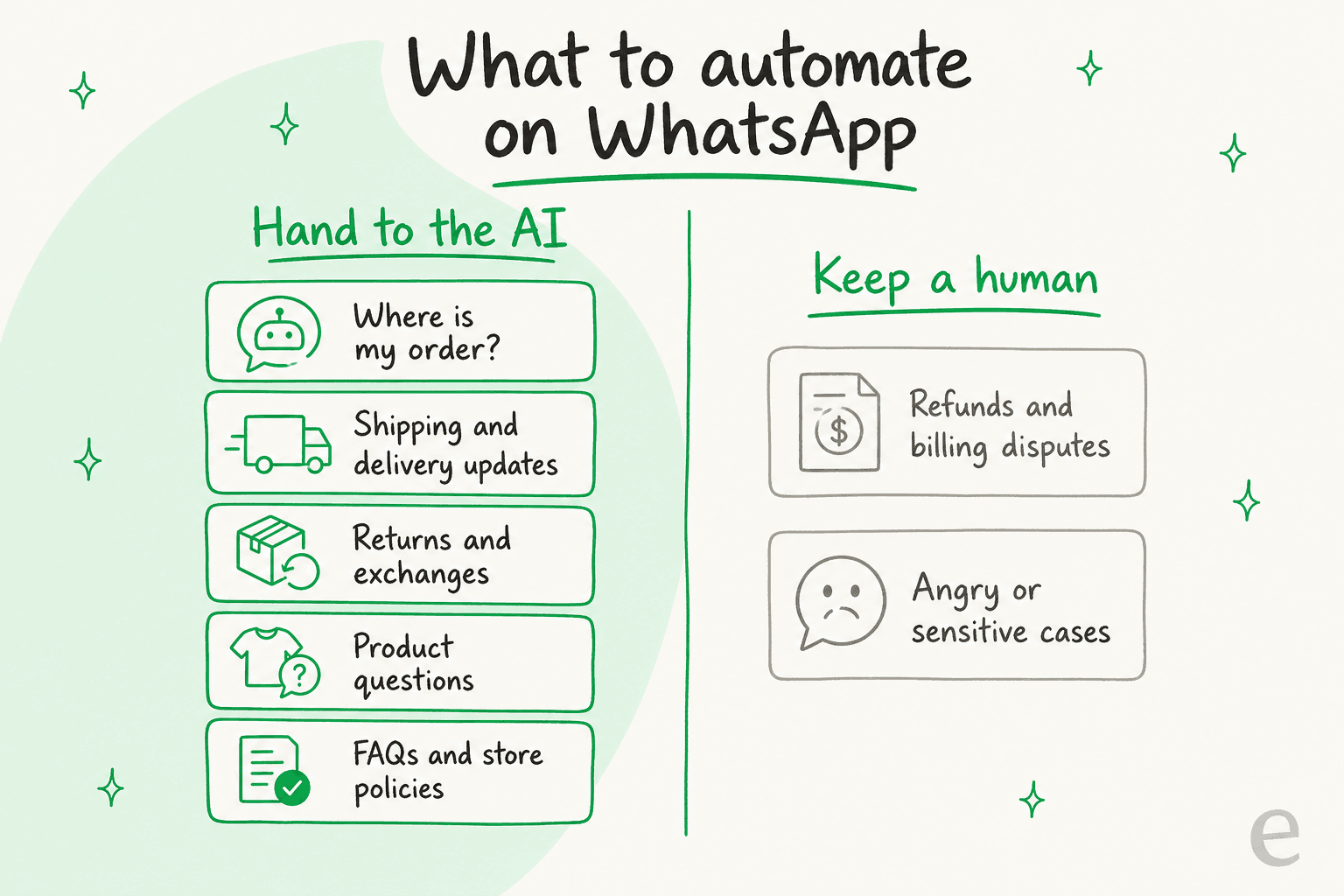
The AI should own the high-volume, low-drama stuff: "where is my order" (WISMO) questions, shipping and delivery updates, returns and exchanges, product questions, and the endless policy queries. These are exactly the messages that flood a support inbox and exactly the ones a grounded AI customer service chatbot answers well, and they map cleanly onto a retail or ecommerce queue.
Keep a human on refunds and billing disputes, and on anything where the customer is upset or the situation is sensitive. A good chatbot recognizes these and escalates cleanly rather than trying to be a hero. The most damaging thing a support bot can do is answer wrong with confidence. That's the case for grounding answers in your real content rather than the model's general knowledge, and for simulating every rollout against your actual past conversations before it talks to a customer.
Worth writing your escalation rules in plain language and testing them, not just declaring them. Our notes on human handoff and on agent handoff patterns cover the failure modes; the short version is that a handoff which loses conversation context annoys customers more than the bot did.
Where it earns its keep: three business patterns
Different businesses get value from different parts of this. Three shapes come up constantly on our own queue.
Ecommerce and DTC. The volume is order status, shipping, returns and product questions, and it spikes with promotions. One DTC supplements brand we spoke with, running Gorgias and Shopify at around 7,000 tickets a month, wanted to auto-resolve half its volume on exactly those three intents. The blocker wasn't the AI, it was that their knowledge sat in SOP docs, untranscribed Loom videos and stale macros. Connect order tracking properly and this is the cleanest win on the list.
Local services and logistics. Smaller volumes, higher specificity, and usually multilingual. A Belgian delivery company on Freshdesk tested us with "Hoeveel kost het om te versturen naar Duitsland?" as its very first message. The agent found the tariff docs and gave a detailed Dutch answer with the actual shipping cost. That team then asked why past Freshdesk tickets weren't being used for learning, which is the right question, and they were the one conversion in their cohort.
B2B and technical support. Slower, more nuanced, and the copilot pattern often beats full autopilot. A German events company running an autopilot Zendesk bot had it handle 396 real German tickets across refunds, vouchers, host and B2B inquiries. The lesson there was narrow scope first, then widen.
Multilingual is the sleeper advantage across all three. Because WhatsApp is global, your queue is too, and a multilingual support agent that detects the customer's language beats standing up a separate bot per market. On a channel that's dominant in a dozen non-English countries, that capability is the difference between covering your customers and half-covering them.
Tool comparison: seven ways to put AI on WhatsApp
Prices below were checked on August 11, 2026, from each vendor's own pricing page. Note the billing unit column above all else, since it's what decides your cost at your volume.
| Tool | Billing unit | Entry price | AI pricing | Shared inbox | Grounds on your past tickets | Simulate before go-live | Best for |
|---|---|---|---|---|---|---|---|
| eesel AI | Per resolved conversation | Free until $50 used | $0.40 per resolution, no seat fee | Via your helpdesk | Yes | Yes, on your own history | Teams whose knowledge already lives in a helpdesk |
| Meta Business Agent | Per token | No platform fee | $2.00/M tokens, ~4–5¢ per message | No | No | No | Businesses wanting the fewest moving parts |
| Wati | Per seat + AI credits | $59/mo annual (Growth, 3 users) | Astra add-on: $99/mo for 5,000 credits | Yes | Not documented | Not documented | WhatsApp-first teams wanting campaigns too |
| respond.io | Per monthly active contact | $79/mo (Starter) | AI Agents from Growth ($159/mo) | Yes | Not documented | Not documented | Multi-channel inboxes with seasonal spikes |
| Interakt | Per quarter + per AI message | $69/quarter | $74.99 add-on, then $0.011 per AI message | Yes | Not documented | Not documented | Small Shopify stores in India-heavy markets |
| Twilio | Per message | Pay as you go | $0.005 handling fee, plus Meta's fees | No, it's an API | Build it yourself | Build it yourself | Engineering teams building custom |
| Landbot | Per seat + contacts | €40/mo (Starter) | Included in plan tiers | Yes | Not documented | Not documented | Visual flow builders and lead capture |
A few things the table makes obvious. Per-seat pricing punishes you for adding agents even when the AI is doing the work. Per-message pricing punishes thorough answers. Per-resolution pricing is the only unit that tracks outcomes, which is why we picked it. And the two right-hand capability columns are where most of the field is quiet: grounding on your own past tickets and dry-running before go-live are the two things that decide whether the bot is trustworthy, and they're rarely on a pricing page.
If you want a deeper walk through the field, our roundup of WhatsApp chatbots and our notes on AI for WhatsApp support go tool by tool.
How to set one up
Here's the honest version of the process, including the parts that take longer than the marketing pages admit.
- Get on the WhatsApp Business Platform. You'll need a business phone number and Meta Business verification. The number's quality rating and messaging limits are tracked in WhatsApp Manager, so use a number you control.
- Pick your architecture. Meta's own agent, a BSP with a bot, or an AI layer on your helpdesk. Decide based on where your knowledge already lives.
- Connect your knowledge. Point the agent at your help center, past tickets, order data, and policy docs. Answer quality is capped by what you connect, so this step deserves real time.
- Simulate on real conversations. Before it replies to a single live customer, run it against your historical WhatsApp and support conversations and read what it would have said. This is the step most teams skip and later regret.
- Go live gradually. Start with a narrow set of topics, watch the transcripts, widen scope as trust builds. Write escalation rules in plain language, like "always hand off if someone mentions a refund".
The connection itself is quick with the right tool. eesel's WhatsApp integration goes live in under five minutes once your number is verified, no developer required. The work that deserves your attention is steps 3 and 4, the knowledge and the simulation, not the plumbing.
"We chose eesel AI because it offers multi-channel data input options... By linking our CSVs, Zendesk, and Google Docs as sources, we can make the most of our vast documentation, even if it's scattered."
Wesley Wang, CTO, Ecosa
Try eesel for WhatsApp
If you're putting AI on WhatsApp and your tickets already live in a helpdesk, eesel AI is built for exactly that: connect your WhatsApp Business number and it answers incoming messages grounded in your help center, past tickets, Google Drive or Notion, in 80+ languages. The part I'd point to is simulation. You can run it against your real past conversations and see its resolution rate before it ever talks to a customer, so go-live isn't a leap of faith. Pricing is $0.40 per resolved conversation with no per-seat fee, which is also the unit that survives October's Meta change without a nasty surprise.
WhatsApp also isn't the only place your customers are. The same agent covers Instagram DMs and Facebook Messenger, so you're not standing up a separate Instagram chatbot alongside your WhatsApp one.
It also runs on your website chat widget and inside your helpdesk. You can try it free until you've used $50, no credit card, and only pay for the conversations you route to it.
Frequently Asked Questions
How much does a WhatsApp chatbot for business cost?
Do I need the WhatsApp Business API to build a chatbot?
What is Meta Business Agent and do I have to use it?
Can a WhatsApp chatbot handle more than one language?
What's the difference between a rule-based and an AI WhatsApp chatbot?
What are WhatsApp's messaging limits for a new business?
How long does it take to set up a WhatsApp chatbot for business?
Is a WhatsApp chatbot worth it for a small business?


Article by
Riellvriany Indriawan
Riell is a designer and writer at eesel AI with about two years of experience researching CX platforms, AI chatbots, and helpdesk software. She combines her design background with a sharp eye for how these tools actually look and feel in practice — making her comparisons unusually visual and user-focused.