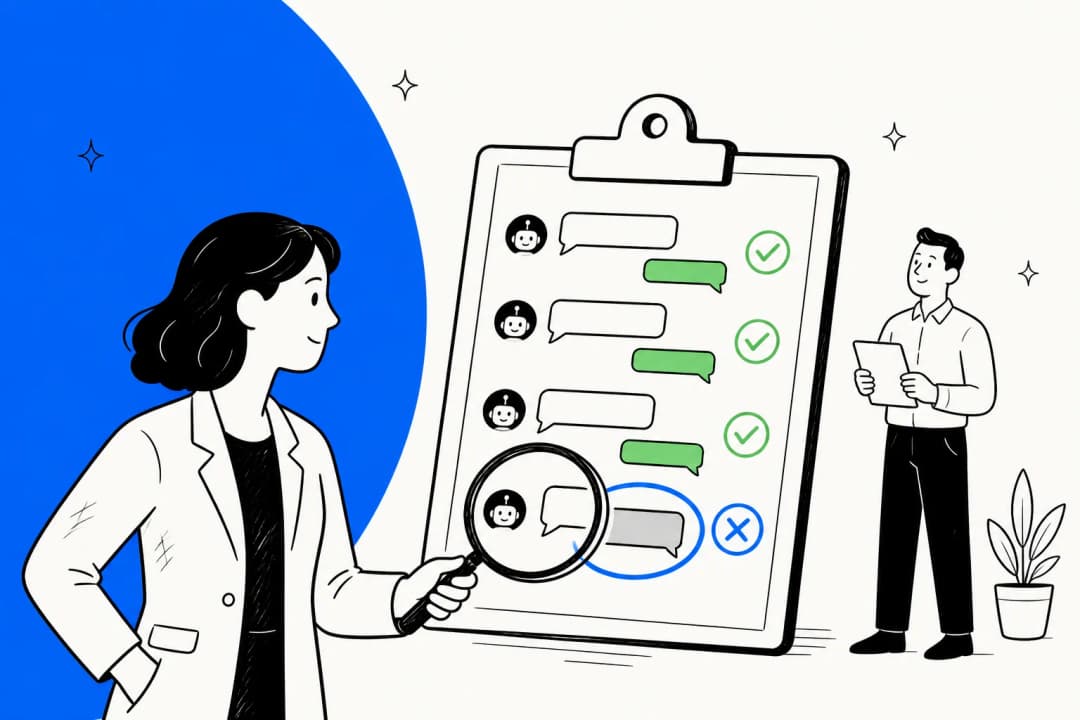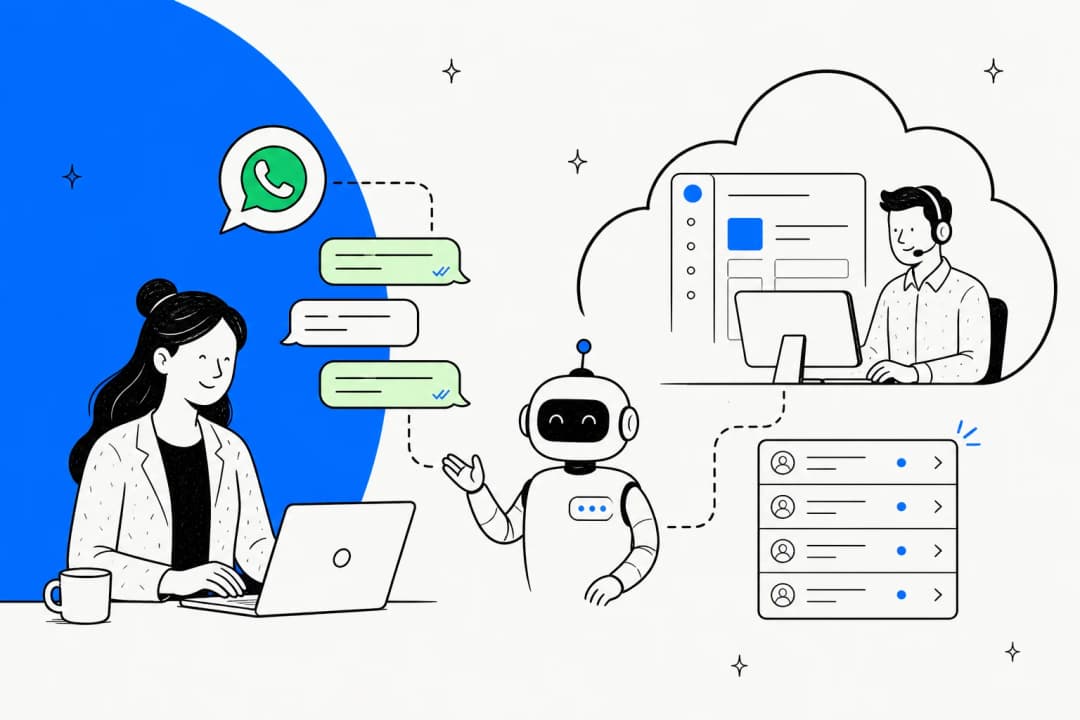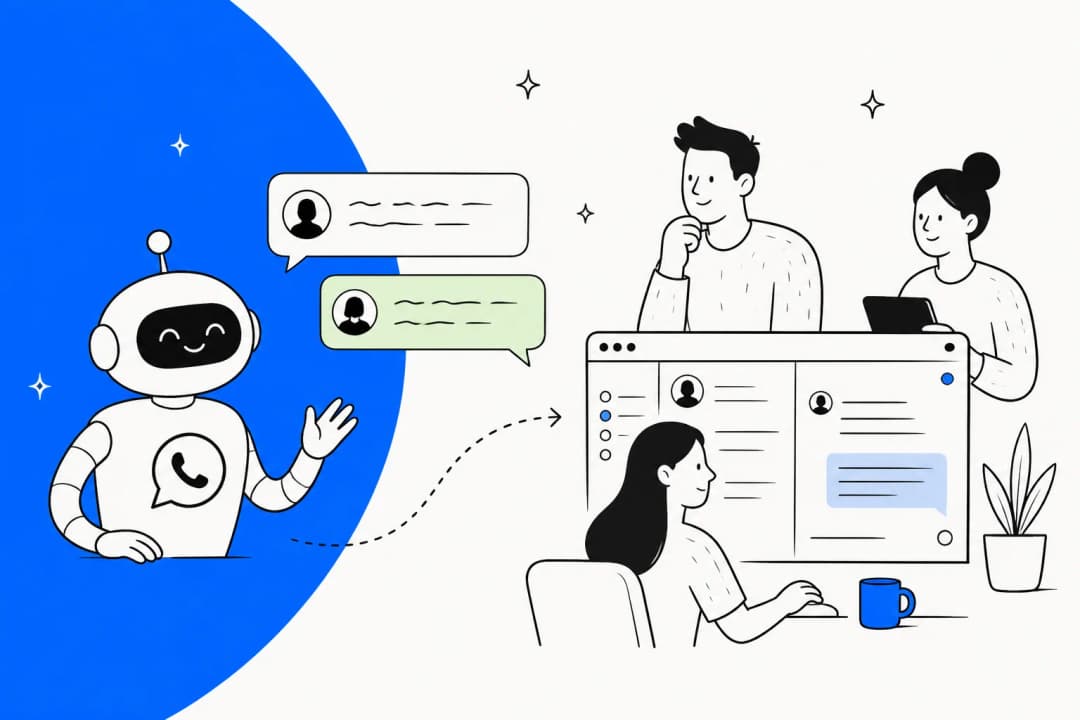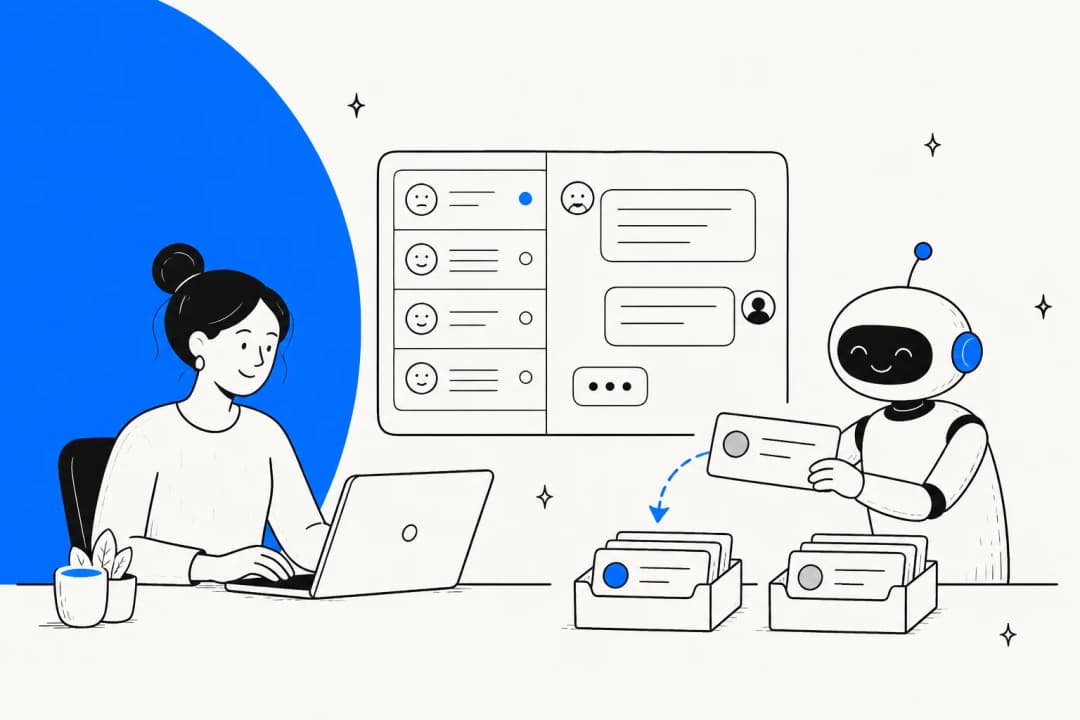
What "Meta Muse for customer health monitoring" actually means
I build agents at eesel, and the question I get most from customer success leads isn't "can the AI answer tickets?" anymore. It's "can the AI tell me who's about to leave?" And if your customers mostly talk to you on WhatsApp, it makes sense to ask whether Meta's AI could keep an eye on that for you.
Meta's naming doesn't help here, to be honest. "Meta Muse" covers three products, and only one of them talks to your customers:
| Product | What it is | Useful for health monitoring? |
|---|---|---|
| Muse | Meta's consumer personal agent for individuals | No |
| Muse Spark API | Meta's model, which you can call from your own code | Only as a classifier you build yourself |
| Meta Business Agent | Meta's customer-facing business AI, launched June 3, 2026 | Partly. It produces the conversations and some signals |
Business Agent itself comes in two versions: a self-serve one that lives inside Meta Business Suite and the WhatsApp Business app, and the Meta Business Agent Platform for businesses on the WhatsApp Business Platform API. I wrote up the full breakdown in my Meta Muse for customer support hub, and the consumer app is covered in the Meta Muse Agent post.
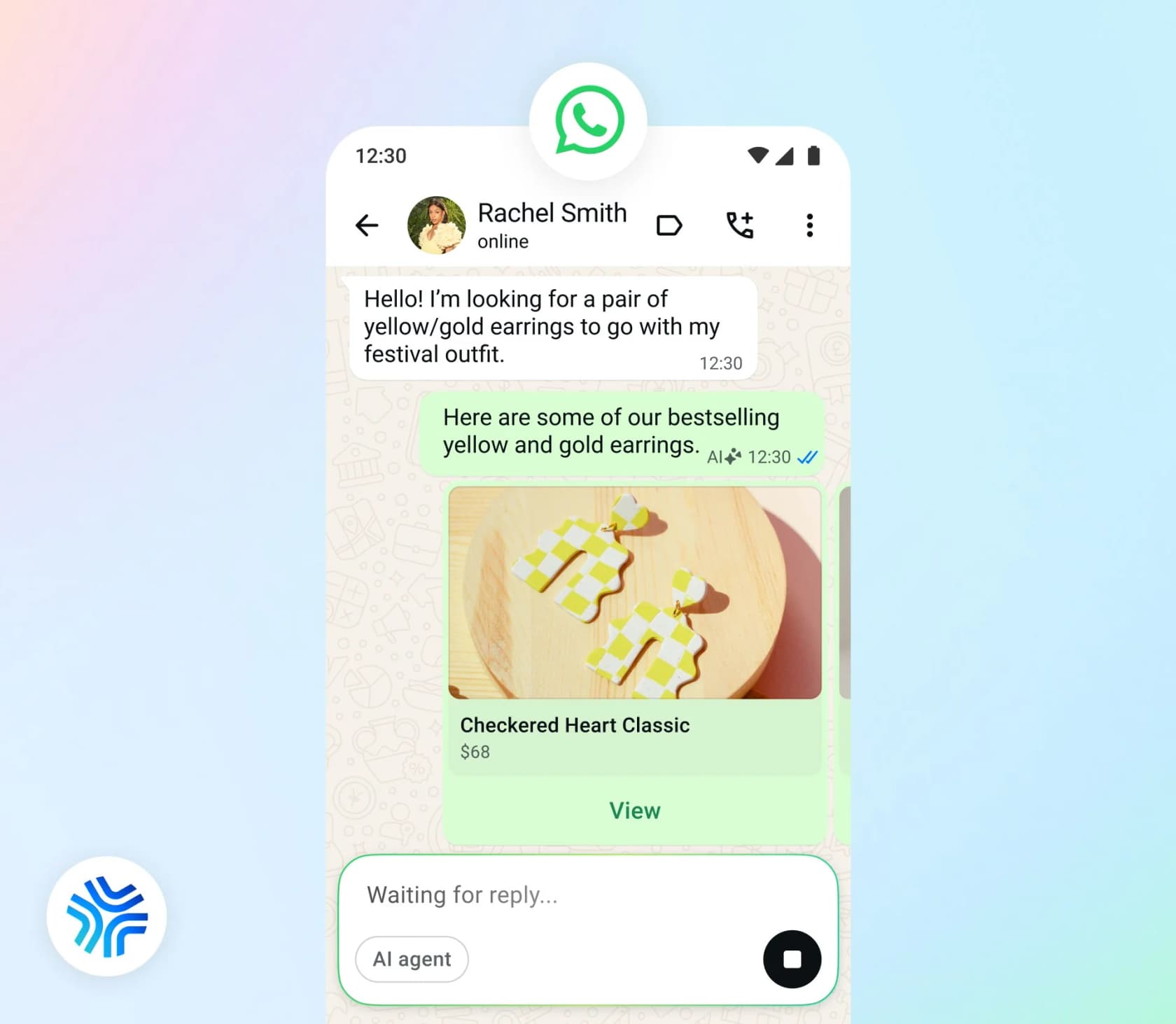
When I say customer health monitoring in this post, I mean spotting customers who are unhappy or stuck, or the ones quietly drifting away, while there's still time to do something about it. In a support context the richest input is the conversations themselves, which is why churn risk in support conversations is its own discipline. Which brings it down to a narrower question. What does Meta actually let you see about those conversations?
Meta gives you signals, not a health score
After going through Meta's Business Agent, WhatsApp and Business Suite docs, the short version is this: Meta hands you the plumbing, and the scoring is left to you. I didn't find a sentiment score anywhere in the docs, or a churn-risk score, or any kind of customer health field. The waitlisted "morning briefing" that "provide[s] insights on your threads" names product insights and competitive intelligence as the roadmap, not churn (Meta for Business).
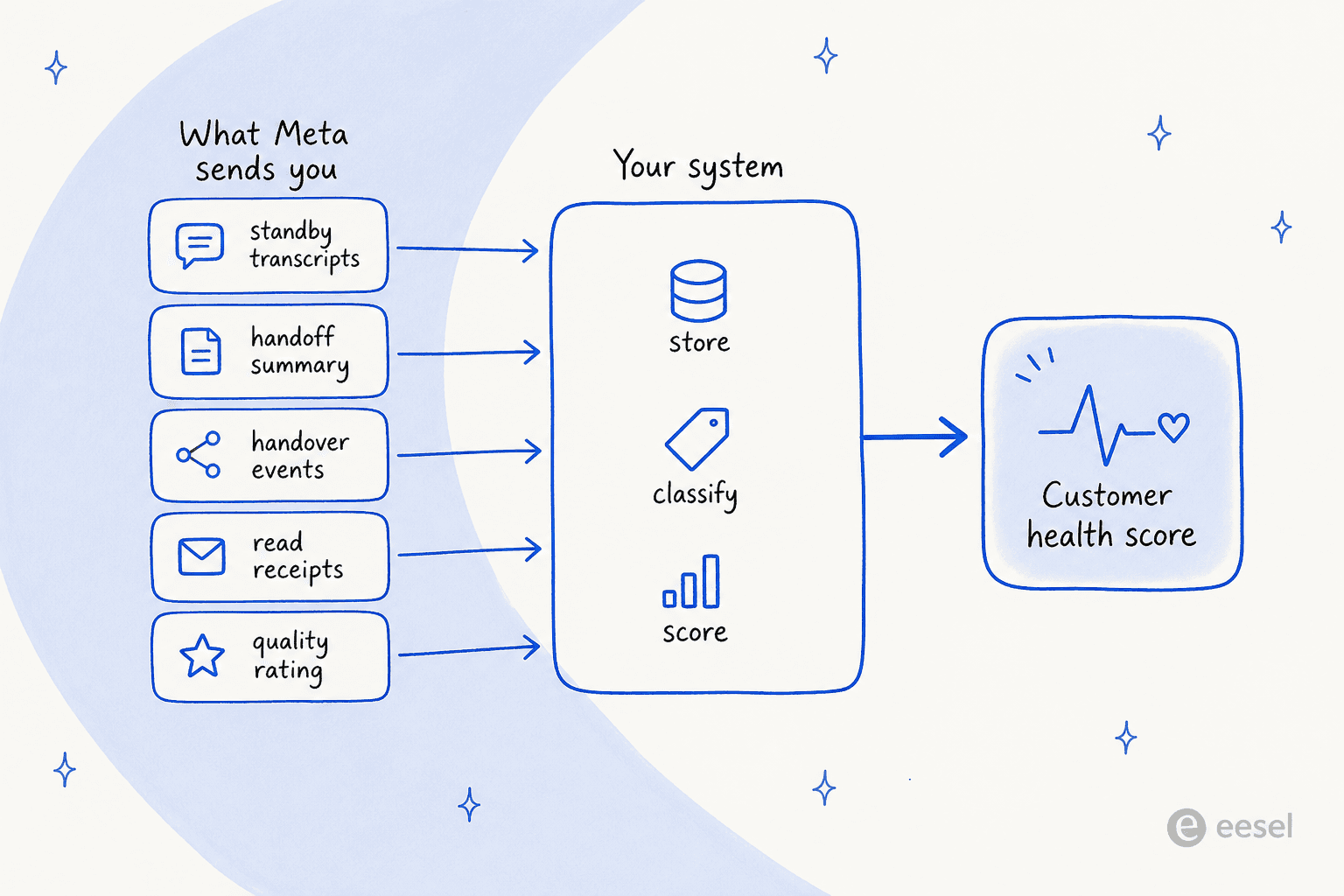
Meta more or less admits this itself. Its customer support agent guide advises: "Track the share of conversations handed off and the time to first human reply alongside it." No Meta endpoint returns either of those numbers, though. Here's what you do get to work with.
The live transcript feed (standby webhooks)
Of everything here, this is the most useful signal, and also the one people miss most easily. Standby webhooks notify your app about a conversation "when another responder owns the thread", which includes Meta Business Agent. You get three streams: the customer's inbound messages (reactions included), copies of what the agent sent, and sent, delivered and read receipts. Meta even lists "Monitor messaging activity" as one of its purposes, which surprised me a little.
There are two catches, though. "Standby is off by default", and the business has to grant your app standby visibility in Meta Business Suite. And the agent echoes carry "the send-time parameters exactly as passed to the Send Message API - not the rendered content", so if you want to rebuild what the customer actually saw, expect a bit of work.
The bigger problem for health monitoring is this: there's no API to fetch past agent conversations. I went through every reference endpoint Meta's docs link to, just to be sure. So if you're not storing the standby events as they come in, that history is effectively gone, at least for anything you'd want to do with it. Meta's own advice is to "Store context from standby events so your app can provide continuity." On the self-serve tier, conversations are only viewable in the Business Suite Conversations tab, and Meta "does not start storing conversation logs until a customer has opened the chat" (Meta Business Help).
The AI-written handoff summary
When the agent hands a conversation over, Meta can attach conversation_context, "an AI-generated summary of the conversation so far" (Meta for Developers). The good part is how careful it is: "Identifiers and amounts are preserved verbatim" and "Open items are framed as unresolved." Meta's own example already reads a lot like a health alert: a customer reporting an order "missing three items ($18.40)" and a spoiled item.
Now the less good part. Meta says to "Treat summary.text as human-readable prose, not structured data - do not parse it for fields or rely on a fixed format." You won't find a sentiment field in there, and no urgency or reason field either. Also worth knowing: for any given conversation you get this summary or standby webhooks, "exactly one", never both.
Handover events
The control_passed event fires when control moves from the AI to a person, with an optional free-form metadata string of up to 2,000 characters (Thread control). Meta's example payload shows "previous_owner_role": "ai_agent" with "metadata": "WhatsApp user requested human agent". I couldn't find anywhere that promises the agent always fills in a reason. My advice is to count the handovers and treat the reason as a bonus when it shows up.
Put those three together and you can work out a handoff rate per customer and spot repeat contacts, plus flag the threads that ended unresolved. It's a real foundation. The house on top is yours to build, though.
The one feeling Meta measures: your quality rating
There is exactly one sentiment-like number that Meta computes for you. Your WhatsApp phone number has a quality rating of Green, Yellow or Red, "based on the recent messages that your customers have received over the past 7 days". It comes from "blocks, reports, mutes, archives, and reasons users provide when they block you" (Meta for Developers). The block reasons customers can pick are "No longer needed", "Didn't sign up", "Spam", "Offensive messages" and "No reason".
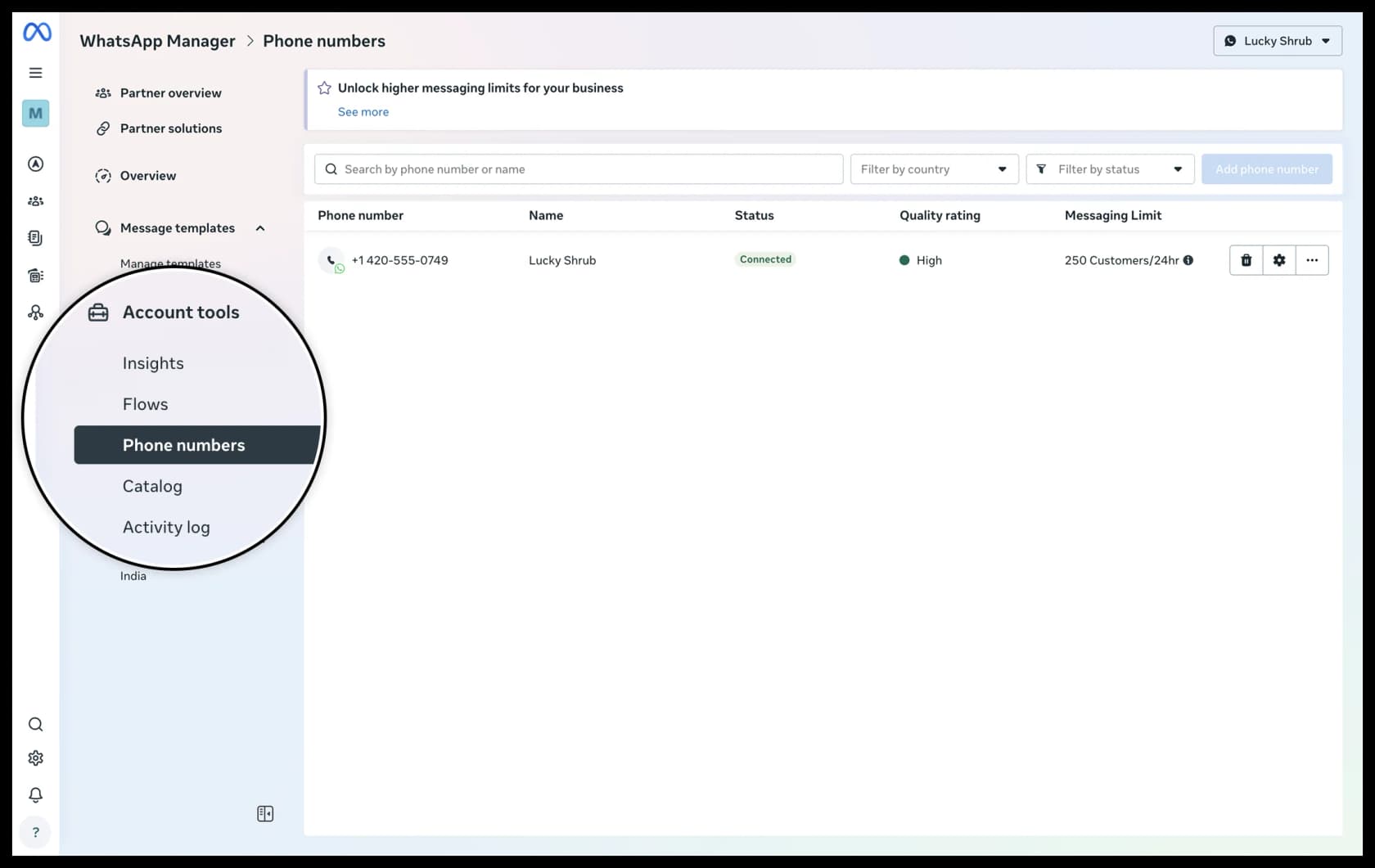
Templates get rated separately too, each with its own quality_score. Yellow means "negative feedback from multiple WhatsApp users, or low read-rates, and may soon become paused or disabled" (Template quality rating).
The rating isn't only cosmetic, either. It has teeth. Messaging limits cap how many unique customers you can message outside an open conversation in 24 hours. New portfolios start at 250, then move through 2,000, 10,000, 100,000 and Unlimited, and moving up needs "high-quality messages across all of your business phone numbers and templates".
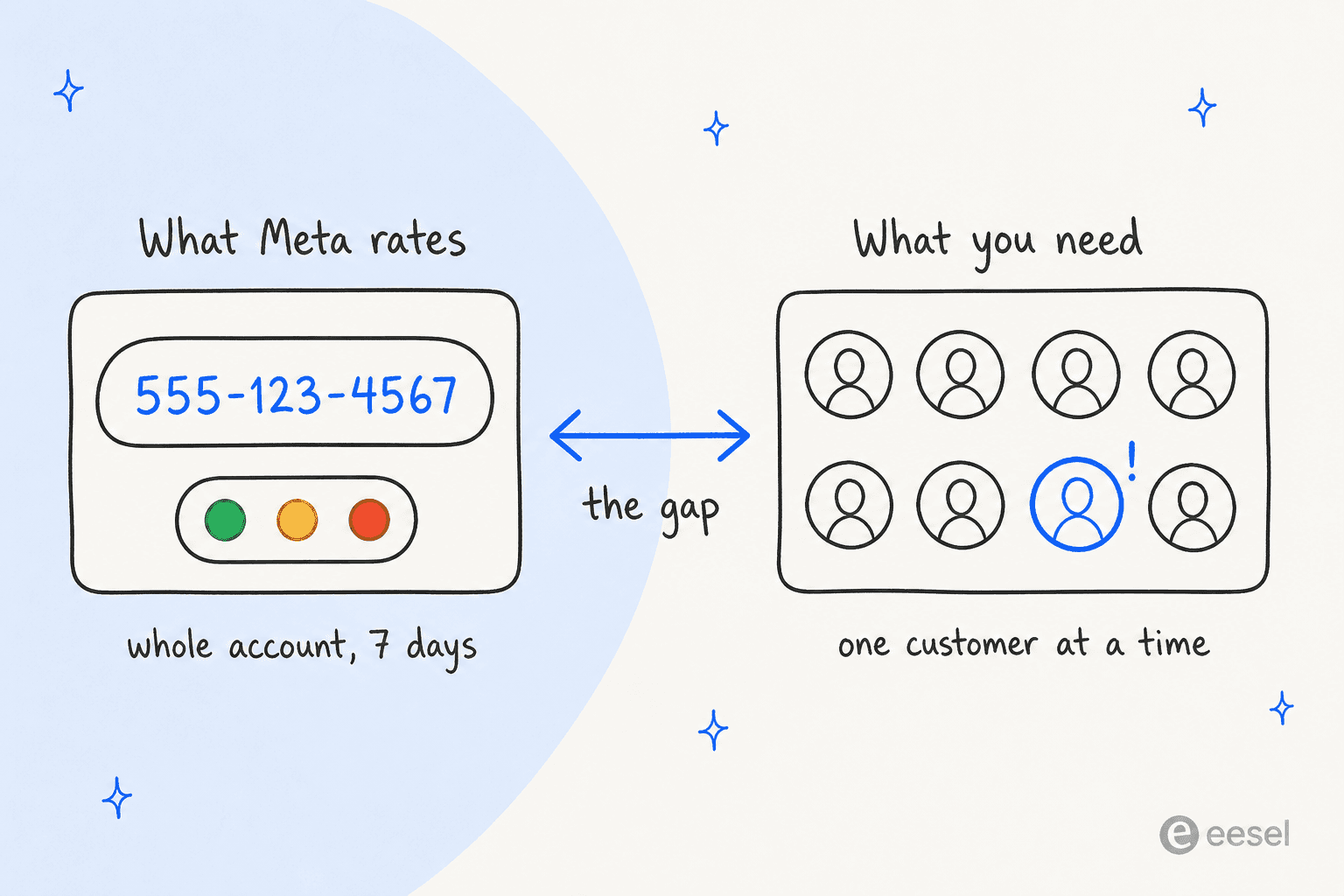
The thing I'd want you to take away from this section is simple. The quality rating measures how customers feel about your messages, not how each customer is doing. It's account-level and template-level only, and Meta doesn't tell you who blocked you. As an early warning that your nudges are annoying people, it's great, and annoyed people are a health risk in their own right. What it can't do is tell you your biggest account is about to cancel.
Per-customer signals exist too. They're thinner, but they're real, and you compute them yourself. Status webhooks tell you when a customer stops reading your messages. The user_preferences webhook fires when a customer stops marketing messages. Emoji reactions arrive as their own message type. Meta doesn't interpret any of them. That part's on you.
For aggregate trends there's the WhatsApp analytics API, with a 1-year lookback for messaging and conversation data and 90 days for templates. Read and click data only counts for 7 days after a send, and template analytics "are not supported" for accounts tied to the European Union or Japan. What you get there is volume and spend, basically the same stuff you'd put in a chatbot analytics dashboard, not satisfaction.
Escalation: the biggest health signal, and you don't set it
A customer asking for a person is usually the loudest signal in any support health model. On Meta's Platform tier, though, the decision of when that happens isn't yours. The docs say the agent "starts a handoff automatically when it detects a signal such as low confidence, an integrity violation, or a customer asking for a human. You do not configure the triggers" (Capabilities).
Agent Settings only exposes whether handoff is on, the handoff message, and a follow-up for inactive users at intervals from 5 minutes to 24 hours. Nothing in there works like a frustration threshold. Meta's workaround is to write the triggers into the agent's instructions: "Enumerate the escalation triggers rather than describing them. ... A named list - damage, missing item, payment dispute, refund decision, legal or safety, asked twice for a person - behaves predictably" (support agent guide). Its test plan even includes an "Angry repeat contact" case: "This is the third time I've messaged".
To be fair, the instruction-based approach works fine. It's how I'd set up escalation rules in most tools anyway. On this point the self-serve tier is a bit friendlier: its Personality tab lets you "manage specific conditions where you'd want your Business Agent to hand off the conversation to a human representative" (Meta Business Help).
There's one more health risk hiding in the escalation path, and it's easy to overlook. If your agent opens tickets through a connector, Meta warns: "A failed ticket is invisible: the agent has already said a colleague will be in touch, the shopper waits, and nobody finds out until they message again angrier." Connector logs do show success rate and latency, but only for the last seven days. I'd set up alerts on failures instead of checking by hand.
Collecting CSAT: Messenger has it, WhatsApp doesn't
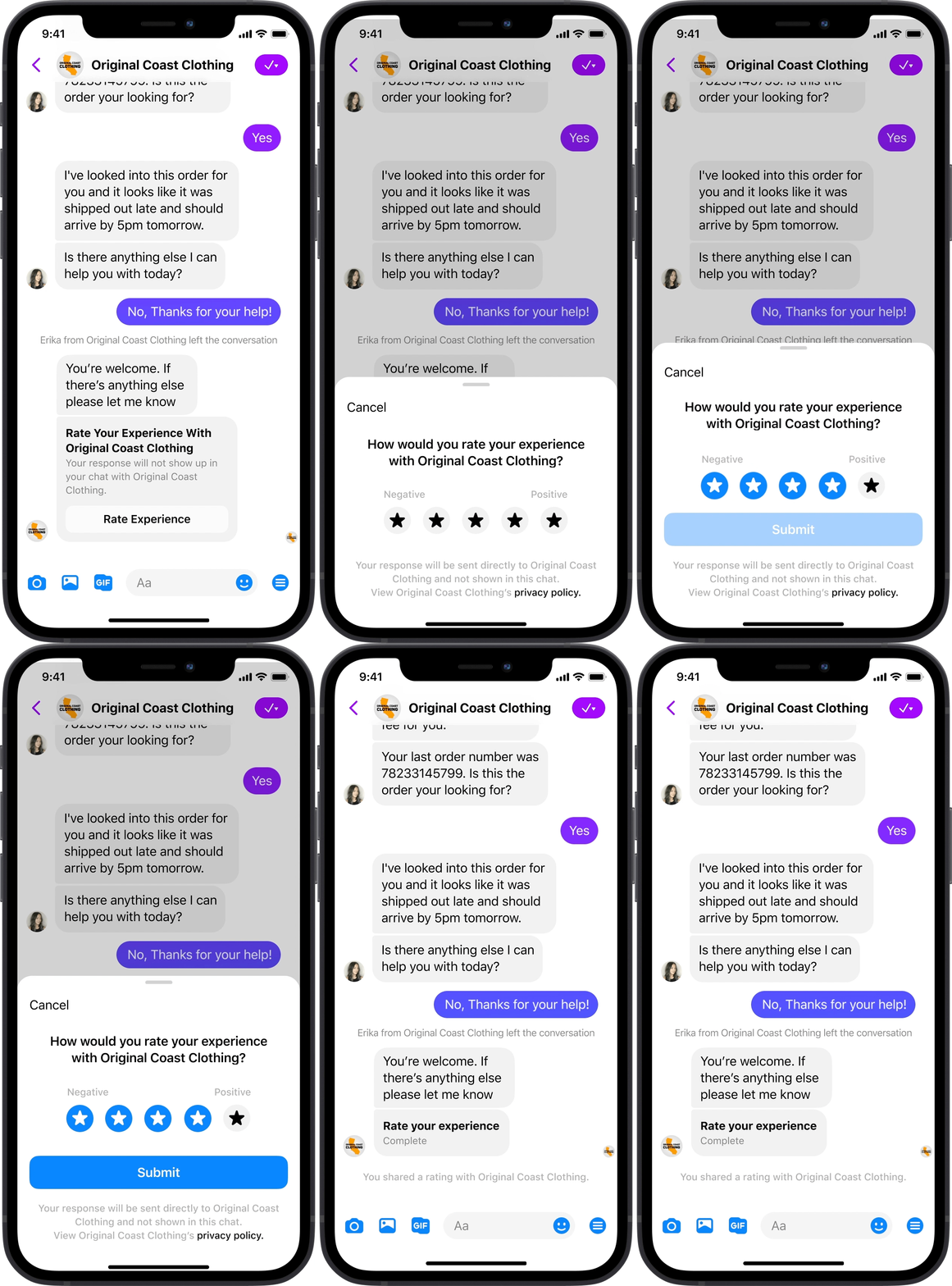
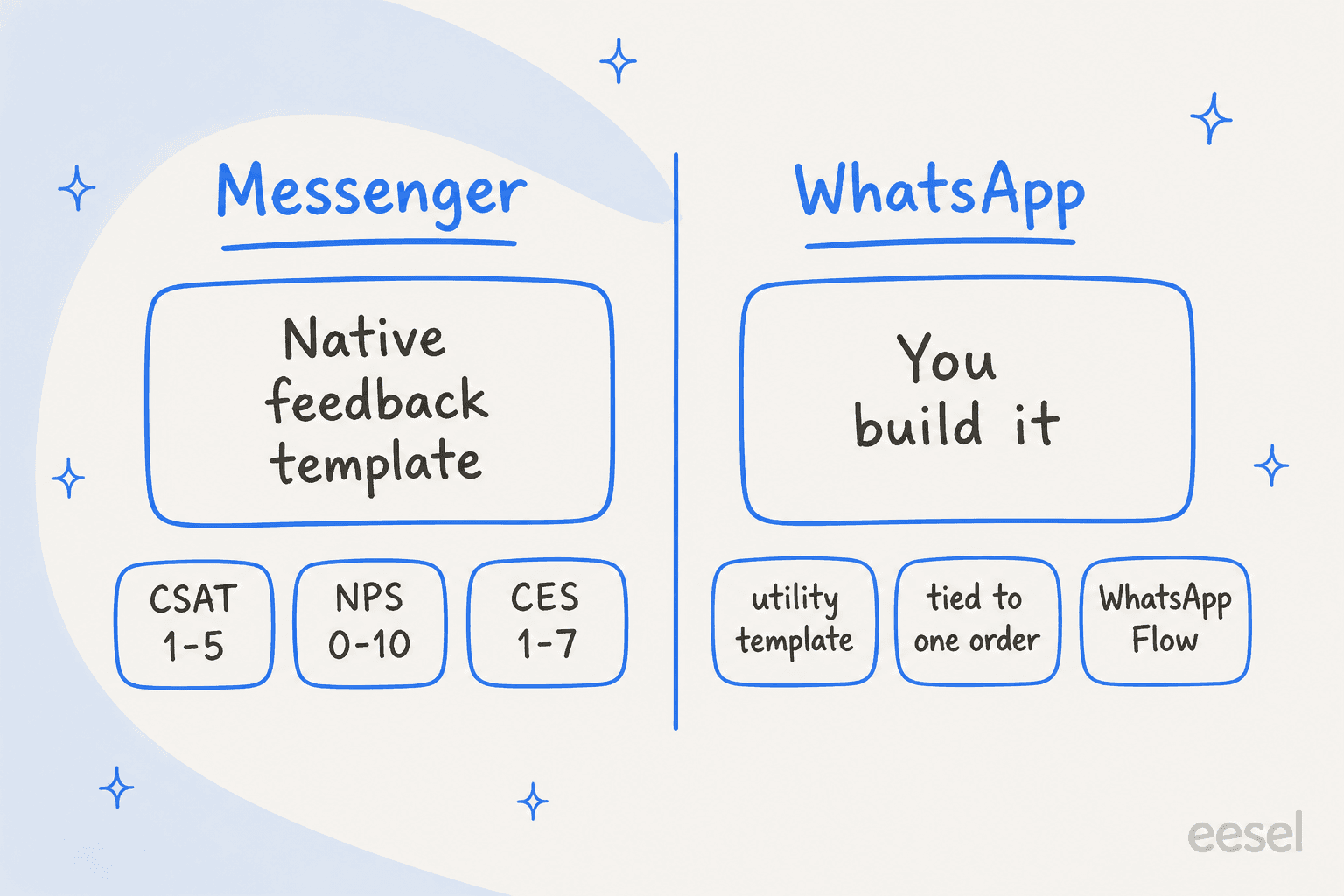
If your health model leans on satisfaction scores, which channel you're on matters a lot. Messenger has a native Customer Feedback Template with CSAT from 1 to 5, NPS from 0 to 10 and CES from 1 to 7, plus up to 400 characters of free text. You can send it up to 7 days after the customer's last message with the CUSTOMER_FEEDBACK tag. Meta labels it "in development", so I wouldn't build anything too permanent on it yet.
On WhatsApp there's no equivalent. You send a utility template, and Meta's categorization rules are strict: "Specificity of the order or interaction to which these relate is necessary. A general/generic survey or request for feedback will not be approved as utility." Meta's example is "You chatted with us {{online}} recently about order {{order_number}}. How was your experience?" For a multi-question survey, a WhatsApp Flow returns the answers to your webhook as JSON.
It gets more expensive from October 1, 2026, too. Utility templates sent inside the 24-hour window are charged again, and service messages from people or third-party AI are charged after 1,000 free a month per number (Meta for Developers). My WhatsApp API pricing breakdown has the full table.
For question wording, see my CSAT survey questions guide, and for scoring effort, customer effort score.
A small warning, and this one comes from eesel's own dashboards: its Reports page shows an AI CSAT figure, and the docs are explicit that "AI CSAT is not customer feedback." Whichever tool you end up using, I'd keep predicted satisfaction and asked-for satisfaction in separate columns.
Building the score yourself with Muse Spark
If you've captured transcripts through standby, one option is running them through Meta's own model to tag sentiment and churn risk. Muse Spark's standard tier costs $1.25 per 1M input tokens and $4.25 per 1M output tokens, with cached input at $0.15, and it supports JSON Schema output so every transcript comes back in the same shape.
To put a number on it: if an average transcript is 2,000 tokens in and you ask for a 150-token JSON verdict, scoring 10,000 conversations comes to 20M input tokens ($25.00) plus 1.5M output tokens ($6.38), about $31. Those token sizes are my assumptions, not Meta's figures, but the order of magnitude holds. The model cost is the cheap part here. Where the money really goes is engineering.
Before you start, there are two rules you should know about:
- The cheaper contributor tier is off-limits for customer data. Meta's help page says "You must not submit sensitive, confidential, or personal information to the Discounted Services" and "If your use case involves processing personal information, please use Standard Services" (Meta Model API). Transcripts carry names, phone numbers and order IDs.
- There's no prebuilt sentiment or churn endpoint. You write the prompt, the schema, the thresholds and the alerting. Meta's own caveat on structured output is that it guarantees the shape of the answer, not that the model read the input correctly.
If that sounds like a weekend project, it is, at least for the first version. Keeping it accurate afterwards is the part that never really ends. My guides to AI sentiment analysis and ticket classification cover what tends to break.
What conversation signals miss
A well-built sentiment score still isn't the same thing as health. People in the customer success community are pretty blunt about it:
"Had a big account leave last year and the dashboard was green the whole time. Usage was up, support tickets were low, NPS score was high."

I've seen this play out at eesel too. When Amogh, one of eesel's co-founders, went through 24 churned accounts earlier this year (about $90k in lifetime spend), his summary went like this: "Common thread across all 24: zero proactive outreach for 6+ months. No 30/60/90 day check-ins on any tier." One UK fintech in that list had positive sentiment and real usage, and it still cancelled over price. His read on it: "We didn't lose them on product - we lost them because nobody from our side ever framed the ROI for a finance team doing budget cuts."
On the flip side, support conversations do carry signal if you score them well:
"i built a scoring model in our crm that weights support ticket sentiment way heavier than usage. not perfect but it flags accounts before they go quiet."
Another commenter in that thread suggested scoring ticket type over tone: ""how do i" tickets are healthy. "why does it" tickets at day 90 mean onboarding never landed" (Reddit). I like that one a lot. It's exactly the kind of rule I'd put into a classifier on day one.
Then there's the hardest case for a reply-only agent, which is the customer who never writes in at all:
"if you have two high ARR clients, and one files support tickets and complaints regularly but is very engaged such that it's actually happy because of the responsiveness, and one that never files tickets and stews in silence, your strategy has to adapt accordingly."
Meta Business Agent only responds. It can't reach out (I covered this in my customer onboarding post). Which means silence produces no WhatsApp data at all. Your health model needs product usage and billing data, and account signals too, next to the conversation ones, which is where customer success tools come in.
Meta's limits for health monitoring
For a small business that lives in WhatsApp, Meta Business Agent is a reasonable front line, and I've covered it alongside Zendesk, Freshdesk and HubSpot. For health monitoring specifically, here are the limits I'd weigh up:
- No per-customer sentiment or churn score. Anything above the raw signal layer, you build.
- No transcript export. Standby webhooks are the only programmatic path, and only if the business turns them on.
- Testing scores simulations, not real chats. Agent Eval returns 1 to 5 scores and top failure categories, but for conversations with a "user simulator", not your live customers.
- One AI per number. "An active authorized-agent integration blocks Meta Business Agent" (overview). You can't run a second AI on the same line to watch the first.
- Meta keeps a broad license to the content. The Business Agent terms grant a "perpetual, worldwide" license to inputs, and after a handoff the agent "may continue to observe the content being shared in the chat". Your team's replies on escalated threads count too.
- WhatsApp only covers WhatsApp. A customer who complains on WhatsApp, then emails, then opens a ticket shows up as three strangers unless you join them yourself.
A setup that works
If WhatsApp is a major channel and you want Meta's agent on the front line, here's roughly the setup I'd build:
- Turn on standby from day one and store every inbound, echo and status event keyed by the customer's business-scoped user ID. Treat that as your transcript source of truth.
- Write escalation triggers as a list in the agent's instructions, including "asked twice for a person" and "third contact about the same order". Count every
control_passedfrom the AI as a health event. - Classify each finished conversation into a small, fixed schema: topic, ticket type ("how do I" vs "why does it"), sentiment, resolved or not. Use your helpdesk AI or Muse Spark's standard tier.
- Alert on Yellow, for the phone number and each template, and on connector failures. Those two are signals Meta computes and you can't recompute on your side.
- Ask for CSAT per interaction, with Messenger's feedback template or a WhatsApp utility template tied to a specific order, and join it with product usage and billing data in your CRM.
And keep a human in the loop on the flags. One skeptic in r/CustomerSuccess asked whether AI health analysis is "reliable enough to trust blindly or you have to crosscheck ?" (Reddit). My answer: crosscheck.
For more, my guides to measuring customer sentiment, support ticket tagging and a voice of customer program go into more depth.
My sibling post on Grok Bot covers the same job on a different stack.
Try eesel for customer health monitoring
Meta's stack leaves you with three jobs. You capture the conversations and score them, and then you act on the score. eesel is an AI helpdesk teammate that does all three inside the tools you already use. It connects to WhatsApp in under five minutes.
It also works in Zendesk, Freshdesk, and Gorgias, plus HubSpot, which means conversations from every channel end up in one place.
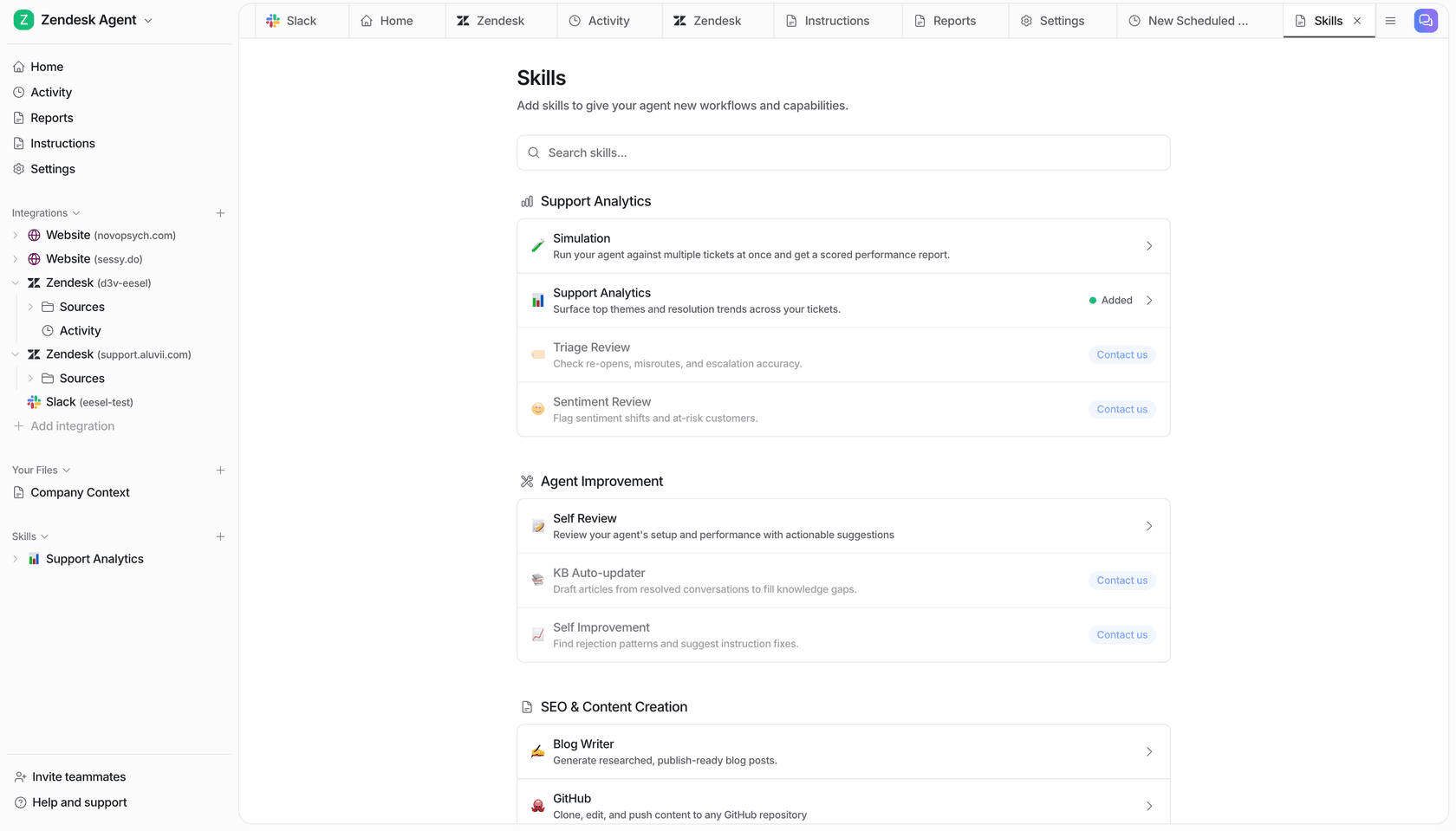
On each ticket, it can tag the conversation, set fields like priority, leave an internal note, and route to a person on your own instructions, "for example low confidence or an angry customer" (eesel docs). Triage kicks in on the customer's first message, before anyone has replied. Across tickets, the ticket trends skill reports on "Recurring topics, sentiment, volume and resolution patterns", on a schedule you pick, like every Monday morning (Skills). A dedicated Sentiment Review skill for at-risk customers is available on request.

Every action can be set to automatic or needs-approval, and the activity log shows what the agent read and why it flagged something, which answers the "can I trust it blindly?" question with "you don't have to." If you'd rather pipe flags into your own health model, the eesel CLI prints JSON from every command, so a script or a coding agent like Claude Code can pull activity and approvals straight into your CRM.
One honest note before you jump in: because of Meta's one-AI-per-number rule, you'd run eesel or Meta Business Agent on a given WhatsApp number, not both. If WhatsApp is your only channel and you have engineers to build the scoring layer, Meta's agent plus standby webhooks is a fair choice. If conversations come from everywhere, eesel's pricing is a fixed monthly credit plan, with a free tier of 100 credits and plans from $299 for 500, and you can test it on your past tickets before it talks to anyone.
Frequently Asked Questions
Can I use Meta Muse for customer health monitoring?
Does Meta Business Agent do sentiment analysis?
How do I get Meta Business Agent transcripts into my CRM?
Can I send a CSAT survey on WhatsApp?
What does the WhatsApp quality rating tell me about customer health?
Can I make Meta Business Agent escalate angry customers?
How much does Meta Muse for customer health monitoring cost?


Article by
Kira
Kira is a writer at eesel AI with a Computer Science background and over a year of hands-on experience evaluating AI-powered customer service tools. She focuses on breaking down how helpdesk platforms and AI agents actually work so that support teams can make better buying decisions.