What "churn prevention" actually means in support
I work the support queue, so let me start with the uncomfortable part. When people say "AI churn prevention," they usually picture a slick dashboard that points at an account and says this one's leaving in 14 days. That tool mostly doesn't exist in support, and even where it does, the prediction isn't the hard part. The hard part is that by the time an account looks risky, the damage was done weeks earlier, in a ticket nobody handled well.
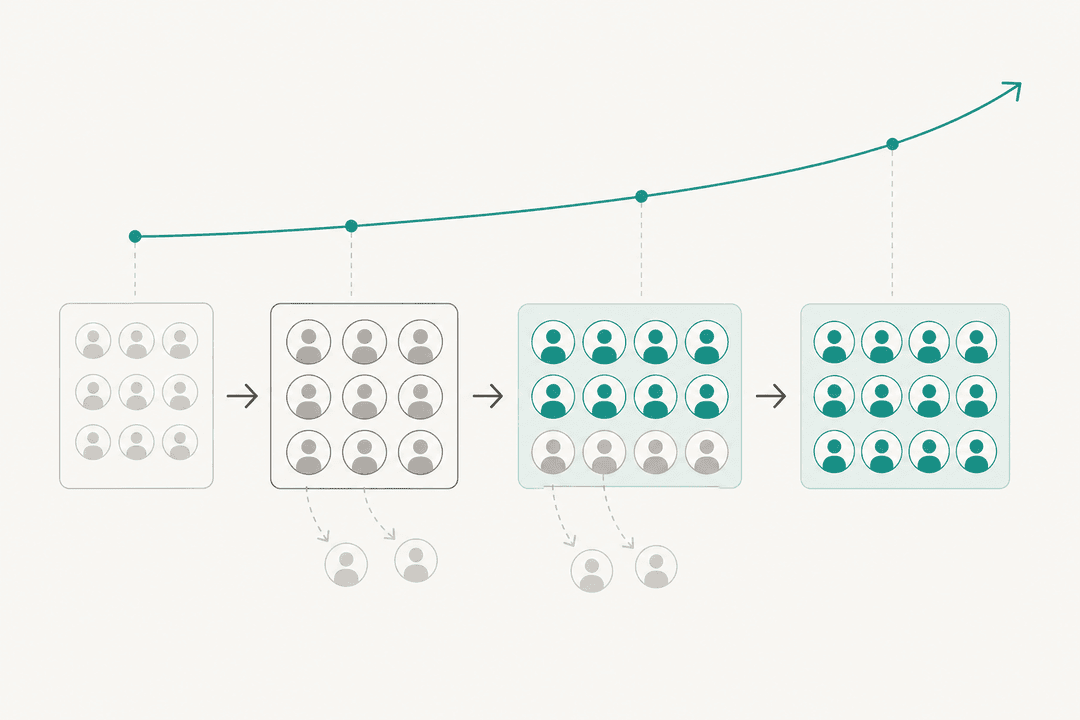
We learned this the hard way looking at our own churn at eesel. When we dug into why customers left, the pattern wasn't "the product was bad." Over and over it was timing and responsiveness: an integration that broke and didn't get fixed fast enough, a question that sat too long, a renewal that lapsed because nobody reached out. One churned customer, in a win-back reply, summed up the whole thing:
"We probably would have stayed if support was faster and better."
a mid-market customer who'd left for a cheaper tool, from our own win-back outreach
That line has stuck with me, because it reframes the entire problem. Churn isn't usually a verdict on your product; it's a verdict on the experience around it. Which is good news, because the experience around it is exactly what AI in support is good at fixing. You're not trying to build a crystal ball. You're trying to make sure no customer ever has a reason to write that sentence about you.
Where support quietly loses customers
If you want to prevent churn, you have to be honest about where it actually leaks. It's rarely one dramatic failure. It's a series of small, forgettable ones, each of which nudges a customer a little closer to the exit.
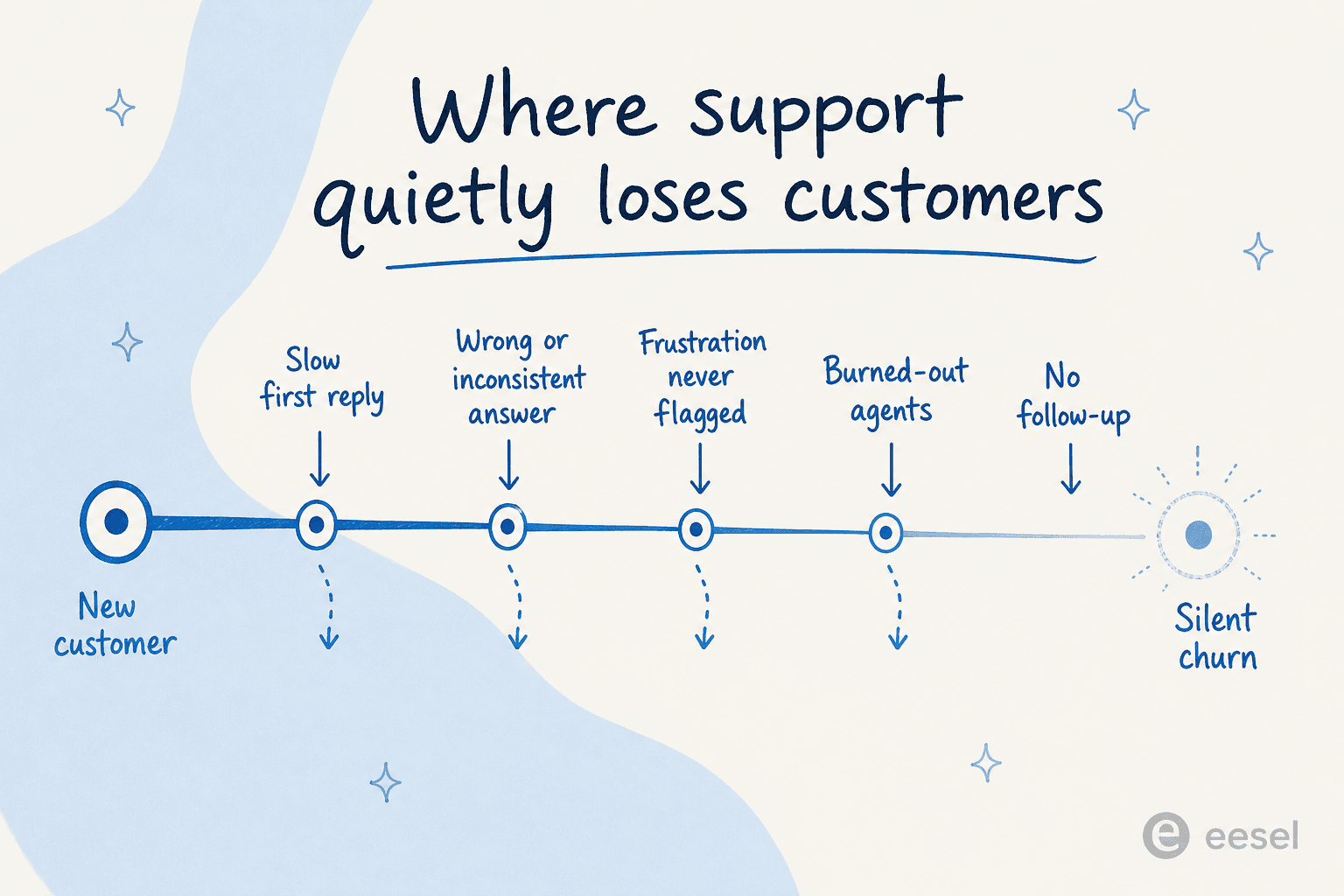
Here are the leaks I see most often:
- Slow first response. Every hour a ticket sits unanswered, frustration compounds. For tier-1 questions like "where's my order" or "how do I reset this," a six-hour wait for a one-line answer feels like neglect. Reducing first response time is the single most reliable satisfaction lever there is.
- Wrong or inconsistent answers. One agent says yes, another says no. A reply confidently states something that isn't true. This is worse than slowness, because now the customer doesn't just feel ignored, they feel misled.
- Frustration that never gets flagged. An annoyed customer buries a "this is the third time I've asked" in the middle of a message, and it gets treated as a routine ticket. The signal was right there, and nobody escalated it.
- Burned-out agents. When a team drowns in repetitive tier-1 tickets, quality drops across the board, the answers get terser, the empathy thinner. Volume becomes a retention problem.
- No follow-up. The ticket gets "resolved," but nobody checks whether the customer is actually okay, or whether the lapsed account just needed a nudge. A bit of proactive customer engagement is exactly what's missing, and silence reads as not caring.
None of these will show up in a churn report with a clear cause. That's why they're so dangerous, and why fixing them mechanically, at the ticket level, beats any prediction model.
The three jobs AI actually does to prevent churn
Once you frame churn as an experience problem, the role of AI gets clear. It isn't there to guess who's leaving. It's there to do three concrete jobs that close those leaks, every ticket, all the time.
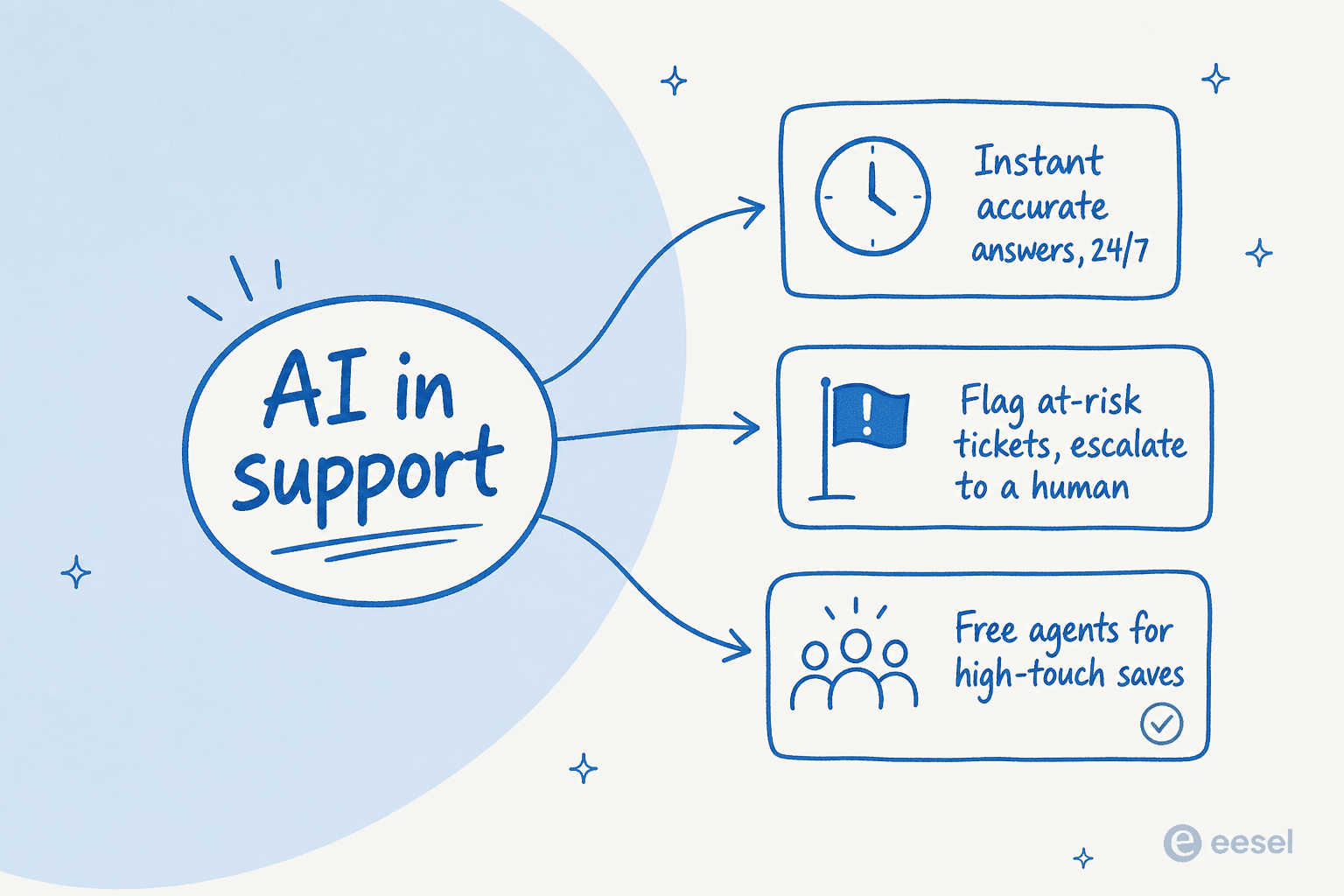
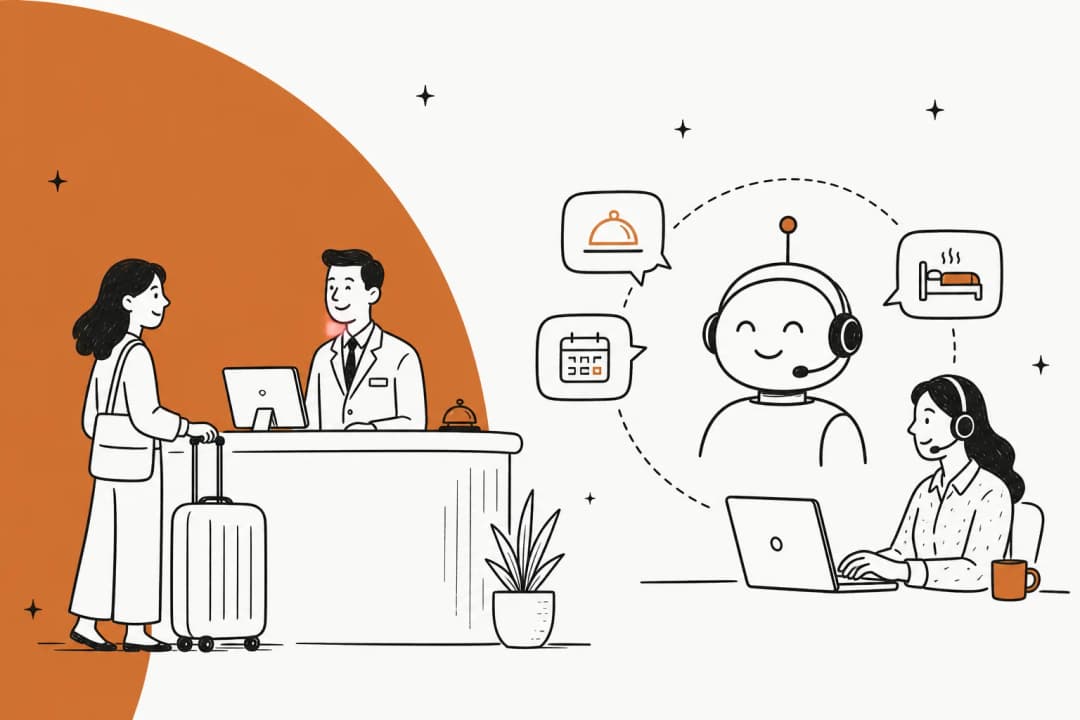
1. Instant, accurate answers, 24/7. This is the big one. An AI agent that works around the clock means the customer who hits a wall at 11pm gets a real answer at 11pm, not at 9am the next day. And because a good agent learns from your solved tickets and help docs, the answers are consistent, the same correct answer every time, with no Monday-morning variance. One internal IT team we work with started with their AI first responder handling 15% of tickets, on the way to a 55% target, and the win wasn't just volume, it was that those tickets got answered the moment they came in.
2. Flag at-risk tickets and escalate to a human. This is the part people miss. The goal isn't for AI to handle the angry customer; it's for AI to notice the angry customer and route them straight to a person with the full context. Sentiment cues, repeat contacts, and low-confidence answers are all signals an AI can catch in real time as part of ticket triage, faster and more consistently than a tired human skimming a full queue.
3. Free up agents for the saves that matter. When AI clears the repetitive volume, your humans get their time back, and that time is where retention actually happens: the considered reply to a frustrated power user, the proactive check-in, the genuinely tricky problem that needs a person. We saw up to 80% time savings at one fintech just from people finding answers faster. That reclaimed time is the most underrated churn-prevention tool you have.
If you want to see what "instant and accurate" looks like inside a real helpdesk, here's an AI agent drafting and handling tickets right inside Zendesk:
Match your churn signal to the AI fix
Every team's biggest leak is different. Pick the one that sounds most like yours, and see which lever to reach for first.
Find your biggest churn leak
Which one sounds most like your support team right now?
Let an AI agent answer tier-1 tickets the moment they arrive, day or night. The customer who hits a problem at midnight gets a real answer at midnight.
Realistic win: first-response time on routine tickets drops from hours to seconds.Train the AI on your solved tickets and help docs so it gives the same correct, sourced answer every time, with citations your team can verify at a glance.
Realistic win: no more "one agent says yes, another says no" inconsistency.The AI flags frustrated and low-confidence tickets and hands them straight to a human with full context, instead of quietly auto-closing them.
Realistic win: at-risk customers reach a person before they reach the exit.Hand the repetitive WISMO and how-do-I tickets to AI so your agents get their hours back for the high-touch replies and proactive check-ins that actually save accounts.
Realistic win: your best people spend time on retention, not copy-paste.Doing it wrong makes churn worse
Here's the part the vendor demos skip. AI is a churn-prevention tool and a churn-acceleration tool, depending entirely on how you set it up. If you let an AI agent reply to everything, including the questions it has no business answering, you don't reduce churn. You manufacture it, one confidently-wrong reply at a time.
I've watched this fear come up in nearly every serious support conversation. One CX lead running about 7,000 tickets a month put the objection better than I could:
"The AI will never be able to answer 100% of the questions, but if it tries and just answers 'sorry I don't know this,' I cannot go and check all my 7,000 tickets to see if the AI actually made a good answer, then the point is a little bit gone. I need an AI who is only handling the tickets that it's confident to handle and all the other ones, leave them alone."
a CX lead at a DTC brand, from one of our sales calls
That's the whole thesis in one paragraph. The value isn't in answering everything; it's in knowing what not to answer. The mechanism that makes this safe is confidence-based routing.
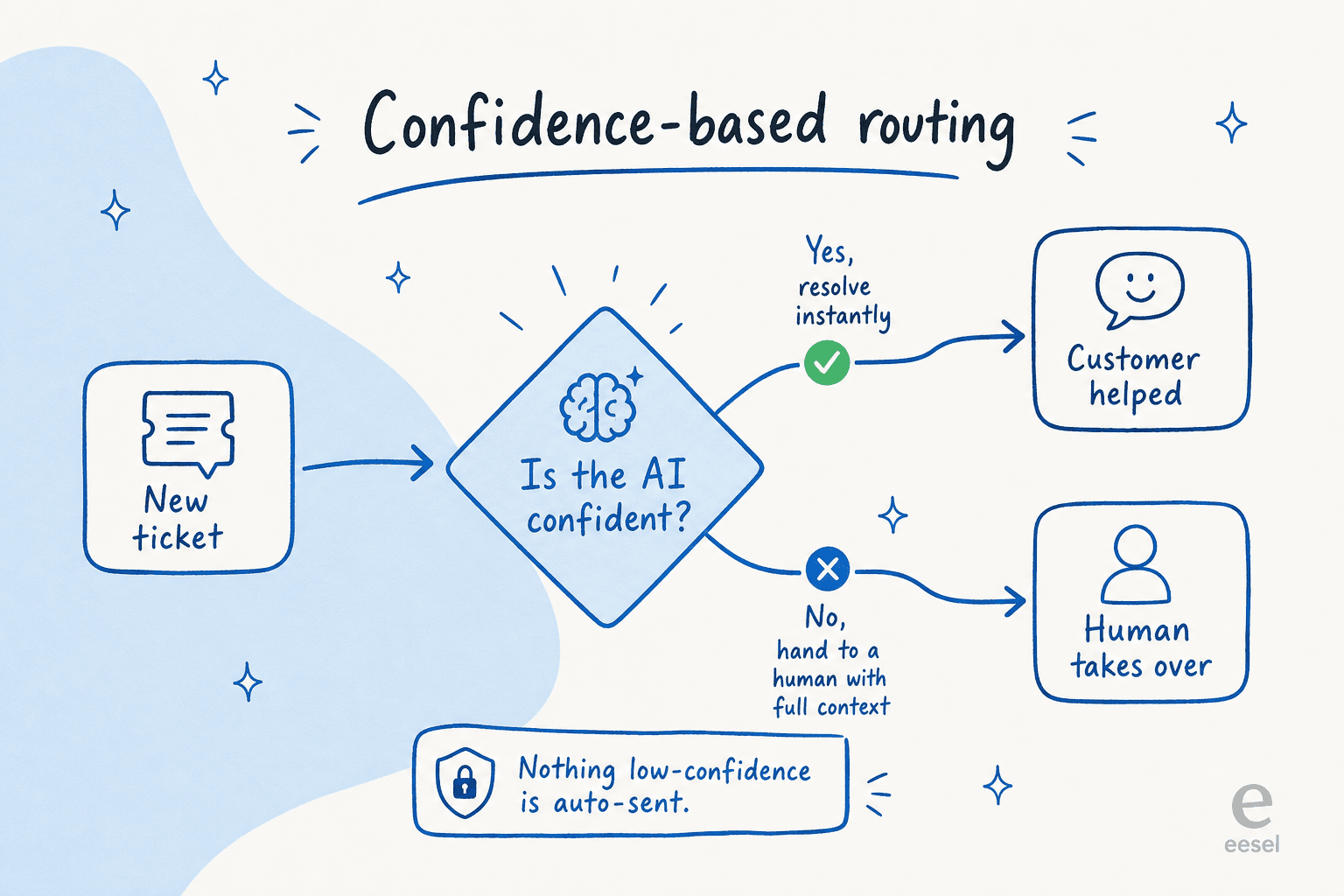
A well-built agent scores its own confidence on every ticket. High confidence, it resolves instantly. Low confidence, it stays quiet and routes to a human, no guessing, no "sorry I don't know," no hallucinated policy. This is also why a tool that hallucinates wrong answers is so much more dangerous than a slow human: the human knows when they're unsure, and a badly-configured bot doesn't. Getting escalation and handoff right is non-negotiable, it's the difference between AI that protects retention and AI that quietly torches it.
A 5-step playbook to roll this out
So how do you actually get the churn-reducing version and not the churn-causing one? This is the rollout I'd recommend to any support team, and it's deliberately cautious, because the cost of moving fast and breaking trust is exactly the churn you're trying to prevent.
- Start in copilot mode. Let the AI draft replies that your agents review and send. You get the speed benefit immediately, your team stays in control, and you build a feel for where the AI is strong before you ever let it reply on its own. Co-pilot first, then full auto, is the pattern almost every team I talk to lands on.
- Simulate on your past tickets before going live. This is the step people skip and regret. Run the AI against thousands of your historical tickets to see exactly how it would have answered, where it's confident, and where it's shaky, before a real customer is on the other end. We built simulation into eesel for exactly this reason.
- Set confidence thresholds and exclusions. Decide which ticket types the AI is allowed to handle autonomously and which always go to a human. Billing disputes, cancellations, anything legally sensitive, keep those human until you've earned the confidence. A confidence threshold is your safety valve.
- Wire up clean escalation. When the AI hands off, the human should get the full conversation and context, not a cold transfer. A clean handoff to a human agent is what turns a frustrated customer back into a saved one.
- Grant autonomy gradually, by ticket type. As the data proves the AI out on, say, order-status questions, let it run those autonomously while keeping a tighter leash elsewhere. Trust is earned per category, not granted all at once.

The whole point of this sequence is that the AI never has a chance to cause the churn you're trying to stop. You're proving it out in a sandbox, then in drafts, then on the safest tickets, then wider. For a fuller version of this, our customer support AI implementation guide goes step by step.
What to actually measure
If you're doing this to prevent churn, then deflection rate is the wrong headline metric. The customer service KPIs that predict retention are about satisfaction and correctness, not raw volume. A bot can deflect 80% of tickets and still bleed customers if half those deflections were unhappy. Measure the things that actually correlate with people staying.
| Metric | What it tells you about churn | Why it matters |
|---|---|---|
| First response time | How long customers wait before they feel heard | The most direct, fixable satisfaction lever |
| Resolution rate (correct) | Share of tickets actually solved, not just closed | A closed-but-wrong ticket is a future churn |
| Escalation quality | Whether at-risk tickets reach a human in time | Your churn safety net |
| CSAT on AI-handled tickets | Whether customers are happy with AI answers, not just deflected | Catches "deflected but annoyed" early |
| Repeat-contact rate | How often customers come back for the same issue | Repeat contacts are a loud churn signal |
The point is to watch satisfaction and correctness alongside volume, not instead of it. Our guides to AI customer service metrics and the AI support ROI framework go deeper, and a reporting view that ties AI activity to these outcomes is what keeps the rollout honest:

One more honest note: AI isn't the right fit for every churn problem. If customers are leaving because of price, a missing feature, or a genuinely broken product, faster support won't save them, and pretending otherwise just delays the real fix. AI churn prevention works on the experience layer. Get clear-eyed about which of your churn is experience-driven before you expect a tool to solve it.
Try eesel for churn prevention
If your churn is the silent, experience-driven kind, eesel is built to close exactly those leaks. It's an AI helpdesk agent that plugs into the helpdesk you already run, Zendesk, Freshdesk, Gorgias, Front, and more than 100 other tools, learns from your past tickets and help docs on day one, and starts drafting or resolving tier-1 tickets while flagging the at-risk ones to your team.
The part that matters most for churn: you can simulate it on thousands of your historical tickets before it touches a live conversation, and confidence-based routing means it only auto-replies to what it's sure about. So the AI prevents churn instead of causing it. It's usage-based, from 40¢ per ticket with no per-seat fees, and free to try, no credit card needed.

The customer who quietly leaves is the most expensive one you have, because you never even got the chance to fix it. Closing the small support leaks, before they add up to a cancellation, is the most practical churn prevention there is.
Frequently Asked Questions
What is AI churn prevention for support?
Can AI really reduce customer churn in customer service?
How does AI prevent churn without giving customers wrong answers?
How much can AI churn prevention for support save my team?
What's the safest way to roll out AI for churn prevention?


Article by
Riellvriany Indriawan
Riell is a designer and writer at eesel AI with about two years of experience researching CX platforms, AI chatbots, and helpdesk software. She combines her design background with a sharp eye for how these tools actually look and feel in practice — making her comparisons unusually visual and user-focused.