MIT research suggests 95% of generative AI pilots fail. Not because the technology doesn't work, but because organizations skip the fundamentals. They rush to deployment without proper assessment, training, or change management.
The good news? You can avoid becoming part of that statistic. The companies succeeding with AI in customer service treat it less like installing software and more like onboarding a new team member. They start with clear expectations, provide proper training, and gradually increase responsibility as performance proves itself.
This guide walks through a practical 7-step framework for implementing AI in your customer support operations. Whether you're looking to automate routine inquiries, assist your human agents, or completely transform how you handle customer conversations, these steps will help you do it right the first time.
What you'll need before starting
Before diving into implementation, make sure you have these foundations in place:
- Executive sponsorship and cross-functional alignment AI implementation affects support, IT, and often product teams. Everyone needs to be on the same page about goals and timelines.
- Access to historical support data You'll need past tickets, chat transcripts, knowledge base articles, and any existing macros or saved replies. This is what trains your AI.
- Clear understanding of current pain points Know your baseline metrics: response times, resolution rates, ticket volumes by category, and customer satisfaction scores.
- Realistic budget expectations For small to mid-sized businesses, expect $300-800 per month for a comprehensive AI solution. Enterprise deployments typically require custom pricing based on volume and complexity.
Step 1: Assess your current state and identify AI opportunities
Start by auditing your existing support operations. Look at ticket volume across channels, average response and resolution times, and the types of issues consuming most of your team's time.
Map your customer journey and identify friction points. Where do customers get stuck? What causes the most frustration? Common culprits include long wait times during peak hours, inconsistent answers to policy questions, and having to repeat information when switching channels.
Categorize your tickets by complexity and automation potential. Simple password resets and order status lookups are obvious candidates for full automation. Technical troubleshooting and billing disputes might need human oversight. Complex escalations and VIP interactions should stay with your team.
Set measurable objectives tied to business outcomes. Instead of vague goals like "improve customer service," aim for specifics: reduce first response time by 30%, automate 40% of tier-1 tickets, or improve CSAT scores by 15 points.
Define KPIs across three levels:
| Level | Example Metrics | Why They Matter |
|---|---|---|
| Agent performance | Automation rate, escalation rate, accuracy | Show if the AI itself is working correctly |
| Operational | First response time, first contact resolution, handling time | Show impact on support operations |
| Business impact | CSAT, NPS, cost per resolution, retention | Show ROI and strategic value |
Step 2: Choose your AI approach
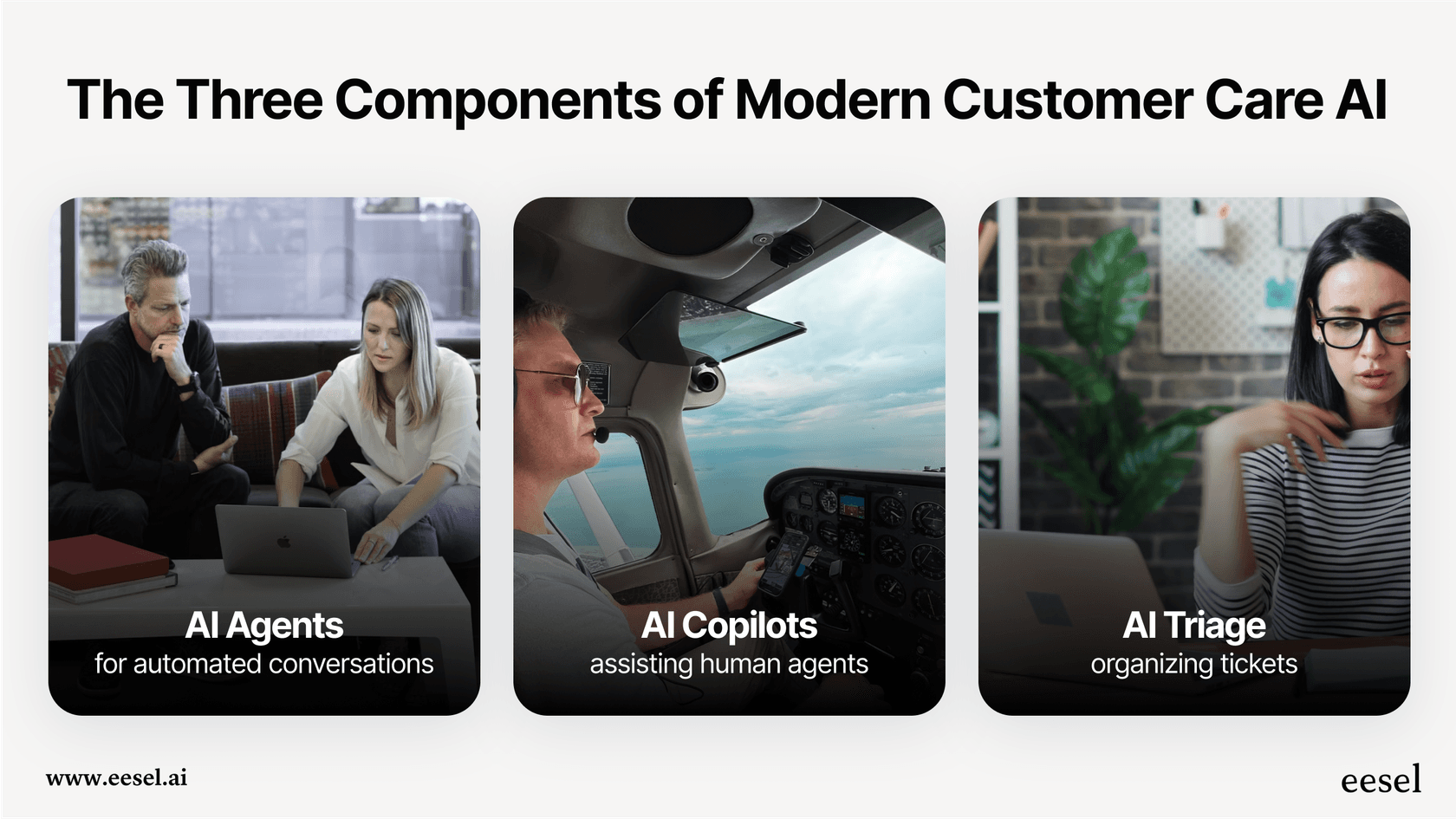
Not all AI implementations are the same. You have three primary approaches to consider, and the right choice depends on your use cases, risk tolerance, and where you are in your AI journey.
AI Agent (autonomous) handles conversations end-to-end. It reads incoming tickets, drafts responses based on your knowledge, and can even take actions like processing refunds or updating account information. Best for high-volume, low-complexity inquiries where speed and consistency matter most.
AI Copilot (assisted) works alongside your human agents. It suggests responses, surfaces relevant knowledge base articles, and helps draft replies that agents review before sending. Best for complex interactions where human judgment is essential but efficiency gains are still needed.
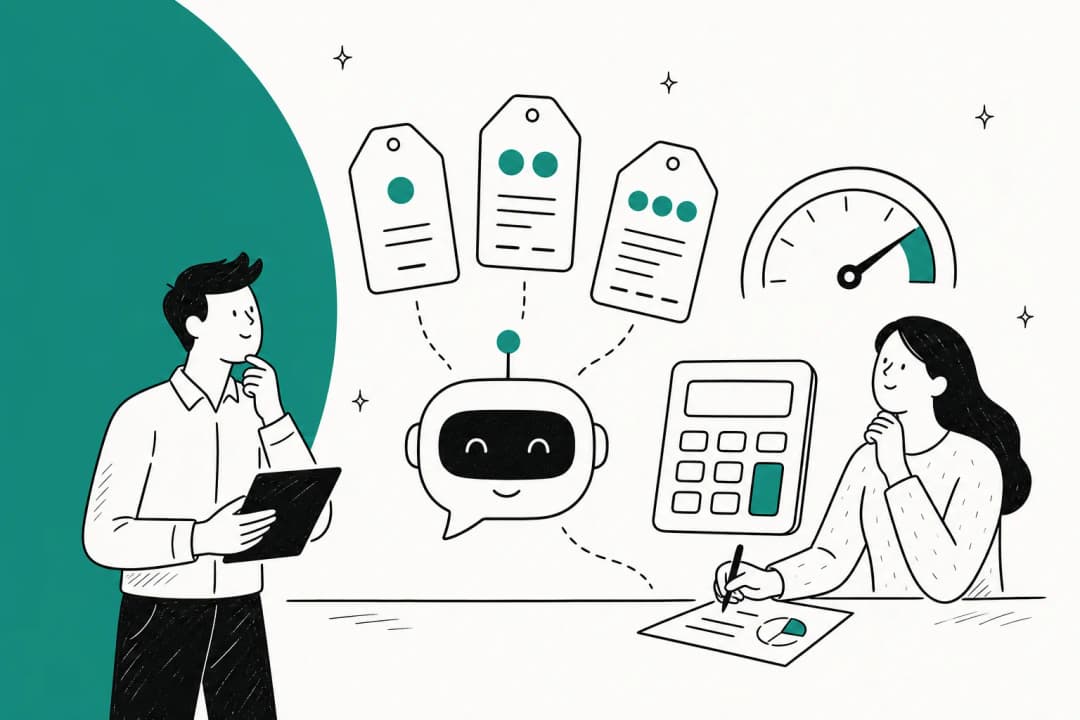
AI Triage (automated routing) focuses on the operational layer. It automatically tags, prioritizes, and routes tickets to the right team or agent based on content analysis. Best for organizations drowning in ticket volume and struggling with manual sorting.
Here's a decision framework:
- Start with Copilot if your team handles complex issues requiring expertise and empathy
- Move to Agent for specific high-volume use cases once you've proven the approach
- Add Triage when routing and prioritization is eating up management time
The progressive rollout strategy works best for most organizations. Start with AI Copilot to build team confidence and gather training data. Once you see consistent quality, expand to AI Agent for specific ticket types. Finally, layer in AI Triage to optimize your entire operation.
If you're evaluating platforms, look for unified solutions like eesel AI that offer all three approaches in one system. This lets you start with one mode and expand without switching vendors or retraining on new interfaces.
Step 3: Prepare your knowledge foundation
AI can't generate value from thin air. It needs accurate, comprehensive knowledge to draw from. This is where many implementations stumble.
Conduct a knowledge audit. Review your help center articles, internal documentation, past ticket resolutions, and agent macros. Identify gaps where customers ask questions you haven't documented. Flag outdated content that might confuse the AI. Note inconsistencies where different articles give conflicting answers.
Consolidate your data sources. The AI should learn from:
- Past tickets and their resolutions
- Help center articles and FAQs
- Agent macros and saved replies
- Internal documentation and process guides
- Any connected systems like Confluence, Google Docs, or Notion
Data quality matters more than quantity. Clean up duplicates, remove outdated information, and standardize formatting. If your knowledge base says "click the button" in one article and "press the button" in another, the AI will learn inconsistent language.
Set up feedback loops before you go live. Plan how you'll capture when the AI gives incorrect answers, when agents override suggestions, and when customers express frustration. This feedback becomes training data for continuous improvement.
Step 4: Run a pilot program
A pilot is your controlled experiment. It lets you validate assumptions, identify edge cases, and build confidence before a full rollout.
Define a narrow scope. Pick one specific use case (like password resets), one channel (like chat), and optionally a limited audience (like non-VIP customers). The goal is learning, not perfection.
Set pilot-specific KPIs that are aggressive but achievable:
- Automation rate target: greater than 80% for the pilot use case
- Escalation rate target: less than 15%
- Accuracy target: greater than 90% correct responses
Assemble a dedicated pilot team:
- Project lead owns the timeline and stakeholder communication
- Support lead ensures the pilot aligns with operational realities
- AI manager handles configuration, training, and tuning
- Data analyst tracks metrics and identifies patterns
During execution, monitor in real-time. Create a dedicated Slack channel for the team to flag issues immediately. Review conversation logs daily in the first week, then weekly. Look for patterns in escalations and misunderstandings.
At the end of the pilot, make a Go/No-Go decision based on data:
- Go: Metrics hit targets with minor issues to fix
- Iterate: Concept is sound but significant refinements needed
- No-Go: Fundamental flaws revealed (wrong use case, platform limitations, customer backlash)
Common pilot pitfalls to avoid: starting with too many use cases at once, not defining success criteria upfront, and ignoring agent feedback during the pilot phase.
Step 5: Train your AI with relevant data
Training transforms your AI from a generic model into a specialist that understands your business, products, and customers.
Gather relevant data sources:
- Historical chat transcripts and email tickets showing real customer language
- Knowledge base articles, FAQs, and troubleshooting guides
- Defined customer intents with sample phrases for each category
- Agent feedback on what responses work best
Use multiple training methods:
Intent-based training maps customer phrases to what they actually want. "My thingy won't log in" and "I forgot my password" should both route to the password reset intent.
Retrieval-Augmented Generation (RAG) connects the AI to live knowledge bases. Instead of relying solely on training data, the AI retrieves current information to generate accurate answers.
Feedback loops capture real-world performance. Thumbs-down buttons, escalation logs, and agent corrections all become training signals.
Test thoroughly before deployment. Run the AI against historical tickets to see how it would have performed. Check responses for accuracy, relevance, and tone. Does it sound like your brand? Does it give correct information? Does it know when to escalate?
Plan for continuous training cycles. The AI should improve over time as it sees more interactions and receives more feedback. This isn't a one-time setup, it's an ongoing process.
Step 6: Integrate with existing systems
Integration determines whether your AI becomes a seamless part of your workflow or a disconnected tool that creates more work.
Critical integrations to set up:
- CRM connection for customer history, account details, and interaction context
- Helpdesk integration for creating, updating, and resolving tickets
- Knowledge base access for retrieving current articles and documentation
- Communication channels (email, chat, social) where customers reach out
The human-AI integration is equally important. When AI hands off to a human agent, it should be a warm transfer. The AI introduces the agent by name and provides full context: conversation history, customer details, and what has already been tried.
For agents, the AI should live in their existing workspace, not a separate tab. When reviewing AI-suggested responses or handling escalations, agents shouldn't have to switch contexts.
Test every integration point before going live. Verify that data flows correctly in both directions. Set up monitoring and alerting so you know immediately if an integration fails.
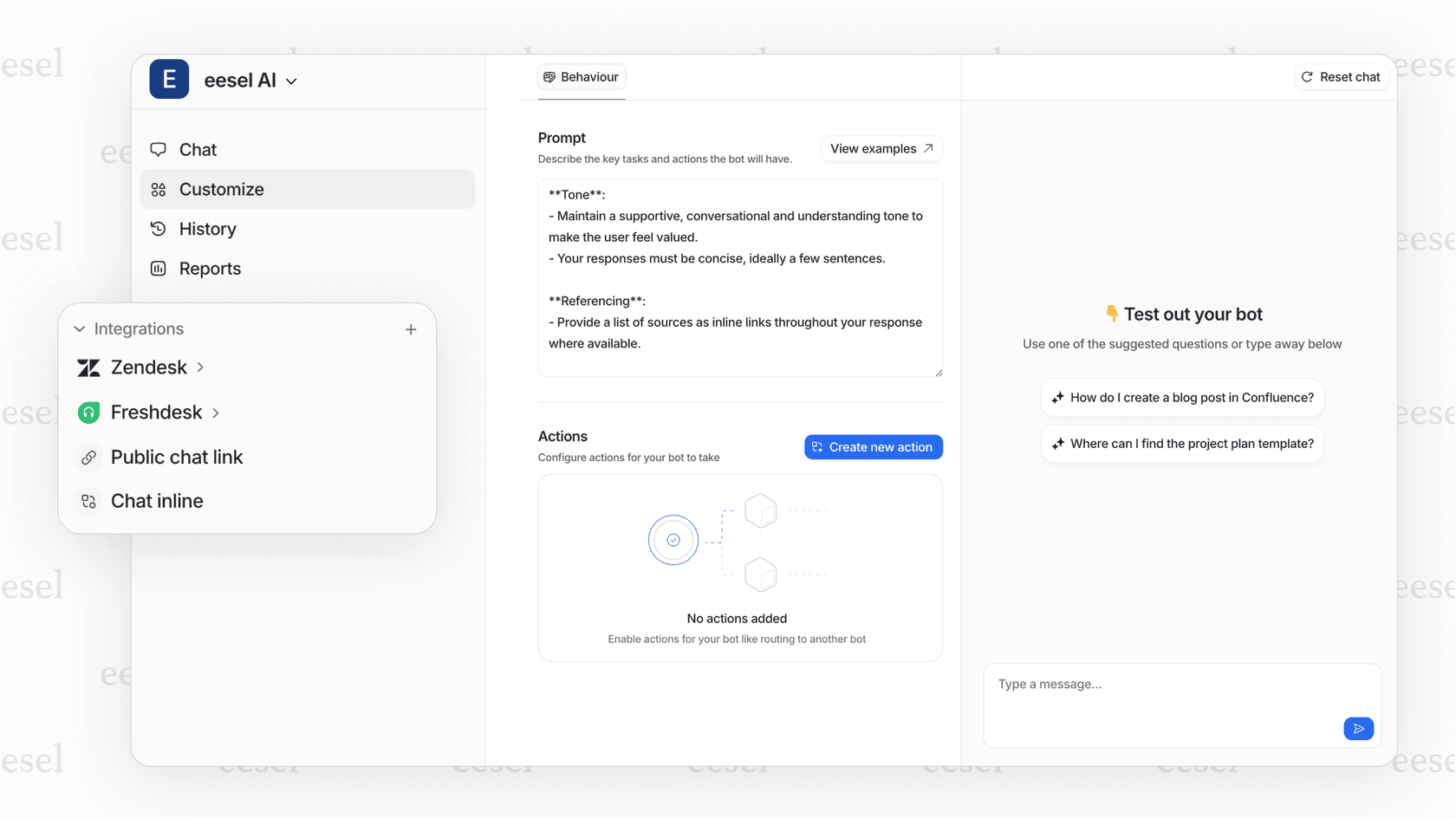
If you're using a platform like eesel AI, you get pre-built connectors for major help desks like Zendesk, Freshdesk, and Intercom, plus knowledge sources like Confluence and Google Docs. This significantly reduces integration complexity.
Step 7: Monitor, optimize, and scale
Going live is just the beginning. The real work is continuous improvement through the Monitor-Optimize-Scale cycle.
Establish a centralized monitoring dashboard tracking your defined KPIs. Review it weekly at minimum. Look for trends, not just snapshots. Is automation rate improving? Are escalations clustering around specific topics?
Hold weekly tuning sessions with your AI manager and support leads. Review:
- Conversations that escalated (why did the AI fail?)
- Low-rated AI interactions (what went wrong?)
- New query types the AI hasn't seen before
- Knowledge gaps where the AI gave incorrect answers
The optimization toolkit includes:
- Adding new training phrases to existing intents
- Building new intents and dialogue flows for emerging topics
- Simplifying confusing steps in conversation flows
- Updating knowledge base content when it's the source of wrong answers
When you're ready to scale, expand in three dimensions:
Horizontal expansion adds more use cases. Use your monitoring data to identify the next highest-value automation candidate.
Vertical expansion increases complexity within existing domains. Train the AI to handle more nuanced versions of queries it already manages.
Channel expansion deploys to new touchpoints. If you started with chat, expand to email or social media.
Remember that every expansion starts the cycle over. New use cases need their own pilot phases, training periods, and optimization cycles.
Common implementation mistakes and how to avoid them
Learning from others' failures saves you time and money. Here are the most common mistakes we see:
Skipping the assessment phase leads to solving the wrong problems. One company automated password resets when their real pain point was technical troubleshooting during onboarding. They saved agent time on a 2-minute task while customers still waited hours for complex help.
Insufficient knowledge preparation causes AI hallucinations and frustrated customers. If your knowledge base has gaps, the AI will fill them with confident-sounding nonsense. The fix is honest: audit and improve your knowledge before training the AI.
Poor change management creates internal resistance. Agents worry about job security. Managers fear loss of control. Without clear communication about how AI helps everyone (agents focus on interesting work, managers get better metrics), your team will undermine the implementation.
Unrealistic day-one expectations set the project up for failure. AI, like human new hires, needs time to learn your business. Expecting 90% automation rates in week one is setting yourself up to abandon a project that would have succeeded with patience.
The "set it and forget it" mentality lets performance degrade over time. Customer language evolves, products change, and new issues emerge. Without continuous monitoring and tuning, your AI becomes less effective every month.
Measuring success: KPIs and ROI
You defined your metrics in step 1. Now track them rigorously and communicate results clearly.
Agent performance metrics show if the AI itself is working:
- Automation rate: percentage of conversations fully resolved without human intervention
- Escalation rate: percentage transferred to human agents
- Accuracy: percentage of responses that were correct and helpful
Operational metrics show impact on your support function:
- First response time: how quickly customers get an initial reply
- First contact resolution: percentage resolved in a single interaction
- Average handling time: time to resolution for human-handled tickets
Business impact metrics show strategic value:
- CSAT and NPS: customer satisfaction and loyalty scores
- Cost per resolution: total support cost divided by tickets resolved
- Customer retention: impact on churn and expansion revenue
Calculate ROI by comparing before and after states. If AI handles 500 tickets per month that previously took agents 10 minutes each, that's 83 hours of agent time freed up for higher-value work. At $25/hour fully loaded cost, that's $2,075 monthly savings from that use case alone.
Report results to stakeholders monthly at minimum. Share both quantitative metrics and qualitative stories. "We reduced average response time by 40%" is powerful. "A customer got their issue resolved at 2 AM without waiting" is memorable.
Start your AI implementation journey with eesel AI
Implementing AI in customer support doesn't have to be overwhelming. The framework outlined here, assessment through scaling, has helped hundreds of organizations deploy AI successfully.
At eesel AI, we've built our platform around the teammate mental model. You don't configure our AI. You invite it to your team, train it on your knowledge, and gradually increase its autonomy as it proves itself.
Our progressive approach lets you start with AI Copilot, where agents review every suggestion. As confidence builds, expand to AI Agent for specific use cases. Add AI Triage when you're ready to optimize your entire operation. Each step includes simulation tools to test performance on past tickets before going live.
The result is AI that feels like a natural extension of your team, not a black box you hope works. With 100+ integrations, connections to your existing help desk and knowledge sources happen in minutes, not months.
Ready to get started? Invite eesel to your team and see how the teammate approach to AI implementation changes everything.