

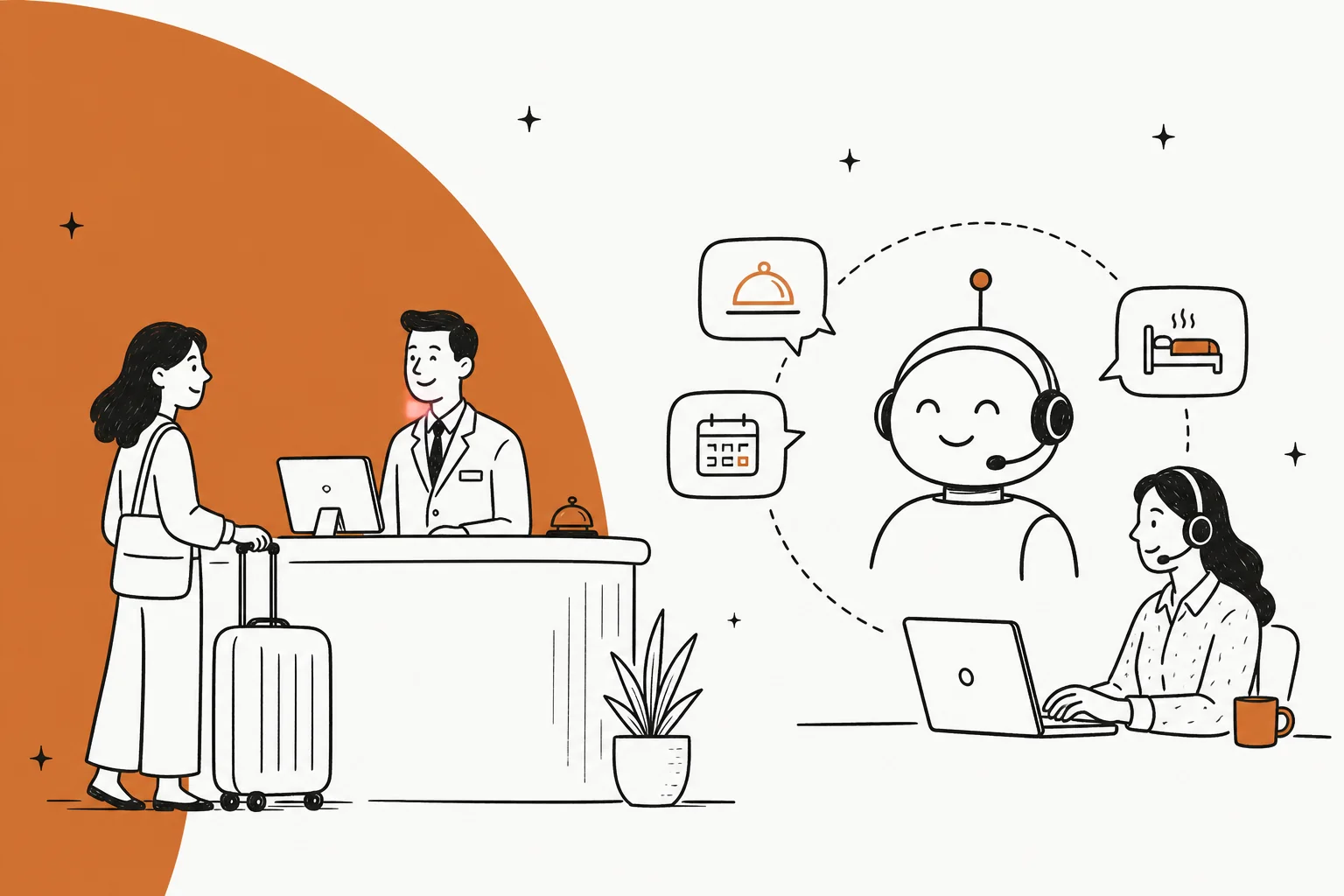
Why hospitality support is its own kind of hard
I work on eesel's support queue, and I've spent the last few years watching AI go live on real support queues across a lot of industries. Hospitality has a shape all its own, and it's worth naming before you automate anything.
First, the clock. A guest with a 2am question about the door code doesn't wait until morning. One short-term-rental host put it perfectly: they felt they had to "sleep with my phone in my hand." That 24/7 pressure is the reason hospitality teams reach for automation, and it's why 58% of hoteliers expect AI's biggest impact to land in guest communications.
Second, the language. International guests, one front desk. An AI that auto-translates turns a language barrier into a non-issue.
Third, and this is the one people get wrong: hospitality is an emotional business. A guest messaging about a noisy room isn't looking for a deflection, they want to feel heard. So the goal isn't "answer everything." The goal is answer the routine things instantly and get the human ones to a human fast. The good news is the routine things are most of your volume, the same handful of questions asked thousands of times, and those are exactly what an AI agent built on your own knowledge handles well.
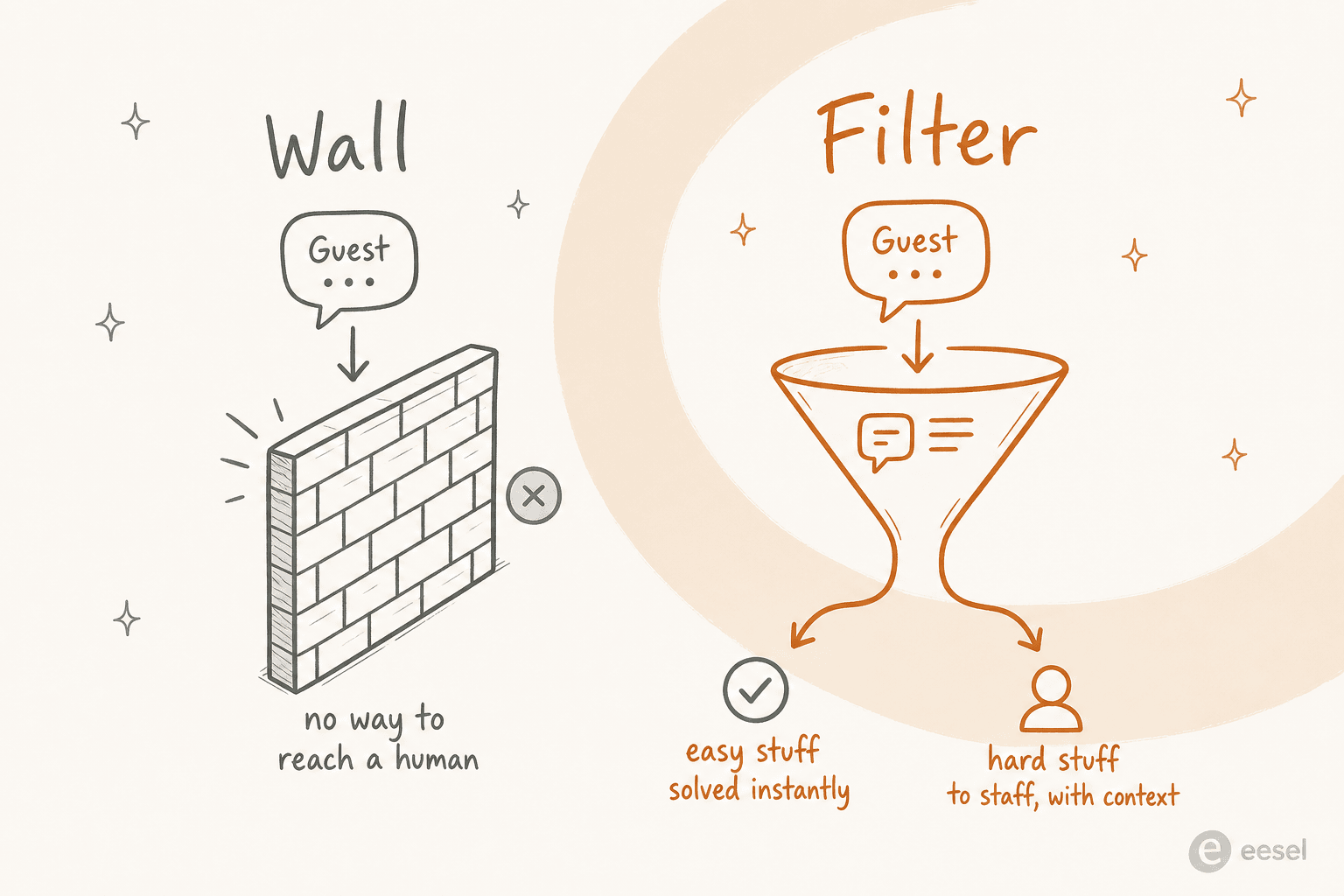
One real moment shaped how I think about this. There's a viral thread about a hotel phone bot that kept asking a frustrated guest if they needed towels, then hung up when they said "front desk." A colleague of mine framed the lesson better than I could:
"Sounds less like an AI problem and more like a 'we don't want you to talk to us' problem. They've just set up the AI as a wall instead of a filter... The whole point is supposed to be solving the easy stuff fast so a human can deal with the actual problems, like construction noise. Any system that hangs up on you for saying 'front desk' is just badly designed, not a limitation of the tech itself."

That's the whole playbook in one paragraph. Wall bad, filter good. Everything below is how to build the filter.
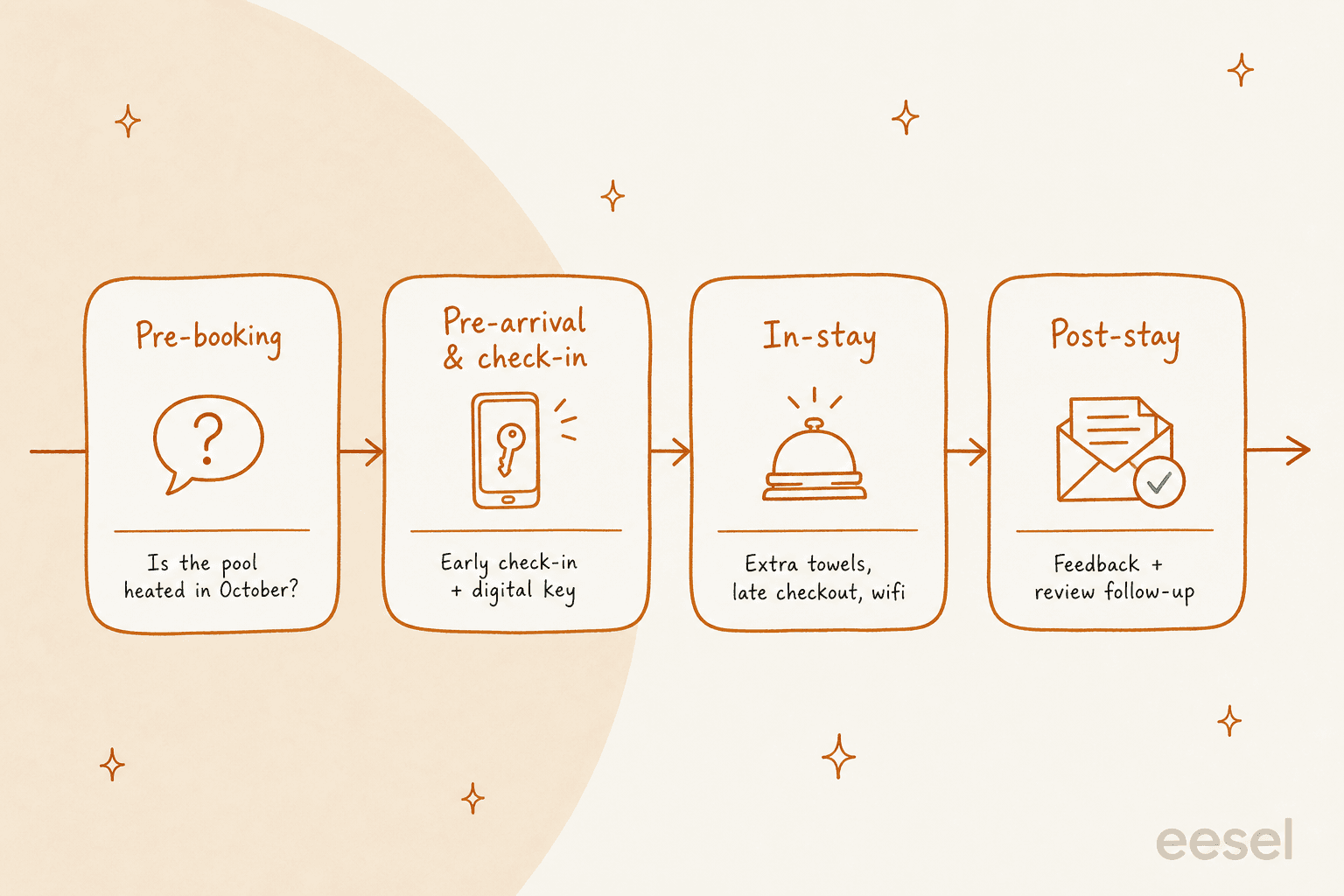
Step 1: Pick the repetitive slice, not the whole journey
Before you connect anything, look at your last few thousand guest messages and sort them into three buckets: safe to automate, maybe with review, and always human.
Safe to automate is the repetitive, factual, single-answer stuff: "what's the wifi password," "where do I park," "what time is breakfast," "can I get late checkout," "is the pool open," "how do I get to you from the airport." These already live in your welcome guide or help center, which makes them ideal for FAQ deflection. That's your starting scope, and it's usually the majority of your message count even though it's the minority of your effort.
The "always human" bucket is where hospitality teams get burned, so name it explicitly: complaints, lockouts, medical or safety issues, billing disputes, anything where a guest is upset. The AI's only job on these is to recognise them and route to a person fast, with the full conversation attached. A host on that same thread drew the line well: the routine 80% is what wrecks your sleep, the other 20% "actually need your brain."
Getting this split right up front is the single most important decision you'll make.
Step 2: Connect your knowledge, and clean it first
An AI support agent is only as good as what it's allowed to read. For a hotel that means three sources: your public help center or welcome guide, your internal policies (check-in rules, pet policy, cancellation terms), and your own past guest messages showing how your team actually answers.
That last one matters more than people expect. Your history is where the real phrasing lives, the exact warm way your team explains a late-checkout fee or gives directions. Training on past conversations is what makes the AI sound like your property instead of a generic bot, and it's the difference between a reply a guest trusts and one that reads like a form letter.
But connect with a warning: the AI will happily repeat a wrong or outdated detail if that's what's in the docs. So before go-live, clean the source. Kill the old breakfast hours. Delete the article that still lists last season's pool schedule. If your knowledge is disorganised, the AI's answers will be too, and in hospitality "the bot gave the wrong checkout time" turns into a bad review fast. A tidy knowledge base is a prerequisite, not a nice-to-have.

Step 3: Build the filter, not the wall
This is the step the Hilton thread was really about, and it's the mechanism that makes hospitality automation feel good instead of hostile. Don't make the AI answer every message. Make it answer only the ones it's confident about, and quietly pass the rest to a person.
You set a confidence threshold, and below it the message goes straight to staff with the full context attached, a clean handoff instead of a dead end. You also hard-exclude whole categories, so a message tagged "complaint" or "lockout" never touches the AI at all, no matter how confident it feels. That's the ticket escalation process doing its job, just faster.
The test for any vendor is simple: can a guest always reach a human in one step? If the demo can't show you confidence-based routing and category exclusion, that's your signal to keep looking. A minority owner of a few luxury boutique hotels made the case for why this framing wins: handling "What time does the pool open?" frees staff "to focus on delivering personalized and meaningful experiences." AI takes the repetitive questions so your people can be more human, not less.
Step 4: Go multilingual and meet guests on their channel
Two settings do a lot of quiet work in hospitality: language and channel.
Language first. A guest should be able to message in whatever language they think in, and get a fluent reply, without your front desk speaking six languages. Auto-translation makes one team cover an international guest list, and it's a primary reason independent hotels adopt AI in the first place. If you run a property where a chunk of your WhatsApp comes in non-English, multilingual support alone can justify the rollout.
Channel second. Guests message where they already are: WhatsApp, SMS, web chat, in-app, email. The AI should answer in all of them from the same brain, so the guest gets the same accurate answer whether they text or fill in the chat widget. One AI, every channel, one source of truth.
Step 5: Simulate on your real past messages before go-live
This is the step that separates a safe rollout from a public mistake, and it's the one I feel strongest about after watching confident-sounding bots quietly give wrong answers.
Before a single guest sees an automated reply, run the AI against a big batch of your historical, already-answered messages and compare what it would have said to what your team actually said. You get three things out of that dry run: a real resolution-rate number, a list of the exact questions it gets wrong, and the confidence to set your threshold with data instead of a guess.
Don't go live on vibes. In a business where one bad answer becomes a one-star review, "we think it's about right" is not a launch criterion. The simulation is your evidence.

Step 6: Go live narrow, then expand
Launch on the smallest safe slice: one channel, FAQ questions only, maybe even copilot mode first where the AI drafts replies for a human to approve before anything sends. Watch it for a week or two. Then widen the scope one category at a time as the numbers hold.
The teams that expand smoothly are the ones that expand slowly. The ones that get burned flip everything to full auto on day one and spend the next month untangling it, usually while apologising to guests. There's no prize for going live fast. As one satisfied host described their setup: the AI handles "99% of things, when needed it notifies me and I take over." That's the end state, and you get there by widening, not by flipping a switch.
Common mistakes I see
- Building a wall. The most expensive mistake in hospitality. If a guest can't reach a human in one step, you've made things worse, not better.
- Automating complaints and lockouts. These are always human. An upset guest handed to a bot is a review waiting to happen.
- Feeding the AI messy docs. An outdated knowledge base means outdated answers, and in hospitality that's a wrong checkout time, not a typo.
- Skipping the languages. If your guests are international and your AI only speaks English, you've automated half your queue and annoyed the other half.
- Going live without a simulation. You're testing on your guests instead of your history. Don't.
- Chasing a vanity deflection rate. The metric that matters is resolved-correctly, not touched-by-AI. Think about the real ROI, not the dashboard number.
Try eesel for hospitality support
If you want to automate hospitality customer support without betting your guest reviews on it, this is the exact workflow eesel AI is built for. It plugs into your existing helpdesk and channels, trains on your welcome guide and past guest messages, and runs a simulation on your history so you see the resolution rate before go-live, not after.
The parts hospitality teams care about are the defaults, not add-ons: confidence-based routing so the AI only answers what it's sure about, category exclusion so complaints and lockouts always reach a person, and multilingual replies across every channel. Pricing is one fixed monthly price from $299/month for 500 credits (1 credit per ticket or chat) with no platform fee, sized to your volume, which usually beats the AI vs human agent cost math. If you're still comparing tools, our roundup of the best AI chatbots puts it in context. It's free to try with 100 free credits and no card, and you can run the whole simulation before you decide anything.
