B2B chatbots: what they are and how to pick one

Kira

Katelin Teen
Last edited July 6, 2026
What a B2B chatbot actually is
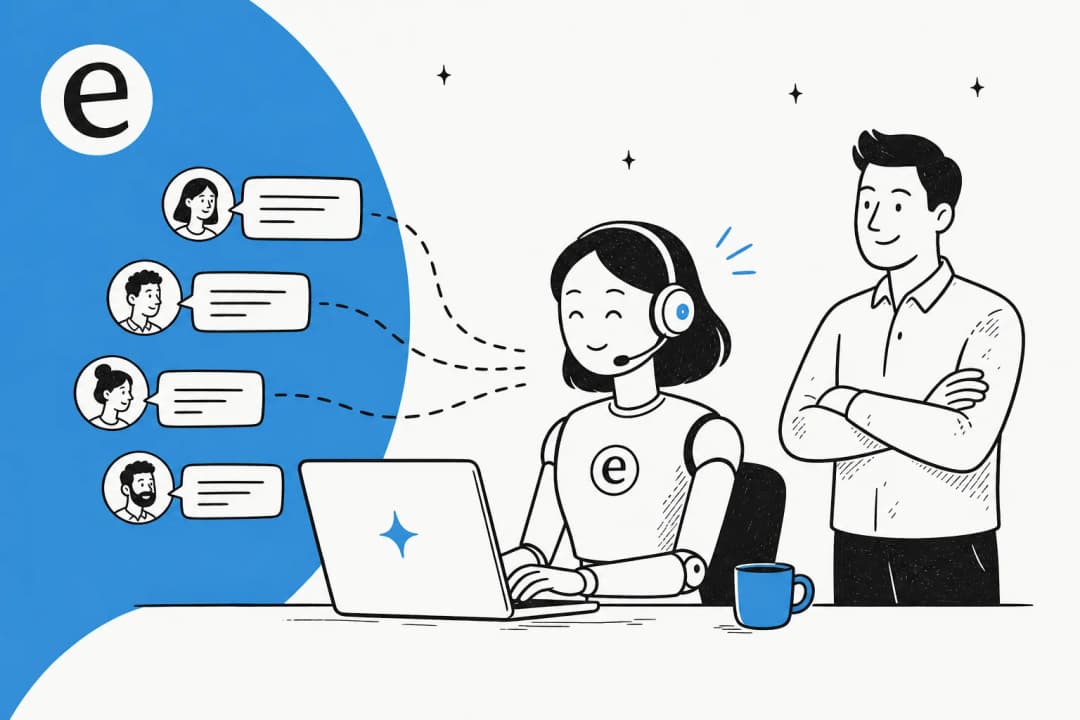
Strip away the marketing and a B2B chatbot is software that holds a conversation with your business audience and does something useful in it, answers a support question, qualifies a lead, resets a config, files a ticket. The "B2B" part matters because it sets the audience: your customers are other companies, your partners, or your own employees, not a stranger who found you through an ad.
That audience behaves differently. A consumer asking "where's my order" wants a fast, one-line answer and never thinks about it again. A B2B customer asking "why is our API returning 429s on the enterprise plan" is mid-problem, has a support contract, and expects the bot to know which plan they're on. The conversational AI underneath might be the same technology, but the bar for being useful is much higher.
It's also worth separating two things people lump together. An old-school chatbot is a decision tree: press 1 for billing, press 2 for support, and pray your question fits a branch. A modern AI agent reads free text, understands intent, pulls the answer from your knowledge base, and can take an action. If you want to see the range, our roundup of AI agent examples shows what that looks like in the wild. For B2B, the decision-tree era is basically over, because the questions are too varied to script.
B2C vs B2B: why the difference is the whole story
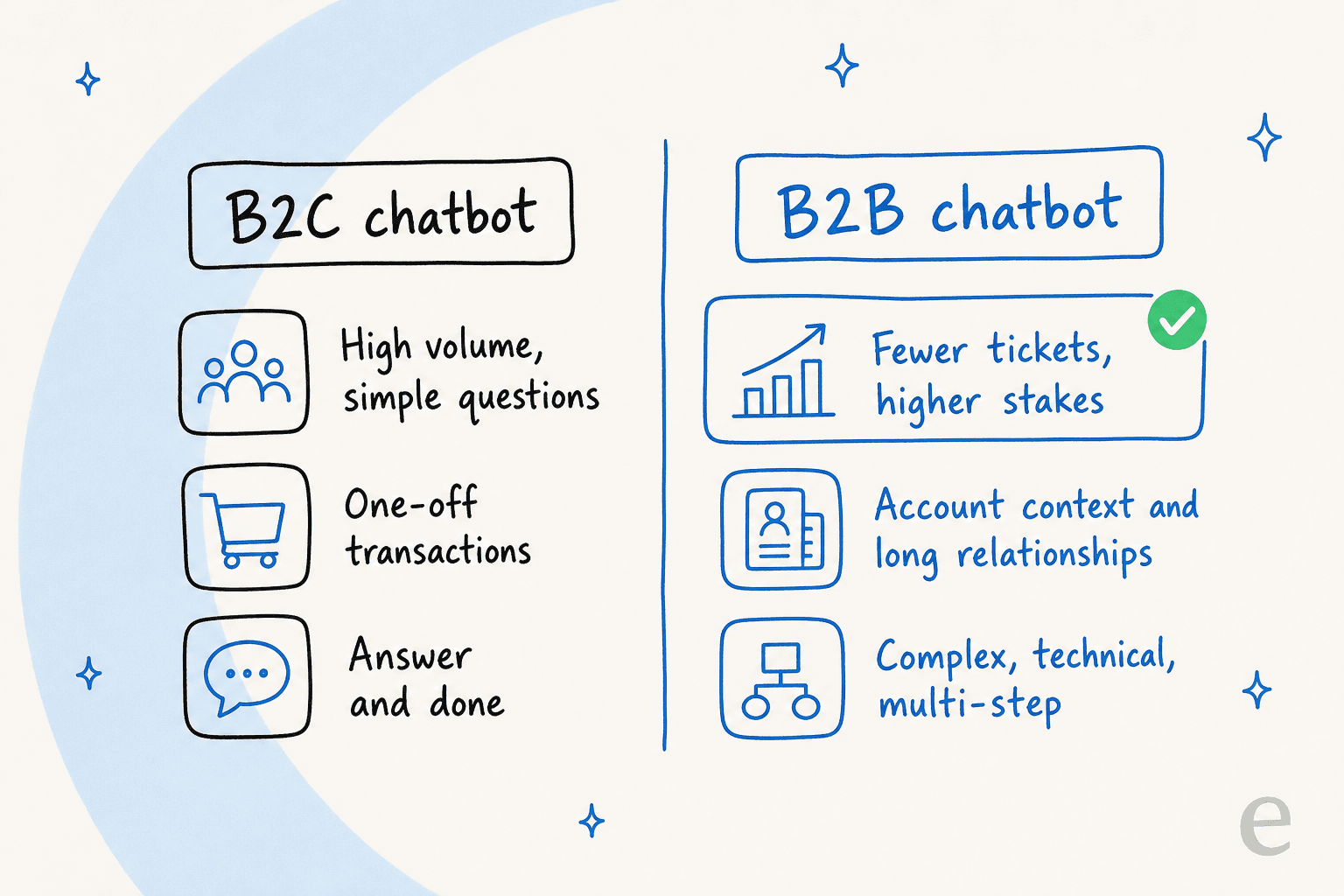
The temptation is to buy the same chatbot everyone deploys for retail and point it at your business customers. It doesn't work, and here's the concrete reason: the shape of the workload is inverted.
A B2C support queue is a firehose of simple, repetitive questions, order status, returns, "how do I reset my password." Volume is the enemy, so the win is deflecting the top ten questions at scale. A B2B queue is the opposite: lower volume, but every ticket carries more weight. A single unanswered question from an enterprise account can stall a renewal. A wrong answer about data handling can end one.
So a B2B chatbot has to be right more often, know more context, and fail more gracefully. It needs to know that this customer is on the enterprise tier, that they opened a ticket about the same integration last week, and that the answer lives in a docs page most B2C bots would never be trained on. That's why the ones that work in B2B are trained on your actual ticket history and internal knowledge, not just a public FAQ. It's the same reason we always point B2B teams at a purpose-built AI helpdesk for B2B rather than a generic website widget.
What a good B2B chatbot actually does
Beyond "answers questions," a genuinely useful B2B chatbot earns its keep across a few jobs. The lines blur, but roughly:
- Deflects tier-1 support. The bread and butter. It resolves the repetitive, well-documented questions so your humans handle the hard ones. This is where tier-1 support deflection pays for itself fastest.
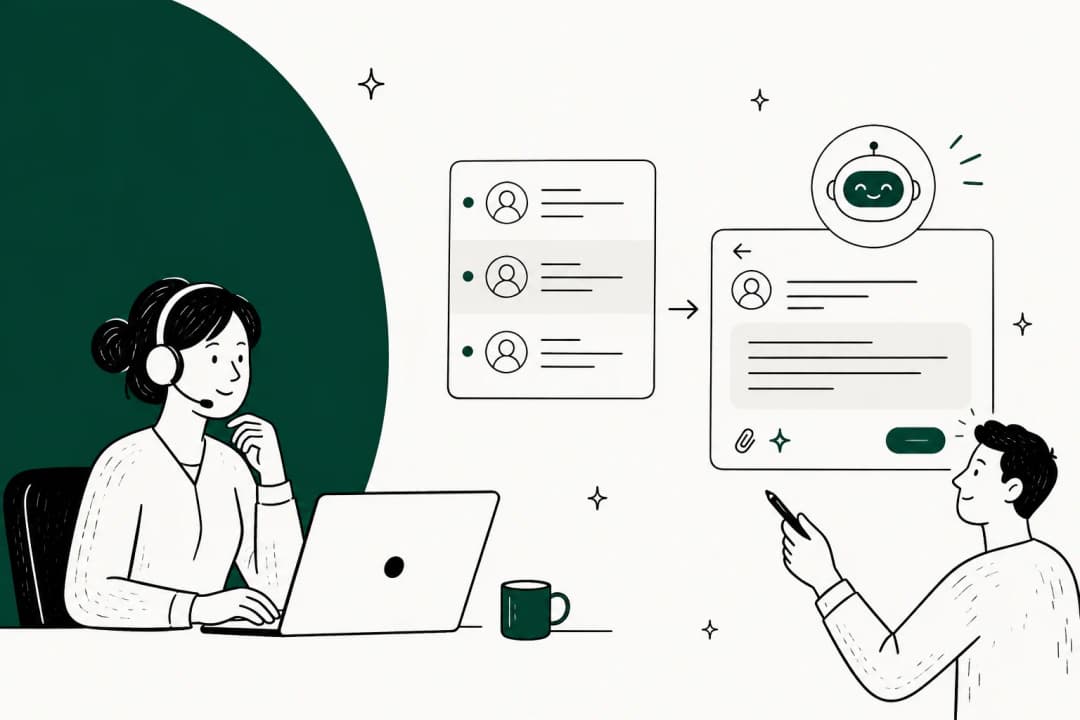
- Drafts replies for agents. Even when it doesn't answer directly, it can leave a suggested reply as an internal note, so a human reviews and sends in one click. We call this the AI copilot for customer service pattern, and it's the safest place to start.
- Triages and routes. It reads an incoming ticket, tags it, and routes it to the right queue or person. Quiet, unglamorous, and a huge time-saver.
- Qualifies leads. On your website, a B2B chatbot can ask the right questions and hand a warm, qualified lead to sales instead of a raw form fill. That's the lead-generation side of the same technology, and it overlaps with automating lead generation end to end.
- Answers internal questions. Point the same agent at your internal wiki and it becomes an IT and HR helpdesk for employees, in Slack or wherever they already work.

The important nuance: you don't have to pick one. The best B2B setups start with drafting and triage (low risk, human in the loop), then graduate the confident, repetitive stuff to fully automated once the numbers back it up.
How a B2B chatbot handles a conversation
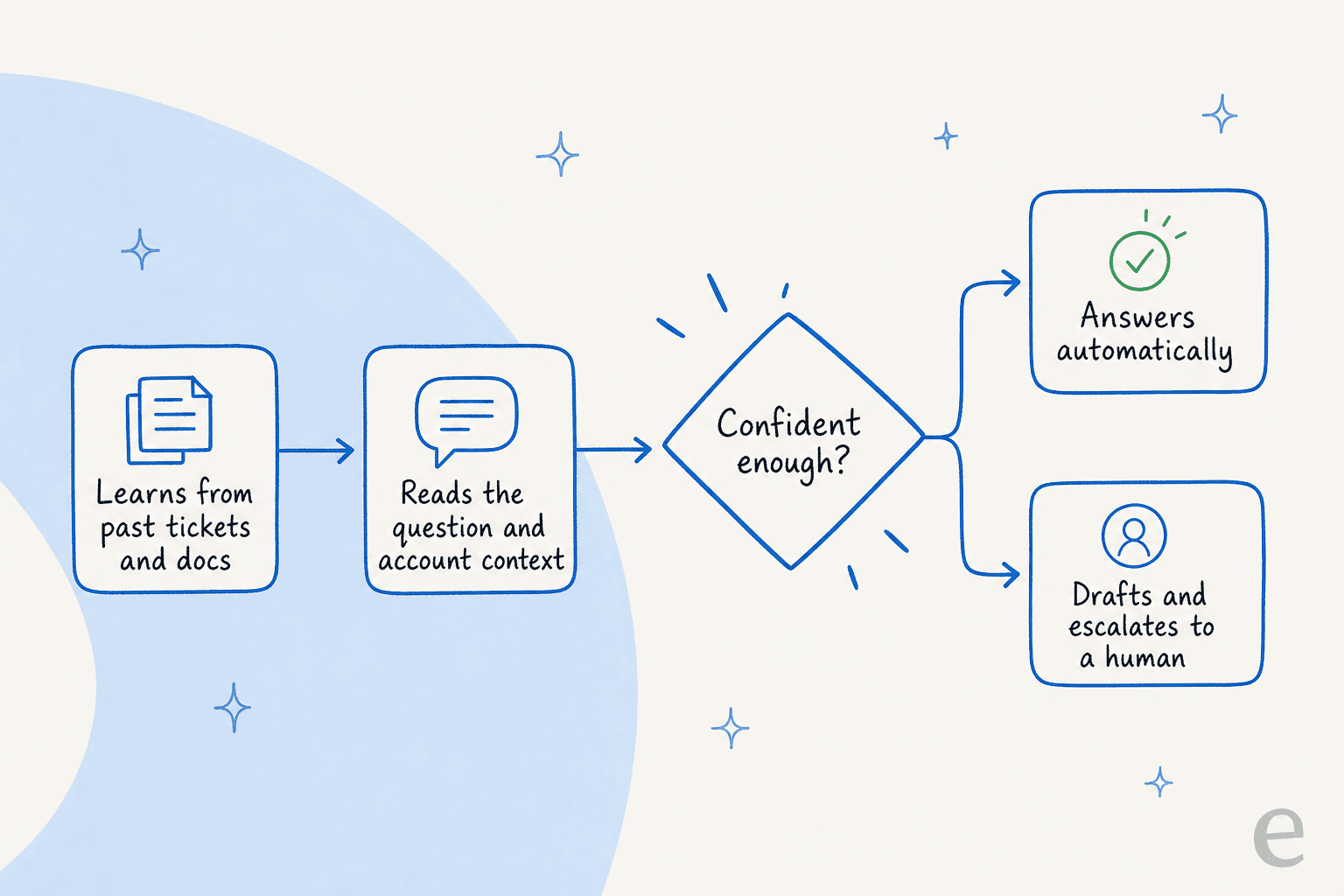
Under the hood, a good B2B agent runs a loop that's worth understanding, because it's exactly where the cheap bots cut corners.
First, it learns from your sources, past tickets, help docs, macros, and connected tools. This is the step generic bots skip; they read your public help center and stop. Training on solved tickets is what teaches the agent your actual voice and the answers that really worked. It's the most consistently requested capability I hear from teams, and for good reason.
Second, it reads context, not just the question, but who's asking, what plan they're on, and what they've asked before.
Third, and this is the make-or-break step, it checks confidence. A well-built B2B chatbot doesn't try to answer everything. It answers what it's sure of and escalates the rest. As one CX lead I worked with put it, the goal is "an AI who is only handling the tickets that it's confident to handle, and all the other ones, leave them alone." That single design choice is how you avoid the hallucination problems that give AI support a bad name.
Fourth, it acts or hands off, either resolving the ticket, taking an action in a connected system, or escalating cleanly to a human with the full context attached so nobody starts from scratch.
Where B2B chatbots actually pay off
The honest answer is that the ROI shows up in three places, and it's usually not where the demo focuses.
The first is straightforward cost. Deflecting repetitive tickets means you scale support without scaling headcount linearly. We laid out the math in AI customer support cost savings and the AI agent vs human agent cost comparison, and the short version is that per-ticket automation costs a fraction of a human touch once volume is real.
The second is speed. B2B customers judge you on response time, and a chatbot answers instantly at 2am. For teams still hiring, the more relevant metric is often first-response time on the tickets humans do handle, because triage and drafting clear the queue faster.
The third, and most underrated, is consistency. A B2B chatbot gives every customer the same accurate answer, in 80+ languages, without the quality dip that comes with a new hire or a Friday afternoon. Real deployments back this up: across eesel accounts, agents have handled well over 180,000 real customer interactions, and one customer, Gridwise, saw eesel resolve 73% of tier-1 requests in the first month.
"In the first month, eesel is resolving 73% of our tier 1 requests... we saw results quickly during our 7-day trial."
Kim Simpson, Gridwise (case study)
Build or buy?
A question every B2B team with engineers eventually asks: why not just build our own chatbot on top of an LLM API? It's tempting, and for a weekend it's even fun. The problem is everything around the model, the integrations, the retraining, the confidence tuning, the ongoing maintenance as your docs change.
One eesel customer, Karel at GENERAL BYTES, summed up the calculus better than I can:
"We could try to write our own LLM application but we didn't want to invest our time into that. We wanted something that we would not have to maintain."
Karel, GENERAL BYTES (case study)
That's the real trade-off. Building gets you a demo in a week and a maintenance burden for years. For most B2B teams, buying a tool that already handles the plumbing, and integrates with the helpdesk and tools you already run, is the faster path to something you can actually trust in front of customers.
Rolling one out without breaking trust
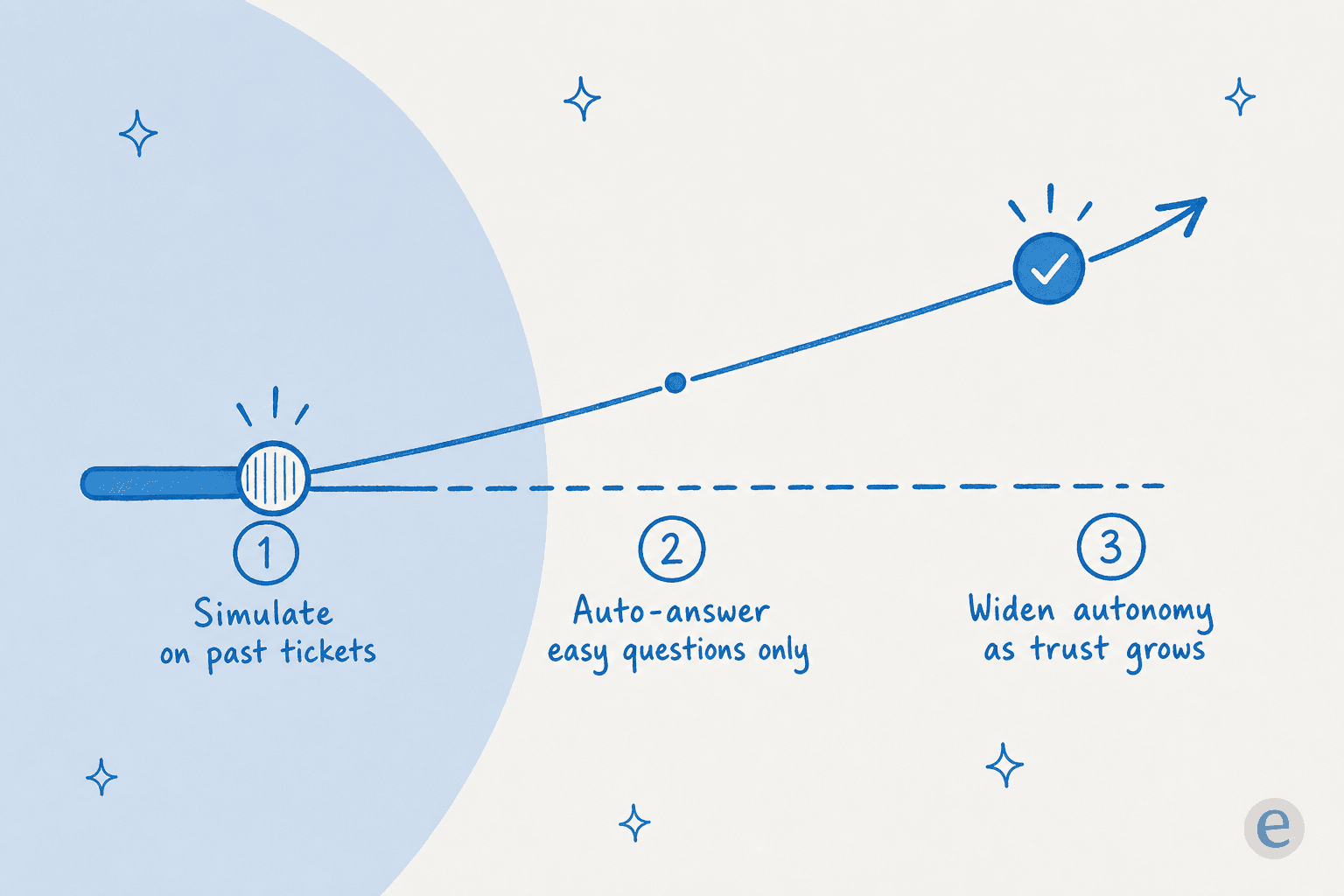
Here's the part most guides skip, and where I've watched more rollouts succeed or fail than anywhere else. The instinct is to flip the chatbot on and hope. Don't.
The pattern that works is gradual:
- Simulate on past tickets. Before it touches a live customer, run the chatbot against your historical tickets and see exactly how it would have replied. This is the single most reassuring step, you get coverage numbers by topic, spot the gaps, and fix them, all before anyone's watching.
- Automate the easy questions only. Let it fully handle the high-confidence, repetitive stuff. Keep everything else in draft mode where a human reviews.
- Widen the scope as trust grows. As the numbers hold, hand it more. The scaling guide for startups walks through this dial in more detail.
The reason this matters more in B2B than B2C is that your customers know you. A weird bot answer to an anonymous shopper is forgettable; the same answer to an account manager at a key client is a Slack screenshot. Gradual rollout with a simulation step is how you keep the wins without the horror stories.
What to look for when choosing a B2B chatbot
If you're shortlisting, these are the dimensions that actually separate the tools. I'd weight them roughly in this order:
| What to check | Why it matters | Weak sign |
|---|---|---|
| Trains on your tickets + docs | Answers in your voice, from real solved cases | Only reads your public FAQ |
| Real helpdesk integrations | Works inside Zendesk, Freshdesk, HubSpot, Gorgias, Front | Standalone widget, no two-way sync |
| Simulation / test mode | Prove it works before it's live | "Just turn it on" |
| Confidence-based escalation | Avoids hallucinations, routes hard cases | Answers everything, confident or not |
| Transparent pricing | Predictable cost as you scale | Quote-only, per-seat, annual lock-in |
| Multi-channel | One agent across chat, email, Slack | One channel, one price each |
If a vendor can't show you the first three in a trial, that's usually the answer. A good AI chatbot for customer service has nothing to hide in a simulation, and it's worth checking any shortlist against a broader AI chatbot builder comparison and your own support metrics.
How much a B2B chatbot costs
Pricing is where the B2B chatbot market gets murky, so it's worth being precise. The two common models are per-seat (you pay for agent licenses) and usage-based (you pay per resolution, conversation, or ticket). For B2B, usage-based tends to align cost with value better, because you're not paying for seats during a quiet month.
For reference, here's how eesel prices, which is one fixed monthly price sized to volume, with no per-seat fees:
| Plan / item | Price | Notes |
|---|---|---|
| Free plan | $0 | 100 credits, no credit card |
| 500 credits | $299/month | 1 credit per ticket or chat, any number of messages |
| 1,000 credits | $499/month | No platform fee, no per-seat fee |
| 2,500 credits | $999/month | Every integration and channel included |
| 5,000 credits | $1,899/month | Above 5,000 credits, talk to us |
| Pay a year upfront | Two months free | Unused credits do not roll over |
| Add-ons | From $199/month | SSO and MFA from $199/mo, priority support from $299/mo |
A concrete example: a B2B team routing 500 tickets a month through the chatbot fits the 500-credit plan at $299/month, and only tickets the agent actually works on count, not spam or ones it is told to skip. You can see the full pricing breakdown for every plan size. Whatever tool you pick, insist on modeling your real ticket volume before signing, the total cost of AI support is where the sticker price and the invoice diverge.
Try eesel for your B2B support
If you're weighing a B2B chatbot for support, eesel is built for exactly this problem. It's an AI helpdesk agent that trains on your past tickets and docs, plugs into the helpdesk and tools you already run, and answers only when it's confident, escalating the rest with full context. The differentiator most B2B teams care about is the simulation mode: you run it against your historical tickets and see the coverage before a single customer sees a reply.

You can start with drafting and triage, keep a human in the loop, and widen autonomy on your own schedule. There's a free plan with 100 credits and no credit card, so you can test it on your own tickets before you commit. Have a look at the helpdesk agent or the best AI helpdesk for B2B roundup to see where it fits.
Frequently Asked Questions
What is a B2B chatbot?
How is a B2B chatbot different from a B2C chatbot?
How much does a B2B chatbot cost?
Can a B2B chatbot handle complex, technical questions?
Is a B2B chatbot safe to let loose on customers?
What should I look for in a B2B chatbot for customer support?


Article by
Kira
Kira is a writer at eesel AI with a Computer Science background and over a year of hands-on experience evaluating AI-powered customer service tools. She focuses on breaking down how helpdesk platforms and AI agents actually work so that support teams can make better buying decisions.