What "add AI to text message support" actually means
When people ask me this, they usually picture one of two things, and they're very different jobs.
The first is a basic auto-responder: someone texts your number, a bot fires back "Thanks, we'll be in touch" or a canned menu. That's been around for years and it's not really AI, it's a rule-based bot reading keywords. It deflects nothing real.
The second is what most people actually want now: an AI agent that reads the text, understands what the customer is asking, looks up the real answer in your systems, and texts back something genuinely useful, or hands the conversation to a human when it shouldn't guess. That second version is the one worth setting up, and it's the one this guide is about.
The good news is the second version is no longer hard to add. The channel you text customers on almost certainly already feeds a system you own, and that's all an AI agent needs to read from.
Do I need a new tool, or can I bolt it on?
This is the first real fork, and for most teams the answer is: bolt it on.
If your texts already land in a helpdesk, you don't switch platforms to add AI. You connect an AI agent to the helpdesk and it inherits the text channel along with everything else. eesel takes this layer-on approach on purpose, with 100+ integrations so the channel you text on is almost certainly one of them. Connecting it is an OAuth click, not a data migration, and you keep your existing inbox.
The only case where there's more wiring is if your texts run through a raw provider like Twilio with no helpdesk in front of them. Then you connect that number first so the AI has somewhere to read from and reply through. Either way, the principle is the same: the AI reads from wherever your texts already land, so you're adding a brain, not replacing the plumbing.
I'd push back hard on any vendor that tells you adding AI to text means migrating to their platform. On a channel as simple as SMS, that's a sign the tool can't work with what you have.
What can AI actually handle over text?
This is where being honest earns more trust than overpromising. AI is very good at the repetitive, high-volume texts and genuinely bad at a specific slice you want to keep away from it.
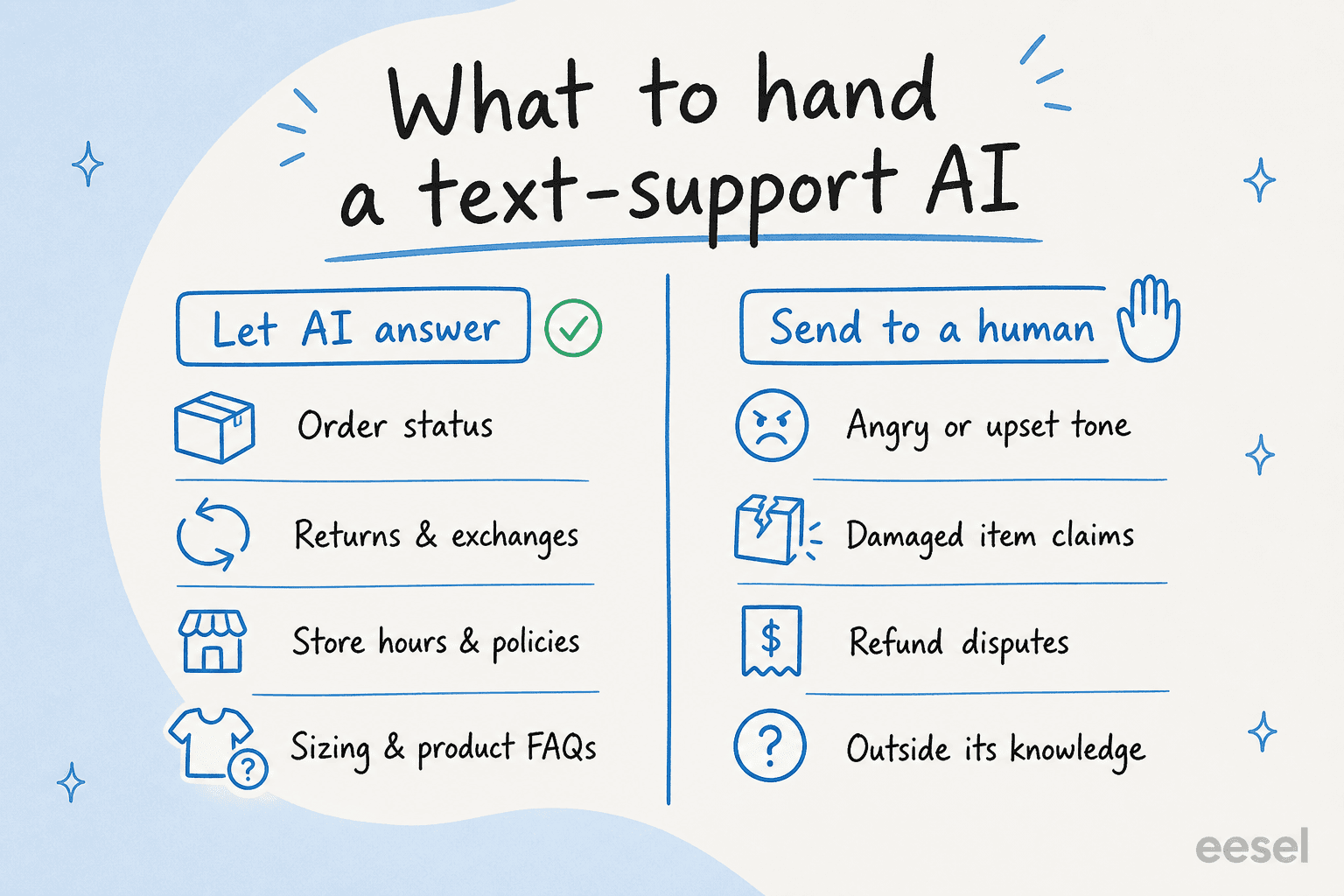
Hand it the questions whose answers live in your help docs or your order system: order status, returns and exchanges, store hours, shipping policies, sizing and product FAQs. These are high-volume, low-risk, and a connected AI answers them with this customer's real data instead of a generic "track your order here" link.
Keep away from it the texts where tone or judgment matters more than facts: an angry customer, a damaged-item claim, a refund dispute, anything outside its knowledge. The job isn't to make the AI brave enough to attempt those, it's to make it smart enough to recognise them and pass them to a person. The whole skill is teaching the AI what it doesn't know.
One thing specific to text: keep the answers short. An AI tuned for email support writes paragraphs, and a three-paragraph reply that reads fine in an inbox feels broken over SMS. Set the tone explicitly to answer the question and stop talking.
Is it safe to let AI text customers automatically?
This is the question that should worry you, and the answer is yes, if you set it up so the AI only sends a text when it's confident, and routes everything uncertain to a human.
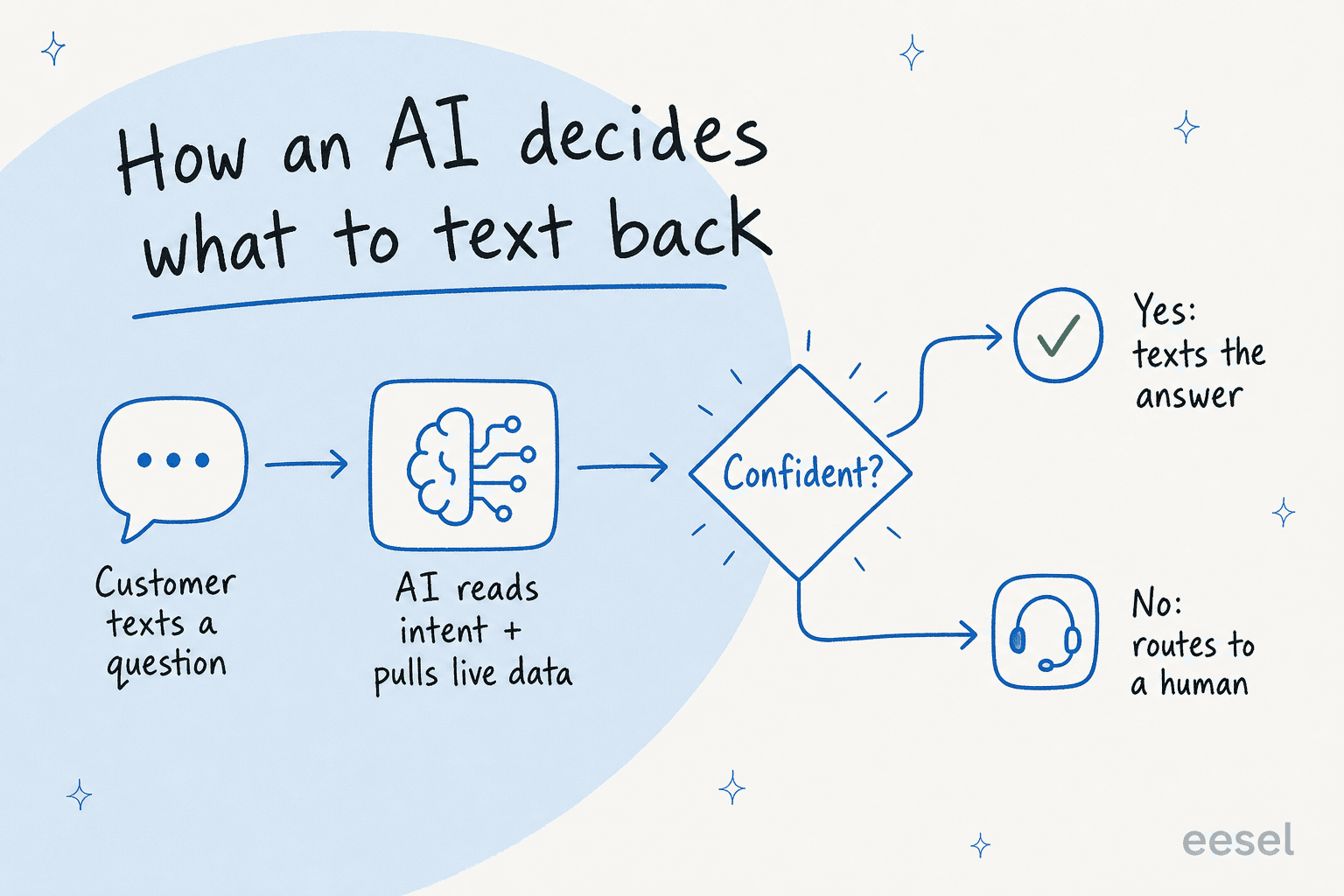
Confidence-based routing is the single setting that decides whether this is safe. A customer texts a question, the AI reads intent and pulls live data, and then it checks itself: confident, it texts the answer; not confident, it hands off rather than guessing. The danger isn't an AI that says "I don't know", it's an AI that confidently texts something wrong to a real customer.
I hear this exact fear from buyers constantly, and one CX lead at a 7,000-ticket-a-month DTC brand put it better than I could when we talked it through:
"The AI will never be able to answer 100% of the questions, but if it tries and just answers 'sorry I don't know this,' I cannot go and check all my 7,000 tickets to see if the AI actually made a good answer, then the point is a little bit gone. I need an AI who is only handling the tickets that it's confident to handle and all the other ones, leave them alone."
That's the whole thesis. The way you get there before any customer is exposed is to simulate the AI against thousands of your past texts and see what it would have answered, by question type, with a real accuracy read. We've spent years putting AI agents on live support queues and watched confident-sounding bots quietly give wrong answers, which is exactly why we now simulate every rollout against historical tickets before it goes live. Skip that step and you're testing on customers. Do it, and you go live already knowing where the AI is reliable and where it isn't.
What does it cost to add AI to text message support?
Text has a cost quirk that chat doesn't, and missing it is how budgets get surprised. There are two layers stacked on every automated text.
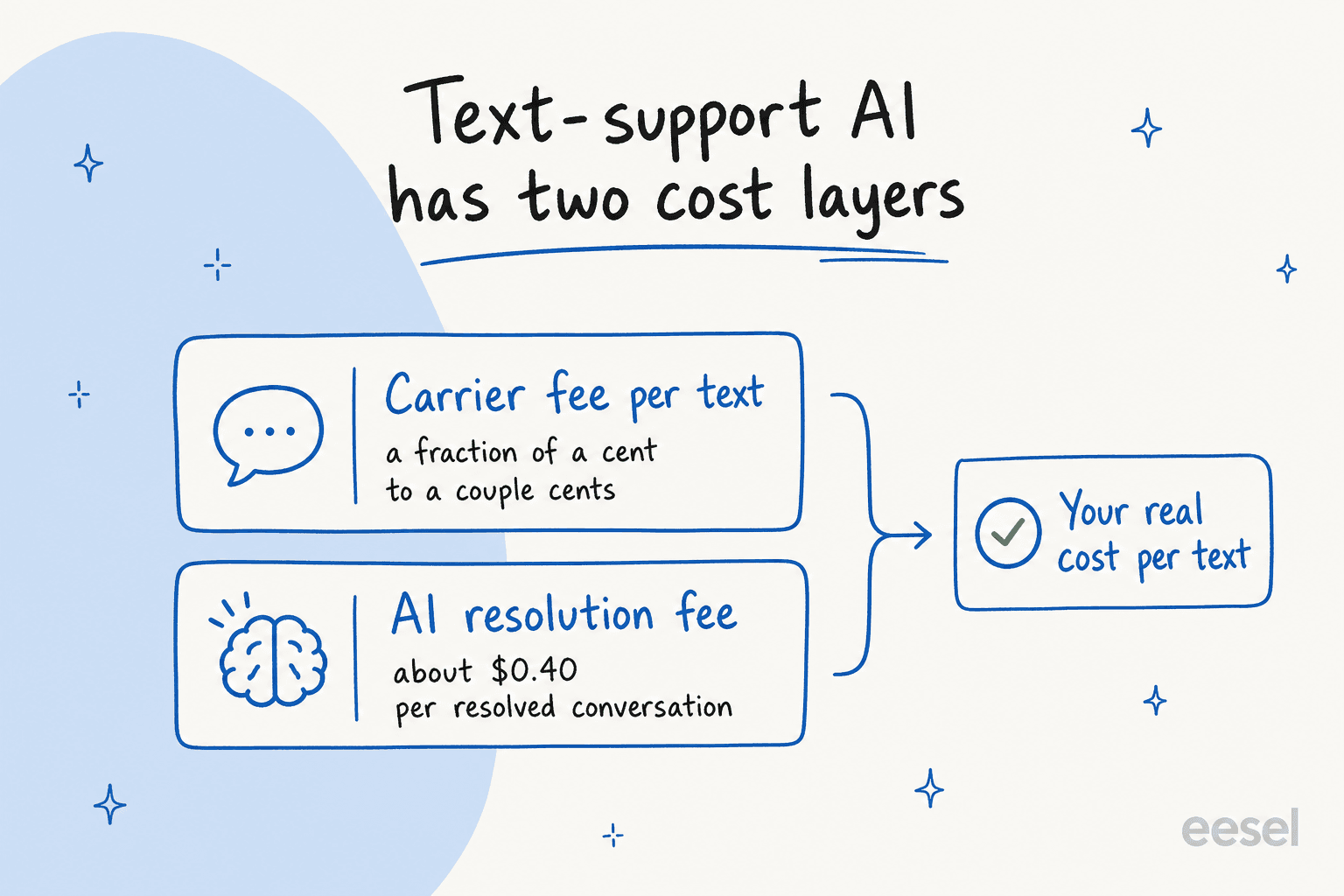
The first is the carrier fee you already pay to send and receive texts, a fraction of a cent to a couple of cents per message depending on your provider and country. That doesn't change when you add AI. The second is the AI resolution fee for the agent doing the work.
How that second layer is priced matters more than the sticker number. Per-seat pricing punishes you for a chatty channel like text, because volume goes up without your headcount changing. Usage-based pricing tracks the work instead. eesel runs at about $0.40 per resolved conversation with no per-seat fee and no platform minimum, so a quiet month costs less and a Black Friday spike costs in proportion to what the AI actually resolved.
A quick worked example. Say AI confidently resolves 2,000 texts in a month. At roughly $0.40 each that's about $800 in resolution fees, plus your usual carrier charges on those messages. The comparison that matters isn't $800 against zero, it's $800 against what 2,000 tier-1 texts would have cost in agent time, which is almost always the bigger number.
The actual path to going live
You don't need a quarter for this. The shape is short, and I've written the full click-by-click version in our step-by-step SMS guide, so here's the compressed view.
- Connect the channel and your data. Point the AI at wherever your texts land, then connect the systems that hold live answers, your store, order tool, or CRM, so it can look up real data instead of reciting policy.
- Train it on your help docs and past texts. Feeding it your resolved tickets is what makes the replies sound like your team instead of a generic FAQ bot.
- Simulate against your old texts. This is the step teams skip and regret. You get a coverage and accuracy read before taking any risk.
- Go live on a narrow slice. Let it own one or two question types first, usually order status because it's high-volume and low-risk, then widen as it earns trust.
The number teams reach faster than they expect is real: in one rollout, eesel resolved 73% of tier-1 requests in the first month, with results showing during a 7-day trial. That comes from starting narrow and simulating first, not from flipping everything live on day one. And because the AI answers in 80+ languages, the same setup covers customers texting in whatever language they speak.
Try eesel for text message support
If you want to add AI to text without switching helpdesks, eesel is built for it. It layers onto the helpdesk you already run, trains on your past texts and help docs so the replies sound like you, and uses confidence-based routing so it only texts back when it's sure and hands the rest to your team. You can simulate it against thousands of your real past texts before a single customer sees it, which is the part that makes going live feel safe instead of like a gamble.
There's a free trial with $50 of usage and no credit card, which is enough to run a simulation and see your own coverage number on your own texts before you decide anything. If you're still comparing options, our roundup of the best AI for SMS lays out how the tools differ.
Frequently Asked Questions
How do I add AI to text message support without a developer?
How much does it cost to add AI to text message support?
Is it safe to let AI answer customer texts automatically?
What can AI actually handle over text message?


Article by
Riellvriany Indriawan
Riell is a designer and writer at eesel AI with about two years of experience researching CX platforms, AI chatbots, and helpdesk software. She combines her design background with a sharp eye for how these tools actually look and feel in practice — making her comparisons unusually visual and user-focused.