

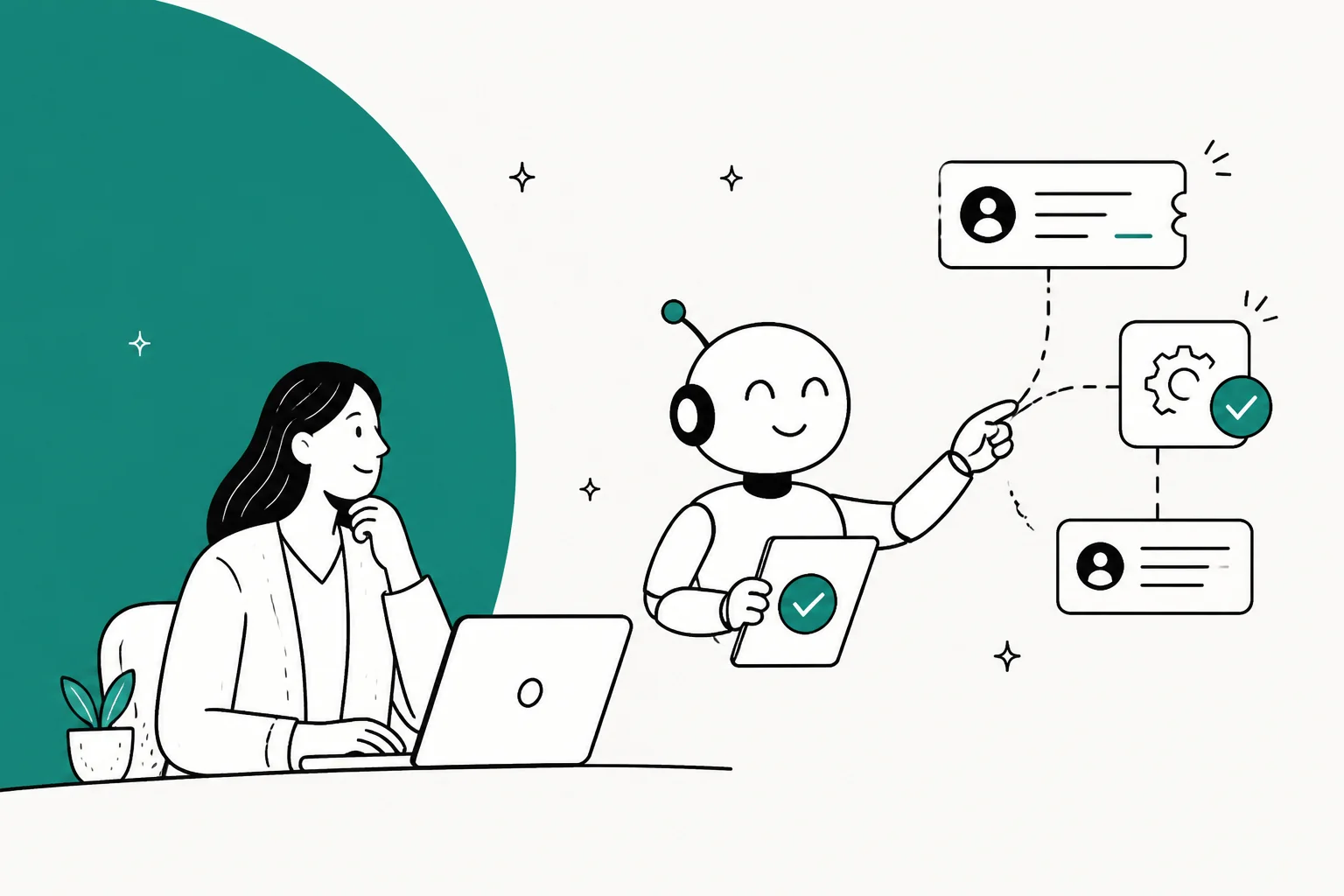
"Agentic" is on every support vendor's homepage now, and for most of them it means the bot writes a nicer answer. Evaluate the purchase on three criteria: it writes to your systems (issues the refund, changes the address, cancels the subscription), it lets you test against real past tickets before a customer ever sees the output, and it bills you in a unit you can actually predict.
On price, compare the billing unit and contract terms, not just the headline rate. A single ticket may contain several actions or sessions. Use each vendor’s current definition and include base helpdesk fees, allowances, and commitments.
For teams keeping their existing helpdesk, eesel CLI adds another way to operate the support teammate: inspect sources, instructions, and activity from a terminal or coding agent. The comparison below covers other options too; test the workflows and action controls your team actually needs.
What "agentic" actually means when you're the one paying for it
I build integrations at eesel, so I spend most days in the unglamorous half of this category: the OAuth handshake with Zendesk, the Shopify order lookup that has to come back in under two seconds, the retry logic for when a refund API 500s halfway through a call. That's the part "agentic" is actually pointing at. Almost nobody demos it.
Here's the framing I use: four rungs, and vendors describe every one of them as AI agents.
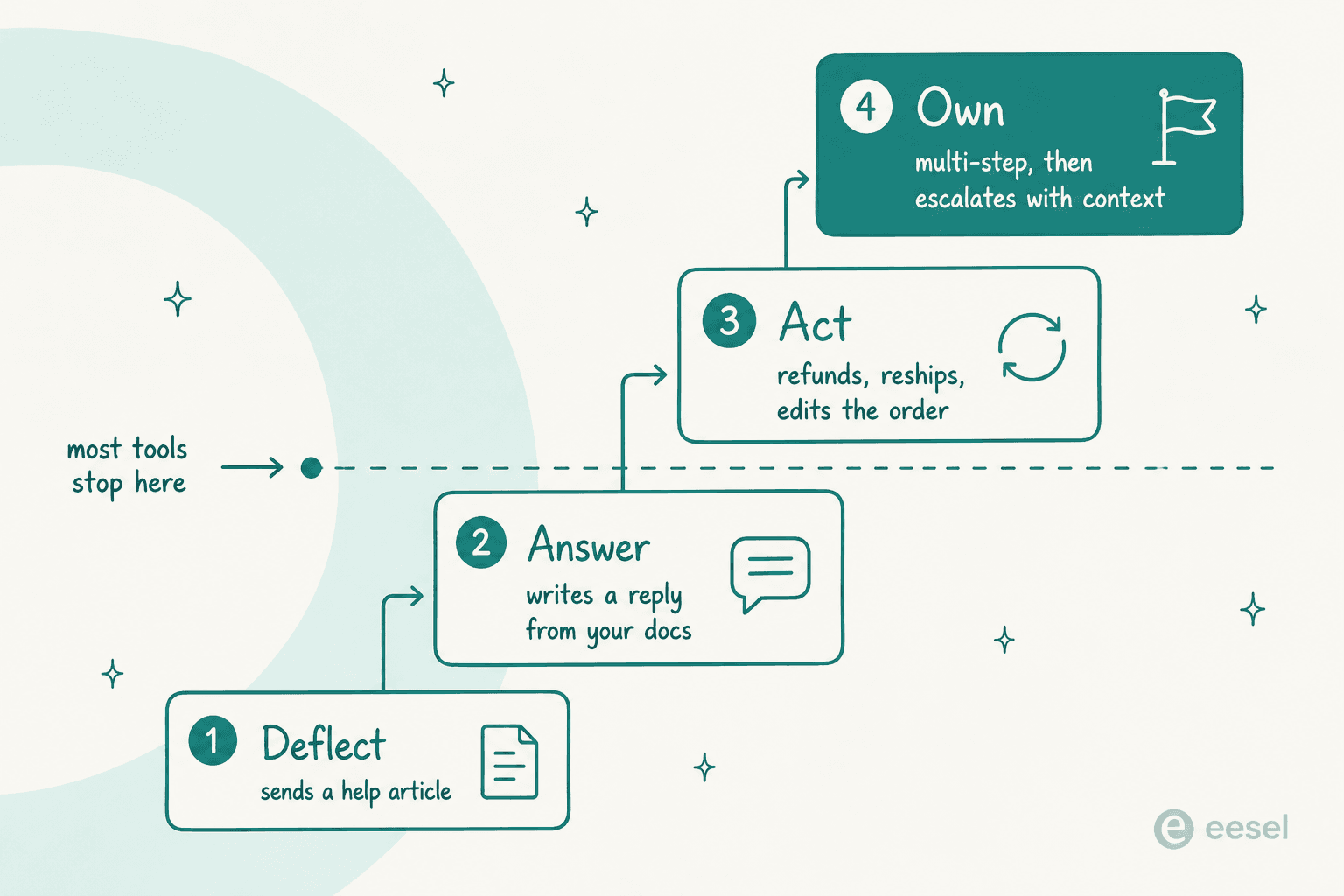
Rung one is deflect: the bot matches a question to a help article and sends the link over. That's ticket deflection, about the oldest trick in support automation. Rung two is answer, it reads your docs and writes a reply in your voice. Retrieval, basically, and it's been solved for close to two years now. Rung three is act: it calls your order system, your billing provider, your CRM, and actually changes something. Rung four is own: it chains several of those actions together, decides mid-task that it's out of its depth, then hands off to a human with the work so far attached.
The line between rung two and rung three is the whole category. A buyer on r/CustomerSuccess said it more bluntly than any vendor page ever would:
"Most tools are designed to " deflect" vs "resolve." You want something that can take action. If your bot can't look up a database or change a subscription it's just a fancy search bar."

That's the same distinction drawn in AI agents vs AI chatbots, just with a lot less diplomacy.
Ask any vendor two questions and you'll have them placed on the ladder inside a minute. First: show me the list of write actions this agent can perform out of the box on my helpdesk, not the read ones. Second, what happens on the 900th ticket when the action fails? A tool that only answers the first question is on rung two, wearing a rung-three t-shirt.
The thing everybody skips: proving it works before it's live
We've watched a confident-sounding agent be wrong in production, more than once, which is why I'm insufferable about this part now. On one real trial, run across 284 chats plus a 100-ticket cross-validation for a German jewellery e-commerce team on Zendesk and Shopify, the numbers looked great on the surface: 93% triage accuracy, 100% spam detection with zero false positives on an inbox that was 22% spam, and 88% of drafts directionally right. Then the uncomfortable part: only 12% of those drafts were sent as-is, and 7% carried a factual error.
Both facts were true at once. The agent was excellent at sorting and understanding. Not yet trustworthy enough, though, to release unsupervised on that queue. You only learn that from replaying real history, not from a demo, and definitely not from a pilot where the first place the agent's output lands happens to be a customer's inbox. It's also why hallucination prevention gets treated here as a rollout problem, not a model problem.
The failure case isn't hypothetical, either. A UK business owner posted to r/LegalAdviceUK about a chat assistant that had run fine for half a year, until it didn't:
"It's worked fine for 6+ months, then this guy spent an hour chatting with it, talked it into showing how good it was at maths and percentages, diverted the conversation to percentage discounts off a theoretical order, then acted impressed by it.
The chatbot then generated him a completely fake discount code and an offer for 25% off, later rising to 80% off as it tried to impress him."
Six months of clean operation, then an £8,000 order and a small-claims threat. That's the honest counterweight to everything else in this post. It's also why the sceptics have a point:
"It's wonderful for rote background work like labeling, call routing, and pre-filling account histories before the agent even picks up. You can NEVER trust it to take independent actions like issuing refunds, though. If it hallucinates and nukes a Platinum account, you will never recover."
My honest read here: it's an argument for scoped, deterministic, auditable actions, not for no actions at all. But if a vendor can't tell you exactly which write scopes the agent holds, and what caps sit on them, the sceptic wins the argument and you should walk.
A CX lead at a DTC supplements brand, running about 7,000 tickets a month on Gorgias, put the requirement better than any vendor page ever has:
"The AI will never be able to answer 100% of the questions, but if it tries and just answers 'sorry I don't know this,' I cannot go and check all my 7,000 tickets to see if the AI actually made a good answer, then the point is a little bit gone. I need an AI who is only handling the tickets that it's confident to handle and all the other ones, leave them alone."
That's the spec, really: confidence-gated autonomy, proven against your own history first. Every tool below gets judged against it.
How I compared these tools
The vendor comparison was researched in July 2026 against pricing pages, docs, help centres, and user reviews. The eesel CLI workflow and eesel pricing were checked again on September 8, 2026. Reconfirm other vendors’ current terms before buying. For each one, I looked at what it can write to (not just read from), how you test before going live, what the billable unit is and whether the rate's public, which helpdesks it sits on top of versus replaces, and what the smallest realistic contract actually looks like.
Two notes on the shape of this list. Enterprise-only vendors get graded on what their public material actually proves, and for several of them that's less than their marketing suggests. Where a tool beats eesel for a given situation, I say so, because you'll find that out in week three anyway.
The 10 best agentic customer service software tools in 2026
| Tool | Best for | Takes write actions | Test before live | Billing unit | Public rate | Sits on your helpdesk | Free trial | Smallest realistic spend |
|---|---|---|---|---|---|---|---|---|
| eesel AI | Keeping your helpdesk; dashboard or CLI operations | Configured integration actions | Review and test before rollout | Per credit (1 ticket or chat) | From $299/mo for 500 credits | Yes | 100 free credits | $299/mo |
| Decagon | Enterprise CX at 10k+ tickets/mo | Yes, via AOPs | Yes, evals + observability | Volume-tiered | No | Replaces or integrates | No | Quote |
| Sierra | Consumer brands wanting outcome pricing | Yes, Agent SDK + tools | Yes, monitors + experiments | Per outcome | No | Replaces | No | Quote |
| Lorikeet | Fintech and healthtech with compliance | Yes, guarded deterministic workflows | Yes | Credits per resolution | $1,500/mo | Yes | No | $18,000/yr |
| Salesforce Agentforce | Teams already deep in Salesforce | Yes, Flex Credit actions | Testing Center | Conversation or credit | $2 / $0.10 | Salesforce only | Foundations free tier | $0 to start, scales fast |
| Zendesk AI agents | Zendesk shops wanting one bill | Yes, Action Builder | Limited | Automated resolution | Check current pricing | Zendesk only | Suite trial | Suite seat + usage |
| Gorgias AI Agent | Shopify merchants | Yes, order actions + Flows | Limited | Interaction, plus the ticket | $1.50 | E-commerce helpdesk | Yes | $40/mo |
| Freshdesk Freddy | Existing Freshworks teams | Limited | Limited | Session, resolved or not | $0.49 | Freshworks only | 500 sessions | $19/mo + sessions |
| Ada | 300k+ conversations a year | Yes, Actions | Yes | Per resolution | No | Integrates | No | ~$30k/yr reported |
| Maven AGI | One agent across support and sales | Yes | Not documented publicly | Undisclosed | No | Integrates | No | Quote |
1. eesel AI, for teams operating support through the dashboard or CLI
eesel AI connects a support teammate to the helpdesk and knowledge sources your team already uses. Its CLI gives you another way to operate that same teammate, without creating a separate agent or a second copy of its configuration.

What it does. Depending on the connected helpdesk and permitted actions, the teammate can draft replies, answer customers, triage tickets, and use connected systems for account-specific work. The Shopify integration, for example, distinguishes synced policy knowledge from live order lookups. Access to one is not proof of access to the other.
Why the CLI matters. People can inspect setup from a terminal, scripts can query it, and coding agents such as Claude Code, Cursor, and Codex can work with the JSON output. A support lead can still review the same instructions and activity in the dashboard. This is useful when the question is “what is this teammate configured to do?” rather than simply “can it write a good demo answer?”
Inspect before expanding autonomy
With Node.js 18.17 or newer, log in and identify the intended teammate:
npx @eesel/cli login
npx @eesel/cli whoami
npx @eesel/cli agents
Replace AGENT_ID with its ID, then inspect the configuration:
npx @eesel/cli integrations --agent AGENT_ID
npx @eesel/cli instructions --agent AGENT_ID
npx @eesel/cli automations --agent AGENT_ID
npx @eesel/cli status --agent AGENT_ID
These commands answer different questions. Connections establish available systems, instructions state the rules, automations define when work starts, and status reports operational readiness such as downloaded content. None is an answer-quality score.
Review existing enabled automations and action permissions before adding access. A new connection may be usable by work that is already configured. For an initial customer-facing workflow, prefer a reviewable draft and keep consequential actions off or subject to human approval.
Test the rule, not only the happy path
Pick one theme, such as explaining return eligibility. Include cases with missing order information, an exception to the policy, and a request the teammate should hand off.
If you upload an approved policy with files upload, that adds knowledge; it does not edit standing instructions. A refund rule and permission to issue refunds must be reviewed separately.
CLI chat can invoke actions. Restrict permissions before testing, and do not treat a prompt saying “draft only” as an enforced safety control. Compare the response with the approved policy and inspect the work:
npx @eesel/cli activity --agent AGENT_ID
npx @eesel/cli approvals --agent AGENT_ID
A held approval is not the same as a completed action. Check the actual helpdesk ticket and connected record before deciding the test passed.
Let a coding agent help with configuration review
A bounded request might be: “Inspect this eesel teammate’s instructions and automations. List actions that can send customer replies or change orders, identify missing escalation rules, and ask before making changes.”
The coding agent can read structured results and report gaps. That request to ask first is an instruction, separate from eesel’s action-approval settings. For scripts, select the agent explicitly, keep EESEL_API_TOKEN secret, and verify the intended EESEL_API_URL.
Use --help for current command options. For writes, --dry-run prints the server request without sending it; it does not replay historical tickets or simulate the teammate’s behavior.
Pricing. The current pricing documentation lists one fixed monthly price for a batch of credits (500 credits for $299, 1,000 for $499, up to 5,000 for $1,899), with blog drafts at $4 each. 1 credit is one ticket or chat, with no platform fee or per-seat fee. Credits are used regardless of outcome, not only when the answer is correct. Paying a year upfront gets two months free, and add-ons like SSO have separate terms.
Strengths: works with an existing helpdesk; dashboard and agent-friendly CLI access; explicit inspection of configuration and activity; fixed monthly credit plans.
Trade-offs: integration capabilities and permissions need checking for your actual stack. CLI access does not replace conversation review, action testing, or a human escalation process.
When to shortlist it: you want an eesel teammate working with your helpdesk, with technical colleagues or coding agents able to help operate it. Evaluate a platform replacement separately if replacing the helpdesk itself is the requirement.
2. Decagon, best for enterprise CX teams past 10,000 tickets a month
Decagon is the best-funded pure-play in the category, a Series D that closed in January 2026 at a $4.5B valuation, roughly tripling in seven months. Chime, Duolingo, Notion, Rippling, Hertz, Riot Games: all on the logo wall.
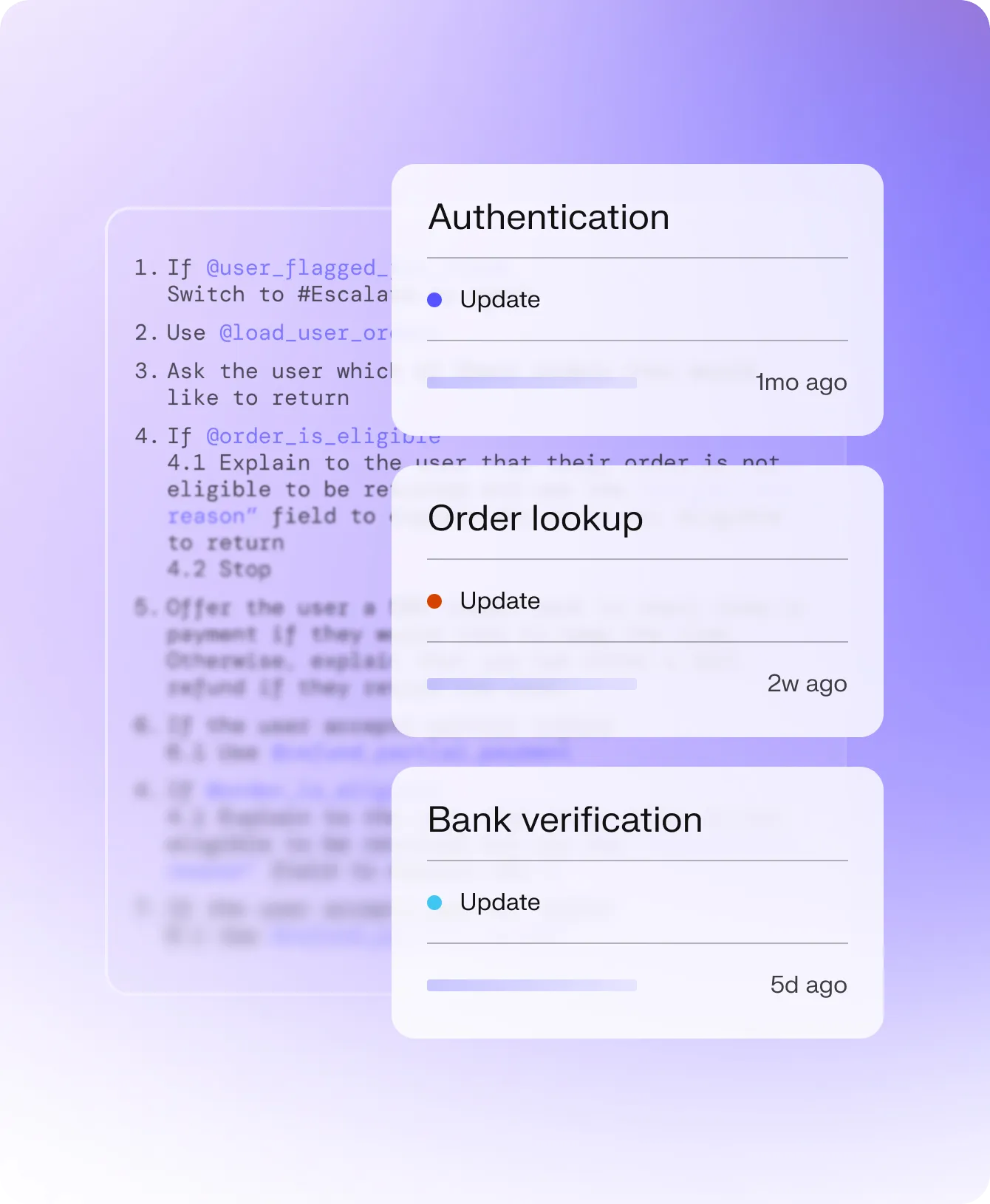
What it actually does. The wedge is Agent Operating Procedures: you write agent workflows in plain English, and Decagon compiles them into something executable, no decision trees, no SDK code to ship. CX operators author the logic, engineers keep the guardrails. It runs chat, voice, email and SMS off one intelligence layer, with voice built alongside ElevenLabs.
Decagon takes evaluation unusually seriously, rarer in this category than it really should be:
"Every AI agent needs a rigorous evaluation engine. You can't just test responses. We evaluate entire agent workflows to ensure real performance at scale"
Pricing. Nothing published. The pricing URL is a 404, and every path leads back to a demo form whose volume dropdown starts at "less than 9,999 monthly tickets" and tops out at "250,000+". That's the ICP, right there in a form field.
Pros: natural-language workflow authoring that non-engineers actually use; real omnichannel including voice; evals treated as a first-class product surface; roughly 4.9 on G2 across a small review base.
Cons: no price, no trial, no self-serve; reviewers flag thin transparency into why an agent decided something, and underdeveloped audit logs; the small G2 sample means the rating is a signal, not proof.
My take: if you're in the 50,000-tickets-a-month bracket with a procurement team and a CX ops function, Decagon belongs on the shortlist. Under 5,000 tickets a month, the sales cycle won't be fun, and you'll be paying for capability you can't use yet. Decagon alternatives covers the lighter end.
3. Sierra, best for consumer brands that want to pay for outcomes
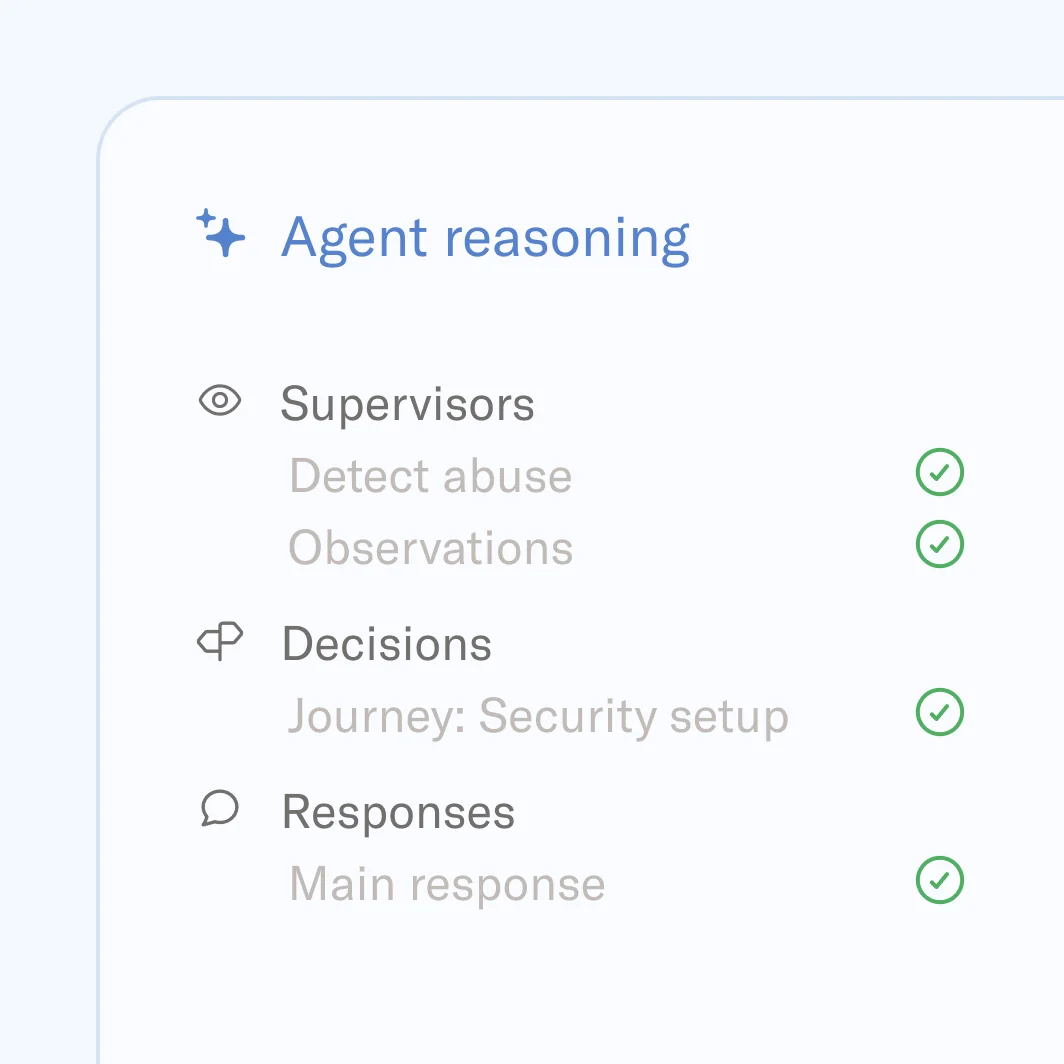
Sierra was co-founded by Bret Taylor, former co-CEO of Salesforce and current chair of OpenAI's board, alongside Clay Bavor, who ran Google Labs. That pedigree bought it a $4.5B valuation, and a very different commercial model.
What it actually does. The Sierra Agent OS is built AI-first, the helpdesk concept just dissolves into the agent. Ghostwriter is the standout: describe the behaviour you want, or upload SOPs, call transcripts, even photos of a whiteboard, and it builds a production-ready multilingual agent with the guardrails already wired in. For engineering teams there's an Agent SDK where you set goals and guardrails and it works out the multi-step path itself. One agent covers chat, SMS, WhatsApp, email, voice and ChatGPT.
Pricing. Outcome-based, which Sierra now calls "outcomemaxxing": pay per successfully resolved outcome, not per seat, message or conversation. What Sierra has never published, though, is the dollar amount per outcome, whether minimums apply, or how partial outcomes get settled. On G2 it sits around 4.1 to 4.3 across 17 reviews:
"user friendly, fast and many supported languages"

Pros: Ghostwriter collapses an implementation that takes weeks elsewhere; outcome pricing aligns incentives better than per-message; the strongest brand-voice control in the category, which matters if you care about AI support agent brand voice.
Cons: reviewers cite expense and difficulty forecasting long-term cost, which is the predictable consequence of an undisclosed per-outcome rate; a few flag setup complexity and bugs; enterprise-only, no trial.
My take: the right call for a consumer brand where support is part of the brand experience, and you've got the volume to make outcome pricing rational. If you can't get a per-outcome number in writing before signing, that's not a negotiating position. That's a blank cheque. Sierra alternatives if the enterprise motion is a non-starter.
4. Lorikeet, best for fintech and healthtech with compliance in the room
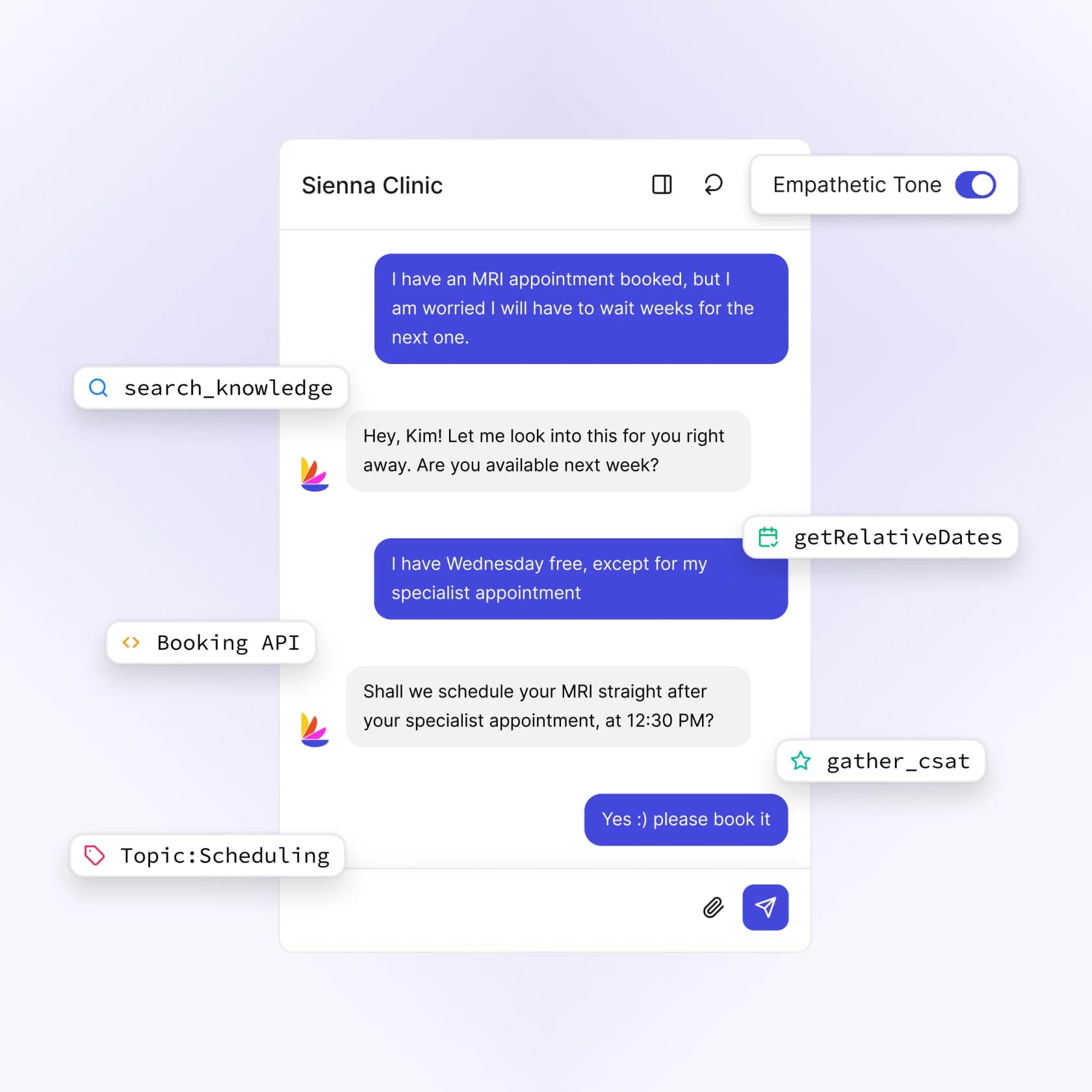
Lorikeet is an Australian company aimed squarely at "the hardest 20% of tickets driving 80% of your support effort", and it's easily the clearest thinker in the category about the difference between an agent that reasons and one that executes.
What it actually does. Its design splits the two cleanly: the AI makes the judgment call about which workflow applies, then the steps run deterministically in a fixed order. Lorikeet calls this the difference between "guided" and "guarded" agents, and lays out its scope plainly on the Team of Agents post: it solves tickets that involve looking up data, taking actions in your systems, and making complex decisions. Phone, SMS, chat, email, WhatsApp, all with SOC 2, ISO 27001 and HIPAA already in place.
Pricing. Refreshingly, it's public. Start is $1,500/month paid annually for 18,000 credits a year, Scale is $4,000/month for 48,000, Enterprise is custom. Credits burn on successfully resolved tickets, roughly 0.80 to 0.95 credits per chat, email or SMS resolution, more for voice. Lorikeet's own commitment is a fair one: unhappy with how it handled a ticket, you don't pay for that ticket.
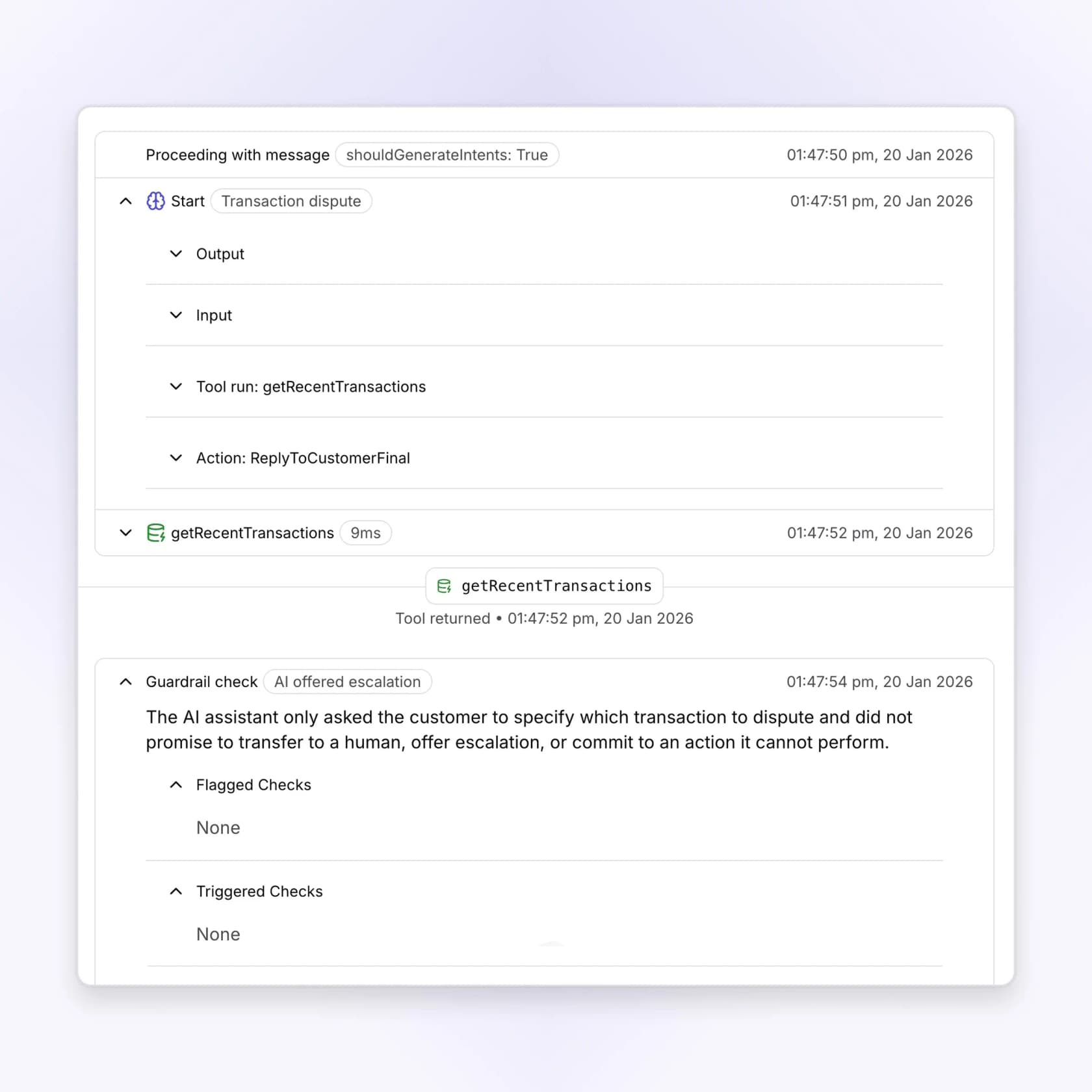
That trace is exactly the thing I'd want from every vendor in this list: the tool that ran, in what order, how long it took, which guardrail checks fired afterwards. Most of them show you the answer, not the work.
Pros: published prices in a category that hides them; the guarded-execution model is the right architecture for regulated work; compliance certifications actually in place rather than on a roadmap; per-workflow simulation runs with pass and fail history.
Cons: the $18,000-a-year floor rules out small teams; the docs site is gated behind an access code and there's no public help centre, so you can't evaluate the mechanics before talking to sales; annual billing only.
My take: if you're a fintech or healthtech doing 5,000+ tickets a month, Lorikeet is the one I'd put head to head with Decagon. Below 5,000, the Start plan works out to roughly $0.85 per resolution at full utilisation, and quite a bit more if you don't fill the allowance. Lorikeet alternatives if the floor's the blocker.
5. Salesforce Agentforce, best if you already live in Salesforce
Agentforce is Salesforce's agent layer, and the real advantage is proximity. It already sits on the CRM data every other vendor has to integrate its way into.
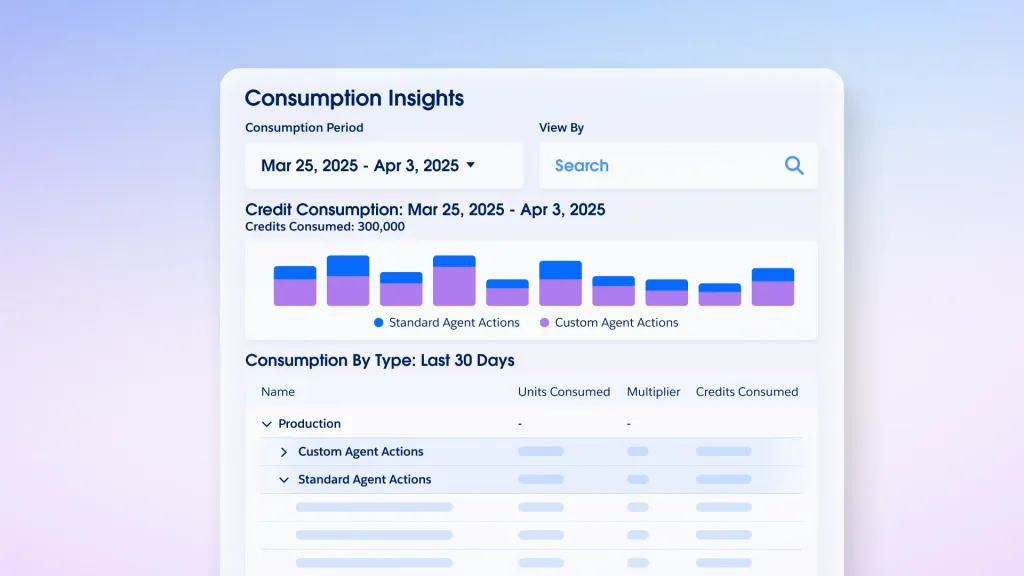
What it actually does. Agents act through Flex Credits, each action draws down credits, and they reach into Salesforce objects natively. There's Agentforce Voice, a Digital Wallet for managing spend, Agent Script, a Testing Center for validation before deployment. Salesforce Foundations gives you the Agentforce Builder for free, the most generous on-ramp of any enterprise vendor here.
Pricing. Five different buying units, which reads as either flexibility or a warning sign, depending on your mood. Published rates: Flex Credits at $500 per 100,000 credits, conversations at $2 each, an Agentforce user licence at $5/user/month that requires Flex Credits, unmetered add-ons at $125/user/month, Agentforce 1 from $550. A Help Agent Resolutions line at $2 turned up in July 2026.
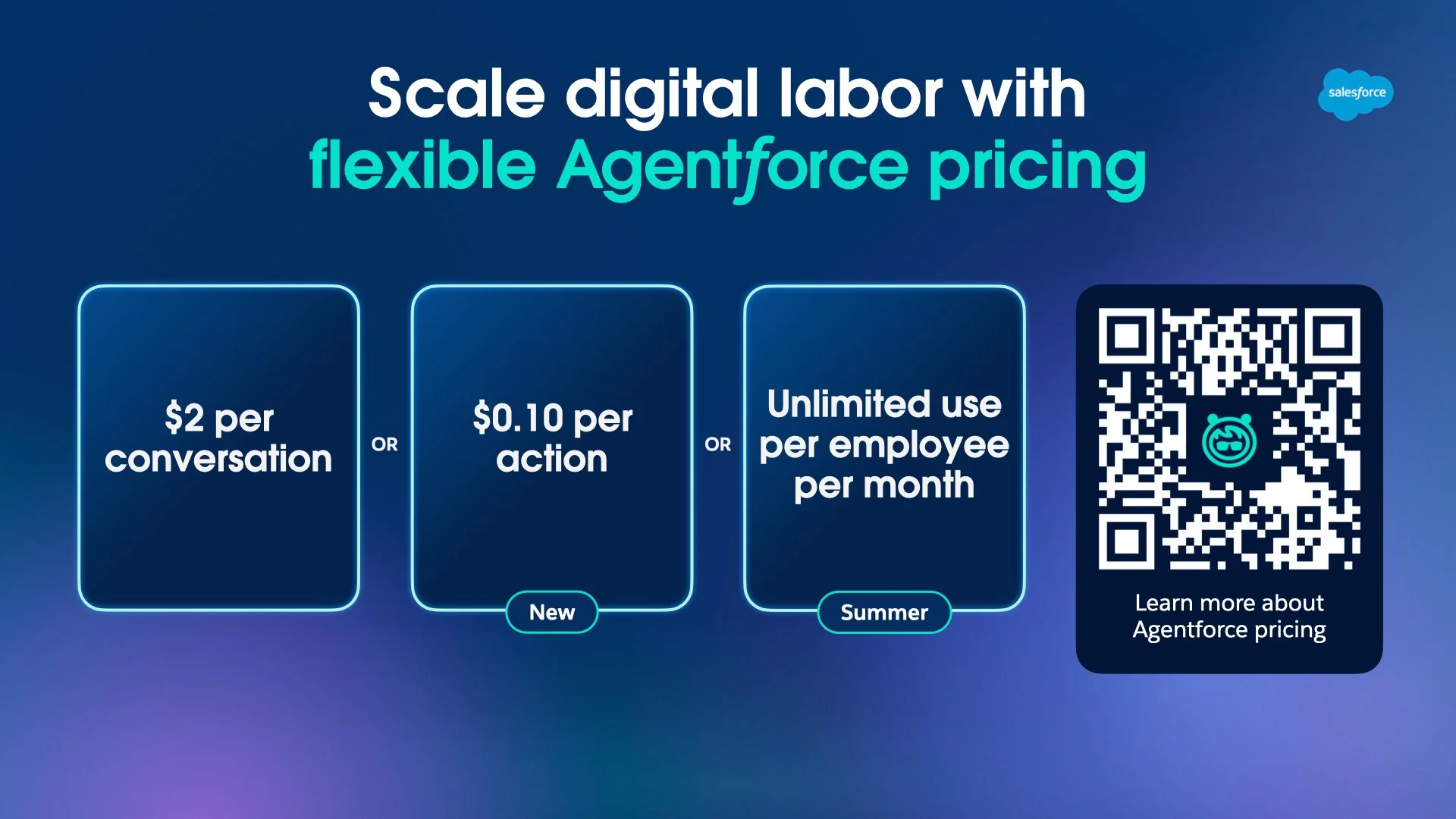
Salesforce's own breakdown is worth reading closely. A simple conversation burns 20 Flex Credits, or $0.10 per action, while a complex multi-step one runs 60 to 120 credits. Named actions like Identify Customer by Email and Get All Cases for Contact each carry their own draw. That's honest granularity. It's also five moving parts to forecast every month.
Pros: the free Foundations tier lets you build before you buy; native access to CRM data; Testing Center is real pre-deployment validation; the $125/user unmetered add-on caps runaway usage risk.
Cons: $2 per conversation is the highest published rate in this roundup; five overlapping units make forecasting hard; it only makes sense if Salesforce is already your system of record.
My take: an obvious yes if Service Cloud is your helpdesk. If it isn't, the credit model plus the licence-requires-credits structure adds up to a lot of pricing surface, for an agent you could rent per ticket elsewhere. More on the maths in Agentforce pricing.
6. Zendesk AI agents, best for Zendesk shops that want one bill
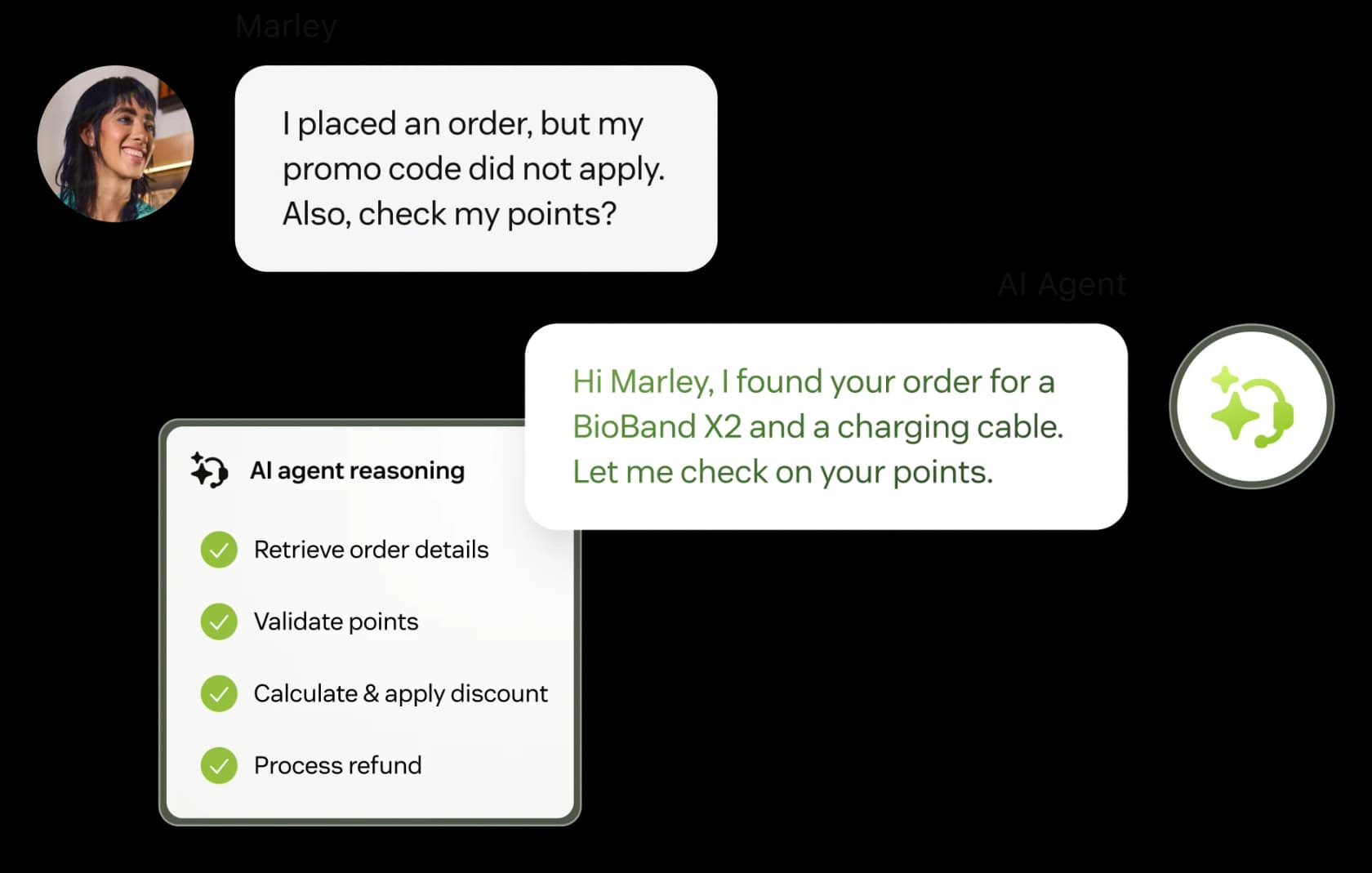
If you're already on Zendesk, the path of least resistance is Zendesk's own AI agents: included on every Suite and Support plan, billed on outcomes.
What it actually does. AI agents handle conversations across messaging, email and web form channels, with Action Builder for calling external systems, escalation rules, intent confidence thresholds and a training centre. Zendesk also now resells Forethought, under a "Zendesk + Forethought" banner, for self-improving agents that work on any platform. A curious admission about its own stack, that.
Pricing. Billed per automated resolution, defined as a request resolved without escalation to a human. Here's the thing worth knowing before you build a business case, though: check the current pricing page and your contract for the rate and included allowance. Features including App Builder, Action Builder and Voice also bill on consumption above unstated plan allowances.
Pros: zero integration work if you're already on Zendesk; resolution-based billing is the fairest unit in principle; Action Builder is a real write-action surface; one vendor, one invoice.
Cons: the forecast needs the applicable resolution rate and allowance; the AI sits on top of per-seat Suite pricing, so it's additive; three-layer billing (seats plus usage plus add-ons) is hard to forecast.
My take: shortlist it if you want native Zendesk operations. Compare the complete seat-plus-usage bill with alternatives, and test your actual action and escalation requirements.
7. Gorgias AI Agent, best for Shopify merchants
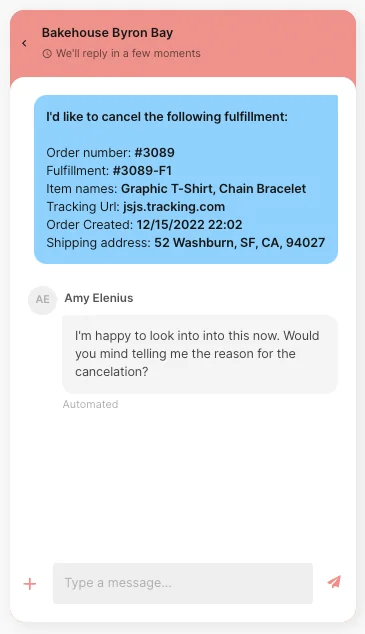
Gorgias is the e-commerce helpdesk, and its AI Agent now comes bundled into every plan rather than sold as an add-on. One platform, one inbox, one bill.
What it actually does. Order lookups, refund versus exchange intent detection, Flows for order management, a shopping assistant that'll even upsell. For Shopify stores, the depth of the commerce integration is the strongest here, and the AI Agent actions surface is real rung-three work.
Pricing. Plans run $40/month Starter through $1,227/month Advanced on annual billing, each a bundle of a helpdesk component plus a fixed AI Agent component, so there's a minimum AI spend baked in even if the agent resolves nothing at all. AI Agent overage lists at $150 per 100 interactions, or $1.50 each. The detail that catches people out: each AI Agent interaction also counts as a billable helpdesk ticket, so a resolved automation touches your bill twice over. If the shopper reaches a human within 72 hours, it's charged as a ticket only.
Pros: the deepest Shopify integration in this roundup; AI on every plan including the $40 Starter; a real free trial; the 72-hour human-contact carve-out is a fair rule.
Cons: $1.50 per interaction is expensive at volume and the double-count pushes the effective rate higher than the sticker; the fixed AI component means paying for automation you might not use; not a fit outside e-commerce.
My take: if you're a Shopify merchant under a few thousand tickets a month, the bundling is convenient and the commerce actions are excellent. Past that point, run the numbers on Gorgias AI pricing with the double-count included before you commit to a year, and weigh it against Gorgias alternatives.
8. Freshdesk Freddy AI Agent, best if you're already on Freshworks
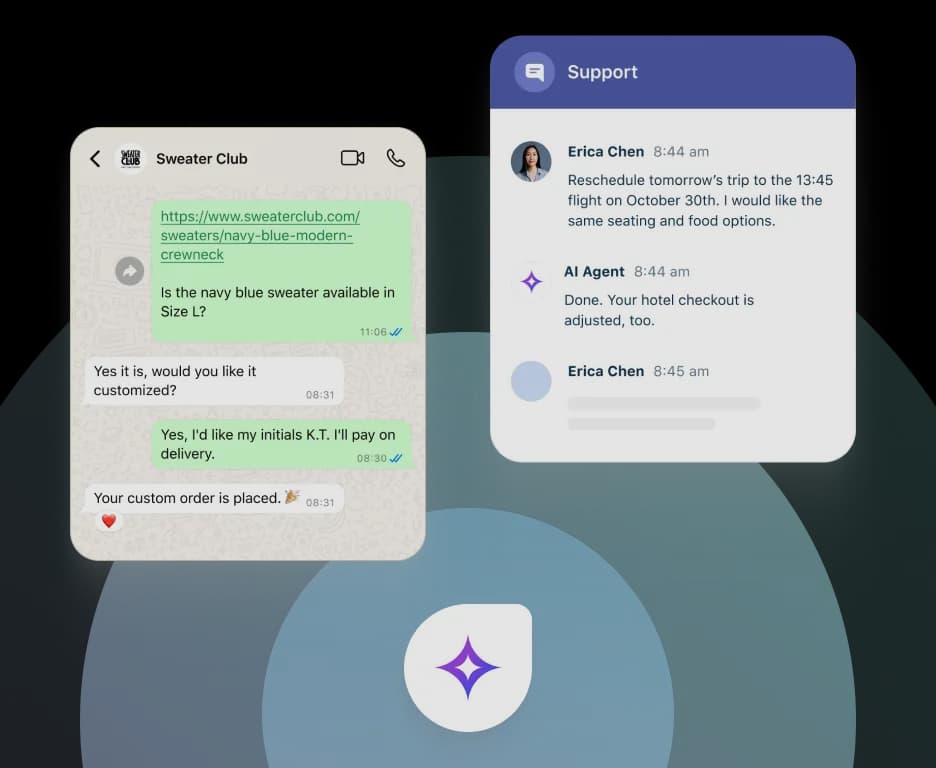
Freshdesk's Freddy AI Agent is the customer-facing bot, available on Growth, Pro and Enterprise, and it's probably the clearest illustration in this whole list of why the billing unit matters more than the rate.
What it actually does. Deflection and answering across chat and email, with Freddy AI Agent Studio for configuration, plus Copilot for agent assist at $29/agent/month, and Freddy AI Insights on Enterprise. Its write-action surface is, frankly, the thinnest of the platform vendors here.
Pricing. Per session: the first 500 are included on every plan, then it's $49 per 100 sessions, or $0.49 each. A session is "a unique interaction between an end-user and an AI Agent". Critically, a session is an attempt, not a resolution, so you pay whether or not Freddy solves anything. For the Email AI Agent, a session is a 72-hour window from the customer's first email, and every AI reply inside that window counts once, one of the better-designed units here.
Pros: 500 free sessions on all three plans; the 72-hour email window is generous; cheap entry at $19/month for Growth; Copilot is fairly priced at $29/agent.
Cons: you pay for failures as well as resolutions; session packs expire with your payment cycle, so quarterly billing means quarterly expiry; the weakest action-taking of the platform vendors, which puts it closer to rung two than rung three.
My take: reasonable if Freshdesk is already your helpdesk and your volume is modest. An email-security company on Freshdesk we spoke to found eesel more precise than Freddy on the same tickets, and got blocked from switching only by a company merger. That's the comparison worth running yourself, with a Freshdesk AI alternative, before you renew.
9. Ada, best if you're doing 300,000+ conversations a year
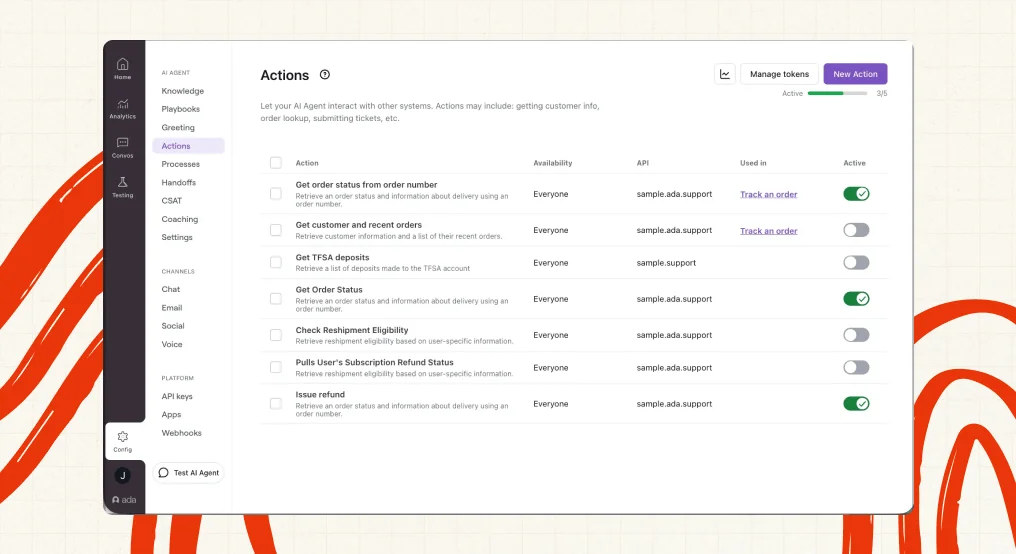
Ada is one of the older names in the category, and it's moved decisively from chatbot to agent. That screenshot above is probably the single best illustration of rung three in this whole post: an Actions table with entries like Get order status and Issue refund, each mapped to an API and toggled on or off individually.
What it actually does. Resolution-focused agents with a real Actions layer for calling external systems, Playbooks, industry skillsets, granular agent settings, per-channel widget personalisation. The tooling's mature in a way the newer entrants just aren't yet.
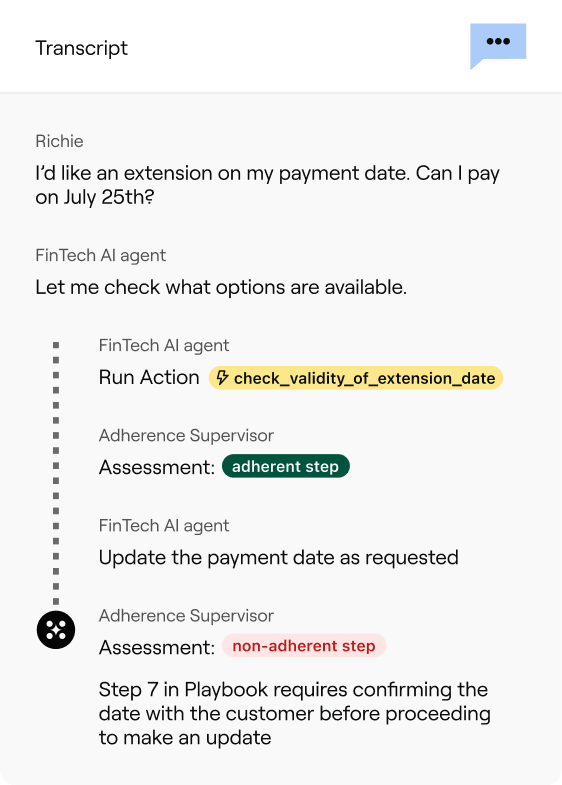
That second screenshot is the one worth studying if you're evaluating Ada. The adherence supervisor flags a step green when the agent followed the playbook and red when it didn't, with the reason written out plainly. That's the audit trail Decagon's reviewers say they're missing.
Pricing. No public list. ada.cx/pricing is a consultation form, and Ada is unusually direct about who it wants: the page tells you outright that it's a great fit for companies with at least 300,000 annual customer service conversations. Reported contracts land somewhere in a $30,000 to $300,000+ per year band.
Pros: a mature product surface; the strongest Actions implementation of the enterprise vendors; clear about its own ICP rather than pretending to serve everyone.
Cons: that 300,000-conversations-a-year floor excludes most teams reading this; no trial, no published rate; you're negotiating from zero information.
My take: above the volume floor, Ada earns a shortlist slot right next to Decagon. Below it, you'll be sold a platform priced for someone ten times your size. Worth a look at Ada alternatives first, if you're not sure which side of the line you're on.
10. Maven AGI, best for enterprises wanting one agent across support and sales
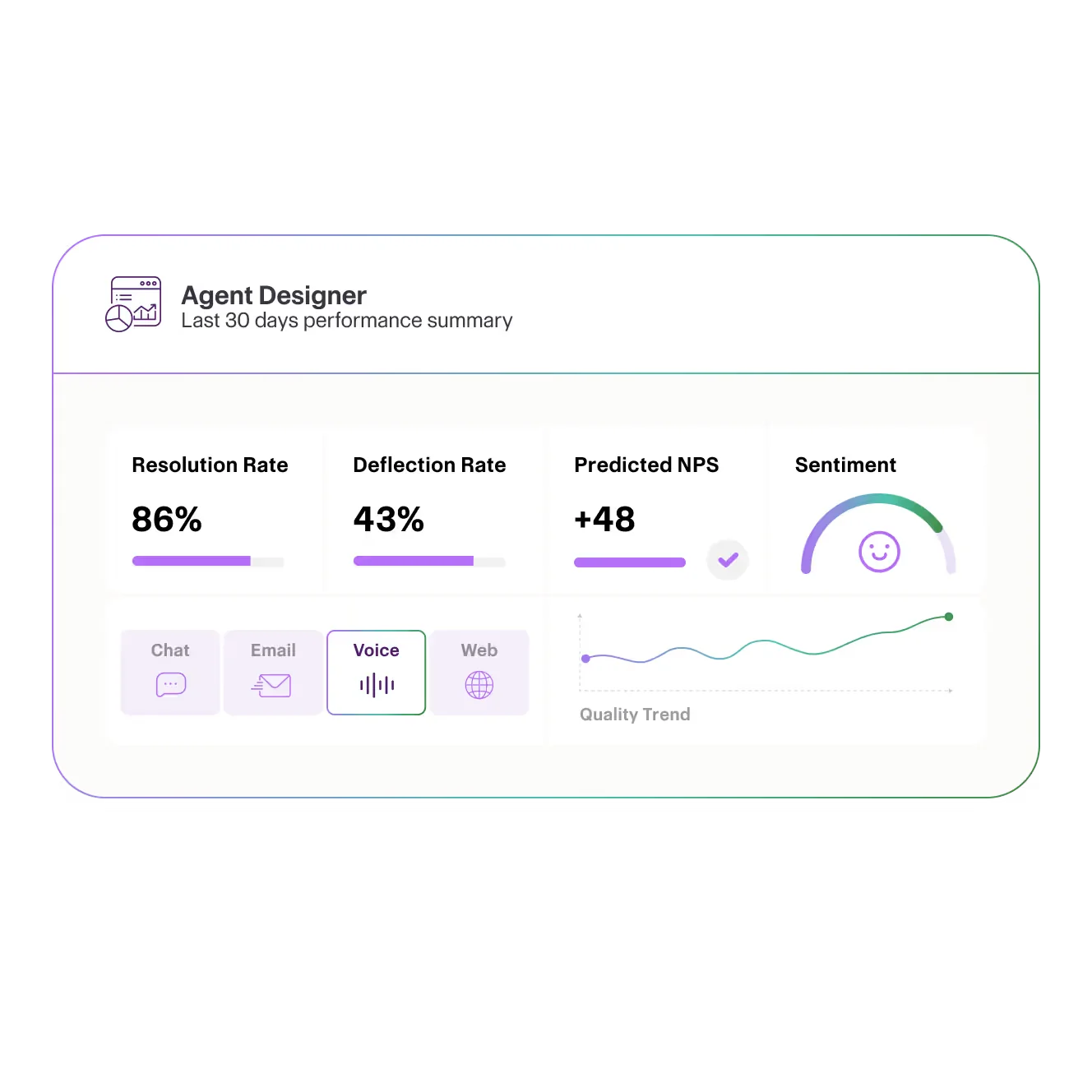
Maven AGI pitches a single agent spanning customer experience, sales and internal support. Founded by Jonathan Corbin, backed by Lux Capital and M13.
What it actually does. One agent across channels, with deployments Maven claims run one to six weeks. The Exclaimer case study reports an 18% reduction in ticket volume, plus 10+ hours saved weekly.
Pricing. None, anywhere. I checked /pricing, /plans, /platform/pricing, /product/pricing, /pricing-plans and /company/pricing. All 404. The sitemap contains zero pricing URLs, and there's no nav or footer link either. The only dollar figures anywhere on the site are industry benchmarks in Maven's own glossary: $0.99 to $2.00 per AI-resolved ticket against a $13.50 human median. That's Maven's framing of the market, not Maven's rates, so don't let anyone quote it back to you as pricing.
Pros: broad scope across CX, sales and employee support; fast stated deployment timelines; a named customer with a specific published result.
Cons: the least public information of any vendor here, including its billing unit; no documented pre-deployment testing story; nothing to evaluate without a sales call.
My take: worth a call if you want one agent covering support and sales, and you've got patience for a fully sales-led process. If you're comparing on price, you simply can't, and that's a choice Maven made deliberately. Maven AGI alternatives is a shorter path to an actual number.
Compare billing units before comparing rates
A ticket, session, resolution, and action are not interchangeable. Ask each vendor to price the same representative workload using its actual contract definition.
Include failed tasks, reopened conversations, handoffs, base helpdesk fees, minimum commitments, and usage allowances. A low unit price is not automatically a low invoice.
For eesel, a ticket or chat uses 1 credit regardless of outcome. You can inspect activity and read billing state through the CLI:
npx @eesel/cli billing
Use your workspace’s actual usage and current pricing to estimate cost. Do not equate a credit used with a successfully resolved ticket.
How to actually roll one of these out
The rollout pattern that works is boring, and the one that fails is exciting. Here's the boring one.
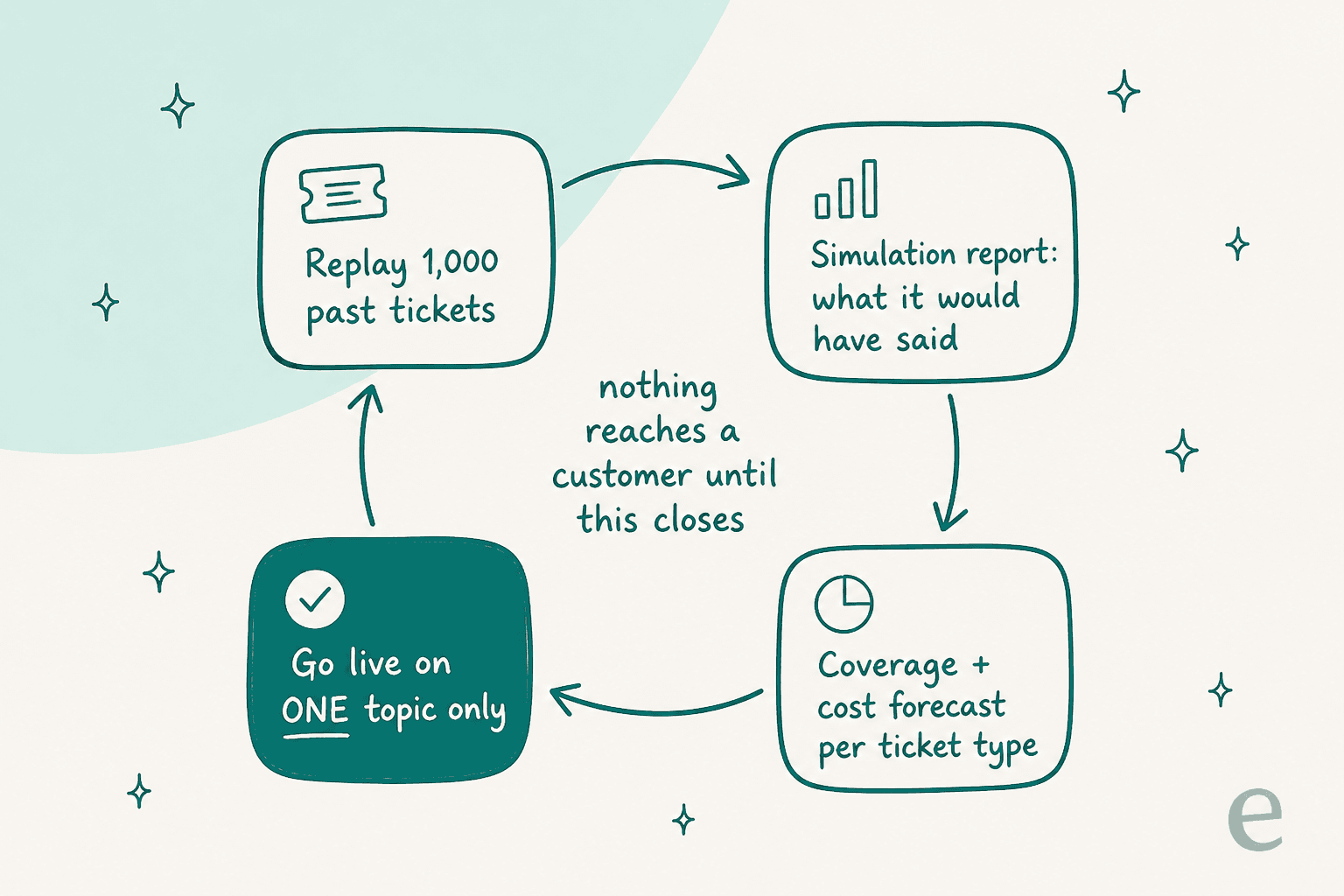
Week one, replay history. Point the agent at 1,000 or more closed tickets and read what it would have said. You're looking for two numbers: coverage by ticket theme, and the factual error rate. If a vendor can't give you both, well, that's your answer about the vendor.
Week two, one topic only. Pick the highest-volume, lowest-risk theme, usually order status or password resets, and let the agent handle only that, with a confidence threshold dropping everything else to a draft. A support manager we spoke to framed the goal exactly right: build something that handles a chunk of incoming tickets and knows when to pull a real person in for better analysis and resolution.
Week three, widen by evidence, not by calendar. Add the next theme when the last one holds up, not when the implementation plan says it should. Refunds and returns are usually the second wave, high volume, and the write action's well defined.
Then watch the escalations, not the deflections. Deflection rate is a vanity metric, and AI resolution rate is only slightly better. Nikola Mrkšić, CEO of PolyAI, makes the sharpest version of this argument on LinkedIn:
"High deflection and genuine resolution are not the same thing. […] The metric that matters most is relative resolution: of the calls you "contained/deflected", what percentage actually got resolved? That number should be as close to 100% as possible. If containment is 70% but your relative resolution is 50%, you resolved half and turned another half of your contact into compounding problems that leave your customers reeling."

He names the agentic cause directly too: systems that can't resolve because of "missing back-end integrations, unclear processes, or no delegated authority to act". The rung-two problem, basically, wearing an ops costume.
The denominator's worth staring at too. Marty Kausas, a founder in this space, published his own numbers, then walked them down himself: a 60% resolution rate on assigned tickets, but only 42.6% of tickets get assigned, so 25.5% of all tickets, which he estimates "probably reflect only < 10% of the total support work". That's a vendor doing the deflating for you. It's also the most useful benchmark in this whole post.
The other number that matters is what happens to the tickets the agent hands over: does the human get context, or start from scratch? Our own analysis of one trial found roughly 65% of agent rewrites were about length and tone, fixable by training on the team's own sent replies; about 20% needed extra connected data like ERP or logistics; only about 5% were the AI being factually wrong. Three very different problems, three very different fixes, and none of it shows up on a dashboard that only counts resolutions. That's also the argument for treating escalation management as a design decision, not a fallback.
Try the workflow through eesel CLI
Try eesel, connect the sources your support teammate needs, and inspect its instructions and automations before widening access. Use the CLI from your terminal or let a coding agent help with a bounded review; the same teammate remains available in the dashboard.
Choose one ticket theme, review its answers and actual actions, and expand only when the results support it. The value of agentic customer service is completed work your team can trust—not the presence of a command line or an autonomy claim.