


Call center knowledge base software gets sold as a place to put articles. On a phone floor, the article is never the problem, the ten seconds before the agent finds it is. An agent with a customer on the line has no time to read. They need the answer already in their screen, in the same pane as the call.
That reframe changes the shortlist. Of the six contact center platforms I looked at, only Aircall publishes a price for the thing that helps a live agent, and its own FAQ admits the answers do not appear automatically. Five9 excludes agent assist and AI Knowledge from both published tiers. Genesys sells the auto-surfacing as a separate SKU on every licence. NICE, meanwhile, keeps knowledge portals as an add-on even on its $249 top suite. The repository is included; the hand that reaches for it is not.
If your agents work in a helpdesk rather than a dialer, the cheapest working setup is usually the one you already own. eesel reads your existing help center, past tickets and internal docs, then drafts the answer from $299/month for 500 credits (1 credit per ticket or chat) with no seat fee, so you are not migrating a library before you even find out whether retrieval is your problem. It plugs into the helpdesk, not the phone system, and I will be straight about that below.
Why a call center knowledge base is a different problem
Every knowledge base article you have ever read about knowledge bases is really about deflection: publish good help articles, customers self-serve, tickets go down. That's a fine goal for a web form, though it has almost nothing to do with a phone queue.
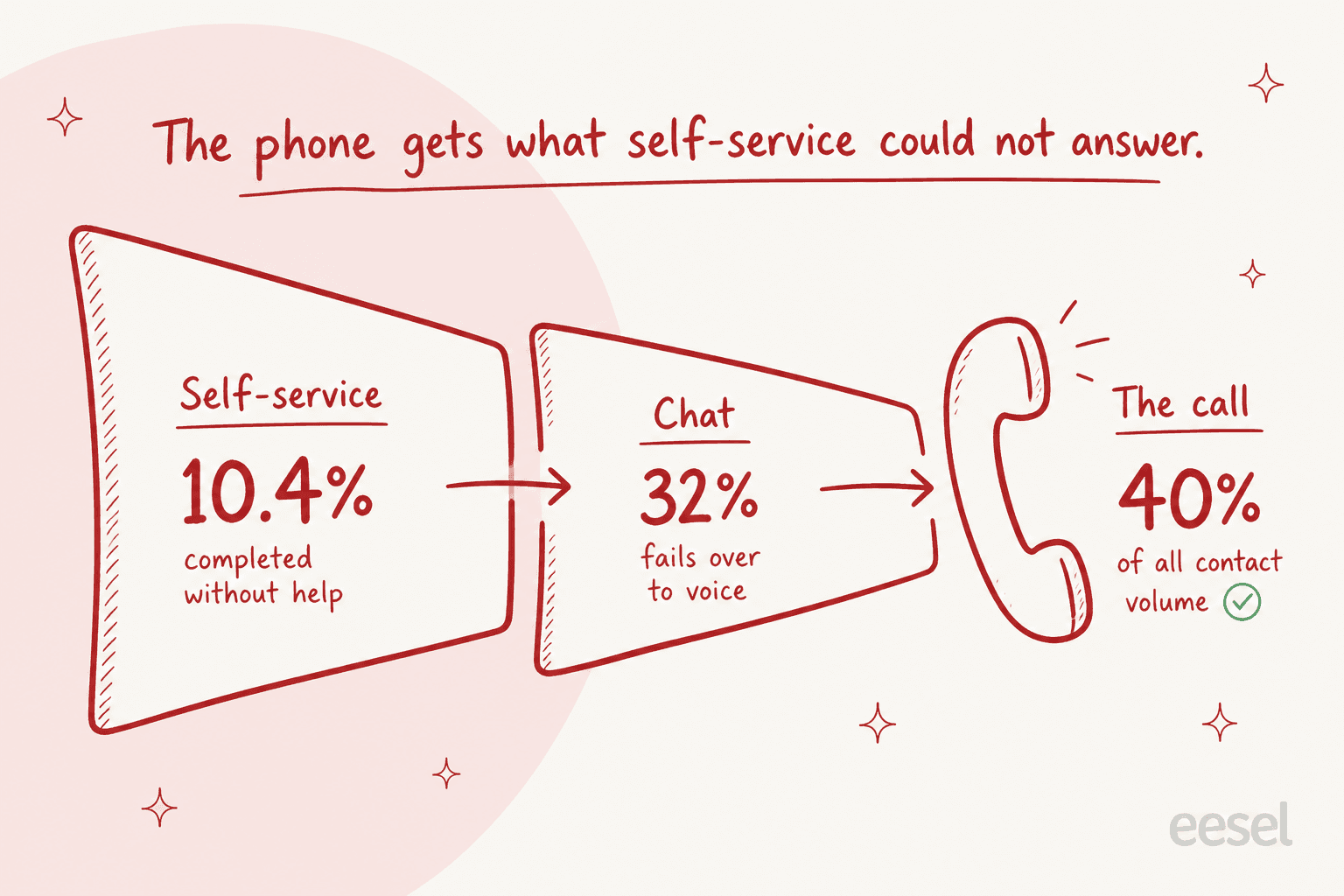
Start from what actually reaches a call. Self-service completes about 10.4% of the time on average, per HDI and MetricNet benchmarking, against the 30% to 95% deflection claims vendors put on their case study pages. Chat fails over to voice roughly 32% of the time. And voice is back to about 40% of contact volume and growing, per Zendesk's own reporting. Put those together and the picture is uncomfortable: the phone gets the contacts that self-service already failed to answer, which means the call floor is running the hardest content in your library, not the easiest.
I have spent enough time inside real support queues to know what that feels like at the desk level. When we ran early trials of our own copilot against live queues, the drafts were directionally right 88% of the time, yet agents still sent only 12% of them as written. The dominant behaviour was not "accept" or "reject". It was glance and rewrite: read the draft, take the one fact you needed, type your own sentence. That is the honest job description for anything that claims to help a live agent. It is not writing the reply. It is getting the right fact in front of a person who has four seconds to look.
Agents describe the failure mode better than any vendor page does:
"I look up the article for that payment system and it's just instructions on how to use it, nothing about what happens after payment is processed, not even how soon they'll see refund. I look through some related articles and still nothing. So just to find that info out, I have to place him on hold, wait for a minute or two, then talk with the support team for a minute or two, then get back to him for an incredibly simple answer."

Note what went wrong there. The content existed. The search was fine. The article documented the how and not the what happens next, and that gap cost four minutes of hold and an escalation. No editor feature fixes that. A report telling you which questions came back empty does.
How I picked these
I evaluated each tool on five things, in this order:
- How the answer reaches a live agent. Manual search, an automatic card driven by call transcription, or a pre-generated talking point. These are very different products often sold under the same phrase.
- What tier that costs. Not the repository, the retrieval. This is where the marketing and the invoice diverge the most.
- Whether it tells you what it failed to answer. A failed-search or unanswered-query report, not an article count.
- Whether the loop closes. Can a resolved contact become an article without someone volunteering an evening.
- What it does with a thin library. Every AI layer degrades when retrieval comes back empty, and how it degrades matters.
Prices below are per user per month on annual billing unless noted, and checked against each vendor's own pricing page in July 2026. Where a vendor publishes nothing, I just say so, rather than repeating a number from a roundup.
The 10 tools at a glance
| Tool | Best for | Where knowledge lives | How it reaches a live agent | Entry price | Live-assist price | Failed-search report | Contact to article | Seat minimum |
|---|---|---|---|---|---|---|---|---|
| eesel | Answering off the docs you already have | Your existing helpdesk, docs and past tickets | Drafts in the helpdesk the agent already uses | From $299/mo for 500 credits | Same credits, no seat fee | Yes, via unanswered reporting | Learns from resolved tickets | None |
| Guru | Ticket, chat and email agents | Guru cards plus connected sources | Browser-extension triggers, no CCaaS integrations | Not published | Not published | Card verification queue | Manual | Not published |
| Genesys Cloud CX | CCaaS-native knowledge with real gap reporting | Knowledge workbench, Q and A pairs | Live transcription, up to 3 auto-displayed articles | $75 | Separate Agent Assist SKU | Yes, Knowledge Optimizer | Unanswered query to article | None published |
| NICE CXone | Enterprise governance across many ACDs | NiCE Knowledge Management | Copilot for Agents, contextual knowledge | $110 | Included only at $249 | Not published | Not published | None published |
| Five9 | Floors where AHT is the only KPI | AI Knowledge Studio | Guidance cards and checklists from live transcript | $119 | Quote-only tiers | Not published | Not published | 50 |
| Talkdesk | Composed answers rather than article links | Answer cards, Knowledge Scopes | Transcript to generative retrieval, composed answer | $85 | Not published | Not published | Knowledge Creator | None published |
| Aircall | Small teams that want the price up front | Two text fields and a shallow site scan | Pre-generated Live Prompt cards | $30 | $49 add-on | No | No | 3 |
| Zendesk | One library for voice tickets and help center | Zendesk Knowledge (formerly Guide) | Knowledge in the ticket context panel | $55, panel needs Growth | Unit published, rate not | Yes, in Explore | Growth plan and above | None |
| Zoho Desk | The cheapest working loop | Zoho Desk knowledge base | Article search inside the ticket | $14, or $23 with telephony | Seat-gated Zia tiers | Popular and failed keywords | Yes, Zia ticket to article | None |
| Document360 | Regulated floors that need review cycles | Document360 workspaces | Helpdesk app, deepest on Zendesk | Quote only | Eddy credits, quote only | Yes | From a Zendesk ticket | Quote only |
The part that never appears in the seat price
Here is the thing I would want to know before a renewal call. The contact center vendors all publish seat prices, and those prices look comparable enough at a glance. But the capability that actually shortens a call does not live inside them.
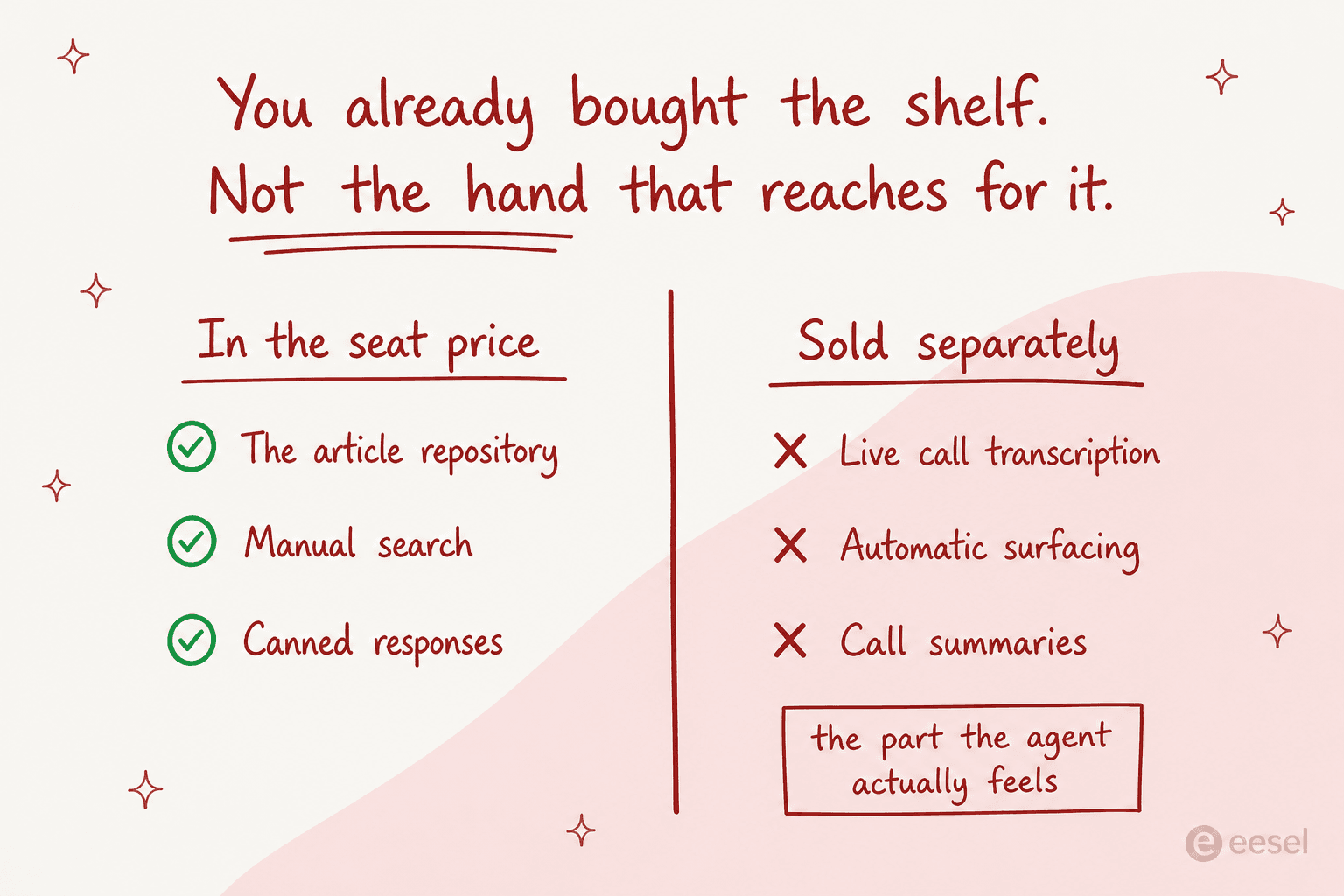
Genesys spells it out most clearly, to its credit, in its own SKU table. "Genesys Knowledge", meaning manual search plus canned responses, is included on CX 2 and CX 3. The automatic, transcription-driven surfacing that everybody means when they say agent assist is a separate Agent Assist SKU on every single tier. Real-time transcription is not available at all on digital-only tiers, and the AI Experience Token route was discontinued on 9 June 2025, so there is simply no published path to a price now.
Five9 tells the same story, just with a different shape. Reading the Five9 pricing table markup rather than its rendered ticks, both published plans, Digital at $119 and Core at $159, exclude AI Agent Assist and AI Knowledge. Those only appear on Plus and Enterprise, both of which say Contact Sales. NICE goes further still. It is the rare enterprise vendor that publishes seat prices at $110 through $249 plus $0.25 per session, yet its knowledge portals are an add-on at every tier, top suite included, with Copilot for Agents bundled only in the $249 Ultimate Suite.
Talkdesk, for its part, simply does not answer the question. Its CX Cloud pricing runs $85 to $225, and the plan comparison table has no Copilot row and no knowledge management row at all. The CXA pricing page lists five AI products and zero dollar figures.
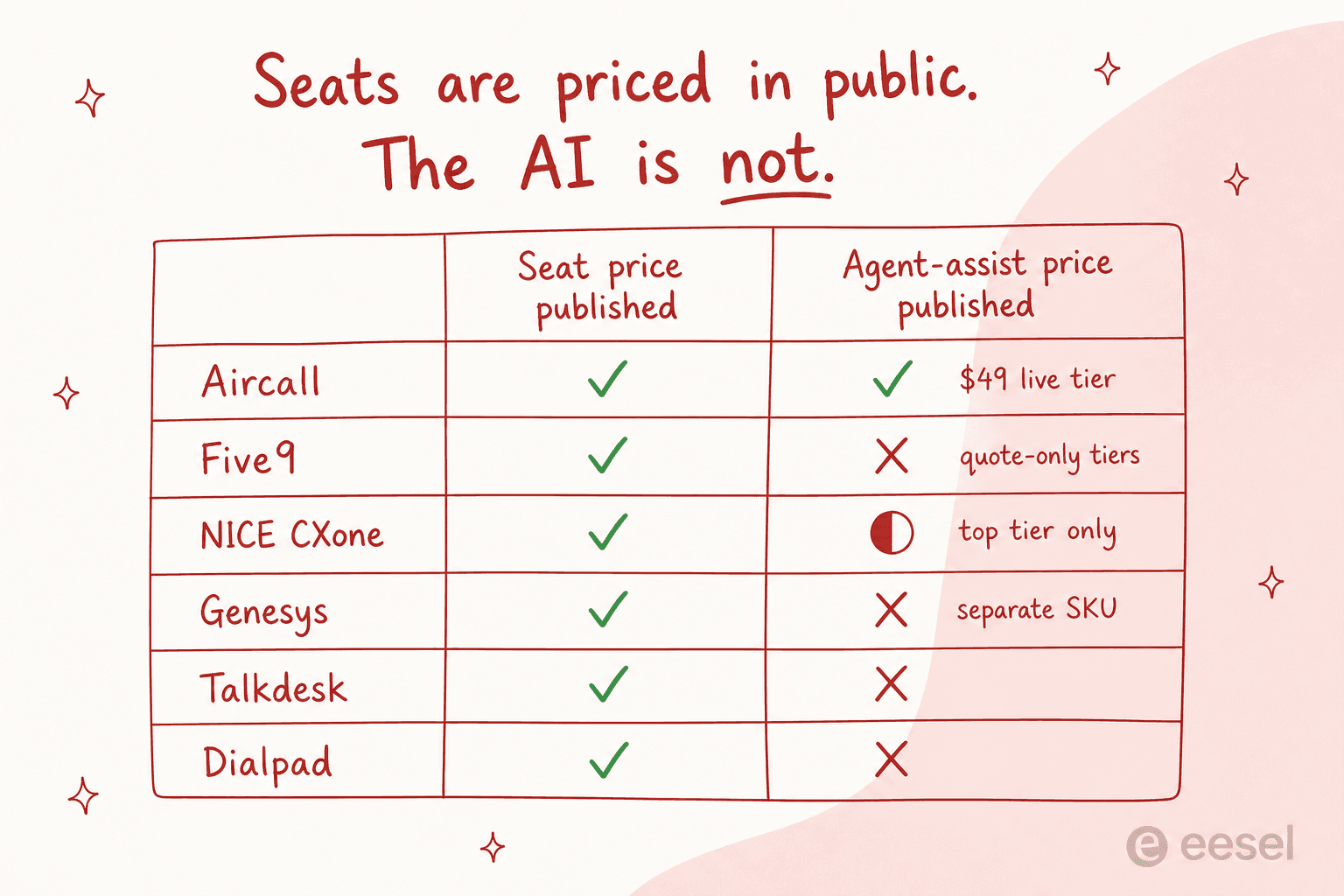
None of this is scandalous. Enterprise software is sold this way. But it does mean a knowledge base comparison built on published seat prices is comparing the shelf, not the hand, and the hand is the expensive part.
What the searching actually costs you
Before you price any of this, price the thing you are trying to remove first. Handle time is the whole argument for agent assist, yet most floors have never put a number on the search inside it.
The default numbers here are deliberately modest. Thirty-five seconds of searching on a call is not a broken floor, it is an ordinary one. It still adds up to more than a full-time salary at forty agents, and that is the budget you are actually working with.
1. eesel: best for answering off the knowledge you already have
Best for: teams whose agents live in a helpdesk, who want to know whether retrieval is the problem before buying a new library.

How knowledge reaches the agent. There is no new repository to build. eesel connects to the helpdesk you already use, plus the document tools your policies actually live in, from Confluence to SharePoint, Notion and Google Docs. It also learns from resolved tickets, and that is where most of the real answers actually live.
The agent sees a drafted reply with citations in the tool they already have open, which is the point: no second app to alt-tab into mid-contact.
Pricing. One fixed monthly price from $299/month for 500 credits (1 credit per ticket or chat), no per-seat fee, so a floor with high headcount and moderate volume is not punished twice. Full detail is on the pricing page.
Where it falls short, plainly. eesel does not plug into a dialer. There is no telephony integration and no live call transcription, so if what you want is a card that appears while audio is streaming, this simply is not that product. One customer, a vacation-rental support BPO running eesel as a Zendesk copilot, told us exactly that:
"The lack of voice recording support requires agents to summarize voice interactions for Eesel. Implementing this feature would significantly increase our usage."
A property-management support BPO, eesel customer interview
That is a fair hit and I would rather you read it here than find it in week two. eesel is the knowledge and drafting layer behind the contact, not the phone system.
What it does well. Because every rollout gets simulated against historical tickets before it goes live, you can see what it would have answered on the last few thousand contacts, including where it would have stayed quiet. That matters more than it sounds. At CartonCloud, Service Desk Lead Eddie Stephens put the retrieval half like this:
"It is getting us to the right articles really quickly and easily, as well as curating well-formed responses with consistent, on-brand tone, still keeping our own style and still keeping that human touch."
Eddie Stephens, Service Desk Lead, CartonCloud
Onboarding turned out to be the other quiet win. A team at vfm Group reported that they "can onboard new employees much faster with eesel AI's Copilot", with managers finally getting asked the important questions rather than the ones already written down. On a floor with the churn most call centers run, that is the difference between a three-week ramp and a five-week one.
Verdict: the right first move if your agents work tickets and chats and you suspect findability, not content, is the bottleneck. The wrong move if your requirement is a card appearing during live audio, in which case read on.
2. Guru: best for a knowledge card inside whatever app is open
Best for: floors using a CCaaS platform whose knowledge layer is weak, where you need one card surface across several tools.
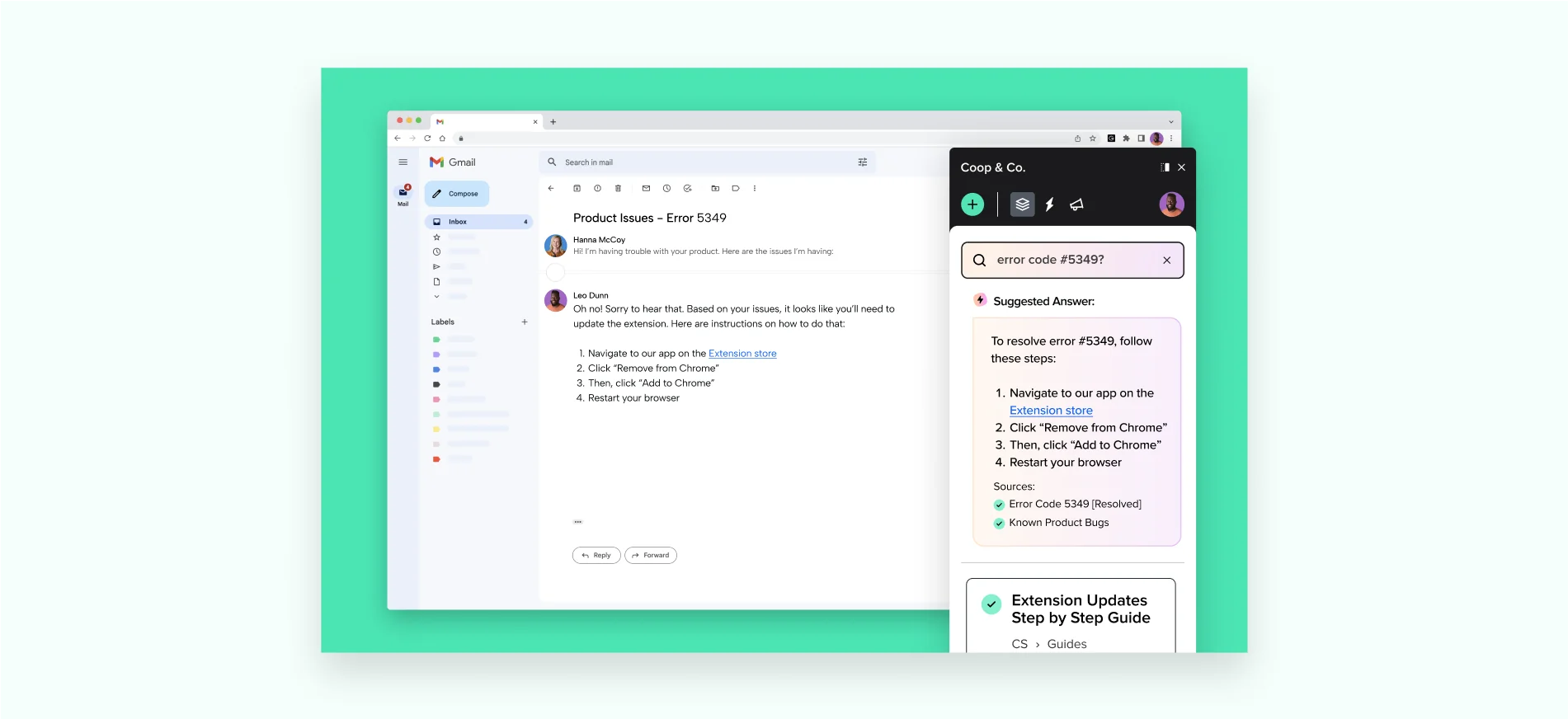
How knowledge reaches the agent. Guru's mechanism is a browser extension, and Knowledge Triggers surface a card based on whatever is on screen. You build a trigger by highlighting a text field on a page, binding content to it, and assigning a user group, with multi-condition logic available if you need it.
Read the fine print before you plan a phone rollout, though. Guru's own Knowledge Triggers FAQ says triggers "rely on static text fields" and that if content is rendered dynamically, "like a customer message in a live chat feed", the trigger may not fire. It also states they will not activate on buttons, input fields, dropdowns, or content inside canvas elements, and do not work across multiple iframes or widgets. A softphone is all of those things at once. Guru lists 132 integrations, and not one of them is a contact center platform: no Five9, Genesys, Talkdesk, NICE, Amazon Connect, Aircall or Dialpad. Guru's own support page describes its channels as chat, email and help desks, and it never once claims voice.
Content freshness. Guru is one of the few tools here with a genuine staleness mechanic. Cards carry verification, and expired ones land in an Unverified Cards queue with an owner attached, so decay stays visible instead of being discovered by an agent reading a 2023 policy to a customer.
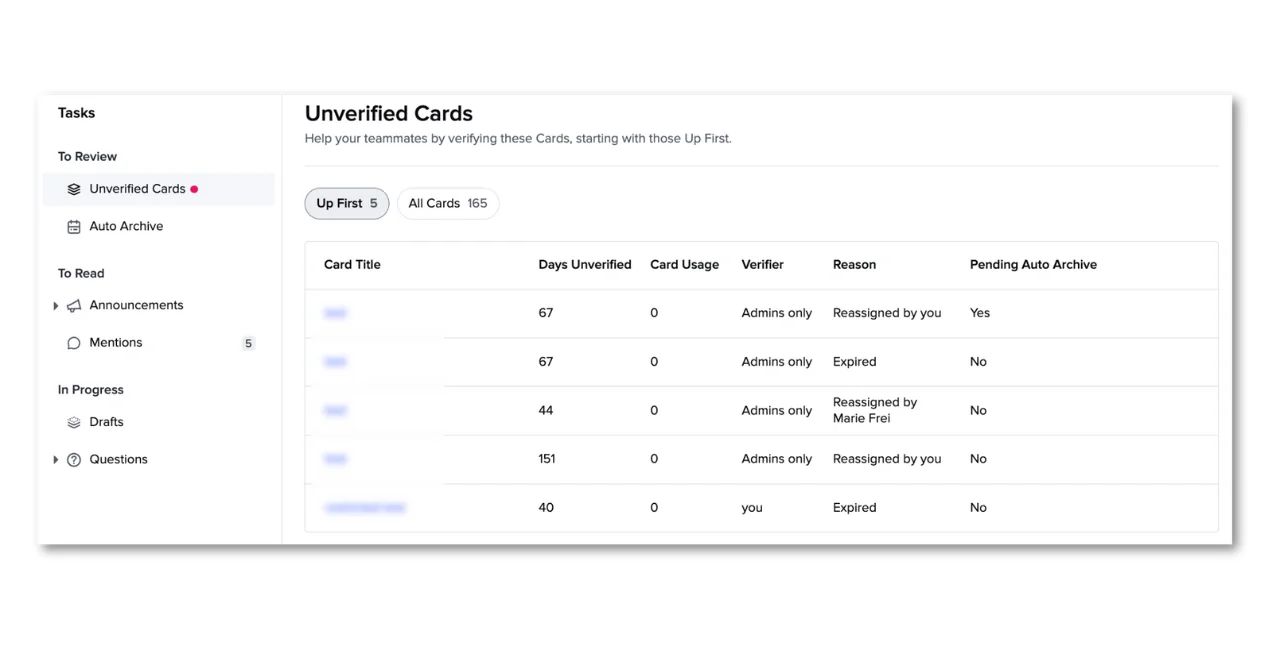
One caveat worth knowing: for Collections created after January 2026 the verification default flipped to "Does not expire", so the safety net is opt-in now.
Pricing. Guru publishes no dollar figures at all. No tiers, no trial length, no self-serve signup. For a 200-seat floor that is a procurement cycle, not a card payment.
Where it falls short. Search quality is the recurring complaint, and it is the one thing this category cannot afford to get wrong:
"Search Can Be Inaccurate or Overly Dependent on Tags. Guru's search often struggles when I type partial matches or use different terminology. It also tends to return too many similar results, which becomes especially noticeable in larger knowledge bases. […] As a result, users end up scanning long cards instead of being guided through the information in a clearer way."

Verdict: excellent for agents working tickets, chat and email across several browser apps, and the best staleness control in the roundup. Not a live-voice tool, whatever the category page implies. Skip it if you need a published price to build a business case, or if your library is large enough that tag-dependent search will hurt.
3. Genesys Cloud CX: best CCaaS-native knowledge with real gap reporting
Best for: enterprises already on Genesys who want the knowledge loop instrumented rather than guessed at.
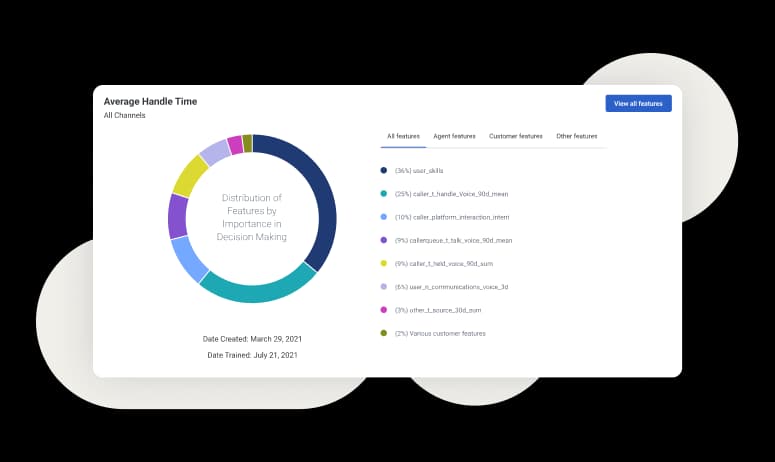
How knowledge reaches the agent. This is the most explicitly documented real-time path of any vendor here. Live audio streams to transcription, the transcript drives Agent Assist, and the agent gets a live stream of knowledge suggestions to read aloud, while Copilot adds an intent layer that returns next-best-actions on top.
The shape of the content is unusual. A Genesys article is a question and answer pair, not a free-form document: a title that is the question, one optional category, one label, a rich-text answer, and hand-authored question variations. It is closer to a knowledge base chatbot corpus than a help center. Hard caps apply: 500 knowledge bases per org, 15,000 articles per base, 190 KB per article.
The reporting is the reason to pick it. Knowledge Optimizer reports answered versus unanswered query percentages, split by where the query came from, and lets you turn an unanswered phrase straight into an article. That is the loop most vendors here never close. Two honest caveats, though: it runs as a 24-hour batch job, and the hits column only counts activity since the related task was last cleared.
Pricing. Seats run $75 for CX 1 up to $240 for CX 4. Knowledge authoring needs CX 2 or above, and the auto-surfacing is that separate SKU on every tier. Multilingual floors should budget carefully, because articles must match their knowledge base's language, so a second language means a second knowledge base against the 500 cap, and auto-surfacing silently fails when locales do not match.
Verdict: the strongest native option if you are already on Genesys and can get the Agent Assist SKU through procurement. The gap reporting alone justifies it. Not a reason to migrate onto Genesys.
4. NICE CXone: best enterprise governance, worst bundling story
Best for: large operations spanning several ACDs that need one governed repository with an audit trail.

How knowledge reaches the agent. Two products, and you need both of them. NiCE Knowledge Management, formerly CXone Expert, is the governed repository. Copilot for Agents is the push mechanism, offering contextual knowledge and next-best statements during the interaction. Copilot works cross-ACD through Engagement Hub, which matters a lot for a group that grew by acquisition and now runs three phone systems it never actually chose.
Pricing, and the trap inside it. NICE deserves credit for publishing real numbers when its peers do not: $110 Omnichannel through $249 Ultimate, plus $0.25 per session. Read the icon legend on that pricing table carefully, though. Copilot for Agents is included only in the $249 Ultimate Suite and is an add-on in all four suites below it, and both knowledge portals are add-ons at every tier, Ultimate included. There is no published NICE package at any price that includes knowledge management. The word "session" is never defined either, which makes the $0.25 meter hard to model before signature.
Where it falls short. No published article caps or answer allowances is a plus, but the Copilot documentation is not publicly reachable, so retrieval behaviour has to be taken on trust until a proof of concept.
Verdict: the right pick for a large, governed, multi-ACD estate where compliance matters more than list price. A poor pick if you expected the top suite to include the knowledge layer, because it does not.
5. Five9: best for floors where handle time is the only KPI
Best for: mid-market voice operations of 50 seats or more that are optimising AHT and can absorb a quote-based AI purchase.
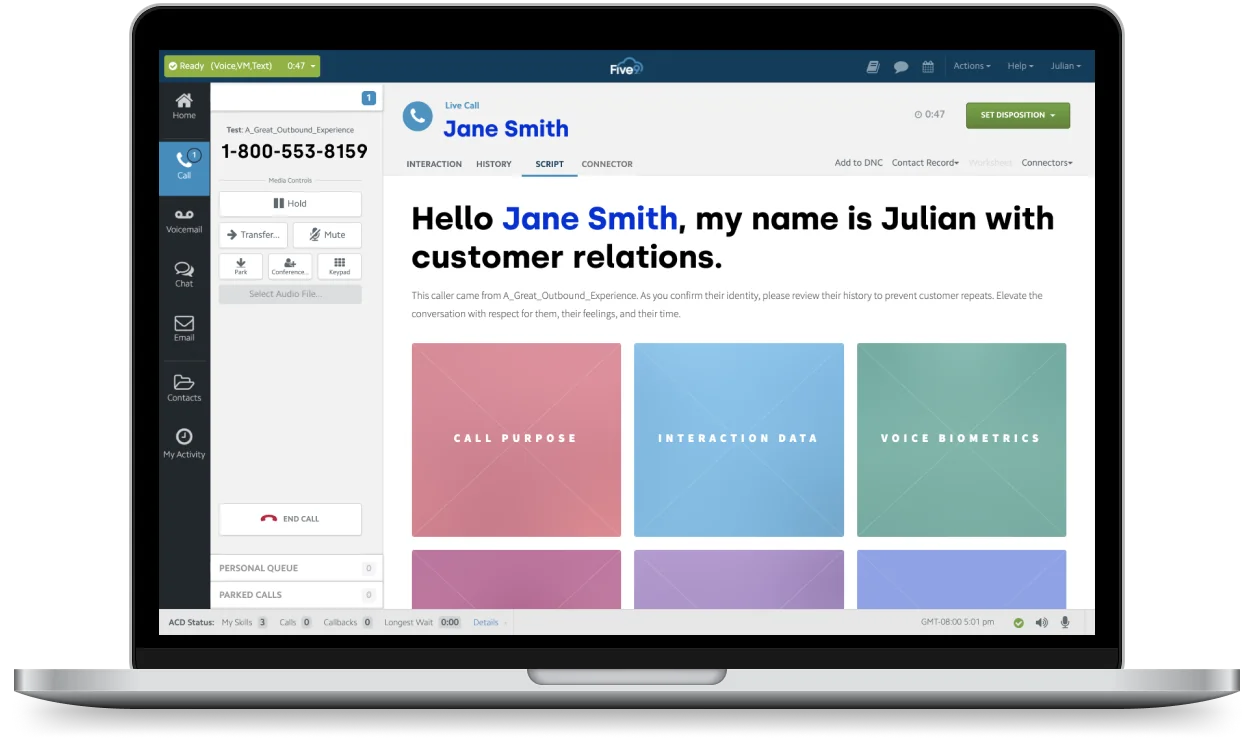
How knowledge reaches the agent. Five9 splits it into two pieces. AI Knowledge is the retrieval layer, an LLM over your own content with AI Knowledge Studio as the authoring hub, and the same layer serves both the voice bot and live agents. Agent Assist is the delivery: live transcription triggers guidance cards and checklists that recommend the next action. Notice the framing difference from Genesys here. Five9 leans toward telling the agent what to do rather than which article to read, which suits scripted queues well and complex judgement calls less so.
Does it work. Five9's own TruConnect case study reports a 30-second reduction in average handle time. Put 30 seconds into the calculator above and you will see why vendors lead with that number.
Pricing. Digital is $119 and Core is $159 per concurrent seat, with a 50-seat minimum. The catch is that neither published plan includes AI Agent Assist or AI Knowledge; both sit in Plus and Enterprise, which are Contact Sales. Core buys you AI summaries, live transcription and insights, which is the raw material for agent assist without the assist. Concurrent licensing also means workforce management billed on named agents can bill twice if headcount runs well above concurrency.
Verdict: a strong voice platform and a real knowledge product, undermined for shortlist purposes by the fact that you cannot price the relevant half. Fine if you are already at 50+ seats and running a formal procurement. Not for a 20-seat team.
6. Talkdesk: best composed answers, no published price
Best for: teams that would rather the agent read one composed sentence than skim three articles.
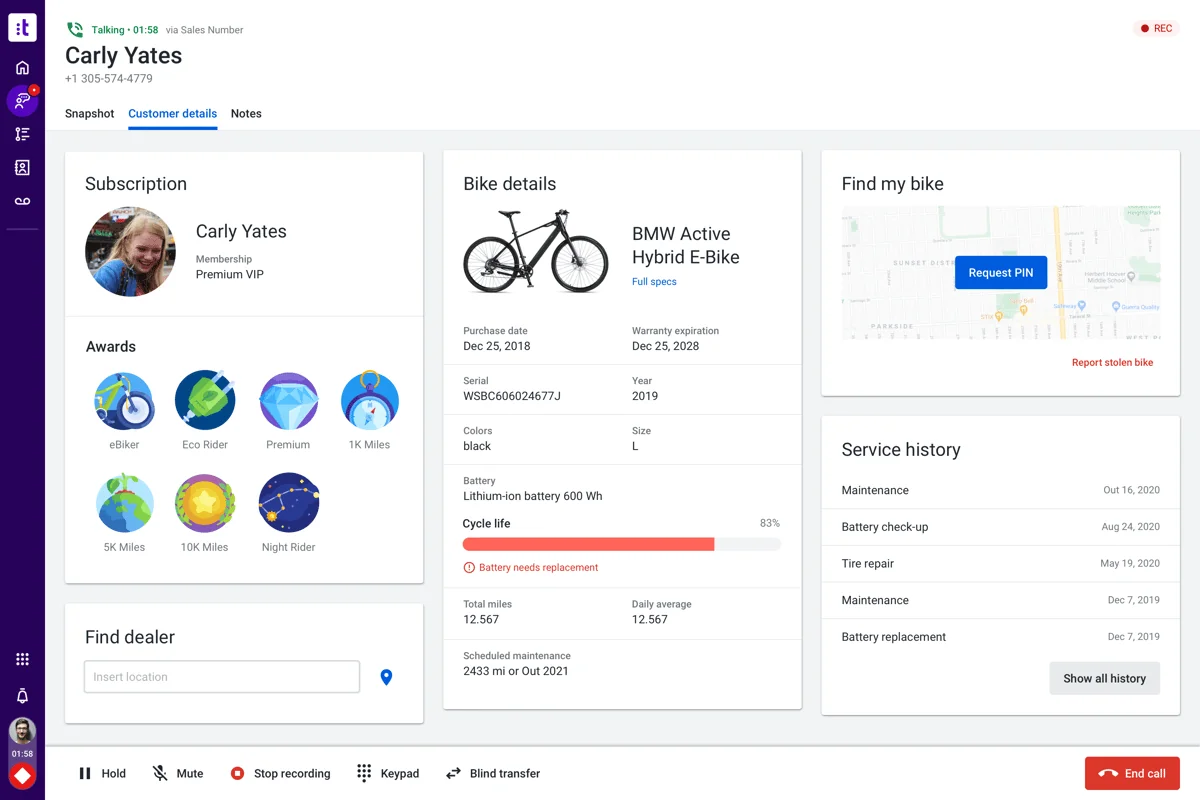
How knowledge reaches the agent. Talkdesk Knowledge Management stores answer cards rather than articles, and Knowledge Scopes route answers to ring groups by intent, so a billing queue and a technical queue are not left fighting over one corpus. At call time, speech to text feeds generative retrieval, and Copilot composes an answer rather than just returning links. Smart Scripts add step-by-step guidance alongside that.
That composition step is the most agent-friendly design here. Going back to the earlier Reddit thread, the failure being described is precisely a link dump:
"i had a customer on the line demanding an answer right away to his question - it's those situations where there's no time to read through the knowledge base material throughly. So I quickly posted a question on the team chat and instead of confirming or giving me a straight answer to my question, my team leader just drops a link to an article."
Pricing. Seats are $85, $105, $165 and $225. Copilot and Knowledge Management do not appear as rows in the plan comparison and are not in the add-on list, and the CXA page lists five AI products with no figures. Talkdesk Express is the one bounded published offer: 25 licences, under 50 employees, US and Canada only.
Worth noting on the trust side. Talkdesk carries ISO 42001, the AI management standard, which most competitors here do not.
Verdict: the best answer-delivery design of the CCaaS group, and the least buyable without a sales cycle. Shortlist it if you are already talking to them; do not build a budget around it.
7. Aircall: best published price, most limited knowledge
Best for: small teams that want to know the cost before the call, and can live with static talking points.
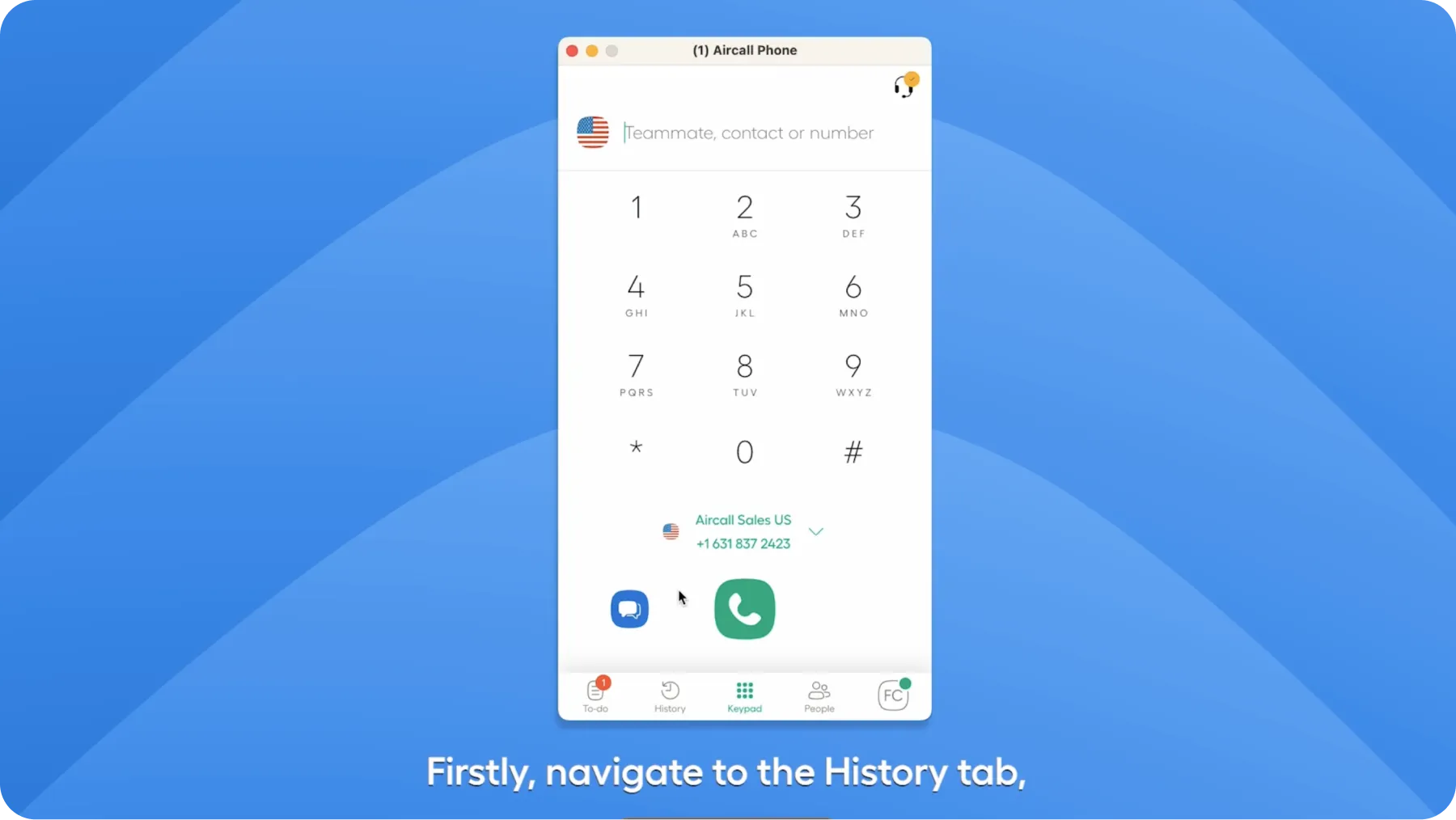
How knowledge reaches the agent, and this is the important bit. Aircall does not do retrieval on a live call at all. It scans a knowledge source once, either a pasted text block or a website URL one page deep plus up to two sub-pages, then pre-generates static Live Prompt cards that a human reviews and assigns per phone number. Aircall says so itself in its own help documentation: asked whether connecting a knowledge source makes answers appear automatically during calls, the answer is "No." The company knowledge store amounts to two free-text fields capped at 500 characters each.
Pricing. Essentials $30 and Professional $50, three-licence minimum, with figures readable from the pricing page structured data since the table renders client-side. AI Assist is $9 per user but post-call only; the live transcription and Live Prompts you actually want are AI Assist Pro at $49, so the real floor for anything live is $99 per user per month. The voice agent is separate again, from $0.19 a minute at volume, $0.49 pay as you go.
Verdict: the most honest pricing in this roundup and the least capable knowledge layer. Right for a ten-seat sales or support team with a narrow set of repeat questions. Wrong for a floor with a large library, because two 500-character fields and a shallow site scan will not hold your policies.
8. Zendesk: best when voice tickets and the help center share one library
Best for: teams whose phone channel is Zendesk Talk and who want one corpus behind calls, chats and the public help center.

How knowledge reaches the agent. Knowledge sits in the ticket context panel, so an agent on a Talk call searches and inserts articles without ever leaving the ticket. It is manual rather than transcription-driven, which in principle is slower than Genesys or Talkdesk, and in practice is often fine anyway, because the agent already knows what they are looking for.
Two limits are worth knowing before rollout. The panel caps you at five pins per ticket, does not support double-quote phrase search, and federated external content is Enterprise-only. More awkwardly, Zendesk's own documentation notes that when auto assist is on, the copy button disappears, because auto assist replaces the composer. So switching on the AI actually removes the manual insert path your agents were trained on.
Content gaps. Explore's searches-with-no-results report, with 390-day retention, is one of the better failed-search views in the category, and it is the report I would check weekly. Our Zendesk knowledge base guide covers the setup.
Pricing, and the gates. The knowledge base is not in the $19 Support Team plan; it starts at Suite Team, $55. And here is the trap specific to a phone floor: voice is available on Suite Team, but the knowledge context panel needs Suite Growth or above. The plan that lets your agents take calls does not let them search knowledge from the ticket, and creating an article from inside a ticket sits on Growth too. Zendesk publishes its AI unit and per-agent allowances but not the rate, which is worth remembering when you model it; the numbers circulating in roundups are not official. We break the tiers down in Zendesk pricing.
Verdict: the safe pick if you are already on Zendesk, especially with Zendesk Talk IVR in place. Just do not assume the AI line item is small, and check what AI for Zendesk can add on top before buying up a tier.
9. Zoho Desk: best cheap loop that actually closes
Best for: budget-conscious floors that want ticket-to-article capture without an enterprise contract.
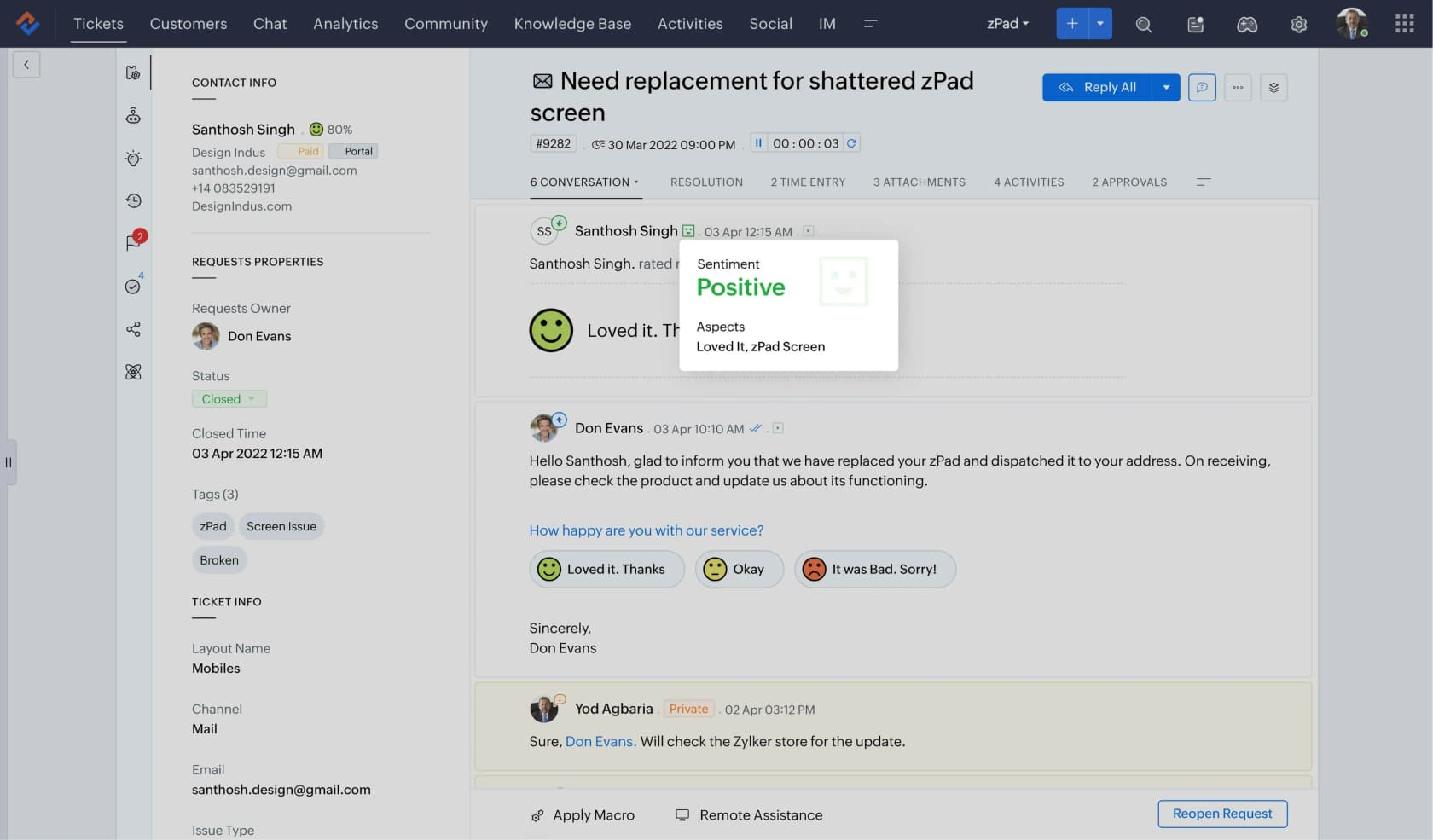
How knowledge reaches the agent. Article search inside the ticket, same shape as Zendesk. What makes Zoho interesting is the other direction: Zia's ticket-to-article conversion is the only true implementation I found across the mainstream helpdesks. It takes 1 to 10 threads from a single ticket in a single department, drops the attachments, and produces an agent-only draft. Limited, sure, but real, and it is how a library actually grows from work you already did.
Content gaps. Zoho splits popular keywords from failed keywords, which is the same signal Genesys and Zendesk give you.
Pricing, and the phone-floor asterisk. The knowledge base is in Standard at $14 per agent, which makes Zoho the honest outlier in a category where the knowledge base is usually three tiers up. But if the phone is your channel, $14 is not your number: telephony and Zia both start at Professional, $23, and multi-level IVR waits until Enterprise at $40. The Free and Express plans have no knowledge base at all. No usage meter means no surprise invoice, which some finance teams prefer to a cheaper per-resolution rate. More detail in our Zoho Desk AI review.
One honest gap. Zoho's own call center page documents customer lookup, ticket association, call summaries and transfers as in-call actions, but never once mentions knowledge lookup during a call. Zia is triggered by a customer's written question, and a phone call simply does not produce one.
Verdict: the best value in the roundup for a ticket-and-chat team, and the cheapest place to run a real capture loop. On a pure voice floor, budget $23 rather than $14 and treat knowledge as agent-initiated, not pushed.
10. Document360: best for floors that have to prove what they told people
Best for: regulated operations where review cycles, versioning and audit trails are the requirement.
How knowledge reaches the agent. Through a helpdesk app rather than the phone system. Its Zendesk app is the deepest integration of any tool here: it auto-searches on the ticket title, suggests up to five articles, inserts the full content, drafts with Eddy, and creates a draft article from the ticket. The Salesforce path is thinner and only matches on the case subject field, and there is no HubSpot or Zoho integration at all.
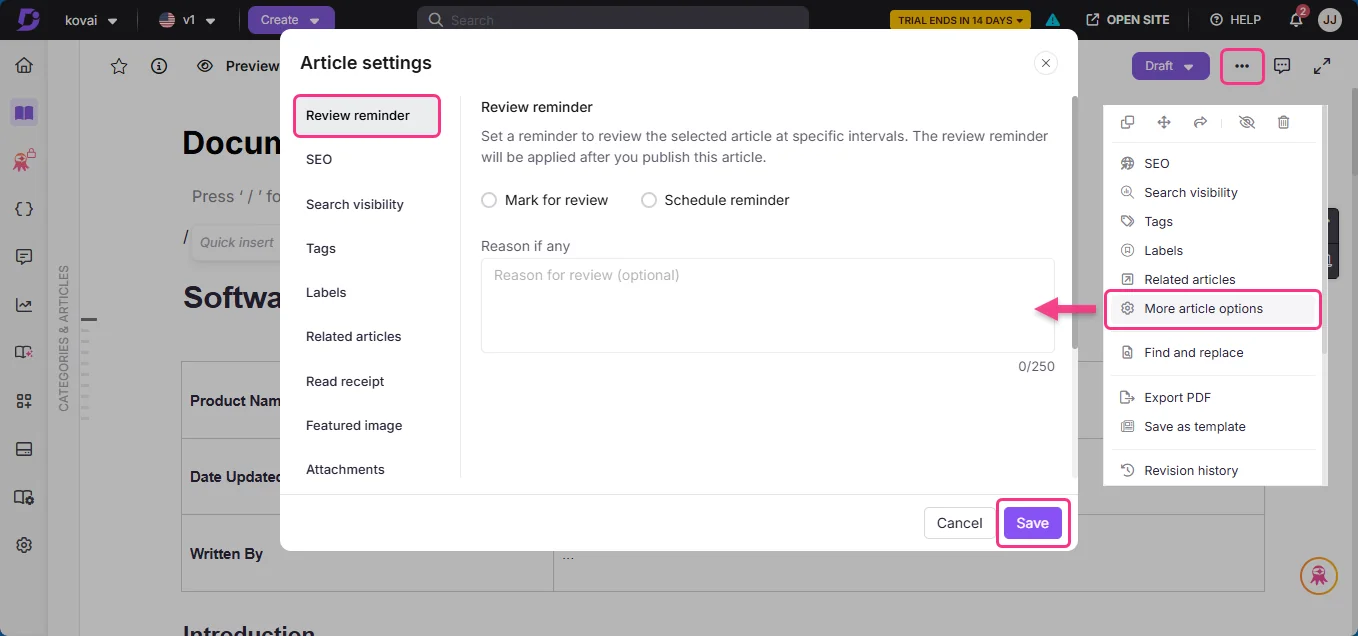
The governance is the product. Scheduled review reminders with owners are what a compliance team wants when someone asks which version of a policy an agent read out in March.
Pricing. Quote only, through a three-step lead form, with a 14-day trial and no way to buy AI credits during it. The Eddy unit is coarse: one credit equals one question asked, with top-ups by emailing support.
Verdict: the right answer for financial services, healthcare and anywhere an auditor shows up. Overkill for a general support floor, and the quote-only pricing means it competes with Guru on the same procurement friction.
What actually breaks on a real floor
Three things, and none of them are on a feature matrix.
The clock is structurally rigged. The most useful number I found in weeks of reading was not from a vendor:
"I get the point about putting callers on hold, but in reality, when someone demands an answer right away, it can take 3+ minutes to confirm. If I put them on hold that long, some get annoyed or escalate. Either way, I'm doomed: penalized if you place the caller on hold for more than 3 mins or return back to the caller and tell them you need more time."
Three minutes to confirm, against a three-minute hold cap. When your policy and your knowledge system disagree by even a few seconds, the agent absorbs it, and quality scores punish them either way.
Agents route around a KB they cannot search. This is the quote I would put on the wall, because the knowledge base in question is a good one:
"Our knowledge base is actually quite good and we actually have a dedicated chat team to answer questions not found there. […] My main complaint about it, is that the search function doesn't work as well as it should. Quality will ding you for not using it or if you follow the process incorrectly. I also keep a few cheat notes notes taped to my monitor."
Good content, staffed backup, and the answer still ends up on a sticky note. Every sticky note is knowledge your AI layer will never see, and it simply walks out of the building when the agent does. One customer, a salesperson at a French public-sector IT firm running about 3,000 tickets a month, came to us for exactly that reason. Two senior agents were leaving, and nobody could name where their knowledge actually lived.
A thin library plus a generative layer invents things. When retrieval comes back empty, a model with a helpful disposition just fills the gap. We have watched a paying customer's bot invent subscription claims about solar cells that had never existed, and another return "Oxygen" from the periodic table to a customer question. Both were content problems wearing an AI costume. Fix findability first, or read our notes on preventing hallucinations before you connect anything to a live queue.
What I would actually do
If you run fewer than 50 seats, ignore the CCaaS AI SKUs entirely for now. Put the knowledge where your agents already work, get a failed-search report running, and spend a month just fixing the queries that come back empty. Zoho Desk on Professional or your existing Zendesk tier will do this fine, as long as you check that the tier you are on actually includes the knowledge panel.
If you run 50 to 500 seats on a CCaaS platform, price the agent-assist SKU before you renew the seats, not after, and make the vendor commit to what "session" or "minute" means in writing. Ask for the failed-query report in the demo. If they cannot show you one, they are selling you a shelf.
If you run a regulated floor, Document360 or NICE for governance, and accept the procurement cycle.
And whatever the size you run, test the thing against your own history before it ever touches a live call. The gap between "the AI answered" and "the AI answered correctly" is only visible on your own past contacts, which is why simulation matters more than any demo.
Try eesel where your agents already are
If your agents work tickets and chats and the phone is only part of the picture, the fastest path is not a new knowledge base. It is connecting the one you have.

eesel reads your existing help center, past resolved tickets and internal docs, then drafts cited answers inside the helpdesk your agents already work in, including Freshdesk, Front and Slack. Every rollout gets simulated against your historical contacts first, so you see the answers well before your customers do.
It starts at $299/month for 500 credits with no seat fee, and it does not touch your dialer, which I would rather say out loud than let you discover later. Try eesel free, or book a demo if you want to see the simulation run on your own tickets.