70% of support agent time goes to repetitive tasks, according to SysAid. That figure isn't surprising if you've spent time in a support queue: password resets, order status checks, billing questions the team has answered a thousand times. The work is predictable. It still eats hours.
The productivity data on AI is consistent. A joint study by Stanford and MIT tracking 5,000+ agents at a Fortune 500 company found that AI assistance raised productivity by 14% on average. Handle time dropped. Issues resolved per hour climbed. The gains were sharpest for newer agents, who improved most from following AI suggestions.
But there's a counterpoint worth knowing. A CX Dive report from May 2026, drawing on interviews with Gartner, Deloitte, and frontline support practitioners, found that AI often increases agent overload when implemented carelessly. Simple queries get deflected by chatbots; what lands on human agents becomes harder and more stressful. The ticket queue shrinks but its complexity grows.
"AI reduces cognitive load only when it pairs the relevant context with the actual guidance," Jonathan Schmidt, a Senior Principal Analyst at Gartner, told CX Dive. "Otherwise, poor implementations can filter complexity towards the agents instead of eliminating it."
So the question isn't whether AI improves agent productivity - the data is clear on that. The question is which use cases actually reduce workload and which ones just redistribute harder work onto humans. Below are seven that consistently show up in research and customer outcomes as worth implementing.
What AI-assisted agent productivity actually looks like
Before getting into specific use cases, it helps to understand how AI integrates with support work in practice. There are two operating modes, and most serious implementations support both.
In copilot mode, the AI drafts every response but nothing goes out without a human approving it. Agents review drafts, make edits, and send. Each edit trains the model. It's fully supervised and a reasonable starting point for teams new to AI.
In agent (autonomous) mode, the AI sends responses directly on high-confidence tickets. Low-confidence cases queue as drafts for review. Escalation conditions - billing disputes above a threshold, negative sentiment, VIP accounts - are configured in plain English and trigger human review automatically.
Most teams start in copilot mode and graduate to autonomous over weeks as the AI's accuracy on specific ticket categories reaches an acceptable level. The two modes aren't mutually exclusive - teams often run both simultaneously, with different rules for different ticket types.
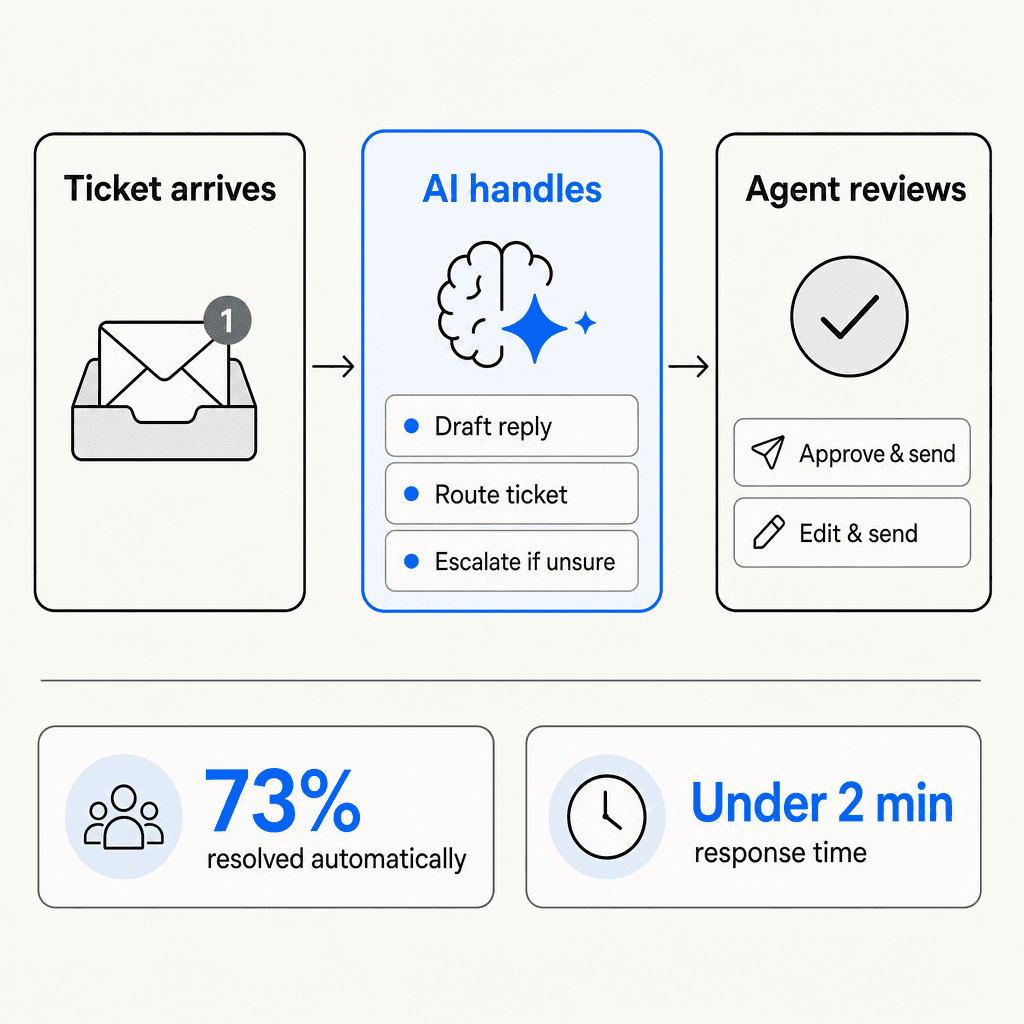
The operational difference matters: copilot mode reduces time per ticket; agent mode removes entire tickets from the queue. The biggest productivity gains come from combining both.
7 use cases that cut agent workload
Below are the seven areas where AI-assisted productivity most consistently shows up in both research and customer data. Some require connecting an AI layer to your helpdesk. Others are built into modern helpdesk platforms. All seven have enough real-world evidence to be worth evaluating against your team's specific bottlenecks.
1. Tier-1 ticket automation
The single biggest source of agent time savings is automating tickets that don't need a human at all. Password resets, order status lookups, simple refund requests, FAQ answers the team has canned responses for. These typically make up 40-60% of a support queue by volume.
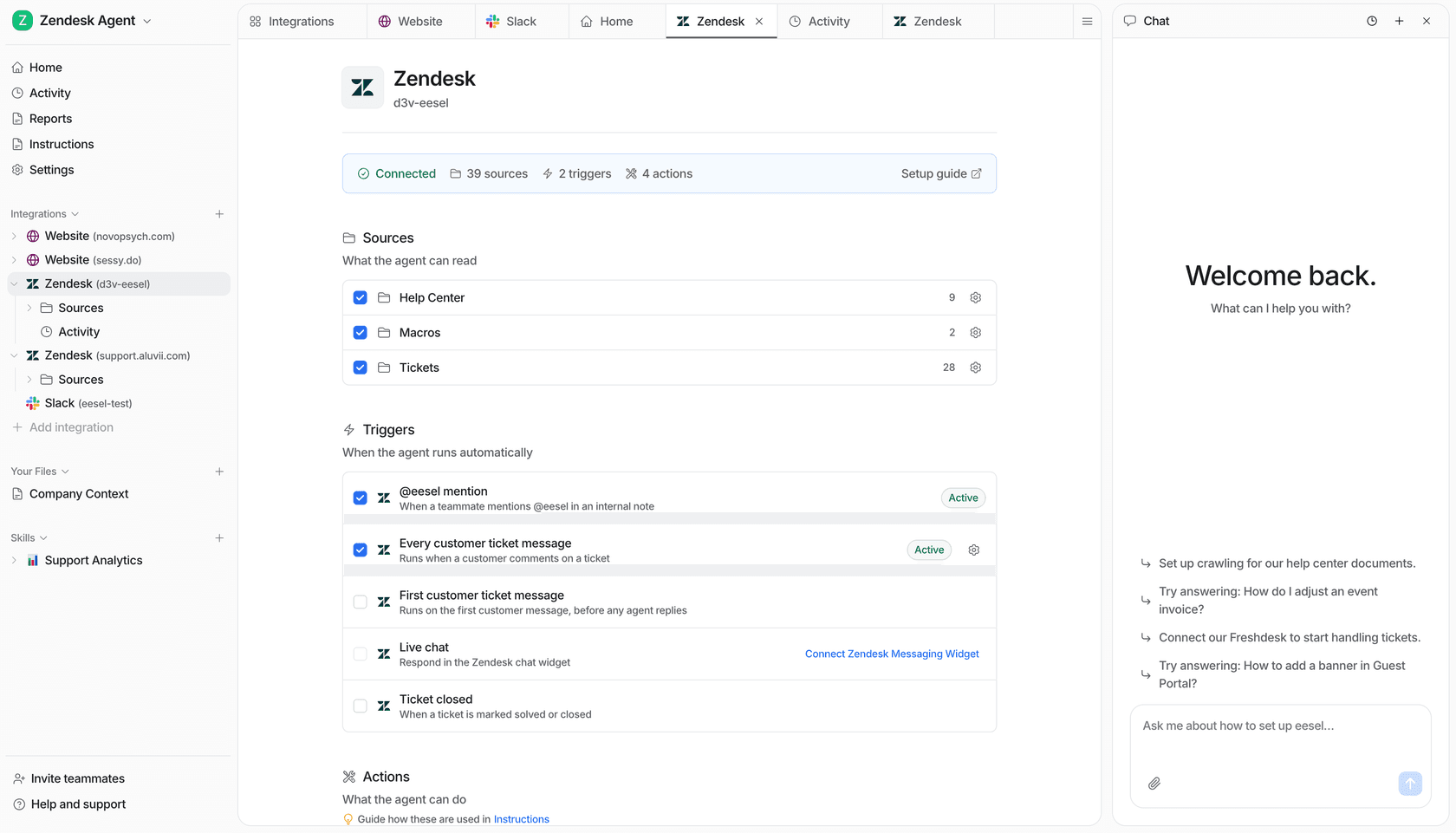
eesel AI connects to your existing helpdesk - Zendesk, Freshdesk, Gorgias, Help Scout - and works as an AI agent inside your existing ticket queue. When a ticket arrives, eesel reads it, checks its connected knowledge sources (past tickets, help center articles, Confluence, Google Drive, whatever you've connected), drafts a response, and sends it if confidence is high enough. Low-confidence tickets route to agents as drafts.
Gridwise saw 73% of tier-1 requests resolved autonomously in the first month. On the Zendesk Copilot side, Rotho went from 40 to 120 tickets per agent per 8-hour shift after deploying AI. Across surveyed Zendesk Copilot users, 82% report increased agent productivity.
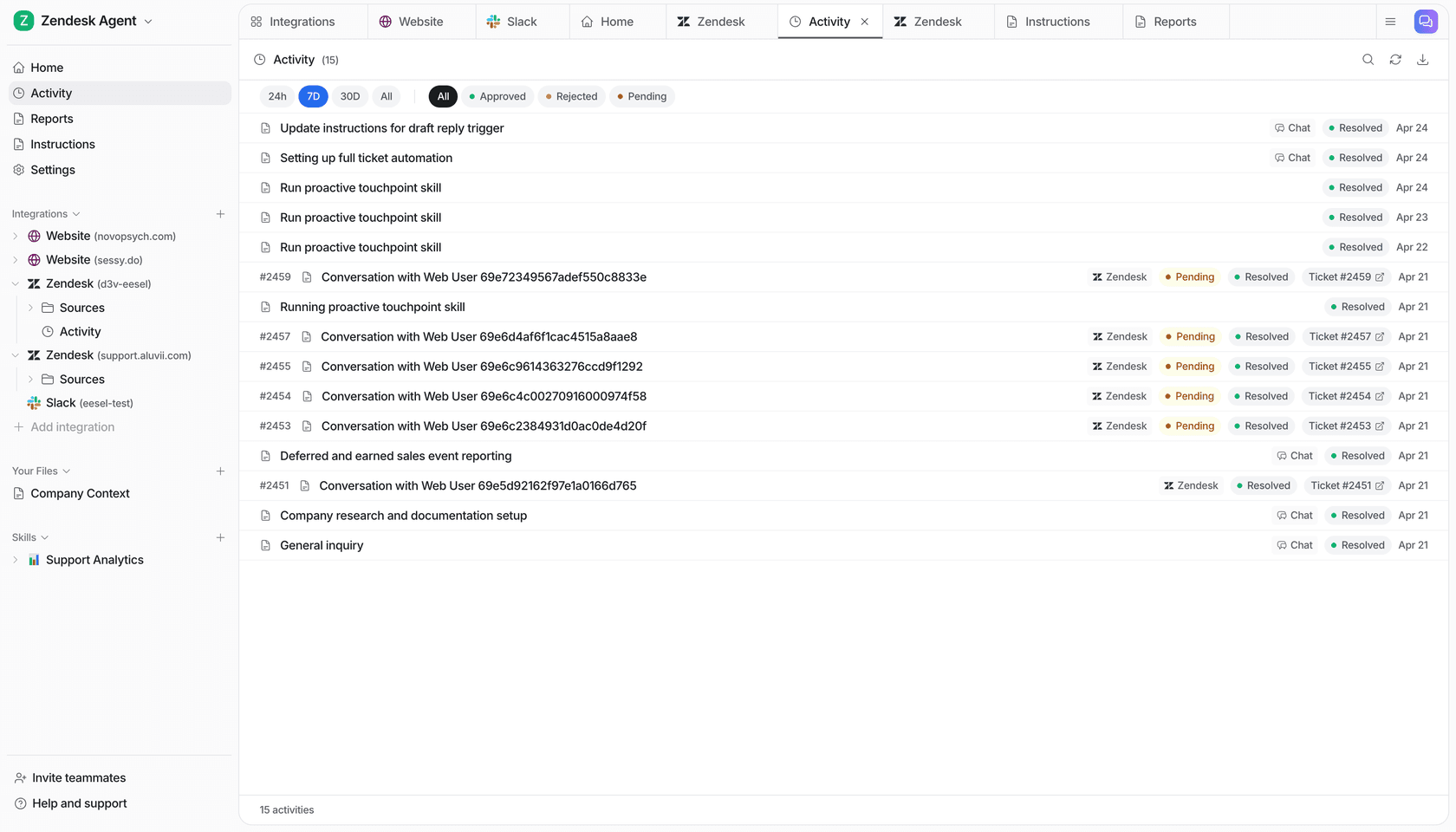
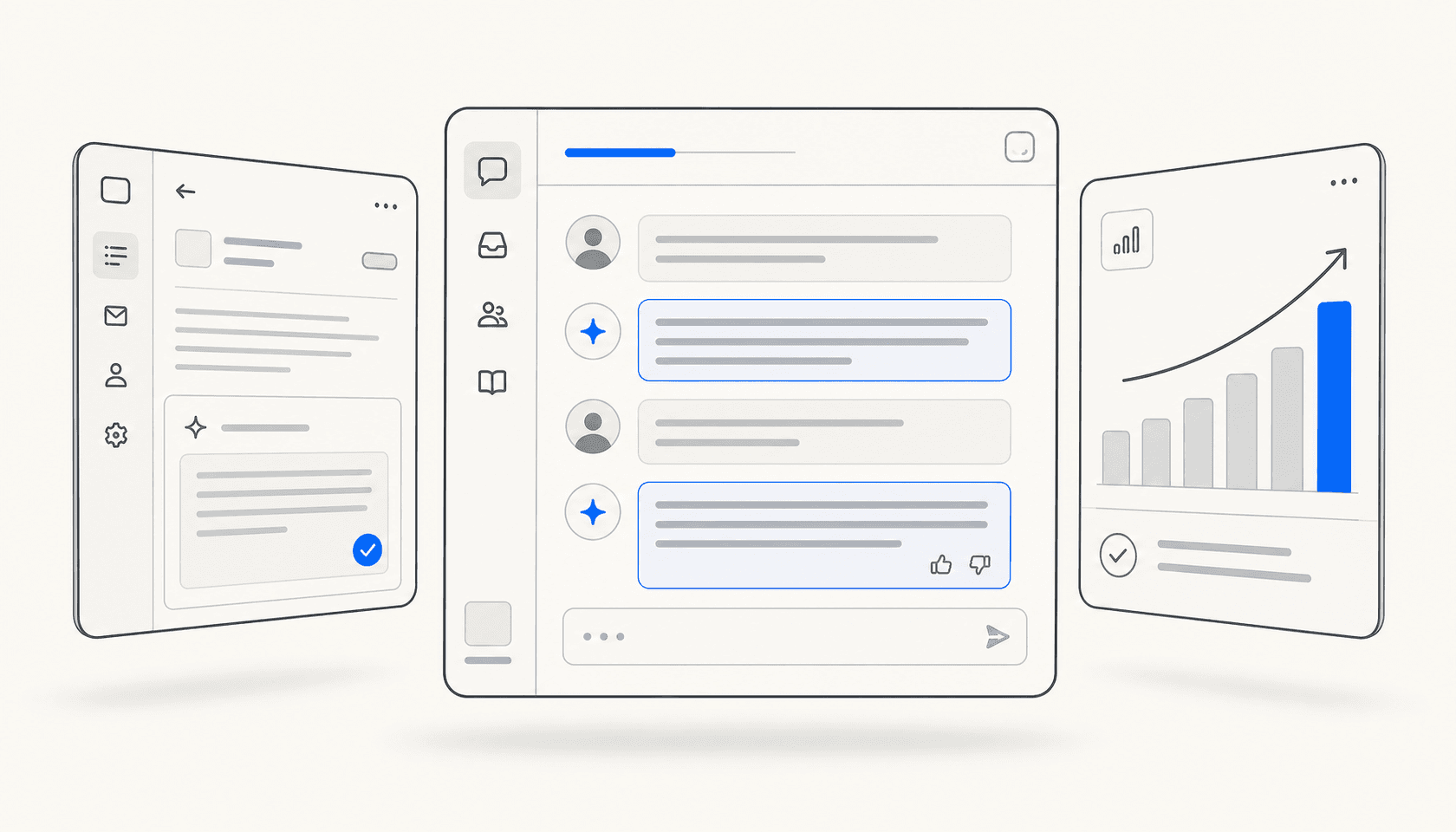
The activity feed shows every ticket the AI touched: what it did, whether a human approved or overrode the response, and a link to the original ticket. This view makes it immediately clear which ticket categories the AI handles cleanly and which ones need more knowledge or tighter escalation rules.
2. AI-drafted responses in copilot mode
For tickets that do need human review, the question is how long that review takes. Drafting a response from scratch takes 3-7 minutes for most agents. Reviewing and editing a good AI draft takes under a minute.
This is the core argument for AI copilot tools for customer support: the AI drafts every response, the agent edits and approves, and the team moves through the queue faster without relinquishing control. The Stanford and MIT study found the effect was strongest for newer, less experienced agents - AI suggestions effectively gave them access to the response patterns of the team's best performers.
78% of customer service specialists say AI automation enhances their efficiency, according to HubSpot research. More interestingly, 71% report it increases time spent on work they find meaningful - a useful indicator that draft-review workflows don't just speed things up, they shift the nature of the work.
What makes the difference between a useful draft and a useless one is knowledge grounding. An AI drawing on your actual product docs, past ticket history, and macros produces drafts agents recognize as accurate. Generic AI output based on no company context produces drafts agents rewrite from scratch, adding a step rather than saving one.
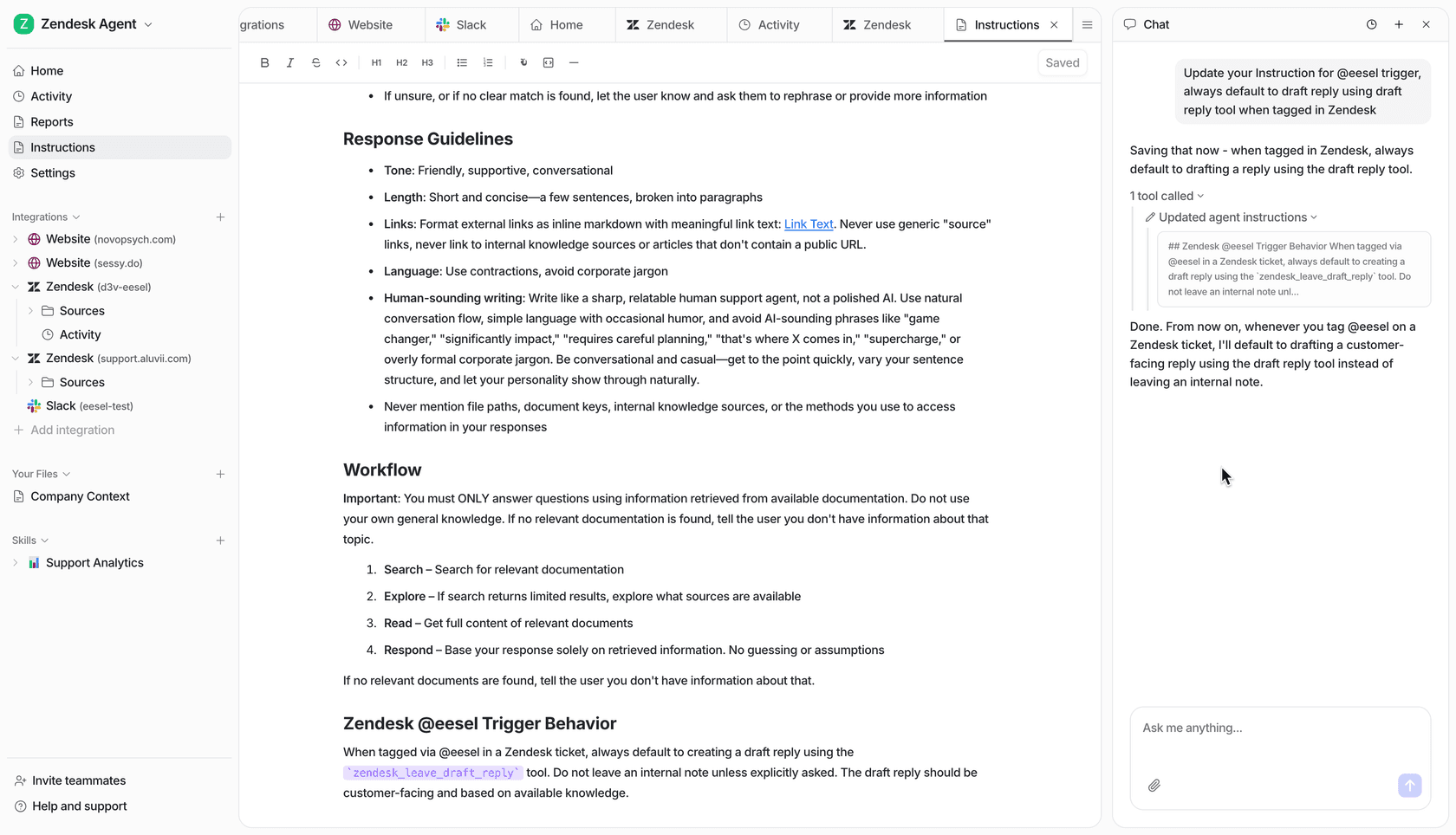
Teams that find AI drafts consistently off-base usually need to look at what knowledge the AI is drawing from. Adding more specific sources - detailed help docs, a well-organized KB, annotated past tickets - typically improves draft quality faster than adjusting prompts or model settings.
3. Instant knowledge retrieval
Finding the right information while a customer is waiting is one of the most consistent time sinks in support work. Agents search Confluence, check Notion, open three browser tabs, ask a colleague on Slack. Multiply that by 40 tickets a day and the overhead accumulates fast.
"The most impactful thing AI does is strip away the administrative drag -- the manual call summarization, ticket tagging, and post-interaction data entry that create distractions for agents. It can also handle the heavy lifting of knowledge retrieval, where instead of an agent digging through PDFs or internal wikis while a customer waits, the AI surfaces the exact policy or technical spec instantly."
Julie Geller, Principal Research Director, Info-Tech Research Group - CX Dive, February 2026
eesel connects to 100+ knowledge sources: past tickets, help center articles, Google Drive, Confluence, Notion, Shopify orders, SharePoint. Agents ask questions in the chat panel and get answers cited to the source document, without leaving the helpdesk interface.
The difference between this and a general search tool is that eesel draws only from your company's documents, not generic web content. If a customer asks about your return policy after a recent change and the AI has access to the updated document, it surfaces the current answer. If it doesn't have access to the relevant document, it routes the ticket for human review rather than guessing.
4. Pre-deployment simulation
Most teams hesitate to put AI on live tickets because they don't know how it will perform. Getting that answer has historically required going live and watching what happens - an uncomfortable way to discover gaps.
eesel's simulation mode addresses this directly. Before going live, you run the AI against a set of past tickets and get a scored performance report: which ticket categories the AI handles well, which ones it gets wrong, where the knowledge gaps are, and what instruction changes would improve accuracy. A live dashboard example shows a 94%+ success rate across 40 messages and 8 ticket categories, judged by a separate LLM scoring each response as Perfect, Acceptable, or Fail.
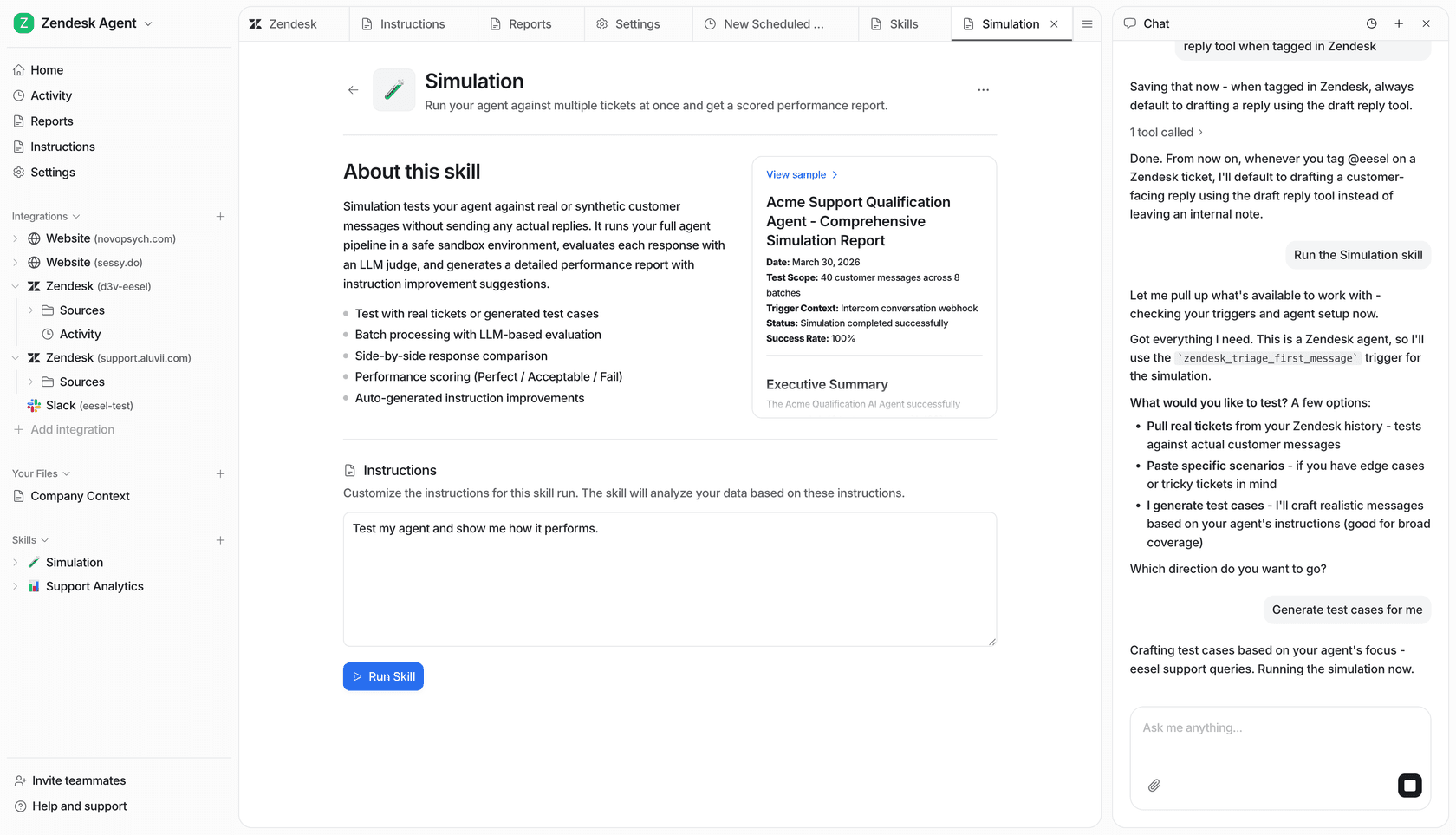
The simulation output includes side-by-side comparisons of AI responses against actual agent responses, and auto-generated instruction improvements for the gaps it finds. Teams use this to close knowledge gaps before any customer sees an AI response.
For teams that need to bring stakeholders along before rolling out AI, "here's the AI's predicted performance on last month's ticket data" is a much easier conversation than "we'll go live and see what happens."
5. Analytics and quality review
Once AI is handling tickets, the next opportunity is using it to improve the team's work - not just automate the easy parts. Most support teams run manual QA on a sample of tickets, a process that doesn't scale well as volume grows.
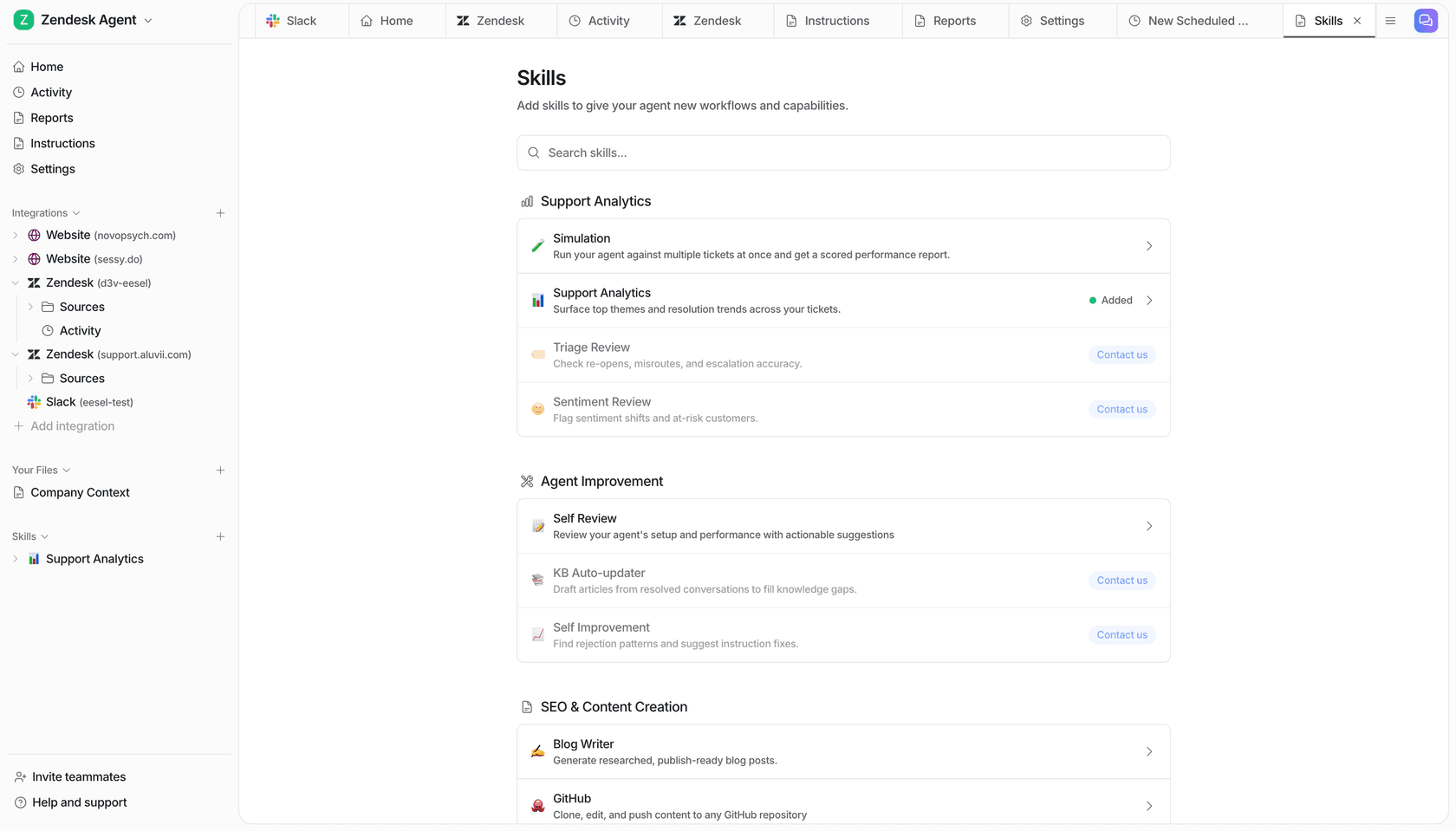
eesel's skills catalog includes four analytics tools that run against your ticket data automatically:
Triage Review checks re-opens, misroutes, and escalation accuracy. It flags tickets that bounced between agents unnecessarily, categories where the escalation rules are too loose, and cases where an AI response caused a ticket to reopen.
Sentiment Review surfaces conversations where customer sentiment shifted negatively, customers who may be at risk of churning, and time periods where sentiment patterns changed - often before a human reviewer would have noticed.
Support Analytics identifies the top recurring themes in recent tickets and maps which categories are handled well versus where resolution rates are lower.
Self Review audits the AI agent's own configuration - looking at response patterns, instruction gaps, and knowledge source coverage - and produces a prioritized list of improvements for the team to act on.
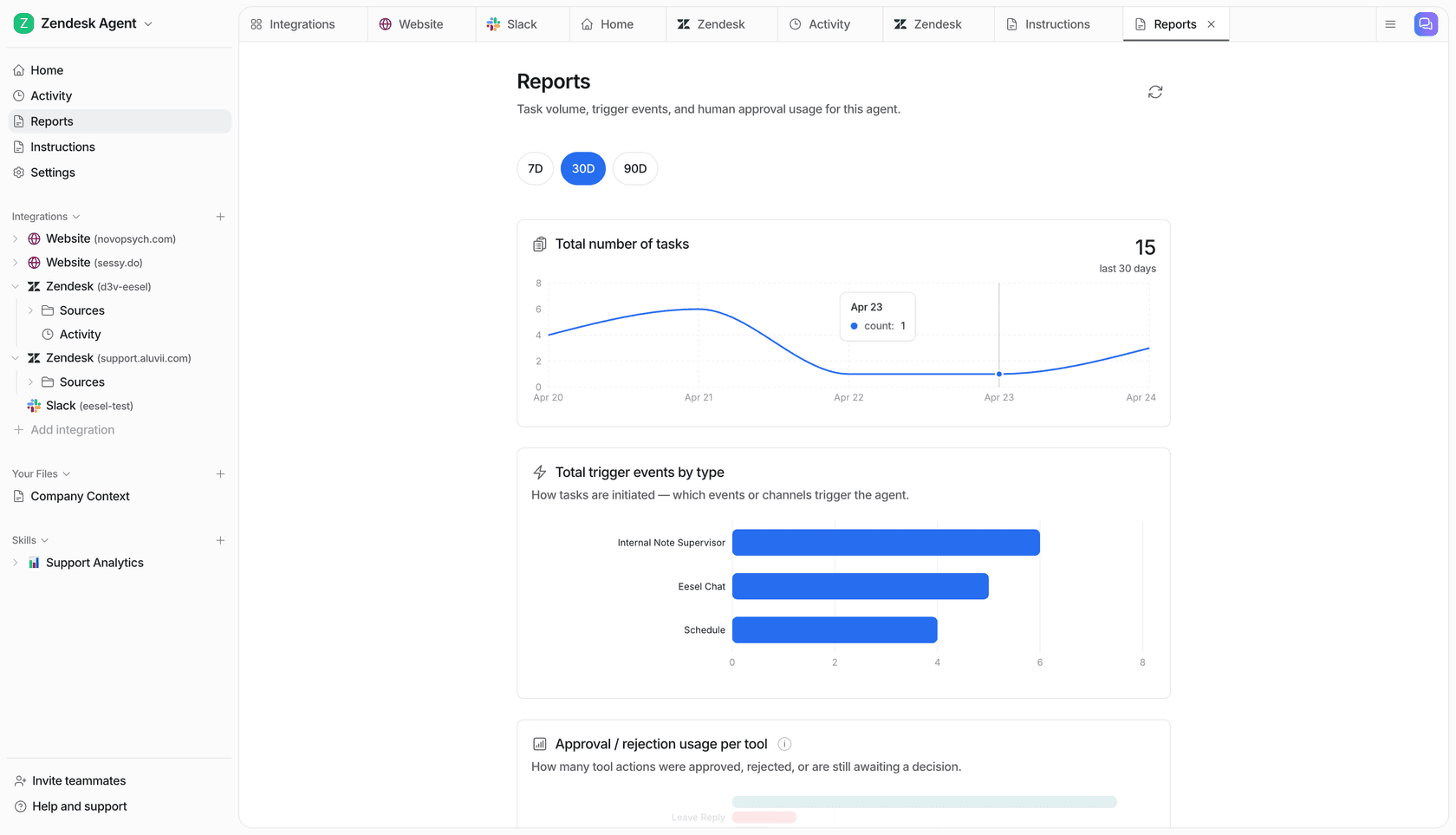
Running these as scheduled jobs - weekly Sentiment Review, monthly Triage Review - turns what was manual, intermittent QA into something that happens automatically on a cadence.
6. After-hours and volume spike coverage
The productivity argument for AI after hours is different from the daytime case. During business hours, agents can handle escalations, edge cases, and complex issues. After hours, the alternative to AI isn't a slower agent - it's no coverage at all.
53% of customer support teams say faster response and resolution is the top benefit of AI, according to a survey of 2,400+ customer support professionals reported by CX Dive. A large share of that speed comes from AI handling volume that arrives outside working hours - the tickets that would otherwise sit until the morning shift.
eesel's after-hours coverage works the same way as the daytime setup. High-confidence tickets get resolved overnight. Low-confidence ones queue with drafts ready for the morning shift. Agents arrive to a shorter queue, with easy tickets already closed and harder ones pre-drafted.
For volume spikes - a product outage, a shipping delay affecting thousands of customers - the same mechanism handles the surge without requiring emergency staffing. The AI absorbs the repetitive inbound (status updates, ETAs, refund requests) and routes only the genuinely complex issues to humans.
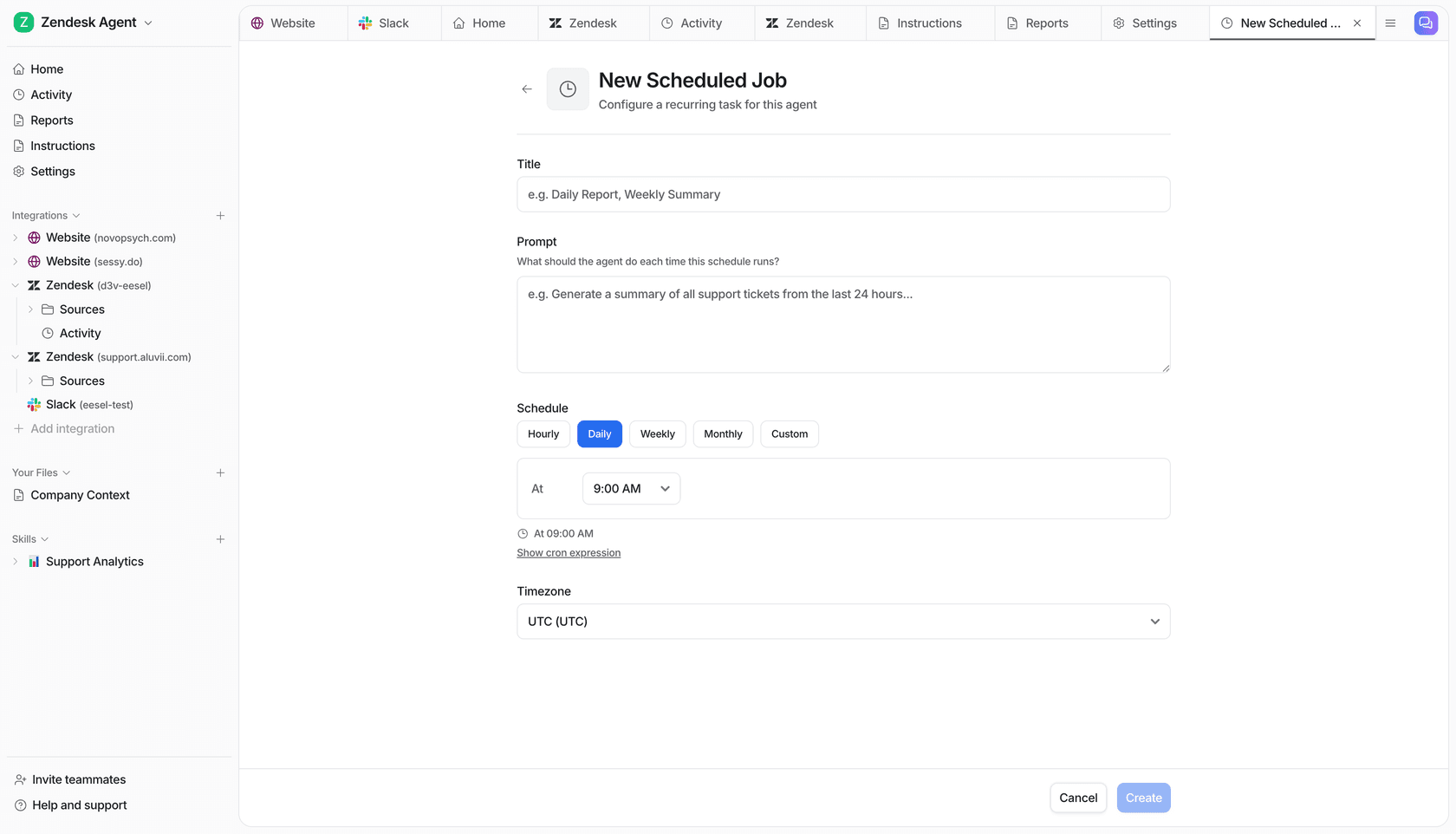
Scheduled jobs extend this further. Teams configure recurring tasks the AI runs automatically: a daily summary of open tickets, a weekly check for tickets approaching SLA breach, an alert when negative sentiment spikes above a threshold. Each job is a plain-English prompt, not a workflow builder.
7. Automated knowledge gap detection
Most support teams maintain a knowledge base that falls behind reality. Policies change, products update, new edge cases appear - and the KB doesn't keep pace. Agents who find the KB unhelpful stop using it. The AI that draws from it gives worse answers.
eesel detects knowledge gaps automatically. When the AI handles a ticket and confidence is low, it logs what it couldn't answer. Over time, it surfaces recurring patterns - questions it couldn't address confidently - and auto-drafts KB articles to fill those gaps, queuing them for human review before publishing.
The loop: incoming tickets identify what's missing, the AI drafts the missing content, a human reviews and approves, and the AI draws from the new article on the next similar ticket. Teams at Smava (100,000+ tickets/month) and Ecosa (10,000+ tickets/month) use this to keep knowledge bases current without dedicated KB management work.
The Self Improvement skill runs a parallel analysis on the AI agent's instruction set: it reviews rejection patterns (tickets where agents overrode the draft), finds what those rejections have in common, and suggests specific instruction changes that would prevent recurrence.
Why some AI implementations make things worse
The May 2026 CX Dive piece documenting agent overload from AI isn't describing a fringe outcome. It's describing what happens when AI is deployed as a front-end deflection layer without addressing what's left for humans.
"Agent roles have shifted from more or less execution to more judgment-oriented. The routine issues are automated or removed or deflected."
Jonathan Schmidt, Senior Principal Analyst, Gartner - CX Dive, May 2026
That shift isn't inherently bad. Judgment work is more engaging than repetitive execution. But Gartner research found that 60% of employees don't want to take on more complex tasks, and the concern about where the complexity ends is real. The implementations that improve agent satisfaction alongside productivity share a few characteristics.
They ground the AI in the team's actual knowledge rather than generic models. They let agents stay in control of escalation rules and review thresholds. They measure rejection rates and use that data to improve AI quality, not just deflection metrics. And they give agents visibility: a feed of what the AI did, why it sent what it sent, and where a human stepped in.
Deloitte Digital found that 77% of agents at non-AI companies are overwhelmed by the volume and complexity of information they handle, compared to 53% at companies that have deployed generative AI. The 24-point reduction in overwhelm comes not just from deflection but from having the right information surfaced at the moment it's needed - so agents aren't hunting while customers wait.
"Information is the lifeblood of the work. Where it becomes overwhelming is when the information isn't there, when there are gaps in the information, or when it's not properly organized."
Nate Brown, Co-founder, CX Accelerator - CX Dive, May 2026
That's the gap between AI that helps and AI that makes things worse: not whether you deploy it, but whether it actually surfaces what agents need.
Getting started with eesel AI
eesel AI layers on top of your existing helpdesk without a platform migration. You connect it to Zendesk, Freshdesk, Gorgias, Help Scout, or another supported helpdesk; point it at your knowledge sources; and it starts working as an agent inside your existing queue. Setup takes under 15 minutes for basic connection and knowledge ingestion.
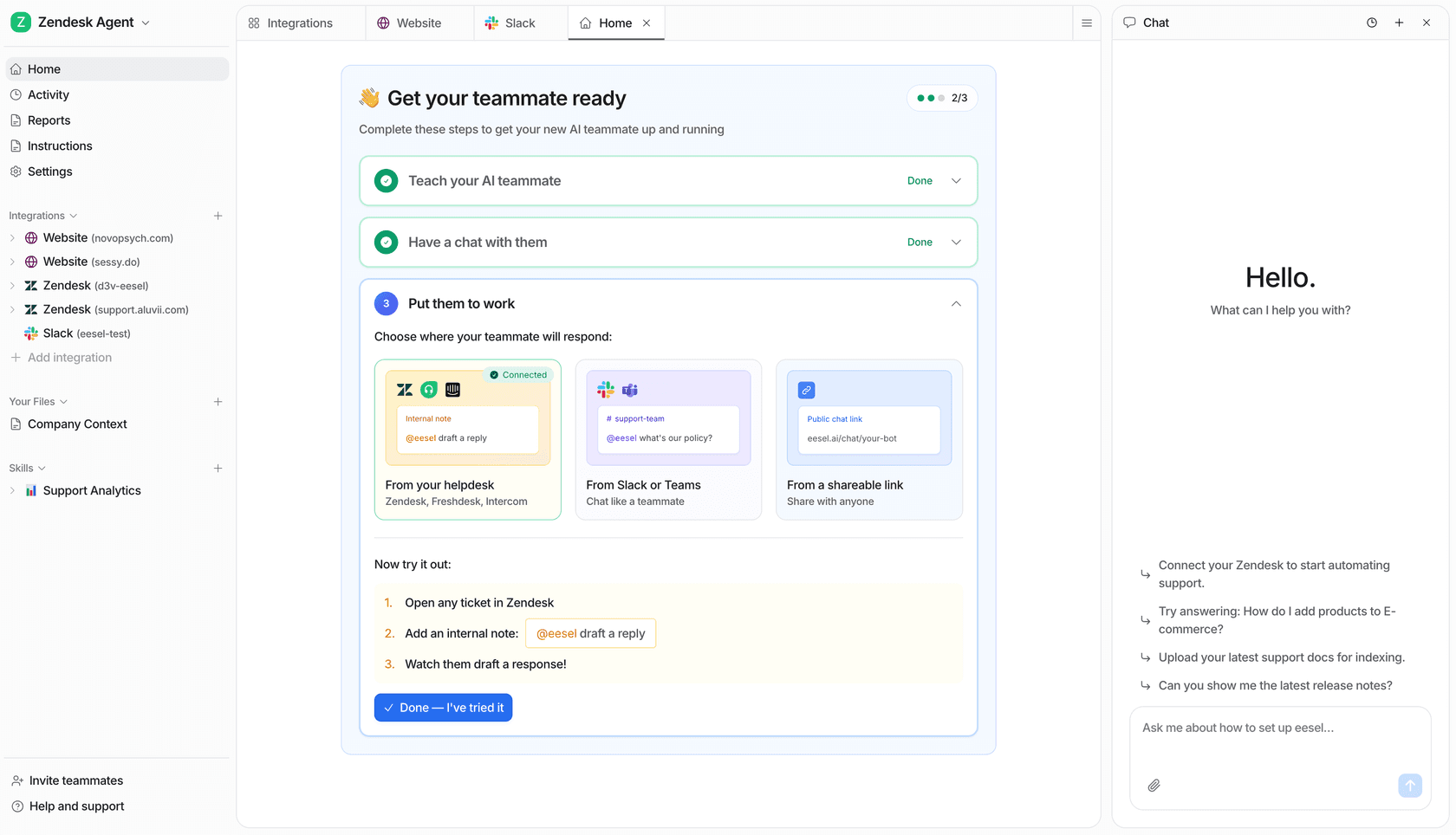
The practical starting sequence: connect the helpdesk and your main knowledge sources, run the simulation skill against 30 days of past tickets to see predicted performance by category, fix the knowledge gaps it identifies, then expand autonomous mode to the ticket categories the AI handles accurately. Add copilot mode for everything else. Run a monthly Triage Review and Self Review to keep accuracy improving over time.
Pricing
eesel charges per task, not per seat:
| Task type | Cost |
|---|---|
| Light tasks (dashboard questions) | Free |
| Helpdesk tasks (tickets, chats) | $0.40 each |
| Heavy tasks (blog post drafts) | $4.00 each |
| Enterprise add-on | $1,000/month + usage |
No platform fee. No per-seat charges. New accounts get $50 in free credits with no credit card required. Annual commitment of $300+/month gets you a 25% discount. The Enterprise tier adds SSO, HIPAA compliance, a dedicated solutions engineer, and a Business Associate Agreement.
The per-task economics depend on your volume and ticket mix. At $0.40 per ticket, resolving 1,000 tickets/month costs $400. If those tickets previously required 20 minutes of agent time each at a fully-loaded cost of $25/hour, the comparison is $400 versus $8,300. Teams handling high volumes of repetitive tickets typically find per-task pricing favorable. Lower-volume teams with complex tickets get more value from copilot mode, where cost only accrues when the AI actually handles something.
For a detailed guide to automating your customer support workflow across these use cases, eesel's blog covers implementation patterns for different helpdesk configurations and team sizes.