Best helpdesk software for agencies in 2026: 6 tools for multi-client support

Stevia Putri
Written by

Stevia Putri

Katelin Teen
Reviewed by

Katelin Teen

Last edited May 6, 2026

Expert Verified
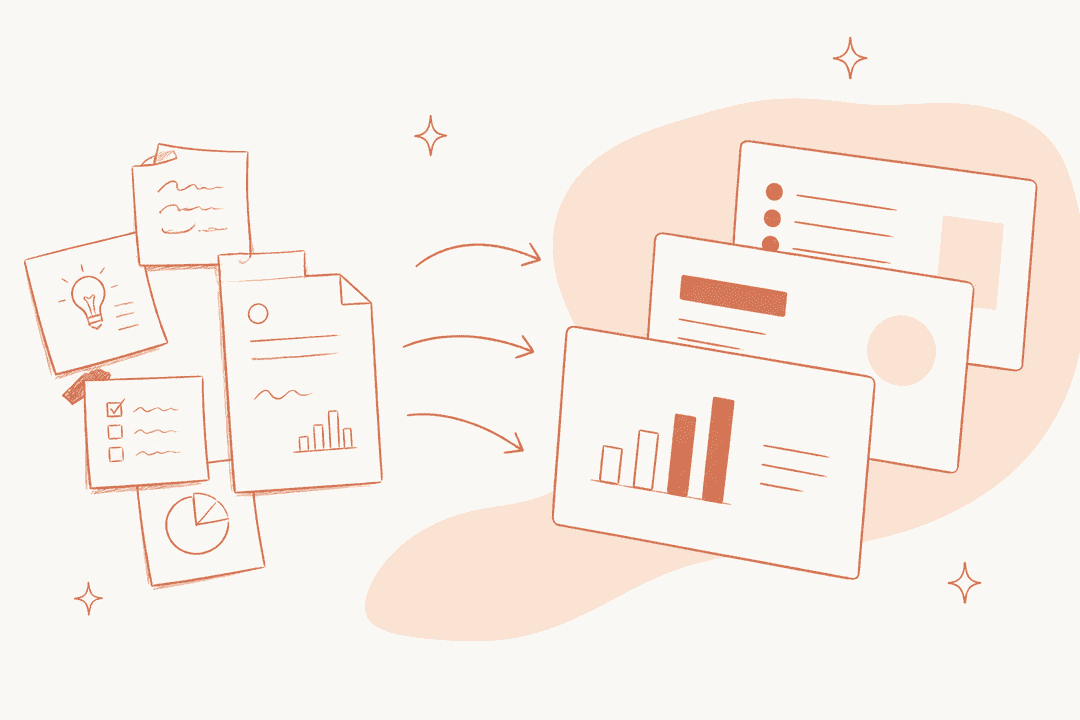
Helpdesk software for agencies -- floating shared inbox panels showing multi-client conversations being routed and organized

Agency support has a problem that most helpdesks aren't designed for: you're not managing one customer base, you're managing several. Client A's tickets need to stay separate from Client B's. Your team needs to loop each other in on complex client issues without forwarding emails into chaos. And at the end of the month, each client expects a report showing what got handled.

The standard helpdesk is built around one company, one inbox, one team. Adapting it to multi-client agency work usually means duct-taping features together that were never designed to interact -- separate email accounts, disconnected spreadsheets for per-client tracking, manually exported reports.

The six tools below actually solve the multi-client problem, each in a different way. Some do it with dedicated multi-brand infrastructure. Some do it by treating every team as a shared workspace with clear internal routing. One adds an AI resolution layer on top of whichever platform you already have. The right one depends on whether you're a five-person shop handling email for a handful of clients or a 50-seat operation running enterprise-grade support for dozens of accounts.

What agencies need from a helpdesk

Before the list, a short checklist of what separates agency-capable tools from general-purpose helpdesks:

  • Multi-client inbox separation -- tickets from different clients should live in distinct queues, not one undifferentiated pile
  • Internal collaboration -- agents need to talk to each other about a ticket without that conversation leaking to the client
  • Per-client reporting -- you need to show Client A what happened with their 45 tickets this month, not just an aggregate across all accounts
  • Branded portals -- if clients submit tickets through a portal, each one should see your agency's branding for that client, or the client's own branding
  • Sensible per-agent pricing -- agency margins are thin; per-seat costs that compound across 20 agents and 10 clients add up fast
  • Multi-channel coverage -- agencies live in email, but many clients want chat, and some want phone

The 6 best helpdesk tools for agencies in 2026

1. eesel AI -- best for adding AI to your agency's existing helpdesk

eesel AI dashboard -- home screen showing guided setup wizard for connecting knowledge sources and deploying the agent

eesel AI is different from everything else on this list: it isn't a helpdesk. It's an AI resolution layer that connects to the helpdesk you already have -- Zendesk, Freshdesk, Help Scout, Front, and others -- and adds autonomous ticket-handling on top.

For agencies, this matters for a specific reason: you've almost certainly already picked a helpdesk, possibly one your clients dictated. eesel lets you add AI to that choice without migrating. 2,000+ teams use it, including Smava at 100,000+ tickets per month and Design.com at 50,000+ tickets per month.

What makes it good for agencies

The core pitch is setup in under 15 minutes. You connect your helpdesk, point eesel at your knowledge sources (help center articles, past resolved tickets, Google Drive docs, Confluence spaces, Notion pages), and the AI agent starts handling incoming tickets. For recurring agency work -- client onboarding questions, billing inquiries, standard service scope questions -- the agent drafts or sends replies without an agent touching the ticket.

The feature that makes it safe for agency use is confidence-based routing. When eesel isn't sure about a response, it queues a draft for human review instead of sending something wrong. High-confidence responses go out automatically; anything ambiguous surfaces to your agents. This graduated approach means you don't have to fully trust the AI on day one -- you can start in supervised mode, validate accuracy against your agency's quality bar, and promote to full automation incrementally.

Simulation mode runs the AI against a batch of historical tickets before you go live, producing a scored report showing what it would have resolved, what it would have escalated, and where the instruction gaps are. For agencies that need to justify AI to a skeptical client, this gives you real data before you flip the switch.

eesel AI integrations panel -- showing connected helpdesks, channels, and knowledge sources available

eesel supports 80+ languages, which matters for agencies with international clients. Knowledge sources include help center articles, macros, past tickets, Google Drive, Notion, Confluence, SharePoint, and website content -- so the AI can draw from whatever client-specific documentation you maintain, not just generic training data.

One thing eesel doesn't do: it doesn't replace your ticketing layer. You still need a helpdesk as the system of record. For agencies that already have one, that's a feature -- you keep your existing workflow, your existing per-client configuration, and your existing reports. eesel handles the AI resolution on top. Check the best AI helpdesk tools comparison on eesel's blog for how this stacks up against native AI features in each platform.

Pricing

eesel uses task-based pricing with no platform fee or per-seat charges:

Task typeCost
Light tasks (dashboard questions)Free
Helpdesk tasks (tickets, chats)$0.40 each
Heavy tasks (content generation)$4.00 each
Enterprise add-on$1,000/month + usage (SSO, HIPAA, dedicated SE)
Annual commitment ($300+/month)25% discount

Free trial: $50 in credits on signup, no credit card required.

At 500 tickets/month resolved by AI, that's $200/month regardless of how many agents you have. For agencies with variable ticket volumes across clients, paying per resolved ticket is more honest than paying per seat month whether the AI works or not.

Best for

Agencies already on Zendesk, Freshdesk, Help Scout, or Front who want AI resolution without migrating. Also strong for agencies managing variable ticket volume across clients where per-seat pricing doesn't fit the usage pattern.


2. Front -- best for email-heavy agency workflows

Front shared inbox -- omnichannel workspace showing client conversations with internal collaboration features

Front is a customer operations platform built around the shared inbox. Its pitch isn't "ticket management" -- it's "complex customer operations," and agency work fits squarely in that framing. 9,000+ companies use Front, including Reed & Mackay, Spruce, and Branch.

The headline on Front's own homepage puts the category clearly: "AI for simple support is everywhere. Complex customer operations demand Front." That line was written for agencies.

What makes it good for agencies

Front's shared inbox is the most collaboration-native in this list. When a ticket comes in from Client A, your agents can @mention each other inside the thread for internal context -- without forwarding the email, without creating a sidecar Slack thread, without any coordination overhead visible to the client. Collaborative drafting lets multiple agents work on a response in real-time before anything is sent.

For multi-client work, Front uses separate shared inboxes with dedicated routing rules per inbox. You can set up one inbox per client, configure separate SLA monitoring per inbox, and run automated load-balancing within each. The SLA monitoring and team performance dashboard tracks response times and identifies bottlenecks per inbox -- which maps naturally to per-client reporting.

Front's AI layer splits into three distinct products: Autopilot handles autonomous multi-step resolutions (what Front calls "playbooks" -- sequences of actions that span multiple systems); Copilot assists agents with draft generation and context research; Smart QA scores interaction quality automatically. Autopilot is priced separately (contact sales), but Copilot ($20/seat/month add-on) and Smart QA ($20/seat/month) are available on Starter and Professional.

The catch is pricing. Capterra reviewers frequently flag steep price increases and the enforcement of seat minimums on higher plans. The recent shift to one-way Outlook sync has also drawn criticism from long-term users who found that actions in Front no longer reflect in Outlook.

Pricing

PlanPrice (annual)SeatsAI included
Starter$25/seat/monthUp to 10AI Topics, Compose/Translate/Summarize (200 actions/agent/day)
Professional$65/seat/monthUp to 50Same as Starter + add-ons available
Enterprise$105/seat/monthUnlimitedAI Copilot, Smart QA, Smart CSAT included

AI Copilot: $20/seat/month add-on (Starter/Professional). Smart QA: $20/seat/month add-on. Smart CSAT: $10/seat/month add-on. AI Autopilot: contact sales.

Best for

Agencies where the primary channel is email and where internal team coordination on complex client tickets is the bottleneck. Front's collaboration model -- @mentions, internal comments, shared drafts -- is purpose-built for this.


3. Help Scout -- best for small agencies that want clean, no-frills support

Help Scout inbox -- showing AI draft suggestions alongside client conversation history

Help Scout is the choice for agencies that want email-first support without the feature bloat of enterprise ITSM platforms. 12,000+ companies use it, including Buffer, Vimeo, and Gusto. Teams respond to 56% more messages in their first year on the platform, which Capterra reviewers attribute to the "clean, intuitive interface" and quick onboarding for new agents.

What makes it good for agencies

Help Scout's multi-inbox setup maps naturally to multi-client work. Each paid plan includes multiple shared inboxes: 2 on Standard, 5 on Plus, 10 on Pro. Each inbox gets its own workflows, saved replies, and routing rules -- so you can run Client A's inbox with one set of auto-assignments and Client B's with a different set, without configurations bleeding between accounts.

The Docs feature lets you build a separate knowledge base per client. Each Docs site is publicly accessible and SEO-optimized, so clients can point their own customers to a Help Scout-hosted help center you manage. Additional Docs sites cost $20/month each beyond what's included in your plan.

Collision detection prevents duplicate replies -- when one agent is viewing or typing a response, other agents see a real-time indicator. For small agency teams where two agents might both reach for the same incoming ticket, this prevents the embarrassment of sending the same reply twice.

Help Scout's AI suite is usage-based: AI Answers (autonomous resolution) costs $0.75 per successful resolution after a 3-month free trial, with a monthly spending cap you can set. A "successful resolution" only counts if the customer's issue is handled without escalating to a human or asking follow-up questions -- so you only pay when the AI actually did the job. 73% of customer interactions are resolved by AI on average, per Help Scout's own data.

What Help Scout doesn't have at lower tiers: WhatsApp (Plus plan only), Salesforce and HubSpot integrations (Plus), and round-robin routing (Plus). The free plan is capped at 100 contacts/month -- not viable for active client work, but useful for testing.

"I was pleasantly surprised by the simplicity. It's a breath of fresh air compared to more complex enterprise solutions. Great for teams that don't need everything, just solid support." -- Capterra reviewer

Pricing

PlanPriceUsersInboxesAI Answers
Free$0Up to 51Not available
Standard$25/user/monthUp to 252$0.75/resolution
Plus$45/user/monthUp to 505$0.75/resolution
Pro$75/user/monthMin 10, unlimited10$0.75/resolution

Additional inboxes: $10/month each. Additional Docs sites: $20/month each. 3-month free trial of AI Answers for new accounts.

Best for

Small agencies (under 10 agents) handling email-first support for a handful of clients. Help Scout's inbox model, clean interface, and low onboarding burden make it easy to add new team members and new client accounts without a configuration project.


4. Freshdesk -- best all-in-one for mid-size agencies

Freshdesk -- AI agent deployment interface showing configuration and performance monitoring

Freshdesk by Freshworks is the most common choice for mid-market teams that want a full ITSM platform with AI built in. It ships in two SKUs: standalone Freshdesk (ticketing-only) and Freshdesk Omni (omnichannel -- ticketing plus live chat bundled). G2 rates it 4.4/5 across 3,728 reviews.

The AI layer is called Freddy AI, and Freshworks claimed $25M ARR from Freddy AI in Q4 2025, with Freddy AI Agent conversations up more than 80% to 3.5 million in Q4.

What makes it good for agencies

Freshdesk has a dedicated multi-brand helpdesk capability -- you can create separate branded portals for different clients, each with its own email address, help center, and custom domain. Agents see all brands from one workspace, but end customers land on a portal that shows the client's branding, not your agency's. This is the most important agency-specific feature Freshdesk has, and it's available from the Growth plan up.

Freddy AI Agent handles autonomous ticket resolution -- up to "80% resolutions" and "<2 minutes average conversational resolution time" per Freshworks. The agent is configured per-account in AI Agent Studio, a no-code interface where you load knowledge, configure workflows, test, and deploy.

One hard constraint worth flagging: Freddy AI Agent's knowledge ingestion has a ceiling -- 200 files per agent / 200 per account, max 35MB per file, and 10 URLs per agent / 25 per account. There's no native connector for Confluence, Google Docs, Notion, or SharePoint. For agencies managing knowledge across those tools, this is a real limitation compared to platforms with broader knowledge connectors.

The full AI feature set (Freddy AI Agent for autonomous resolution, Freddy AI Copilot for agent-assist) is locked to Pro/Enterprise on Freshdesk Omni. Growth-plan customers cannot buy AI add-ons, which is something to check before committing. See the Freshservice vs Freshdesk AI guide on eesel's blog for a more detailed breakdown of what's available at each tier.

Pricing

Freshdesk (ticketing-only):

PlanPrice (annual)Key AI features
Free$0 (up to 2 agents, 6 months)None
Growth$19/agent/monthBasic automation, 500 free Freddy sessions
Pro$55/agent/monthRound-robin, custom reports
Enterprise$89/agent/monthSkill-based routing, audit logs

Freshdesk Omni (omnichannel):

PlanPrice (annual)Key AI features
Growth$29/agent/month500 free Freddy AI sessions
Pro$79/agent/monthFreddy AI Copilot add-on available, Email AI Agent
Enterprise$119/agent/monthFull Freddy AI Agent and Copilot, Insights beta

Freddy AI Copilot add-on: $29/agent/month annual (Pro/Enterprise Omni only). Additional Freddy AI Agent sessions: $49 per 100 sessions beyond the included allocation.

Best for

Mid-size agencies (10-50 agents) that want a single platform for ticketing, omnichannel support, and AI -- and whose clients' knowledge lives in help center articles and uploaded documents rather than Confluence or Google Drive.


5. Zendesk -- best for large agencies with enterprise clients

Zendesk agent workspace -- unified ticketing interface with side conversations and ticket routing

Zendesk is the market-leading enterprise helpdesk, used by 100,000+ companies and rated 4.3/5 from 6,816 G2 reviews and 4.4/5 from 4,077 Capterra reviews. In March 2026, Zendesk acquired Forethought for an undisclosed sum, folding Forethought's agentic AI into Zendesk's Resolution Platform.

For agencies, Zendesk's appeal is depth: it has been purpose-built for enterprise support for long enough that virtually every edge case an agency encounters has a configuration answer. Multi-brand, multi-department, skills-based routing, custom roles, and a 1,800+ app marketplace that connects it to practically any tool a client uses.

What makes it good for agencies

Zendesk's multi-brand capability is enterprise-grade. Each brand gets its own help center, email address, ticket form, and branded customer portal. Agents work from a single workspace and can toggle between brands without switching accounts. The knowledge connectors (Confluence, SharePoint, Notion, Document360) mean you can pipe client-specific documentation directly into the AI without re-creating it in Zendesk's own help center.

Zendesk AI Agents (included in all Suite tiers) handle autonomous resolution. The Automated Resolutions (AR) billing model charges per outcome rather than per interaction: $1.50 per AR at committed volume or $2 pay-as-you-go beyond the included allocation per agent. G2's aggregate AI agent scores show 96 overall (+30 above category average), 100% correct escalation rate, and 96% response accuracy.

The Zendesk Copilot (available as a $50/agent/month add-on or in the Suite + Copilot bundles) provides proactive AI suggestions to agents -- draft replies, next-best-action recommendations, and conversation summarization -- which can shorten handle time on complex client escalations.

G2 reviewers consistently flag two issues: advanced features are gated to expensive tiers, and the analytics tool (Explore) has a steep learning curve. For agencies that need analytics per client, Explore is powerful but takes time to configure. If you're looking for a Zendesk alternative at a lower price point, the best helpdesk software for high-volume tickets comparison covers how other platforms handle the volume/cost tradeoff.

Pricing

PlanPrice (annual, per agent)AI AgentsIncluded ARs/agent/month
Support Team$19Add-on only5
Suite Team$55Essential (included)5
Suite Professional$115Essential (included)10
Suite Enterprise$169Essential (included)15
Suite + Copilot Professional$155Essential + unlimited Copilot10
Suite + Copilot Enterprise$209Essential + unlimited Copilot15

Additional ARs: $1.50 committed / $2 PAYG. Copilot add-on: $50/agent/month. Advanced AI Agents: contact sales.

Best for

Agencies with 20+ agents handling support for enterprise clients that have complex requirements: multi-brand portals, skills-based routing, Confluence/SharePoint knowledge integration, and audit-grade reporting. The price point requires volume to justify.


6. Zoho Desk -- best value for cost-conscious agencies

Zoho Desk agent workspace -- unified support inbox showing multi-channel ticket management

Zoho Desk from Zoho Corp is the most affordable full-featured option on this list. 125,000+ businesses use it; it serves 33 million people daily. It's rated 4.4/5 from 1,465 Gartner Peer Insights reviews. NOOA Brasil used it to save 35% in licensing costs while increasing team productivity by 30%; Relay maintains a 95%+ CSAT score on it.

For agencies watching margins, Zoho Desk's pricing is the main reason it's here. The Express plan at $7/agent/month covers more than most agencies need for basic multi-client support, and the free plan handles 3 agents.

What makes it good for agencies

Multi-department support (Professional plan, $23/agent/month) is the feature that matters most for agencies. Departments in Zoho Desk function as separate business units within one account -- each with its own email channels, workflows, SLAs, and knowledge base. You can map one department per client, give each department its own routing rules, and agents working in one department don't see tickets from another unless explicitly shared. This is the closest thing to true multi-client isolation at a sub-$25 price point.

Multi-brand help centers land on the Enterprise plan ($40/agent/month): dedicated, fully branded self-service portals per department, each with custom domain support and its own knowledge base. Lower tiers still support multiple email channels -- you just get one shared help center rather than per-brand portals.

Zia, Zoho's AI assistant, comes bundled at no extra cost across all paid tiers. At Standard it provides generative AI for reply drafting (via OpenAI API, which requires your own key); at Enterprise it adds the Zia Answer Bot (autonomous customer-facing resolution) and sentiment analysis. The AI model is flexible: you can route different Zia capabilities to different LLMs, which matters for agencies with clients that have data-residency concerns.

For agencies already using Zoho CRM, Zoho Books, or Zoho Projects, the integration is seamless -- tickets, customer records, and project tasks share the same data layer. For agencies not in the Zoho ecosystem, Capterra reviewers note that advanced automation features like Blueprints require significant trial and error to configure.

Pricing

EditionPrice (annual, per agent)Key agency feature
Free$0 (3 agents)Email ticketing, private KB
Express$7/agent/monthAI Agents, multi-escalation, custom domain
Standard$14/agent/monthMax 5 agents; instant messaging (WhatsApp, Telegram), GenAI
Professional$23/agent/monthMulti-department, unlimited agents, Blueprints
Enterprise$40/agent/monthMulti-brand help center, Zia Answer Bot, skill-based routing

Light users (view access for account managers or client contacts): $6/user/month on Professional; 50 included free on Enterprise.

Best for

Agencies with 5-30 agents handling a mix of clients that want multi-department isolation and a full ITSM feature set at a price that doesn't eat the support margin. Also a strong pick for agencies already in the Zoho ecosystem.


How to choose

The six tools above cover a wide range of agency situations. Here's how to narrow it down:

If you already have a helpdesk and want to add AI without switching: eesel AI. It connects to Zendesk, Freshdesk, Help Scout, and Front in under 15 minutes and adds an AI resolution layer. You keep your existing configuration, your existing per-client reporting, and your existing workflows -- eesel handles the AI on top. See the best AI customer support agents comparison if you're comparing this approach to native AI features.

If email collaboration is your main bottleneck: Front. The @mentions-in-email-threads model is purpose-built for multi-person agency work on shared client accounts. Nothing else on this list handles internal coordination within a thread as cleanly.

If you're a small team that wants simple and clean: Help Scout. Five agents, a couple of client inboxes, per-client knowledge bases. Help Scout is easy to learn, easy to extend, and doesn't ask you to configure things you don't need.

If you want a single platform for ticketing, omnichannel, and AI: Freshdesk (specifically Freshdesk Omni). Multi-brand portals, Freddy AI Agent for autonomous resolution, and a clean upgrade path as your agency grows. Just make sure your clients' knowledge lives in files and URLs rather than Confluence or Notion.

If your agency runs enterprise-grade support for large clients: Zendesk. It handles the scale, has the deepest multi-brand configuration, and the Confluence/SharePoint knowledge connectors mean client documentation doesn't have to be re-homed. Budget for the per-agent cost and time for configuration.

If cost is the primary constraint: Zoho Desk. $7/agent/month covers more than most agencies need at the Express tier. The Professional plan at $23/agent/month gives you multi-department isolation that's functionally equivalent to per-client workspaces.

One thing worth saying: if you're looking at this list and your main pain point is "our agents spend too much time on repetitive client requests," that's an AI problem before it's a platform problem. The right helpdesk organizes tickets; the right AI layer resolves them. Those are separate decisions -- and with tools like eesel AI that sit on top of whatever platform you choose, you don't have to make them at the same time.

Frequently Asked Questions

Agencies manage support for multiple clients at once, so the key differentiators are multi-client inbox separation (Client A's tickets don't mix with Client B's), internal collaboration tools (loop in colleagues without forwarding emails), and per-client reporting to show each client what got handled. Most general helpdesks cover the basics, but tools like Front and Freshdesk have purpose-built multi-brand features. To add AI on top of whatever you already use, eesel AI layers on in under 15 minutes without requiring a platform switch.
Yes -- though how varies by tool. Freshdesk and Zoho Desk offer dedicated multi-brand portals (separate branded help centers per client). Front handles it via separate shared inboxes in one workspace. Zendesk supports multiple brands via its enterprise tiers. The key thing to verify is whether per-client reporting is available at your plan tier, not just per-client routing.
It varies widely. Freshdesk starts at $19/agent/month for basic ticketing. Front starts at $25/seat/month. Help Scout is $25/user/month on Standard. Zoho Desk is $7/agent/month on Express. Zendesk Suite starts at $55/agent/month. If you want AI on top without per-seat fees, eesel AI charges $0.40 per helpdesk ticket resolved -- you pay for automation, not headcount.
Depends on whether clients ever see the interface. If your agents handle tickets internally and clients only see email replies, white-labeling matters less. If clients submit tickets through a portal or read a knowledge base, branded portals matter -- Freshdesk, Zoho Desk, and Zendesk all support multi-brand portals. Help Scout lets you build a custom Docs site per client at $20/month per additional site.
If you're already on Zendesk, Freshdesk, Help Scout, or Front, eesel AI connects in under 15 minutes. It ingests your existing knowledge (help center articles, past tickets, Google Docs) and starts handling routine tickets autonomously while routing uncertain cases to your agents as drafts. The top helpdesk software comparison on eesel's blog covers how native AI features compare to a dedicated AI layer.

Share this article

Stevia Putri

Article by

Stevia Putri

Stevia Putri is a marketing generalist at eesel AI, where she helps turn powerful AI tools into stories that resonate. She’s driven by curiosity, clarity, and the human side of technology.

Ready to hire your AI teammate?

Set up in minutes. No credit card required.

Get started free