Why enterprise AI helpdesks are a different category
There's a genuine gap between what a "best AI chatbot" blog recommends and what a 500-agent enterprise support team actually needs. Enterprise buyers have four requirements most SMB-focused tools can't meet: security certifications (SOC 2, HIPAA, ISO 27001), SSO and RBAC, guaranteed SLAs, and the ability to handle 50,000+ tickets per month without performance degradation.
The pricing models matter just as much as the features. Consumer-facing AI tools charge per message. Enterprise platforms charge per seat, per resolution, per employee headcount, or some combination -- and the model you pick affects total cost of ownership dramatically. A per-resolution model that looks cheap at low volume can triple your bill at enterprise scale.
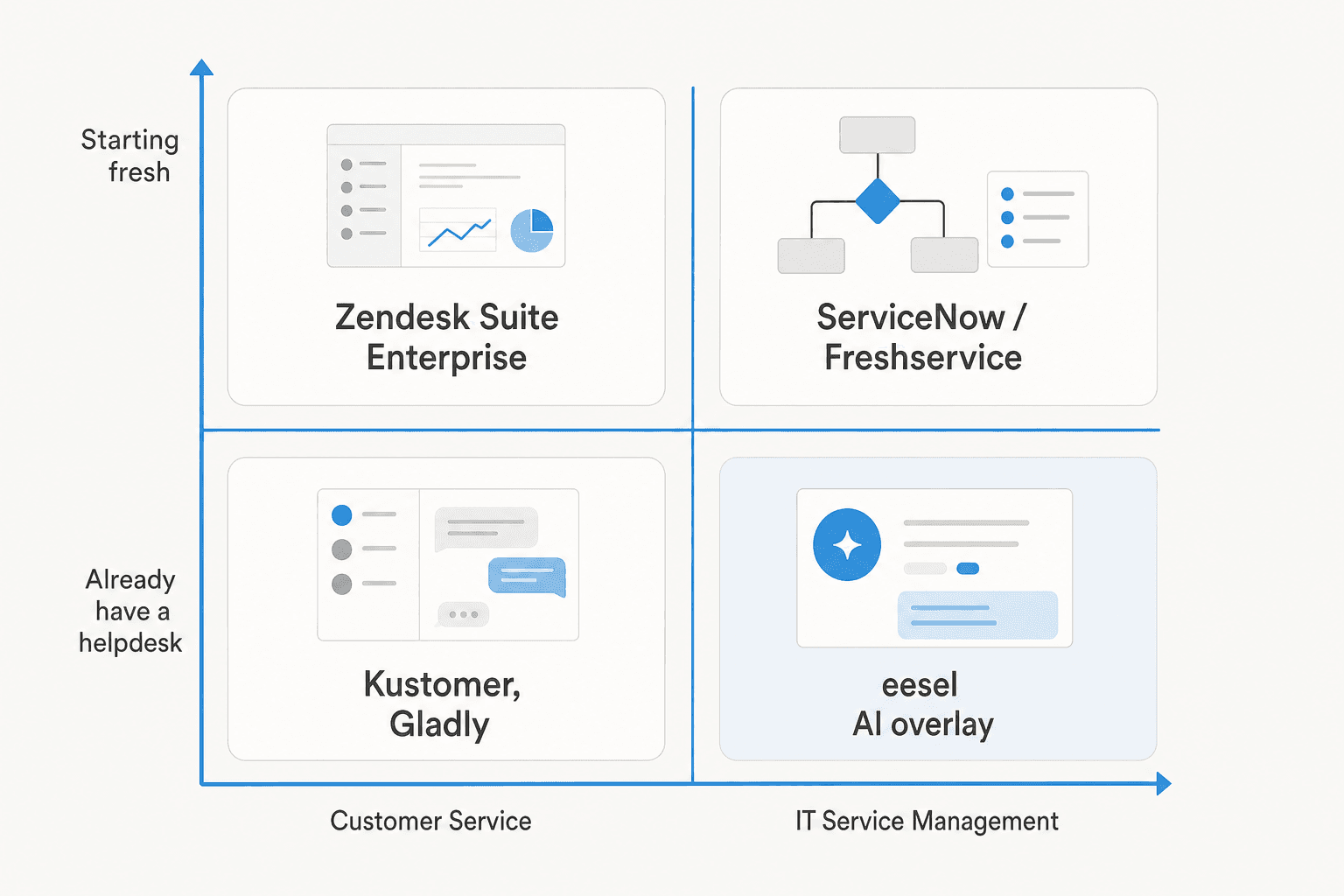
The most important question an enterprise buyer should ask isn't "which platform is best" -- it's "am I replacing my stack or adding AI to it?" Those are fundamentally different buying decisions with different cost structures and deployment timelines.
How we evaluated these tools
We went through product pages, documentation, pricing breakdowns, and real user sentiment from G2, Reddit, and Gartner Peer Insights for each platform. Where pricing isn't published -- and most enterprise platforms don't publish it -- we cross-referenced third-party teardowns and community-reported figures, cited with sources. AI automation claims are vendor-stated unless noted otherwise; independent production results vary.
The short list of what to look for:
- AI resolution rate vs AI assist rate. These are different things. Fully autonomous resolutions (no agent review needed) are worth far more than AI assists (agent still approves before sending). Most vendors lead with the better number in their marketing.
- Pricing model risk. Per-resolution billing with no hard cap is the single biggest cost surprise in enterprise AI procurement. Know your overage terms before signing.
- Deployment timeline. "Weeks to value" and "months to deploy" can appear on the same marketing page. Enterprise ITSM deployments average 3-6 months; overlay AI tools can go live in days.
- Security stack. SOC 2 Type II, ISO 27001, GDPR, HIPAA, and FedRAMP matter differently depending on your vertical. Check which certifications are included vs. paid add-ons.
Enterprise AI helpdesk comparison table
| Tool | Best for | AI features | Pricing model | SOC 2 | HIPAA | Free trial |
|---|---|---|---|---|---|---|
| Zendesk | Enterprise CX, omnichannel | AI Agents + Copilot (multi-LLM) | Per-seat + per-resolution | Yes | Yes | Yes (Startups) |
| Freshservice | Enterprise ITSM | Freddy AI Agent/Copilot/Insights | Per-agent/mo + per-session | Yes | Yes | Yes (21-day) |
| ServiceNow | Fortune 500 ITSM | Now Assist + agentic AI (Otto) | Per-fulfiller/mo (quote) | Yes | Yes | No |
| Kustomer | Enterprise B2C CX | Concierge + Envoy AI suite | Per-seat (quote) | Yes | Add-on | No |
| Gladly | Enterprise retail/DTC CX | Sidekick AI + Voice | Per-seat (quote) | Yes | No | Yes (30-day) |
| Moveworks | Enterprise employee service | Reasoning Engine (agentic) | Per-headcount/yr (quote) | Yes | Yes | No |
| Forethought | Helpdesk-agnostic AI overlay | Solve/Triage/Assist/Discover/AgentQA | Outcome-based (quote) | Yes | Yes | No (POV) |
1. Zendesk
Best for: enterprise customer service teams wanting a complete, AI-native CX platform
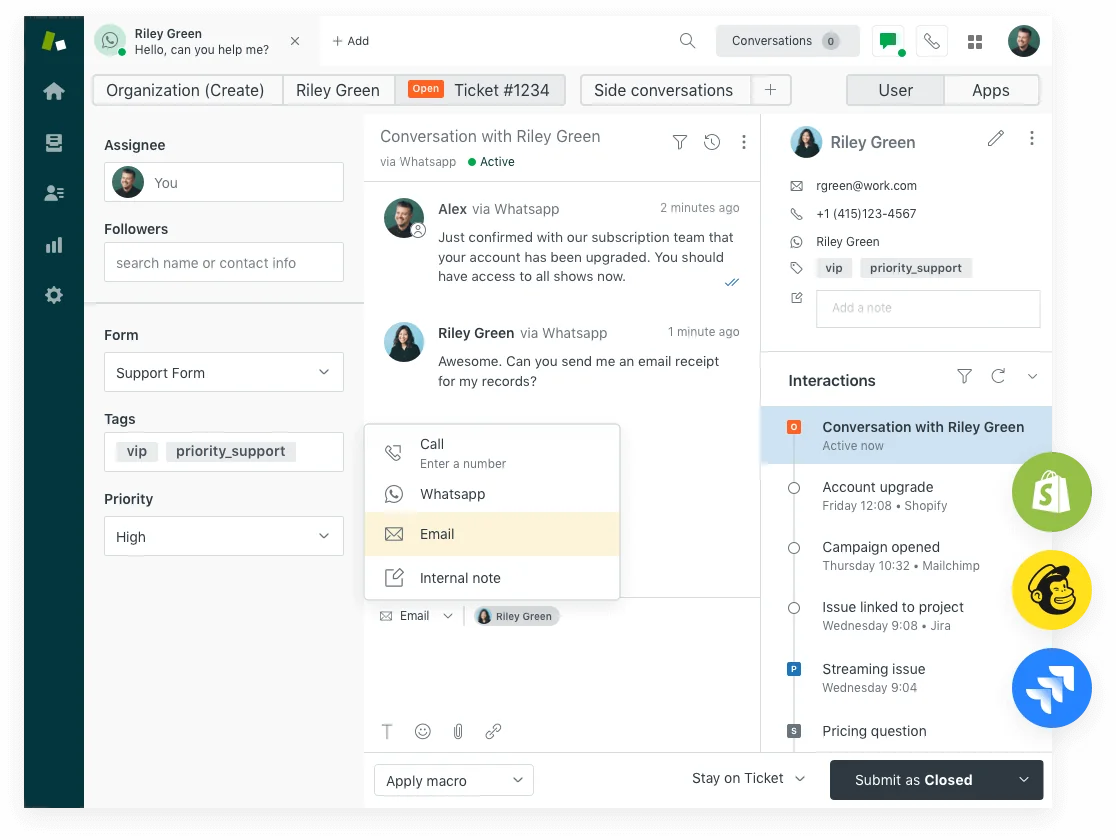
Zendesk is the most mature enterprise CX platform in this category, with the largest installed base and the most complete AI feature set of any commercially available helpdesk. After acquiring Forethought and Ultimate.ai in rapid succession, Zendesk consolidated both into a single AI Agents product that ships in every Suite plan.
The AI layer splits into two tiers. AI Agents Essential -- bundled with all plans but being sunset December 31, 2026 -- handles knowledge-base Q&A and basic generative replies. AI Agents Advanced (the Ultimate.ai-derived tier, rolling into all plans as of May 2026) adds scripted dialogue builders, authorized actions, API integrations, and multi-LLM routing. The agent-side complement is Copilot, which gives human agents proactive draft replies, auto-classification via Intelligent Triage, and the ability to execute actions inside Zendesk and across Shopify, Jira, and Slack.
The scale claims are well-documented: Best Egg reports 80% messaging automation and $500K+ saved annually, Vimeo 30-40% automation, and Zendesk earned the 2025 Gartner Magic Quadrant Leader position for CRM Customer Engagement Center. The G2 aggregate is 4.3/5 across 6,837 reviews. The marketplace has 1,817 apps, 253 of them in the AI and Bots category.
The honest caveat: Zendesk's per-resolution billing model is the biggest enterprise procurement risk in this category. The new three-tier model (since May 2026) only bills "Verified Resolutions" -- AI-resolved and LLM-confirmed -- but there is no soft cap. Overages bill at approximately $1.20-$1.50 per resolution, auto-charged since January 2026 with no prior-month warning. Enterprise teams running high volumes should model their AR costs carefully before signing.
Community feedback consistently flags the Essential tier as "a routing layer with the word AI on the box" rather than meaningfully autonomous. Most enterprise deployments end up on the $50/agent/month Copilot add-on or third-party marketplace alternatives.
Pricing:
| Plan | Price (annual) | Copilot | AI Agents |
|---|---|---|---|
| Suite Team | $55/agent/mo | $50/agent/mo add-on | Essential (bundled) |
| Suite Professional | $115/agent/mo | $50/agent/mo add-on | Essential (bundled) |
| Suite Enterprise | Contact sales | Bundled | Advanced (bundled) |
| AI resolution overages | -- | -- | ~$1.20-$1.50/AR |
Our take: Zendesk is the default enterprise CX choice for a reason -- the platform breadth, ecosystem depth, and AI maturity are real. The main risk is cost unpredictability from per-resolution billing; model that carefully before committing. See our full Zendesk plans and pricing guide and Zendesk AI pricing calculator.
2. Freshservice
Best for: enterprise IT service management teams that want capable AI without ServiceNow's complexity or price tag
Freshservice is Freshworks' ITSM platform -- the IT-focused sibling to Freshdesk -- built for service delivery, asset management, change management, and IT operations management. Its AI layer, Freddy AI, splits into three named products: Freddy AI Agent for autonomous self-service (password resets, status lookups, provisioning requests), Freddy AI Copilot for agent-assist inside the service desk, and Freddy AI Insights for analytics and proactive alerting.
The numbers from Freshworks' 2025 Benchmark Report: 356% ROI in under 6 months, 66% ticket deflection with AI self-service, and 77% decrease in average resolution time. A Forrester TEI Study attributed 98% average CSAT to teams using the platform. Named customers include Trainline, Databricks, New Balance, University of Oxford, and Seagate. 74,000+ businesses use the platform globally.
The advantage over ServiceNow for mid-enterprise: Freshservice has a cleaner UI and faster time-to-value. Community reviews consistently describe it as "gets the job done" for sub-2,000-employee organizations, with onboarding that doesn't require a dedicated implementation partner.
The critical catch: Freddy AI is only bundled at the Enterprise plan tier. Every plan below requires separate add-on purchases, and the pricing for both Freddy AI Agent sessions and Freddy AI Copilot is not published. Budget for significant AI add-on costs if you're on Pro or below.
The community sentiment is mixed: appreciation for the clean interface, but Freddy described as "advanced automation, not cutting-edge ML" -- and one r/Freshservice thread documented a 600-person org where tier-1 MTTR rose ~20% and duplicate tickets rose ~15% five months after enabling Freddy, because agents had to read through full AI context before responding.
Pricing:
| Plan | Price (annual) | Freddy AI |
|---|---|---|
| Starter | $19/agent/mo | Not included |
| Growth | $49/agent/mo | Not included |
| Pro | $99/agent/mo | Not included |
| Enterprise | Custom | Freddy AI bundled (1,200 sessions/yr) |
Our take: Freshservice is the right call for enterprises in the 200-5,000 employee range that want a modern ITSM platform without committing to ServiceNow's complexity and six-figure contracts. We'd reach for it over ServiceNow for any org where the implementation budget is under $100K. For more context on the best AI for Freshservice, see our dedicated guide.
3. ServiceNow
Best for: Fortune 500-scale ITSM -- incident, change, problem, and service request management on a unified data model
ServiceNow ITSM is the dominant enterprise IT service management platform, with the company claiming 85% of the Fortune 500 run on ServiceNow. It's a single-platform ITSM suite -- incident, change, problem, service catalog, CMDB, and asset management -- underpinned by a unified data model. The generative/agentic AI layer, Now Assist for ITSM, embeds into the workflow for incident summarization, virtual agent self-service, AI search, and agentic autonomous resolution. The fully agentic tier is branded "ServiceNow Otto" and covers password resets, software provisioning, and troubleshooting end-to-end.
The customer outcomes are strong: Khan Bank improved satisfaction from 70% to 99.3%, Ernst & Young reduced service ticket volume by 75%, Lion reduced resolution time by 77%. ServiceNow is a Gartner Magic Quadrant Leader in AI Applications in ITSM, with G2 ratings at 4.4/5 across 6,132 reviews.
Cost is the main obstacle. ServiceNow publishes no list pricing. Third-party sources (NowTribe, 2026; Vendr, 2026) triangulate: Standard ~$100/fulfiller/month, Pro ~$160+, Pro Plus (with Now Assist) at roughly a 60% premium over Pro. The Vendr median contract is $124,364/year. Implementation adds $30K-$150K+. One partner in r/servicenow described a 5-year deal growing from $200K toward $1.8M.
Now Assist underdelivers on deflection relative to its premium for many enterprises. The most common r/servicenow complaint: Now Assist is "a slightly smarter virtual agent that still kicks most things to a human," failing on tier-1 password resets and access requests. Defenders attribute this to messy KB/CMDB data rather than the model -- which means KB cleanup must precede AI deployment.
For 2026: ServiceNow acquired Moveworks for $2.85B (closed December 2025), now positioned as the AI-native front door to EmployeeWorks.
Pricing (all third-party estimates):
| Tier | Est. price | Now Assist |
|---|---|---|
| ITSM Standard | ~$100/fulfiller/mo | Not included |
| ITSM Pro | ~$160+/fulfiller/mo | Not included |
| ITSM Pro Plus | ~$160+ + ~60% premium | Included |
| Enterprise | Quote-only | Included |
| Minimum contract | ~$30K/yr (community-reported) | -- |
Our take: ServiceNow is the right answer for large enterprises (2,000+ employees, mature IT org) that need ITIL-compliant workflows, deep CMDB integration, and the full security posture (SOC 2, ISO 27001, FedRAMP, HIPAA). It's overkill for anything smaller. Set realistic Now Assist expectations -- build the ROI case on workflow automation, not chatbot deflection alone.
4. Kustomer
Best for: enterprise B2C and DTC teams where AI needs the full customer context, not just the current ticket
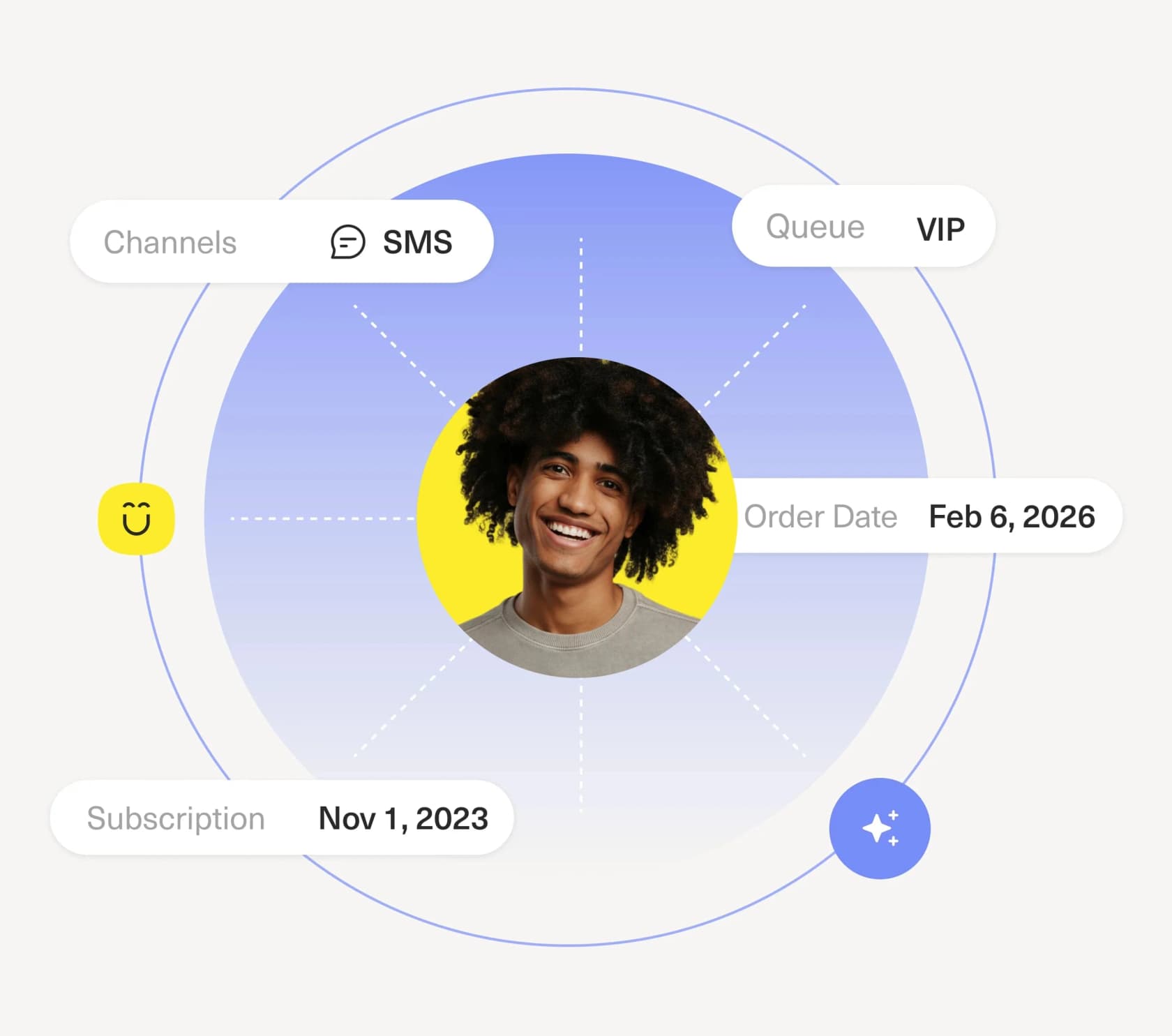
Kustomer takes a different architectural bet from the rest of this list. Instead of a ticket as the unit of work, the customer record is. Every interaction -- call, chat, email, SMS, WhatsApp, order history, loyalty tier, churn risk score -- lives on a unified customer timeline. The AI (named Concierge for customer-facing, Envoy for agent-assist) works from that full context rather than an isolated ticket, which means it can answer "what does this customer actually need based on their history" rather than just responding to what's in the current message.
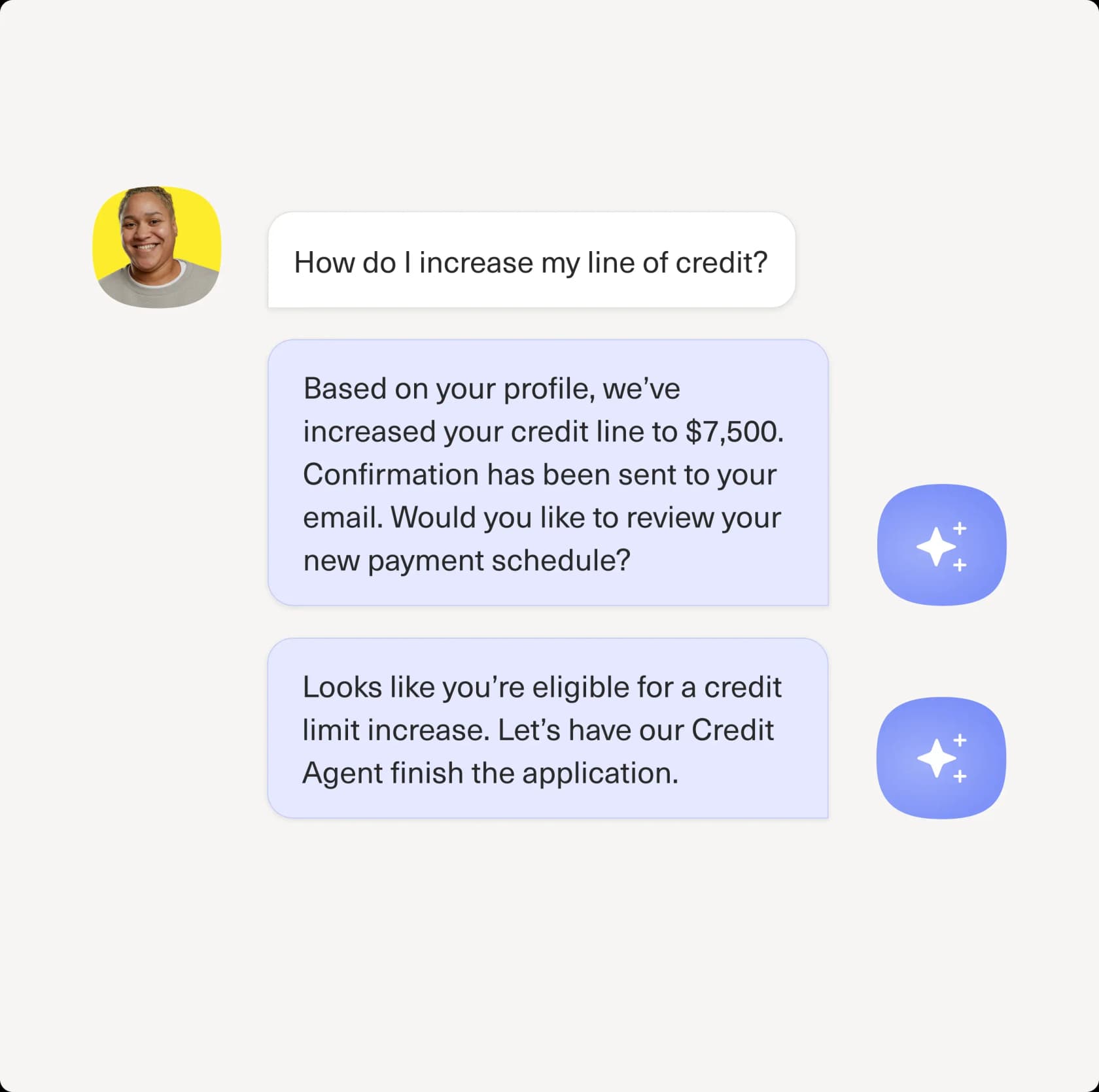
The vendor stats: Vuori reports 70% of all chat conversations fully automated, Aplazo a 40% CSAT improvement, Terra Kaffe scaled 4x while maintaining 90s CSAT. The customer roster -- Turo, Skims, Everlane, sweetgreen, loveholidays -- tells you exactly who this is for: high-volume B2C brands where customer context is the differentiator. G2 rates Kustomer 4.4/5 across 555 reviews.
Worth flagging before citing in a procurement deck: Kustomer's homepage advertises a "5.0 rating from 500+ G2 reviews" -- the actual G2 aggregate is 4.4/5. A minor discrepancy but worth knowing.
The AI suite covers four named products: Concierge (customer-facing autonomous AI), Envoy (agent copilot), Architect (no-code AI workflow builder with native MCP support), and Data Explorer (conversational analytics). Pricing is contact-sales only; competitor teardown estimates put it at ~$89/seat/month (Enterprise) or ~$139/seat/month (Ultimate), annual billing, 8-seat minimum, with AI metered at roughly $0.60/engaged AI conversation and $40/user/month for Envoy.
The biggest operational risk: the voice channel. Multiple G2 reviewers describe it as "incredibly buggy" -- dropped calls, audio issues, routing failures. Test this rigorously if voice is a primary channel.
Pricing (third-party estimates; Kustomer publishes no public rates):
| Package | Est. price | AI billing |
|---|---|---|
| Enterprise | ~$89/seat/mo (annual) | ~$0.60/AI conversation + $40/user/mo Envoy |
| Ultimate | ~$139/seat/mo (annual) | Same, higher limits |
| Minimum | 8 seats required | -- |
| Voice/WhatsApp | Pay-as-you-go | Separate |
Our take: Kustomer is the pick for enterprise B2C brands where the customer relationship is genuinely complex -- subscriptions, loyalty programs, multi-channel order histories -- and where AI that works from that context will outperform a ticket-centric platform. Skip it if voice is your primary channel or if you need strong out-of-the-box reporting.
5. Gladly
Best for: enterprise retail and DTC teams where customer support is a revenue channel, not just cost reduction
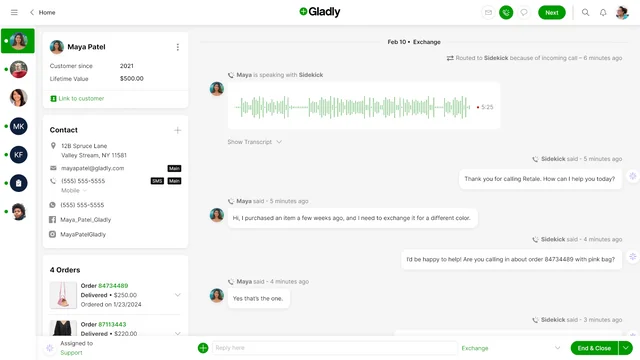
Gladly leads with a positioning that stands out in this market: "the only AI built for LTV" (lifetime value). Rather than framing AI as a deflection tool, Gladly positions Sidekick AI as a revenue-building channel. The headline vendor stats: 2.2x revenue per conversation, 65% CSAT improvement, 76% of conversations fully resolved by AI, 3x resolution rate increase in the first 30 days, and over 300 million total conversations to date.
The "people not tickets" architecture is a genuine technical choice: instead of opening a new ticket per interaction, Gladly maintains a single lifelong conversation thread per customer. Agents see the complete history -- every call, email, SMS, chat, and social message -- without switching views. Sidekick operates inside the same model, knowing the customer's history before the first word. Sidekick Voice extends this to phone with natural conversation and real actions (cancel order, initiate return, apply price adjustment) rather than just answering questions.
The customer roster -- TUMI, Ulta, UGG, Crate & Barrel, HOKA, Nordstrom, Tory Burch, StockX, Bombas -- confirms the target. G2 rates Gladly 4.7/5 across 1,112 reviews, with 82% five-star ratings -- the highest score among platforms on this list.
The honest weaknesses: reporting is the single most-cited G2 complaint (fragmented dashboards, manual Excel exports for key metrics), and Gladly is consistently described as expensive. Official platform pricing is contact-sales only; third-party sources estimate ~$180-$210/seat/month for the core Hero tier.
Pricing:
| Tier | Price | Notes |
|---|---|---|
| Trial (Shopify) | $0 / 30 days | 100 AI interactions, 1 seat |
| Pay-as-you-go | $1.50/AI Resolution, $0.25/AI Assist, $120/mo/seat | Shopify App Store |
| Hero (platform) | ~$180-$210/seat/mo | Third-party estimate; official: contact sales |
Our take: Gladly is the pick for enterprise retail and DTC teams where CX is a revenue center and lifetime value matters. The 4.7/5 G2 score tells you it delivers for that audience. The reporting gaps and high seat cost are real -- factor both into the evaluation.
6. Moveworks
Best for: enterprise employee service automation across IT, HR, finance, and operations -- now part of ServiceNow
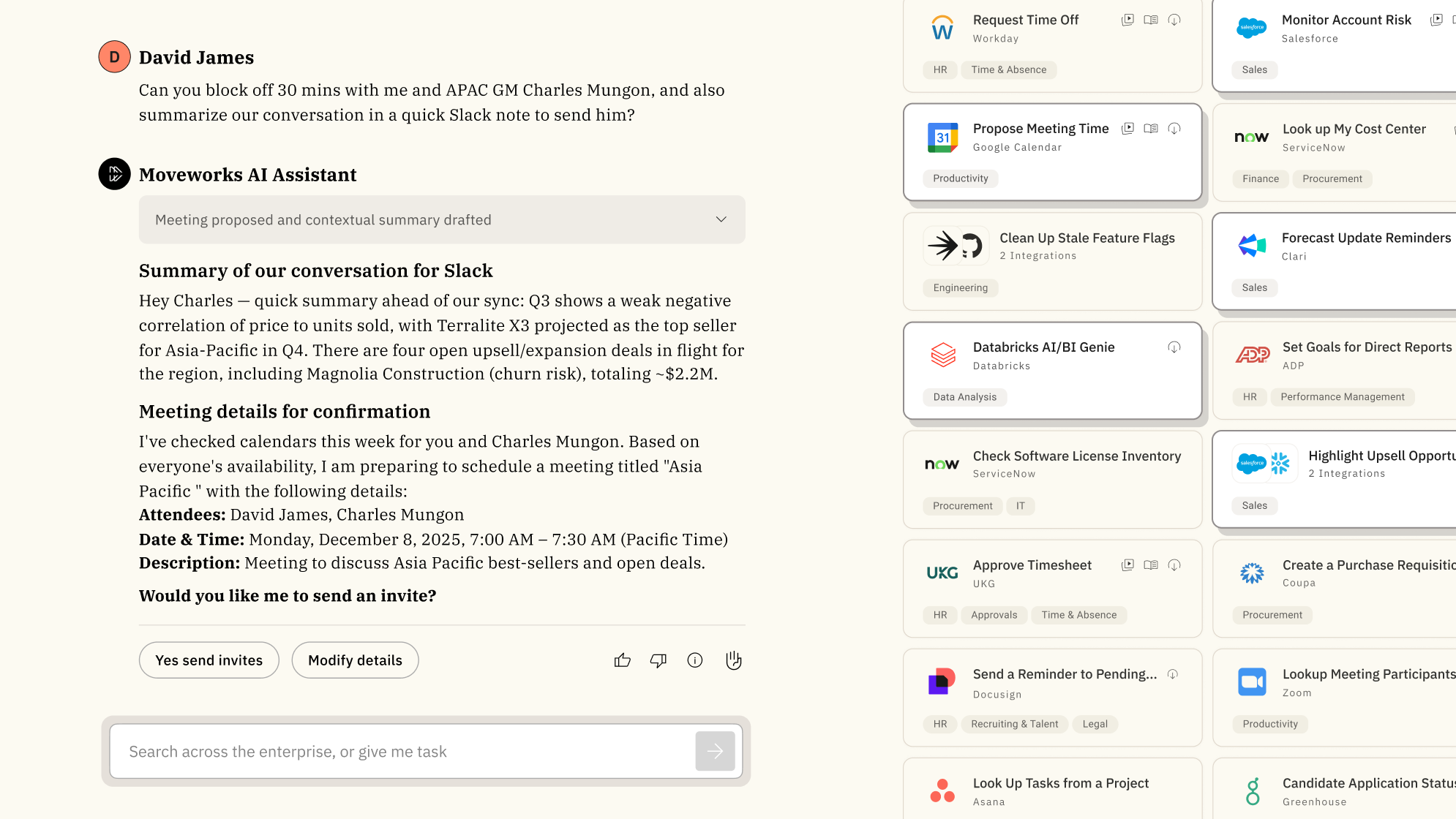
Moveworks is the most technically ambitious tool on this list: an agentic AI assistant for the whole workforce that handles IT, HR, finance, CRM, and other internal operations through a single conversational front door. The Moveworks Reasoning Engine orchestrates multiple enterprise LLMs to understand, plan, execute, and adapt to multi-step requests end-to-end -- not just answer a question but actually do the work across systems.
The proof points: Amadeus reduced support team calls by 44% in under a year, recapturing 16,000+ employee hours per month globally; CVS Health saw a 50% reduction in live agent chats in under 30 days; Procore saves approximately 4,000 operator hours per quarter across HR, IT, payroll, and workplace experience. The platform covers 350+ enterprise customers including 10% of the Fortune 500, 6 million employees, with an 8-week typical time-to-value.
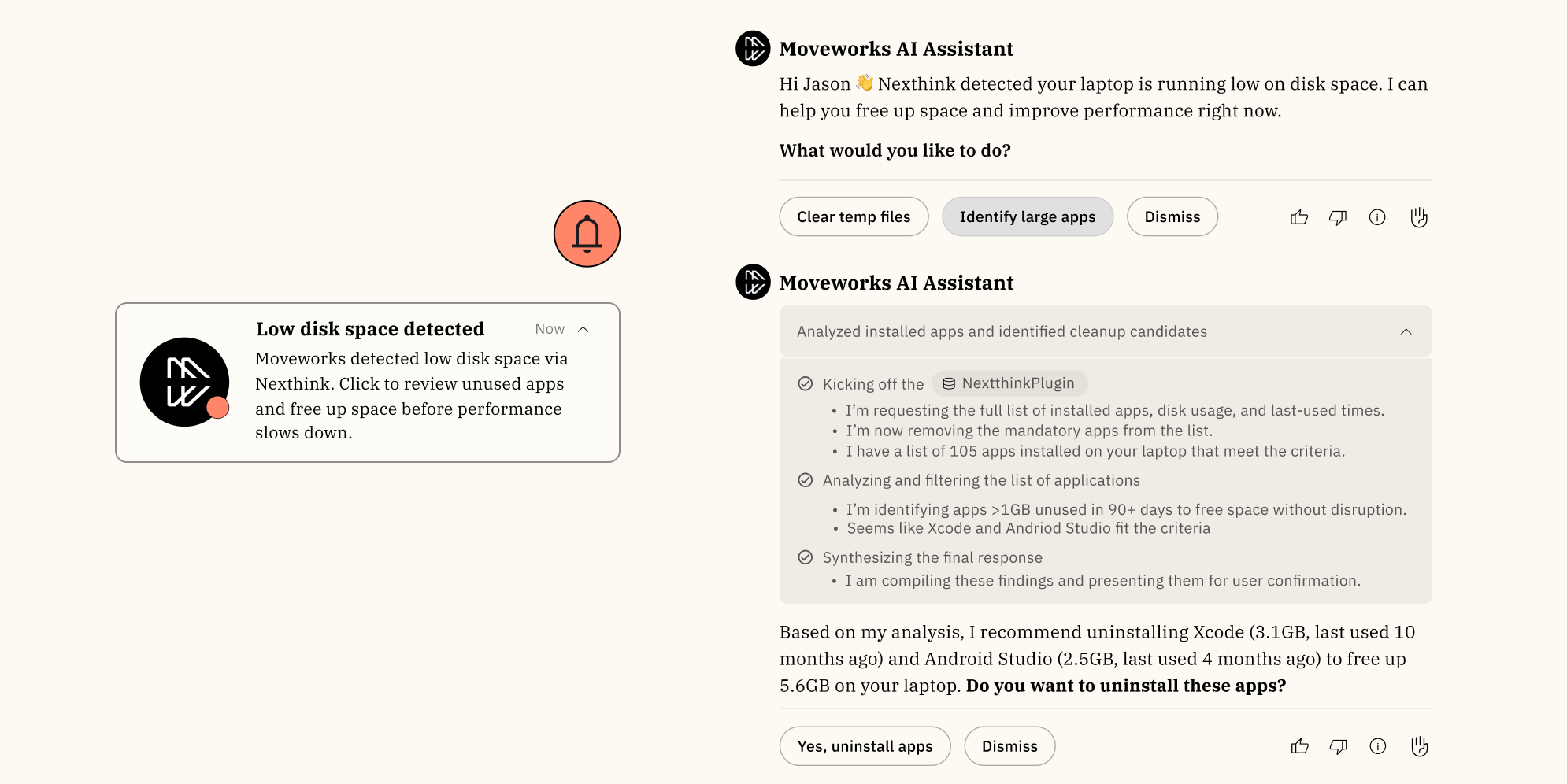
The critical M&A context: ServiceNow acquired Moveworks for approximately $2.85 billion, announced March 2025, closed December 15, 2025. It's now positioned as the AI-native front door to ServiceNow's EmployeeWorks portfolio. Current customers have raised legitimate concerns on r/servicenow about roadmap velocity for non-ServiceNow integrations and about whether the acquisition consolidates or dilutes the product.
Pricing is headcount-based -- a flat annual fee per employee covering unlimited usage. The AWS Marketplace lists $150/user/year for the 1,000-2,500 employee band. Vendr's median ACV is $130,080. For a 5,000-person org, the 3-year all-in TCO commonly runs $1.5M-$3.5M including implementation.
The security posture is strong: ISO 27001, SOC 2, HIPAA, GDPR, and FedRAMP.
Pricing (all third-party estimates):
| Scale | Est. cost |
|---|---|
| 1,000-2,500 employees | ~$150/user/yr (AWS Marketplace) |
| 5,000-10,000 employees (volume) | ~$15-$30/user/yr |
| Median ACV | ~$130,000/yr (Vendr, 31 purchases) |
| Implementation | $50K-$200K+ |
Our take: Moveworks is the right pick for large enterprises (5,000+ employees) targeting autonomous employee service across IT and HR -- not external customer-facing CX. The headcount-based pricing is genuinely predictable, the agentic capabilities are real, and the integration depth (ServiceNow, Workday, Okta, Salesforce, Slack, Teams) is unmatched in this category. The ServiceNow acquisition creates short-term uncertainty, but evaluate it on current capabilities.
7. Forethought
Best for: enterprise teams that need helpdesk-agnostic agentic AI -- now a Zendesk-owned product
Forethought -- TechCrunch Disrupt SF Battlefield winner in 2018, $92M raised -- is now a Zendesk-owned company. As a standalone product, it markets a multi-agent system: Solve for autonomous customer-facing resolution across chat, email, voice, SMS, Slack, and API; Triage for ticket classification by sentiment, language, and urgency; Assist for agent copilot; Discover for KB gap analysis that auto-generates Autoflows and articles to fill gaps; and Agent QA for automated quality scoring across 100% of interactions -- not the typical 2-5% manual sample.
The defining differentiator before the acquisition -- and still the core value proposition -- is that Forethought was designed to run on top of any helpdesk. Zendesk, Salesforce Service Cloud, legacy systems -- you keep your platform and layer Forethought on top. The standout capability for large enterprises is the Browser Agent: an AI that can operate web interfaces without an API, enabling automation in legacy enterprise systems that would otherwise block agentic AI entirely.
From Forethought's 2025 AI in CX Benchmark Report: 15x average ROI, 55% average reduction in first response time, up to 98% resolution rate, 100+ languages. Upwork reports 50% reduction in resolution time and a 65% self-serve rate; Cotopaxi 168% ROI in six months.
Pricing is contact-sales, outcome-based plus platform access fee, three tiers (Team / Professional / Enterprise), zero published numbers. Industry estimates place it at $30K-$150K+ ACV. No free trial -- Forethought offers a Proof of Value engagement on your own data instead.
Pricing:
| Tier | Published price | Notes |
|---|---|---|
| Team | Contact sales | Outcome-based + platform fee |
| Professional | Contact sales | Multibrand, Analytics API, Discover add-ons |
| Enterprise | Contact sales | -- |
Our take: Forethought still makes sense for enterprise teams locked into Salesforce Service Cloud or other non-Zendesk helpdesks that want sophisticated agentic AI without a platform switch. The Zendesk acquisition creates a legitimate question about long-term independence -- will Forethought's non-Zendesk integrations receive equal priority? For now the product works as a standalone. For teams already on Zendesk, the overlap with AI Agents Advanced makes the standalone case harder to justify.
How the pricing models compare
The pricing model matters more than the per-unit rate -- it determines whether your cost is predictable or exposed at scale.
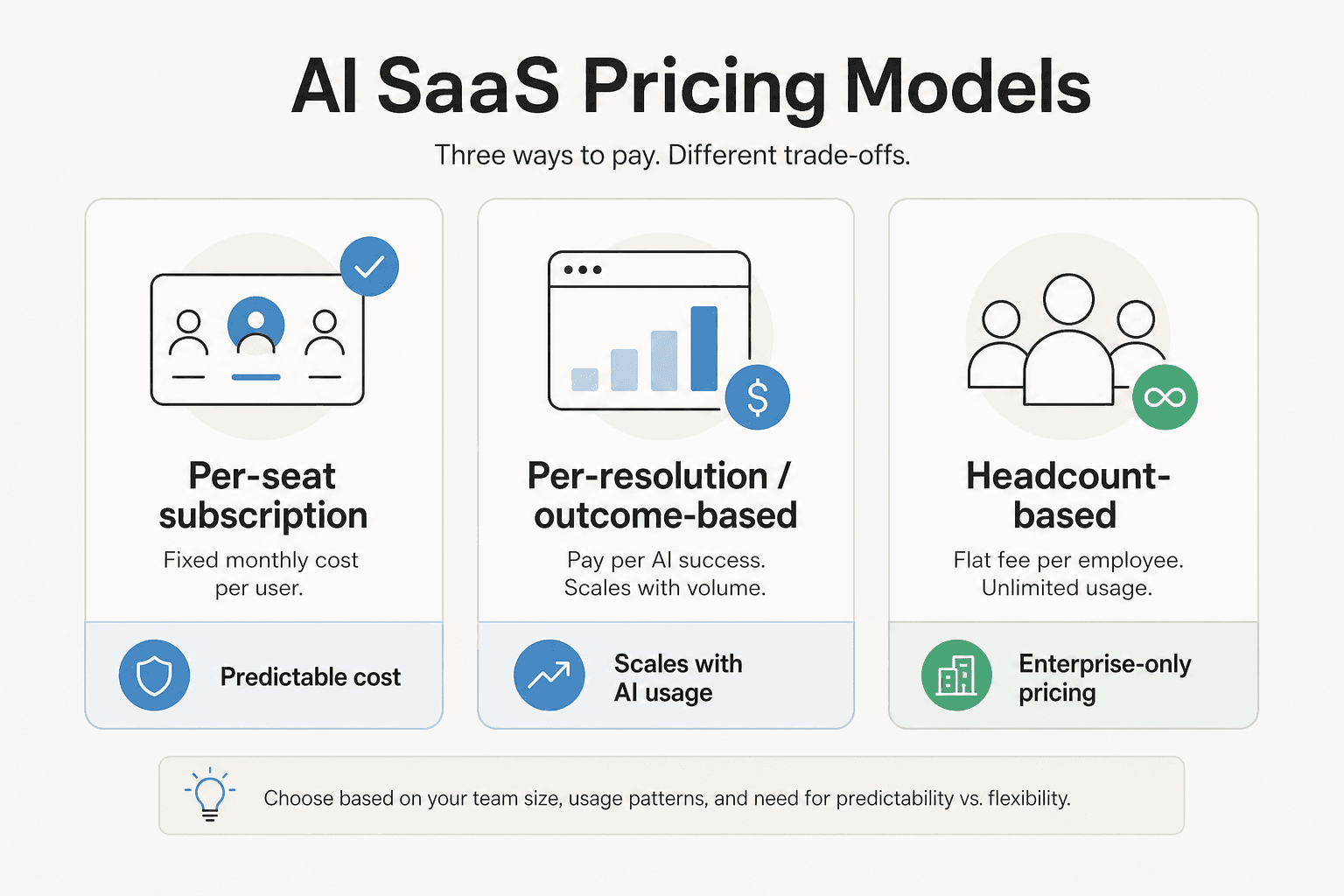
Per-seat (Zendesk, Freshservice, Kustomer, Gladly): predictable monthly spend that scales with headcount. The AI add-ons are often where the surprises live -- Zendesk Copilot at $50/agent/month on top of Suite Professional ($115/agent/month) already doubles the base seat cost before any per-resolution fees land.
Per-resolution (Zendesk AI Agents overages, Forethought): aligns cost with AI success, but without a hard cap it can balloon during high-volume periods or when AI over-counts borderline cases as resolved. Zendesk's $1.20-$1.50/AR overage with no ceiling is the most-cited enterprise procurement risk we found across community research.
Headcount-based (Moveworks): flat fee per employee per year regardless of usage. Highly predictable and typically better value at scale, but you're committing the whole workforce upfront rather than piloting a subset.
Usage-based (eesel): pay per task completed, no seat fees. At $0.40/ticket this prices aggressively against all the above for overlay deployments -- $0 for tickets that don't fire.
Vendor-claimed AI automation rates
Every vendor on this list publishes automation rate claims, but the numbers are not directly comparable. Some measure full autonomous resolutions (no agent needed), some measure AI assists (agent still approves before sending), some measure ticket deflection (customer leaves without contacting anyone). The denominator varies too -- some claim against all tickets, some against AI-handled tickets only.
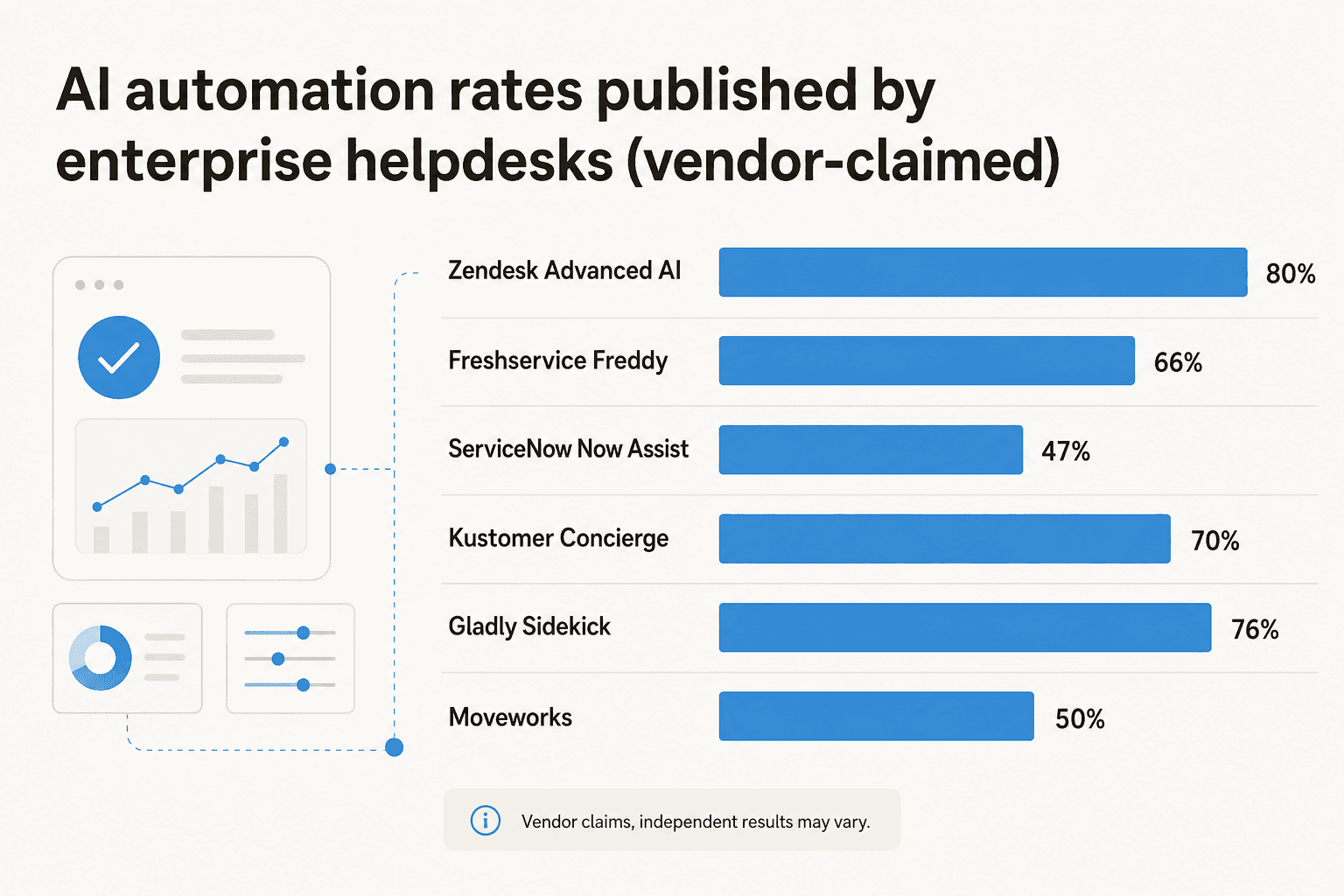
The most consistent finding across G2, Reddit, and Gartner Peer Insights: knowledge-base quality is the primary driver of AI performance, not the platform you pick. A clean, well-maintained KB on Zendesk Suite Professional will outperform a messy KB on ServiceNow Pro Plus every time. Budget for KB cleanup before AI deployment and factor it into your actual time-to-value estimate.
Try eesel
If you're not switching platforms -- or can't -- eesel is the AI layer that runs on top of whatever enterprise helpdesk you already have. Zendesk, Freshdesk, Freshservice, Slack, email, Shopify, and 100+ others. One agent handles tickets, composes replies, escalates intelligently, and learns your tone and policies without any prompt engineering required.

The enterprise plan includes SSO, HIPAA, BAA, dedicated solutions engineering, and higher knowledge base limits -- $1,000/month platform fee plus $0.40/ticket in usage. For an enterprise team routing 10,000 tickets a month, that's $5,000/month all-in and completely auditable. Compare that to Zendesk Copilot at $50/agent/month for a 100-agent team ($5,000/month) before any per-resolution fees stack on top.
Try eesel -- free $50 credit, no card required. See also: best AI for Zendesk integrations, AI support ticket deflection guide, best AI helpdesk software 2026.
Frequently Asked Questions
What is the best AI helpdesk for large enterprise teams?
How much does an enterprise AI helpdesk cost?
Can I add AI to my existing enterprise helpdesk without switching platforms?
What is the difference between Zendesk and ServiceNow for enterprise support?
Do enterprise AI helpdesks require replacing my current ticketing system?


Article by
Alicia Kirana Utomo
Kira is a writer at eesel AI with a Computer Science background and over a year of hands-on experience evaluating AI-powered customer service tools. She focuses on breaking down how helpdesk platforms and AI agents actually work so that support teams can make better buying decisions.